

Page 1
Order toll-free in the U.S. 800-959-6439
Technical support, Call 714-641-6607
1163 Warner Ave. Tustin, CA 92780
www.hallresearch.com
CUSTOMER
SUPPORT
INFORMATION
UMA1198 Rev. N/C
User’s Manual
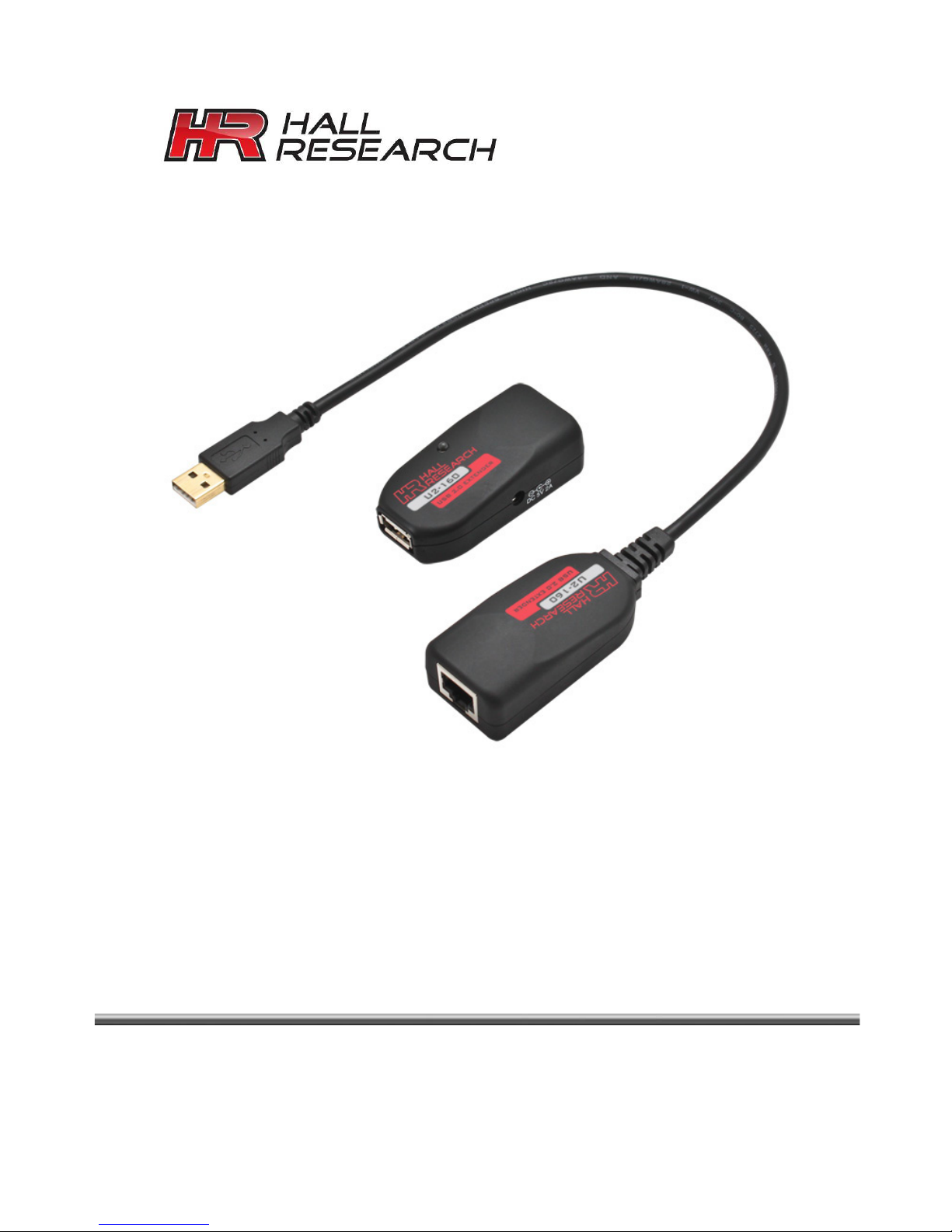
U2-160 USB 2.0 over UTP Extender
USB 2.0 Extender on Single UTP Cable
To 165 ft (50 m)
Page 2

Page 3
USB 2.0 Cat6 Extender
1
1
Contents
1. Introduction 2
1.1 General 2
1.2 Features 2
2. Installation 3
4. Troubleshooting 4
5. Specifications 4
FCC STATEMENT
This equipment generates, uses, and can radiate radio frequency
energy and if not installed and used properly, that is, in strict
accordance with the manufacturer’s instructions, may cause
interference to radio communication. It has been designed to
comply with the limits for a Class A computing device in
accordance with the specifications in Subpart B of Part 15 of FCC
rules, which are intended to provide reasonable protection against
such interference when the equipment is operated in a commercial
environment. Operation of this equipment in a residential area is
likely to cause interference, in which case the user at their own
expense will be required to take whatever measures may be
necessary to correct the interference.
Changes or modifications not expressly approved by the party
responsible for compliance could void the user’s authority to
operate the equipment.
Page 4

U2-160
2
1. Introduction
1.1 General
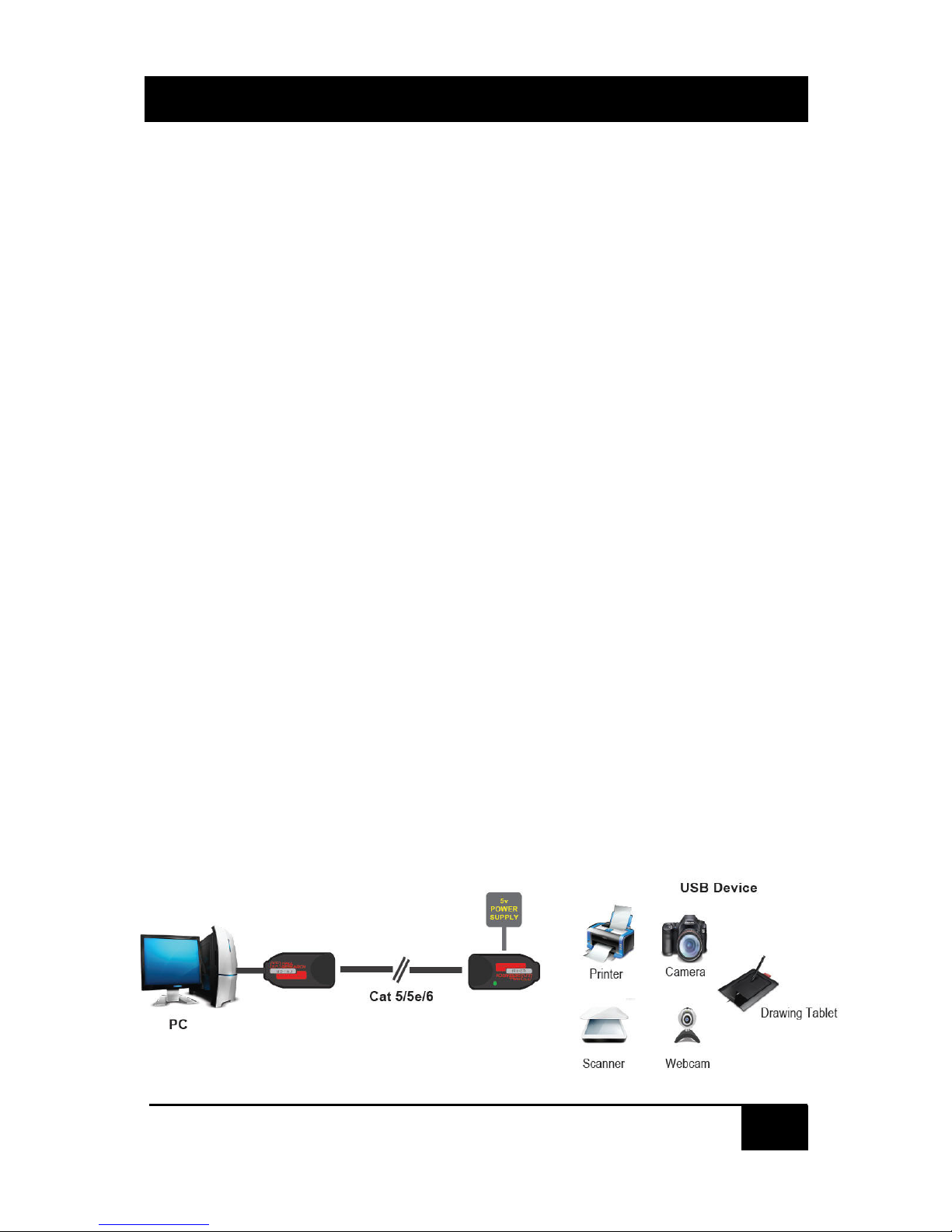
Thank you for purchasing the USB 2.0 Extender. This USB 2.0
Extender is capable of sending USB signals across a Cat5/5e/6
cable up to 50 meters at data rate of High Speed (480 Mb/s),
Full Speed (12Mb/s) and Low Speed (1.5 Mb/s). Only one
power supply is required for operation.
Setting up the USB 2.0 Cat 5 extender is quite simple. It only
takes minutes to setup and no software drivers are required
The USB 2.0 Extender is backwards compatible with the USB
1.0/1.1.
Hall Research’s USB 2.0 extender can extend broad range of
USB devices like Web Camera, Printer, Keyboard, Mouse,
Hard Disk Drives and Surveillance Camera over 165 ft (50 m)
using single Cat 5/6 cable.
1.2 Features
• Allows any USB device to be remotely located by up to
50m (164 ft) using Cat6 UTP cable
• Plug-and-Play. No software or drivers needed
• Support for high-speed (480 Mb/s), full-speed (12 Mb/s)
or low speed (1.5 Mb/s) USB device
• Supports suspend/resume protocol for green operation.
• Supports Hot Plug/Unplug.
• Economical.
Page 5
USB 2.0 Cat6 Extender
3
3
2. Installation
Before installation please check items in the package.
• Local Unit with 1
ft cable attached.
• Remote Unit with LED Indicator & DC jack
• Universal Power Adapter
Input Output Connections
• Connect the Local Unit to the Host System (or PC)
via the built-in molded USB cable on Local Unit.
• Connect the Local and Remote Units together using
a Cat6 cable( Max distance is 50m or 165 ft)
• Connect any USB peripheral (such as printer,
scanner, HDD, etc) to the Remote Unit.
• Plug the included 5V/2A power supply to the
extender’s Remote Unit. Local Unit does not need a
power supply as it is provided by the Host (or PC).
• Check the LED on USB 2.0 Extender Remote Unit.
Make sure that the LED on Remote Unit illuminates
in solid green light that means the extenders are
powered and communicating.
Local Unit
Remote Unit
Page 6
U2-160
4
4. Troubleshooting
If host PC fails to detect USB device, check the LED status on
the Remote unit. Make sure LED is illuminated. CAT6 cable is
recommended particularly if the length is longer than 100 ft.
Reboot the Host PC. Unplug the local unit from the Host PC
and connect it to a different USB port if available.
There are no field serviceable parts or circuits in the device.
Opening the device will void the warranty. If you think the
device is malfunctioning, please contact Hall Research.
5. Specifications
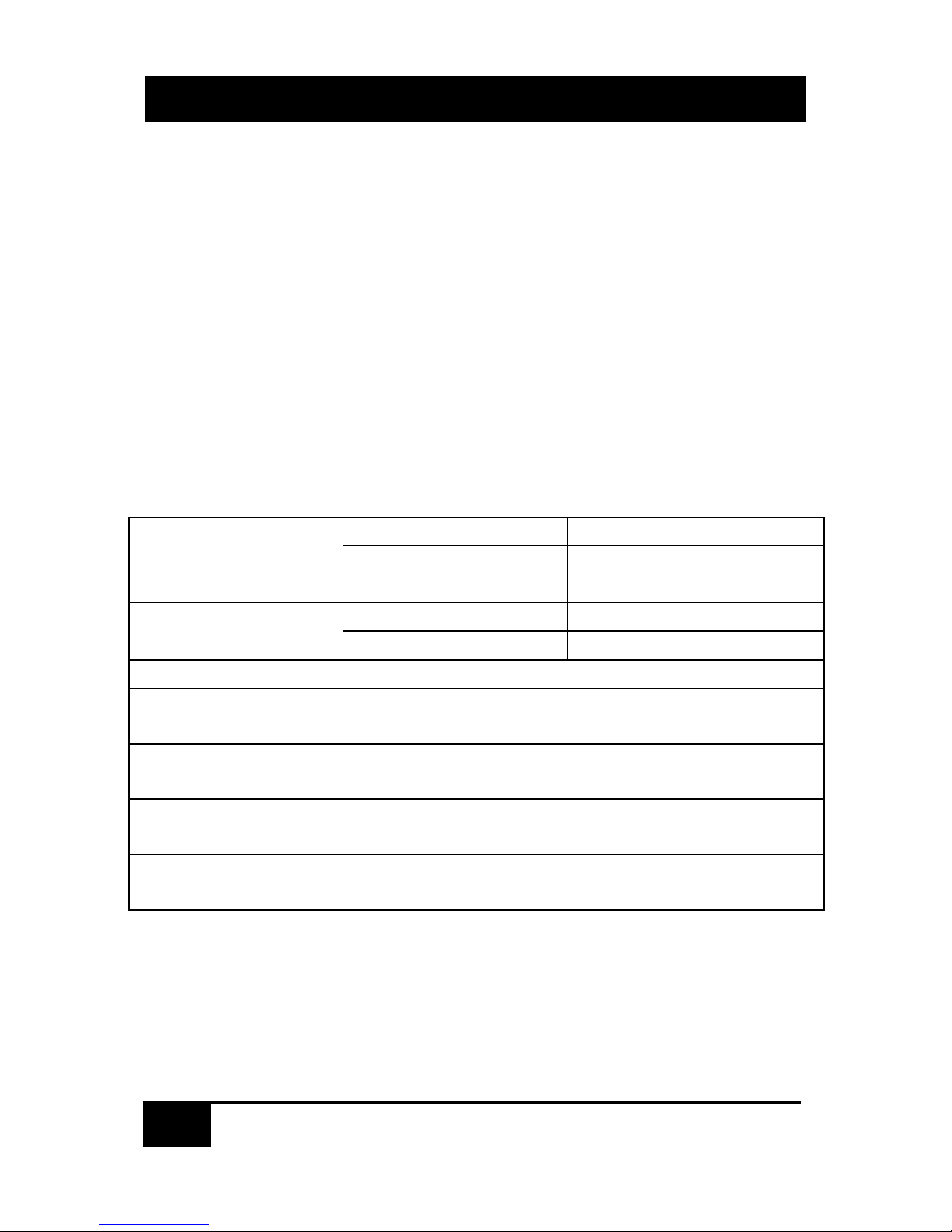
Local Unit
Upstream Port
USB Type A Male
Downstream Port RJ 45 Jack
Power
Bus Powered
Remote Unit
Upstream Port
USB Type A Female
Power External 5V Supply
Dimensions
2.6 x 1.4 x 0.8 inch (66 x 36 x 20 mm)
Interconnect
Cable
Standard category 5e/6 UTP or STP
CAT6 Recommended
Max Cable
Length
50 m (164 ft)
Power Supply
Universal AC input, 5vDC @ 2A output
Hall Research P/N 511-PA1015-1L
Operating
Temperature
32 to 150 °F (0 to 65 °C)
Page 7
USB 2.0 Cat6 Extender
5
5
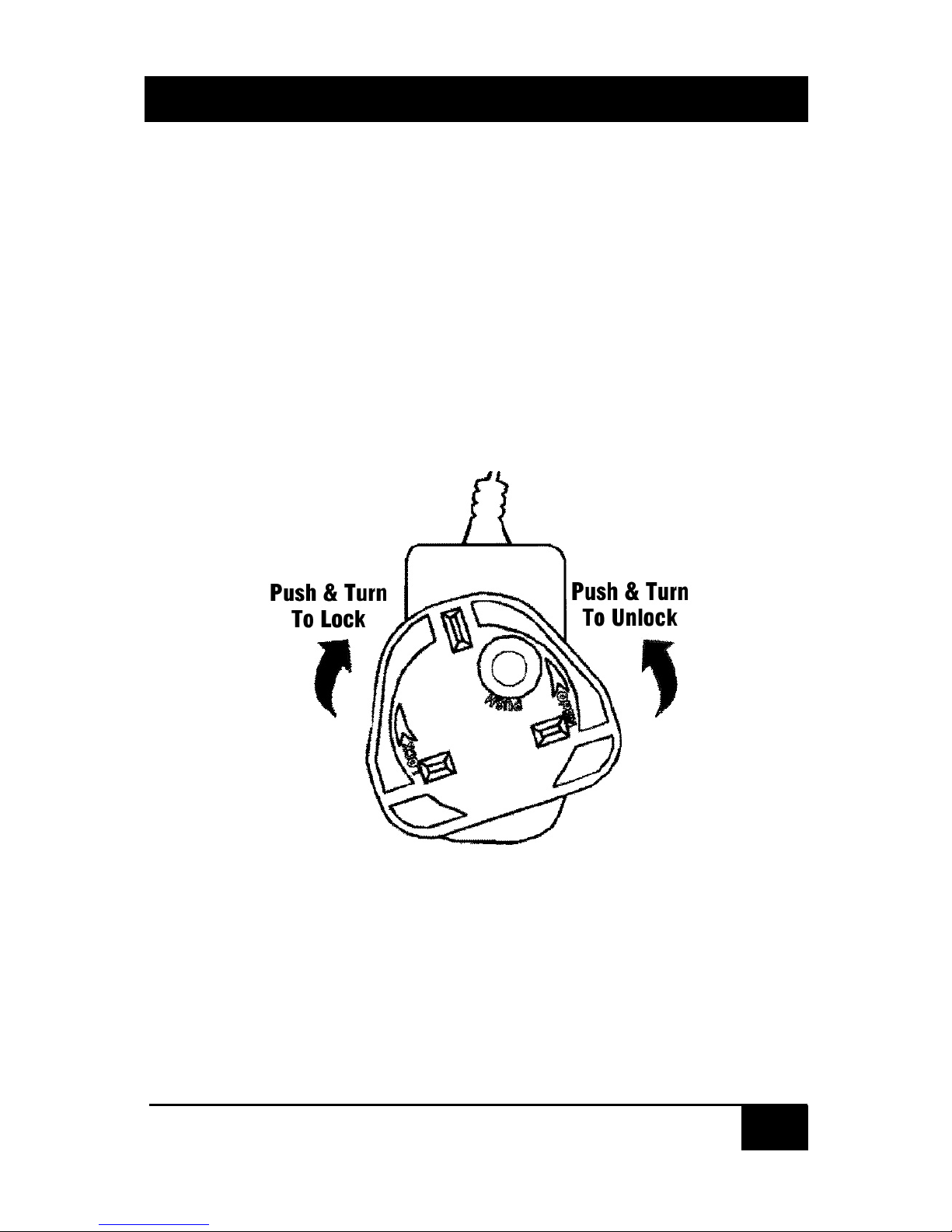
Using the Multi Country Power Adapter
Identify the plug that you need for your country. Insert the required
plug into the adapter. The plugs are keyed to avoid Incorrect
Insertion. Push the plug firmly towards the housing, twist and allow
the latch on the adapter to click into place. To remove, push the
button marked and twist in the opposite direction.
Make sure the plug is locked firmly in place before use!
CAUTION!
Keep out of reach of children
NEVER insert just the plug by itself into AC mains
Page 8

© Copyright 2013. Hall Research, Inc.
All rights reserved.
 Loading...