

Page 1

HP Photosmart Premium Maintenance
HP Photosmart Premium Maintenance
Tools used in this guide
hands (1)
Parts relevant to this guide
Water (1)
napkins (1)
This guide is primarily targeted at HP and Canon printers being these are the only ones I know use this
printhead. You may also be able to disassemble Epson printers to remove the printheads, but results
will not be as good as with HP and Canon printers.
© 2010 iFixit — CC BY-NC-SA www.iFixit.com Page 1 of 4
Page 2
HP Photosmart Premium Maintenance
Step 1 -
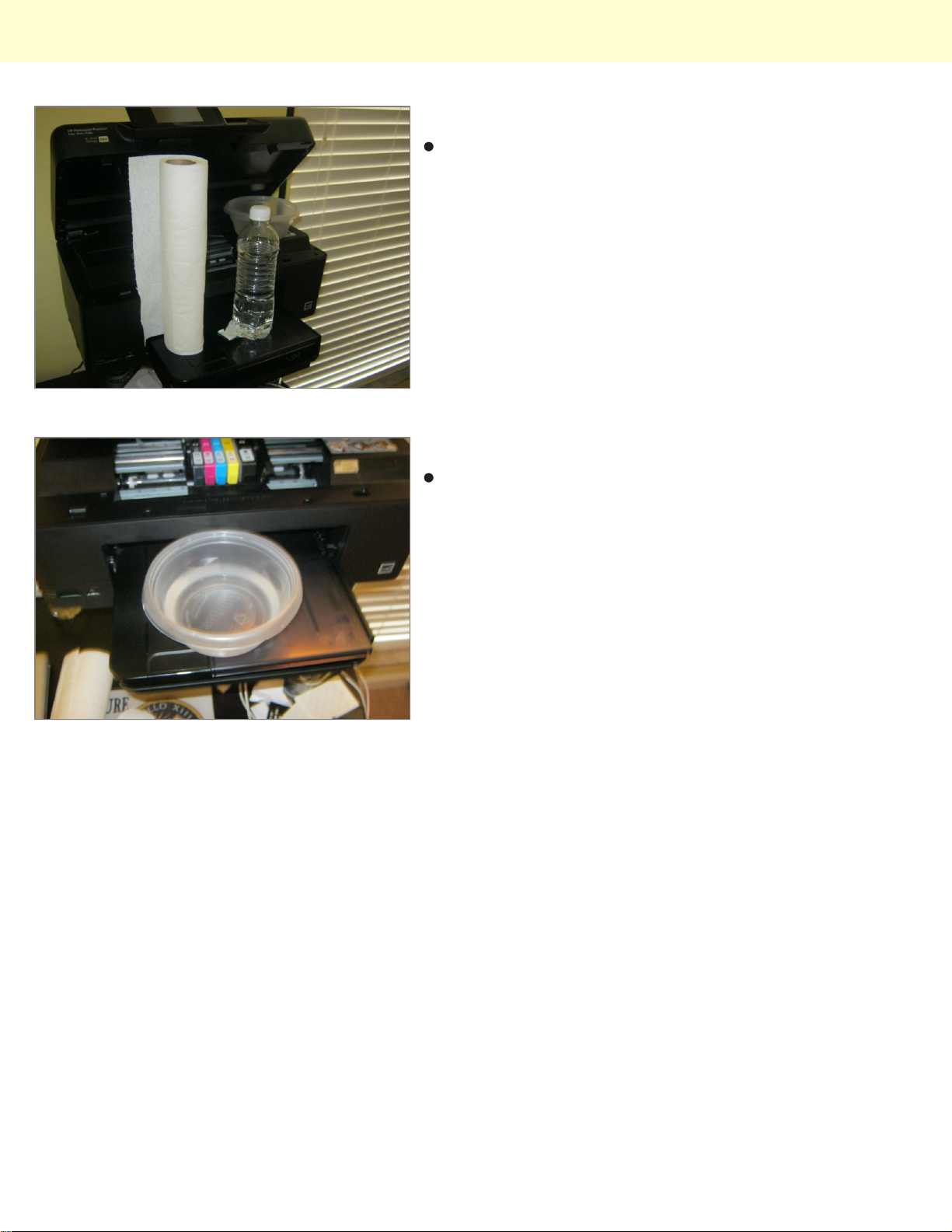
Turn on the printer to move the printhead to the center,
and gather the supplies you will need.
Step 2
Pour some water in a small dish; the dish must be large
enough to hold the printhead.
© 2010 iFixit — CC BY-NC-SA www.iFixit.com Page 2 of 4
Page 3
HP Photosmart Premium Maintenance
Step 3
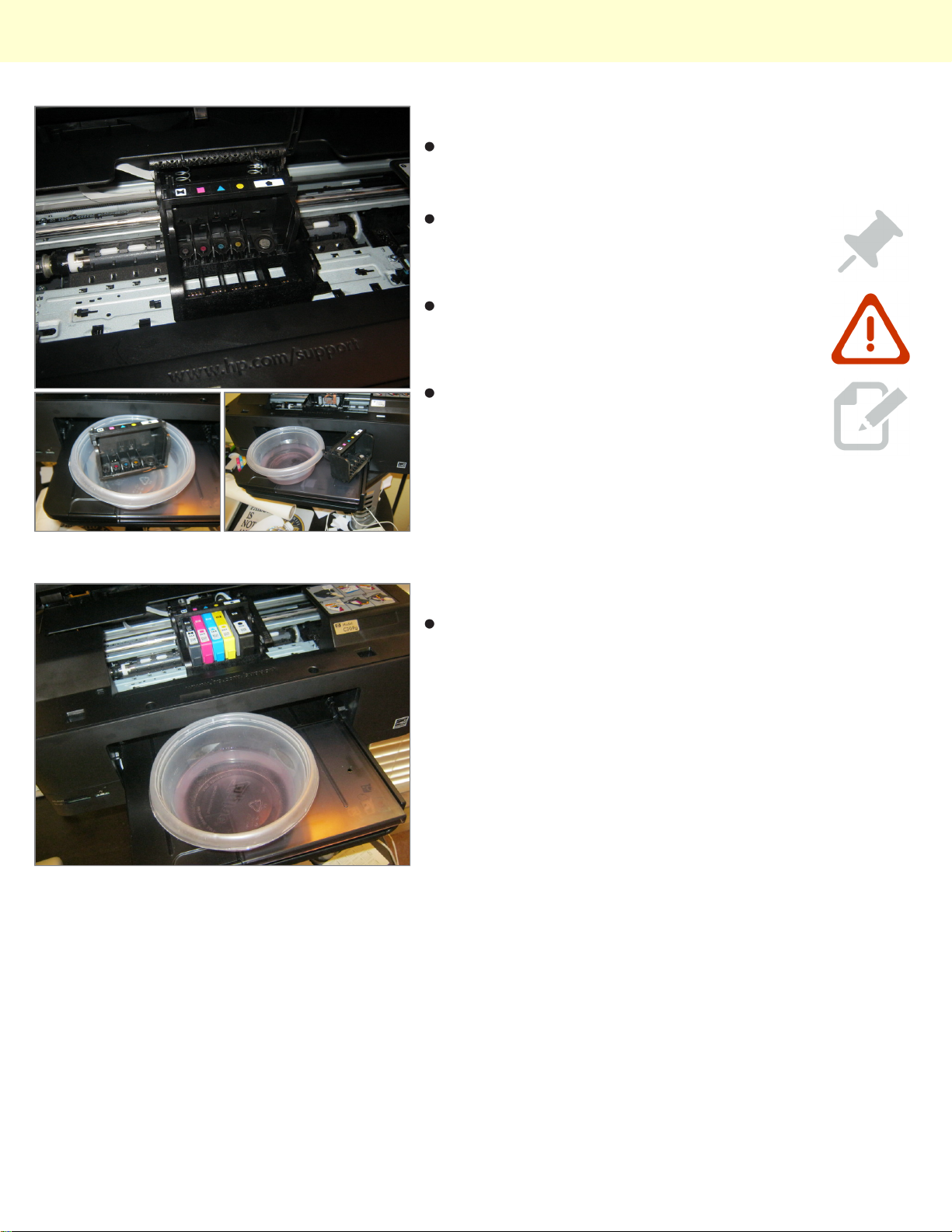
Remove the printhead from the printer, place it in the
water dish, and allow it to soak until the ink has
dissolved in the water.
Swish it around periodically and changed
the water as necessary.
Dry the printhead THOROUGHLY before it
goes in the printer, otherwise you may
damage the printer and/or printhead!
As you can tell,mine is pretty backed up and
i refuse to waste my ink cleaning it in the
utility
Step 4
Reassemble the printer, and dispose of the wastewater
safely.
© 2010 iFixit — CC BY-NC-SA www.iFixit.com Page 3 of 4
Page 4

HP Photosmart Premium Maintenance
To reassemble your device, follow these instructions in reverse order.
This document was last generated on Dec 14, 2010.
© 2010 iFixit — CC BY-NC-SA www.iFixit.com Page 4 of 4
 Loading...