

Page 1
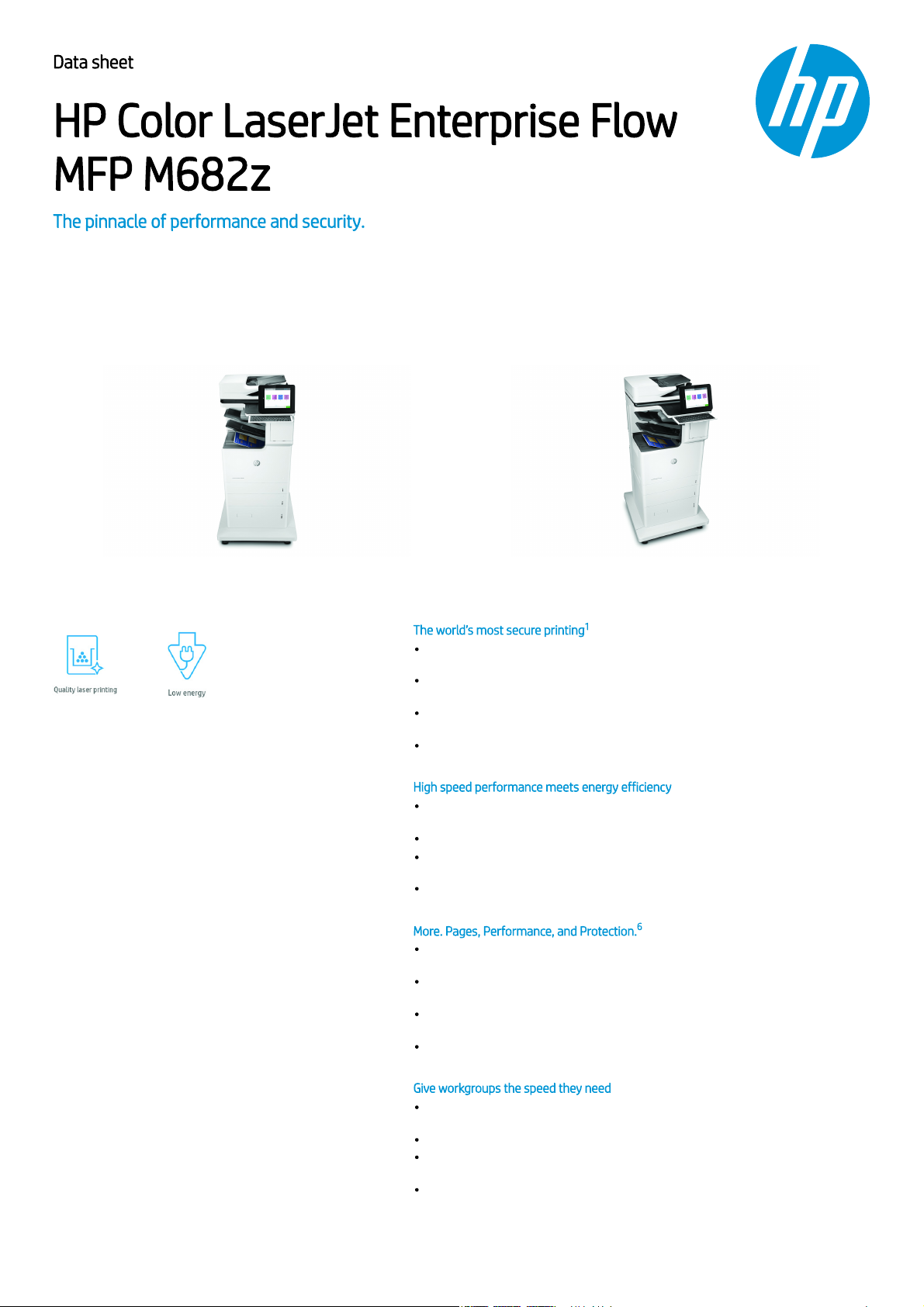
Data sheetData sheet
HP Color LaserJet Enterprise FlowHP Color LaserJet Enterprise Flow
MFP M682zMFP M682z
The pinnacle of performance and security.The pinnacle of performance and security.
This HP Color LaserJet MFP with JetIntelligence combines exceptional performance and energy efficiency with
professional-quality documents right when you need them – all while protecting your network with the
industry’s deepest security.
The world’s most secure printingThe world’s most secure printing
With HP Sure Start, each printer regularly checks its operating code and repairs itself
from attempted hacks.
Run-time intrusion detection continually monitors to detect and stop attacks, then
automatically reboots.
Centralise control of your printing environment with HP Web Jetadmin – and help build
business efficiency.
Give workgroups what they need to succeed. Easily choose and deploy over 180 HP and
third-party solutions.
High speed performance meets energy efficiencyHigh speed performance meets energy efficiency
Scanning is now faster than ever; duplex scan speeds up to 167 ipm. Scan to SharePoint
and more.
This MFP wakes up fast and prints your first page faster – in as quickly as 12.6 seconds.
This MFP uses exceptionally low amounts of energy thanks to its innovative design and
toner technology.
Paper handling options include a wheeled stand and 550-sheet input feeder for paper
sizes 10.16 x 15.24 cm (4 x 6") to legal.
More. Pages, Performance, and Protection.More. Pages, Performance, and Protection.
ColorSphere3 toner formulation, combined with an automatic media sensor, help provide
leading print quality
Original HP Toner cartridges with JetIntelligence supply 39% more pages per colour
cartridge vs predecessor.
Help retain the Original HP quality you paid for with anti-fraud and cartridge
authentication technology.
Spend less time replacing toner, and more on business. Choose high-yield toner
cartridges.
Give workgroups the speed they needGive workgroups the speed they need
Help workgroups capture every page easily and detect potential errors or missed pages –
every time.
Enter data more quickly and accurately using the pull-out keyboard.
Help ensure every scanned document is properly oriented, cropped to size, and
greyscale-optimised.
Load up to 150 pages into the automatic document feeder for fast, unattended
scanning.
1/5
1
11
2
3
4
5
66
6
7
Page 2
Data sheet | HP Color LaserJet Enterprise Flow MFP M682z
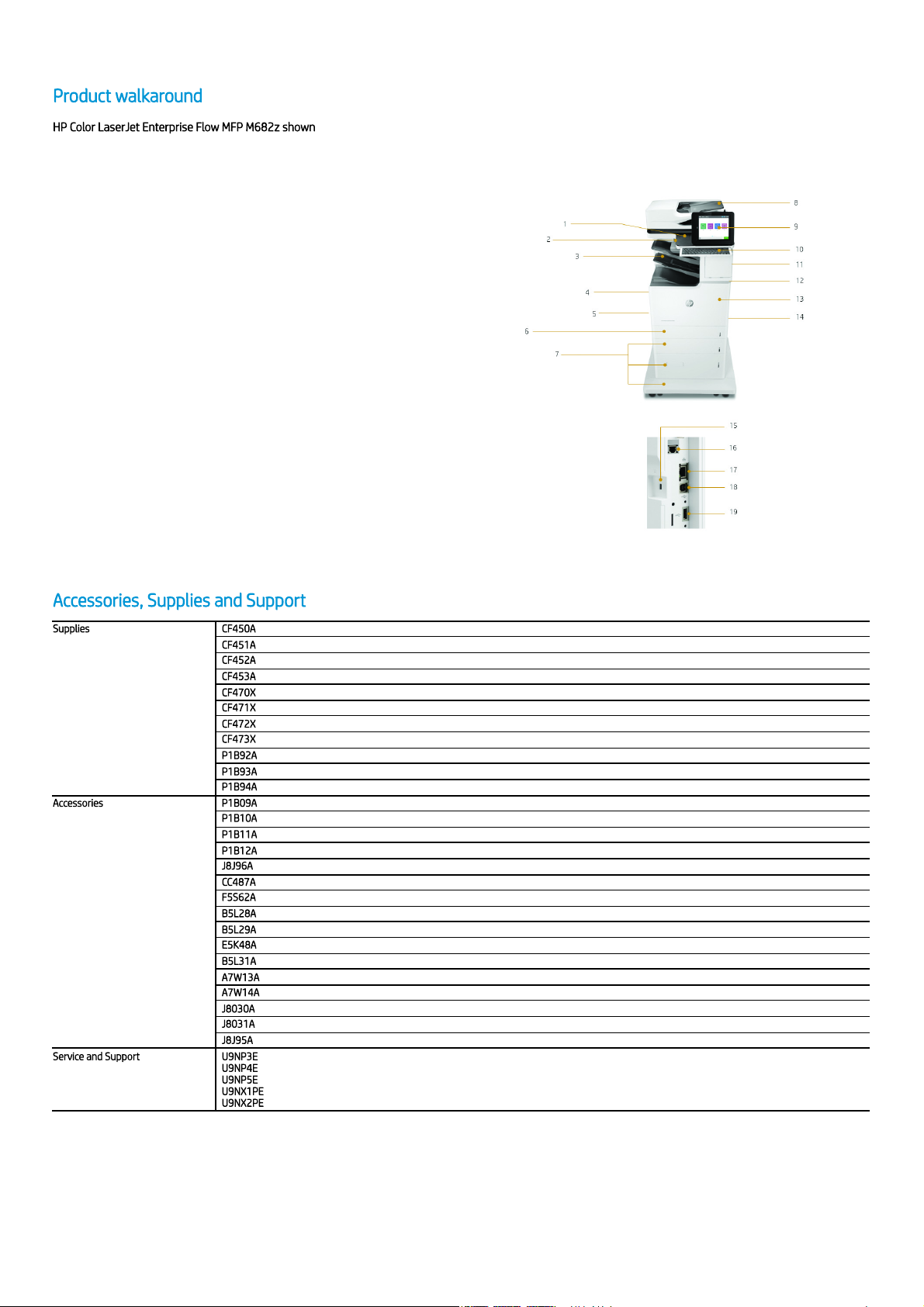
Product walkaroundProduct walkaround
HP Color LaserJet Enterprise Flow MFP M682z shownHP Color LaserJet Enterprise Flow MFP M682z shown
1. Hardware Integration Pocket
2. Easy-access USB port
3. 1,000-sheet 3-bin stapler/stacker with offset job printing
4. Built-in automatic two-sided printing
5. HP High-Performance Secure Hard Disk
6. 550-sheet tray 2
7. 1x550-sheet/2,000-sheet HCI feeder and stand
8. 150-sheet ADF with single-pass, two-sided scanning and HP EveryPage
9. 20.3 cm icon-based colour touchscreen
10. Pull-out keyboard
11. 100-sheet multipurpose tray 1
12. Lower-right door (access to print path)
13. Front door access to toner cartridges
14. Wi-Fi Direct printing/Bluetooth Low Energy
15. Slot for cable-type security lock
16. Fax port
17. Built-in Gigabit Ethernet
18. Hi-Speed USB 2.0 printing port
19. USB port for connecting external USB devices
Accessories, Supplies and SupportAccessories, Supplies and Support
SuppliesSupplies CF450ACF450A HP 655A Black Original LaserJet Toner Cartridge (12,500 pages)
CF451ACF451A HP 655A Cyan Original LaserJet Toner Cartridge (10,500 pages)
CF452ACF452A HP 655A Yellow Original LaserJet Toner Cartridge (10,500 pages)
CF453ACF453A HP 655A Magenta Original LaserJet Toner Cartridge (10,500 pages)
CF470XCF470X HP 657X High Yield Black Original LaserJet Toner Cartridge (28,000 pages)
CF471XCF471X HP 657X High Yield Cyan Original LaserJet Toner Cartridge (23,000 pages)
CF472XCF472X HP 657X High Yield Yellow Original LaserJet Toner Cartridge (23,000 pages)
CF473XCF473X HP 657X High Yield Magenta Original LaserJet Toner Cartridge (23,000 pages)
P1B92AP1B92A HP LaserJet 220V Maintenance Kit (Up to 150,000 pagesUp to 150,000 pages)
P1B93AP1B93A HP LaserJet Image Transfer Belt Kit (Up to 150,000 pagesUp to 150,000 pages)
P1B94AP1B94A HP LaserJet Toner Collection Unit (Up to 100,000 pagesUp to 100,000 pages)
AccessoriesAccessories P1B09AP1B09A HP Color LaserJet 550-sheet Media Tray
P1B10AP1B10A HP Color LaserJet 550-sheet Paper Tray with Stand
P1B11AP1B11A HP Color LaserJet 3x550-sheet Feeder and Stand
P1B12AP1B12A HP Color LaserJet 1 x 550/2000-sheet HCI Feeder and Stand
J8J96AJ8J96A HP Staple Cartridge Refill
CC487ACC487A HP LaserJet MFP Analog Fax Accessory 500
F5S62AF5S62A HP Trusted Platform Module Accessory
B5L28AB5L28A HP Internal USB Ports
B5L29AB5L29A HP High-Performance Secure Hard Disk
E5K48AE5K48A HP 1 GB x32 144-pin (800 MHz)DDR3 SODIMM
B5L31AB5L31A HP Foreign Interface Harness
A7W13AA7W13A HP LaserJet Keyboard Overlay Kit-Danish/French-Switzerland/German-Switzerland
A7W14AA7W14A HP LaserJet Swedish Overlay Keyboard
J8030AJ8030A HP Jetdirect 3000w NFC/Wireless Accessory
J8031AJ8031A HP Jetdirect 2900nw Print Server
J8J95AJ8J95A HP 300 ADF Roller Replacement Kit
Service and SupportService and Support U9NP3EU9NP3E HP 3 year Next Business Day Hardware Support with Defective Media Retention for Colour LaserJet Enterprise MFP M68x
U9NP4EU9NP4E HP 4 year Next Business Day Hardware Support with Defective Media Retention for Colour LaserJet Enterprise MFP M68x
U9NP5EU9NP5E HP 5 year Next Business Day Hardware Support with Defective Media Retention for Colour LaserJet Enterprise MFP M68x
U9NX1PEU9NX1PE HP 1 year Post Warranty Next Business Day Hardware Support with Defective Media Retention for Colour LaserJet Enterprise MFP M68x
U9NX2PEU9NX2PE HP 2 year Post Warranty Next Business Day Hardware Support with Defective Media Retention for Colour LaserJet Enterprise MFP M68x
2/5
Page 3
Data sheet | HP Color LaserJet Enterprise Flow MFP M682z
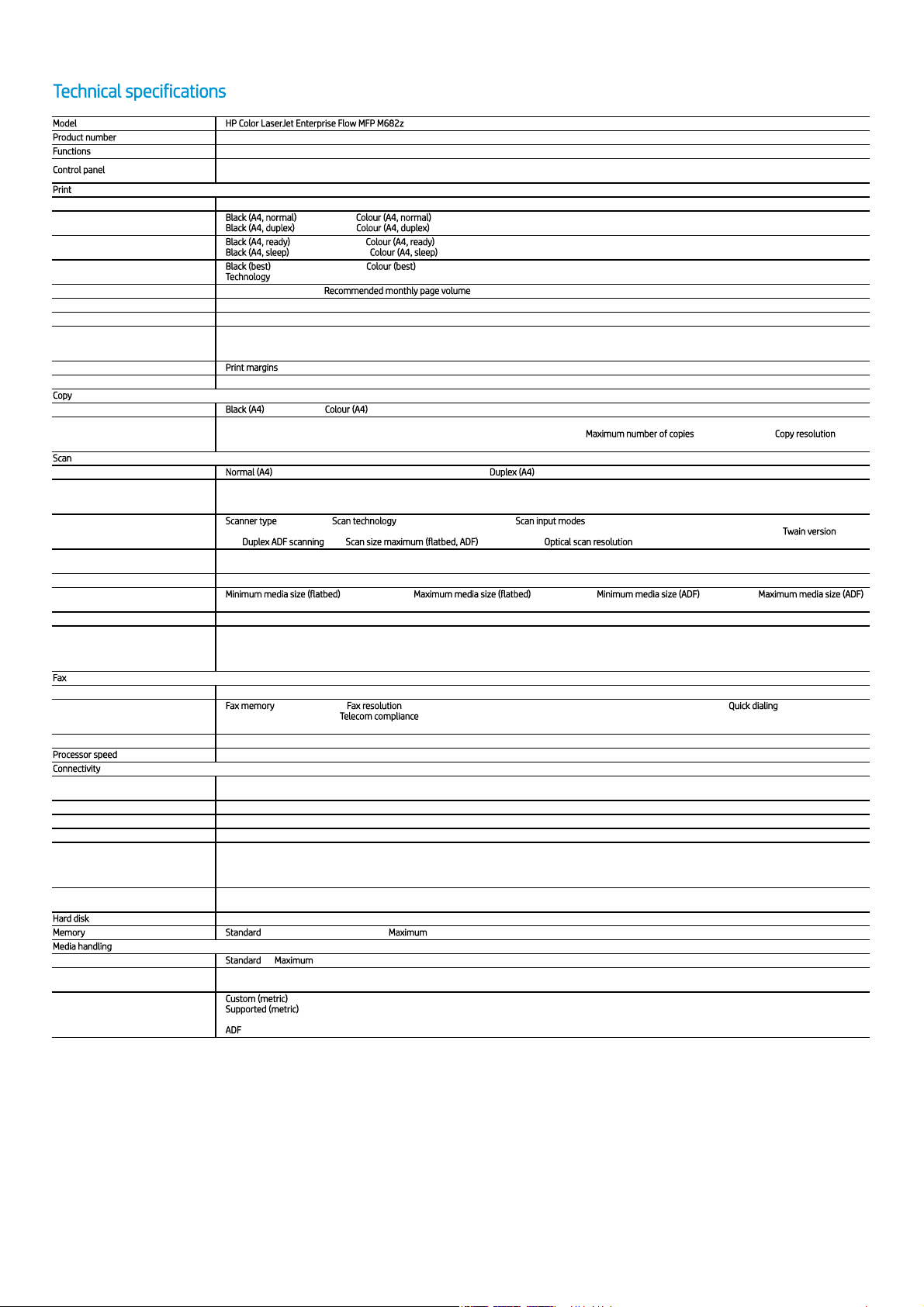
Technical specificationsTechnical specifications
ModelModel HP Color LaserJet Enterprise Flow MFP M682zHP Color LaserJet Enterprise Flow MFP M682z
Product numberProduct number J8A17A
FunctionsFunctions Print, copy, scan, fax
Control panelControl panel
20.3 cm (8.0 in) Colour Graphics Display (CGD) with touchscreen; Rotating (adjustable angle) display; Illuminated Home button (for quick return to the Home menu);
Pull-out keyboard
PrintPrint
Print technology Laser
Print speed
Black (A4, normal)Black (A4, normal) Up to 56 ppm; Colour (A4, normal)Colour (A4, normal): Up to 56 ppm;
Black (A4, duplex)Black (A4, duplex): Up to 56 ppm; Colour (A4, duplex)Colour (A4, duplex): Up to 56 ppm;
First page out
Black (A4, ready)Black (A4, ready): As fast as 5.8 sec; Colour (A4, ready)Colour (A4, ready): As fast as 5.8 sec;
Black (A4, sleep)Black (A4, sleep): As fast as 12.6 sec; Colour (A4, sleep)Colour (A4, sleep): As fast as 12.6 sec;
Print resolution
Black (best)Black (best): Up to 1200 x 1200 dpi; Colour (best)Colour (best): Up to 1200 x 1200 dpi;
TechnologyTechnology: HP ImageRet 3600; 600 x 600 dpi; HP ProRes 1200 (1200 x 1200 dpi); Pantone© Calibrated;
Monthly duty cycle Up to 120,000 pages A4; Recommended monthly page volumeRecommended monthly page volume: 2,000 to 17,000
Printer smart software features Print preview, duplex printing, print multiple pages per sheet (2, 4, 6, 9, 16), collation, watermarks, store print jobs, easy-access USB
Standard print languages HP PCL 6; HP PCL 5c; HP postscript level 3 emulation, native PDF printing (v 1.7), URF (AirPrint)
Fonts and typefaces
105 internal TrueType fonts scalable in HP PCL, 92 internal scalable fonts in HP Postscript level 3 emulation (Euro symbol built-in); 1 internal Unicode Fonts (Andale
Mono WorldType); 2 Internal Windows Vista 8 Fonts (Calibri, Cambria); Additional font solutions available via third-party flash memory cards; HP LaserJet Fonts and
IPDS Emulation available at http://www.hp.com/go/laserjetfonts
Print area Print marginsPrint margins Top: 4.3 mm, Bottom: 4.3 mm, Left: 4.3 mm, Right: 4.3 mm; Maximum print area : 207.4 x 347.1 mm
Duplex printing Automatic (standard)
CopyCopy
Copy speed Black (A4)Black (A4): Up to 56 cpm; Colour (A4)Colour (A4): Up to 56 cpm
Copier specifications
Two-sided copying, scalability, image adjustments (darkness, contrast, background cleanup, sharpness), N-up, N or Z-ordering, content orientation, collation, booklet,
job build, edge-to-edge, job storage, ID Copy, Book Copy, A-to-B Copy (different media sizes); Maximum number of copiesMaximum number of copies: Up to 9,999 copies; Copy resolutionCopy resolution: Up to
600 x 600 dpi;
ScanScan
Scan speed Normal (A4)Normal (A4): Up to 83 ppm (black and white), up to 83 ppm (colour); Duplex (A4)Duplex (A4): Up to 167 ipm (black and white), up to 167 ipm (colour)
Scan file format
Digital Send: PDF, Hi-Compression PDF, JPEG, TIFF, MTIFF, XPS, PDF/A, TEXT (OCR), Unicode TEXT (OCR), RTF (OCR), Searchable PDF (OCR), Searchable PDF/A (OCR),
HTML (OCR), CSV (OCR); Scan to easy access USB: PDF, JPEG, TIFF, MTIFF, XPS, PDF/A, TEXT (OCR), Unicode TEXT (OCR), RTF (OCR), Searchable PDF (OCR), Searchable
PDF/A (OCR), HTML (OCR), CSV (OCR); Print from easy access USB: PDF, PS, Print Ready files (.prn, .pcl, .cht)
Scanner specifications
Scanner typeScanner type Flatbed, ADF; Scan technologyScan technology: Charge Coupled Device (CCD); Scan input modesScan input modes: Front panel applications: Copy; E-mail; Fax; Save to Network Folder;
Save to USB; Save to Device Memory; Save to SharePoint; Open Extensibility Platform (OXP) applications; HP Scan or user application via TWAIN; Twain versionTwain version: Version
2.1; Duplex ADF scanningDuplex ADF scanning: Yes; Scan size maximum (flatbed, ADF)Scan size maximum (flatbed, ADF): 216 x 356 mm; Optical scan resolutionOptical scan resolution: Up to 600 dpi
Scanner advanced features
Optimise text/picture; Image adjustments; Job build; Output quality setting; Selectable scan resolution 75 to 600 dpi; Auto detect colour; Edge erase; Job notification;
Blank page suppression; HP Quick Sets; HP EveryPage; Auto orientation; Embedded Optical Character Recognition (OCR); Auto crop to page; Auto-tone
Recommended monthly scan volume 26,750 to 44,500
Scannable area
Minimum media size (flatbed)Minimum media size (flatbed): No Minimum Size Maximum media size (flatbed)Maximum media size (flatbed): 216 x 356 mm; Minimum media size (ADF)Minimum media size (ADF): 68 x 147 mm Maximum media size (ADF)Maximum media size (ADF):
215.9 x 863.6 mm
Bit depth/ Grey scale levels 24-bit / 256
Digital sending
Standard: Scan to E-mail; Save-to-Network Folder; Save-to-USB drive; Send to Sharepoint; Send to FTP; Send to LAN Fax; Send to Internet Fax; Local Address Book;
SMTP over SSL; Blank Page Removal; Edge Erase; Auto Colour Sense; Auto Crop To Content; Compact PDF; Auto Tonescale; Auto Orientation; Multi-Pick Detect; Auto
Straighten; Auto Crop To Page; OCR ; Optional: Optional via HP Digital Sending Software (HP DSS); Send to folder; Send-to-workflow; Send-to-printer; Authentication;
Digital fax (send to LAN, Internet); OCR; Local Address Book
FaxFax
Fax Yes, 33.6 kbps
Fax specifications
Fax memoryFax memory: Up to 500 pages; Fax resolutionFax resolution: Standard: 203 x 98 dpi; Fine: 203 x 196 dpi; Superfine: 203 x 392 dpi or 300 x 300; Quick dialingQuick dialing: Up to 1,000 numbers
(each with 210 destinations); Telecom complianceTelecom compliance: ES 203 021-1 v2.1. 1; ES 203 021-2 v2.1.2; ES 203 021-3 v2.1.2; EN 300 328 V1.9.16; EN 300 330-2 V1.6.1; EN
301 893 V1.8.1; R&TTE 1999/5/EC; Other Telecom approvals as required by individual countries
Fax smart software features Stored faxes; Fax archiving; Fax forwarding; Scale to fit; Fax address book; LAN/Internet fax; Fax number confirmation; Holiday fax schedule
Processor speedProcessor speed 1.2 GHz
ConnectivityConnectivity
Standard
1 Hi-Speed Device USB 2.0; 2 Host USB (1 walk-up and 1 external accessible); 1 Gigabit Ethernet 10/100/1000T network; 1 Hardware Integration Pocket; 1 Fax; 1 Wi-Fi
direct 802.11b/g/n; 1 Bluetooth low energy
Optional HP Jetdirect 2900nw Print Server J8031A
Wireless Yes, Built-in Wi-Fi Direct, Bluetooth low energy (BLE); Optional, enabled with purchase of HP Jetdirect 2900nw Print Server J8031A
Mobile printing capability HP ePrint; Apple AirPrint™; Mopria™-certified; Wireless Direct Printing; Bluetooth Low Energy; Google Cloud Print2.0
Supported network protocols
Via built-in networking solution: TCP/IP, IPv4, IPv6; Print: TCP-IP port 9100 Direct Mode, LPD (raw queue support only), Web Services Printing, IPP 2.0, Apple AirPrint™,
HP ePrint, FTP Print, Google Cloud Print; Discovery: SLP, Bonjour, Web Services Discovery; IP Config: IPv4 (BootP, DHCP, AutoIP, Manual, TFTP Config, ARP-Ping), IPv6
(Stateless Link-Local and via Router, Statefull via DHCPv6); Management: SNMPv2/v3, HTTP/HTTPs, Telnet, TFTP Config, FTP FW Download, Syslog; Security: SNMPv3,
SSL Cert Management, Firewall, ACL, 802.1x
Network capabilities
Yes, via HP Jetdirect Ethernet embedded print server (standard) which supports: 10Base-T, 100Base-Tx, 1000Base-T; 802.3az (EEE) support on Fast Ethernet and Gig
Links; IPsec (standard); 802.11a/b/g/n wireless networking (standard).
Hard diskHard disk Standard, minimum 320 GB HP High-Performance Secure Hard Disk (AES 256 hardware encryption or greater)
MemoryMemory StandardStandard: 1.5 GB (printer); 1 GB (scanner); MaximumMaximum : 3 GB
Media handlingMedia handling
Number of paper trays StandardStandard: 4; MaximumMaximum: 4
Media types
Paper (plain, light, bond, recycled, mid-weight, heavy, mid-weight glossy, heavy glossy, extra heavy, extra heavy glossy, cardstock, card glossy), colour transparency,
labels, letterhead, envelope, preprinted, prepunched, coloured, rough, opaque film, user-defined
Media size
Custom (metric)Custom (metric): Tray 1: 76 x 127 to 216 x 356 mm; Trays 2, 3: 101.6 x 148 to 216 x 356 mm; Tray 4: custom sizes not supported in this tray
Supported (metric)Supported (metric): Tray 1: A4, A5, A6, RA4, B5, B6, 16k, 10 x 15 cm, Oficio, postcards (JIS single and double) envelopes (DL, C5, B5, C6); Trays 2, 3: A4, A5, A6, RA4,
B5, B6, 10 x 15 cm, Oficio, 16k, Dpostcard; Tray 4: A4
ADFADF: Oficio; executive; statement; 16K; A4; RA4; A5; A6; B5; B6 (JIS); Postcard (JIS); DPostcard (JIS); 68 x 147 mm to 215.9 x 863.6 mm
3/5
1
2
3
4
5
Page 4
Data sheet | HP Color LaserJet Enterprise Flow MFP M682z
ModelModel HP Color LaserJet Enterprise Flow MFP M682zHP Color LaserJet Enterprise Flow MFP M682z
Product numberProduct number J8A17A
Media handling
Standard inputStandard input: 100-sheet multi-purpose tray, 550-sheet input trays 2, 3, 2,000-sheet high capacity input tray 4, 150-sheet automatic document feeder
Standard outputStandard output: 500-sheet output tray, 500-sheet output stapler stacker, two-sided printing
ADFADF: Standard, 150 sheets
Media weight Tray 1: 60-220 g/m² (plain), 120 to 220 g/m² (glossy); Tray 2, 3: 60 to 163 g/m² (plain), 120 to 220 g/m² (glossy); Tray 4: 60-163 g/m² (plain)
Input capacity
Tray 1Tray 1: Paper: 100 sheets of 75 g/m² media; Envelopes: 10
Tray 2Tray 2: Plain media (75 g/m²) sheets: 550 (55 mm stack height); Glossy media sheets (120 g/m²): 250 (30 mm stack height)
Tray 3Tray 3: Plain media (75 g/m²) sheets: 550 (55 mm stack height); Glossy media sheets (120 g/m²): 250 (30 mm stack height); High-capacity input: Plain media
(75g/m²) sheets: 2,000 (200 mm stack height)
MaximumMaximum: Up to 3,200 sheets
ADFADF: Standard, 150 sheets
Output capacity
StandardStandard: Up to 1,000 sheets
Envelopes: Up to 85 envelopes
Transparencies: Up to 200 sheets
MaximumMaximum: Up to 1,000 sheets
Compatible operating systemsCompatible operating systems
Android, Linux Boss (5.0), Linux Debian (7.0, 7.1, 7.2, 7.3, 7.4, 7.5, 7.6, 7.7, 7.8, 7.9, 8.0, 8.1, 8.2, 8.3, 8.4, 8.5, 8.6), Linux Fedora (22, 23, 24), Linux Mint (17, 17.1,
17.2, 17.3, 18), Linux Red Hat Enterprise (6.0, 7.0), Linux SUSE (13.2, 42.1), Linux Ubuntu (12.04, 14.04, 15.10, 16.04, 16.10), OS macOS 10.12 Sierra, OS X 10.11 El
Capitan, OS X 10.10 Yosemite, UNIX, Windows 10 all 32/64-bit editions (excluding RT OS for Tablets), Windows 7 all 32/64-bit editions, Windows 8/8.1 all 32/64-bit
editions (excluding RT OS for Tablets), Windows Vista all 32-bit editions (Home Basic, Premium, Professional, etc.), Windows XP SP3 32-bit editions (XP Home, XP Pro,
etc.)
Compatible network operating systemsCompatible network operating systems
Citrix MetaFrame Presentation Server 3.0, Citrix MetaFrame XP Presentation Server (Feature Release 1, 2, and 3), Citrix on Windows Server 2003/2003 R2, Citrix on
Windows Server 2008/2008 R2/2008 R2 SP1, Citrix on Windows Server 2012/2012 R2, Citrix Presentation Server 4.0/4.5, Citrix XenApp 5.0 (Plus Feature Pack 2 & 3)
for Windows Server 2008 Terminal Services 32/64-bit,Citrix XenApp 6.0/6.5 (for Windows Server 2008 R2 Terminal Services, 32/64-bit), Citrix XenApp 6.0/6.5/7.5
(for Windows Server 2008 R2 SP1 Terminal Services, 32/64-bit), Citrix XenApp 7.5 (for Windows Server 2012 and 2012 R2 Terminal Services, 64-bit), Citrix
XenDesktop 5.6 (for Windows Server 2008 R2 Terminal Services, 32/64-bit), Citrix XenDesktop 5.6/7.0/7.5 (for Windows Server 2008 R2 SP1 Terminal Services,
32/64-bit), Citrix XenDesktop 7.0/7.5 (for Windows Server 2012 and 2012 R2 Terminal Services, 64-bit), Novell NetWare 6.5/SP8 Novell Clients
http://www.novell.com/iprint, Novell iPrint Appliance v1.0, Novell Open Enterprise Server 11/SP1, Novell Open Enterprise Server 2 for Linux, Novell Servers
http://www.novell.com/iprint), Windows Server 2003/2003 R2 32/64-bit (SP1/SP2) Standard/Enterprise/Datacenter (+ Cluster & Terminal Services), Windows Server
2003/2003 R2 32-bit (SP1/SP2), Standard/Enterprise (+ Cluster & Terminal Services), Windows Server 2008 32/64-bit (SP2) Standard/Enterprise (+ Cluster &
Terminal Services), Windows Server 2008 R2 64-bit (SP1) Standard/Enterprise (+ Cluster & Terminal Services), Windows Server 2008/2008 R2 32/64-bit (SP1/SP2)
Standard/Enterprise/Datacenter (+ Cluster & Terminal Services), Windows Server 2012/2012 R2 64-bit Standard/Foundation/Essentials/Datacenter (+ Cluster &
Terminal Services), Windows Server 2016/ 64-bit Standard/ Essential/Datacenter (+ Cluster & Terminal Services)
Minimum system requirementsMinimum system requirements
WindowsWindows: 2 GB available hard disk space; OS hardware requirements see http://www.microsoft.com
MacMac: 1.3 GB available hard drive space; Internet; OS hardware requirements see http://www.Apple.com for more info
Software includedSoftware included
HP Connected, HP Device Experience (DXP), HP PCL 6 (XPS) Printer Driver, HP Software Installer/Uninstaller, Mac OS Welcome Screen (Directs users to
http://www.123.HP.com or OS App Source for printer software), Online user manuals
Security managementSecurity management
Identity management: Kerberos authentication; LDAP authentication; 1000 user PIN codes; Optional HP and 3rd party advanced authentication solutions (e.g.; badge
readers); Network: IPsec/firewall with Certificate; Pre-Shared Key, and Kerberos authentication; Supports WJA-10 IPsec configuration Plug-in; 802.1X authentication
(EAP-PEAP; EAP-TLS); SNMPv3; HTTPS; Certificates; Access Control List; Data: Storage Encryption; Encrypted PDF & Email (uses FIPS 140 validated cryptographic
libraries from Microsoft); Secure Erase; SSL/TLS (HTTPS); Encrypted Credentials; Device: Security lock slot; USB port disablement; Hardware integration pocket for
security solutions; Intrusion Detection with Red Balloon Security Technology - Constant in-device monitoring for attacks; SureStart Secure Boot - BIOS Integrity
Checking with self-healing capability; Whitelisting - loads only known good code (DLLs, EXEs, ...); Security management: Compatible with HP JetAdvantage Security
Manager, Device Security Syslog Messages processed and accessible in Arcsight and Splunk SIEMs
Printer managementPrinter management
HP JetAdvantage Security Manager; HP SNMP Proxy Agent; HP Web JetAdmin Software; HP WS Pro Proxy Agent; Printer Administrator Resource Kit for HP Universal
Print Driver
Dimensions and weightDimensions and weight
Printer dimensions (W x D x H)
MinimumMinimum 657 x 657 x 1270 mm;
MaximumMaximum: 992 x 967 x 1529 mm;
Package dimensions (W x D x H) 856 x 760 x 1684 mm
Printer weight 76.3 kg
Package weight 96.4 kg
Operating environmentOperating environment
TemperatureTemperature: 15 to 30ºC
HumidityHumidity: 30 to 70% RH
Storage conditionsStorage conditions
TemperatureTemperature: -20 to 40ºC
HumidityHumidity: 10 to 90% RH
AcousticsAcoustics
Acoustic power emissionsAcoustic power emissions: 6.8 B(A)
Acoustic pressure emissionsAcoustic pressure emissions: 53 dB(A)
PowerPower
RequirementsRequirements: Input voltage: 220 V to 240V nominal, (+/-10%) 50 - 60Hz nominal (+/- 3Hz), 6 A;
ConsumptionConsumption: 900 watts (printing/copying), 47 watts (ready), 0.9 watts (sleep), 0.9 watts (Auto Off/Manual On), 0.1 (Manual Off);
Typical Electricity Consumption (TEC)Typical Electricity Consumption (TEC): Energy Star: 2.72 kWh/Week; Blue Angel: 2.68 kWh/Week;
Power supply typePower supply type: Built in 220 V Power Supply;
Energy savings feature technologyEnergy savings feature technology HP Auto-On/Auto-Off Technology; Instant-on Technology; Instant-on Copy
CertificationsCertifications
CISPR 22:2008 (International) - Class A, CISPR 32:2012 (International) - Class A, EN 55032:2012 (EU) - Class A, EN 61000-3-2:2014, EN 61000-3-3:2013, EN
55024:2010, EN 301 489-1 V1.9.2, EN 301 489-17 V2.2.1, EN 301 489-3 V1.6.1, EMC Directive 2014/30/EU, other EMC approvals as required by individual countries
ENERGY STAR®; EPEAT® Silver; CECP
Blue Angel compliantBlue Angel compliant Yes; Blue Angel RAL-UZ 205
Country of originCountry of origin Made in Netherlands
What's in the boxWhat's in the box
HP Colour LaserJet Enterprise Flow MFP M682z Printer; HP Black Original LaserJet Toner Cartridge (12,500 pages), HP Cyan, Magenta and Yellow Original LaserJet
Toner Cartridges (10,500 pages each - toner cartridges installed); CD with software drivers and documentation; Documentation (hardware install guide); Power cord
WarrantyWarranty
One-year, next-business day, onsite warranty. Warranty and support options vary by product, country and local legal requirements. Go to http://hp.com/support to
learn about HP award winning service and support options in your region.
4/5
7
8
9
10
11
Page 5
Data sheet | HP Color LaserJet Enterprise Flow MFP M682z
FootnotesFootnotes
Based on HP review of 2016 published security features of competitive in-class printers. Only HP offers a combination of security features that can monitor to detect and automatically stop an attack then self-validate software
integrity in a reboot. For a list of printers, visit hp.com/go/PrintersThatProtect. For more information: hp.com/go/printersecurityclaims.
HP Web Jetadmin is available for download at no additional charge at hp.com/go/webjetadmin.
Scan speeds measured from ADF. Actual processing speeds may vary depending on scan resolution, network conditions, computer performance, and application software.
Measured after 15 min in sleep. Exact speed varies depending on the system configuration, software application, driver, document complexity and time in sleep.
Energy claim based on TEC data reported on energystar.gov as of January 2017. Data normalised to determine energy efficiency of in-class laser printers with published speed of 50 to 60 ppm. Subject to device settings. Actual
results may vary.
More pages versus predecessor cartridges claim based on page-yield comparison of HP 653X High Yield Color Original LaserJet Toner Cartridges with HP 657X High Yield Color Original LaserJet Toner Cartridges. For more
information, see hp.com/go/learnaboutsupplies.
HP 657X High Yield Original LaserJet Toner Cartridges not included; please purchase separately.
Measured using ISO/IEC 24734, excludes first set of test documents. For more information, see http://www.hp.com/go/printerclaims. Exact speed varies depending on the system configuration, software application, driver, and
document complexity.
An FCC Class A emissions compliant device meets the less stringent (higher) levels of emissions allowed by the FCC for a product operation in a commercial environment. An FCC class A device cannot be marketed for use in a
residential environment and an FCC class A device should not be purchased for use in a residential environment due to the increased risk of interference to radio communications.
Technical specifications disclaimersTechnical specifications disclaimers
Measured using ISO/IEC 24734, excludes first set of test documents. For more information see http://www.hp.com/go/printerclaims. Exact speed varies depending on the system configuration, software application, driver, and
document complexity.
Measured using ISO/IEC 17629. For more information see http://www.hp.com/go/printerclaims. Exact speed varies depending on the system configuration, software application, driver, and document complexity.
First Copy Out from Ready and Simplex Copy Speed measured using ISO/IEC 29183, Duplex Copy Speed measured using ISO/IEC 24735, excludes first set of test documents. For more information see
http://www.hp.com/go/printerclaims. Exact speed varies depending on the system configuration, software application and document complexity.
Scan speeds measured from ADF. Actual processing speeds may vary depending on scan resolution, network conditions, computer performance, and application software.
Scan software not included in box. HP Scan and TWAIN driver available for download at http://hp.com/support.
High-Performance Secure Hard Disk (AES 256 hardware encryption or greater); Secure erase capabilities (Secure File Erase-Temporary Job Files, Secure Erase-Job Data, Secure ATA Erase-Disk).
With print cartridges.
Power requirements are based on the country/region where the printer is sold. Do not convert operating voltages. This will damage the printer and void the product warranty. Power consumption values typically based on
measurement of 115V device.
Power requirements are based on the country/region where the printer is sold. Do not convert operating voltages. This will damage the printer and void the product warranty. Energy Star value typically based on measurement of
115V device.
Based on the BA TEC method with the following possible exceptions: 1 minute or less sleep delay setting, Wi-Fi disabled.
Cartridges included; Yields 10,500 colour (C/ Y/M) and 12,500 black pages. Pages based on ISO/IEC 19798 and continuous printing. Actual yields vary considerably based on images printed and other factors. For details see
http://www.hp.com/go/learnaboutsupplies. Pages may vary based on customer printing conditions and usage.
http://www.hp.com/ukhttp://www.hp.com/uk
The product could differ from the images shown. © Copyright 2018 HP Development Company, L.P. The information contained herein is subject to change without notice. The only warranties for HP
products and services are set forth in the express warranty statements accompanying such products and services. Nothing herein should be construed as constituting an additional warranty. HP
shall not be liable for technical or editorial errors or omissions contained herein.
Published in EMEA 4AA7-0264, November 2018
DOC-M
5/5
1
2
3
4
5
6
7
8
10
1
2
3
4
5
6
7
8
9
10
11
 Loading...