

Page 1
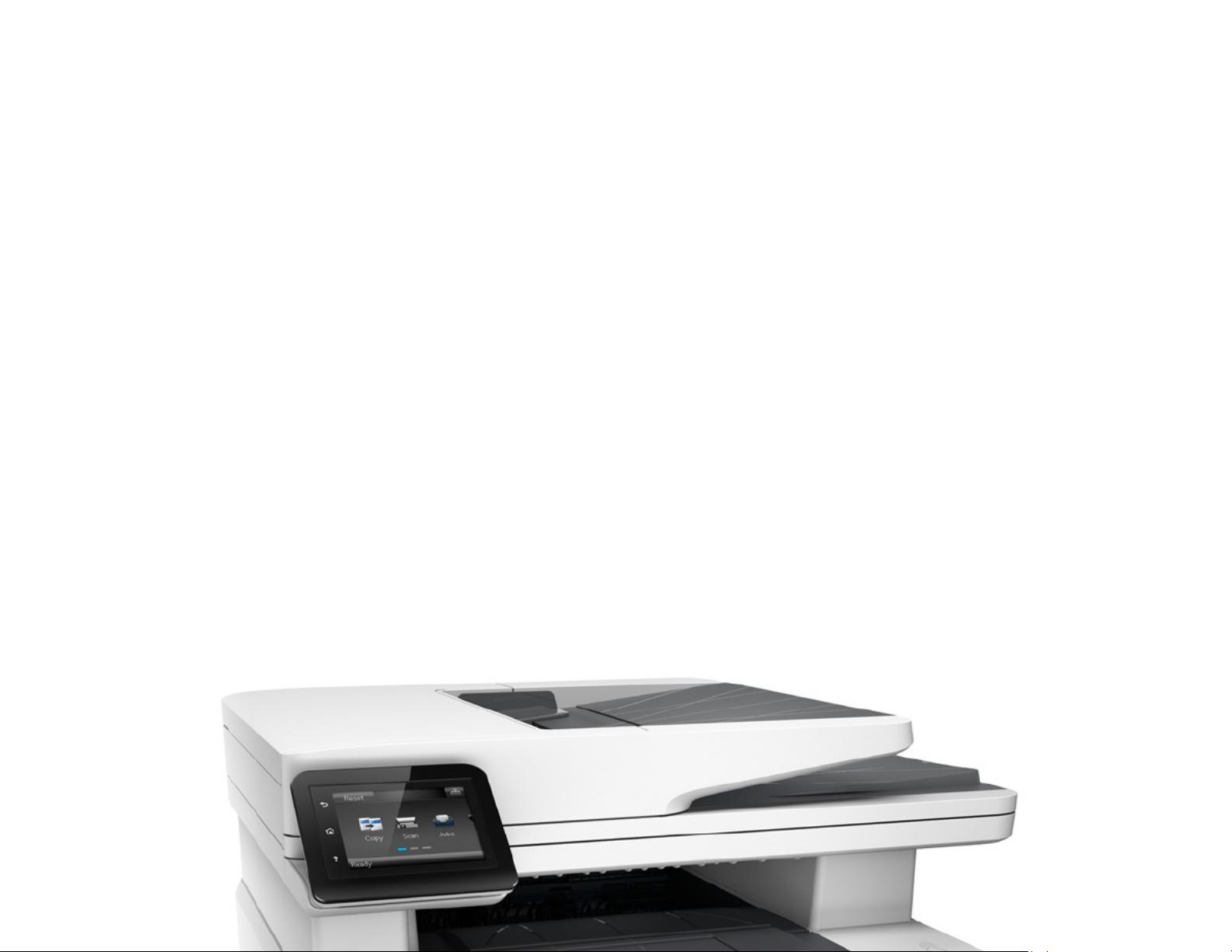
Product guide
Impressive speed,
performance, and
security.
HP LaserJet Pro MFP M427 series
/
Page 2
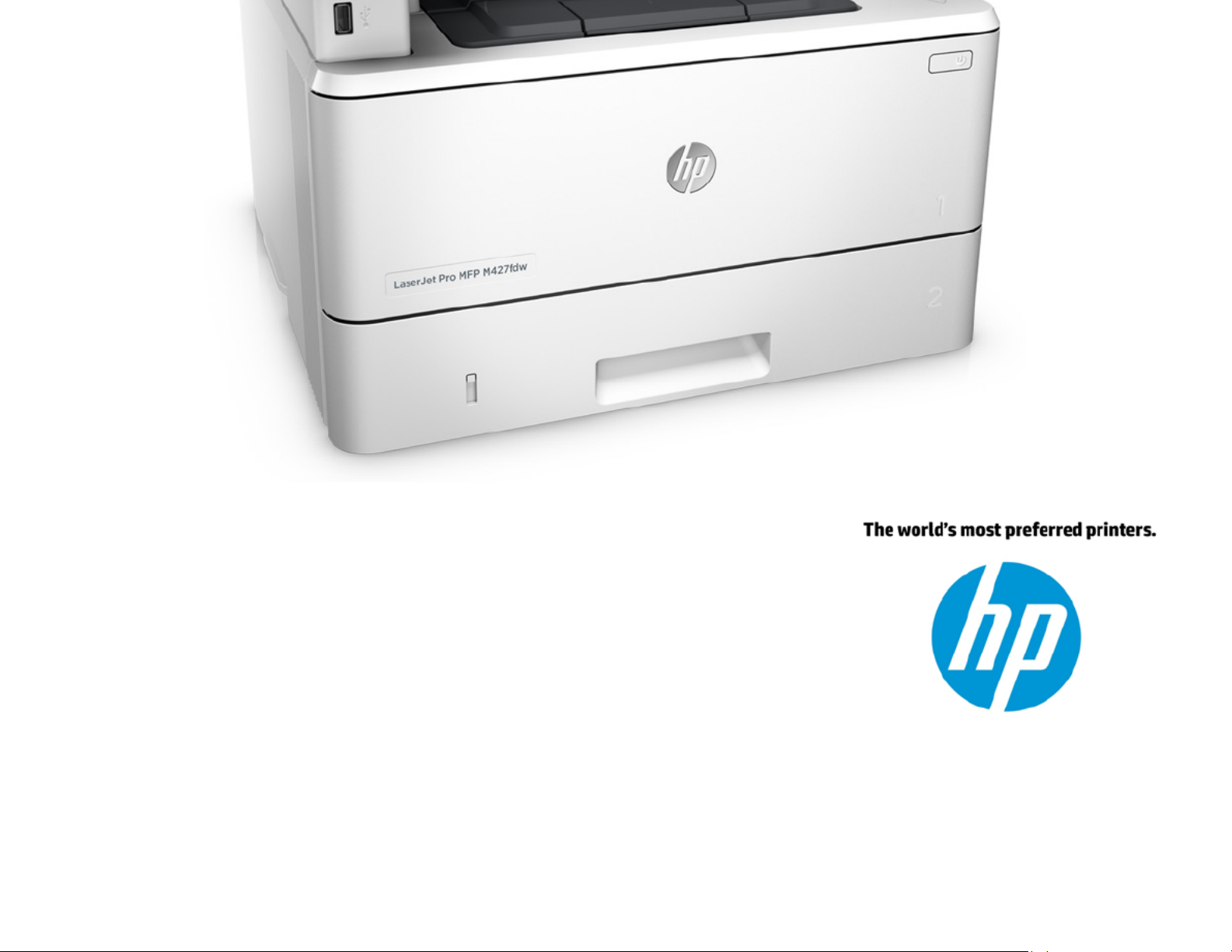
September 2015
/
Page 3

Product guide | HP LaserJet Pro MFP M427 series
Table of contents
3 Performance and security that you can count on
4 Product walk around
5 Product comparison
6 Key benefits at a glance
7 Speed through more tasks. Keep data protected.
8 Easy management. Efficient operation.
9 More. Pages, Performance, and Protection.
10 Stay connected with easy mobile printing options
/
Page 4

11 Technical specifications
15 Ordering information
/
Page 5

Product guide | HP LaserJet Pro MFP M427 series
Performance and
security
that you
can count on
Built for the way today’s businesses work, the M42
7 series
delivers
f , ast print, scan, copy, and fax1 performance plus
robust security
. This MFP and Original HP Toner cartridges
with JetIntelligence combine to give you more high
-quality
pages.
2 3
Finish key printing tasks faster and enjoy peace of
mind with c
omprehensive security that helps guard against
threats and fraud.
Who can benefit?
This multifunction printer is ideal for teams of three to ten people-printing 750 to 4,000
pages per month who want quality documents- to print consistent, h igh- . The HP LaserJet Pro
MFP M42 series will help your work team speed through tasks, using a wide range of 7
productivity and workflow features, easy mobile printing,4 and essential se curity and
manageability features. Print 33% more pages,2 using HP JetIntelligence Toner cartridges.
/
Page 6

3
/
Page 7
Product guide | HP LaserJet Pro MFP M427 series
Product
walk around
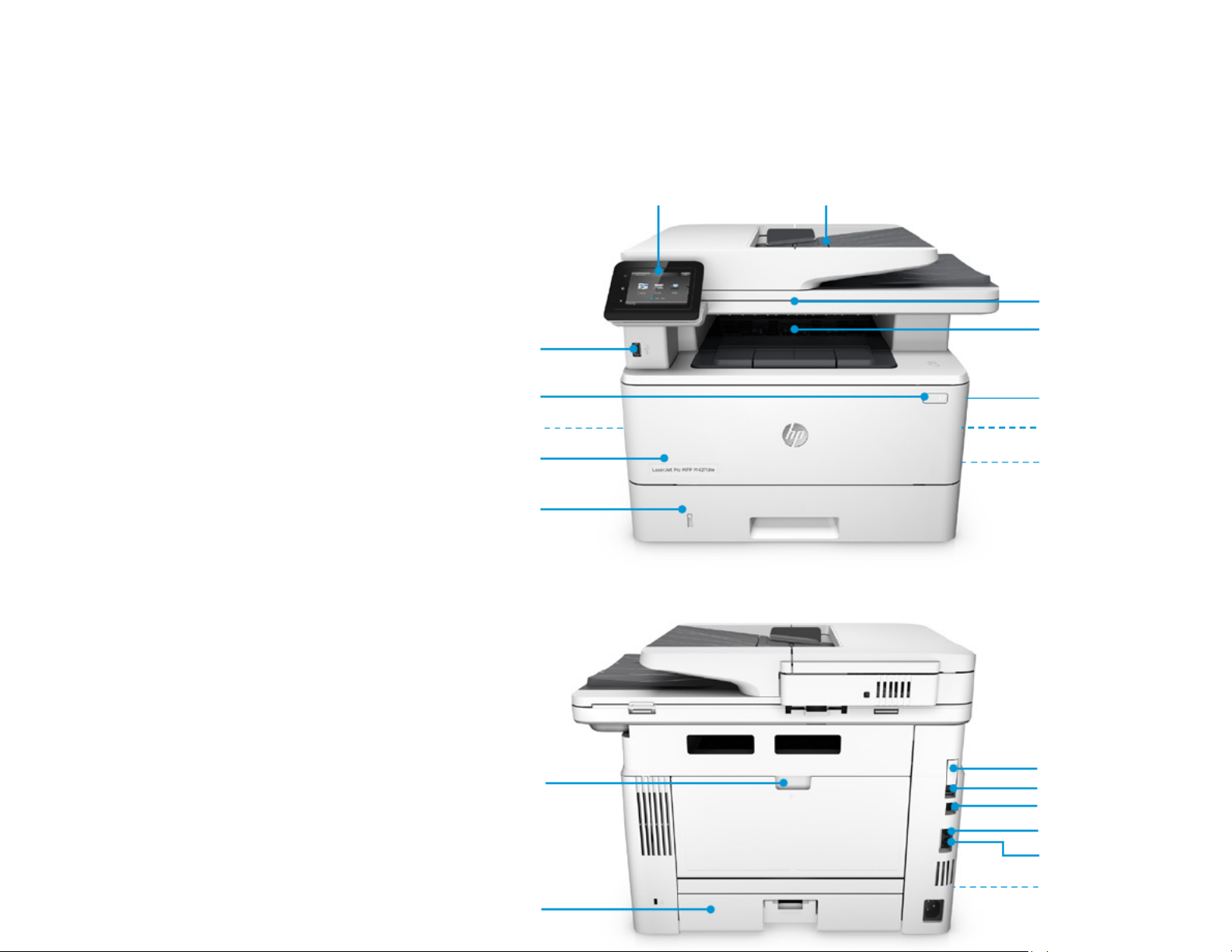
1 Intuitive 7.6 cm colour touchsc reen tilts
for easier viewing while sitting or
standing
2 50 -sheet automatic document feeder
(ADF)
3 Flatbed scanner handles up to
216 x 297 mm paper
4 150 -sheet output bin
5 Front door release button (access to
HP JetIntelligence Toner cartridges)
6 Automatic two-sided printing
7 Built-in wireless networking5
8 Easy-access US B port
9 Power on/off button
10 Built-in wireless direct printing6 and
NFC touch‑to-print7
11 100 -sheet multipurpose tray 1
12 250 -sheet input tray 2
13 USB port for job storage with PIN
printing8
14 Hi-Speed USB 2.0 printing port
15 Ethernet network port
16 Telephone “line out” port
17 Fax “line in” port
18 1200 MHz processor, 256 MB memory
19 Rear door (access to print path)
20 Dust cover for tray 2-flips up when A4
HP LaserJet Pro MFP M427fdw shown
Front view
15
19
18
13
14
16
17
20
1
2
3
4
5
10
8
12
6
9
11
7
/
Page 8
4
paper is loaded
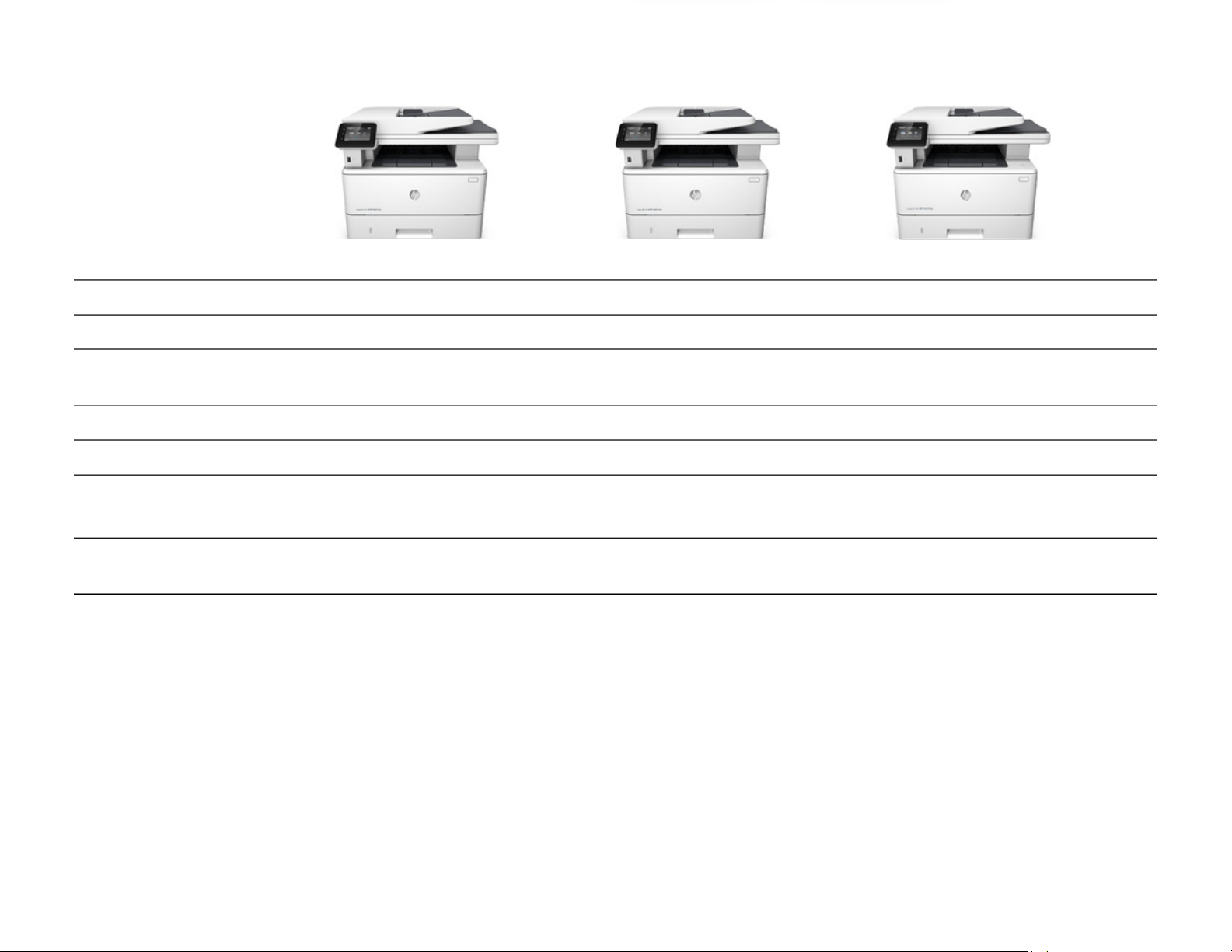
Series at a glance
Model
HP LaserJet Pro MFP M427
dw
HP
LaserJet Pro MFP M427fdn
HP LaserJet Pro MFP M42
7fdw
Product number
C5F97A
C5F98A
C5F99A
Functions
Print, copy, and scan
Print, copy, scan, and fax
Print, copy, scan, and fax
100
-sheet multipurpose tray 1,
250
-sheet tray 2
550
-sheet tray 3
Optional
Optional
Optional
Print speed
9
Up to 38 pages per minute (ppm), A4
Up to 38 ppm, A4
Up to 38 ppm, A4
Scan speed (A4, black/colour)
10
Simplex: up to 26/21
images per
m
inute (ipm)
Simplex: up to 26/21
ipm
Single
-pass duplex: up to 47/30 ipm
Simplex: up to 26/21
ipm
Single
-pass duplex: up to 47/30 ipm
Networking
Built
- -in 10/100/1000 Base TX Gigabit
Ethernet, wireless 802.11b/g/n
5
Built
- -in 10/100/1000 Base TX
Gigabit
Ethernet
Built
- -in 10/100/1000 Base TX Gigabit
Ethernet, wireless 802.11b/g/n
5
Mobile printing
4
Wireless direct printing,
6
HP ePrint,11
AirPrint,
12 13
Mopria-certified, Google
Cloud Print™ 2.0
HP
-ePrint,11AirPrint,12Mopria
certified,
13
Google Cloud Print 2.0
Wireless direct printing,
6
NFC
touch‑to‑print,
7
HP ePrint,11 AirPrint,12
Mopria
-certified,13 Google Cloud Print
2.0
Rear view
/
Page 9
Product guide | HP LaserJet Pro MFP M427 series
Product
comparison
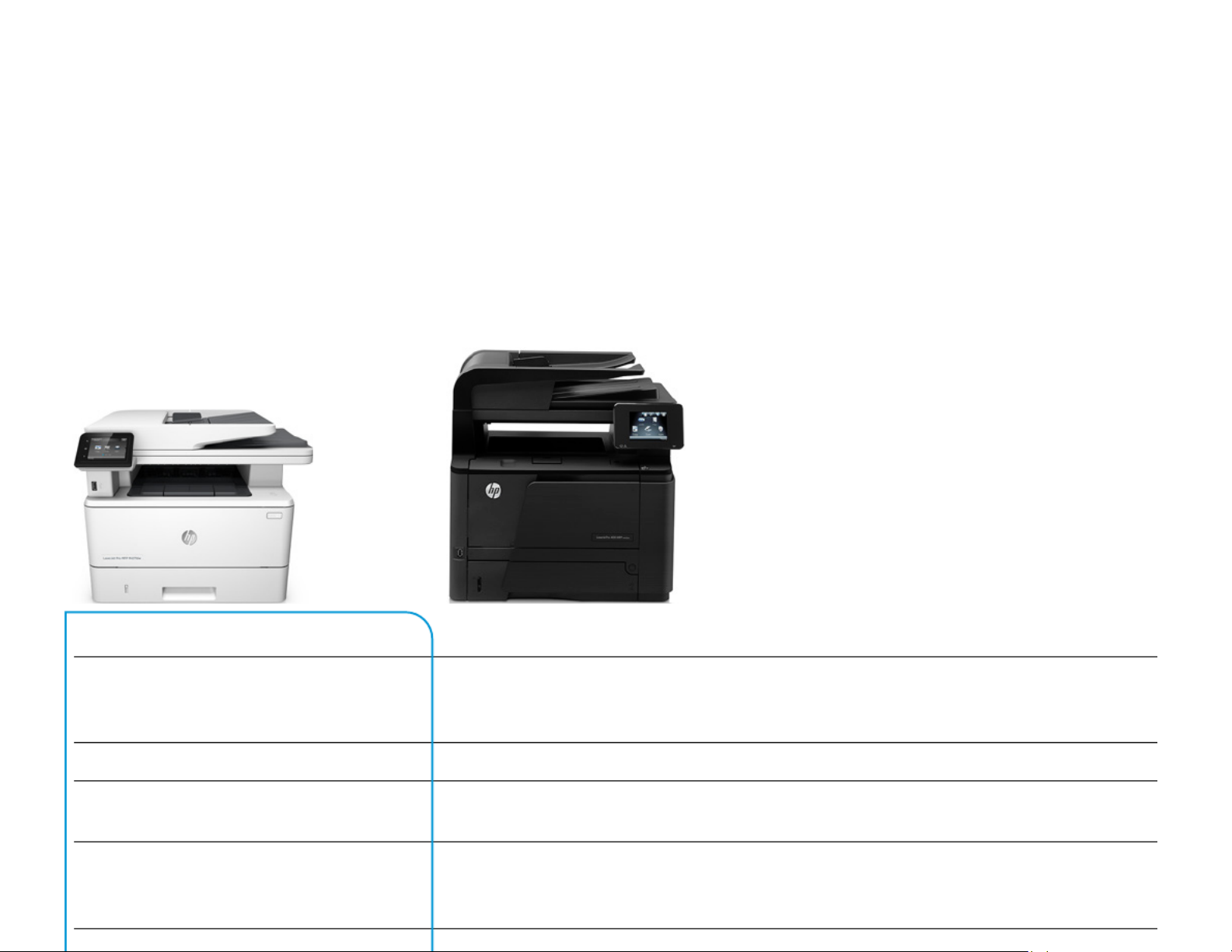
The following table compares the
new the HP LaserJet Pro MFP M427 series with HP LaserJet
Pro 400 MFP M425 series:
HP LaserJet Pro MFP M42
7fdw
HP LaserJet Pro 400 MFP M425dw
Benefits
First page out (FPO) from
ready: as fast as
5.
6 seconds, A4; FPO from sleep: as fast as
8
seconds, A414
FPO from
ready and sleep: 8 seconds, A4
Get right to work, with up to
30% faster FPO
from ready
Print speed: up to 38 ppm, A4
9
Print speed: up to 33 ppm, A4
9
Save
time with 15% faster output
Duplex print speed: up to 3
0 ipm, A4
9
Duplex print speed: up to 1
5 ipm, A4
9
Save time with 100% faster two
-sided
printing
-faster than the competition3
Scan documents directly to email, USB,
network folders, and the cloud with preloaded
business apps
15
Scan documents directly to email or a
network folder
Increased scan
-to destinations for more
productivity and flexibility
/
Page 10

5
Improved scanner flatbed with no edges
enables easy removal of paper; redesigned lid
closes gently
Not available
Improved ease of use
Original HP Toner cartridges with
JetIntelligence
(A/X): 3,000/9,200 pages
16 17,
Original
HP toner cartridges (A/X):
2,700/6,900 pages
16
Less user intervention
-get 33% more
pages
2 17
per optional high-yield cartridge
Print Microsoft® Word and PowerPoint®
documents
18
-right from your USB drive
Print only PDF and JPG file formats from USB
drive
Increased productivity and flexibility
J
ob storage with PIN printing via optional USB
flash drive
8
Not available
Improved security and storage
NFC touch‑to‑print
7
Not available
Improved efficiency and convenient mobile
printing
Intuitive 7.6 cm colour touc hscreen with
simple gesturing, tilts for easier viewing
8.89 cm colour touchscreen
Improved
ease of use with better touch
accuracy and more intuitive interface
P
rinter size (width x depth x heig ht):
420 x 390 x 323 mm
439.9 x 382.7 x 423.5 mm
Save space with this compact MFP that’s 26%
smaller than its predecessor
Optional tray 3 holds 550
sheets, for a
maximum
input capacity of 900 sheets
Optional tray 3 holds 500 sheets
, for a
maximum input capacity of 800 sheets
Less user intervention
-larger capacity
allows you to add a whole ream before the
paper in the tray runs completely out
/
Page 11

Product guide | HP LaserJet Pro MFP M427 series
Key benefits
at a glance
Move your business forward
with fast printing and
comprehensive security. This MFP offers essential workflow
and manageability features, plus energy efficiency.
Count on
consistent, professional
-quality results at high speeds with
HP JetIntelligence cartridges.
Speed through more tasks. Keep data protected.
• Scan digital files directly to email, USB, network folders, and the cloud with preloaded
business apps.15
• Breeze -through multipage documents with tw o sided printing that’s faster than
competitors.3
• Grab pages and go-without waiting aro und. This MFP wakes up and prints faster than the
competition.3
• Protect information and control access to confidential print jobs job storageusing
8
with PIN
printing.
• Keep printing safe boot up to shut -from down-with embedded security features.
Easy management. Efficient operation.
• Easily manage print jobs directly at the MFP-just tap a nd swipe the 7.6 cm touchscreen.
• Print Microsoft Word and PowerPoint documents-now directly from your USB drive.
18
• Easily manage devices and settings using HP Web Jetadmin with a suite of essential,
enterprise‑level management features.19
/
Page 12

6
• Use less energy than competitors enhanced by Original HP Toner with JetIntelligence.
20
-
More. Pages, Performance, and Protection.
• Get the most prints for your money
2
and spend less time re placing toner using Original -
HP H igh ield Y Black Toner cartridges with JetIntelligence.
17
•
Count on professional quality at high speeds with precision black toner.
• Help ensure you’re getting the a uthentic HP quality you paid for with innovative ant i-fraud
technology.
• Get right to printing without de lays or quickly replace your cartridge using auto seal mess-
removal and easy-open packaging .
Stay connected with easy mobile printing options
• Easily print from a variety of smartphones and tablets generally no setup or apps -
required.4
• Count on wireless direct printi ng
6
in the office from mobile devices- -without accessing the
company network (M427dw and dw models only).f
• Empower workgroups to print with just a touch of their NFC-enabled mobile device to the
M427fdw MFP-no network needed.7
• Easily set up, print, and share w ith built-in Ethernet networking. Choose the M427dw or
M427fdw model for wireless networking.5
/
Page 13
Product guide | HP LaserJet Pro MFP M427 series
Speed through more
tasks. Keep data
protected.
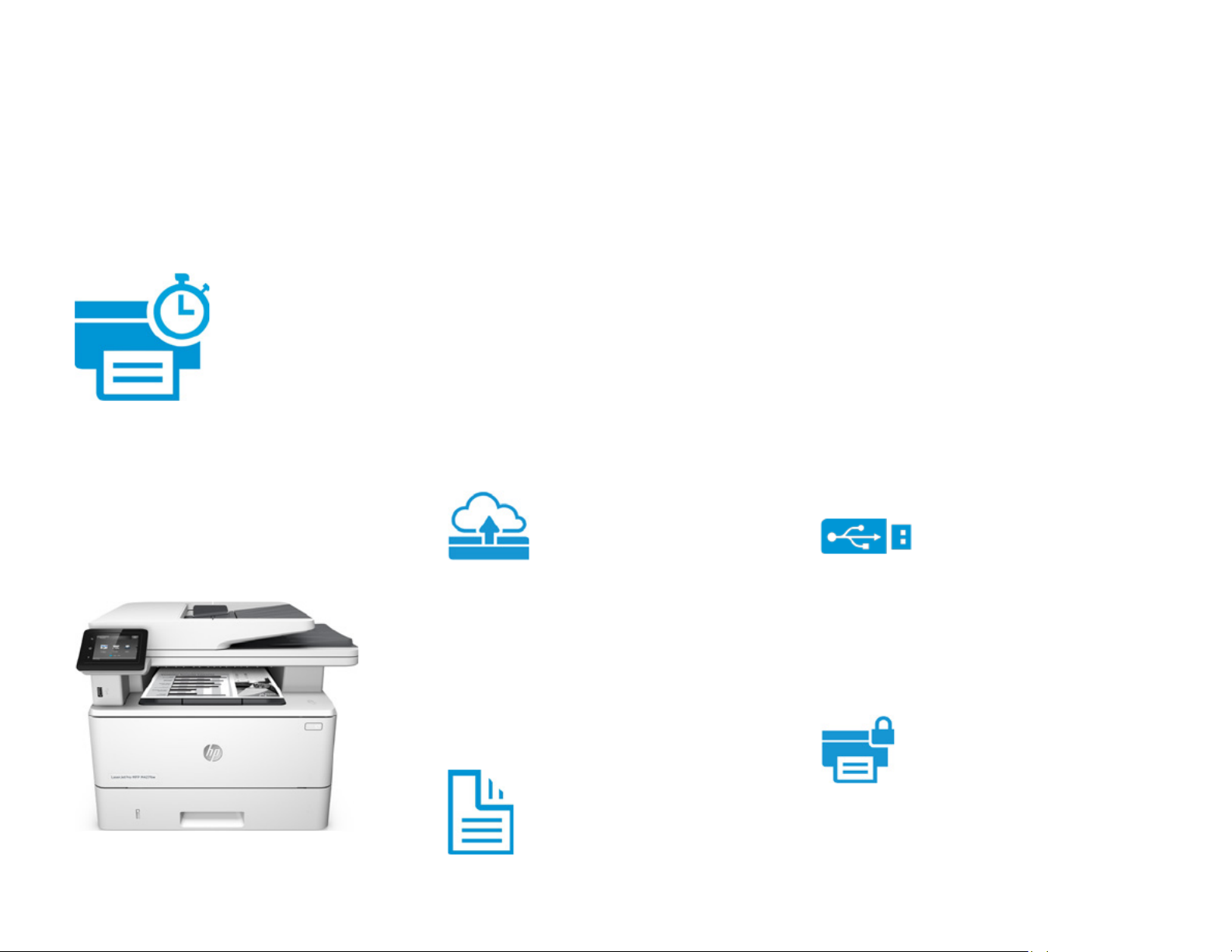
Shift your office into high gear with this powerful MFP that
doesn’t keep you waiting. Print your first page and produce
two
-sided prints faster than the competition and scan
3
quickly. Keep your device, data, and documents safe
-from
the moment you boot up to the moment you shut down.
Make the most of your workspace-this
smallest MFP in its class3 is the perfect fit
Fast scanning
,
simple sending
Scan fast with single- -pass, two sided
scanning (M427fdn/fdw models),22and send
your work quickly to more places-without
using your PC. Scan documents di rectly to
email, USB, network folders, and the cloud.15
Improve productivity with corporate email
directory lookup for digital sending.
Fast two
-sided
printing
Breeze through multipage doc uments with
two‑sided print ing up to 30 -ipm, A49faster
than the competition.3 Complete tasks
Achieve a higher level of
security and control
Help avoid additional expense s with private
printing. Enable encrypted job storage by
plugging a flash drive into the US B port
located on the back of the device.8 Release
jobs by entering a PIN at the MFP.
Embedded security features
for greater protection
Keep printing safe from boot up t o shut ,
down. This MFP uses embedded security
features to guard against complex threatsso you can be confident your device, data,
and documents are protected.
/
Page 14
7
HP JetAdvantage Security Manager
Secure your HP printing fleet with the solution
Buyers Laboratory (BLI) calls trailblazing.21
quickly and efficiently. Plus, reduced paper
use helps lower printing costs .
Start printing fast, directly
from sleep mode
Grab the documents you nee d and go. This
MFP wakes from energy efficient sleep mode
and starts printing in as fast as 8 seconds,
A414-faster than the c ompetition,3 so your
pages are ready right when you need them.
Speed through big jobs with print speeds up
to 38 ppm, A4.9
Feed documents
without the hassle
The 50-page automatic document feeder
(ADF) offers convenient, unattended
copying, scanning, and faxing1 for multipage
documents. Simply place y our originals in
the ADF and walk away or attend to other
tasks. Use the 216 297 x mm flatbed
scanner to copy and scan non-standard an d
bound material.
With Pro series security, you can define
which clients/devices are allowed on the
n -etwork, manage the industry standard of
SNMP configuration, and decide which
ports/IP addresses have access to printer
features. Control device access with LDAP
authentication. Utilise data encryption and
optional password settings for wireless
direct printing6 for improved security.
Streamline fleet
security
HP JetAdvantage Security Manager delivers
the most comprehensive printi ng security in
the market, with policy-base d protection for
printing and imag ing devices.21
/
Page 15
Product guide | HP LaserJet Pro MFP M427 series
Easy management.
Efficient
operation.
Produce the documents you need to keep work flowing while
conserving power. This energy
-efficient MFP is easy to
manage and use. Print
Microsoft Word and PowerPoint
documents directly from the USB port,
18
using the intuitive
touchscreen.
Task management
with a simple touch
Easily manage print jobs directly at the MFP,
without having to access a PC. Just tap and
swipe the intuitive 7.6 cm colour
touchscreen to make workflow easier.
Print Microsoft Office
documents
-right from
your USB drive
Enjoy the flexibility of printing Microsoft
Word and PowerPoint documents you work
with every day, now directly from your USB
drive.18
Manage your business
printing with ease
IT can easily manage the essential features
of the M427 series using management
solutions such as HP Web Jetadmin19 and
HP Universal Print Driver.25Get standard
monitoring and reporting (suc h as page
counts and supply status), core fleet
configuration and security s ettings, and basic
management and policy too ls. IT can quickly
and easily apply printing rule s across your
fleet-to help meet environmental goals,
improve security, and help re duce operating
costs.
Support for Remote Print Monitoring enables
automatic information collection and
/
Page 16

8
Use only the resources
you need
Keep productivity up and ener gy use down.
This efficient MFP uses less energy than
competitors20 without slowing downenhanced by Original HP Toner ca rtridges
with JetIntelligence.
With its intellige nt design, this MFP can help
you meet your energy goals, without
sacrificing performance:
• HP Auto Off Technology turns -On/Auto-
your MFP on when you need it and o ff
when you don’t. 23
• With Instant on Technology , the fuser -
warms rapidly and cools quickly , helping
you conserve energy.24
• The MFP M427 series is ENERGY STAR®
certified.
• Support for thin media allows users to
print on papers as light as 60 g/m 2.
dynamically updated usage r eports for the
portal.
Manage the printer
right at your PC
For simple one-on-one management,
connect via the network or USB to the
product’s HP Embedded Web Server. Here
you can easily view supplies status, adjust
device settings, access up- -to date
troubleshooting guides, and more.
Reduce your impact
-
recycle HP cartridges
HP helps you recycle your Or iginal
HP cartridges-it’s easy and convenient with
the HP Planet Partners programme,
available in more than 50 countri es and
territories around the world.26
/
Page 17
Product guide | HP LaserJet Pro MFP M427 series
More. Pages,
Performance, and
Protection.
Bring out the best in your MFP. Print more consistent,
high‑quality pages than ever before,
2
using specially
designed Original HP Tone
r cartridges with JetIntelligence.
Count on better performance, higher energy efficiency, and
the authentic HP quality you paid for
-something the
competition simply can’t match.2
Original HP Toner cartridge with
JetIntelligence
More pages than ever before2
Be confident you’re getting the m ost out of
every cartridge you buy. HP JetIntelligence
Toner cartridges deliver 33% more pages2
than ever before with page maximiser
technology. Consistently predict toner levels
with print gauge technology .27
HP quality-print after print
Precision black toner is engineered to deliver
consistent placement of toner particles and
produce sharp text, bold blacks , and crisp
graphics. It is pre cisely tuned to match the
powerful performance of the M427 MFP
series.
Protect your investment
High yield, low intervention
Don’t waste important business time
replacing toner cartridges. Optional
high‑yield cartridges ena ble uninterrupted
printing for longer periods of time.
17
Ready to work, right away
Speed through print jobs right out of the
box-without even opening the c artridge
door. The M427 series is ship ped with
preinstalled, specially designed Original
HP Toner cartridges with JetIntelligenceready to print.
Start printing quickly an d easily
Get right to printing without delay s or
mess-quickly replace yo ur cartridges using
/
Page 18
9
Don’t be fooled by cartridges that attempt to
mimic Original HP. Inno vative anti‑fraud
technology helps identify whether a
cartridge is Original HP, used, or
counterfeit-to help ensure you’re getting
the authentic HP quality you paid for.
auto seal removal and easy-open pack aging.
Original HP Toner cartridges with JetIntelligence are
re‑engineered for higher ISO yields2 and more
dependable toner level status.27
Reformulated toner that supports more pages2 in a
smaller, faster device and uses less energy to print
a page.28
Get the authentic HP quality you paid for and avoid
potential problems. Help manage business costs and
maintain quality standards across your fleet.
Page maximiser
technology
• More pages per cartridge
than previous generations
of HP toner cartridges2
•
Smaller, more robust
parts29
•
Less cartridge wear29
Precision
black toner
• Spherical shape = more
pages, sharp text, bold blacks
and crisp graphics
•
Encapsulated design = less
energy; enables faster print
speed
Anti-fraud
technology
• Helps you identify the difference
between Original HP and used or
counterfeit cartridges
•
Supports policies you set for
your printing fleet
Print gauge
technology
• More dependable gauges27
to ensure you get the most
prints possible from your
cartridges
Auto seal
removal
• Skip a step-the toner seal is
automatically removed for you
•
Get right to printing without
delays
More pages
More performance
More protection
/
Page 19
Product guide | HP LaserJet Pro MFP M427 series
Stay connected with
easy mobile printing
options
Keep your business nimble when needs shift or opportunity
strikes
-in the office or on the go.4 With the M427fdw/dw
models, you can print wirelessly with or without accessing
the network.
5,6
Choose the M427
fdw model to print with just
a touch from mobile devices.7
Buyers Laboratory, LLC gave HP an
Outstanding Achievement in Innovation award for
its use of NFC/Wi Fi Direct to bring security and simplicity to mobile printing.
Print wirelessly from mobile
devices-no network needed
The M427fdw/dw models enable wireless
direct printing from anywhere in the office
from smartphones, tablets, and notebook
PCs.6 Or, walk up and print with just a touc h
of your NFC-enabled smartphone or tablet
to the M427fdw model.7 (On Android™
devices, NFC touch- -to print is enabled via
the HP ePrint app.)
There’s no need to search thro ugh a long list
of devices t ically discover the -automa
nearest printer without acces sing your
corporate network. Security and user access
settings 128-like -bit encry ption and a
configurable passphrase-can be easily set
Managed
mobile print
solutions
If you’re looking to deploy mobile printing
across a printer fleet, HP offers server-based
solutions that provide sec ure pull-printing,
as well as advanced management and
reporting capab ilities. HP also provides
options to integrate with third -party mobile
device management solutions. For more
information, see
hp.com/go/businessmobileprinting.
/
Page 20

10
Extend your printing reach
Built-in 10/100/1000 Gigabit Ethernet lets you
share printing resources on a network. For
wireless networking, choose the M427dw or
M427fdw model.5
up with HP Web Jetadmin19 or the
HP Embedded Web Server.
Print from a variety of
mobile devices
Easily print documents, emails, PDFs, and
more from iPhones and iPads as well as
smartphones and tablets runn ing iOS,
Android version 4.4 or later, Windows® 8/10
or Google Chrome™ operating systems generally no setup or apps r equired.4 Simply
open and preview the content y ou want to
print, select your printer, and hit Print. For
mobile devices without built-in print support,
users will first need to download the
HP ePrint app or HP ePrint software.
/
Page 21
Product guide | HP LaserJet Pro MFP M427 series
Technical
specifications
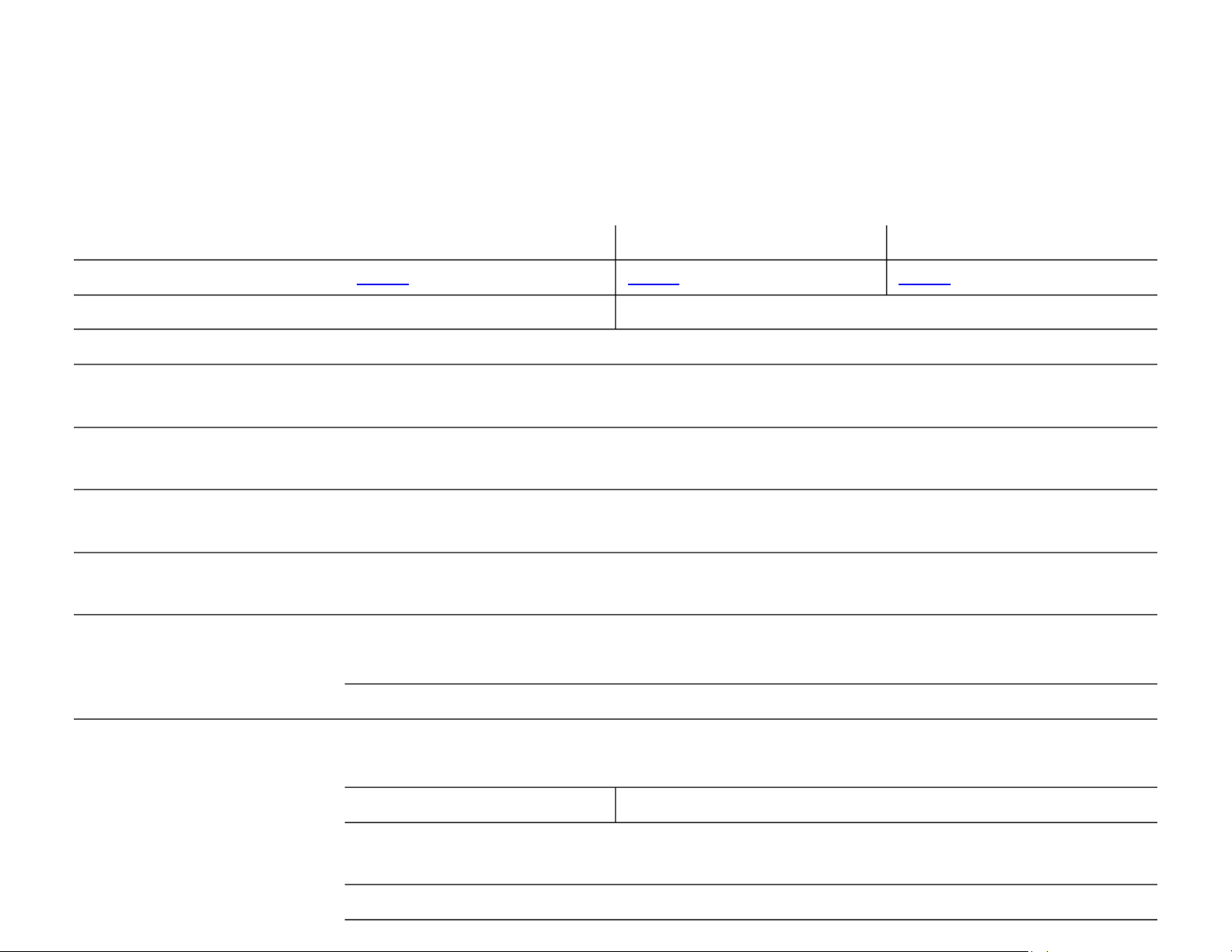
HP LaserJet Pro MFP M42 HP LaserJet Pro M FP M42 HP LaserJet Pro MFP M427dw 7fdn 7fdw
Product number
C5F97A C5F98A C5F99A
Functions
Print, copy, and scan Print, copy , scan, and fax
Control panel
7.6 cm (3-inch) touchscreen Colour Graphic Display (CGD) with business apps15
Print speed
9
Up to 38 ppm, A4 (up to 40 ppm, letter)
Duplex: up to 30 A4 (up to 32 ipm, ipm, letter)
First page out
14
From ready: ) as fast as 5.6 seconds, A4 (as fast as 5.4 seconds, letter
From sleep: as fast as ) 8 , seconds A4 (as fast as 7.4 seconds, letter
First copy out
30
From ready: as fast as ) 7.2 seconds, A4 (as fast as 6.8 seconds, letter
From sleep: as fast as 9.7 seconds, A4 (as fast as 9.1 seconds, letter)
Print resolution
Black (default/best): HP FastRes 1200
Black (fine lines): up to 1200 x 1200 dpi
Print features
Print from USB drive File formats: Microsoft Word and PowerPoint documents,18 PDF, JPG
Two-sided printing Automatic (standard)
Scan features
Scan speed (A4 p to Uand letter)
10
26 21/ i pm, black/colour
Single-pass duplex: up to 47/30 ipm, black/colour
Scan type and size Flatbed: up to 216 x 297 mm (8.5 x 11.7 in) maximum; no minimum
ADF: up to 216 x 356 mm (8.5 x 14 in) maximum; up to 1.92 x 1.924.88 x 4.88 cm ( in) minimum
Scan resolution Up to 1200 x 1200 dpi
Bit depth 24-bit
/
Page 22
11
Grayscale leve ls 256
TWAIN version Version 1.9 (legacy OS); Version 2.1 (Windows 7 or higher)
Scan input modes JPEG, RAW (BMP), PNG, TIFF, PDF
Copy features
Copy speed (black and colour)30 Up to 38 copies per minute (cpm), A4 (up to 40 cpm, letter)
Duplex: up to 30 cpm, A4 (up to 32 cpm, letter)
Copy resolution Black/colour x 6 text and graphics: up to 600 00 dpi
Copier settings Lighter/Darker, ID copy, Optimise Lighter/Darker, Two sided, ID copy, and Optimise -
Copier Smart Software Instant-on copy, up to 99 multiple copies, Scan once print many, Collation, Reduce/enlarge from 25 to 400% (with
page size presets), Fit to page, Customisable copy presets (two or four pages to one page), Contrast (lighter/darker),
Resolution (copy quality), Network protocols supported, ID copy, Optimise copy selection (with presets: autoselect,
mixed, printed picture, photograph, text), 50-page automatic document feeder
Plus: single-pass duplex copy
Fax features
Fax speed 3 seconds per page, letter (33.6 kbps maximum, A4 )
Fax Smart Software Permanent fax memory backup, Auto fax reduction, Auto redialling, Delayed
sending, Fax forwarding, TAM interface, Polling, Junk barrier, Distinctive ring
detection, Cover page wizard, Block fax, Billing codes, Save and load, Poll
receive, Fax activity reports, Dial prefix setting, Print fax log, Digital Fax
Setup Wizard, Fax Setup Wizard, HP Send F ax
Other fax features Colour faxing, broadcasting to up to 119 locations, speed dial (up to 120
numbers), telephone mode, PC interface
Digital sending
Scan to email, scan to cloud, scan to USB, scan to network folder, LDAP email lookup
/
Page 23

Product guide | HP LaserJet Pro MFP M427 series
HP LaserJet Pro MFP M42 HP LaserJet Pro M FP M42 HP LaserJet Pro MFP M427dw 7fdn 7fdw
Processor
1200 MHz
Memory
256 MB
Durability ratings
Recommended monthly page volume (RMPV):31 750 pages to as high as 4,000 pages
Recommended monthly scan volume (RMSV):32 750 pages to as high as 4,000 pages
Duty cycle: 33 up to 80,000 pages (A4/letter)
Media
specifications
Input capacities up to Tray 1: 100 s sheet
Tray 2: up to 250 sheets
Tray 3 (optional): up to 550 sheets
ADF: up to 50 sheets
Output capacity Up to 150 sheets
Media sizes Tray 1: A4, A5, A6, B5 (JIS), Oficio (216 x 340 mm), 16K (195 x 270 mm), 16K (184 x 260 mm), 16K (197 x 273 mm),
Japanese p d p r A5-ostcard, ouble Japan ostcard otated, R, B6 (JIS), envelope ( )B5, C5, DL ; letter, legal, executive, Oficio
(8.5 x 13 in) 4 x 6 in; 5 x 8 in, 10 x 15 in, statement, , envelope ( )#10, Monarch ; Custom: 76.2 x 127 to 215.9 x
355.6 mm (3 x 5 to 8.5 x 14 in)
Tray 2 and optional
Tray 3
: A4, A5, A6, B5 (JIS), Oficio (216 x 340 mm), 16K (195 x 270 mm), 16K (184 x 260 mm),
16K (197 x 273 mm), A5-R, B6 (JIS); lette r, legal, executive, Officio (8.5 x 13 in), 5 x 8 in, statement; Custom: 104.9 x
148.59 to 215.9 x 355.6 mm (4.13 x 5.85 to 8.5 x 14 in)
Duplex: A4; letter, legal, Oficio 8.5 x 13 in
ADF: A4; letter, legal; Custom: 1 2 to02 x 15 216 x 355.6 mm ( to 8.5 x 14 in)4 x 6
Media weights Tray 1: 60 to 175 g/m² (16 to 47 lb)
Tray 2 and optional Tray 3: 60 to 120 g/m² (16 to 32 lb)
Duplexer: 60 to 120 g/m² (16 to 32 lb)
ADF: 60 to 90
g/m² (16 to 24 lb)
Media types Paper (plain, light, heavy, bond, colo red, letterhead, preprinted, prepunched, recycled, rough), envelopes, labels, u
transparencies
Print languages
HP PCL 5, HP PCL 6, HP postscript level 3 emulation, direct PDF (v 1.7) printing, URF, PCLM, PWG, Native Office
/
Page 24
12
Fonts
84 scalable TrueType fonts; Additional font solutions available at hp.com/go/laserjetfonts
Connectivity
Hi-Speed USB 2.0, Host USB for job storage, Gigabit Ethernet 10/100/1000T network, easy-access USB
Plus: Wireless 802.11b/g/n Plus: Wireless 802.11b/g/n
Mobile printing
HP ePrint,11 AirPrint,12Mopria-certified,13Google Cloud Print 2.0, Mobile Apps
Plus: Wireless direct printing Plus: Wireless direct printing
6
6
and
NFC touch‑to‑print7
Network capabilities
Via built- -in 10/100/1000 Base TX Ethernet, Gigabit; Auto‑crossover Ethernet; Authentication via 802.1X
Plus: Wi Plus: Wi-Fi -Fi
Network protocols
Via built networking solution: TCP/IP, IPv4, IPv6-in
Print: TCP-IP port 9100 Direct Mode, LPD (raw queue support only), Web Services Printing
Discovery: SLP, Bonjour, Web Services Discovery
IP Configuration: IPv4 (BootP, DHCP, AutoIP, Manual), IPv6 (Stateless Link - Local and via Router, Statefull via DHCPv6)
Management: SNMPv1, HTTP, Google Cloud Print 2.0
Security management
Embedded Web Server: password protection, secure browsing via SSL/TLS-
Network: enable/disable network ports and features, SNMPv1 and SNMPv2 community password change
HP ePrint: HTTPS with certificate validation, HTTP Basic Access Authentication, SASL authentication
LDAP authentication and authorisation; ; Fire wall and ACL SNMPv3, 802.1X, Secure Boot, authentication via WEP,
WPA/WPA2 Personal, WPA2 Enterprise; Encryption via AES or TKIP
Printer management
Windows: Printer Administrator Resource Kit (Driver Configuration Utility, Driv er Deployment Utility, Managed Printing
Administrator), HP Web Jetadmin software, HP Proxy Agent software, HP JetAdvantage Security Manager,21 HP Device
Toolbox
Mac: HP Utility
/
Page 25

Product guide | HP LaserJet Pro MFP M427 series
HP LaserJet Pro MFP M42 HP LaserJet Pro M FP M42 HP LaserJet Pro MFP M427dw 7fdn 7fdw
Compatible operating systems
34
Windows OS compatible with In Windows XP SP3 all 32-Box Driver: -bit editions (XP Home, XP Pro, etc.), Windows
Vista® all 32- -bit editions (Home Basic, Premium, Professional, etc.), Windows 7 all 32- and 64 bit editions, Windows
8/8.1 all 32 ws 10 all 32- and 64-bit editions (excluding RT OS for Tablets), Windo - and 64-bit editions (excluding RT OS
for Tablets)
Windows OS compatible with Universal Print Driver (from hp.com): Windows XP SP3 32‑ and 64-bit editions (XP Home,
XP Pro, etc.), Windows Vista all 32 bit editions (Home Basic, Premium, Professional, etc.), Windows 7 all 32- and 64- and 64- -bit editions, Windows 8/8.1 all 32- and 64 bit editions (excluding RT OS for Tablets), Windows 10 all 32- and
64-bit editions (excluding RT OS for Tablets)
Mac: Mac OS (HP Print Drivers available from hp.com and Apple Store), OS X 10.8 Mountain Lion, OS X 10.9 Mavericks,
OS X 10.10 Yosemite
Mobile OS: OS drivers, iOS, Android, Windows 8/8.1/10 RTIn-
Other: Linux OS (In-OS HPLIP, Auto install, BOSS 3.0, 5.0), Debian (6.0, 6.0.1, 6.0.2, 6.0.3, 6.0.4, 6.0.5, 6.0.6, 6.0.7,
6.0.8, 6.0.9, 6.0.10, 7.0, 7.1, 7.2, 7.3, 7.4, 7.5, 7.6) (17, 18, 19, 20), Fedora , , Linux Mint (13, 14, 15, 16, 17) SUSE L x inu
(12.2, 12.3, 13.1), Ubantu (10.04, 11.10, 12.04, 12.10, 13.04, 13.10, 14.04, 14.10), Manual install , Mandriva Linux
(2010.0, 2011.0) (6.0, 6.5, 7.0, 8.0) OS (2006.0, 2006, 2007.0, 2007, 2008.0, 2008, MEPIS , PCLinux , 2009.0, 2009),
Red Hat (8.0, 9.0), Red Hat Enterprise Linux (5.0, 6.0, 7.0), Slackware Linux (9.0, 9.1, 10.0, 10.1, 10.2, 11, 12, 12.1), gOS
(8.04.1) (1.0), IGOS , LLinpus inux (9.4, 9.5), L , inux from Scratch (6) UNIX
System requirements, PC
Windows 10 bit), Windows 7 (32(32-bit/64 bit/64 bit/64-bit), Windows 8.1 (32- -bit), Windows 8 (32- - -bit/64-bit): 1 GHz
processor, 1 GB RAM (32-bit) or 2 GB RAM (64-bit), 400 MB available hard disk space, CD/DVD-ROM or Internet, USB or
Network port
Windows Vista (32-bit): 1 GHz 32 bit (x86) processor, 1 GB RAM (32- -bit), 400 MB available hard disk space, CD/DVDROM or Internet, USB or Network port
Windows XP (32-bit) (SP2): Pentium 233 MHz processor, 512 MB RAM, 400 MB available hard disk space, CD/DVD-ROM
or Internet, USB or Network port
Windows Server 2003 (32-bit) (SP1 or greater), Windows Server 2003 R2 (32 bit), Windows Server 2008 (32- -bit) (SP1
or greater): 1 GHz 32-bit (x86) processor, 1 GB RAM (32- -bit), 400 MB available hard disk space, CD/DVD ROM or
Internet, USB or Network port
Windows Server 2008 (64-bit) (SP1 or greater), Windows Server 2008 R2 (64 bit), Windows Server 2008 R2 (64- -bit)
(SP1): 1 GHz 64- - -bit (x64) processor, 2 GB RAM (64 bit), 400 MB available hard disk space, CD/DVD ROM or Internet,
USB or Network port
System requirements, Mac
OS X 10.8 Mountain Lion, OS X 10.9 Mavericks, OS X 10.10 Yosemite: Internet, USB, 1 GB HD, OS compatible hardware
(for OS hardware requirements, see )
/
Page 26
13
Dimensions (width x depth
x
height)
Minimum: 420 x 390 x 323 mm (16.5 x 15.3 x 12.7 in)
Maximum: 430 x 634 x 325 mm (16.9 x 25 x 12.8 in)
Weight (with cartridges)
12.86 35 kg (28. lb)
What’s in the box
HP LaserJet Pro M427 MFP, preinstalled HP 28A Black LaserJet Toner cartridge (~3,000 pages),16 Getting Started guide,
setup poster, support flyer, warranty guide, printer documentation and software on CD‑ROM, power cord, USB cable35
Software included
Windows: HP Installer/Uninstaller, HP PCL 6 print driver, DXP (Device Experience), User Guide, HP Device Toolbox,
HP Product Improvement Study, HP Scan, HP TWAIN and WIA Scan Drivers, Scan to email Setup Wizard, Scan to Folder
Setup Wizard, HP Update, Product Registration Assist, HP Web Services Assist (HP Connected), .NET 3.5 SP1 (only
installed for older Windows operating systems that lack)
Mac: Welcome Screen (Redirects users to App Source for HP LaserJet Software)hp.com, or OS
Plus: HP Send Fax, HP Fax Print Driver, HP Fax Setup W izardand
Downloada ble software
From 123.hp.com: HP Easy Start (Guided Software Install for Windows and Mac)
From HP.com for Windows OS: Full Software Included-solution software and drivers (same solution as “ ”), HP PCL 6
print driver only (no installer; for “Add Print er” installs), HP PCL 6 print driver with installer, Product Documenta tion and
Support; From HP.com
for Mac OS: Full
-solution software and drivers
For Mobile OS, see “HP Mobile Printing” (www8.hp.com/us/en/ads/mobility/overview.html)
From In OS app stores; Gotham (HP AiO Remote for Win 8), HP recommended printer drivers and software-
From HP.com : for printer administrators Printer Administrator Resource Kit (Driver Configuration Utility, Driver
Deployment Utility, Managed Printing Administrator), HP Universal Print Drivers (PCL 6, PCL 5 and PS for Windows);
HP ePrint Software (ePrint Mobile Driver for Windows); Linux/Unix Print Drivers; SAP (PCL 5 and PS Print Drivers);
HP Web Jetadmin Software; HP Proxy Agent Software; HP JetAdvantage Security Manage r;21 HP Driver Configuration
Utility; ReadIris Software
Warranty
One-year warranty, return to HP Authorised Se rvice Provider, backed by HP Customer Care with 24 x 7 web support
and business hour phone support
/
Page 27
Product guide | HP LaserJet Pro MFP M427 series
Environmental and power specifications
HP
LaserJet Pro MFP M42 HP LaserJet Pro MFP M42 HP LaserJet Pro MFP M427dw 7fdn 7fdw
Environmental ranges
Temperatures
Operating/Recommended: 1
7.5 to 25° C (63.5 to 77° F); Storag e: -20 to 40°C (-4 to 104° F)
Relative humidity range
Operating/Recommended:
3 10 to 70% RH (non-condensing); Non-operating: 0 to 90% RH ( non-condensing)
Acoustic power emissions
36
Ready mode: Inaudible; Active printing: 6.
8 B(A); Active copying: 6.9 B(A); Active scanning: 6.3 B(A)
Acoustic pressure emissions
(bystander)
Ready
mode: Inaudible; Active printing: 55 dB(A); Active copying: 55 dB(A), Active scanning: 48 dB(A)
Power specifications
37
Power supply required
110
-volt input voltage: 110 to 127 VAC (+/- 10%), 50/60 Hz (+/- 2 Hz); 220-volt input voltage: 220 to 240 VAC (+/-
10%), 50/60 Hz (+/
- 2 Hz) (Not dual voltage, product varies by part number with # Option code ident ifier)
Power consumption
583 watts (Print/Copy), 9.1 watts (Ready), 2.7 watts (Sleep), 0.7 watts (Auto
-On/Auto-Off, via U SB connectivity),
0.1
watts (Shutdown or Off)
Typical Electricity
Consumption (TEC)
1.847 kWh/Week
1.621 kWh/Week 1.847 kWh/Week
Energy-saving features
Instant
- -on Technology, HP Auto On/Auto-Off Technology23
Environmental specifications
Mercury free
Safety and regulatory compliance
EN 60950
-1:2006 +A11:2009 +A1:2010 +A12:2011; IEC 60950 1:2005 +A1:2009; EN 60825 1:2007 / IEC 60825- - -
1:2007 (Cla
ss 1 Laser Product); EN 62479:2010 / IEC 62479:2010; CAN/CSA C22.2 No. 60950 07 2nd Ed. March-1- 27,
2007 Compliance of IEC 60950
-1 standard considers all country deviations according to the most recent IECEE CB
Bulletin; Compliance with Laser safety standa
rds 21 CFR 1040.10 and 1040.11 except for deviations pursuant to Laser
notice No. 50, Dated June 24, 2007.
Electromagnetic emission
standard
CISPR 22: 2008/EN 55022:2010
- Class B, EN 61000-3-2:2006 +A1:2009 +A2:2009, EN 61000-3-3:2008,
EN
55024:2010, FCC Title 47 CFR, Part 15 Class B/ICES-003, Issue 5, GB9254 2008, GB17625.1- -2012
Telecom Complia nce Certification
Fax Telecom: ES 203 021; R&TTE Directive 1999/5/EC (Annex II) with CE
Marking (Europe); FCC Part 68; Industry Canada CS03; NOM- - -151 SCTI 1999
(M -exico); PTC 200 (New Zealand); Other Telecom approvals as required by
individual countries
/
Page 28

14
Wireless telecommunications: EU
(R&TTE Directive 1999/5/EC, EN 301
489
-1 V1.9.2, EN 301 489-17 V2.2.1,
EN 300 328 V1.8.1; US (FCC 15.247);
Canada RSS
-210, IEC 62311:2007,
EN 62311:2008
Wireless telecommunications: EU
(R&TTE Directive 1999/5/EC, EN
301 489 1 V1.9.2, EN 301 489- -17
V2.2.1, EN 300 328 V1.8.1; US (FCC
15.247); Canada RSS 210, IEC 62311:2007, EN 62311:2008
/
Page 29

Product guide | HP LaserJet Pro MFP M427 series
Ordering
information
Use accessories and supplies specifically designed for the MFP to help provide efficient performance. To order the accessories and supplies listed
here, go to hp.com hp.com/country/us/en/cs/contact hp/contact.html. To contact HP by country, please vis it - .
If you don’t have access to t he Internet, contact your qualified HP dealer, or call HP (U.S.) at (800) 282 6672.-
Product
HP LaserJet Pro MFP M427
dw
HP LaserJet Pro MFP M427fdn
HP LaserJet Pro MFP M427
fdw
C5F97A
C5F98A
C5F99A
Supplies
16
HP 2
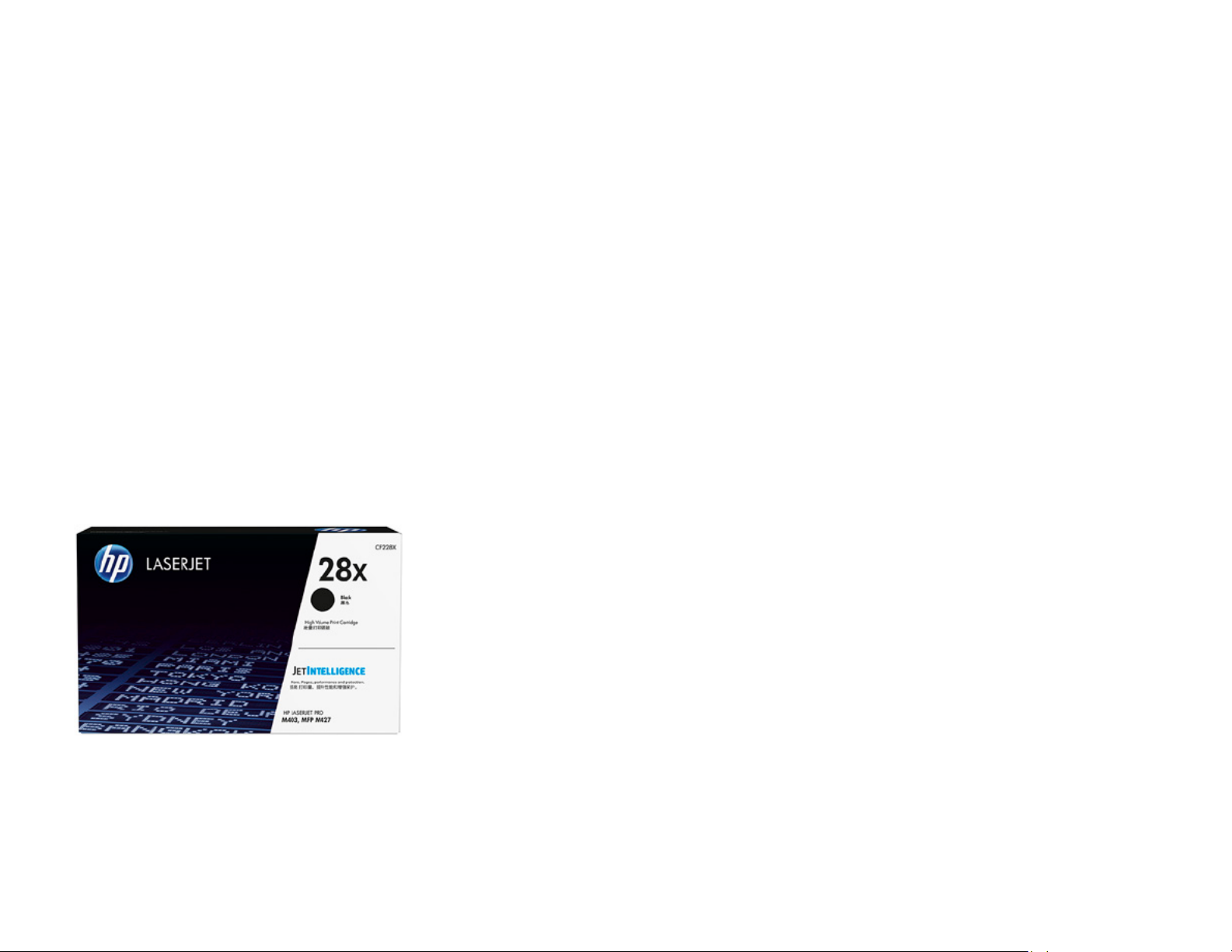
8A Black Original LaserJet Toner Cartridge (~3,000 pages)
HP
28 2X High Yield Black Original LaserJet Toner Cartridge (~9, 00 pages)
CF22
8A
CF228
X
Accessories
HP LaserJet 550
-sheet Feeder Tray
HP v222w 16 GB Mini USB Drive
D9P29A
P0R81AA
HP
S ervices
Boost performance
-it’s your choice. HP Care for
printers provides options to help you manage
printing
-from Care Pack services to customisable
and advisory services. With HP Managed Print
Services, we oversee everything for you.
Make sure your imaging and printing investments are protected with Care Pack, part of HP Care. Pick your
package of services to keep your MFP running and your business moving. Now your o ffice can spend less
time tro
uble-shooting and more time gett ing things done.38
HP 3
-year Next Business Day LaserJet M426/7 MFP Hardware Support
HP
4- Syear Next Business Day LaserJet M426/7 MFP Hardware upport
HP
5-year Next Business Day LaserJet M426/7 MFP Hardware Support
HP 1
- -year Post Warranty Next Business Day LaserJet M426/7 MFP Hardware Support
U8TQ9E
U8TR0E
U8TR1E
U8TR4PE
Solutions
HP Web Jetadmin:
hp.com/go/wja
HP Universal Print Driver:
hp.com/go/upd
HP
JetAdvantage Security Manager: hp.com/go/securitymanager
/
Page 30

15
/
Page 31

Product guide | HP LaserJet Pro MFP M427 series
Notes
The world’s most pre ferred printers (cover p age): Worldwide printer mark etshare, and HP printer b rand awareness, considerat ion and preference study in 9 markets 2014.
1
Fax capability is supported on the M427fdn and M427fdw models only.
2
Based on ISO/IEC 1975 2 cartridge yields for HP 80X High Yield Black Orig inal LaserJet Toner cartrid ges compared with HP 28X H igh Yield Black Original Las erJet Toner cartridges. L earn
more at hp.com/go/learnaboutsupplies.
3
Based on HP internal testing of top 3 leading competitors’ first page out from sleep mode and duplex print and copy speed completed 8/2015. Subjec t to device settings. Act ual results
may vary. For details, see hp.com/go/Ljclaims.
4
Wireless operations are compatible with 2. 4 GHz operations only. App or software and HP ePrint accou nt registration may also be required. Some features require purchase of an
optional accessory. Learn more at hp.com/go/mobileprinting.
5
Wireless networking is supported on the M427dw and M427fdw models only. Wireless performance is dependent on physical environment and distance from access point, and may be
limited during activ e VPN connections.
6
Wireless direct print ing is supported on the M4 27dw and M427fdw mode ls only. Mobile device needs to b e connected directly to t he Wi Fi network of a wire less direct- -capable MFP or
printer prior to printing. Depending on mobile device, an a pp or driver may also be r equired. Learn more at hp.com/g o/businessmobileprinting.
7
NFC touch- - - -to print is supported on the M427fdw model only. Requires a compatible NFC printing-enabled mobile device. For a list of compatible NFC printing-enabled mobi le devices,
see hp.com/go/nfcprinting.
8
Requires purchase of separate USB flash drive with at least 16 GB capacity.
9
Printing speed measur ed using ISO/IEC 24734 an d excludes first set of test d ocuments. For more info rmation, see hp.com/go/printerclaims. Exact speed varies depending on the system
configuration, software application, driver, and document complexity.
10
Scan speeds measured from ADF. Actual processing speeds may vary depending on scan resolution, network conditions, computer performance, and application software.
11
Printer requires ePrint account registration. App or software may be required. Wireless operations are compatible with 2.4 GHz operations only. Learn more at
hp.com/go/mobileprinting.
12
Supports the following devices running iOS 4.2 or later: iPad, iPad 2, iPhone (3GS or later), iPod touch (3rd generation or later). Works with HP’ s AirPrint enabled printer s and requires -
the printer be connected to the same network as your iOS device. Wireless performance is dependent on physical environment and distance from the access point.
13
Mopria-
certified HP print er and mobile device must b e connected to the same w ireless network or have a direct wireless connectio n. Performance is dependent on phys
ical environment
and distance from the wireless access point . Wireless operations are compatible with 2.4 GHz rout ers only.
14
Measured using ISO/IEC 17629. For m ore information, see hp.com/go/printerclaims. Exact speed v aries depending on system configuration, software ap plications, driver, and d ocument
complexity.
15
Business apps require an Internet connection to the printer. Services may require registration. App availability varies by country, language, and agreements. For details, see
.
16
Declared yield in accordance with ISO/IEC 19752 and continuous printing. Actual yields vary considerably based on images printed and other factors. Learn more at
hp.com/go/learnaboutsupplies.
17
HP 28X High Yield B lack Original LaserJet Toner c artridges are not included in printer purchase; purchase separately.
18
Feature works with Microsoft Word and PowerPoint 2003 and later. Only Latin language fonts are supported.
19
. HP Web Jetadmin is free and available for d ownload at hp.com/go/wja
20
Based on HP testing using the ENERGY STAR programme’s Typical Electricity Consumption (TEC) method or as reported in energystar.gov of top three leading compet itors as of 8/2015.
Actual results may vary. For details, see hp.com/go/Ljclaims.
21
Based on HP Internal research on competit or offerings (Device Security Comparison, January 2015) and Solutions Report on HP JetAdvantag e Security Manager 2.1 from Buy ers
Laboratory LLC, February .
2 015. HP JetAdvantage Security Manager must be purchased separately. To learn mor e, please visit
hp.com/go/security manager
22
Single -pass scanning is available on the M427fdn and M427fdw models only.
23
HP Auto-On/Auto-Off Technology capabilit ies are subject to printer and settings. May require a firmware upgrade.
24
Compared with products that use traditional fusing.
/
Page 32

Sign up for updates
hp.com/go/getupdated
Share with colleagues
Rate this document
© Copyright 2015 HP Development Company, L.P. The information contained herein is subject to change without notice. The only warranties for HP products
and services are set forth in the express warranty statements accompanying such products and services. Nothing herein sh
ould be construed as constituting
an additional warrant y. HP shall not be liab le for technical or editoria l errors
or omissions cont ained herein.
AirPrint, iPad, iPhone, and iPod touch are trademarks of Apple Inc., registered in the U.S. and other countrie
s. ENERGY STAR is a registered trademark owned
by the U.S. Environmental Protection Agency
. Android, Google Chrome, and Google Cloud Print are trademarks of Google Inc. Microsoft, PowerPoint , Windows,
Windows XP, and
Windows Vista are U. S. registered trademarks of t he Microsoft group of companies. UNIX is a reg istered trademark of Th e Open Group.
4AA5-9384EEAP, September 2 2015, R ev.
25
. The HP Universal Pr int Driver is free and avai lable for download at hp.com/go/upd
26
Programme availability varies. Original HP cartridge return and recycling is currently available in more than 50 countries, t regions in Asia, Europe, and North and South erritories, and
America through the HP .
Planet Partners progra mme. For more information, visit
hp.com/recycle
27
As compared with ca rtridge gauges for predeces sor products.
28
As compared with previo us generation of HP LaserJet p rinters.
29
As compared with pr evious generation of HP La serJet toner cartridges.
30
First copy out and copy speed measured using ISO/IEC 29183, excludes first set of test documents. For more information see . Exact speed varies depending on hp.com/go/printerclaims
the system configuration, software application, driver, and document complexity.
31
HP recommends that the number of printed pages per month be within the stated range for optimum devic e performance, based on fac tors including supplies r eplacement intervals and
device life over an extended warranty period .
32
HP recommends that the number of scanned pages per month be within the stated range for optimum device performance.
33
Duty cycle is defined as the maximum number of pages per month of imaged output. This value provides a comparison of product robustness in relation to other HP LaserJet or
HP
Color LaserJet dev ices, and enables appropriat e deployment of printers and MFPs
to satisfy the demands of connected individuals or groups.
34
Not all “Compatible Operating S ystems” are supported with inbox software; Full so lution software available only for Windows 7 and newer ; Legacy Windows Operatio n Systems (XP,
Vista, and equiva lent servers) get print driv ers only; Windows RT OS for T ablets (32- -bit and 64 bit) uses a simplified HP print driver built into the RT OS; UNIX Modelscripts are available on
hp.com (Modelscripts are p rinter drivers for UNIX op erating systems); Linux s ystems use in OS HPLIP softw are; HP Software for Mac is no longer included on the CD, but can be downloaded from the Mac driv er and Machp.com - Utility are installed for M ac operating systems.
35
USB cable is included with the M427dw an d M427fdw models only.
36
Acoustic values are subject to change. For current information see hp.com/support.
37
Power requirements are based on the country/region where the printer is sold. Do not convert operating voltages. This will damage the printer and void the product warranty.
38
Service levels and r esponse times may vary depending on your geograph ic location
. Service starts on date of hardware purchase. Restrictions and limitations apply. For details, visit
hp.com/go/cpc.
/
 Loading...