

Page 1

Il prodotto non ha capacità INTERNET o di salvataggio dati.
Page 2

Creato per divertire, THE HOT WHEELS®ACCELERATOR
contiene attività fondamentali che contribuiranno allo sviluppo
linguistico e musicale del bambino.
Le attività incluse infatti stimolano le abilità di vocabolario,
matematica, memoria, logica e musica.
THE HOT WHEELS®ACCELERATOR introduce l’uso del computer in maniera
semplice e sicura, incoraggia la creatività e l’apprendimento indipendente.
HOT WHEELS®and associated trademarks and trade dress are owned by, and used under license from, Mattel, Inc.
© 2007 Mattel, Inc. All Rights Reserved.
Visit us at
Page 3

10 Segnale 11
11 Equazioni 11
12 Codici 12
13 Lancette 12
14 Verifica motore 12
Memoria 12
15 Sii lucido 12
16 Due ruote 12
17 In linea 13
18 W la prudenza 13
19 Guida tu 13
20 Sfida in memoria 13
Logica 14
21 Controllo 14
22 In coda 14
23 Al prossimo giro 14
24 Visuale 14
Videogiochi 14
25 Finale 14
26 Bolle 15
27 Cerchioni 15
Musica 15
28 Con stile 15
29 Suoni al motore 15
30 Artista 15
Capitolo 7 16
Suggerimenti utili
Contenuti
Contenuti
Capitolo 1 1
THE HOT WHEELS®ACCELERATOR
Capitolo 2
3
Per cominciare
Capitolo 3
4
Regole del gioco
Capitolo 4
6
Comandi e caratteristiche
Capitolo 5
8
Tachimetro e sensori di velocità
Capitolo 6
10
Attività 10
Sillabe 10
01 Nomi in pista 10
02 Costruttore 10
03 Ingorgo 10
04 Fuori gara 10
05 Automix 10
06 Quiz 11
07 Guarda dietro 11
Matematica 11
08 Aggiungo 11
09 Tolgo 11
Page 4
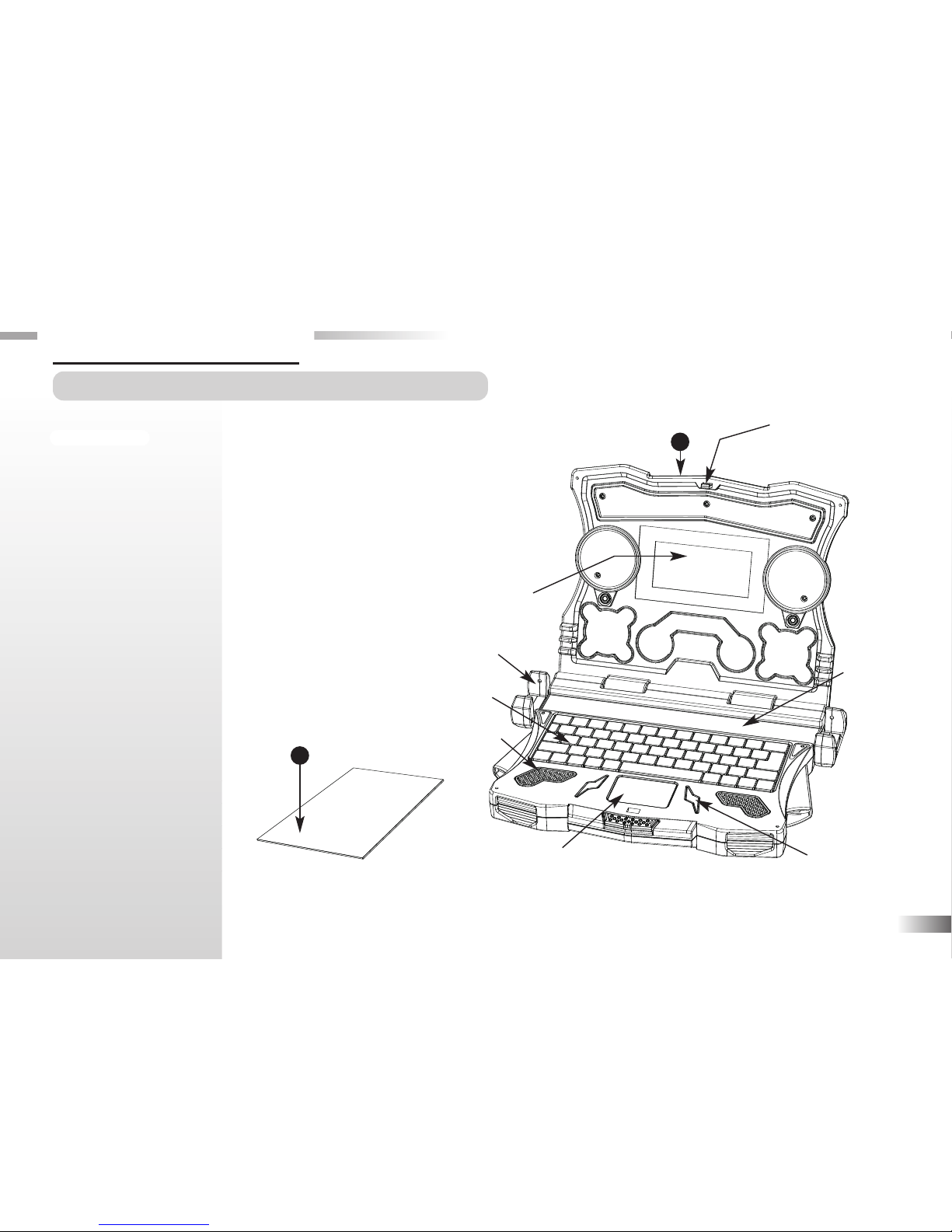
THE HOT WHEELS®ACCELERATOR
contiene le seguenti parti (se qualcuna
dovesse mancare per favore contattare il
rivenditore):
1 - Unità
2 - Manuale istruzioni
1
Chiusura di sicurezza
Tastiera
Cursore
Direzionale
Schermo LCD
Manuale istruzioni
Altoparlante
Invio
THE HOT WHEELS®ACCELERATOR
Caratteristiche
60 Attività in totale di cui:
30 in Italiano e 30 in
Inglese
• Sillabe
• Matematica
• Memoria
• Logica
• Videogiochi
• Musica
Capitolo 1
Capitolo 1
1
2
Pista
Sensore di velocità
Unità
Page 5
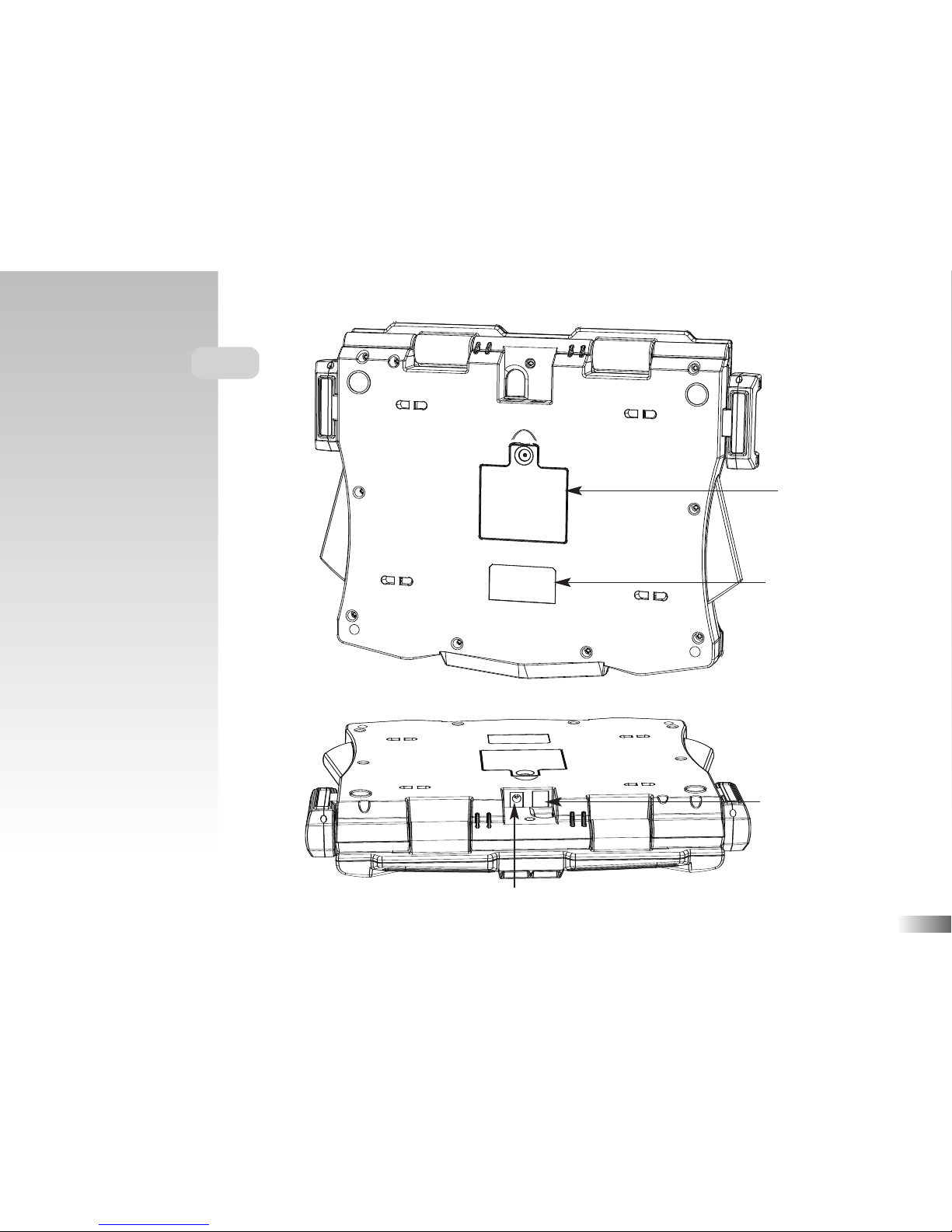
2
Unità
Presa per l'adattatore di corrente
Attivatore del sensore
di velocità
Requisiti per batterie e
adattatore
Scomparto batterie
Page 6
Capitolo 2
Capitolo 2
Per cominciare
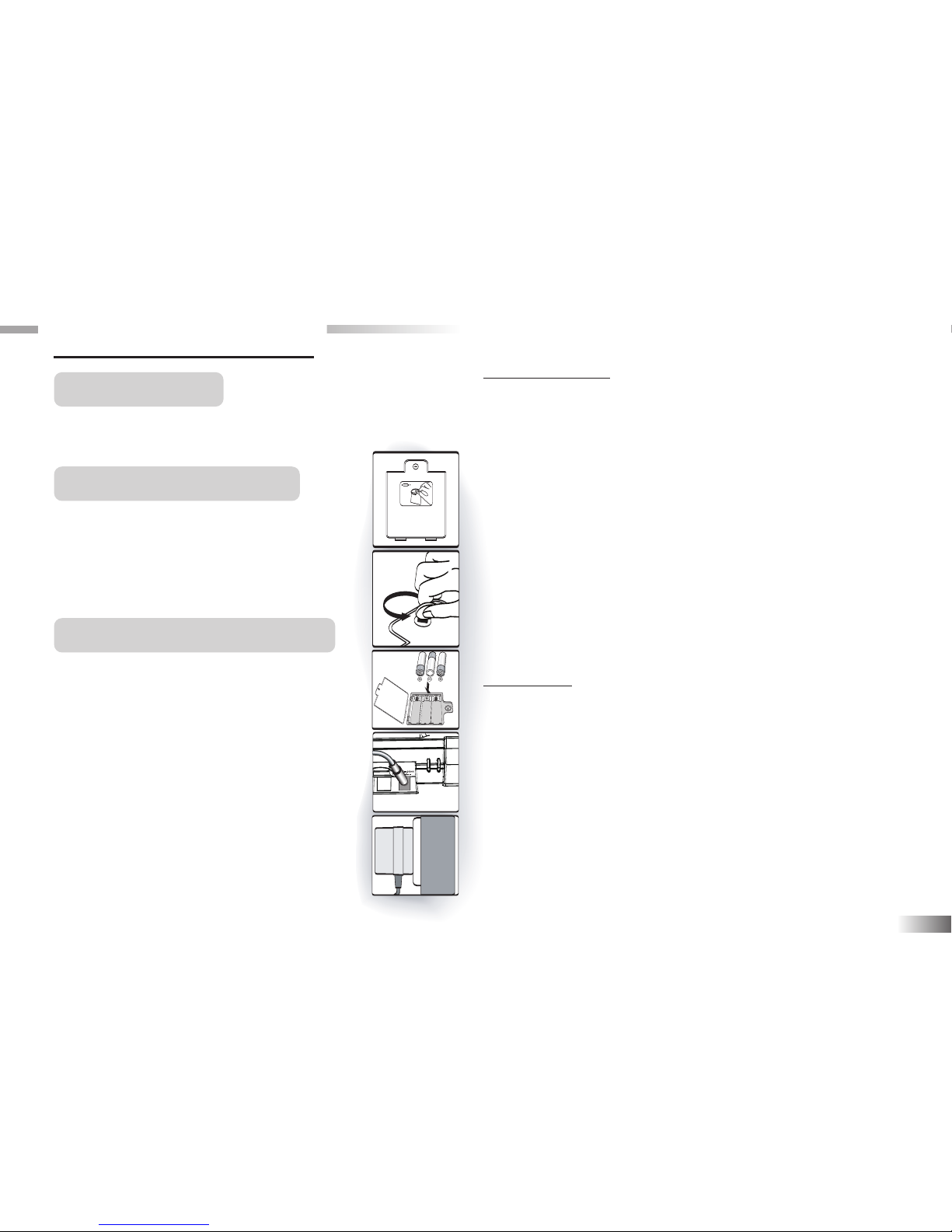
L'unità funziona con 3 batterie di tipo AA
od un adattatore CA 6V.
Installazione batterie
1. Assicurarsi che l'unità sia chiusa.
2. Aprire lo scomparto batterie nel retro.
3. Inserire 3 batterie di tipo AA
rispettando la polarità indicata (+ o -)
4. Richiudere lo scomparto.
CA Connessione Adattatore
(non incluso)
Assicurarsi che l'unità sia chiusa prima
di inserire l’adattatore CA. L’adattatore
va inserito nella presa situata nella parte
posteriore dell'unità dell’unità. Inserire
infine l’adattatore in una presa elettrica.
3
AVVERTENZE
• Non mischiare diversi tipi di batterie o nuove e usate.
• Usare solo batterie dello stesso tipo o equivalenti
come raccomandato.
• Rimuovere tutte le batterie per cambiarle.
• Rimuovere le batterie dall'unità se questa non verrà
usata per un lungo periodo.
• Non ricaricare batterie non ricaricabili.
• Batterie di tipo ricaricabile devono essere rimosse dal
gioco prima di essere ricaricate.
• Batterie di tipo ricaricabile devono essere ricaricate
sotto la supervisione di un adulto.
• Rimuovere batterie scariche dal gioco.
• Non causare corti circuiti ai cavi terminali.
Avvertenze
• Non è possible connettere l’unità ad una sorgente
elettrica superiore a 6V.
• Utilizzare solo l’adattatore raccomandato.
• L’adattatore non è un giocattolo.
• Non cortocircuitare i cavi terminali.
• I giochi che permettono una pulizia con liquido
devono essere disconnessi dalla sorgente elettrica
prima della pulizia.
• L’adattatore deve essere esclusivamente maneggiato
da un adulto e mai dai bambini.
Page 7
Cura e manutenzione
Per prolungare la durata del prodotto, per favore seguire queste semplici regole:
• Esaminare regolarmente l'unità per danno al cavo, presa, chiusura e altre parti. In caso di danno l'unità con
l'adattatore non devono essere utilizzati fino al momento della riparazione avvenuta.
• Rimuovere sempre le batterie prima della pulizia. Mantenerla pulita e asciutta evitando di bagnarla.
• Evitare sempre il contatto diretto con fonti di calore e ad alte temperature. Non lasciarla in un'automobile
esposta ai raggi del sole.
• L'unità non dovrebbe essere smontata né soggetta a urti.
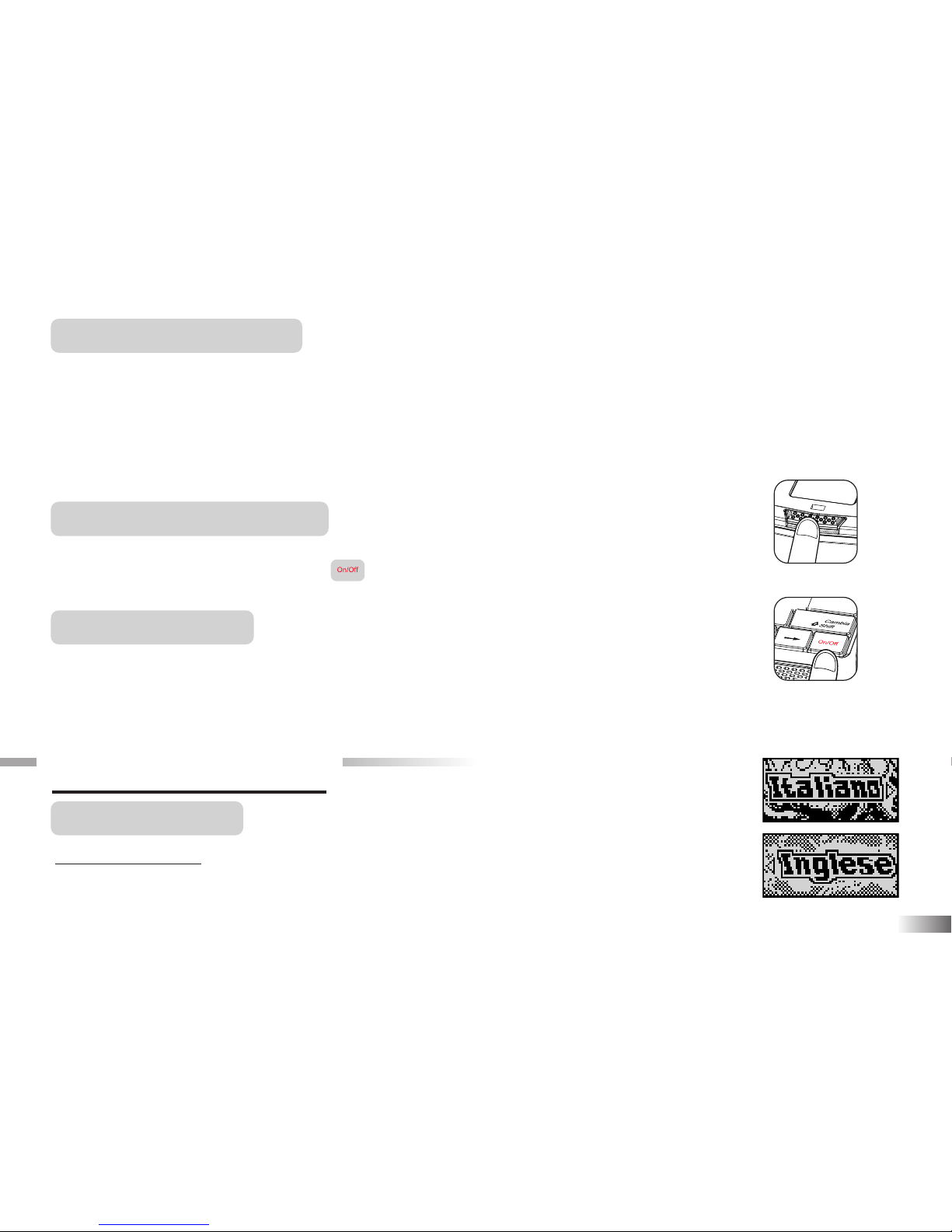
AVVIO DEL PRODOTTO
Aprire il prodotto premendo il tasto situato di fronte. Il computer si accende premendo il tasto.
Quando è già aperto premere sul tasto della tastiera. Al termine di una sessione,
ricordarsi di spegnere con lo stesso tasto.
Autospegnimento
Se non riceve alcun imput entro 5 minuti da parte del giocatore l'unità si spegne con un
ciao! automaticamente dopo cinque minuti per risparmiare energia.
Capitolo 3
Capitolo 3
Regole del gioco
Scelta della lingua
THE HOT WHEELS®ACCELERATOR è un prodotto bilingue: Italiano e Inglese.
Premere il tasto corrispondente alla tua scelta.
4
premi il tasto On/Off
Page 8
5
Scelta del gioco
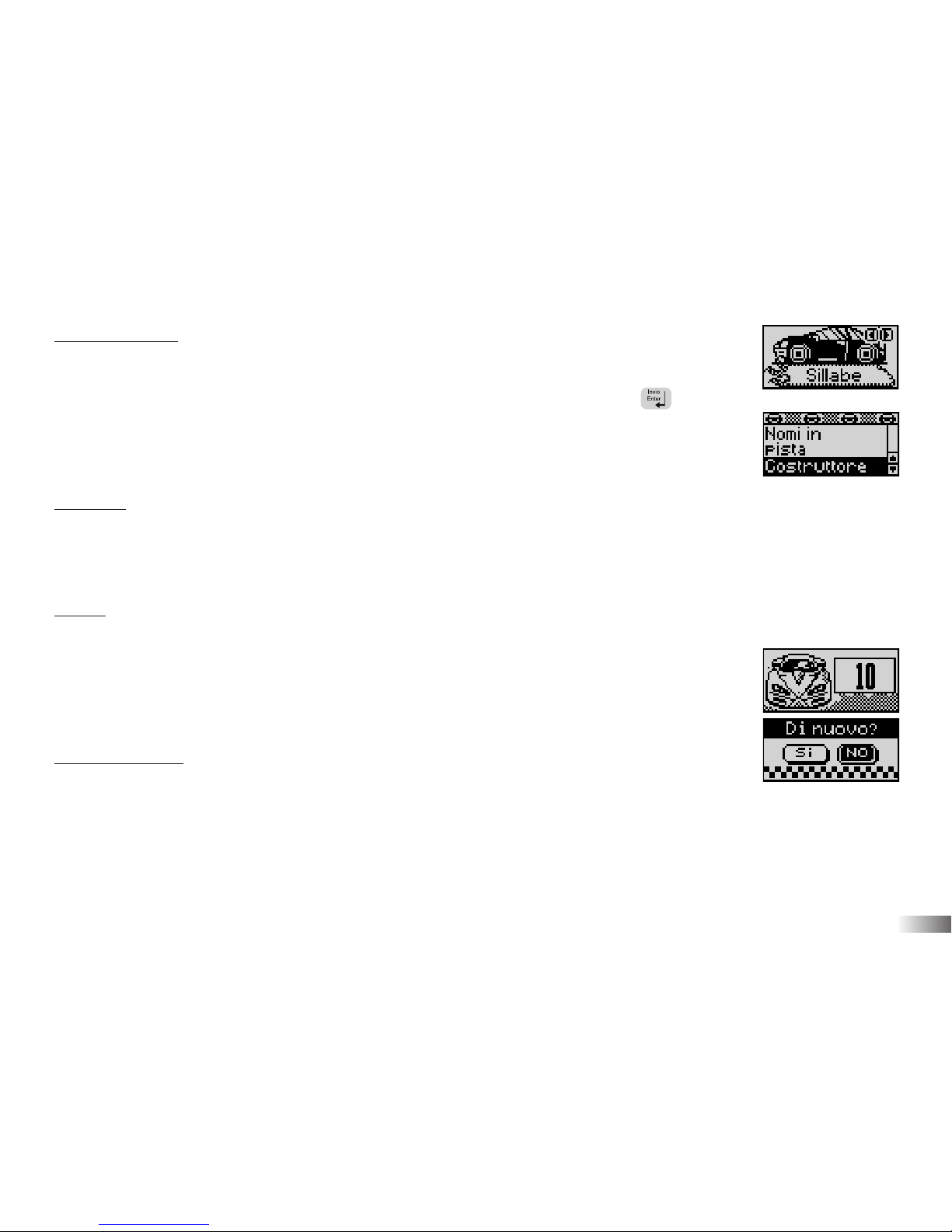
THE HOT WHEELS®ACCELERATOR consente di scegliere tra 6 categorie: Sillabe,
Matematica, Memoria, Logica, Videogiochi e Musica.
Le categorie visualizzate cambiano automaticamente ogni 5 secondi. Premere per
selezionare la categoria del gioco scelto. Si possono utilizzare anche i tasti freccia o il
cursore direzionale per spostarsi tra le scelte. Tutti i giochi di una categoria si trovano nella
lista del menu giochi.
Tentativi
Per la maggior parte dei giochi ci sono 3 tentativi per risposta. Al terzo tentativo errato
verrà mostrata la risposta corretta. Se la risposta non viene inserita entro 30 secondi, le
istruzioni saranno ripetute.
Livelli
Alcune attività hanno livelli differenti. Se si raggiungono 80 punti o più alla fine di una
tornata di 10 domande, si passa al successivo livello di difficoltà. Con un punteggio
inferiore a 50 si torna ad un livello più facile. Dopo ogni risposta, sarà mostrato il
punteggio raggiunto. Al termine di tutti i livelli di un gioco l'animazione di Hot Wheels
®
apparirà e si può scegliere se continuare a giocare (premendo S) oppure no (premendo N).
Limite di tempo
Per la maggior parte dei giochi si ha 1 minuto per rispondere a ogni domanda.
Page 9
Capitolo 4
Capitolo 4
Comandi e caratteristiche
Tastiera
La tastiera dell'unità è completamente funzionale.
Tasti freccia
Usa i tasti freccia per selezionare o navigare tra i giochi.
Cursore Direzionale
L'unità ha un cursore direzionale che si trova in basso sulla tastiera.
Il cursore direzionale può essere premuto in alto, in basso, a sinistra o a destra per selezionare
e navigare tra i giochi. Per dare una risposta, premere il tasto di conferma a lato del cursore.
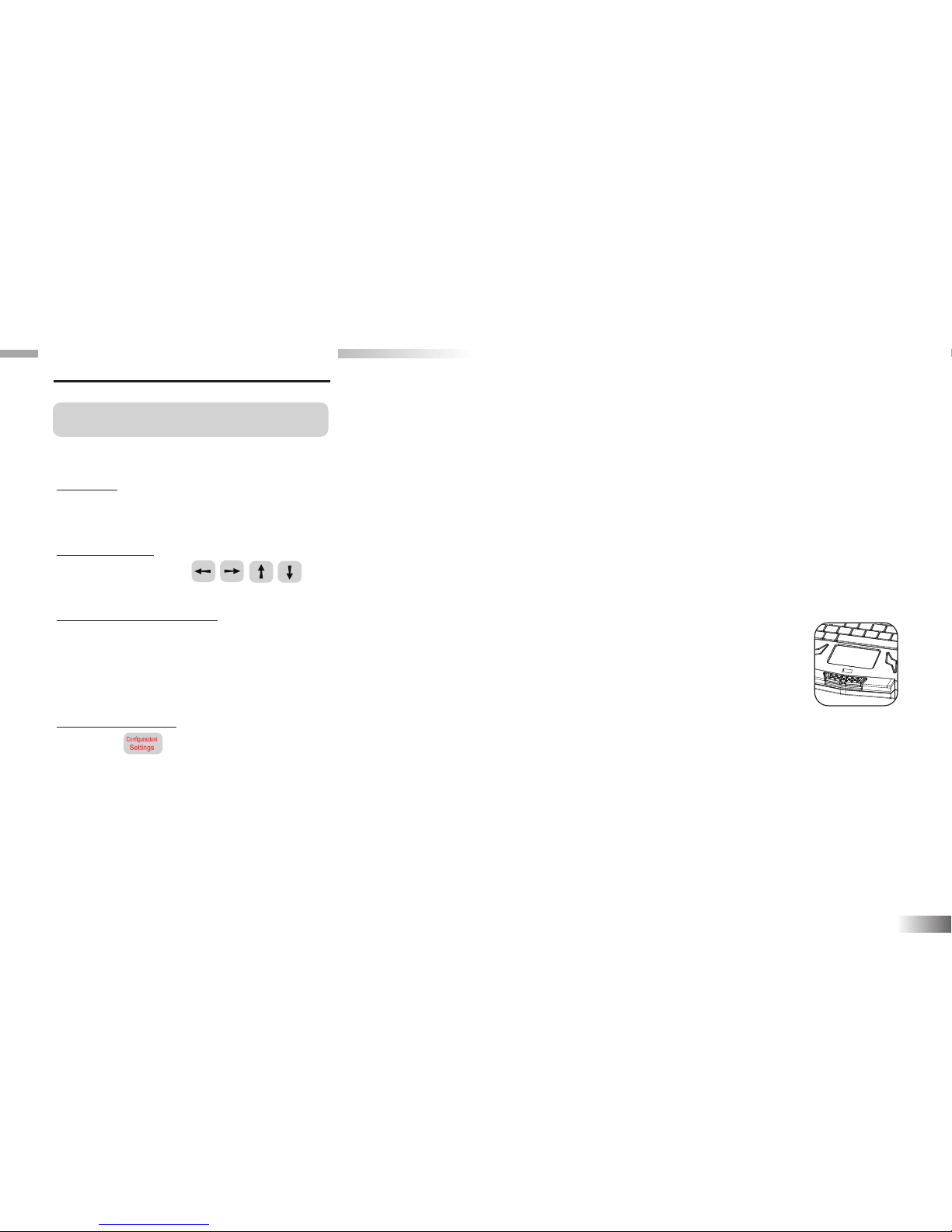
Configurazioni
Premere per regolare il volume del suono e il livello di luminosità sullo schermo.
Scegliere tra Alto, Medio, Basso.
6
Page 10
7
Demo
Premere per vedere una dimostrazione di alcune entusiasmanti caratteristiche e giochi.
Aiuto
Premere il tasto per suggerimento extra a una domanda. L'utilizzo della funzione riduce il punteggio
finale per la domanda. Non tutti i giochi hanno questa funzione.
Ripete
Premere per far ripetere una domanda o istruzione.
ESCI
Premere per uscire dal gioco e ritornare al menu precedente.
Tasti forma
I tasti forma sono utili per rispondere nei giochi che utilizzano le forme.
Risposte
Per rispondere premere .
Cancella
Il tasto cancella i caratteri appena digitati.
Page 11
Capitolo 5
Capitolo 5
Tachimetro e sensori di velocità
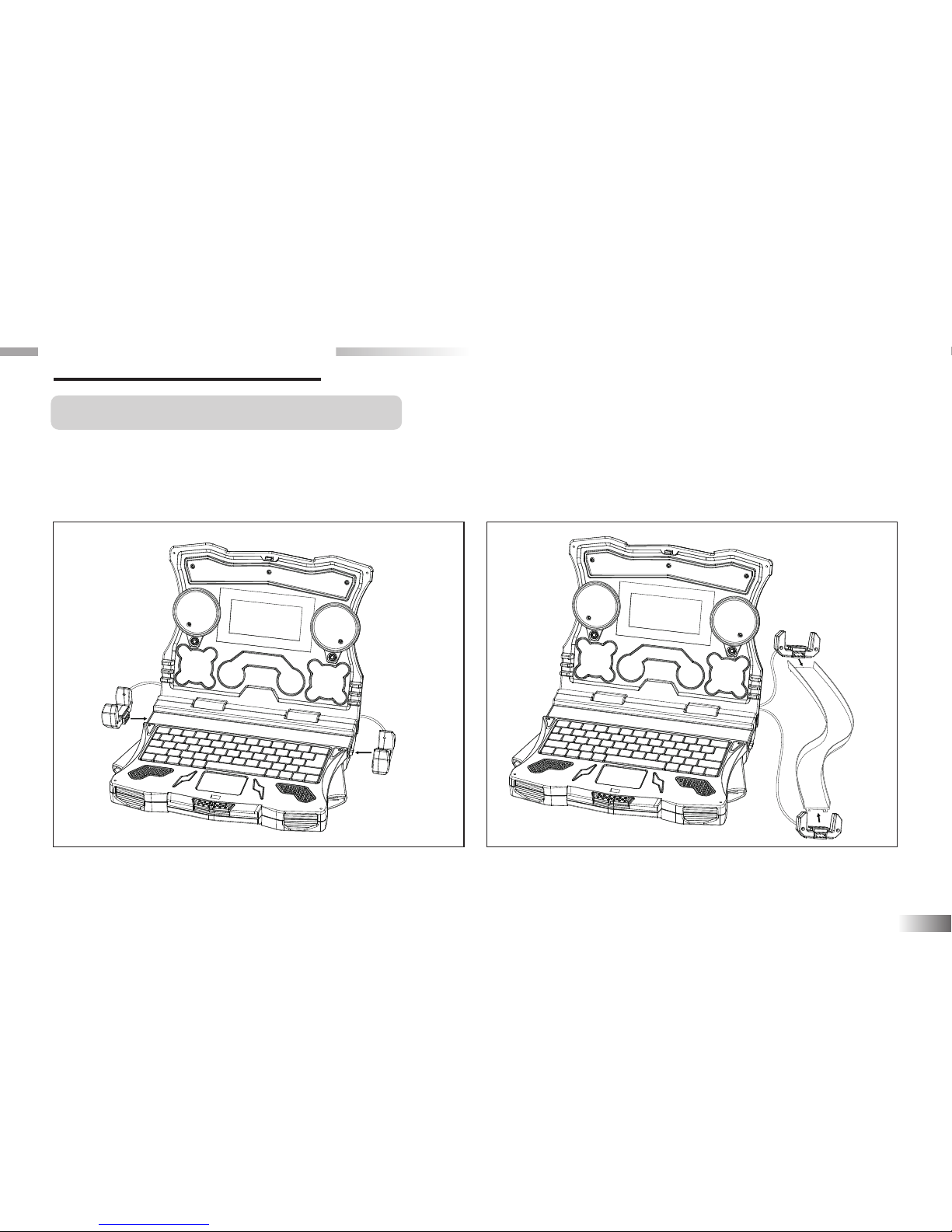
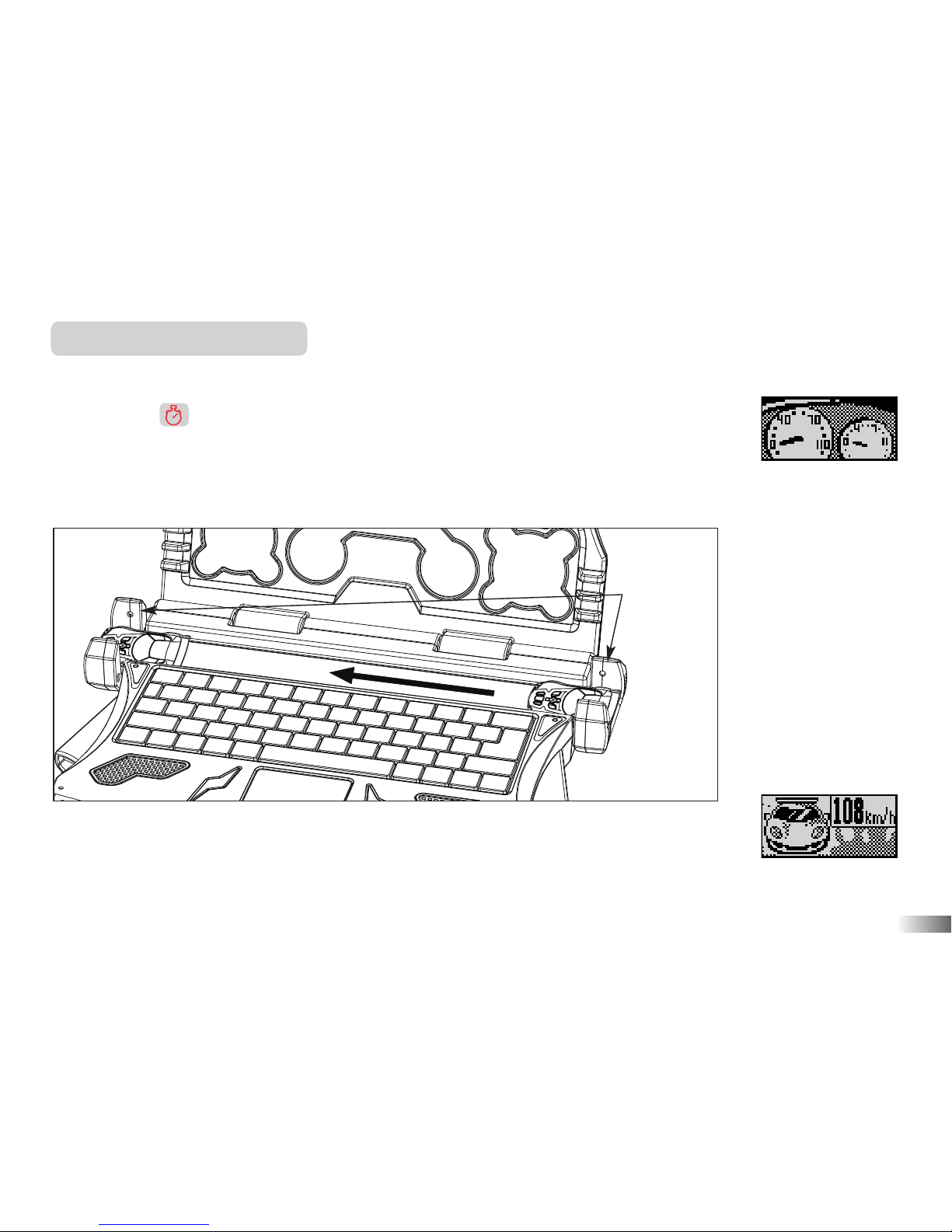
Il laptop contiene una pista con sensori di velocità. Premendo il tasto cronometro si può misurare la
velocità. Spingi un'automobilina (non inclusa nella confezione) sulla pista. La velocità verrà misurata e
mostrata sullo schermo. Inoltre i sensori possono essere montati su qualunque pista di tipo Hot Wheels®.
8
Fate riferimento all'immagine sopra riportata per
collegare i sensori al computer.
Fate riferimento all'immagine sopra riportata per
collegare i sensori ad una pista HOT WHEELS
®
(non inclusa).
Page 12
9
Misuratore di velocità
Sono necessari un'auto e una pista Hot Wheels®per potere giocare con i sensori di velocità.
1. Premere il cronometro per entrare in modalità "sensore velocità".
2. Spingere l'auto sulla pista quando viene mostrato il sensore di velocità.
3. L'auto deve passare tra i due sensori altrimenti non si può verificare la velocità.
4. Quando l'auto passa tra i due sensori, la velocità viene mostrata sullo schermo.
Nota: Il sensore di velocità serve soltanto per giocare.
detettori velocità
Page 13
10
Capitolo 6
Capitolo 6
Attività
Sillabe
(01) Nomi in pista
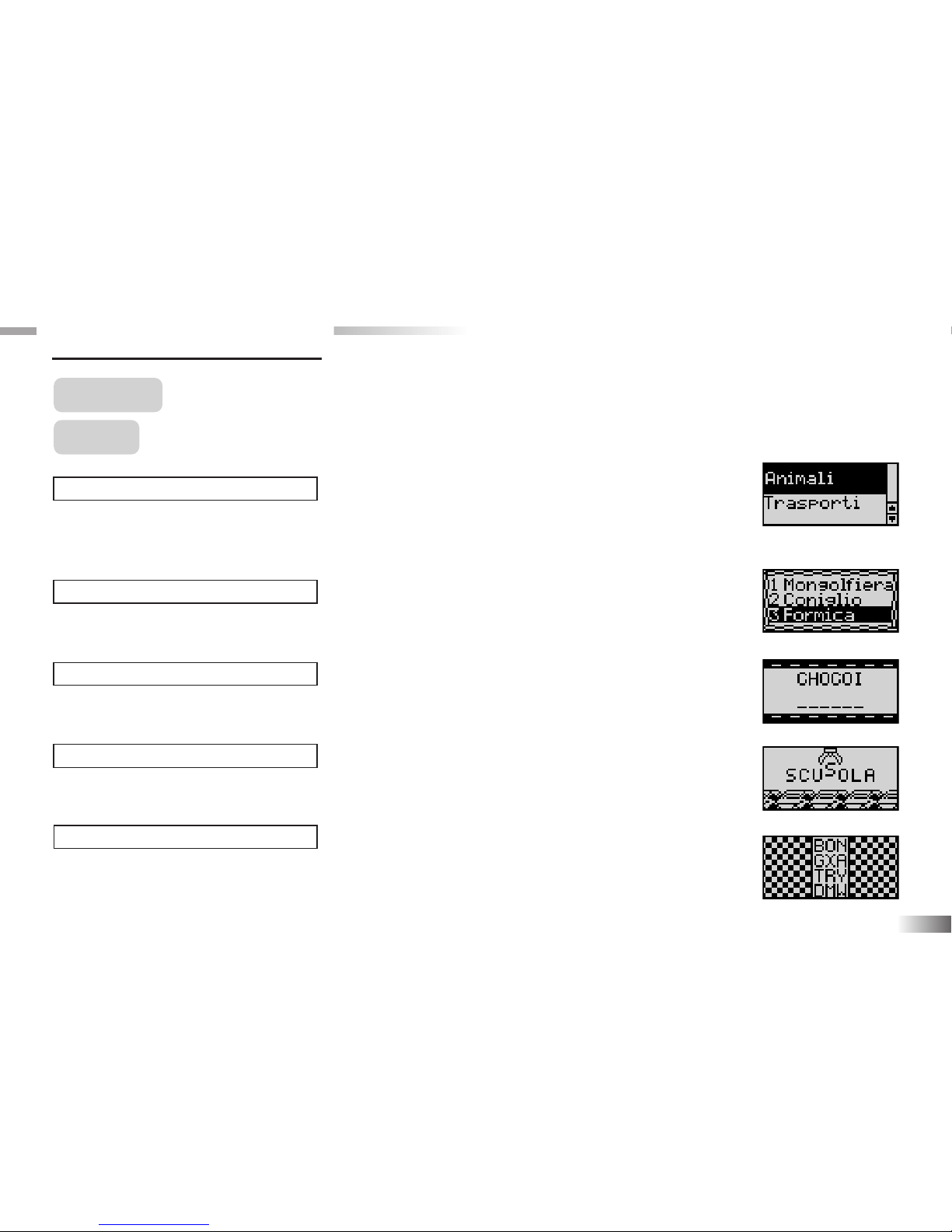
Insegna a scrivere e pronunciare alcune parole degli insiemi: Animali, Trasporti,
Arredi, Uomini e Luoghi, Azioni e Corpo.
(02) Costruttore
Scopri la parola che corrisponde all'animazione.
(03) Ingorgo
Riordina le lettere per formare una parola.
(04) Fuori gara
Elimina la lettera extra per ottenere una parola.
(05) Automix
Scopri la parola tra il miscuglio di lettere.
(01)
(02)
(03)
(04)
(05)
Page 14
11
(06) Quiz
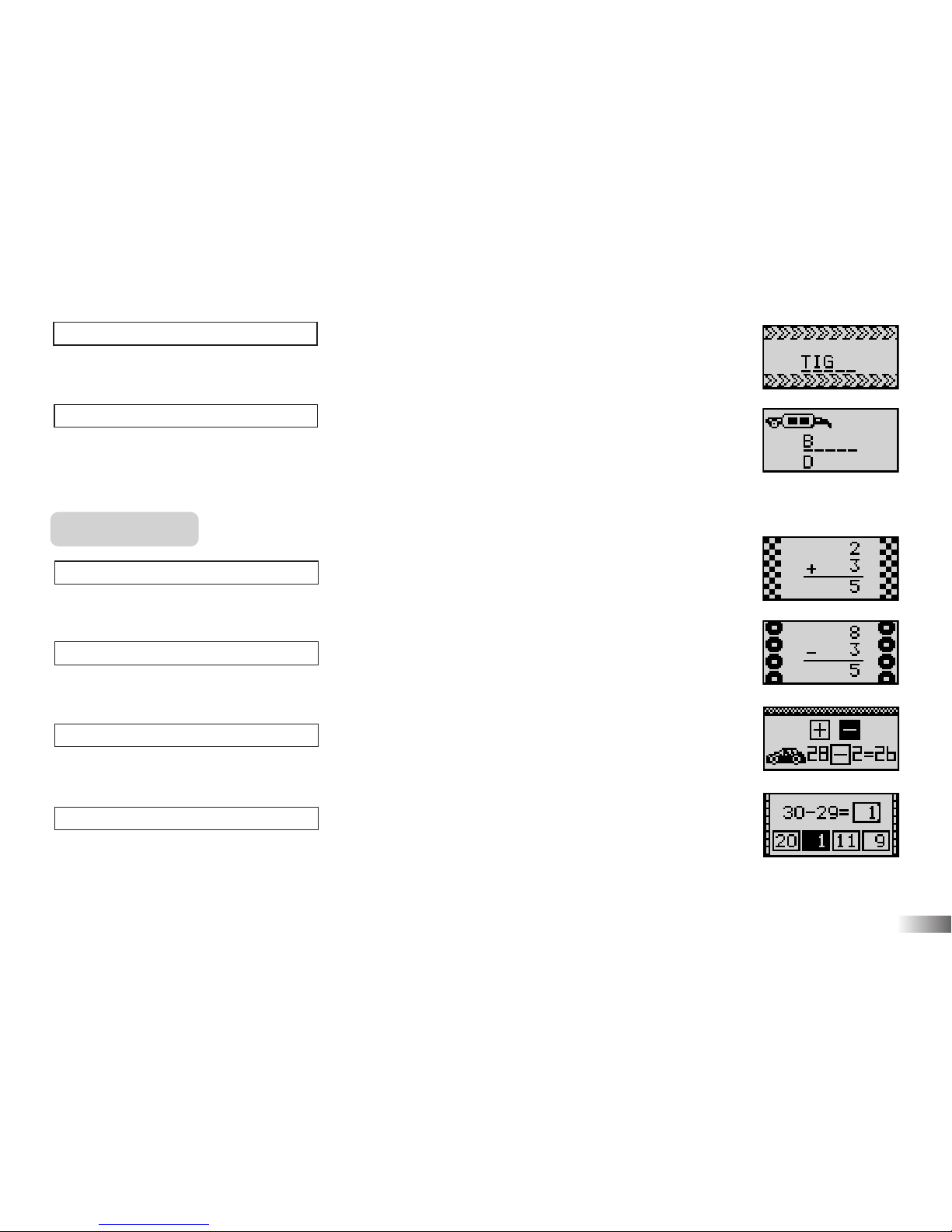
Dopo aver visto l'animazione scrivi la parola corrispondente.
(07) Guarda dietro
Indovina la parola nascosta digitando una lettera alla volta. Sono ammessi 10 tentativi.
Matematica
(08) Aggiungo
Risolvi le addizioni numeriche.
(09) Tolgo
Risolvi le sottrazioni numeriche.
(10) Segnale
Qual'è il simbolo matematico corretto? Selezionalo sulla tastiera.
(11) Equazioni
Risolvi le equazioni digitando il numero corretto.
(08)
(07)
(06)
(09)
(10)
(11)
Page 15
12
(12) Codici
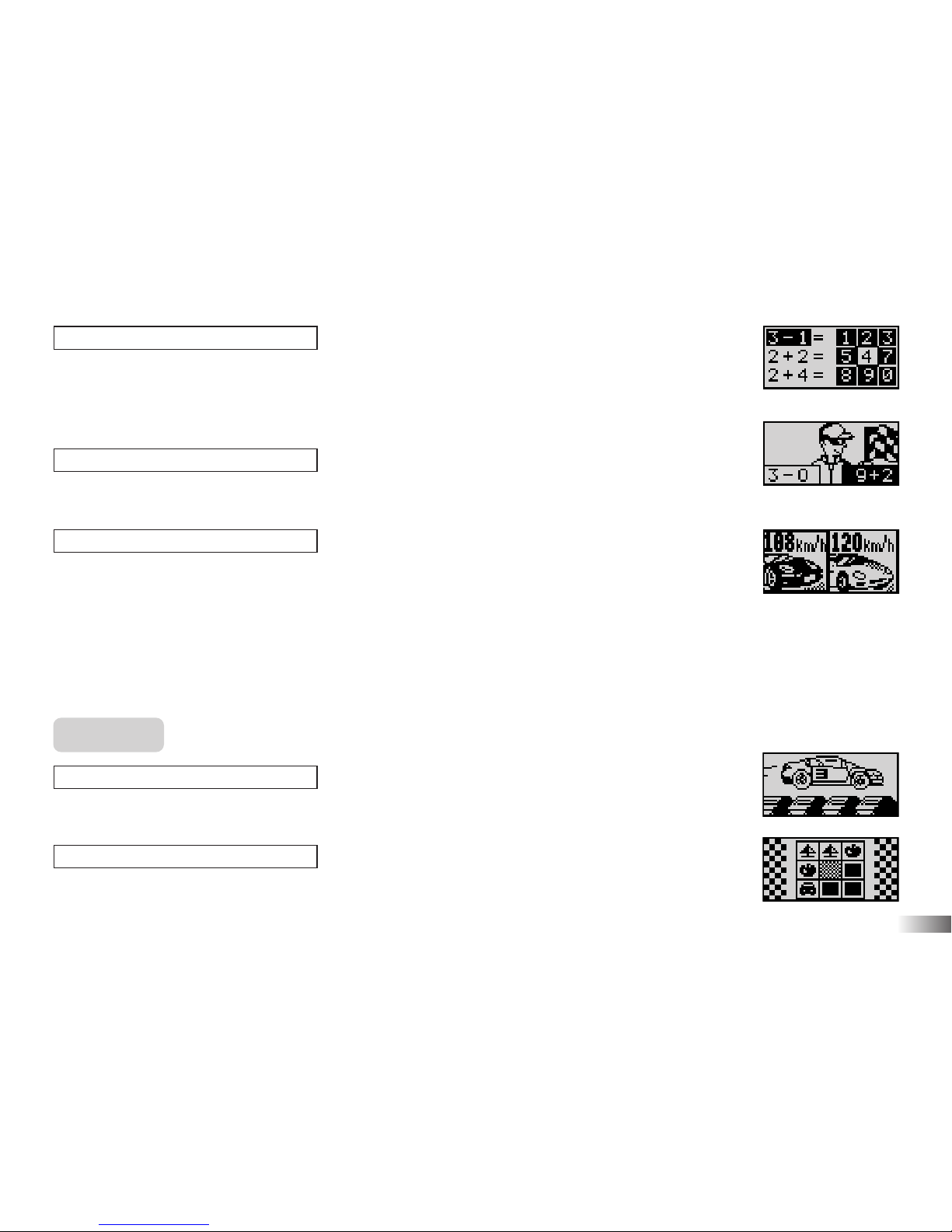
A destra si trova una griglia di 9 numeri ed uno di essi è evidenziato. Scegli tra le tre
equazioni sulla sinistra quella di cui il numero è il risultato.
(13) Lancette
Seleziona l'equazione con il risultato minore o maggiore.
(14) Verifica motore
Insegna l'unità di misura della velocità automobilistica e confronta due auto.
a. Fai passare l'auto sulla pista per vedere la sua velocità e confrontarla con il computer.
b. Seleziona l'auto con minore o maggiore velocità.
Memoria
(15) Sii lucido
Ricorda la sequenza dei numeri mostrati dalle auto.
(16) Due ruote
Memorizza e scopri le coppie di figure.
(13)
(12)
(14)
(15)
(16)
Page 16
13
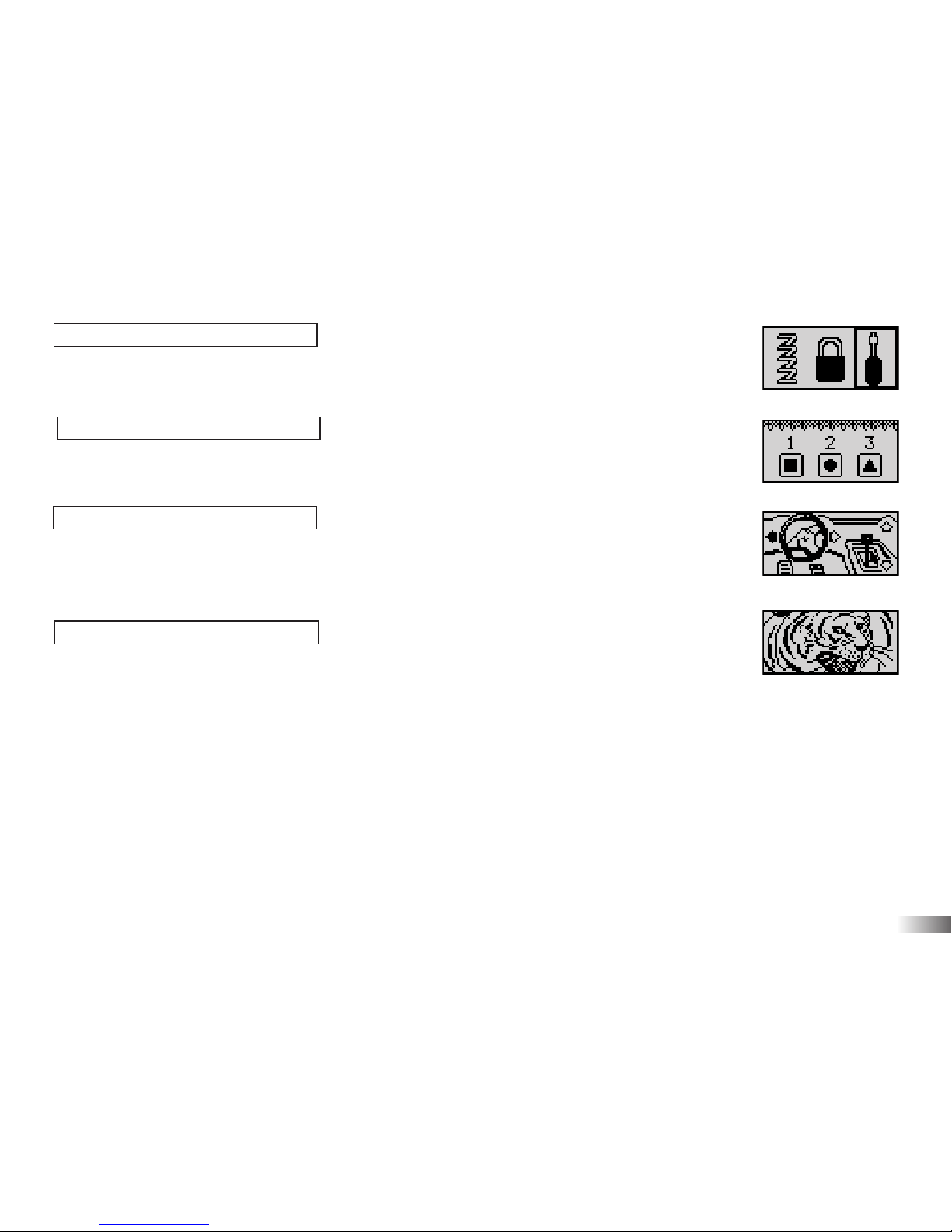
(17) In linea
Memorizza l'oggetto mostrato all'inizio e selezionalo.
(18) W la prudenza
Memorizza l'ordine con cui arrivano le forme.
(19) Guida tu
Ricorda la sequenza osservando le frecce. Digita le frecce corrispondenti.
Se la sequenza è corretta: viene ripetuta ed un passo extra viene aggiunto.
(20) Sfida in memoria
Ricorda la posizione delle parole che appaiono: prima, seconda o terza.
(17)
(18)
(19)
(20)
Page 17
Logica
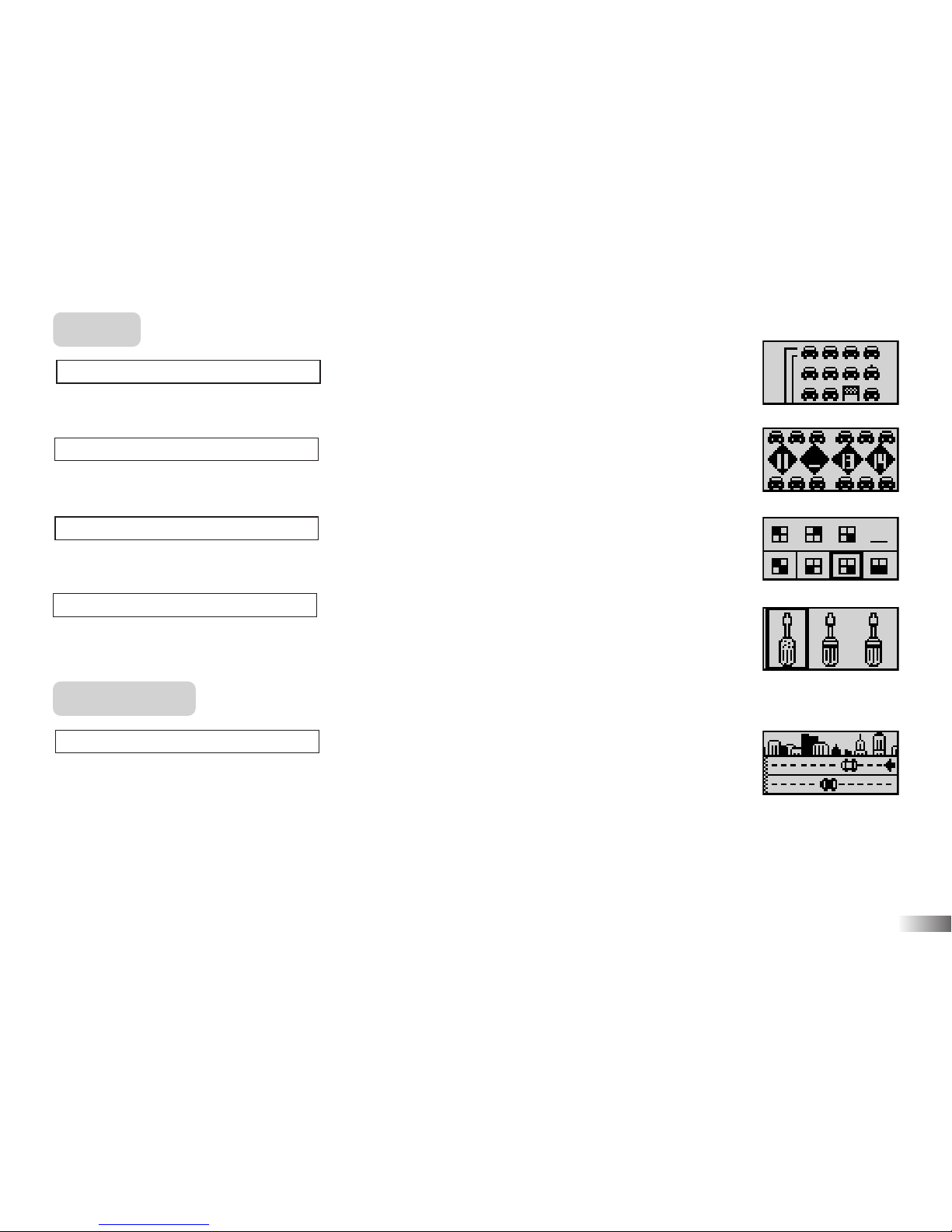
(21) Controllo
Raccogli tutte le auto senza tornare indietro o toccare la strada.
(22) In coda
Seleziona il numero che completa la sequenza.
(23) Al prossimo giro
Seleziona la figura che completa la sequenza.
(24) Visuale
Seleziona l'icona dello stesso insieme delle altre con qualcosa di differente.
Videogiochi
(25) Finale
Gareggia col computer.
a. La tua auto è di colore bianco.
b. Passa l'auto sulla pista per revisionare la sua velocità.
c. Dopo varie tornate viene mostrata l'auto che arriva prima.
Nota: Un' auto ed una pista Hot Wheels®sono necessarie per questo gioco.
14
(21)
(22)
(23)
(24)
(25)
Page 18
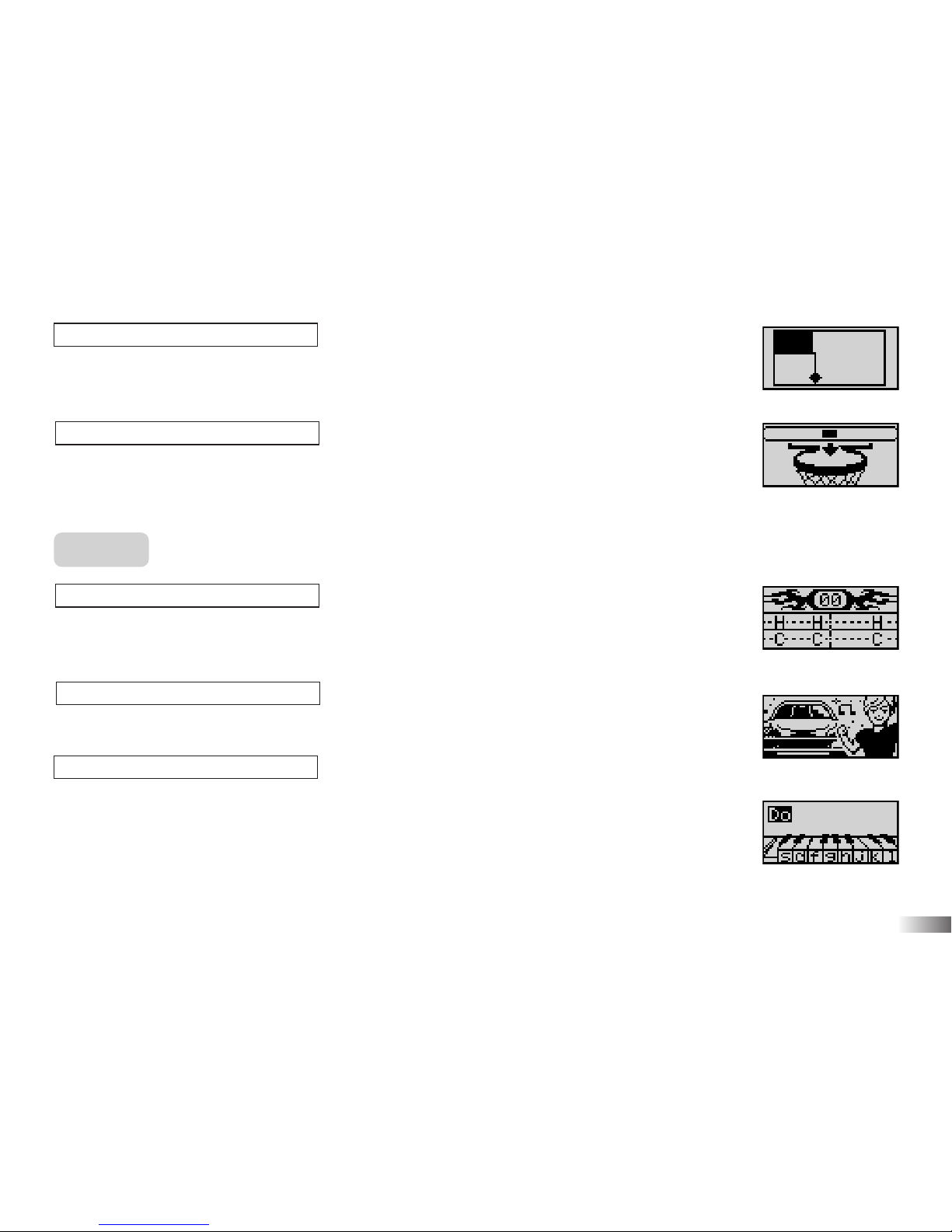
(26) Bolle
Con le frecce crea spazi quadrati chiusi fino a lasciare meno del 15% dello spazio per
la bolla. Attenzione al tempo e ai movimenti della bolla.
(27) Cerchioni
Premi Invio quando la barra arriva al centro. Fai più canestri possibili.
Musica
(28) Con stile
Seleziona una melodia e stai al ritmo. Premi la lettera corrispondente sulla tastiera
quando questa arriva al centro dello schermo.
(29) Suoni al motore
Scegli una melodia per ballare.
(30) Artista
Componi una melodia e ascoltala di nuovo.
15
(29)
(30)
(26)
(27)
(28)
Page 19

16
Capitolo 7
Capitolo 7
Suggerimenti utili
Non c'è schermo
Le batterie sono installate correttamente?
Le batterie necessitano di essere cambiate?
Schermo paralizzato o deforme
Disconnettere l'alimentatore di corrente rimuovendo le batterie per almeno 10 secondi, poi reinserirle.
Conforme ai requisiti di sicurezza di ASTM F963, EN71 Parti 1, 2 e 3 e EN62115.
Ci sforziamo di migliorare continuamente i nostri prodotti. Lo schermo attuale del prodotto potrebbe
differire leggermente da quello mostrato nell'immagine.
Page 20

Oregon Scientific Italia S.p.A
Centro Direzionale Colleoni,
Viale Colleoni 3, Palazzo Taurus 2,
20041 Agrate Brianza (MI), Italia
Tel: +39 039 656181
Fax: +39 039 6433111
email: [email protected]
Avvertenze:
Cambi o modifiche all'unità non espressamente approvate dal comitato responsabile della conformità potrebbero impedire che l'utente utilizzi l'apparato.
Nota:
L'apparato è stato testato e ritrovato conforme ai limiti di un dispositivo digitale di Classe B, in base alla Parte 15 delle Norme FCC.
Questo apparato genera, utilizza e può emettere energia di frequenze radio. Se non viene installato o adoperato secondo le istruzioni,
potrebbe causare interferenza nociva alle comunicazioni radio. Comunque non vi è garanzia che l'interferenza non avvenga in seguito ad
una particolare installazione. L'accensione e spegnimento dell'apparato può causare interferenze nocive alla ricezione di radio o televisione.
In tal caso l'utente è incoraggiato a cercare di correggere l'interferenza adottando una delle seguenti misure:
• Riorientare o riposizionare l'antenna ricevente.
• Aumentare lo spazio tra l'apparato e il ricevitore.
• Collegare l'apparato alla presa di un circuito differente da quello a cui è collegato il ricevitore.
• Consultare l'aiuto del rivenditore o di un tecnico esperto in radio TV.
• "Può contenere piccole parti dovute all'abuso e/o danno dell'unità."
• Non adatto ai bambini di età inferiore a 3 anni.
P/N: 086L004957-017
SMALTIMENTO
Non eliminare questo prodotto come un normale rifiuto cittadino.
Vi è necessità di accumulare questo tipo di rifiuti per speciale trattamento.
Page 21

Product does not have INTERNET or data storage capabilities.
Page 22

Dear Parent/Guardian,
Thank you for choosing THE HOT WHEELS®ACCELERATOR.
Designed with fun in mind,
THE HOT WHEELS®ACCELERATOR is packed with
stimulating games and activities that will
make an invaluable contribution to your child’s development.
The activities used to help further your child’s skills cover spelling,
mathematics, memory, logic, games and music.
THE HOT WHEELS®ACCELERATOR provides a
dependable and realistic introduction to computers and
encourages creativity and independent learning.
HOT WHEELS®and associated trademarks and trade dress are owned by, and used under license from, Mattel, Inc.
© 2007 Mattel, Inc. All Rights Reserved.
Visit us at
Page 23

10 Operation Maths 11
11 Equation Builder 11
12 Security Code 12
13 More or Less 12
14 Speed Race 12
Memory 12
15 Monster Truck 12
16 Double Trouble 12
17 Line Up 13
18 Shape Race 13
19 Memory Driving 13
20 Memory Challenge 13
Logic 14
21 Car Test 14
22 Number in a Row 14
23 The Next One 14
24 Difference 14
Games 14
25 Street Race 14
26 Trap 15
27 Basketball Hoops 15
Music 15
28 Catch the Beat 15
29 Engine Sounds 15
30 Rock Out 15
Chapter 7 16
Troubleshooting
TTable of Contents
able of Contents
Chapter 1 1
About THE HOT WHEELS®ACCELERATOR
Chapter 2
3
Getting Started
Chapter 3
4
Game Rules and Selection
Chapter 4
6
Useful Features and Controls
Chapter 5
8
Speedometer and Detectors
Chapter 6
10
Activities 10
Spelling 10
01 Word Factory 10
02 Word Seek 10
03 Traffic Jam 10
04 Spare Parts 10
05 Automix 10
06 Spell Test 11
07 Nitrous Express 11
Mathematics 11
08 Addition 11
09 Subtraction 11
Page 24
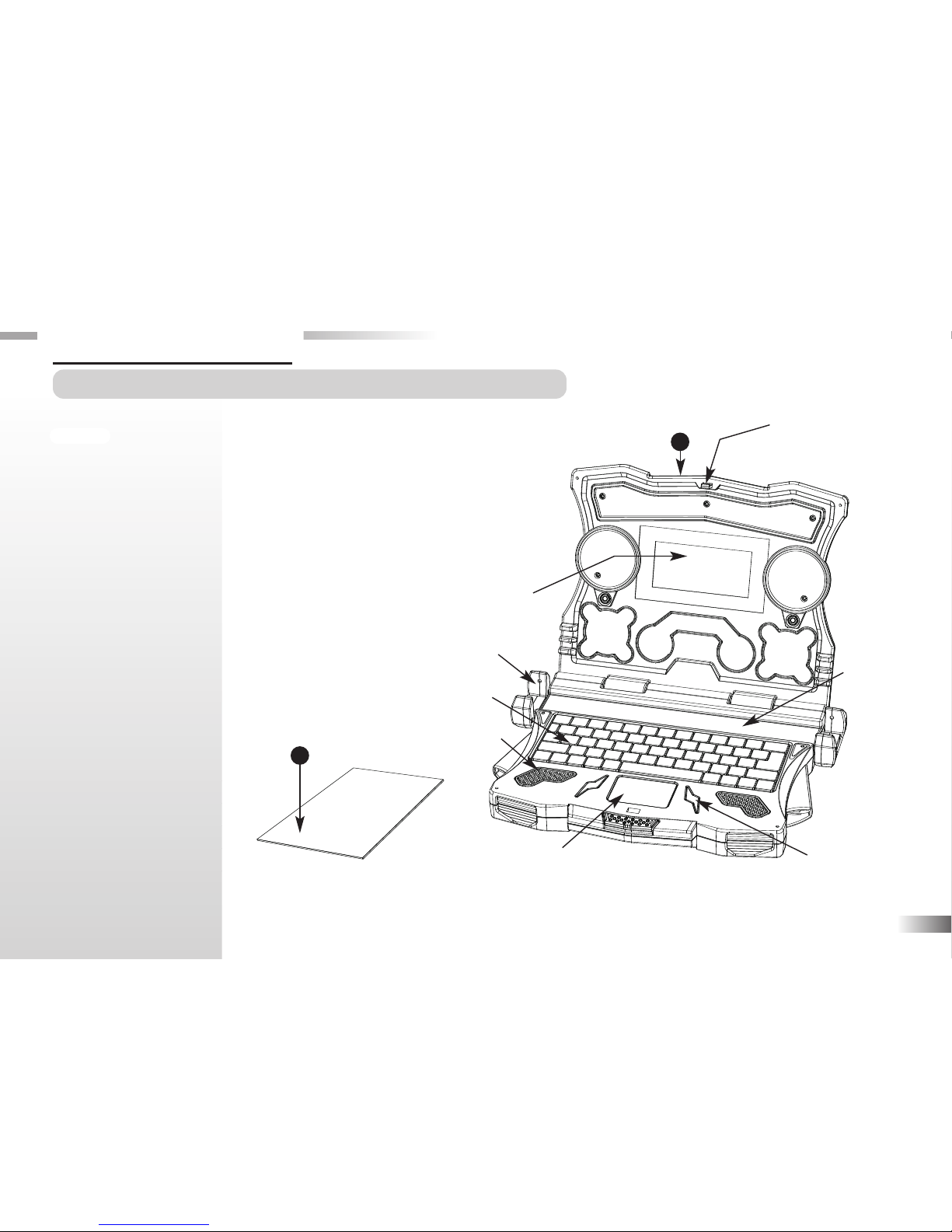
THE HOT WHEELS®ACCELERATOR
is supplied with the following parts.
Please contact your retailer should
any parts be missing.
1 - Unit
2 - Instruction Manual
1
Unit
Safety catch
Keyboard
Directional
cursor pad
LCD screen
Instruction Manual
Speaker
Submit buttons
About THE HOT WHEELS®ACCELERATOR
Features
Bilingual:
Total 60 Learning
activities:
30 Italian + 30 English
• Spelling
• Mathematics
• Memory
• Logic
• Games
• Music
Chapter 1
Chapter 1
1
2
Track
Speed detector
Page 25
2
Unit
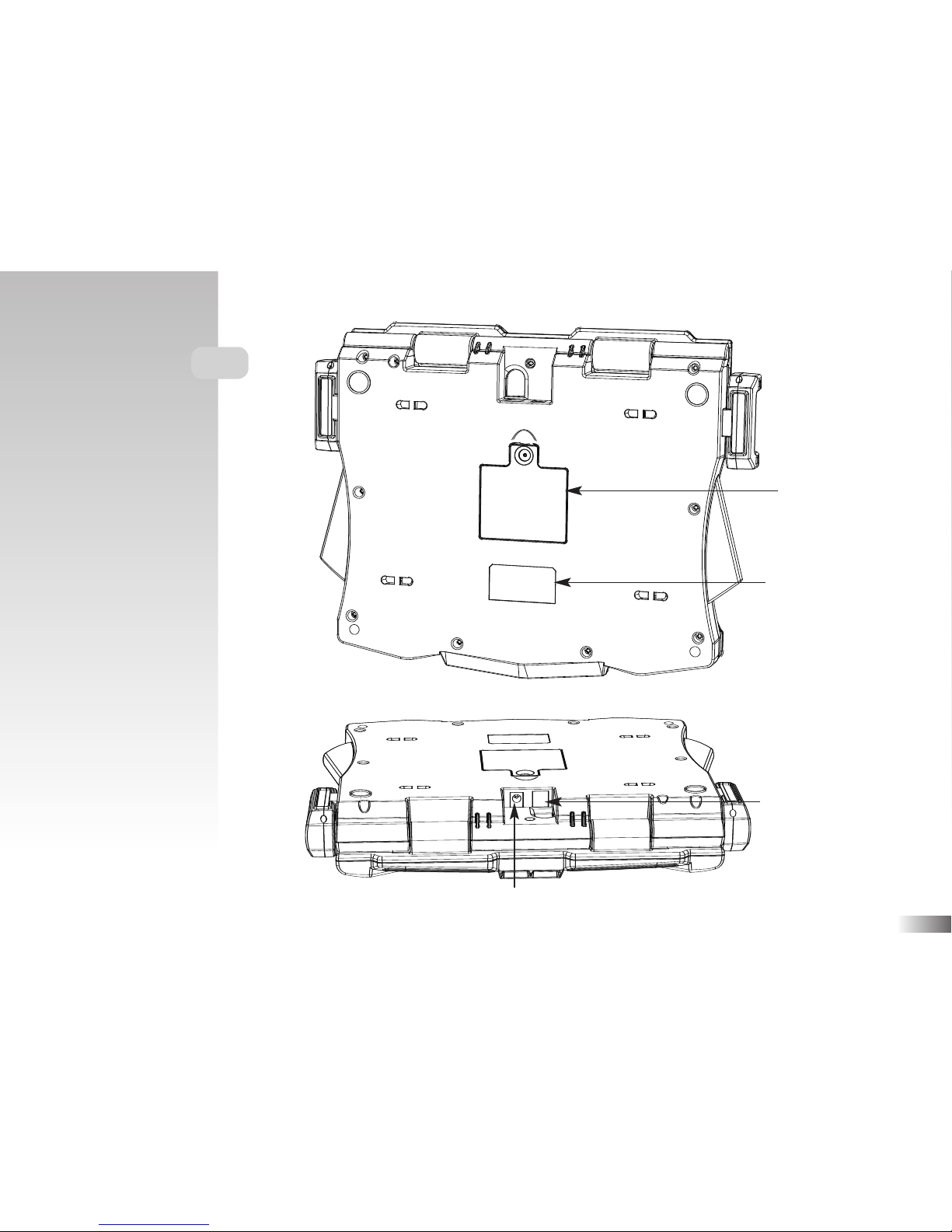
AC adaptor jack
Speed detectors jack
Battery and adaptor
requirements
Battery cover
Page 26
Chapter 2
Chapter 2
Getting Started
THE HOT WHEELS®ACCELERATOR
operates on 3 “AA” size batteries or a 6V
AC adaptor.
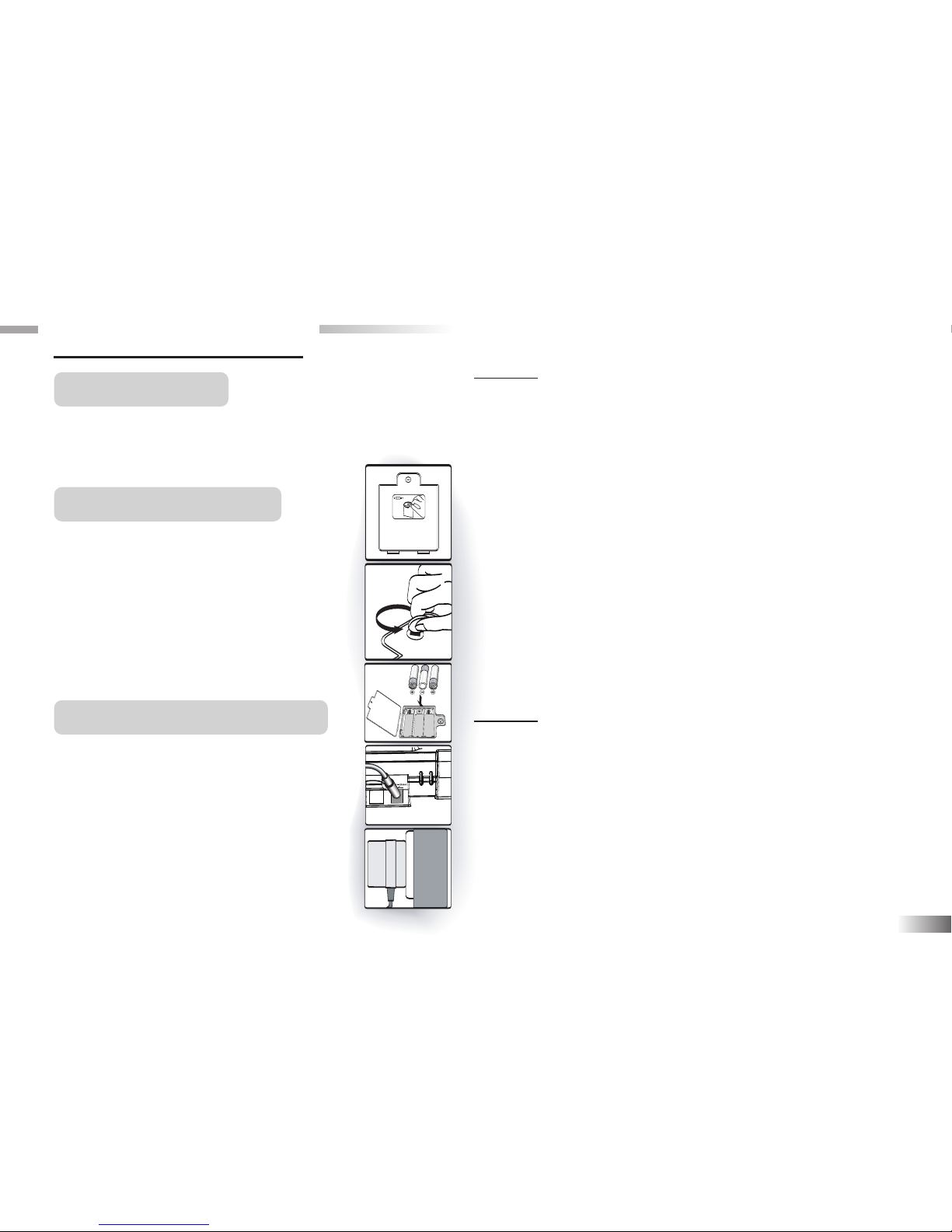
Battery Installation
1. Make sure the unit is turned off.
2. To open the battery cover, remove
the screw on the back of the unit
with a coin.
3. Insert 3 "AA" size batteries.
(Note the correct polarity: +, - ).
4. Replace the cover.
AC Adaptor Connection
Please turn off the unit before
plugging in the AC adaptor to
prevent damaging the unit.
Plug the adaptor into the adaptor
jack (center positive type) located at
the back of the unit. Plug the adaptor
into a wall outlet.
3
Caution
• Do not mix different types of batteries or old and
new batteries together.
• Only use batteries of the same or equivalent type
as recommended.
• Remove all batteries when replacing.
• Remove batteries from the unit if the unit is not
going to be used for long periods of time.
• Do not dispose of batteries in fire.
• Do not recharge non-rechargeable batteries.
• Rechargeable batteries are to be removed from
the toy before being charged.
• Rechargeable batteries are only to be charged
under adult supervision.
• Remove exhausted batteries from the toy.
• Do not short-circuit the supply terminals.
Caution
• The unit must not be connected to a power supply
greater than 6V.
• Only use the recommended adaptor.
• The adaptor is not a toy.
• Do not short-circuit the supply terminals.
• Toys liable to be cleaned with liquid are to be
disconnected from the power source before cleaning.
•
Due to AC/DC Adaptor Connection - Not suitable for
children under 3 years to operate without adult supervision.
Page 27
Storage & Care
To ensure that the product enjoys a long life, please follow these simple rules:
Regularly examine the unit for damage to the cord, plug, enclosure and other parts. In the event of such
damage, the unit must not be used with the adaptor until the damage has been repaired. Always disconnect
the power supply before cleaning. Keep the unit clean by wiping the exterior of the unit with a dry cloth.
Avoid getting the unit wet. The unit should not be dismantled. Always store the unit away from direct
sunlight, and high temperatures. Avoid leaving the unit in a car where it is exposed to direct sunlight.
The unit should not be subjected to extreme force or shock.
Starting THE HOT WHEELS®ACCELERATOR
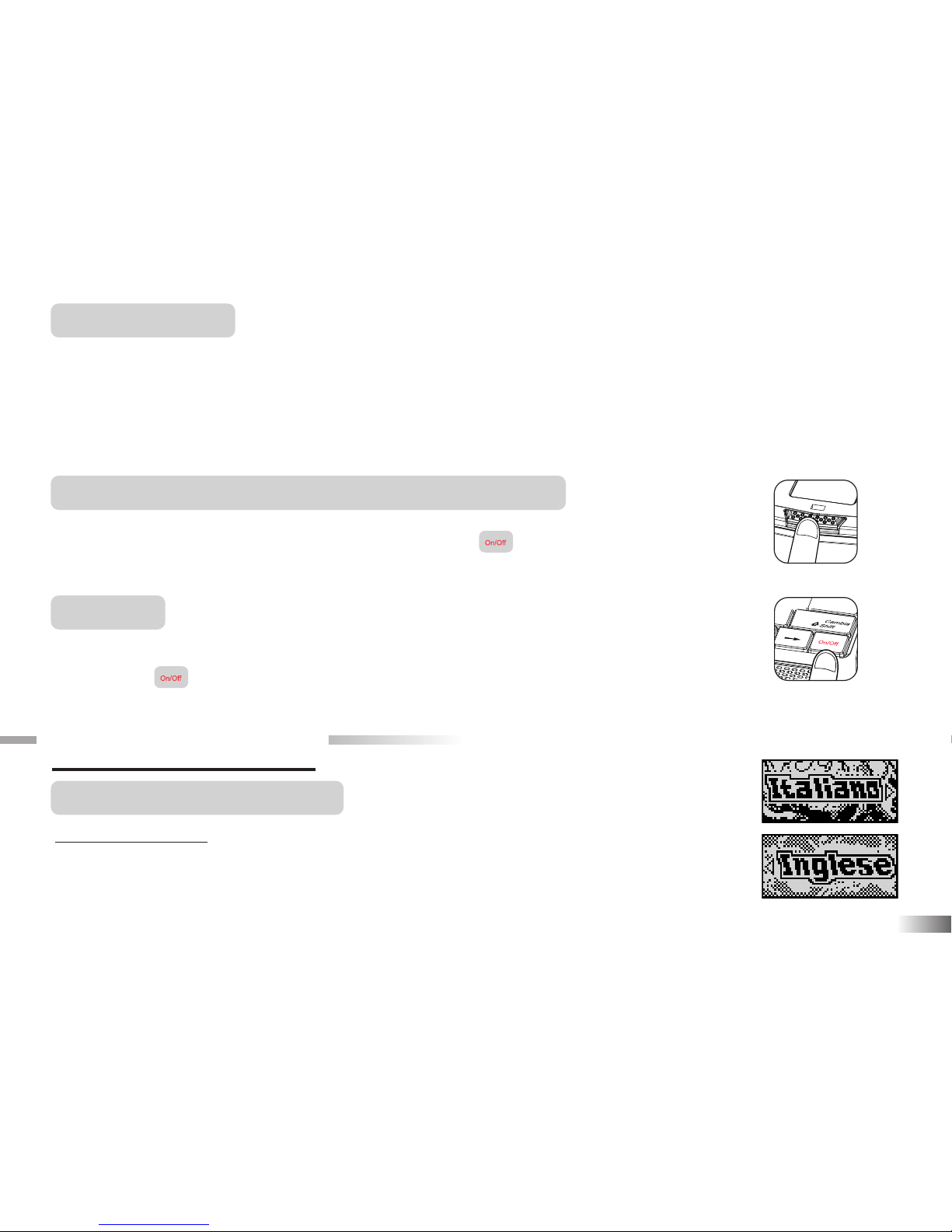
Open the unit by pushing in the lock button (located on the front of the unit).
Turn on THE HOT WHEELS
®
ACCELERATOR using the button located on the bottom
right of the keyboard. At the end of a session, remember to turn off the power by pressing the
same button.
Auto-off
If there is no input on the unit after five minutes, the unit says "See you next time" and
automatically turns itself off to conserve power. When you are ready to start playing again,
just press the button to turn the unit back on.
Chapter 3
Chapter 3
Game Rules and Selection
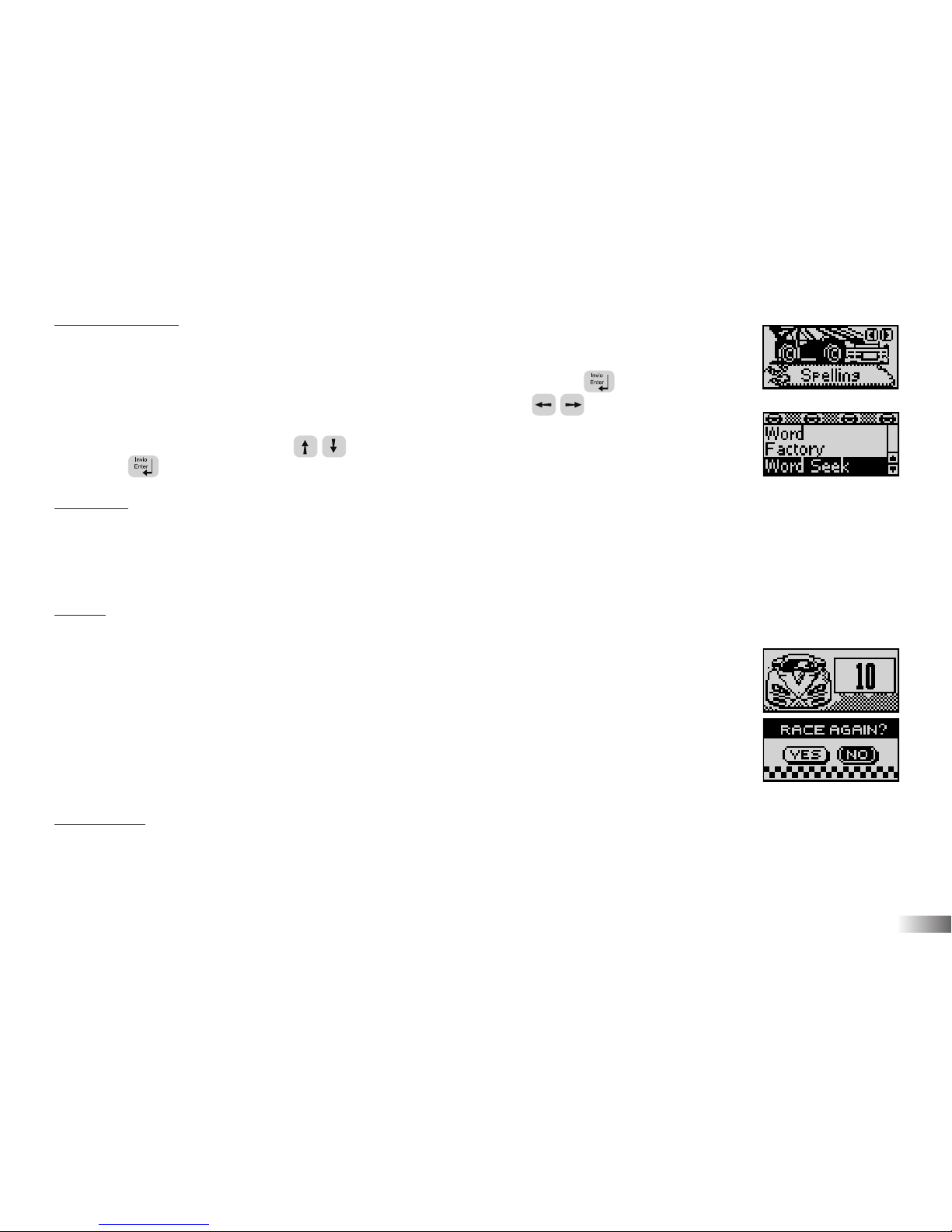
Language selection
There are 2 languages in the unit: Italian and English.
4
Press the On/Off button
Page 28
5
Game Selection
There are 6 categories in the unit: Spelling,
Mathematics, Memory, Logic, Games and Music.
The category selection menu will scroll to the next one every 5 sec. Press
to select the category you would like to play. You can also use the arrow
keys to scroll through the selections. All the games under a category are listed in
the game selection menu, use the arrow keys to scroll through the selections
and press to play.
Attempts
For most games you will have three attempts for each question. THE HOT WHEELS
®
ACCELERATOR will reveal the correct answer after three incorrect attempts.
If there is no input after 30 seconds, it will repeat the instruction prompt.
Levels
Some of the activities have different levels. If you score 80 points or more at the
end of a round of 10 questions, you will go to the next higher level of difficulty.
If you score less than 50 points, you will go to an easier level. After each
question, you will be shown the score screen so you can see how well you
are doing. When you successfully finish all levels in a game, a Hot Wheels
®
reward
animation will play and a “RACE AGAIN?” screen will appear. Select “YES”
or press the letter Y if you would like to play the game again. To
play another game, select “NO” or press the letter N to exit the game.
Time Limit
For most games, you have one minute to answer each question.
Page 29
6
Language
THE HOT WHEELS®ACCELERATOR has 2 playing modes: Italian or English activities.
Press the button to switch between Italian or English activities.
Chapter 4
Chapter 4
Useful Features and Controls
The Keyboard
The unit features a fully functional computer keyboard.
The Arrow Keys
Use the arrow keys to make a selection or to navigate in the games.
Directional Cursor Pad
THE HOT WHEELS®ACCELERATOR comes with a directional cursor
pad below the keyboard.
The pad can be pushed up, down, left or right to move the highlight on screen for
selection and navigation of the games. To submit an answer, you can also press one of
the submit buttons near the directional cursor pad.
Settings
Press to adjust the brightness on the screen and sound level on the laptop. The choices are High, Medium
and Low. Use the arrow keys to select the choices and press to confirm.
Page 30
7
Demo
Press to see a demonstration of some of the exciting features and games.
Help
Press the button if you require extra hints to a question. Using this function will reduce the total
score for the current question. Not all games have this function.
Repeat
Press the button to repeat a question or an instruction.
ESC
Press to exit the game and return to the previous menu.
Shape Button
You can use the buttons in Game "Shape Race" to submit your answer.
Answer Button
Press the button to reveal the correct answer to a question. Think carefully before you use this
button as no points will be awarded for that question.
Page 31
Chapter 5
Chapter 5
Speedometer and Detectors
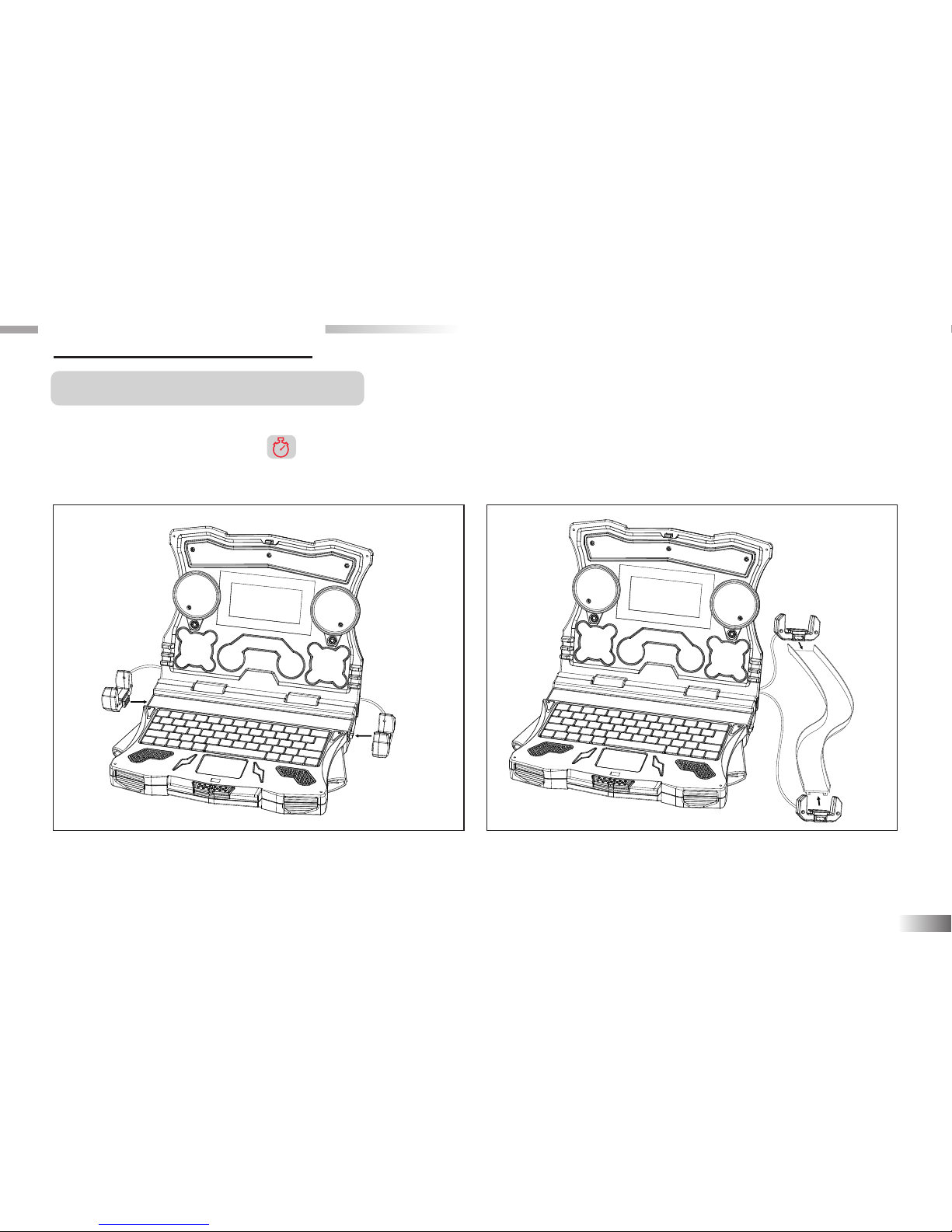
One track and two speed detectors are included in THE HOT WHEELS®ACCELERATOR. Press the
“Speedometer” icon button to enter speedometer mode. You can push the car along the track. (The
Hot Wheels®car is not included). The detectors will read how fast it goes and show the car speed on the
screen. What's more, these two detectors can be mounted on different Hot Wheels®track sets.
8
Please refer to the pictures above showing how to
mount detectors onto THE HOT WHEELS
®
ACCELERATOR.
Please refer to the pictures above showing how to
mount detectors onto other Hot Wheels®track set
(Not included).
Page 32
9
Speedometer
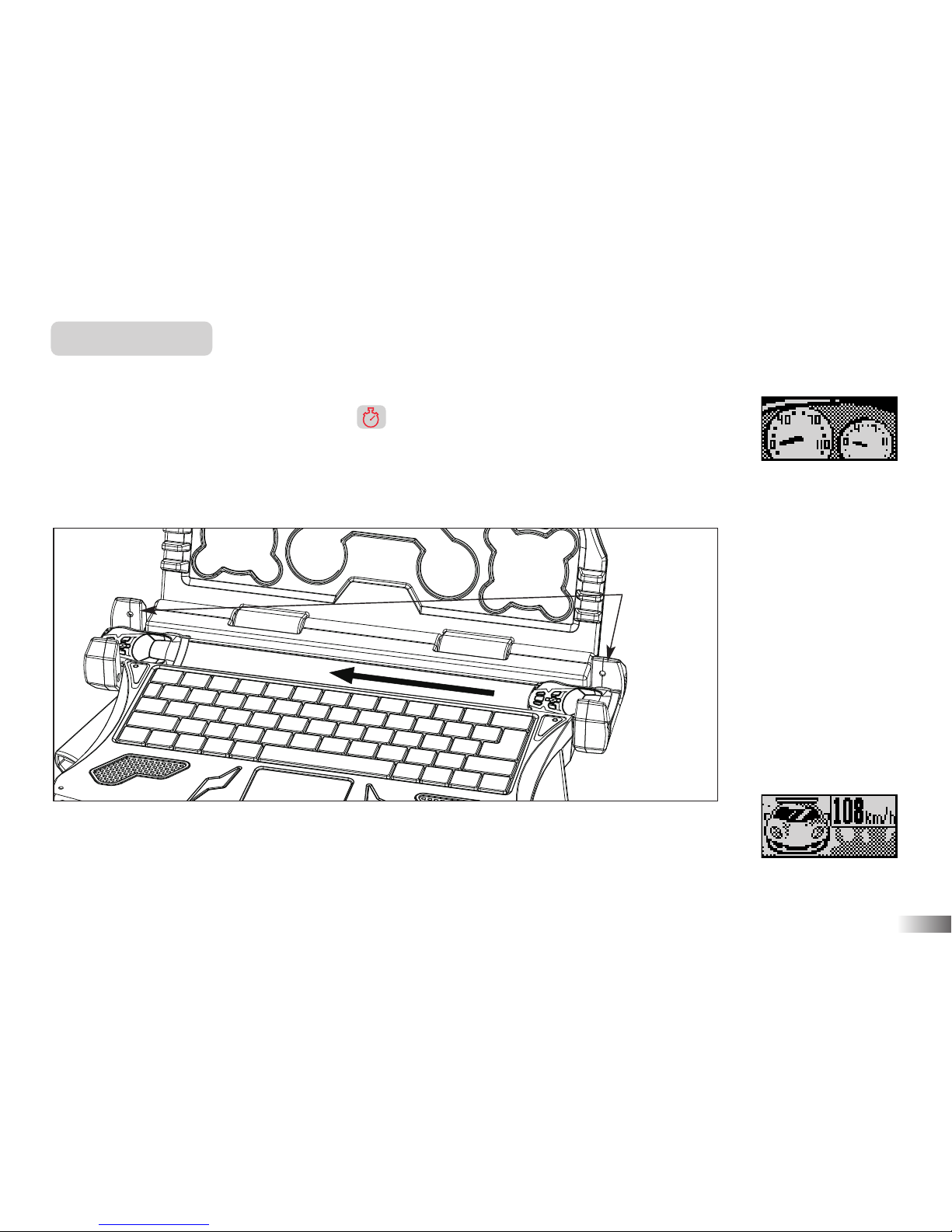
The Hot Wheels®car and track with speed detectors is necessary for this game.
1. Press the “Speedometer” icon button to enter speedometer mode.
2. Push the car on the track during Speedometer screen.
3. The car must pass through two detectors; otherwise, the speedometer cannot check
the speed.
4. After the car passes through two detectors, the speed will appear on the screen.
Note: Speedometer intended for play purposes only.
Speed detector
Page 33
10
Chapter 6
Chapter 6
Activities
Spelling
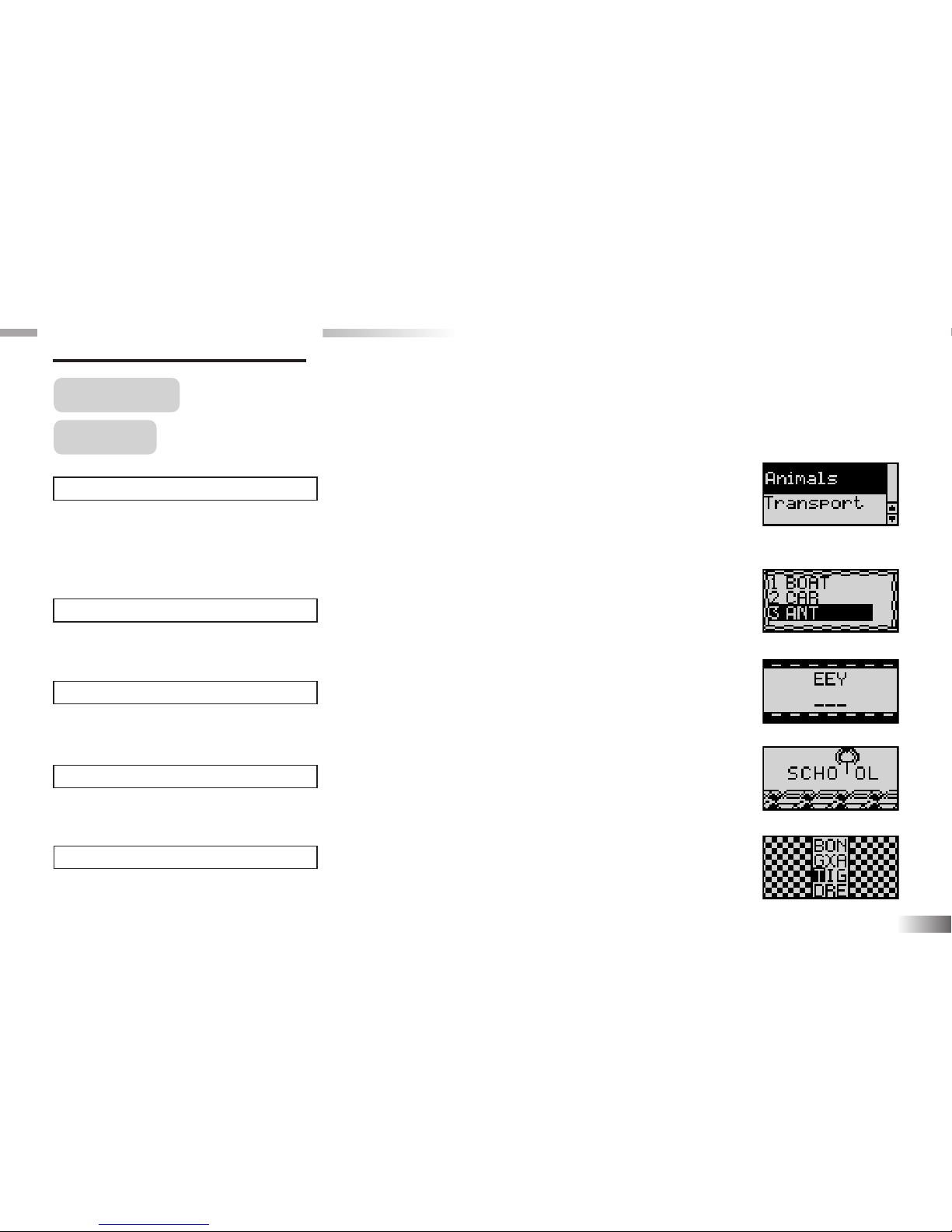
(01) Word Factory
To learn the spelling and the pronunciation of vocabulary words from five different
topics: Animals, Transport, Household Items, People and Places, Body Parts and
Movement along with some amazing animation.
(02) Word Seek
Match the correct word with the animation.
(03) Traffic Jam
Rearrange the letters to spell the word correctly.
(04) Spare Parts
Delete the extra letter from the word to spell it correctly.
(05) Automix
Find the word in the maze by only stepping on the letters in the vocabulary word.
(01)
(02)
(03)
(04)
(05)
Page 34
11
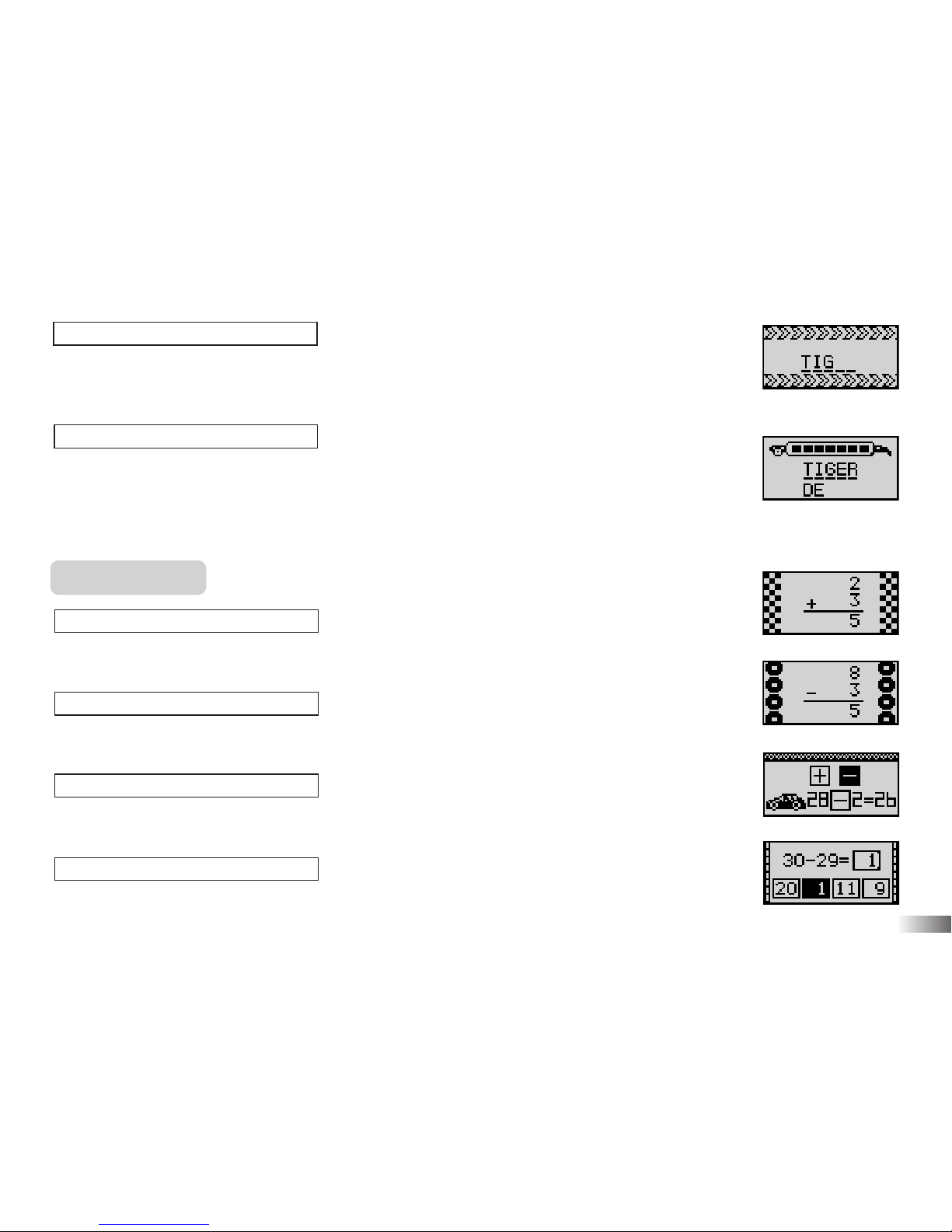
(06) Spell Test
An animated vocabulary word is displayed and you are asked to spell the word.
Type the word into the spaces using the letter keys.
(07) Nitrous Express
Guess the hidden word by typing in letters. If your chosen letter does not appear in the
word, the letter will appear at the bottom of the screen. You have 10 chances to guess
the correct letters, at which point the game is over.
Mathematics
(08) Addition
Complete the addition equation.
(09) Subtraction
Complete the subtraction equation.
(10) Operation Maths
Select the correct operation sign for the equation.
(11) Equation Builder
Complete the equations by selecting the correct number.
(08)
(07)
(06)
(09)
(10)
(11)
Page 35
12
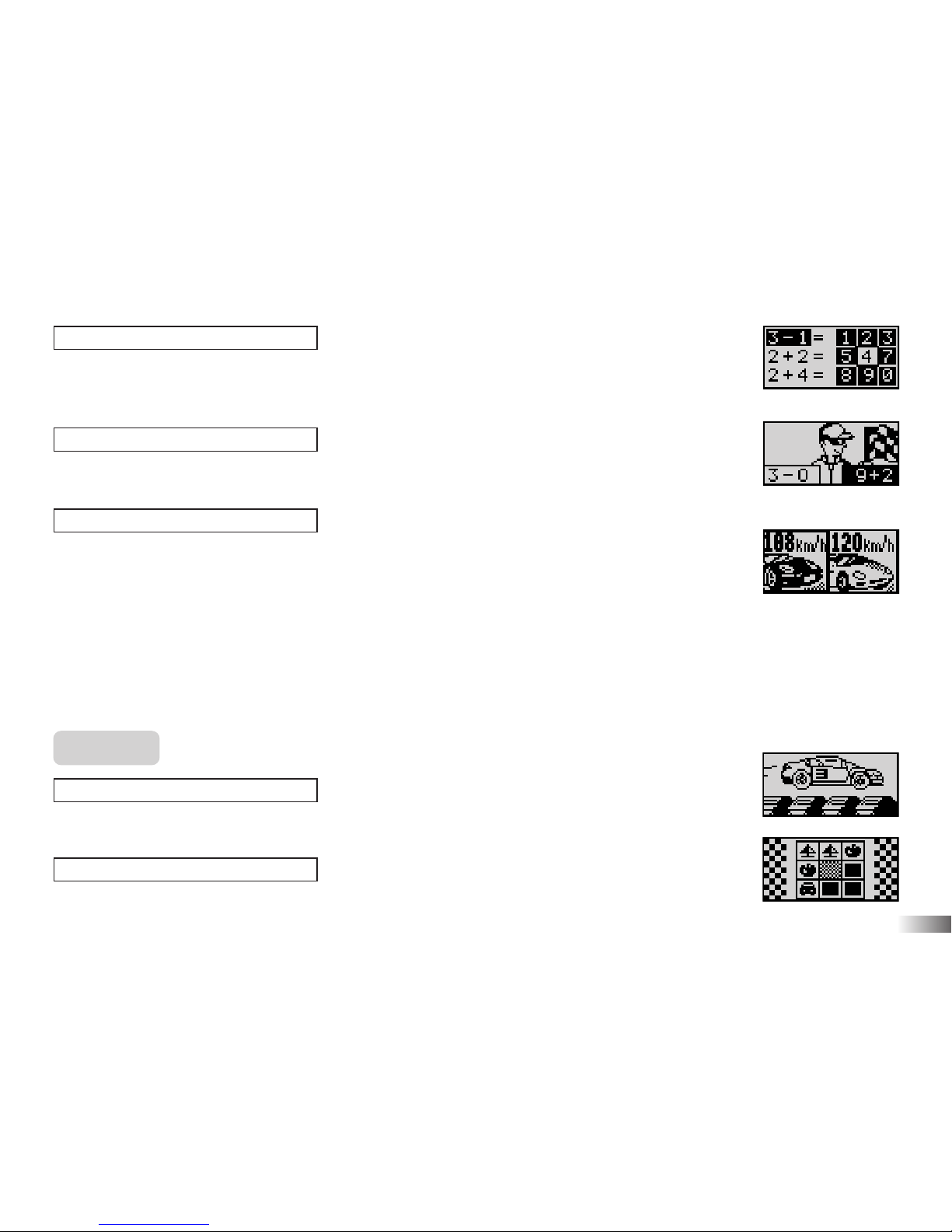
(12) Security Code
It shows a keypad with 9 numbers on the right. One number is highlighted randomly.
On the left are three equations. Select the correct equation with the highlighted answer.
(13) More or Less
Find the equation with the larger and smaller value.
(14) Speed Race
Learn the unit of speed and select the car with a higher speed or lower speed.
a. Push the car along the track to see how fast it goes and compare it with computer’s
speed.
b. Select the car with the higher speed or lower speed.
Remark: The Hot Wheels®car and track with speed detectors is necessary for this
game.
Memory
(15) Monster Truck
Remember the number sequence on the jumping cars.
(16) Double Trouble
Remember the matching pairs in a grid.
(13)
(12)
(14)
(15)
(16)
Page 36
13
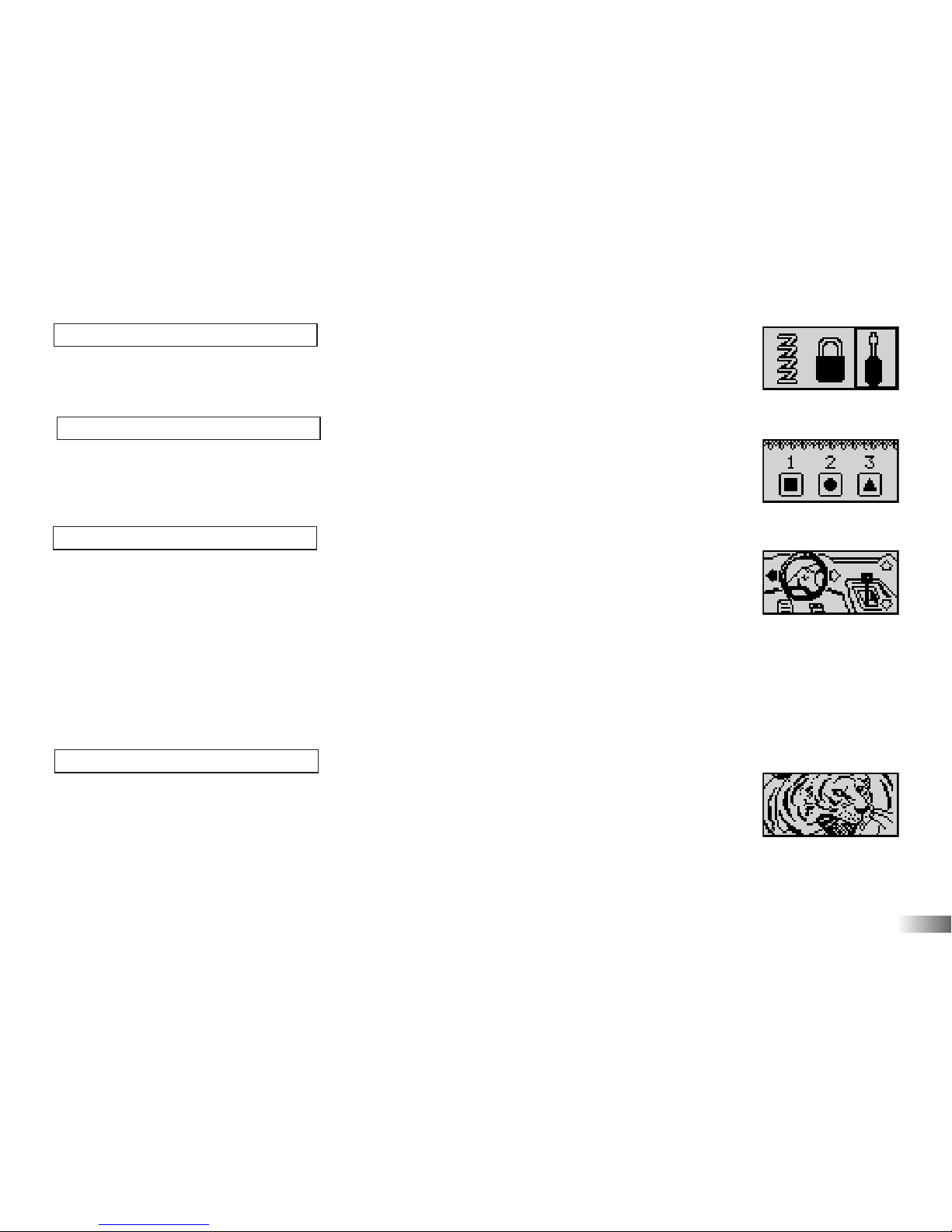
(17) Line Up
Remember the object that was shown and identify it from a selection of 3 objects
(18) Shape Race
Remember the order in which the shapes arrive. Use the shape keys to give your
answer.
(19) Memory Driving
Remember the sequence of driving steps and repeat it.
1. A sequence of driving steps is shown. Repeat each step by pressing the arrow
key that corresponds to the step.
2. If correct, the sequence of driving steps will be repeated and an extra step will be added
to the end.
3. Try to remember the sequence of driving steps and repeat it as it is built up one step
at a time.
(20) Memory Challenge
Remember the words in the order in which they appeared.
It will ask to choose which word came in a particular position.
(17)
(18)
(19)
(20)
Page 37
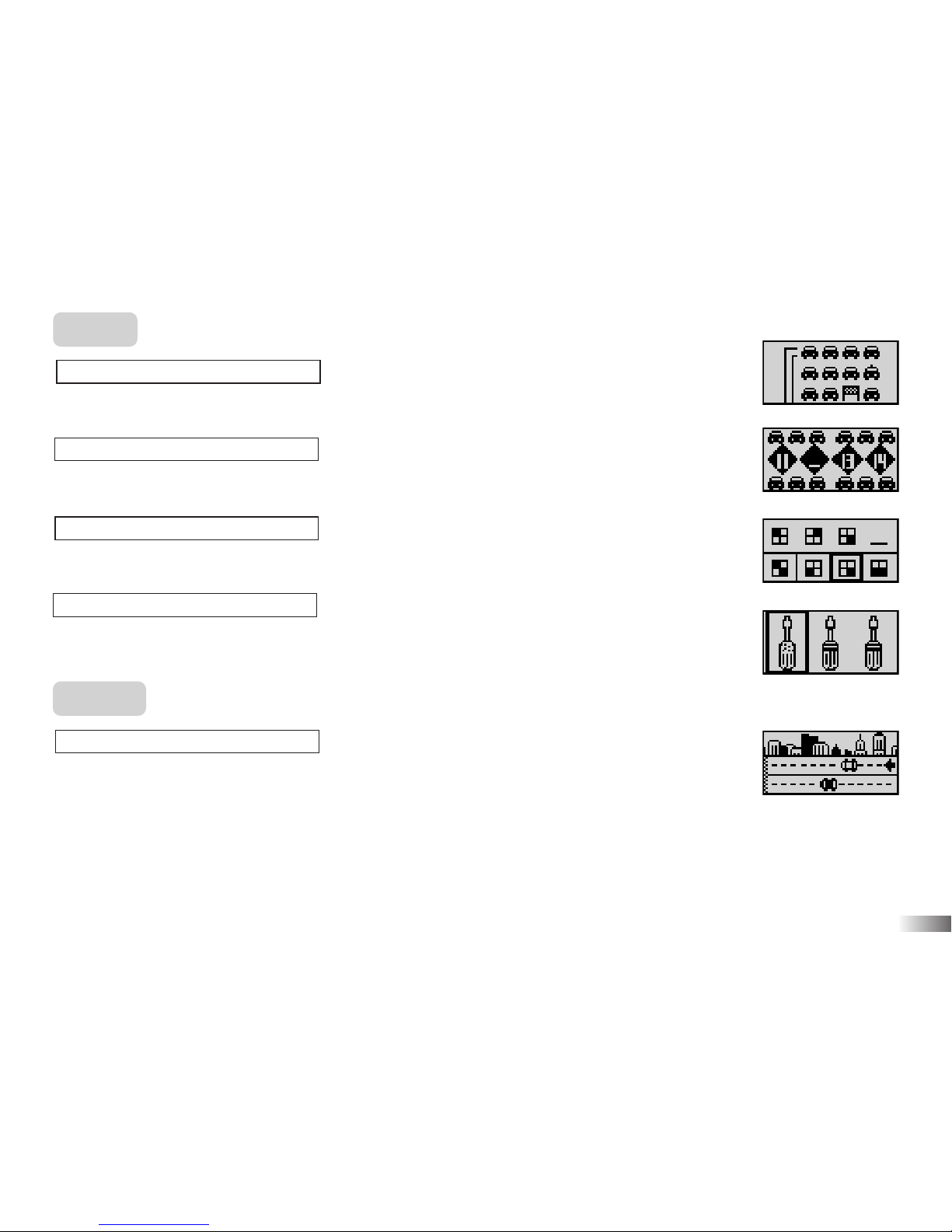
Logic
(21) Car Test
Pick up all the cars without repeating your step or hitting the blocks.
(22) Number in a Row
Fill in the missing number in the sequence.
(23) The Next One
Select the letter, number or shape that fits into the missing space.
(24) Difference
Pick the item that looks different from the rest.
Games
(25) Street Race
Race against the computer to arrive first at the finish line!
a. Your car is white color. The computer’s car is black color.
b. Push the car along the track to see how fast it goes. The cars will move along the
street according to the speed you just provided.
c. After several rounds, see which car arrives first at the finish line.
Remark: The Hot Wheels®car and track with speed detectors is necessary for this
game.
14
(21)
(22)
(23)
(24)
(25)
Page 38
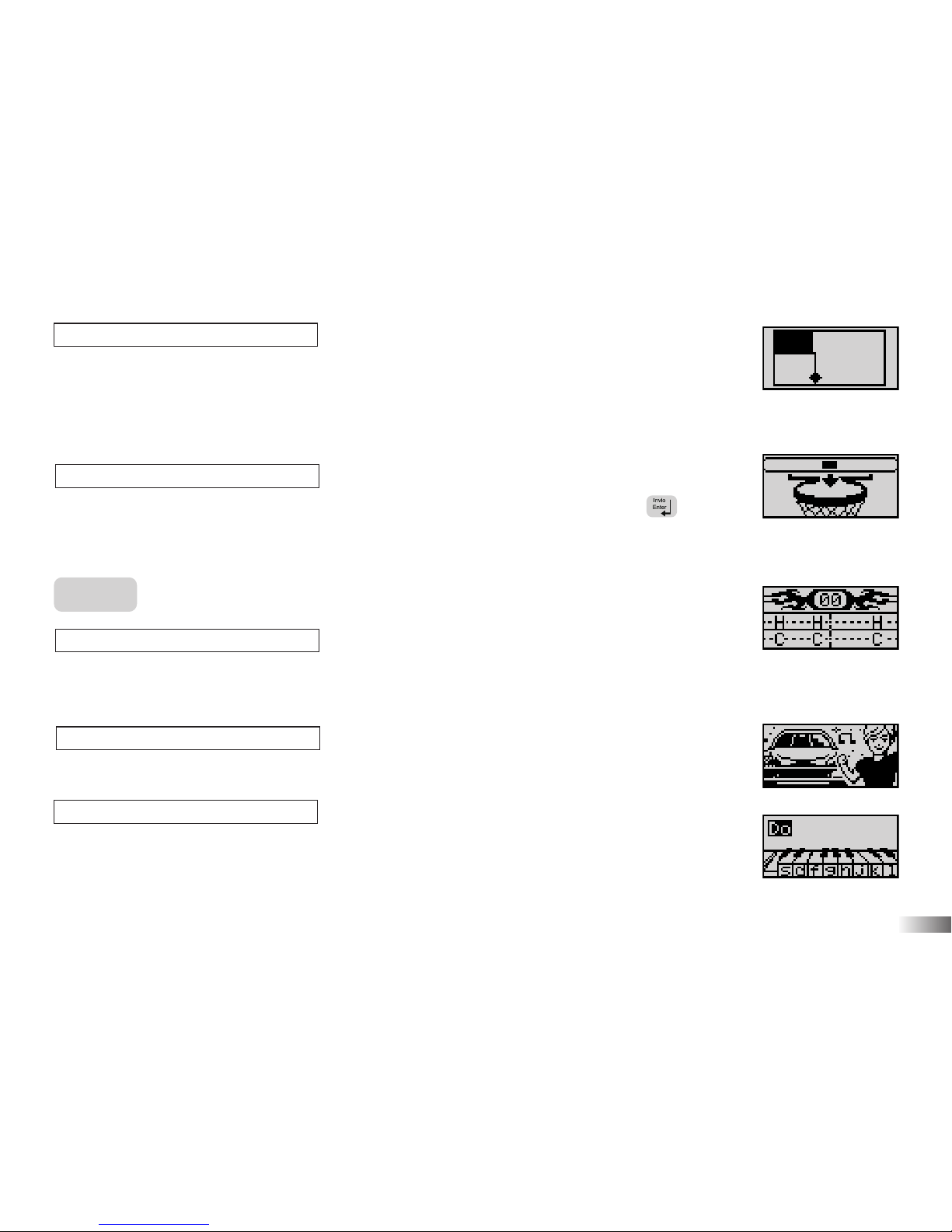
(26) Trap
Use the arrow keys to mask off areas of the box.
The object is to mask off as much area as possible until the space left for the ball is
less than 15%, before the time runs out or before the ball hits the masking off tool
and / or the unfinished line created too many times.
(27) Basketball Hoops
Shoot as many hoops as you can. When it reaches the middle of the bar, press
button to shoot.
Music
(28) Catch the Beat
Select a rhythm style for a melody and add your beat to the song! Type the letter when
it reaches the middle of the line.
(29) Engine Sounds
Choose a melody to listen to and make the boy dance.
(30) Rock Out
Have fun and compose a melody, record it and play it back.
15
(29)
(30)
(26)
(27)
(28)
Page 39

16
Chapter 7
Chapter 7
Troubleshooting
No display
Are the batteries installed properly?
Do the batteries need replacing?
Black-out screen or abnormal display
Disconnect the power supply by removing batteries for at least 10 seconds before connecting the power supply again.
In an environment prone to static discharge, the unit may malfunction.
To reset, remove batteries or disconnecting the adaptor for at least 10 seconds before connecting the power
supply again.
Conforms to safety requirements of ASTM F963, EN71 Parts 1,2 and 3 and EN62115.
In an effort to continually improve our products, the actual screen display on the product may differ slightly from
the diagrams shown.
Page 40

Oregon Scientific Italia S.p.A
Centro Direzionale Colleoni,
Viale Colleoni 3, Palazzo Taurus 2,
20041 Agrate Brianza (MI), Italia
Tel: +39 039 656181
Fax: +39 039 6433111
email: [email protected]
Warning:
Changes or modifications to this unit not expressly approved by the party responsible for compliance could void the user's authority
to operate the equipment.
NOTE:
This equipment has been tested and found to comply with the limits for a Class B digital device, pursuant to Part 15 of the FCC
Rules. These limits are designed to provide reasonable protection against harmful interference in a residential installation. This equipment
generates, uses, and can radiate radio frequency energy and, if not installed and used in accordance with the instructions, may cause harmful interference to radio communications. However, there is no guarantee that interference will not occur in a particular installation. If this
equipment does cause harmful interference to radio or television reception, which can be determined by turning the equipment off and on,
the user is encouraged to try to correct the interference by one or more of the following measures:
• Reorient or relocate the receiving antenna.
• Increase the separation between the equipment and receiver.
• Connect the equipment into an outlet on a circuit different from that to which the receiver is connected.
• Consult the dealer or an experienced radio TV technician for help.
• "This Class B digital apparatus complies with Canadian ICES-003."
• "Cet appareil mumérique de la class B est conforme à la norme NMB-003 du Canada"
• It may contain small parts due to abuse and/or damage to the unit.
• Not suitable for children under 3 years.
P/N: 086L004957-017
DISPOSAL
Do not dispose this product as unsorted municipal waste.
Collection of such waste separately for special treatment is necessary.
 Loading...