

Page 1

Hollis DG05 User Manual RevA
1
To ensure your user information is up to date. Please check
www.HollisGear.com for updates to this manual.
DG05
Dive Computer Manual
Page 2

Hollis DG05 User Manual RevA
2
EC Type Examination
Conducted by SGS United Kingdom Ltd., Unit 202b Worle Parkway, Weston-supermare, BS22 6WA. Notified Body No 0120
CE Declaration
EC Type certification under the Directive 89/686/EEC has been granted to these
devices as a Diving Safety Device when used in conjunction with one of the following
accessories.
i. HP Link Safety Device for Diving (EN 14143:2003, EN 250:2000.)
ii. Optical Rebreather Interface (ORI) 4th Cell Connection – Safety Device for
Diving (EN 14143:2003)
This product complies with EN 13319:2000
Model Types covered in this manual
DG05 Computer
Optical Rebreather Interface (ORI)
Wireless HP gas Interface
WARNING
Diving is an adventurous sport and should not be
undertaken without receiving the necessary training
from a recognised training agency.
Page 3

Hollis DG05 User Manual RevA
3
WARNING!
Even if your dive computer or PC generated software allows for less
conservatism and a reduction in decompression times this should not be
arbitrarily undertaken without first researching data available from other
divers/agencies, conducting controlled trials and understanding that you may
be undertaking a level of experimentation in order to adjust the algorithm for
your specific needs.
No decompression algorithms can give a guaranteed safe decompression. It is
your responsibility to be trained, dive safely, carry backup tables and
instrumentation and compare any decompression profiles generated by the
DG05 computer and their associated decompression software against established
diving tables with which you are happy and/or accept that you may be
conducting experimental decompressions.
High pressure gas sensors and PO2 monitors when connected to DG05 dive
computer product provide for the additional monitoring of key safety data. It is
important that in the unlikely event of failure, back-up instrumentation is
carried.
In the case of a rebreather, the unit should be capable of monitoring the PO2 in
addition to using information from the DG05 computer.
Page 4

Hollis DG05 User Manual RevA
4
Abbreviations used in this Manual
OC - Open Circuit
CC - Closed Circuit
RB - Rebreather
CCR - Closed circuit rebreather
SCR - Semi-closed rebreather
OLED - Organic Light Emitting Diode
PO2 - Partial pressure of oxygen
FO2 - Fraction of oxygen
FiO2 - Inspired fraction of oxygen
Bat Low - Battery low
CD - Compact disc
Setpoint - The oxygen partial pressure that the rebreather will attempt to maintain
TTS - Total time to surface
RTS - Run-time to surface
O2 - Oxygen
MOD - Maximum operating depth
EGF - Equivalent Gradient Factor
MaxD - Maximum depth
Deco - Decompression
ORI - Optical Rebreather Interface
VGM - Variable Gradient Model
Page 5
Hollis DG05 User Manual RevA
5
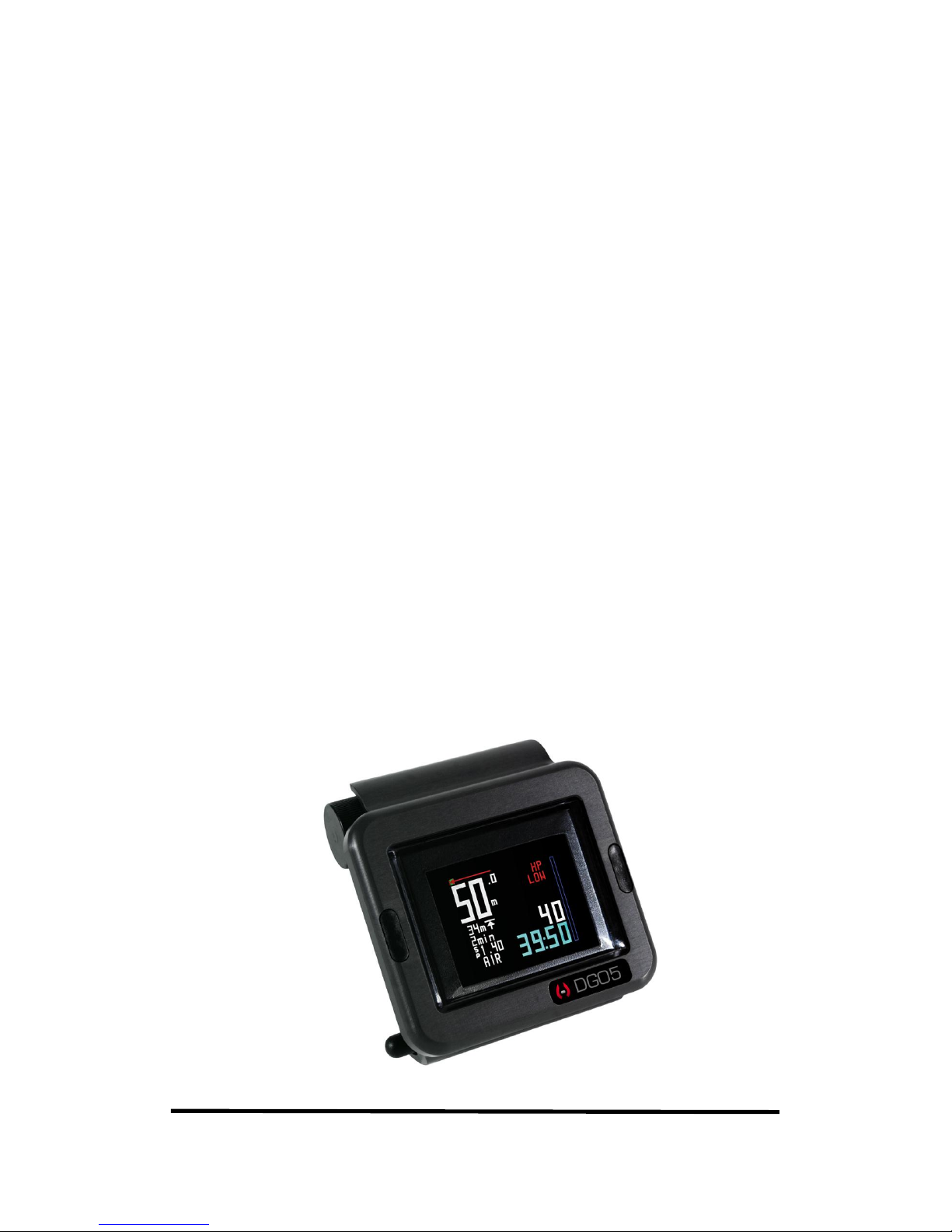
Congratulations on your purchase of your DG05 dive computer. You are
going enjoy learning how to use your new computer.
The DG05 comes with the following features:
OLED Screen
Wireless HP Transmission
Optocon (IR transmission of PO2/PC link) - No wet connectors
Auto large graphics mode - The menu bar disappears after a few
seconds and the rest of the text gets larger
Automatic external sensor sensing (Xfunc) -the unit knows what is
connected to the Optocon port and adjusts automatically
Power saving modes – Increases battery life
Simplified gas selection menus and rebreather bailout mode
Icon menus
Single and 3 sensor oxygen cell options (auto sensing)
Variable Gradient Model algorithm
Page 6

Hollis DG05 User Manual RevA
6
Battery
The DG05 is fitted with a rechargeable Lithium-ion battery. A multi-voltage charger
is supplied, that will recharge a completely flat battery in approximately 3 hours.
The battery level is shown in percentage on the main front dry screen. A full battery
will give the approximate performance below:
Note all times are
approximate
DG05 -
4.2v
Lithium
Ion Sleep no use
6 months
On time with backlight on
10 hours
On time with backlight off
20 hours
On time with torch and
backlight on
8 hours
Power usage will vary dependant on the ambient temperature and the charged
duration.
The DG05 battery comes with a 4-year warranty. The lithium battery needs to be
serviced and replaced at the factory. Do not take the DG05 apart or change the
battery yourself. Warranty is void if the DG05 has been opened or tampered
with.
Switches
On the left and right at the bottom are two black plastic slide switches which you use
to navigate your way through the functions of the computer either on the surface or
underwater.
The switches work in four ways, as follows:-
1. A short push and release of one switch.
2. A push and long hold of one switch (hold the switch in until the screen changes.)
3. A short push of both switches – characterised by thin enclosed brackets < > with
the menu item between them.
4. A long push and hold of both switches (again, hold the switches in until the screen
changes.) – characterised by thick enclosed brackets with the menu item between
them.
Page 7

Hollis DG05 User Manual RevA
7
Your DG05 is activated by pushing and holding either switch. The first screen to be
displayed will be the Home screen.
Page 8
Hollis DG05 User Manual RevA
8
DG05 Organic LED display (OLED)
The OLED display gives a clear bright image that is especially readable in medium to
low light conditions, similar to those experienced in many diving scenarios. However,
it should be noted that OLED displays do not perform as well in bright sunlight as
more conventional LCD displays.
The OLED display inherently takes more power than LCD displays. With this in
mind, power can be saved by reducing the number of pixels showing bright colours.
This then leads to a new colour scheme for all screens, and in particular has led to a
revised dive screen that shows the OLED display to its best advantage.
The colour scheme style and new dive screen options can be accessed from the
existing Display Modes screen. When accessing Display Modes, the user is first
taken to the OLED display modes screen.
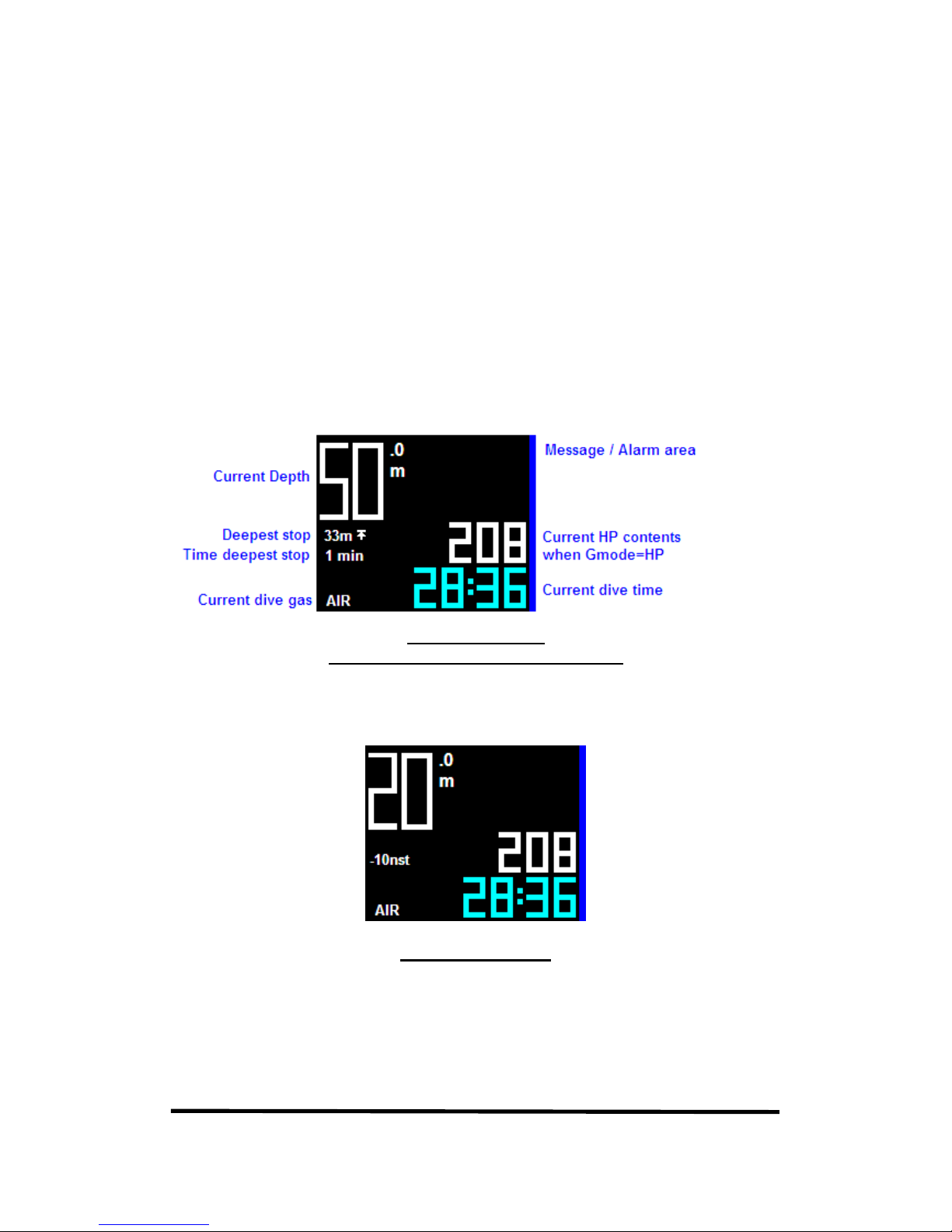
OLED dive screen
with ascent rate (blue) bar on the right.
Gmode can be set to HP (if fitted), TTS or PO2. PO2 is only available if a DG05
rebreather interface (ORI) is fitted.
No stop dive display
Page 9
Hollis DG05 User Manual RevA
9
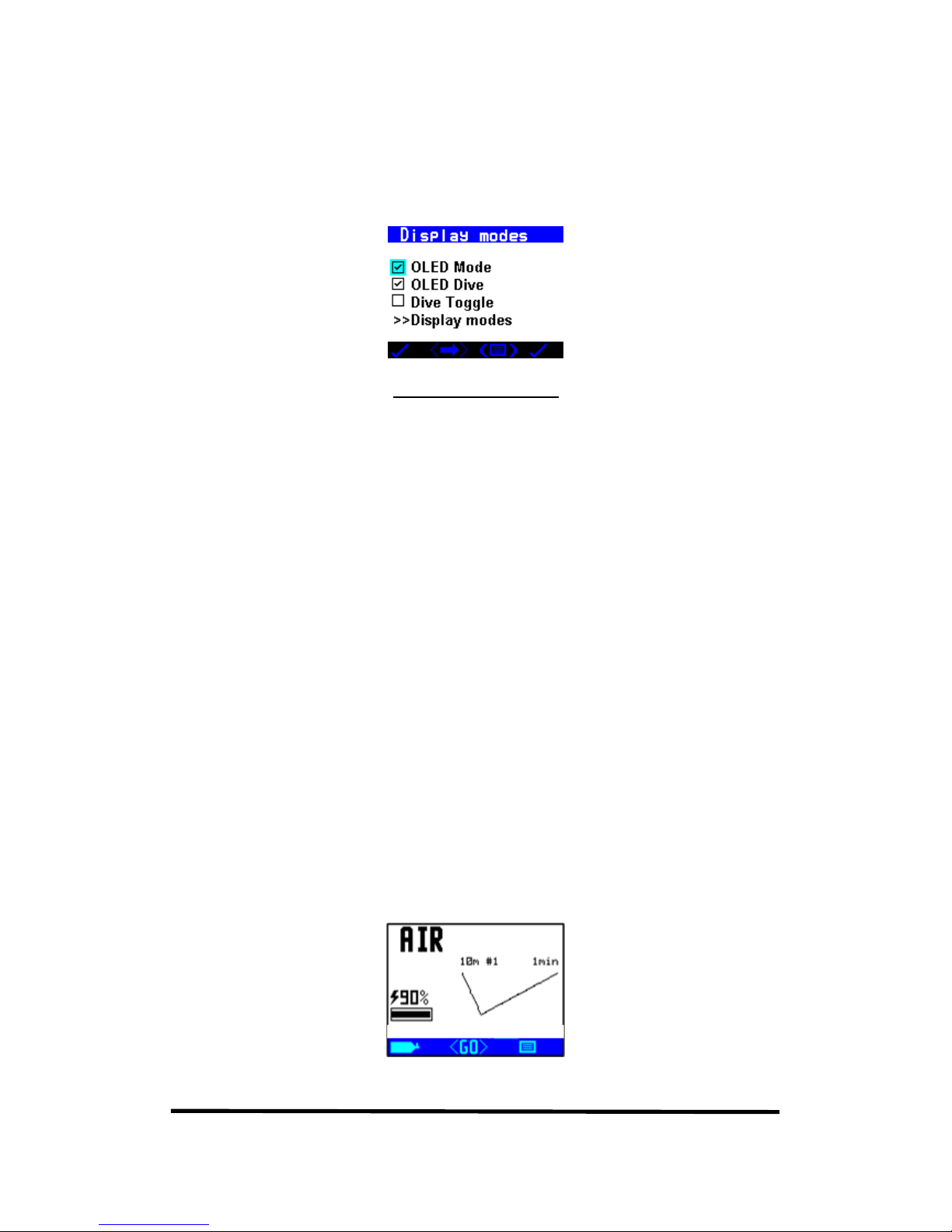
There are 3 OLED display modes to choose from:
1. OLED mode
2. Dive Screen
3. Dive Toggle
Display Modes Screen
By ticking the OLED mode, the Dive screen mode is automatically turned on. The
OLED Mode basically reverses the white and black of the display, so the background
becomes black, and text and numbers become white.
The OLED Dive option chooses to use the new dive screen with a black background
and new look. There is less information in this screen than the classic version, but
it is more simply and clearly laid out. With this reduction in information in mind, the
Dive Toggle option allows the user to revert to the classic screen for 10 seconds to see
all dive information by doing a short left button press.
Finally, to go to the normal (classic) display modes where further data selections can
be made for the classic dive screen, the user can select the Display modes option at
the bottom of the list. This is the normally highlighted option when going to the
Display modes screen.
Note. These selections cannot be made for the OLED display
Home Screen
Note. The battery indicator on the NHeO 3 will show a voltage, whereas the DG05x
will have a % remaining display.
Note. The screens show (unless identified otherwise) are with the DG05x in nonOLED Screen mode (see page 11).
Page 10

Hollis DG05 User Manual RevA
10
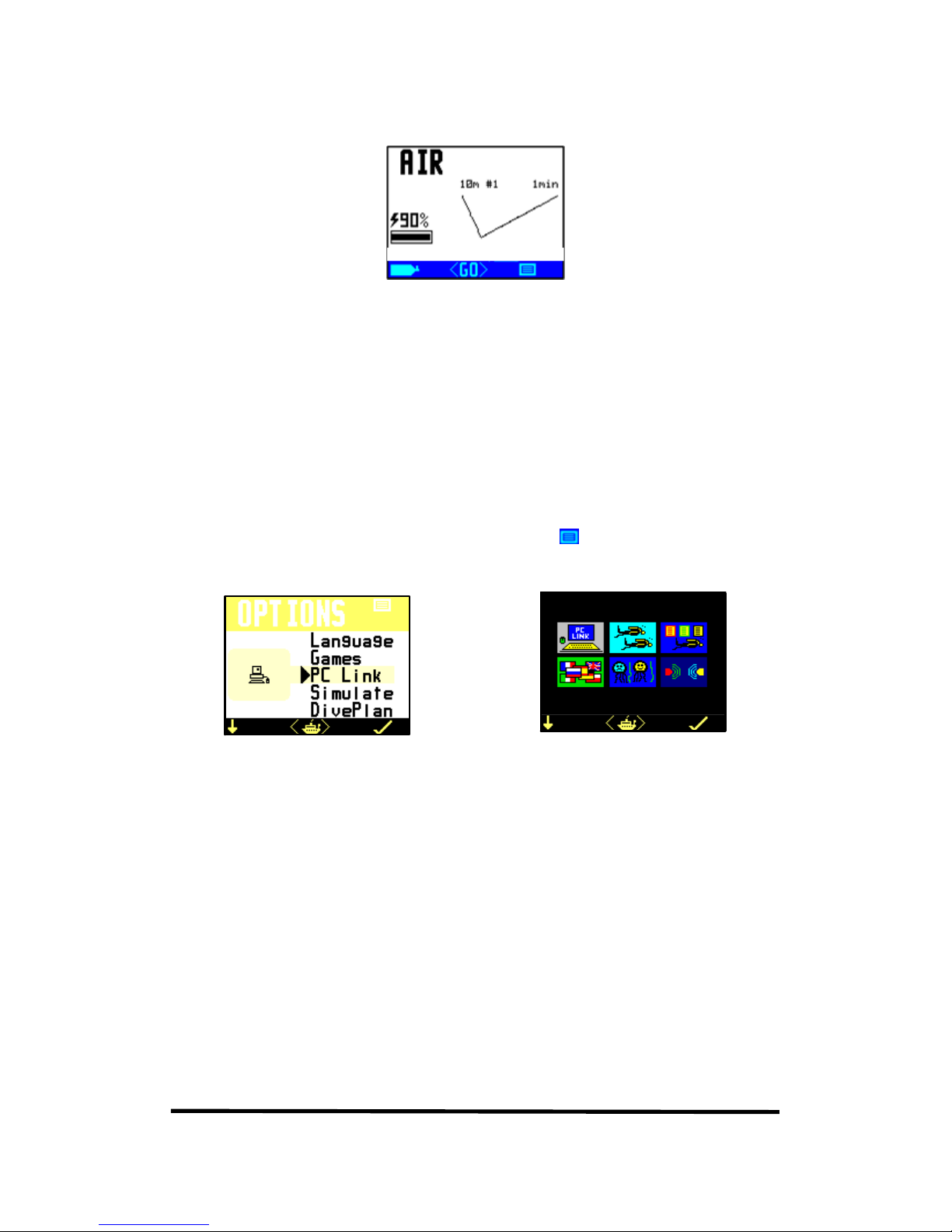
The Home Screen Features
The current active gas, (top left hand corner)
The current remaining battery voltage percentage, (middle left)
A BAT LOW advisory when the battery voltage is low. The battery should
be changed/charged before diving.
The Pre Dive Check mini screen feature, (on Start Up the log screen shows
first, giving you a profile of your most recent dive.)
A gas bottle graphic in the bottom left corner
A menu graphic in the bottom right corner
A GO graphic in the centre at the bottom
Understanding our PIN Upgrade System
DG05 Dive computer comes configured with the external oxygen sensor port turned
on and can monitor up to 3 oxygen sensors.
No external link hardware (cable etc.) is supplied with this computer and can be
purchased separately.
If you purchased your DG05 and wish to upgrade with a new PIN, please contact us
or your dealer to purchase the PIN. Pin information can be found on white strips
attached to the plastic CD envelope that came with the computer. Please keep these
PINs, and any other PINs you subsequently purchase, in a safe place.
To activate the purchased level and features, enter the 16 digit PIN(s) following the
procedure outlined below. To purchase further level upgrades or activate additional
features, contact your DG05 Computer dealer. So that the dealer can give you the
correct PIN(s), when you make the purchase you will need to provide the unique 16
digit serial number of your DG05. This Serial Number is on line 4 of the PIN screen
which can be found in the SETUP menu.
The SETUP menu is accessible via the mini screen feature in the Home screen.
How to enter a PIN
PINs are keyed in using the switches and are logged in on the bottom line of the PIN
NUM screen. A short push on a switch will move the number highlighted by 1; a long
hold will move it by 8. When keying in each digit or letter move forwards using the
right hand + switch. Do not move backwards using the left hand - switch except to
correct, as this may cause previously entered numbers to change. After you have
keyed in the last digit of your PIN there will be a pause before the cursor moves to the
top of the screen you can use the left and right switches to key in your name and
phone number, or any other data you wish, in order to identify the DG05 computer as
yours, (see below).
After a PIN has been successfully installed the bottom line of the screen will
revert to 16 zeros.
Page 11

Hollis DG05 User Manual RevA
11
Security and Trace-ability
A key benefit of the PIN system is the security and trace-ability it offers. In order to
change or remove the identifying particulars you have installed, someone would need
one of your PINs so keep them in a safe place away from your DG05. Then, if your
computer is ever lost or stolen, notify us and, as your identifying particulars will still
be there on the screen, we can look out for it in the event that it ever comes in to us
for repair or upgrade. Also don’t forget to register ownership via our website,
www.HollisGear.com. If you lose your PIN(s), we can only reissue them to you if we
have you listed as the owner. If you should ever sell on your computer, you will need
to give the new owner the PINs so that the security information can be changed.
Page 12
Hollis DG05 User Manual RevA
12
The Home Screen – Navigation via Mini Screen Feature
Large Graphics
DG05 come with an automatic large graphics feature. After a few seconds the menu
icons at the bottom of the screen disappear and the remaining characters are resized to
a larger format. Pushing any button brings the menus back.
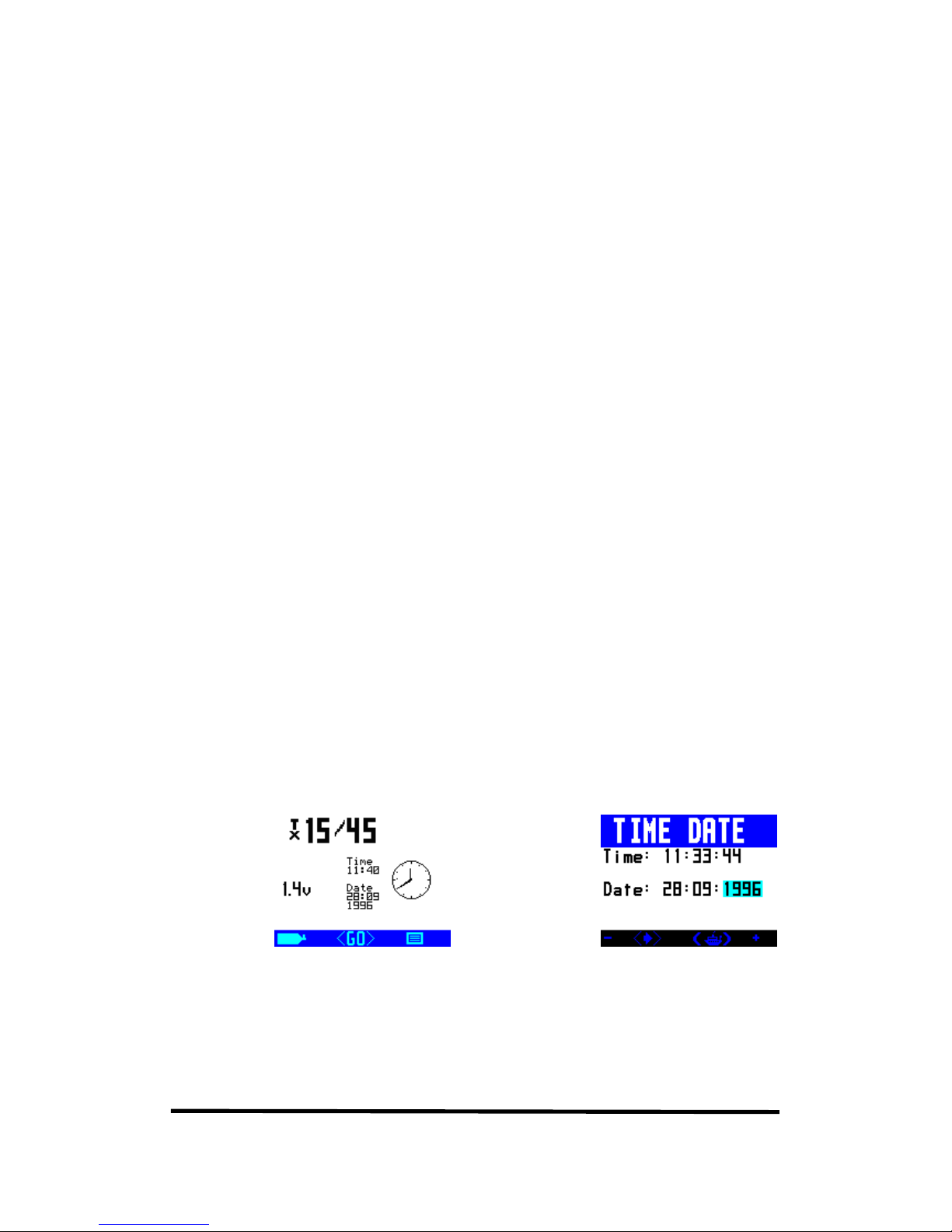
Pre Dive Check
The Mini Screen feature in the Home Screen is designed primarily to make it easy for
you to check the settings in your DG05 and allow you to change any of the settings if
necessary before you dive. The mini screen shows a small version of the actual menu
you will go to by selecting <GO>. Additional menu screens can me accessed by doing
a long hold on the right button when the menu icon is displayed as in the right
hand corner of the Home screen above.
The screen on the left will be displayed when in the Display Mode menu if the Photo
box is not ticked and will be set to the screen on the right if the Photo box is set to a
tick, A or F (see Display Modes).
A short push on either the right or left switch will allow you to move through the mini
screens one by one. Again, a short push of both switches <GO> will expand
whichever mini screen is currently showing and allow you to change settings within
the screen.
Page 13
Hollis DG05 User Manual RevA
13
The mini screens appear in the following order with successive short pushes of the
right hand switch. Whatever the last screen is that you were using, when you have
finished changing options and go back to the front screen, that mini screen will be the
one displayed.
Log
Gas List
Options menu
Oxygen Sensor - with Xfunc set (a PIN upgrade option: see Rebreather Link
and Oxygen Analyser sections). Only displays if XFunc set on.
HP WiVi
Time & Date
Help Menu
OLED dive modes
Set Up
VGM (PIN option NHeO 3)
Fly Time
Dive Options
The following additional options are available through the Menu feature
Optocon
Gas Calculator (PIN required)
No Stop Plan
Display Modes
A long push of the left hand switch at any time in the Home Screen will take you into
the Gas List so you can set up, select or adjust the gas mixes you are planning to dive
with as well as set your computer to open circuit or closed circuit decompression
calculations.
Setting the Time & Date Screen
Mini Screen Full Screen
The DG05 is accurate to the European PREN standard for digital dive timing devices
but it is not a precision chronograph. You may need to adjust it occasionally in order
to display the correct time.
Changing the time will not affect de-saturation calculations.
Page 14
Hollis DG05 User Manual RevA
14
A short push of the right switch + will increment the highlighted field by one, a long
push by ten.
A short push of the left hand switch will decrement the highlighted field by one, a
long push by ten.
A short push of both switches together will move the highlight to the next field.
A long push of both switches will exit the screen, save the changes and return you to
the home screen.
Powering up the DG05
It is not necessary to power up the DG05 before you dive. The screen will
automatically power up within a minute of exposure to an absolute pressure of 1.3 Bar
or greater. Note: This means in practice that if you do a very fast descent the DG05
computer may not switch on until you are at depth.
If you want the screen to be on from the moment you enter the water, power up the
DG05 before you dive by pushing either switch once. The screen will stay active for 5
minutes after any button push (On the surface, if no switch is pushed the DG05 will
turn itself off after about a minute to save power.)
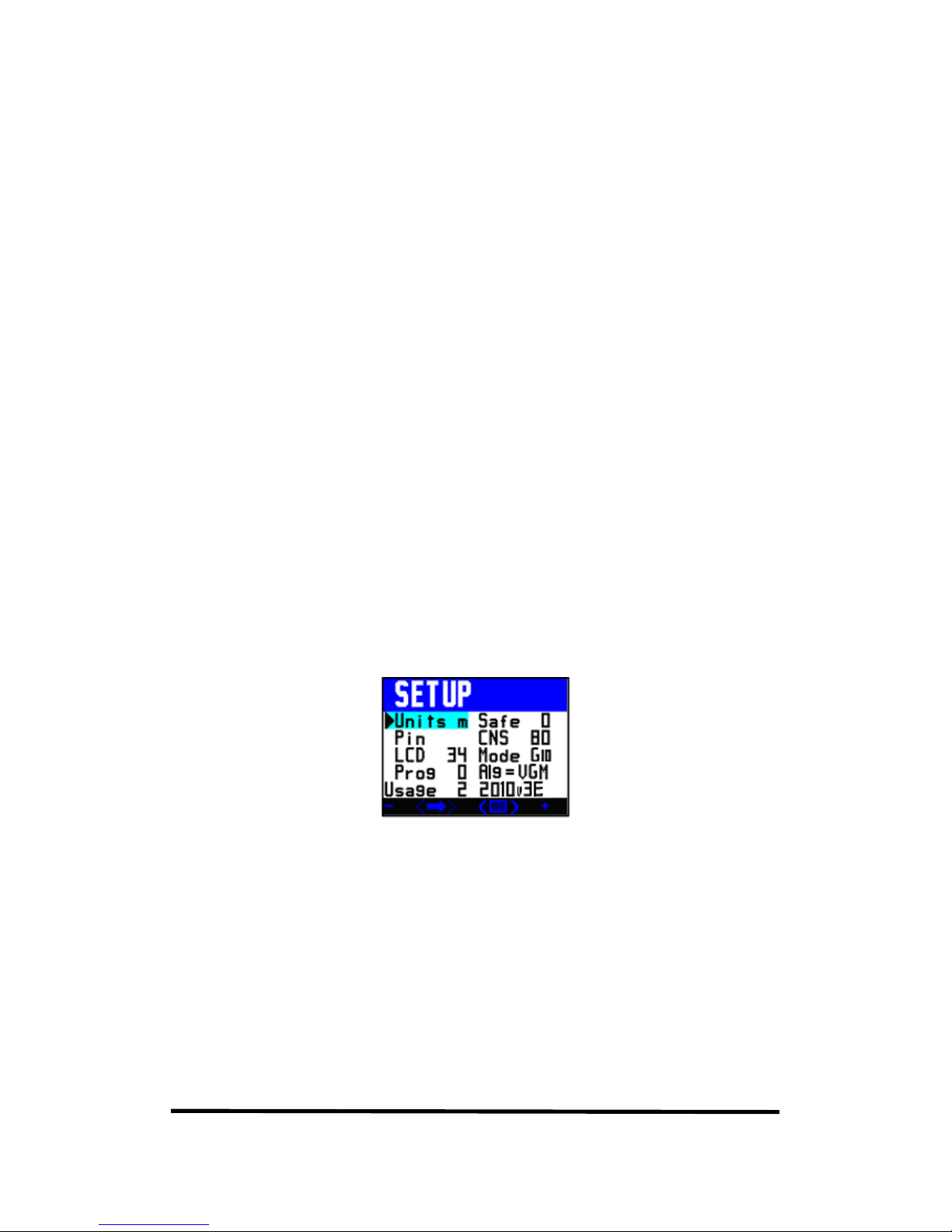
General Setup
Functions such as Safety factor, Units (M/ft), Minimum Stop Depth and Light Mode
are all available on the SETUP Menu and come supplied at the factory defaults of 0%,
M, 3m, and 60% as standard. If you wish to change this please do so before diving
and refer to the relevant section of the manual.
Also shown on this screen in the bottom right hand corner is the software version of
your unit.
A short push of the left hand switch will decrement the highlighted field by one, a
long push by ten. A short push of the right hand switch will increment the highlighted
field by one, a long push by ten.
A short push of both switches together will move the highlight to the next field.
A long push of both switches will exit the screen, save the changes and return you to
the home screen.
Page 15
Hollis DG05 User Manual RevA
15
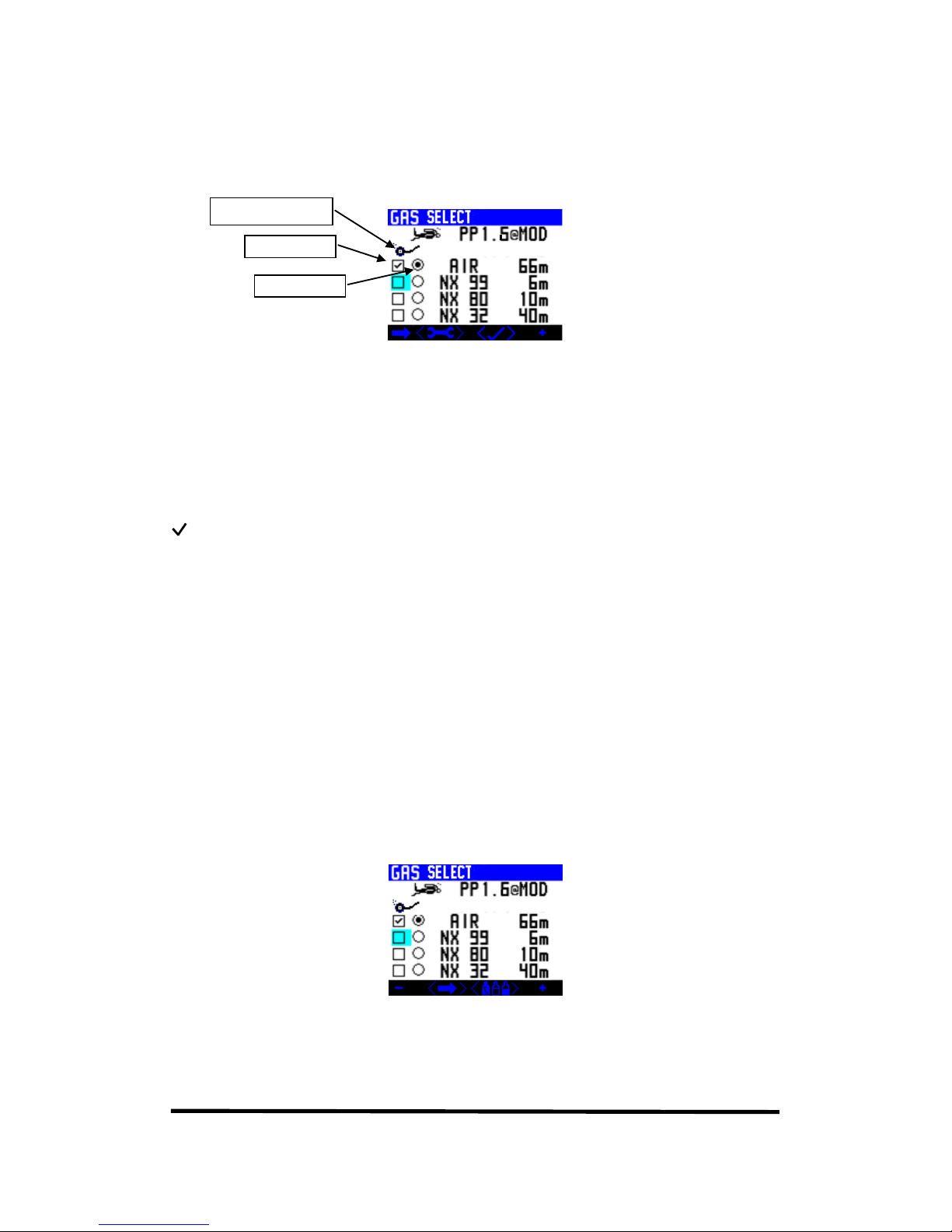
Setting up the Gas List
The last thing to do before diving is to set up the Gas List. From the mini- screen or
from, a long push of the left button will display the GAS SELECT screen.
(Open circuit mode shown)
There is a square function box and a radio button. In G3 mode (see Setup screen) only
4 gases are displayed. In G10 mode by using the left button all 10 gases can be
displayed on extra screen pages.
The function box has the following features (changed by the + button).
– This means the gas is available in open and/or closed circuit
CC – This means it is only a closed circuit gas (only available in CCR mode).
B – This means it is a bailout gas (open circuit only)
An empty box means it is not selected.
The radio button (when highlighted) means that the gas is currently being used.
Used gases always appear at the top of the list followed in order by the other gases in
ascending Maximum Operating depths (MOD’s).
To move between gases and buttons/boxes use the arrow button (short push left).
As a gas is assigned a function it will move up the list in MOD order.
To adjust a gas, select the spanner/wrench icon (short push both). This now leads to
the following screen.
Now a short push of both button moves along the gas row and allows you to change a
function/% by using the – and + buttons. If you change the MOD the PO2 of the
selected dive gas will also change.
Open Circuit icon
Page 16
Hollis DG05 User Manual RevA
16
Setting the MOD is important as this is the depth at which the DG05 will
automatically prompt you to change gases and it is also the depth which it bases
its’ decompression look ahead calculations upon.
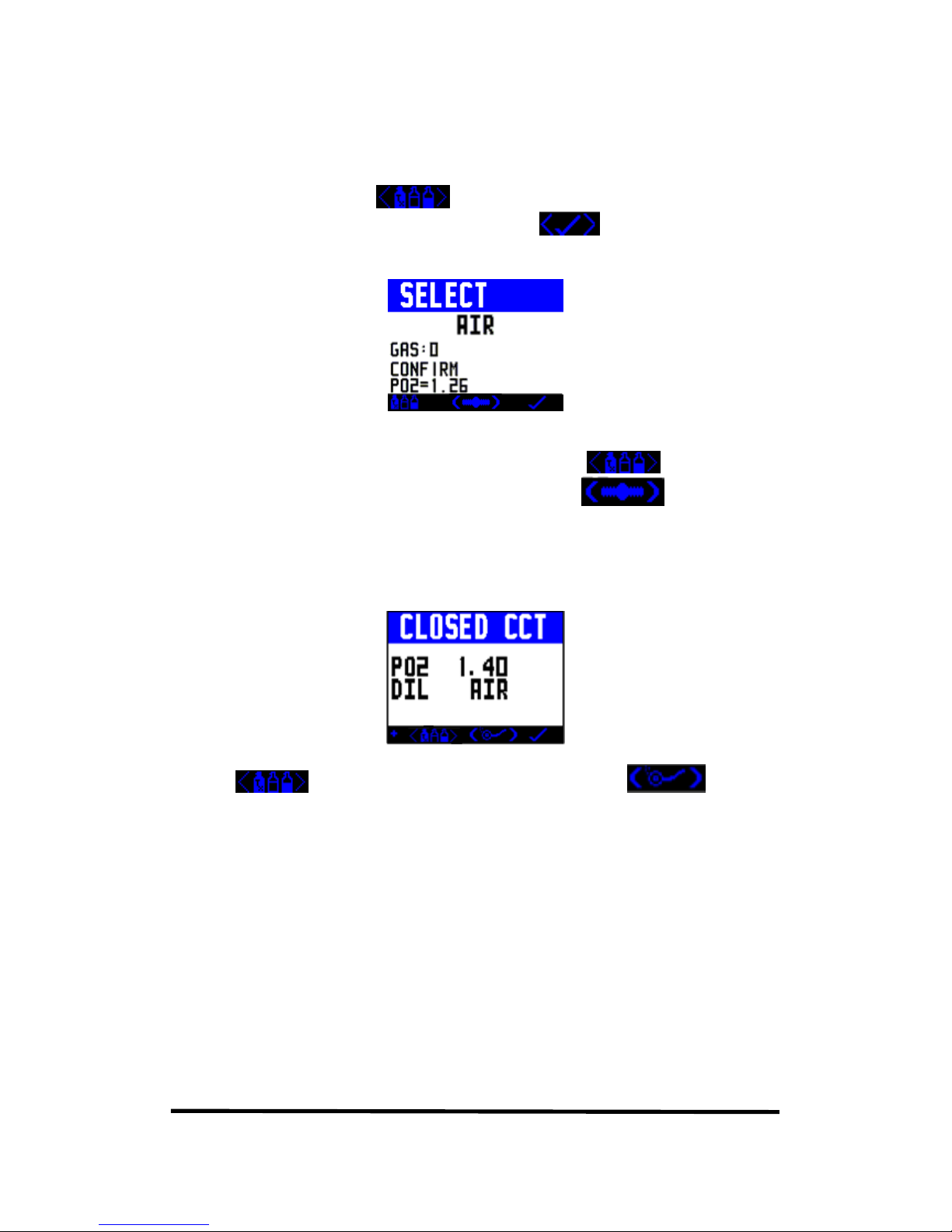
A short push of both buttons exits the menu and first gas select screen on
the previous page is again displayed. Now selecting will go to the following
screen.
Selecting the tick returns you to the Home screen if on the surface or the dive screen if
underwater and you gas selections are all saved. Selecting allows you to
go back through the adjusting sequence again or selecting allows you to
switch to closed circuit mode (if you have the PIN installed).
Closed circuit mode uses the same sequence of screens to set up and adjust gases and
ends in the following screen.
Pressing goes back to the gas set up screens, pressing switches
the unit back to open circuit mode and selecting the tick saves the changes and exits to
the Home or dive screen.
Also in the previous screen the PO2 can be adjusted. A short push of + increments the
PO2 by 0.05. A long hold jumps to the previously saved PO2 after the last screen exit.
In this mode two PO2’s can be set up and toggled between. Set one up and exit the
screen (tick), then go back in and set another up using short pushes of the left switch.
Now do a long hold and the value will toggle between the two. Tick to exit and the
pair are saved.
Page 17
Hollis DG05 User Manual RevA
17
Let’s go Diving!
You have now set up all the key features to enable you to go diving. There are many
other features available to allow you to customise your diving experience. Please read
on for more information!
Page 18

Hollis DG05 User Manual RevA
18
Decompression Algorithms
DG05 dive computers have the option to use a derivative of the Buhlmann ZHL 16
algorithm modified to assimilate the latest thinking in practical micro-bubble
avoidance for enhanced decompression safety.
The DG05 comes as standard with an alternative algorithm called VGM (please see
the description at the end of this manual and on our website).
You will note that on all decompression dives, the Buhlmann algorithm will prompt
for deep-water controlling stops of 2 minutes in duration. Deep-water stops are
recognised by their duration (normally two minutes) and a + next to the time. It is
important that these stops are conducted correctly for a safe decompression as they
help to reduce the problems associated with potential micro-bubble growth during an
ascent.
Should a microbubble stop be missed, a “Use tables” message will appear. The
decompression schedule displayed thereafter, although very close to the required
duration, may be in error. If this occurs consult backup tables and add additional stops
or stop time as required. While continued diving with the DG05 is possible, the
decompression displayed may not be exact. “Use tables” will show for 24 hours.
A major advantage of the dual algorithm system is that after activating the VGM
upgrade you still have access to the original Buhlmann algorithm and can even switch
between the two algorithms from dive to dive if you wish depending on the type of
diving you are doing. This is possible because although the decompression profile on
your DG05 screen reflects only the selected algorithm, the computer still records
tissue and bubble states using both.
Page 19

Hollis DG05 User Manual RevA
19
Optocon for DG05 Series Dive Computers
Introduction
The DG05 series of dive computers now come supplied with a new interface
connector. This connector uses infra red light to transmit data to and from the dive
computer. This system is called Optocon.
In the case of the DG05 (with a rechargeable battery) two charging pins are
incorporated within the connector.
Remote devices such as oxygen sensors can be connected to the system (there is a
separate system for wireless HP transmitters).
The DG05 computer end of the connection system can tolerate water on the mating
surfaces. The connector acts as a complete water block and requires very simple
maintenance when compared to a standard marine electrical connector.
Background
Since electrical systems have been used underwater, they have often been limited by
the ability of interconnected devices to keep out water. In this respect, water getting
into connectors and cables can be the main cause of system failures. With this
overarching problem, we carry an optical system called OPTOCON for
interconnecting devices (designed by DG05 Technology). This system has been
released in their dive computer and life support product to increase the reliability of
data communications underwater.
Feature overview
The Optocon system achieves improved reliability when compared to cable and
connector interconnected systems.
As the data transmission is optically digital, the system can receive data even with
poor transmission paths.
System connection status accurately shows if there is a link or module fault. This
gives improved data integrity compared to analogue electrically connected systems,
whereby an unconnected or faulty cable/connector can not be detected reliably except
by inference or as an ‘unusual’ reading. The OPTOCON system status clearly shows
faulty or missing modules, allowing the user to take appropriate action.
Due to the encoding and error checking of the data streams, sunlight, TV remote
controls and other extraneous light will not be interpreted as sensor data.
Page 20
Hollis DG05 User Manual RevA
20
Optocon Infra Red Technology – An overview
The Optocon system uses light to send encoded data to and from devices.
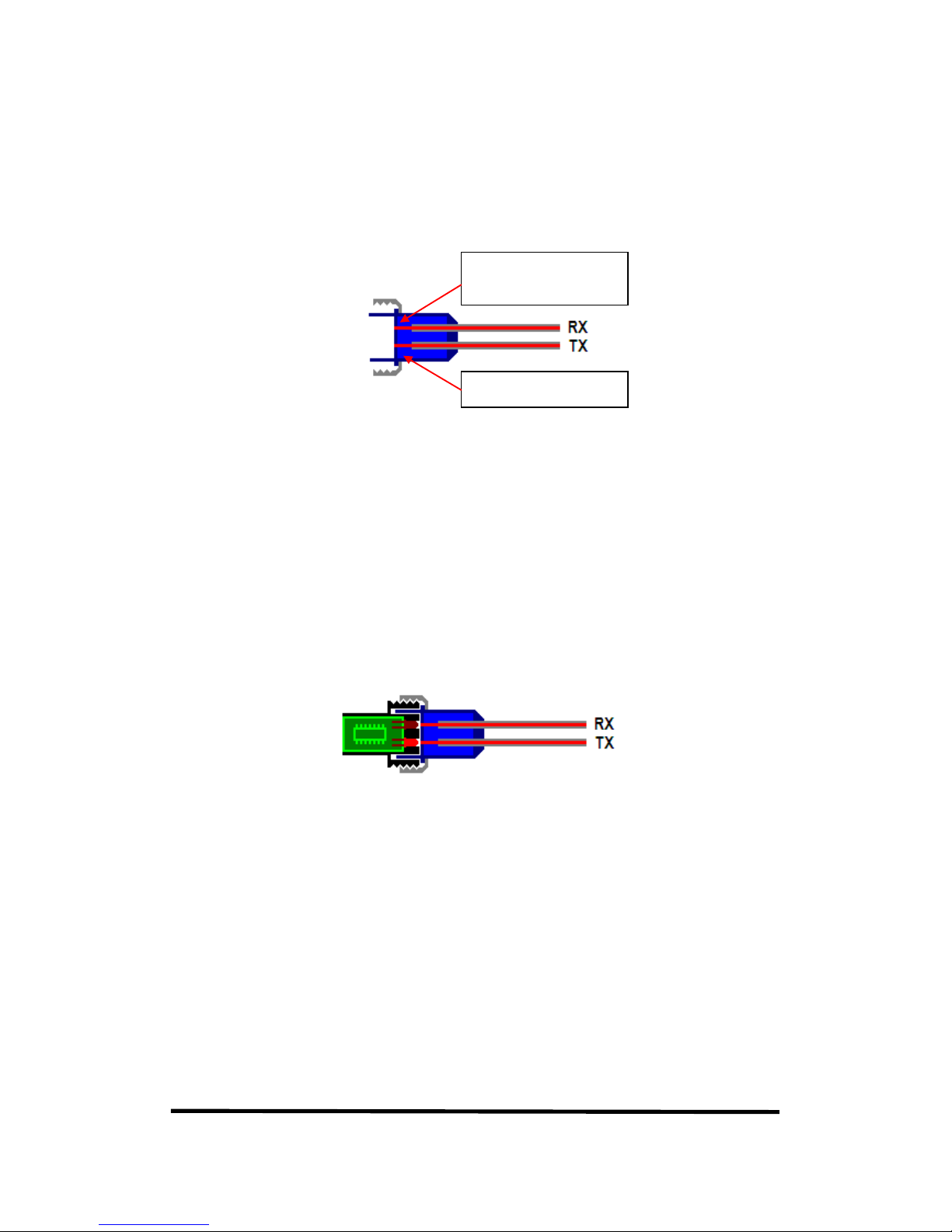
Data is sent using an LED and received using a phototransistor. A Fibre Optic Cable
(FOC) is used to carry the light to and from the remote device. A “transmitter” from
one device is connected to the “receiver” on the mating device. The mating connector
below shows two FOCs, one to send data, and one to receive.
FOC is flexible and robust but it can break. However, small cracks will still allow data
to pass through and water can even assist in transmission since it fills the cracks better
than air, allowing light to pass. The supplied FOCs are extra-long to allow for
trimming after accidental breakage. From a service perspective, replacement cables
are relatively inexpensive, and can be sent easily by post or retained in a spare parts
kit.
When mated, the FOC should be placed very close to the LED and Phototransistor to
ensure a good light coupling. A thin layer of water or air (2mm) can be tolerated
between the FOC and the LED, but to achieve the best data quality, the connector
faces should be well mated and clean.
To enable data transmission from for example, a remote HP Sensor to the Prism 2
rebreather, the sensor housing contains a controller Printed Circuit Board (PCB) and
very a small battery. The send device in the housing contains an intelligent control
system called “Intellisend.” This system sends data frequently if the sensor reading is
changing, but reduces power consumption and reduces the send rate if the readings
are not changing. When any Optocon device is removed, i.e. the oxygen sensors for
storage, no user action is required once the device is returned to the system. All data
reconnection is carried out automatically. This system offers a potential battery
module life of around 3-5 years (dependant on the sensor attached.)
Phototranisistor
receiver
LED Transmitter
Page 21
Hollis DG05 User Manual RevA
21
Connections to the DG05 Computer:
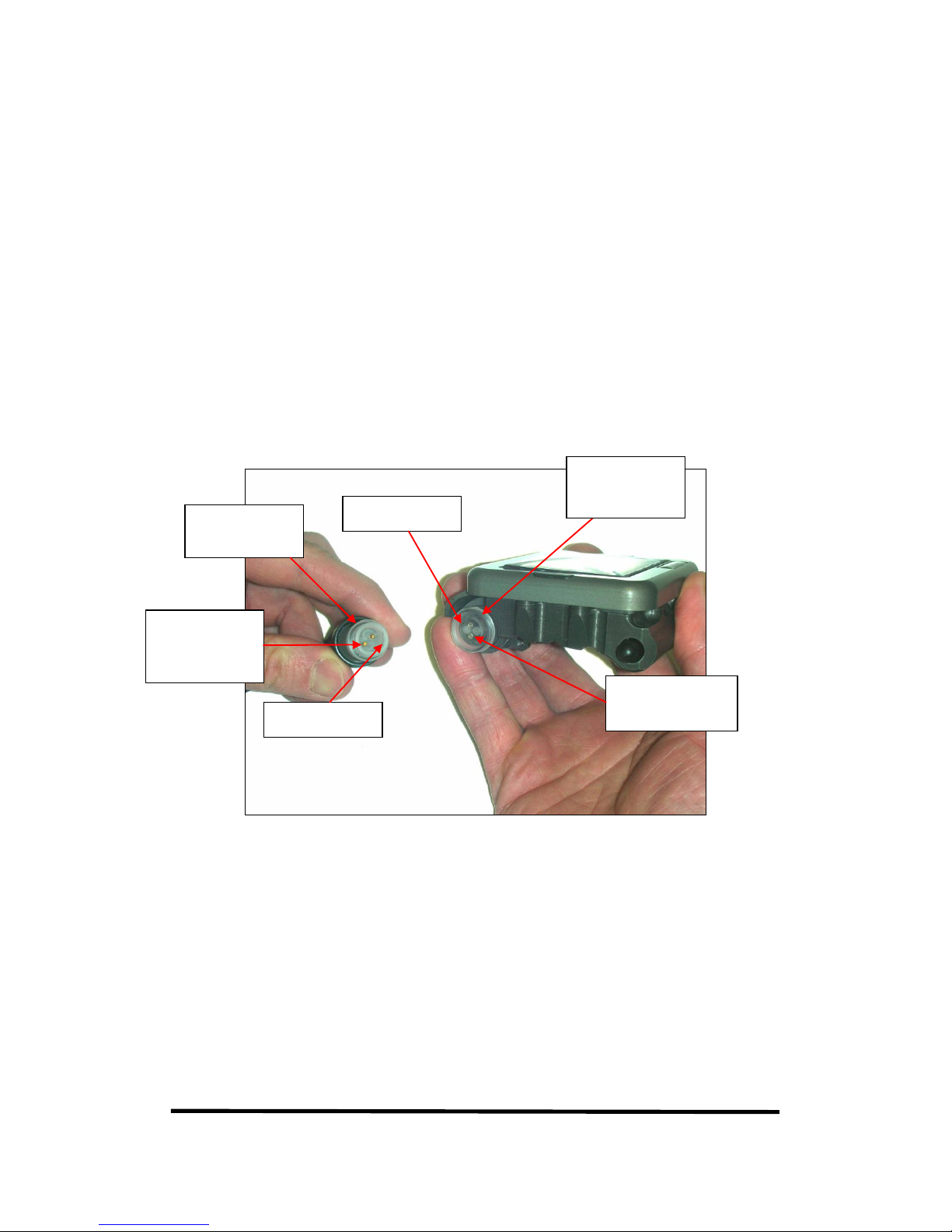
Mains or USB DG05 Computer charging
The DG05 mains (or USB) charging cable connects to the DG05 Optocon connector,
charging is from a dedicated charger or through a USB cable.
Optocon Rebreather Interface (ORI)
Fibre Optic Cable (FOC) connects the send from the ORI module to the receive
detector on the Optocon fitted to the DG05 computer. The Optocon Rebreather
Interface module uses a single user-replaceable CR123 with a battery life expected to
be around 3 years.
Mechanical Layout for the DG05 Computer
Connecting the Cable End
Inspect the cable end o-ring for damage – replace if required. Apply a small
amount of silicone grease to the o-ring to aid assembly.
With the DG05 charge/PC LINK cable, inspect the pins in the end of the cable
for damage.
Present the cable end to the bulkhead connector.
There is a key-way system to assure correct alignment of the FOC
transmission paths. Slightly rotate the cable end until the keys line up and then
gently push the connectors together.
Sprung
Charging
Pins
DG05x
Charge
Charging
Contact Pins
Flat Surface
Flat Surface
Bulkhead
Connector
Page 22

Hollis DG05 User Manual RevA
22
Screw the locking sleeve in until it starts to ‘slip’; this means the cable end
connector is fully engaged. The ‘slip’ design means the cable end cannot be
over-tightened.
Signal connection and calibration is performed automatically on all modules.
Disconnecting the Cable End
Rotate the locking sleeve anti-clockwise until the threads engage then continue
to unscrew until the sleeve spins freely on the cable end connector.
Gently pull back on the cable end connector to disengage it from the bulkhead
connector.
Replace the blanking cap of the bulkhead connector to stop any water/dirt
ingress. DO NOT OVERTIGHTEN the cap.
Maintenance and field repairs
The Bulkhead Connector
The bulkhead connector is watertight and any water that the connector experiences
cannot harm your DG05. If water is found inside the blank cap or the ends of your
cable link, flush them and the bulkhead connector with fresh water as soon as possible
afterwards, then leave them to dry completely BEFORE refitting the cap. If the
reading from any attached remote sensing system becomes erratic, there may be
damage to the FOC cable which should be inspected and replaced as necessary.
When fitting, ensure the FOC is allowed to move freely between the DG05
Dive Computer and the ORI
When in use, DO NOT PULL on the FOC cable
Page 23
Hollis DG05 User Manual RevA
23
HP Gas Wireless Transmitter System (WiVi)
WARNING
The system will generate an alarm and warning at 30 bar pressure for the active
gas on the dive screen. All cylinders at 30 bar (approximately 500 psi) and below
will be shown in red on the gas list.
Additional HP monitoring (pressure gauges) should always be carried.
Prior to diving the accuracy of the electronic HP sender should be tested against
a known, calibrated analogue HP pressure gauge.
The WiVi system is only available for the DG05.
Fitting the HP Sender
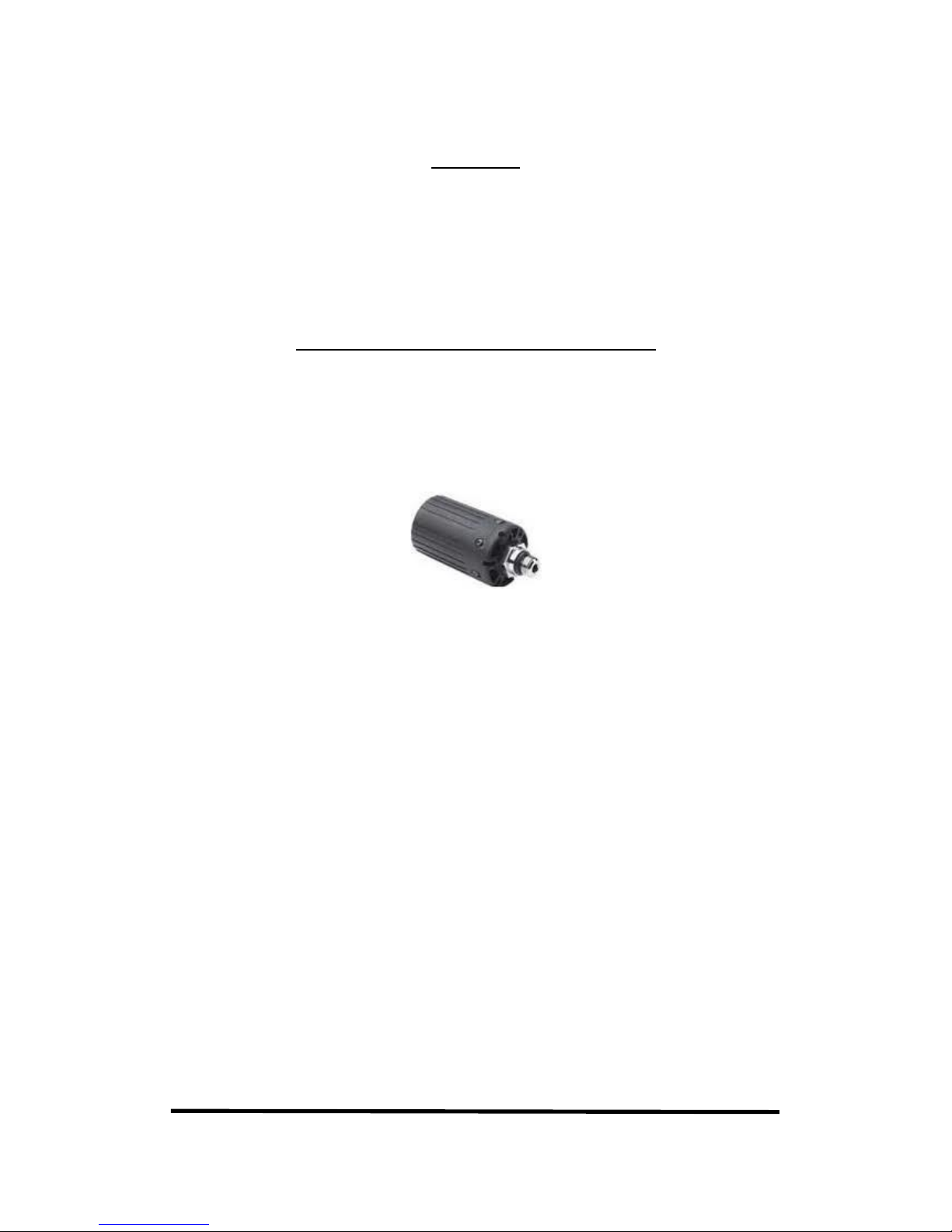
The HP sender fits to the HP port of the regulator first stage and is installed with its
O-ring in place.
Pairing of Senders
The WiVi system allows multiple High Pressure (HP) or other devices to be
connected to the DG05. Currently, only HP sensors have been fully configured but the
architecture allows for expansion.
At present, up to 4 HP senders can be received in a single DG05.
Each sender is ‘paired’ with the DG05 and allocated to a specific gas in the Gas List.
This means for the first time in a dive computer, multiple HP contents can be tracked
for technical dives and is usful for OC divers with multiple cylinders or CCR divers
with two in-board cylinders and two bailout/gas switch cylinders.
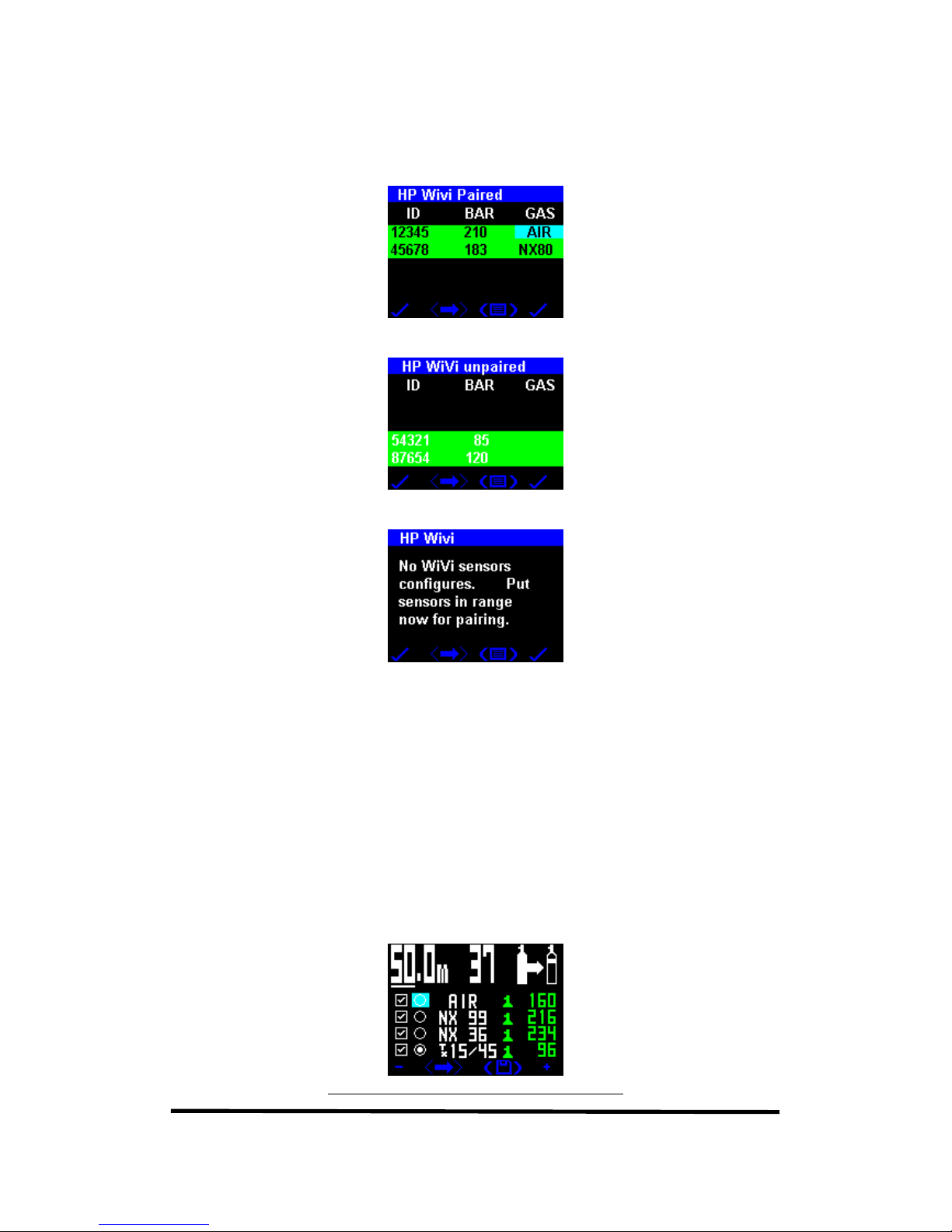
The paring is achieved using the WiVi configuration screen from mini menus. In this
screen the user can move between two pages:
Page 1 – paired devices, indicating contents and the gas to which it is associated, if
any.
Page 2 – non-paired devices
Page 24
Hollis DG05 User Manual RevA
24
Page 1 – paired devices, indicating contents and the gas to which it is associated, if
any.
Page 2 – non-paired devices
If no devices are in range then the screen below is displayed:
When first connecting a sender to the DG05, the device will appear in the non-paired
page. Then by selecting to pair any device in this list, it will move to the paired page
where the associated gas can then be chosen.
From the paired page, the user can also keep the device as paired, but deselect its
association from a particular gas in the gas list. Also, when in this deselected mode,
the device can be ‘un-paired’ to remove it from the paired list. This function may be
required if the user replaces or loses a sender, or selects a sender by mistake.
Once all required senders are paired and associated with gases, the user can navigate
to the gas list. Here, the MOD information will toggle with HP contents data (on the
right).
Gas list with toggle to HP contents shown
Page 25
Hollis DG05 User Manual RevA
25
The example screen above uses 4 HP contents. The green colour indicates a good
connection to the sender. A magenta colour is used to indicate bad or nocommunications with the sender.
If the currently selected gas has an HP sender associated with it, then the contents of
the selected gas will be shown in the main dry screen of the DG05. Additionally, the
HP contents can be shown in large digits on the main OLED dive screen by selecting
HP in the Dvo (dive options screen) Gmode field.
In the classic screen, the Dvo screen can be used to select HP as an option for the
message area.
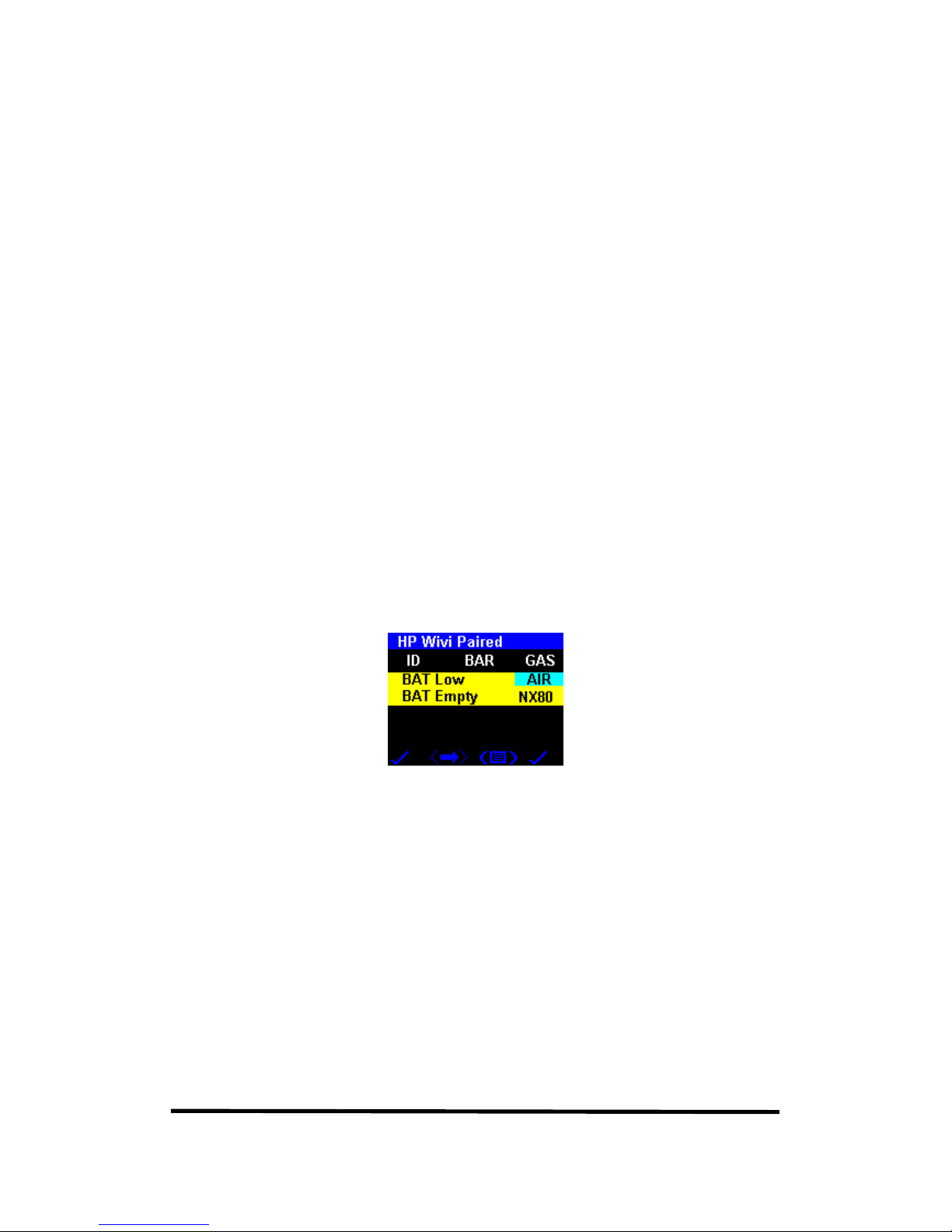
Low Battery in HP senders
If an HP sender has a low battery, this information is transmitted to the DG05. There
are two low battery states:
1. Low battery – this means there is still some power left in the battery, but the
battery should be replaced as soon as is viable.
2. Empty battery – this means that the battery may fail at any time. The battery
must be replaced before the next dive.
The status of the received battery level is reflected with a yellow colour of the
background in the WiVi screen, and with a yellow colour for the pressure display in
the gas list screen.
Batteries can be replaced and should be swapped with the same battery as installed in
the device. If in doubt please contact DG05 Technology Ltd for advice.
HP Alarms
An alarm (HP LOW) will display at 30 bar and below in the top right corner of the
dive screen. In addition any cylinder with low contents will display in red on the Gas
List screen.
WiVi and Optocon
The DG05 can receive data from the Optocon system (single or triple PO2 sensor) as
well as the WiVi system. To access Optocon information; in the DVo Dive options
screen, if an external device is selected under Xfunc - eg Xo2 or 3xo2, then exiting
from the WiVi configuration screen will take you to the Optocon
configuration/status screen.
Page 26

Hollis DG05 User Manual RevA
26
If no WiVi is available, the Optocon screen can be accessed directly from the mini
menu.
If Xfunc is set to off, then exiting from the WiVi configuration screen will take you
back to the main dry mini screens.
WARNING
The system will generate an alarm and warning at 30 bar pressure for the active
gas on the dive screen. All cylinders at 30 bar and below will be shown in red on
the gas list.
Additional HP monitoring (pressure gauges) should always be carried.
Prior to diving the accuracy of the electronic HP sender should be tested against
a known, calibrated analogue HP pressure gauge.
Page 27
Hollis DG05 User Manual RevA
27
Detailed Set-up Instructions
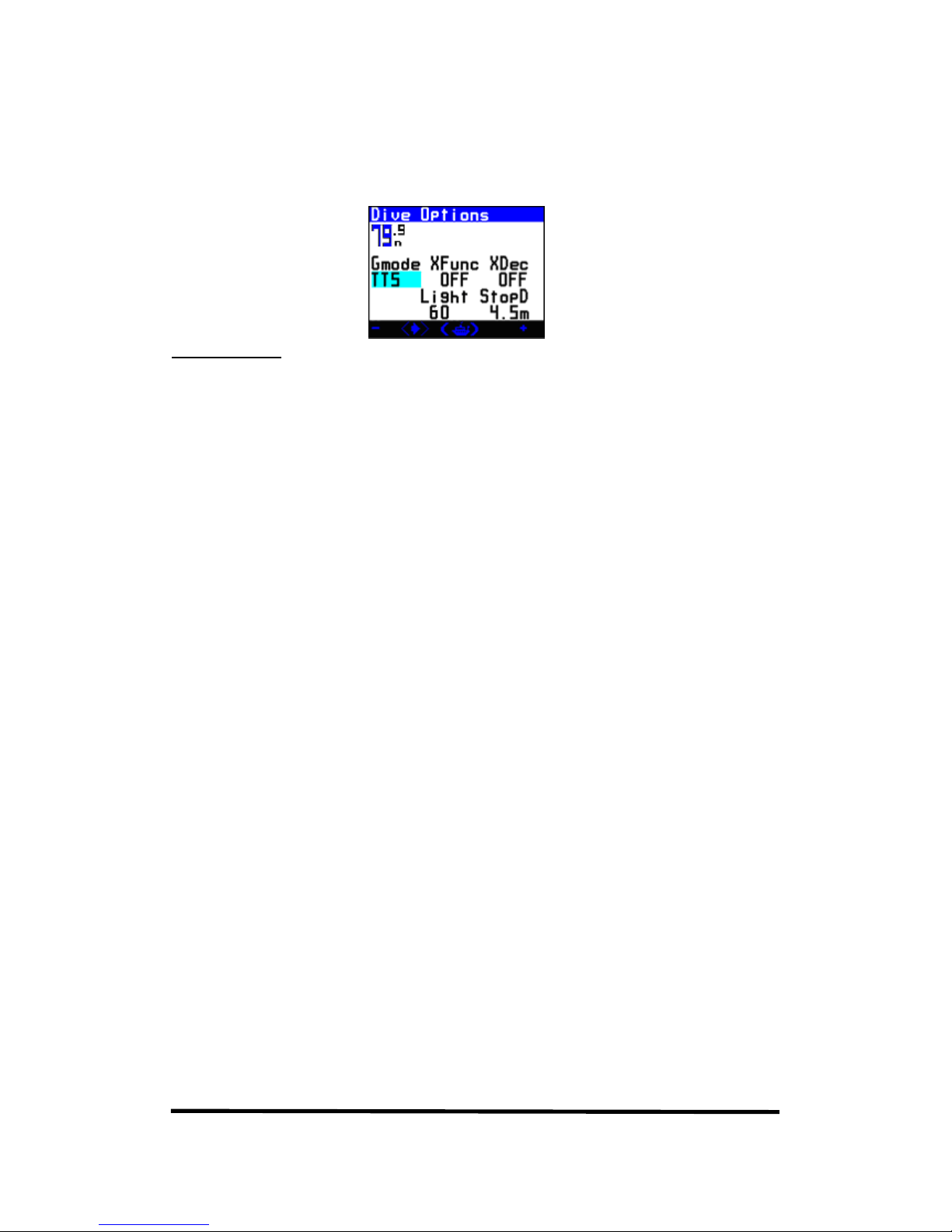
The Dive Options Screen
Change screen
In surface mode, the Dive Options (DVo) screen is accessible from the Home Screen,
(toggle through the mini-screens).
Underwater, the Dive Options (DVo) screen is accessed by a long push of the right
button and a short push of both switches when you are in the second dive screen. You
get to the second dive screen from the main dive screen via a long push on the right
switch. If Average Depth mode is set then there is an additional short push of both
buttons from the Average Depth Mark screen to access DVo.
Average Depth mode is a feature used by some divers (ref GUE) to calculate
decompression (see Average Depth mode section).
The screen allows the diver to get quick access to a number of useful, controllable
features.
In this screen, a short push of both switches will move the highlight from one feature
to the next, a short push of either the left - or right + switch will change the setting. If
you do not have a particular feature enabled, the highlight will not appear.
XFunc
XFunc will automatically change when the DG05 sees a new device connected to the
Optocon connector. If one or more oxygen sensors are sensed, then the default mode
is 3Xo2. Possible settings are;
1. OFF = no sensor connected.
2. XO2 = External single PO2 sensor (analyzer or rebreather) connected.
3. 3XO2 = External 3 sensor PO2 monitoring
Note: If changes are made to either XFunc or AvgD (found on the second page of
dive options) then the DG05 will automatically display the Display Modes page to
allow you to reselect the information you want displayed on the dive screen having
changed the mode of operation.
Page 28

Hollis DG05 User Manual RevA
28
XDec
This feature allows you to track real time decompression via an external oxygen cell
(s). In closed circuit mode the XDec setting controls which PO2 figure is used in the
decompression and tissue updating calculations. (In semi closed mode the PO2 is
reported as an FO2).
The FO2 is altitude dependant and may not read the same as the PO2.
To summarise, when XDec = ON the reading from the external sensor is used to
calculate decompression.
When XDec = OFF the selected gas and/or internal setpoint are used to calculate
decompression.
When XDec = YYY the average of all three external oxygen sensors are used to
calculate decompression
Warning!
Diving beyond the MOD of the diluent in closed circuit mode or allowing the
setpoint PO2to become less that the diluent PO2 at depth is a potentially
dangerous practice and should not be undertaken
Dive computers calculate decompression based on the inert gas partial pressures. This
is the only accurate way to estimate decompression requirements. Decompression
computers are an aid to decompression and backup tables and depth/time
instrumentation should always be carried.
When diving beyond the MOD in closed circuit mode and if the setpoint PO2 of the
unit is less than the diluent PO2 at depth, then the diluent PO2 will be used to drive
the decompression. This is a correct assumption as it is the partial pressures of the
inert gas in the diluent that drives decompression. Alarms on the DG05 showing the
actual diluent PO2 will display once the diluent/setpoint PO2 level has been exceeded.
As the main concern at this stage is oxygen toxicity then the increased PO2 will
display and the CNS % calculation will be updated until it in turn warns of dangerous
levels. Additional alarms are displayed on our Rebreather products.
If you remain at depth with no additional gas injection, then the PO2 in the loop will
drop (due to metabolism) and the inert gas partial pressures may rise (dependant on
the bodies gas absorption rates) a small amount dependant on the gas volume (and
hence total partial pressure within the loop). At some point the resultant volume drop
will make the loop volume become un-breathable until diluent is added. At this point
the decompression may vary slightly from the decompression displayed on the DG05.
However due to gas volumes being absorbed by the body and other factors any
variations that may occur will be minimal. If diluent were added during this static
phase of the dive (as it should be) then the decompression will be as accurate as
possible.
The rise in PO2 (drop in inert gas pressures) will reduce the total time to surface
Page 29

Hollis DG05 User Manual RevA
29
calculation on the assumption that the PO2 (hence PN2/PHe) will remain constant to
the surface as it is only being predictive based on current facts. Once the depth is
decreased and the PO2 reduces then the calculation and prediction will update.
In the above example, If the decompression is being driven via a sensor linked system
as in a rebreather then the PO2 is always monitored and providing a breathable
volume is maintained, then the decompression will be accurate. However, if the PO2
falls below that of the equivalent for the diluent at that depth, then a warning will
appear. The DG05 will assume the O2 cell has not been calibrated correctly. Again
this is the most likely result as training agencies and normal dive practice do not allow
for turning of the diluent in a rebreather. Exceeding the MOD/setpoint number will
generate an alarm, warning of this unsafe practice.
Having a diluent that has a sufficiently low PO2 at the MOD to allow the rebreather to
be flushed to confirm sensor operation or reduce the PO2 in the loop is a safe practice.
Decompression computers calculate decompression requirement based on the inert
gas partial pressures. Whether you are above the MOD of a gas or below it this
calculation is the same. In both scenarios additional safety factors are applied to the
decompression calculations to allow for variations in diving practice.
Diving beyond the maximum operating depth of any gas is dangerous and should be
avoided and is not endorsed by any training agency. Emergency plans and gas should
always be carried to cater for temporary excursions in the event of an emergency.
Light
The backlight is now a variable brightness light. Simply select the % of brightness
you require. When not used the DG05 will automatically dim its’ backlight to save
power. A short push of any button will restore the light.
Stops
Switch between 3 optional final decompression stop depths, 3m, 4.5m and 6m. Should
you wish to decompress deeper, then the decompression may take longer than the onscreen prediction.
Page 30
Hollis DG05 User Manual RevA
30
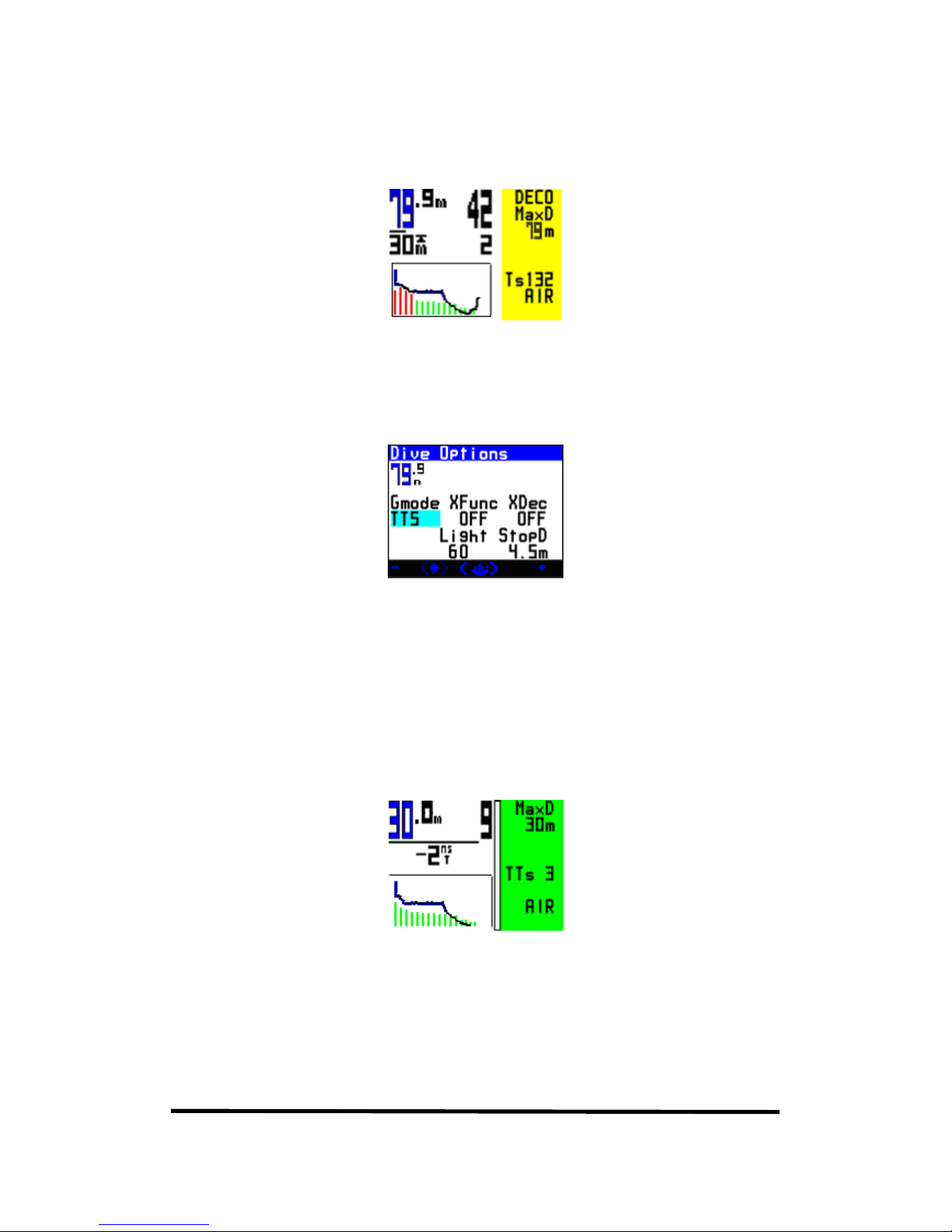
Gmode
The dive screen graphs are at the bottom left of the dive screen
and can be used to display the dive graph, or the Total Time to Surface (TTS), or
external PPO2 (if the external triple or single cell option is enabled) or a combination
of the above. To make your choice, go to the Gmode option in the Display Options.
The modes are:
Graph – displays a dive graph
Graph + - displays a dive graph and a 16 compartment tissue
loading graph
PO2 or FO2 = display external PO2 or FO2 dependant if OC or CC
is set.
TTS = display Total Time to Surface
TTS + - displays the total time to surface and a 16 compartment
tissue loading graph
Screen with a dive graph and a tissue loading graph shown
Page 31
Hollis DG05 User Manual RevA
31
Triple PO2 Monitor
A triple PO2 cell monitor for a rebreather can be directly connected to the Optocon
connector on the DG05. This option, when enabled makes the following screens and
features available:
.
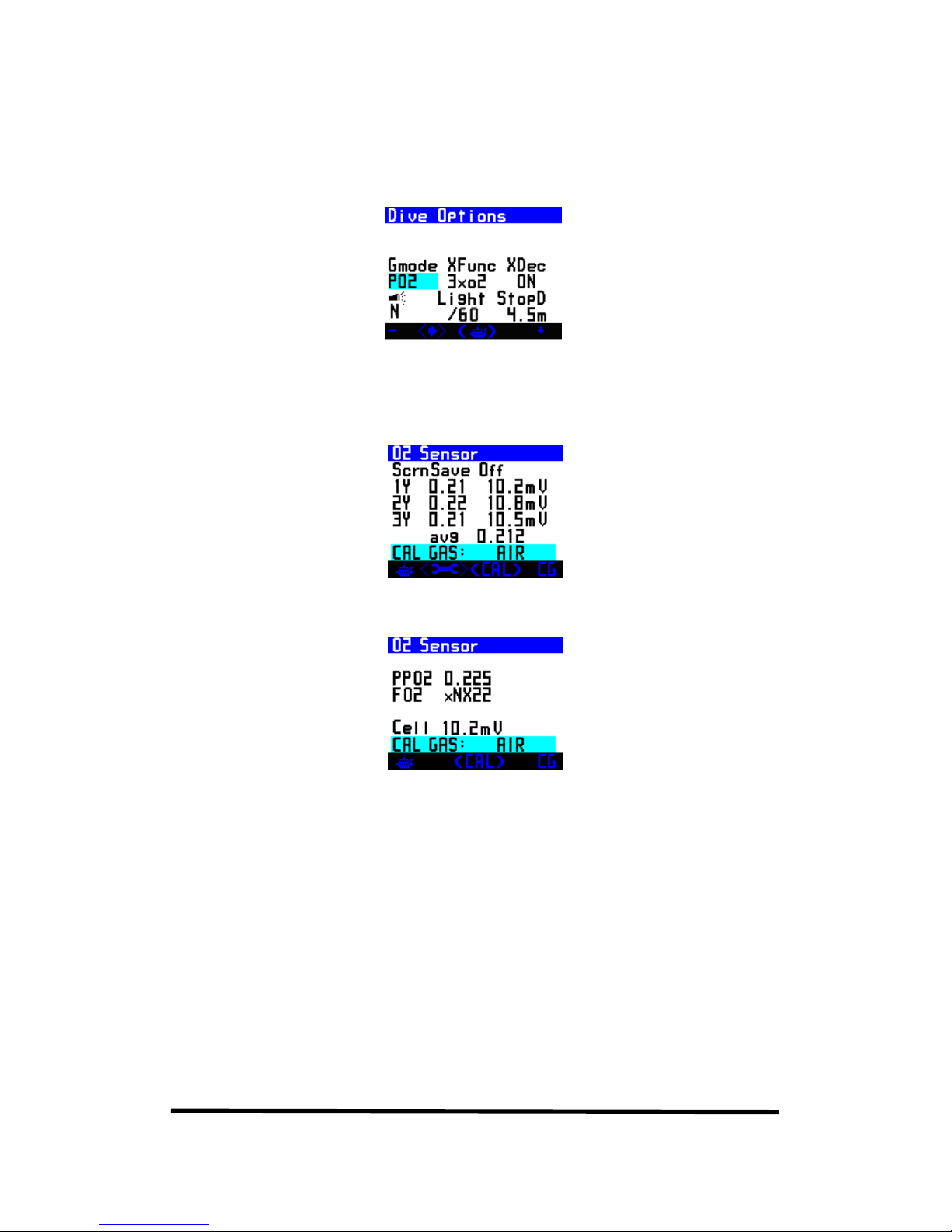
To allow calibration of the O2 cells, the O2 sensor screen below will be shown if
XFunc is set to 3xO2. These screens are accessible from the main dry mini screen
menu entitled ‘O2 Sensor’ and reached after a short push of both buttons (<GO>).
If XFunc is set to Xo2 then the following screen will be displayed.
The ScrnSave feature at the top of the screen is available when XFunc is set to 3xo2
and allows the dive screen to display three large PO2 readings (one for each sensor) as
a screen saver for the main dive screen. The time after which the screen saver is
activated can be set. This is also selectable via the Dvo screen while diving and is on
the second page of Dvo. While diving, Dvo is accessed by a long hold of the right
button to reach the summary screen then a short push of both buttons (<Dvo>). If
decompression is being conducted the summary screen is not shown until the last page
of decompression stops has been shown.
Page 32
Hollis DG05 User Manual RevA
32
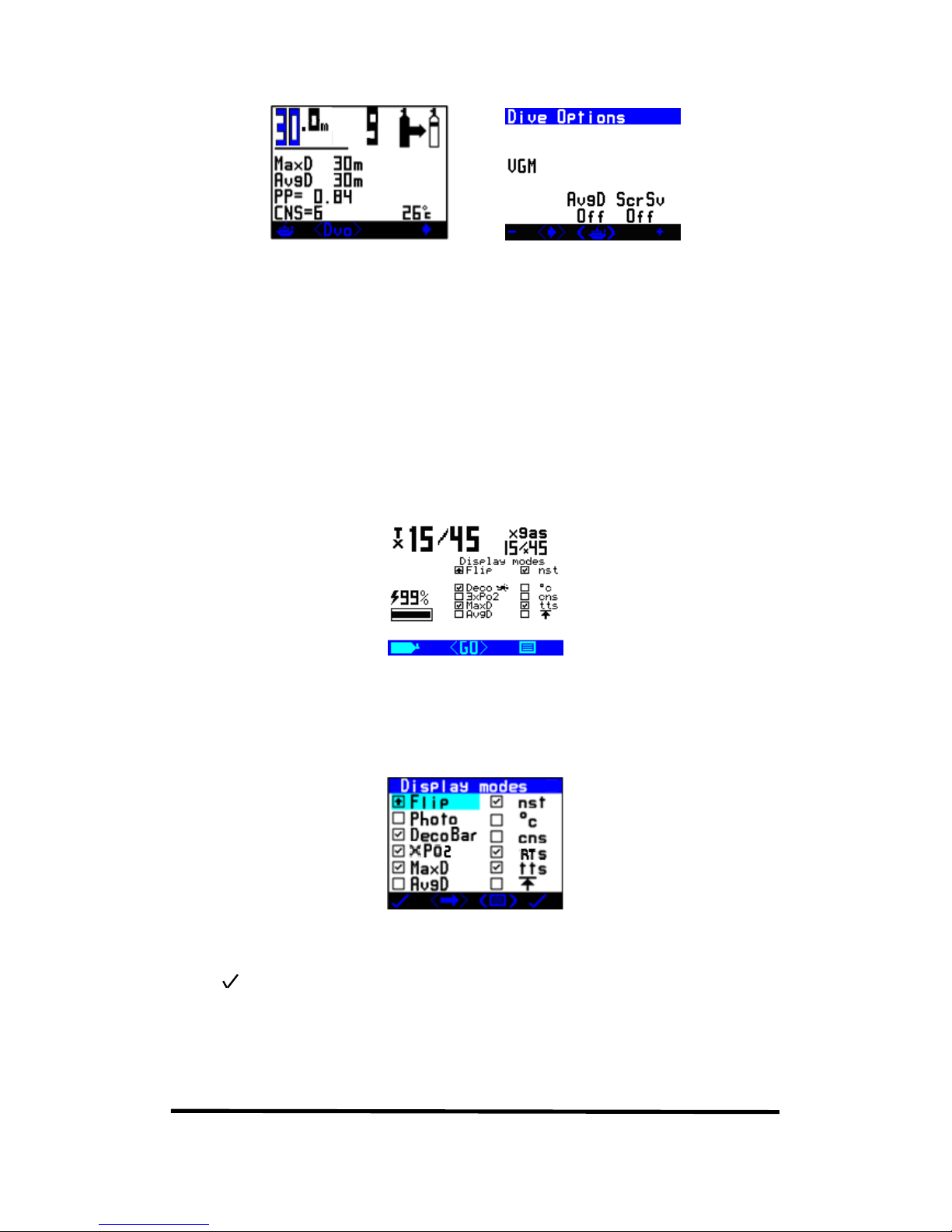
There are a second set of functions in Dvo accessible by a short push of both buttons
after the last feature is highlighted on page 1 of the Dvo system. This second page
allows you to access the Average Depth feature (AvgD) described above and if XFunc
is set to 3xPO2, it allows the large 3 cell screen saver to be selected along with its’
time out interval. This will overwrite the main dive screen and will allow the normal
dive screen to be shown again with a short push of any button. It can be disabled
again in Dvo while diving.
Display Mode
Display modes allows you to customise your dive screen and display items you want
to see and how you want to see them. Certain items cannot be changed.
The items you can change are shown below. With the exception of Flip (which is a
function) all the other features can be turned on or off in the dive screen. If there is not
enough room to display the item (as you have too many selected for a screen area)
you may need to deselect another item.
Flip – Allows you to change the orientation of all screens
Photo – blank – No photo display
- Sets the photo to appear on a factory selected set of screens
A – Sets one of several preset photos to appear behind all of the screens
F – Sets the photo and the text will disappear after a few seconds. A short push
of any button will restore the menu text. Screen pictures will switch
periodically when Photo is set. These pictures are currently factory defaults
but will be able to be uploaded in the future.
Page 33
Hollis DG05 User Manual RevA
33
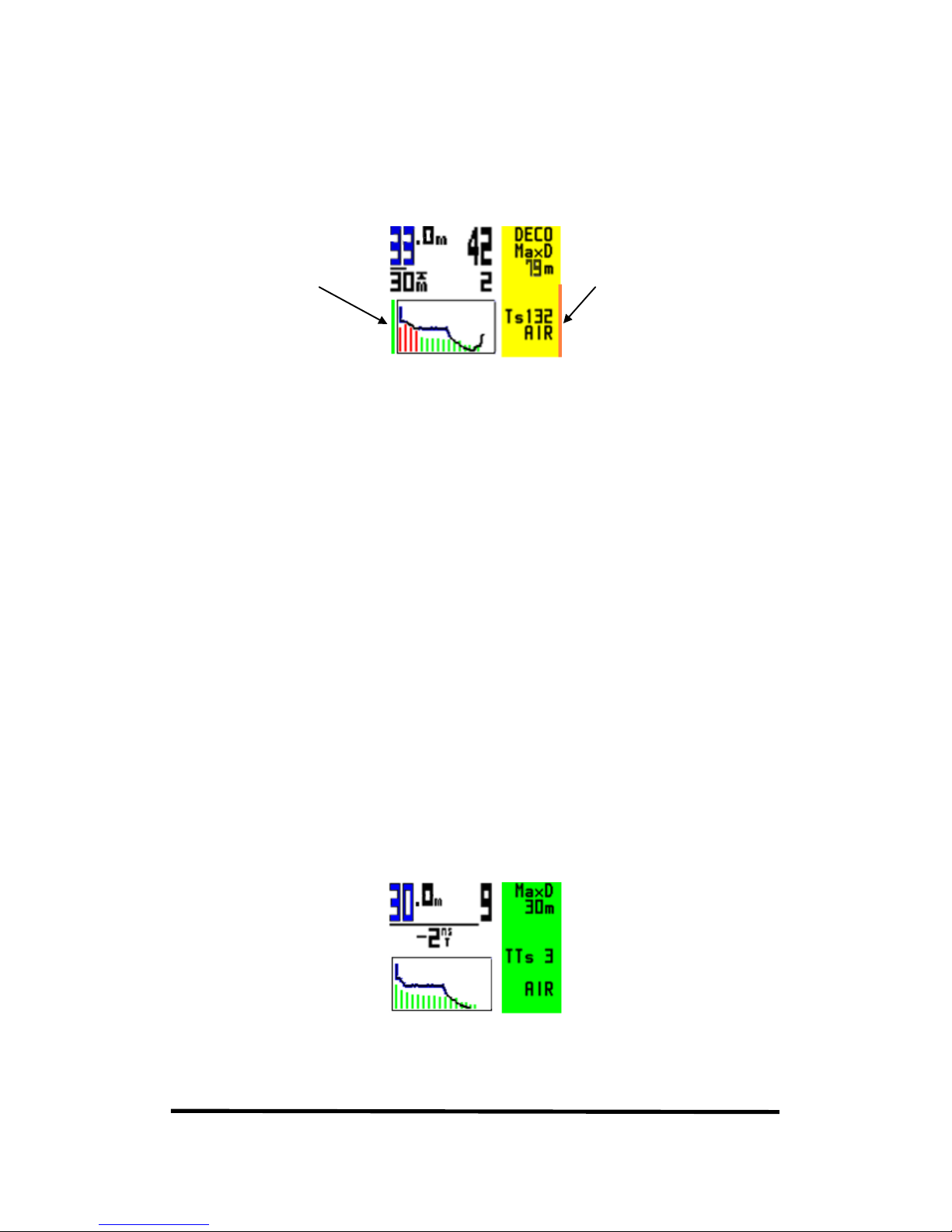
DecoBar – When set to on this displays a bar graph on the dive screen up the left
hand side. The bar is an indication of how close you are to your decompression
ceiling and is useful if you want to conduct a ‘continuous curved’ decompression
rather than a ‘stepped’ decompression. When you are within 3m/10ft of your
decompression ceiling the bar will display as a full green bar.
As you stop at the decompression depth and then slowly move up the Deco bar will
get smaller indicating that you are near your ceiling (which will reduce in depth as
you sit at the stop). If you violate the ceiling then a down arrow will appear in the top
right hand corner of the dive screen and you must descend.
Also on the right hand side of the screen is the ascent rate indicator. A green bar
indicates an ascent rate of less than 10m/30ft /minute. An orange bar is a rate in
excess of that and when it completely fills the right hand side of the screen, it is an
ascent rate in excess of 20m/60ft / minute.
XPo2/XFo2 – When set, then the external oxygen cell reading is displayed towards
the top right hand side of the dive screen. This is displayed even if XDec is set to off
and the algorithm is not using the external sensor reading to calculate decompression.
This is a useful function to verify cell accuracy before using it to calculate
decompression.
3xPo2/3xFo2 – When set, then the external oxygen cell readings of all three sensors
are displayed towards the top right hand side of the dive screen. This is displayed
even if XDec is set to off and the algorithm is not using the external sensor reading to
calculate decompression. This is a useful function to verify cell accuracy before using
it to calculate decompression.
MaxD – When set the maximum depth is displayed in the top right hand section of
the dive screen.
Deco Bar
Ascent rate
Page 34
Hollis DG05 User Manual RevA
34
AvgD – The average depth feature when selected displays the current average depth
based on the dive profile thus far. It is displayed in the right hand side of the dive
screen. Some training agencies use the Average Depth decompression system, with
dive tables to calculate decompression. The advantage of using it with a
decompression computer is that you can cross check your calculated results and have
a back up in the event of a tabular mistake.
When in the dive screen a long push of the right button goes to the Average Depth
marker screen. Three Average Depth markers segments are shown. To save the
current depth as an average depth and time do a long push of both buttons <RESET>.
This will mark the depth and time into that memory location.
When in this screen Dvo and the full list of all decompression stops can still be
accessed by pressing , the right hand button.
Nst - This displays the current no stop decompression time on the dive screen.
0C/0
F - This displays the current temperature.
CNS – This displays the CNS oxygen toxicity %.
RTS – Runtime to surface is the total dive time thus far plus the required
decompression time.
TTS – Is the time remaining to surface including any decompression but not including
the dive time thus far.
- Will display the deepest decompression stop and time on the left hand side of
the dive screen.
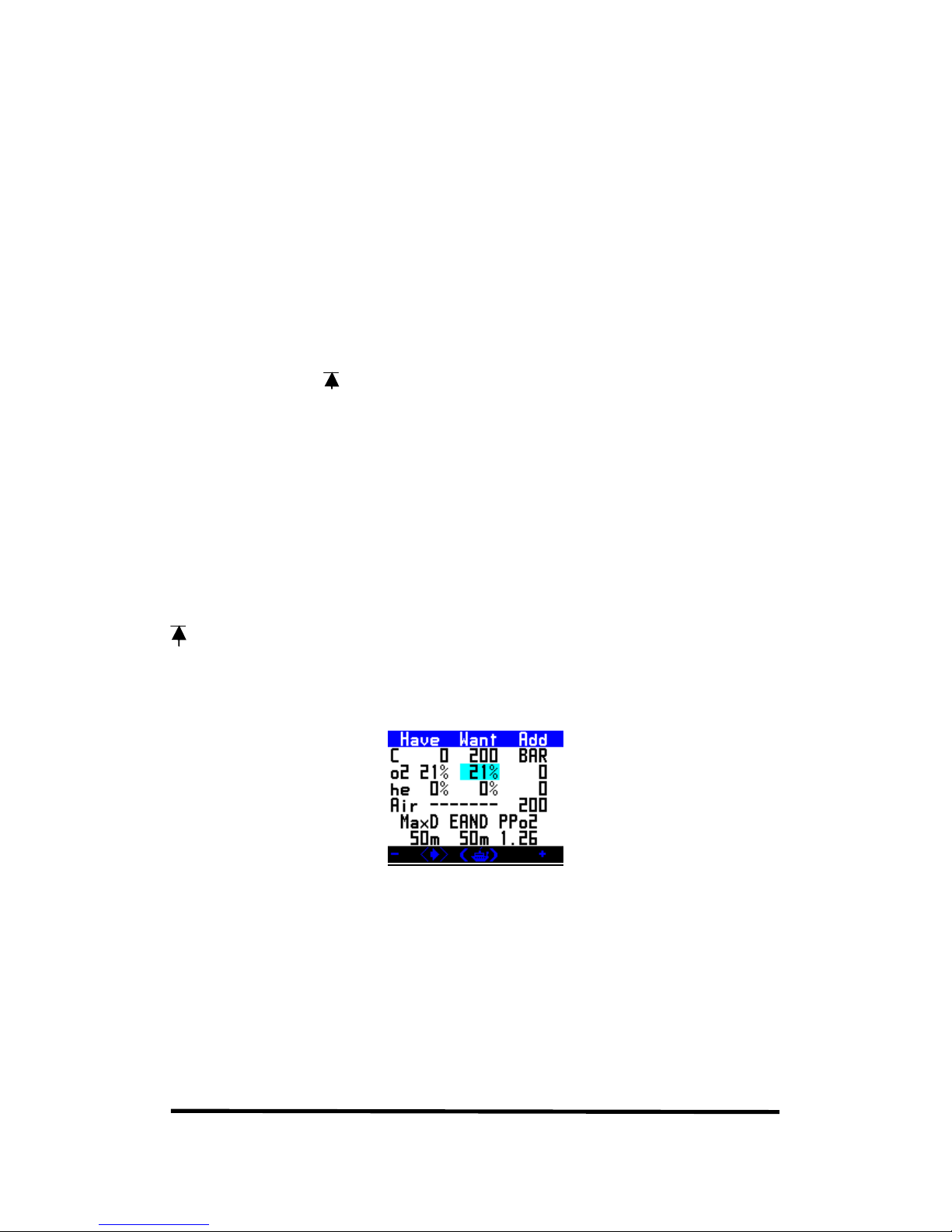
Gas Calculator Mode (PIN option)
You have the option to purchase a PIN to activate this feature. When this mode is
enabled, you can gain access from the Home Screen, (toggle through the miniscreens). Gas Calculator mode will allow you to work out partial pressure gas fills on
your DG05.
To find out what gases you need to add to adjust a gas mix, enter your current
cylinder fill in the HAVE column and the gas mixture you need in WANT. The ADD
BAR column will automatically show the fill pressures to add.
If you are filling an empty cylinder, leave the HAVE column at 0 (zero).
Page 35

Hollis DG05 User Manual RevA
35
You can also define the WANT column by changing the MaxD (maximum depth),
EAND (Equivalent Narcotic Depth) and PPO2 settings.
In this screen, a short push of both switches will move the highlight from one field to
the next and a short push of either the left - or right + switch will change the
highlighted number by 1. A long push of - or + will change the highlighted number by
10. A long push of both switches will return you to the Home Screen.
Page 36
Hollis DG05 User Manual RevA
36
Options
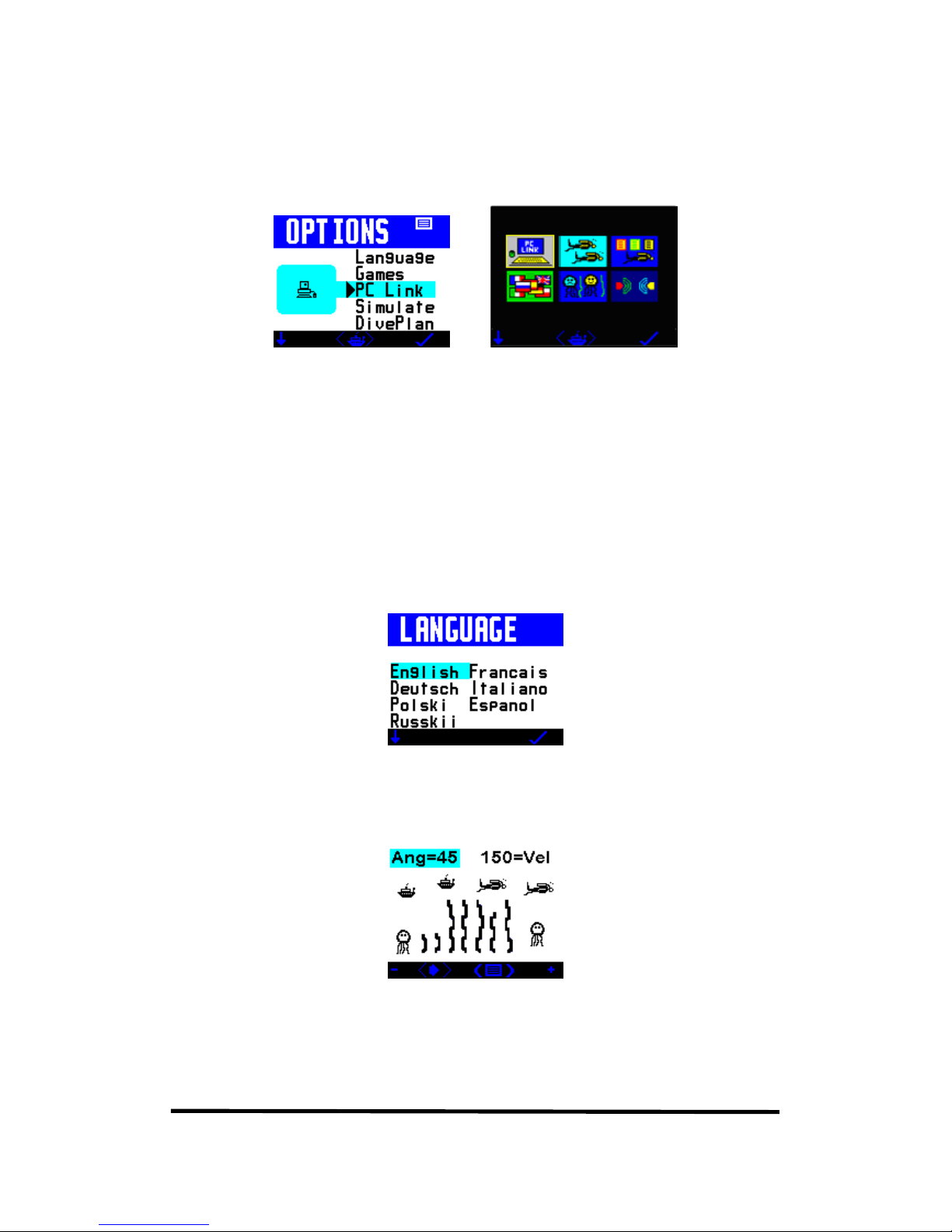
From Home screen a long push on the right hand switch when the MENU icon is
displayed takes you to OPTIONS.
or
if Photo is set (see Display Mode).
In the OPTIONS screen, a short push of the left switch moves the highlight
downwards/left. A long push on the left switch moves the highlight upwards/back.
A short push on the right switch takes you into the highlighted feature screen. A short
push on both switches returns you to the Home screen.
The features and functions in the OPTIONS Menu are;
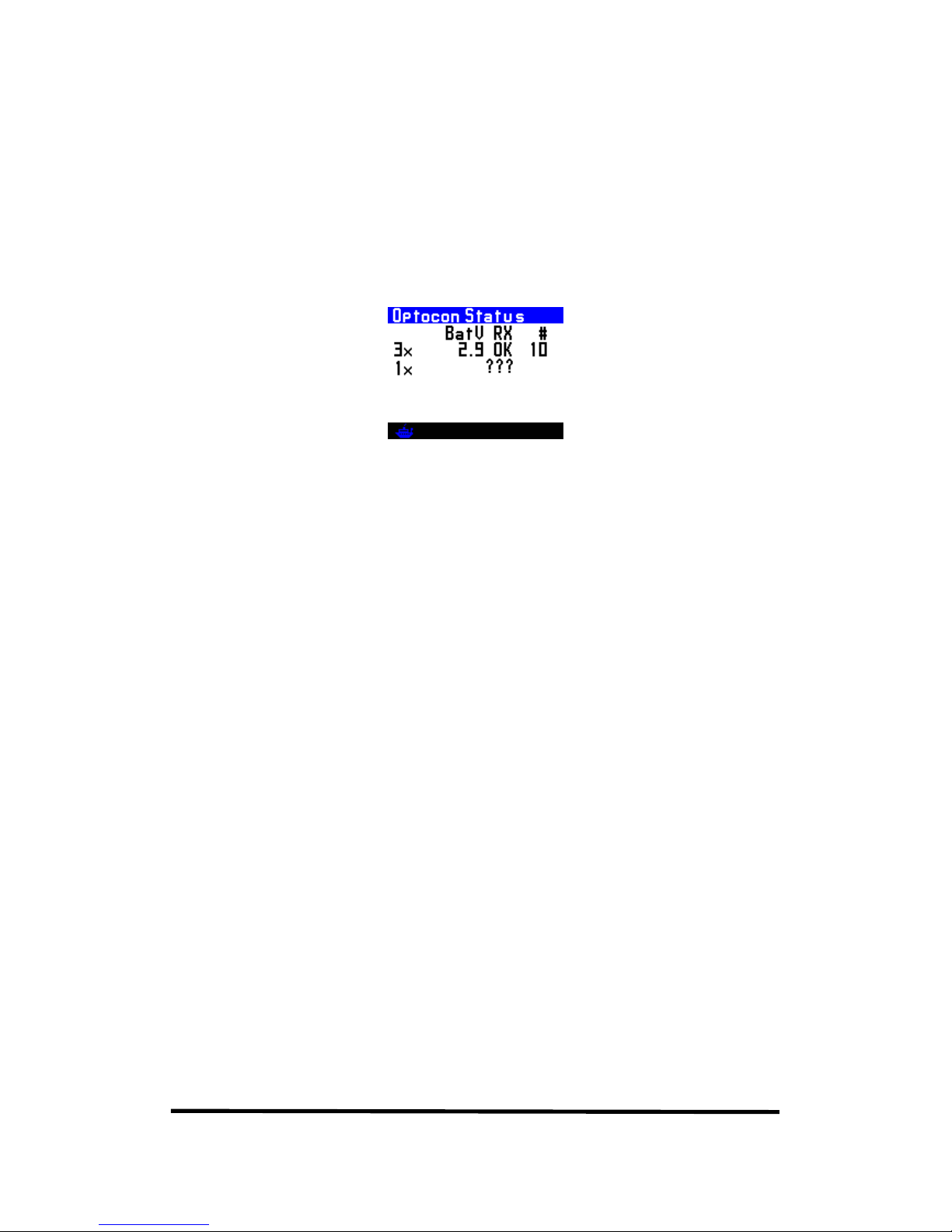
Language
Gives you a choice of English, French, German, Spanish, Italian, Polish and Russian
Games
The Octopus Game works like this: The aim is to try to hit the left octopus with a
squirt of ink from the right octopus. The left octopus will explode when he is hit and
you will then get a summary of your score. In the game screen short pushes of both
switches will move you between Ang (angle), Vel (velocity) and Fire modes. When
Page 37
Hollis DG05 User Manual RevA
37
you are in Fire mode a jet of ink will squirt from the right octopus and, if your angle
and velocity are correct, you will hit the white octopus. If not, you need to adjust the
angle and velocity settings and this you can do in Ang or Vel mode, by a short push of
either the right hand + or left hand - switch. (A long push will increment or decrement
the setting by 10). While you are firing you will see Tide appear. This is a random
setting; the strength and direction of the tide will change from game to game just so
that it does not all become too easy!
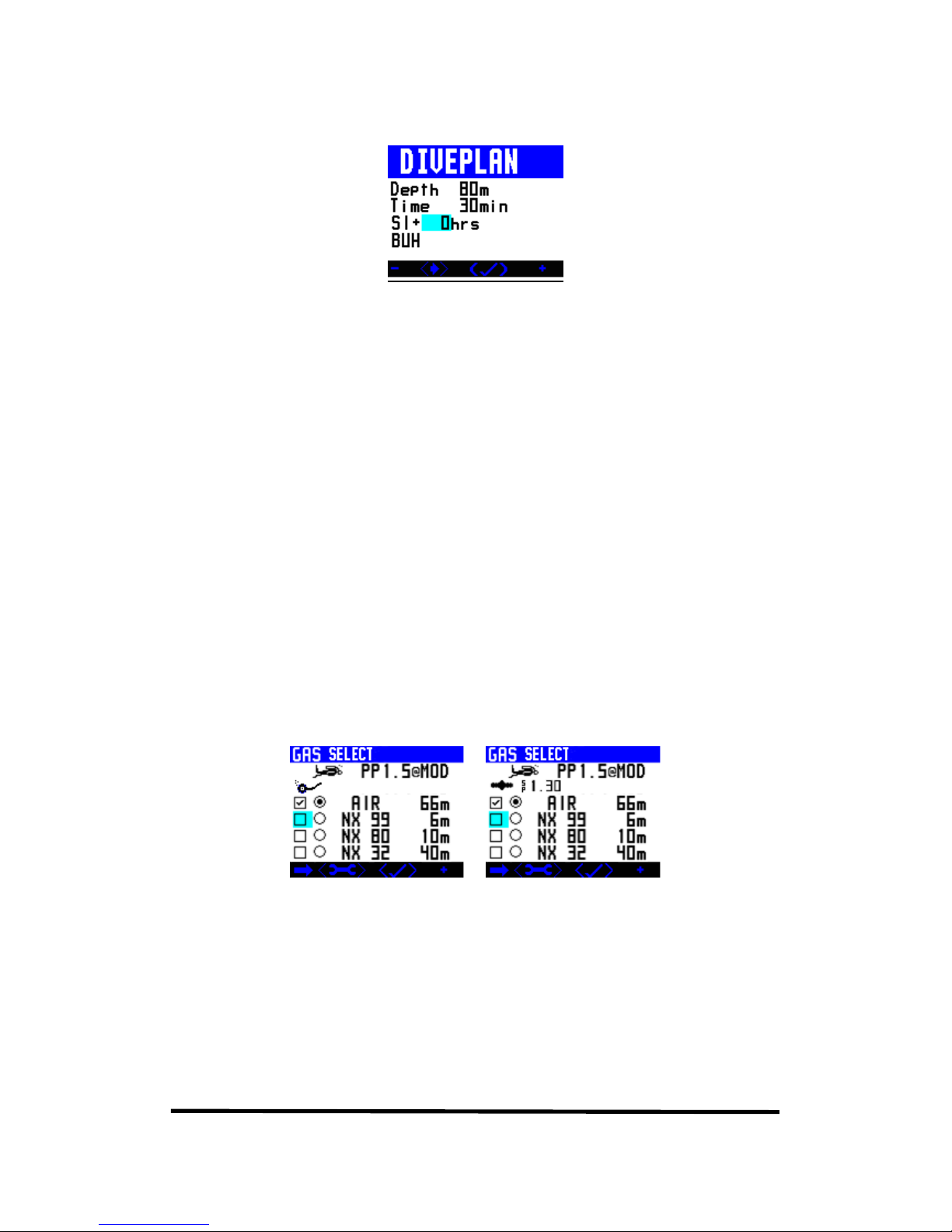
Optocon
The new Optocon connection system allows a range of sensors to be connected to the
DG05. As this is an infra-red system there are no electrical connections as such, hence
there is nothing to become corroded as with conventional wet connectors. Having
connected up the relevant interface the DG05 will automatically set the XFunc mode
to suit the interface.
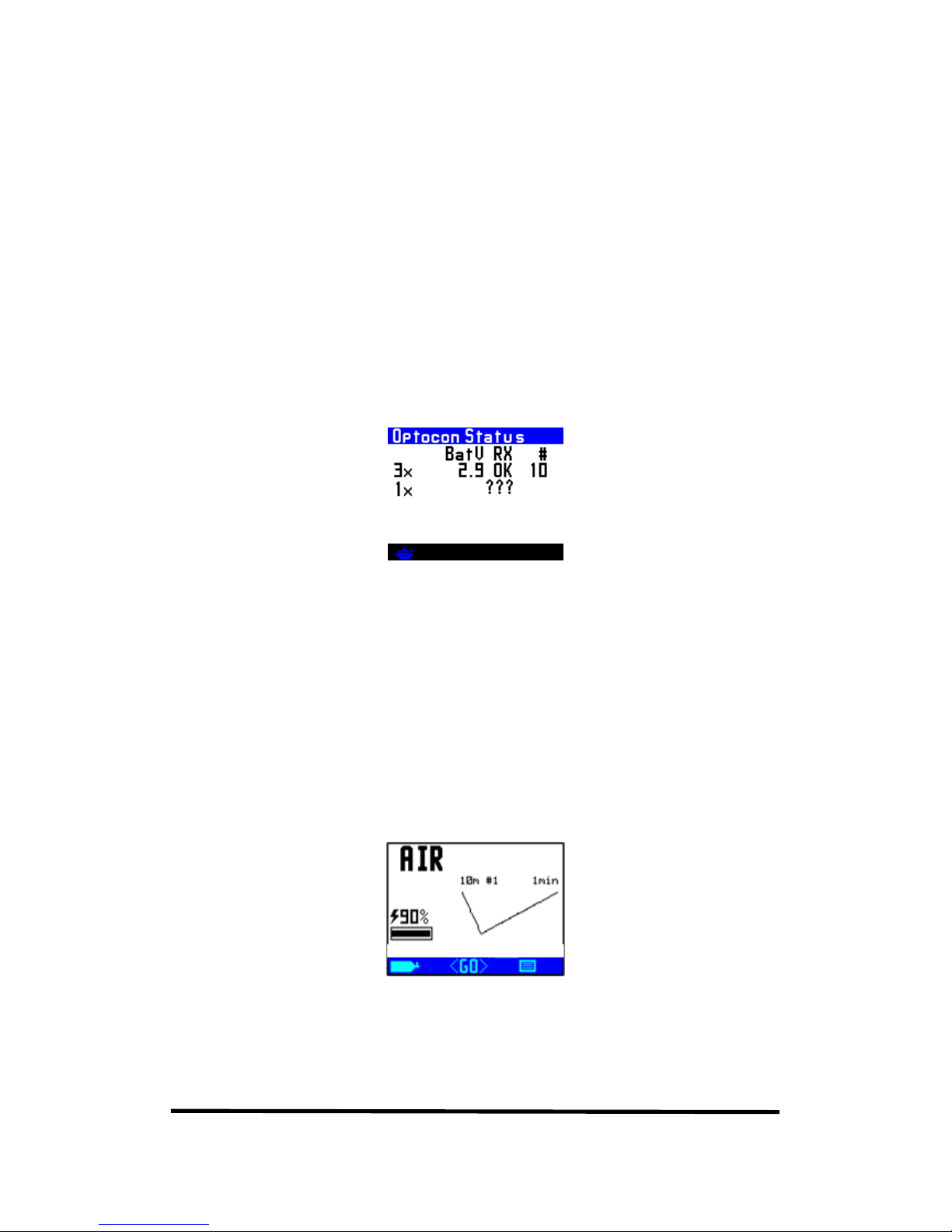
The screen shows battery status for each remote device (see remote device manual for
recommended battery maintenance), an indication of whether transmission (Rx OK) is
taking place correctly and a factory service number (#10).
PC Link
Select this screen if you want to download dives from your DG05 to a PC. Once you
have the cable connected and the software and drivers loaded on your computer a
short push of the right arrow will start the downloading process.
Simulate
Simulate mode gives you a chance to practice using the computer in the dry before
taking it under water. Select Simulate to show the DIVE display and a depth which is
predefined when you enter Dive Plan mode. Short pushes of the left and right
switches will increment or decrement the depth. To exit a simulated dive, do a long
hold of both switches or ascend to zero depth.
Page 38
Hollis DG05 User Manual RevA
38
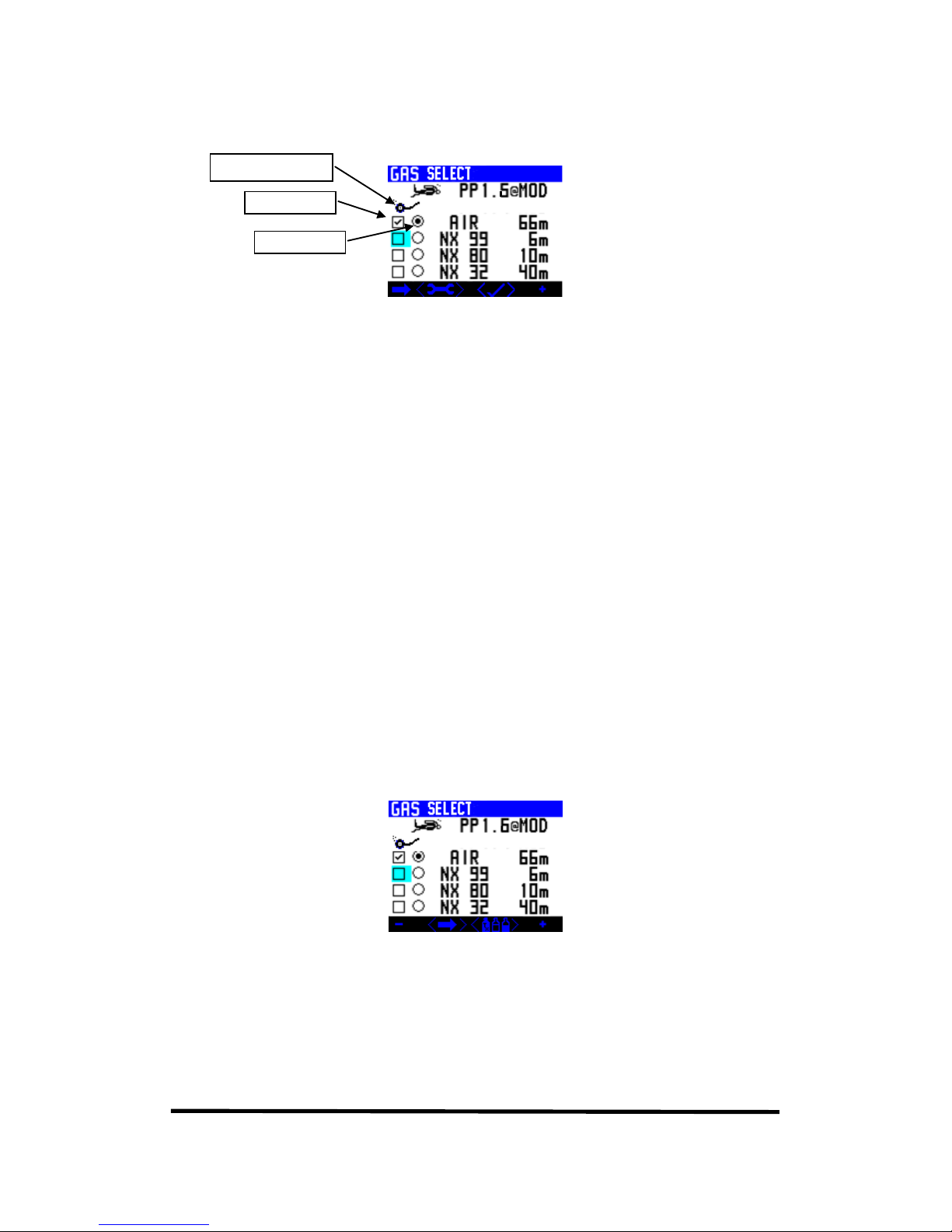
Dive plan
Once you have set your planned dive gases in the DG05. Diveplan allows you to enter
depth, time and surface interval and calculate a set of backup tables. The current
decompression used for planning is shown.
A short push of both switches moves between fields. A short push on either the left or
right switch adjusts the number in the highlighted field.
Once the parameters are set, a long push of the both switches will display a dive
screen.
There will be a slight delay while the DG05 computes the plan.
In the dive screen long pushes on the right switch will show page after page of
decompression stops as in normal Dive mode.
Simulate and Diveplan work on current tissue state. If you have just dived with the
DG05 your residual inert gas loading will be taken into account by the DG05 in its
calculations.
Gas List
Open Circuit Mode Gas List Closed Circuit Mode Gas List
The gas list is accessible via the mini screen feature in the Home Screen. It is also
available with a long push of the left button while diving and in SIMULATE mode. It
shows you at a glance which gases you have currently active on your DG05 and the
maximum operating depth you have set for each and whether they are closed circuit,
bailout (open circuit) or open and closed circuit gases.
Page 39
Hollis DG05 User Manual RevA
39
From the mini- screen or from a long push of the left button the following screen (or
its’ closed circuit option) is displayed.
(Open circuit mode shown)
There is a square function box and a radio button. In G3 mode only 4 gases are
displayed. In G10 mode by using the left button all 10 gases can be displayed on extra
screen pages.
The function box has the following features (changed by the + button).
A tick – This means the gas is available in open and/or closed circuit
CCR – This means it is only a closed circuit gas. (Only available in CCR mode).
B – This means it is a bailout gas (open circuit only)
The radio button (when highlighted) means that the gas is currently being used.
Used gases always appear at the top of the list followed in order by the other gases in
ascending Maximum Operating depths (MOD’s).
To move between gases and buttons/boxes use the arrow button (short push left).
As a gas is assigned a function it will move up the list in MOD order.
To adjust a gas, select the spanner/wrench icon (short push both). This now leads to
the following screen.
Now a short push of both button moves along the gas row and allows you to change a
function/% by using the – and + buttons. If you change the MOD the PO2 of the
selected dive gas will also change.
Open Circuit icon
Page 40
Hollis DG05 User Manual RevA
40
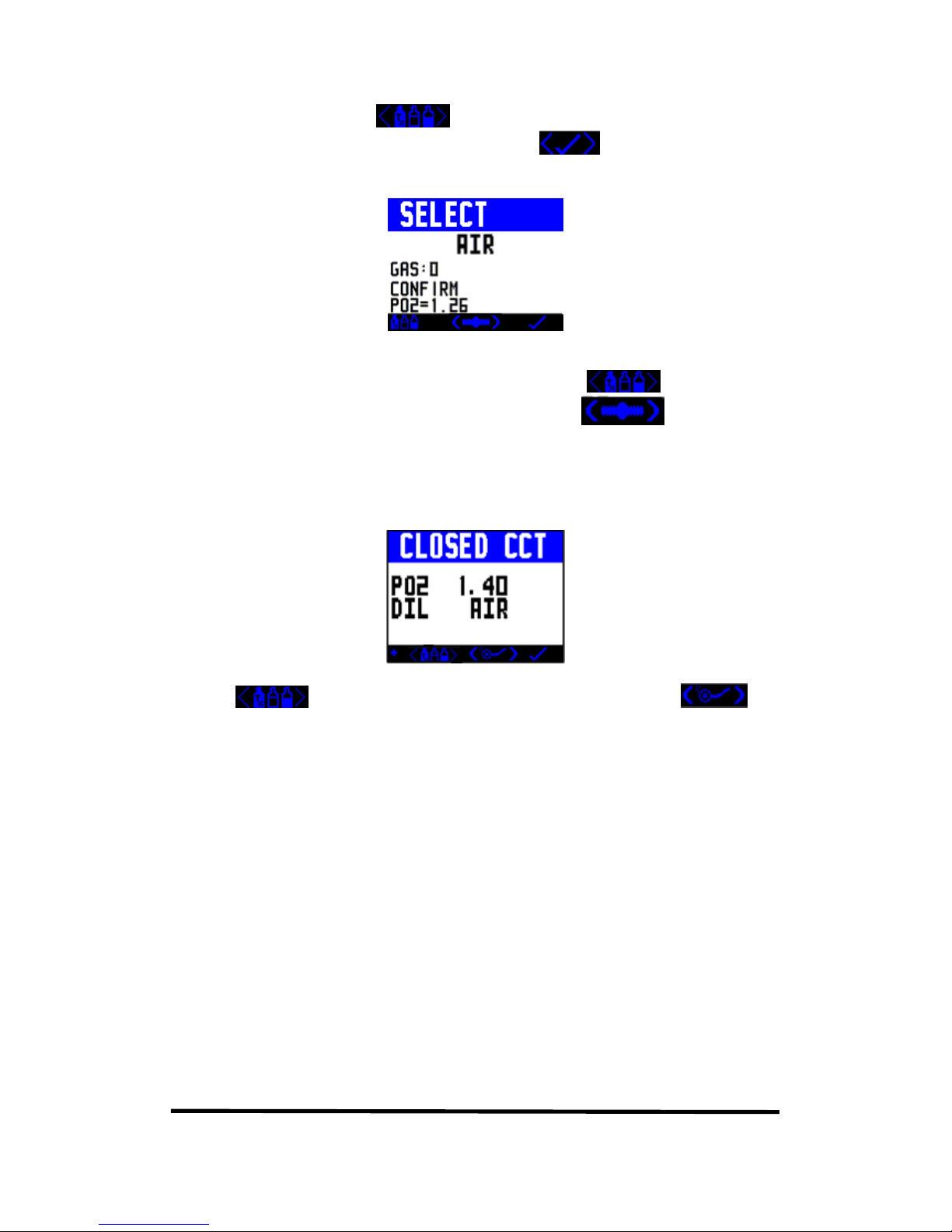
A short push of both buttons exits the menu and first gas select screen on
the previous page is again displayed. Now selecting will go to the following
screen.
Selecting the tick returns you to the Home screen if on the surface or the dive screen if
underwater and you gas selections are all saved. Selecting allows you to
go back through the adjusting sequence again or selecting allows you to
switch to closed circuit mode (if you have the PIN installed).
Closed circuit mode uses the same sequence of screens to set up and adjust gases and
ends in the following screen.
Pressing the screen returns to the gas set up screens, pressing
switches the unit back to open circuit mode and selecting the tick saves the changes
and exits to the Home or dive screen.
Also in the previous screen the PO2 can be adjusted. A short push of + increments the
PO2 by 0.05. A long hold jumps to the previously saved PO2 after the last screen exit.
In this mode two PO2’s can be set up and toggled between. Set one up and exit the
screen (tick), then go back in and set another up using short pushes of the left switch.
Now do a long hold and the value will toggle between the two. Tick to exit and the
pair are saved.
Only give a function to the gases you intend to breathe on the dive.
Leaving unused gases with a function allocated (tick, CCR, bailout) will change the
decompression prediction. but if you do not switch to them ‘on-screen’ while
underwater (radio button), while the look-ahead will be wrong your actually time at
each stop will be based on the gas set (radio button)‘on-screen’ at the time (assuming
that is the gas you are breathing).
Page 41
Hollis DG05 User Manual RevA
41
Setup
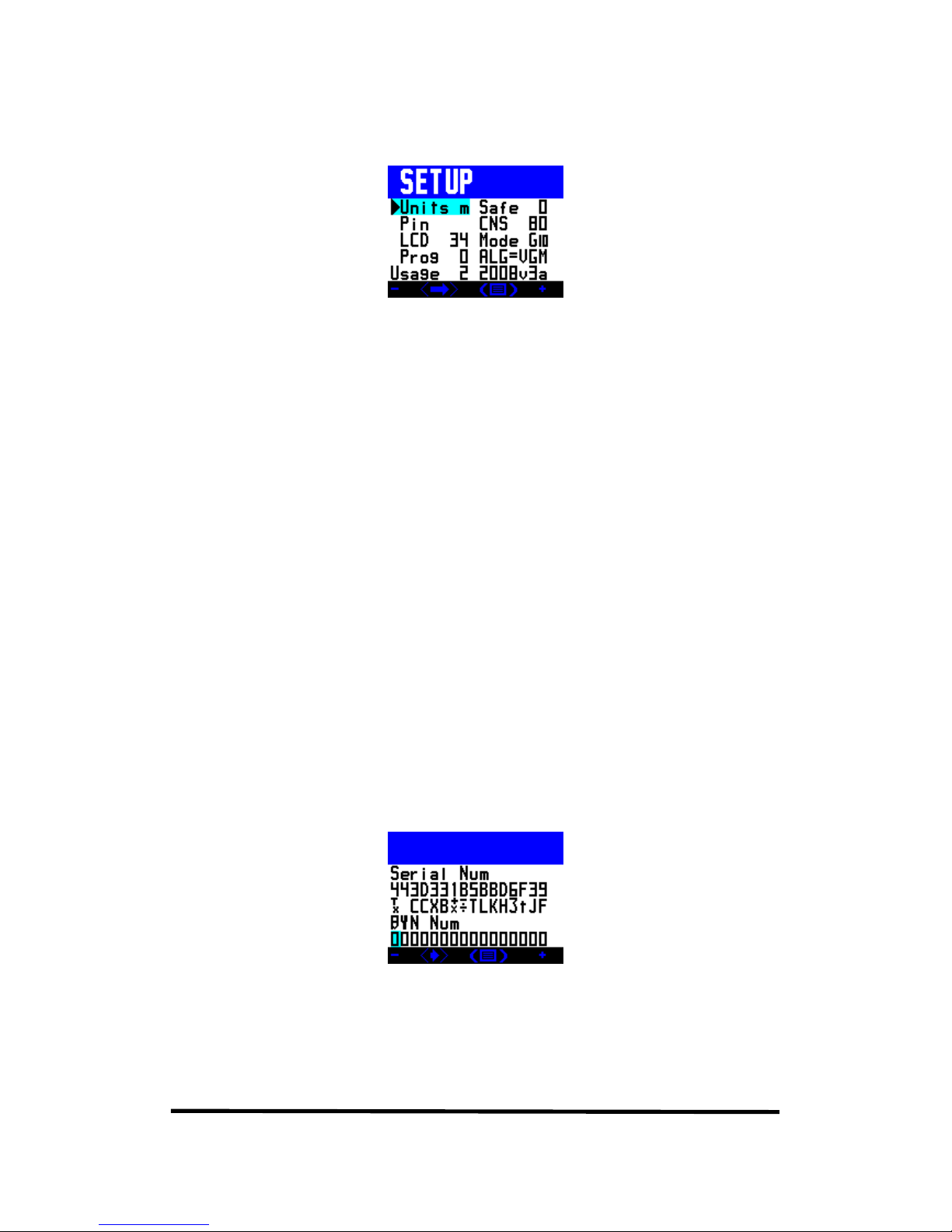
Selecting SETUP from the Mini-Screens in the Home Screen will give you access to a
range of sub-menus, which allow you to configure the DG05 according to your
personal preference.
A short push of both switches moves the highlight to the next setting. A long push of
both switches takes you back to the Home Screen.
Units
When “Units” is highlighted, a short push of either the right-hand + or left-hand switch will change the depth and temperature settings in your DG05 from metric (m)
to imperial (ft) or vice versa.
Safe
This enables you to make the DG05’s decompression calculations more conservative.
A push on the right-hand + switch or left hand – switch when “Safe” is highlighted
changes the setting by 10%, from 0% up to a maximum of 50%.
Every 10% increase adds a theoretical 2% to the inert gas content of the gas selected
for the purposes of decompression calculation.
PIN
When “Pin” is highlighted a short push on either switch will take you into a screen
where you will see
a) your DG05’s 16 digit Serial Number
b) a list of letters and numerals denoting which DG05 features are currently
enabled
c) a line of zeros where you can input PINs to activate new features
Page 42
Hollis DG05 User Manual RevA
42
d) an empty space at the top of the screen where you can key in your name,
telephone number or anything else you wish to add to identify the computer
indelibly as yours.
CNS
A push on the right-hand + switch or left hand – switch when “CNS” is highlighted
will change by 10% the level at which you want the CNS Air Break warning to appear
in your dive screen, from 80% up to a maximum of 200%.
LCD
On DG05s, LCD is the contrast control feature. Reduce the number to make the
screen brighter.
Mode
Your DG05 comes with G10 mode enabled. This is standard 2010 software with all
the features and options referred to in this manual (model dependant).
A push of either the right-hand + or left-hand – switch when mode is highlighted will
change your DG05’s mode from G3 to G10 mode.
G3 mode is the same as G10 mode except you can only preset 3 gases in the gas list
(+Air).
Prog
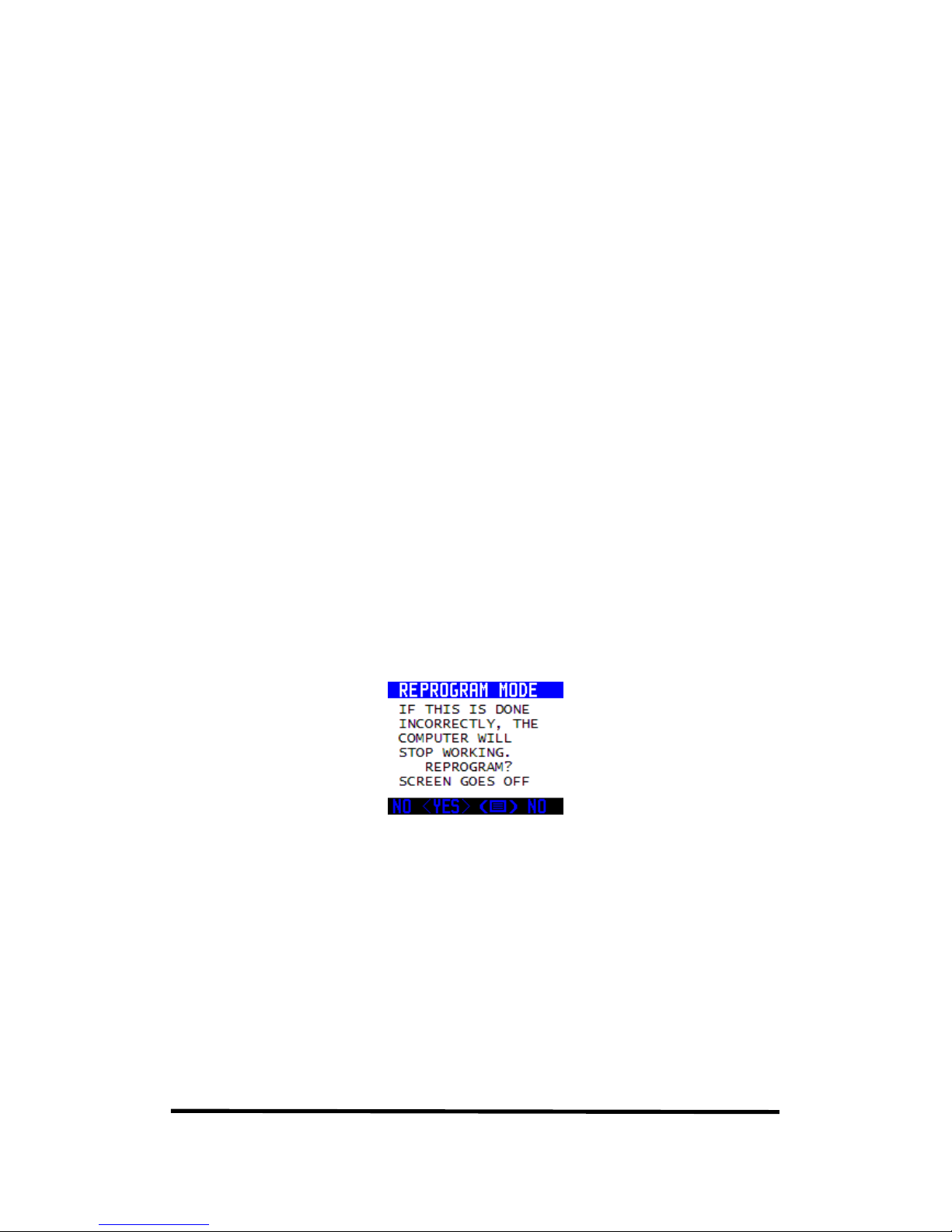
DO NOT ENTER THIS FEATURE. This is a feature which will be activated in the
near future to allow updates via the website. If you access this accidentally, you will
see this screen.
To abort, enter NO with a long push of the left switch.
ALG – if you have purchased the optional VGM algorithm, a short push of either the
right-hand + or left-hand switch when VGM is highlighted will toggle between VGM
and BUH (Buhlmann).
When BUH is selected decompression will be calculated using our standard modified
Buhlmann ZHL 16 algorithm with 2 minute deep stops.
When VGM selected your DG05 will calculate decompression using a VGM-based
algorithm developed by us.
Page 43
Hollis DG05 User Manual RevA
43
Automatic tissue tolerance adjustments
To allow the DG05 to give realistic decompression and no stop times across the 10m
to 120m range the VGM algorithm automatically modifies tissue tolerances in line
with accepted decompression schedules based on stochastic data.
Tissue over pressure tolerances (M values) begin to be modified from standard DG05
Buhlmann settings above 30m bottom depth and 30min bottom time.
User adjustments
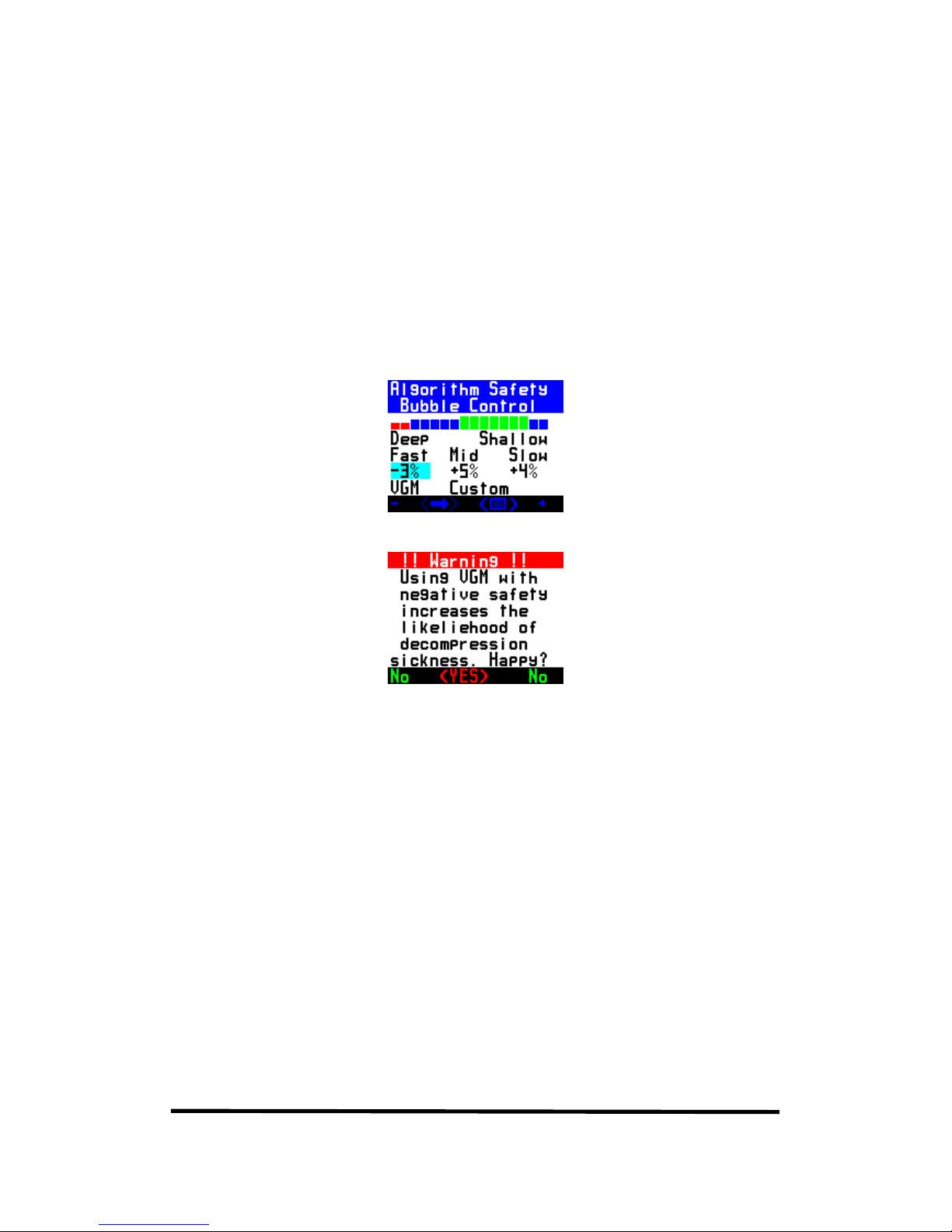
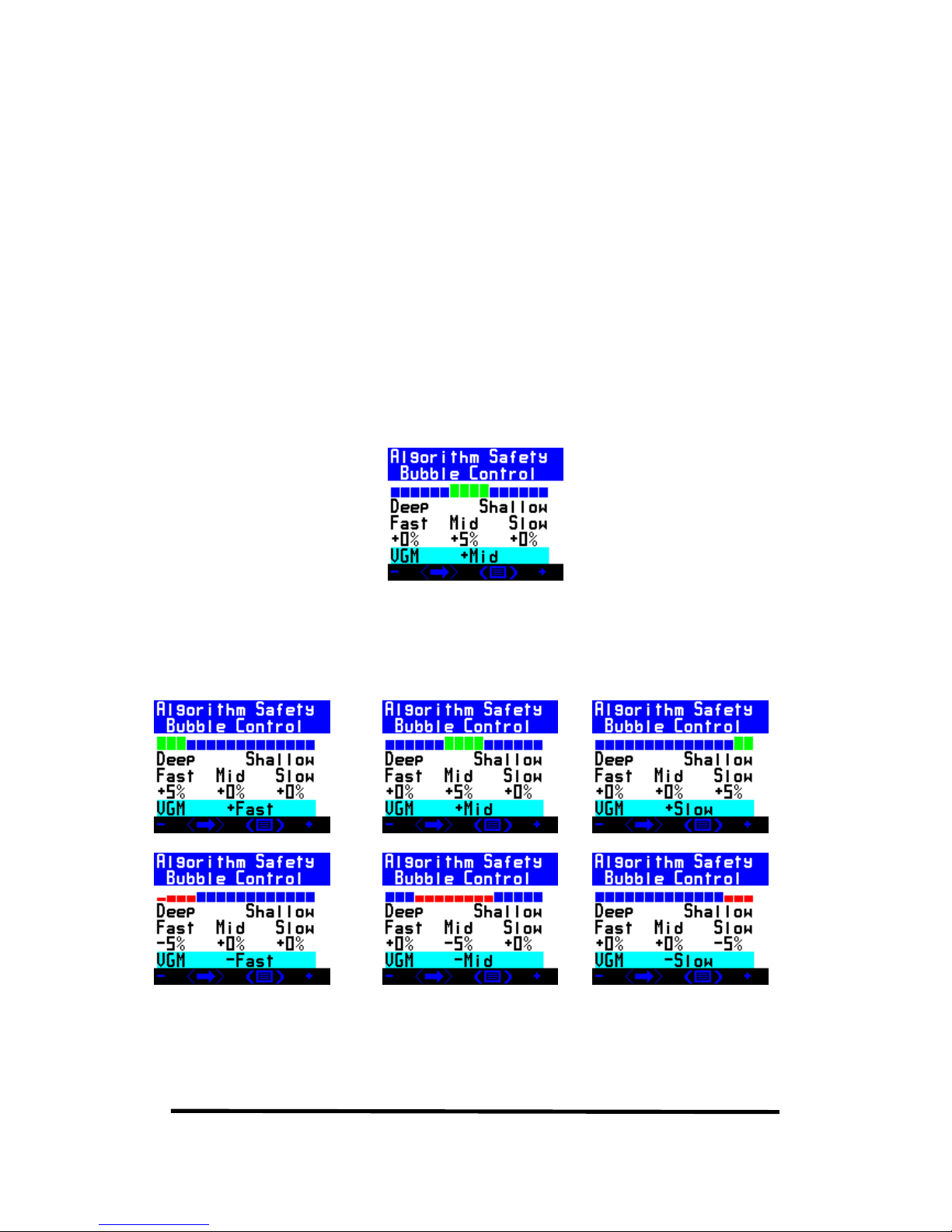
Extra changes to the default values can be achieved using the Fast, Mid and Slow
tissue tolerance percentages. Positive percentages give more stop time. Negative
percentages reduce stop times.
A warning screen is displayed when exiting this screen if negative values are set:
Choosing the YES option confirms you are happy with the increased decompression
sickness risk. Choosing the NO option will reset the tissue conservatism to the default
values and take you back to the adjustment screen.
Divers can change conservatism up or down, based on their own knowledge of what
suits their body chemistry and physical ailments or attributes. The Normal or Default
value is 0%. Negative percentage is less safe. Positive percentage is more safe. The
Bar Graph of tissue over-pressure tolerance compares the current values to the
standard default settings. The bar graph transitions from Fast tissues to the left
(mainly relevant to deep stops) through to Slow tissues to the right (mainly relevant to
shallow stops). Mid range tissues are in the middle.
Fast Tissues can be adjusted between -15% to +40%. The effect of the fast safety
setting reduces linearly from Fast to Mid range tissues.
Mid range Tissues can be adjusted between -15% to +40%. The effect of the Mid
setting reduces linearly from both mid range to fast, and from mid range to slow.
Page 44
Hollis DG05 User Manual RevA
44
Slow tissues can be adjusted between -15% to +40%. The effect of the Slow setting
reduces linearly from slow to mid range.
Note: No less than a total of -20% across all tissue can be set.
To achieve the same setting for all tissues use the same percentage setting for Fast,
Mid and Slow.
Custom settings allow precise decompression matching to users known requirements
or expectation for the next planned dive.
Mid range tissue adjustment is an extra feature compared to standard gradient factor
adjustments. From stochastic dive data, Mid range tissues appear to require longer
decompression after prolonged bottom time and/or extreme depths. VGM has a built
in system for adjusting this, but the diver may wish to adjust the setting manually as
well.
Use Diveplan to check settings for the next dive. Fine tuning of Fast, Mid and Slow
tissues can be used to achieve user specific decompression profiles.
Note: Preset conservatism settings (0% = normal standard safety value)
Page 45

Hollis DG05 User Manual RevA
45
Extreme exposure dives
VGM also modifies mid range tissues separately to fast and slow tissues, achieving
adaptation of mid range stops separately to deep or shallow stops. Extended mid range
stops are a common technique used on deep dives to allow surfacing with a lower
bubble count than would otherwise be expected – Britannic 1997 exploration is an
early example of this technique.
Page 46

Hollis DG05 User Manual RevA
46
VGM - Decompression philosophy
The VGM algorithm has been built on recent practical dive planning and diving
techniques as well as the scientific and theoretical understanding over the past 100
years. It combines a better theoretical understanding of bubble physics together with
known diving practices that help decompression and well being during and after
decompression diving.
VGM also gives the user the ability to change the conservatism of the decompression
to make it not only more conservative, but also more aggressive. Some technical
divers find they feel good after a decompression with less in water time than others.
The equivalent gradient factor for the VGM setting is displayed for comparison with
other dive planning software and computers.
The default settings will suit many experienced divers, and it is the input of real
technical divers.
Decompression is a physiologically complicated event. There are many factors that
affect how well the human body decompresses and how well it is able to withstand
pressure exposures. All dive algorithms have been devised to combine the complexity
and risk of staying in the water with the risk of decompression sickness after
surfacing. Things like hydration before a dive, and rest and hydration and even
oxygen after a dive all help reduce the risk of DCS. So bear in mind that as with all
decompression planning there needs to be a balance and understanding of the risk
of reducing decompression times and the impact of DCS. Please refer to your training
agencies’ information and advice on these issues.
VGM incorporates 5 main features:
1. Haldane decompression model, based on Buhlmann ceofficients
2. Modification of tissue over pressure tolerances or M values for the faster
tissues to create a decompression profile similar to a bubble model like VPM
3. Further modification of over pressure tolerances for deep or long exposure
dives, especially in the fast and middle order tissues
4. Automatic adjustment of the above parameters to allow the default settings to
give common decompression and No Stop times across the range of diving
from 10m to 120m
5. User adjustable parameters so the diver can use his/her experience to further
modify the decompression to that which suits him/her. The equivalent gradient
factors are displayed for a particular dive for ease of comparison with other
dive computers and dive tables, although because this system goes beyond
gradient factors certain adjustments may only give an estimate of the nearest
GF equivalent.
A basic version of PC dive planning software (VGM ProPlanner) is available free
from the web site. This allows a quick way to see what decompression the DG05 dive
computer will give and allow specific conservatism factors to be tried out on the PC
before choosing the right ones for a dive on the DG05. The PC software also gives
Page 47

Hollis DG05 User Manual RevA
47
print outs and an output in common spreadsheet style format for use in creating backup tables.
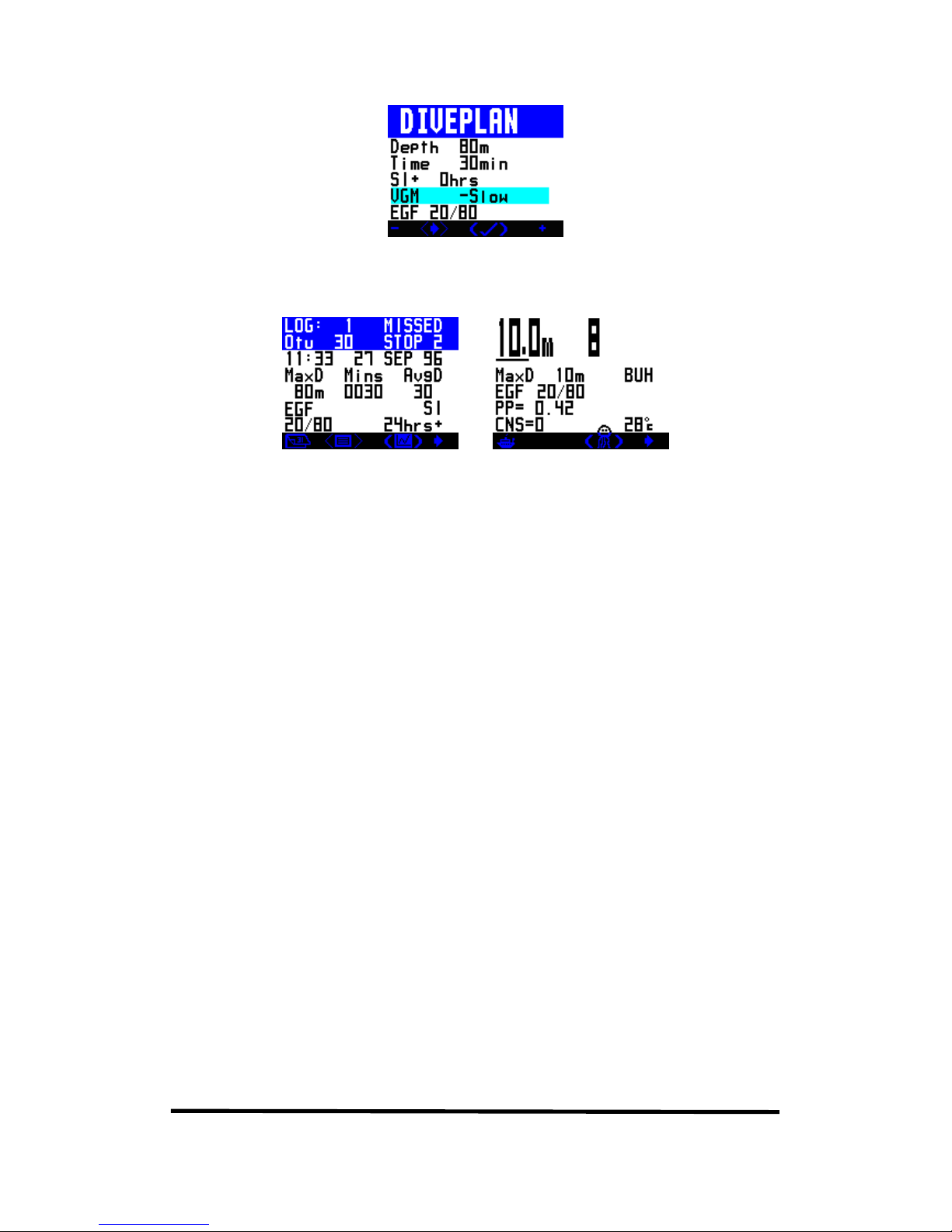
The DG05 gives an Equivalent Gradient Factor (EGF) after a dive. Because it is an
adaptive variable system, the gradient factor cannot be calculated until after
decompression has started. The expected EGF is displayed in the dive summary
screen accessed by using a long press of the right button from the main dive screen. It
is the screen displayed after running through the decompression stop look ahead. The
EGF is also shown on the DivePlan exit screen and the dive log in the DG05.
Summary
VGM is able to adapt to the dive actually dived – the gradient factor is essentially
adjusted on a dive by dive basis automatically. The safety factors can be adjusted
from the default settings to adapt a decompression to the required profile based on the
diver’s experience though. For a more detailed explanation on how the VGM
algorithm works please visit our Technical Support website and download the articles
on VGM. It is very important that you understand VGM before you use it, if you
at all in doubt refer to you training organisation for advice.
WARNING!
Even if your dive computer or PC generated software allows for less
conservatism and a reduction in decompression times this should not be
arbitrarily undertaken without first researching data available from other
divers/agencies, conducting controlled trials and understanding that you may
be undertaking a level of experimentation in order to adjust the algorithm for
your specific needs.
No decompression algorithms can give a guaranteed safe decompression. It is
your responsibility to be trained, dive safely, carry backup tables and
instrumentation and compare any decompression profiles generated by the
DG05 range of computers and their associated decompression software against
established diving tables with which you are happy and/or accept that you may
be conducting experimental decompressions.
Page 48
Hollis DG05 User Manual RevA
48
Usage - this figure tells you the total dive hours carried out on your DG05
computer to date.
Diveplan
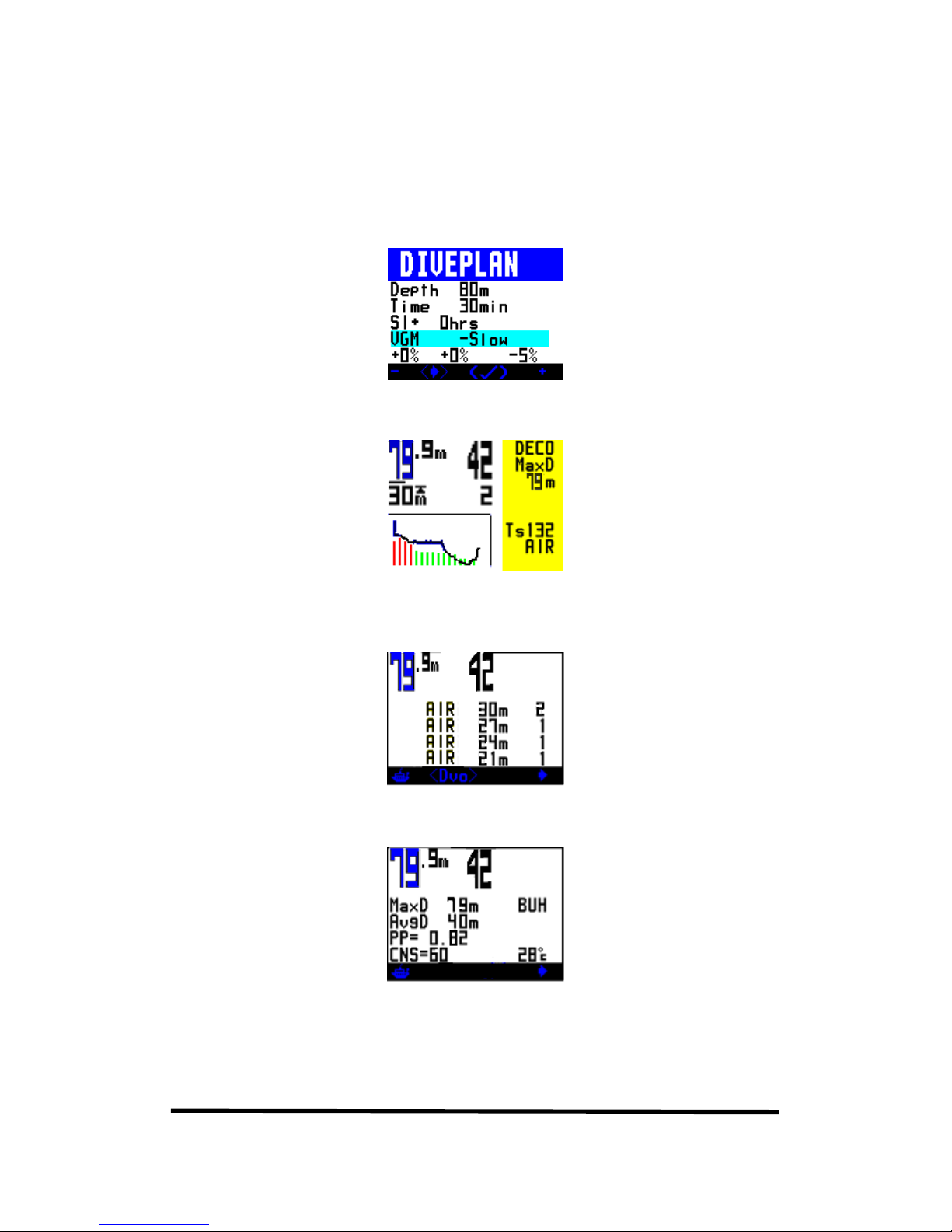
The Diveplan screen allows changing of preset settings for VGM if the VGM
algorithm is active.
Having selected the tick option a dive screen is displayed
By selecting a long push of the right button, page after page of decompression stops
are displayed.
Ending in a summary screen.
When exiting the dive plan (long hold both buttons from the dive screen), the
equivalent gradient factor is displayed:
Page 49
Hollis DG05 User Manual RevA
49
The Equivalent Gradient Factor (EGF) is also displayed in the Dive Log and the Dive
summary data:
Page 50
Hollis DG05 User Manual RevA
50
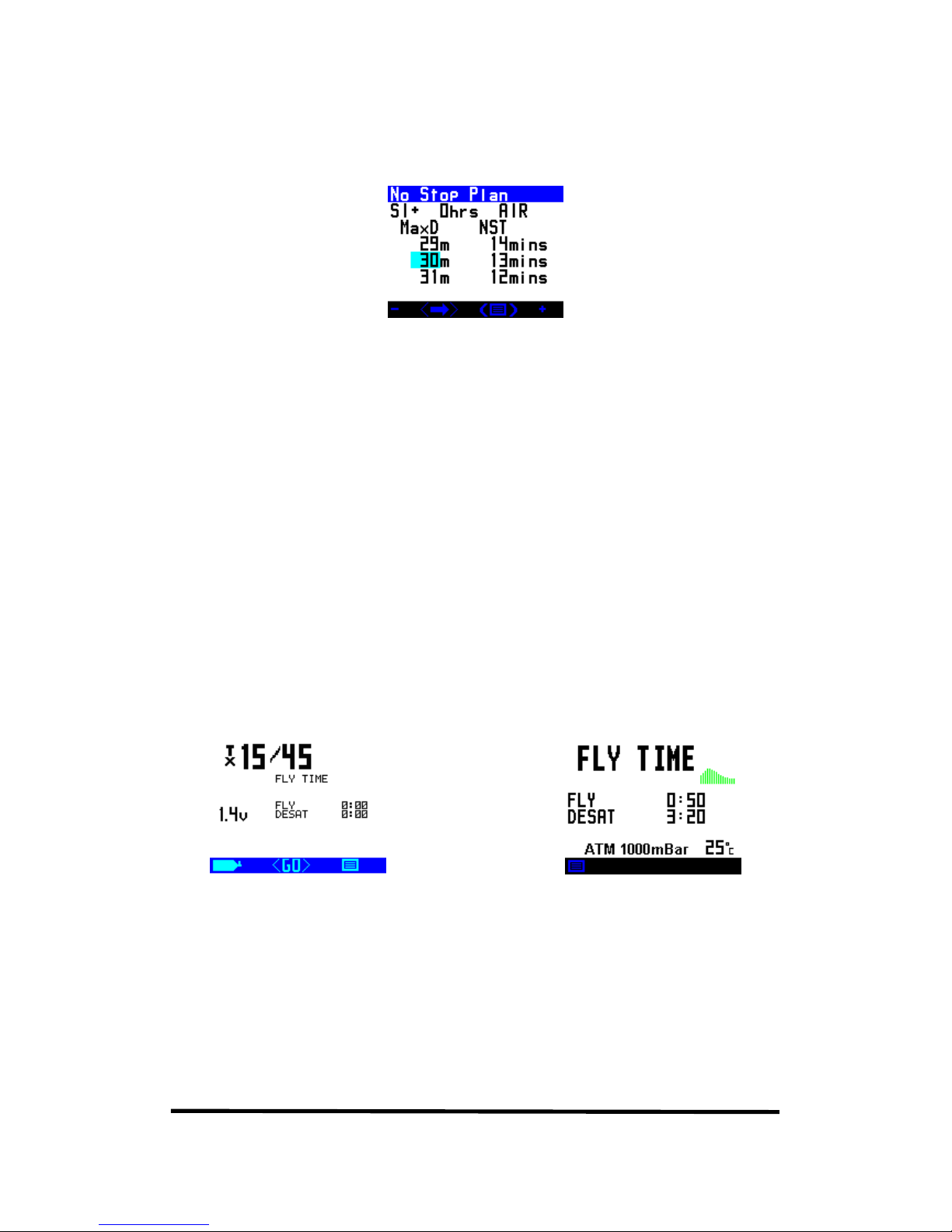
No Stop Plan
In this screen you can see No Stop Times (NST) for depths to 41m, taking into
account your previous dives and surface interval. The surface interval and target depth
are user changeable. Note that the surface interval figure that you set is in addition to
time already spent out of the water. When using the Buhlmann algorithm, you may be
surprised that the No Stop times appear to be short. They do in fact correspond to
standard Buhlmann dive tables which incorporate safety stops.
For instance:
DG05 18m dive No Stop Time = 39 mins DG05 18m with 3 min stop at 4.5m = 54
mins This means that if you were to do a dive to 18m on air with 54 minutes bottom
time, you would see a required 3 minute stop at 4.5m on your look ahead schedule as
you began your ascent. (Times are on air and assume no residual nitrogen to take into
account).
Fly Time
The FLYTIME screen shows the time that must elapse before you may fly in a
pressurised aircraft and the length of time before your tissues will be totally
desaturated. In the top right hand corner it also shows a current tissue loading graph.
Altitude pressure will also be shown to help with rebreather calibration.
Page 51

Hollis DG05 User Manual RevA
51
Notes on Closed Circuit Rebreather Mode and Decompression
The DG05 assumes that the PO2 selected is the PO2 that the rebreather will maintain
as its setpoint during the dive and it will calculate decompression based on this and
the diluent set. Your PO2 can change, especially on ascent and descent, and
depending on the characteristics of the rebreather and its operator. You are strongly
advised to be conservative with your PO2 selection. If you are diving and see a PO2
displayed which is higher than the selected setpoint, this is because you are at a depth
where the diluent PO2 exceeds your setpoint. From the CLOSED CCT adjust screen,
a long push of both switches will select open circuit mode, where, in the event of a
bailout being required, you can select the gas you want to breathe in open circuit.
A Note on the MOD setting and Gas Switches
The MOD setting of an ON (radio button) gas is important as this is the depth at
which the DG05 will prompt you to switch to that gas. The look-ahead Time to
Surface (TTS) and decompression profile will also assume a switch to deco gas at that
depth. If you mistakenly set the MOD shallower than the preferred switch depth, you
can still switch at the right depth (or any depth) and tell the DG05 you have done so.
Switching to a decompression gas too deep will trigger a PO2 warning. Incorrectly
setting the MOD, or leaving gases ON which will not be used, means that the
optimum look-ahead TTS and decompression profile will not be calculated or
displayed. What you actually do during the ascent and any gas switches you make
and tell the DG05 about will still be factored into the calculation and you will be
made to complete the decompression based on the gas you currently have set as
breathing, therefore you are always completing the correct decompression
(assuming you are breathing what you have set on screen) but the on-screen
prediction may not reflect what you actually do. However if you switch to each
gas in the plan correctly the prediction will be very close to the actual
decompression you do.
The TTS includes ascent time and time at all decompression stops based on the diver
switching to all the ON gases in his gas list at the MOD selected for each gas. If you
plan to switch to a deco gas on ascent but subsequently do not in fact switch, the stop
times shown will remain the same but the DG05 minutes will take longer to elapse in
real time. If at any point during the dive you modify a gas content on the ON list,
the decompression profile prediction will alter to take this into account. When
you change to a different gas, in a few moments the DG05 will modify the
decompression list and re-calculate all decompression. The decompression screen
stays inactive for 20 seconds. Every time you push a switch whilst in this screen the
20 second timer starts again and the decompression calculations are temporarily
frozen.
A Closed Circuit Dive Planning Example
A Trimix rebreather dive is planned with 18/35 as the diluent. The diver will use
closed circuit Trimix throughout and then switch to open circuit surface-supplied
oxygen at the 6m stop. In the event that an open circuit bailout is required the diver
plans to carry an 18/35 cylinder and a Nitrox 36 cylinder. 18/35, Nitrox 36 and
oxygen are selected as the three gases. The Nitrox 36 and oxygen remain OFF leaving
Page 52
Hollis DG05 User Manual RevA
52
Trimix 18/35 as the only ON gas. This will be seen as the DIL when the diver chooses
the CLOSED CCT screen. In the CLOSED CCT screen the diver selects a PO2 of 0.7
for the start of the dive, then exits and re-enters the screen to select a second PO2
setpoint of 1.3 which can then be switched to at depth. If the diver were to leave
Nitrox 36 and PO2 ON then they would be factored into the decompression
prediction. Having said this, even if they were left ON accidentally the actual
decompression would still be based on the gas selected as the DIL. In other words the
prediction would be wrong but the actual decompression would be correct. If the
required diluent is not displayed, in the PO2 select screen press <DIL> (short push,
both switches) to get to the gas select screen. This is similar to the gas select screen
for Open Circuit. Once there, by pressing you can scroll through the range of
programmed diluents until the one required is found. Pressing confirms your selected
diluent and returns you to the PO2 SELECT screen.
Optocon
The Optocon connection system allows a range of sensors to be connected to the
DG05. As this is an infra-red system there are no electrical connections as such hence
there is nothing to become corroded as with conventional wet connectors. Having
connected up the relevant interface the DG05 will automatically set the XFunc mode
to suit the interface. If an oxygen sensor(s) is sensed XFunc will automatically select
3 sensor mode, you can then change this back to one sensor is required.
The screen shows battery status for each remote device (see remote device manual for
recommended battery maintenance), an indication of whether transmission (Rx OK) is
taking place correctly and a factory service number (#10).
Log
In the Home Screen, when the graph depth and time of your last dive are shown on
the mini screen, a short push of both switches will take you to the Dive Log Feature.
Page 53
Hollis DG05 User Manual RevA
53
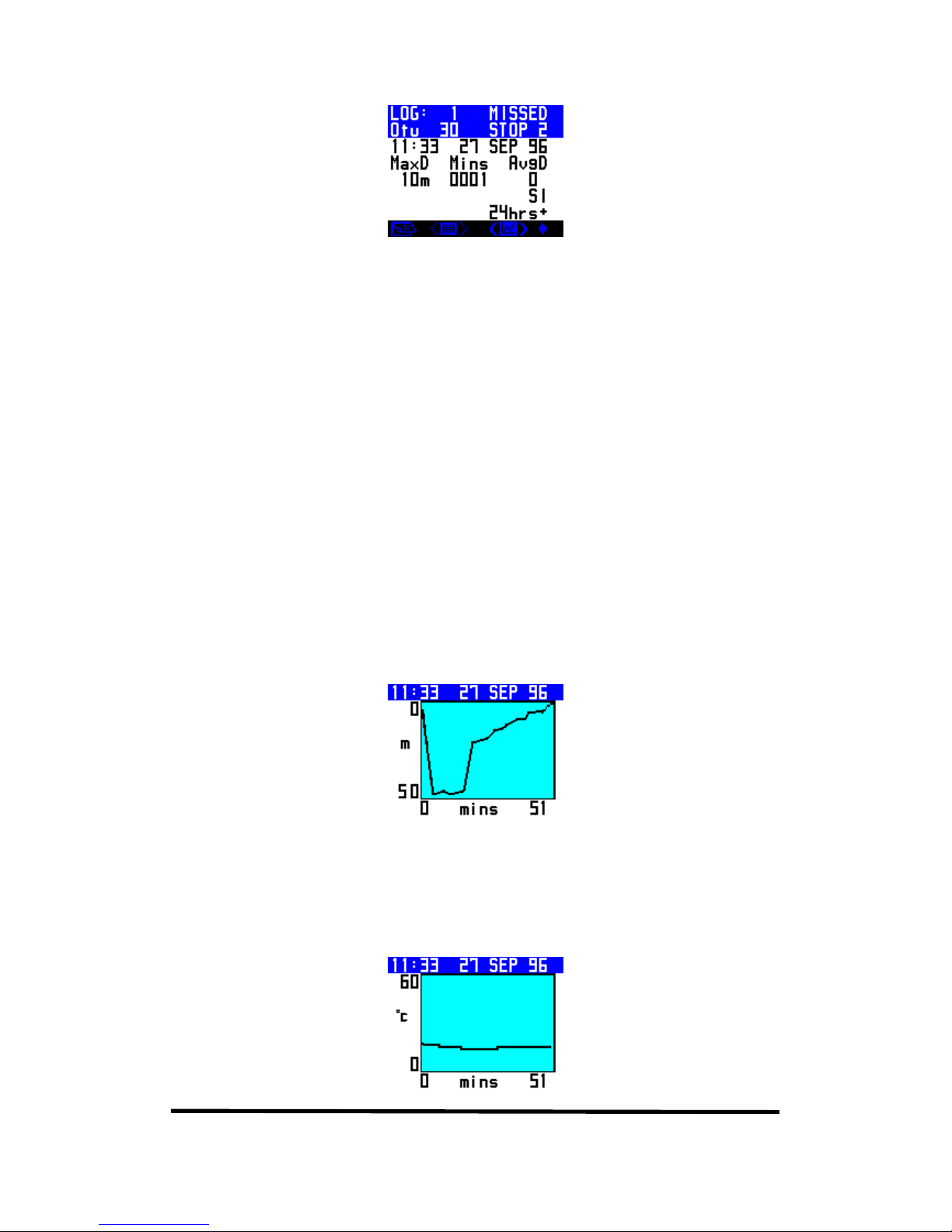
The logbook screen shows depth, time and surface interval information as well as
accumulated OTUs (oxygen tolerance units). If a decompression stop is missed or
violated during a dive, the MISSED STOPS warning is displayed in the top right
corner of the screen. If multiple stops have been missed, the number of stops missed is
shown immediately after the word STOPS.
One dive at a time is displayed. With a short push of the right switch, the next dive in
the sequence will appear. A long push jumps 10 dives. The logbook stores 100 onscreen dives.
If the PC download PIN and cable link have been purchased and installed, dives can
be downloaded to a PC and can be displayed in much more detail.
Your DG05 can store a maximum of 20 hours of diving for downloading, stored at
10-second intervals. When the memory is full, it simply overwrites and starts again.
If long, detailed dives are logged, they should be downloaded as soon as possible to
avoid losing them.
Graph
The DG05 has a second log screen, accessible by a long push of both switches, in
which a graphic profile of the dive is shown. While in the graphic profile screen, a
short push of both switches will bring up a screen showing a graph of ambient
temperature throughout the dive.
Page 54

Hollis DG05 User Manual RevA
54
The word Xfunc appears for five seconds before being replaced by mins (time). A
short push of the right switch in any profile screen will bring up a log of the next dive,
a short push of the left switch will take you back to the original log screen.
If you have had an external oxygen sensor connected and activated, a further short
push of both switches <Xfunc> will bring up a graph of the external oxygen sensor
reading for the dive. For the O2 reading graph to reflect data correctly the Xfunc
mode must be set to the external sensor option prior to the dive. If the external
function is changed during the dive, the graphing mode may become confused and
caution is advised in interpreting the graph data if this has occurred.
Page 55
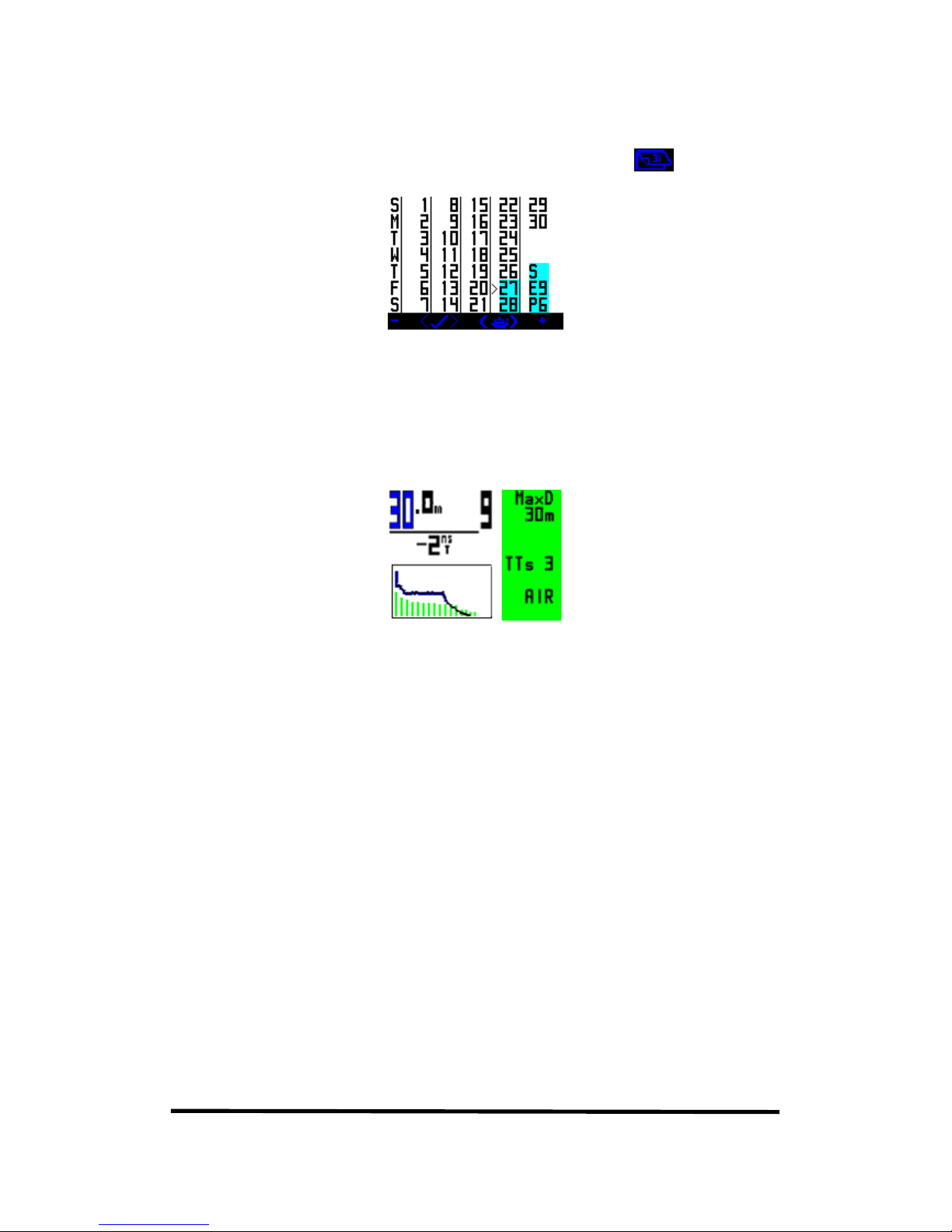
Hollis DG05 User Manual RevA
55
Calendar
From the main Dive Log screen, a short push on the left switch takes you into
calendar mode.
A short push on + or - moves the marker back and forward one day. A long push
moves 30 days. Days with dives are highlighted.
How to read the Dive Screen.
Open Circuit Diver – No Decompression Screen
This dive screen shows.
The diver has no decompression burden – hence the green colour on the right of the
screen.
The diver is at 30m and is 9 mins into his dive.
The maximum depth he has reached on the dive is 30m
He can spend a further two minutes at this depth before he goes into deco. In other
words his no stop time (NST) is two minutes.
He is using air and diving on open circuit.
It will take him three minutes to reach the surface at a rate of 10m per minute. In other
words his Time To Surface (TTS) is 3 minutes. The graph shows the track of the dive
so far and the tissue compartments are green showing no decompression is required.
Note that in the Display Modes Screen the diver has ticked MaxD, NST and TTS to
display these numbers.
Page 56
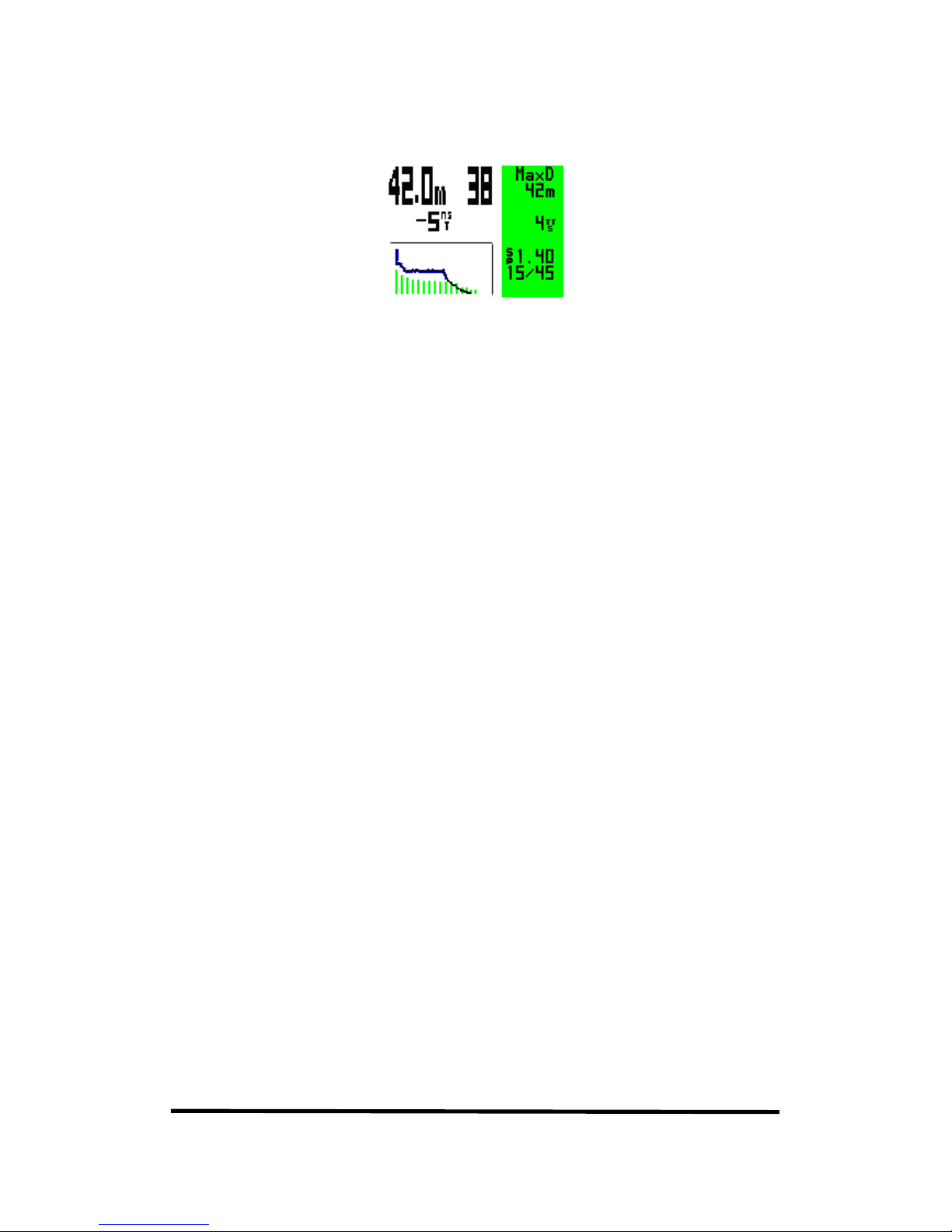
Hollis DG05 User Manual RevA
56
Closed Circuit Diver – No Decompression Screen – No external PO2 sensor
This dive screen shows;
The diver has no decompression burden – hence the green colour on the right of the
screen.
The diver is at 42m and is 38 mins into his dive.
The maximum depth he has reached on the dive is 42m
He can spend a further five minutes at this depth before he goes into deco. In other
words his no stop time (NST) is five minutes.
He is using trimix 15/45 and diving on closed circuit.
The internal PO2 setpoint is 1.40 and decompression is being calculated using this
PO2.
It will take him four minutes to reach the surface at a rate of 10m per minute. In other
words his Time To Surface (TTS) is 4 minutes.
The graph shows the track of the dive so far and the tissue graph is green showing no
decompression is required.
Note that in the Display Modes Screen the diver has ticked Deco, MaxD, NST and
TTS.
Page 57
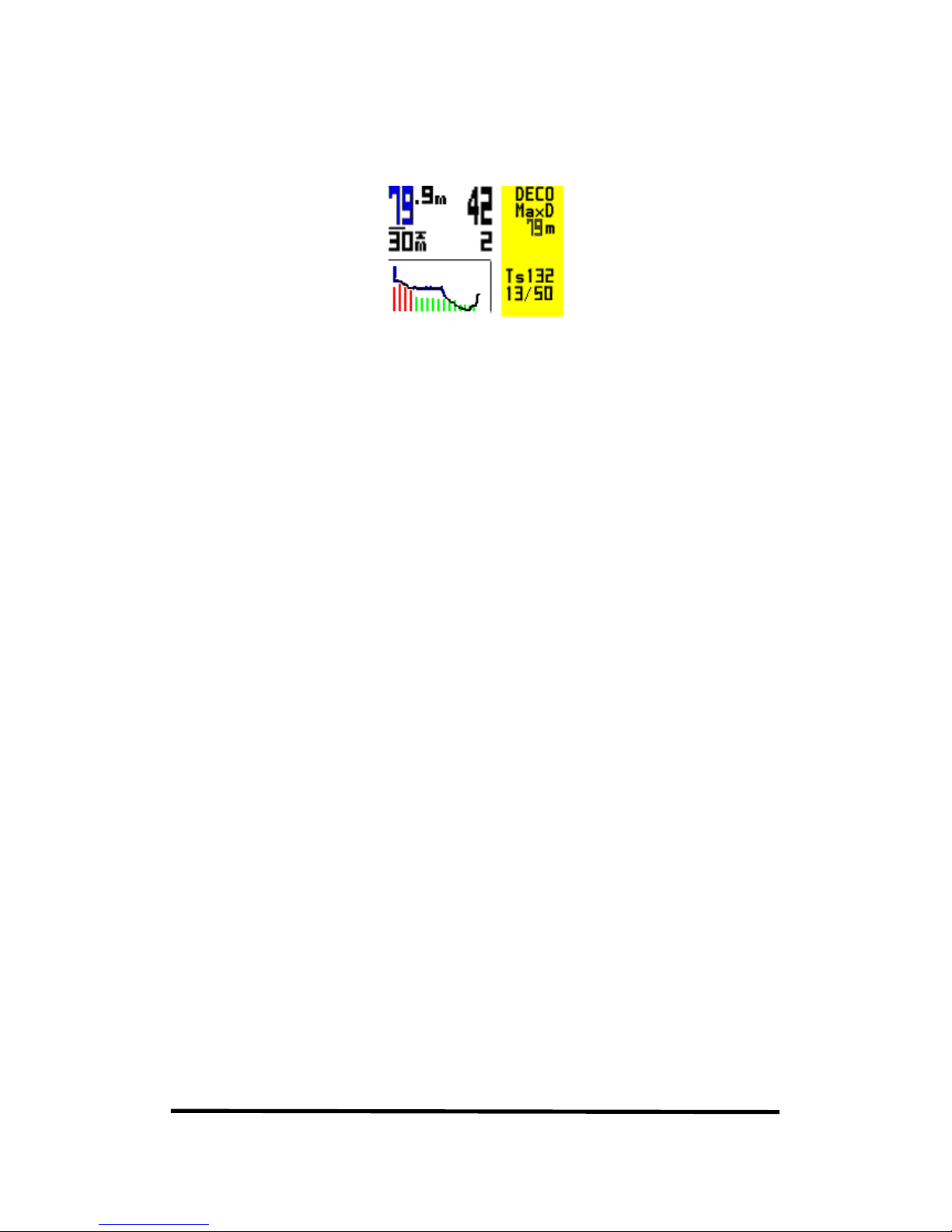
Hollis DG05 User Manual RevA
57
Open Circuit Diver – Decompression Screen
This dive screen shows;
The diver has a decompression burden – hence the yellow colour on the right of the
screen.
The diver is at 79.9m and is 42 mins into his dive.
The maximum depth he has reached on the dive is 79 (.9)m
His current decompression stop is 2 minutes at 30m.
He is using Air at this decompression stage and is diving on open circuit.
It will take him 132 minutes to reach the surface at an ascent rate of 10m per minute
and including required decompression stops. In other words his Time To Surface
(TTS) is 132 minutes.
The graph shows the track of the dive so far.
Note that in the Display Modes Screen the diver has ticked Deco, MaxD and TTS.
Note too that when in deco the top line of the right side of the screen will alternate
between “MaxD” and “deco!”.
The tissue graph shows all 16 tissue compartments.
Green means no decompression, yellow means you have decompression but the
ceiling is below 10m/33ft. red means you have decompression and the ceiling is
above 10m/33ft.
Page 58
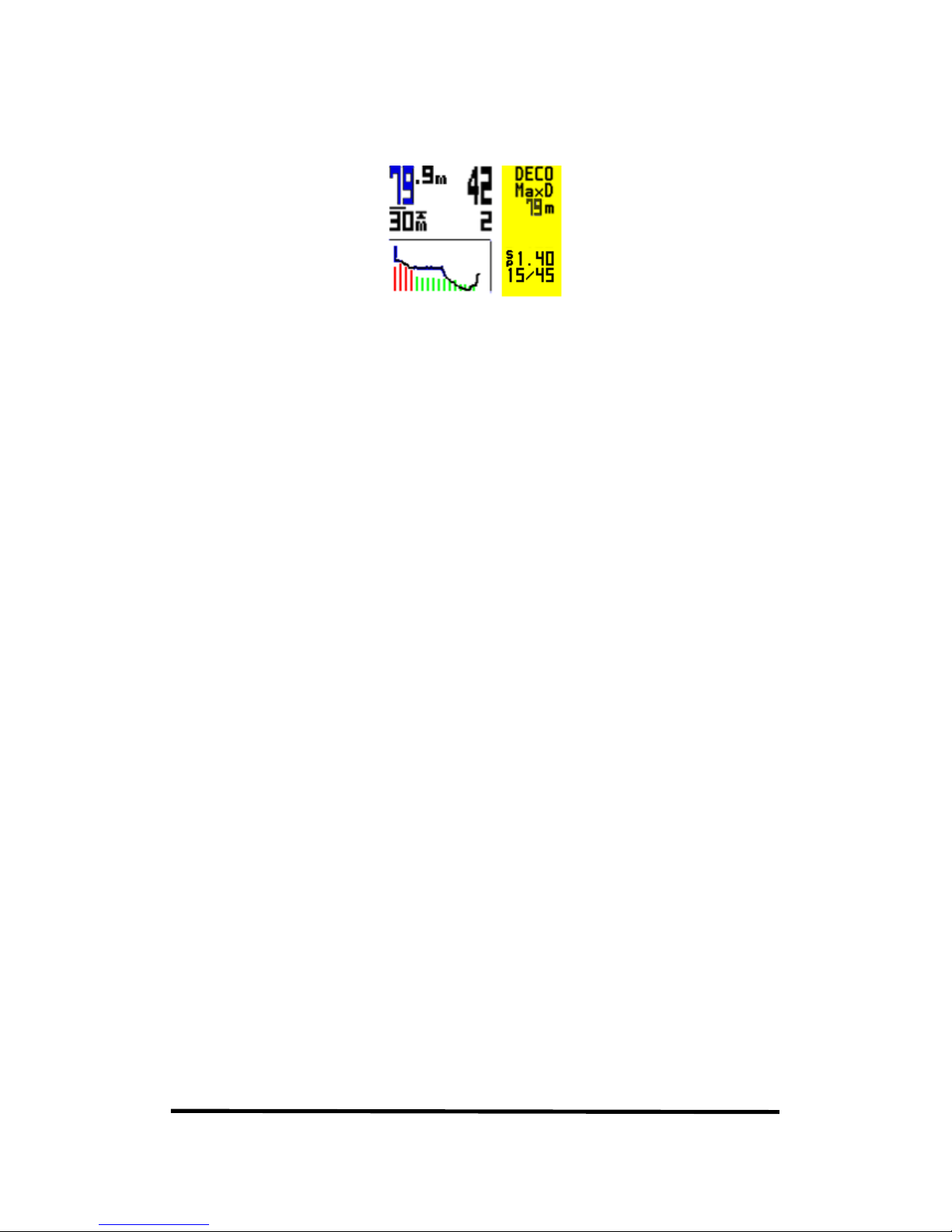
Hollis DG05 User Manual RevA
58
Closed Circuit Diver – Decompression Screen – No external PO2 sensor
This dive screen shows;
The diver has a decompression burden – hence the yellow colour on the right of the
screen.
The diver is at 79.9m and is 42 minutes into his dive.
The maximum depth he has reached on the dive is 79(.9)m
His current decompression stop is 2 minute at 30m.
He is using Trimix 15/45 and is diving on closed circuit.
The computer is planning decompression based on the internal setpoint.
The internal PO2 setpoint is 1.40.
He has chosen not to display his TTS figure by turning it off in Display Options.
The graph shows the track of the dive so far.
Note that in the Display Modes Screen the diver has ticked Deco and MaxD.
Note too that when in deco the top line of the right side of the screen will alternate
between “MaxD” and “deco!”
Page 59
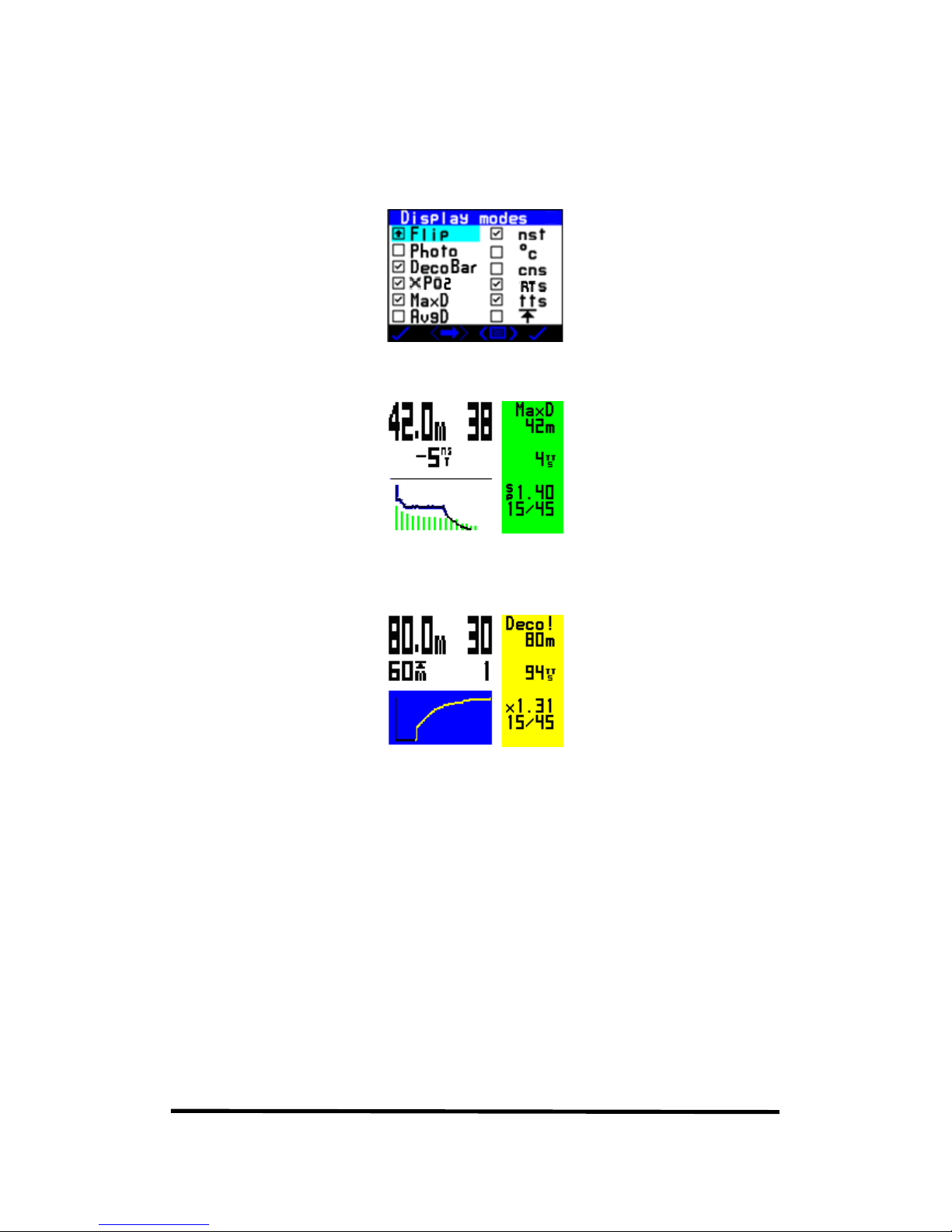
Hollis DG05 User Manual RevA
59
Additional Dive screen information
Using a combination of XFunc, XDec and the display option in the Display Mode
screen (4th tick box on the left hand side),
a range of other information can be displayed.
In closed circuit mode with the external sensor XO2 set and XDec OFF, the PO2
setpoint is displayed on the second line up in the right hand section of the screen.
In closed circuit mode with an external cell connected and XO2 set and XDec ON the
actual from the external cell PO2 is shown on the second line up.
When XFunc is set to 3xO2 then all three sensor readings are displayed.
Page 60
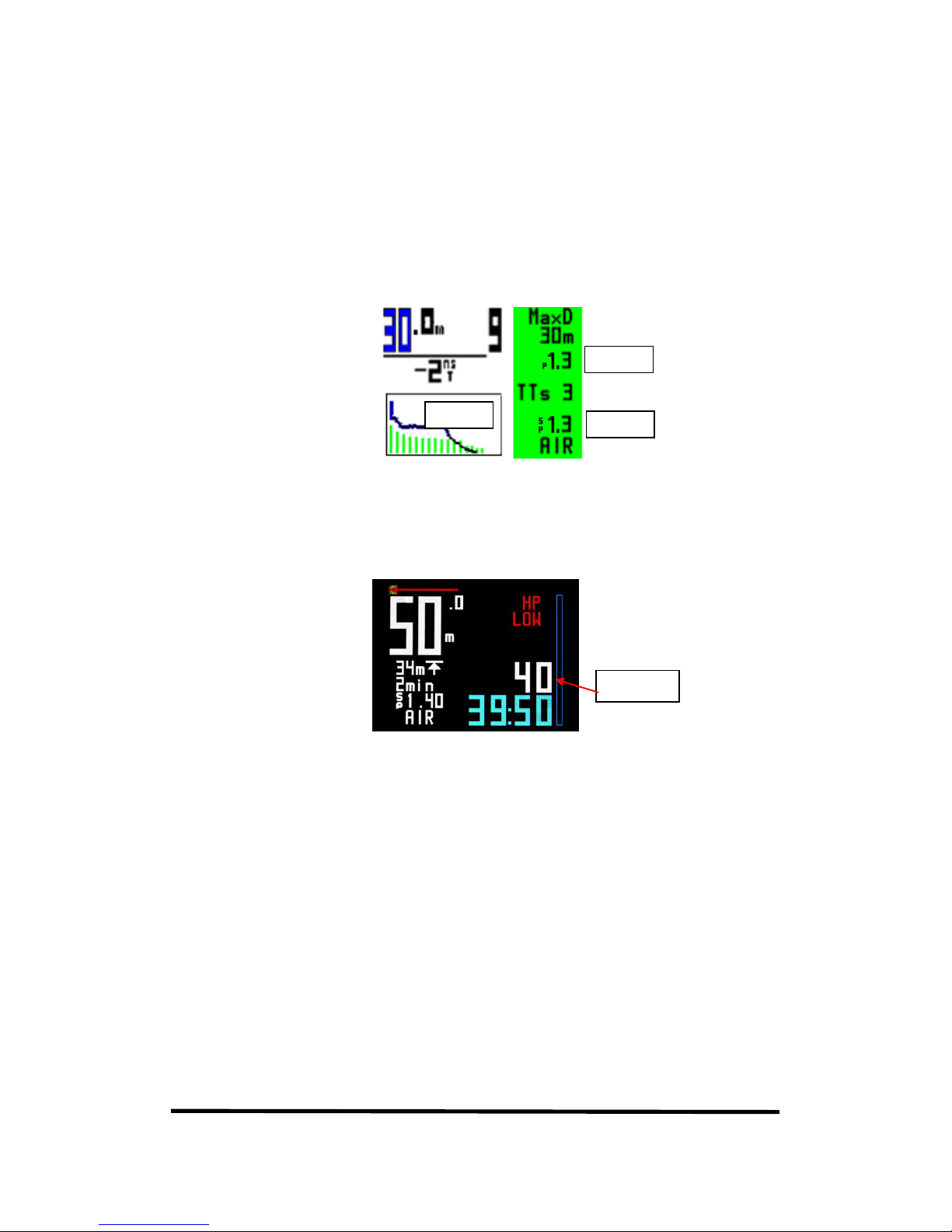
Hollis DG05 User Manual RevA
60
The table below shows typical set-ups. The items highlighted blue are set as factory
defaults. There are many more combinations. There are 3 fields in the screen that can
be customised. These fields are highlighted below (a,b,c). The table shows what can
be displayed in each field when certain functions are set either in DVo mode or
Display mode and when the unit is in closed or open circuit mode.
Note: ScrSv on the second page of DVO screen will turn on a large PO2 display,
viewable on the dive screen. The number of seconds until the screen saver is
displayed is selectable. When displayed a short press of any button returns to the PO2
display.
Values for XFunc, XDec and GMode and their effects are shown on the following
page (if the unit sees an Optocon oxygen sensor(s) interface connected, it will
automatically set XFunc).
The OLED screen has an additional option. Area D will change in conjunction with
GMode as per the table except it does not generate a graph mode and will show TTS
instead.
Area A
Area B
Area C
Area D
Page 61

Hollis DG05 User Manual RevA
61
Gmode Settings
DVo Screen
Display
Mode
tick box
(4th
down on
left of
screen)
Open
Circuit
Mode
Closed
Circuit
Mode
Screen
area
A
Screen
area
B
Screen
area
C
Notes
Gmode
XFunc
XDec
TTS
Off/X02/3X02
Off/On
Blank
Yes
Blank
Setpoint
used for
Deco
TTS
External
PO2 not
used for
Deco
TTS+
TTS+
Tissues
Graph
Dive
profile
Graph+
Dive
profile
+
Tissues
PPO2
X02
Off
Blank
Yes
Blank
Setpoint
used for
Deco
PPO2
External
PO2 not
used for
Deco
PPO2
X02
ON
Blank
Yes
Blank
External
PO2 used
for Deco
PPO2
External
PO2 used
for Deco
PPO2
3X02
Off
Blank
Yes
Blank
Setpoint
used for
Deco
PPO2
External
PO2 not
used for
Deco
PPO2
3X02
YYY
Blank
Yes
Blank
External
PO2 used
for Deco
PPO2
External
PO2 used
for Deco
TTS
Off
Off
Blank
Yes Blank
FO2 used
for Deco
TTS
External
FO2 not
used for
Deco
FO2
X02
Off
Blank
Yes
Blank
FO2 used
for Deco
FO2
External
FO2 not
used for
Deco
FO2
X02
ON
Blank
Yes
Blank
External
FO2 used
for Deco
FO2
External
FO2 used
for Deco
FO2
3X02
Off
Blank
Yes
Blank
FO2used
for Deco
FO2
External
FO2 not
used for
Deco
FO2
3X02
YYY
Blank
Yes
Blank
External
FO2 used
for Deco
FO2
External
FO2 used
for Deco
With WiVi connected and HP selected in GMode then Screen Area C will display HP
of the current active gas on the Gas List.
Page 62
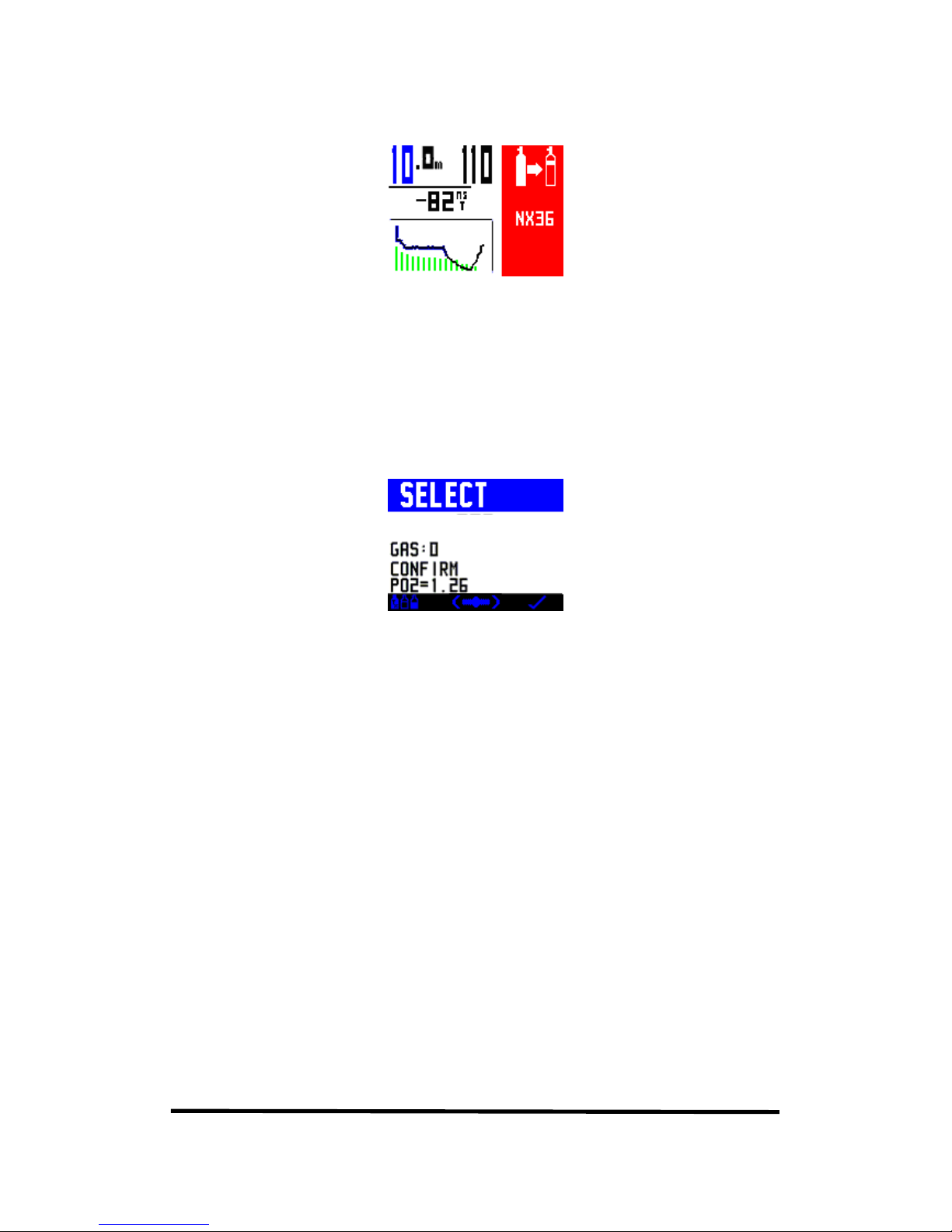
Hollis DG05 User Manual RevA
62
How to Switch Gases during a Dive
The Gas Switch advisory will appear in the top right hand corner of the dive screen on
ascent as you reach the MOD you have set for your decompression gas. It will also
appear on descent to ask if you wish to use your deco gas as a travel gas and, if you
are using a travel gas, it will appear again when you exceed the MOD of that gas to
remind you to switch to bottom mix. If you are going to switch gases, first actually do
the switch and then as soon as you have begun breathing from the new gas, tell the
DG05 that you have done so first by a long push on the left switch when the gas bottle
is showing in the bottom left hand corner of the screen.
This will take you into a screen where you will see the new gas you wish to switch to
based on the MOD of that gas and the plan you entered. A short push on the right
switch will then take you back into the dive screen where the new gas will be
displayed and decompression will begin to be calculated based on this gas.
Remember, your decompression look-ahead (TTS) is based on you switching to all
ON decompression gases immediately upon reaching the MOD set. If you do not
switch gas, or delay switching, your decompression time will be extended. This will
not be reflected in the number of minutes on the look ahead. These will stay the same.
The minutes will just take longer to elapse.
Changing or Adding a New Gas During a Dive
One of the unique advantages of the DG05 is that, during a dive while underwater you
can add a new gas to your list of ON gases or amend the gas content of a current gas.
You can practice doing this on the surface in the Simulate screen.
A long push of the left hand switch in the dive screen will take you into a screen
showing the current gas and PO2
EAN 36
Page 63
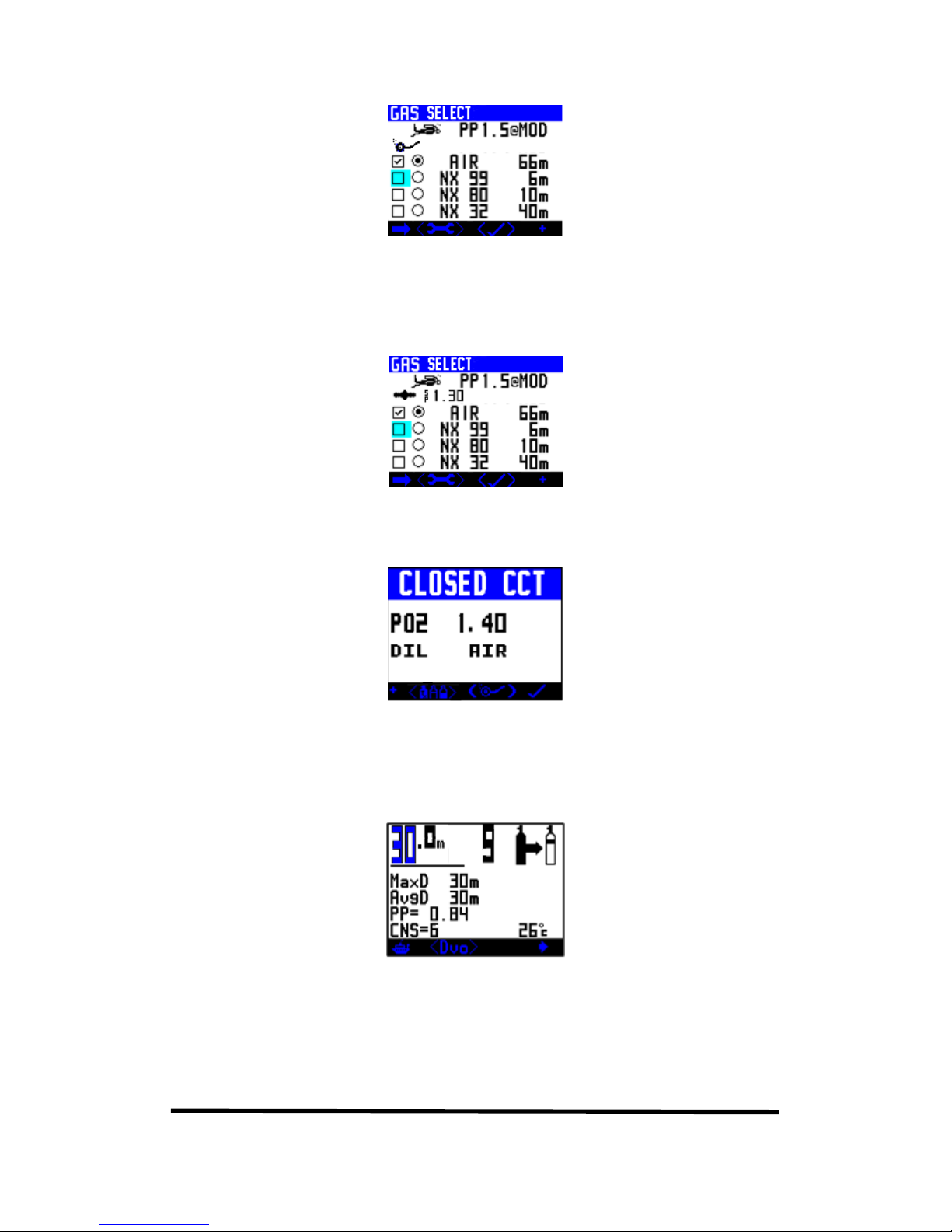
Hollis DG05 User Manual RevA
63
In this screen (OC mode shown) a long push of the left switch will take you into the
Gas SELECT and ADJUST screen and add a gas, change the parameters of a gas or
switch a gas on or off just as you could on the surface and as described earlier.
In CC mode the first screen you see is the again the gas select screen below.
When you exit this screen, you have the option to change the PO2’s as already
described using a short push of + for small changes or a long push of + to toggle to
the previously saved PO2.
Going from the Main Dive Screen to Other Dive Screens
A long push of the right switch in the main dive screen will take you into further dive
screens showing your dive summary information (note if Average Depth mode is set
the Average Depth marker screen is shown first).
If decompression is required, before you see the screen above, you will see a page(s)
of decompression stop information.
A short push of both switches in this screen takes you into the Dive Options screen.
Page 64
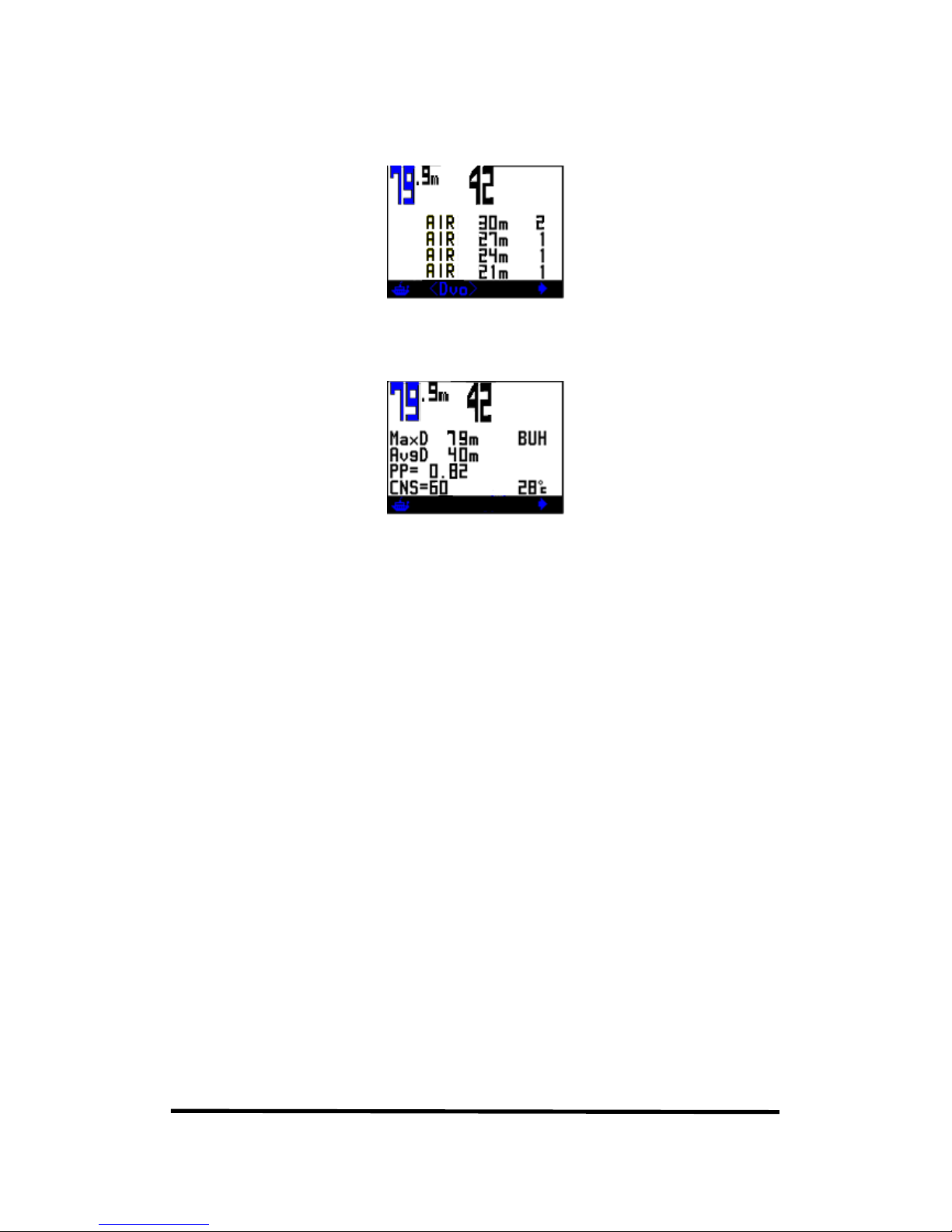
Hollis DG05 User Manual RevA
64
If decompression is required, a long push of the right button from the dive screen will
show the decompression stops list.
In these screens a further short push of the right switch move you to the next page of
decompression stop information until the final summary screen is shown.
A long push on the left switch at any time will return you to the first dive screen.
Page 65
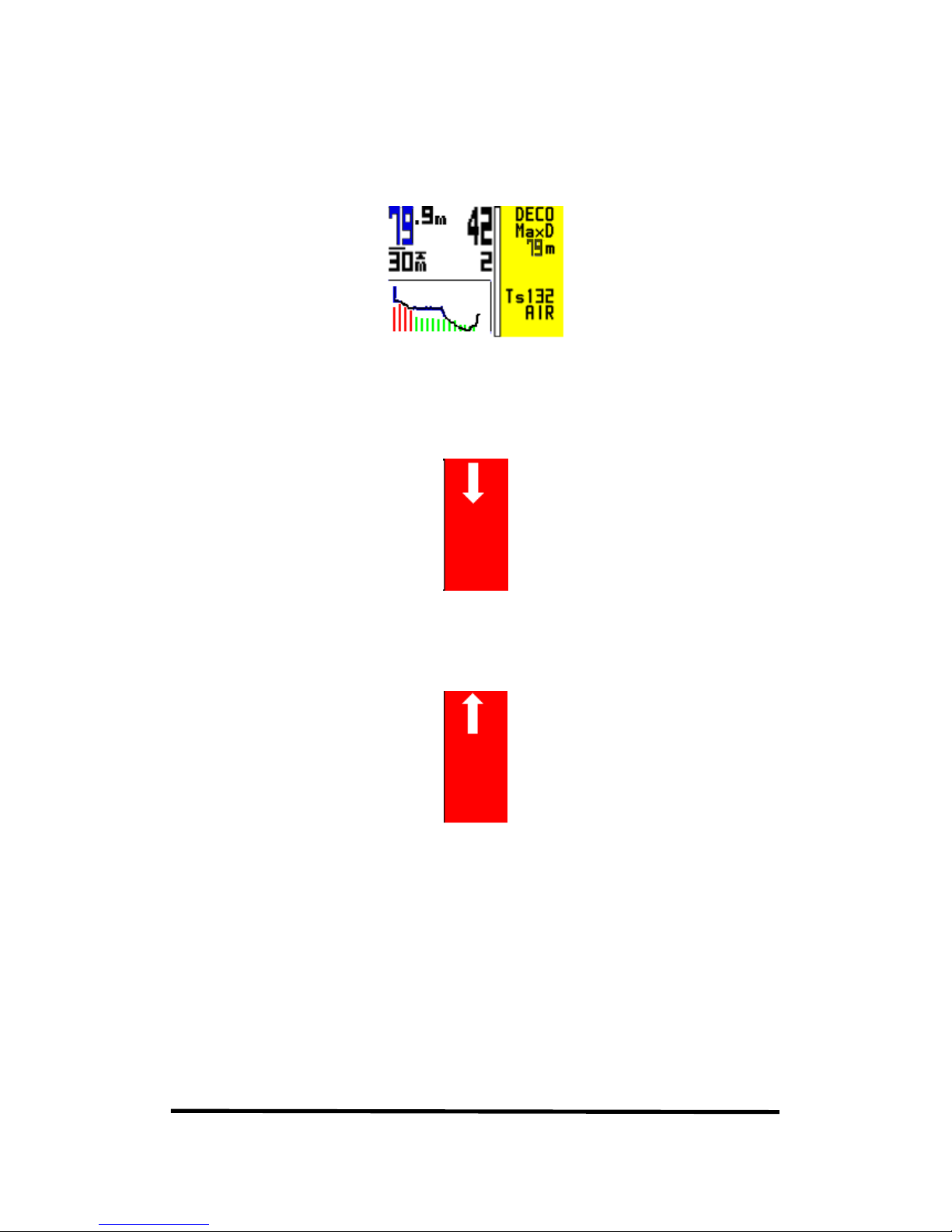
Hollis DG05 User Manual RevA
65
Warnings
The DG05 displays warnings in the form of on-screen messages in the top right
section of the dive screen and with the backlight flashing. The right hand side of the
screen changes colour from green to yellow to red.
A Downward Arrow means “Descend, you have violated a decompression ceiling”
An Upward Arrow means “Ascend, your PO2 is at a dangerously high level and you
have no alternative active gas to switch to.”
Page 66
Hollis DG05 User Manual RevA
66
The Hand Icon means “Slow down, your ascent rate is greater than 10m/min.”
“USE Table” means “Decompression has been violated on current dive, or previous
dive within the previous 24 hours.”
The two bottles with arrow icon means “Gas Switch warning. Switch to another gas in
the gas list you have set.”
You may ignore this if you wish to keep on using the same gas but be aware that
the decompression look-ahead may be affected. The actual decompression you do
will be correct (providing the last gas you were on was correctly in the list and
ON) but may be changed from that displayed
Other alarms that can occur and will be displayed in the top right hand corner are;
Missed stops is shown on reaching the surface after a dive where a
decompression stop has not been completed.
Violated stops is shown on reaching the surface after a dive where a
decompression ceiling has been breached for longer than 1 minute, but all
Page 67

Hollis DG05 User Manual RevA
67
required estimated stops have subsequently been carried out as advised by the
DG05 in USE TABLES mode.
The single cylinder icon with AIR to the left is the Air Break warning.
Repeats for 5 mins every 30 minutes while CNS % is above the limit you have
chosen in the SETUP screen.
Air Break. This warning will be displayed when the user set CNS warning
limit is exceeded. This will continue to be displayed for five minutes every
thirty minutes thereafter.
Decompression Stop Violation. If you ascend past a decompression stop to a
level where the tissues may become over-pressurised, then the down arrow
message appears and a 60 second timer display starts to count down. If the
warning is ignored, after 60 seconds a message will appear which says USE
TABLE. Once this message appears the DG05 will continue to display ‘best
guess’ decompression data. This means that the decompression displayed may
be in error because of the missed stop and that you should consult back up
tables and add additional safety stops as required. But your DG05 will
continue to track. If you temporarily break a decompression ceiling and get
back to the correct depth within 60 seconds, the timer will start to count up
again. When it reaches 60 the decompression calculations will restart.
Depending on the extent of your excursion you should build in extra safety for
the remainder of the dive. MISSED STOPS warnings will be stored on the
logbook and the warning will be displayed for 24 hours on the home screen.
The DG05 will not lock you out. If you re-enter the water, best-guess
decompression will still be shown but should not be relied upon.
Rebreather related warnings
XFail means PO2 sensor reading at 0 - your external sensor is not showing
any reading. The cell has failed or is not connected.
XCheck means your FO2 is dangerously low i.e. the PO2 is low compared to
the diluent at depth, for instance air diluent at 10m should read a minimum of
0.42 and no less.
Check FO2 means FO2, depth and gas type do not match up. For instance if
you are at the surface and have air in the counterlung and the FO2 is less than
21%. This would indicate a possible calibration error.
Rebreather & Analyser Links
The DG05 can be fitted with a remote oxygen cell(s) to permit
a) surface use as an oxygen analyser
b) underwater use with a semi-closed rebreather
c) underwater use with a closed circuit rebreather.
3 cell functionality is automatically installed functionality on the DG05.
Accessory cables must be purchased separately.
The accessory cable connects to the Optocon I/O connector on the left hand side
of the DG05. Remove the plastic cap to gain access to the connector
Page 68

Hollis DG05 User Manual RevA
68
Once you have installed the dedicated PIN to activate the DG05’s I/O connector,
in the Dive Options (DVo) screen you will find you are now able to move the
highlight to the XFunc and XDec features via successive short pushes of both
switches.
To use the DG05 with an analyser or to calibrate a rebreather link, with the
highlight under XFunc use short pushes of either switch to bring up XO2.
You will then be able to bring up the O2 SENSOR mini screen on your DG05’s
Home Screen
When you have a cable connected from your DG05 to an oxygen cell(s) in a
rebreather, ensure that XDec in the Dive Options screen is set to ON so that your
DG05 will calculate decompression based on the reading from the external cell.
How to use your Open Circuit DG05 as an Oxygen Analyser using the Oxygen
Analyser Kit
Connect the sensor cable to the DG05's Optocon I/O port.
Ensure the R17 oxygen sensor cell is installed on the end of the cable.
You can calibrate the analyzer either in ambient air or by inserting the cell in a “Quick
Ox” cylinder connection kit and attaching the connection kit to an air cylinder.
When using the “Quick Ox” connection kit attach it to an air cylinder and increase the
flow gradually until the sensor reading changes, then decrease the flow until the
reading comes back down and becomes stable.
That is the correct flow rate to use in future.
Switch on your DG05
Analyser calibration is normally carried out in air and on DG05s air can be set from
the sensor screen (in fact any gas on the gas list can be set) to the CAL gas.
In the Dvo screen (Dive Options) select XFunc to Xo2. In the Home Screen on your
DG05 scroll through the mini screens until you reach the SENSOR screen, where you
will see the current PO2, oxygen percentage (based on altitude pressure) and the
sensor millivolt reading (see the manufacturers instructions for when to change the
sensor). A short push of both switches will <GO TO> this screen.
Page 69
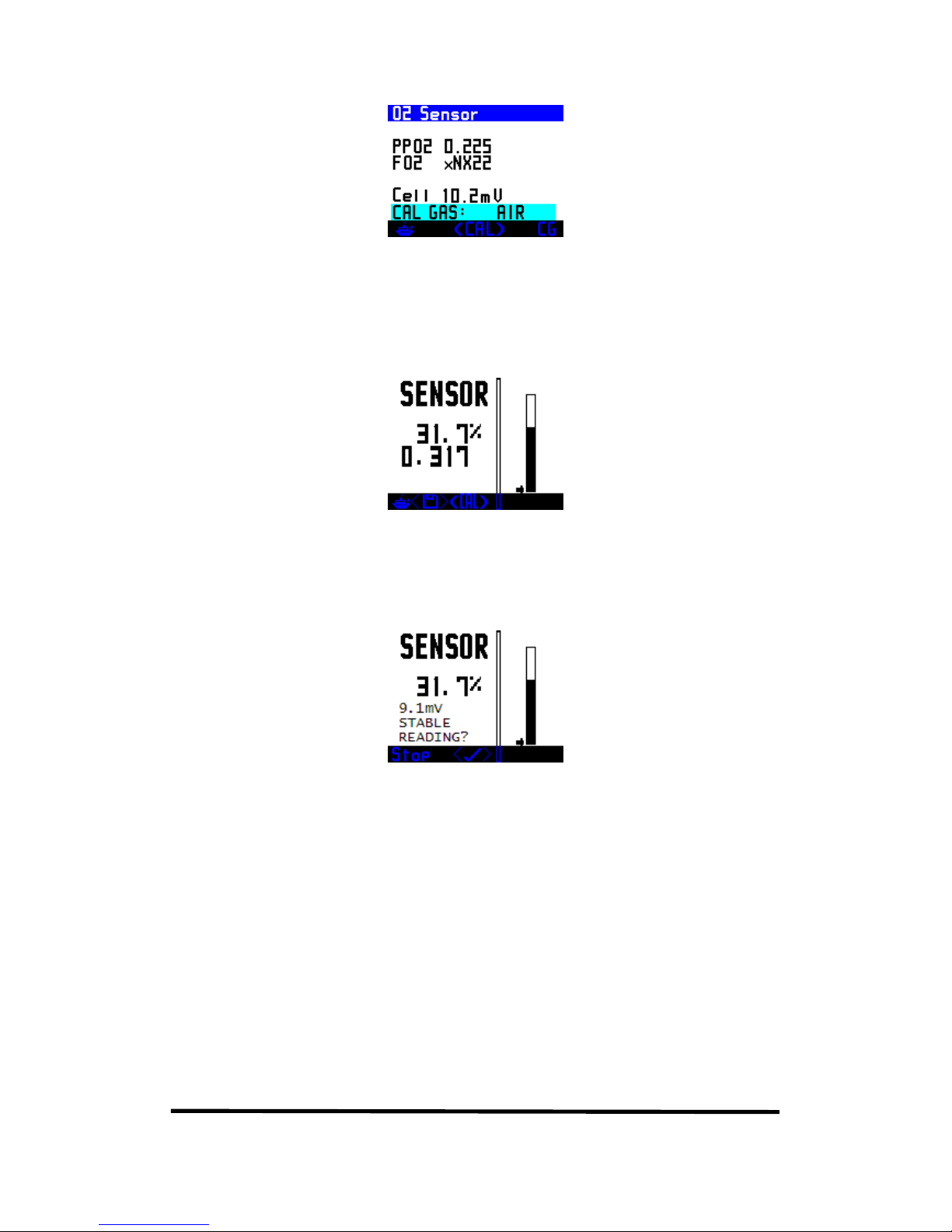
Hollis DG05 User Manual RevA
69
To change the CAL gas, a short push of the right button will toggle round all the gases
on your gas list.
A long push of both buttons <CAL> will show the first calibration screen. The
altitude correct FO2 and the actual PO2 are shown.
The PO2 bar graph has no digits but the bottom of the bar is zero and the top 2.0. The
small arrow to the left of the bar represents the DG05's internal PO2 set point.
A long push on both switches then takes you into CAL (calibration) mode.
With a short push of both buttons you will be prompted to Flush the cell with the cal
gas, then Equalise the pressure (ensure no excessive flow or a closed mouthpiece in
the case of a rebreather sensor calibration can put extra pressure on the oxygen
sensor). Then you will be asked to confirm that the reading is Stable.
When the reading on this screen is stable, a short push of both switches will calibrate
the sensor (at .209 if using AIR as the CAL gas).
Your DG05 is now calibrated. A short push on the left (Home) button will return you
to the Home screen.
A short push of both switches will save the reading and the disc icon will appear, this
saved analysis can be automatically transferred to the gas list. If you go to the gas list
and move the cursor to an oxygen fraction position then the disc symbol will appear
Page 70

Hollis DG05 User Manual RevA
70
on the right button and a long push of the right switch will paste the analysed number
into that field.
A short push on the left switch will return you to the Home Screen.
Note: When saving you may be shown a WARNING CELL LOW or a WARNING
CELL HIGH message. This refers to the mV output of your Oxygen Sensor Cell and
may indicate that you have the wrong type of cell connected, that your cell needs
replacing or the wrong CAL gas has been selected.
Page 71
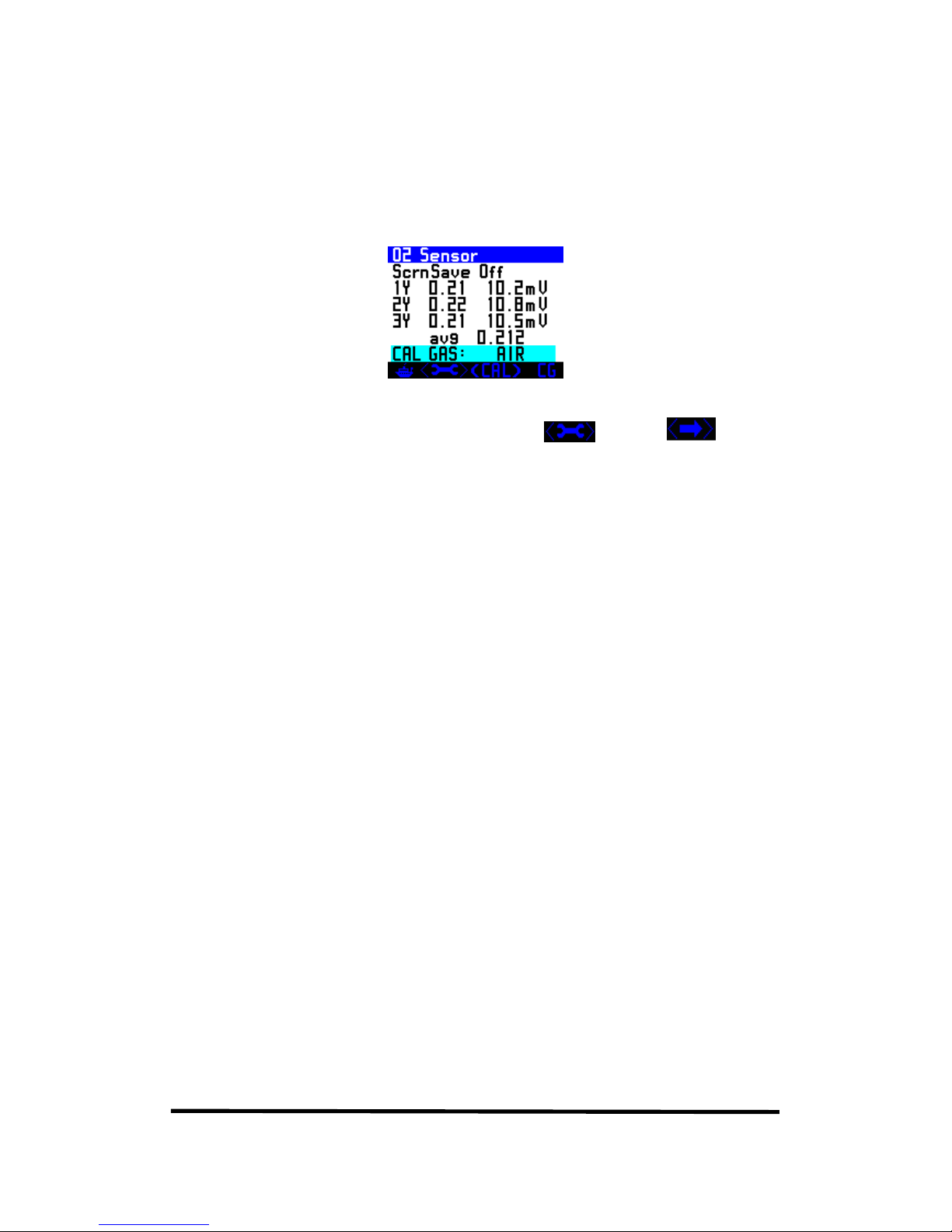
Hollis DG05 User Manual RevA
71
Special Calibration Procedures for Closed Circuit DG05s
Make sure you are in Closed Circuit Mode.
Go to the mini screen and select the oxygen cell screen. If XFunc is set to 3xO2 then
the following screen will be displayed (if set to Xo2 a single cell screen will be
displayed). Run through the calibration process as before.
On this screen (and also from XDec in the Dvo screen, if XDec is set to YYY) you
can disable <D> faulty oxygen sensors by pressing and then to move
around the screen and then <D> to disable each sensor. This can be done while
submerged (in Dvo) or at the surface (cell mini screen or Dvo). By doing this the
average reading will be modified.
If you go from Closed Circuit to Open Circuit then XDec will automatically be
disabled and the computer will not be taking external PO2 readings into the
decompression algorithm.
Setting the CAL gas and the calibration procedure has been covered in the previous
section.
If having done this the rebreather sensors are not reading the same as the DG05 you, it
is possible that the rebreather has not been properly calibrated. To test this, follow the
manufacturer’s recommended calibration procedure. For example: If the rebreather
has an auto-cal system you may need to set the rebreathers atmospheric pressure,
especially at altitude.
Fill the rebreather completely with oxygen with the loop closed.
Then evacuate the loop, allowing no air in at any time.
Repeat this three times.
After the last fill make sure the loop is at ambient pressure by momentarily opening
and closing the mouth piece quickly or pulling the counter-lung dump cord.
Read the rebreather displays.
If they are at 1.0 Bar PO2 (assuming sea level pressure) +/- 0.1 PO2, the rebreather is
correctly calibrated.
Page 72
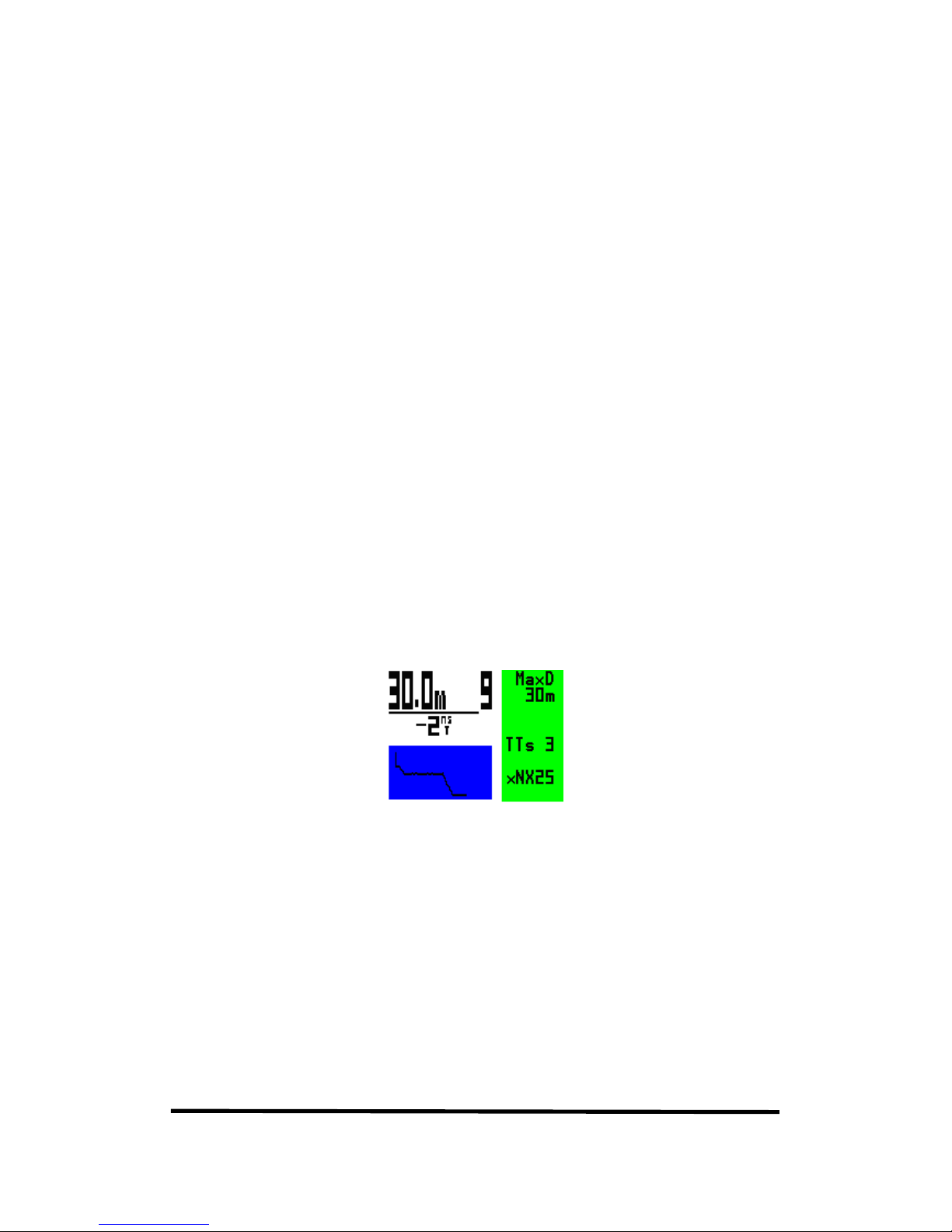
Hollis DG05 User Manual RevA
72
If not, repeat the calibration process. You may get a cell stuck message while
calibrating with the counterlungs full of oxygen. If so, you may need to add a breath
of air to the loop to allow auto calibration to take place.
Fill and evacuate the rebreather one more time with oxygen and the displays should
read 1.0 Bar PO2 +/- 0.1 PO2
Now try calibrating the DG05 again.
Semi Closed Rebreather cable link
In Open Circuit mode with the I/O connector activated and the cable linked to an
external oxygen cell located within a semi-closed circuit rebreather, your DG05 will
read semi-closed circuit decompression.
Calibration: calibrate as per the analyser instructions.
Operation: In the Dive Options screen (accessible by scrolling through the Mini
screens in the Home Screen) you will be able to move the highlight to the XFunc and
XDec features via successive short pushes of both switches.
To activate the DG05 for use with a rebreather link cable, with the highlight under
XFunc use short pushes of either switch to bring up XO2 (single oxygen cell mode).
Then, with the highlight under XDec use a short push of either switch to bring up ON.
In open circuit the DG05 computer with XDec set to ON will give you semi-closed
circuit decompression based on the external cell readings.
In this mode, the current fraction of oxygen in the mix as read by the cell, preceded by
X (e.g. xNx30 for Nitrox 30) will display in the Home Screen and the Dive Screen.
Also displayed will be the adjusted mix Please note that although actual
decompression will be based on the external FO2 reading, the look-ahead time to
surface (TTS) calculation will be based on the gases selected in your gas list. So that
the prediction will be as close as possible to actual decompression the ON gases
should be set as your anticipated FiO2, calculated using the semi-closed equation.
Semi Closed Rebreather Warnings
An XFail warning will appear if the PO2 sensed by the external cell falls below 0.16
bar.
Page 73
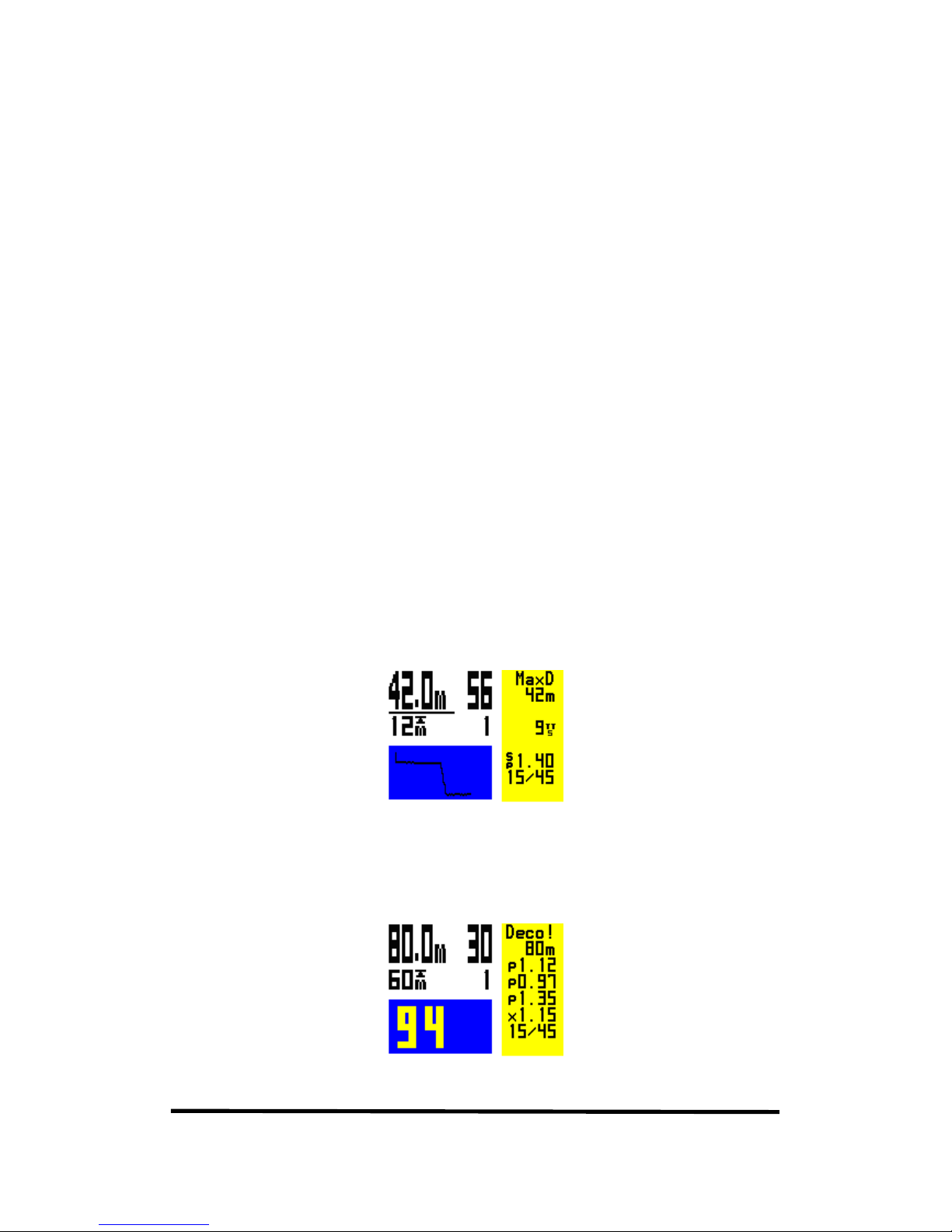
Hollis DG05 User Manual RevA
73
An XCheck warning will show if the PO2 of the external call is sensing less that the
PO2 of the diluent selected at the depth.
Example. If you have air set as a diluent (or semi-closed gas) and you are at 10 metres
and the external cell is reading less than 0.42 PO2 (air PO2 at 10m), then the warning
will show.
This is a possible indication that a flow orifice has failed or PO2 injection has ceased.
Using a Closed Circuit Rebreather cable link
The DG05’s can be configured as a single or three oxygen sensor unit. Certain
rebreather manufacturers have optional ports available to interface with the DG05
computer cabling systems. Please check with your rebreather manufacturer.
Closed Circuit Diving – more information
From the Dive Options screen (Dvo) you will be able to move the highlight to the
XFunc and XDec features via successive short pushes of both switches.
To activate the DG05 for use with a rebreather link cable, with the highlight under
XFunc, use short pushes of either switch to bring up XO2. If the Optocon hardware is
connected the system will automatically detect and select the right function.
Then, with the highlight under XDec use a short push of either switch to bring up ON.
On the Dive Screen with XDec OFF the display shows SP followed by the DG05's
internal set-point on the second line up. The diluent gas is displayed on the bottom
line.
If XDec is set to YYY and XFunc is set to 3xO2 then all three sensors and the average
PO2 (x1.15) will be displayed. An x (x1.15) denotes that the external cell reading is
being used.
Page 74
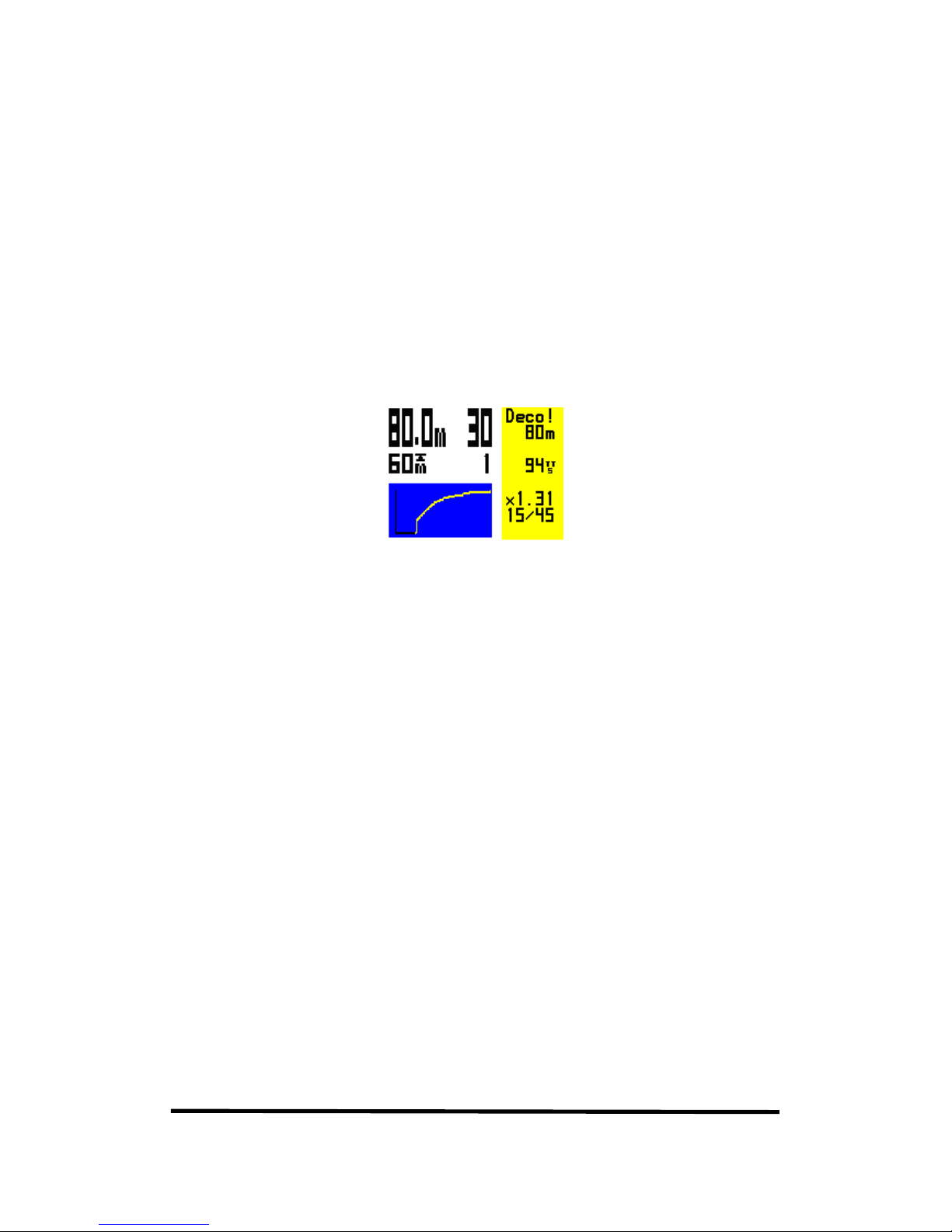
Hollis DG05 User Manual RevA
74
Note: if the partial pressure of oxygen in the diluent at the prevailing dive depth
exceeds the DG05's internal set point, then the diluent PO2 will be displayed instead
of the set-point.
Large Triple PO2 Screen Saver
In the second Dvo screen a screen saver can be activated with its’ turn on time. If set,
after the selected time period, the DG05 will display the PO2 of each cell in large
characters. No other information will be shown on the dive display. A short push of
the any button will return the screen to the normal dive display.
Dive Screen - XDec
On the Dive Screen with with XFunc set to Xo2 and XDec ON the display shows X
followed by the actual reading from the single external O2 cell on the second line up
(x1.31). The diluent gas is displayed on the bottom line.
If an error occurs with the cell or cable XFail will show in the bottom right hand
corner.
If XFAIL appears, go back into the Dive Options screen via the second dive screen
and switch XDec to OFF. The DG05 will then begin calculating decompression based
on the internal setpoint.
Practice such emergency procedures using the DG05 in simulate mode.
DG05 Calibration with a CCR at Altitude
Because the rebreather works on absolute pressure the calibration gas in the DG05
must be adjusted to allow for altitude pressure.
Example: If you are at an altitude pressure of 850mb go to the GAS menu and adjust
one of the gases for the following: Actual calibration gas % X Current atmospheric
pressure at X altitude. Therefore if 99% is used for a calibration gas at 850mb
altitude: (0.99 X 0.850) X 100 = 84.15%. So instead of setting 99% as the calibration
gas, set it to 84% to calibrate the rebreather.
The calibration screen also shows a PO2 bar graph.
IMPORTANT. After calibrating always remember to set the diluent back to the
actual dive gas. Also readjust the calibration for each new altitude.
Page 75

Hollis DG05 User Manual RevA
75
Optocon Rebreather Interface (ORI)
Fitting Instructions and User Guide
(Note this system is for use only with Rebreathers which require this system)
The following user instructions must be read in conjunction with the DG05 Series Dive Computer
section of this manual.
WARNING
THE DG05 IS DESIGNED TO MONITOR 1 OR 3 INDEPENDENT
OXYGEN CELLS. IF YOU INTEND TO MONITOR OXYGEN
CELLS THAT ARE ALREADY CONNECTED TO AN ELECTRONIC
SYSTEM ON A REBREATHER THEN YOU MUST CONTACT THE
MANUFACTURER OF THE REBREATHER FOR INSTALLATION
ADVICE.
FAILURE TO CONNECT THIS SYSTEM CORRECTLY CAN
CAUSE INJURY OR LOSS OF LIFE
Page 76

Hollis DG05 User Manual RevA
76
WARNING
HIGH PRESSURE GAS SENSORS AND PO2 MONITORS WHEN
CONNECTED TO A DG05 DIVE COMPUTER PRODUCT PROVIDE
FOR THE ADDITIONAL MONITORING OF KEY SAFETY DATA.
IT IS IMPORTANT THAT IN THE UNLIKELY EVENT OF
FAILURE, BACK-UP INSTRUMENTATION IS CARRIED.
IN THE CASE OF A REBREATHER, THE UNIT SHOULD BE
CAPABLE OF MONITORING THE PO2 IN ADDITION TO USING
INFORMATION FROM THE DG05 COMPUTER.
IN THE CASE OF THE HIGH PRESSURE (HP) GAS SENSOR, AN
ADDITIONAL ANALOGUE HP GAUGE SHOULD BE FITTED TO
THE FIRST STAGE REGULATOR.
Introduction
Key features and benefits include:
Real-time Partial pressure of oxygen (PO2) and decompression information
displayed on a DG05 Dive Computer.
Real-time PO2 monitoring from either one or three Rebreather oxygen cells.
Fraction of oxygen (FO2) display in Semi-Closed mode.
Small compact and robust design.
Fibre Optic Cable (FOC) link with automatic connection to the DG05 Dive
Computer.
Blue LED displaying battery level.
Red LED confirming data transmission.
User replaceable battery.
Up to 3 oxygen sensors
PLEASE NOTE: THE CORE MODULE IS POTTED AND SEALED;
THERE IS NOTHING TO BE ADJUSTED INSIDE. IN THE EVENT OF A
FAILURE, THE ENTIRE MONITOR MUST BE RETURNED INTACT.
ANY ATTEMPT TO GAIN ACCESS TO THE CORE MODULE WILL
VOID THE MANUFACTURERS’ WARRANTY.
Page 77
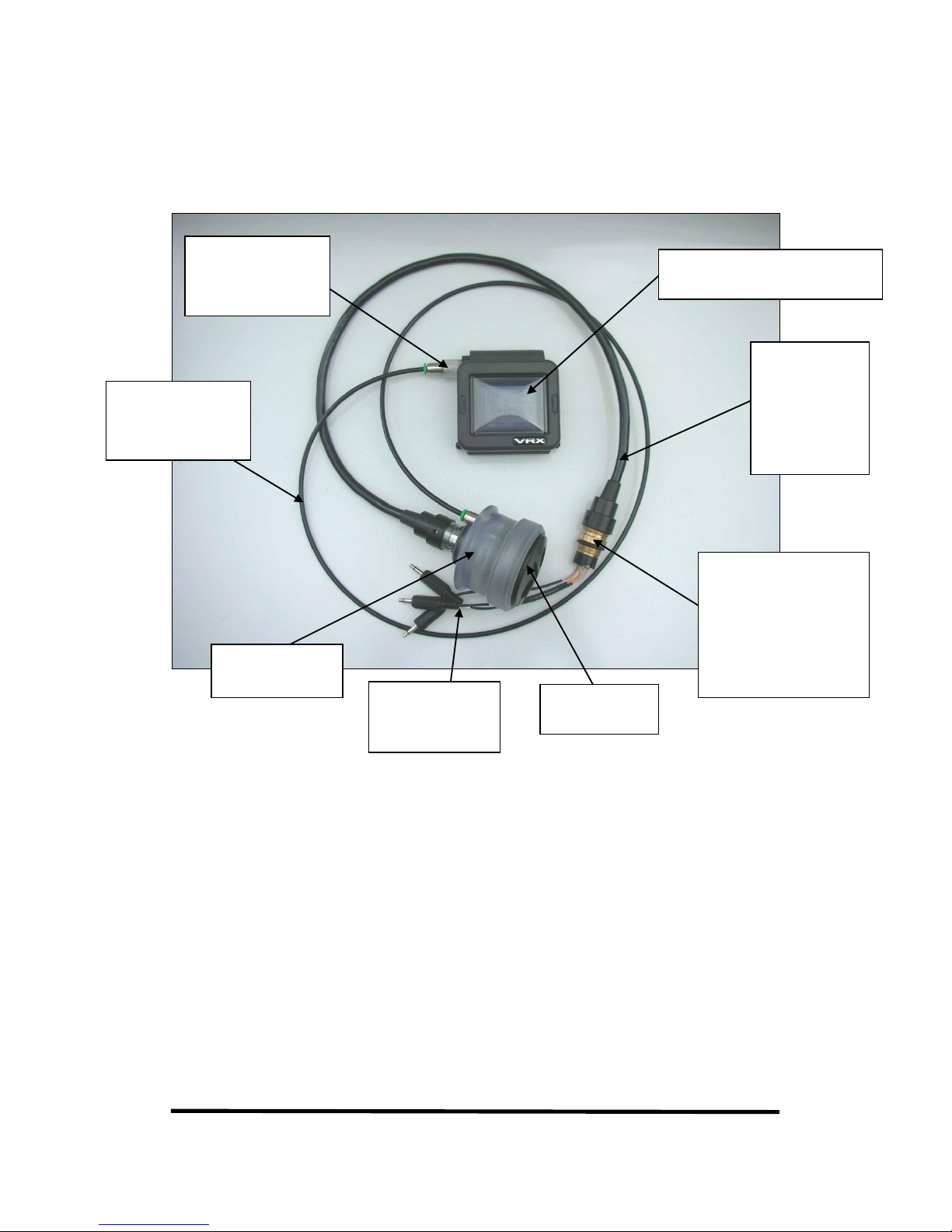
Hollis DG05 User Manual RevA
77
Optocon Rebreather Interface (ORI)
Three cell version
NOTE: Hollis Gear can supply the rebreather wet connector to rebreather
manufacturers and approved service centres ONLY. They will fit and test the
connector and ensure the correct interfacing to the rebreather’s existing control
system. The core module to rebreather cable then simply plugs into the fitted wet
connector.
ORI Core
Module
Core Module
to Rebreather
Cable
(connected to
Rebreather
Oxygen
Sensors)
Core Module
Battery Cap
Core Module to
DG05 Dive
Computer FOC
Connection
DG05 Dive Computer
(purchased separately)
Core Module to
DG05 Dive
Computer FOC
Cable End
Rebreather Wet
Connector (fitted and
connected to sensor
connectors)
This connector is
supplied and fitted by
your R/B selected
manufacturers.
Note sensor
cables not
supplied (shown
for clarity)
Page 78

Hollis DG05 User Manual RevA
78
DG05 Calibration with a CCR at Altitude
Because the rebreather works on absolute pressure the calibration gas in the DG05
must be adjusted to allow for altitude pressure.
Example: If you are at an altitude pressure of 850mb go to the GAS menu and adjust
one of the gases for the following: Actual calibration gas % X Current atmospheric
pressure at X altitude. Therefore if 99% is used for a calibration gas at 850mb
altitude: (0.99 X 0.850) X 100 = 84.15%. So instead of setting 99% as the calibration
gas, set it to 84% to calibrate the rebreather.
The calibration screen also shows a PO2 bar graph.
IMPORTANT. After calibrating always remember to set the diluent back to the
actual dive gas. Also readjust the calibration for each new altitude.
Open Circuit Bailout
From the Dive Screen, a long push of the left-hand switch ( ) will select the PO2
set-point screen. A long hold on both switches will select the open circuit mode,
where, in the event of a bailout being required, you can select the gas you want to
breathe in open circuit. Please see page 44 of the DG05 Dive Computer Manual for
further information on this feature.
Page 79

Hollis DG05 User Manual RevA
79
O2 Sensor Polling
The ORI has a method of automatically removing O2 sensor cells from the PO2
averaging. This is called Sensor Polling.
To manually remove a sensor underwater from the main dive screen go to (long
hold bottom right) then <Dvo> then to XDec then O2 appears in the bottom
right corner. Select O2 and then change in the normal way (se page 9). All sensors
(even disabled ones) will still show on the Large PO2 Screen Saver.
Sensor polling is based on a set of rules.
Polling Rules:
1. If a single cell is below 0.15 bar or above 3.00 bar, then it will be disabled, the
system denotes this with a N next to the cell.
2. If after item 1. all 3 cells are disabled for the same fault, then all cells will be re-
enabled – this ensures that if the O2 is very high, or very low and all the cells
agree, the O2 is probably very high or low accordingly
3. If all cells are enabled and have no faults, then each cell is checked to see how
many other cells it is within 0.20 bar of.
a. If all cells are within 0.20 bar of each other, then all cells will be enabled.
b. If two cells are within 0.20 bar of each other and one cell is not, then the cell
that is not within 0.20 bar of the others will be disabled.
c. If no cells are within 0.20 bar of each other, then all cells will be kept enabled.
4. If all 3 cells are disabled with the same fault at this stage, then all will be re-
enabled.
5. All enabled cells are then used in the PO2 averaging. Any cell disabled in these
calculations will have a N shown against it in the O2 sensor screen.
Sensor Polling Examples:
a. Cell 1 = 0.50 bar, cell 2 = 0.60 bar, cell 3 = 0.70 bar. All cells used (rule 3a).
b. Cell 1 = 0.30 bar, cell 2 = 0.60 bar, cell 3 = 0.70 bar. Cells 2 and 3 only used (rule
3 b).
c. Cell 1 = 0.30 bar, cell 2 = 0.60 bar, cell 3 = 0.14 bar. Cells 1 and 2 only used (rule
1).
d. Cell 1 = 0.30 bar, cell 2 = 0.60 bar, cell 3 = 0.90 bar. All cells used as no obvious
fault in any single cell (rule 3c).
Page 80
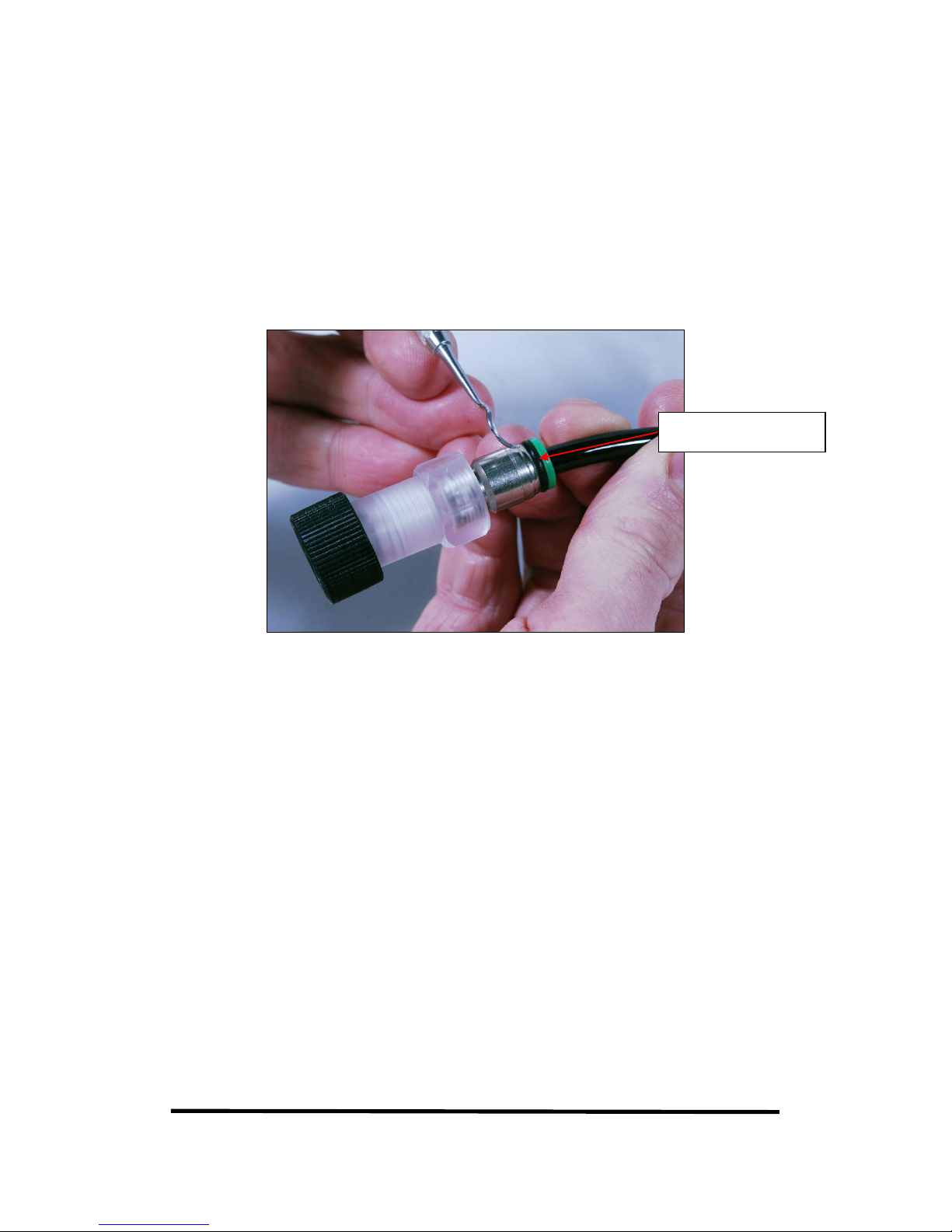
Hollis DG05 User Manual RevA
80
Maintenance and field repairs
Replacement of Optocon Rebreather Interface (ORI) Fibre Optic Cable (FOC)
Core
Firstly disconnect the clear cable end connector from the DG05 dive
computer.
To disconnect the FOC from the cable end, use an o-ring picking tool to
remove the green locking o-ring on the metal push-fit connector, then press
down on the green locking ring of the push-fit fitting end and pull the FOC
cable away.
Using a pair of soft-jawed pliers, unscrew the metal push-fit fitting from the
cable end fitting.
Dis-connect the FOC from the ORI sensor module by removing the locking o-
ring on the push-fit connector, then pressing down on the locking ring of the
push-fit fitting on the module body and pulling the cable away.
The inner FOC core can now be pulled through and clear of the protective
outer. If the core is broken it can be pulled from both ends of the protective
outer.
Take the replacement core and push it through the protective outer. Once
through the outer, aim to have approximately 12-14 mm of exposed core
visible at one end; this end is to be inserted in the Core Module to DG05 Dive
Computer Cable FOC End .
Pass this exposed end through the loose push-fit fitting with the locking ring
facing the protective outer. The core can now be pushed fully home into the
hole that is at 7 o’clock in the clear connector body when the connector face is
viewed with the keying flat to the top.
Pick this o-ring out
Page 81
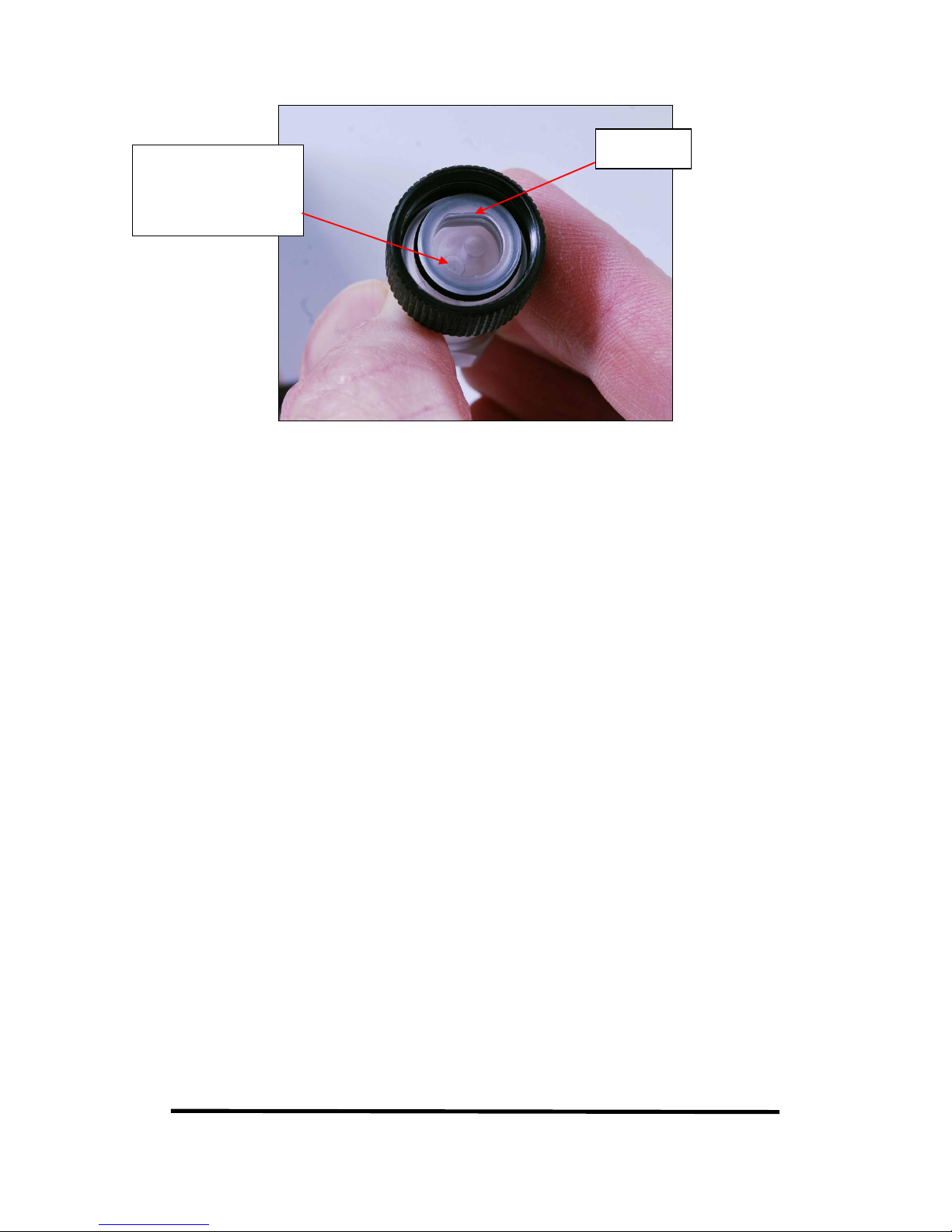
Hollis DG05 User Manual RevA
81
Using the soft-jawed pliers again gently screw the push-fit fitting back into the
cable end.
Push the protective outer into the push-fit of the cable end as far as it will go.
A gentle pull will confirm that it is engaged.
There now should be a length of core left exposed (approx 50 mm) on the free
end of the cable, using a sharp knife and a flat surface this core should be cut
squarely 12-14 mm from the end of the protective outer; this shorter, exposed
core should then be pushed into the push-fit fitting as far as it will go on the
ORI module. A gentle pull will confirm that it is engaged.When the core is
fully engaged the outer sleeve should also be fully engaged in the push–fit
connector. If not the inner FOC cable need to be shortened slightly.
The cable end can now be re-connected to the DG05 dive computer; this will
cause the triple oxygen sensor module to perform its reconnection and selfcalibration routine automatically now or when the computer is next turned on.
Once this has been performed and the PO2 verified the system can be used.
Replacement of the Optocon Rebreather Interface Module Battery
The battery should be changed when no flashing is observed from the blue LED in the
Core Module.
Firstly, remove the ORI module assembly from the rebreather.
Using a large flat-bladed screwdriver or coin unscrew the battery cap on the
base of the ORI module.
Insert into this hole
from rear (not the
one on the top
right)
Key flat
Page 82
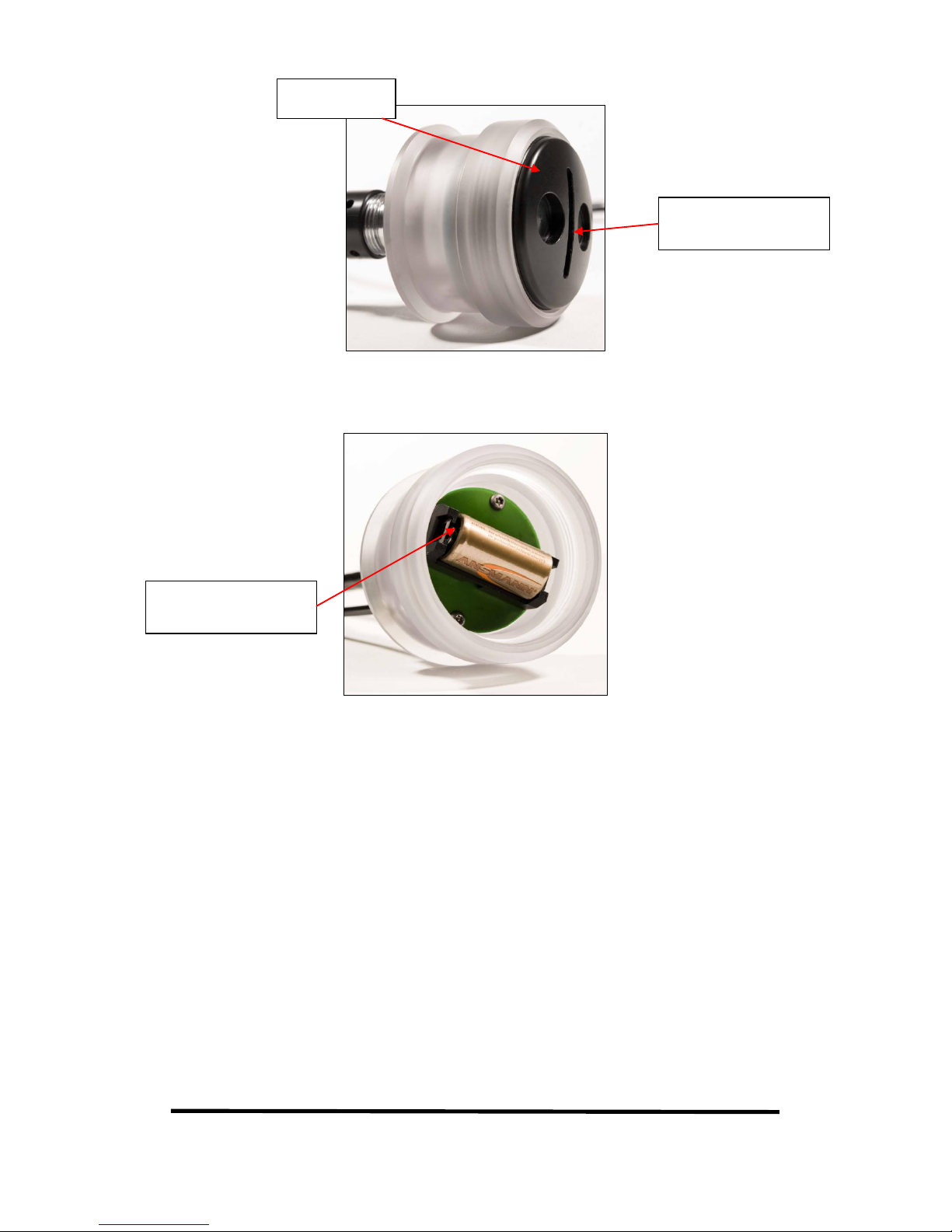
Hollis DG05 User Manual RevA
82
Using your fingers, gently pull away the battery from its holder. Dispose of
this battery correctly and remember to recycle it.
Press the new DG05 replacement battery into the holder paying observation to
the correct battery orientation which is marked on the battery holder.
Inspect and lightly grease (replace if any damage or cracking is found) the
sealing o-ring on the battery cap.
Screw in the battery cap being aware not to over tighten it.
Refit the triple oxygen sensor module assembly into the rebreather.
Replacing the battery will cause the ORI module to perform its reconnection routine
automatically now or when the DG05 dive computer is next turned on. Once this has
been performed and the PO2 verified the system can be used.
Battery Cap
Insert flat-bladed
screwdriver here
Positive Terminal
Connection
Page 83

Hollis DG05 User Manual RevA
83
Spares
Part Name
Part Number for Ordering
ORI Lithium Battery
2210
ORI FOC Cable Inner
2137 (when sold with the outer it is 2159)
ORI FOC Cable Outer
2134
ORI Bulkhead Connector (Rebreather
Wet Connector)
2130
ORI Battery Cap O-ring
951
Push-fit connector O-ring
2001
Custom Length FOC (inner and outer)
2215
Battery Cap (Core Module)
2208
ORI to Rebreather Core Module 11 way
cable
398
Velcro Strap
2214
Page 84
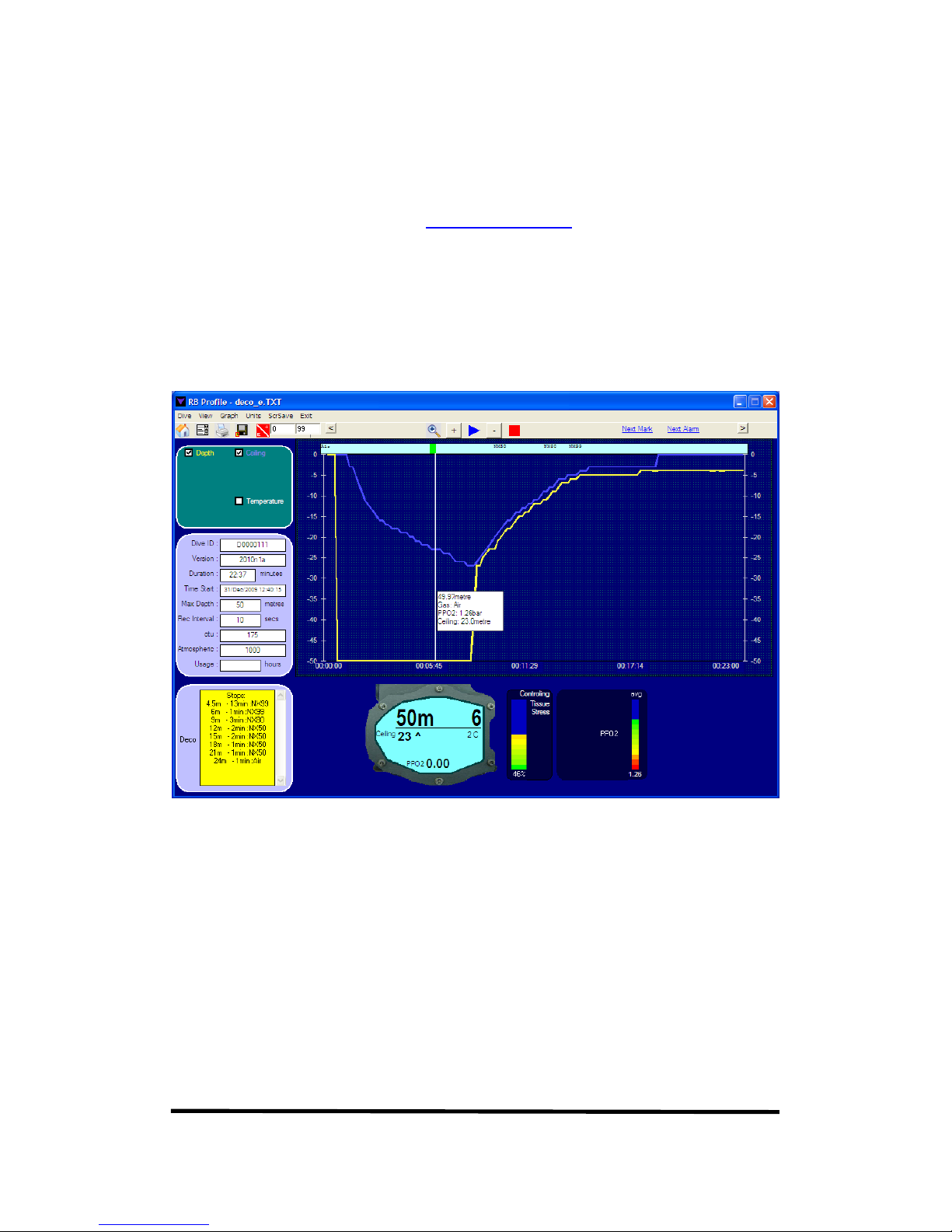
Hollis DG05 User Manual RevA
84
Prolink Download Software
Prolink is the DG05 computers data download/upload software and it is a very
powerful tool. This software adds the ability to log decompression stop and no-stoptime (NST) information during the dive, that is then downloaded and displayable on
the Prolink software system (see www.hollisgear.com for a free download of the
software)
This revision to the logging system means that 20 hours of dive profile information
stores at 10 second intervals will be available. The decompression information is
updated every minute. On the PC Link dive profile display, this mismatch between
recording intervals is not a problem, as the deco information is shared across six
profile datapoints.
The decompression information is shown in the bottom left corner of the dive display
window. When there are stops, the window background is set to yellow.
If there are no decompression stops to display, the Deco window shows the current
No Stop Time (NST) – and the window background is green.
By clicking on the graph decompression information is shown at any point in the dive.
Page 85
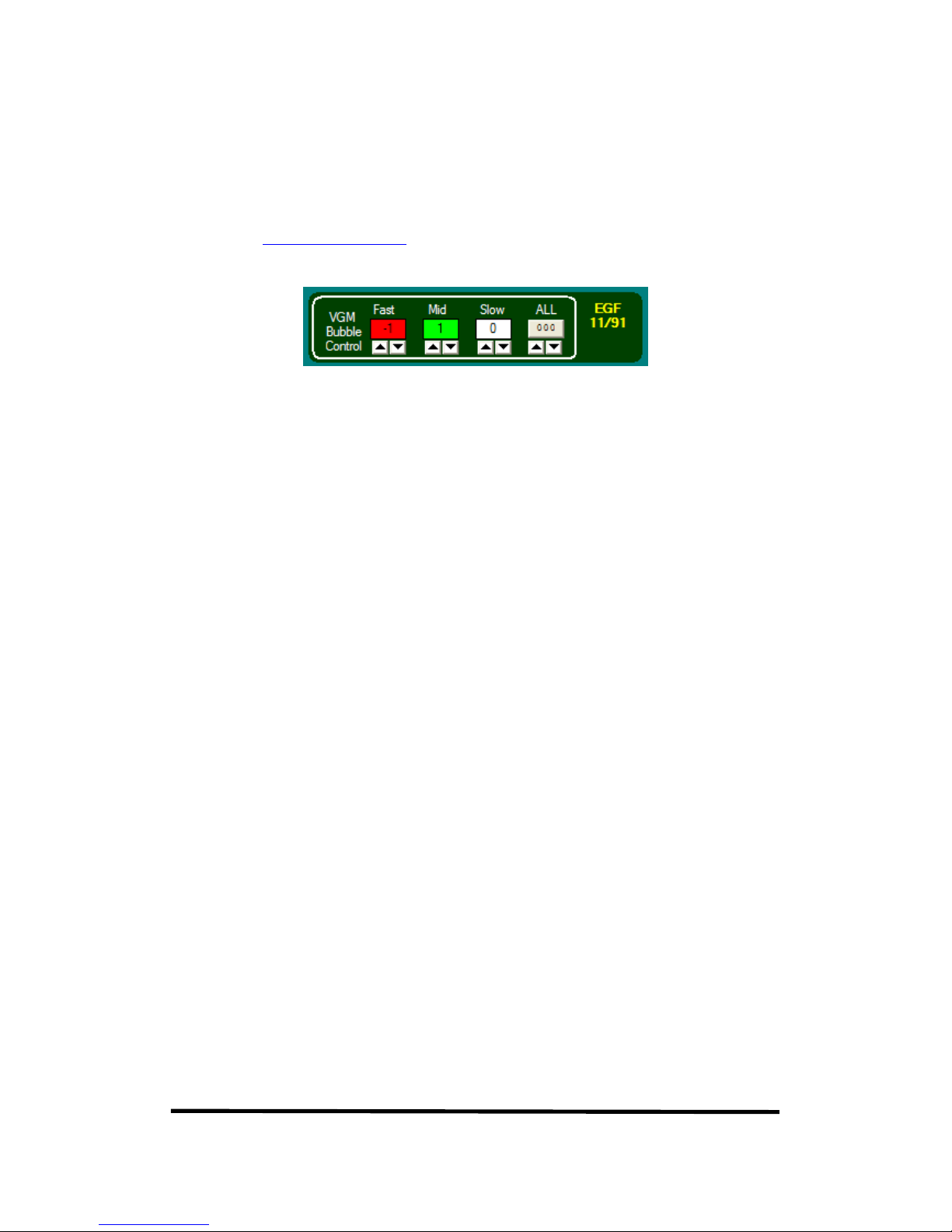
Hollis DG05 User Manual RevA
85
DG05 Dive Computer and Variable Gradient Model
VGM Decompression Algorithm
The Variable Gradient Model (VGM) algorithm is available in the new DG05
dive computer. Free download software to complement the product is also
available at www.hollisgear.com.
Screen shot of VGM adjustment screen from the website.
VGM - Decompression philosophy
The VGM algorithm is built on recent practical dive planning and diving techniques
as well as the scientific and theoretical understanding over the past 100 years. It
combines better theoretical knowledge of bubble physics together with known diving
practices that help decompression and well-being after and during decompression
diving.
VGM also gives the user the ability to change the conservatism to increase or
decrease decompression times. Some technical divers find they feel good after a
decompression with less in water time than others.
The Equivalent Gradient Factor for the VGM setting is displayed for comparison with
other dive planning software and computers.
Decompression is a physiologically complicated event. There are many factors that
affect how well the human body decompresses and how well it is able to withstand
pressure exposures. All dive algorithms have been devised to combine the complexity
and risk of staying in the water with the risk of decompression sickness after
surfacing. Things like hydration before a dive, rest and even oxygen after a dive all
help reduce the risk of DCS. So bear in mind that as with all decompression planning
there needs to be a balance and understanding of the risk of reducing decompression
times and the impact of DCS. Please refer to your training agencies’ information and
advice on these issues.
Page 86
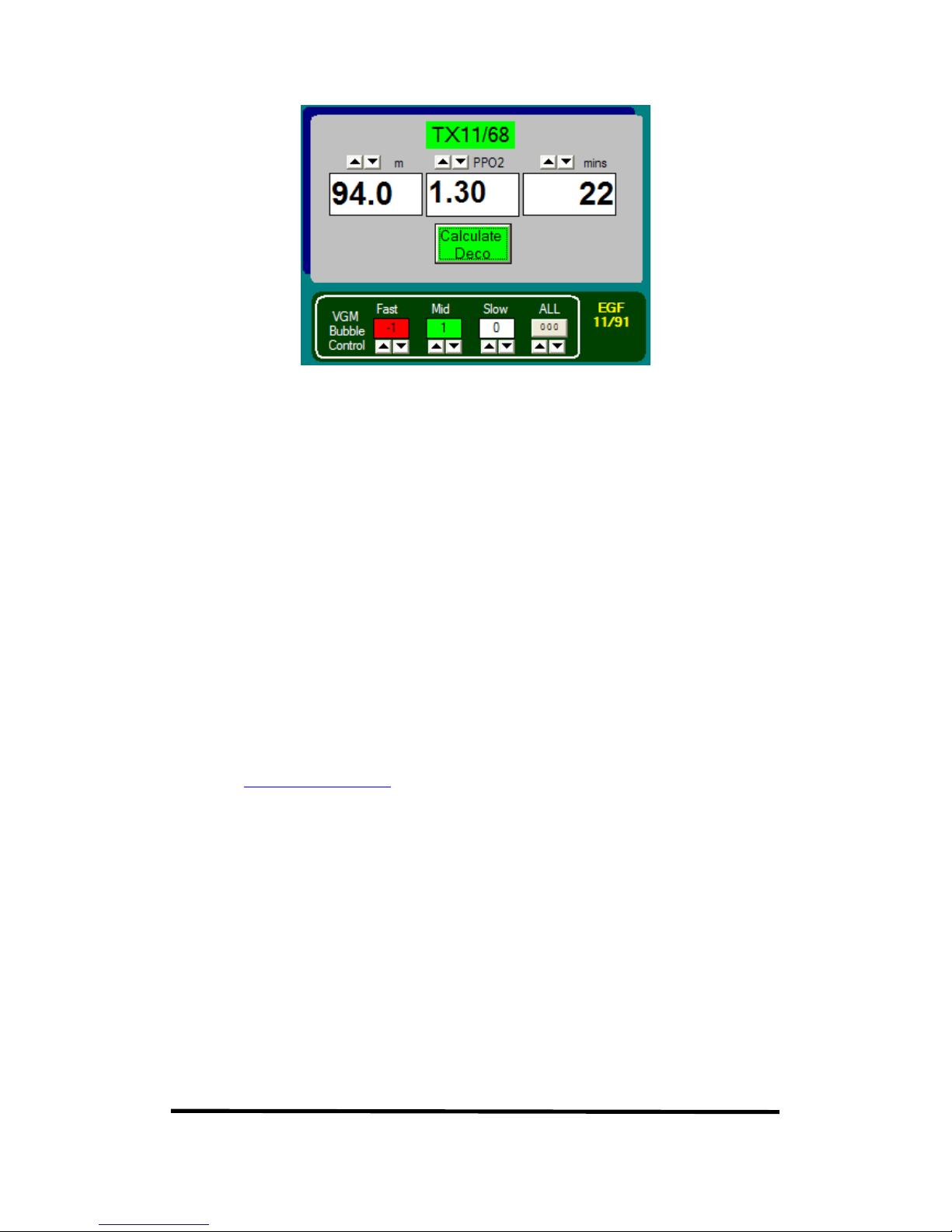
Hollis DG05 User Manual RevA
86
VGM incorporates 5 main features:
1. Bühlmann decompression model
2. Modification of tissue over pressure tolerances or M values for the faster
tissues to create a decompression profile similar to a bubble model like VPM
3. Further modification of over pressure tolerances for deep or long exposure
dives, especially in the fast and middle order tissues
4. Automatic adjustment of the above parameters to allow the default settings to
give common decompression and No Stop times across the range of diving
from 10m to 120m
5. User adjustable parameters so the diver can use his/her experience to further
modify the decompression to that which suits him/her. The Equivalent
Gradient Factors are displayed for a particular dive for ease of comparison
with other dive computers and dive tables, although because this system goes
beyond Gradient Factors certain adjustments may only give an estimate of the
nearest GF equivalent.
A basic version of VGM PC dive planning software VGM Pro-Planner is available
free from www.hollisgear.com . This allows a quick way to see what decompression
the DG05 dive computer will give and allow specific conservatism factors to be tried
out on the PC before then choosing the right ones for a dive using the DG05. The PC
software also gives print outs and an output in common spreadsheet style format for
use in creating back-up tables.
Page 87

Hollis DG05 User Manual RevA
87
WARNING!
Even if your dive computer or PC generated software allows for less
conservatism and a reduction in decompression times this should not be
arbitrarily undertaken without first researching data available from other
divers/agencies, conducting controlled trials and understanding that you may
be undertaking a level of experimentation in order to adjust the algorithm for
your specific needs.
No decompression algorithms can give a guaranteed safe decompression. It is
your responsibility to be trained, dive safely, carry backup tables and
instrumentation and compare any decompression profiles generated by the
DG05 range of computers and their associated decompression software against
established diving tables with which you are happy and/or accept that you may
be conducting experimental decompressions.
Page 88

Hollis DG05 User Manual RevA
88
Warranty and Support
Warranty
This product carries a three year guarantee from date of purchase for bonafide
manufacturing faults. This does not cover damage to the case or screen and switches
during operation.
Keep your proof of purchase to submit in the event of warranty repair.
Faulty DG05’s will be repaired or replaced as appropriate.
Service
All digital depth monitoring devices need a calibration check from time to time. Due
to the potential depth of operation of DG05 computers it is recommended that you
return yours to the factory for this check (a service after every 100 hours of diving is
recommended.)
User Feedback
We welcome any feed back from our customers. Please feel free to email or fax us
with any requests or suggestions. Registered users will be kept informed of upgrades.
Suggestions
For technical support, visit our website on www.hollisgear.com or email us at:
Planned Upgrades
If you have any comments on functions you would like to see included on the
computer, please do not hesitate to let us know. Please see our website
www.technologyindepth.com for announcements regarding new features and options.
Page 89

Hollis DG05 User Manual RevA
89
Warranty & Support Guidelines
To set up and get optimum performance from your computer, please refer to the
Instruction Manual on the enclosed CD.
In the unlikely event that you experience any difficulty there is a comprehensive
Frequently Answered Questions (FAQ) section on our website www.hollisgear.com
Below are common symptoms and solutions. Please check that the problems you are
having do not relate to any of these before thinking about sending your computer back
to us for repair. Please note, if any computers are received “for repair” with any of
these symptoms as the sole reason for return they will be classed as “no fault found”
and will be subject to an inspection fee (see below)
Symptom
Fault
Try this
Won’t turn on
Low battery
Fit a new battery
Battery inserted
backwards
Turn battery around
Battery stuck in cap
Replace with standard
size battery
Switch problem
Remove switches and
inspect
Broken switch
Replace switch
Corroded battery
contacts
Clean spring and contact
Resets during dive
Battery stuck in cap
Replace with standard
size battery
Corroded battery
contacts
Clean compartment
spring and contact
Loose battery cap
Screw battery cap in all
the way
Diving on surface
Covered transducer hole
Make sure small hole on
rear of the unit is not
covered
Short battery life
Switch problem
Remove switches and
inspect
Broken switch
Replace with new switch
Corroded battery
contacts
Clean spring and contact
If the DG05 does not turn on, check to see if the pinhole on the rear may be blocked
or covered. The Pressure transducer lies below this pinhole. In order for the computer
to function, this pinhole must not be covered or blocked in any way. If it does get
blocked, remove debris carefully but NEVER insert a sharp object or direct a jet of
water into the pinhole for fear of damaging the pressure transducer irrevocably.
Page 90

Hollis DG05 User Manual RevA
90
Returns
If, after checking all the above and searching our website, you find you need to send
the computer in to us please email our technical support division at
[email protected] or call 888-383-DIVE to obtain a Return Authorization number
to complete and enclose with the computer.
This will ensure that we can deal with the issue and get the computer back to you as
rapidly as possible.
Please do not return any items without RA# or paperwork enclosed.
Impact or accidental damage
Repairs required as a result of impact or accidental damage are not covered by the
warranty.
No Fault Found
If a fault cannot be found on a returned computer, an inspection fee plus return
shipping will be charged. So please ensure that the fault symptom is not related to a
product misunderstanding or a failure to set the computer up correctly. Many
problems can be resolved simply by following the simple fault-finder guide above.
Service
All digital depth monitoring devices need a calibration check from time to time. Due
to the potential depth of operation of DG05 dive computers it is recommended that
they be returned to the factory for service every 100 hours of diving.
Page 91

Hollis DG05 User Manual RevA
91
Maintenance Tips
The Optocon I/O connector port
DG05 computers have the Optocon Infra Red data transmission system and as such no
electrical connections to clean. The bulkhead I/O connector port is watertight and any
water that gets in to the port cannot harm your DG05. However, should sea water,
sand etc. get inside the port or the ends of your cable link, flush them with fresh water
as soon as possible afterwards then leave them to dry.
Should you damage the fibre optic cable that comes with the rebreather link options
then this can be replaced or if the damage is at the rebreather interface end, the cable
and protective outer sleeve can be cut with a sharp knife (mimic the outer sleeve and
inner fibre lengths) and the reinserted. To remove the fibre cable from the rebreather
link simply push down on the small plastic collar on the link connector and pull out
the cable. If after a repair no information is available on the Optocon menu screen the
cable/connector may be damaged else where or the link may need a new battery.
Please refer to the specific rebreather link operations manual for maintenance
information.
Switch Maintenance
If the switch sticks, rotate it first in its groove to loosen it. If that does not work, hold
the switch in and, with a small flat head screwdriver, carefully ease out the silver
circlips holding it in from the small groove on the back of the DG05. The spring and
switch will then come out easily. Soak the switch and spring in white vinegar or
contact cleaner, rinse with fresh water and dry off. Flush the switch groove with fresh
water, spray A LITTLE light engineering oil (WD 40 or similar) inside the hole.
Put the spring and switch back in, push it in and out a few times and it should now
move freely. If so, replace the circlips while holding the switch completely in. Push
the circlips down firmly.
Specifications
Depth limit 150m (calibrated)
Time limit 9999 mins and 59 seconds
Max deco stop 99 levels
Number of gases 10 (max)
Dive memory Approx. 20 hours
Record resolution 10 seconds
Logbook dives 99
Dive time stops when a pressure equating to 1.5 m
Operating temperature: 0C to 40C
Depth accuracy: 0.1m Max
Register your ownership and sign up to receive updates and newsletters on our
website www.hollisgear.com
Page 92

Hollis DG05 User Manual RevA
92
Bezel Replacement
The DG05 has a user-changeable bezel. To remove the bezel, invert the unit and bend
the two black clip tags slightly outwards while pushing them through the cover. To
refit, place the cover on the DG05 and insert the clips until you hear a ‘click’.
If you think you have damaged a clip you should change it.
DG05 Computer spares ordering Codes
Part Name
Ordering code
Bulkhead Blanking Cap
2101
Bulkhead Blanking Cap O-ring
150
Push-fit Connector O-ring
2001
PC Download Cable
2122
DG05 Charging Cable
2119
Power Monkey Explorer Optocon
Adapter
2123
Long FOC Protective Outer
2134
FOC Core
2137
DG05 Charging Cable
2119
 Loading...