

Page 1

Warning:
1. Before using this product, please read the safety precautions and
instructions carefully. Failure to follow the instructions mentioned in the user
manual may cause damages to this instrument, affect the measurement
accuracy or even physically harm the user or anyone else.
2. Do not try to disassemble or repair the instrument by yourself, especially
the laser transmitter part which is highly sensitive. Take a good care of your
instrument and don’t place it anywhere within the children’s reach. This
instrument is preferred to be used by professionals only.
3. Never point the laser beam at yourself or someone else, especially in the
eye. Of course, don’t stare at the laser beam either
4. Don’t point this laser device at highly-reflective object.
5. The electromagnetic radiation from this laser device may interfere with
other instrument nearby such as a pacemaker and hearing aid.
6. Don’t use this laser device in an inflammable and explosive environment.
7. Dispose the broken instrument and used batteries properly and discreetly.
Don’t mix them up with other normal household garbage. Follow the related
government regulations during disposal.
Thank you for purchasing our handheld laser distance meter.
Please carefully read this user manual and follow the instructions below.
Handheld Laser Distance Meter
5040B,5060B,5080B,5100
B
User Manual
Page 2
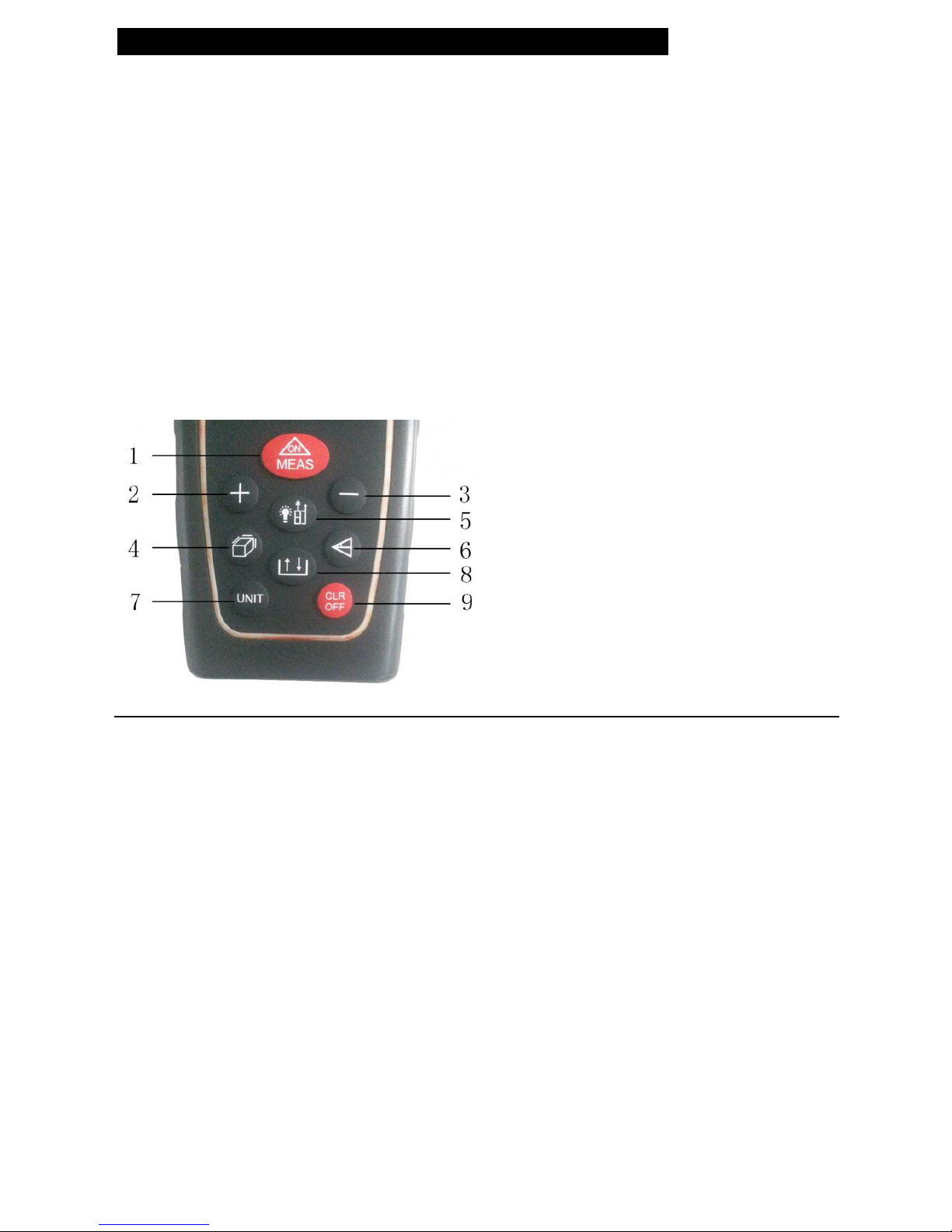
5. Backlight/Point of Reference Switch Button
6. Pythagorean Proposition Indirect Measurement Button
7. Unit Switch Button
8. Record-view Button
9. Clear/Power Off Button
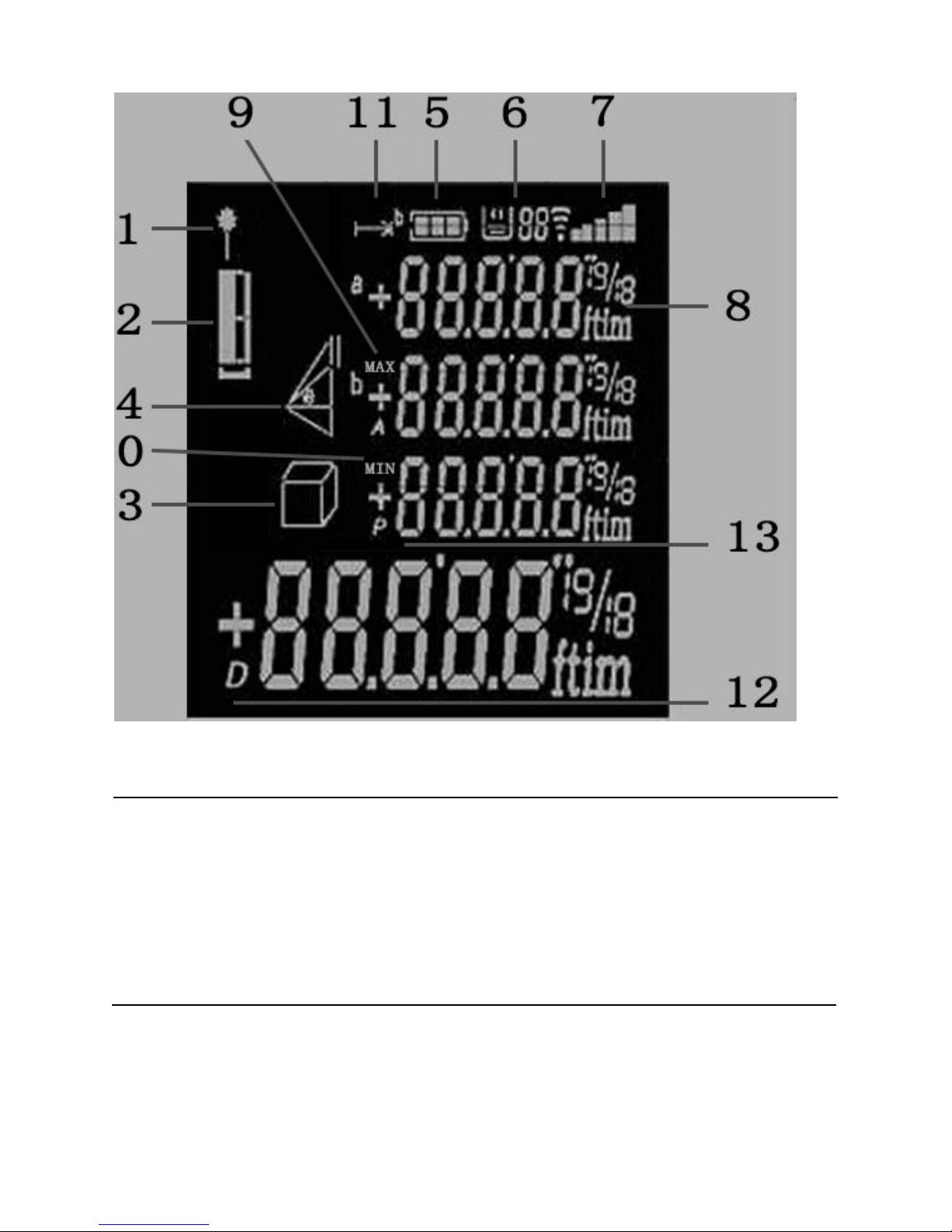
Screen:
Laser beam indicator
Point of Reference indicator
3. Area/Volume Calculation indicator
4. Pythagorean Proposition Indirect Measurement indicator
5. Battery indicator
6. Record-view indicator
7. Signal Strength indicator
8. Unit indicator
9. Max. Measurement indicator
10. Min. Measurement indicator
11. Distance Measurement indicator
1.
2.
Overview:
Keyboard:
1. Power On/Single Measurement/Consecutive Measurements Button
2. Add Button
3. Subtraction Button
4.
Area/Volume Calculation Button
12. Primary Display Area
13. Supplementary Display Area
Page 3
OD Outdoor Mode:
After the device is turned on, long press the Area/Volume Calculation Button
for 3 seconds to temporarily activate or deactivate OD Outdoor Mode. It
returns to default setting after the device is turned off.
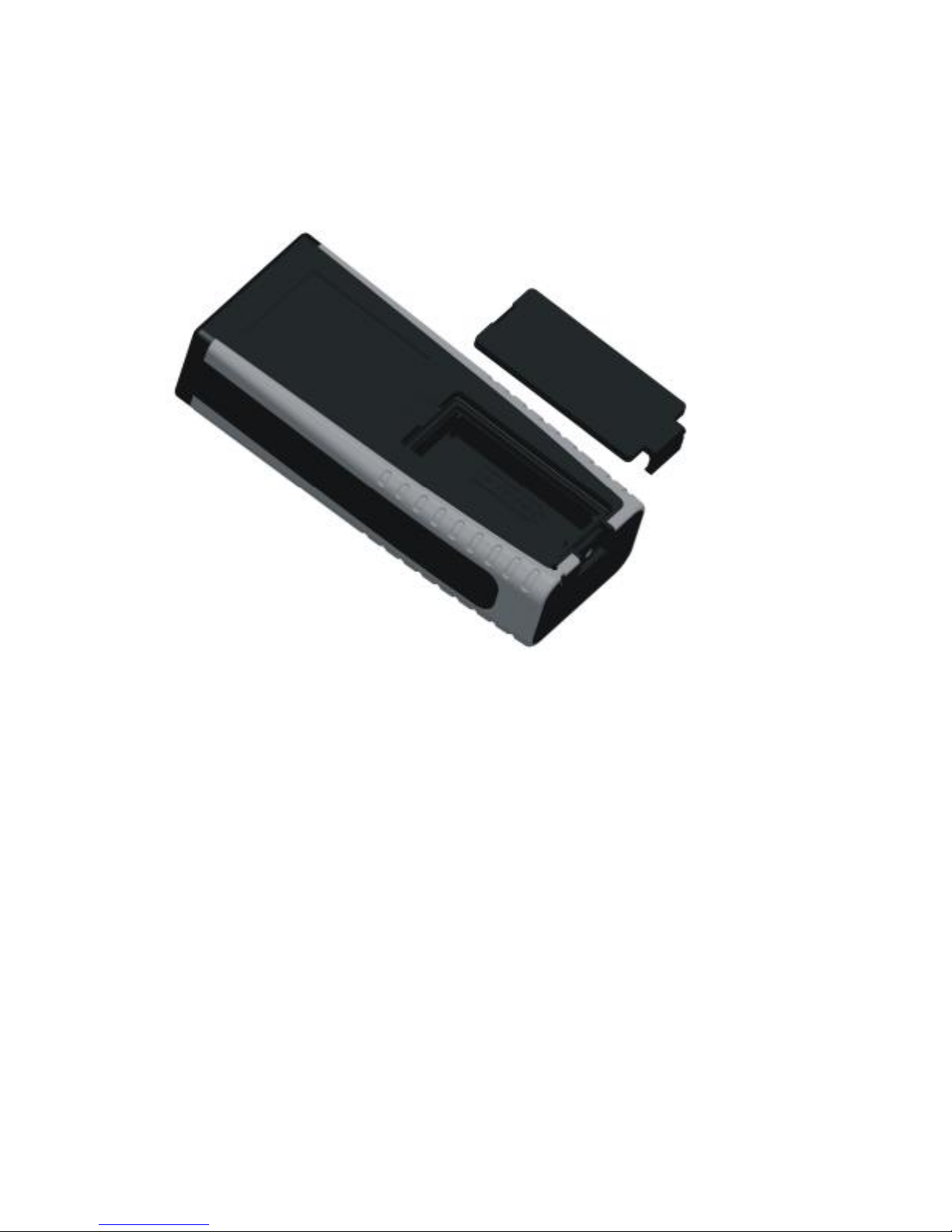
Inserting/Replacing Batteries
Open the battery compartment and insert the batteries in it and then shut the
compartment with the lid.
Page 4
When battery is low,a battery indicator icon will be displayed on the screen to
remind you to replace the batteries.
·Pay attention to the polarity symbols marked inside of the compartment.
· Only 1.5V AAA alkaline battery is allowed.
·Remove the batteries if you are not going to use the instrument in a long
time(to avoid leak of erosive chemical substance from the batteries).
Page 5
Start,Menu
Turn on/ Turn off Instrument
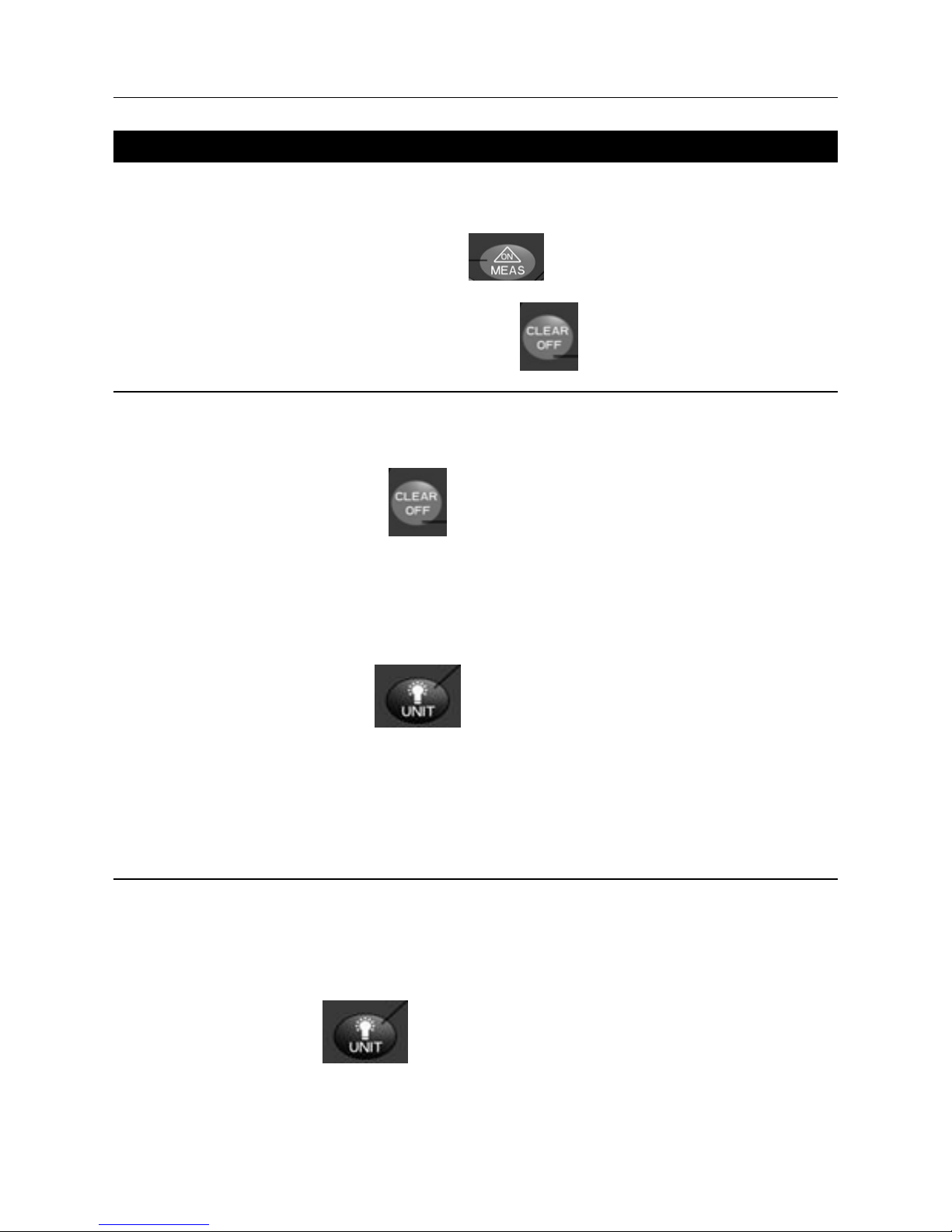
Turn on: Press the ON/MEAS Button to turn on the device.
Turn off:Long press the Clear Off Button to turn off the device.
Clear Off Button
Press the “Clear Off” Button to delete the latest measurement. For
indirect measurement,(such as Area/Volume measurement), you can
delete the measurements one by one and measure them again.
Screen Illumination
Long press the Unit Button to turn on the backlight of the screen.
Long press it again to turn it off. The backlight automatically goes off too if
no button is pressed within 60 seconds. After the device is turned off(or
auto power-off), the backlight goes off too.
Unit Switch:
Press the Unit Button to switch between different units: m ; in ; ft
Page 6
0.000m 0.000m2 0.000m3
0.00m 0.000m2 0.000m3
0.00ft 0.00ft2 0.00ft3
0.0in 0.00ft 0.00ft3
Point of reference setting
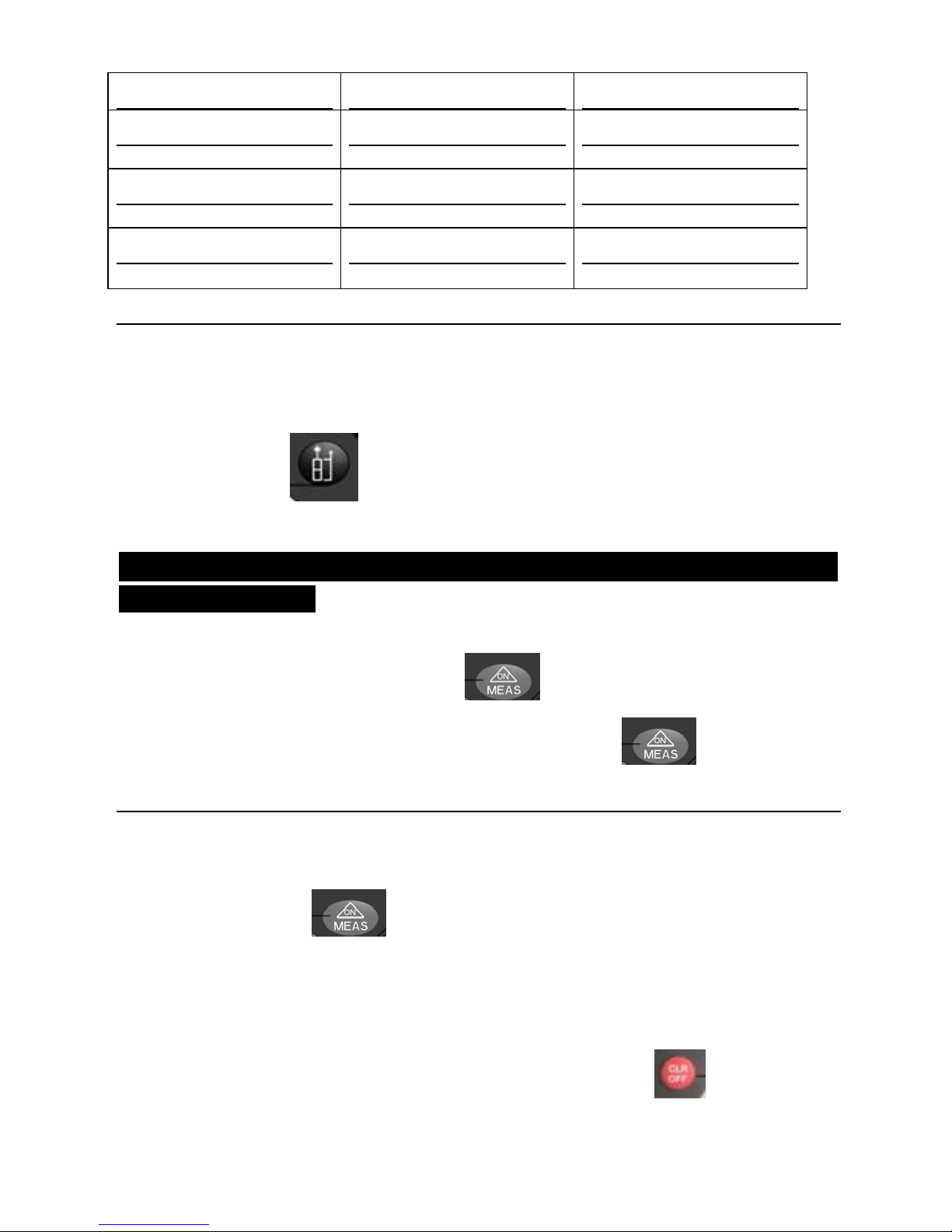
The default point of reference of this meter is its bottom. Press the Point of
Reference Button to switch the point of reference between its bottom
and head.
Distance measurement,Add/Subtract,Area,Volume,Pythagorean proposition
indirect measurement
Single Measurement
Press the“Power on/Measure”Button to activate the laser beam.
Point
the meter at the target and then Press this button again, the
measuring result will appear on the primary display area of the screen.
Max/Min Measurement(Consecutive Automatic Measurements)
U
nder standby mode(right after the device is turned on),long press the “Power
on/Measure” button and enter the Automatic Consecutive
Measurements mode. The meter automatically starts taking measurements
constantly under this mode and the Max/Min measurements will be displayed
on the top of the screen. The latest single measurement will appear in the
to stop pr
imary display area. Press the “Clear/Power Off” Button
automatic consecutive measurement.
Page 7
Add/Subtract Functions:
Af
ter single measurements,you can add/subtract 2 measurements
First, take a measurement, then press the “Add” Button ,a symbol“+”
will appear in the primary display area which means the instrument has
entered the Accumulation Mode. Take another measurement, then the
summation of the last 2 measurements will be displayed on the screen.
First, take a measurement, then press the “Subtract” Button ,a symbol
“-” will appear in the primary display area which means the instrument has
entered the Subtraction Mode. Take another measurement, then the difference
of the last 2 measurements will be displayed on the screen.
Area Measurement
Press the “Area/Volume” button once, a symbol will appear
on the screen which stands for Area, while one side of it keeps blinking.
Follow the instructions below:
Press
the “Power on/Measure” button to measure the blinking side
Press the “Power on/Measure” button again to measure the second
blinking side
(Width)
The meter will automatically work out the area based on these 2
measurements and display it on the primary display area.
Press the “Power on/Measure” button to delete the latest
measurement so you can take measurements again.
(Length)
Page 8
Volume Measurement
Press the “Area/Volume” button twice, a symbol will appear on
the screen which stands for volume, while one side of it keeps blinking.
Follow the instructions below:
Press
the “Power on/Measure” button to measure the 1st blinking
side(Length)
Press the “Power on/Measure” button again to measure the 2nd
blinking side(Width)
Press the “Power on/Measure” button again to measure the 3rd
blinking side(Height)
The meter will automatically work out the volume based on these 3
measurements and display it on the primary display area.
Press the “Power on/Measure” button to delete the latest
measurement so you can take measurements again.
Pythagorean Proposition Indirect Measurement
This meter is capable of calculating the distances based on Pythagorean
Proposition. This function is designed for some special locations which are
inaccessible to the user. There are 3 measurement modes and you can press
this button to switch between them:
once,
a symbol will appear on the screen 1》Press this button
with its hypotenuse blinking.
Page 9
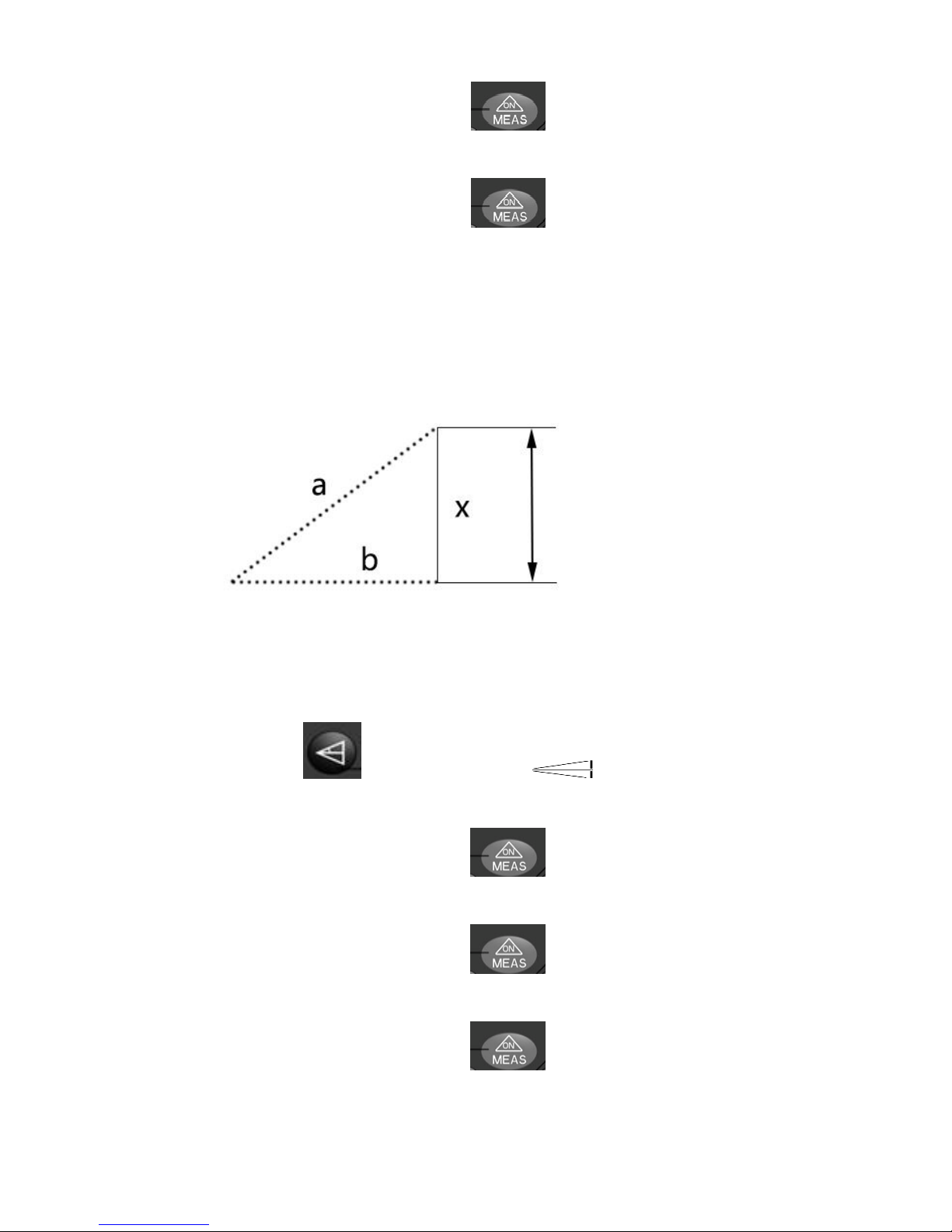
Press the “Power on/Measure” button to measure the hypotenuse
(a).
Pre
ss the “Power on/Measure” button again to measure the blinking
straight flange(b).
The meter will automatically work out the height of the 2nd straight flange
(x).
2》Pre
ss this button
twice,a symbol will appear on the screen
with the upper hypotenuse blinking.
to measure this blinking Press the “Power on/Measure” button
hypotenuse(
a).
again to measure the blinking Press the “Power on/Measure” button
straight flange in the middle(b).
Press the “Power on/Measure” button again to measure the lower
blinking hypotenuse(c).
The meter will automatically work out the height of the straight flange(
x).
Page 10
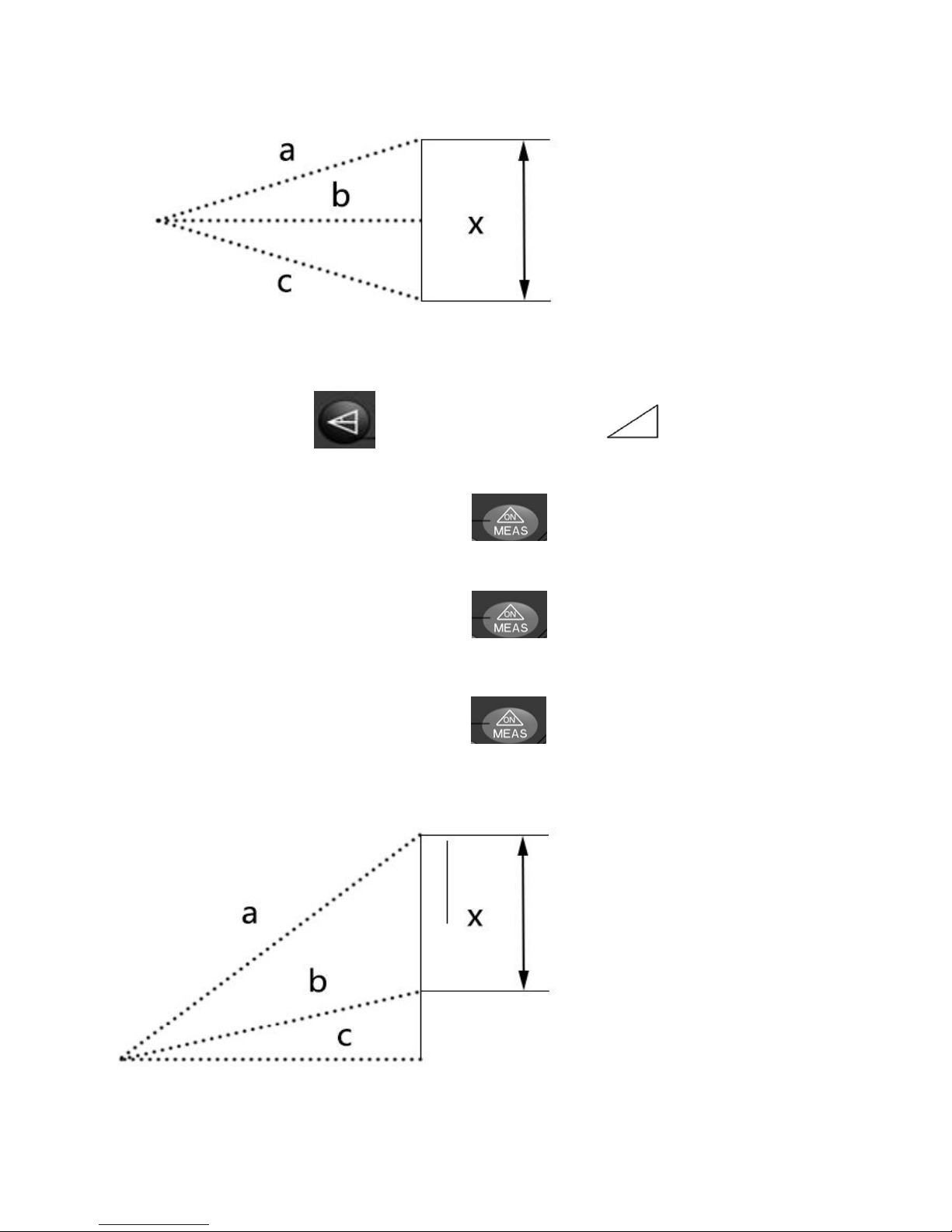
3》Press this button three times,
a symbol
will appear on the
screen with its hypotenuse blinking.
Press the “Power on/Measure” button to measure this blinking
hypotenuse(
a).
Press the “Power on/Measure” button again to measure the 2nd
blinking hypotenuse in the middle(b).
Press the “Power on/Measure” button again to measure the 1st
blinking straight flange (c)
The meter will automatically work out the height of the 2nd straight flange(
x)
Page 11
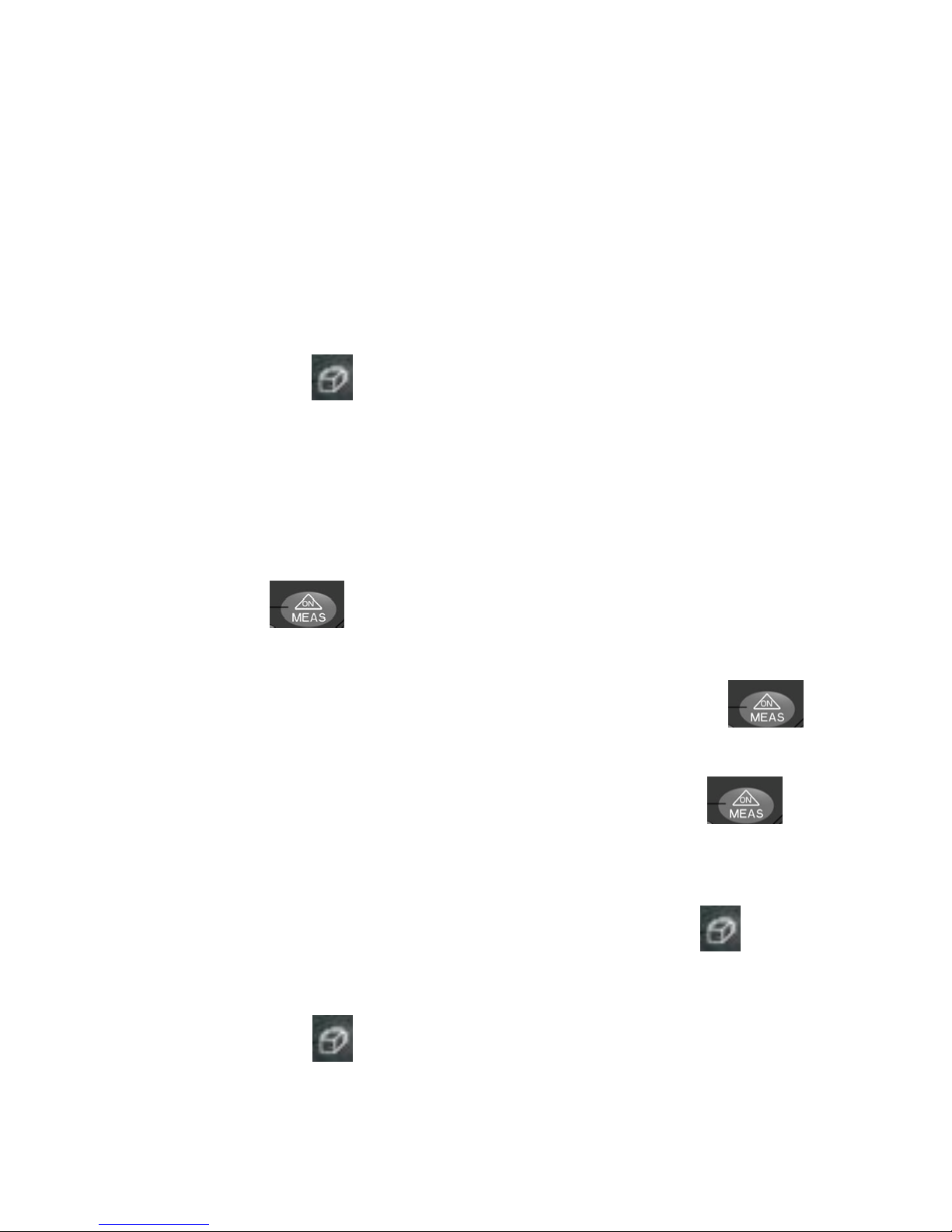
For this Pythagorean Proposition Indirect Measurement,the straight flange has
to be shorter than the hypotenuse in the same triangle,
otherwise the meter is
unable to do the calculation and an “Error” message will appear on the screen.
In order to guarantee the accuracy,please make sure to take all these
measurements from the same point and measure the hypotenuse,straight
flange in sequence.
Laying Off:
Under standby mode(right after the device is turned on),long press
Area/Volume button to enter Laying Off mode. The value displayed in
the supplementary display area is the initial value of “a” while the value being
displayed in the primary display area is the initial value of “b”.
First, set a value to “a”. The second digit in the primary display area is
blinking. Press “+”or “-” button to set the value. For example, press the “+”
button once to add 1 to the current value. The value circulates from 0-9. Press
Measure button
move the blinking cursor. For example, press the
Measure button once, the cursor moves to the next digit towards right. The
cursor circulates from left to right. Long press the Measure button to
conclude the value-setting and enter the measurement mode under Laying Off
to mode. Under this measurement mode, press the Measure button
end the measurement. The original values of “a” and “b” remains on the
screen.
to switch While you are setting a value to “a”, press Area/Volume button
to value-setting of “b”; while you are setting a value to “b”, press
Area/Volume button to end the value-setting and enter the Measurement
mode.
Page 12
After the device entering the Measurement mode under Laying Off mode, the
supplementary display area displays the distance(1) between the measuring
target and the closest point where the first object should be laid. The primary
display area displays the distance(2) between the device itself and this closest
point. If distance(2) is plus, it means the position of the device itself exceeds
distance(1); if distance(2) is minus, it means the position of the device itself
falls short of distance(1). When the distance(2) falls within 0.1m, the buzzer
begins buzzing.(If the buzzer is off, then it does not buzz.) There is a
significant change in the buzzing when the position of the device falls exactly
on this closest point. The distances between the measuring target and these
points are a+bxn(n represents all natural numbers except 0).
Measurement Storage and View
Measurement Storage
Under the Single Measurement Mode,if the current data is valid,the it will be
automatically stored in the internal memory of this meter. The internal
memory can hold up to 20 measurements.
View the Stored Measurements
Press the “Storage” button
“Add” button or “Subtract” Button to browse forward or
backward. You can view the latest 20 measurements which will be displayed
on the screen(the latest single measurement will be displayed on the
top).
Press the “+” button or “-” button to locate any measurement. al Parameters:
to enter the Record-View Mold; Press the
Page 13
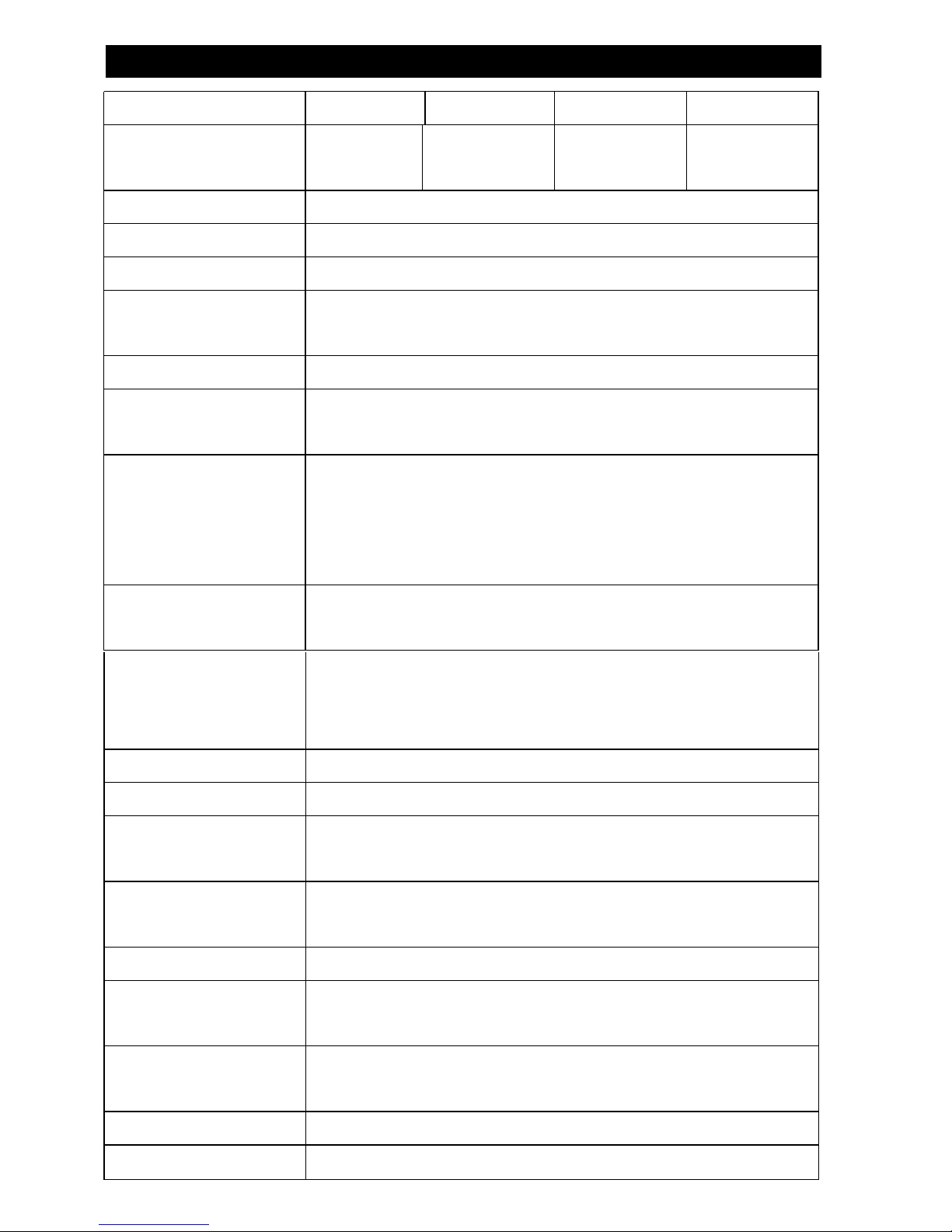
Model Number HP-5040B HP-5060B HP-5080B HP-5100B
Max.
Measuring
Distance
40m 60m 80m 100m
Accuracy ±1.5mm(± 0.06 in)
Units mm/in/ft
Laser Type
Class 2 635nm,<lm W
Consecutive
Measurements
Yes
Area Measurement Yes
Volume
Measurement
Yes
Pythagorean
Proposition
Indirect
Measurement
Yes
Add/Subtract
functions
Yes
Technical Parameters:
Max/Min
Measurement
Display
Yes
Backlight Yes
Buzzer Indicator Yes
Splash Proof/Dust
Proof
Yes
Measurement
Storage
20
Battery Life Time 4000 times of single measurements
Storage
Temperature
-10°C ~ 60°C(14°F ~ 140°F)
Operation
Temperature
0°C ~ 40°C(32°F ~ 104°F)
Battery 1.5V 3*AAA
Product Size 110mm*47mm*27mm
Page 14
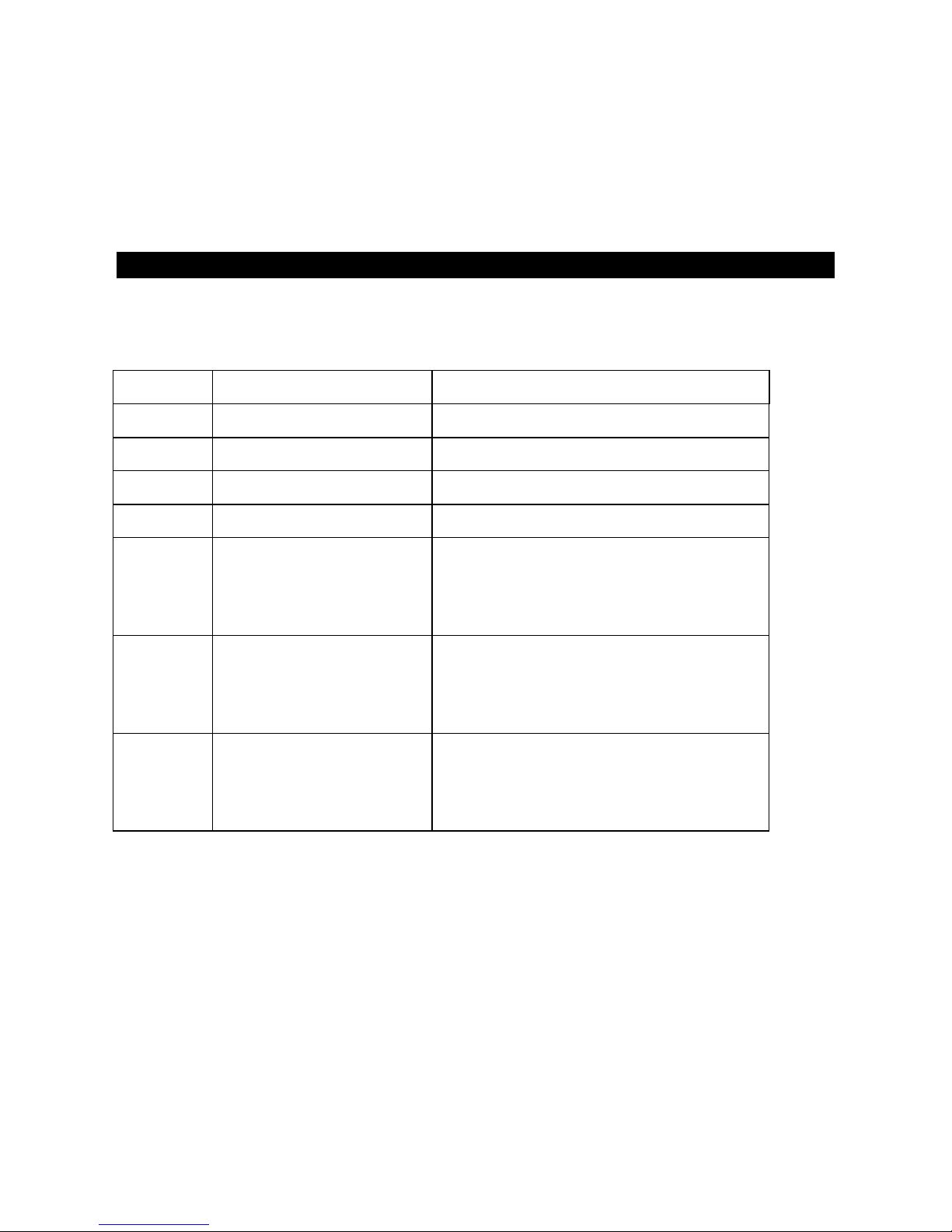
Unfavorable conditions such as strong sunlight, highly-reflective or
low-reflective object may affect the accuracy of the measurements to a large
extent. Use a reflective board to make the measurements more accurate when
the sunlight is poor or the object is inadequately reflective.
Appendix
Error Codes
Code Error Solution
B.L Low battery Change batteries
T.L Low temperature Heat the instrument
T.H High temperature Cool off the instrument
D.H Data overflow Measure again
S.L Too weak signal Choose another measuring target
which is more reflective or use
reflective board
S.H Too strong signal Choose another measuring target
which is less reflective or use
reflective board
H.F Hardware glitch If this error remains after you
restart the device multiple times,
contact your supplier for help
Maintenance
DON’T immerse this device into the water! Remove the batteries if you are
not going to use it in a long time; Keep the instrument in a cool, dry
environment.
Please keep the surface of the instrument clean. You can wipe the surface with
some wet soft cloth. Don’t try to clean the instrument with any corrosive
liquid. You can wipe the laser emitter window and the focusing mirror the way
you wipe other objects such as spectacles and camera lens.
Page 15
Packing List
Check if all the accessories came with this device when purchasing.
Item Name
Quantity
1 Distance meter 1
2 Pouch 1
3
Hanging rope
1
4 Battery 1
5 Use manual 1
1095 Budapest, Mester utca 34.
Tel.: *218-5542, 215-9771, 215-7550,
216-7017, 216-7018 Fax: 218-5542
Mobil: 30 940-1970, 20 949-2688
E-mail: [email protected] Web: www.delton.hu
www.holdpeak.hu
1141 Budapest, Fogarasi út 77.
Tel.: *220-7940, 220-7814, 220-7959,
220-8881, 364-3428 Fax: 220-7940
Mobil: 30 531-5454, 30 939-9989
 Loading...