

Page 1
Hogies MaxiLux Instruction Manual
The Hogies MaxiLux is a uniquely designed LED illumination system offering a
remote control, dual light intensity and self-cooling capacity. This easy to use
LED light fits all Hogies associated vision systems.
Presented in a handy carry case the MaxiLux is the ideal portable light system.
Page 2
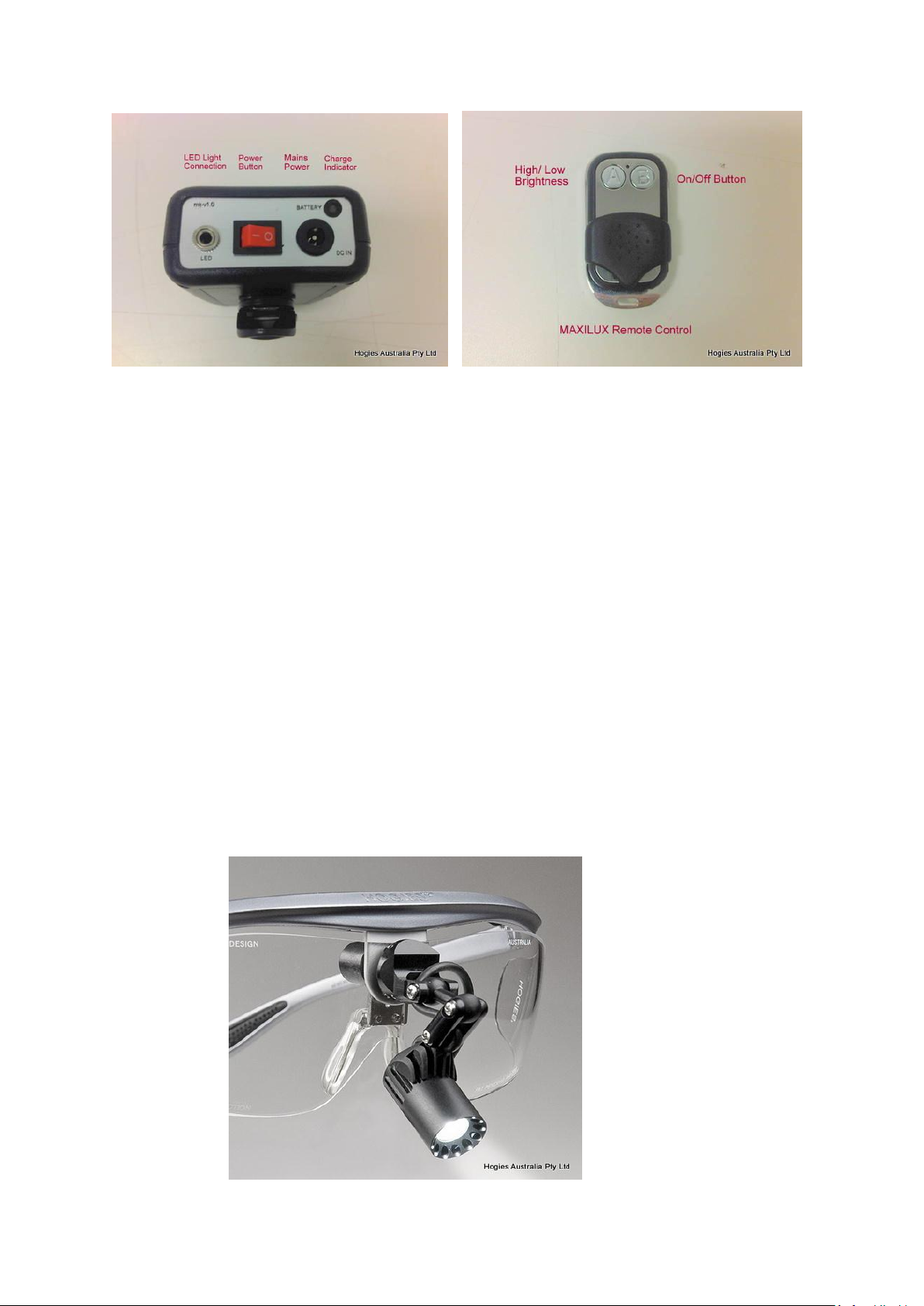
The MaxiLux Battery Pack:
-LED Light connection hole: ensure the cord is firmly in the hole
-Power button
-Mains Power connection
-Charge indicator: Green full Power, Orange mid-range, Red needs charging.
The Remote Control:
-Button A: two levels of light intensity (high 30,000 Lux, low 18,000 Lux)
-Button B: On/Off switch
Page 3
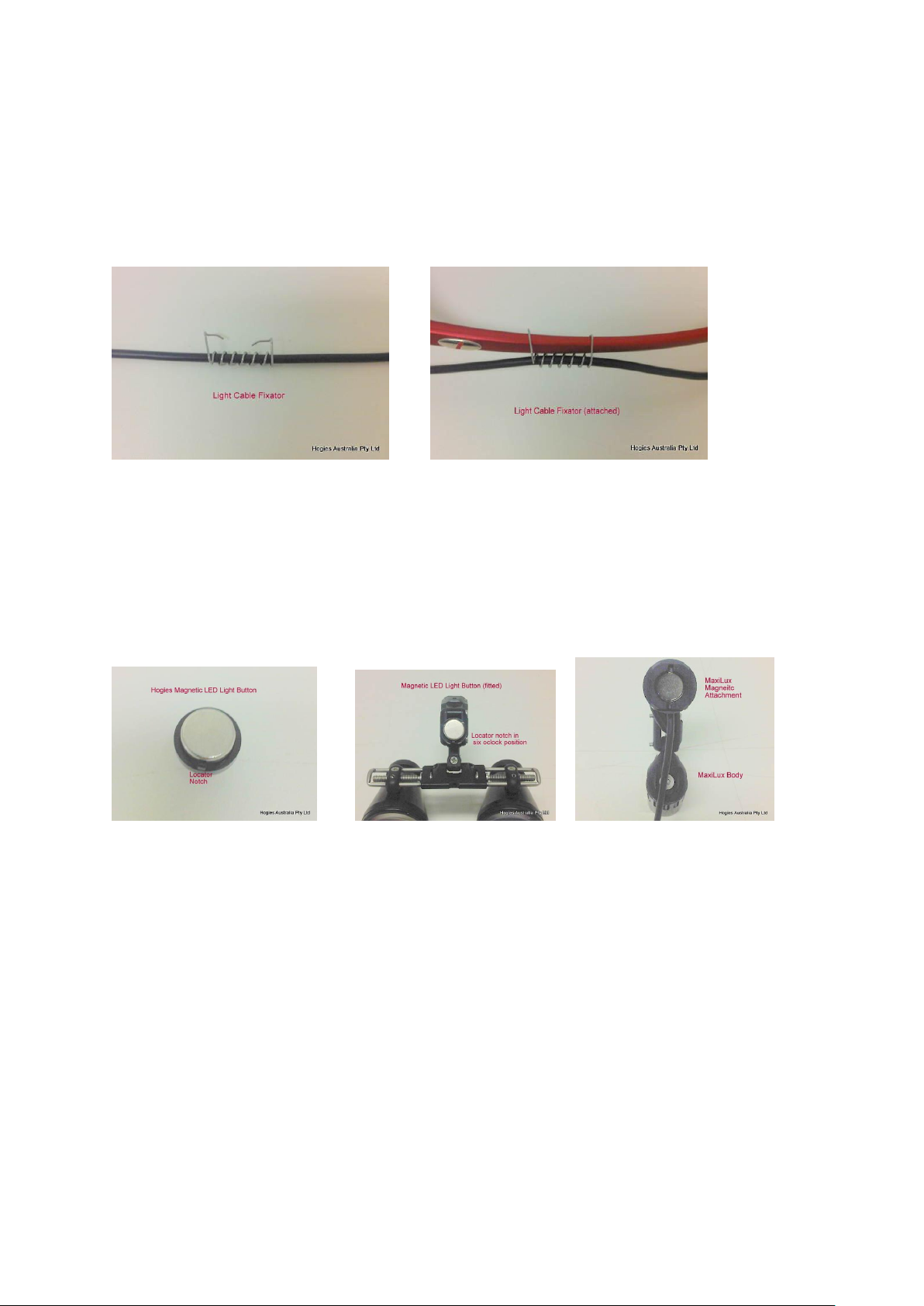
MaxiLux Frame Mounting:
All MaxiLux LED Light cords will be fitted with a cable fixator that attaches to the left temple
of the Hogies frame system you are using.
The spring wire system allows for an easy attachment and dis-attachment.
MaxiLux Magnetic Attachment:
You will need a magnetic locator button to mount on you existing loupe.
Ensure that the magnetic locator button is fitted in the hexagonal hole with the notch sitting
in the six o’clock or vertical position. The magnetic back block on the MaxiLux has slots cut
on the vertical line to enable a secure attachment to the magnet and prevent rotation.
For any further inquiries please contact [email protected].
 Loading...