

Page 1
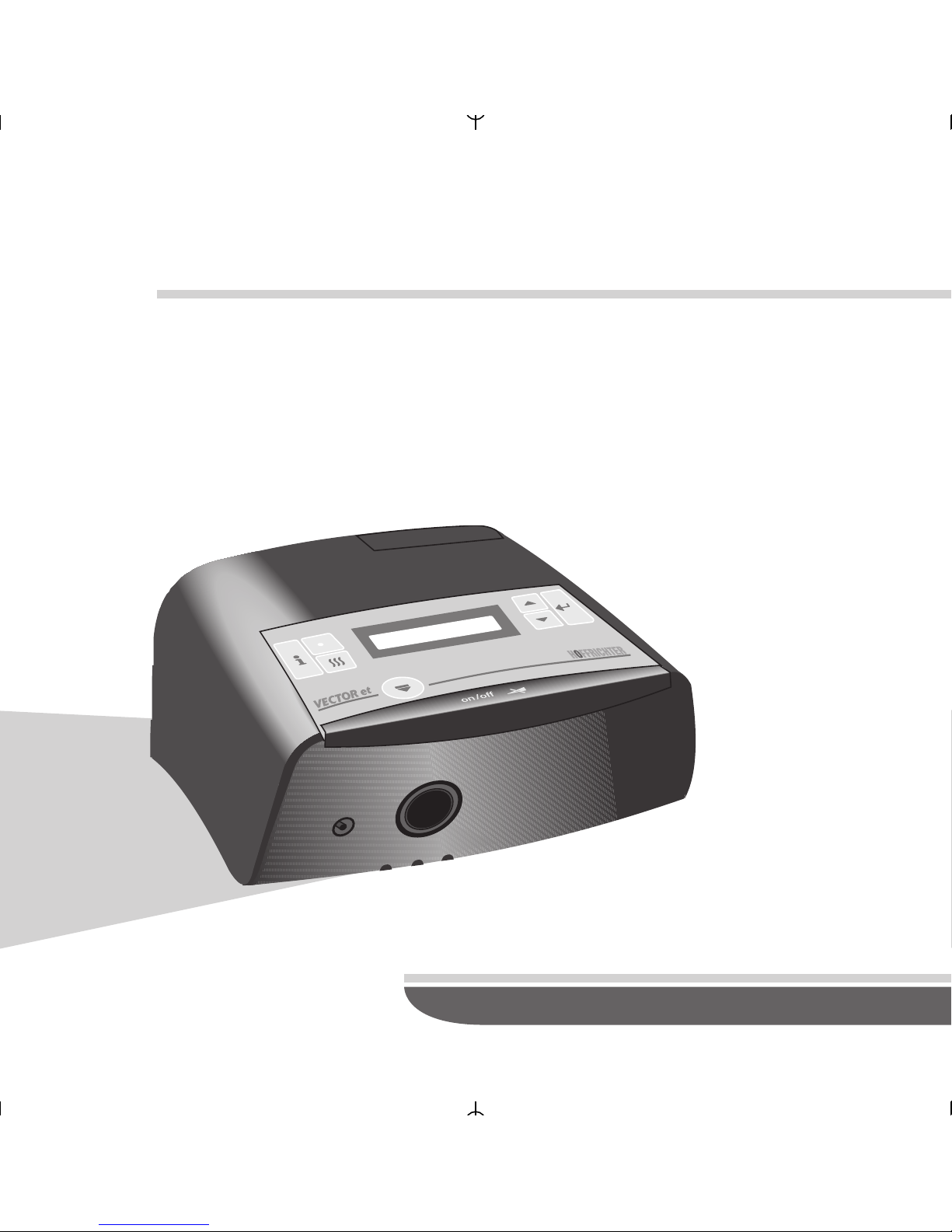
User´s Manual
BILEVEL
HOFFRICHTER
VECTOR et CPAP
Page 2

SERIAL NUMBER
HOFFRICHTER GmbH delivers all its systems with a
serial number in order to ensure traceability. The
serial number is indicated on the type label on the
rear of the system. Please always specify the serial
number in inquiries and complaints.
CONFORMITY
The device complies with the requirements of the
Directive 93/42/EEC.
2
VECTOR et CPAP
Page 3

1 Legends of Symbols 4
2 Safety Instructions 5
3 Intended Use 8
4 Contraindications 9
5 Technical Description 10
6 Notes prior to first use 11
7 Components of the Device 12
8 Accessories 14
9 Use of the Device 16
10 Use of Oxygen 17
11 Clean and Change of the Filter 18
12 Alarm Functions 20
13 Functions of the Device 22
14 Troubleshooting 34
15 Display Messages 36
16 Maintenance 38
17 Technial Data 39
3
CONTENTS
VECTOR et CPAP
Page 4
4
VECTOR et CPAP
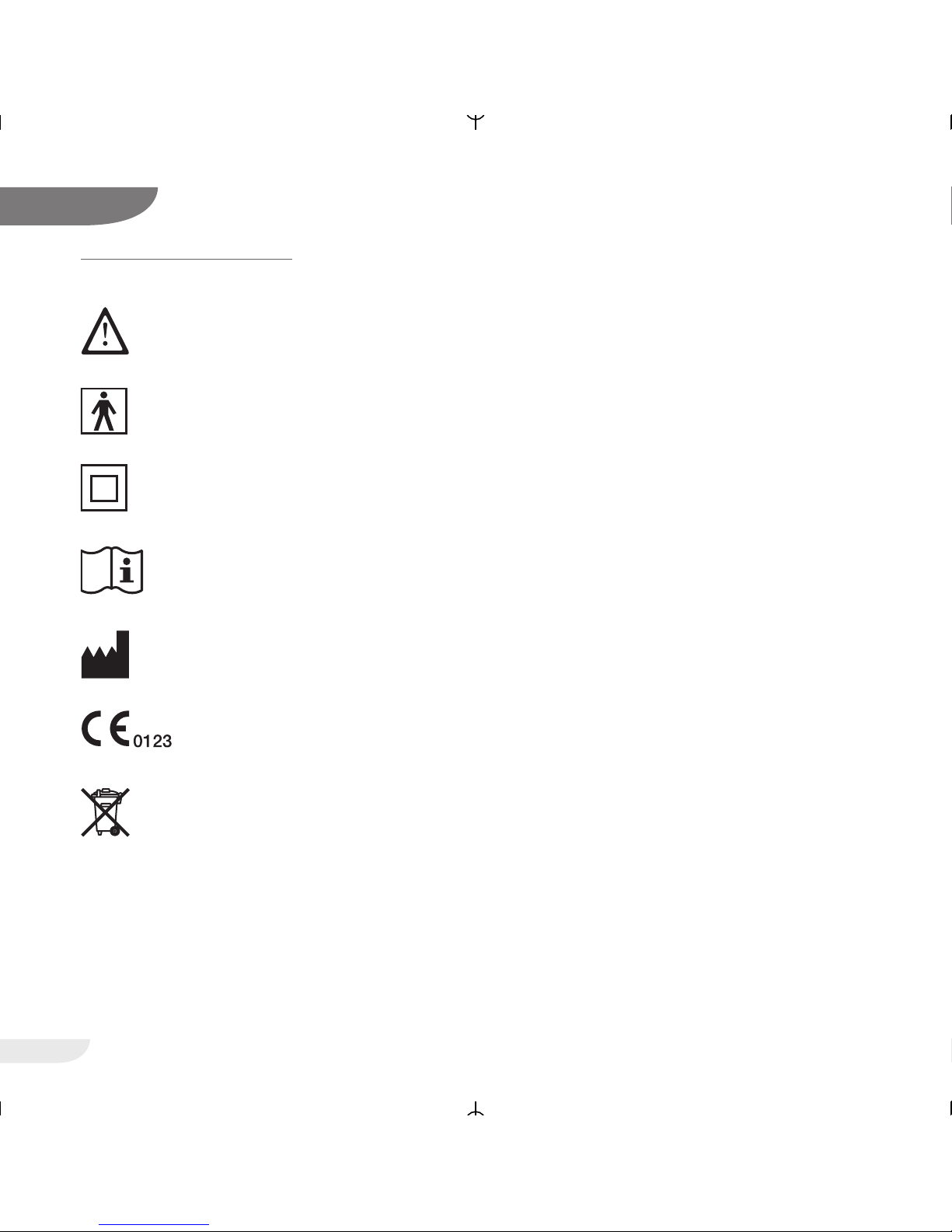
LEGENDS OF SYMBOLS
Observe the accompanying documentation
Applied part type BF
Electric safety class II
(with protective insulation)
Observe the Operating Instructions
Manufacturer
CE Declaration of Conformity
Do not dispose of the device with normal
domestic waste. For information on the
proper disposal of the device, please
contact your responsible customer service.
1
Page 5

SAFETY INSTRUCTIONS
Before using your respiratory therapy device for the
first time, please thoroughly read these Operating
Instructions.
Keep these Operating Instructions at a safe place
for immediate consultation, if necessary.
For the period stipulated by law, HOFFRICHTER
GmbH warrants that the product is free from any
defects provided it is used as intended.
POWER SUPPLY
VVEECCTTOORR eett CCPPAAPP
has an external switched mode
power supply unit with a wide range input of 100 240 V~, 50 - 60 Hz. This allows connection to all
energy supply networks in the world.
It is also possible to operate the device with a
direct voltage of 24 V DC, e.g. for mobile use in a
truck or mobile home. When connecting the device
to a DC supply source, please only use the optional
connection cable and do not use the device with a
PC.
ATTENTION!
HOFFRICHTER GmbH is not liable for any damage
and consequential damage nor for any effects on
the safety, reliability and performance of the device, if:
• manipulations, modifications, expansions,
adjustments, repairs and maintenance
measures are carried out by persons not
authorized by us to do so.
• use is made of accessories and spare parts
which come from other manufacturers a n d
have not been released by us for use with the
VVEECCTTOORR eett CCPPAAPP
device.
• the device is used in a way that is
different from that described in the Operating
Instructions.
5
VECTOR et CPAP
2
Page 6

In order to prevent potential hazards, please follow the instructions below:
• Exclusively use the device for your own
therapy, which must have been prescribed by
a physician.
• Use accessories only which have been
recommended and offered by your specialized dealer.
• Regularly test the alarm function of your device.
• Always ensure that the small hole in the mask
or in the adapter between the mask and the
tubing is unobstructed so that the exhaled air
that is loaded with CO2 can escape.
• Never set up the device in a compartment of
a cabinet nor under your bed.
• Please make sure that air can easily circulate
around the device.
• Do not place the device in the vicinity of
radiators.
• Ensure that the device is positioned
horizontally. This is particularly necessary if a
humidifier is connected.
• If yo u receive oxygen with your therapy,
please follow all fire protection and safety
regulations with regard to the use of oxygen.
• Mobile use of the device is permitted only in
a parked vehicle.
• Immediately see your physician if, while using
the device, you develop one or more of the
following symptoms: dryness of the mucous
membranes in nose and throat, frontal sinus
complaints, earache, a running nose,
hypersensitivity of the skin, oversensitiveness,
loss of voice, disturbances of orientation or
memory.
• Immediately notify your specialized dealer if
the device fails to function properly.
• Never place the respiration therapy device in
the vicinity of other equipment or devices,
such as defibrillators, diathermy equipment,
mobile phones, microwave, remote-controlled
toys, etc. Electromagnetic fields greater than
3 V/m ma y affect the operation of the device.
6
2
VECTOR et CPAP
Page 7

7
VECTOR et CPAP
2
To maintain electrical safety , please observe the
following instructions:
• Do not put the device into operation if its
housing and/or cables are damaged.
• Do not open the housing. Notify your
specialized dealer of any disturbances and
failures.
• Protect the device from water and moisture.
• Never operate the device in moist rooms nor in
a bathroom.
• Do not place a vessel filled with fluid on the
device.
• Be absolutely sure not t o seize the device if it
has fallen into water.
• Do not set up the device in the vicinity of water
vessels (bath tubs).
• Before cleaning the device, always disconnect
the power plug.
• Use the supplied power supply pack only.
• When connecting the device to a DC supply
source, please only use the optional connection cable listed under optional accessories and
do not use the device with a PC.
STANDBY-MODE
The device is in the standby mode as long as the
turbine is turned off. The standby mode is indicated
by the illuminated display showing date and time. If a
humidifier is connected with the device, the
humidifier as well will be in standby mode. The preset heater level will be displayed. Power
consumption in this mode is approx. 5 W.
••
In the standby mode, the device
VVEECCTTOORR eett
CCPPAAPP
may remain continuously switched on
without posing any risk.
Page 8

INTENDED USE
The VECTOR et CPAP is intended for treating
obstructive sleep apnea in patients with a weight of
30 kg and higher.
The device generates a continuous positive airway
pressure in order to keep the upper respiratory
tract unobstructed.
The device is not suitable for being used with
patients who need artificial respiration. This therapy
device is no life-preserving system.
The treatment pressure is applied through a
ventilation mask. This ventilation mask must be
provided with an exhalation valve in order to ensure
that the exhaled air is discharged. Do not wear the
ventilation mask while the therapy device is turned
off because, otherwise, you might rebreathe
exhaled air. Please also follow the manufacturer's
instructions on use of the ventilation mask.
8
3
VECTOR et CPAP
Page 9

CONTRAINDICATIONS
Respiratory therapy may be contraindicated in
patients with the following preexisting diseases:
• Bullous lung diseases
• Pneumothorax
• Very low blood pressure
• Air accumulation after open craniocerebral
trauma or other head injuries
In case of an inflammation of the paranasal sinuses
or the middle ear, it might be indicated to stop the
therapy. Please consult your physician.
Devices which have been fitted with an
AAqquuaaDDRROOPP eett
humidifier may not be used with
additives such as medication or aroma oils in the
humidifier water.
9
VECTOR et CPAP
4
Page 10
TECHNICAL DESCRIPTION
The VECTOR et CPAP is a therapy device for treating obstructive sleep apnea.
In addition to the conventional CPAP-mode, the
device offers in FLEXLINE-mode a pressure
increase during inspiration and pressure reduction
during expiration which is proportional to the
individual breath flow.
To generate the necessary pressure, the device is
provided with an electronically controlled blower. In
order to keep the stress for the patient as low as
possible, the blower has been designed with a high
reserve capacity and a quick control response.
The pressure is measured directly in the mask and
constantly controlled by the device. Consequently,
the breathing work for the patient is a easy as
possible.
There are two separate tubings in the device. One
is for respiratory air and one is for the convection
air required for cooling the electronics.
In addition to the mask alarm, the device offers
another safety function, the power failure alarm. It
automatically restarts the motor after power
restoration.
The device contains a built-in microcontroller which
controls all of its functions.
A quartz alarm clock further adds to the comfort
when using the device. Further comfort functions
include a soft start ramp, the automatic start-stop
function and the adjustable display brightness.
While passing through the device, the air is heated
a little, so that it has a higher water absorbency.
When indoor air is dry in winter, the mucous
membranes in mouth and nose may become
particularly dry. This is unpleasant and may even
cause infections in exceptional cases. For that reason, a therapy might require air humidification.
AquaDROP et, a clip-on humidifier is available as
accessory for the device.
If necessary, just click the humidifier onto the
device. Remove it by pressing its locking key.
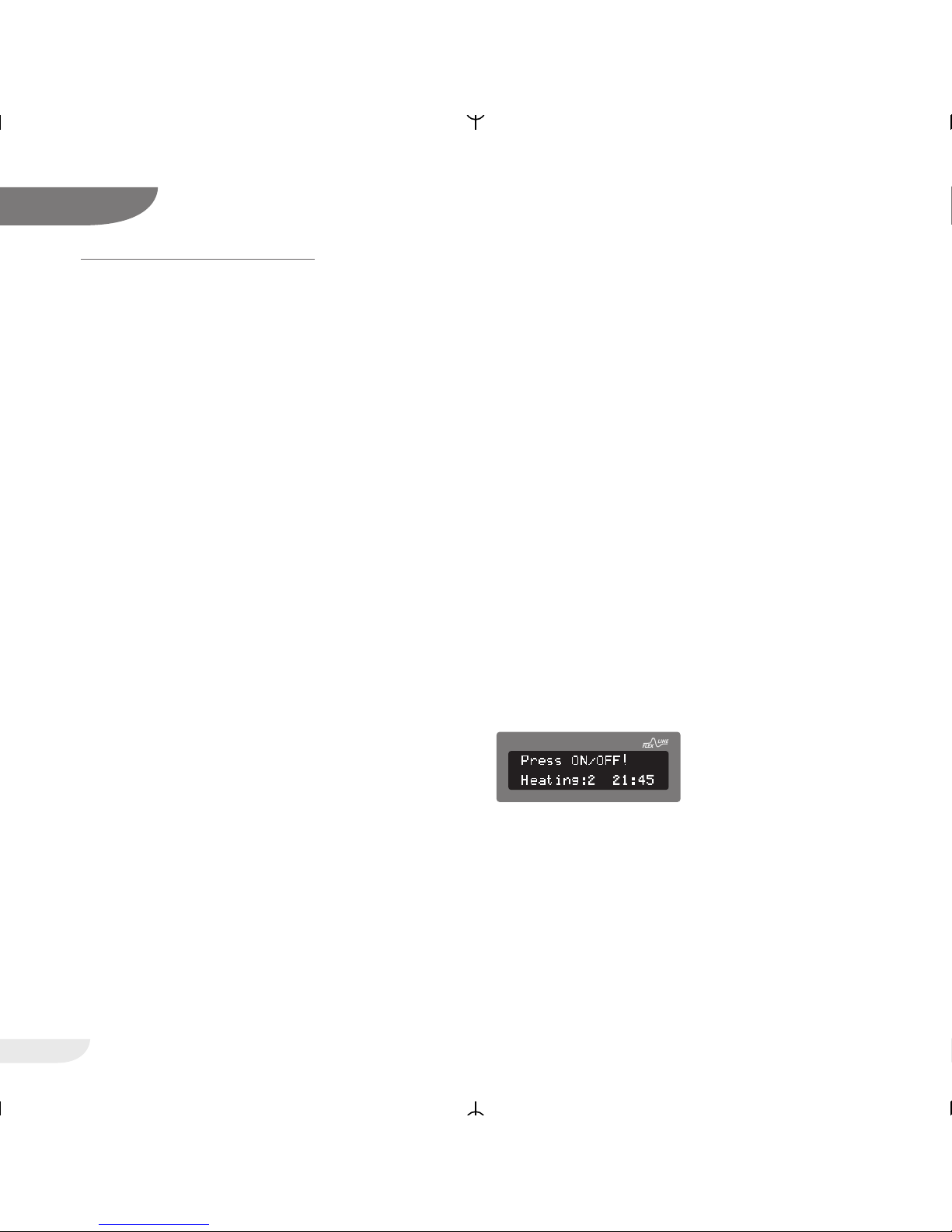
The heater levels are set in the heater menu. The
selected heater level is displayed as in the display
of the device while the humidifier heating is
switched on.
For more information please see your
AquaDROP et operating instructions or contact
your specialized dealer.
10
5
VECTOR et CPAP
CPAP
Page 11

NOTES PRIOR TO FIRST USE
Never turn the device on if you kept it in a very cold
environment. Wait for approx. 1 hour until its
temperature compensation is completed.
Regularly check the air filter cassette and regularly
exchange it as described on page 18. Never use
the device without air filter.
Clean your mask system regularly and check all
accessory parts, particularly the therapy tubing, the
mask and the head gear. We recommend that you
wash your face before going to sleep, in order to
remove fat and cosmectics from your skin. This
increases the service life of the mask and helps to
prevent irritations of the skin.
Make sure the measurement tube is unobstructed
at all times. Avoid ingress of water into the
measurement tube during cleaning. If water
droplets should have accidentally entered the
measurement tube they must be carefully and
thoroughly removed.
Please strictly observe the following setup
instructions:
• Do not place the device in the vicinity of a
heating source. Air circulation – particularly
that below and behind the device – must not
be impaired by furniture, curtains or cushions.
• Set up the device next to your bed.
Place it on a firm and flat surface of your
bedside cabinet.
• During mobile use, the device must also be
placed on a firm and flat base, which must
have an edge to protect the device from falling off.
11
6
VECTOR et CPAP
Page 12
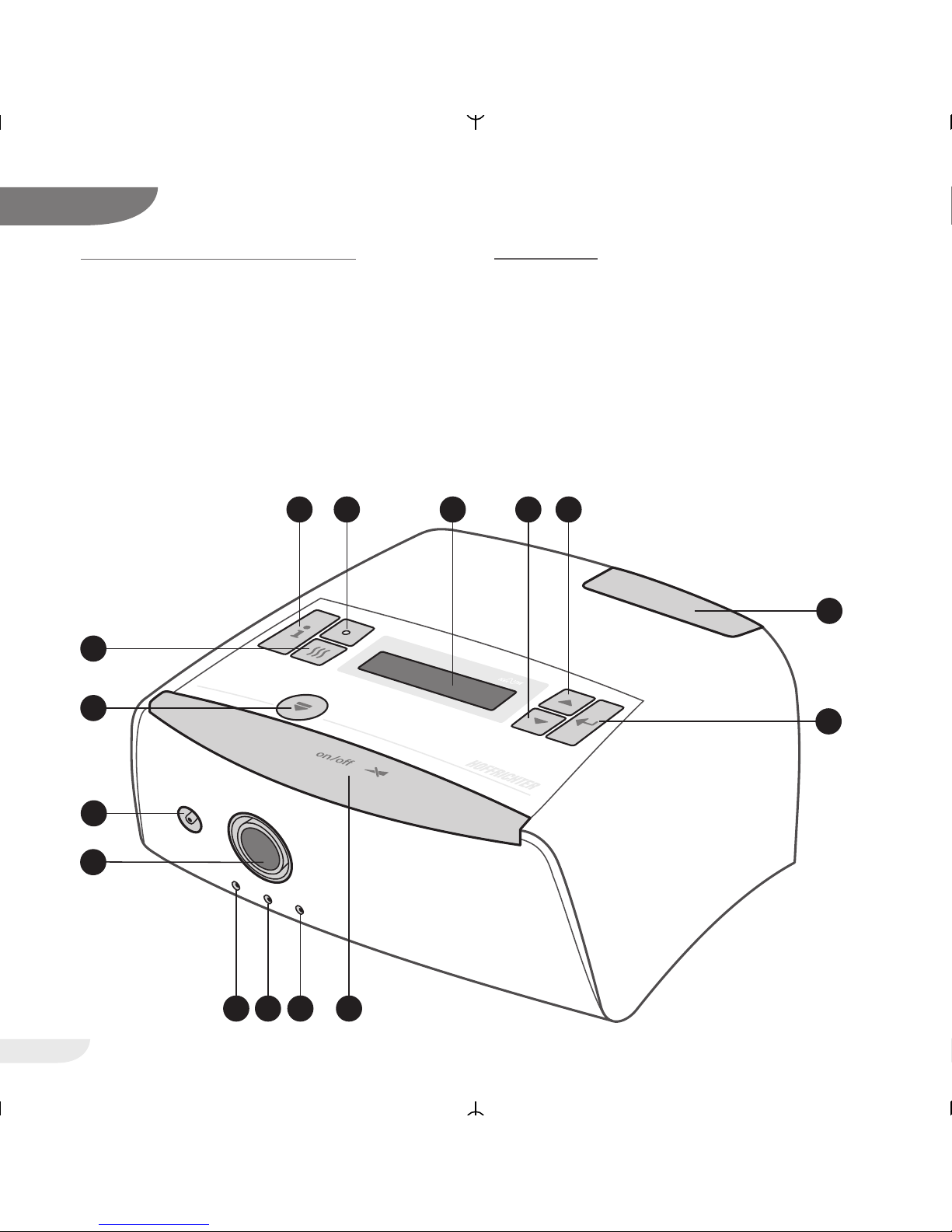
COMPONENTS OF THE DEVICE FRONT VIEW
1 Program Keys
2 Filter cassette
3 Display
4 Heater LED
5 Info Key
6 Heater Key
7 Release button for accessories
8 Measurinng tube connection
9 Air outlet
10 Contact socket for humidifier
11. Control Key (ON/OFF button)
12
7
VECTOR et CPAP
1
2
45
6
7
11
8
9
10
3
CPAP
VECTOR et
1 1
10 10
Page 13
13
VECTOR et CPAP
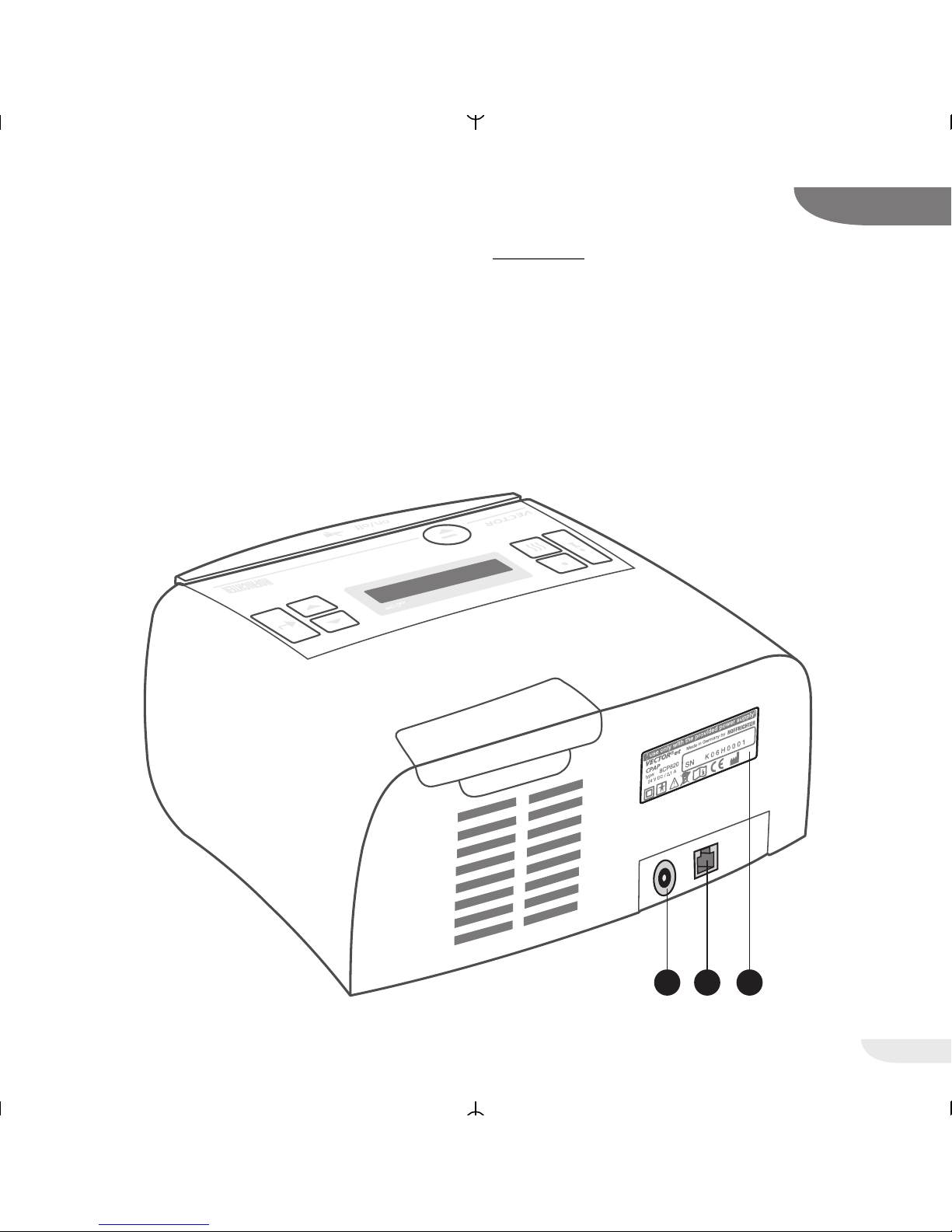
REAR VIEW
12 Power connection
13 RS232 interface
14 Type identification plate
7
12 13 14
CPAP
et
Page 14
14
VECTOR et CPAP
8
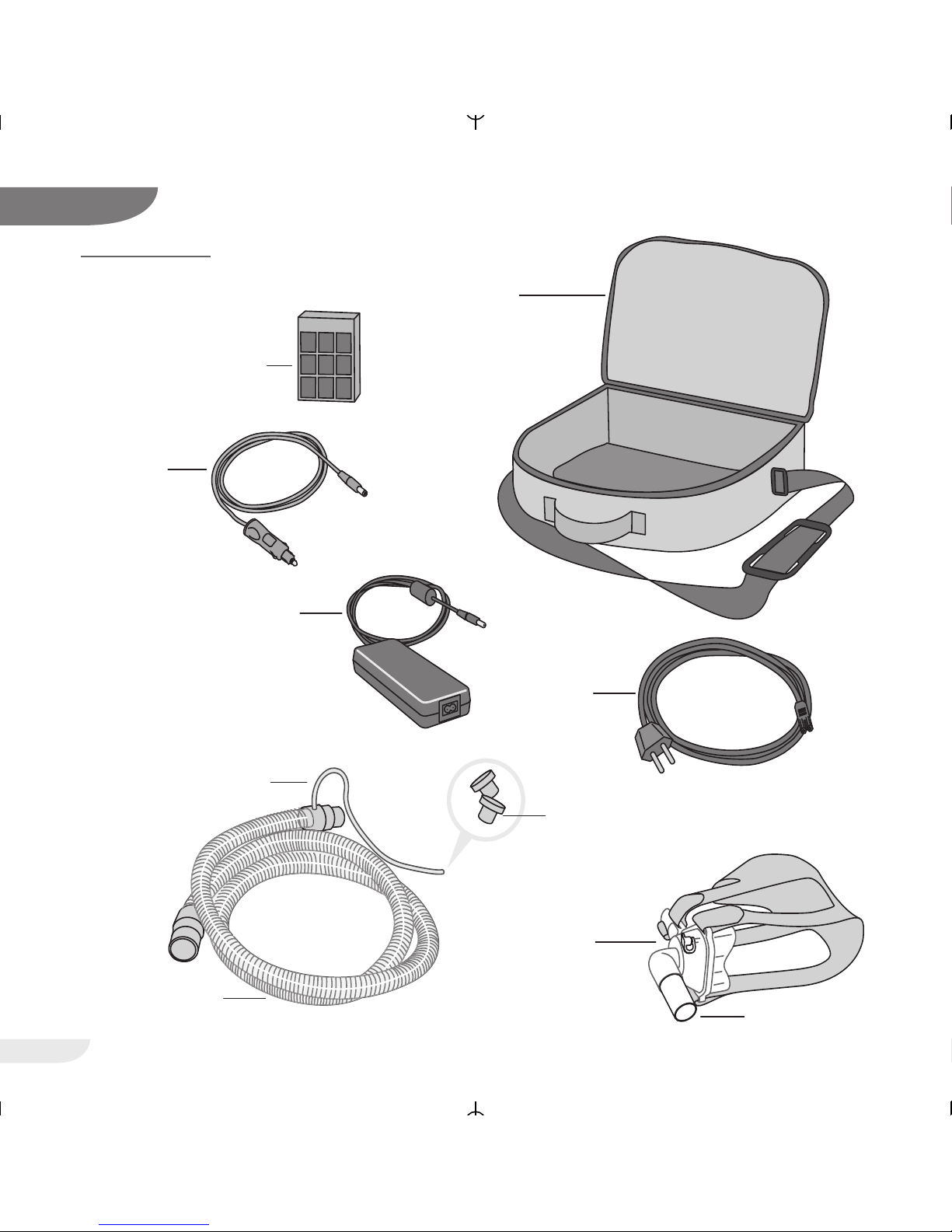
Exhalation valve
Car Cabel
Carrier bag
Air Filter Cassette
Power cord
Power Supply Unit
Therapy Tube
(Length 1,80 m)
Measuring Tube
Breathing Mask
There are various mask
systems available
Stoppers
,80 m)
ACCESSORIES
Page 15

15
VECTOR et CPAP
8
SCOPE OF DELIVERY
Art.-No.:
VECTOR et CPAP 0000 2045
User´s manual 5000 0036
Power supply 0000 2020
Power supply cable 3110 0015
Therapy tube, measuring tube
and stoppers 0000 7116
Filter cassette without frame cover 0000 2029
Carrier bag 0000 2080
A ventilation mask that has been specially adjusted
for the individual patient is required for start-up and
use of the device in the domestic area, in addition
to the therapy device with power supply unit,
power cord, and therapy tube.
OPTIONAL ACCESSORIES
Art.-No.:
AquaDROP et 0000 2015
Car cabel 0000 9212
12 V to 24 V converter 0000 7133
Replacement filter cassette
with frame cover 0000 2028
Page 16
16
VECTOR et CPAP
USE OF THE DEVICE
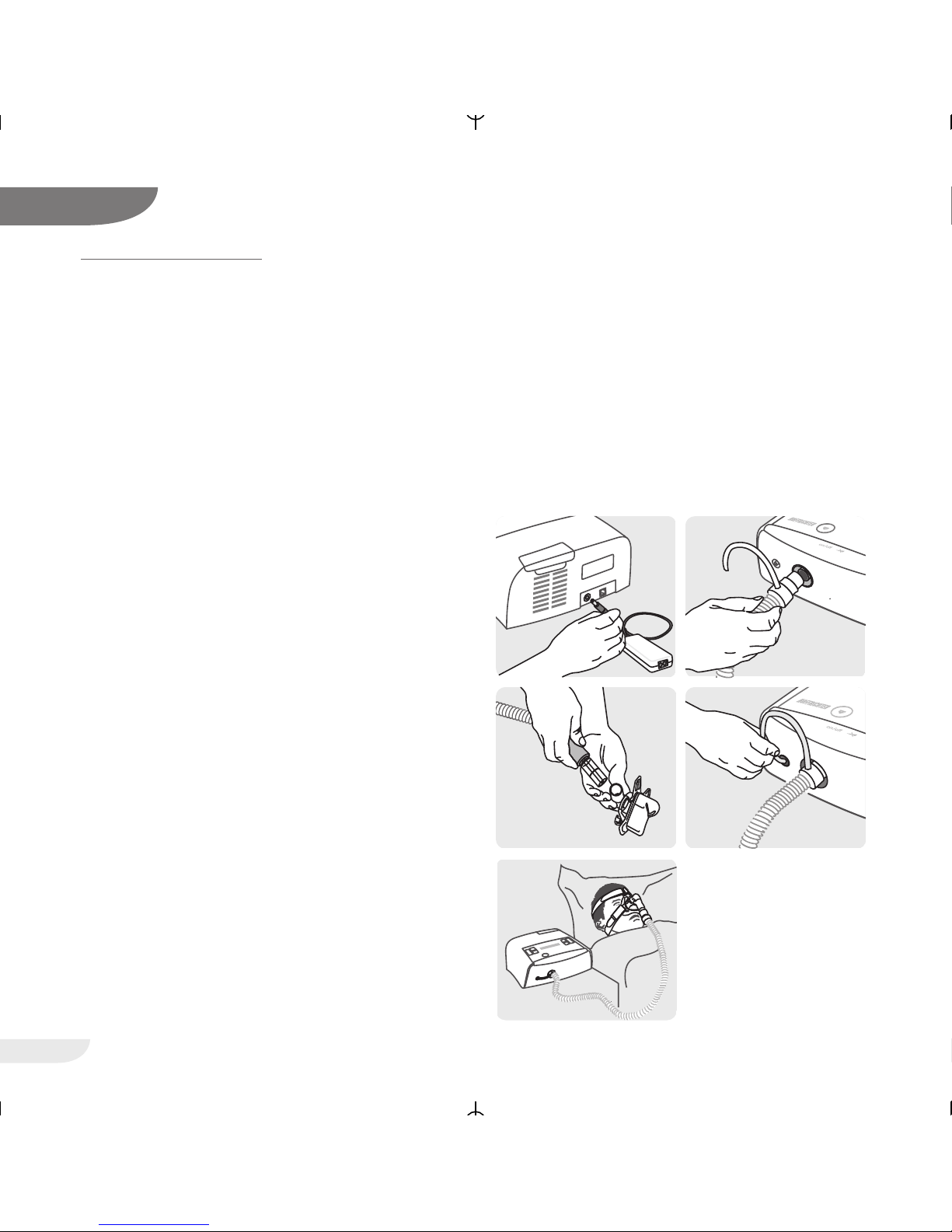
1. After having set up the device properly, connect
the power supply unit to the device and, using
the supplied power cord, to a grounded outlet.
2. The device displays a welcoming message, the
software version and the current number of
treatment hours. Thereafter, the display shows
the date and time.
3. Connect the therapy tubing
a) to the air outlet, and
b) to the mask.
4. Also connect the measuring tube to the
measuring tube outlet.
5. Apply the mask. If you have selected the
automatic mode, the device will start on your
first breath. In the manual mode, press the
operator key to start the device.
6. The device will then run through the mask test
for the time selected and at the pressure
prescribed. You should now properly seat the
mask in order to eliminate any potential leaks.
7. Place the tubing such that it does not exert any
pulling action on the mask while you are lying
down.
8. Breathe deeply and calmly only through your
nose. If you have activated the soft start
function, the device initially reduces the
pressure after completion of the mask test and
will then slowly increase the pressure
automatically to the prescribed value, allowing
you to fall asleep at a lower pressure.
NOTE:
For information on how to adjust the soft start
and mask test times to your individual demands,
please refer to the section entitled functions of
the device.
9
1
3a
3b
4
7+8
Page 17
17
10
VECTOR et CPAP
USE OF OXYGEN
If you also have to inhale oxygen during your CPAP
therapy, please be absolutely sure to follow the
instructions from the manufacturer or the dealer
delivering the oxygen to you.
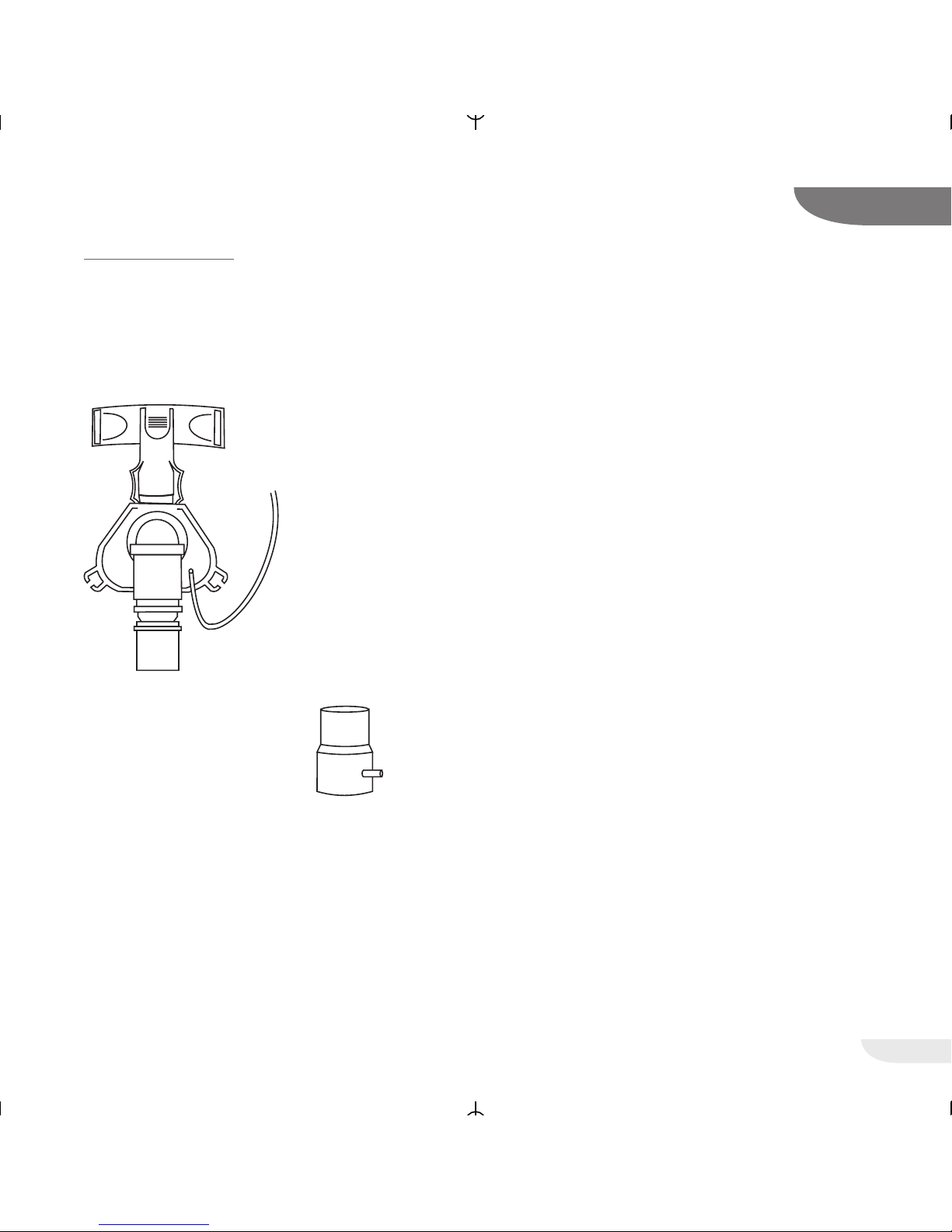
If you supply the
oxygen directly into the
mask, please use a
non-kinking tube that
consists of a medically
approved material.
You can also supply the
oxygen through an adapter
which is mounted to the air
outlet.
In any case, please be absolutely sure to follow the
instructions of your physician.
Please contact your specialized dealer.
A TTENTION!
Oxygen promotes combustion processes.
For that reason, please observe the valid fire
protection regulations for the use of oxygen.
Keep oxygen fittings free from fat, do not smoke,
and do not handle the device near a naked flame.
A TTENTION!
If you are using oxygen together with the device,
the oxygen supply must always be deactivated
as long as the device is in the standby mode or
while it is turned off.
Always turn on the device first and only then the
oxygen supply. Turn off the oxygen supply before
turning off the device.
Activate the „Automatic OFF“ as described on
page 27.
Whenever you use the device, check the tube
connections for proper seating beforehand.
Page 18
18
11
VECTOR et CPAP
CLEANING AND CHANGE OF THE FILTER
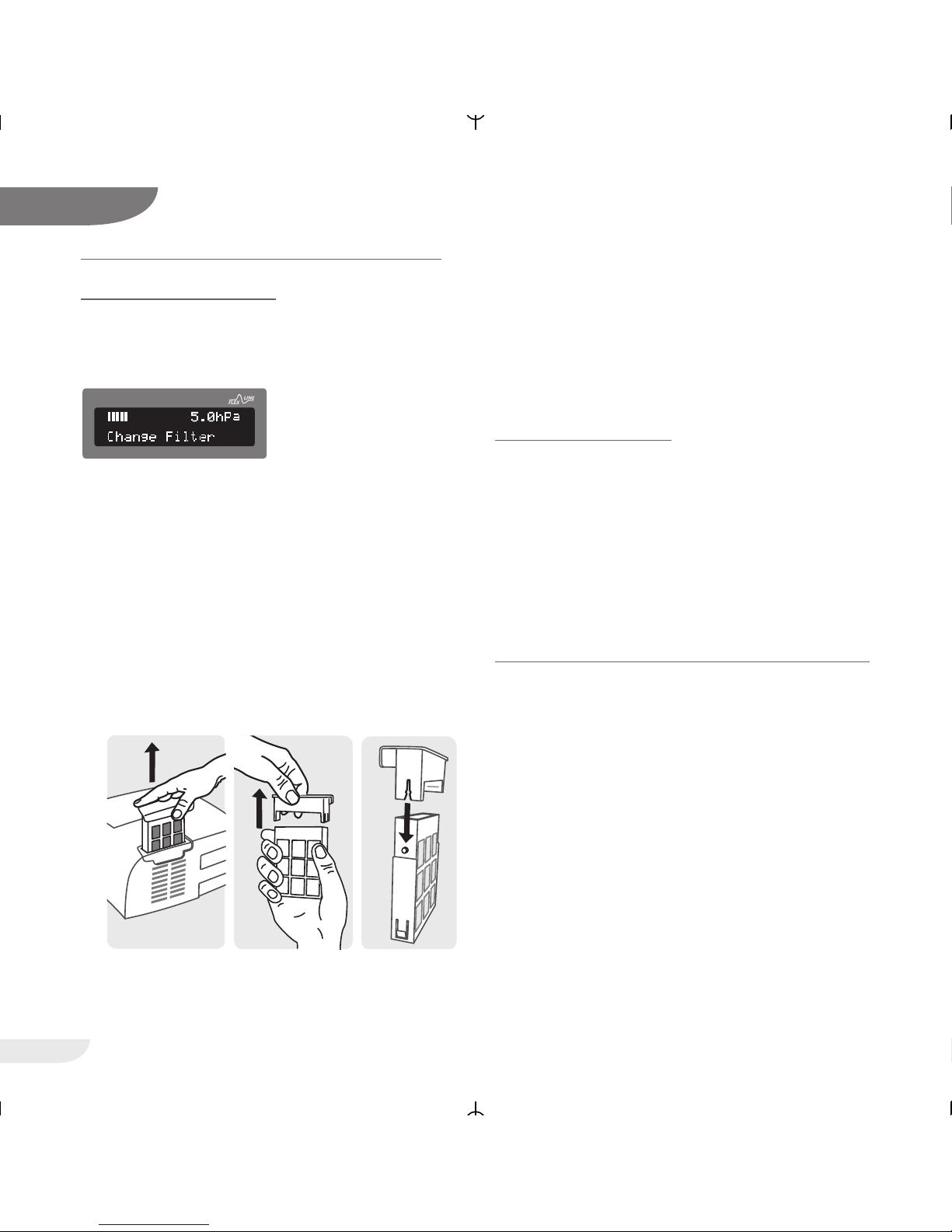
CHANGE OF THE FILTER
If the filter is polluted or the display shows the
message “change filter” the filter cassette must be
changed.
1. To change the cassette, pull it upwards out of
the device.
2. Separate filter cassette and filter frame cover by
pulling them apart.
3. Replace the filter cassette.
4. Mount the filter frame cover onto the new filter
cassette. Make sure the upper part (slit) and
the filter cassette (pin) are in the correct
position.
To set back the message proceed as described in
the chapter Patient menu (page 24).
NOTE:
Never operate the device without filter cassette.
Only and exclusively use original HOFFRICHTER filter
cassettes. Otherwise, the warranty for the ventilator will become extinct.
CLEANING THE MASK
For reasons of hygiene the mask must be cleaned
on a daily basis:
1. Separate the mask from the therapy tubing
2. Clean the mask as described in the mask
manufacturer's operating instructions
WEEKLY CLEANING OF THE THERAPY TUBING
Make sure the measurement tube is unobstructed
at all times. Avoid ingress of water into the
measurement tube during the weekly cleaning. If
water droplets should have accidentally entered the
measurement tube they must be carefully and
thoroughly removed.
1. Close the therapy tubing tightly with the
stoppers before cleaning (see page 14)
2. Use mild soapy water for cleaning, thoroughly
rinse with clear water, and let the tubing dry in
air
3. Remove the two plugs from the measuring
tubing after cleaning
CPAP
124
Page 19

19
VECTOR et CPAP
11
CLEANING THE DEVICE
For reasons of hygiene the device must be cleaned
on a weekly basis:
1. Disconnect the power plug
2. Wipe the device with a cloth slightly moistened
with soapy water. Then use a dry cloth to wipe
the device dry
You do not have to disinfect the device or parts of
the device chemically or thermally.
CLEANING THE HEAD GEAR
Clean the head gear as required:
1. Disconnect the head gear from the mask
2. Clean the head gear as described in the head
gear manufacturer's operating instructions
Page 20
20
VECTOR et CPAP
ALARM FUNCTIONS
POWER FAILURE
If a power faiure at night would go unnoticed as a
result the patient would breathe used air from the
therapy tubing all night. To avoid this the device is
equipped with an alarm mechanism that warns you
with a 5 seconds delay if power or a fuse fail at
night. You will be woken up with an acoustic signal
so you can take the mask off your face and breathe
fresh air.
The alarm is turned off by pushing the operating
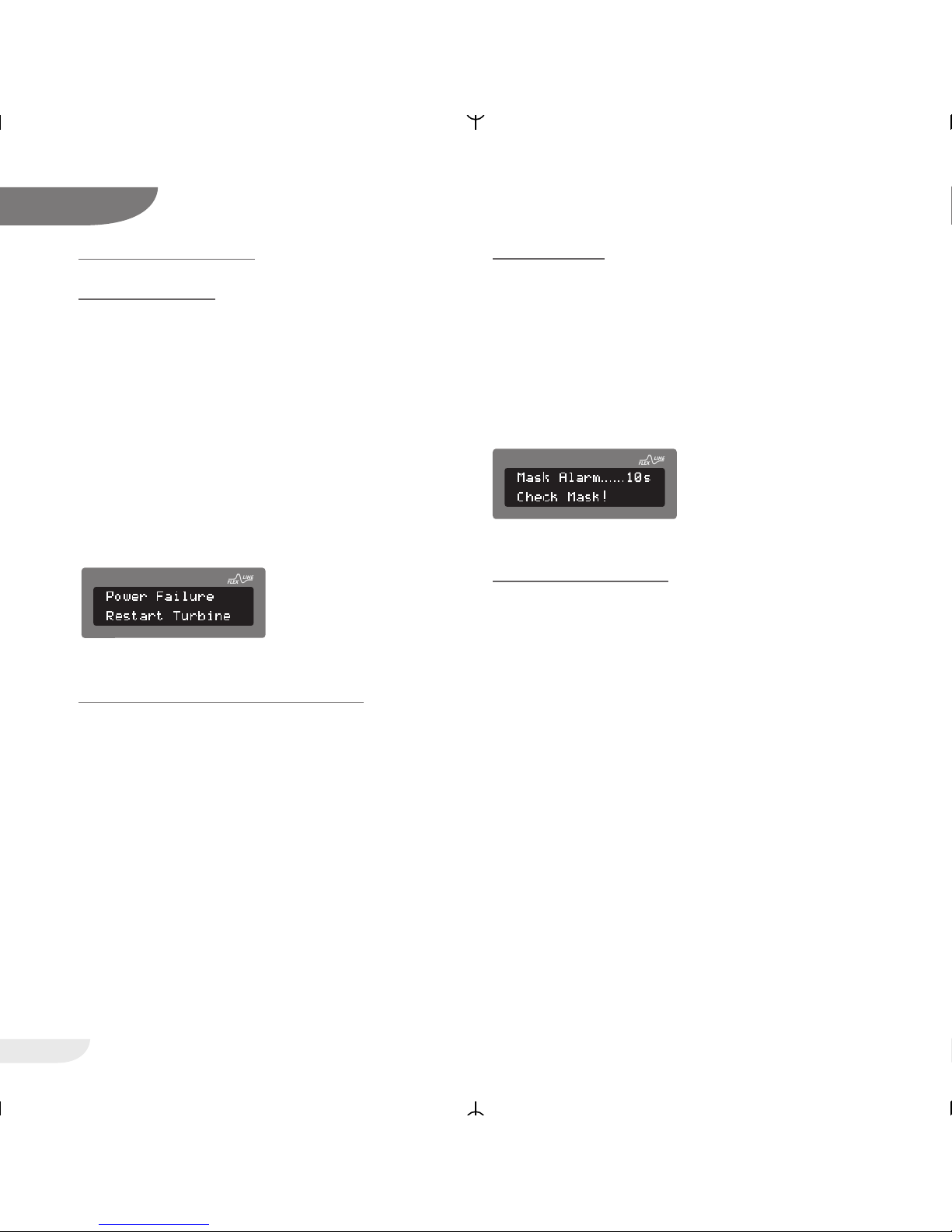
button. After power supply is re-established the
motor starts automatically and the display will show
the following message:
CHECK POWER FAILURE WARNING
NOTE:
T o check the power failure alarm, the device must
have been connected to the power cord and turned on for at least half an hour.
Use the device with running blower and then pull
the power plug out of the wall socket. Now the
acoustic warning signal should sound. Check once
a month if the signal sounds long enough (reference value: at least 3 minutes).
After pushing the operating button or turning on the
power supply again the signal will stop.
MASK ALARM
This alarm function is activated only if the automatic
function is turned off. If the mask has slipped off
your face or if the tubing is pulled off the device,
the device is not turned off automatically, but emits
a visual and audible alarm. However, this additional
safety function requires that you turn the device on
in the evening and off and in the morning with the
operating button (ON/OFF).
CHECK MASK ALARM
Use the device with running turbine in the manual
mode (automatic mode OFF). The mask is open
but not applied to your face. After a short time, an
audible signal is emitted.
12
CPAP
CPAP
Page 21

21
VECTOR et CPAP
PRESSURE ALARM
If during the therapy a hardware error occurs or the
pressure becomes too high (e.g. due to a bent
measuring tube) the decive will generate an alarm
sound and turn off the turbine. The alarm is turned
off by pushing the operating button and the therapy
can be continued after solving the error.
ALARM CLOCK
The device is provided with a comfortable
integrated alarm clock. Using the programming
keys, you can activate and deactivate this alarm
clock at any time, for example on weekends. The
alarm clock emits an alarm at the programmed
wake time. Press the operator key once to set the
alarm for the next 5 minutes (can be set with the
help of the computer software) and twice to
deactivate it completely.
These functions may have been deactivated
through the software. Please contact your
speaiclized dealer or service technician for
activating these functions.
12
CPAP
Page 22
FUNCTIONS OF THE DEVICE
You can program the functions of the device with
the following three keys:
= enter key
= programming key
= programming key
The display has two lines. Using the and
keys, you can select the line to be displayed. The
triangular symbol preceding the line indicates
that this line has been selected.
NOTE:
If you do not press any key for 30 seconds while
programming, the programming mode is automatically exited for safety reasons.
Unless the changed value is confirmed with the
enter key when the programming mode is exited,
the original value remains as it is.
If you select the line »exit menu« and then press
the key, programming is ended.
The device has three different menus:
1. Info Menu:
In this menu the set parameters can be
displayed.
2. Patient Menu:
In this menu the patient can change settings.
3. Clinic Menu:
In this menu, only a doctor or service
technicians can change settings.
INFO MENU
By pressing the Info button i you get to the Info
menu. By pressing the buttons and you can
see the next parameters. To exit the Info menu
select the line »exit menu« and then press the
button.
If you do not press any buttons for 30 seconds the
device will automatically switch back to the operating mode.
The following parameters are shown:
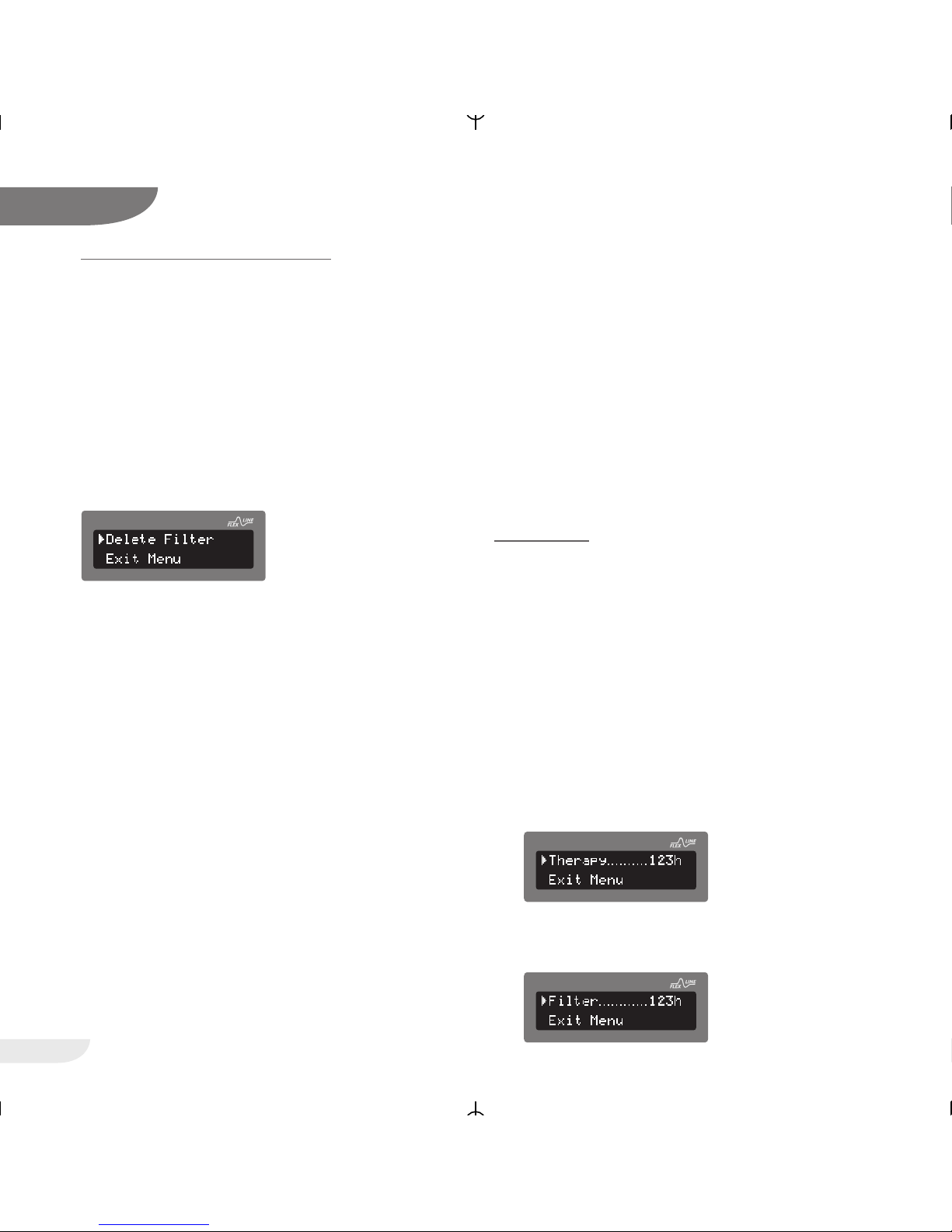
1. Therapy
Shows the total therapy time of the device
2. Filter
Shows the time since the last filter change
22
VECTOR et CPAP
13
CPAP
CPAP
CPAP
Page 23
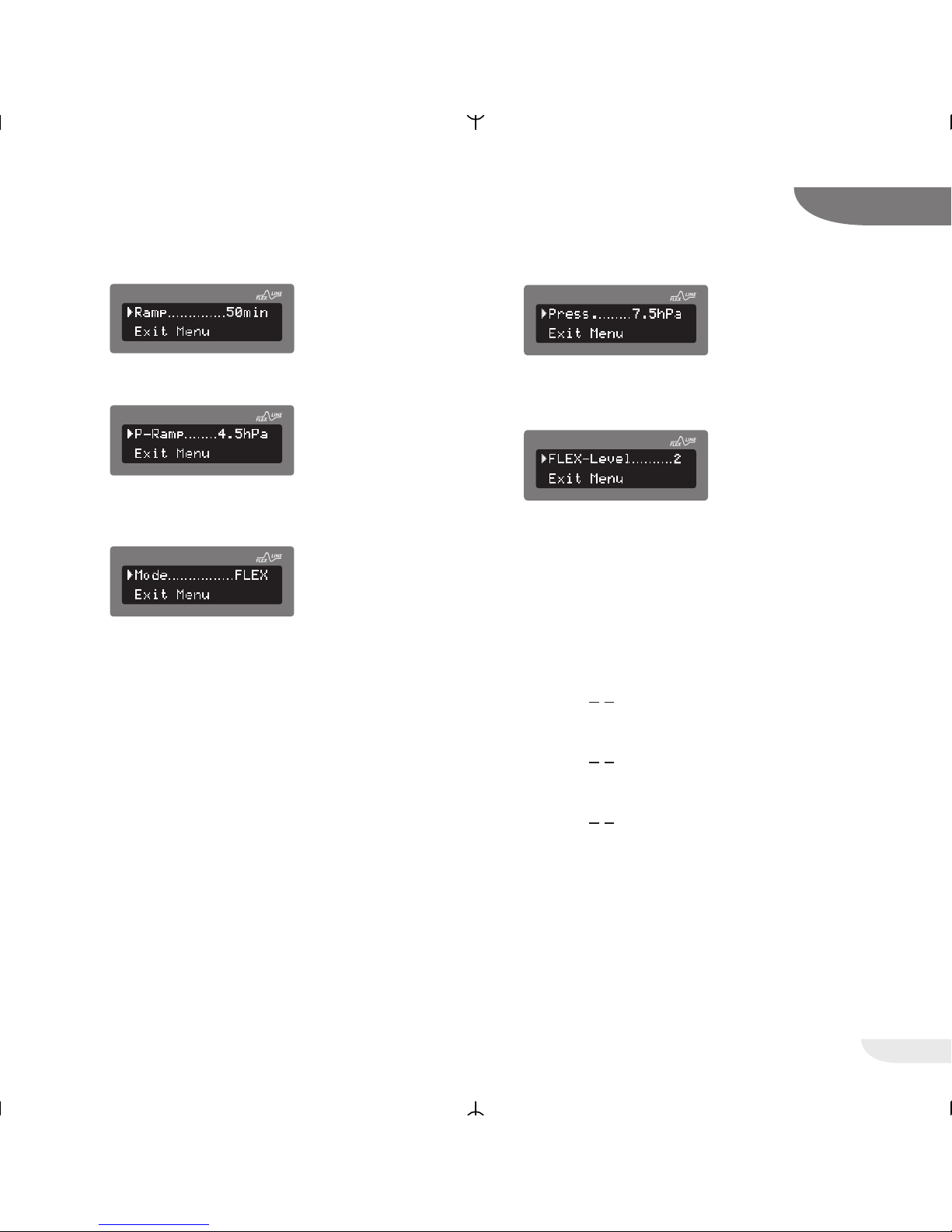
3. Ramp
Shows the remaining time of the soft start ramp
4. P-Ramp
Shows the ramp start pressure
5. Mode
Shows the selected mode
The device can operate in CPAP-mode as well
as in FLEX-mode. The FLEX-mode is a
comfortable mode in CPAP therapy.
Proportional to the patientflow the pressure will
be decreased while the patient exhales and
increased when the patient inhales. The
following effects take place:
• The breathes will become more natural and
pleasent because of the diminution of
breathingwork during in- and exhalation
• Reduction of the middle therapy pressure
6. Pressure
Shows the selected therapy pressure
7. FLEX-Level
Shows the selected FLEX level
(only if the FLEX-mode is activated)
The value of pressure increase and pressure
decrease depends on the value of the breath
flow, the set FLEX levels and the set therapy
pressure. The three FLEX levels (1-3) are for
individual adjustment to the patients
requirements:
• FLEX-Level 1 low pressure support
(P
max
< + 1 hPa)
• FLEX-Level 2 medium pressure support
(P
max
< + 2 hPa)
• FLEX-Level 3 high pressure support
(P
max
< + 3 hPa)
23
VECTOR et CPAP
13
CPAP
CPAP
CPAP
CPAP
CPAP
CPAP
Page 24
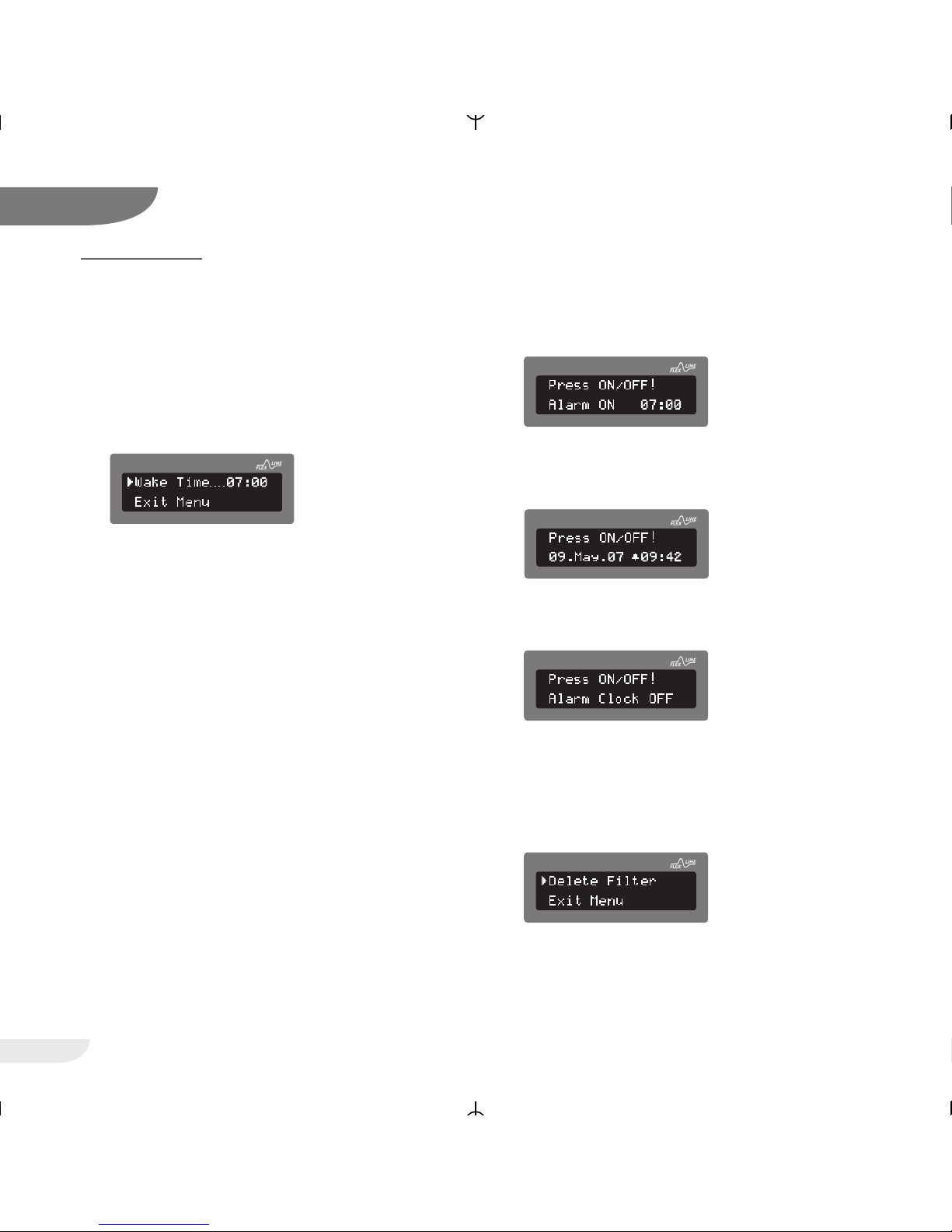
PATIENT MENU
Press and hold the enter key (at least 1 second) to
move to the programming mode. The Patient menu
will now appear on the display. In the Patient menu
you can set the following parameters:
1. Wake time
In this menu item you can set and change the
wake time.
After pressing the key again the hour of the
wake time will start flashing. Now you can
change it by pressing the and keys. After
pressing the key again the minute of the
wake time will start flashing. Now you can
change it by pressing the and keys.
Pressing the button again ends the input and
you get back to the menu. Changing the wake
time will automatically activate the alarm clock.
After leaving the menu the alarm clock can be
activated and deactivated with the help of the
and buttons. Press to activate the
alarm function. The display briefly shows the
wake time allowing you to verify it.
After that a bell symbol in front of the time
display shows that the alarm function is
activated.
Press to deactivate the alarm function.
The bell symbol disappears.
2. Reset filter
In this menu item the filter counter can be
reset. This function should be used at every
filter change so that always a current value is
displayed.
24
VECTOR et CPAP
13
CPAP
CPAP
CPAP
CPAP
CPAP
CPAP
Page 25
25
VECTOR et CPAP
13
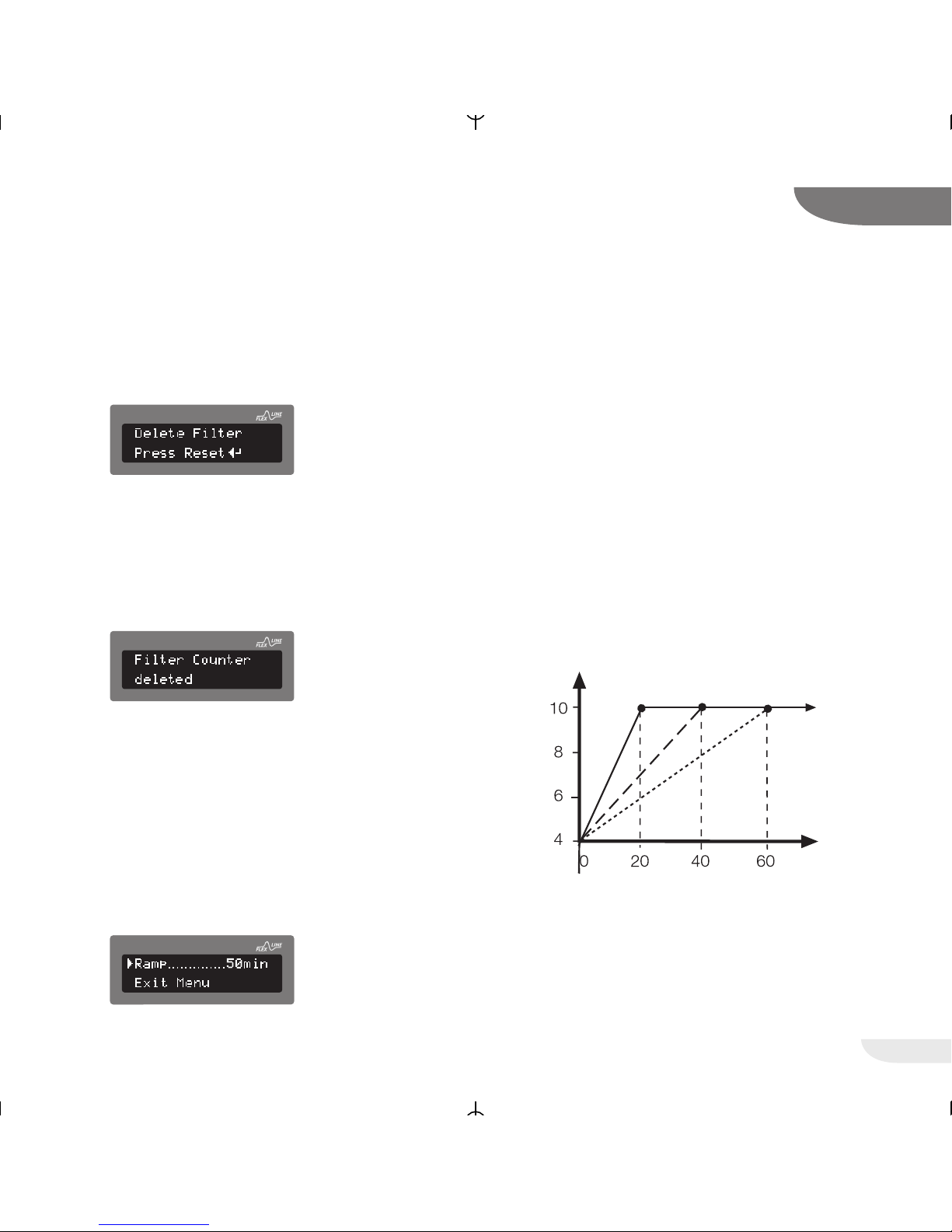
To reset the filter counter, go to the Patient
menu (press the button for approx. 1
second), then select »Reset filter« with the
buttons and . Press the button.
The system will now ask you if you are sure
that you want to perform a reset.
Press the key to perform the reset.
Now the filter counter is reset to zero.
If you do not want to reset the filter counter,
leave the menu by pressing the buttons
and or wait until the system leaves the menu
item automatically.
3. Ramp
Whenever the turbine has been started, the
microcontroller of the device checks whether a
soft start ramp has been programmed.
While the programmed time elapses, the soft
start function increases the pressure from
an adjustable initial ramp pressure (P-ramp) up
to the pressure prescribed, thus allowing you to
fall asleep more easily.
In particular if you are not yet used to the respiration therapy the soft start can help you get
accustomed to the device and fall asleep easily.
The device allows delay times ranging from
zero (the prescribed therapy pressure is applied
at once) to 60 minutes (the prescribed therapy
pressure is built up within 60 minutes).
The initial ramp pressure (P-ramp) can be set
by health professionals within a range from 4
hPa to the pressure prescribed.
To set the ramp, first go to the Patient menu
(press the button for approx. 1 second), then
select »Ramp« with the buttons and .
Press the button. Now select the desired
time by pressing the buttons and .
Press to confirm.
CPAP
CPAP
CPAP
CPAP
The pressure is gradually
increased up to the
therapeutic pressure
Pressure
prescribed:
10 hPa (mbar)
Time in min.
Programmed softstart time (0 - 60 min.)
Page 26
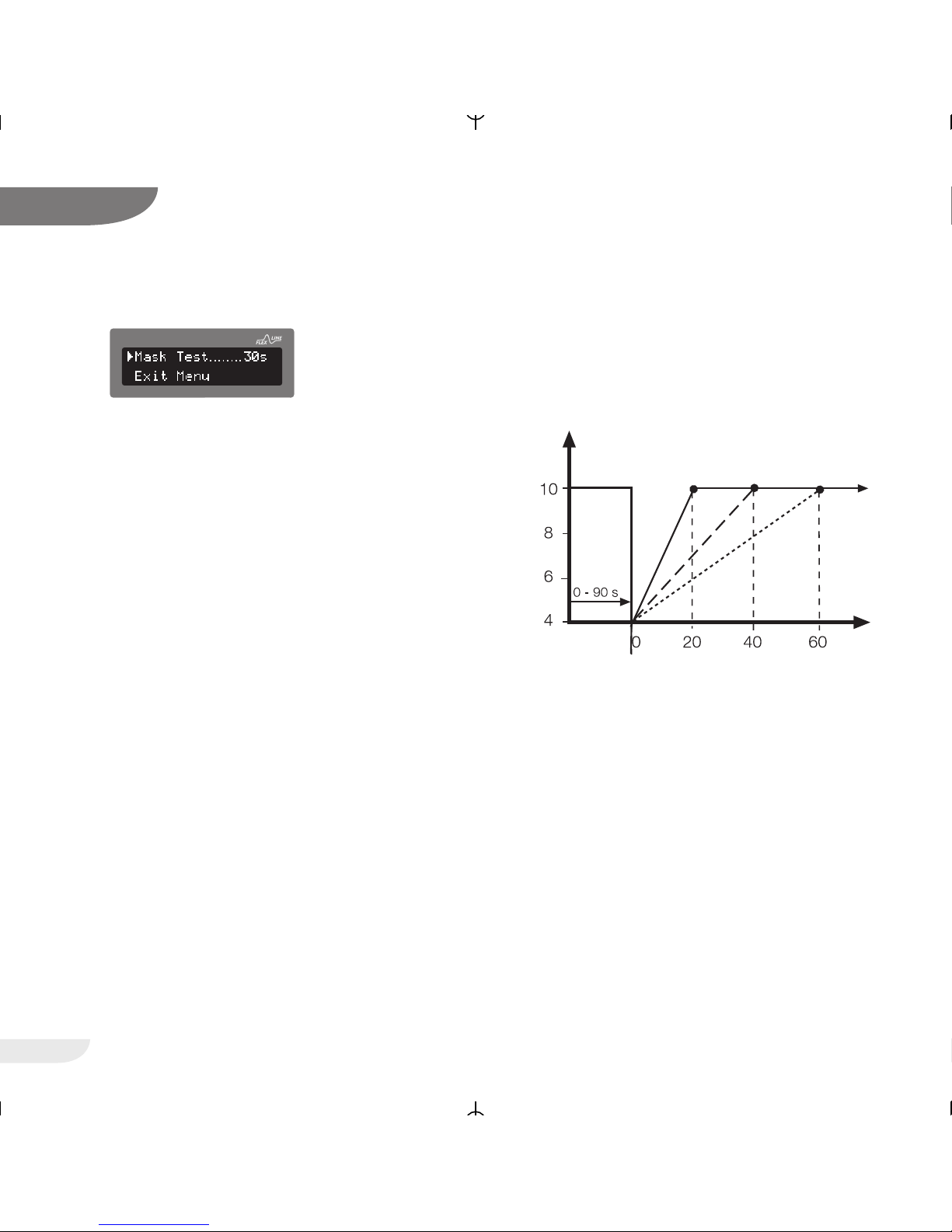
4. Mask test
This parameter determines the time when the
device performs a mask test. Put on the mask
and start the device.
To ensure that the mask is tight while the pressure slowly increases in the soft start ramp
even with higher pressures, you can program a
mask testing time of up to 90 seconds in 5second intervals. This mask test is carried out
before the ramp is started. It checks whether
the mask is tight even under the maximum therapy pressure.
If the FLEXLINE mode is switched on, the
pressure is raised by 1 hPa at FLEX level 1,
2 hPa at FLEX level 2 and 3 hPa at FLEX level
3.
To set the mask test, first go to the Patient
menu (press the button for approx. 1
second), then select »Mask test« with the
buttons and . Press the button.
Now select the desired time by pressing the
buttons and . Press to confirm.
26
VECTOR et CPAP
13
CPAP
CPAP
The pressure is gradually
increased up to the
therapeutic pressure
Pressure
prescribed:
10 hPa (mbar)
Time in min.
Programmed softstart time (0 - 60 min.)
Pressure
in hPa (mbar)
Mask Test
Page 27
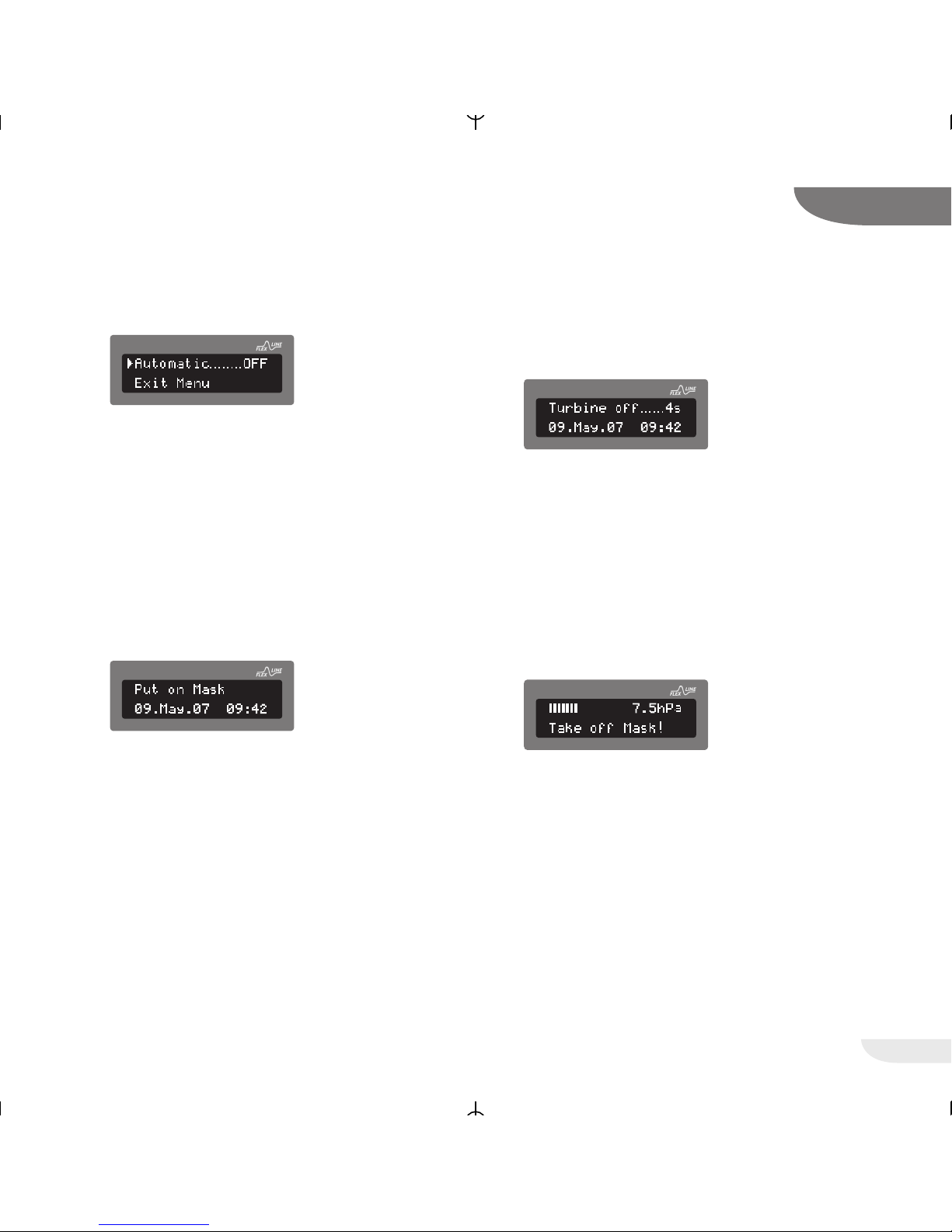
5. Automatic mode
This parameter determines if the device starts
the therapy automatically as soon as you put
on the mask.
To program the automatic mode go th the
Patient menu (hold down the for approx. 1
second) and then select the desired setting
with the help of the button.
If »OFF« is programmed you have to switch the
device on and off by pressing the operating
button.
If the automaic is set to »ON« you simply have
to put on the mask and breathe normally. The
device will then start the therapy automatically.
If you want to end the therapy simply take off
the mask. After 5 seconds the device will
switch off automatically.
In the automatic mode, the device is turned off
if the mask or the tubing slip off unnoticed
during the night.
Therefore the device offers you the function
»Automatic OFF« with mask alarm. Then you
have to switch on the device in the evening and
switch it off in the morning by pressing the
operation button (ON/OFF) but you also receive
an acoustic warning in case of a leakage.
Pressing the ON/OFF button will not end the
therapy. You only get the message to take off
the mask.
27
VECTOR et CPAP
13
CPAP
CPAP
CPAP
CPAP
Page 28
28
VECTOR et CPAP
13
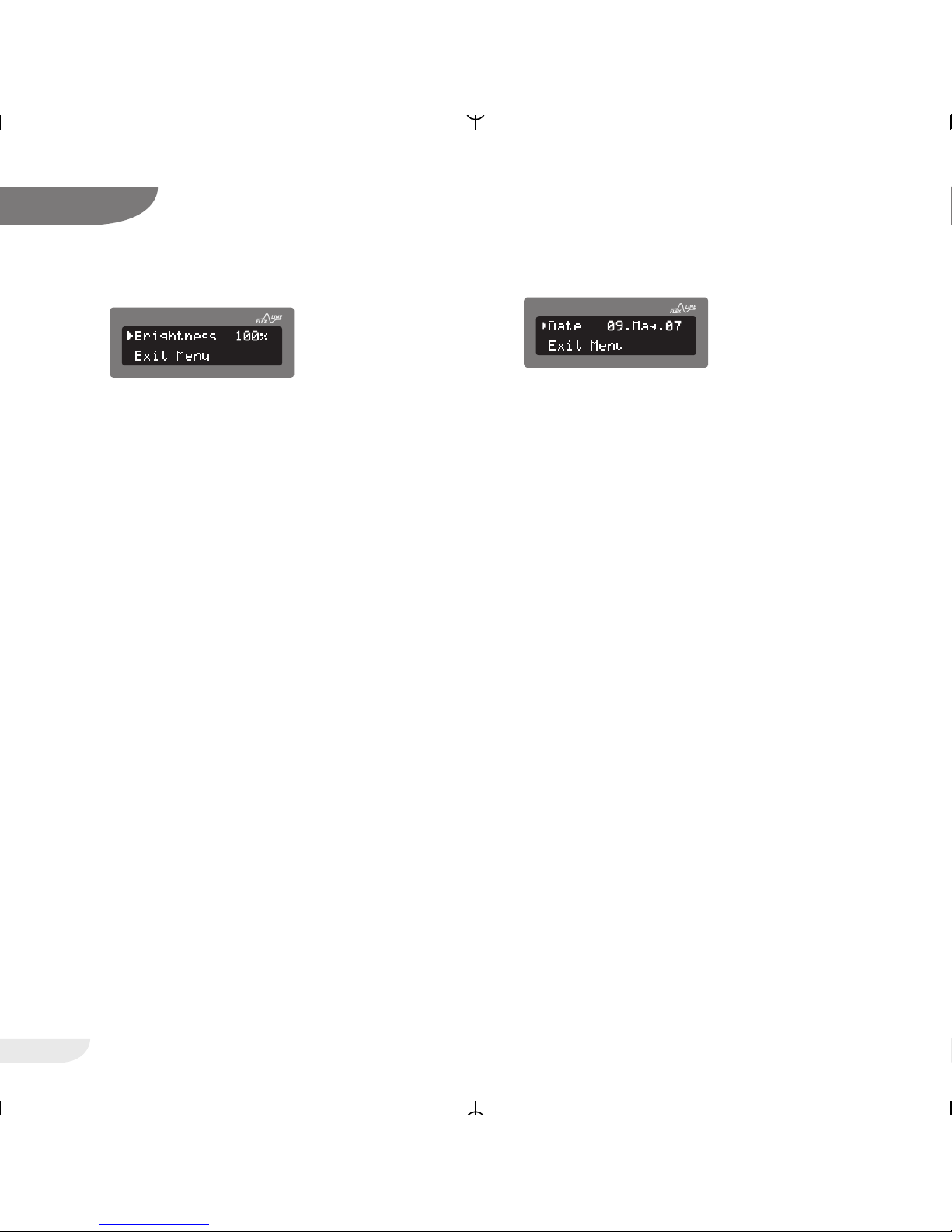
6. Brightness
In this menu item you can set the brightness of
the display.
To do so go to the Patient menu (hold down
the button for approx. 1 second).
Then select »Brightness« by pressing the
buttons and . Press the button. After
pressing the button the currently set
brightness will flash and can then be adjusted
by pressing the buttons and in intervals of
10%.
Press for accepting the selected brightness.
If no button is pressed for 15 seconds the
device will select the brightness previously set
by you. After pressing any button the
brightness will automatically switch to 100% for
better visibility.
7. Date
Use this menu item to set the date.
To do so go to the Patient menu (hold down
the button for approx. 1 second).
Then select »Date« by pressing the buttons
and . Press the button. After pressing the
button the year will flash and can be set by
pressing the buttons and .
After pressing the button again the month
will flash and can be set by pressing the
buttons and . After pressing the button
again the day will flash and can be set by
pressing the buttons and . Press the
button again to accept the set date.
CPAP
CPAP
Page 29
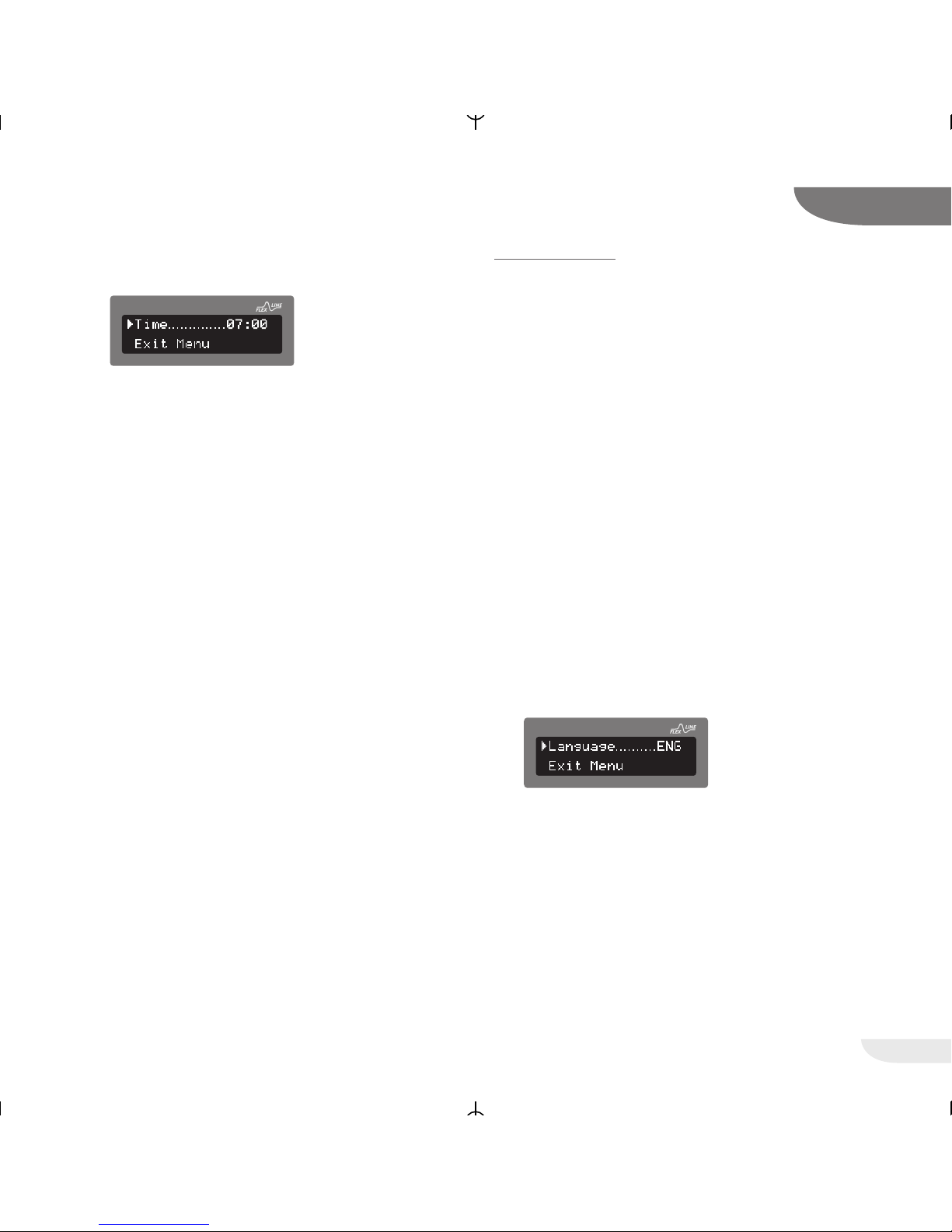
8. Time
Use this menu item to set the time.
To do so go to the Patient menu (hold down
the button for approx. 1 second).
Then select »Time« by pressing the buttons
and . Press the button. After pressing the
button the hour will flash and can be set by
pressing the buttons and .
After pressing the button again the minutes
will flash and can be set by pressing the
buttons and . Press the button again to
accept the set time.
With its built-in battery, the internal clock has a
reserve power of 8 years without connection to
the external power supply.
CLINIC MENU
In addition to the parameters in the Patient menu,
in the Clinic menu parameters relevant for the
therapy can be set. This menu is used only by
health and service professionals. In the Clinic menu
the following patient and device relevant data can
be shown and changed.
For some parameters you have to enter a PIN first
to prevent wrong parameter setting. Your doctor
and specialized dealer know this PIN.
Please do not try to find out the PIN. If you are in
doubt as to whether the set parameters are correct, please consult your physician.
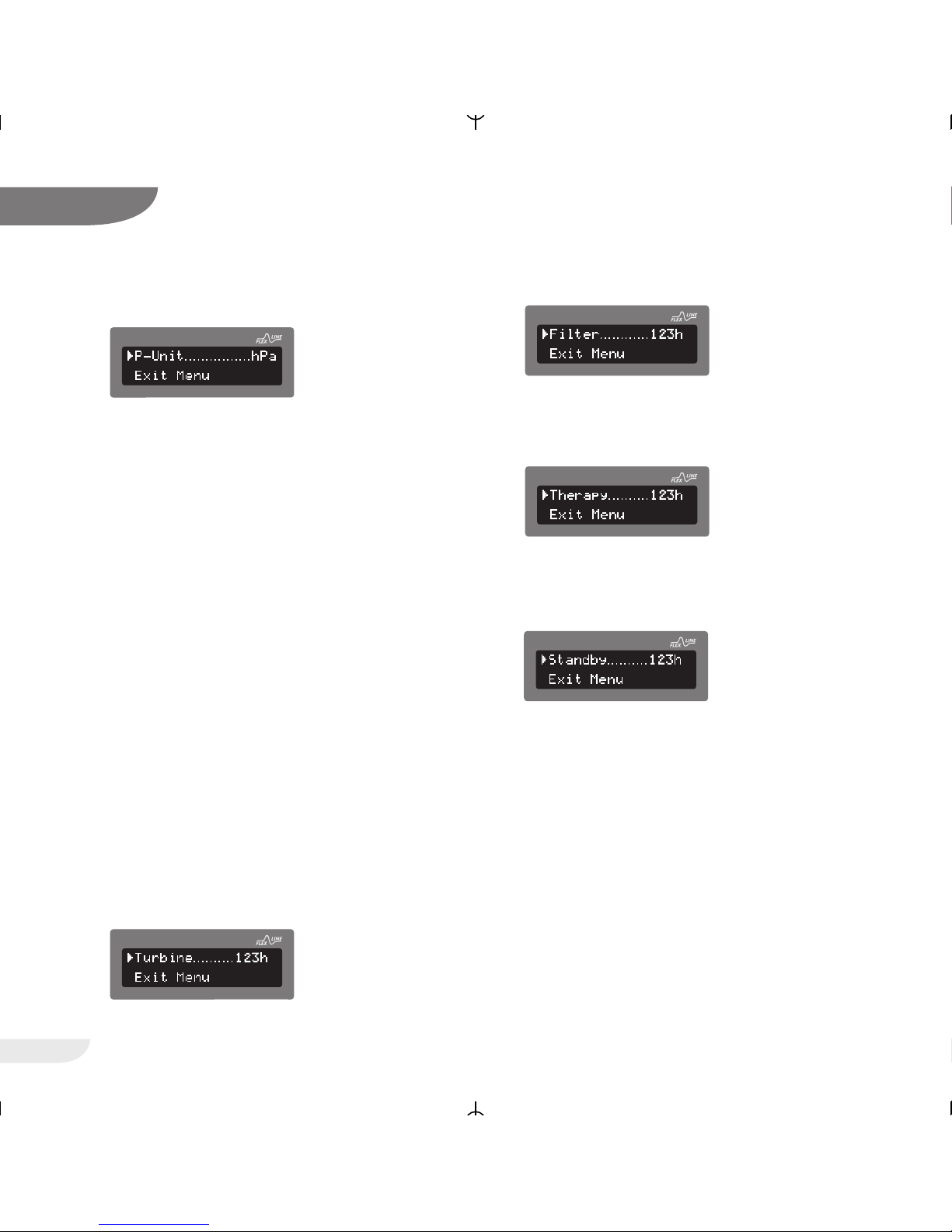
1. Language
The device can emit display messages in
German (DEU), English (ENG), French (FRA),
Italian (ITA), Dutch (NLD), and Polish (PLK).
Further languages can be implemented at any
time.
For changing the language go to the Clinic
menu (hold down the button for approx. 1
second). Then select »Language« by pressing
the buttons and . Press the button.
Each time you press the button another
language will appear.
Leave the menu once the desired language is
selected. The device will then save the new
language.
29
VECTOR et CPAP
13
CPAP
CPAP
Page 30
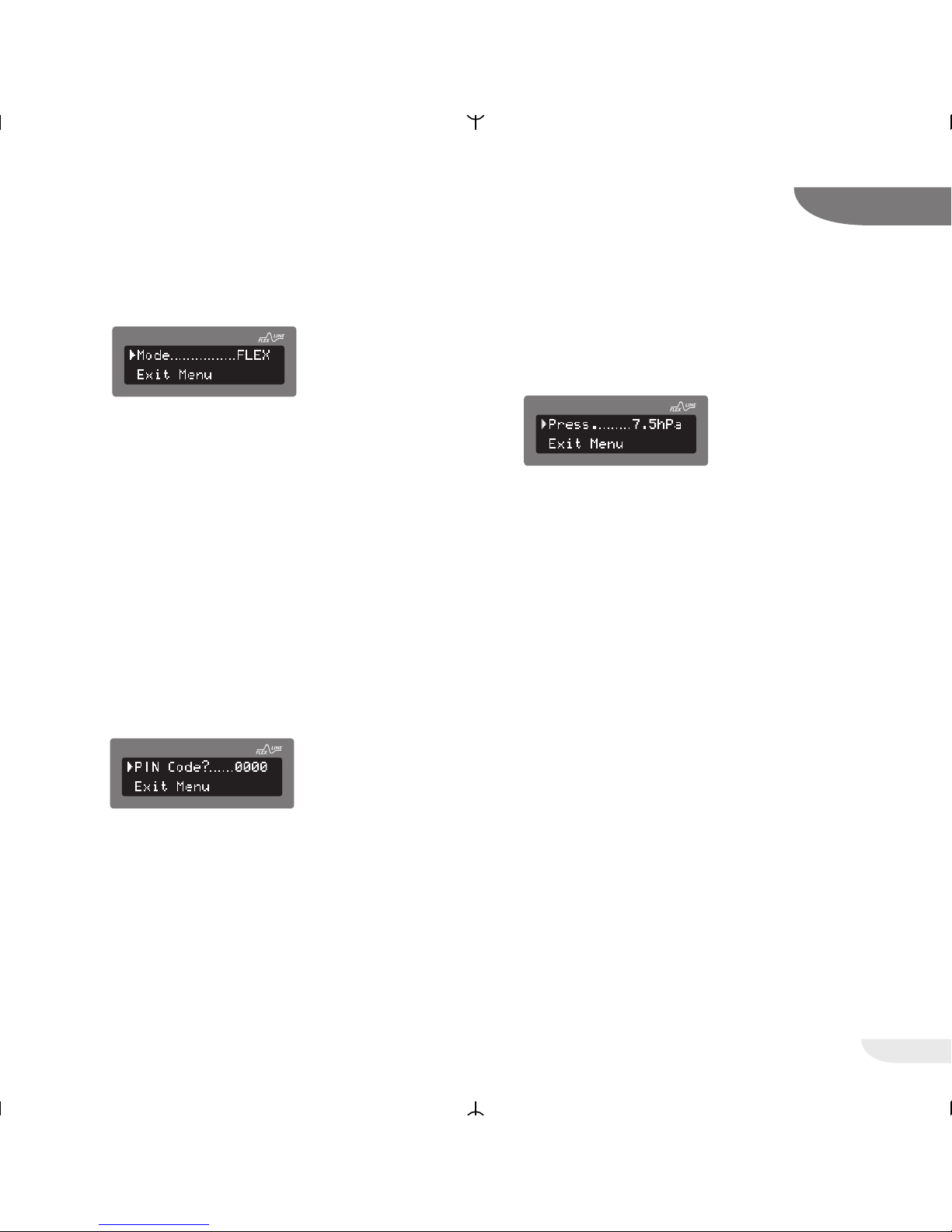
2. P-Unit
The device can show the pressure in the
pressure units hectopascal (hPa), millibar
(mbar), and und centimeters of water (cmH2O).
For changing the pressure unit go to the Clinic
menu (hold down the button for approx. 1
second). Then select »P-unit« by pressing the
buttons and . Press the button. Each
time you press the button another pressure unit
will appear. Leave the menu once the desired
pressure unit is selected. The device will then
save the new unit.
PLEASE NOTE!
When changing the pressure unit from hPa or
mbar to cmH2
O the pressure will slightly
change.
Example: 8 hPa = mbar are set.
At 8 cmH
2O the pressure is 7.8456 hPa/mbar.
1 cmH2O = 0.9807 hPa.
3. Turbine
This menu item shows the total operating time
of the turbine, the filter, and the therapy time.
3.1 Turbine
The counter indicates the total turbine running
time.
3.2 Filter
The counter indicates the operating hours of
the filter since the last reset.
3.3 Therapy
The counter indicates the operating time with
the therapy pressure applied.
3.4 Standby
This counter indicates the time the device was
in the standby mode.
To display the counter go to the Clinic menu
(hold down the button for approx. 1 second).
Then select »Turbine« by pressing the buttons
and . Press the button.
Each time you press the button now you see
the next counter.
30
VECTOR et CPAP
13
CPAP
CPAP
CPAP
CPAP
CPAP
Page 31
4. Mode
The device can be operated in the CPAP-mode
and in the FLEX-mode. The FLEXLINE mode is
a comfort mode of the CPAP therapy.
Proportional to the patient flow, the pressure is
increased during inspiration and reduced during
expiration. This has the following results:
• Breaths come more natural and agreeable
thanks to reduced breathing work during
inspiration and expiration
• Reduction of the mean therapy
pressure
For changing the mode go to the Clinic menu
(hold down the button for approx. 1 second).
Then select »Mode« by pressing the buttons
and . Press the button.
Now the device will prompt you to enter the
PIN. The first digit is flashing. Enter the first digit
of the PIN with the help of the and
buttons.
After pressing the button the second digit
will flash. Enter the second digit of the PIN with
the help of the and buttons, and proceed
as described for the first digit. Enter the third
digit accordingly.
After entering the last digit of the PIN you can
switch between the CPAP- and FLEX-mode by
pressing the button. Leave the menu once
the desired mode is selected. The device will
then save the new mode.
5. Pressure
For changing the pressure go to the Clinic
menu (hold down the button for approx. 1
second). Then select »Pressure« by pressing
the buttons and . Press the button.
Now the device will prompt you to enter the
PIN. The first digit is flashing. Enter the first digit
of the PIN with the help of the and
buttons. After pressing the button the
second digit will flash.
Enter the second digit of the PIN with the help
of the and buttons, and proceed as
described for the first digit. Enter the third digit
accordingly. After entering the last digit of the
PIN you can set the pressure by pressing the
buttons and . The confirm the selected
pressure by pressing the button.
31
VECTOR et CPAP
13
CPAP
CPAP
CPAP
Page 32
32
VECTOR et CPAP
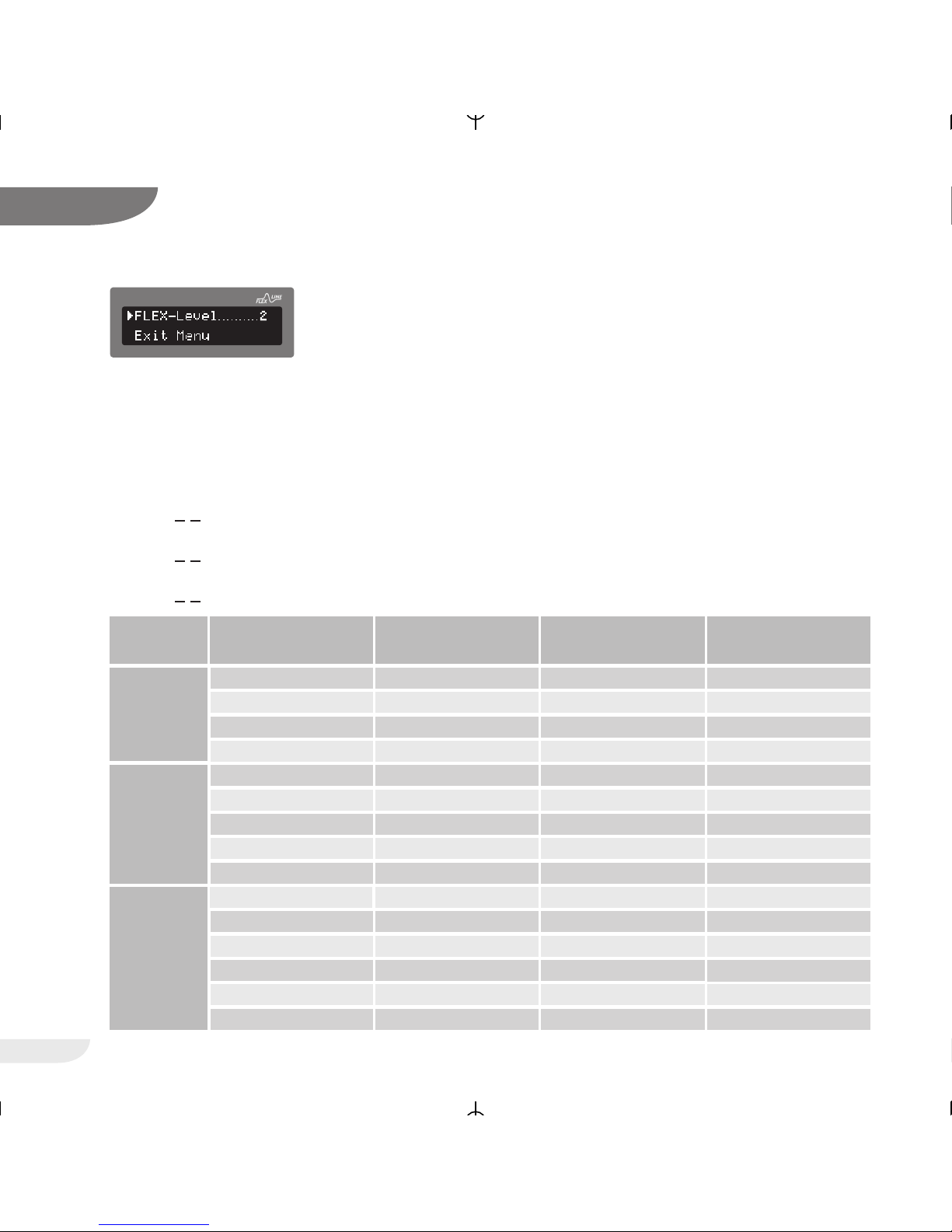
6. FLEX-Level (The FLEX level is shown only
if the FLEX-mode is activated.)
The value of pressure increase and pressure
decrease depends on the value of the breath
flow, the set FLEX levels and the set therapy
pressure.
The three FLEX levels (1-3) are for individual
adjustment to the patients requirements:
• FLEX-Level 1 low pressure support
(P
max
< + 1 hPa)
• FLEX-Level 2 medium pressure support
(P
max
< + 2 hPa)
• FLEX-Level 3 high pressure support
(P
max
< + 3 hPa)
For changing the FLEX level go to the Clinic
menu (hold down the button for approx. 1
second). Then select »FLEX-Level« by pressing
the buttons and . Press the button.
Now the device will prompt you to enter the
PIN. The first digit is flashing. Enter the first digit
of the PIN with the help of the and
buttons. After pressing the button the
second digit will flash. Enter the second digit of
the PIN with the help of the and buttons,
and proceed as described for the first digit.
Enter the third digit accordingly. After entering
the last digit of the PIN you can set the FLEX
level by pressing the buttons and . Then
confirm the selected level by pressing the
button.
13
Examples for pressure changes in the FLEXLINE mode
respiratory rate = 20 bpm, R5, C50, therapy pressure 10 hPa
CPAP
FLEX-Level Peak flow
Inspiration [l/s]
Peak flow
Expiration [l/s]
Pressure increase
Inspiration [hPa]
Pressure decrease
Expiration [hPa]
1
0,25 0,20 0,35 0,35
0,50 0,40 0,65 0,55
0,75 0,65 0,95 0,70
2
1,00 0,85 1,00 1,00
0,25 0,20 0,50 0,45
0,50 0,35 0,85 0,65
3
0,75 0,65 1,35 1,00
1,00 0,95 1,85 1,40
1,25 1,35 2,00 2,00
0,50 0,35 1,05 0,95
0,75 0,65 1,70 1,35
1,00 0,90 2,20 1,80
1,25 1,15 2,85 2,55
1,40 1,35 3,00 3,00
0,25 0,20 0,55 0,60
Page 33

33
VECTOR et CPAP
13
Therapy
Filter
Ramp
P-Ramp
Info-Menu
MENU OVER
VIEW
Patient-Menu Clinic-Menu
Mode
Pressure
FLEX-Level
Wake Time
Reset Filter
Ramp
Mask Test
Date
Time
Automatic
Mode
Pressure
FLEX-Level
Ramp
P-Ramp
Mask Test
Automatic
Language
P-Unit
Turbine
Filter
Therapy
Standby
Date
Time
Reset Filter
Wake Time
Brightness
Brightness
Page 34
34
VECTOR et CPAP
14
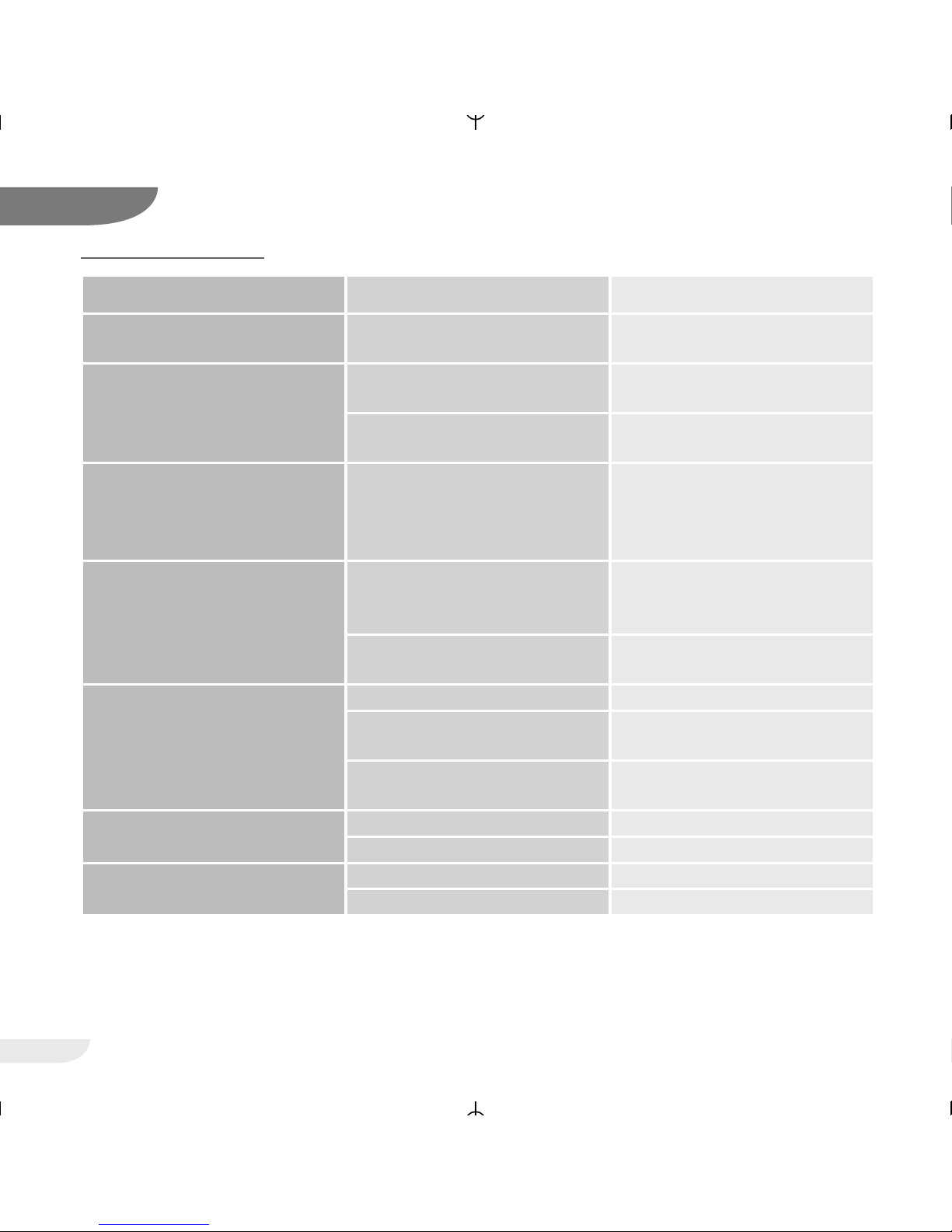
Pain in nose,
paranasal sinuses or ears
Inflammation Stop therapy and contact your
physician
Unpleasant feeling of too high
pressure
Unwellness with prescribed
high pressure values
If you think there is a mistake,
consult a physician.
Pressure tolerance not completely acquired yet
Relax, use or alter the soft start
function
Dryness and irritation of nose
and throat
Air too dry Device probably without air
humidifier; consult a physician
and consider prescription of
retrofitting a humidifier.
Inform the attending physicianReturn of original sleep apnea
symptoms
Different physical condition and
different conditions of living
Return the device to the service
to have it checked.
Device failure
Problem Possible Course Remedy
Check the device for proper
setup
No air flow Device defective
Very low air flow Soft start function active Reduce softstart time
Air sensed to be too warm Filter dirty Exchange filter
Notify the service
Air ducts clogged Check air inlet
Air inlet obstructed
Increase the distance between
device and radator
Radiator in the vicinity of the
device
Water in the measuring tube Remove the water
TROUBLESHOOTING
Page 35
35
VECTOR et CPAP
14
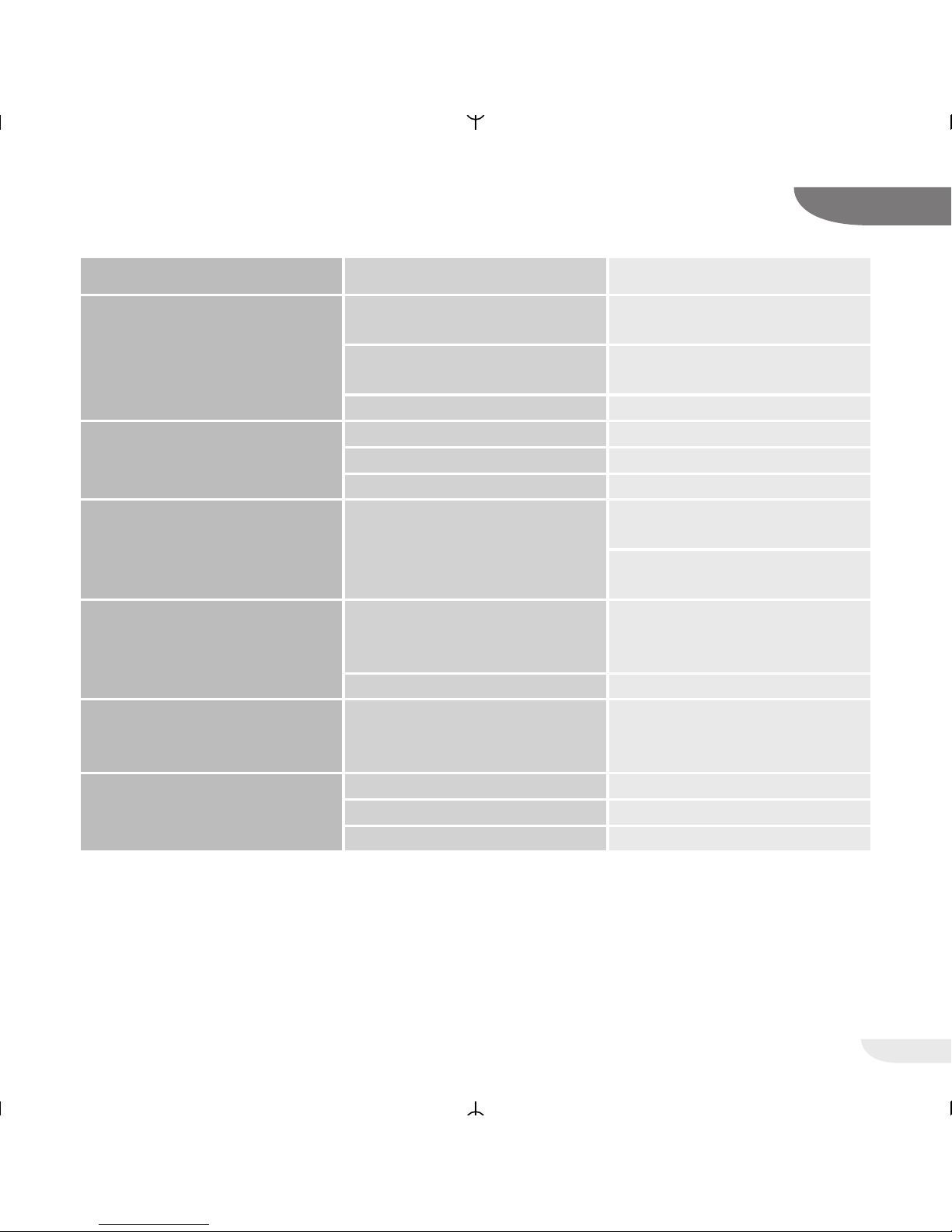
Blower constantly at maximum
speed
Measuring tube not connected
or clogged
Check the measuring tube
Device leaky Return the device to the service
to have it checked.
Water in the measuring tube Remove the water
Problem Possible Course Remedy
Therapy pressure not steady
Check of bendsMeasuring tube bent
Water in the measuring tube Remove the water
Device defective Notify the service
Common cold
Replace the mask if its material
has become brittle
Increase the air humidity in the
room or set the humidifier to a
higher level
Running nose, urge to sneeze Reaction to the air flow
Cold nose Room temperature too low Increase the room temperature,
warm up the tubing under your
pillow
Irritation of the eyes or dry eyes Air escaping from between the
mask and the skin of your face
Check the mask for proper
positioning
Consult a physician
Redding of the skin in the area
of the mask, swelling of the
skin
Wrong mask size Inform the attending physician
Head gear too tight Head straps loosened
allergical reaction Inform the attending physician
Page 36
36
VECTOR et CPAP
15
DISPLAY MESSAGES
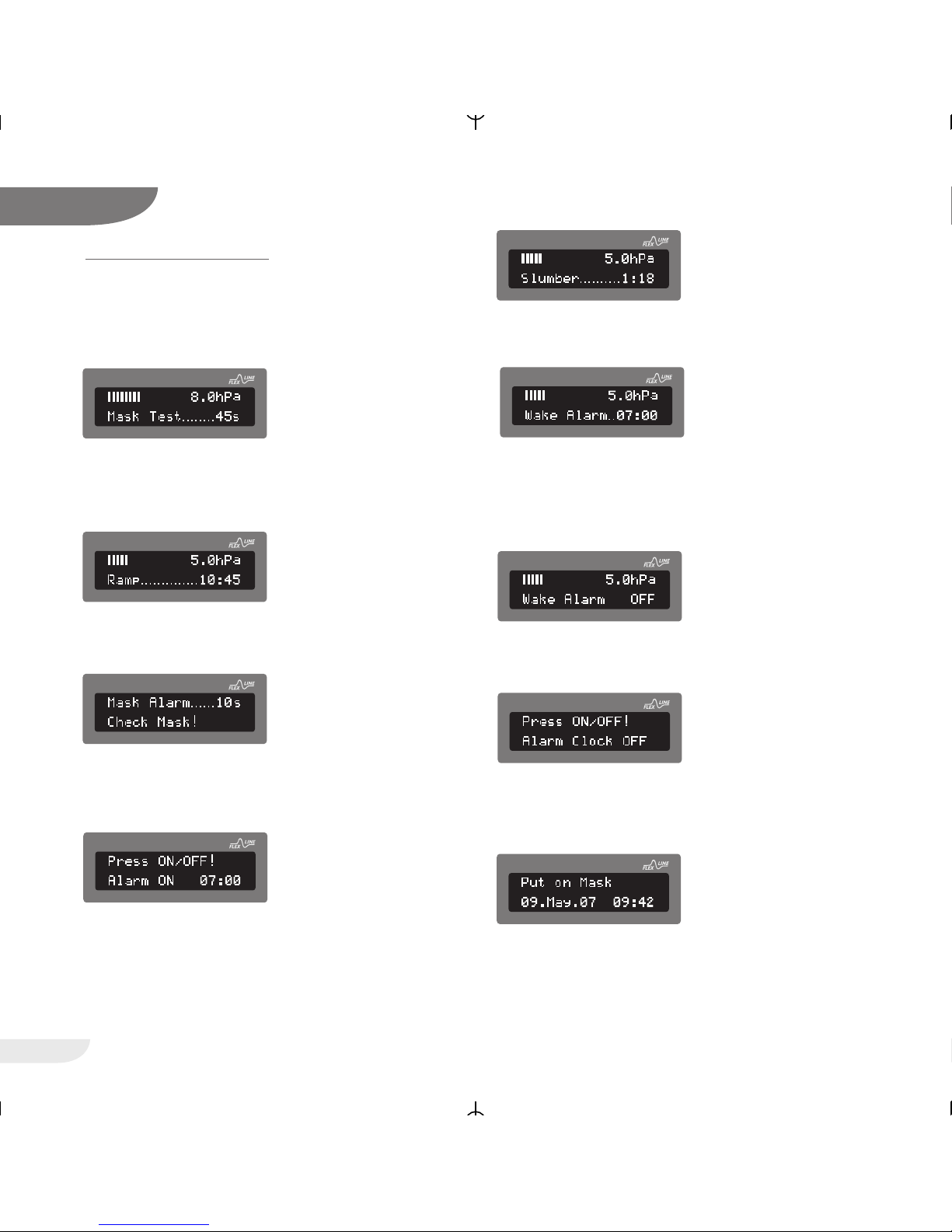
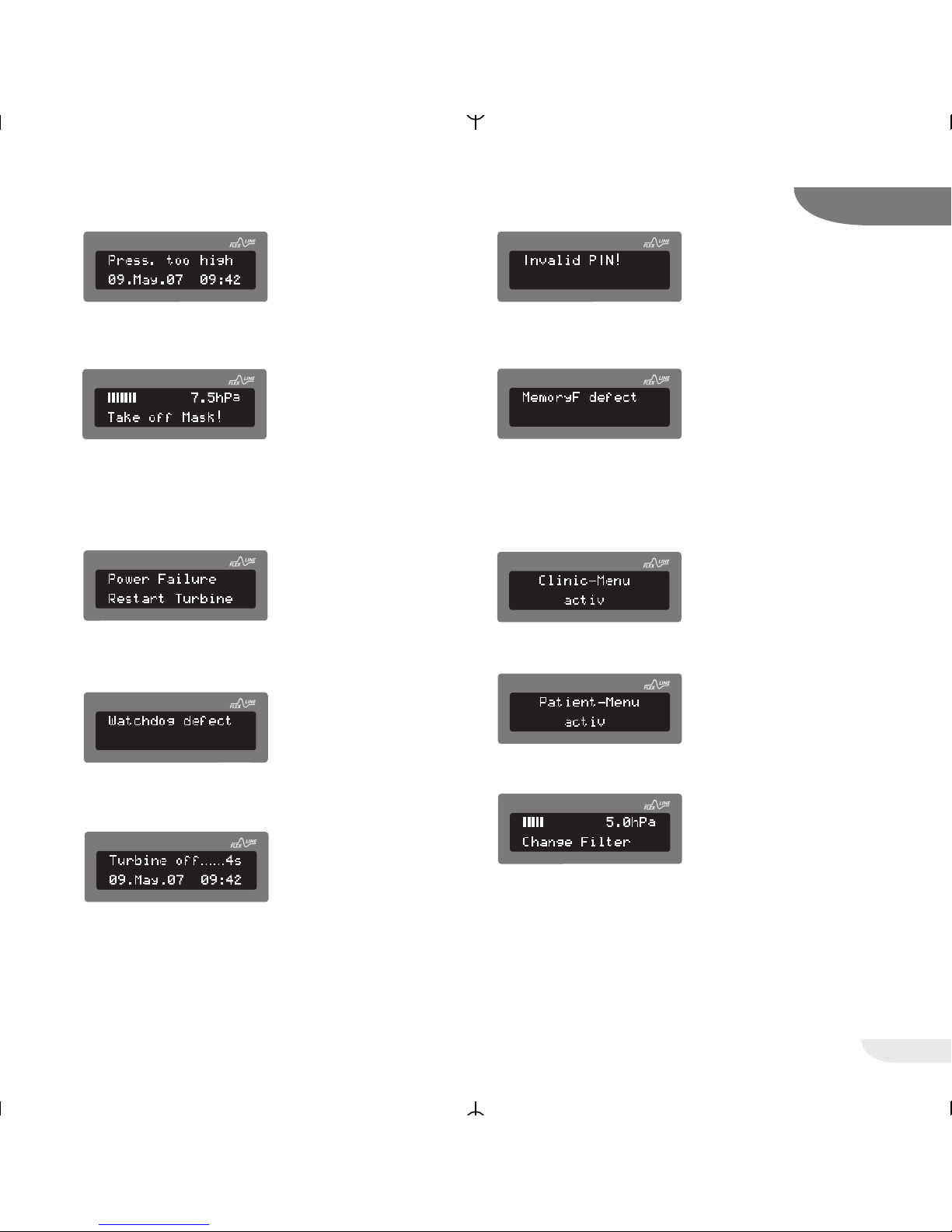
The sections below describe the most important
display messages. All further messages will be
clear from their context.
You have 45 sec left for seating the mask properly.
Once this time has elapsed, the device starts with
the soft start function or the therapy.
There will be 10 min and 45 sec left until the full
therapy pressure is reached.
The mask has slipped off your face or you failed to
put the mask on your face while the automatic
mode was turned off and the blower was running.
You pressed the key during operation. There will
be a message that you will be wakened at 07.00
hours.
There will be 1 min and 18 sec left until the alarm
clock will waken you again.
The wake alarm has been initiated. Press the
ON/OFF operator key once to initiate the slumber
phase. Press the key once again to turn off the
alarm clock completely.
You pressed the operator key and stopped the
slumber phase.
You pressed the key in the normal operating
mode. There will be a message that the alarm
clock has been turned off.
The automatic function is turned on. You are
prompted to put on the mask and breath through
your nose.
CPAP
CPAP
CPAP
CPAP
CPAP
CPAP
CPAP
CPAP
CPAP
Page 37
37
VECTOR et CPAP
15
The therapy pressure is too high and the turbine
switches off.
There was an attempt to turn off the device manually while the automatic function was activated.
Please take off the mask. After a few seconds the
device will turn off the therapy pressure.
After the line voltage has been restored, the turbine
restarts automatically.
There has been an error during the system start
after switching on the voltage supply.
Contact your dealer.
You have taken down the mask or the mask has
slipped off your face while the automatic function
was activated. The turbine will turn off after 4
seconds.
The PIN you have entered is wrong. Please enter
the correct PIN.
There has been an error during the system start
after switching on the voltage supply.
Contact your dealer.
The Clinic menu has been activated.
The Patient menu has been activated.
Exchange filter.
CPAP
CPAP
CPAP
CPAP
CPAP
CPAP
CPAP
CPAP
CPAP
CPAP
Page 38
MAINTENANCE
Although all parts of the device have a very long
service life, the device should be maintenanced
from time to time.
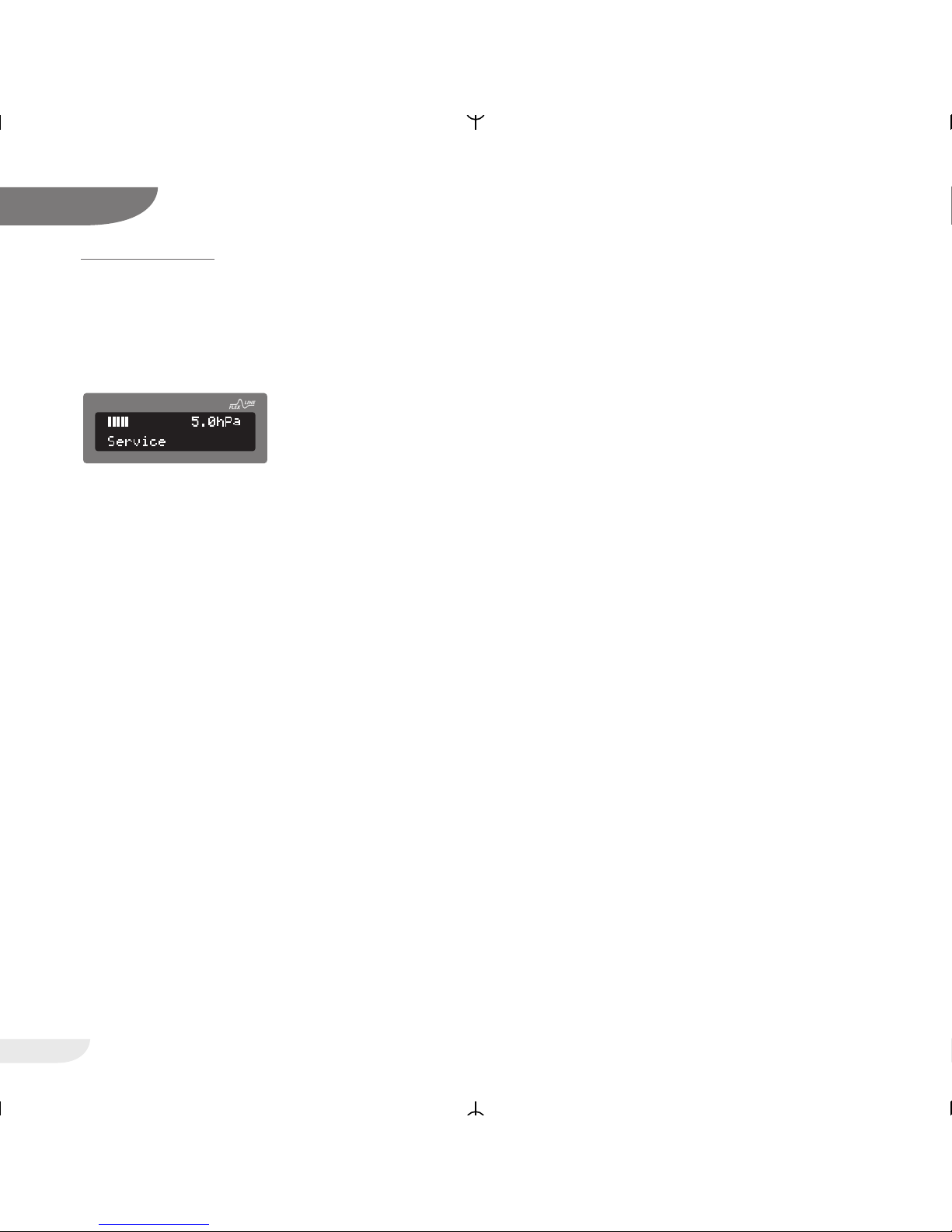
The device should be maintenanced when the
message:
apears in the display. We urgently recommend a
technical maintenance through our authorized
customer service, since only they have the
necessary tools and measuring instruments. Even if
»Maintenance« appears in the display the device is
still fully functional.
ATTENTION!
The display message »Maintenance« must not be
removed during checks at non-authorized
workshops.
In between maintenance intervals you yourself can
contribute to increasing the service life and to
maintaining proper and reliable functioning.
1. Please observe the cleaning instructions given
on the pages 18 and 19.
2. Check the system at regular intervals.
Proceed according to the following check list:
• Visually check whether the device is damaged
and/or dirty on its outside
• weekly check of the »Power failure« warning
function (see page 20)
• weekly check of the »Mask alarm« function
(see page 20)
Preparing the device for a different patient:
If the patient using the device changes, the device
must be hygienically prepared by a specialized
dealer or by the manufacturer. The necessary procedure is described in detail in the appropriate
hygiene plan.
Disposal of the device:
For information on the proper disposal of the
device, please contact your responsible customer
service.
Disposal of the packaging:
You can return the packaging to your marketing
partner or dispose it separately with your normal
domestic waste.
38
VECTOR et CPAP
16
CPAP
Page 39

39
VECTOR et CPAP
TECHNICAL DATA
Dimensions (W x D x H) 230 x 212 x 107 mm
Weight ca. 2,0 kg
Power supply 100 V~ ... 240 V~, 50 ... 60 Hz, 24 V DC / 2,1 A
Pressure range 4 … 20 hPa (mbar)
Max. limit pressure in the event of an error < 30 hPa (due to engineering)
Power consumption max. 50 W
Power consumption at 12 hPa 10 W (24 V DC-operation)
(without humidifier) 12 W (External power supply)
Power consumption at 12 hPa 32 W (24 V DC-operation)
(with humidifier, Step 5) 35 W (External power supply)
Power consumption Stand-by < 5 W
Pressure variance < 0,3 hPa (mbar) at 20/min acc. to DIN EN ISO 17510-1
Noise level without mask < 25 dB(A) at 10 hPa (mbar)
Air delivery volume > 170 l/min at 6 hPa therapy pressure
> 160 l/min at 12 hPa therapy pressure
> 150 l/min at 18 hPa therapy pressure
> 120 l/min at 20 hPa therapy pressure
Air warming 2 - 3 °C at 10 hPa
Heater level operating temperature + 5 °C ... + 40 °C
Storage temperature - 20 °C ... + 70 °C
Air Humidity 10 ... 95 % humidity (operation and storage)
Operating Altitude - 400 m ... 3500 m (1060 hPa ... 700 hPa)
(height above sea level)
Filtration efficiency up to 1 μm 99,5 %
CE mark according to EC Directive 93/42/EEC, device in compliance with MDD, Class IIa
The technical specifications are subject to technical modifications
17
Page 40
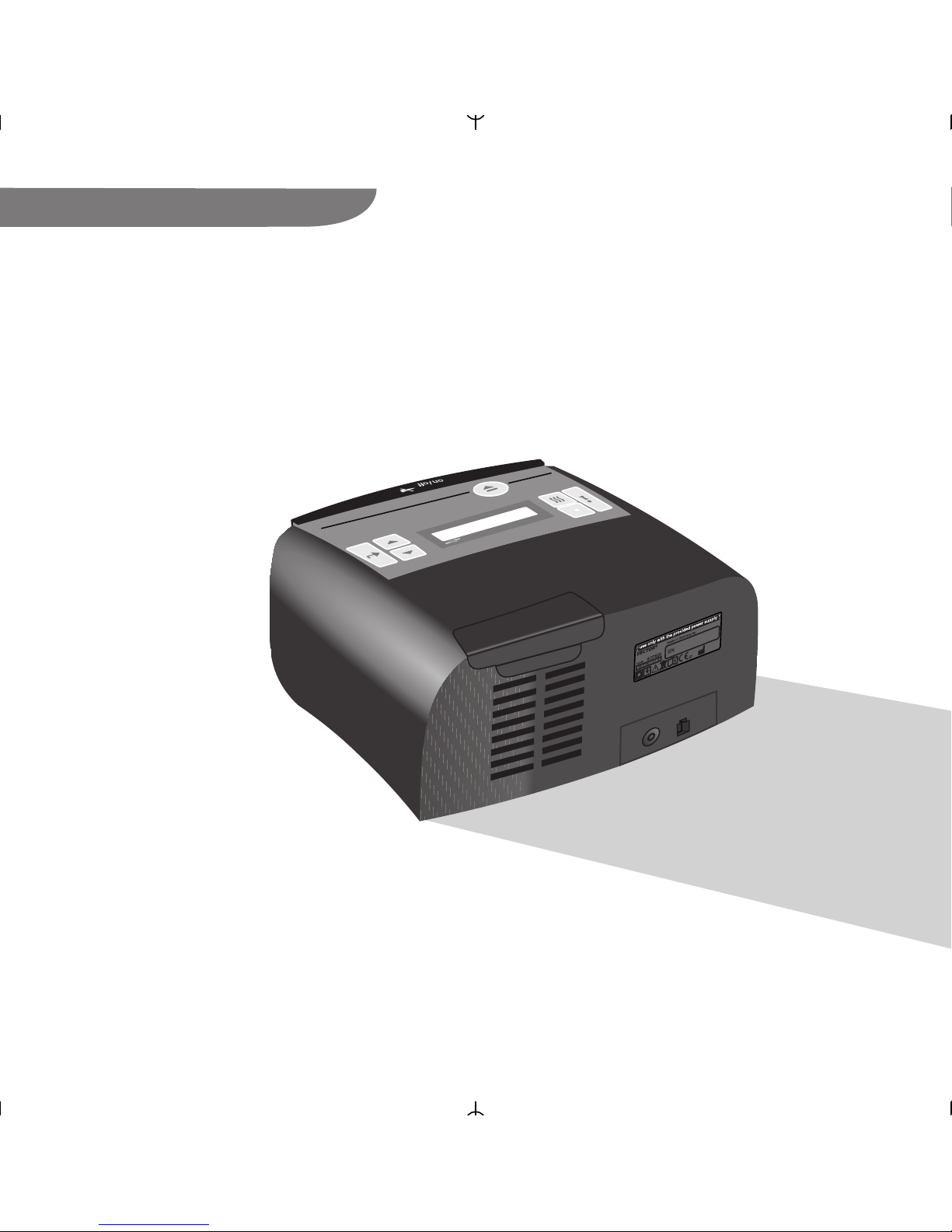
MANUFACTURER
VECTOR et-eng-0108-02
HOFFRICHTER GmbH
Mettenheimer Str. 12/14
D-19061 Schwerin
Germany
Telefon: +49-385-39925-0
Fax: +49-385-39925-25
www.hoffrichter.de
[email protected]
CPAP
HOFFRICHTER
et
23
HOFFRICHTER G
m
bH
M
ettenheimer Str 12/14
19061 Schwerin
G
erm
any
AXJ07 00001
VECTOR et
HOFFRICHTER
 Loading...