

Page 1
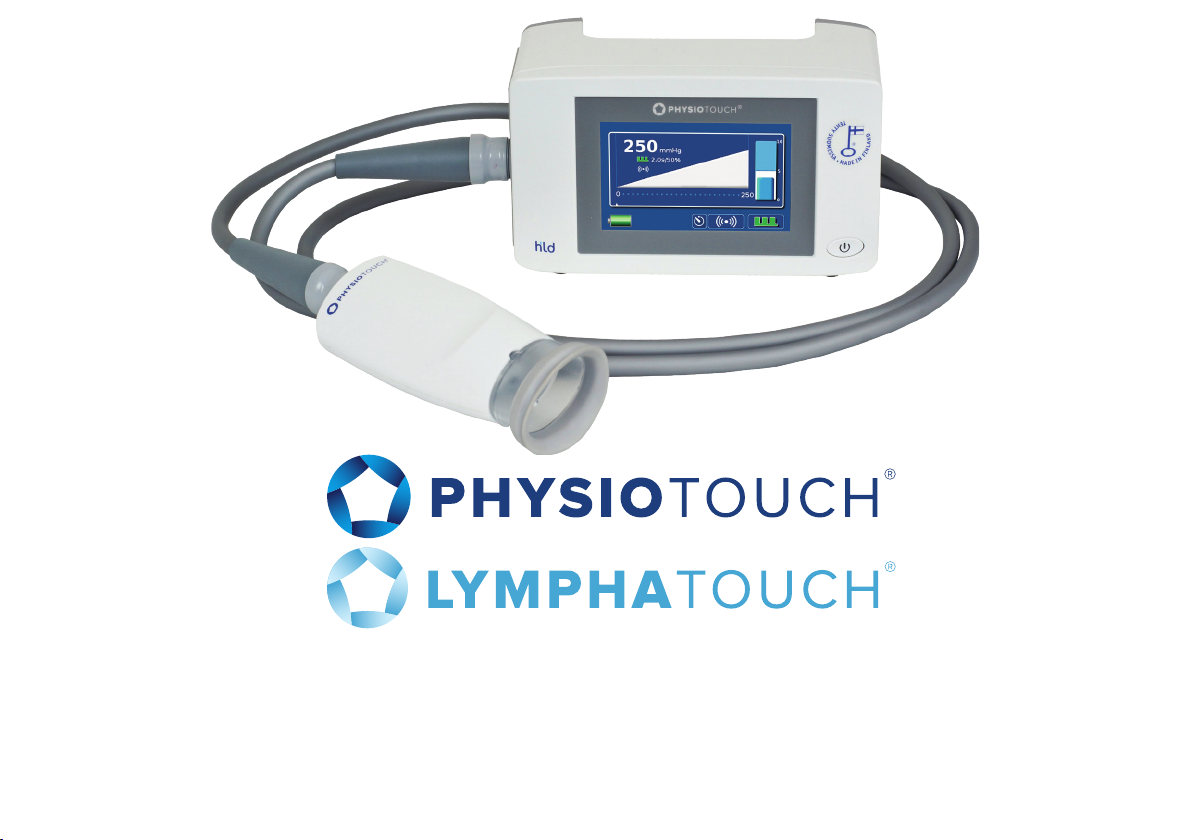
USER MANUAL
Ver. A02 SW rev 2.0x
The manual contains instructions for use, maintenance and handling of the device,
as well as safety precautions and warnings. Read through carefully before using
the device, to ensure safety and eciency for you and your patient. Keep for future
reference.
Page 2

2
Page 3

Table of Contents
1. Safety 5
2. Application specification 7
3. Parts description 9
4. Connectors 10
5. Symbols and product markings 11
6. Installation 12
7. Using the PhysioTouch® - LymphaTouch® device 16
8. Treatment settings 20
9. Maintenance and cleaning 27
10. Troubleshooting 28
11. Service 30
12. Software upgrade 31
13. Disposal 33
14. Technical data 34
15. EMC 36
3
Page 4
Copyright©
© HLD Healthy Life Devices Ltd. Helsinki, Finland. All material included in this manual is intended
solely for use related to the use of the PhysioTouch® - LymphaTouch® is a trademark of HLD Healthy
Life Devices Ltd.
FDA device class I
Quality ISO9001:2008 / 13485:2003
710359
Manufacturer
HLD Healthy Life Devices Ltd
Kuortaneenkatu 2
00510 Helsinki
Finland
www.physiotouch.com www.lymphatouch.com
Safety and EMC certificate
HLD PhysioTouch® - LymphaTouch® A02 conforms with Medical Device Directive 93/42/EEC and
medical electrical equipment electromagnetic compatibility IEC 60601-1-2.
0537
4
Page 5

1. Safety
In this User Manual, safety precautions and warnings are indicated with the following signal words.
Make sure to read and understand all safety precautions and warnings before starting to use the
device.
Caution – potentially hazardous situation which, if not avoided, may cause minor to moderate injuries,
or damage to the device.
Warning - potentially hazardous situation which can cause injuries or damage the device, if instructions
are not followed.
Danger – potentially hazardous situation which can result in serious injury or death, if instructions are
not followed.
5
Page 6

1.1 Safety precautions
• Clean the device and accessories regularly following the instructions and the regulations of your
institution, to ensure safe and hygienic use.
• Use and store the device only under the environmental conditions specified.
• Handle the device with care, and follow the instructions for maintenance.
• Use only accessories and mounting provided by or approved by HLD Healthy Life Devices Ltd.
• Use treatment cups and treatment setting that are best suited to the anatomy and skin type of the
patient you are treating.
• Avoid situations where the unit might fall or collide with a heavy object.
• Inspect the device and the related accessories for cracks or other signs of overuse, and replace
accessories as required.
• Make sure the filter in the treatment cup is in place before attaching it to the Treatment Head, to
avoid dust and debris from being sucked into the device.
• Never use the unit for purposes other than those recommended by HLD Healthy Life Devices Ltd.
HLD Healthy Life Devices Ltd will not be liable for any inappropriate use of the equipment.
• Do not treat directly over skin with open wounds.
• Avoid situations where the cable can be wrap around the neck.
• Do not leave the device in proximity of pets, pests or children.
• This device needs special precautions regarding EMC and needs to be installed and put into
service according to the EMC information provided in Chapter 14
6
Page 7

2. Application specification
Intended use:
PhysioTouch® - LymphaTouch® is a negative pressure-based therapy device and aid for physiotherapy
and lymphatic drainage therapy. The device is meant to be used by persons who are knowledgeable
about the treatment method or under supervision of those persons.
Intended conditions of use:
The environment, where this device is used typically physiotherapy setting including hospitals,
physiotherapy centres.
Contraindications:
Do not use on a pregnant patient without prior consultation with the attending doctor.
Do not use on a patient with cancer during active treatment period or without prior consultation with
the attending doctor.
Do not use on acute infection.
Be very careful when applying on fragile skin and on the throat area.
Do not use on a patient with a diagnosed current venous thrombosis.
Do not use on a patient suering from protein poor oedema due to severe heart failure, cardiac
oedema.
If you are uncertain of the suitability of the device for treatment of your patient, seek medical advice
prior to starting the treatment.
In addition, all contraindications of physiotherapy and manual lymphatic drainage apply.
7
Page 8

Intended medical indication:
Improvement of lymphatic circulation in the treated area, improvement of secondary lymphedema and
reduction of secondary lymphedema of the Arm (SLA) Post Mastectomy.
Device is used on any patient deemed to be appropriate for a physical treatment. The patient has no
control of device. Device has no specific age or weight limits on patients.
Operating principle
The mechanism of action is based on the eects of negative pressure in tissues. Negative pressure
created by the treatment device stretches the skin and the tissue underneath, pulling on anchoring
filaments to dilate the endothelial openings of lymph vessels. Vertical stretching of the fascial
(connective tissue) structures is accomplished at the same time, expanding the space for circulation of
blood and lymph. Lymph and the metabolic waste products that impede the healing process can then
flow more easily from the interstitial space into lymph vessels, and excess fluid is carried away by the
body’s own lymph transport mechanisms to re-join the venous circulation.
8
Page 9
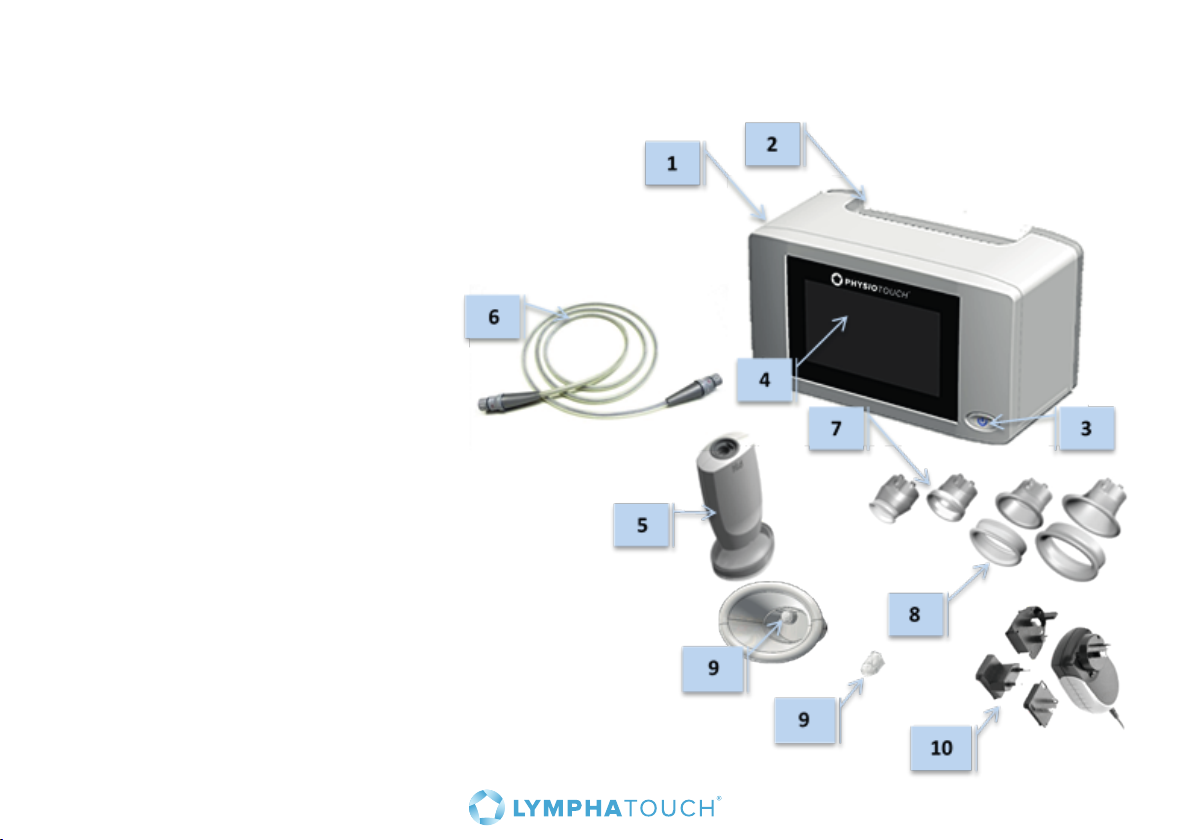
3. Parts description
1. Main unit
2. Handle
3. On / O switch
4. Touch screen
5. Treatment Head
6. Cable
7. Dierent sizes of treatment cups
for the Treatment Head
8. Soft covers for the treatment cups
(detachable on the larger treatment cups)
9. Treatment cup filter
10. DC-power, country adapter included
9
Page 10
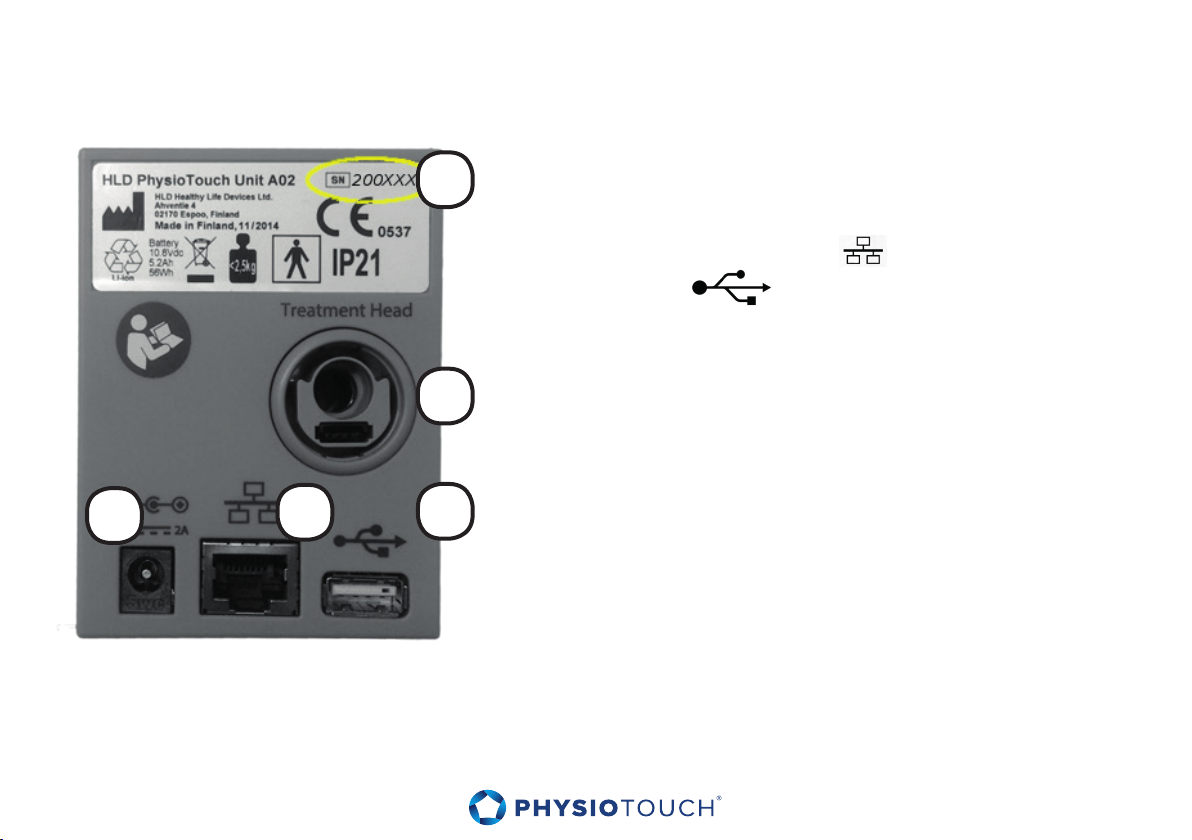
4. Connectors
1. Device’s serial number
1
2
2. Integrated air hose and cable connector
3. Mains power
4. LAN for future use
5. USB
3
Warning – Do not touch USB port while treating patient or let the patient touch the USB while being
treated. Do not use USB or LAN connectors while treatment in progress.
10
4
5
Page 11
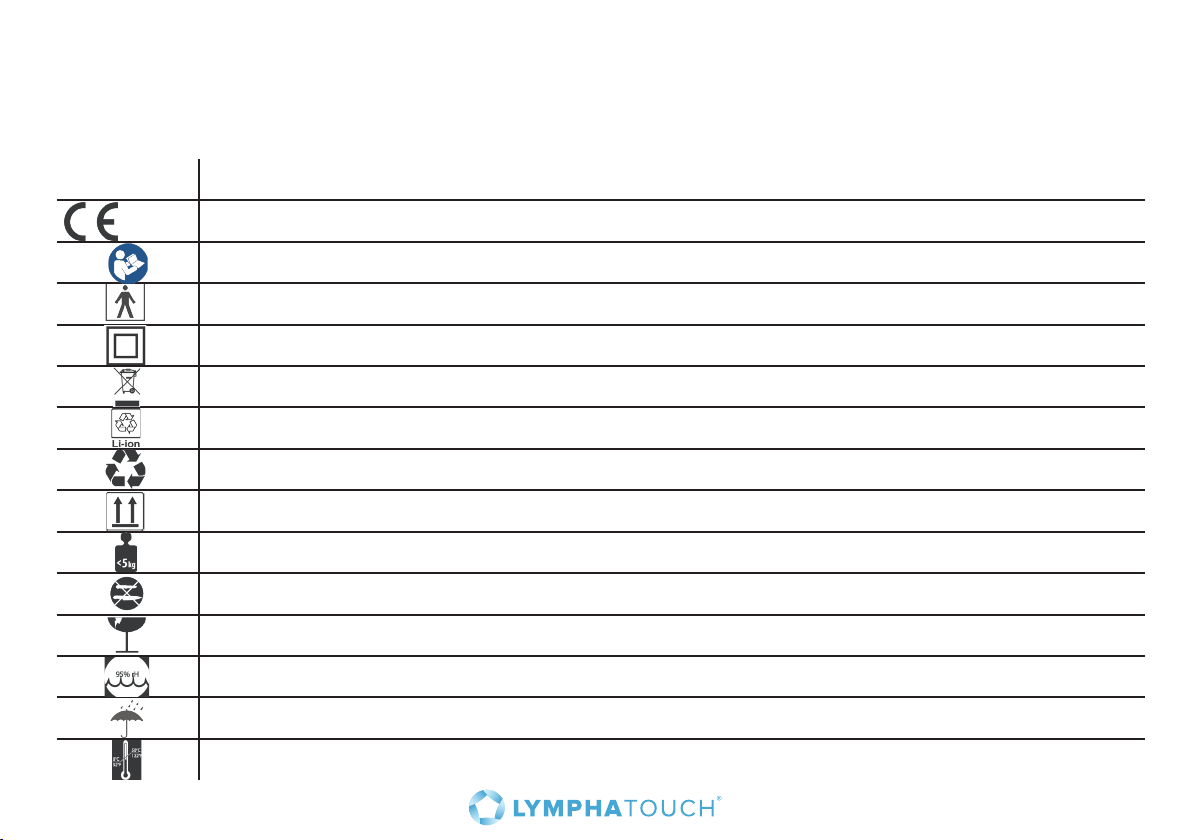
5. Symbols and product markings
In addition to the connector markers described above, you may find the following symbols and
markings in the device:
Symbol Description
0537 The product is CE-marked and the number indicates the notified body.
Read the User Manual before using the device.
The device is classified as Class BF, according to the standard IEC 60601.
The device has double insulation; connection to mains does not require a grounding pin.
Special instructions are needed to dispose device properly.
Lithium-ion battery must be disposed properly.
The carton package of the device can be recycled.
This side up.
Weights less than 5.51 lbs.
Do not use sharp instrument to open the package
Fragile. Handle with care.
Humidity limitation. See more from the table page 34.
Keep dry.
Temperature limitation. See more from table page 34.
11
Page 12

6. Installation
6.1 Unpacking
Carefully unpack all parts of the device and confirm that all parts are included and intact.
Caution - We recommend you to keep the box in case you need to return the device
or send the device for service – it is most safely transported in the box it was originally
shipped in.
6.2 Internal Battery
PhysioTouch® - LymphaTouch® has internal battery which is advised to charge full before
first usage.
During battery recharge, amber light blinks in the power button. When battery is fully
charged amber light is on constantly. When device is used via battery and the device is
on, the light is green.
12
Page 13

6.3 Connecting and disconnecting the cable
Attach the integrated air hose and cable to the round connector on the left side of the
unit. Make sure the cable is tightly connected, but do not use excessive force or rotate
connector. To disconnect, pull the connector straight.
6.4 Connecting and disconnecting the Treatment Head
Attach the integrated air hose and cable to the round connector on the end of the
Treatment Head. Make sure the cable is tightly connected, but do not use excessive
force or rotate connector. To disconnect, pull the connector straight.
13
Page 14
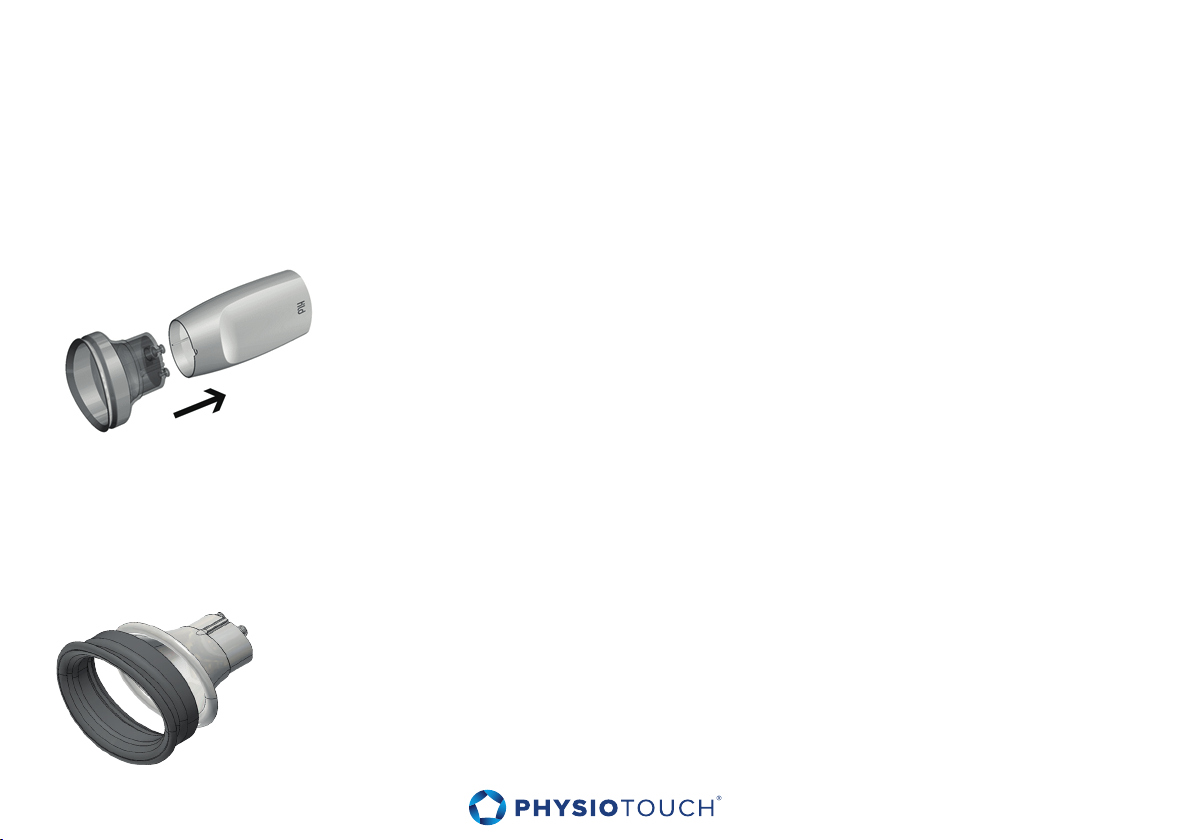
6.5 Connecting a treatment cup to the Treatment Head
Select the appropriate treatment cup for the patient and body area in question. Please
refer to the Chapter 7.4 ”Selecting a treatment cup”.
Connect the treatment cup to the Treatment Head as indicated in
the figure.
Caution - Make sure the treatment cup is connected in right orientation, as indicated by
the guiding rails.
6.6 Connecting removable soft part to the treatment cup
60mm and 80mm treatment cups have separate soft parts. Connect the
treatment cup soft part to treatment cup as indicated in the figure.
14
Page 15
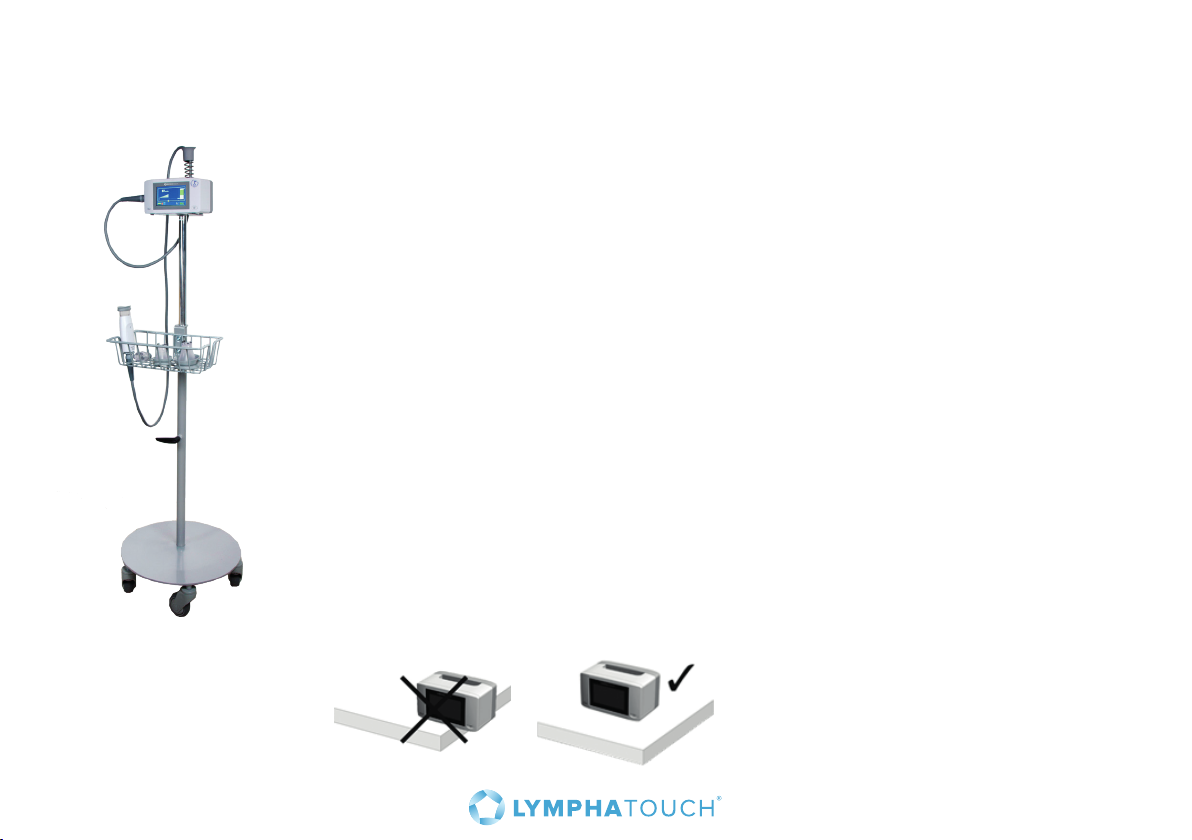
6.7 Placing the PhysioTouch® - LymphaTouch® device for treatment use
We recommend mounting the PhysioTouch® - LymphaTouch® to the Roll Stand
(see figure) when the device is used primarily in one location. The Roll Stand is
designed for safe, ecient and ergonomic use.
Instructions for connecting the PhysioTouch® - LymphaTouch® main unit to the
Roll Stand are included in the Roll Stand package.
Caution – Use only mounting elements provided or recommended by HLD
Healthy Life Devices Ltd to mount the device. If the device is not attached
properly, it may fall and cause injury or damage to the equipment.
Caution – HLD0901 Roll stand is designed solely to be used with PhysioTouch®
- LymphaTouch® device. Do not connect other devices or equipment to the
Roll stand. Basket of the roll stand is designed to withstand the weight of 4
treatment cups and the treatment head. Do not exceed this limit.
Caution – If used without Roll stand place the device on a flat surface and be
sure that the device is securely on top of the surface and device can’t falll o.
15
Page 16
7. Using the PhysioTouch® - LymphaTouch® device
7.1 Turning the device on and o
Turn the device on by pressing the on/o switch in the lower right hand corner. Device starts in 35
seconds. To turn o the device, press the on/o switch. The device will also shut down automatically
after an hour of inactivity, while on battery power.
7.2 Screen saver
The display will shut down and the device will enter a power-saving mode when the device has not
been used for 30 minutes. Reactivate the unit by pressing the on/o switch or by touching the screen.
16
Page 17
7.3 Patient preparation
PhysioTouch® - LymphaTouch®–treatment does not require special preparation of the patient. The
treatment is applied to bare skin.
Moderate application of oil or massage cream may allow the treatment cup to glide more smoothly on
the skin. Avoid excessive use of oil or massage cream.
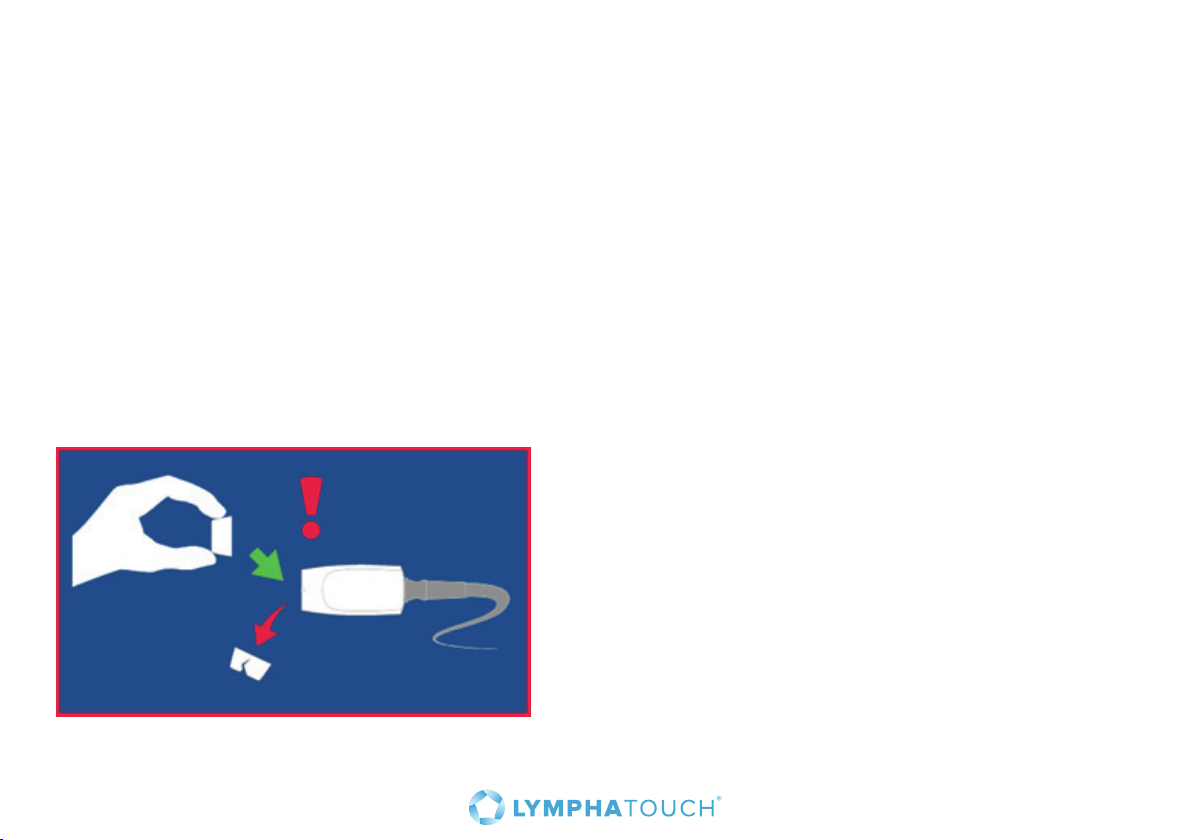
If the patient’s skin is very dry and producing dandru, the filter in the treatment cup may get clogged
faster than normal. This will result in diculty achieving the set pressure. Replace the treatment cup in
order to continue an ecient treatment. The error message below is displayed if filter is clogged. Do
not use talcum powder or other powdery top agents on the skin.
17
Page 18
7.4 Selecting a treatment cup
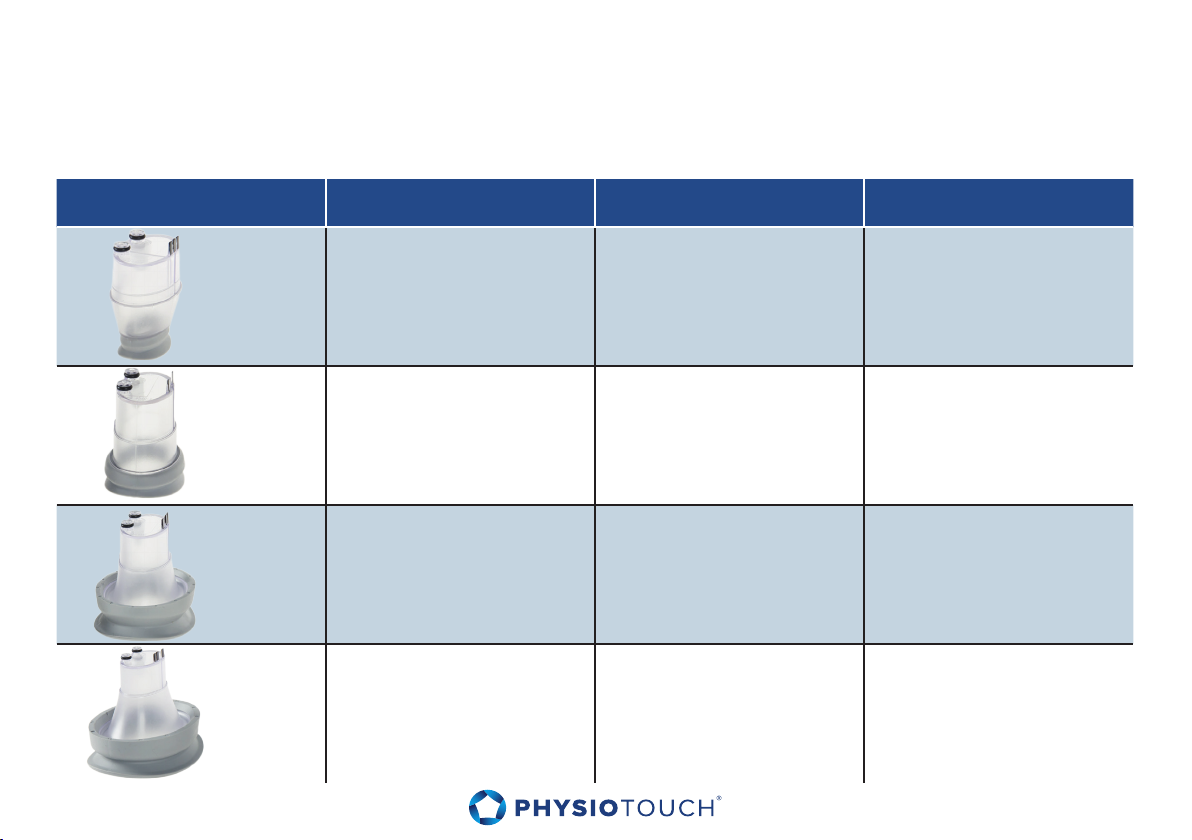
Select the proper size treatment cup for each treatment situation. Please refer to the table below for
general guidance, while using your own clinical judgment as to what is an appropriate size for each
situation.
Treatment cup Size Removable rubber ring Body areas
• Local scars
• Small joints
35 mm
HLD0335
50 mm
HLD0350-2
60 mm X
HLD0360
• Face
• Head and neck
• Local scars
• Joint areas
• Face
• Head and neck
• Palm area
• Whole body
18
HLD0380
80 mm X
• Torso
• Upper and lower
limbs
Page 19
7.5 Accessories
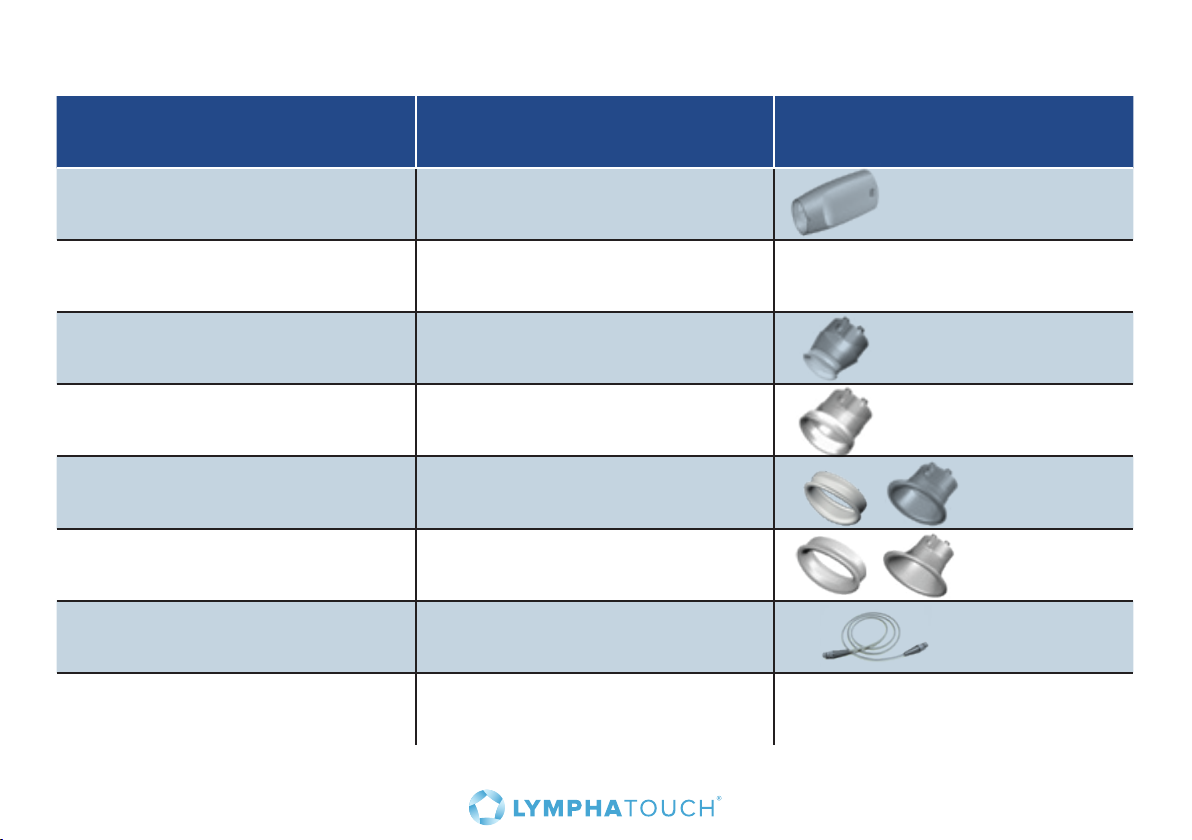
Code Accessory
HLD1300 Treatment head
HLD0901 Roll Stand See page 15.
HLD1020-35 Treatment cup 35mm, 20pcs
HLD1020-50 Treatment cup 50mm, 20pcs
HLD1020-60 Treatment cup 60mm, 20pcs
HLD1020-80 Treatment cup 80mm, 20pcs
HLD0122 Treatment Cable
HLD1601 PhysioTouch® - LymphaTouch®
carrying bag
Use these codes to order accessories from the nearest distributor.
19
Page 20
8. Treatment settings
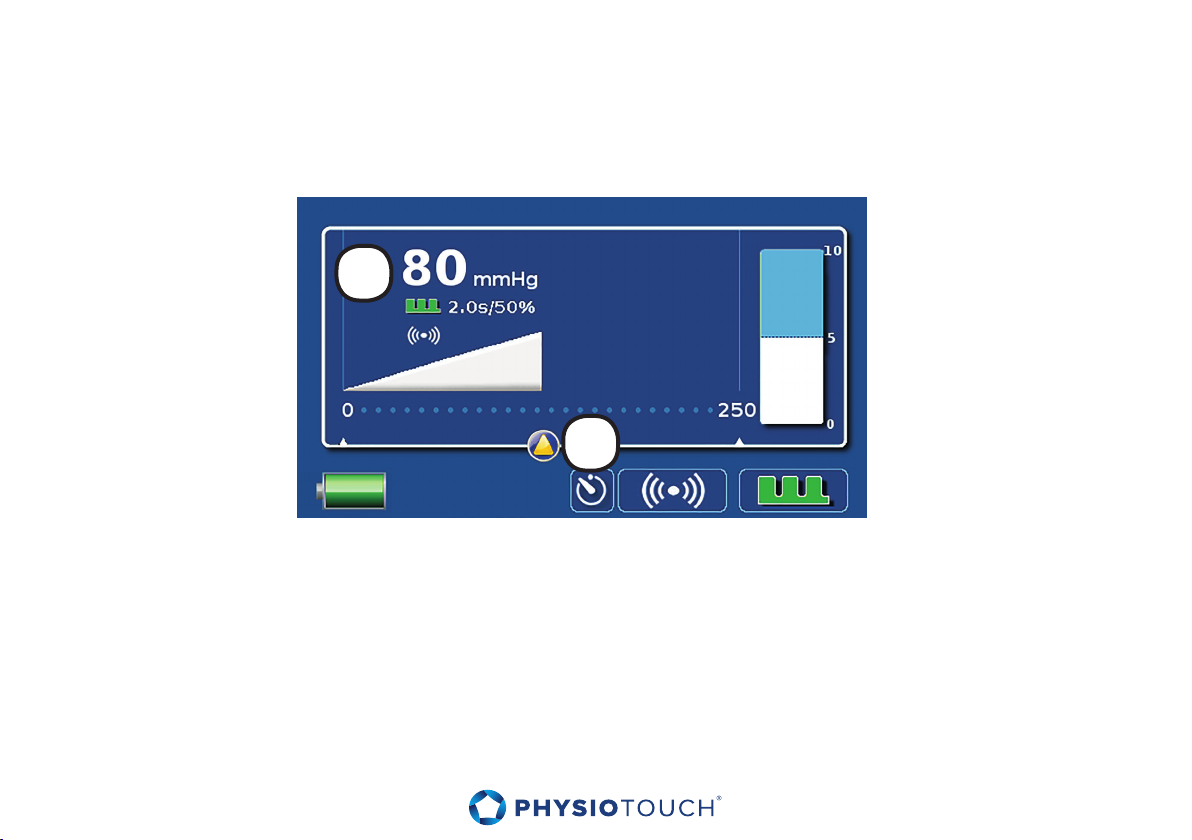
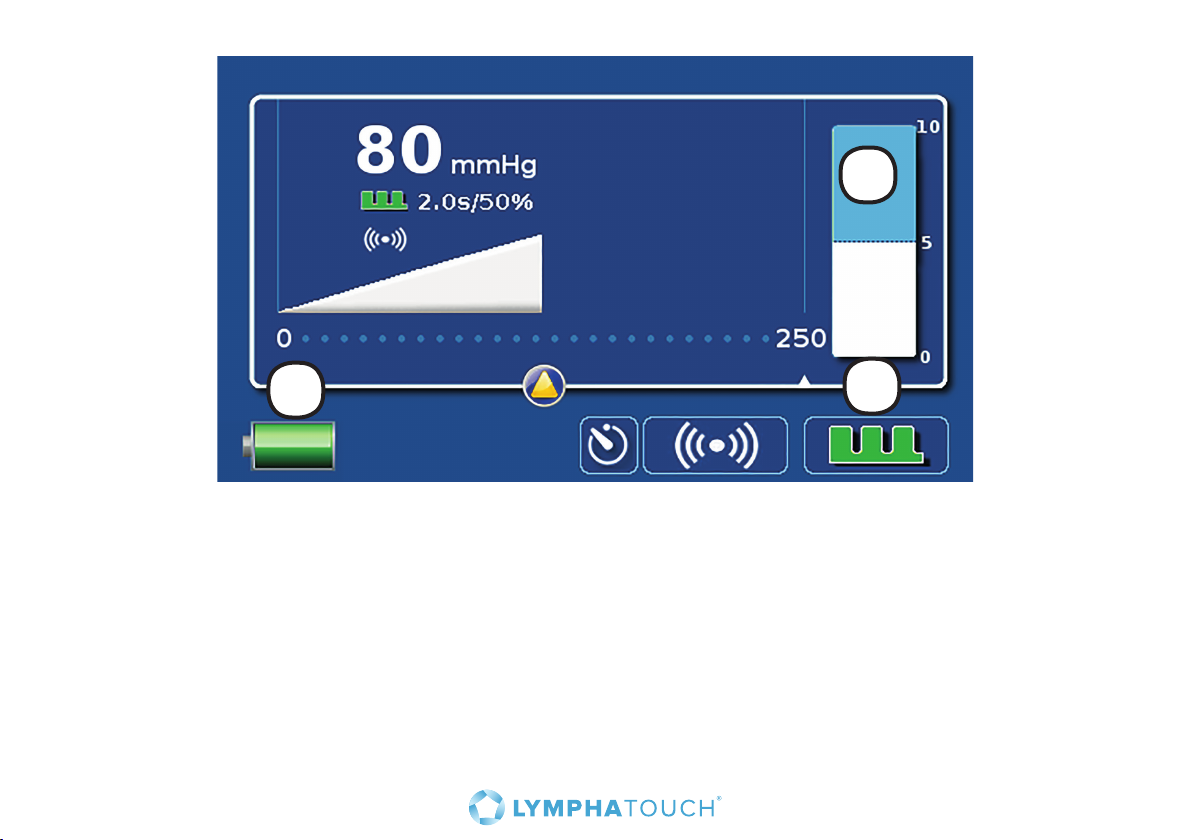
Turn on the device. PhysioTouch® - LymphaTouch® main screen will appear (see picture).
The default setting is 80 mmHg with 2 s. pulsations. The unit will start operation automatically when
the treatment cup is put close to the treated target.
1
2
1. The setting is indicated on the main screen on the top left, as well as graphically in the form of
a wedge. During treatment a blue wedge appears which indicates the current vacuum in the
treatment cup.
2. The vacuum is adjusted with the touch screen by moving the slider at the desired location.
If the desired vacuum is not achieved make sure that the treatment cup selected is suitable to the
aected area of the body. If necessary replace the treatment cup with a more appropriate size, or
reposition the treatment cup on the skin carefully. Also, the patient’s body hair may cause air leakage
from the treatment cup. Refer to the section ”Troubleshooting.”
20
Page 21
1
2
1. The bar on the right hand side of the screen indicates the distension of the skin in the middle of the
treatment cup, as a result of the applied negative pressure.
2. The battery icon in the lower left hand corner indicates the battery charge level. When the device
is connected to the mains, the top of the battery icon is a power plug icon and when the battery is
charging, a flash icon.
3. During treatment, it is possible to choose either pulsating or continuous treatment. The pulsation
button at the bottom right is green with bristles when pulsation is activated. Button is green and
continuous when continuous treatment is selected. To modify the pulsation setting, touch the pulse
button on the main screen, and the pulsation setting screen will appear.
3
21
Page 22
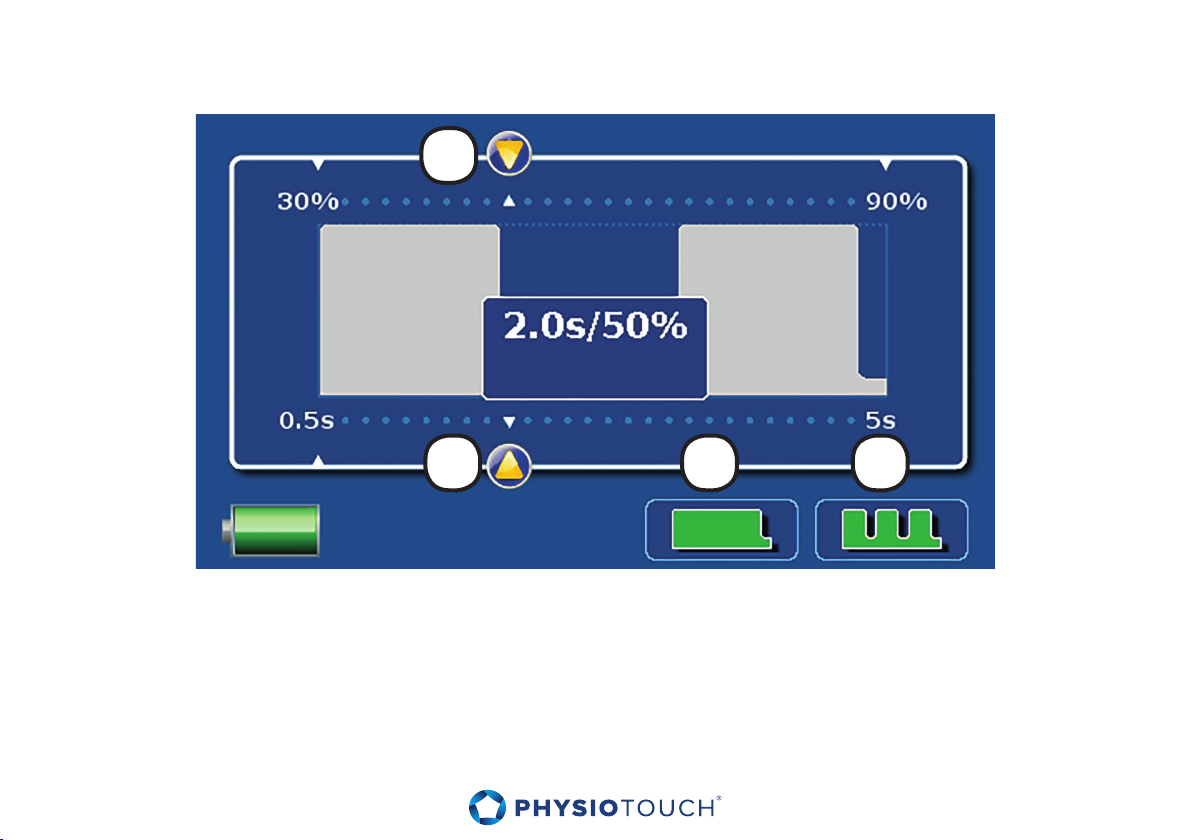
8.1 Pulsation screen
1
2 3 4
1. Set work/rest ratio by sliding the arrow at the top of the screen between 30 – 90%.
2. Set pulse length by sliding the arrow, or by pressing the desired location on the axis on the lower
part of the screen.
3. Constant negative pressure. Return to main screen and deactivate pulsation.
4. Return to main screen and keep the pulsation on.
22
Page 23
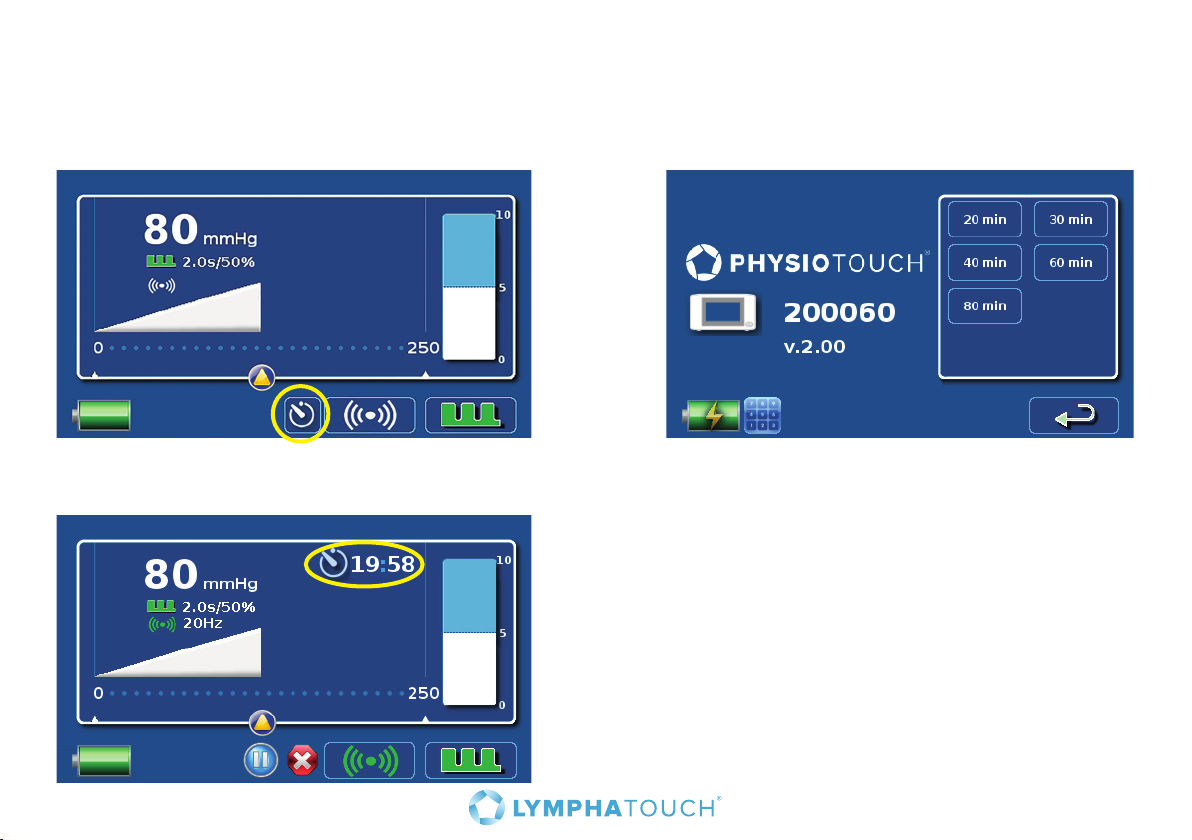
8.2 Treatment timer
PhysioTouch® - LymphaTouch® has pre-set treatment times that can be selected from the timer display.
Press the treatment button to open a display where you can select the desired duration of treatment.
Remaining duration of treatment is shown on the main display. See the picture below. When treatment
time ends PhysioTouch® - LymphaTouch® will notify with treatment head valve ending.
23
Page 24
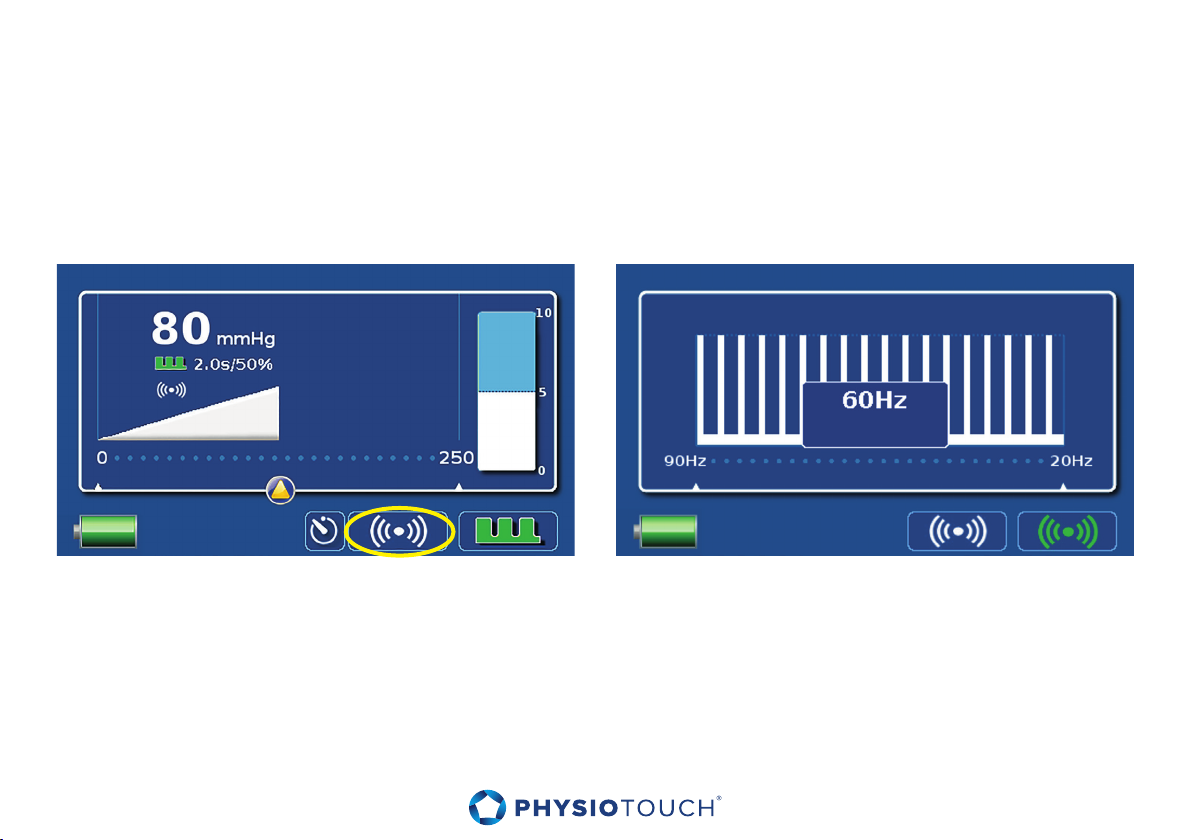
8.3 High-frequency vibration treatment feature
High-frequency vibration treatment feature can be activated from the High-frequency screen by
pressing the high-frequency button on the main screen.
On the High-frequency screen there are two buttons; the left one is for turning the high frequency
treatment o and the right one is for high frequency treatment. Initial settings are: the high frequency
treatment mode o and the pulsation treatment mode activated.
24
Page 25
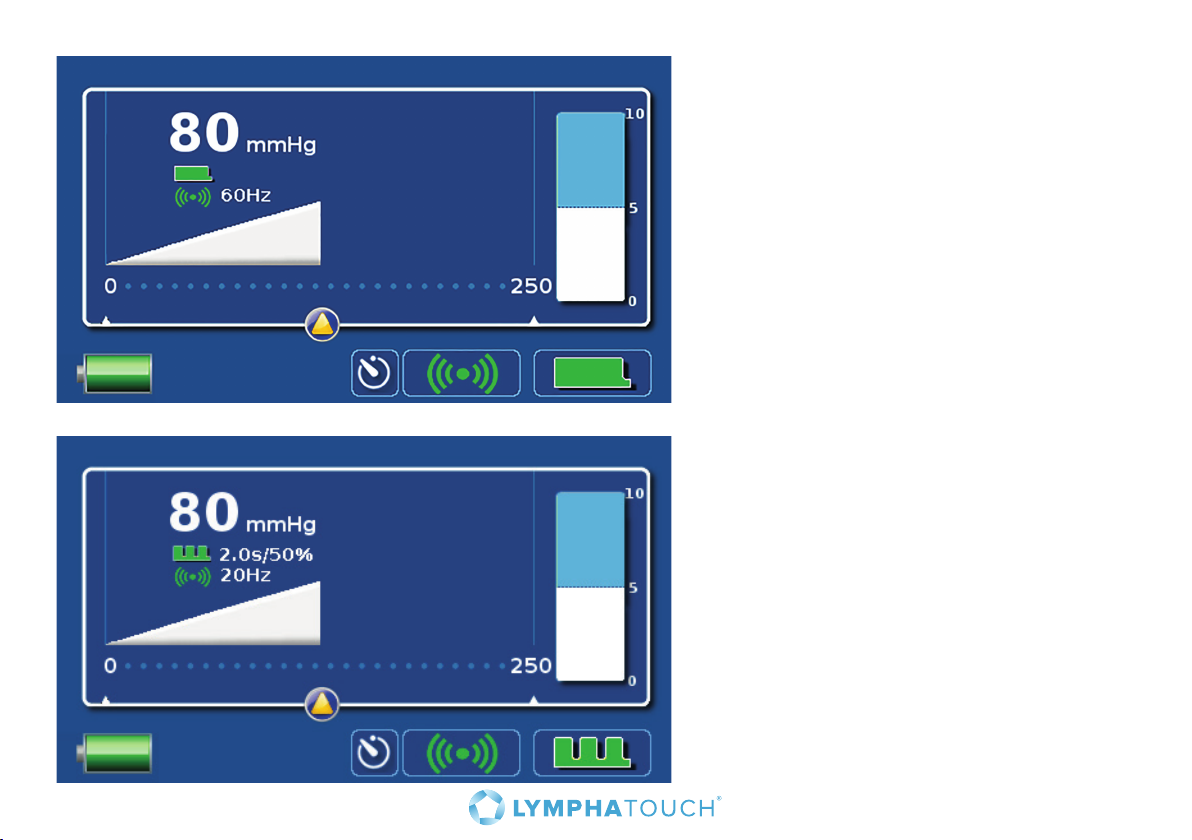
Constant high-frequency vibration without
pulsation can be set on by deactivating
pulsation treatment mode and activating
the high frequency treatment mode.
By activating both the high-frequency
vibration and the pulsation treatment
mode, combination treatment can be
started. Treatment mode is now vibrating
pulsation treatment.
25
Page 26
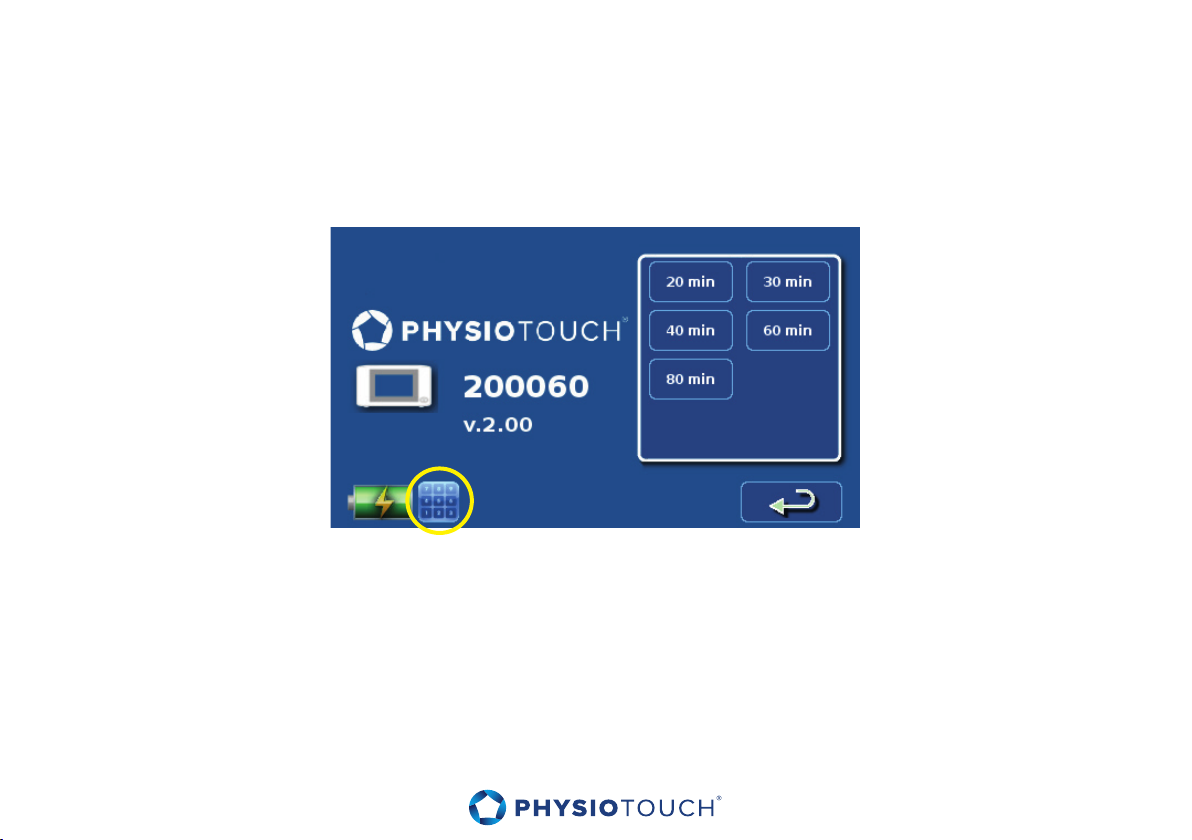
8.4 Numeric keypad
Numeric keypad button can be found from timer setting screen. Numeric keypad –screen is used
mainly in service purposes.
26
Page 27

9. Maintenance and cleaning
Check the device for visible damage or malfunctions regularly, and replace accessories if required.
9.1 Treatment cup maintenance and cleaning
Wipe the treatment cups carefully using a mild disinfectant or mild detergent after each use.
Disconnect the soft covers from the larger treatment cups (60 mm and 80 mm) during the cleaning
process. The treatment cups are not autoclavable.
Inside the treatment cup is a small, white filter that prevents dust and debris from entering the device.
When cleaning the treatment cup, be careful not to touch the filter, as the detergent may also cause
clogging of the filter.
Manufacturer recommends that mouthpieces are replaced with new ones when there is visible wear
and tear or when the cups have been used longer than three months.
9.2 Cleaning main unit and other parts
Clean the PhysioTouch® - LymphaTouch® main unit, cable and Treatment Head by wiping them with a
cloth containing mild detergent. Be careful not to scratch the display. Do not autoclave any parts of the
device.
27
Page 28
10. Troubleshooting
The section below provides assistance in certain problem situations. If the suggested corrections do
not fix the situation, contact device’s retailer for more instructions, or return the device for service.
Problem: Device will not turn on
• Battery may be empty. Connecting to mains will start charging the battery, and allow using the
device with mains power immediately.
• There may be an internal error which has caused the system to halt. Press the on/o switch for 10
seconds to reset the device.
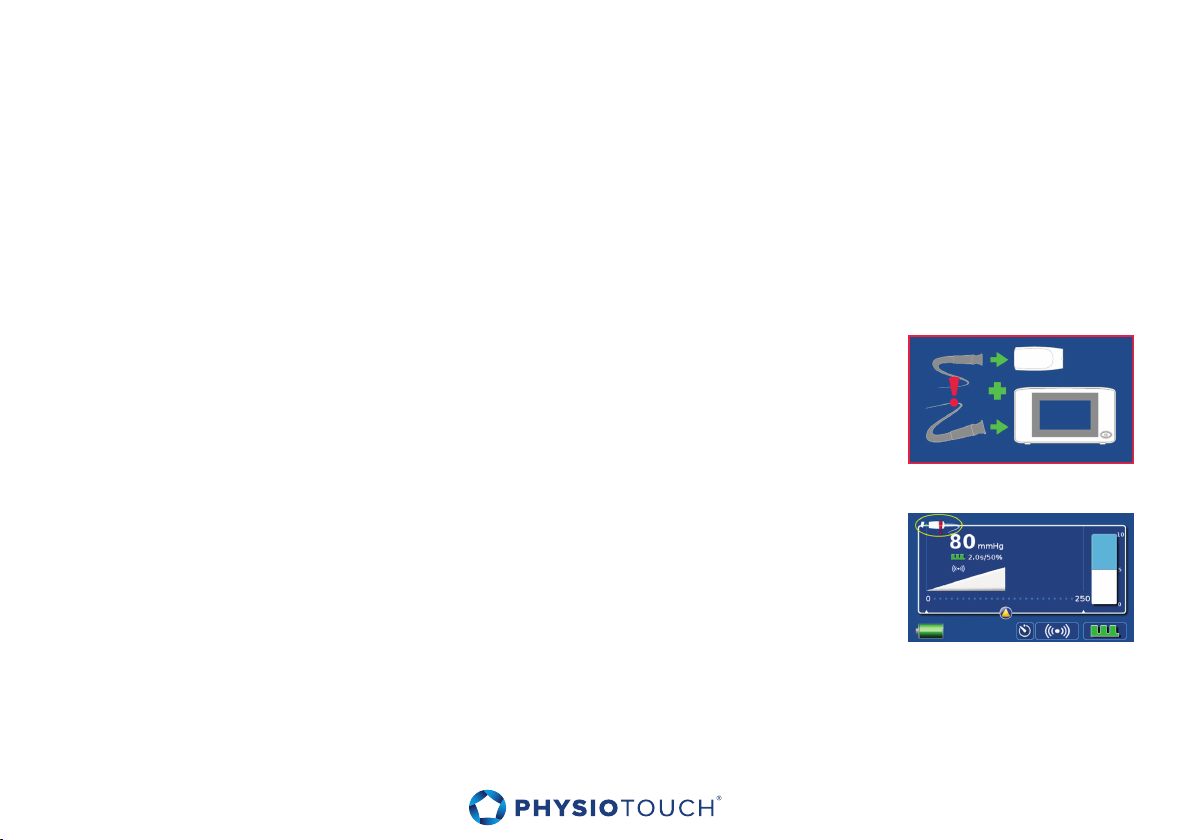
Problem: Treatment cable disconnected
• Verify that the cable is properly connected both to the device and to the
Treatment Head. Contact service if necessary.
Problem: Suction will not start when the Treatment Head is brought to the
patient’s skin.
• If the treatment cup is not properly connected, the error message will
be displayed. Verify that the treatment cup is properly connected to the
Treatment Head. Replace treatment cup if necessary.
28
Page 29
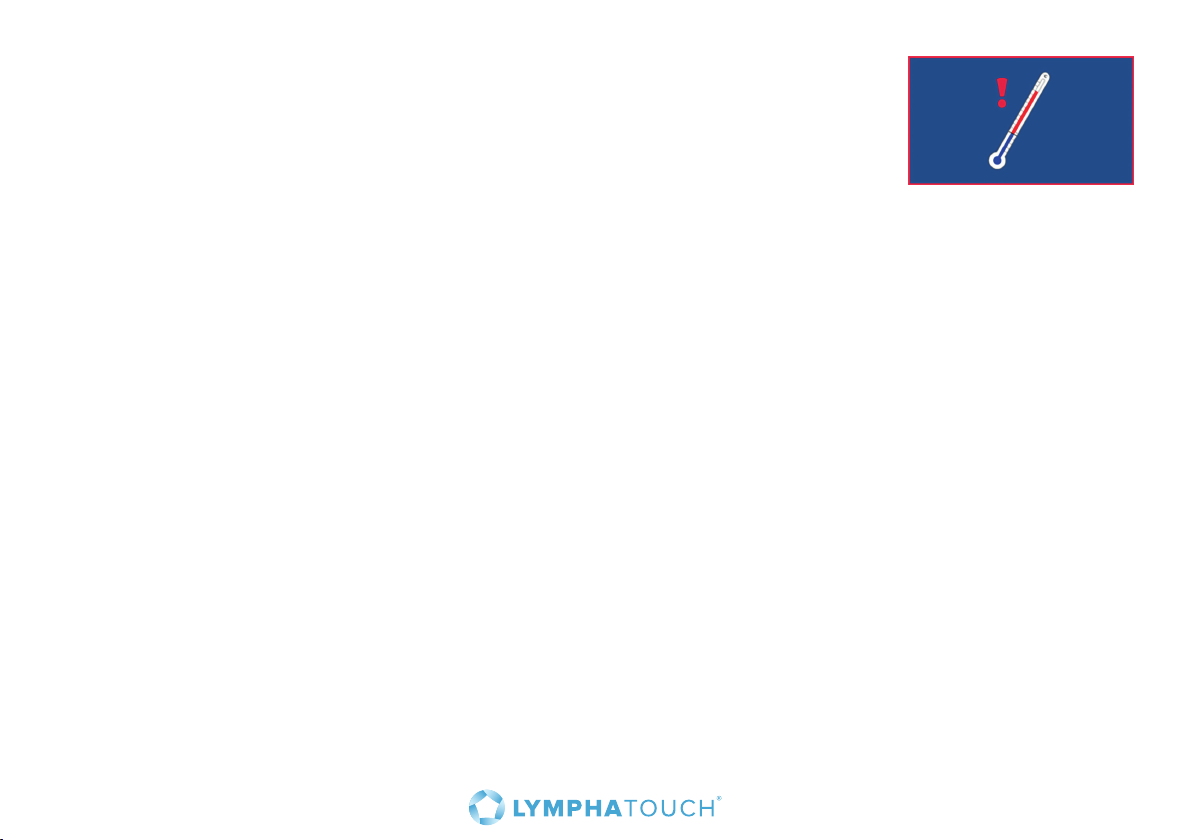
Problem: Device is overheated
• Device is used with maximum performance long period of time in hot
environment.
• Wait until the unit cools down and the error message disappears.
Problem: Suction initiates, but the set negative pressure is not achieved.
• Ensure that the treatment cup fits tightly on the area you are attempting to treat. Try to find a
location where you can achieve an airtight connection or replace treatment cup with the size that
fits better.
• The filter in the treatment cup may be clogged. Replace the treatment cup.
• Verify that the treatment cup is properly connected to the Treatment Head.
• Verify that the soft treatment cup cover is properly connected to the treatment cup and intact.
• Wear and tear of the treatment cup may result in leaks appearing. Verify and replace the treatment
cup if necessary.
29
Page 30
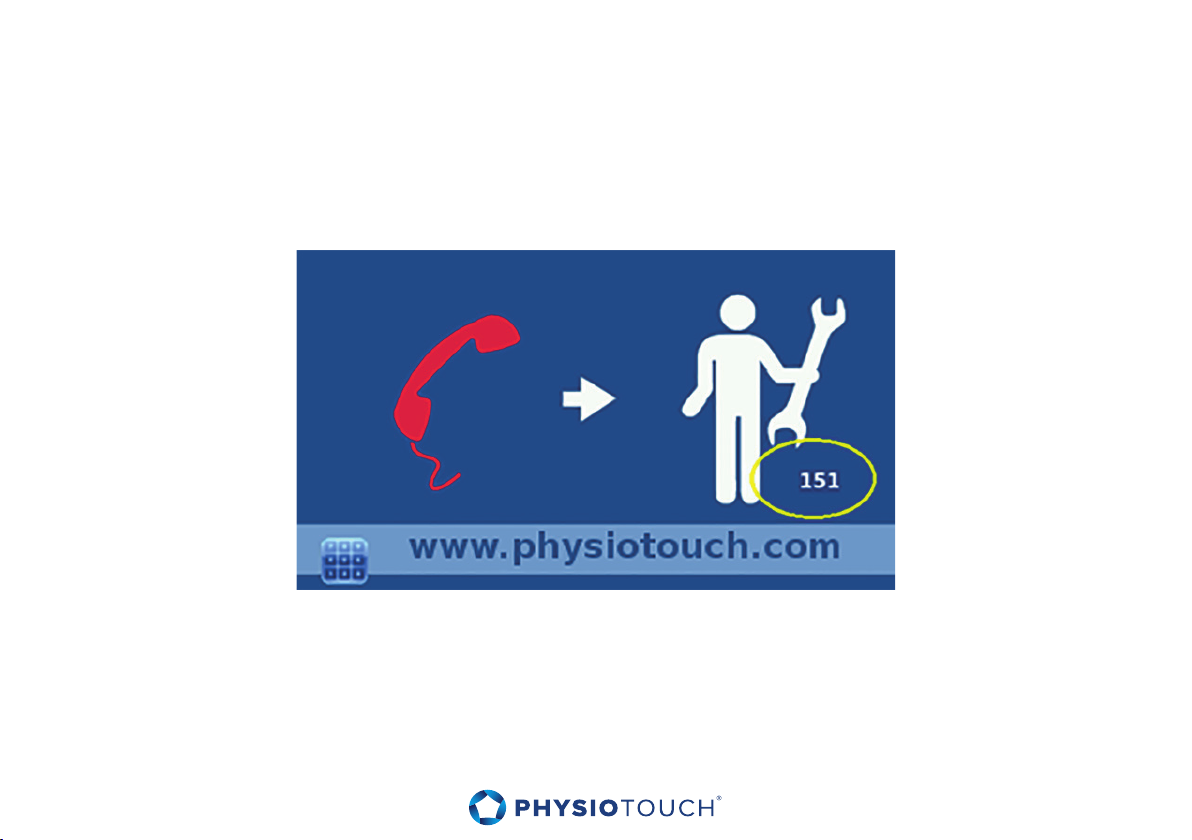
11. Service
If the device malfunctions or the error message below appears, first try to reset the device by pressing
the on/o switch for 10 seconds. If the error message reappears, contact the reseller and inform the
error code displayed on the lower right corner.
Warning, Danger - Only persons certified by HLD Healthy Life Devices Ltd. are authorized to perform
servicing of the device. Opening the device or servicing the device without authorization will result in
voiding the warranty and may lead to serious injury or damage to the equipment.
30
Page 31

12. Software upgrade
HLD Healthy Life Devices Ltd releases new software versions to the PhysioTouch® - LymphaTouch® unit
from time to time. Software can be easily upgraded by using a USB memory stick.
The software upgrade is provided either via email, internet, or directly on a USB stick. More detailed
instructions on performing the software upgrade and detailed description of the new software features
will be included with each software upgrade.
If you have received a software zip file upgrade via email or downloaded it from the www.physiotouch.
com Web site, unzip the file to the USB memory stick root folder.
There should be the following two files on the memory stick when the upgrade process is initiated:
hld_update_2.xx.img and upgrade.spec. Other files on the memory stick will not hamper the upgrade
process.
31
Page 32

Proceed with the software upgrade according to the following steps:
• Keep the device connected to mains during the upgrading.
• Turn o the device.
• Connect the memory stick to the USB connector on the left side of the device.
• Turn on the device, and follow the instructions on the screen.
• Do not disconnect the memory stick, until instructed to do so.
• The device will restart and update the device’s main board and Treatment Head if necessary. If the
Treatment Head is not connected at the time, it will be updated the next time it is connected.
• Upgrading is complete and the device is ready for use.
If you have several PhysioTouch® - LymphaTouch® treatment devices in use, it is recommended that all
units are upgraded to the same software level.
32
Page 33
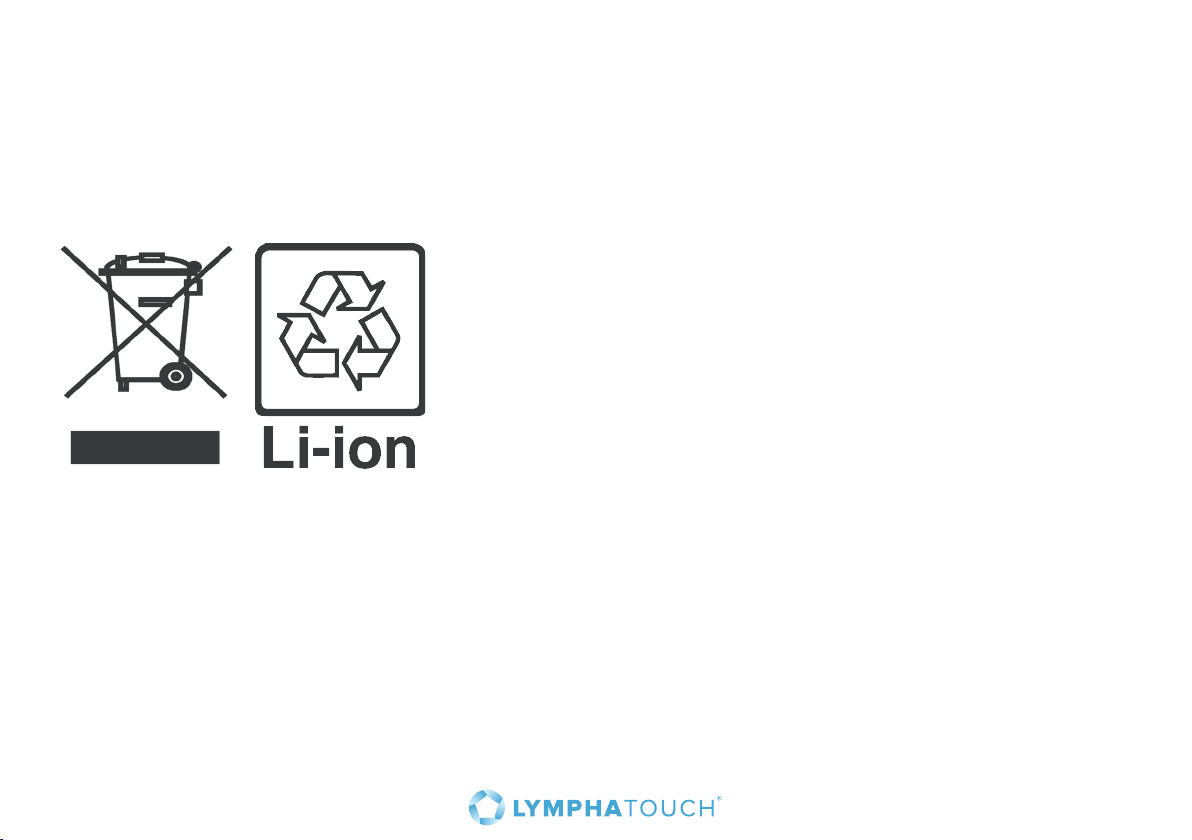
13. Disposal
This is an electronic device containing a lithium-ion battery as an internal power source. Do not throw
away the device with normal household waste at the end of its life. Consider the environment: deliver
the device for recycling at an ocial collection point for electronic devices. Check with the appropriate
recycling organization for local disposal information.
33
Page 34
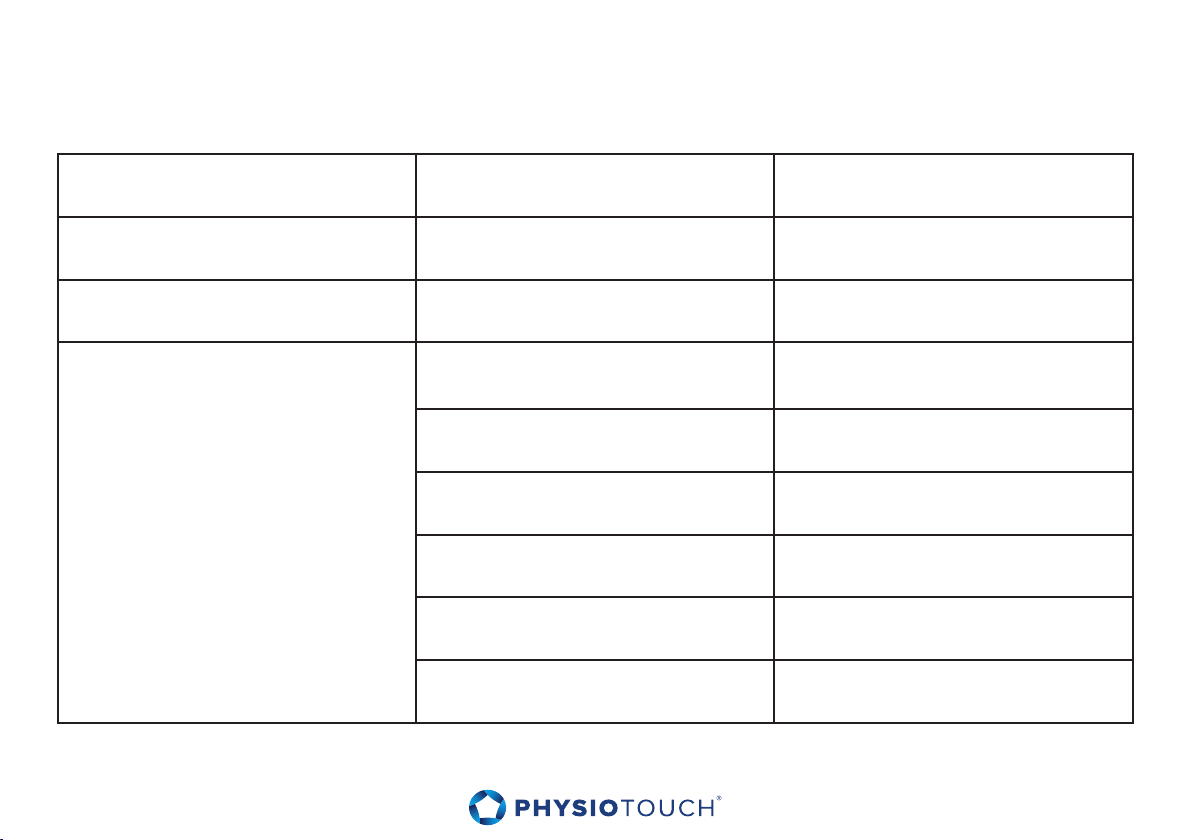
14. Technical data
Dimensions (w x h x d) 19 x 10 x 9,5 cm
Weight Main unit 1.2 kg
Power requirements Adapter 100-240 VAC, 50/60 Hz
Type HLD-2200 Lithium Ion 10,8V,
5.2Ah, 56Wh
Replacement interval ~3 years
Duration time in use 8 hours
Battery
(*) Estimated time. Time can vary due to the ambient and / or device temperature.
Note: Designed lifetime for the adapter is two years.
34
Duration time in stand by 18 hours (*)
Charging while in use 8 hours (*)
Charging while in stand-by 5 hours (*)
Page 35
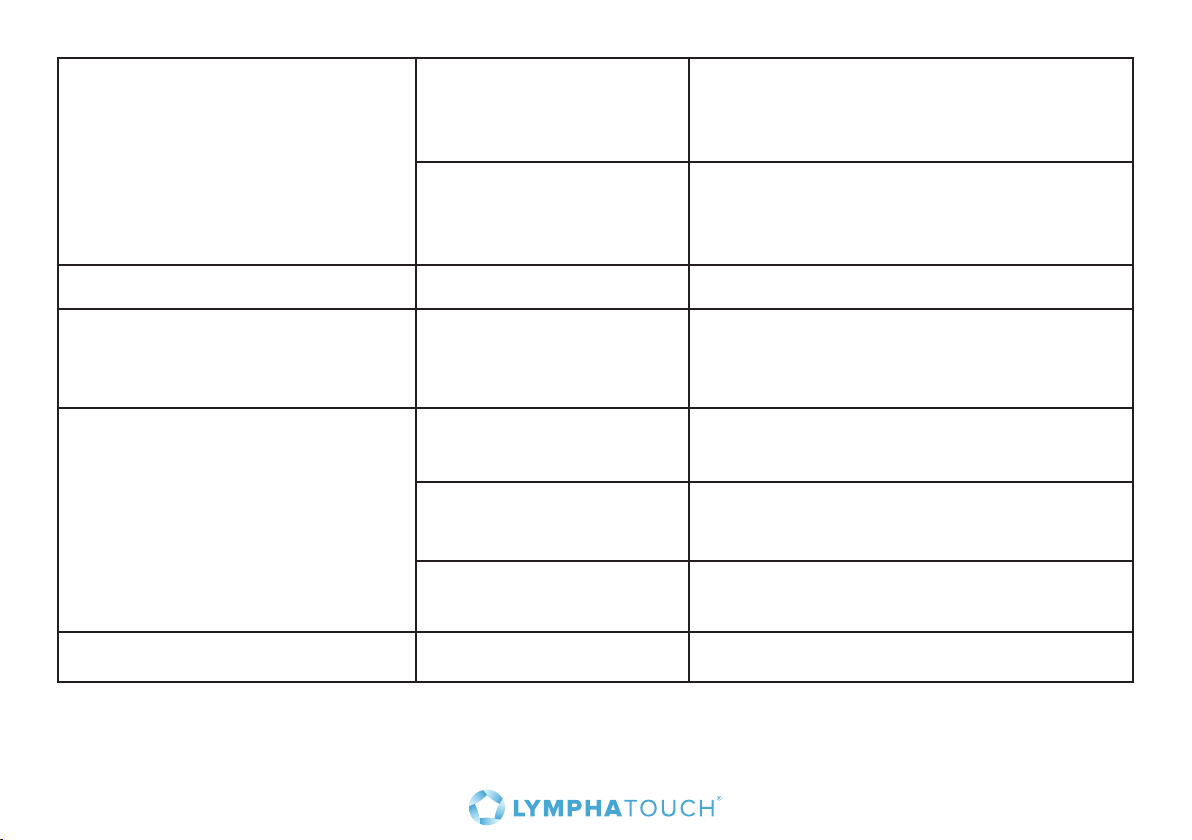
Environmental conditions
Use 10°C - 40°C,
humidity 15 - 93% non-condensing,
altitude 0 - 3000 m
Storage and transport 0° - 40° C,
humidity 15 - 95% non-condensing,
altitude 0 - 3000 m
Classification
Conformity to standards
Performance specifications
Designed lifetime
Medical device (CE-MDD), class 2a
ISO 13485:2003
IEC 60601-1
IEC 60601-1-11
Negative pressure
adjustment
Pulsation adjustment Range 0.5-5 s
Vibration adjustment Range 20-90 Hz
Range 0-250 mmHg
Accuracy ± 10% + ± 10 mmHg
Accuracy ± 10% + ± 0.05s
Accuracy ± 10%
5 years
35
Page 36

15. EMC
15.1 Guidance and manufacturer’s declaration – electromagnetic emissions
The PhysioTouch® - LymphaTouch® is intended for use in the electromagnetic environment specified
below. The customer or the user of the PhysioTouch® - LymphaTouch® should assure that it is used in
such an environment.
Warning: Use of accessories, transducers and cables other than those specified, with the exception
of transducers and cables sold by HLD Healthy Life Devices as replacement parts for internal
components, may result in increased electromagnetic emissions or decreased immunity of the device
to such emissions.
Warning: PhysioTouch® - LymphaTouch® should not be used adjacent to or stacked with other
equipment. If adjacent or stacked use is necessary, the PhysioTouch® - LymphaTouch® should be
observed to verify normal operation in the configuration in which it will be used.
36
Page 37
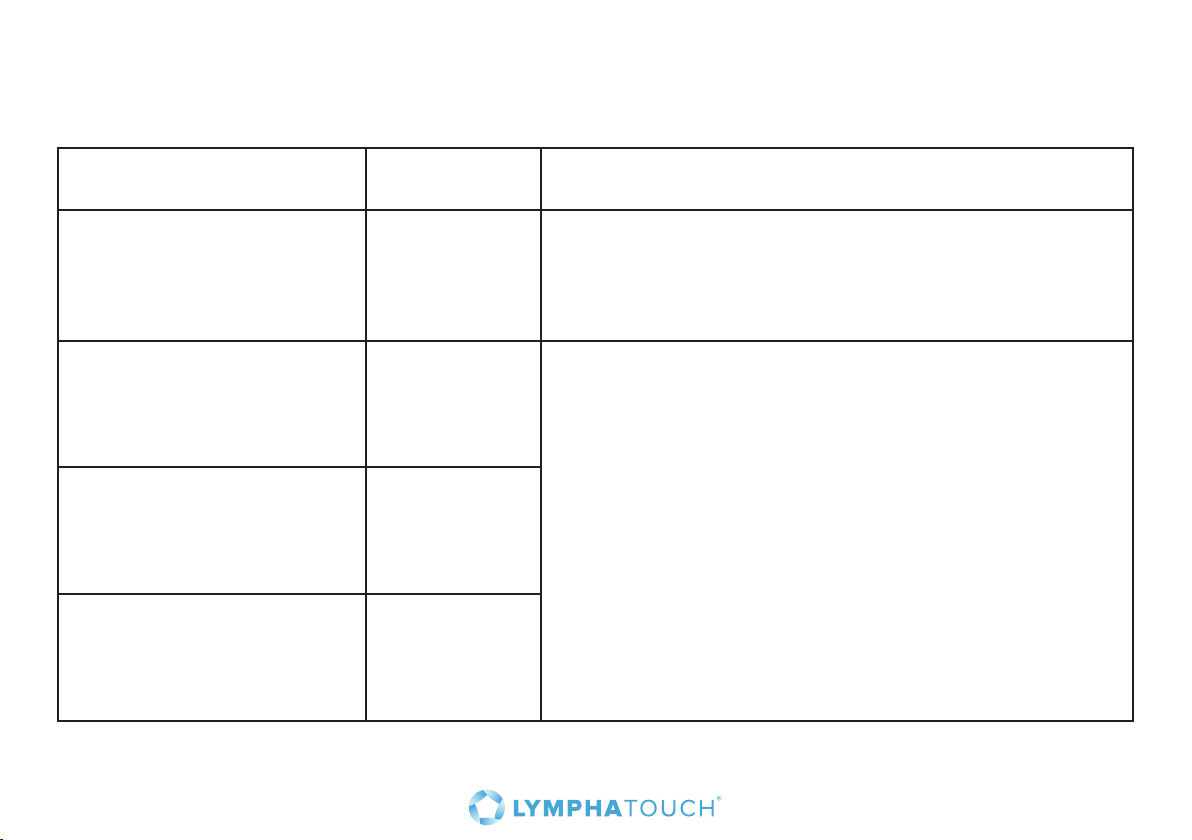
Emission tests according to the test specification IEC 60601-1-2.
Emissions test Compliance Electromagnetic environment – guidance
RF emissions
CISPR 11
RF emissions
CISPR 11
Harmonic emissions
IEC 61000-3-2
Voltage fluctuations/
flicker emissions
IEC 61000-3-3
Group 1 The PhysioTouch® - LymphaTouch® uses RF energy
only for its internal function. Therefore, its RF
emissions are very low and are not likely to cause any
interference in nearby electronic equipment.
Class B
Not Applicable
(low input
power)
Complies
The PhysioTouch® - LymphaTouch® is suitable for use in
all establishments, including domestic establishments
and those directly connected to the public low-voltage
power supply network that supplies buildings used for
domestic purposes.
37
Page 38
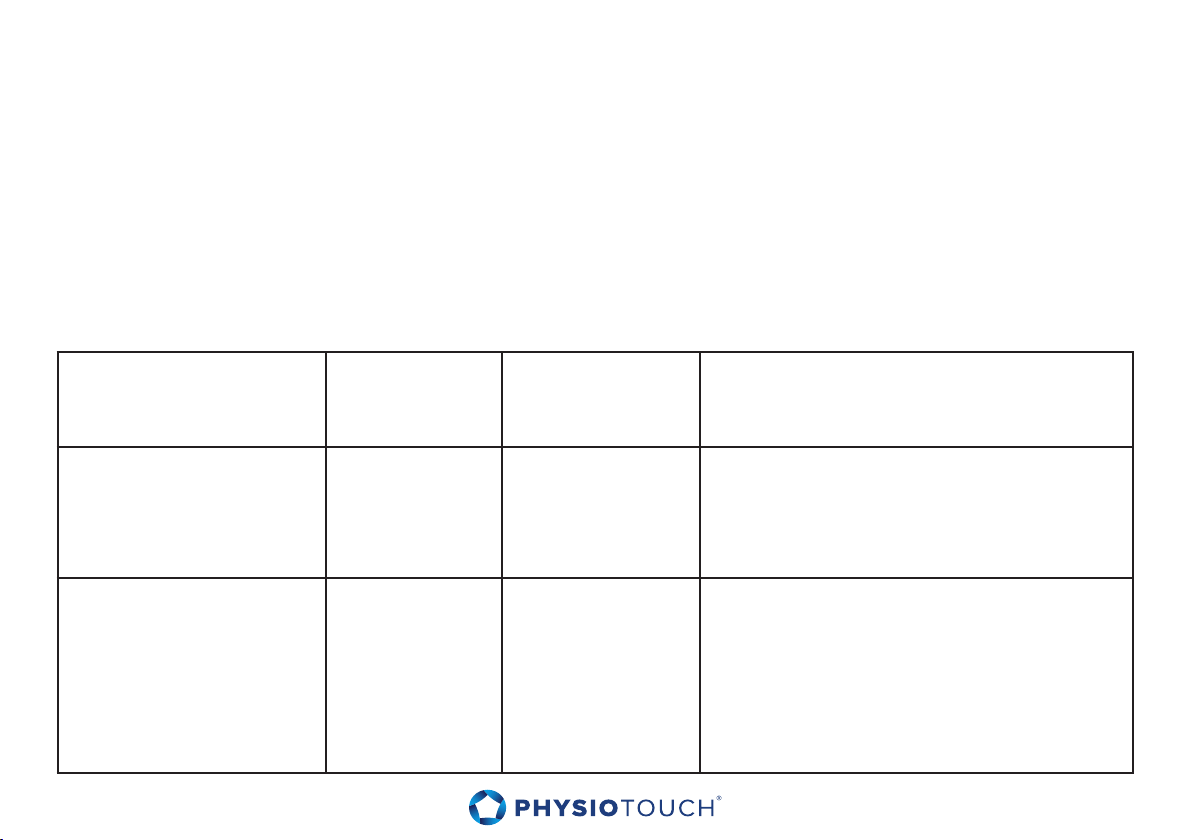
15.2 Guidance and manufacturer’s declaration – electromagnetic immunity
The PhysioTouch® - LymphaTouch® is intended for use in the electromagnetic environment specified
below. The customer or the user of the PhysioTouch® - LymphaTouch® should assure that it is used
in such an environment. Portable and mobile RF communications equipment can aect medical
electrical equipment. Wireless communications equipment such as wireless home network devices,
mobile phones, cordless telephones and their base stations, walkie-talkies can aect this equipment
and should be kept at least a distance d (see tables on pages 40-41) away from the any part of the
PhysioTouch® - LymphaTouch® including cables.
Immunity test IEC 60601
test level
Electrostatic
discharge (ESD)
IEC 61000-4-2
Electrical fast
transient/burst
IEC 61000-4-4
38
± 6 kV contact
± 8 kV air
± 2 kV for
power supply
lines
± 1 kV for
input/output
Lines
Compliance
level
± 6 kV contact
± 8 kV air
± 2 kV for power
supply lines
± 1 kV for input/
output
Lines
Electromagnetic environment –
guidance
Floors should be wood, concrete or
ceramic tile. If floors are covered with
synthetic material, the relative humidity
should be at least 30 %.
Mains power quality should be that
of a typical commercial or hospital
environment.
Page 39
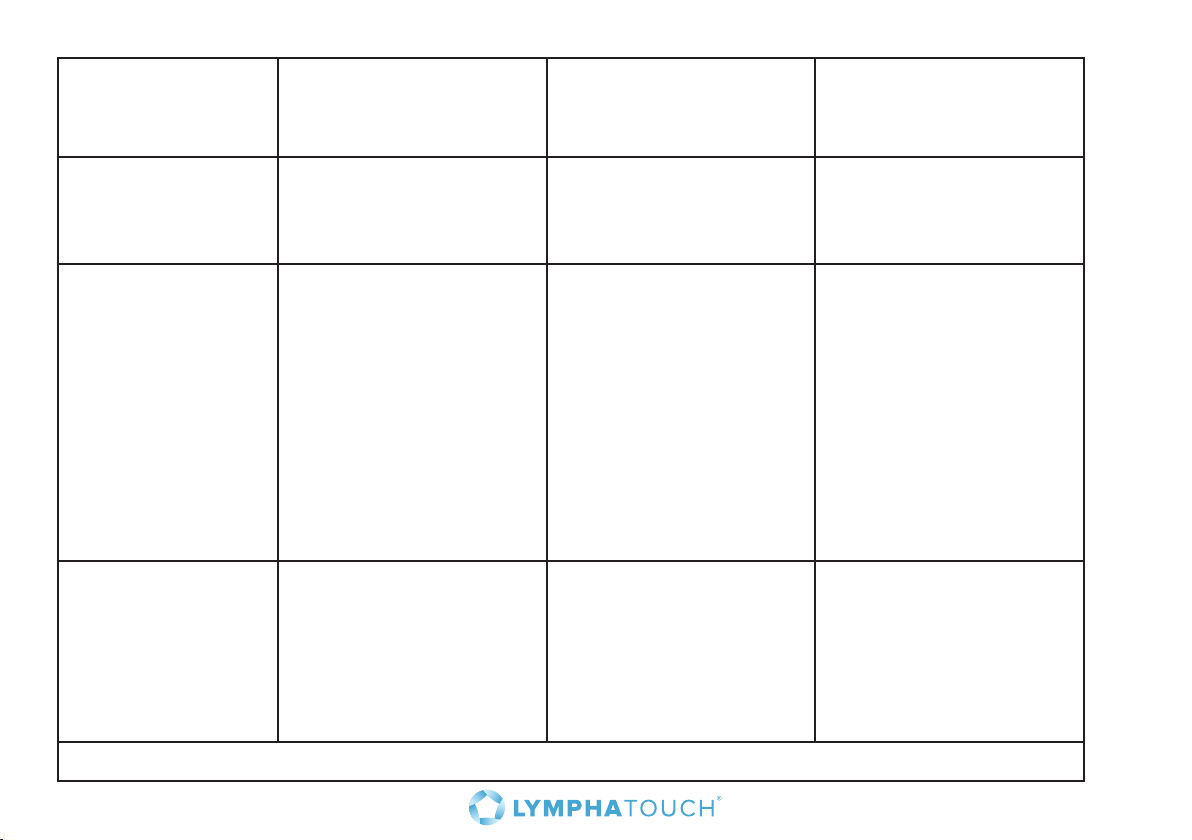
Immunity test IEC 60601
test level
Surge
IEC 61000-4-5
± 1 kV line(s) to
line(s)
± 2 kV line(s) to earth
Compliance level Electromagnetic
environment –
guidance
± 1 kV line(s) to
line(s)
± 2 kV line(s) to earth
Mains power quality
should be that of a typical
commercial or hospital
environment.
Voltage dips, short
interruptions and
voltage variations
on power supply
input lines
IEC 61000-4-11
Power frequency
<5 % U
for 0,5 cycle;
40 % U
for 5 cycles;
70 % U
U
<5 % U
for 5 s
(>95 % dip in UT)
T
(60 % dip in UT)
T
(30 % dip in
T
) for 25 cycles;
T
(>95 % dip in UT)
T
<5 % U
for 0,5 cycle;
40 % U
for 5 cycles;
70 % U
U
<5 % U
for 5 s
3 A/m 3 A/m Power frequency
(>95 % dip in UT)
T
(60 % dip in UT)
T
(30 % dip in
T
) for 25 cycles;
T
(>95 % dip in UT)
T
(50/60 Hz)
magnetic field
IEC 61000-4-8
Note: UT is the a.c. mains voltage prior to application of the test level.
Mains power quality
should be that of a typical
commercial or hospital
environment. If the user
of the PhysioTouch® LymphaTouch® requires
continued operation
during power mains
interruptions, it is
recommended that device
is installed with battery
option.
magnetic fields
should be at levels
characteristic of a typical
location in a typical
commercial or hospital
environment.
39
Page 40
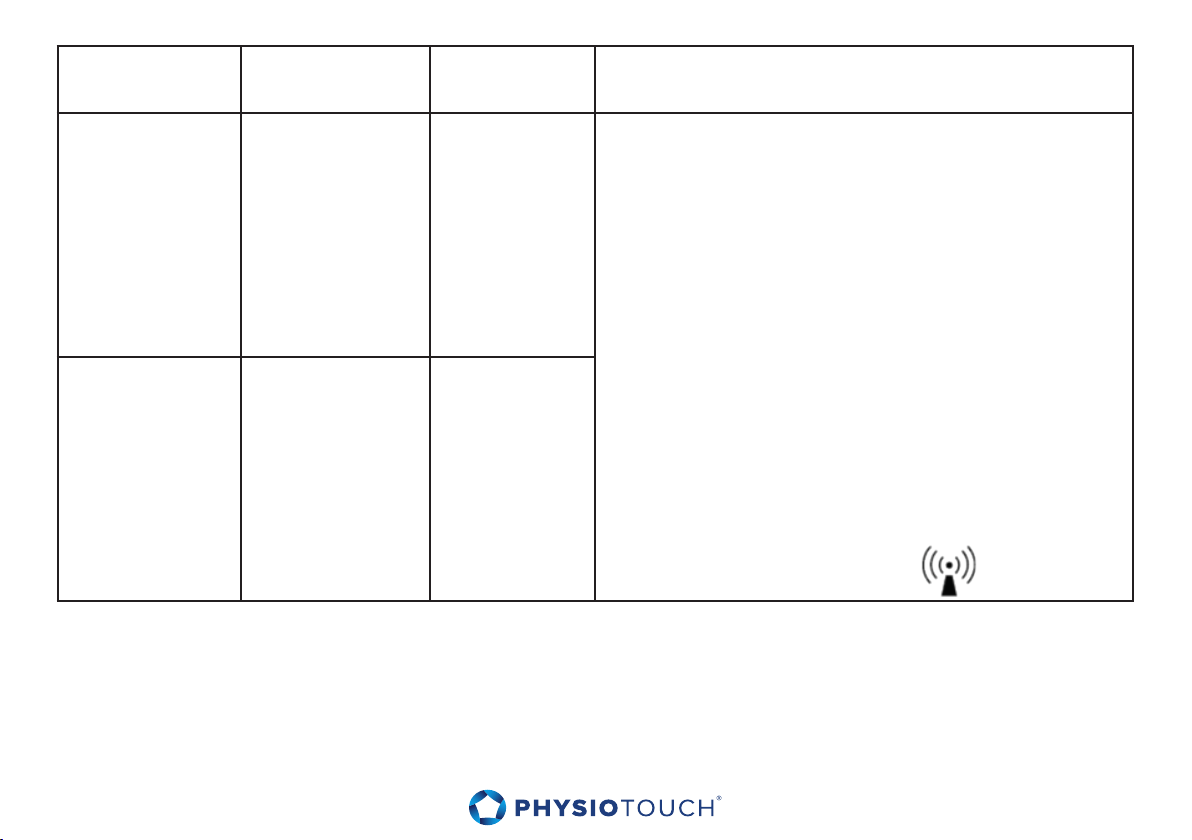
Immunity test IEC 60601
test level
Compliance
level
Electromagnetic environment – guidance
Conducted RF
IEC 61000-4-6
3 Vrms
150 kHz – 80 MHz
3 Vrms Wireless communications equipment such as wireless
home network devices, mobile phones, cordless
telephones and their base stations, walkie-talkies can aect
this equipment and should be kept at least a distance d
away from the any part of the PhysioTouch® - LymphaTouch®
including cables. The recommended separation distance
calculated from the equation applicable to the frequency of
the transmitter. Recommended separation distance
d=1.2*√(P) MHz to 800 MHz
d=2.3*√(P)800 MHz to 2,5 GHz
Radiated RF
IEC 61000-4-3
3 V/m
80 MHz – 2.5 GHz
3 V/m
where P is the maximum output power rating of the
transmitter in watts (W) according to the transmitter
manufacturer and d is the recommended separation
distance in metres (m).
Field strengths from fixed RF transmitters, as determined
a
by an electromagnetic site survey,
should be less than the
compliance level in each frequency
range.b Interference may occur in the vicinity of equipment
marked with the following symbol:
NOTE 1 At 80 MHz and 800 MHz, the higher frequency range applies
NOTE 2 These guidelines may not apply in all situations. Electromagnetic propagation is aected by absorption and reflection from structures, objects and
people.
a
Field strengths from fixed transmitters, such as base stations for radio (cellular/cordless) telephones and land
mobile radios, amateur radio, AM and FM radio broadcast and TV broadcast cannot be predicted theoretically
with accuracy. To assess the electromagnetic environment due to fixed RF transmitters, an electromagnetic site
survey should be considered. If the measured field strength in the location in which the PhysioTouch is used exceeds the applicable RF compliance level
above, the PhysioTouch should
be observed to verify normal operation. If abnormal performance is observed, additional measures may be
necessary, such as re-orienting or relocating the PhysioTouch
b
Over the frequency range 150 kHz to 80 MHz, field strengths should be less than 3 V/m.
40
Page 41
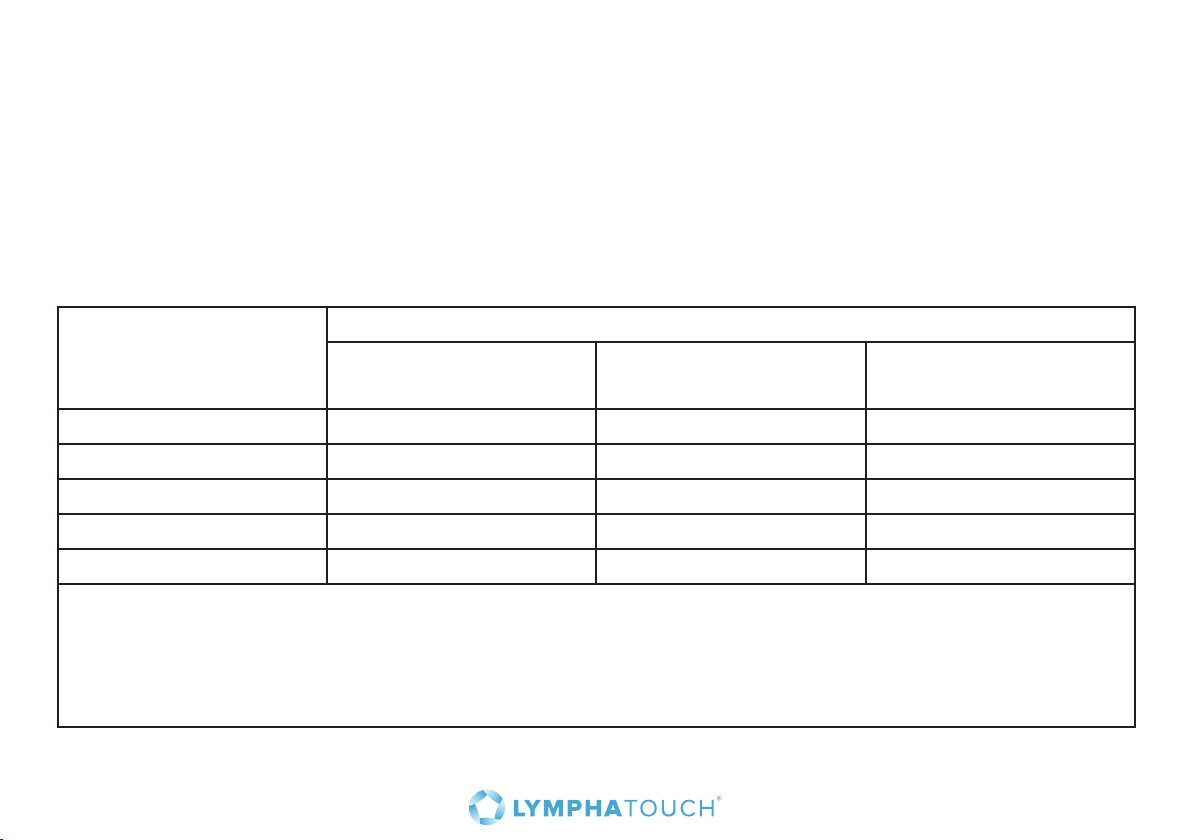
Recommended separation distances between portable and mobile RF communications equipment
and the PhysioTouch® - LymphaTouch®
The PhysioTouch® - LymphaTouch® is intended for use in an electromagnetic environment in which
radiated RF disturbances are controlled. The customer or the user of the PhysioTouch® - LymphaTouch®
can help prevent electromagnetic interference by maintaining a minimum distance between portable
and mobile RF communications equipment (transmitters) and the PhysioTouch® - LymphaTouch® as
recommended below, according to the maximum output power of the communications equipment.
Rated maximum output
power of transmitter
W
Separation distance according to frequency of transmitter (m)
150kHz – 80MHz
d=1.2*√P
80MHz – 800MHz
d=1.2*√P
800MHz – 2.5GHz
d=2.3*√P
0.01 0.1 2 0.1 2 0.23
0.1 0.37 0.37 0.74
1 1.2 1.2 2.3
10 3.7 3.7 7.4
100 12 12 23
For transmitters rated at a maximum output power not listed above, the recommended separation distance d
in meters (m) can be estimated using the equation applicable to the frequency of the transmitter, where P is
the maximum output power rating of the transmitter in watts (W) according to the transmitter manufacturer.
NOTE 1 At 80 MHz and 800 MHz, the separation distance for the higher frequency range applies.
NOTE 2 These guidelines may not apply in all situations. Electromagnetic propagation is aected by
absorption and reflection from structures, objects and people.
41
Page 42

424344
Page 43

Page 44
HLD Healthy Life Devices Ltd.
Kuortaneenkatu 2
FI - 00510 Helsinki
Tel. +358 (0)10 423 7300
Fax +358 (0)10 423 7309
[email protected], [email protected]
www.physiotouch.com www.lymphatouch.com
ISO 9001:2008 / 13485:2003 Certified company
© Copyright 10/2016 v8.0 HLDID-30-1238 EN
Directive 93/42/EEC
0537
 Loading...