

Page 1
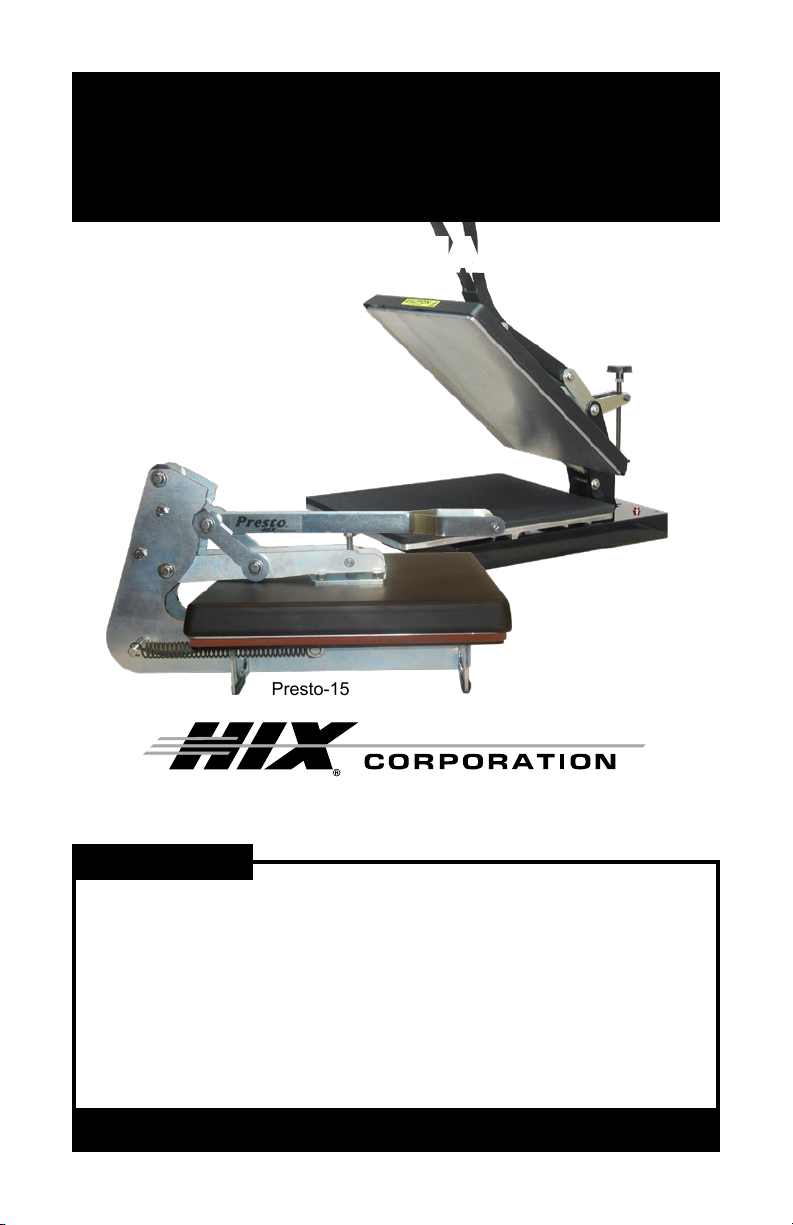
Presto-15/Presto-20
15”x15” / 16”x20” Heat Transfer Machines
OWNER’S MANUALOWNER’S MANUAL
Presto-20
Presto-15
For Customer Service, Call 1-800-835-0606
or Visit www.hixcorp.com
CONTENTS
Receiving & Installation 2
Temperature Setting 3
Pressure Control 3
Transfer Application 4-5
Relay Bypass 5
Thermostat Bypass 6
Fuse Replacement 6
Maintenance Schedule 7
Troubleshooting 7
Warranty 8
BEFORE warranty repair you MUST get Prior Authorization:
70622 RV A_101310
Page 2
RECEiviNg & iNSTALLATiON
SHIPPING OR RETURNS
NOTE: Save all of your shipping/packing materials.
DO NOT RISK COSTLY SHIPPING DAMAGE!
SHIP ONLY IN ORIGINAL BOX.
1. Fasten machine to plywood shipping base with bolts provided.
2. Tie or tape handle securely to base.
3. Place in original box, and put side liner and top liner in place. Fold in
aps and seal the box. (Additional bottom boards, box and liners may
be obtained from your supplier for a nominal cost.)
UNPACKING
Remember to save all packing materials - including box, liner and
board. You may need these for shipping your machine or if a repair is
necessary in the future.
INSPECTION
Inspect your machine for hidden shipping damage. Contact the delivery
company immediately, should you nd damage.
INSTALLATION
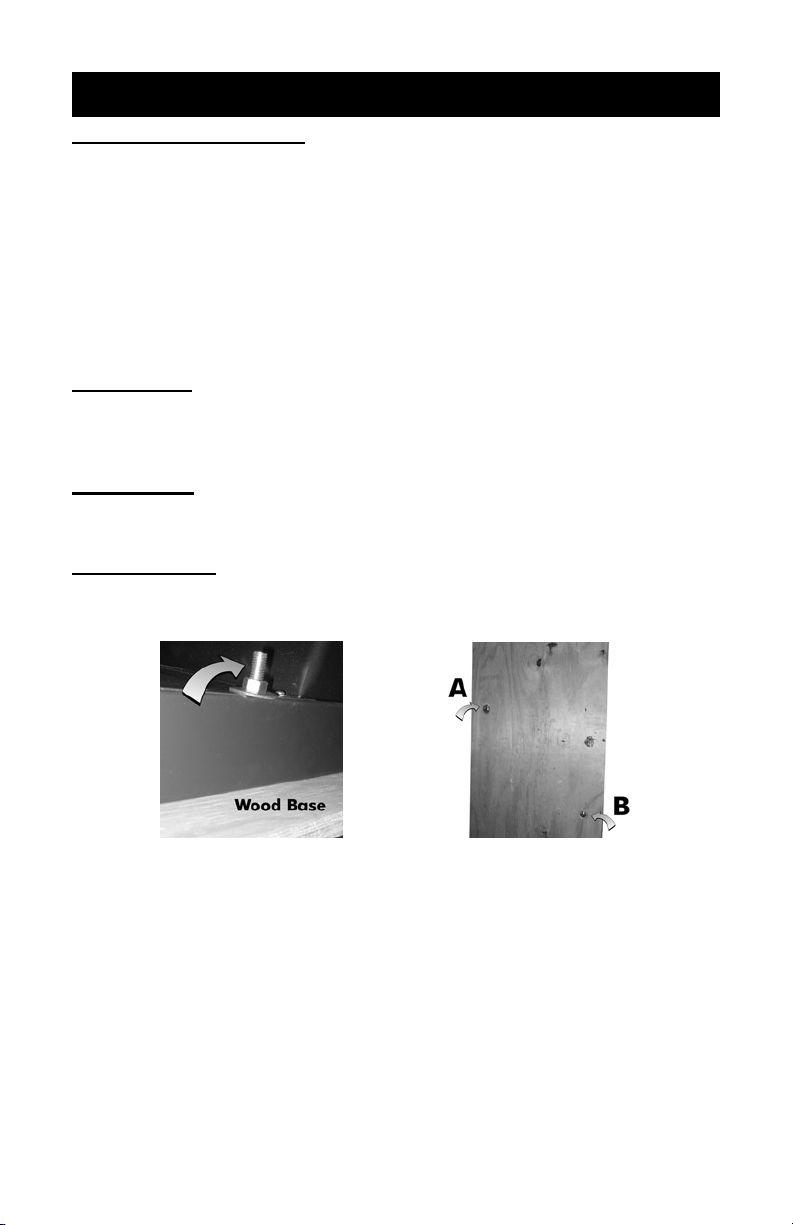
1. Remove plywood shipping base bolts (see A and B) and screw on feet
or afx self-adhesive rubber feet provided.
CAUTION: Handle must be tied to base before moving or shipping.
ATTENTION: Immobiliser la poignée avant de trasporter.
2. Place your new machine on a sturdy, level counter or table.
2. Carefully cut tape/wrap holding machine closed.
3. Unwrap the cordset and plug the machine into the correct grounded
electrical outlet.
WARNING: When using an extension cord, use 12 or 14 ga.-3 conductor.
Maximum length, 25’ (7.762 m).
ATTENTION: Utiliser des ralonges d’au moins 12 à 14 ga - 3 phases;
longueur maximale de 7.7 mètres.
2
Page 3
TEMPERATURE SETTiNg
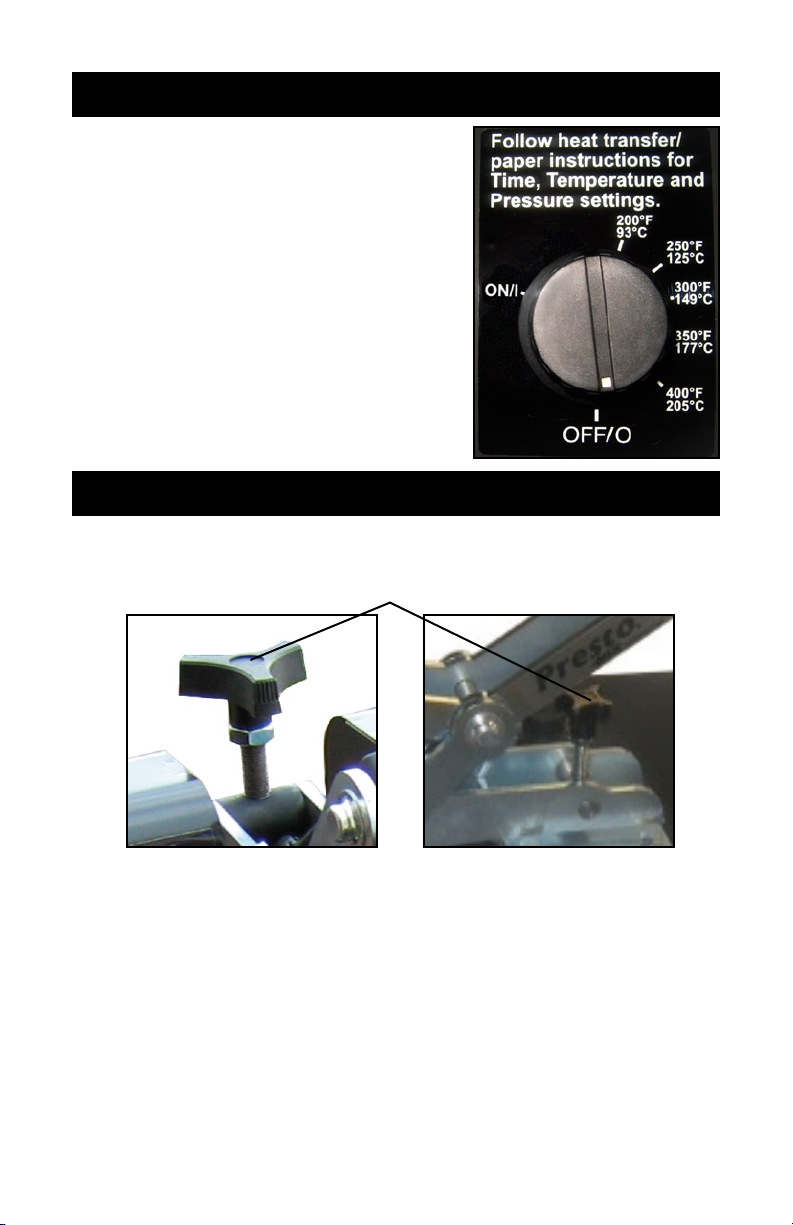
Set the Temperature Control Knob ac-
cording to the recommendations accompanying the particular brand of transfer
being used. When the Temperature Knob
is turned from the “off” position the indicating light will illuminate. The light will stay
on until the heat platen reaches your set
temperature. Once the light goes “off” the
temperature has been reached and the
machine is ready for transferring.
NOTE: The light will cycle “on” and “off” as the
machine maintains the set temperature.
PRESSURE SETTiNg
The pressure control knob should be set so that the heat head will lock
down rmly.
Pressure Adjustment Knob
Presto-20
(16”x20” platen size)
2. Pressure is reduced by turning knob (with machine open) counterclockwise and increased by turning it clockwise.
NOTE: Adjustments may be required from one garment to another and will
vary to achieve the desired result.
WARNING: Excessive pressure can cause structural damage, voiding
the machine warranty!
ATTENTION: Pression excessive peut endommager la machine et
annuler la garanti.
3
Presto-15
(15”x15” platen size)
Page 4

TRANSfER APPLiCATiON
120 volt models have a slower heat recovery (i.e. 18-20 seconds @ 375°F)
than 220 volt models which are recommended for quicker cycle times (i.e.
10 seconds @ 375°F).
1. Set the temperature & pressure to the desired settings as instructed.
Always consult your specic transfer recommendations. Typical settings
are; Cold Peel: 350°F (177°C), 15 seconds and Hot Split: 375°F
(190°C), 10-12 seconds.
2. Align substrate on lower platen. Smooth wrinkle from garments.
NOTE: Wrinkles may be removed by bringing the heated platen in contact
with the garment for a few seconds before the transfer is positioned.
3. Position the transfer in the desired location on the substrate.
NOTE: The transfer image should be “mirrored” before transferring except
when transferring to substrates where the image shows through, i.e.
glass tiles and cutting boards.
TIP: When transferring double sided or sublimation transfers to
garments, always place a sheet of transfer paper or a PTFE sheet
between the layers of the garments to avoid bleed through or reheating
of the applied transfer.
4. Pull the handle down until the handle locks.
5. Begin countdown either mentally, i.e. 5...4...3...2...1, or use of a separate
timer, i.e. watch or hand timer included with the press.
NOTE: Do not fold the transfer back on itself. Successful transfer work
depends on the correct balance of time, temperature and pressure.
The type and thickness of the material and the kind of transfer being
used will determine what settings are necessary.
For hot peel/split transfers, immediately peel the paper after the machine
has opened. DO NOT allow the transfer to cool. For cold peel transfers,
rub the transfer with an eraser or cloth and allow to cool for 5-10 seconds
before removing the release paper.
NOTE: Specic application instructions are enclosed with transfers.
When you fail to make a successful transfer you can wonder, “Is it
the machine’s fault, or the transfer, wrong settings or what”?
FIRST, THE BASICS:
Be sure to set the heat transfer machine to the transfer manufacturer’s 1.
recommended Temperature, Time and Pressure settings. If you don’t
have these specications, contact your transfer supplier for this information and any other special application instructions as many of the
new “High Tech” transfers require signicantly different settings and/or
application techniques than those from years past.
When you start up your press for the rst time each day, preheat the 2.
pad for a minute. If the press has sat for 3-5 minutes without use, be
sure to “preheat” the pad for 10-15 seconds before loading the shirt or
making the rst transfer.
4
Page 5

TRANSfER APPLiCATiON
After the shirt is positioned and centered on the preheated pad, “pre-3.
press” the shirt for 3 seconds to take the wrinkles out and more importantly, release any excess moisture out of the T-shirt fabric which can
reduce the chance of a successful transfer.
With all of the above recommendations, try making a transfer. 4.
If successful, great! You are on your way to making some serious 5.
money with your transfer machine!
If you have an area that isn’t transferring completely or as you would 6.
like it to, follow these steps to determine the problem.
Try increasing the pressure on the machine by 10-20% •
Recheck your temperature required and the press readout. You may •
want to increase the temperature 10 degrees.
Try increasing the application time by 2-4 seconds •
If after trying these things there is still a “specic” area (say over in •
one corner of the transfer) that isn’t coming out as you would like
it to, then try the same type transfer on a scrap shirt but rotate the
transfer 180 degrees (changing the failure location) If after doing
this the problem area is in the same physical location on the machine, then you probably have a problem with the pad or possibly a
warped platen if the machine has ever overheated severely. On the
other hand if the transfer failed in the same area on the transfer (after changing the location of where the problem had previously been
occurring), then you most likely have a problem with the transfer or
it’s application settings (Temperature, Time or Pressure) and you
should contact your transfer supplier to discuss the problem.
Following these basic guidelines can help you be more successful with
each and every transfer!
RELAy byPASS
WARNING: Before making repairs, be sure ON/OFF switch is OFF and
machine is unplugged!
ATTENTION: Eteindre la machine avant de faire des réparations.
1. Remove the back cover of the machine.
WARNING: To prevent posible electrical shock, unplug the machine
before removing cover to service.
ATTENTION: An d’éviter des choques électriques, éteindre la machine
avant d’ouvir.
2. Remove wire #26 from terminal #2 on relay.
3. Loosen terminal #1 on relay and replace wire #26 along with wire #12
under terminal #1.
4. Tighten the connection.
5. Plug machine in and turn the power switch on.
NOTE: Replace the relay if the machine starts heating. This is a test only.
Do not operate machine with relay bypassed.
5
Page 6

ThERMOSTAT byPASS
If your machine is not heating (temperature light does not come on).
WARNING: Before making repairs, be sure ON/OFF switch is OFF and
machine is unplugged!
ATTENTION: Eteindre la machine avant de faire des réparations.
1. Loosen recessed set screw in the thermostat knob and remove knob
by pulling knob upward. Fig. 1
2. Remove cover screw and thermostat cover to gain access to the thermostat
3. Attach both “thermostat wires” on the “rear terminal”. Fig. 2
4. Plug machine in and turn the power switch “on”
HEAT SHIELD ASSEMBLY
ThermosTaT
Cover
Cover
sCrew
Knob
Upper
heaT shield
ThermosTaT
Fig. 2
Fig. 1
NOTE: Replace the thermostat if the heat light comes on and the machine
starts heating. This is a test only. Do not operate machine with thermostat bypassed.
fUSE REPLACEMENT
WARNING: Before making repairs, be sure ON/OFF switch is OFF and
machine is unplugged!
ATTENTION: Eteindre la machine avant de faire des réparations.
1. Remove bottom cover of the machine and locate internal fuse holder
on inside of the machine.
2. Remove blown fuse. Replace with the proper fuse.
Presto 15: 120V=MDA-15; 220V=MDA-8
Presto 20: 120V=MDA-15; 220V=MDA-10
3. Replace bottom cover of machine.
NOTE: If you feel your temp calibration is off, contact customer service.
6
Page 7

MAiNTENANCE
YES
YES NO
NO
NO
NO
NO
NO
Bypass
thermostat
YES
YES NO
NO
NO
Check large tan wires
attached to back of heat
casting. Repair if needed.
Remove bottom cover
and check for loose or
broken wires.
Repair if needed.
Check power flow with
VOM meter.
Repair if needed.
Check small tan wires
attached to thermostat.
Repair if needed.
Replace fuse
Adjust Pressure
Is indicating light on? Try another outlet.
Is power light on?
Does heat light remain on
constantly when overheating?
Problem solved?
Problem solved?
Problem solved?
NO
Problem solved?
Problem solved?
NO
Problem solved?
Problem solved?
Problem solved?
Replace
thermostat.
*
Replace
thermostat.
*
Call
Te chnical
Service
Call
Te chnical
Service
Call
Te chnical
Service
NO
Problem solved?
Call
Te chnical
Service
Little or
no heat
Machine
Overheats
Machine
doesn't
stay closes
LUBRICATION
Every 6 months add one to two drops of 3-in-1 oil (available at hardware
stores), to the joints of all moving parts.
CLEANING HEAT PLATEN
Clean the heat platen with steel wool, scrubbing aluminum sponge, or ne
wire brush.
TROUbLEShOOTiNg
WARNING: Before making repairs, be sure ON/OFF switch is OFF and
machine is unplugged!
ATTENTION: Eteindre la machine avant de faire des réparations.
7
Page 8

WARRANTy
HIX will automatically register the equipment on the date it was shipped to you or your distributor.
If the equipment was not purchased directly from HIX, but through a distributor (either domestic
or foreign), please keep a copy of their sales invoice showing the serial number and date it was
sold/shipped to you with this warranty. In this case, we will use the distributor’s invoice date as the
beginning warranty date. STAPLE A COPY OF YOUR RECEIPT TO THIS WARRANTY and keep
in a safe place to provide verication of your warranty should a problem occur. Thank you.
Please ll in the following information and attach a copy of your receipt for your records.
Date Purchased: From:
Model #: Serial #:
This warranty applies to equipment manufactured by the HIX Corporation (HIX), Pittsburg, Kansas, U.S.A. HIX warrants to the original purchaser, its Ovens and Dryers, Heat Transfer Presses,
Mug Presses, Mug Glazer, Retensionable Screen Frames, Textile Printers, Spot Heaters, and Exposure Units against defects in workmanship and material, except for wear and tear for a period of
“One Year” from the date of purchase. HIX warrants its Accessories, Reten Splines/Hardware/Tool
Kit, and Shuttle for a period of 90 days from the date of purchase. Thermatrol and doughXpress
products are covered under separate warranty.
In the event of a defect, HIX, at its option, will repair, replace or substitute the defective item at
no cost during this period subject to the limitations of insurance and shipping costs stated below.
In the case of heat transfer presses (except the Hobby Lite), HIX warrants the heat casting for
the “Life” of the machine for the original purchaser. If a part becomes obsolete at the time for repair,
and/or cannot be reasonably substituted for, HIX will credit, at half the then current list price or last
recorded price, only that part toward a new machine or any product HIX offers. This credit offer
shall be the sole responsibility of the HIX Corporation in the event of an obsolete part.
This warranty does not cover belts, pads, mug wraps, canvas, rubber blankets, bulbs, glass, rod
ends, turn buckles on printers or damages due to accident, misuse/abuse, alterations or damage
due to neglect, shipping or lack of proper lubrication or maintenance. HIX shall not be responsible
for repairs or alterations made by any person without the prior written authorization by HIX. This
warranty is the sole and exclusive warranty of HIX and no person, agent, distributor, or dealer of
HIX is authorized to change, amend or modify the terms set forth herein, in whole or in part.
In the case of a problem with the equipment identied herein, HIX Corporation should be contacted during regular business hours to discuss the problem and verify an existing warranty. HIX
personnel will assist the customer to correct any problems which can be corrected through operation
or maintenance instructions, simple mechanical adjustments, or replacement of parts. In the event
the problem cannot be corrected by phone, and upon the issuance of a return authorization by
HIX, the equipment shall be returned to HIX or an authorized service representative. All insurance,
packaging and shipment/freight costs are solely the responsibility of the customer, and not that
of HIX, and HIX shall not be responsible for improper packaging, handling or damage in transit.
Contact HIX customer service for complete return authorization information. Correct shipping boxes
are available from HIX.
This expressed warranty is given in lieu of any and all other warranties, whether expressed or
implied, including but not limited to those of merchantability and tness for a particular purpose,
and constitutes the only warranty made by HIX Corporation.
In no event shall HIX’s liability for breach of warranty extend beyond the obligation to repair or
replace the nonconforming goods. HIX shall not be liable for any other damages, either incidental
or consequential, or the action as brought in contract, negligence or otherwise.
This warranty gives you specic legal rights and you may also have other rights which vary from
state to state.
(Effective September 1, 2010)
Manufacturers of the Finest Quality Textile and Graphics Screen Printing and Heat Transfer Equipment
Web site: www.hixcorp.com • Phone: (800) 835-0606 • Fax: 620-231-1598
1201 E. 27th Terrace • Pittsburg, KS 66762 • U.S.A.
E-Mail: customerservice@hixcorp.com • E-Mail: sales@hixcorp.com
8
©2010 HIX Corp.
 Loading...