

Page 1
User Manual
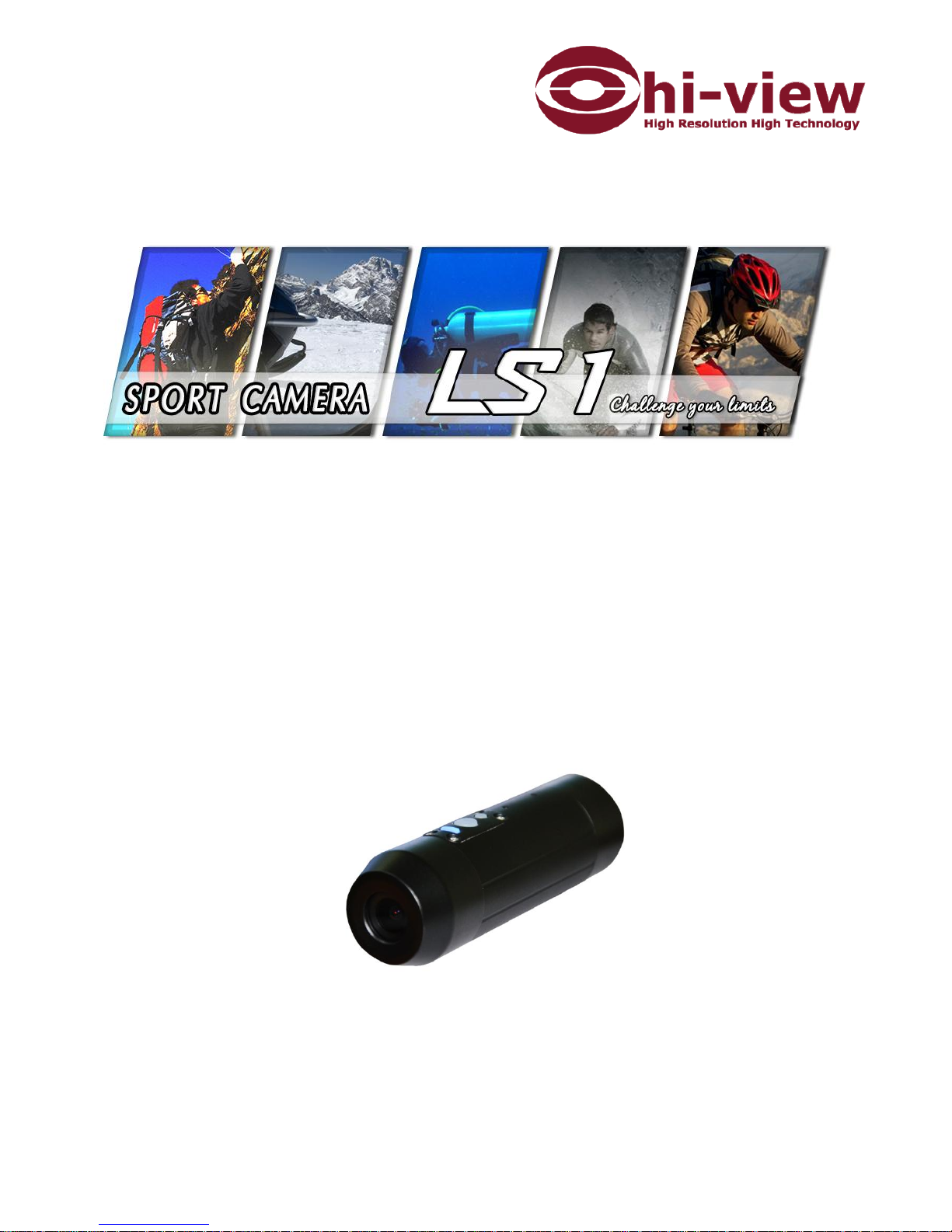
SPORT CAMERA LS1
Page 2

1
Index
LS1 Sport Camera & Standard accessories 。。。。。 07
Before Using 。。。。。。。。。。。。。。。。。。。 08
Operation 。。。。。。。。。。。。。。。。。。。。 10
DATE/TIME Setting 。。。。。。。。。。。。。。。 10
Charging the Battery 。。。。。。。。。。。。。。。 11
SPECIFICATION 。。。。。。。。。。。。。。。。。 11
WARRANTY 。。。。。。。。。。。。。。。。。。。 13
WARRANTY CARD 。。。。。。。。。。。。。。。。 14
Page 3
2
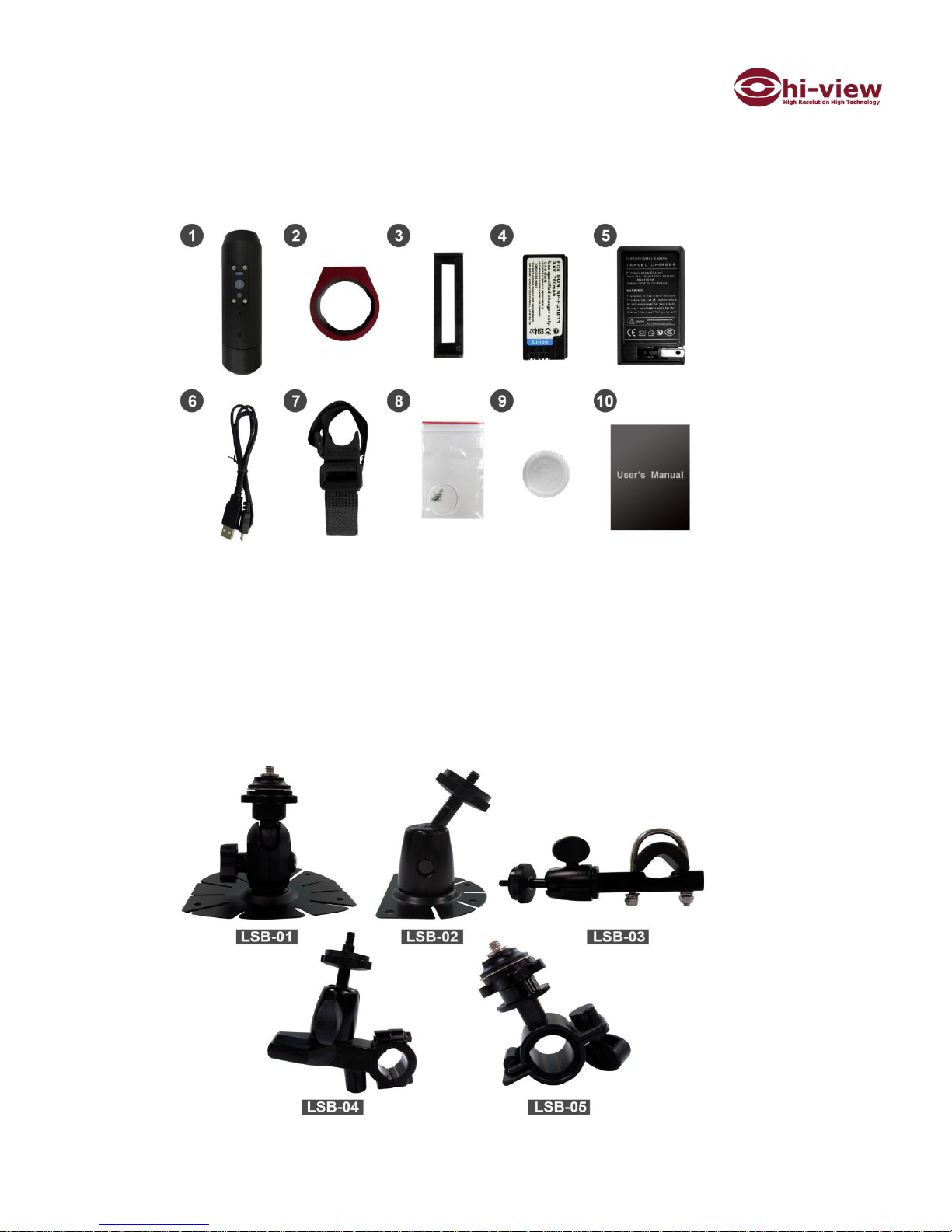
1. LS1 Sport Camera & Standard accessories:
1. Camcorder 2.Aluminum alloy Ring 3.Battery Mount 4.Battery
5. Charger 6.USB Cable 7.Roll bar mount 8.O-ring x 2 pcs & screws x 4
9. Grease 10. User manual (incl. Warranty card)
Options:
LSB-01 : Adhesive Mount
LSB-02 : Adhesive Mount 、
LSB-03 : Aluminum alloy Motorcycle /Bike mount、
LSB-04 : Aluminum alloy Motorcycle /Bike mount 、
LSB-05 : ABS mount for Motorcycle and bike)
Page 4
3
2. Before Using:
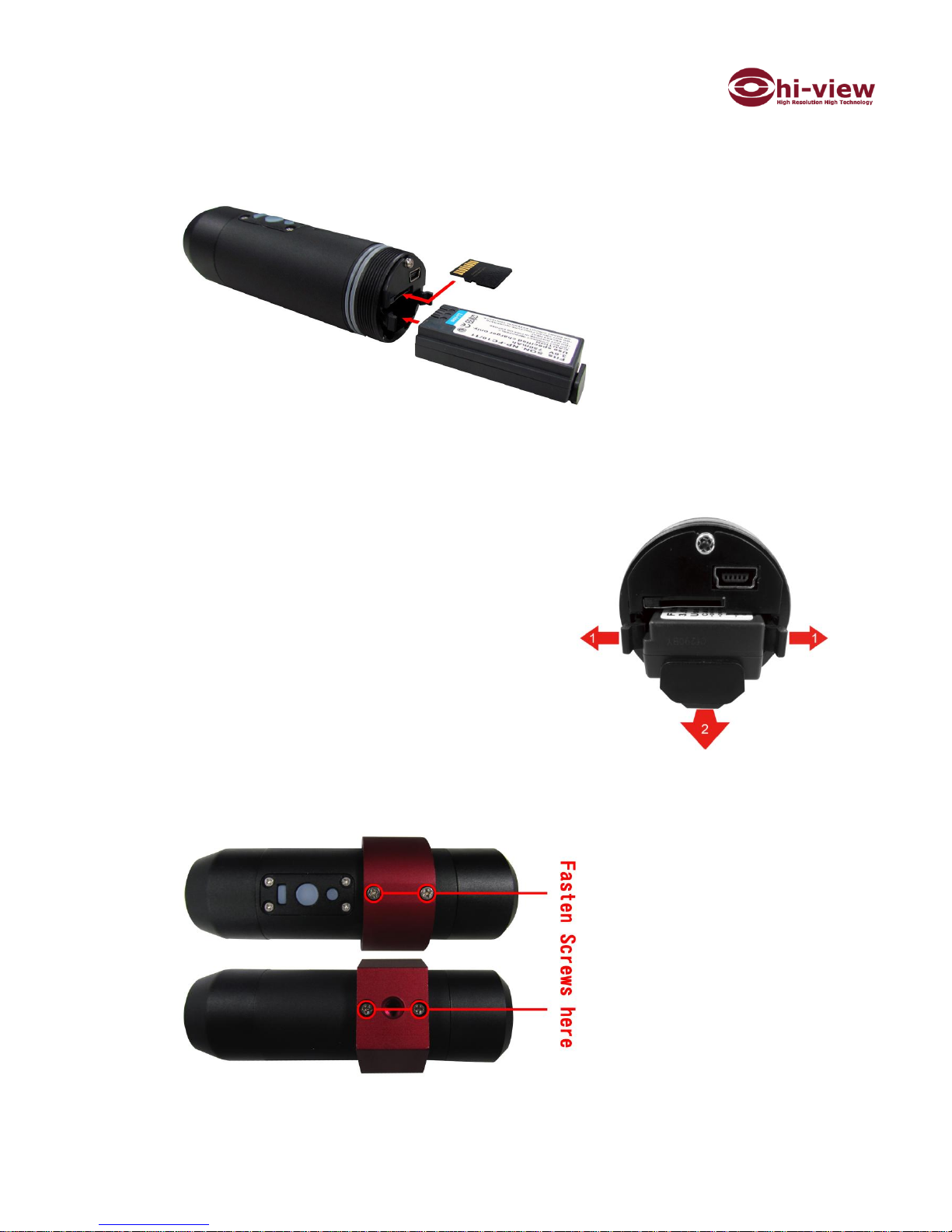
Insert Micro SD card and Battery according to below direction:
Format your SD card to FAT 32. Allocation Unit Size choose 32 KB
Make sure your LS1 is off before you moving the Micro SD card and Battery
Insert Micro SD card with label facing down
Insert Battery with label facing up
How to take out the Battery:
Move Snap-fit facing outside, (1)
Pull out the bracket to take out the battery (2)
How to screw Aluminum Alloy Ring
in the camcorder :
With 4 screws , you can fixed the aluminum alloy ring on LS1 sport camera
The function of Aluminum alloy ring is for you to screw in with different mounts.
Page 5
4
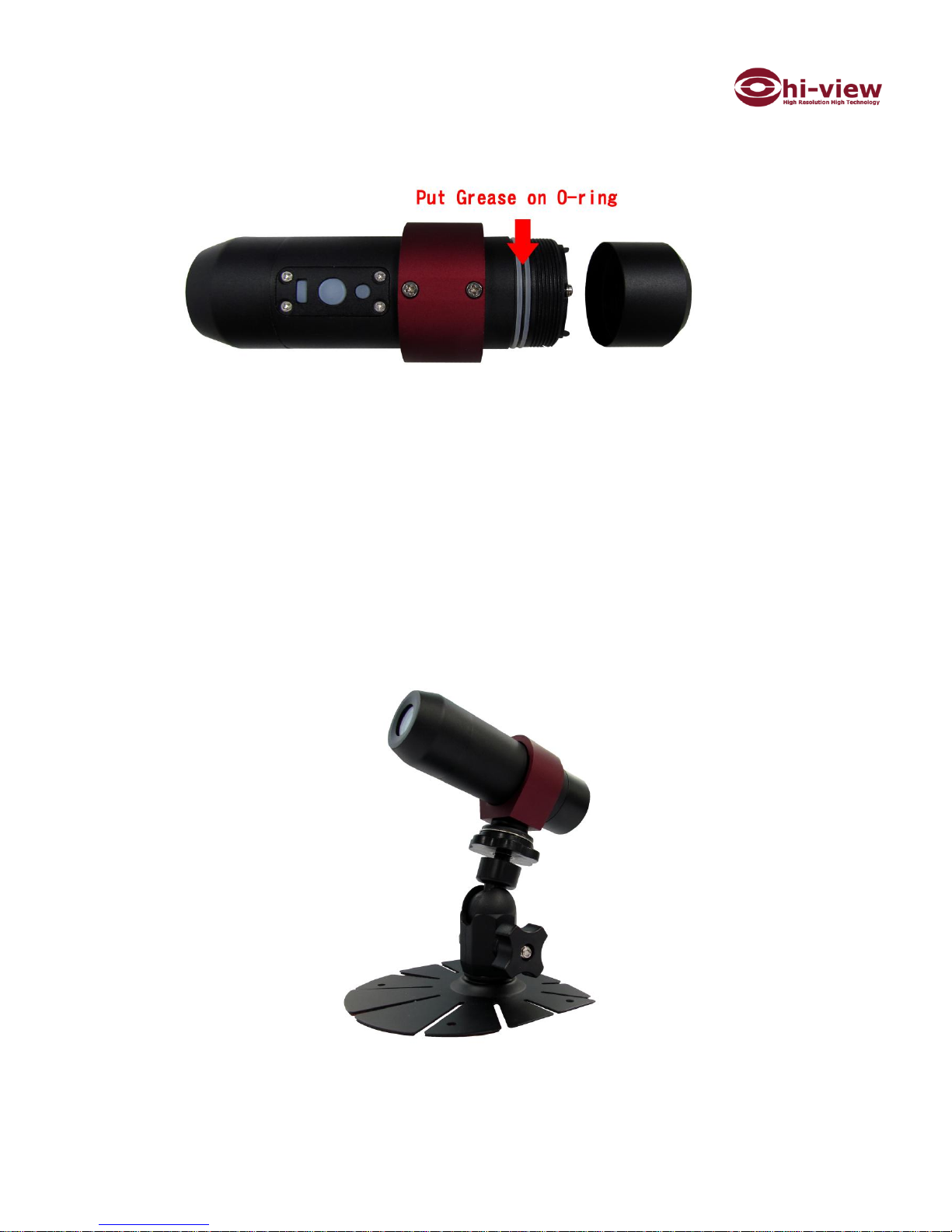
How to use grease:
Screw out the rear cap and put the grease to the O-ring before you using
underwater and screw the rear cap tightly.
Suggest to put the grease to all joints before diving.
Tear off Lens protection film before using
An example LS1 mounting on LSB-01 with
Aluminum alloy ring
Page 6
5
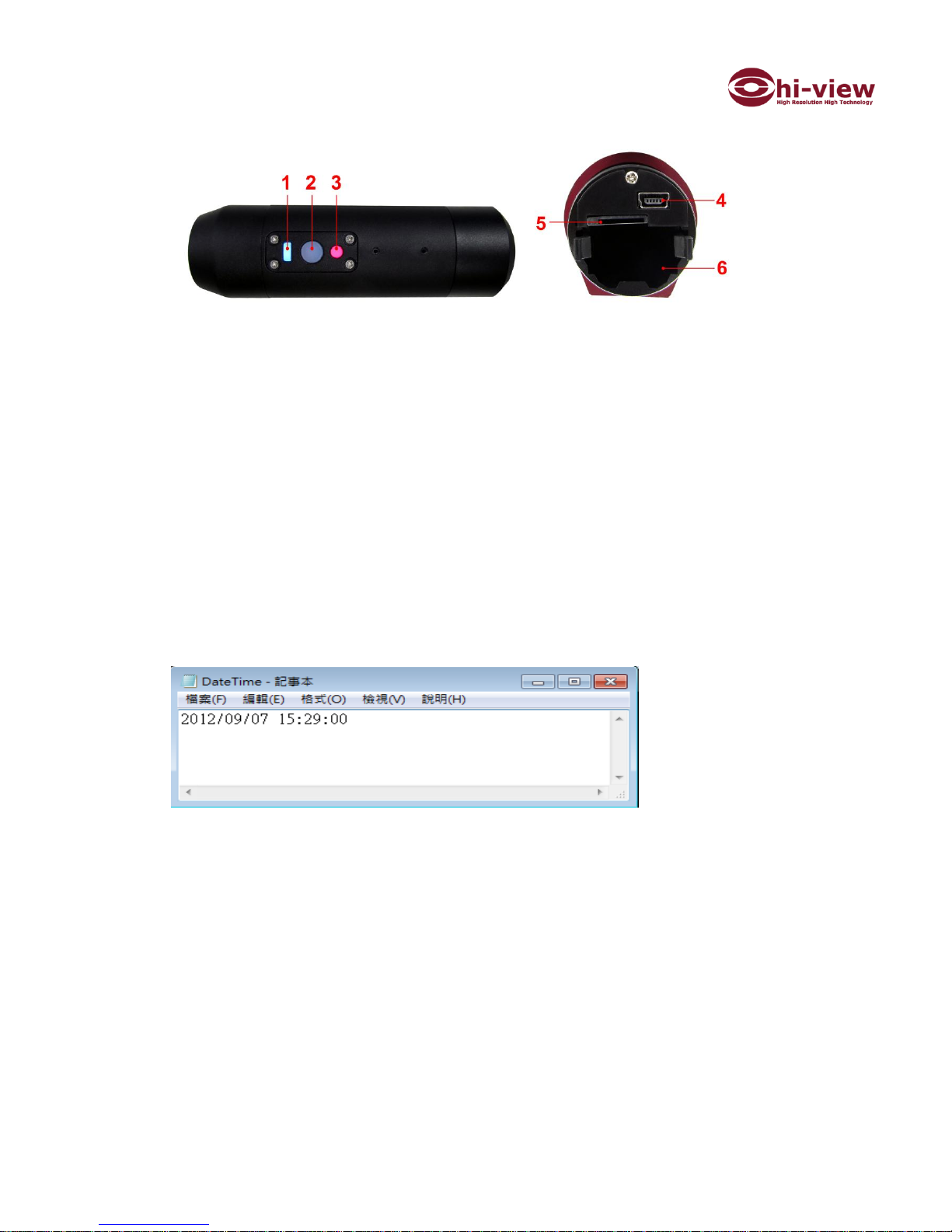
3. Operation:
1. Power Led : ON shows blue color
2. Power button : ON/OFF (ON start to recording)
3. Recording Led: ON shows Red color ( 10 seconds after press the
Power button )
4. USB slot for transfer Video and charge the camcorder
5. Micro SD card slot
6. Battery
Please note you must insert first the Micro SD card , and then the recording
red light will be shown.
4. DATE/TIME Setting
File format must be “.txt” file( “notepad”)
File name must be ”DateTime”
Save this DateTime file to Micro SD card, and insert Micro SD card
to LS1. LS1 will automatically update the date and time as
request and then auto remove the DateTime file in the Micro SD
card
Page 7

6
5. Charging the Battery
1~2 hours if using Charger to charge the battery
About 6~7 hours if using USB cable
Before first use battery , charge the battery 8 hours by charger
6.SPECIFICATION
LS1
Sensor
5 Megapixel CMOS
Lens
F1.4/7G :120° (Optional F2.0/6G: 150°)
Resolution
720P:1280X720 WVGA:848X480
FPS per second
720P Mode: 30fps
Compression
H.264
Format
AVI
Shockproof
2.5Meter
WaterProof
IP68 ( underwater 30 Meter)
Time/Date
Yes
Circular record
5 minutes
Audio
Excellent microphone sensitivity
Storage
Support Micro SD upto 32GB (Class 6 or above )
Operating
-40°C~80°C
Size
Ø34mm X110mm
Weight
109g (not incl. battery 21g)
LS1 Power
Mini USB DC5V
Battery
3.6v 750mA Li-ion
Charger
AC100-240V
Page 8

7
WARRANTY
The warranty period commences from the date of sales receipt or your purchase
invoice showing from LiMix
Please duly filled warranty instructions with dealer ‘s stamp and date of the
purchase. If no dealer’s stamp, the warranty period will commences from
production date of products.
LIMITED WARRANTY
1. One year warranty from the date of purchase.We provide free of charge warranty
service by performing repair or replacement of defects in workmanship or
materials covered by this warranty.
2. This warranty shall be void by improper use, neglect, misapplication, incorrect
connection.
3. Please follow the user manual to use this Sport Camcorder. The warranty does
not cover any damage that may occur while doing sport activity.
4. Any tampering with the LS1 will void the warranty.
5. After warranty, LiMix still will perform the repairing service with repairing
charges within 5 years. LiMix reserves the right to replace defective parts with
any serviceable used parts that meet the performance. If parts are phase out,
LiMix can refuse to do repairs.
6. If the warranty card is lost, we will check the effective date according to the
serial number.
7. All accessories ( ex. Battery, Charger, bracket, USB cable ) are consumable
products , we provide 6 months free of charge warranty repairing service
 Loading...