

Page 1

you can hear the difference
High performance speakers from Swans
HiVi lnc. (USA)
Swans speaker systems, lnc.
11630 Goldring Road, Arcadia, CA 91006
Tel: +1-626-930-0606 Fax: +1-626-930-0609
HiVi lnc. (China)
Guangzhou Hi-Vi Electrical Appliances Co., Ltd
No.13, Sansha Industrial Zone, Dongchong Town,
Panyu District, Guangzhou,China
Tel: +86-20-3490 1885 Fax: +86-20-3490 1863
H4
Multimedia Speaker SystemActive
www.hivi.com
Page 2
I. Unpacking
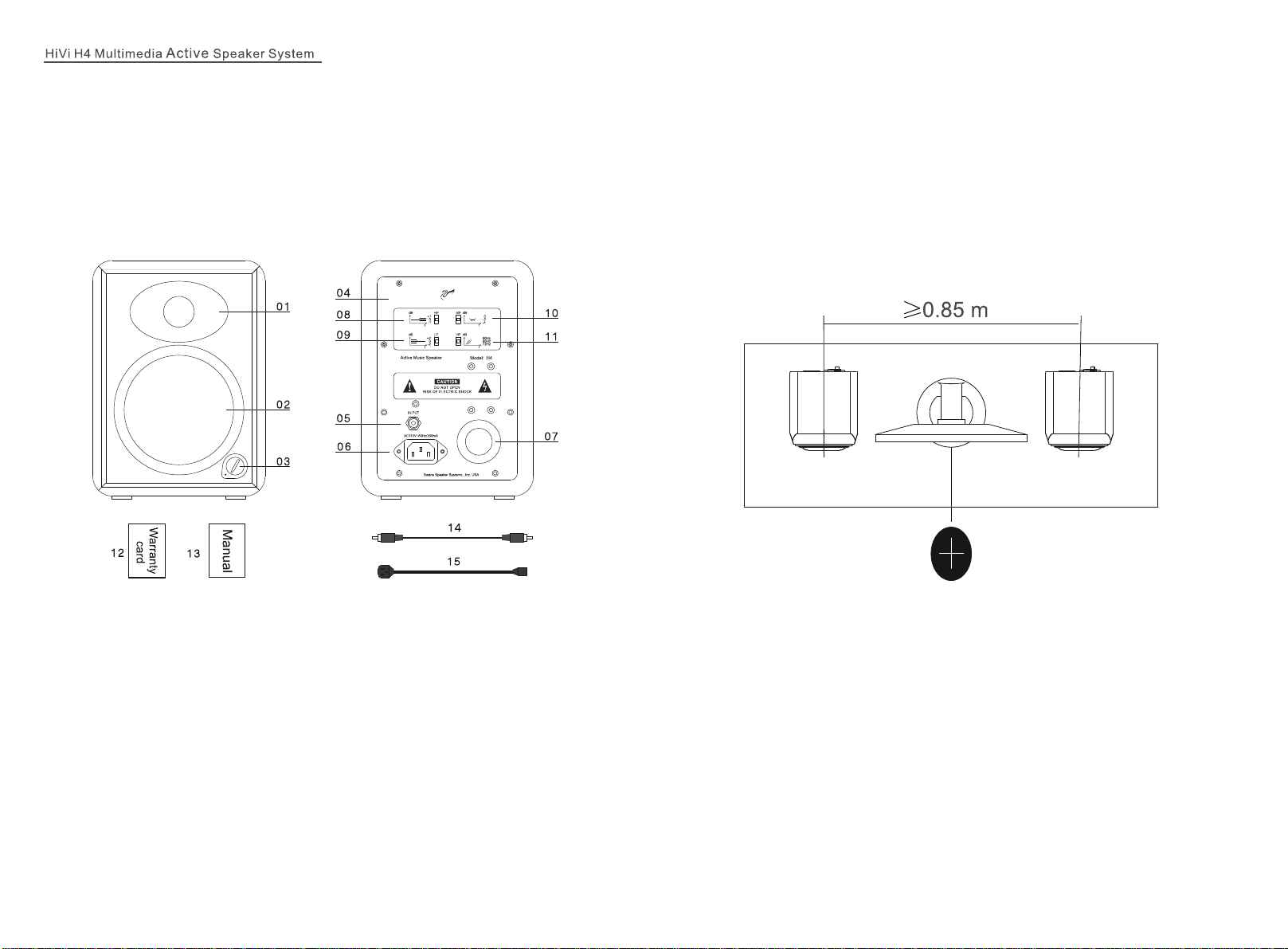
This speaker adopts fine packing material to protect it from damage during shipping. In
the box, you should find: speaker, power cable, connection cable, manual, warranty
card, and certificate.
II. Figures of speaker functions and electrical parts:
III. Speaker placement and environment
1. Speaker placement
H4 active speakers have an independent amplifier built into each speaker. When
configured as a 2.0 system, the speakers should be placed in front and to the Left /
Right of your listening position. When listening to music, the distance between the two
speakers should be over 85cm so that a natural sound field can be achieved. Adjust
the angle and distance of the subwoofer until optimal sound accuracy and imaging is
achieved.
1.Tweeter
2.Woofer
3.Power switch/volume control
4.Amplifier back panel
5.RCA Input
6.Power socket
7.Rear port
8.HF: High Frequency
9.LF: Low Frequency
10.MF: Midrange Frequency
11.HP: Low Cut-off
12.Warranty card
13.User's manual
14.Connection cable
15.Power cable
2. Listening environment
In order to get best sound, not only do we recommend using high quality components
to match the speakers, but also a good listening environment. The placement and the
size of the listening area will influence the sound quality.
A few simple suggestions to optimize your listening environment:
a) Carpet the floor to avoid the sound reflection
b) Decorate the wall with cloth or other sound absorbing materials to improve sound
quality.
c) Use thick curtain to avoid the sound reflection by glass windows.
IV. Connecting system
In the back of the H4, there is a Power Socket, Audio In, and 4 sets of switches to
adjust the acoustic performance.
Page 3
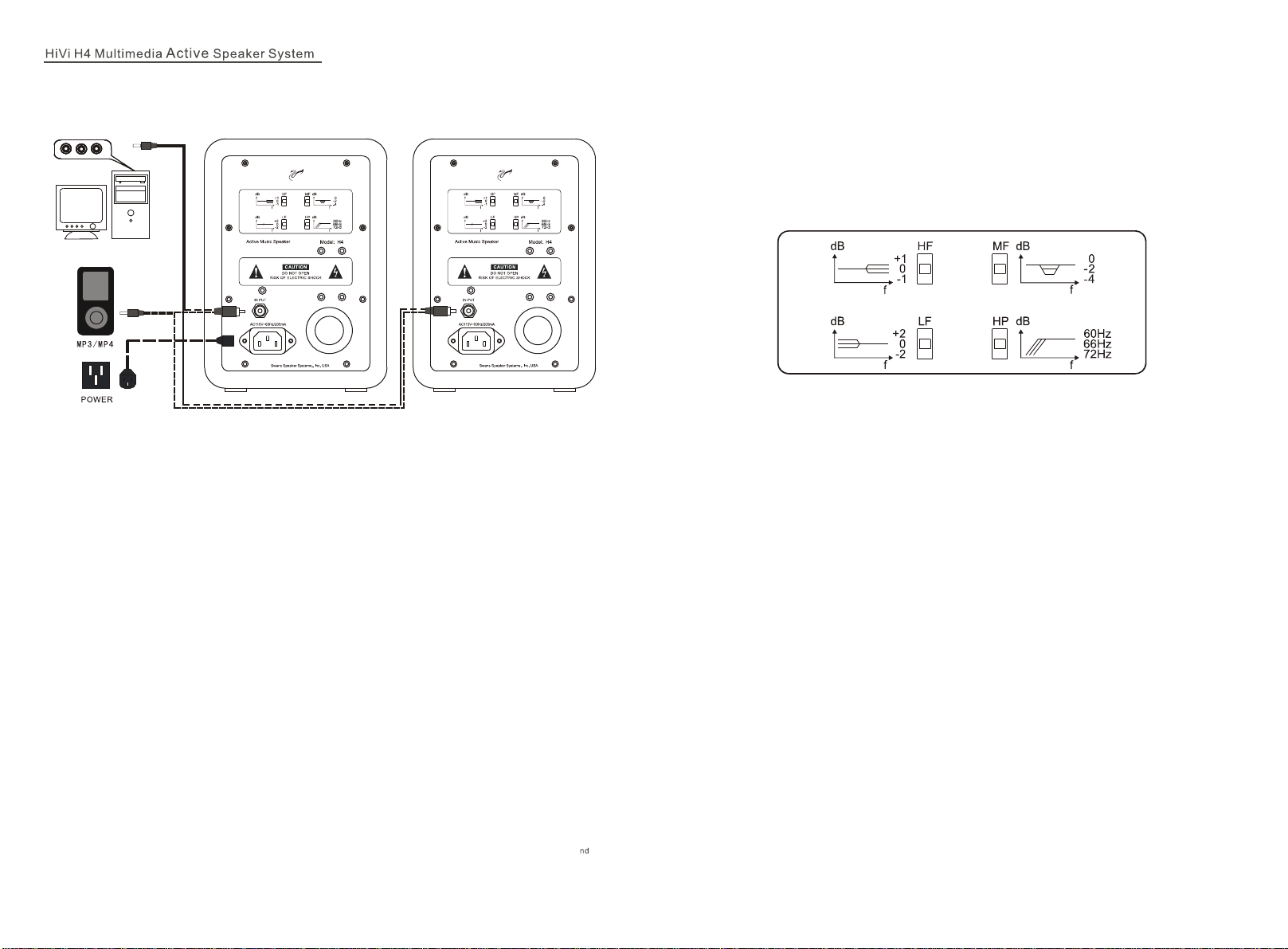
1.When combined to form 2.0 speaker system, connect as below:
2.H4 2.0 system connecting with computer, MP3 / MP4
Insert the connection cable into the INPUT on the back panel of the speaker and the
OUTPUT of the computer sound card or the OUTPUT of the MP3 / MP4.
3.H4 2.0 system connecting with DVD player
Insert one end of the connection cable into the INPUT on the back of the speaker,
insert the other end into the OUTPUT of the DVD Player.
4.H4 5.1 system connecting with the subwoofer
Insert one end of the five speaker cables into the OUTPUT, FL, FR, SL, SR, C on the
back of the subwoofer, insert the other end into the INPUT of the H4. Fully insert the
plug to make sure the connection is firm to avoid influencing sound quality.
V. Listening
1.Turn on the computer or other sound source, turn on the volume control to Minimum
(0)
2.Play the MP3, CD, and turn up the volume gradually.
3.Adjust the volume control to have proper volume. You can enhance or attenuate the
strength of the high, mid, or low frequency sound by adjusting the four function wave
band keys ( see below)
HF: High Frequency adjustment
Switch to “0”, the high frequency will be flat
Switch to “+1”, the high frequency will be increased 1dB
Switch to “-1”, the high frequency will be reduced 1dB
MF: Mid-range adjustment
Switch to “0”, the mid-range will be flat
Switch to “-2”, the midrange will be reduced 2dB
Switch to “-4”, the midrange will be reduced 4dB
When the speaker is placed on a bigger desk, we suggest switching to “-2” or “-4”
LF: Low frequency adjustment
Switch to “0”, the low frequency will be flat
Switch to “+2”, the low frequency will be increased 2dB
Switch to “-2”, the low frequency will be reduced 2dB
5. Plug in the H4 power cable to the AC outlet
6. Check all steps above to make sure all connections are all right.
Notice:
a.Please make sure the power is switched off when connecting the power cable.
b.Make sure connections are firm to avoid influencing sound quality.
c.The quality of cables will directly influence the sound quality. We suggest using
the provided signal cables, however you may also choose to purchase 2 party
audio cables.
HP: High pass filter
Switch to “60Hz”, then the cut-off low frequency is 60Hz.
Switch to “66Hz”, then the cut-off low frequency is 66Hz.
Switch to “72Hz”, then the cut-off low frequency is 72Hz.
Notice:
A) As the H4 is a Hi-End multimedia system, we suggest using a high quality sound
card so that it can produce the best possible high-fidelity sound. Using a poor quality
sound card will degrade the sound quality.
B) Please do not have the volume turned up to the maximum while turning on the
power. The amplifier or drivers could be damaged.
Page 4
VI. Break-in
Break-in refers to the aging period for the speakers to where they perform best
acoustically. Upon purchase the speakers are not broken-in. A period ranging from 48100 hours of usage is recommended before both the amplifier and speaker drivers
behave optimally.
VII. Maintenance
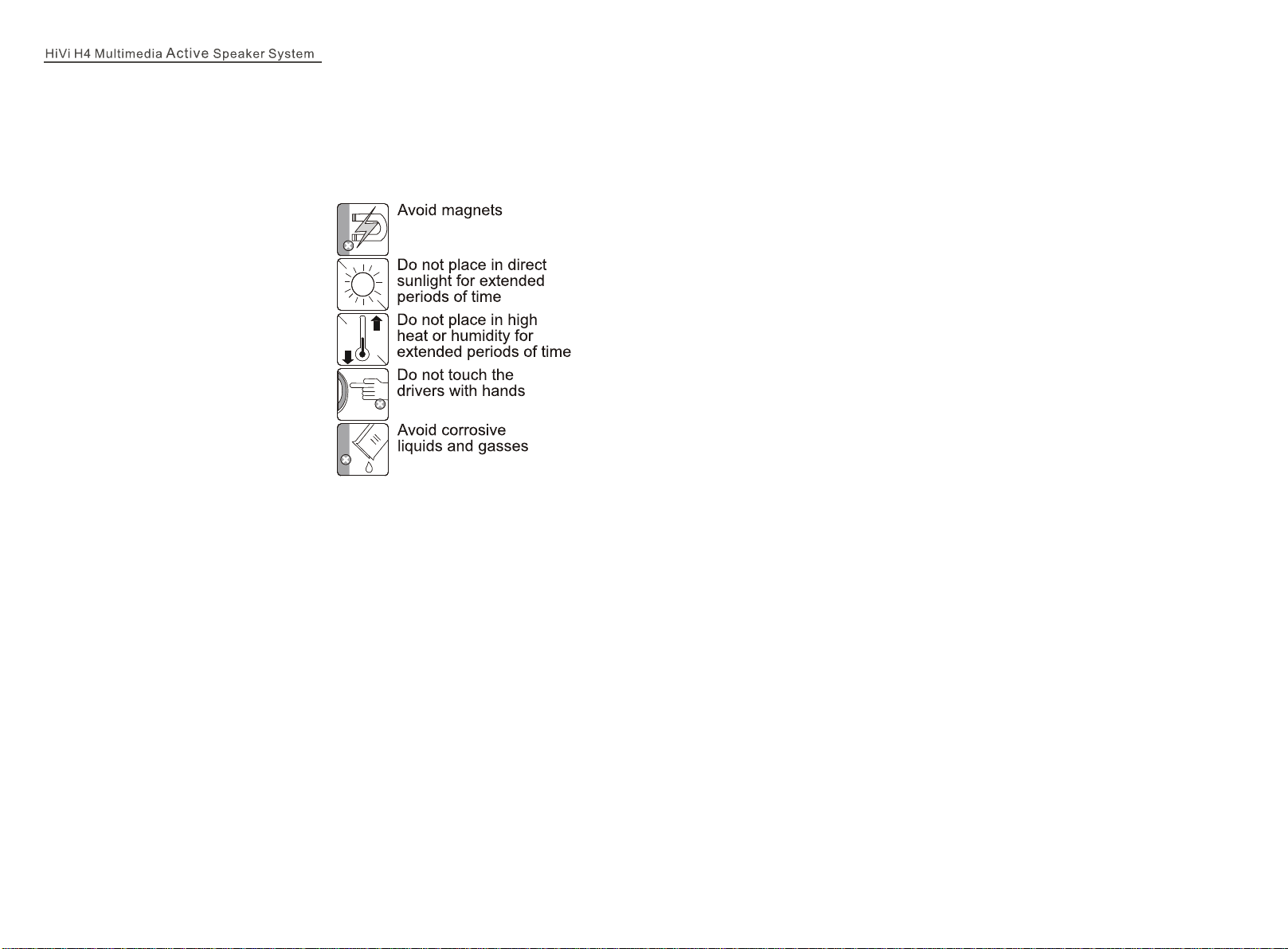
H4 can be operated under normal
conditions without requiring any
maintenance. Avoid using any
corrosive liquids or gases on the
surface of the cabinet or on the
speaker drivers. Do not place in high
temperatures, moist conditions, or
sunshine for long periods of time. For
cleaning be sure to use a detergent
without any strong chemicals.
VIII. Trouble shooting
1. Problems with sound qualitya.
A.Please check and make sure all drivers have sound or not? Is there any problem
with the speaker?
b.Please check if the connection cables is firmly connected with the OUTPUT of the
computer sound card or OUTPUT of the line output.
c.Please check if the switches on the amplifier back panel are in the right position.
2. No sound at all
a.Please check if the power cable is connected well, if the power switch is on.
b.Please check if the signal cable between the speaker and the sound source is short-
circuited?
C.Please check if the sound source is set up properly?
d.Please check if the volume is on minimum?
3.Only one speaker has sound
a.Please check the balance controls on the sound source and make sure it is set to the
middle position.
B.Exchange the defected connection cable with the normal cables to see if it's the
problem for speaker, connection cable or for AV amplifier.
IX. Warranty
If the problems still exist, please contact the local dealer to handle.
 Loading...