

Page 1
O
WL LTE M12 (Industrial Cellular Router) Page 1 of 4
Quick Installation Guide Rel. 01 / Sept. 2016
Quick Installation Guide
OWL LTE M12
Safety instruction
Please read and observe the following instructions:
• Use the router in compliance with national and international law and in
compliance with any special or additional restrictions regulating use of the
Hirschmann router in the various applications and environments.
• To avoid possible injury and/or damage to the device, observe the relevant
provisions and standards. Use only the original accessories a
s
r
ecommended. Unauthorized device or accessory modification, or using
accessories that have not been approved can result in router damage
and/or violation of the regulations.
• Unauthorized device or accessory modification or using the accessorie
s
t
hat have not been approved can result in warranty termination.
• Do not open the router.
• Caution! The SIM card can be swallowed by small children.
• When connecting the device to a power supply do not exceed the defined
voltage.
• Do not expose the router to extreme ambient conditions. Protect the router
against dust, moisture, and high temperature.
• It is recommended that you do not use the router at petrol filling stations. We
recommend observing local restrictions concerning the use of radio-based
devices while working with explosive material for example, at petrol filling
stations, or in chemical plants.
• While using the router close to personal medical devices, such as cardia
c
p
acemakers or hearing aids, proceed with heightened caution.
• Operating the router too close to TV sets, radio receivers, personal
computers, or telephones can cause interference.
• It is recommended that you create a copy or backup of the important
settings stored in the memory of the router.
• It is recommended that you maintain a minimum distance of 20 cm from
the antenna.
For further product information please visit our web site at
http://www.hirschmann.com/en/QR/OWL-Industrial-Cellular-Routers
(please pay attention to the use of upper and lower case letters)
Page 2
First use
P
age 2 of 4 OWL LTE M12 (Industrial Cellular Router)
Rel. 01 / Sept. 2016 Quick Installation Guide
First use
Before you apply power to the router, connect the components that you required for
your applications.
You cannot operate the router without an antenna connected, a SIM card inserted in
the slot, or the power supply connected.
Note: If you do not have an antenna connected during operation of the router, the router can
be damaged.
Antenna connection
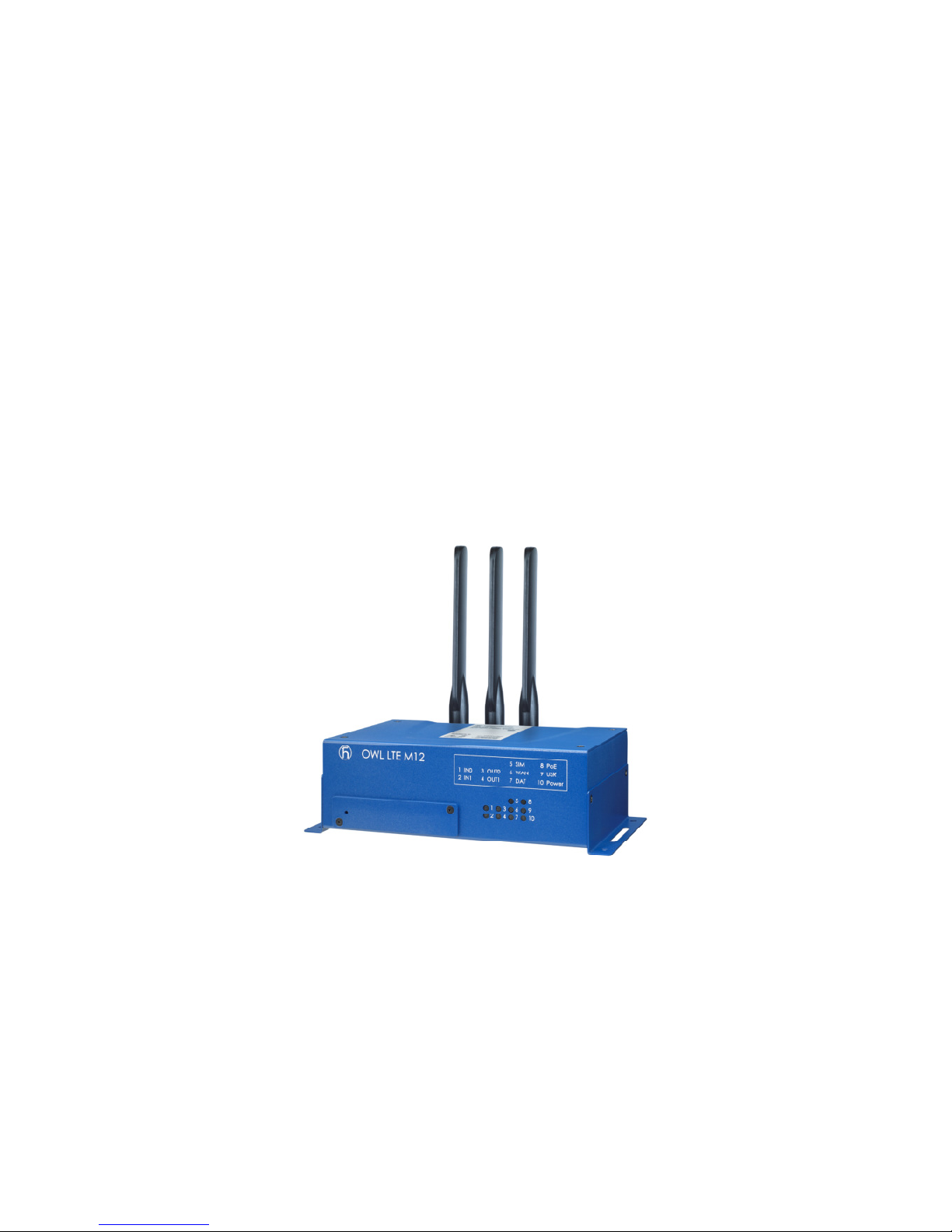
Use an SMA connector to connect the antennas to the router. The main antenna is
connected to the router by screwing it in to the ANT connector (see the figure below).
Inserting SIM card
The SIM card reader, for 3 V and 1.8 V SIM cards, is located on the front panel of
router. To operate the router, it is necessary to insert an activated SIM card with an
unblocked PIN into the SIM card reader.
When removing and inserting the SIM card, press the SIM card into socket until it
clicks.
Page 3
OWL LTE M12 (Industrial Cellular Router) Page 3 of 4
Quick Installation Guide Rel. 01 / Sept. 2016
First use
Power cable connection
The router requires an external DC power supply. The DC voltage required is
between +12 to +48 V DC. The router has built-in protection against reverse polarity without
signaling.
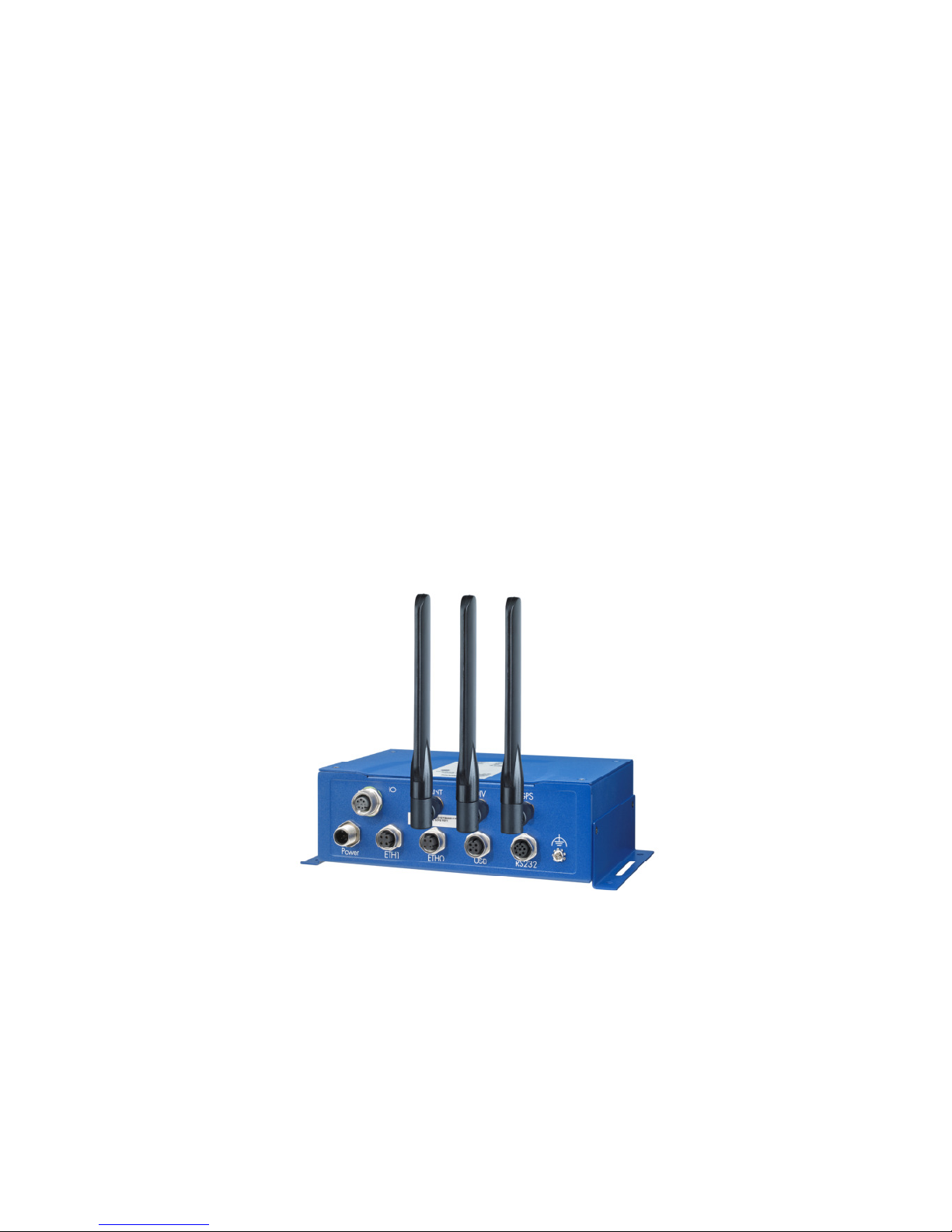
Connect the power cable to the Power connector on the front panel of the router and
tighten the locking screws (see the figure below).
Grounding the device (functional earth)
The device is grounded via the separate ground screw.
– Terminate the ground conductor using a M4 ring cable lug between the screw head and
the toothed lock washer.
– The wire diameter of the ground conductor is at least 0.5 mm² (North America: AWG20).
– Tighten the grounding screw with a tightening torque of 3 Nm ± 0.5 Nm
(26.55 lb-in ± 4.43 lb-in).
Ethernet cable connection
The Ethernet cable is connected to the ETH connector (see the figure below).
The Ethernet cable is used to configure and communicate with the router.
Page 4

Configuration Settings
Page
4 of 4
Rel. 01 / Sept. 2016
OWL
LTE M12
(
Industrial Cellular
Router
)
Quick Installation Guide
Configuration Settings
Configuring the device using the web browser
You can access the router for status monitoring, configuration, and administration
after entering the IP address of the router into the web browser. The default router IP
address is 192.168.1.1 netmask 255.255.255.0 on ETH0. Configuration access is allowed for
the user "admin" with the initial password "private".
For a detailed description and examples of router configurations, see the
Configuration manual on the Hirschmann web site:
http://www.hirschmann.com/en/QR/OWL-Industrial-Cellular
-Routers.
Restoring and backing up the router configuration
After you reset the router, the current configuration is overwritten by the default
settings. We recommend that you back up the router configuration before resetting the
device. Refer to the Configuration manual for more information.
When the Power LED turns on, it is possible to restore the default settings of
router by pressing the Reset button on the front panel. After pressing the Reset button,
the default configuration is restored. After a short time, the green LED starts blinking.
After logging on to the device for the first time, we strongly recommend that you
change the default password due to security reasons.
CE marking
The labeled devices comply with the regulations contained in the following European
directives:
2011/65/EU (RoHS)
Directive of the European Parliament and of the Council on the restriction of the use of
certain hazardous substances in electrical and electronic equipment.
1999/5/EC (R&TTE)
Directive of the European Parliament and the council for radio installations and
telecommunication systems and for the mutual recognition of their conformity:
This product may be operated in all EU (European Union) countries.
In accordance with the above-named EU directives, the EU declaration of conformity will be
at the disposal of the relevant authorities at the following address:
Hirschmann Automation and Control GmbH
Stuttgarter Str. 45-51
72654 Neckartenzlingen
Germany
The product can be used in living areas (living area, place of business, small business) and
in industrial areas.
 Loading...