

Page 1

INSTALLATION & USER MANUAL
EVC
RAIN & TEMPERATURE
CONTROL UNIT
Page 2
OVERVIEW
EVC - USER MANUAL
2
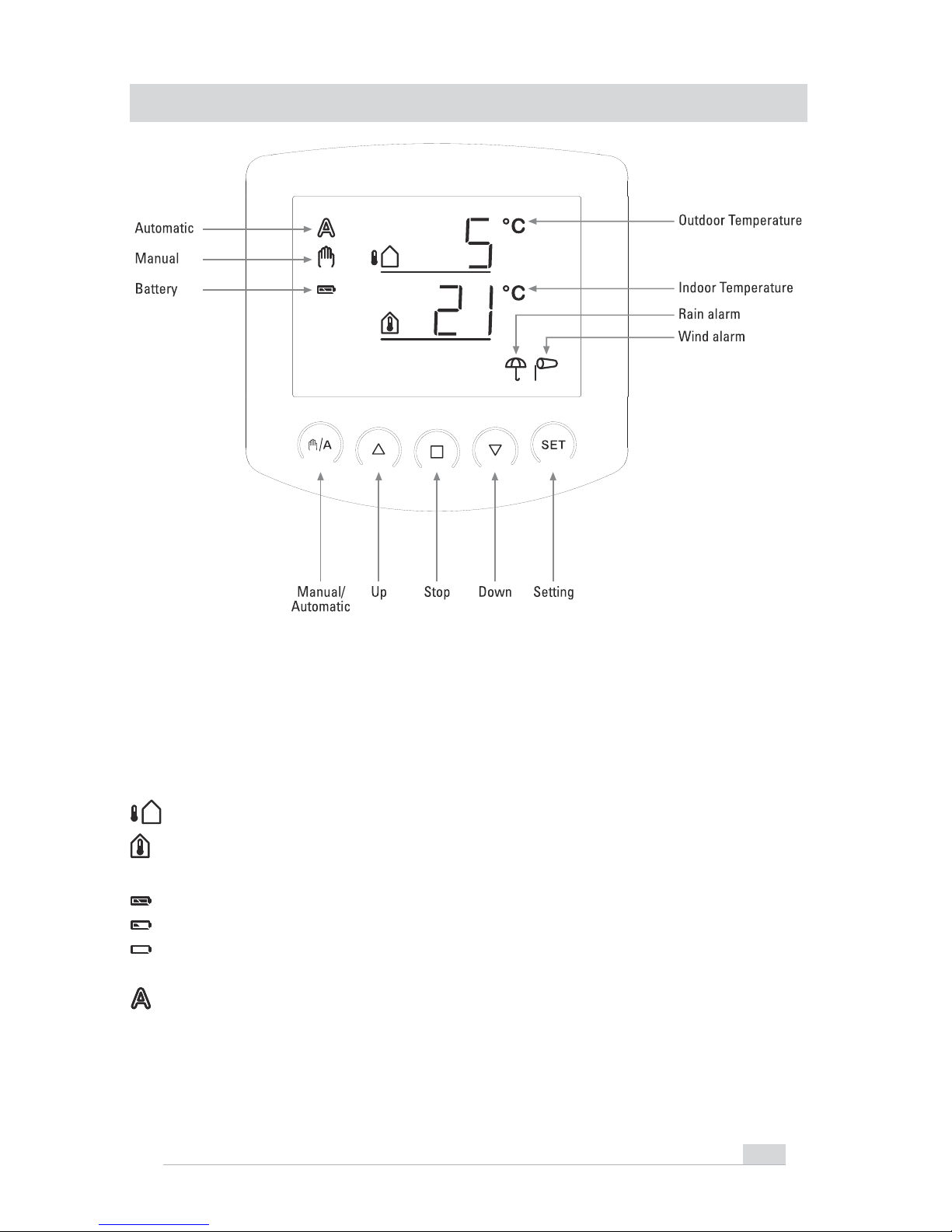
The basic position of the operating unit of the control system displays the current
outdoor temperature (upper line) and the indoor temperature (lower line) as well
as the function mode (automatic or manual), the battery load and the current
alarm messages for rain or wind. The meteorological data are updated once per
minute (and in case of a keystroke).
Outdoor temperature
Indoor temperature
Battery symbol (indicates the charge status of the battery) - full
- half full
- empty
Automatic mode activated
Page 3
EVC - USER MANUAL
3
Manual mode activated. The connected drive mechanism was
operated manually (with arrow keys) or
key was pressed. Thus,
the automatic functions are deactivated, there is no control in terms
of temperature. The safety functions rain alarm and wind alarm are
still activated. The control is in manual mode until you change to
automatic mode with
key.
Rain alarm. The window is closed, manual operation is blocked. The
rain protection function may be turned on and off in the automatic
settings.
Wind alarm. The window is closed, manual operation is blocked. The
wind protection function may be set up or turned off in the automatic
settings.
Manual control as well as the presetting of the automatic functions and the basic
setting of the connected shading is accomplished with the keys of the operating
unit.
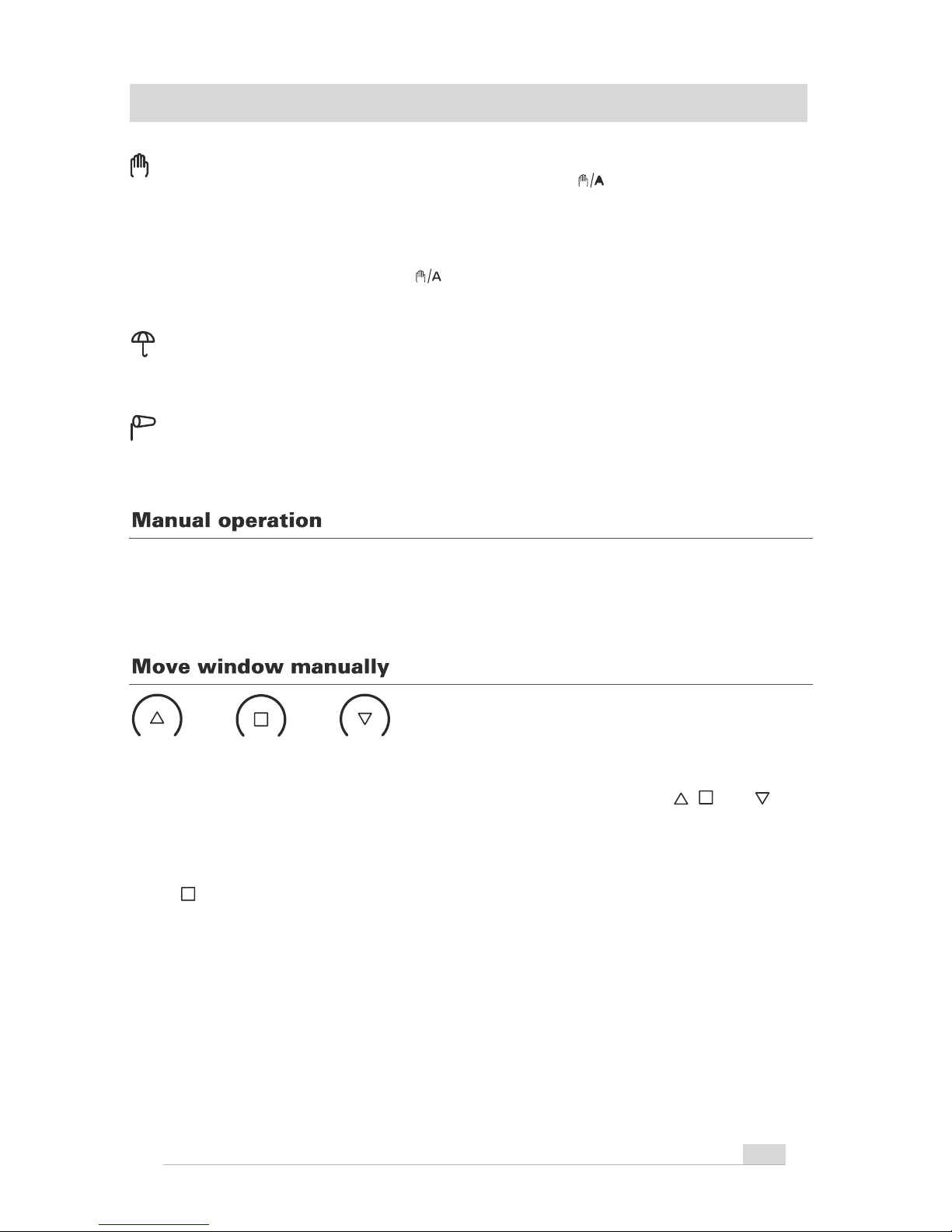
Up Stop Down
The connected window may be manually operated with the keys
, and . The
arrow keys are provided with a time automatic. By short pressing (less than 1
second), the window may be exactly positioned. If the key is pressed more than 1
second, the drive mechanism moves automatically to the final position. If you
press
, the drive mechanism stops.
In case of rain or wind alarm, the manual operation is blocked.
OVERVIEW
Page 4
EVC - USER MANUAL
4
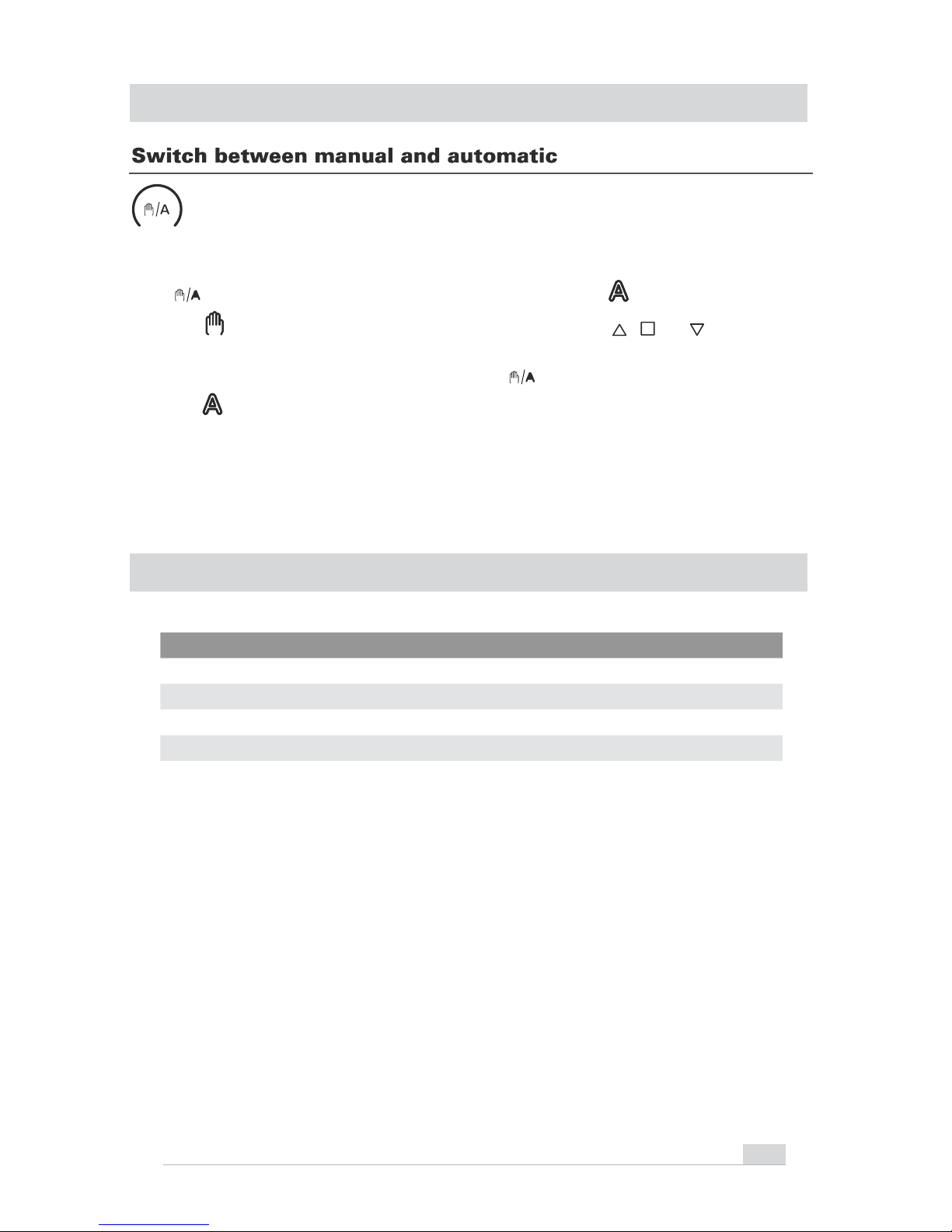
Manual/automatic
Key
switches between automatic mode (display ) and manual mode
(display
). After the manual operation with the keys , or , the control
system is in manual mode. The automatic functions then are deactivated, there is
no control in terms of temperature. With key
, the control is reset to automatic
(display
).
If the next automatic command is an opening command, then the control closes
the window at first (4-minute reference movement). After that the opening
position is initiated.
EDOC
)TUPNI( EGATLOV
)TUPTUO( EGATLOV
TNERRUC TUPTUO
SSALC NOITCETORP
96x77x118mm
SNOISNEMID
CAV 032
CAV032
A4
EVC (Weather Station)
44PI
OVERVIEW
TECHNICAL DATA
Page 5
EVC - USER MANUAL
5
PLEASE NOTE
The installation of all electrical items
must be undertaken by a qualified
professional.
Do not use cable thicker than 1.5mm
and multi-strand if possible for flexibility.
Wire all other inputs before connecting
mains power.
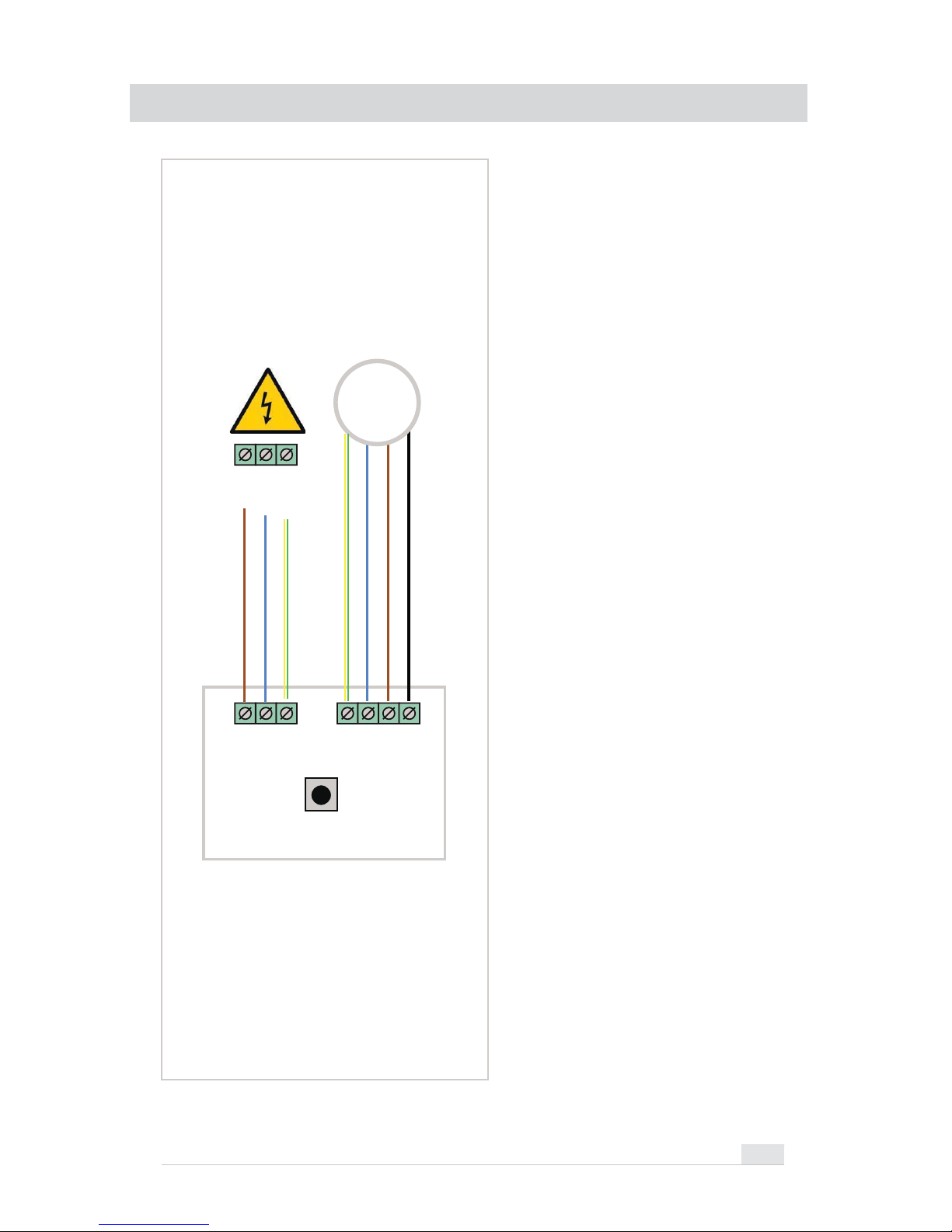
PROG
230V AC
MAINS POWER
L1NPE
LIVE
NEUT.
EARTH
PENOPEN
CLOSE
LIVE 2 (OPEN)
LIVE 1 (CLOSE)
NEUTRAL
EARTH
M
230V
ACTUATOR
EVC (WEATHER STATION)
WIRING
Page 6
EVC - USER MANUAL
6
1
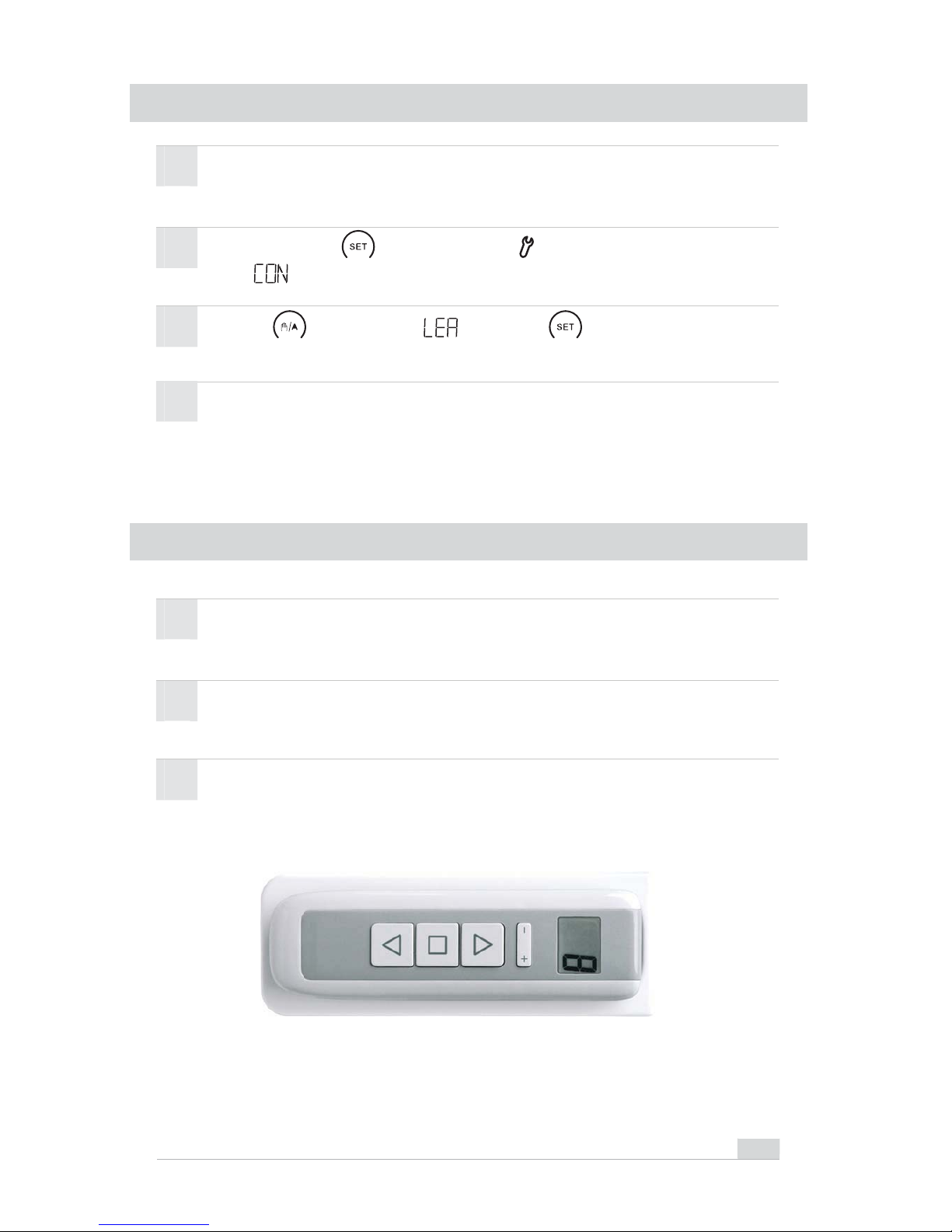
Press until you see then press . The control unit is now
in pairing mode.
Press and hold until you see the symbol. Then again until you
see .
2
Turn on the power to the Weather Station then press the ‘LEARN’ button
inside. The LED on the Weather Station will flash twice to confirm pairing.
3
4
Insert 2 x AA batteries inside the control unit.
1
Press + or - to select the channel you want to pair (L1 - L8).
2
3
Press the centre of the +/- button on the hand-held transmitter until an
"L" for Learn and a number (channel) are displayed.
Turn on the power to the Weather Station then press the ‘LEARN’ button
inside. The LED on the Weather Station will flash twice to confirm pairing.
PAIRING WEATHER STATION & CONTROL UNIT
PAIRING REMOTE TRANSMITTER (EVC-RC8)
Page 7
EVC - USER MANUAL
7
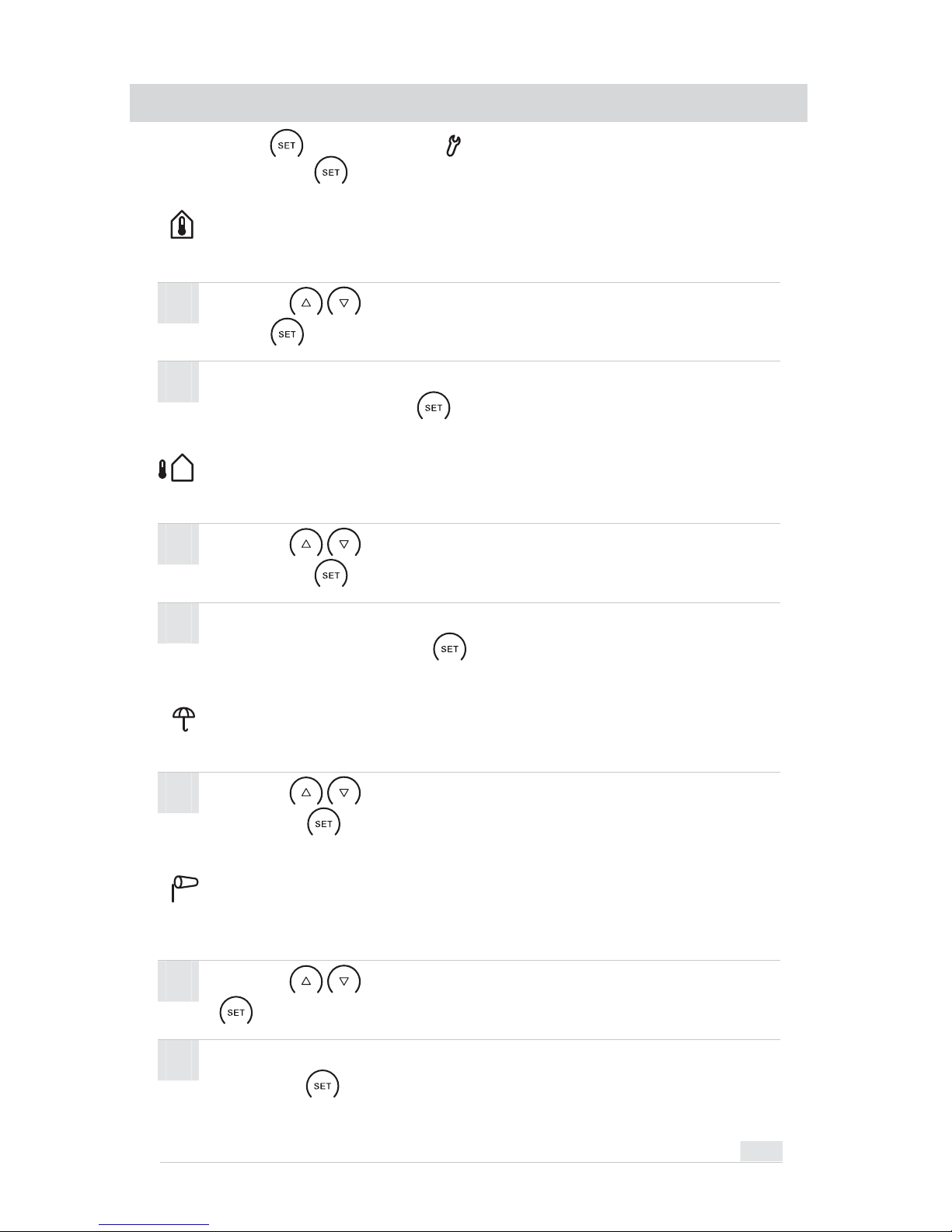
Internal Temperature
Use the buttons to select the desired room temperature. Then
press to confirm your selection.
To turn off the Internal Temperature function adjust the temperature
below 0°/OFF then press .
Press and hold until you see the symbol, you are now in the parameter
settings menu. Press to navigate through the different parameters.
Windows will automatically Open or Close to regulate the internal room temperature.
1
2
External Temperature
Use the buttons to select the desired external temperature.
Then press to confirm your selection.
To turn off the External Temperature function adjust the temperature
below -20°/OFF then press .
1
2
Windows will stay closed if external temperature is below the parameter set.
Wind Sensor
Use the buttons to select the desired wind value. Then press
to confirm your selection.
To turn off the Wind Sensor function adjust the wind value below 0/OFF
then press .
1
2
The windows will automatically close and ramain closed for 5 mins. if the indicated
Wind value is exceeded.
Rain Sensor
Use the buttons to turn the rain sensor function ON or OFF
then press .
1
Windows will automatically close & remain closed for 5 mins. upon detection of rain.
SETTING PARAMETERS
Page 8

 Loading...