

Page 1
FM
PanicAlarm
Pulse
VIA_FMBFPulse.indd 1 10/18/05 9:27:21 AM
Page 2

TABLE OF CONTENTS
VIA PEDOMETER FEATURES
SPECIFICATIONS AND RANGES 1
6
8
MODE
8
MODE
9
TARGET CALORIES/
MODE
11
13
WEARING YOUR VIA PEDOMETER 14
Page 3

english
PEDOM
are highly accurate and
walking and running. Features include Step
• VIA Pulse (w/ heart rate)
• VIA FM (w/ FM radio receiver)
• VIA PanicAlarm (w/ panic alarm)
• VIA BodyFat (w/ body fat analyzer)
TIME MODE
with 0.01-mile resolution.
VIA_FMBFPulse.indd 1 10/18/05 9:27:22 AM
Page 4
english
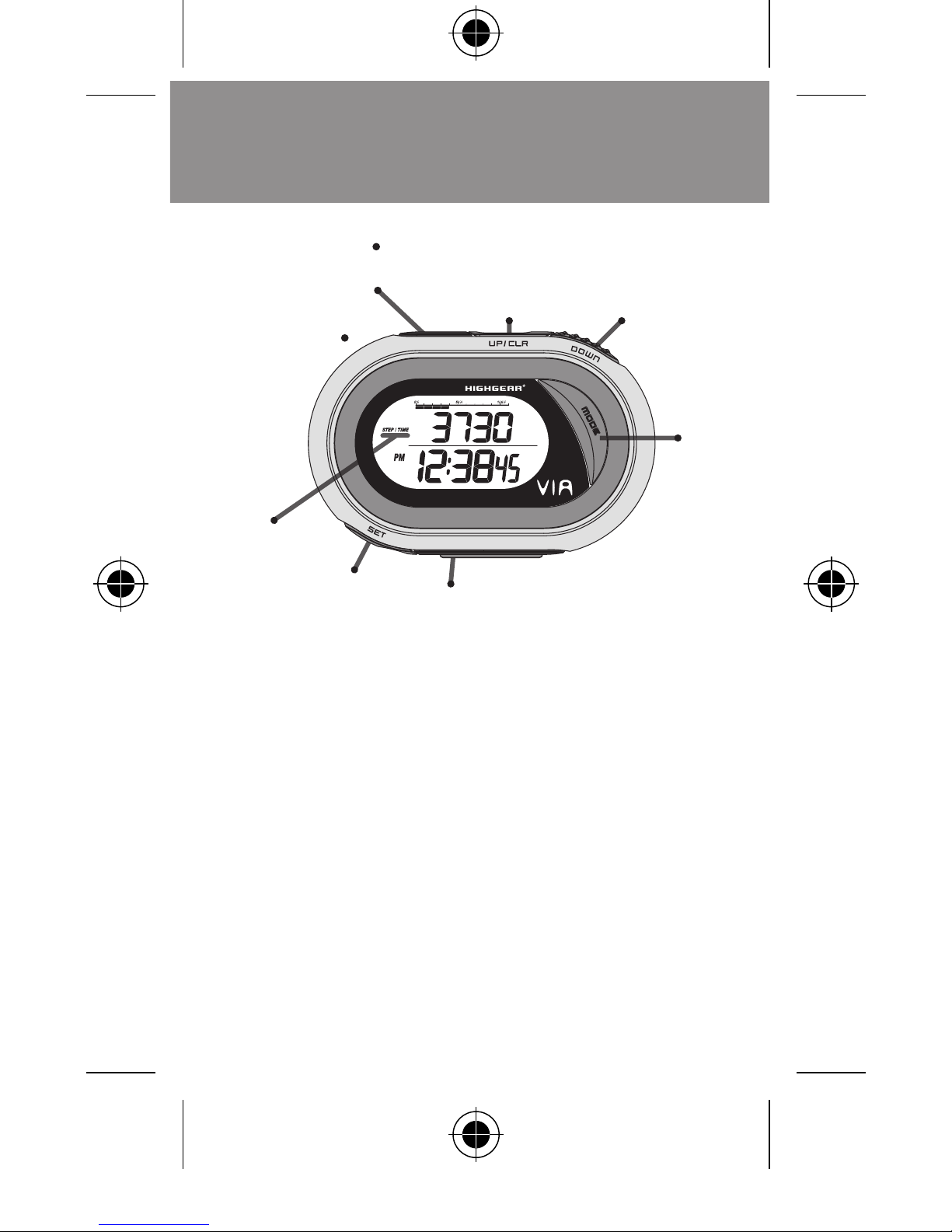
SET
START (VIA Pulse)
RESET/SCAN (VIA FM)
CURRENT
MODE
HR SENSOR
(VIA Pulse)
Earphone Jack
(VIA FM)
UP/CLR
DOWN
MODE
Alarm Jack
(VIA
PanicAlarm)
Page 5

english
3
VIA_FMBFPulse.indd 3 10/18/05 9:27:24 AM
Page 6

english
The VIA Basic, FM, Pulse and Panic Alarm models
The top line displays number
Top line
Top line displays
TARGET CALORIES/DAILY CALORIES
Top line displays Daily Target Calories. Bottom
the
key.
WARNING:
Before starting any exercise program,
we strongly suggest you visit your doctor for a
Page 7

english
You will need a tape measure to accurately
Mark a spot on the ground. Start with your toe
to that point and take 10 natural strides of the
type you want to measure (run, walk, jog, etc).
3.
Mark the place where the toe of your forward
Measure the distance between the two points,
VIA_FMBFPulse.indd 5 10/18/05 9:27:24 AM
Page 8

english
6
VIA Basic, FM, Pulse and PanicAlarm
Advance to
TIME SCREEN
by
the
key.
2.
the
key to enter into
the setting sequence, “
the
key to select 12 or 24
3.
Advance to
by
the
key. Adjust by
the
or
keys. Hold the keys for fast scrolling.
Advance to
by
the
key. Adjust by Pressing the
or
keys. Hold the keys for fast scrolling.
Advance to
the
key. Adjust by
the
or
keys. Hold the keys for
Advance to
by
the
key. Adjust by
the
or
keys. Hold the keys for fast scrolling.
NOTE:
the
key.
Page 9

english
VIA Basic, FM,
Advance to
T
ARGET CALORIES/DAILY
by
the
will display in the
2.
TARGET CALORIES
will be displayed on the
ACTUAL CALORIES BURNED
3.
The top of the screen displays a
which represents the
TARGET CALORIES
you have burned for
the day.
NOTE:
and the
will be automatically reset for
the
key to Adjust the
TARGET
the
or the
keys
to adjust.
the
key to advance to
the next digit.
the
key again to
NOTE:
the
key.
VIA_FMBFPulse.indd 7 10/18/05 9:27:25 AM
Page 10

english
8
VIA Basic,
MODE
The upper line of the screen displays
2.
Press the
key to
key again to
3.
Press the
key to
back to zero.
VIA Basic, FM, Pulse and
MODE
The upper display line indicates the
you have taken.
2.
To
the
key.
Clearing the Step counter will also reset
Page 11

english
9
VIA Basic, FM, Pulse and
MODE
The upper line displays
The lower line displays
TOTAL DISTANCE
TRAVELED (ODO)
VIA_FMBFPulse.indd 9 10/18/05 9:27:25 AM
Page 12

english
TARGET CALORIES/DAILY CALORIES MODE:
VIA Basic, FM, Pulse and PanicAlarm models
TARGET CALORIES/DAILY CALORIES
will display in the current
2.
TARGET CALORIES
will be displayed on the
ACTUAL CALORIES BURNED
3.
The top screen is a Bar Scale, which represents
the percentage of Target Calories you have
and the
will be automatically reset for
Page 13

english
Plug the headphones into the jack located on
the top of the unit.
2.
Reset the radio to the
button.
3.
Advance to the
by pressing the
button
button until a desired station
To turn the radio off, unplug the headphones.
The headphones activate the FM
the unit for extended periods of time will drain
the battery.
VIA_FMBFPulse.indd 11 10/18/05 9:27:26 AM
Page 14
english
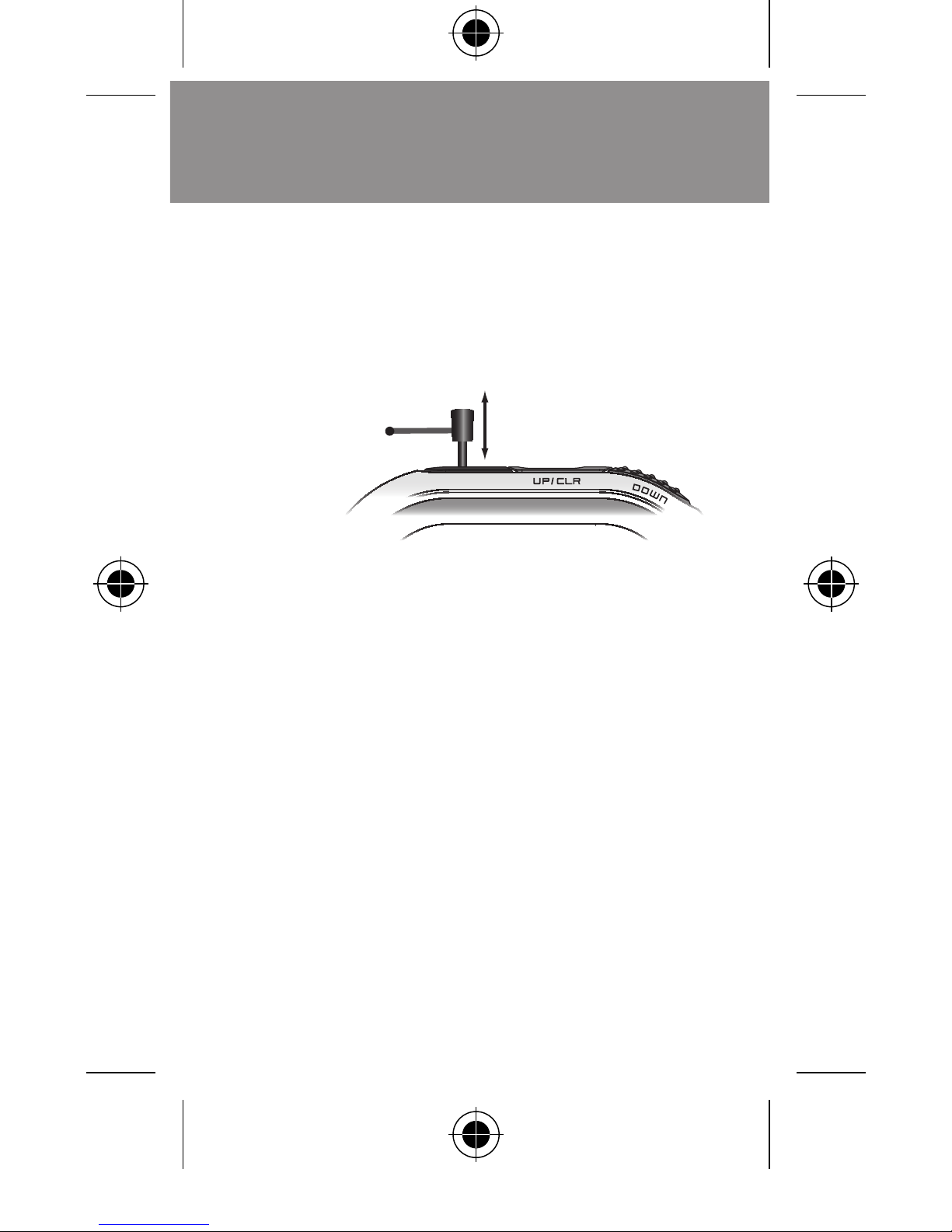
Remove the
PANIC ALARM PIN
from the unit
to activate the alarm.
2.
back into
the jack to stop the panic alarm instantly.
Page 15
english
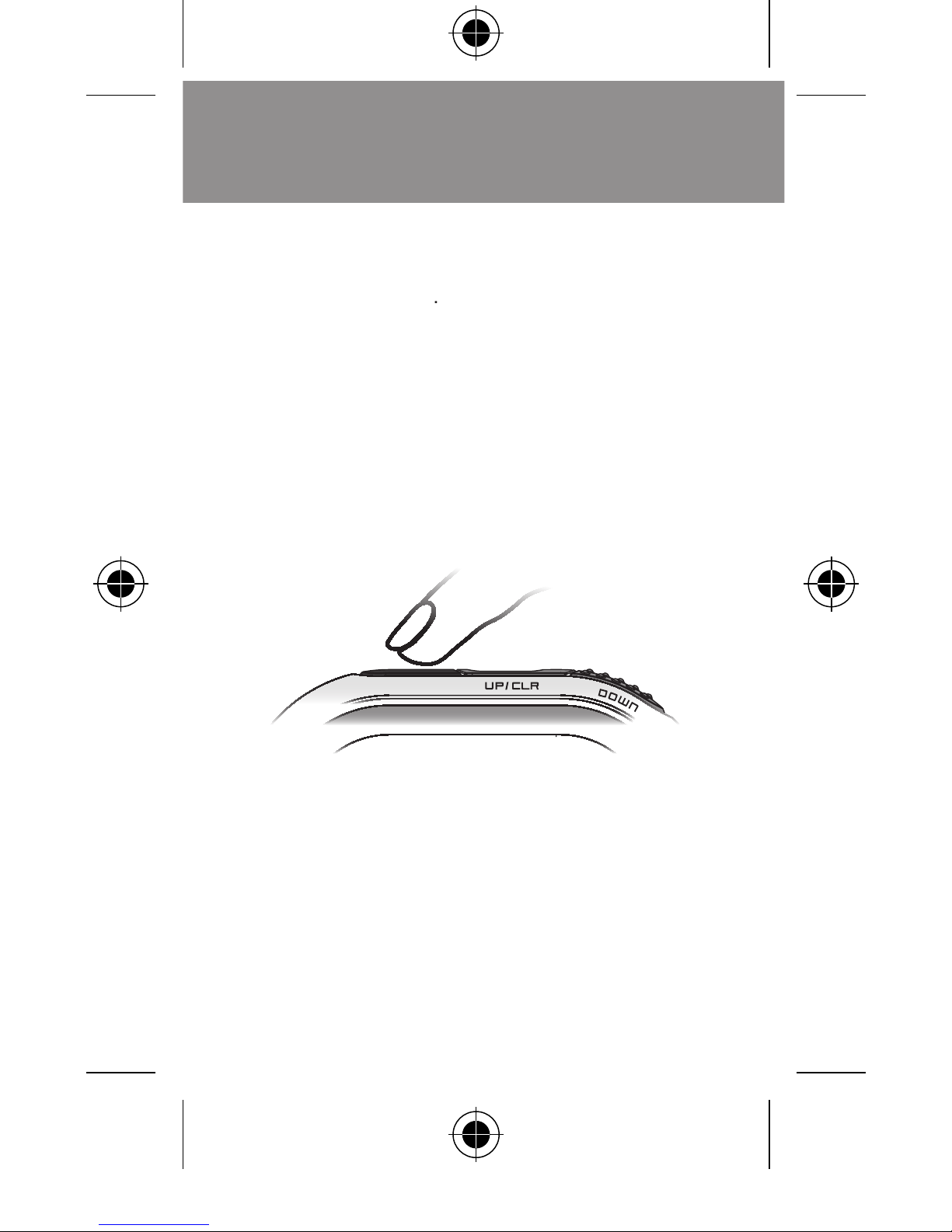
Place your index fi nger on the Pulse Rate
VIA_FMBFPulse.indd 13 10/18/05 9:27:26 AM
Page 16

english
Your VIA Pedometer clips easily and securely to
the waist or belt of your pants or shorts. The face
Some situations may result in incorrect
The step counter isn’t direct perpendicular to
the ground. The pedometer must be at least 60
Dragging feet walking with sandals or sandal
3.
Sports other than walking or jogging, walking
Inside a vehicle (bicycle, motorcar, train, bus or
Motion of standing up or sitting down.
Page 17
english
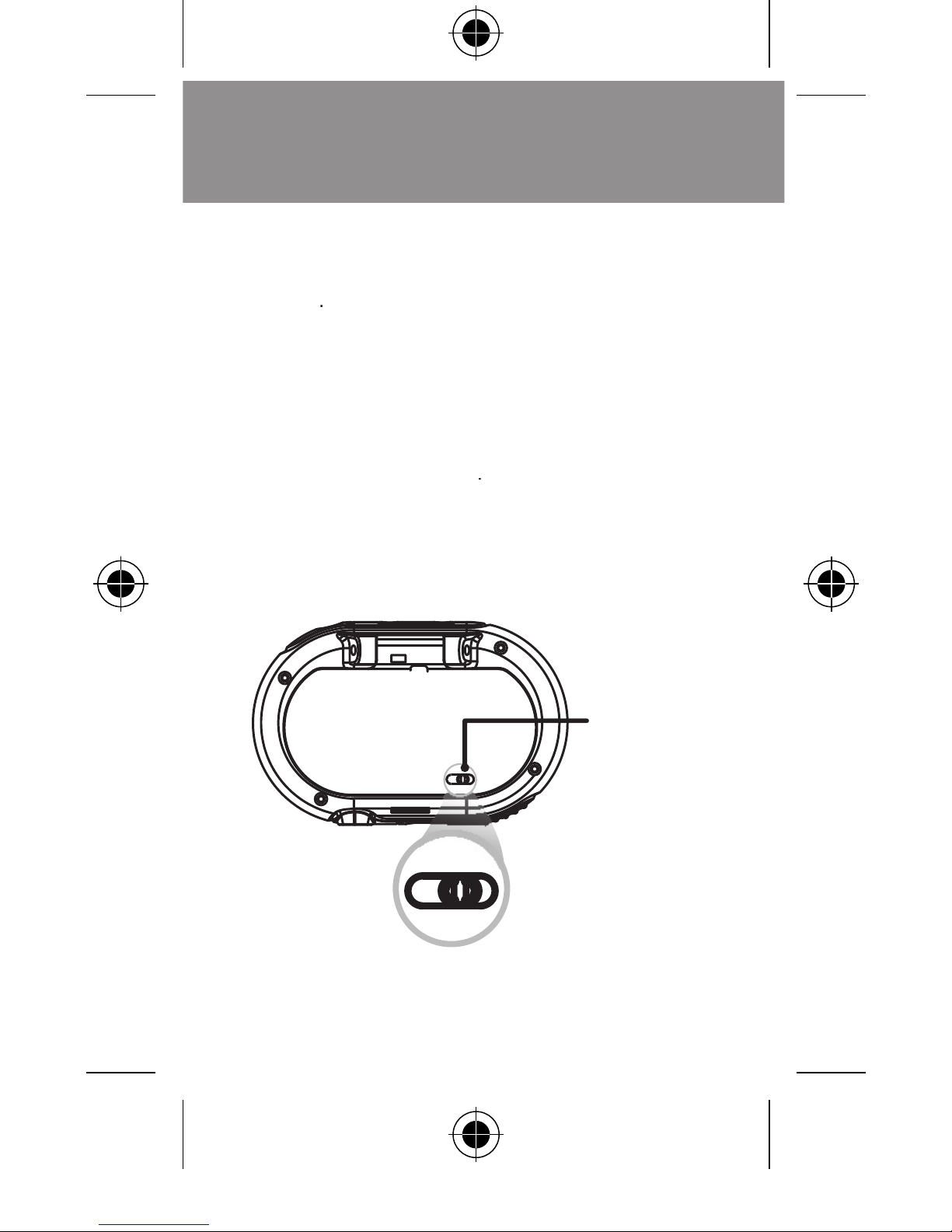
To make the unit more or less sensitive to motion,
ADJUST SWITCH
to the
for a
(for most women and
ADJUST SWITCH
to the
for a
To determine the proper amount of motion
Motion
Sensitivity
Switch
+
-
more
sensitive
less
sensitive
VIA_FMBFPulse.indd 15 10/18/05 9:27:27 AM
Page 18
english
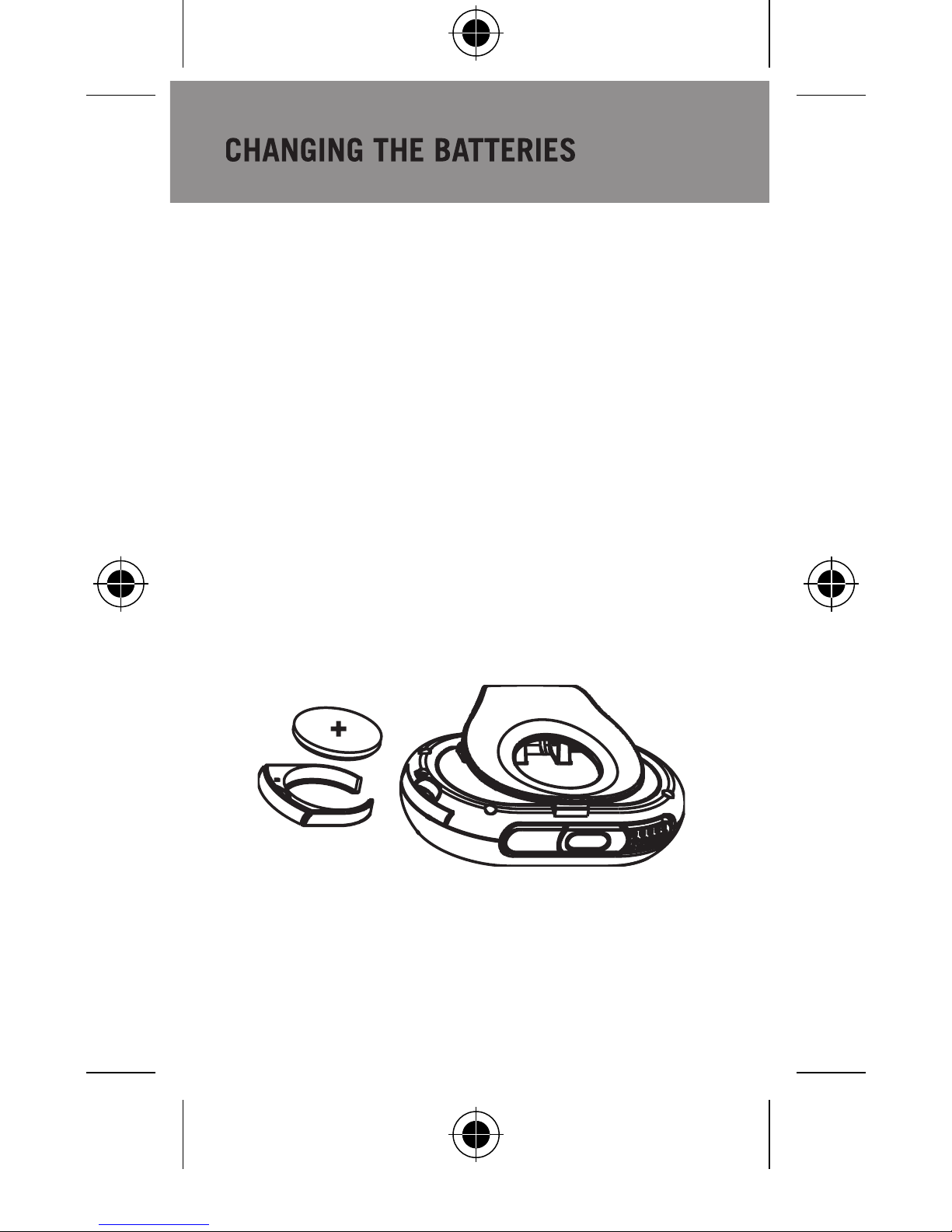
VIA BASIC & VIA PULSE:
Remove battery door using a coin or other small
Remove old batteries.
3.
Install new batteries, making sure the polarity
Replace and tighten the battery door.
Replace the battery compartment and fasten
the screw.
The VIA units are powered by CR2032
Page 19
english
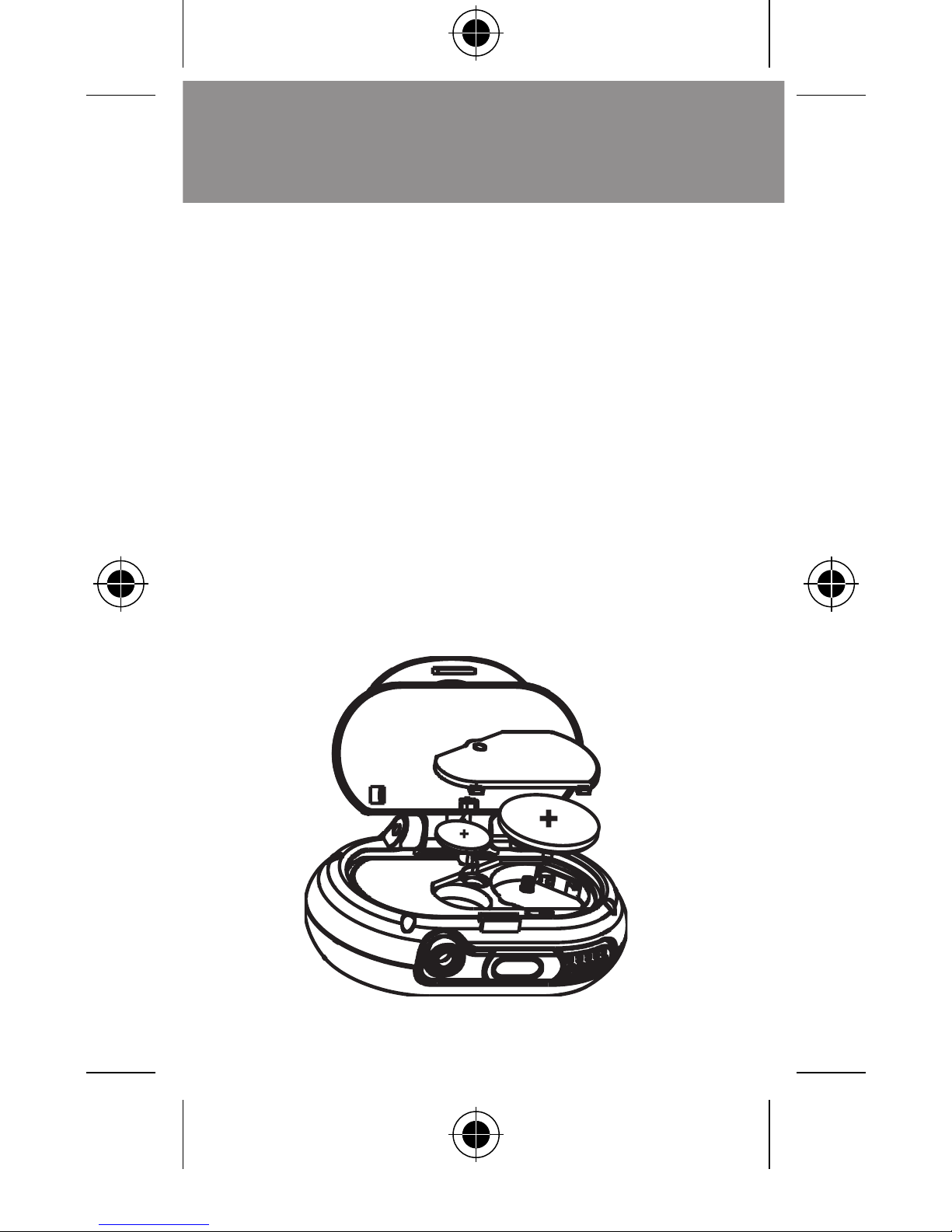
VIA FM & VIA PANICALARM:
Flip open the clip and remove the battery door
Remove old batteries.
3.
Replace batteries with new CR2032 x 1(3V)
Replace and tighten the battery door.
The VIA units are powered by CR2032
VIA_FMBFPulse.indd 17 10/18/05 9:28:23 AM
Page 20
FM
PanicAlarm
Pulse
web: www.highgear.com
All Rights Reserved.
Avoid Extreme Temperatures.
2.
To clean the unit, use a dry soft cloth of a
volatile agents such as benzene, thinner, spray
3.
Store your pedometer unit in a cool, dry place
when not in use.
Cold temperatures may cause the display to
Keep this manual and any other documentation
that comes with the step counter in a safe
 Loading...