

Page 1

Read this
while
adjusting
your
Equa 2
®
chair
L
Page 2
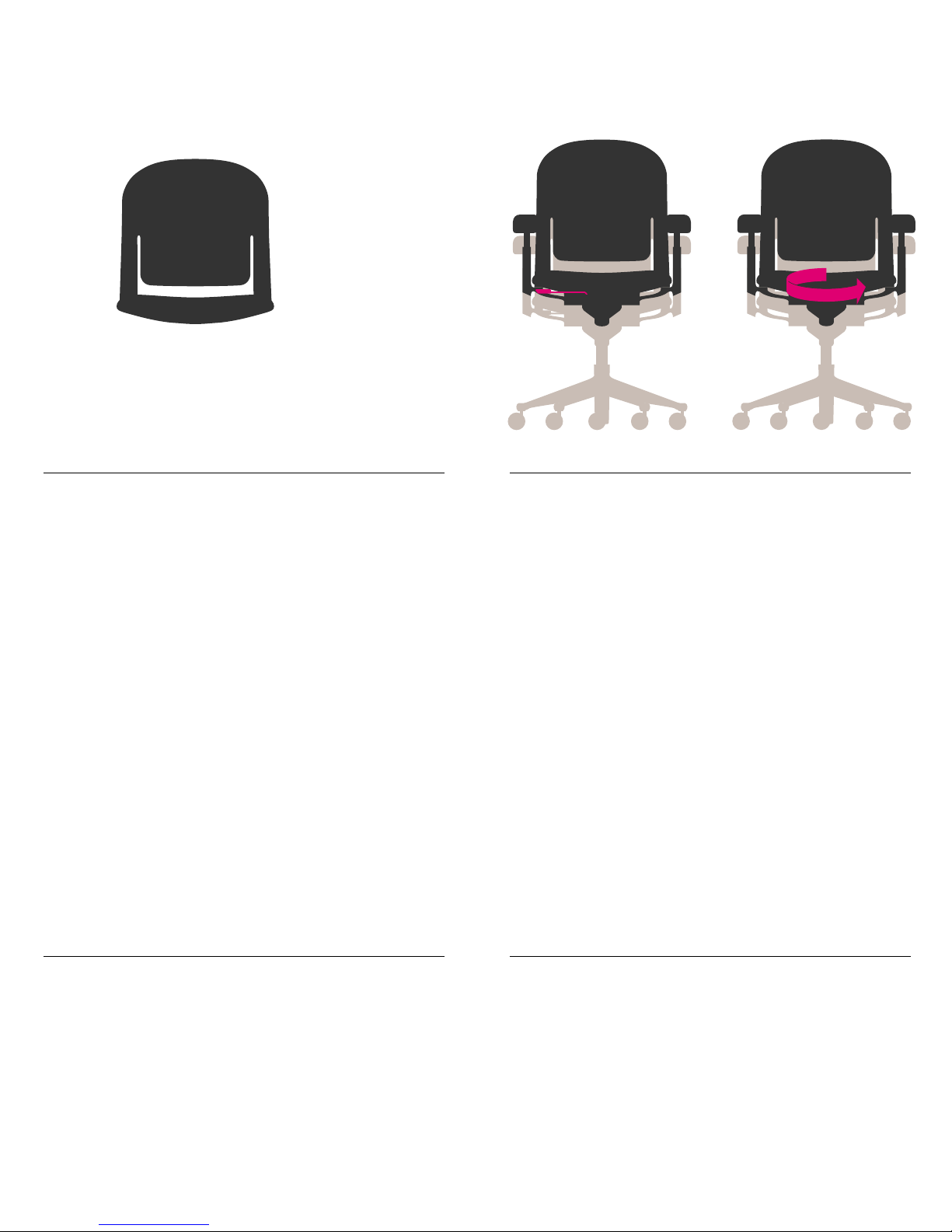
Shell Flexibility
Flexibility of the shell allows the chair to
automatically adapt to your movements while
providing continuous support.
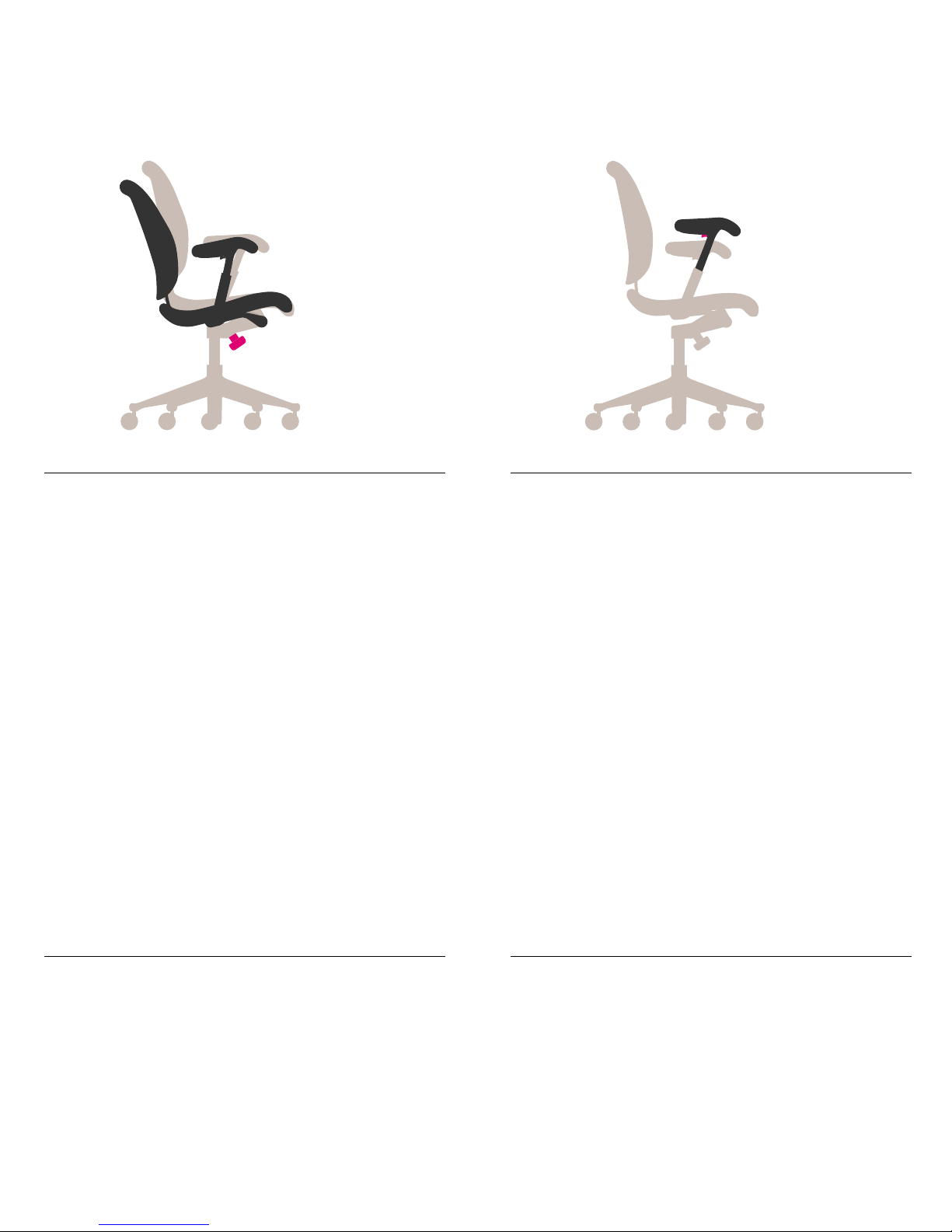
Seat Height
Pneumatic: Paddle-shaped lever on right side
To raise: While raising your weight off chair,
lift lever.
To lower: While seated, lift lever.
Mechanical
To raise: While standing, turn chair counterclockwise.
To lower: While standing, turn chair clockwise.
Adjust chair height so feet rest flat on floor
or footrest. Avoid dangling legs, which puts
pressure on the back of thighs and restricts
blood flow. Awork surface or keyboard that
seems too high or low may require adjusting.
Page 3
Tilt Tension
Knob under seat at front of chair
To increase: While seated, turn knob to the left.
To decrease: While seated, turn knob to the right.
Depending on the desired tilt resistance, a number of turns may be required.
Increased tilt tension provides more stability
and back support while you recline. Too
much resistance may make it difficult to
recline. Depending on weight and preference,
different people will require different levels
of tilt resistance.
Arm Height
Button underneath each armpad
To raise or lower arm: While seated, grasp
arm and push button in. Raise or lower to
desired height. Indentations on inside of
arm indicate height setting.
Adjust height of each chair arm so your
arms are supported. This helps take weight
off your shoulders.
Page 4
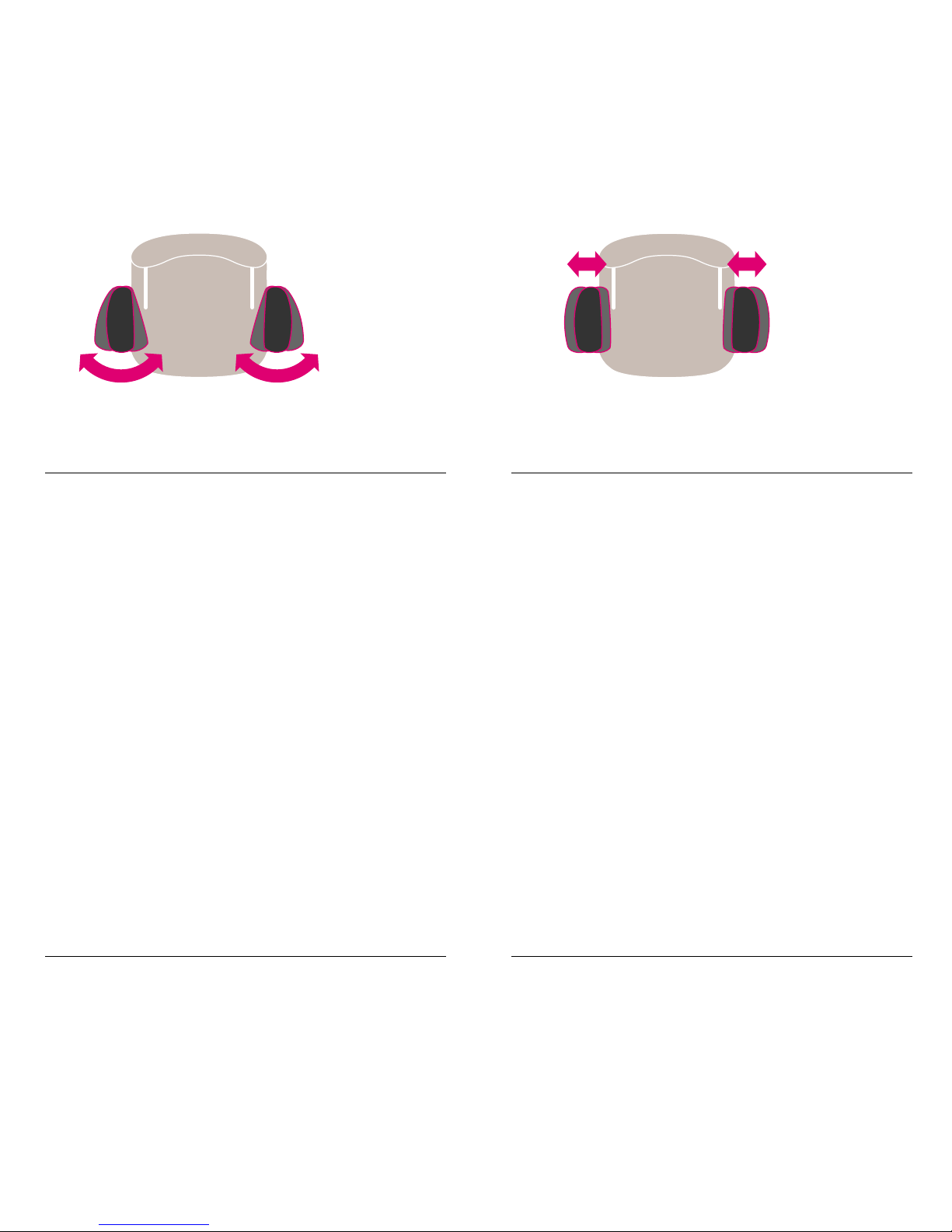
Arm Angle
Front of each armpad
To swing arms in or out: While seated,
grasp front end of armpad and pivot it to
the left or right.
Adjusting arm angle can help support
different types of work and shifts in posture.
Swing arms inward for support while using
keyboard. Swing arm out to support use of
computer mouse.
Arm Width
Back of each armpad
To move armpads closer or further apart:
While seated, grasp back of armpad and slide
it toward you or away from you.
Adjust the distance between the arms so
your elbows are supported. Elbows should be
positioned straight down from shoulders.
Page 5
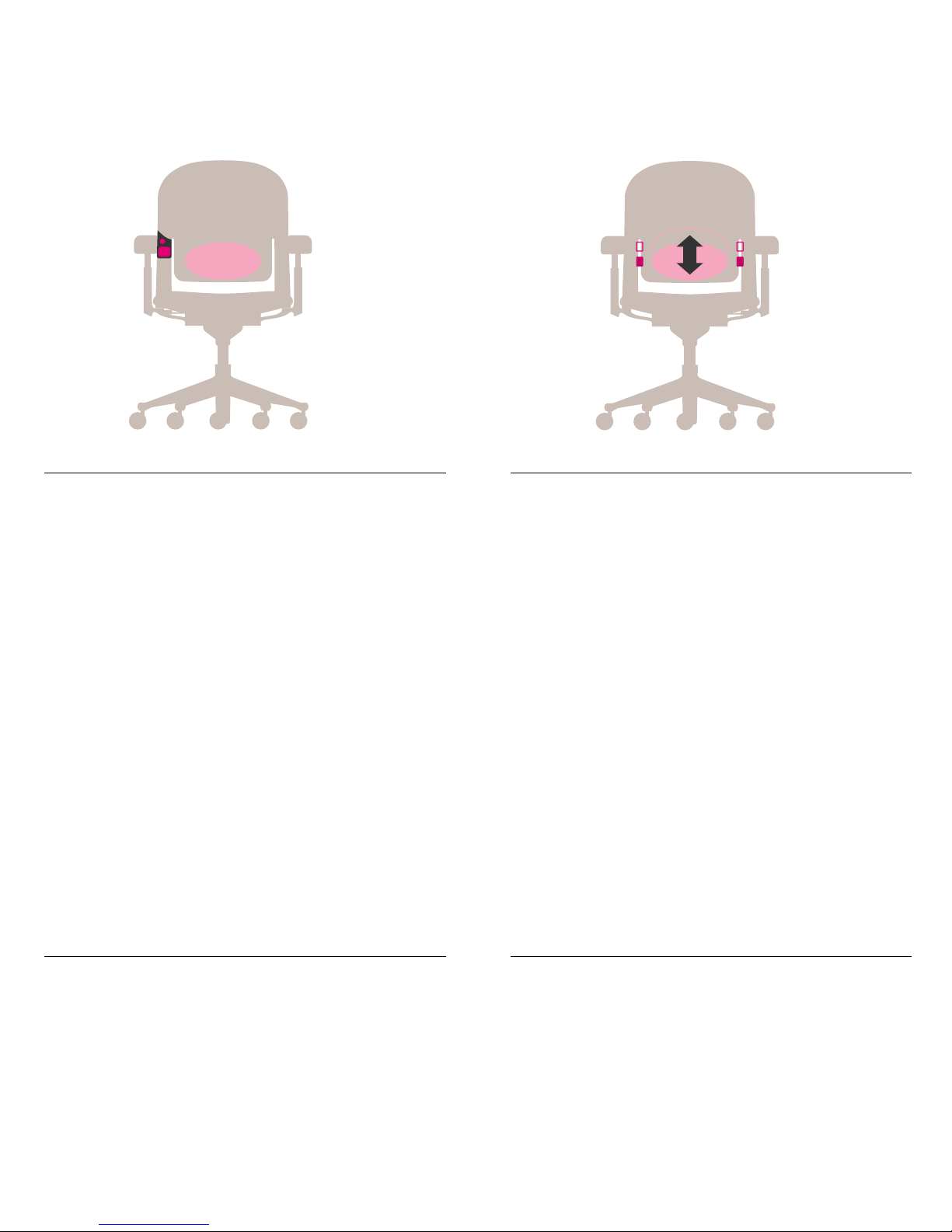
Lumbar Depth
Pump pad and release button on front of
right back support
To increase lumbar support: While lifting
your weight off back of chair, push pump pad
in to inflate lumbar support and achieve
desired level of support.
To decrease lumbar support: While seated,
press release button to deflate lumbar support
and achieve desired level of support.
Adjust lumbar support so that it comfortably
supports the natural curve of your spine.
Lumbar Height
Small handles on outside of chair back
To change height: While seated, completely
deflate lumbar support by pressing release
button. While lifting your weight off back of
chair, grasp handles and raise or lower lumbar
support to desired position.
Adjust lumbar height so that it comfortably
supports the natural curve of your spine.
Page 6
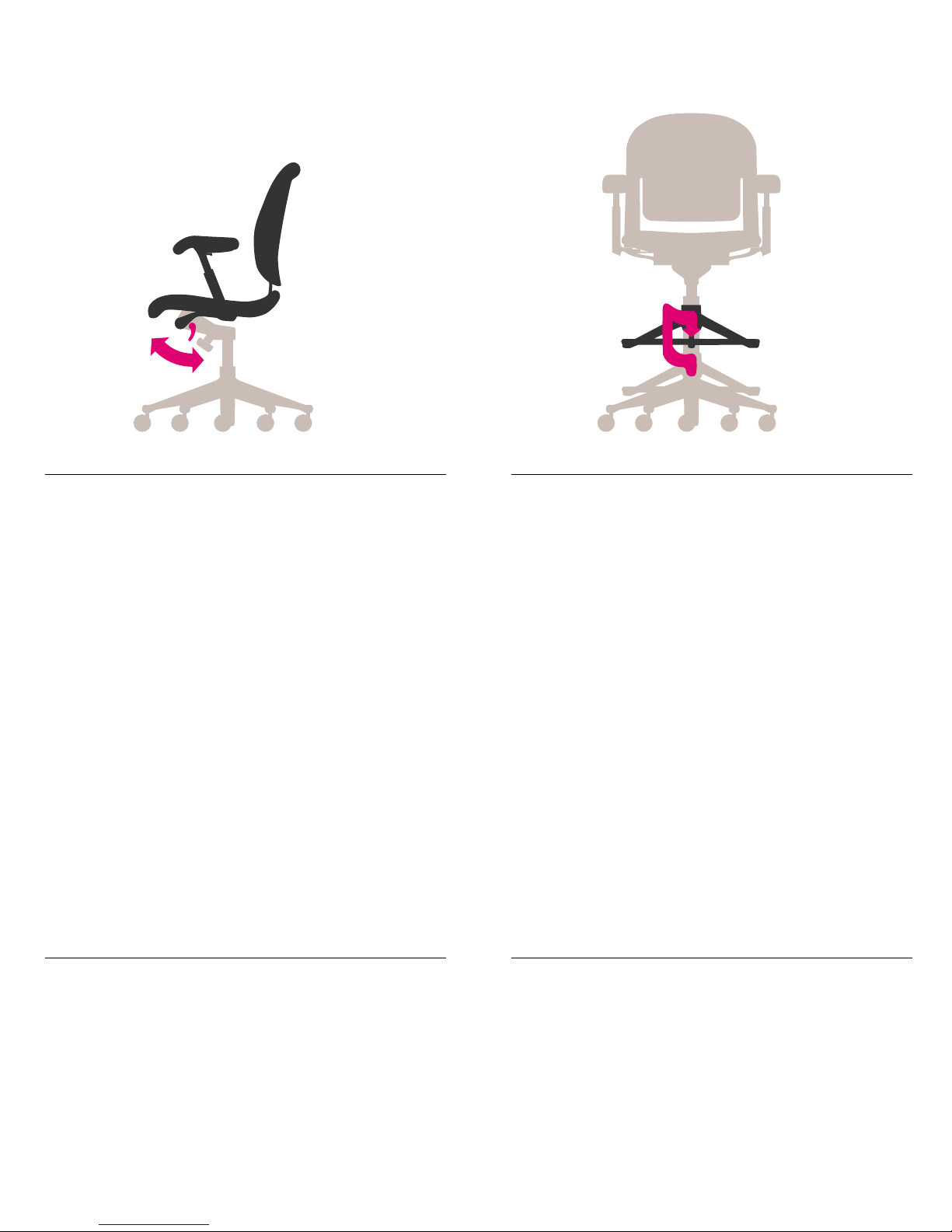
Tilt Lock
Paddle-shaped lever on left side
of tilt mechanism
To lock chair in upright position: While
seated upright, swing paddle back.
To release tilt lock: Swing paddle forward.
Tilt lock allows you to lock chair in a fixed
upright position for the extra stability that
some tasks may require.
Footring Height
Footring at base of chair
To set: Lift and turn ring counterclockwise;
set at desired height.
To lock: Turn ring clockwise.
As you sit, your feet should be comfortably
supported by the footring. This relieves
pressure on the backs of your thighs.
Page 7

Page 8

Page 9

Instructions on this card show all
possible adjustments. Specific adjustments
vary according to chair model.
Page 10

User
information:
Installers
do not remove
© 1999 Herman Miller, Inc., Zeeland, Michigan Printed in U.S.A. Part No. 172050 O.EN6200
® z, y , and Equa 2 are among the registered trademarks of Herman Miller, Inc.
Users: Retain This Information for Future Reference
Maintenance
A periodic inspection of chair components and fasteners should be made to ensure that
the chair is structurally intact and functioning properly. Damaged and broken parts should
be replaced and loose fasteners tightened. General cleaning instructions are found in the
Care and Maintenance Manual available from your Herman Miller dealer.
For the location of the sales facility or dealer near you, visit www.hermanmiller.com
or call (800) 851 1196.
 Loading...