

Page 1
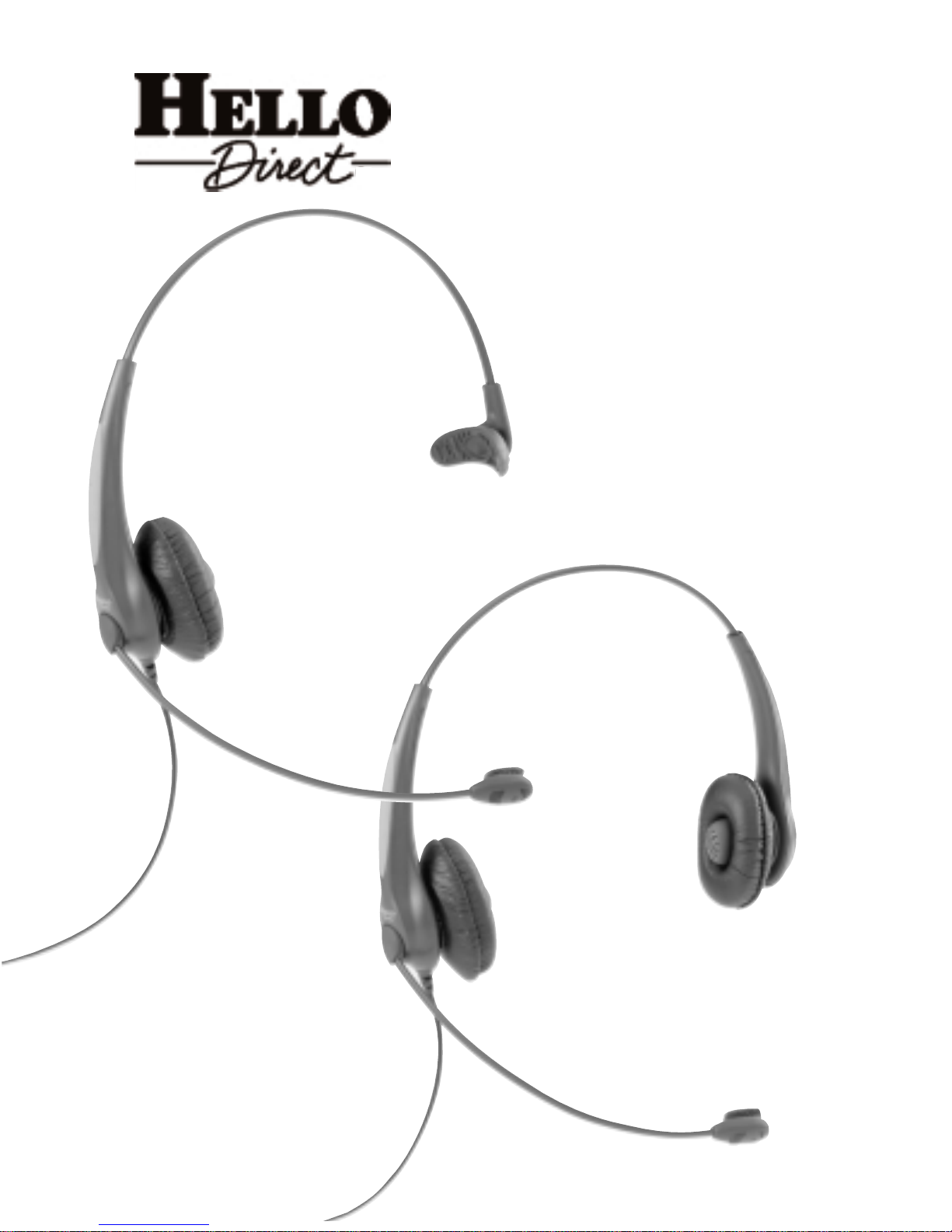
ULTRALIGHT® OP
HEADSET
TOPS
D UAL
USER
GUIDE
S INGLE
®
Page 2

Thank you for buying your Ultralight OP
headset top from Hello Direct.
You’ve made a wise choice in selecting an Ultralight OP headset. This is a high quality, commercial-grade set, designed for heavy everyday use. No other headset on the
market today comes close to matching the Ultralight OP headset for design, construction, s ound quality,and features at such a low price.
Now with both hands free, you can take notes, check files, even access your computer
while you’re on the phone—without getting neck and shoulder cramps from
scrunching your handset be t wee n your ear and shoulder.Your Ultralight EX headset
is so lightweig ht you can comfortably wear it all day,every day.
You’ll sound great to your callers. Because your Ultralight OP headset is equipped
with a noise canceling microphone, it won’t pick up background noise.It transmits
only your voice—clearly and naturally.
SETUP AND COMPATIBILITY
Your amplifier needs to be connected before you can use your headset. The Ultralight
headset plugs into the quick disconnect cable of a Pro, Virtuoso
®
or Ace amplifier.
Please refer to the Quick Setup Guide in your amplifier box.
SOUND QUALITY
Sound level in the headset is adjusted from your amplifier or base unit.Please refer to
the Quick Setup Guide in your amplifier box.
A
NSWERING AND PLACING CALLS
For most phones,you’ll need to lift the handset off the cradle to begin your call, and
put it back when you are through.(Our Touch-N-Talk,Item No.1275, can help. Just
pull the lever,and the Touch-N-Talk raises the handset off the cradle.)
If your phone has a headset jack or switch, you won’t need to take the handset off the
cradle. Simply press a button to start and end your calls. (Usually this is the SPEAKERPHONE or LINE button.Check your telephone’s manual for details.)
If your phone has a 2 prong (PBX) jack, Item No. 1343 also lets you start and end calls
with the press of a button.
Page 3

Care and maintenance of your
Ultralight OP headset
Periodically clean your amplifier and headset by wiping them with a soft damp cloth.
Do not use alcohol,cleaning solvents, or detergents.
Keep your headset working and feeling like new by replacing ear cushions and microphone screens regularly.You can order other accessories for your headset,too.For a
complete list of headset accessories, please refer to the accessories buyers’guide accompanying your headset,or call 1-800-444-3556 for fast shipment guaranteed!
Item No. Description Price
1620 Ultralight OP Refresher Kit $9.99
2 leatherette cushions, 2 foam cushions,
2 mic screens, 1 lapel clip
1807-2 Replacement leatherette ear cushions $8.99
1809-4 Replacement mic foam screen $5.99
1811-4 Replacement foam ear cushions $5.99
Page 4
Adjustments
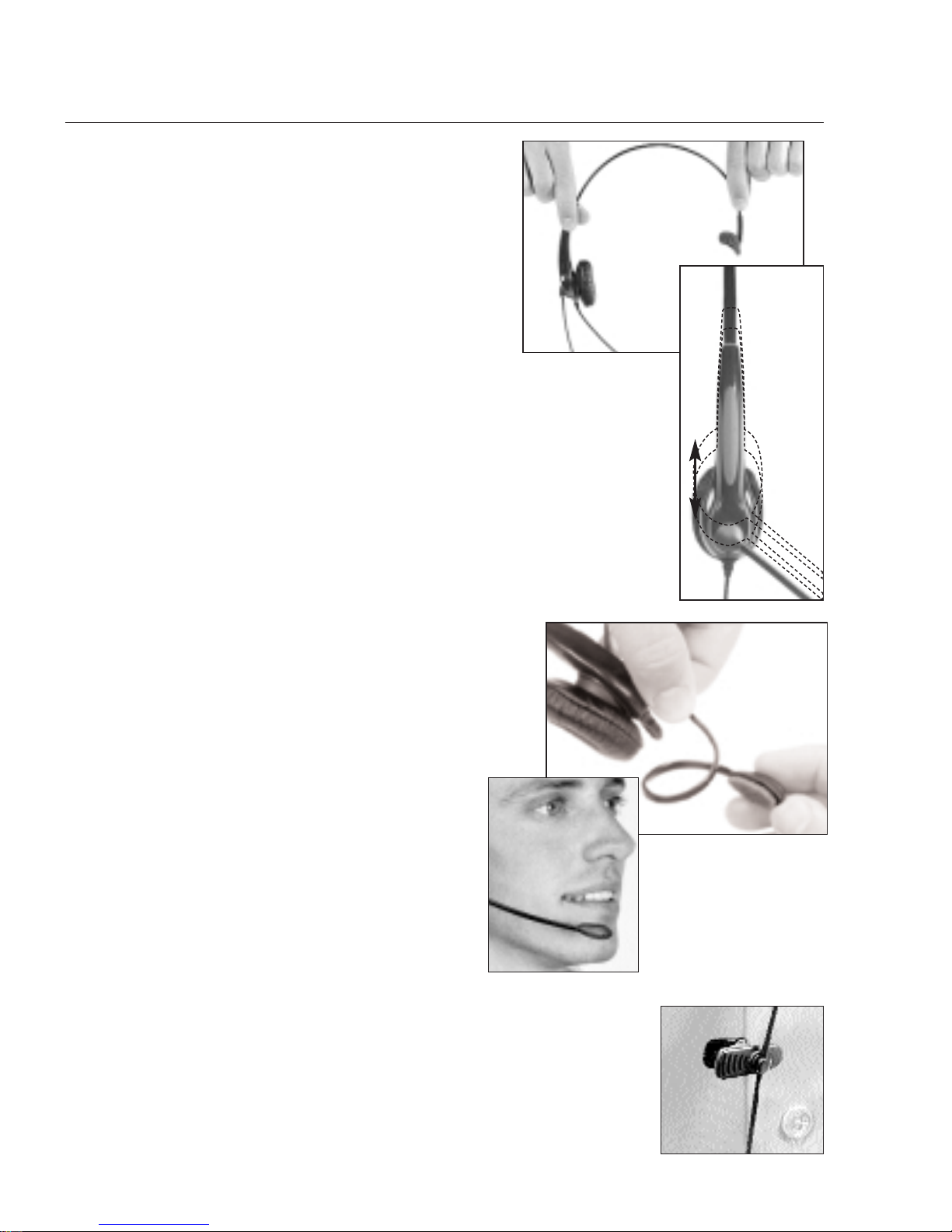
The headband and microphone boom can be
bent to achieve best comfort and sound quality.
You can’t break them!
ADJUSTING THE HEADBAND
1. Using both hands,flex the headband in or
out until the cushion(s) rests with almost
no pressure on your ear.
2. Slide the headband up or down until it rests
on the top of your head and the cushion(s) is centered
against your ear.
ADJUSTING THE MICROPHONE BOOM
The microphone boom is flexible,so you can bend
and rotate it for comfort and best transmission.
Adjust the position of the mic so that it is one
inch away from your lips and one inch below.
Avoid positioning the microphone directly in
the path of your breath.
Important: Make sure that the side of the mic
with the foam screen is pointed toward your
mouth.
EASILY
BENDABLE!
EASILY
BENDABLE!
ATTACHING THE CLOTHING CLIP
After adjusting your headset,attach the clothing clip,leaving
enough slack for comfortable head movement.
Page 5
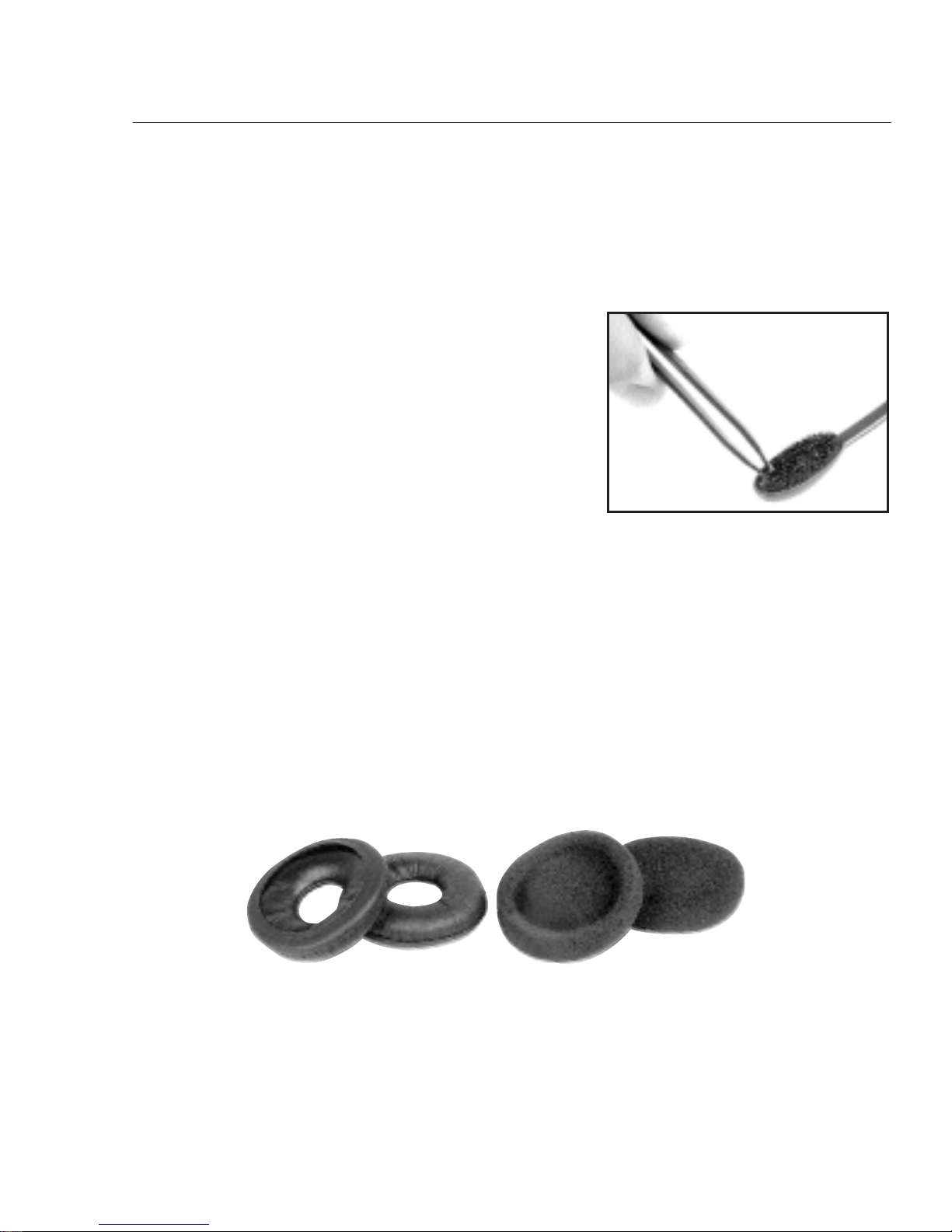
EAR CUSHIONS
Your Ultralig ht top comes with a choice of two ear cushions. The leatherette
cushion is best for sealing out background noises. The foam cushion provides
better grip against your ears.
LEATHERETTE FOAM
Replacement parts
Microphone screens and ear cushions should be replaced every 2–3 months for hygienic
reasons and optimum performance.They should also be replaced if the headset is
passed along to a new user.
REPLACING THE FOAM MIC SCREEN
To replace the microphone screen,use a pair of
tweezers to peel off the old foam screen. Remove
the adhesive backing from the new foam screen
and install over the microphone element.
Page 6

Common troubleshooting
The following information covers common problems with your headset, and suggests
solutions. If your headset is not operating properly,follow the suggestions in this section. If your question or problem is not covered here,please contact our Customer
Care Team at 1-800-444-3556.
Caller can’t hear me and I can’t hear
caller.
1. Check installation. Make sure all
cords are properly connected.
2. Make sure the headset/handset
switch is in the headset position.
3. If using the SuperPro amp,recheck
Instruction Steps 1, 2, and 3 in the
Quick Setup Guide.
Caller’s voice is low or distorted.
1. Adjust the Listening Volume Control
on the amplifier.
2. If using the Pro amp,set Sensitivity
Switch #1 to OFF.
3. If using the Pro or SuperPro amp,
replace batteries.
Caller can’t hear me, but I can hear
caller.
1. Be sure mic is properly positioned
about one inch away from your lips
and one inch below.
2. Make sure the mute button isn’t
activated.
3. If using a Pro or SuperPro amp,
increase Speaking Volume located
under your amp (located in battery
compartment on the SuperPro).
The people I’m talking to say I sound
unclear or too far away.
1. Adjust the mic’s position.It should
not be directly in front of your
mouth and nose.
2. Make sure the side of the mic with
the foam screen is pointed toward
your mouth.
My voice echoes or I sound like I’m in a
tunnel.
1. If using the Pro or SuperPro amp,
the Speaking Volume Control under
the amp is set too loud. Move it
toward the “–”.
2. Check the mic position.
Poor sound quality? We can assist you
over the phone with any Hello Direct
headset. If you have a SuperPro amp, call
1-800-895-3553 for setup instructions
and optimization (24 hours a day).For
other headsets, additional product support, or if you don’t have a touch-tone
phone, call 1-800-444-3556 (5 a.m. to 5
p.m.Pacific Time,8 a.m. to 8 p.m.
Eastern).
AUDIO PROBLEMS
Page 7

The foam feels too hard.
Change the cushions. Foam cushions
should be changed every two to three
months.
My headset feels too tight or loose on
my ear(s).
Adjust the headband.Using both hands,
flex the headband in or out until the
cushion(s) rests with almost no pressure
on your ear(s).
COMFORT PROBLEMS
For maximum comfort and efficiency,
we recommend you read all the
information provided in this booklet
before using your new headset.
HEADSET COMFORT
If you’ve never used a headset,wearing one may take some getting used to. Like
wearing glasses for the first time, it will feel different and perhaps awkward at first.
But once you’re used to it,you won’t want to give it up.
Give yourself some time to g radually get used to wearing your new headset. Use it
30 to 60 minutes a day for the first week,an hour or 2 a day for the second week,
and 3 to 4 hours a day for the third week.By the end of the fourth week, you’ll prefer using the headset for all of your calls. Guaranteed!
The Ultralight Single top rests comfortably over just one ear.That leaves the other
ear free to hear what’s going on in your home or office around you—so you’ll
barely notice it’s there.
The Ultralight Dual top covers both ears,allowing you to fully focus on your
phone conversations, and hear your callers clearly even in very noisy environments.
Wearing an Ultralight EX headset top
Page 8

Limited Lifetime Warranty
1. Hello Direct warrants this product to be free from defects in materials or workmanship,under
normal use and service, for as long as the original owner owns it, subject to the limitations
set forth below. This warr anty extends only to the original owner. This warranty is void if
service is performed by anyone other than Hello Direct.
2. This warrant y g ives you specific legal rights and you may also have other rights that vary from
state to state.Hello Direct ’ s obligations under this warranty are limited to repair or replac ement,
at Hello Direct’s sole option,of the product or parts found to be defective,as diagnosed by an
authorized Hello Direct Customer Service Representative. Hello Direct reserves the right to
make such inspections as may be necessary to determine the cause of the defect. Hello Direct
will not charge for labor or parts in connection with any repairs or replacements co ver ed in this
warranty.
3. This war ranty does not apply to: (a) product failure resulting from accidents,improper care or
operation, or neg ligence (where Hello Direct is not at fault),or from normal wear and tear. In
these cases,repair or replacement will be made at a reasonable charge;(b) consumable parts such
as cords,ear cushions, clothing clips, microphone screens or batteries; (c) any product that has
been subject to alteration or modification,or has been installed or used in any manner contrary
to this user guide.
4. To obtain warranty repair or replacement service under this warranty, the owner must call
Hello Direct at1-800-964-6444 for an RMA number and full return or replacement instructions.
5. This written limited warranty is the only warranty made by Hello Direct. Repair or replacement as provided under this warranty shall be the exclusive remedy available to the purchaser. Hello Direct shall not be responsible for loss of use of the product or for any other
incidental, special or consequential damages or expenses incurred by the purchaser or by any
other party, even if Hello Direct has been notified of the possibility of such damages or
expenses. Except to the extent prohibited by applicable law, any implied warranties, including those of merchantability or fitness for a particular purpose, are hereby expressly excluded, and to the extent not excludable, are expressly limited to the duration of this warranty.
Some states do not allow exclusion of implied warranties, limitations on the duration of
implied warranties, or the exclusion or limitation of incidental or consequential damages, so
the above limitation and exclusion may not apply to you.
FCC INFORMATION: Your new headset complies with Part 68 of the FCC rules.Your local phone
company may need to know the compliance information, which may include the Registration
Number, Ringer Equivalence Number (REN), and other information. This information may be
found on the bottom of your new amplifier.
TELEPHONE/HEADSET PROBLEMS: If you experience problems with your headset,disconnect it
from the telephone. If your phone works properly, your headset may need repair or adjustment.
In the unlikely event that the problem is causing harm to the telephone network, your telephone
company may ask that the headset remain unplugged until the problem is corrected.
Hello Direct, Inc.
75 Northeastern Blvd.
Nashua, NH 03062 www.HelloDirect.com
Tel: (800)-444-3556 e-mail: [email protected]
Fax: (800)-456-2566
© Hello Direct, Inc., 2006 Printed on recycled and recyclable paper. #50-0024-02
 Loading...