

Page 1
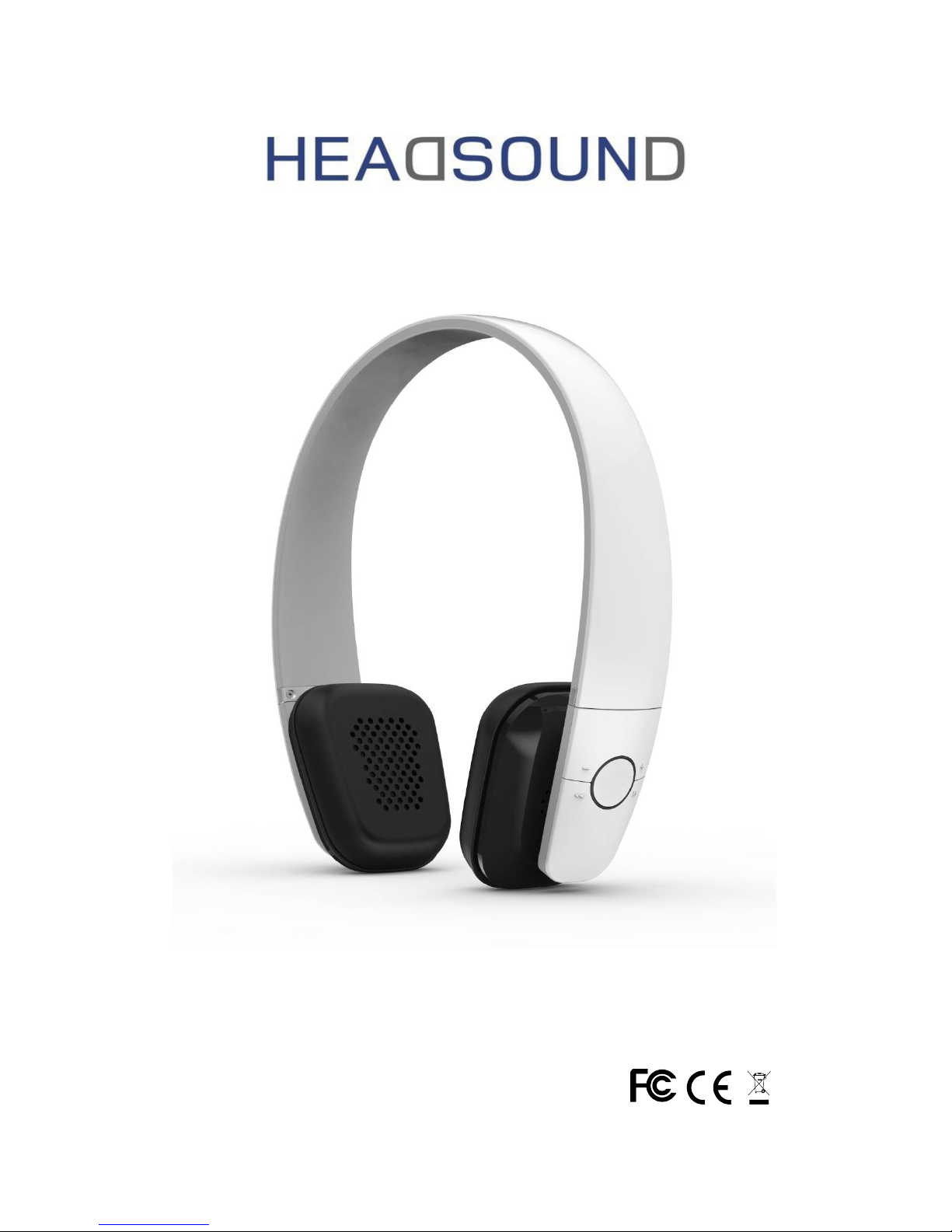
OnE - Bluetooth On-Ear Headphone
User Manual
Page 2

Get started
To know more about your HEADSOUND OnE please read this USER MANUAL
very carefully.
Please contact us with any questions or suggestions:
HEADSOUND audio GmbH
Fellbacher Straße 17
13467 Berlin
Germany
Email: [email protected]
www.headsound.de
Proper use of the HEADSOUND OnE
The HEADSOUND OnE is designed for playing music from an external source.
Only use the HEADSOUND OnE as described in this User Manual. Any other
use will be deemed as not in accordance with the instruction.
HEADSOUND audio GmbH cannot be held liable for damages caused by
improper use. The HEADSOUND OnE is intended for private use.
Before operating the HEADSOUND OnE please read the safety notes and User
Manual carefully. Only in this way can be ensured that all functions are used
in the right and safe way. You must charge the headphone if it has not been
used for more than 12 months.
Safety
Danger of explosion
Batteries (particularly lithium batteries) can explode if used improperly. Do
not heat the HEADSOUND OnE, do not expose it to direct sunlight and do not
dispose it in fire.
Health hazard
If the battery belonging to the product is swallowed, this may result in severe
internal injuries and even death.
Do not open the housing and do not remove the battery. If the housing is
defect, do not use the HEADSOUND OnE further and keep it so that it is not
accessible for children. If you suspect that a battery is swallowed or ingested
in any other way, seek the immediate attention of a physician.
Danger to hearing
2
Page 3
Extended listening at high volumes may lead to hearing loss. To avoid
damages to health, avoid extended listening at high volumes.
Danger to children
Children can become trapped in the packing film when playing and suffocate.
Do not allow children to play with the unit or the packing film. Danger of
suffocation.
Ensure that children do not remove small parts from the unit or take them off
the unit. They could swallow the parts and choke. Never allow children to
operate electrical devices unsupervised.
Qualified charger
You must choose a qualified charger from a regular manufacturer to charge
the headphone.
How to use
General Function
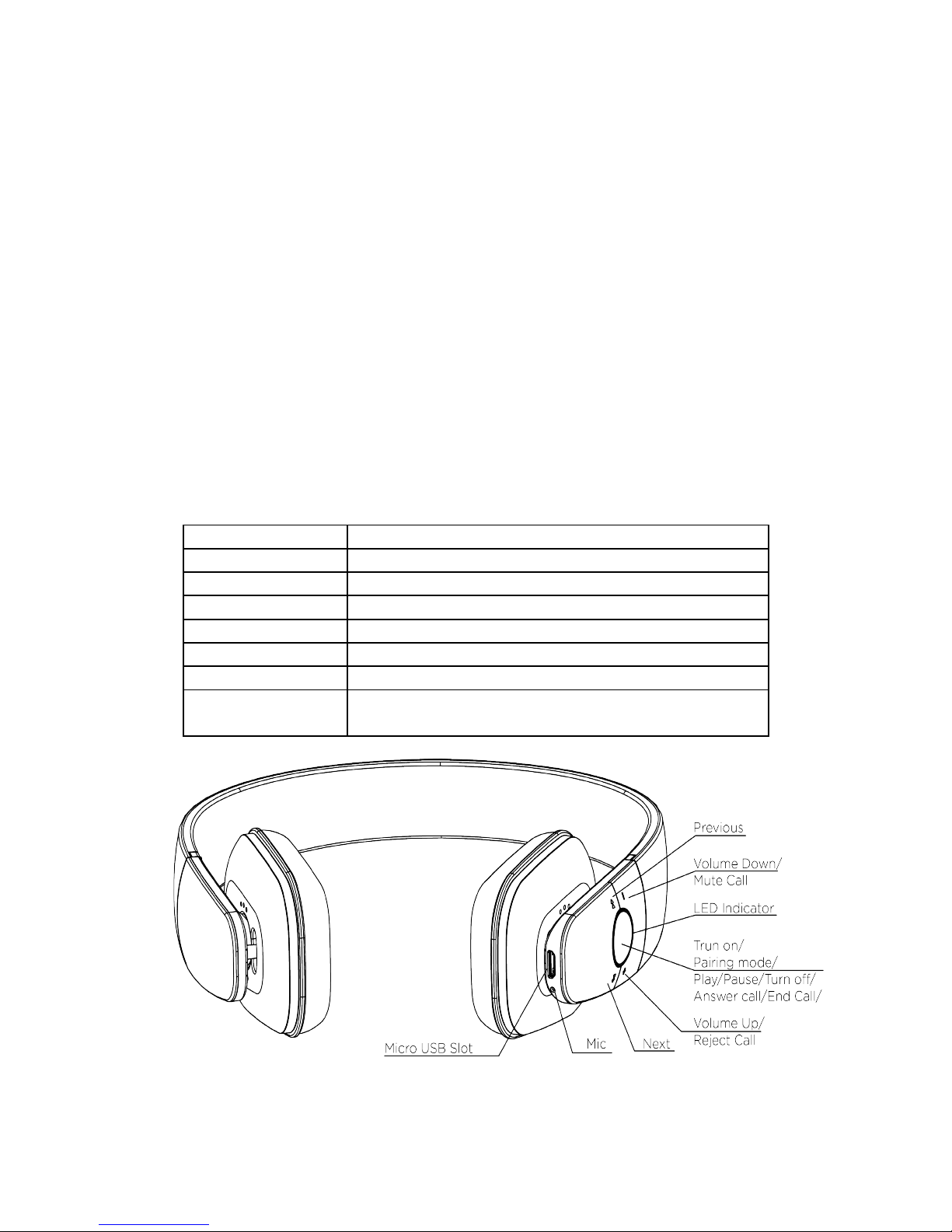
Operation LED Status
Power on Blue LED flashes 2 times
Power off Red LED flashes 2 times
Pairing Red LED & Blue LED flashes alternately
Standby Blue LED flashes 3 times in 5 seconds
Incoming call Blue LED flashes continuously
Low battery Red LED flashes 2 times every 2 seconds
Charging Red LED keep lighting during charging
Blue LED flashes once charging finished
3
Page 4

Basic Buttons Operation
Power on: Press multifunction button for 2 seconds. Blue LED flashes 2
times. Headphone turns on.
Power off: Press multifunction button for 3 seconds. Red LED turn off after
flashes 2 times. Headphone turns off.
Volume adjust: Each press on 'Volume up' or 'Volume down' buttons, one
level voice volume changes. When volume reaches to Max or Minimum, "Tick"
reminding voice occurs.
Play/Pause: Short press multifunction button, music pause. Press it again,
music continues.
Previous: Short press 'Previous' button, music turns to previous one.
Next: Short press 'Next' button, music turns to next one.
Answer Call: Short press multifunction button to answer phone call.
End call: Short press multifunction button, phone call ended.
Reject call: Press 'Volume up' button for 2 seconds to reject a call.
Transfer call: During the phone call conversation, press 'Volume up' button
for 2 seconds, call switches to mobile phone. Press 'Volume up' button, for 2
seconds again, call switches to headphone.
Last number redial: In standby status, continuously press headphone
multifunction button twice to redial the last number.
Call Mute function: Press 'Volume down' button for 2 seconds, call mute.
Press 'Volume down' button for 2 seconds again, call mute cancel.
Battery Capacity status: When headphone connects to iOS devices, iOS
devices show the headphone battery power status on the upper right corner.
Charging: New headphone has enough power for pairing and dialing out for
several times. When in low battery, please charging via USB cable for 2 hours.
Red LED keep lighting during charging, blue LED keep lighting, charging
finished.
Reset Mode: Connect the headphone to computer via Micro USB cable.
When red LED light flashes, headphone reset finished.
Pairing (with one or two phone devices)
Pairing with one phone or other device
Make sure the headphone is power off.
Press and hold the multifunctional button for 5 seconds to enter into the
pairing mode.
Red LED & Blue LED flashes alternately.
Activate your phone or device Bluetooth function and search for HEADSOUND
4
Page 5

OnE. From the list of found devices on your mobile phone, select the
headphone “HEADSOUND OnE” to connect it. Follow the instruction to enter
“0000” as PIN if the mobile phone needs a PIN.
Headphone or device can be used to play your music or dial phone call etc.
Pairing with two phones or other devices at the same time
This headphone can support 2 devices multi-connection. It can pair with two
mobile phones simultaneously, taking the call from any of them. After
completing pairing with the first phone, turn off the headphone, then re-do
the paring procedure with another phone. Once finished the pairing, restart
the headphone, it will automatically connect to the phone or device of last
connected, and short press the two key of “volume +” and “volume -”
simultaneously ,can enable the multipoint Connect function, from the list of
found devices on another mobile phone, select the headphone “HEADSOUND
OnE” to connect it.
Contents
- 1 X HEADSOUND OnE
- 1 X Charging Micro USB Cable
- 1 X User Manual
Specification
Bluetooth version: 4.0
Talk time: 10h
Play time: 10h
Stand-by time: 400h
Wireless range: 10m
Bluetooth profiles: A2DP/ AVRCP/ HSP /HFP
Impedance: 32Ω
Sound pressure level: 103±3dB
Frequency Response: 20Hz---20 KHz
Signal-To-Noise: ≥85dB
Weight: 125g
Dimension: 175 x 154 x 63mm
For further technical data please visit our website: www.headsound.de
No responsibility is assumed for the correctness of this information. Technical
changes reserved.
5
Page 6

If you have any further questions, suggestions or complaints, please contact
us:
HEADSOUND audio GmbH
Fellbacher Straße 17
13467 Berlin
Germany
Email: [email protected]
www.headsound.de
No responsibility is assumed for the correctness of this information. Technical
changes, typographical errors and other errors reserved.
6
 Loading...