

Page 1
ball – Outdoor Mobile Bluetooth Speaker
User Manual
Page 2

Get started
To know more about your HEADSOUND ball please read this USER MANUAL
very carefully. Let's enjoy music together.
Please contact us with any questions or suggestions:
HEADSOUND audio GmbH
Fellbacher Straße 17
13467 Berlin
Germany
Email: [email protected]
www.headsound.de
Proper use of the HEADSOUND ball
The HEADSOUND ball is designed for playing music from an external source.
Only use the HEADSOUND ball as described in this User Manual. Any other
use will be deemed as not in accordance with the instruction.
HEADSOUND audio GmbH cannot be held liable for damages caused by
improper use. The HEADSOUND ball is intended for private use.
Before operating the HEADSOUND ball please read the safety notes and User
Manual carefully. Only in this way can be ensured that all functions are used
in the right and safe way. You must charge the HEADSOUND ball if it has not
been used for more than 12 months.
Warnings
Please use and store the HEADSOUND ball at room temperature
Do not expose the HEADSOUND ball to direct rain or water
Do not through or drop the HEADSOUND ball to avoid damages
Do not self-dismantling, repair or transform the HEADSOUND ball
Do not use chemicals to clean the HEADSOUND ball
2
Page 3

Safety
Danger of explosion
Batteries (particularly lithium batteries) can explode if used improperly. Do
not heat the HEADSOUND ball, do not expose it to direct sunlight and do not
dispose it in fire.
Health hazard
If the battery belonging to the product is swallowed, this may result in severe
internal injuries and even death.
Do not open the housing and do not remove the battery. If the housing is
defect, do not use the HEADSOUND ball further and keep it so that it is not
accessible for children. If you suspect that a battery is swallowed or ingested
in any other way, seek the immediate attention of a physician.
Danger to hearing
Extended listening at high volumes may lead to hearing loss. To avoid
damages to health, avoid extended listening at high volumes.
Danger to children
Children can become trapped in the packing film when playing and suffocate.
Do not allow children to play with the unit or the packing film. Danger of
suffocation.
Ensure that children do not remove small parts from the unit or take them off
the unit. They could swallow the parts and choke. Never allow children to
operate electrical devices unsupervised.
Qualified charger
You must choose a qualified charger from a regular manufacturer to charge
the HEADSOUND ball.
Packaging Content
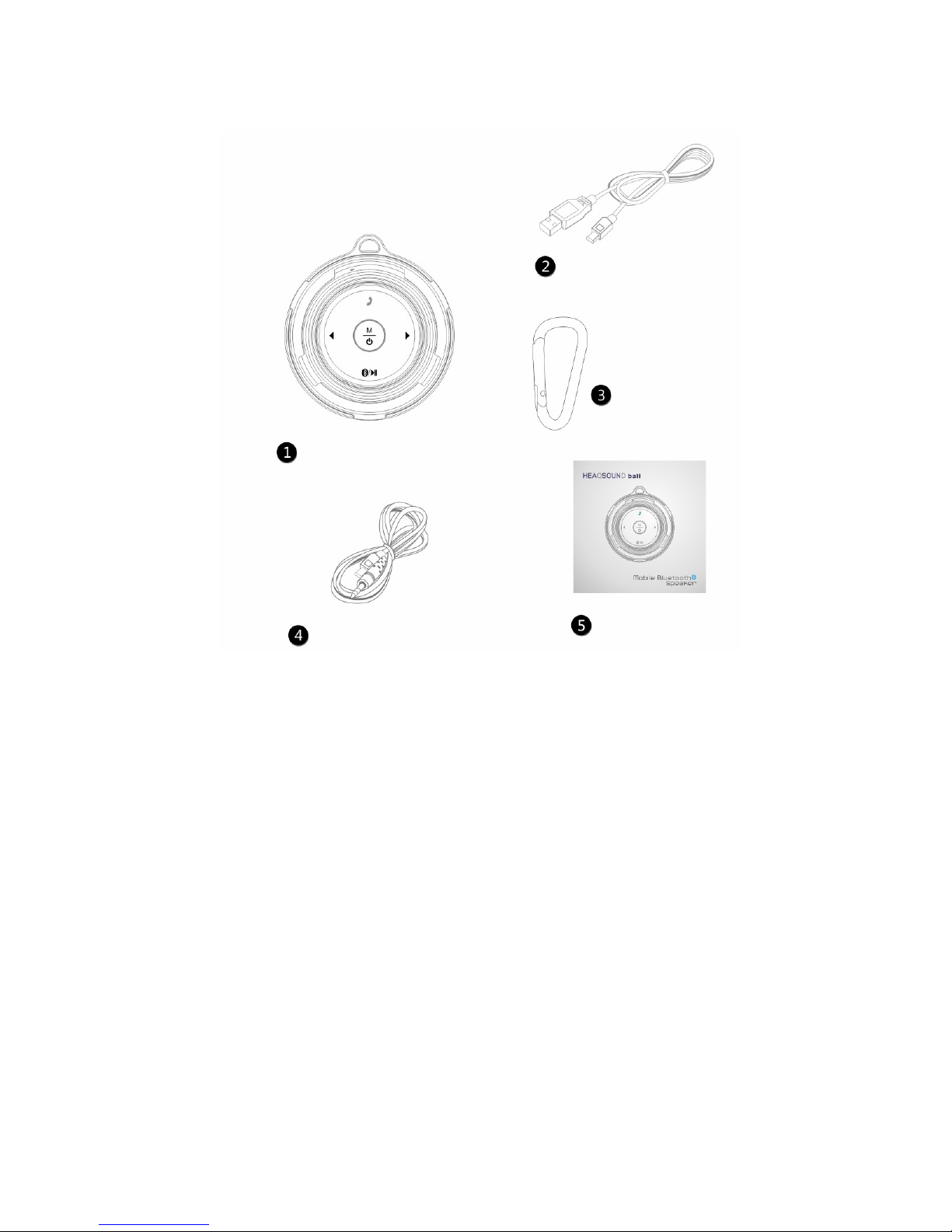
1)
1 x HEADSOUND ball
2) 1 x Charging Micro USB Cable
2) 1 x Hook
3) 1 x 3.5mm Stereo Jack Cable
4) 1 x User Manual
3
Page 4
Features:
With wireless Bluetooth technology
Support one button Bluetooth reconnection
With built-in Mic, supports handfree function
Supports line-in
Automatic shutdown after suspension without operation for 10 minutes
Built-in efficient li-on battery, USB charging is available
With voice broadcast, supports the phone ring
4
Page 5
How to use
General Function
Button Name
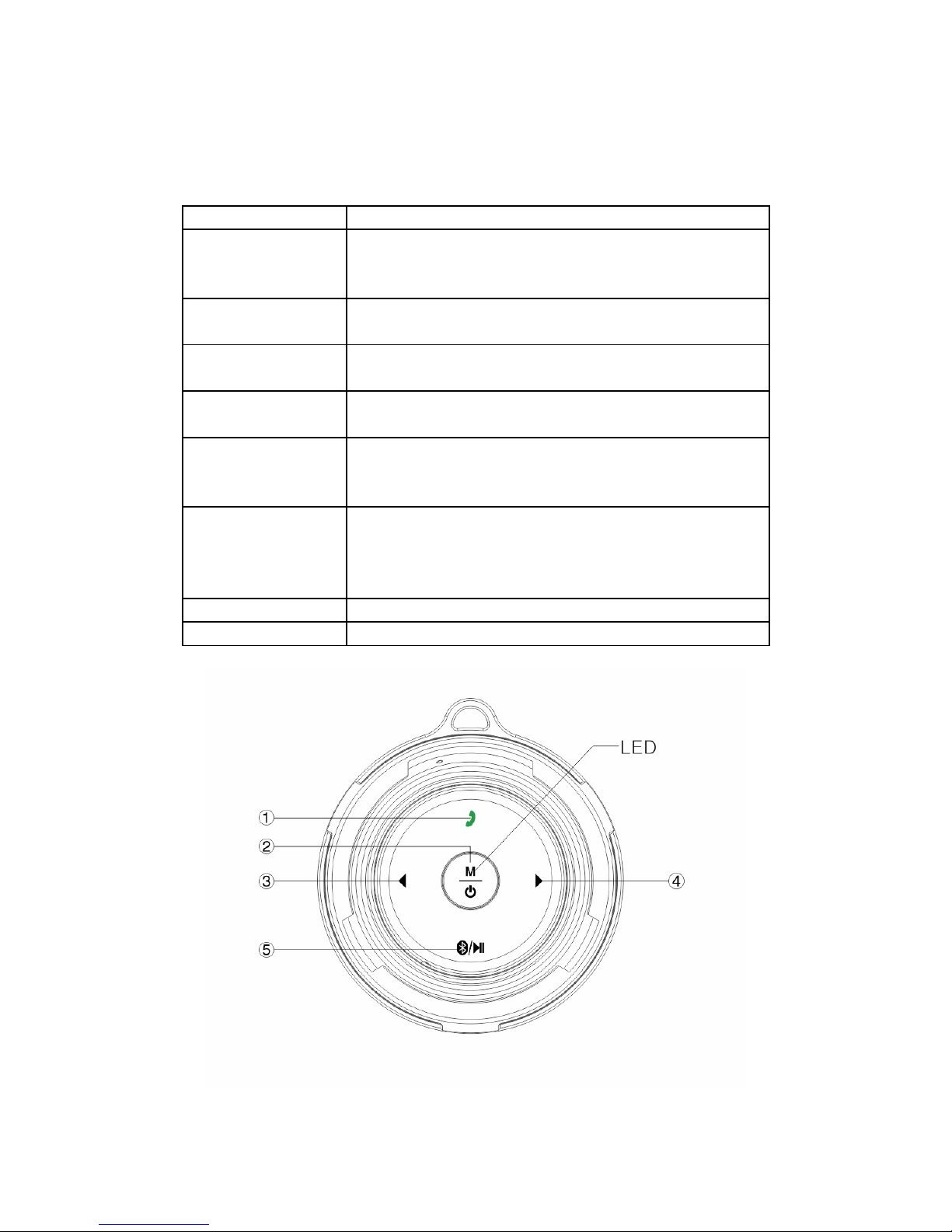
1 – operate call Call answer button: Short press to answer or or
hang up the call. Long press to reject the call or
long press to shut down or open the voice prompt.
2 – mode key Mode key: Exchange model among Bluetooth mode
and Line-In mode.
2 – power button Power Button: Pressing 2 seconds to power on or
power off.
3 – prev. / volume Prev. / Volume: Short press to previous song. Long
press to decrease the volume.
4 – next / volume Next / Volume: Short press to next song. Long
press to increase the volume. With voice prompt
and blue light flashing when max. volume reached.
5 - Bluetooth Bluetooth disconnected or reconnected: Under
Bluetooth connection mode, long press to
disconnect. Short press again to reconnect the
previous device.
6 – reset button Press to reset the device
7 – USB port Micro USB port: Charging port and line-in port.
5
Page 6
Main Function Operation - Bluetooth Connection
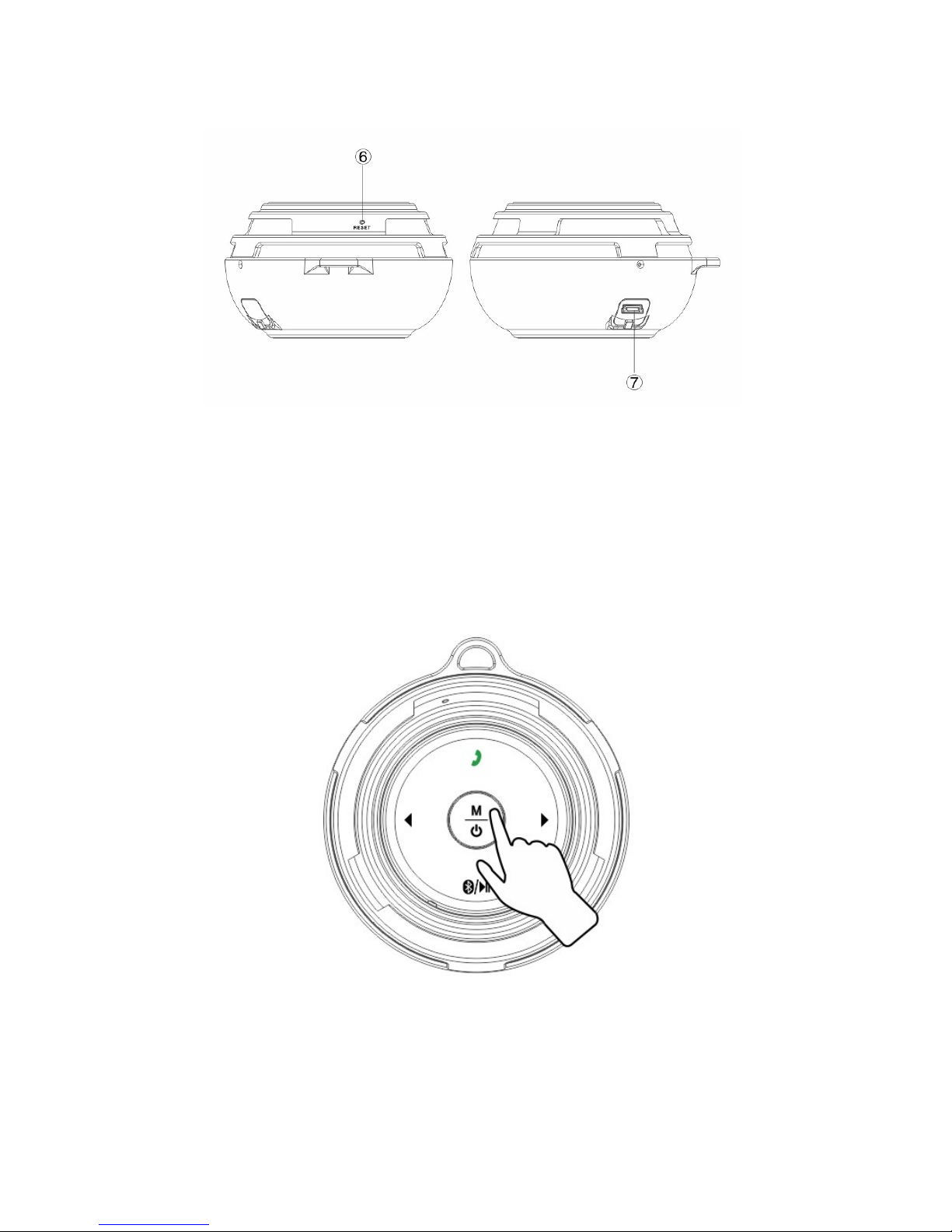
Step 1: Press 2 Seconds To Power On
Power on: After “Ding-Dong”, HEADSOUND ball is ready to connect. Blue
indicator is flashing.
6
Page 7
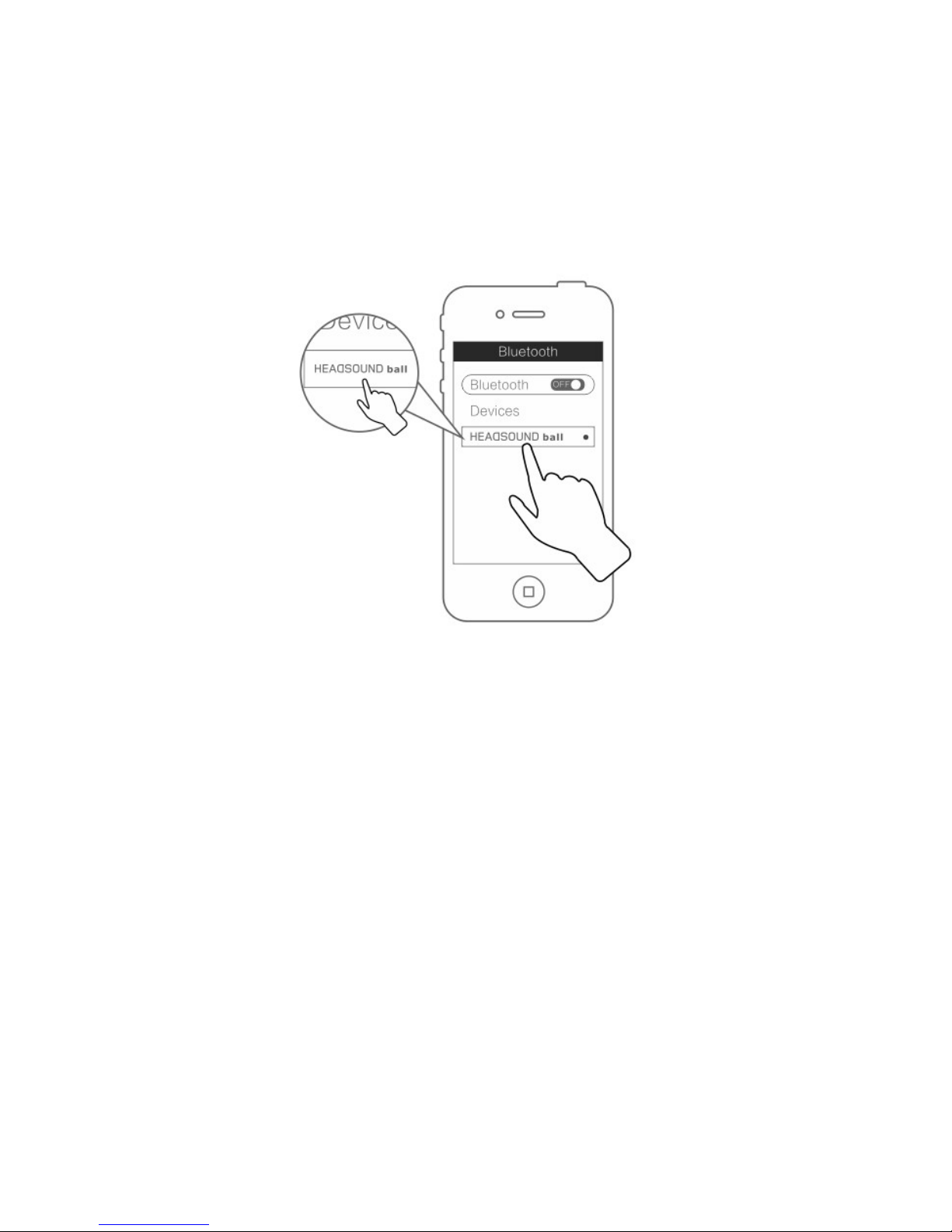
Step 2: Bluetooth Connection
Open the Bluetooth function of mobile phone, MID and other music players
with Bluetooth function and search the devices. When you find the
HEADSOUND ball, click it to connect. If need a password, please input “0000”
and confirm to connect.
Step 3: Connected And Play
After the speaker says “Ding” and the blue indicator always light up you can
enjoy your music. The operating distance is 10m. Bluetooth can reconnect the
last paired device automatically.
Handfree Function
Step 1: Phone Call
If the HEADSOUND ball is connected with a mobile phone you can use the
handfree function. When the call coming, short press to the telephone symbol
to answer the phone. Short press again to hang up the phone. Long press to
reject the call.
7
Page 8
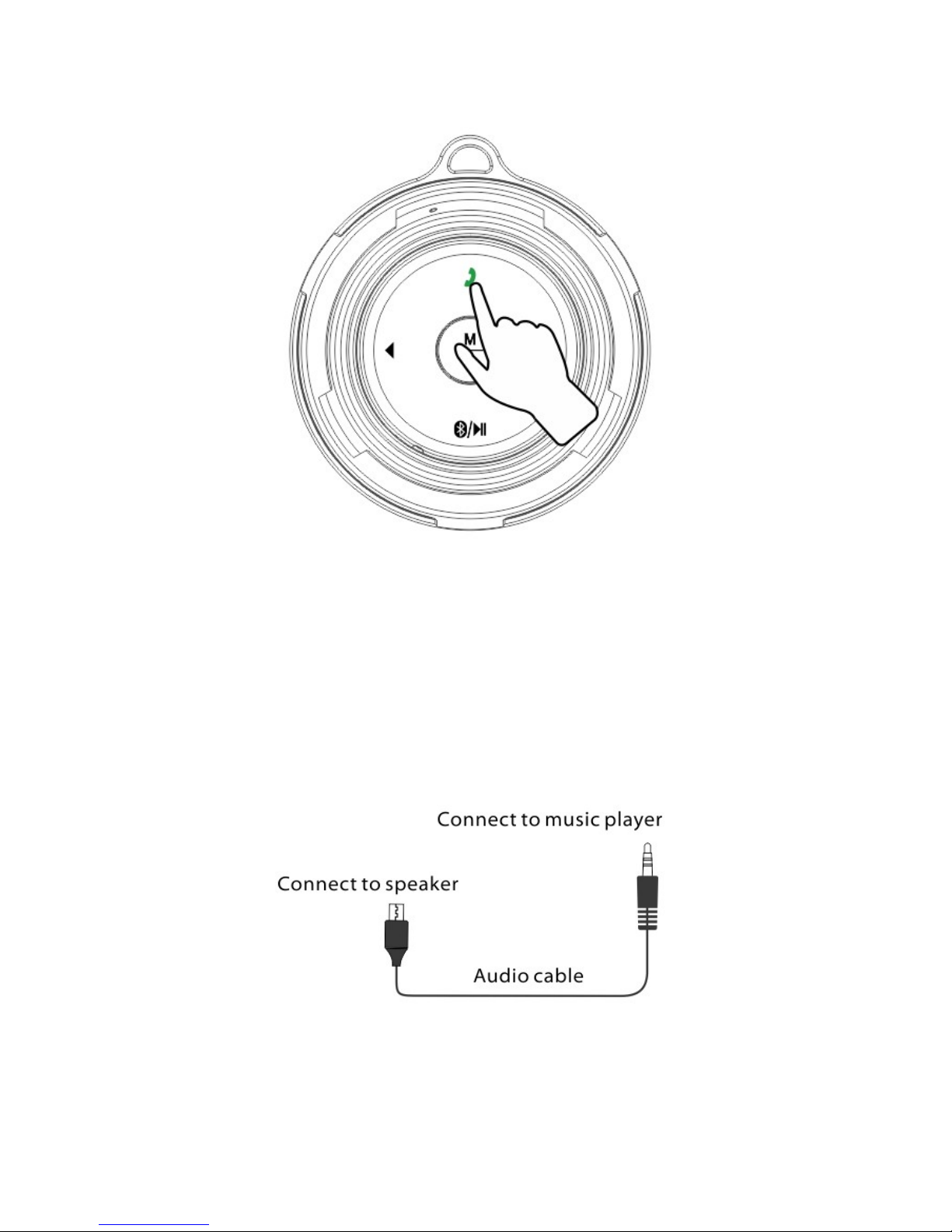
Under Line-In Mode
Short press the “Mode Key” to switch from Bluetooth mode to line-in mode.
Connect the speaker to the music player with the audio stereo jack and the
micro USB you connect to the speaker.
8
Page 9
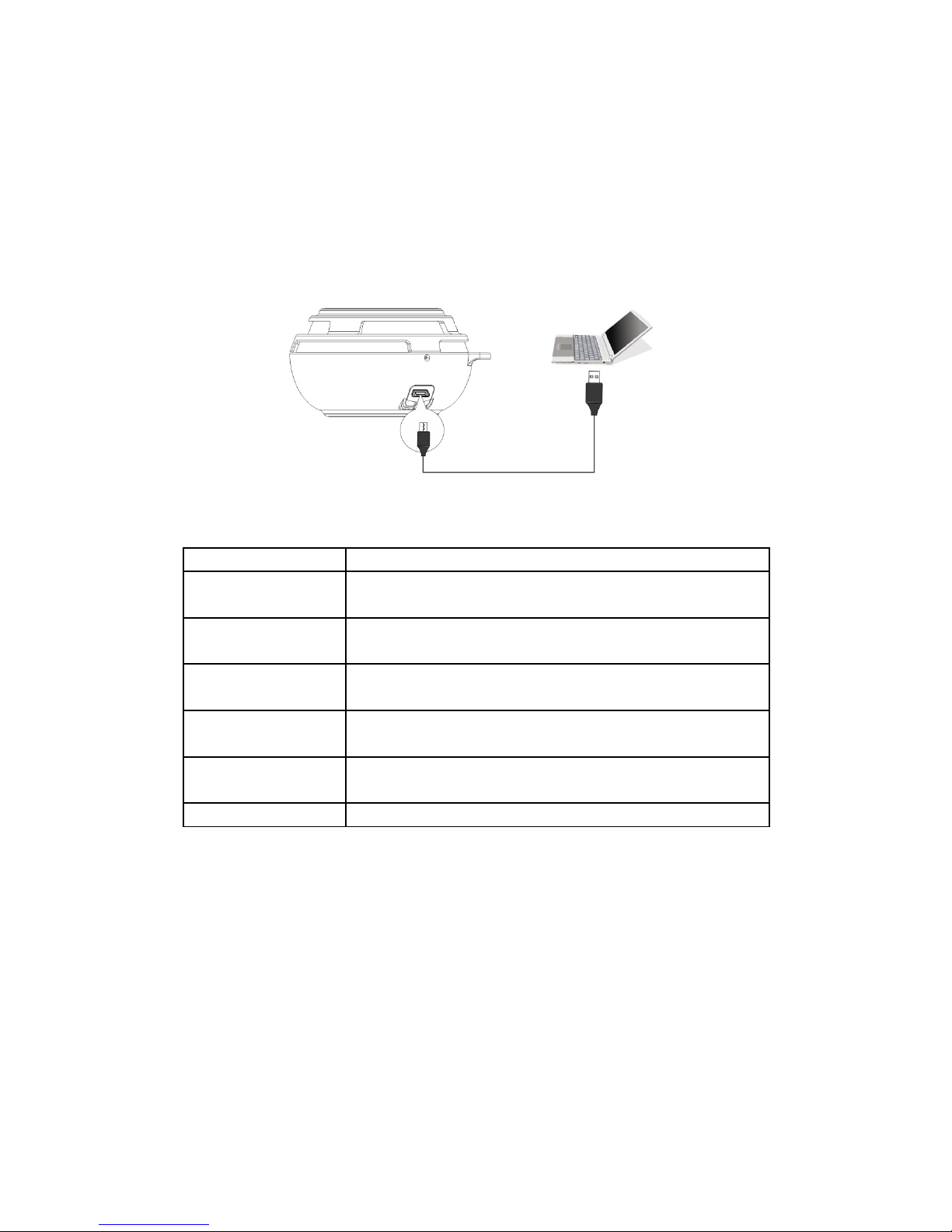
Charging
The HEADSOUND ball is recharged with DC5V-500mA by USB adapter or any
USB port device (i.e. Computer). Connect the speaker (micro USB port) to the
computer through attached USB cable and then the speaker is charging.
FAQ
Question Settlement
Fail to connect
Bluetooth
1) Restart the speaker.
2) If need password please input “0000”
Interrupted signal
or music play
Please check the Bluetooth connections valid
distance (10m) or if something cut off the signal.
No sound 1) Check the volume of the speaker.
2) Check if the speaker is in mute or pause.
Line-in no sound Check if the audio cable is connected correctly and
the speaker is in line-in mode (not Bluetooth mode)
Fail to power on Check if the battery is low. Connect the speaker for
charging.
Speaker halt Reset the speaker.
9
Page 10
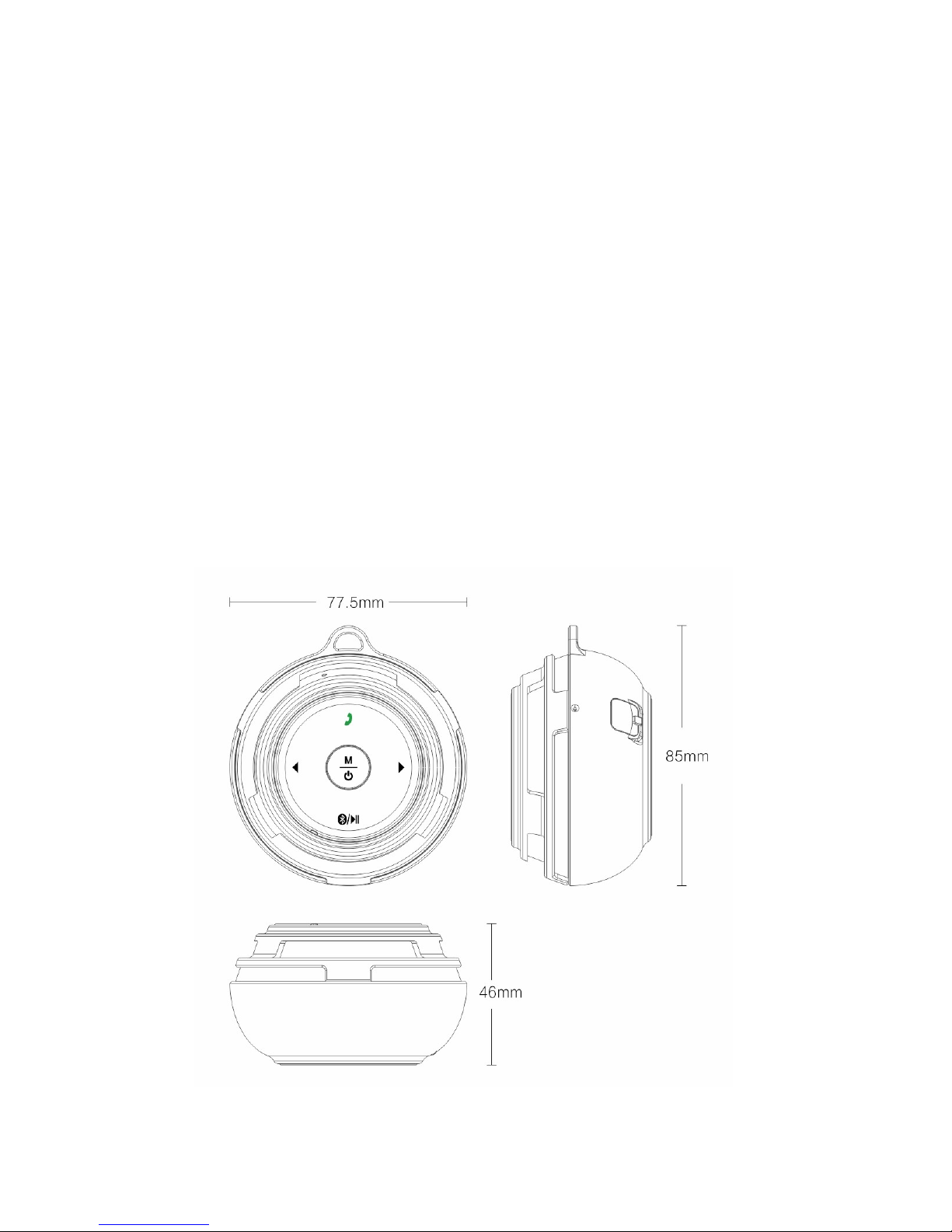
Specification
Driver: 38mm (1.5inch) dynamic
Frequency range: 100-20,000Hz
Impedance: 4ohms
Power: 3W
Cable: wireless
Plug: bluetooth
Bluetooth: 2.1 + EDR
Max. distance: 10mt (30ft)
Battery: 600mAh
Playtime/standby: 4hrs/50hrs
Charge time: 3hrs (USB)
Plugs: bluetooth, AUX 3.5 mm jack audio, Micro-USB 5V
Specials: One-Touch Bluetooth reconnection, hands-free speaking system,
AUX-input, automatic shutdown
Dimensions: 77,5mm x 85mm x 46mm
Weight: 200g (including battery)
10
Page 11

For further technical data please visit our website: www.headsound.de
No responsibility is assumed for the correctness of this information. Technical
changes reserved.
If you have any further questions, suggestions or complaints, please contact
us:
HEADSOUND audio GmbH
Fellbacher Straße 17
13467 Berlin
Germany
Email: [email protected]
www.headsound.de
No responsibility is assumed for the correctness of this information. Technical
changes, typographical errors and other errors reserved.
11
 Loading...