

Page 1
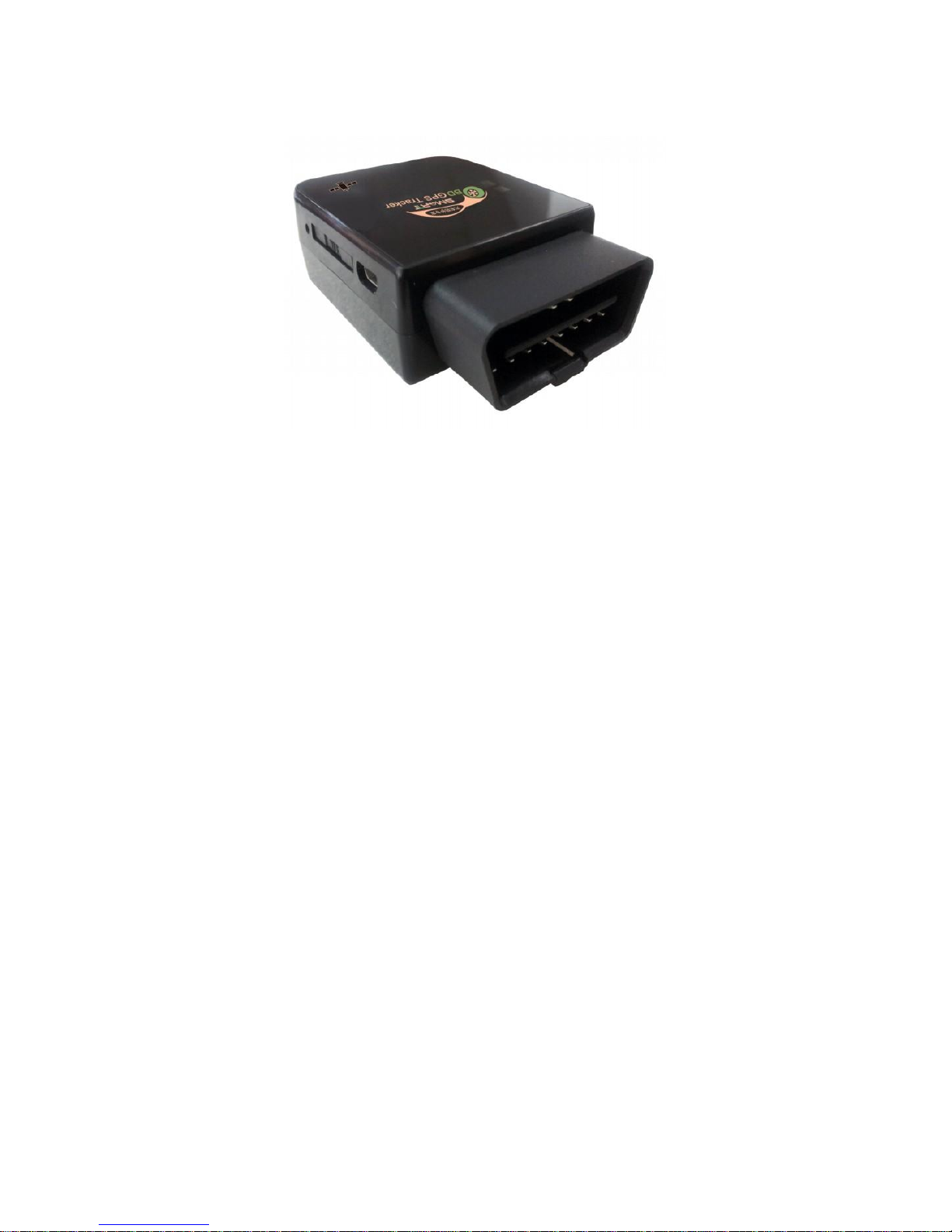
908 GPS Tracker Munual
1, Technical parameters
Brand: Heacent
Model: 908
Color: Black
GPS Chip: U-BOLX
Network: GPS/GSM/GPRS
GSM Band: 850/900/1800/1900MHz
GPS Sensitivity: 159dBm
GPS Accuracy: 10m
Cold Start Time: 45s
Warm Start Time: 30s
Hot Start Time: 1s
Working Temperature: -20'C to +65'C
Working Humidity: 5%~95%
Altitude Limit: 18000m
Size: 72mm*49mm*24mm
Page 2
Other Features: Supports GSM and GPS double location; Supports
Single positioning and GPRS real-time continuous tracking location;
Supports vibration alarm, electronic fence, movement alert, speed
alarm, Supports return link to GOOGLE maps.
Packing List
1 x OBD GPS host
1 x CD English/Chinese manual
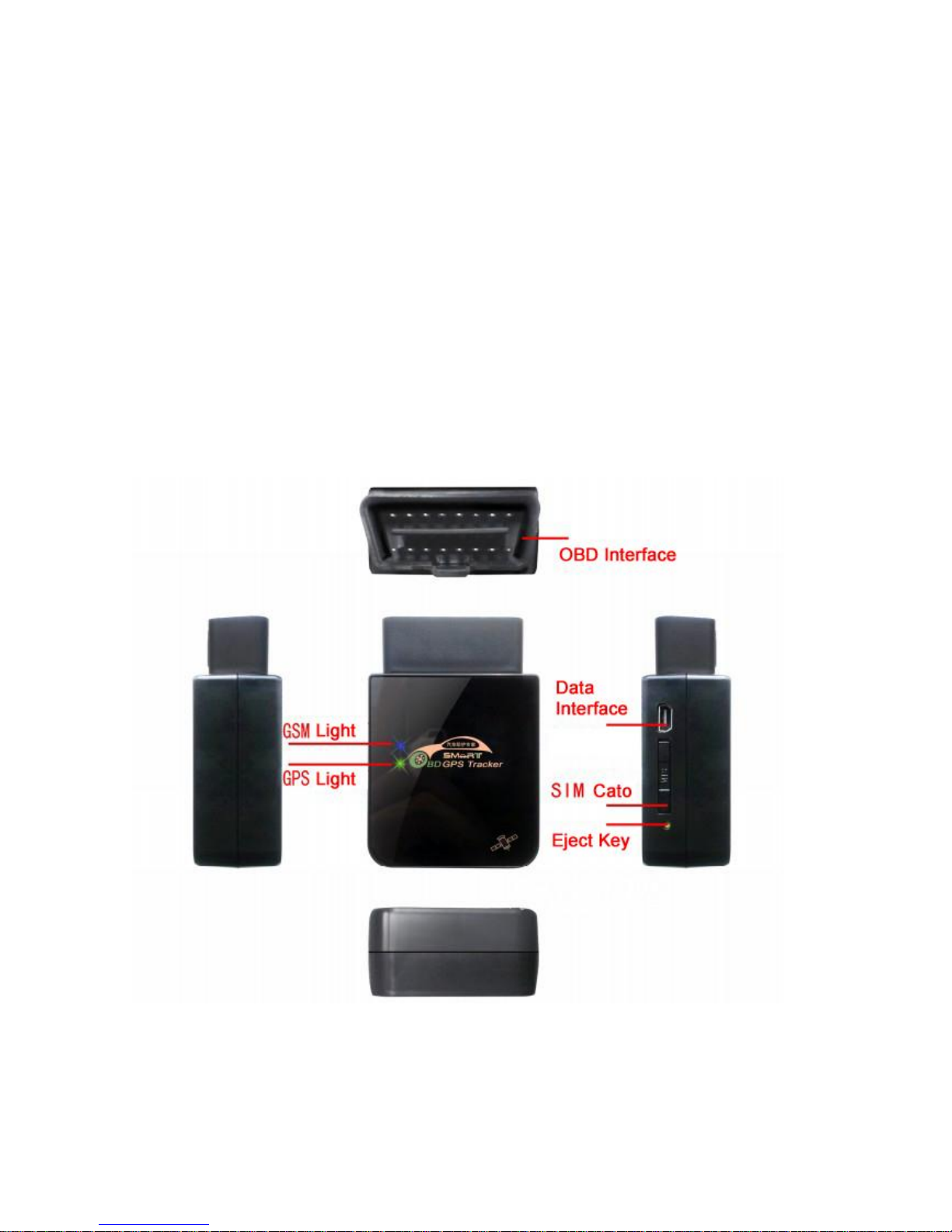
2, Appearance
3, GPS\GSM status lights
3.1 GPS LED light(yellow)
When GPS is not positioning, the yellow light flashing
Page 3

when GPS positioning, the yellow light have been lit
3.2 GSM LED light(blue)
When the GSM signal is normal, the blue light has been lit
when no GSM signal, the blue light flashing
4, Set system language
Command: lang,0# Set into English
Command: lang,1# Set into Chinese
5,Set center number
Command format: CENTER,A,number1,number2,number3#
For example:
CENTER,A,18002590536,13924586988,075582438069#
CENTER,A, 18002590536#
Delete center number
Command: CENTER,D#
For example
CENTER,D,1#
CENTER,D,1,2#
6, Location query directives(SMS)
6.1 Command: 123
Use your cell phone send SMS 123 to the device SIM card number will
reply Google map link , For example:
http://map.google.com/maps?q=N22.591988,E114.105653
Page 4
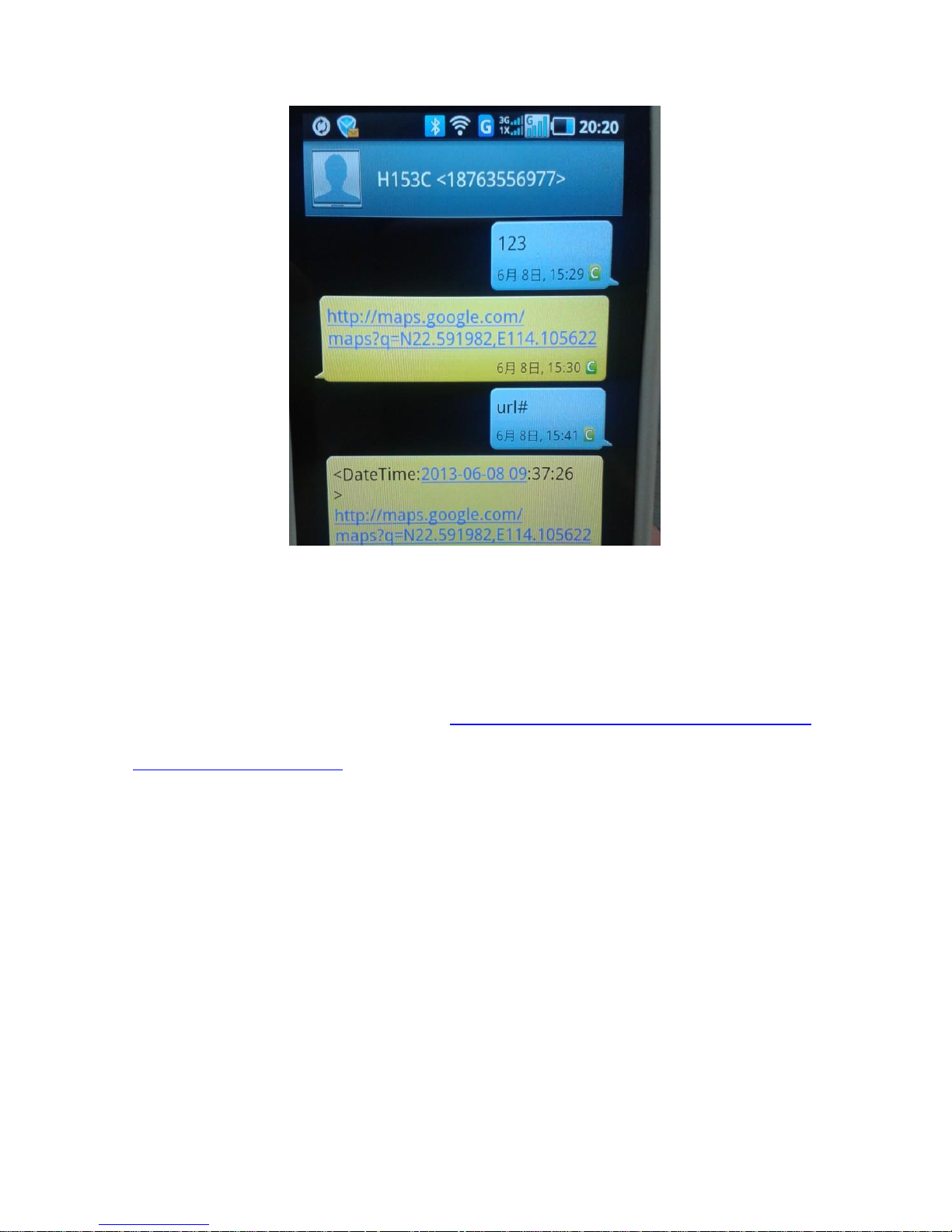
Enter the GOOGLE map link you will see the GPS position on the map.
6.2 Command: url#
Send the command SMS url# will reply: Date\time and the Google map
link, For example:
<Datetime:2013-03-0809:12:16>http://map.google.com/maps?q=N22.
591988,E114.105653
6.3 Command : where#
Send command SMS where# will reply longitude \ latitude\speed\Imei
For example:
Lat: N22.591988
Lng: E114.105653
Speed:35KM/H
DateTime: 2013-03-08 09:12:16
Imei:387113050283419
Page 5

7, vibration alarm setting
Command format: vibration, Alarm level,[ Alarm way]#
For example: vibration,2# (Alarm level :2, Alarm way: default 1 )
vibration,2,3# (Alarm level :2, Alarm way: 3)
Alarm level value 0~5 ,0 shut off the alarm,1~5 The higher the more
lower sensitivity.
Alarm way: 1 is telephone alarm , 2 is SMS alarm , 3 is telephone+
SMS alarm, default :1 telephone alarm.
8, Overspeed alarm setting
Command format: speeding, speed,[ Alarm way]#
For example: speeding,120#
speeding,120,3#
9, Check the parameter Settings
Command : param#
10, Check the GPS status
Command: status#
11, Restart the device
Command: reset#
12, Set time zone
Command format: GMT,E\W,time zone#
Page 6

For example: GMT,E,8# (HK time:,east eight area)
GMT,W,5# (New York time, west five area)
Default is China time zone
13, Restore factory Settings
Command: factory#
14,Check the version number
Command: version#
15, Online real-time tracking(for PC\android\ios)
15.1, Set APN
Command format: APN,apn name [,account,password]#
For example: APN,internet,123,123#
APN,cmnet# (no account & password)
15.2, Set the server IP and port
Command format 1: SERVER, 1, domain name, port #
Command format 2: SERVER, 0, IP, port #
For example: SERVER,1,www.heacent.com,8841#
SERVER,0,121.14.139.39,8080#
15.3,Set GPRS upload time
Command format: TIMER, upload time(0,10~60s)#
For example: TIMER,0# (no upload)
TIMER,30# (every 30 seconds to upload)
15.4, Login url: www.gpsoo.net , Choose an English version ,input
Page 7
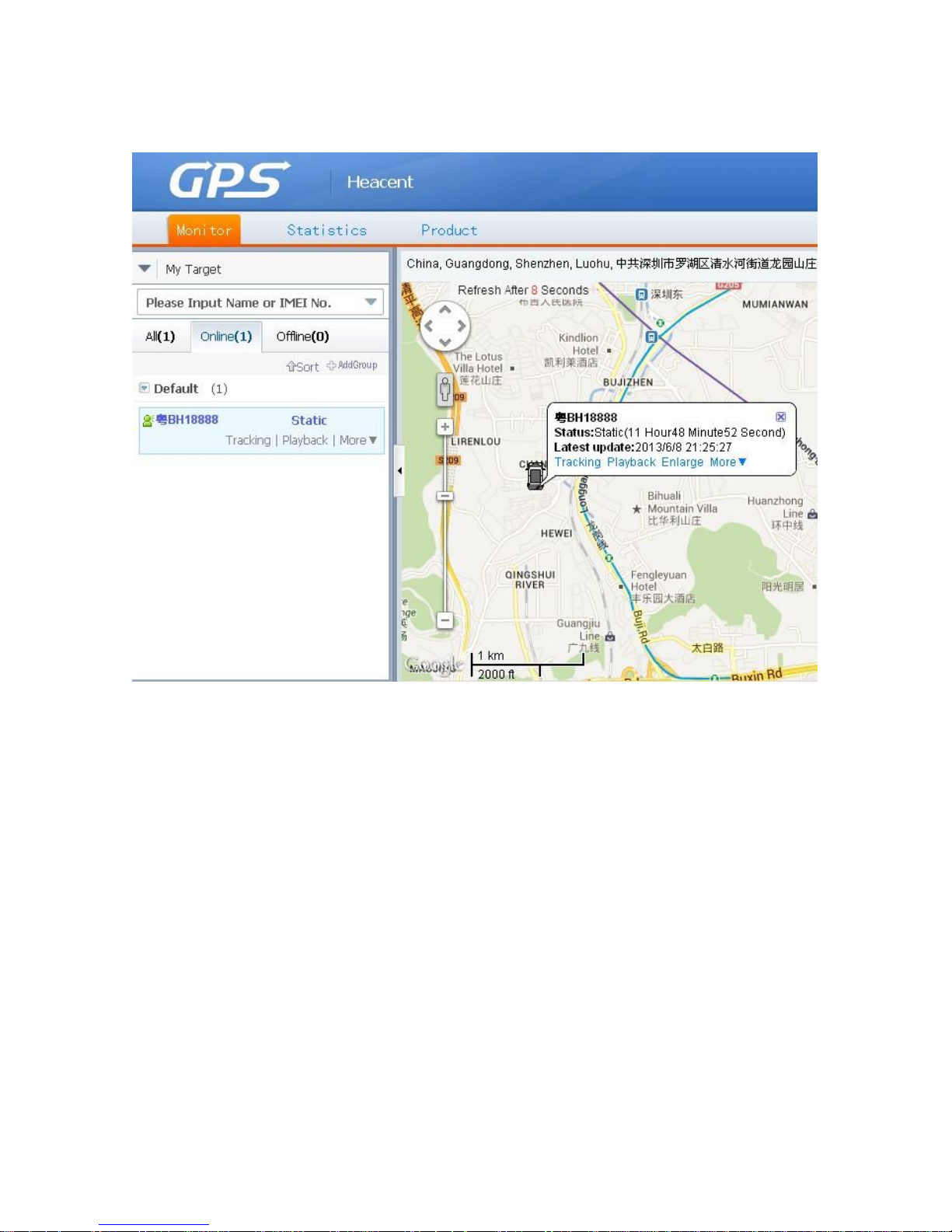
account and password(If you don't have account password please
contact us: [email protected] )
15.5, APP car online
From the CD or www.gpsoo.net download APP file ecarbaidu1.2.2
That is all, you may freely manage your GPS device.
Thank you!
Heacent inc
 Loading...