

Page 1
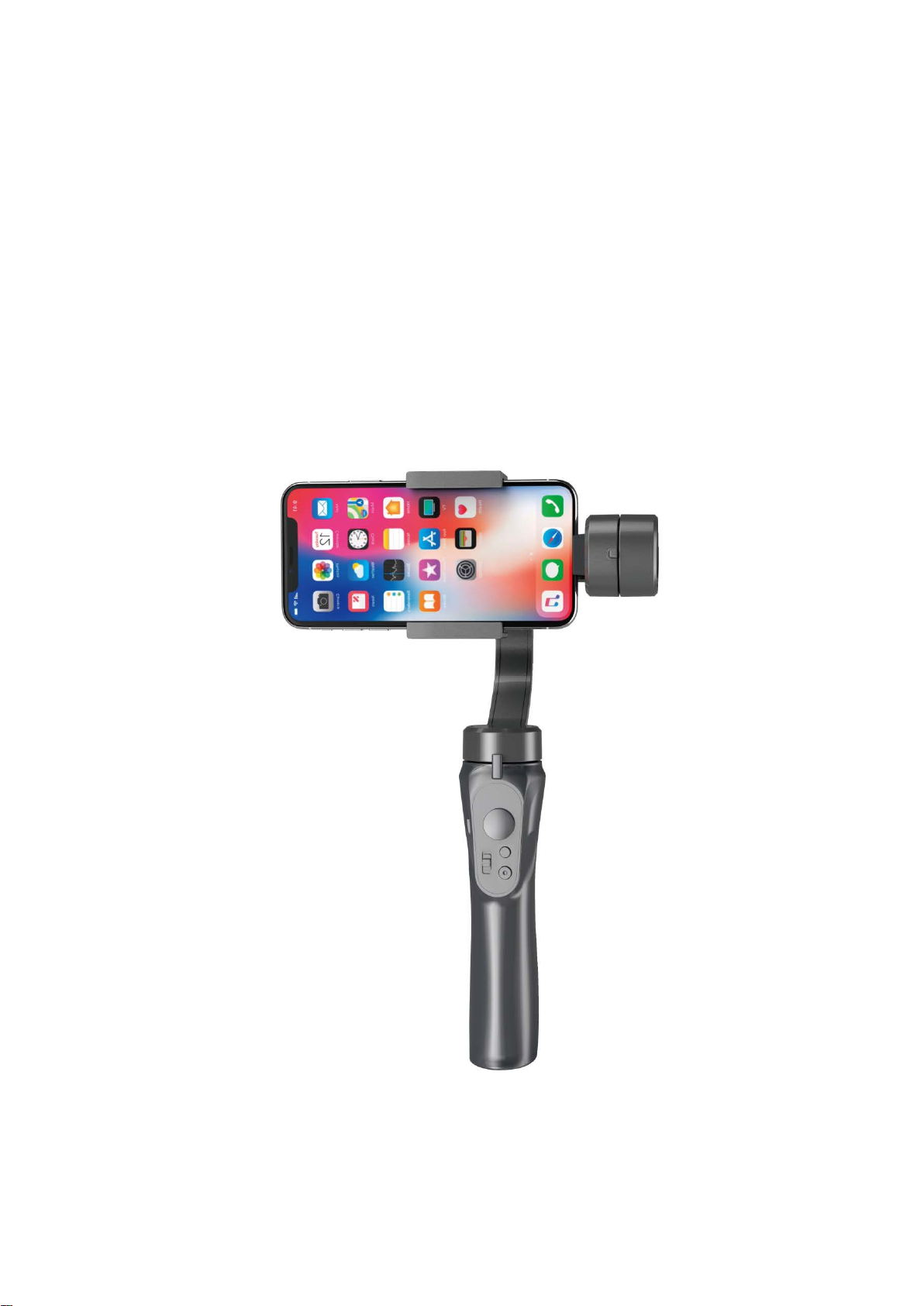
H4 3-Axis Handheld Gimbal
3-Axis Handheld Gimbal, the electric stabilizer for taking photo or taking video.
You can easily make stable video or clear photo by yourself……
Page 2

CONTENTS
一、Packing List…………………………………………… 02
二、Introduction…………………………………………… 02
三、Product Display……………………………………… 03
四、Balance Adjustment………………………………… 06
五、Product Usage……………………………………… 06
六、Specification………………………………………… 08
Any unauthorized use of any user will be prohibited and the user will purchase and use
the product take responsibility for all your actions. For this product, the company does not
bear the end customer to this product the risks and responsibilities of all commissioning and
Warning and disclaimer:
use (including direct, indirect or third party loss).
Page 3
一、Packing List
Item
Product Name
Q’ty 1 Handheld Gimbal
X1
2
USB Cable
X1
3
User Manual
X1
二、Introduction
6 Features
1
Quick Adjustable By Hand
2
Automatic adjustment of up / down / left / right
3
Gestures vertical shooting
4
One-Key Back originatposition
5
Scene mode: Locked mode / Half-follow mode / Full-follow mode
6
USB Charging(Explosion-proof battery)
Page 4
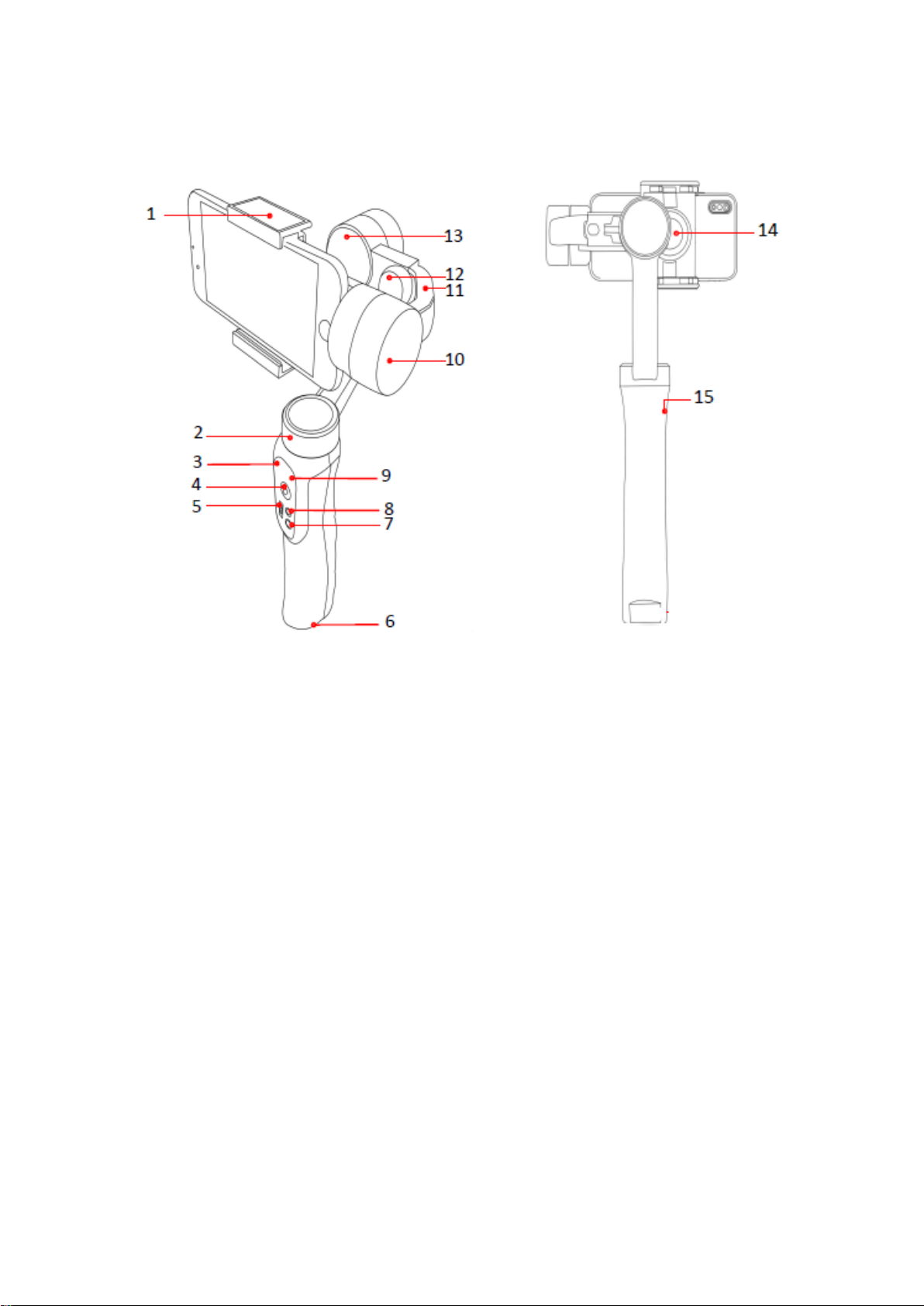
三、Product Display
1
Smartphone Bracket
9
Working status indicator
2
Pan Motor
10
Tilt Motor
3
Charging indicator
11
Balance adjustment arm
4
Joystick
12
Balance Knob
5
Mode switching
13
Roll Motor
6
1/4 Threaded Hole
14
Bracket locking knob
7
Shooting Mode
15
Micro-USB Charging Port
8
Power ON / OFF
Page 5

1. Smartphone Bracket: Holds smartphone steady.
2. Pan Motor: 320° rotation, responsible for the left and right stabilization of the picture.
3. Charging indicator: When charging, red light always on. Fully charged, green light always on.
4. Joystick: Adjust the shooting angle up, down, left or right according to the pushing direction.
5. Mode switching: Locked mode(The camera faces the fixed direction); Half-follow mode(Turn left or right
correspondingly with handle); Full-follow mode(the framing picture follows the direction of rotation of the handle
while following the direction of the handle pitching operation).
6. 1/4 Threaded Hole: Tripod bracket interface.
7. Shooting Mode: Connect Bluetooth in power on state, and click it to control picture shooting and video recording.
8. Power ON / OFF: ①Long press 3 seconds to power on. Long press 3 seconds to power off.
② Double-press the power on key, and the stabilizer returns to the initial setting.
9. Working status indicator:
① Power on: Red and Green flashing.
② Standby: Green light always on.
③ State transition: Green light flashing.
④ Low voltage: Red light flashing.
10. Tilt Motor: 320° rotation, responsible for the up and down stabilization of the picture.
11. Balance adjustment arm: Responsible for balancing the horizontal direction of mobile phone.
12. Balance Knob: Balance bracket position fixed knob.
13. Roll Motor: 320° rotation, Responsible for holding the mobile phone to a vertical position with the handle.
14. Bracket locking knob: Lock mobile phone bracket.
15. Micro-USB Charging Port: Insert Micro-USB cable to charge the stabilizer.
Page 6
四、Balance Adjustment
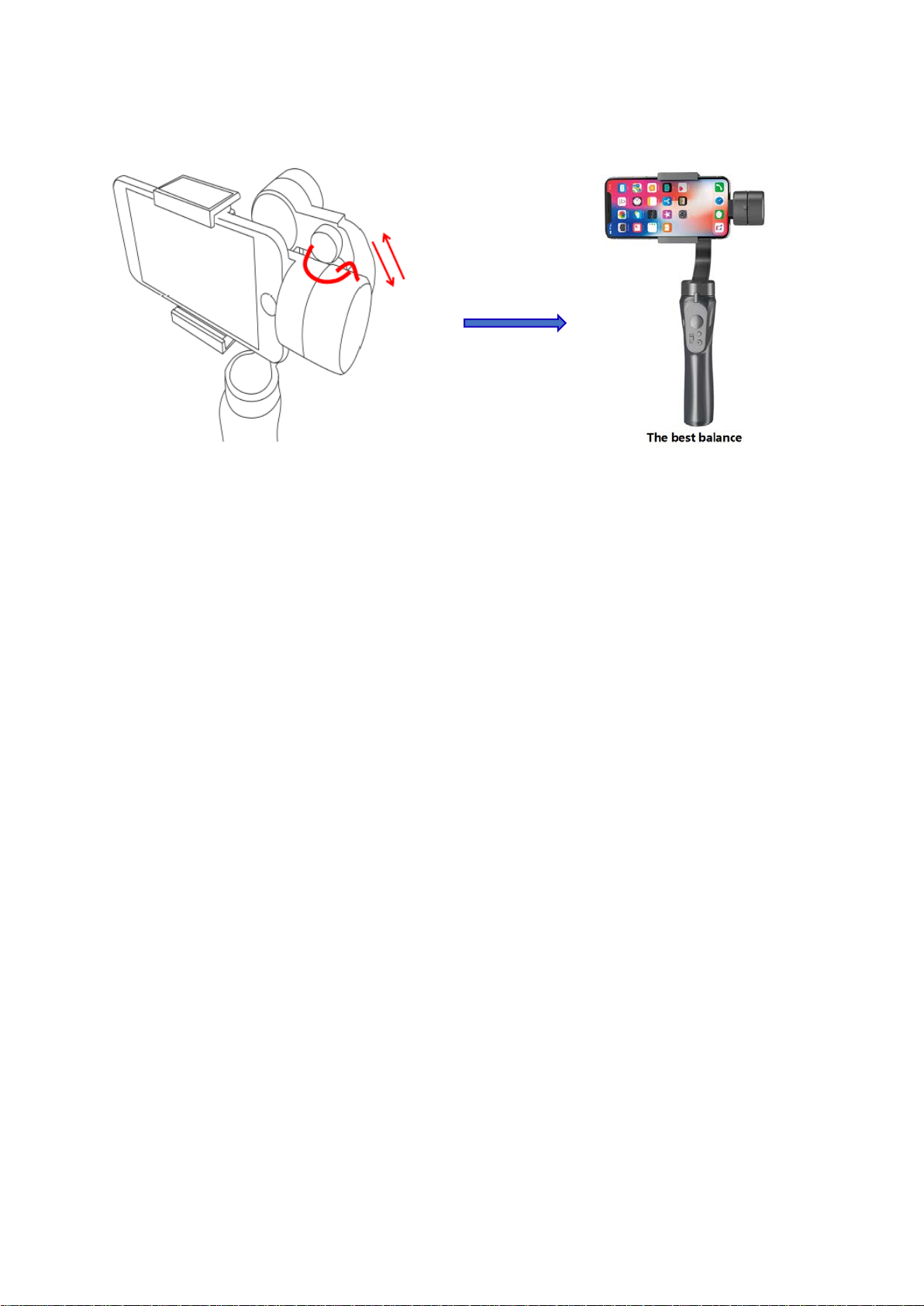
Adjustment methods: Load your phone before loose balance knob and move the balance
adjustment arm. The tilt is balance if the mobile phone remains level when released, then tight the
balance knob.
Notices: Balance adjustment of mobile phone can make stabilizer work more energy-saving. When the balance
deviation of mobile phone is large, the stabilizer can still work, but motors will consume too much electricity. At the
same time, the torsion used to enhance stability also decreases.
五、Product Usage
1. Charge 4 hours to the stabilizer via USB port before use.
2. Refer to the previous mobile phone loading / unloading and adjust the balance.
3. Press and hold 3 seconds, green light display after turn on successfully.
4. Open Bluetooth and search “GP H4” to connect, open mobile camera and press the
MODE button to take pictures/videos.
Notices: 1. Please be sure to load the phone before starting the stabilizer.
2. Samsung Mobile Phone shooting mode Settings: Turn on the cell phone camera, click on the Gear
Settings Icon, set "Press the Volume Key" to Photo/Camera, then press the MODE key of the stabilizer to take
pictures/videos.
Page 7
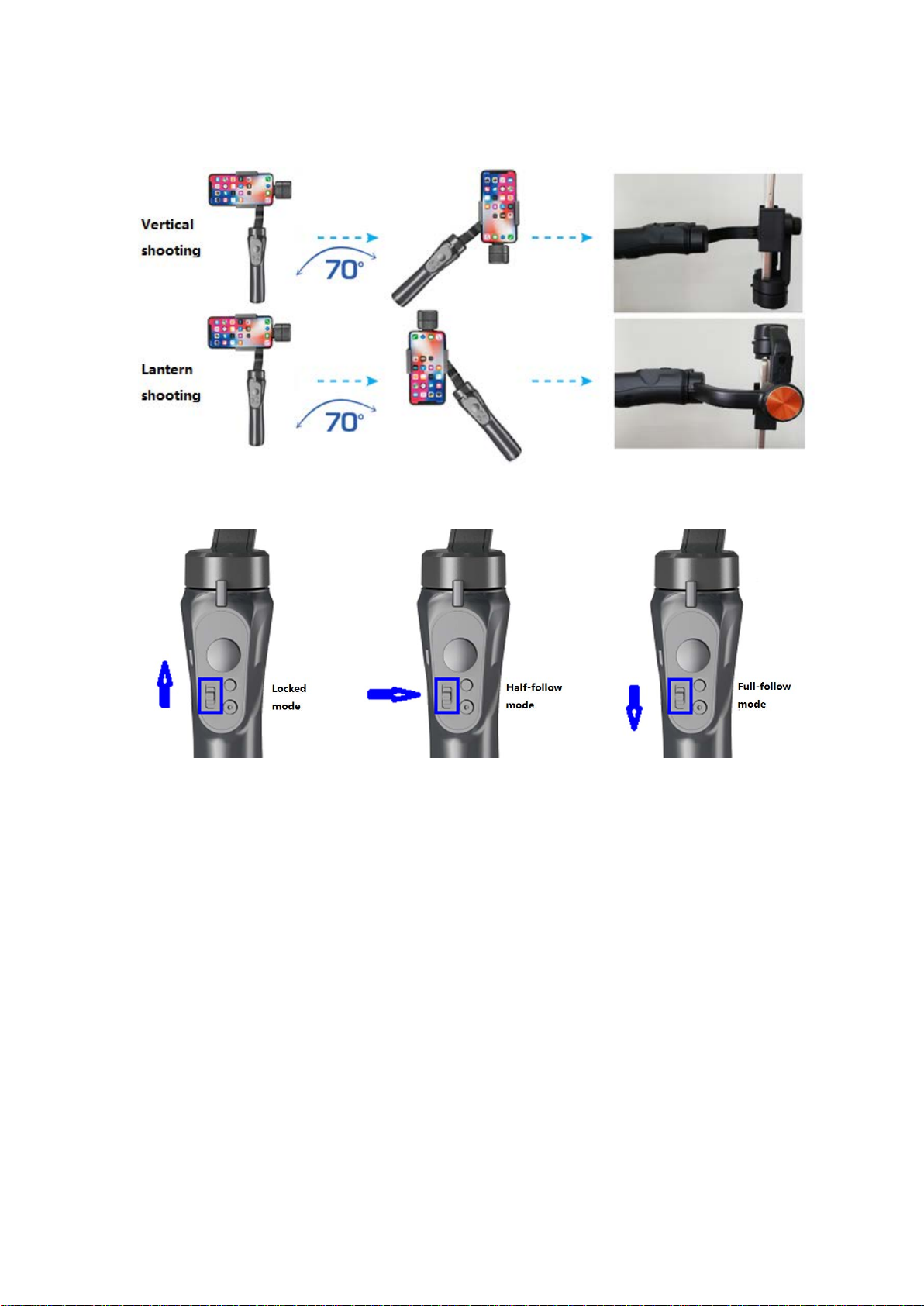
5. Lateral / Vertical shooting mode
6. Shooting mode (based on Framing screen)
①Locked mode(the viewfinder screen does not follow the direction of rotation of the handle,
and maintains a fixed direction): Mode switching switch slides to the top position, which is the
locked mode.
②Half-follow mode(the handheld stabilizer follows the direction of rotation of the handle):
Mode switching switch slides to middle position, which is the half-follow mode.
③Full-follow mode(the framing picture follows the direction of rotation of the handle while
following the direction of the handle pitching operation):Mode switching switch slides to the
bottom position, which is the full-follow mode.
Remark: In the above three modes, users can adjust the direction of the camera by hand or by joystick.
Page 8
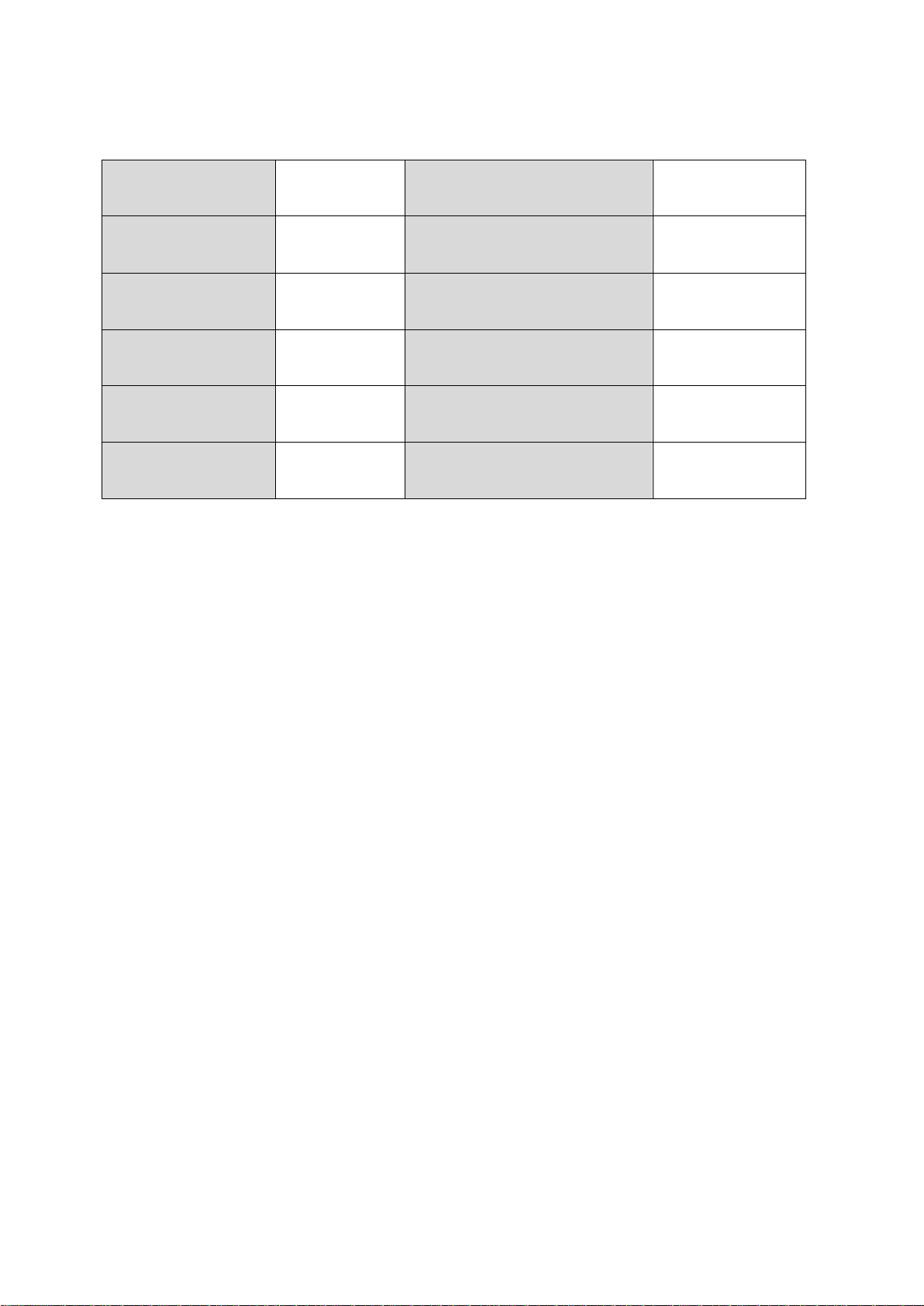
六、Specification
Charging voltage
5V
No.3 Motor (Tilt)
-160°~160°
Charging current
0.8~1A
Battery specification
3.7V 2200mAh
Working voltage
3.4~4.2V
Battery duration
approx. 4H
Working current
0.2A~2A
Working temperature
10℃~45℃
No.1 Motor (Pan)
-160°~160°
Net weight(including battery)
About 390g
No.2 Motor (Roll)
-90°~90°
Product dimension(L/W/H)
291*120*50mm
Page 9

This device complies with part 15 of the FCC Rules. Operation is subject to the following two
conditions: (1) this device may not cause harmful interference, and (2) this device must accept
any interference received, including interference that may cause undesired operation.
Any changes or modifications not expressly approved by the party responsible for compliance
could void the user's authority to operate the equipment.
NOTE: This equipment has been tested and found to comply with the limits for a Class B
digital device, pursuant to Part 15 of the FCC Rules. These limits are designed to provide
reasonable protection against harmful interference in a residential installation. This equipment
generates, uses and can radiate radio frequency energy and, if not installed and used in
accordance with the instructions, may cause harmful interference to radio communications.
However, there is no guarantee that interference will not occur in a particular installation.
If this equipment does cause harmful interference to radio or television reception,
which can be determined by turning the equipment off and on, the user is encouraged to try to
correct the interference by one or more of the following measures:
-- Reorient or relocate the receiving antenna.
-- Increase the separation between the equipment and receiver.
-- Connect the equipment into an outlet on a circuit different
from that to which the receiver is connected.
-- Consult the dealer or an experienced radio/TV technician for help.
The device has been evaluated to meet general RF exposure requirement. The device can be
used in portable exposure condition without restriction
 Loading...