

Page 1

User
User
User
User Manual
30m HDMI Wireless Extender
Manual
Manual
Manual
Enjoy the vivid world
Page 2

Introduction
Introduction
Introduction
Introduction
This HDMI Wireless extender use s Wireless HD technology which enables high-speed, high
performance wireless communication among consumer electronics,computer and mobile devices
. W ork ing in the unc rowd ed 60 GHz frequency band, it is not subject to interference by WiFi sign
als,microwave r adiation, or cordless phon e. I t combine s high bandwidth capacity to robust errorcorrection , to deliver uncompressed HD video, multi-channel surround sound. It supports the hi
ghest resolution up to 1080p@60Hz,and the transmitting distance of wireless can be up t
o 30m.
Features
Features
Features
Features
� Support HDMI 1.4a version
� Support 3D video format
� Support HDCP1. 4
� Support the highest resolution up to 1920 x 1080/60Hz
� Support the highest rate 1. 485 G and TMDS clock up to 1 48.5 Mhz
� Support uncompressed transmission
� W ork ing in the 60 GHz frequency band, it is not subject to interference by WiFi signals, micr
owave r adiation, or cordless phones
� The longest distance can be 30m when the resolution is 1080p
� 5V/1A power adaptor
Specifications:
Specifications:
Specifications:
Specifications:
HDMI version …………………………………………………… .. … .... …………… .. HDMI 1.4a
HDMI resolution ……………………………… .. ……… .. ……… ..... .. … up to 1920 x 1080/60Hz
Support audio format ……………… .. … . …… . … .DTS-HD/Dolby-trueHD/DTS/Dolby-AC3/DSD
Max bandwidth ………………………………………… .. ………………………………… . 148.5 MHz
Max baud rate ……………… . …… . …… . … .. ………… . .... ……………………………… ..1. 485 Gbps
Input cable distance. ……………… ..... … .(1080p resolution) ≤ 8m AWG26 HDMI standard cable
Output cable distance ………………… . … (1080p resolution) ≤ 8m AWG26 HDMI standard cable
Page 3
Max working current ………………………………………………… ... …………………… .....650m A
Power adapter format ……………… .. … .input AC (50H z , 60H z ) 100V-240V; output: DC5V/1A
Operating Temperature range …………… ... …………… .. …………… . …………… (-15 ℃ to +55 ℃ )
Dimension (L x W x H) ……………… ............... .... ………………………… ...... …… . 85x55x12 (mm)
Weight …… . … .. …………………………………… ..... ………………… .. …… . …………………… 80 g
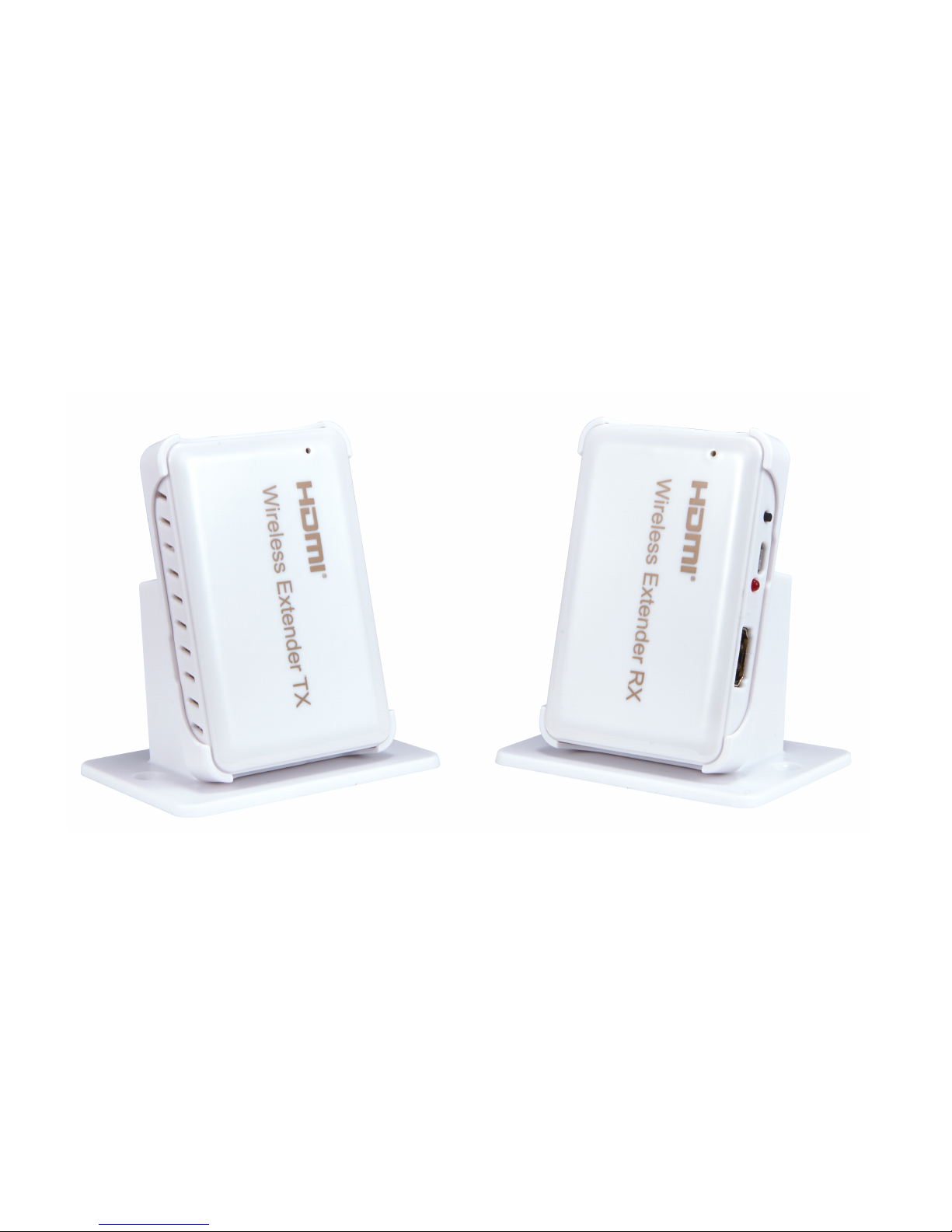
Product
Product
Product
Product picture
picture
picture
picture
:
Product
Product
Product
Product interface
interface
interface
interface picture:
picture:
picture:
picture:
Page 4
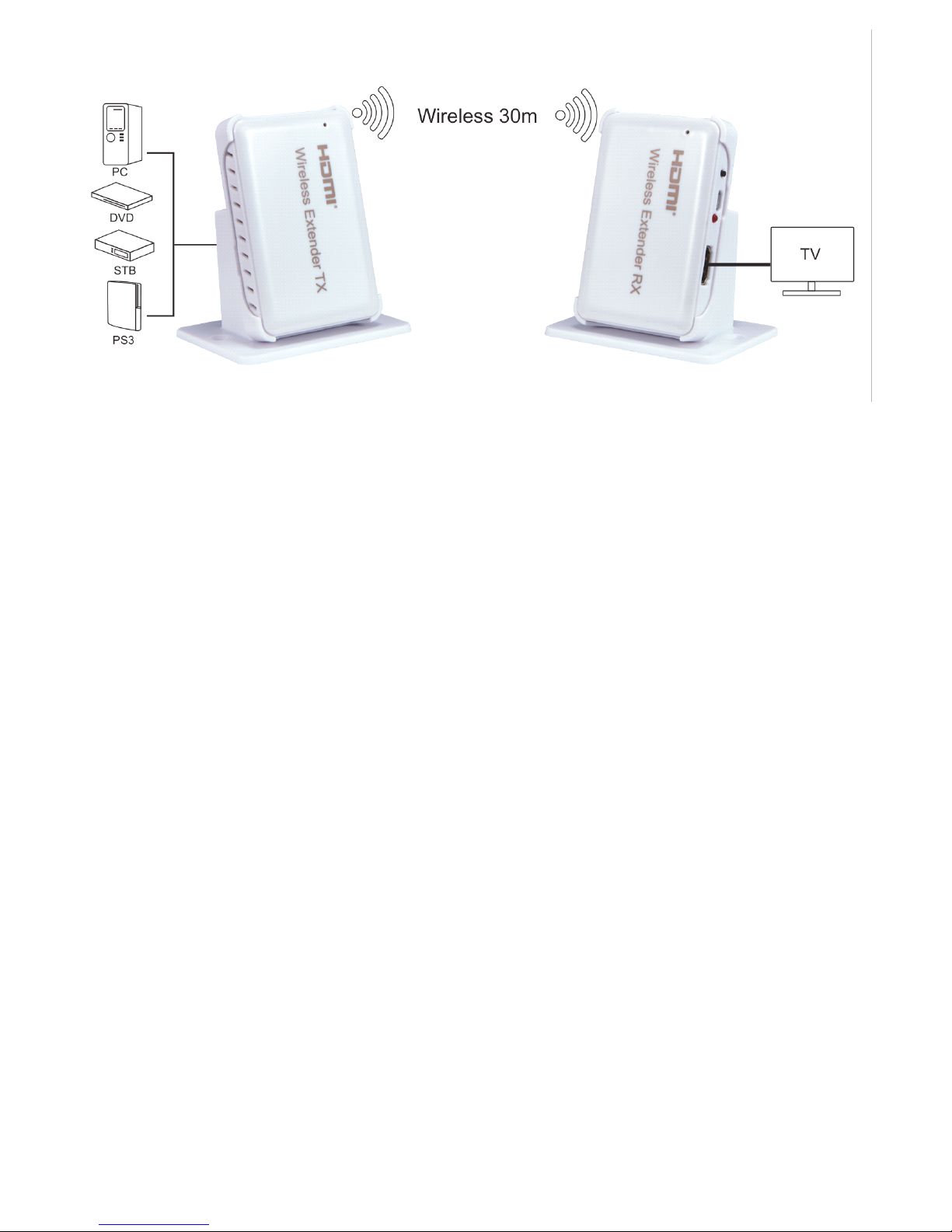
Connection
Connection
Connection
Connection and
1: Connect the HD source to the input of the wireless extender T X with 1 hdmi cable
2: Connect the output of the wireless extender RX to the di s plays with 1 hdmi cable
3: Connect 5V/1A power adapter to the TX and RX .
4. Reset button: it ’ s a r eset key for system r eset , you can press the button for about 10
seconds to restore factory Settings
Note:
Note:
Note:
Note:
1. It works in the uncongested 60 GHz frequency band, pls don ’ t put obstacles between the TX
and RX to give play to the best performance.
2. TX and RX should be matched to use, when you make the TX and RX to restore factory
setting, it will complete matching automatically.
and
and
and Operation
Operation
Operation
Operation :
:
:
:
Package
Package
Package
Package include
1. HDMI Transmitter & HDMI Receiver
2. Power adapter
3. User manual
include
include
include :
:
:
:
 Loading...