

Page 1

VIDEO CONVERTER
interlacing.
t your monitor change into flicker free display. Flicker free display is good display. It also
top box etc. And made your monitor be like
USER’S MANUAL
AV TO VGA Converter
Use display device in stead of monitor, consumedly save the cost of monitoring.
Introduction of Production
It can change the interlacing signals of s-video of video into VGA signals nonLe
can be connected to VCD/DVD/Webcam/setdigital TV.
1:Input/Output
Page 2
Input: 1xAV, 1xS-Video, 1xVGA
Output:1xVGA
2:Output resolution
800X600@60Hz, 800X600@75Hz, 1024X768@60Hz, 1280X1024@60Hz, 1440X900@60Hz,
1680X1050@60Hz, 1920X1080@60Hz, 1920X1200@60Hz
3:Input format
AV/S-Video Input: Auto-Detect PAL, NTSC, SECAM
VGA Input: BYPASS
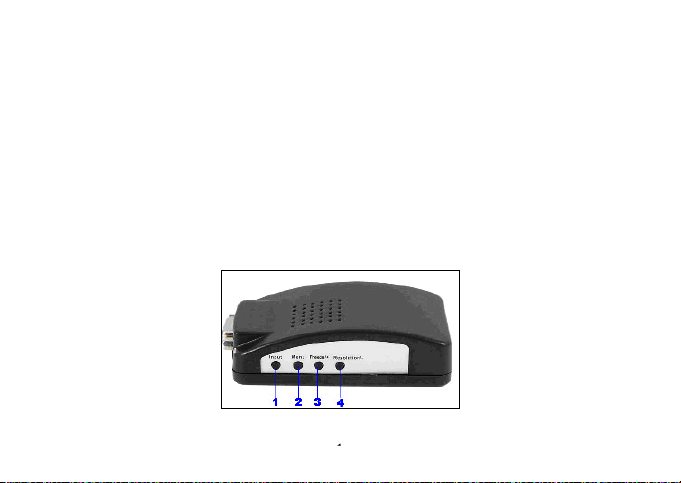
4:Key
Page 3
Name Description
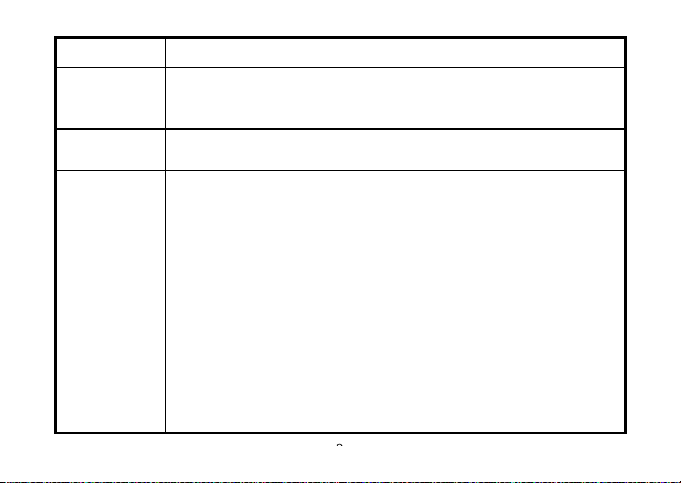
(1)Input
(2)Menu Menu: Brightness, Contrast, Sharpness, Saturation, Tint, HP(Horizontal
(3)Freeze/+
(4)Resolution/-
Input selection: AV(CVBS)>>SV(S_VIDEO)>>VGA>>AV(CVBS)
Note: Reset feature: Press the Input key and power on the set will reset all
the setting.
position), VP(Vertical position)
If the menu is displayed on the screen, e.g. Brightness,
Contrast, Sharpness, Saturation, Tint, HP(Horizontal position), VP(Vertical
position):
"Freeze/+" works as "+", such as increase the Brightness, shift the horizontal
position.
"Resolution/-" works as "-", such as decrease the Brightness, etc.
- If no menu is displayed on the screen:
"Freeze/+" works as "Freeze"
"Resolution/-" works as "Resolution Selection" for 800X600@60Hz 、
800X600@75Hz、1024X768@60Hz、1280X1024@60Hz、1440X900@60Hz、
1680X1050@60Hz、1920X1080@60Hz、1920X1200@60Hz
Page 4
Note:Press the Resolution/- will change the output resolution from 800X600
to 1920X1200. If the resolution is too high and your monitor doesn't support
it, please keep on press this key to change the resolution to a lower format.
Also, you can press the Input key and power on the set will reset all the
setting
Features:
1:Supports PAL/NTSC/SECAM
2:Output resolution: up to 1920X1200
3:Brightness, Contrast, Sharpness, Saturation, Tint, HP(Horizontal position), VP(Vertical
position)
4:OSD
5:Freeze
6:Digital comb filter, no more cross color
7:3D motion adaptive de-interlacing
Page 5
8:Standard VGA output works with all standard monitor
Name
Description
9:Industry-level design
(size: 110X56X36mm)
10:5V/1A AC-DC adapter
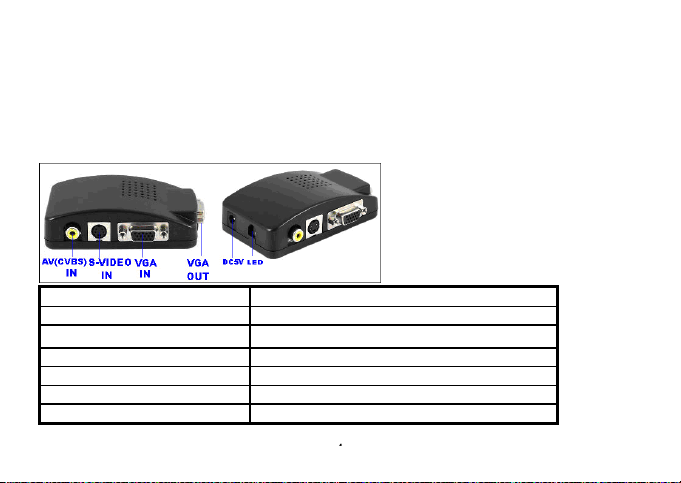
VGA Out VGA output for monitor
AV(CVBS) In or BNC CVBS or BNC input for DVD, camera, etc.
S-VIDEO In S-video for DVD, camera, etc.
VGA In VGA input for PC
DC 5V 5V/1A AC-DC adapter
LED LED
Page 6
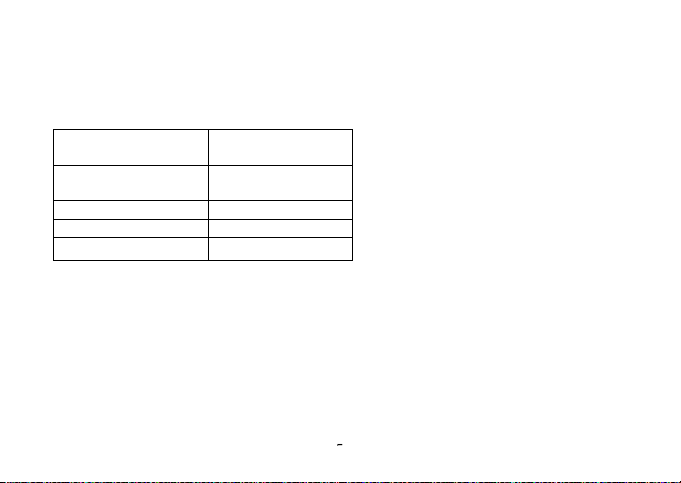
Accessories
AV to VGA
converter
5V/1A AC-DC
adapter
AV cable 1 PCS
S-VIDEO cable 1 PCS
User's Manual 1 PCS
1 PCS
1 PCS
Page 7
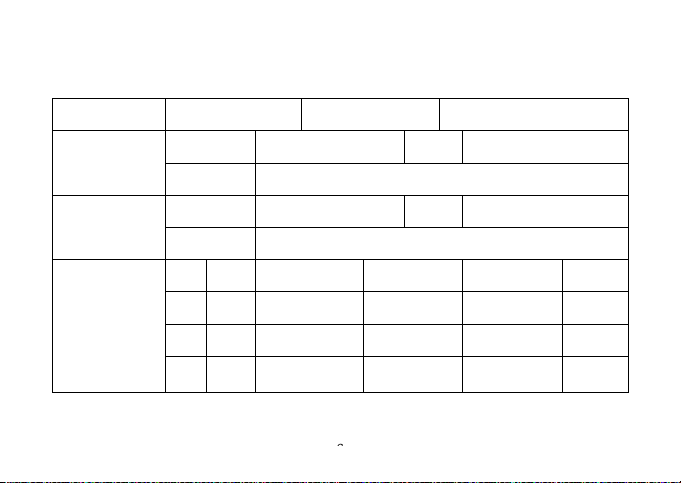
Product Warranty information
Model Purchase Date
Distributor
Information
User
Information
Maintenance
Records
Distributor TEL
Address
User TEL
Address
Descriptions Causes Repaired By Date
1
2
3
 Loading...