

Page 1
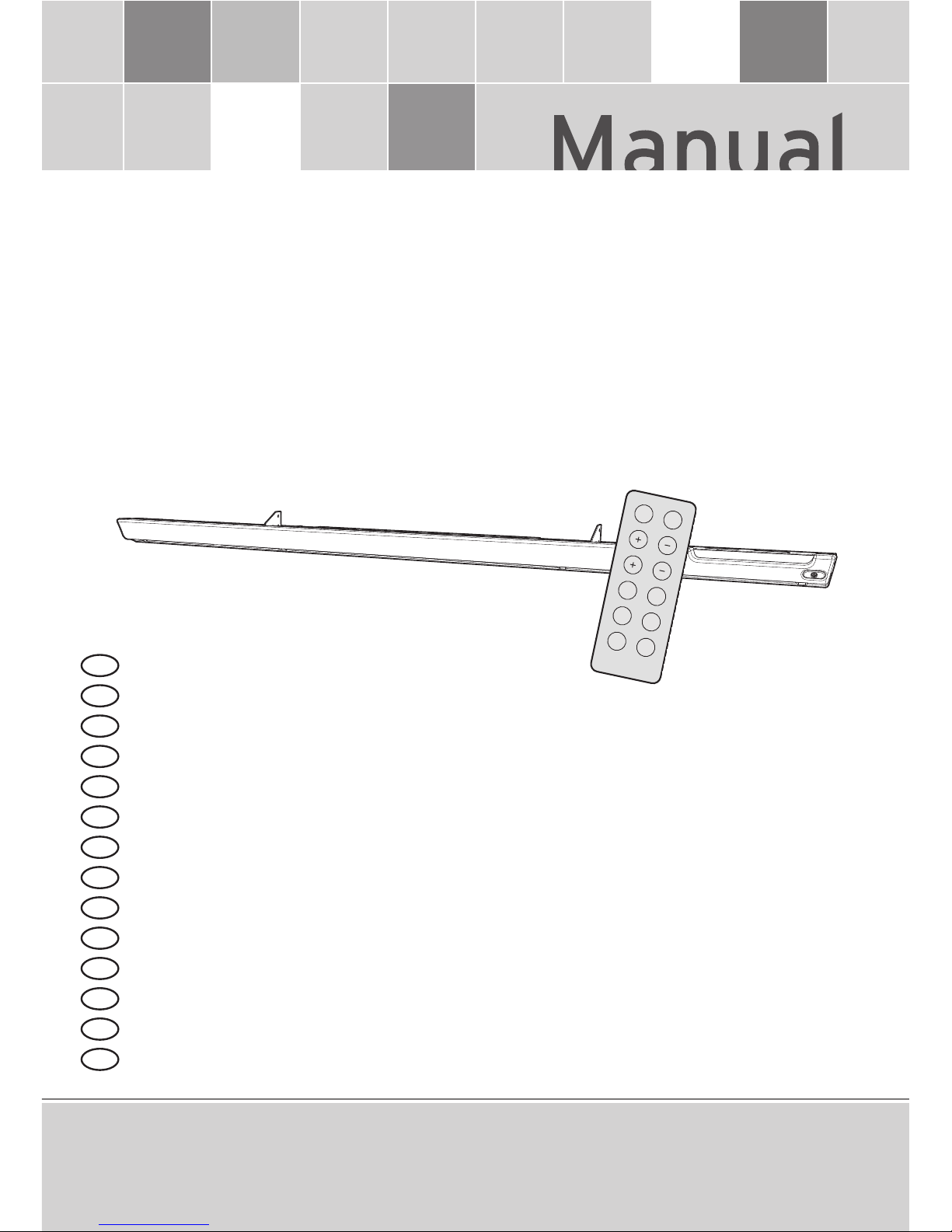
Decoshield
ITA
FRA
NLD
DEU
ENG
SPA
CES
POL
HUN
RUS
DNK
FIN
NOR
SWE
Owner’s manual
Anleitung
Handleiding
Mode d’emploi
Instruzioni per l’uso
Modo de empleo
Návod k obsluze
Instrukcja obsługi
Használati útmutató
Руководство
Brugermanual
Käyttöohjeet
Eierens håndbok
Ägarens handbok
Colormixing
RC-100
ON/OFF LOCK
P1 FADE
P2 P3
P4 P5
SPEED
BRIGHTNESS
Page 2

2
Headquarters
Hapro International
P.O.Box 73
4420 AC Kapelle
The Netherlands
Tel.: +31(0)113-362362
Fax.: +31(0)113-362399
Office Germany
Hapro Deutschland GmbH
Südring 30
56412 Ruppach-Goldhausen
Germany
Tel: +49 (0)2602 – 9400-0
Fax: +49 (0)2602 – 940049
Page 3
3
Colormixing
RC-100
ON/OFF LOCK
P1 FADE
P2 P3
P4 P5
SPEED
BRIGHTNESS
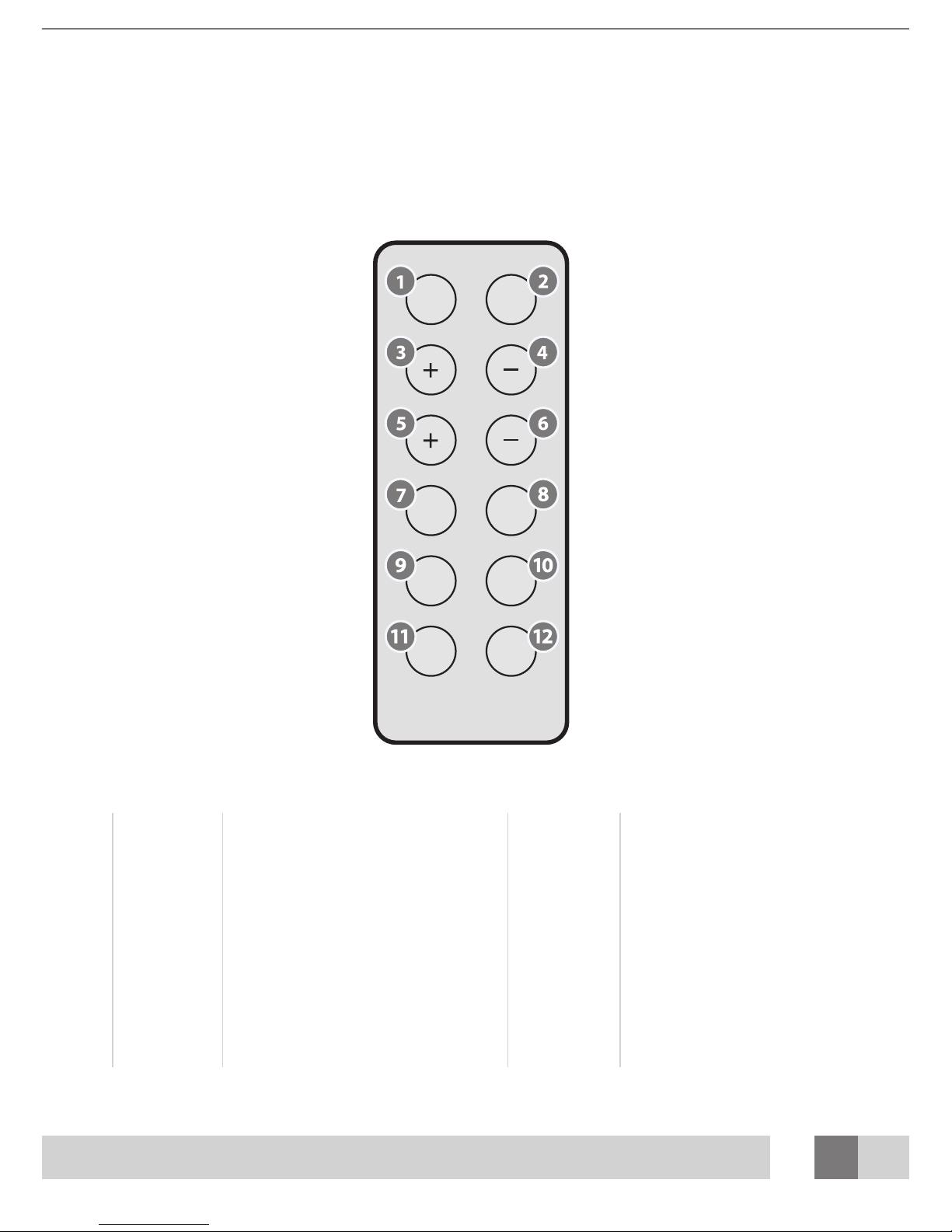
1 On/ O 7 Color program 1
2 Lock 8 Fade
3 Speed + 9 Color program 2
4 Speed - 10 Color program 3
5 Brightness + 11 Color program 4
6 Brightness - 12 Color program 5
Operation
General:
Page 4
4
Controle functions
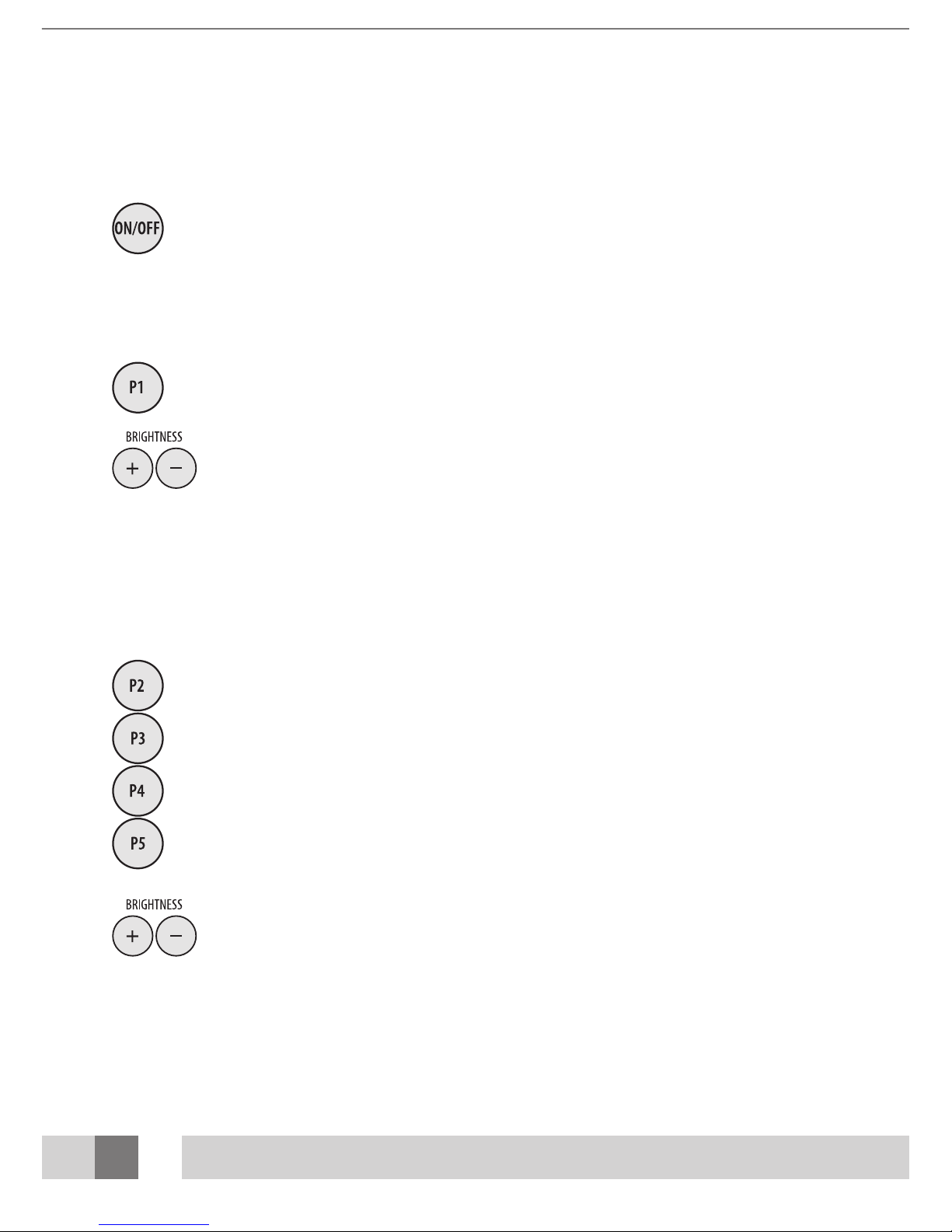
Press button [1] to switch the power o or on.
Selecting static colors
Press button [7] and select one of the following static colors:
Red, yellow, yellow/green, green, cyan, blue, purple and white.
Switch between colors by pressing button [7] again.
When [5] or [6] is pressed, the brightness changes.
Selecting a color program
Select a color program by pressing button [ 9], [10], [11] or [12]. The color changes, shifting through the
chosen color program.
[9] color sequence: red, yellow, green, cyan, blue, purple
[10] color sequence: purple, red, white, blue, purple, white, yellow, green, white
[11] color sequence: red, green, blue
[12] color sequence: red, o, green, o, blue, o
When [5] or [6] is pressed, the brightness changes.
Page 5

5
Starting a smooth color change
If color program P2, P3, P4 or P5 is selected, press button [8] to start a smooth colorchange. Press button [8] again to switch back to rapid transition mode.
Changing transition speed
If color program P2- P5 is selected, press button [5] or [6] to change the transition speed.
Locking a color
To lock a specic color from program P2-P5, press button [2]. Press button [2] again to
unlock the color. The smooth color-change or rapid transition mode starts again.
Note:
Locked colors (P2-P5) cannot be stored when the power is switched o. When the power is
switched on, the last selected program starts automatically.
Page 6
6
1
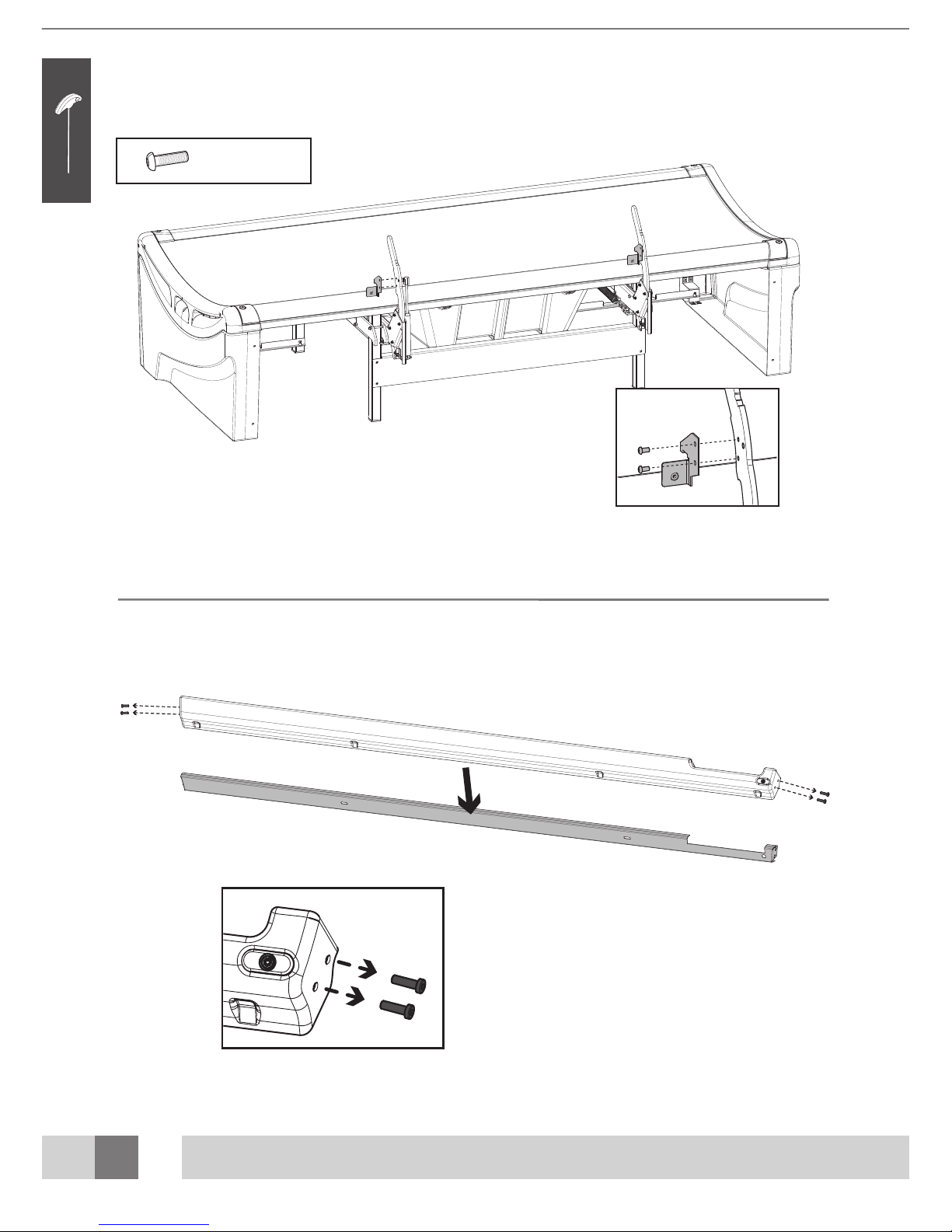
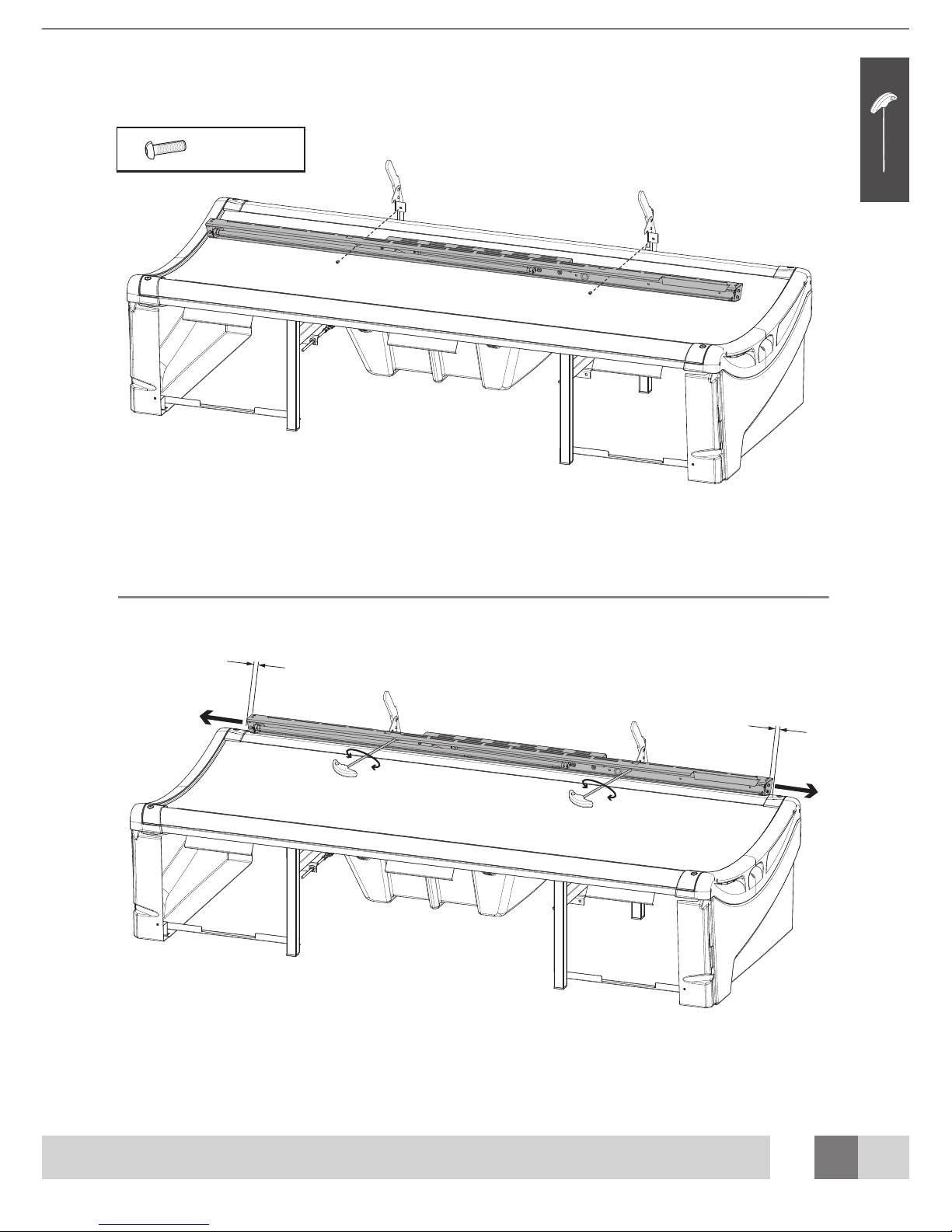
4 x M6 x 12
2
Page 7
7
3
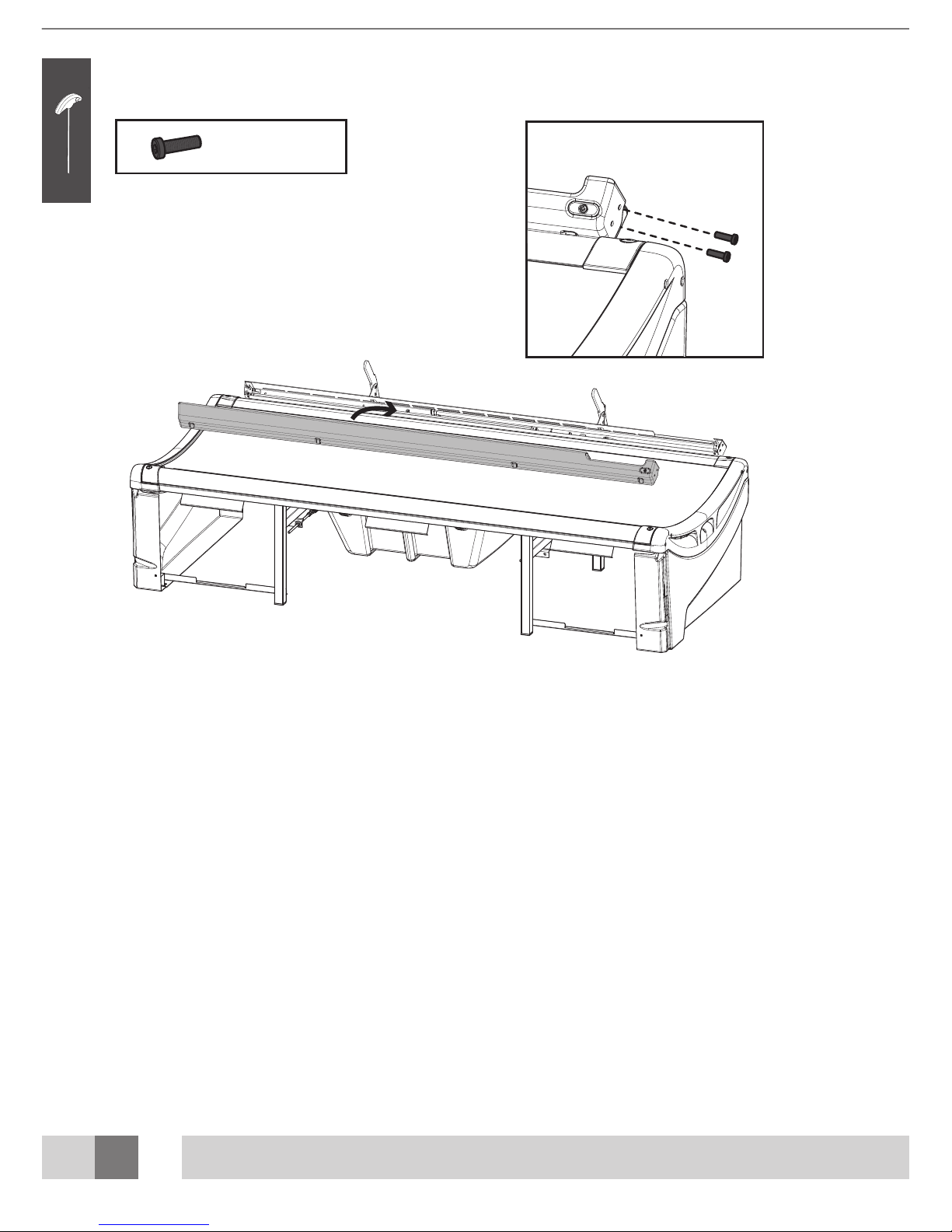
2 x M6 x 12
4
Page 8
8
1
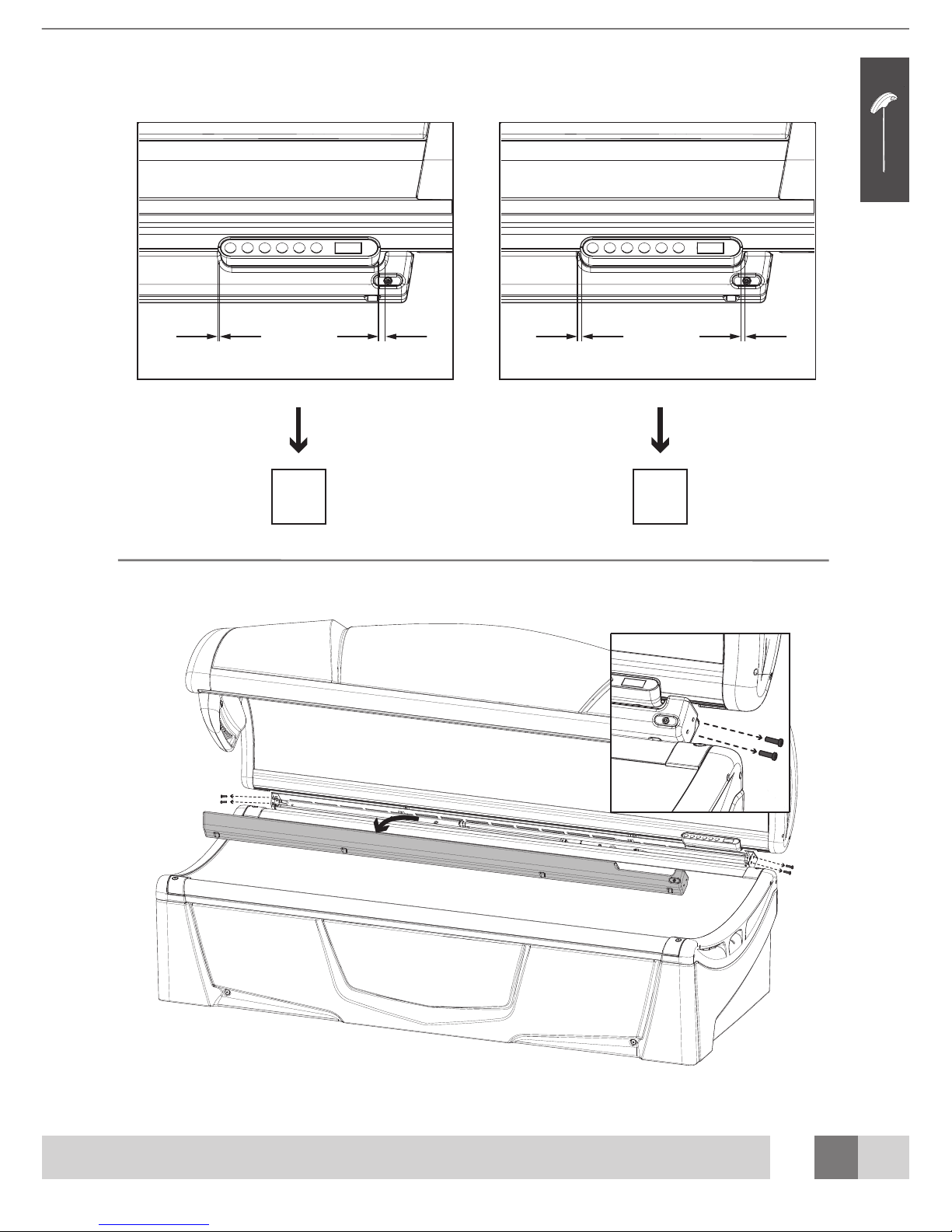
4 x M6 x 20
2
5
Page 9
9
6
? ?
7 10
7
2
1
Page 10
10
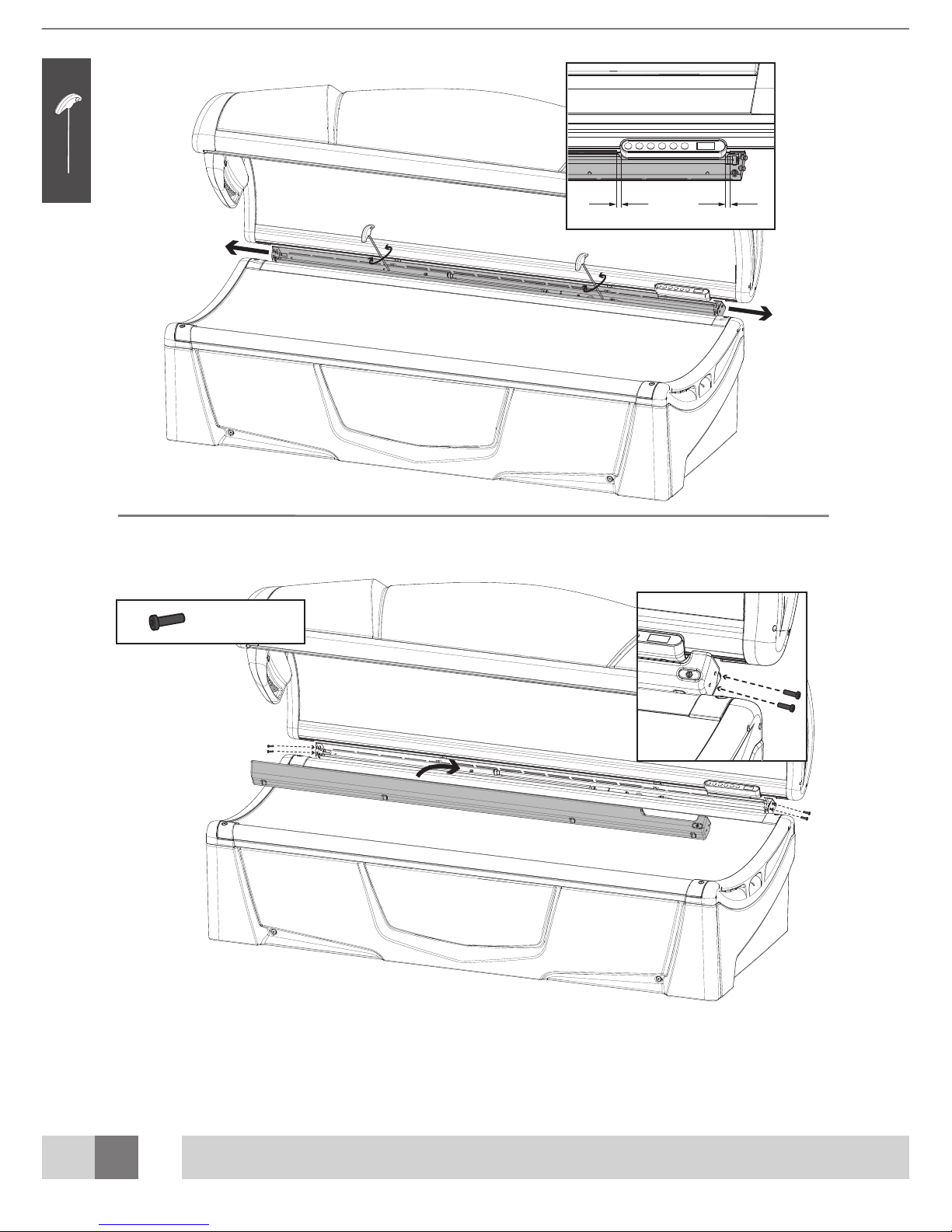
4 x M6 x 20
1
2
8
9
Page 11
11
10
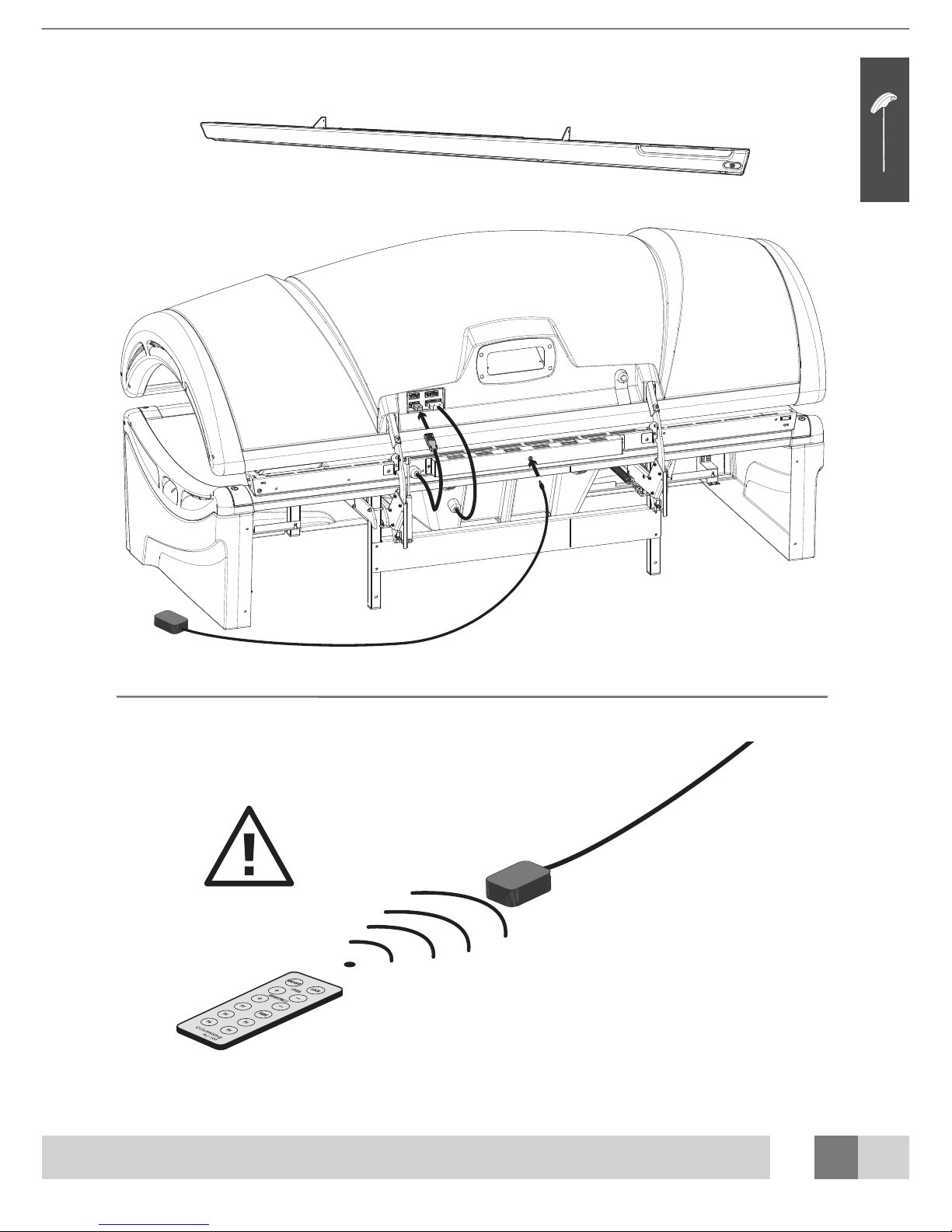
22850 Decoshield plus
Page 12

a VDL Company
www.hapro.com
©2009 Hapro International, 21591 rev.02
 Loading...