

Page 1
In this instruction of material, the specification or parts within the accessories bag is for
reference only. The company will not be responsible for any change of printed part and
notify the consumers. Any update or change please refer to the website of SYMA
(www.symatoys.com).
REMOTE CONTROL HELICOPTER
Page 2
Low-voltage protection: When the helicopter battery is low, the helicopter control system
battery will be protected, and stop the supply of helicopter rotor; low power protection,
the need to charge to secure a new flight of the helicopter.
Overcurrent protection: When the helicopter blades in the rotating state by collision or
jammed, the helicopter circuit overcurrent protection.
1. Please recheck the ground, keep away from the crowds, animals and other barriers.
2. Turn the remote control on, after a while, the LEDs will be flashing. Push the motive handle must
be pushed to the maximum control route of travel first, then adjust it to the lowest; When the
remote control LEDs keep lighting, it means the helicopter is going to fly.
3.Open remote control power switch, then the remote status light was flashing and accompanied by
the rhythmic sound, and then push up the up / down variable speed joystick to the top, then its
back to the most low-end; the status of the remote controlThe indicator is lit and the sound stopped,
the remote control to enter the preparatory off state.
4. Push the motive handle slowly, then the helicopter will fly up.
Page 3
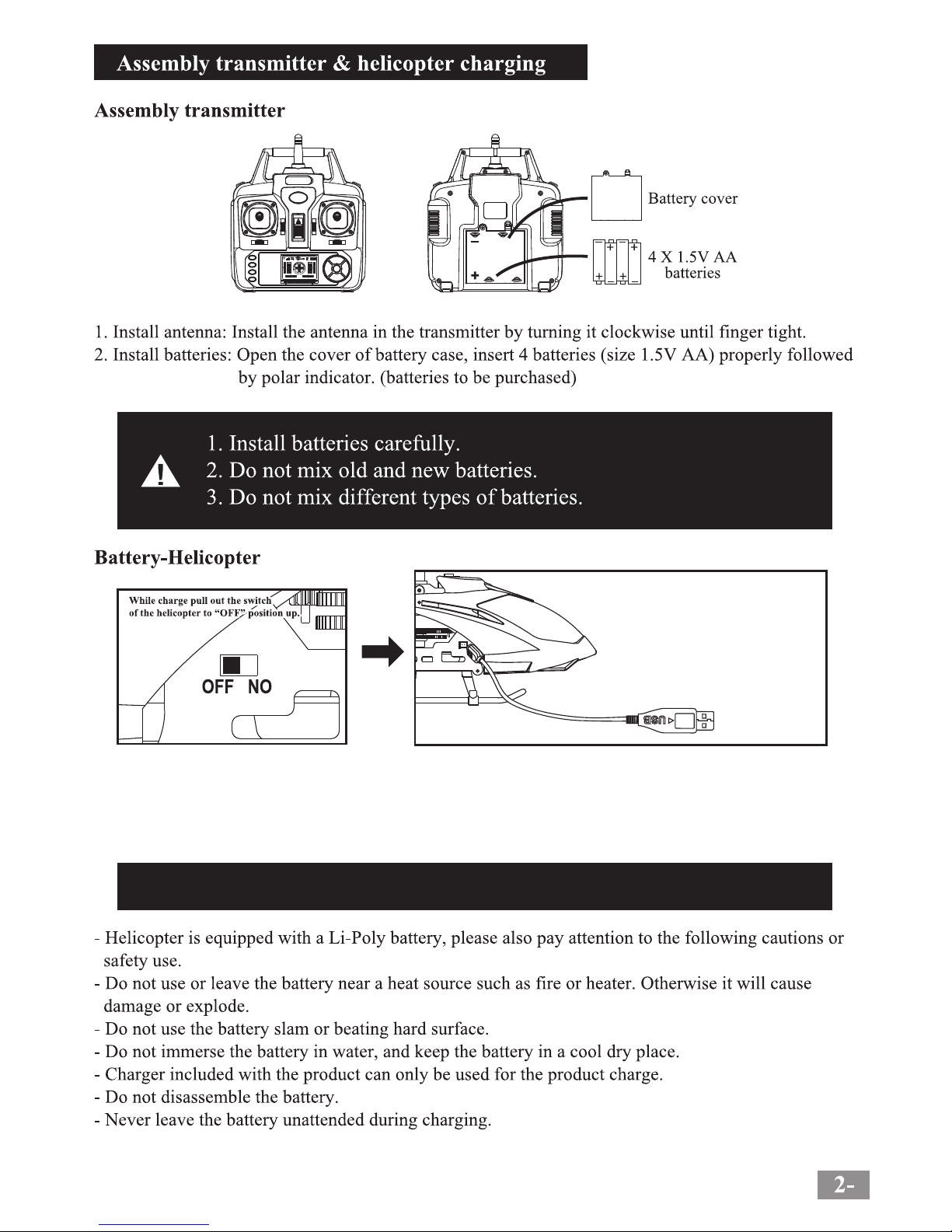
Charging time: can be 60~90 minutes flying about 6 minutes!
电池
PC USB
First turn off the power switch of the helicopter, "USB cable charging plug to the charging port is
connected to the helicopter, and then" USB cable " The USB end into the USB port of a PC computer
to charge or connect the USB power adapter for charging (USB power adapter sold separately);
charging, USB line indicator lights switch off automatically after charging is completed ; charging
time is 60-90 minutes.
Page 4
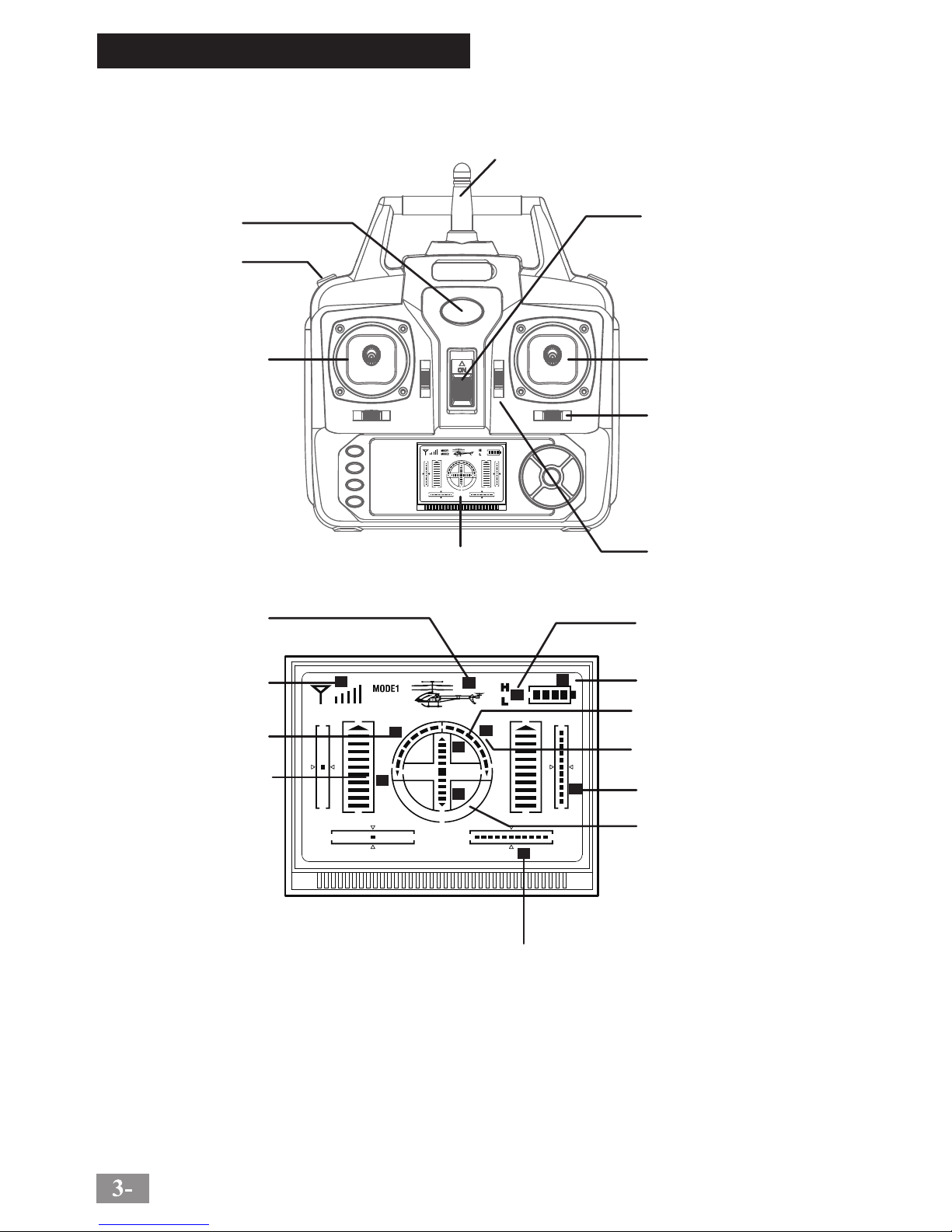
Remote Control Keypad and LCD Manual
1
2
3
4
5
6
7
8
9
10
11
12
13
14
15
16
17
18
5
1
2
3
4
5
6
7
8
9
10
11
1 36
Antenna
Power Indicator
H/L Speed Switch
Left Function Lever
(Throttle Lever)
Power On/Off
Right Function Lever
(Direction Lever)
Turn Lft/Right Fine-tuning
Tail Blade Fine-tuning
LCD Manual
Helicopter shows
(Power-on display)
Signal Shows
(Normal to full case)
Turn Left Shows
(Power-on without display)
Throttle shows
(Power-on start in middle)
H/L Speed Shows
(Changed by "H/L Speed Switch")
Battery Indicator(According to
the power of batteries)
Forward Shows(Power-on start
in the centering)
Turn Right Shows(Power-on without
display)
Tail Blade Fine-tuning(Power-on
start in middle)
Backward Shows(Power-on
without display)
Turn Left/Right Fine-tuning Shows
(Power-on start in centering)
Page 5
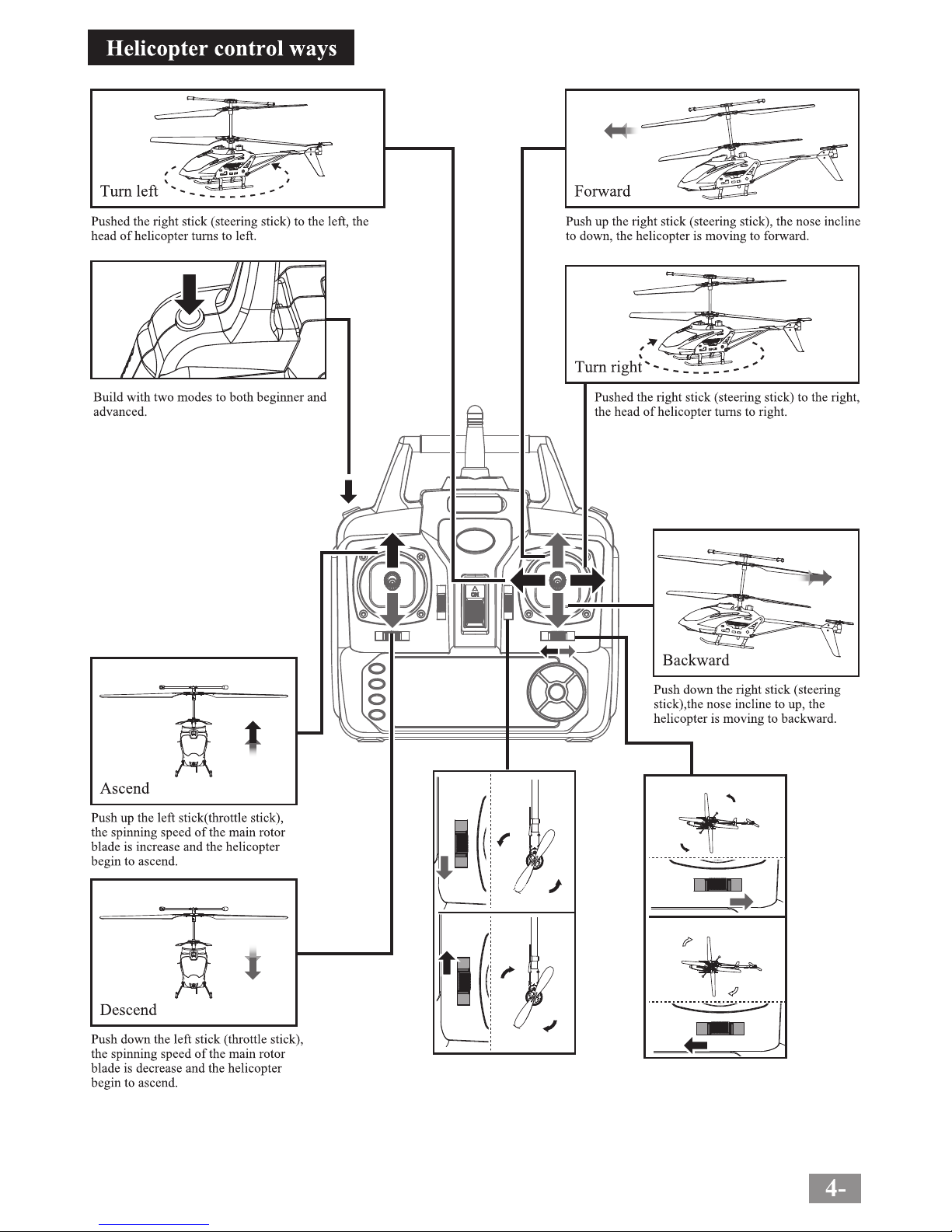
Rotates
Anticlockwise
Rotates
Anticlockwise
Rotates Anticlockwise
Rotates
Clockwise
Rotates Clockwise
In hovering,when the tail
blade rotates clockwise
anticlockwise,please use
this button for fine-tuning
as figure shows.
When the helicopter lose
hovering with automatic
anticlockwise/clockwise
rotation,please use the
right/left inching switch
yo keep balance.
1.Beginner mode (the default setings
low speed)
2.Advanced mode:Press the button
on top left of controller, enter or
exit from the mode. Advanced
mode high speed brings more
pleasure to you
H/L Speed Switch
Page 6
Page 7
Page 8
Transmitter
Problem Cause Check this
No reaction
from the
helicopter
1. Not enough power for the helicoper.
2. Not enough power for the controller.
3. The channel was different from helicopter and the
controller.
4. The gyro of the helicopter can't find out the right
point.
1. the remote control are running low.
2. antenna Weld.
1. replace the remote control batteries.
2. antenna re-welding.
Not reaction
from the
helicopter
when was fly
S32-01A
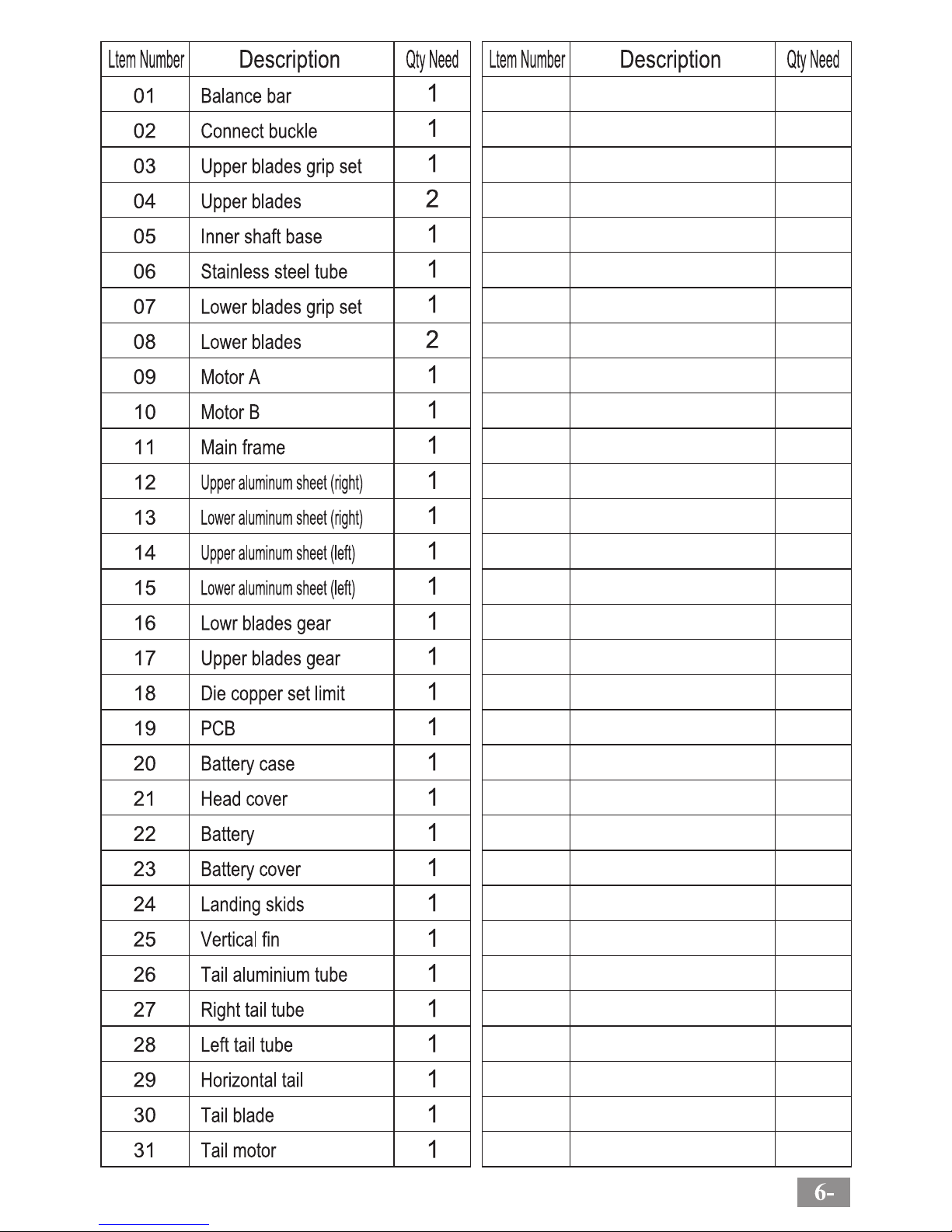
Head cover A
S32-01B
Head cover B
S32-01C
Head cover C
S32-02A
Tail decoration A
S32-02B
Tail decoration B
S32-02C
Tail decoration C
S32-05B
Connect buckle
S32-11
Tail components
S32-13A
S32-17
Motor A
S32-13B
Motor B
S32-14
3.7V Li-Poly
S32-15
Circuit board
S32-16
USB Charger
S32-12A S32-12B
Tail hold tube
S32-12C
Metal frame set
S32-12D
Main shaft
S32-06
Ascend and descend
S32-07
Gear A B
S32-10A
Battery case
S32-10B
Motor cover
S32-03A
Main blades
S32-03B
Tail blade
S32-04
Main frame
S32-05A
Balance bar
1. helicopter for charging.
2. replace the remote control batteries.
3. Close the remote control and the aircraft power
supply, re-code.
4.The helicopter flat on the ground, re-open the helicopter
power until the helicopter gyro re-tested.
 Loading...