

Page 1
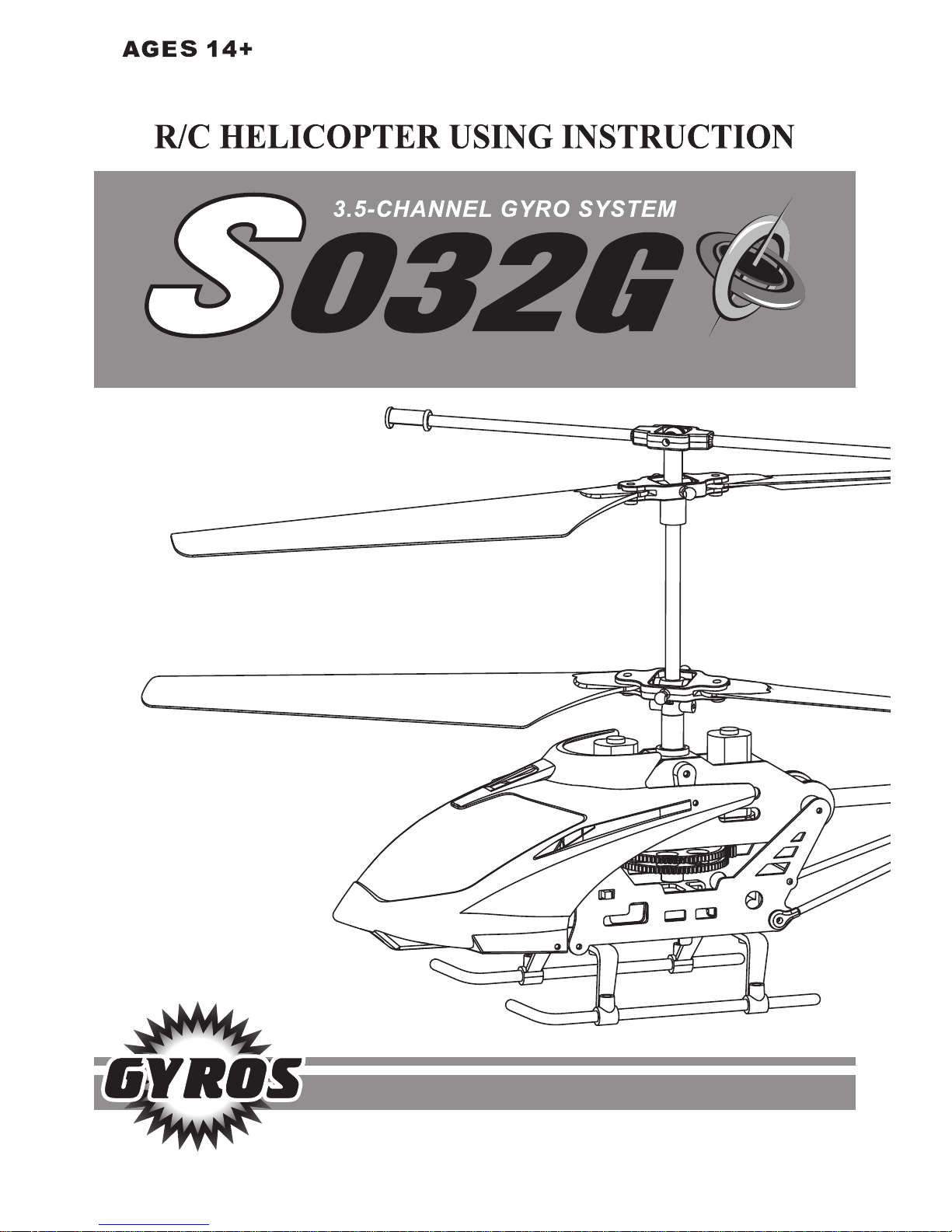
REMOTE CONTROL HELICOPTER
Please read these instructions carefully before using the helicopter.
Page 2
Safety Instructions
Ready to fly
1. Please keep the helicopter and the box away from small children.
2. Please keep a safe distance from high speed rotating propellers to avoid injury.
3. First time users should be gentle with the throttle to avoid crashing the helicopter or
any potential injuries.
4. When finished flying, please turn off first the remote controller then the helicopter.
5. Please keep the charging battery away from fire and humidity.
6. Do not fly the helicopter near pets, young children, elderly and disabled people.
7. Non rechargeable batteries are not to be charged; Different types of batteries or new and
used batteries are not to be mixed; Batteries are to be inserted with correct polarity;
Exhausted batteries are to be removed from the product. The supply terminals are not to
be short circuited
8. When not in use, please turn off the power of controller and helicopter. When the
helicopter is not in use for a long period of time, remove the batteries from remote
controller.
1. Fly in a clear open space, outdoor, away from any people, pets and obstacles.
2. Turn helicopter power switch “ON”. The helicopter lights will flash. It will search the
signal from controller.
3. Turn the remote controller “ON”. The indicator light will flash. Push the left control
throttle up and down. The indicator light will be constant.
4. Push the left control throttle up slowly and start to fly.
Low power protection
Instructions for care and maintenance
When the helicopter’s battery is low, the system will cut-off the power to avoid excessive
discharge. This will reduce any damage to the battery.
1. Please clean the helicopter and controller with a clean soft cloth.
2. Store the helicopter in a dry, clean place. Keep the box for storage.
3. Inspect the helicopter before use. Do not use if any parts are damaged or broken.
Page 3
Battery Installation & Charging
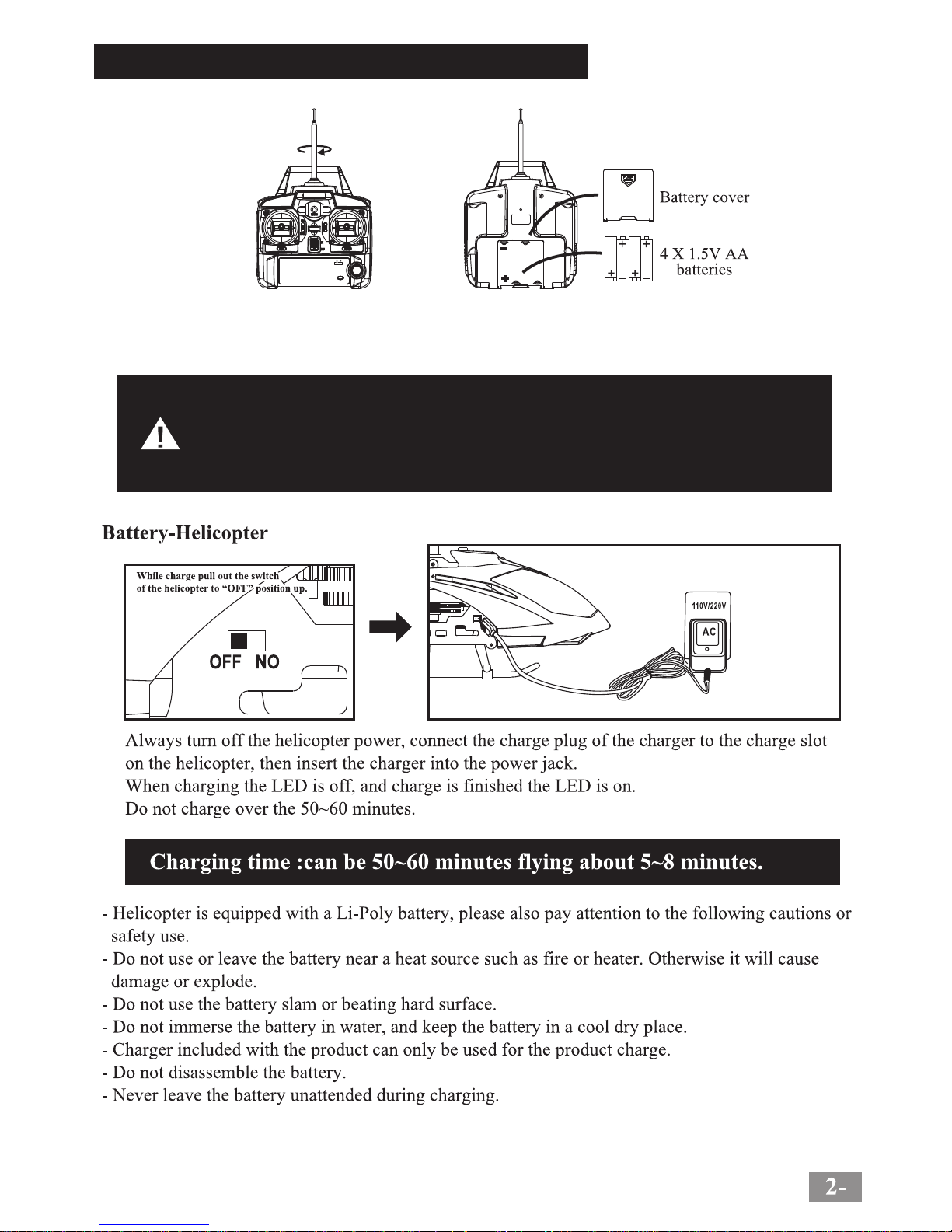
Battery Installation in the remote controller
Different types of batteries or new and used batteries are not to be mixed;
Batteries are to be inserted with correct polarity;
Exhausted batteries are to be removed from the product;
The supply terminals are not to be short circuited.
Battery Installation in the remote controller
1. Use a crosshead screw driver to remove the controller battery cover. Insert 4 batteries
(size AA, 1.5V) observing the correct polarity indicated in the compartment. Replace the
battery cover and secure the screw.
Page 4
Flying your helicopter
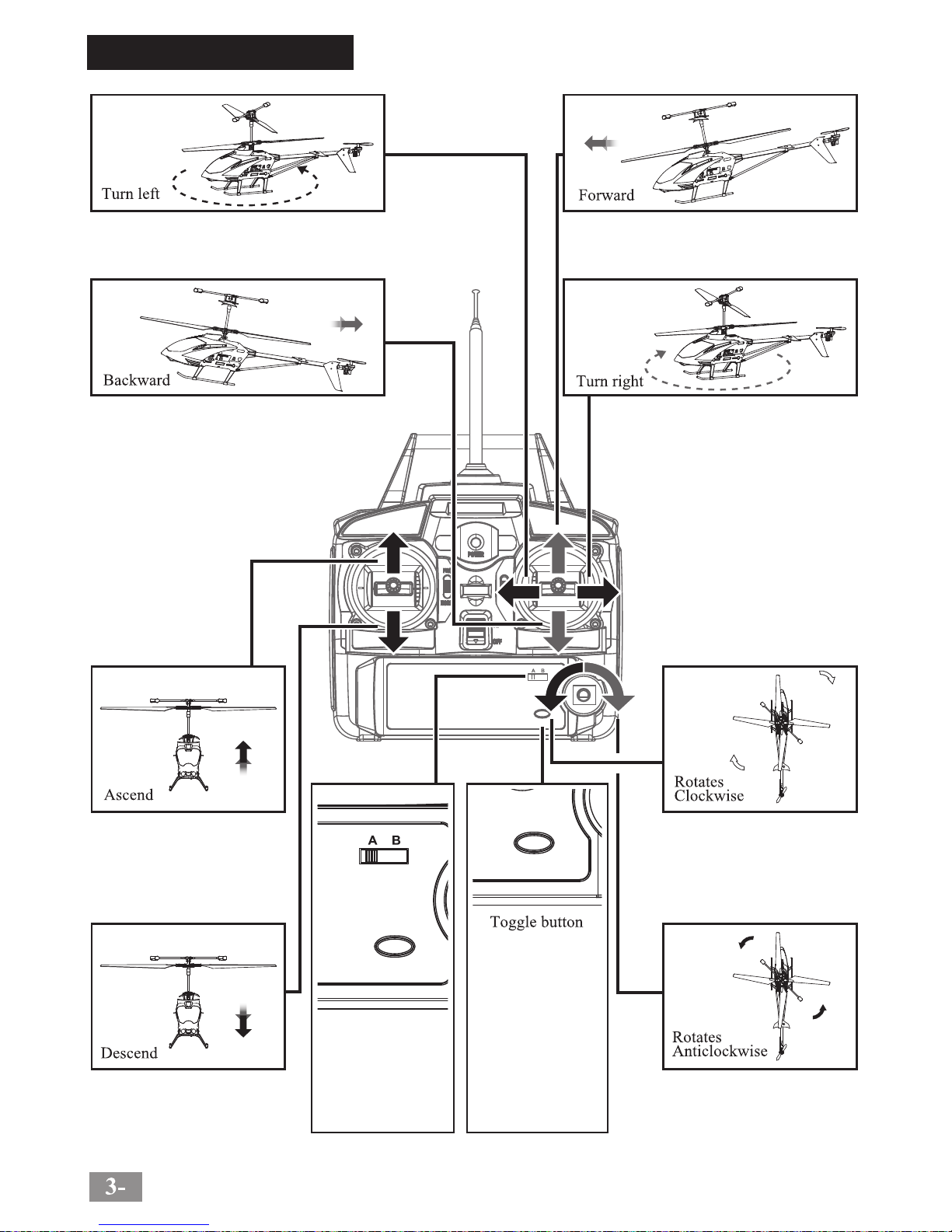
When the right control lever (steering rudder) is
pushed up, the helicopter will move forward.
When the right control lever (steering rudder) is
pushed down, the helicopter will move backward.
If the helicopter is turning
excessively clockwise, rotate this
calibration button anticlockwise
until the helicopter is balanced.
If the helicopter is turning
excessively anticlockwise, rotate
this calibration button clockwise
until the helicopter is balanced.
The helicopter has
two flight modes:
slow (default mode)
and fast. Press the
switch to change
between modes.
A-B Frequency switch:
Two helicopter can be
used in the same area,
by using two different
frequencies.
Push the rudder stick toward right to
turn clockwise
Push the rudder stick toward left to
turn counter clockwise.
When you pull down the left
stick(throttle) the speed of the
main rotor blade will decrease
and the helicopter will go down.
When you push up the left
stick(throttle) the speed of the
main rotor blade will increase
and the helicopter will go up.
Page 5
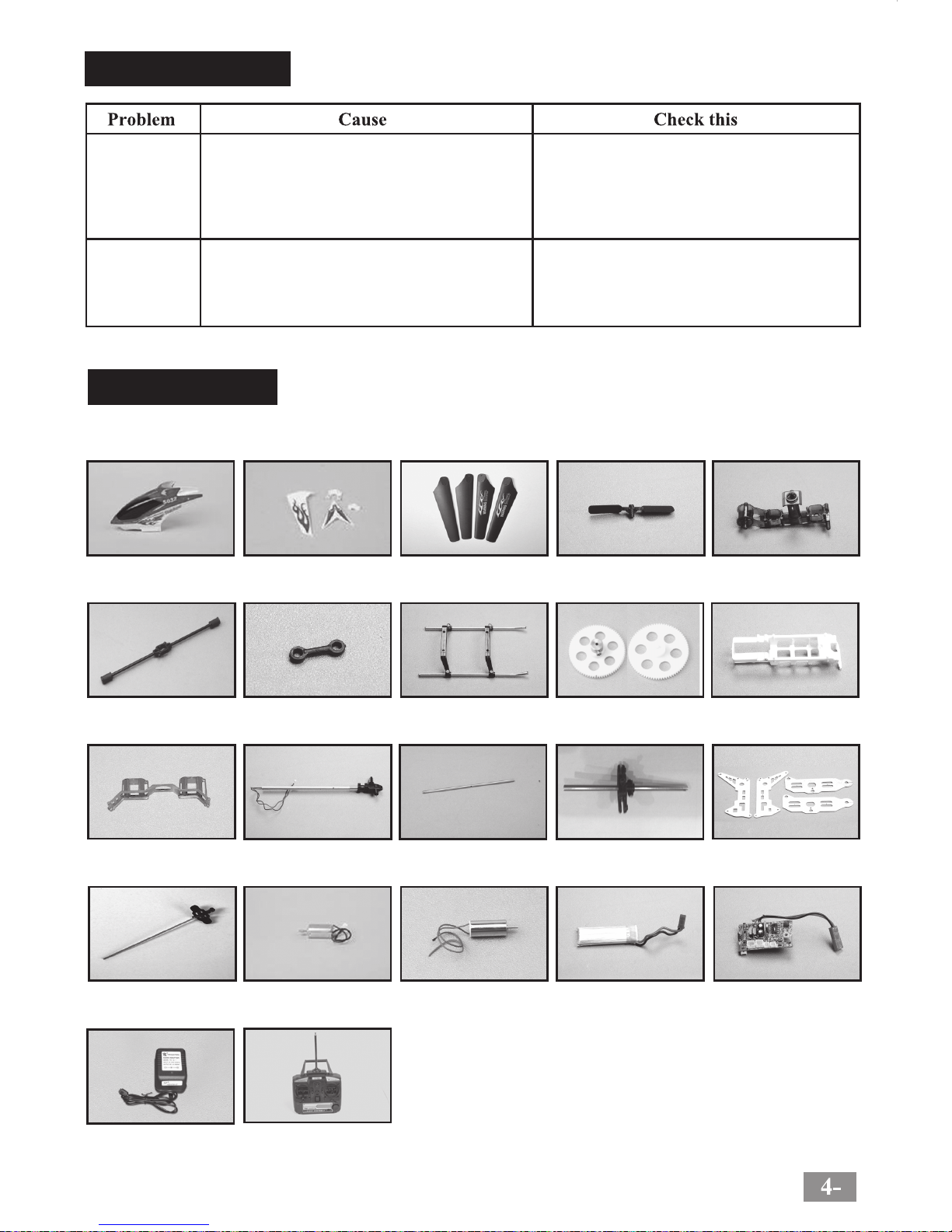
S032G-01
Head cover
S032G-02
Tail decoration
S032G-03A
Main blades
S032G-03B
Tail blade
S032G-04
Main frame
S032G-05A
Balance bar
S032G-05B
Connect buckle
S032G-06
Ascend and descend
S032G-07
Gear A B
S032G-10A
Battery case
S032G-10B
Motor cover
S032G-12D
Main shaft
S032G-13A
Motor A
S032G-13B
Motor B
S032G-14
3.7V Li-Poly
S032G-15
Circuit board
S032G-16 S032G-17
S032G-11
Tail components
S032G-12A
Tail hold tube
Bottom blades connectors
S032G-12C
Metal frame set
S032G-12B
Troubleshooting
No reaction from
the helicopter
No reaction from
the helicopter
when in flight
1. Not enough power for the helicopter.
2. Not enough power for the controller.
3. The channel is different from helicopter and the
controller.
4. The gyro of the helicopter can’t find out the right
point.
1. Charge the helicopter battery
2. Install new batteries in controller
3. Make sure the same channel is used for the
helicopter and the controller.
4. Move the helicopter onto a flat surface, and then
turn it on. Then turn on the controller
Change frequency or use the helicopter out of the
range of other RC helicopters.
Have the same frequency remote control
transmitter.
Spare parts
All the spare parts below can be bought from local distributor.
Charging
Transmitter
Page 6
Page 7
Page 8

 Loading...