

Page 1
GIRC
User Guide
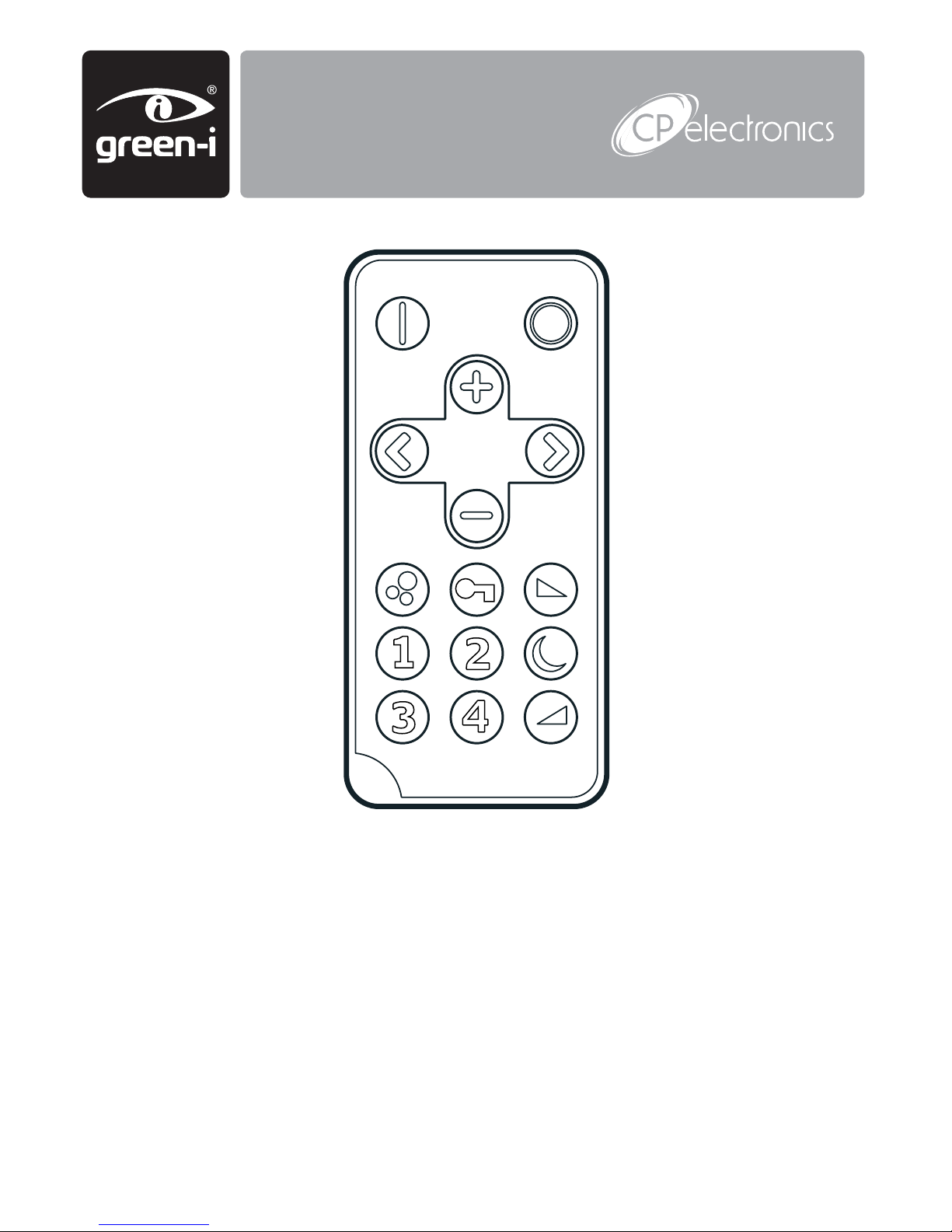
green-i remote control handset
For use with green-i switches to enable
the following modes:
• Manual dimming and brightening
• Security mode
• Night light mode
• Scene setting and fade speed adjustment
Page 2
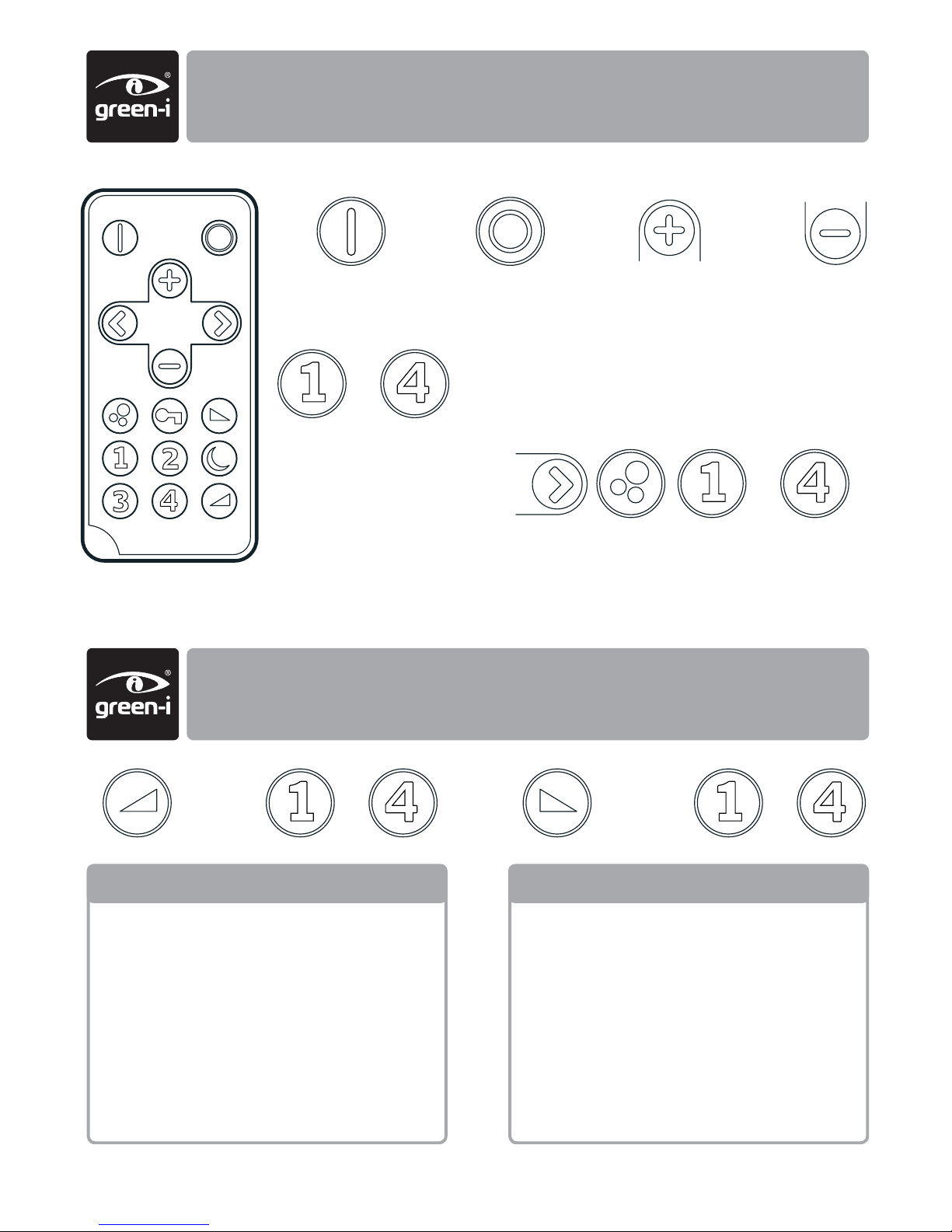
Soft on – how quickly the lights turn on
1 Immediate
2 2 sec
3 7 sec
4 depends on measured light level.
If it is very dark, the lights will dim
the lights up slowly for maximum
user comfort.
Soft off – how quickly the lights turn off
1 Immediate
2 2 sec
3 7 sec
4 10 sec
++
dimmer fade speed adjustment
turn lights on dim up
set scene scene number
turn lights off dim down
set lights to preset
scene number
To set scene levels:
• adjust lights to desired level
• store scene using this sequence
basic operation and scene setting
2
Page 3
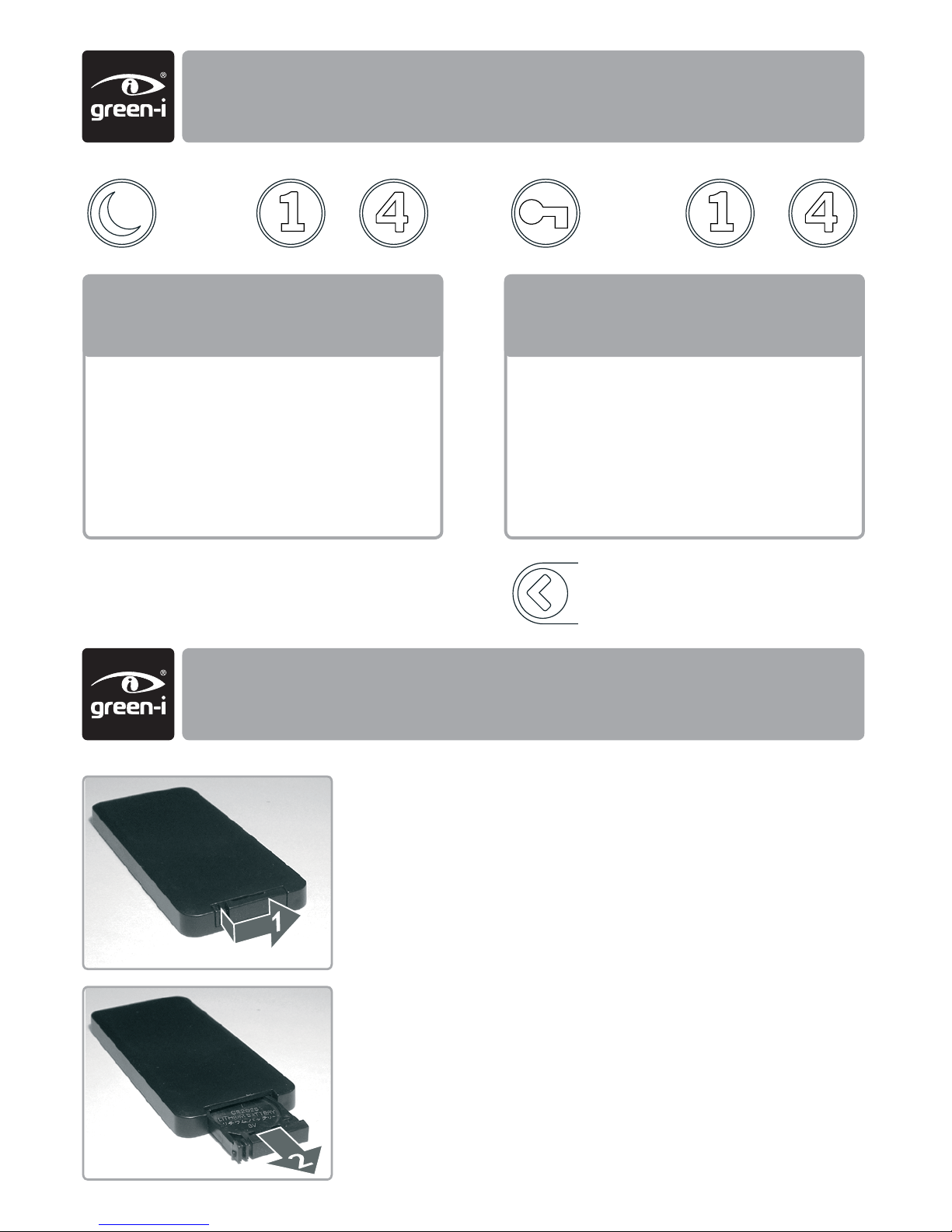
night light and security mode
battery
button not used
Night light – off level, useful for
children’s bedrooms. Level can be
overridden using down button.
1 Off
2 10%
3 20%
4 30%
Security mode – lights turn on when
dark for period of time below
1 Off
2 2 hours
3 4 hours
4 6 hours
++
3
Replacing the Battery
The battery compartment is located on the bottom edge
of the handset.
Release the retaining lug (Fig 1) to allow the battery
holder to be slid out (Fig 2).
Lift out the battery from the holder and insert a
replacement battery (type CR2025 or equivalent),
ensuring correct polarity.
Slide the holder back into the handset, ensuring that the
retaining lug clicks into place.
Fig 1
Fig 2
Page 4
#WD414 issue 1
Dimensions 86mm x 4mm x 67mm
Weight 0.017kg
Battery 3Vdc lithium battery, type CR2025 (supplied with unit)
Temperature 0ºC to 35ºC
Humidity 5 to 95% non-condensing
Compliance EMC-2004/108/ECLVD-2006/95/EC
UK and international patents pending
EU registered design no. 000638069-0003, 000638069-0004
ratings
4
CP Electronics
Brent Crescent
London
NW10 7XR
T: + 44 (0)333 900 0671
F: + 44 (0)333 900 0674
www.cpelectronics.co.uk
enquiry@cpelectronics.co.uk
FM 45789
EMS 534520
 Loading...