

Page 1
SYS86366VGGA-10C Quick Installation Guide
SYS86366VGGA-10C 简易说明书
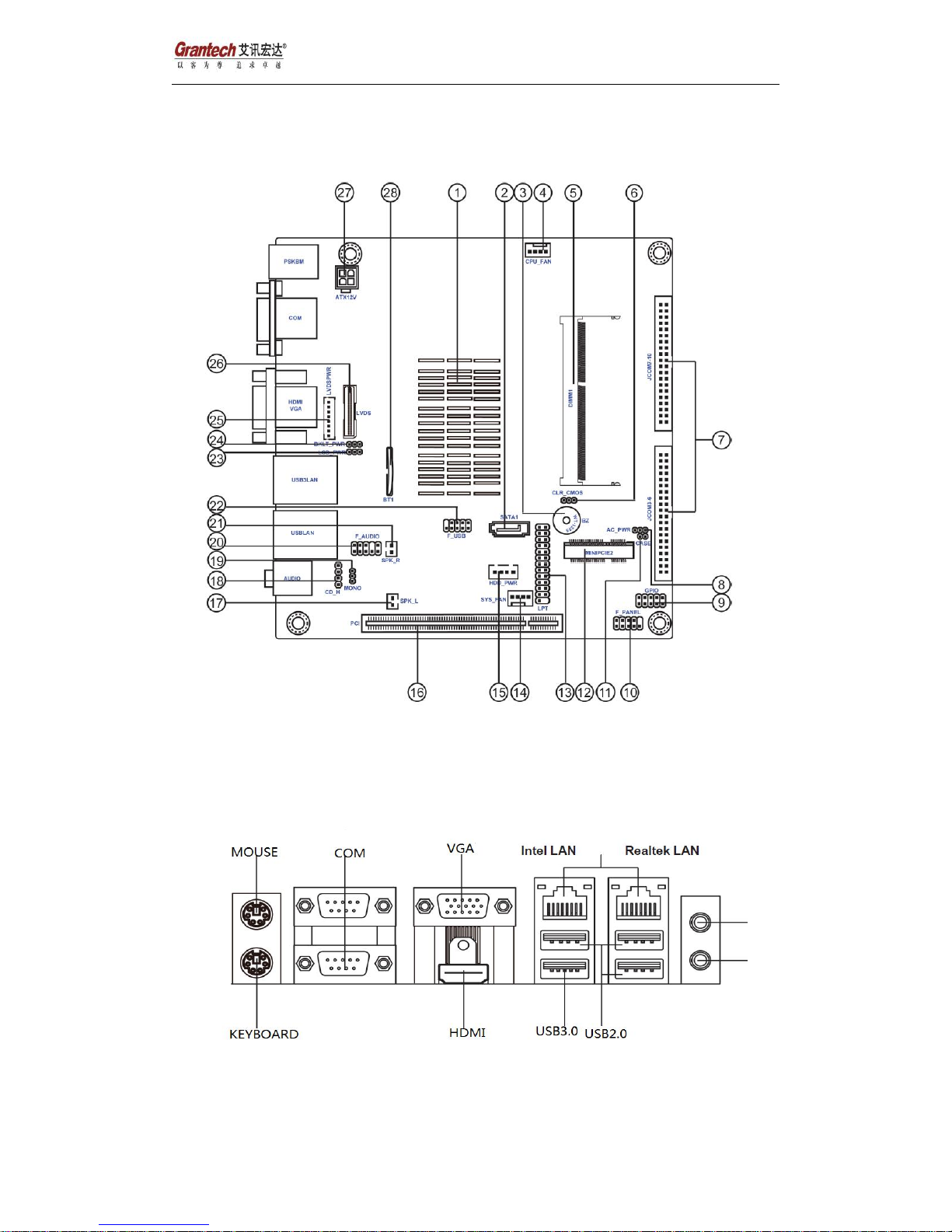
1、System Board Layout
Line out
MIC
Page 2
SYS86366VGGA-10C Quick Installation Guide
2、Connectors:
Label
Connectors
2. SATA1
Serial ATA 3Gb/s connector
7. JCOM3-6 & JCOM7-10 JCOM )
connectors (support additional eight COM ports)
9. GPIO
General purpose Input/Output header
10. F_PANEL
Front panel switch/LED header
12. MINIPCIE2
Half Size Mini PCI Express slot (supports WiFi/BT)
13. LPT
Printer header
16. PCI
32-bit add-on card slot
17. SPK_L
Speaker Left header
18. CD_H
Analog audio input connector
20. F_AUDIO
Front panel audio header
22. F_USB
10-pin USB 2.0 header supports two USB 2.0 ports
25. LVDSPWR
power connector(For All-In-One Specification)
26. LVDS
LVDS connector (For All-In-One Specification)
27. ATX12V
4-pin +12V power connector
3、Jumper List
Jumper
Function
8. AC_PWR
AC power jumper
24. BKLT_PWR
Backlight power jumper (For All-In-One Specification)
23. LCD_PWR
LCD power jumper (For All-In-One Specification)
6. CLR_CMOS
Clear CMOS jumper
Page 3
SYS86366VGGA-10C Quick Installation Guide
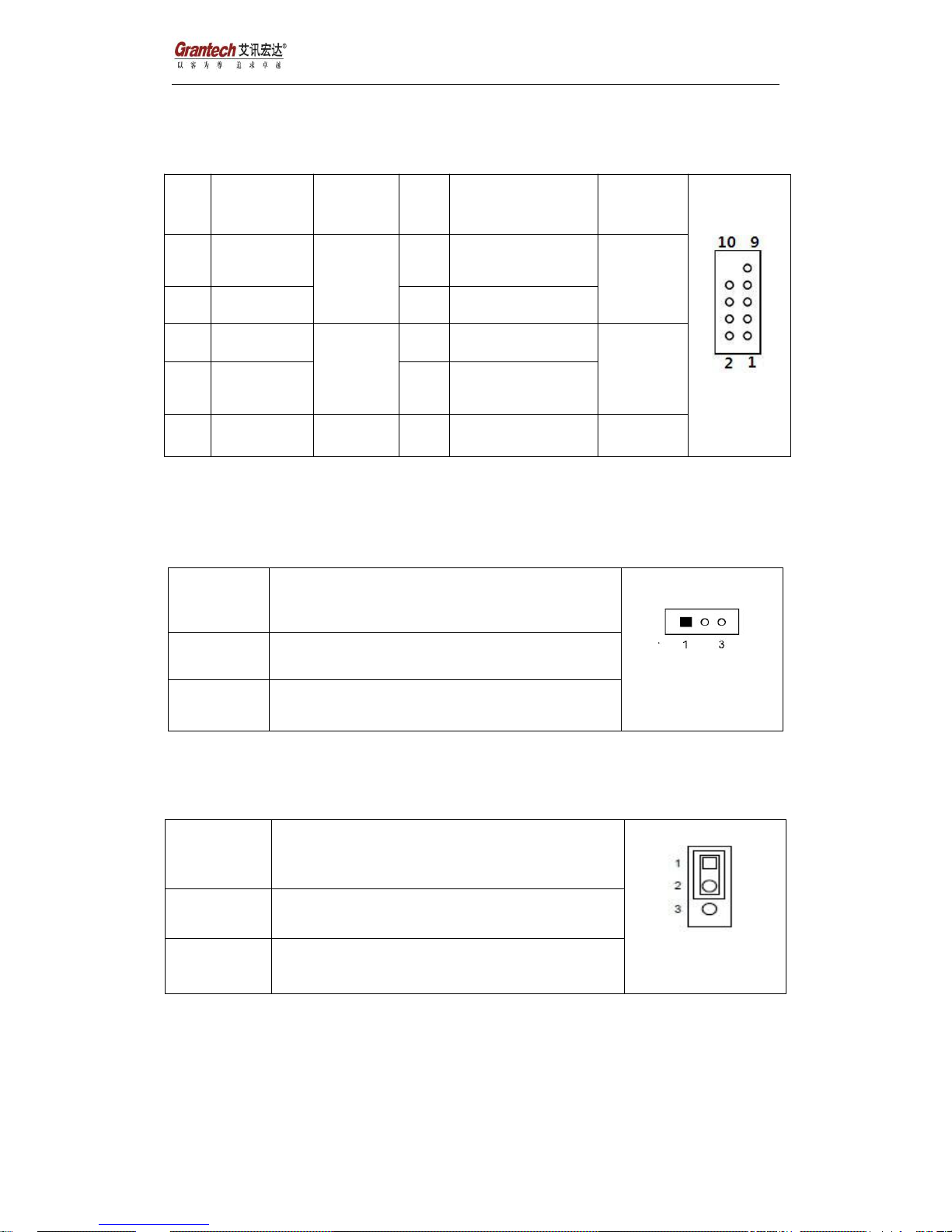
4、Front Panel Connector setting :(JFP1)
Pin
Define
Function
Pin
Define
Function
1
HD LED+
HDD
LED
2
Power LED+
Power
LED
3
HD LED-
4
Power LED-
5
Reset_SW-
Reset
6
Power SW+
Power
button
7
Reset_SW+
8
Power SW-
9
N/A10N/A
5、Jumper Setting :
A、JCMOS1: Clear CMOS Select
Jumper
status
1-2 Close
Normal Operation
2-3 Close
Clear CMOS data
B、JAT1: AT/ATX Power Select
Jumper
status
1-2 short
ATXMode
2-3 Short
AT Mode
(Default)
Page 4
SYS86366VGGA-10C Quick Installation Guide
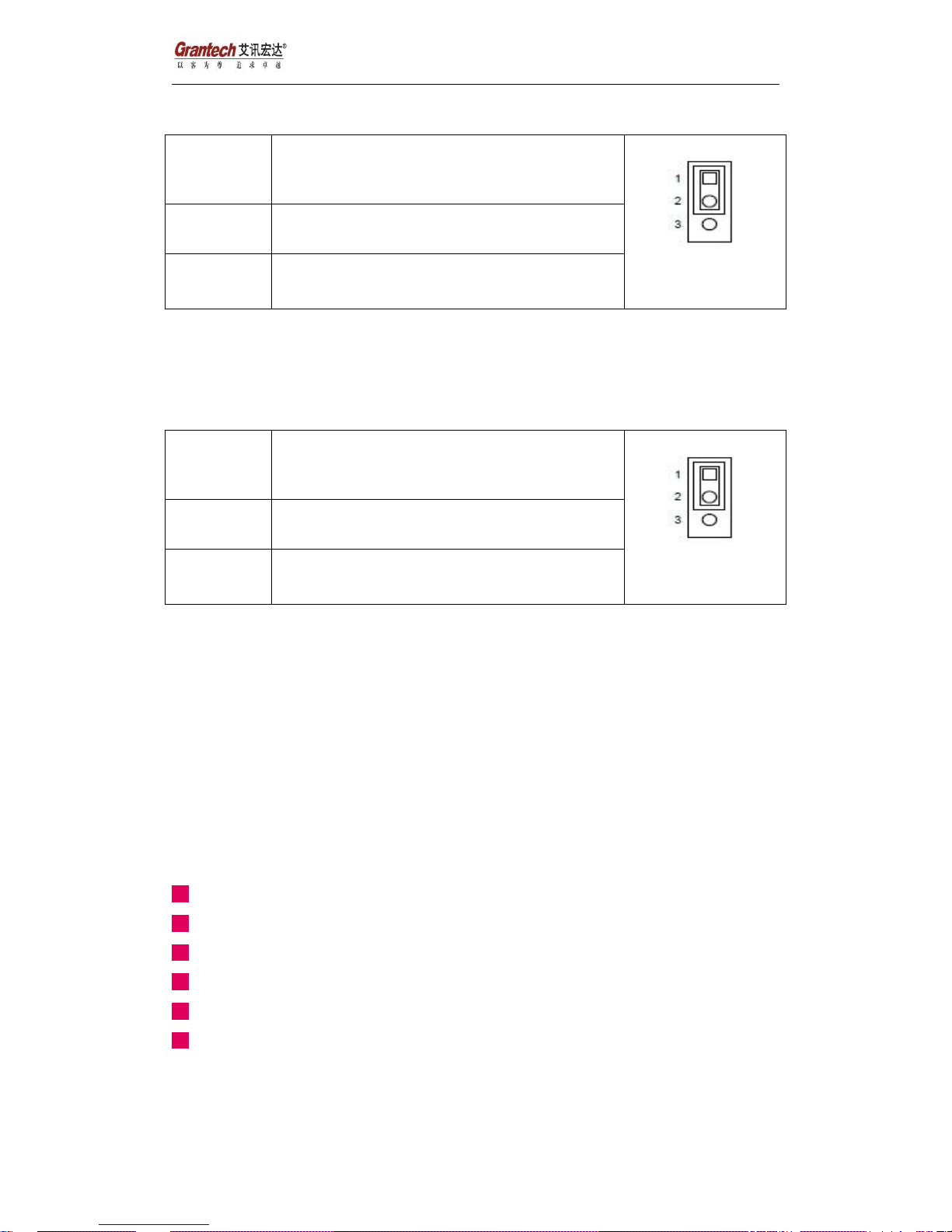
C、BKLT_PWR : Backlight power jumper (For All-In-One Specification)
Jumper
status
1-2 short
+12V
2-3 Short
+5V
D、LCD_PWR: LCD power jumper (For All-In-One Specification)
Jumper
status
1-2 short
+3V
2-3 Short
+5V
Packing list:
SYS86366VGGA-10C *1pcs
Utility CD for Drivers *1pcs
Installation Guide *1pcs
USB cable *2 pcs
SATA Power cable *1pcs;
COM Extension cables *5pcs
 Loading...