

Page 1

Version:V1.0.1
UserManual
N363&N373&N383
H.264encoderanddecoder
PDF 文件使用 "pdfFactory Pro" 试用版本创建 www.fineprint.cn
Page 2
ImportantSafetyInstructions
Note:
Incaseofanycontentchange,wearesorryfornofurthernotice.
Warning:
Toreducetheriskoffire,electricshockorproductdamage:
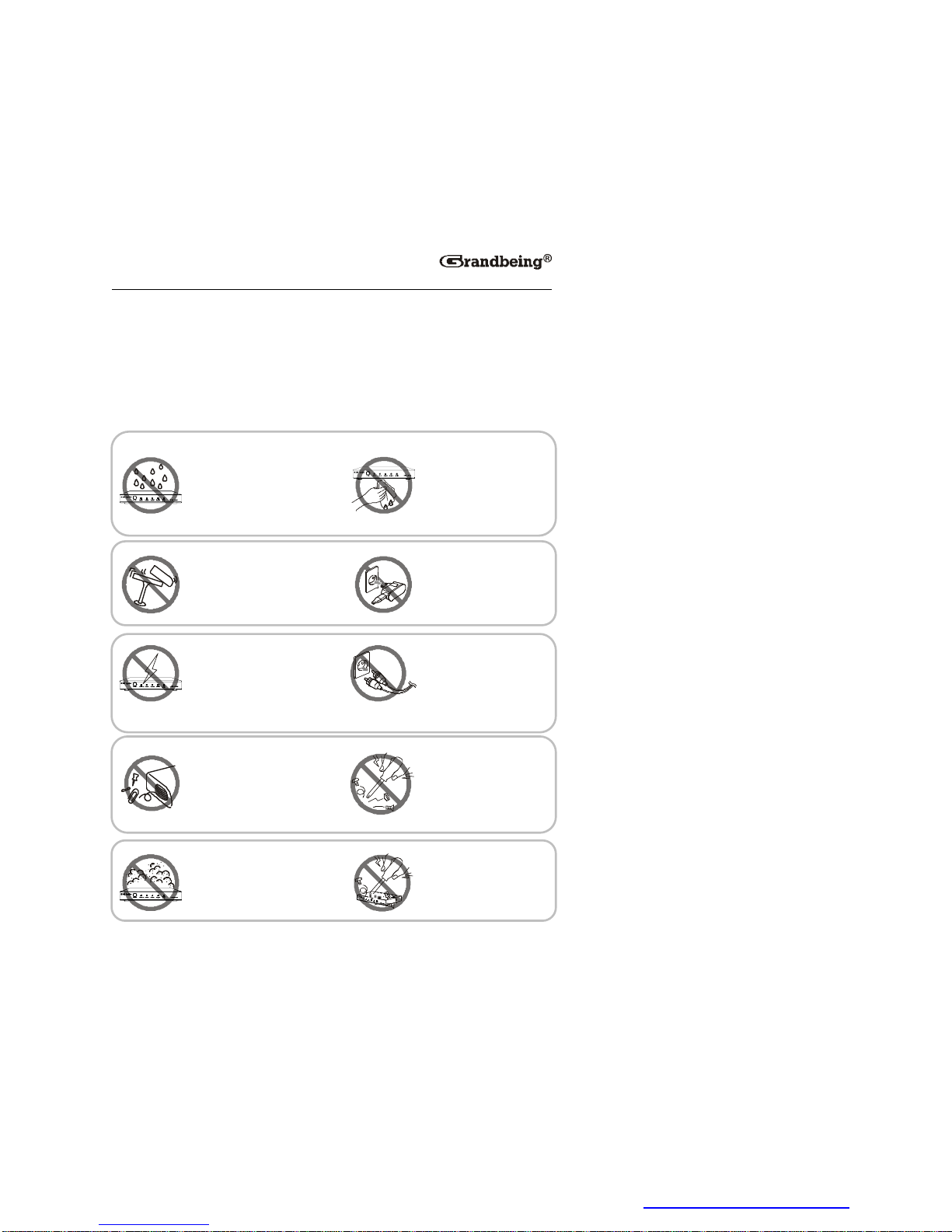
1.Donotexposethisapparatus
torain,moisture,drippingor
splashingandthatnoobjects
filledwithliquids,suchasvases,
shallbeplacedontheapparatus.
6. Cleanthisapparatus
onlywithdrycloth.
2.Donotinstallorplacethisunit
inabookcase,built-incabinetor
inanotherconfinedspace.
Ensuretheunitiswellventilated.
3.Topreventriskofelectric
shockorfirehazarddueto
overheating,donotobstruct
theunit’sventilationopenings
withnewspapers,tablecloths,
curtains,andsimilaritems.
4.Donotinstallnearanyheat
sourcessuchasradiators,heat
registers,stoves,orother
apparatus(includingamplifiers)
thatproduceheat.
5.Donotplacesourcesofnaked
flames,suchaslightedcandles,
ontheunit.
7. Unplugthisapparatus
duringlightningstormsor
whenunusedforlong
periodsoftime.
8. Protectthepowercord
frombeingwalkedonor
pinchedparticularlyat
plugs.
9. Onlyuseattachments/
accessoriesspecifiedby
themanufacturer.
10. Referallservicingto
qualifiedservice
personnel.
PDF 文件使用 "pdfFactory Pro" 试用版本创建 www.fineprint.cn
Page 3

1
TableofContents
Introduction
......................................................................................................................
3
Overview....................................................................................................................3
N363...................................................................................................................3
N373...................................................................................................................3
N383
...................................................................................................................
4
Features..................................................................................................................... 4
N363...................................................................................................................4
N373...................................................................................................................5
N383
...................................................................................................................
6
PackageContents...................................................................................................8
N363...................................................................................................................8
N373...................................................................................................................8
N383
...................................................................................................................
8
Specifications............................................................................................................9
N363...................................................................................................................9
N373/N383......................................................................................................11
Panel
.........................................................................................................................
13
N363.................................................................................................................13
N373/N383......................................................................................................14
TypicalApplication.................................................................................................15
OneEncodertoOneDecoder
....................................................................
15
OneEncodertoMultipleDecoders...........................................................16
MultipleEncoderstoMultipleDecoders..................................................16
VideoWallFunction......................................................................................17
ViewingMultiplePicturesinaDisplay
......................................................
17
HardwareInstallation.................................................................................................19
OperatingwithControlSoftware........................................................................... 21
BeforeUsingtheControlSoftware....................................................................21
PDF 文件使用 "pdfFactory Pro" 试用版本创建 www.fineprint.cn
Page 4

2
SettingaStaticIPonYourComputer.......................................................21
ConfiguringYourOperatingSystemFirewall..........................................23
ControlSoftwareInstructions
..............................................................................
24
SearchingDevices........................................................................................24
DeviceParameterSettings.........................................................................26
DeviceSettingsWindowIntroduction.......................................................27
MatrixSettingIntroduction
..........................................................................
29
CreatingtheSceneWindow.......................................................................31
SceneAreaWindowInstruction.................................................................31
SettingaMatrix..............................................................................................33
ConfigurationFilesManagement
..............................................................
38
Logs..................................................................................................................40
UpgradingtheDevices.................................................................................41
Troubleshooting...........................................................................................................47
ProductService
............................................................................................................
49
Maintenance........................................................................................................... 49
ProvidedService....................................................................................................49
Mail-InService........................................................................................................49
Warranty
..................................................................................................................
50
WarrantyLimitsandExclusions.........................................................................50
Glossary..........................................................................................................................52
PDF 文件使用 "pdfFactory Pro" 试用版本创建 www.fineprint.cn
Page 5

3
Introduction
Overview
N363
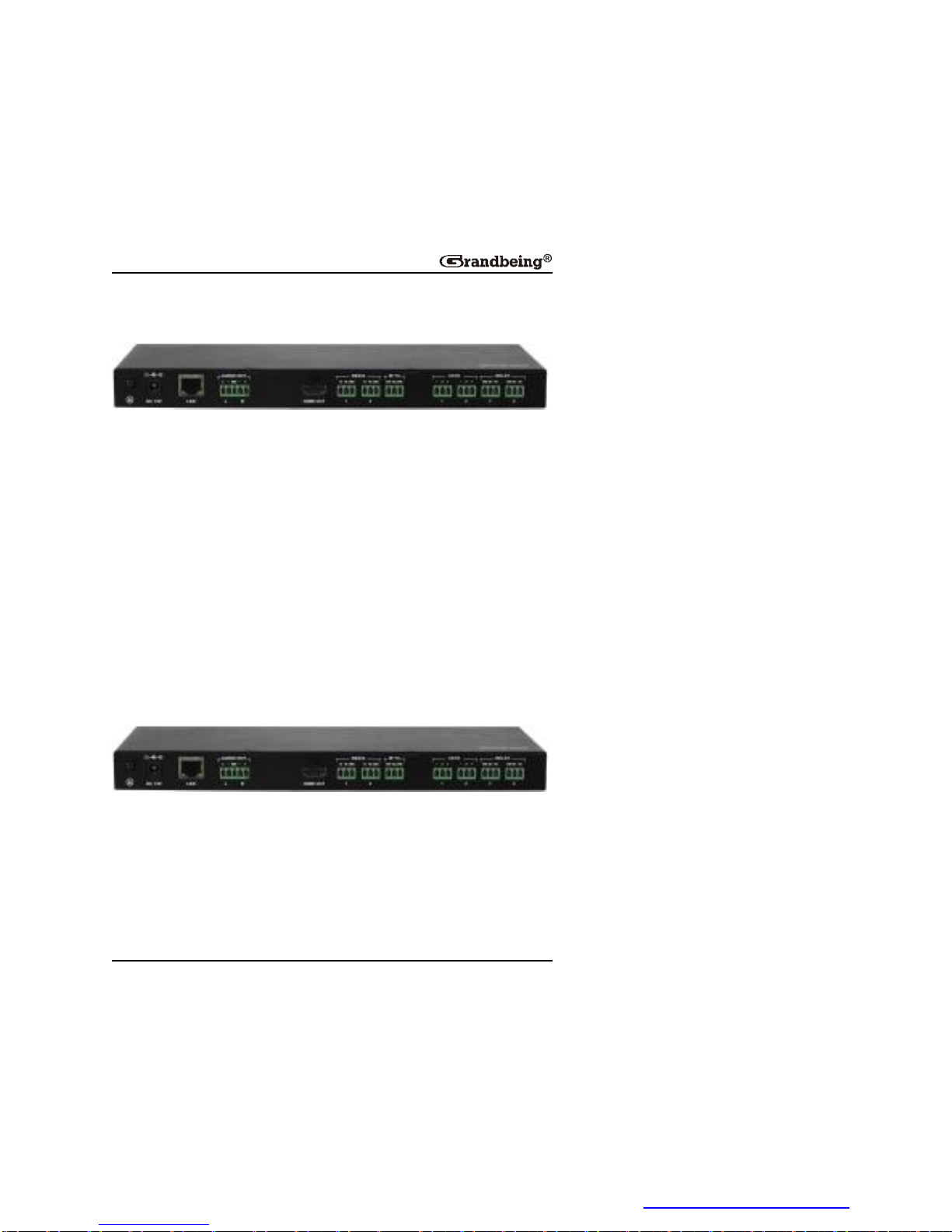
N363,ahighperformanceliveH.264streamingmediaencoderwithHDMI
signalsinput,deliversmediaoverIPnetworks.N363canbeusedwith
decodersN373andN383toprovidecompleteend-to-endstreamingmedia
system.ItfeaturesoneHDMIinput,oneHDMIoutputandoneVGAoutput.
N363adoptsstandardH.264/MPEG-4AVCencodingandoutputstwoIP
streams,a1080p@[email protected]
resolutionsfrom480pto1920x1200scaledbasedonthesinkEDID.High
performancesignalprocessingscalesandoptimizesvideoinputsignalsto
obtaintheintendedviewingeffects.Encodingcontrolscanalsoadjustbitrate
andquality.N363expandsAudio/VideosystemcapabilitybyextendingHDMI
signalsoverIPnetworks.
N373
N373isahighperformanceliveH.264decoderusedwithN363encoderto
providecompleteend-to-endstreaming-mediatransmissionsystem.N373
supportsvideowallfunction.Inaddition,itsupportsstreamingresolutions
[email protected]
to1920x1200scaledbasedonthesinkEDID.Withthecomputercontrol
PDF 文件使用 "pdfFactory Pro" 试用版本创建 www.fineprint.cn
Page 6
4
software,thiscompactdecoderoffersmultipleintegratedfeatures,suchas
RS232,IRforflexiblecontrolandmanagementoptions.
N383
N383isahighperformanceliveH.264decoderusedwithN363encoderto
providecompleteend-to-endstreaming-mediatransmissionsystem.N383
candecodeupto16IPstreams.WhenN383receivesasingleIPstream,it
hasthesamedecodingfeaturesasN373's,suchassupportingstreaming
resolutionsandrefreshratesupto1080p@60andoutputresolutionsfrom
480pto1920x1200scaledbasedonthesinkEDID.Whenreceivingtwoor
moreIPstreams(upto16IPstreams),itsupportsstreamingresolutionsand
refreshratesupto480p60andoutputresolutionsfrom480pupto
1920x1200scaledbasedonthesinkEDID.Withthecomputercontrol
software,thiscompactdecoderoffersmultipleintegratedfeatures,suchas
RS232,IRforflexiblecontrolandmanagementoptions.
Features
N363
l StreamsHDMIsignalsoverIPnetworks
l SupportsH.264/MPEG-4AVCcompressionstandard.
PDF 文件使用 "pdfFactory Pro" 试用版本创建 www.fineprint.cn
Page 7

5
l UsewithH.264decoderN373toprovidefeatures,suchasextending
HDMIsignalsoverIPnetworksandmatrixswitchingcontroloverLANby
thecontrolsoftware.
l UsewithH.264decoderN383toprovidemulti-pictureviewingeffects(up
to16pictures)inasinglescreeninadditiontothesamefeaturesas
N373.
l Supportstheinputresolutions,480i,480p,576i,576p,720p,1080i,
1080p.
l Supportsoutputresolutionsfrom480pto1920x1200scaledbasedonthe
sinkEDID.
l Scalesandoptimizesvideoinputsignalsfortheintendedviewingeffects.
l Autoinputformatdetectiontoprovidetheappropriatedecodingand
signalprocessing.
l Encodingbitrateisselectablefrom1K~40Mbps.
l SupportsTCP/IP,Telnet,UDP,IGMPandH.264
l SupportsAutoIPconfiguration.
l Automaticallydetectedbythecontrolsoftware.
l UseswiththeIPcontrolboxTK-N006-000formatrixcontroland
managementviaLAN.
N373
l SupportsliveIPvideostreamdecoding.
l UseswithencoderN363toprovideacompleteend-to-endstream
transmissionsystem,supportingseamlessswitching.
l Supportsstreamingresolutionsandrefreshratesupto1080p@60.
l Supportsoutputresolutionsfrom480pupto1920x1200basedonthe
sinkEDID.
l Supportsvideowallfunction
PDF 文件使用 "pdfFactory Pro" 试用版本创建 www.fineprint.cn
Page 8

6
l IRpass-throughcontrolfordisplaysorsourcesoverIPnetworks.
l RS232fordebugortocontrolaRS232device.
l Automaticaspectratiofilling,followingandfittingmanagement.
l SupportTCP/IP,Telnet,UDP,IGMPandH.264
l SupportsPoE
l SupportsAutoIPconfiguration.
l Automaticallydetectedbycontrolsoftware.
l UseswiththeIPcontrolboxTK-N006-000formatrixcontroland
managementviaLAN.
N383
l SupportsliveIPvideostreamdecoding
l UseswithencoderN363toprovidecompletestreamtransmission
system,supportingseamlessswitching.
l Supportsstreamingresolutionsandrefreshratesupto480p@60.
l Supportsoutputresolutionsfrom480pupto1920x1200basedonthe
sinkEDID.
l Supportsmulti-pictureviewingeffectsinasinglescreenbyautomatically
dividingthescreeninto1,4,9or16completepicturesbasedonthe
numberofIPstreams.
l IRpass-throughcontrolfordisplaysorsourcesoverIPnetworks.
l RS232fordebugortocontrolaRS232device.
l Automaticaspectratiofilling,followingandfittingmanagement.
l SupportTCP/IP,Telnet,UDP,IGMPandH.264
l SupportsPoE
l SupportsAutoIPconfiguration.
l Automaticallydetectedbycontrolsoftware.
PDF 文件使用 "pdfFactory Pro" 试用版本创建 www.fineprint.cn
Page 9

7
l UseswiththeIPcontrolboxTK-N006-000formatrixcontroland
managementviaLAN.
PDF 文件使用 "pdfFactory Pro" 试用版本创建 www.fineprint.cn
Page 10

8
PackageContents
N363
1xN363
1xPowercable
1xPhoenixmaleconnector(3.5mm3pins)
2xMountingear
N373
1xN373
1xPowercable
1xPoweradapter
1xPhoenixmaleconnector(3.5mm3pins)
1xPhoenixmaleconnector(3.5mm5pins)
2xMountingear
N383
1xN383
1xPowercable
1xPoweradapter
1xPhoenixmaleconnector(3.5mm3pins)
1xPhoenixmaleconnector(3.5mm5pins)
2xMountingear
PDF 文件使用 "pdfFactory Pro" 试用版本创建 www.fineprint.cn
Page 11

9
Specifications
N363
Technical
I/OConnections
1×HDMIIN
1× HDMIOUT
1xVGAOUT
1× RJ45
2 × RS232(3.5mmphoenix)
PowerSupply AC100~240V50/60Hz
PowerConsumption 6.3Watts
InputVideoSignal
1.2voltsp-p
InputDDCSignal 5voltsp-p(TTL)
DataRate 1K~40Mbps,configurable
MaximumDistance 100meters
Video Format
Supported
Input:
HDMI:480i,480p,576i,576p,720p,1080i,1080p
Output:
HDMI&VGA:Followthesink'sEDID.
Ethernet:1080p@60,480p@60
OutputVideo HDMI1.3
ControlMethod
RS232
LAN
ESDProtection
Humanbodymodel:
±8kV(air-gapdischarge)
± 4kV(contactdischarge)
SurgeProtection Voltage: ±1kV
PDF 文件使用 "pdfFactory Pro" 试用版本创建 www.fineprint.cn
Page 12

10
Technical
Operating
Temperature
32°Fto95°F(0°Cto35°C)
10%to90%,non-condensing
StorageTemperature
-4°Fto140°F(-20°Cto70°C)
10%to90%,non-condensing
SystemRequirements
l HDMIequippedsourcedevices.
l HDMIequippeddisplaysorVGAequipped
displays.
l IndustrystandardCAT5e/6cablesorabove.
l HDMIcablesandVGAcables.
l A10/100Base-TEthernetswitchorabove.
General
CaseDimensions
(WxHxD)
l 525mmx122mmx327mm
l 20.7''x4.8''x12.9''
DeviceDimensions
(WxHxD)
l 440mmx44mmx211mm
l 17.3''x1.7''x8.3''
Mass(Mainunit) 2.62kg
Certification CE,FCC,RoHS
PDF 文件使用 "pdfFactory Pro" 试用版本创建 www.fineprint.cn
Page 13

11
N373/N383
Technical
I/OConnections
1 × RJ45
1 × AUDIOOUT(3.5mmphoenix)
1 × HDMIOUT
2 × RS232(3.5mmphoenix)
1 × IRTX(3.5mmphoenix)
2 × IO/IN(3.5mmphoenix)
2 × RELAY(3.5mmphoenix)
PowerSupply 12V2ADC,5.5mm
PowerConsumption 4.56Watts
InputVideoSignal 1.2voltsp-p
InputDDCSignal 5voltsp-p(TTL)
MaximumDistance 100meters
Video Format
Supported
Input:
Ethernet:1080p@60forN373,480p@60for
N383
Output:
HDMI:Followthesink'sEDID.
OutputVideo HDMI1.3
OutputAudio Stereo(reserved)
ControlMethod
RS232
LAN
ESDProtection
HumanBodyModel:
±8kV(air-gapdischarge)
±4kV(contactdischarge)
SurgeProtection Voltage: ±1kV
PDF 文件使用 "pdfFactory Pro" 试用版本创建 www.fineprint.cn
Page 14

12
Technical
OperatingTemperature
32°Fto95°F(0°Cto35°C)
10%to90%,non-condensing
StorageTemperature
-4°Fto140°F(-20°Cto70°C)
10%to90%,non-condensing
SystemRequirements
l HDMIequippedsourcedevices.
l HDMIequippeddisplaysandaudio
receivers.
l IndustrystandardCAT5e/6cablesor
above.
l HDMIcables.
l A10/100Base-TEthernetswitchorabove.
General
CaseDimensions
(WxHxD)
l 390mmx92mmx220mm
l 15.4''x3.6''x8.7''
DeviceDimensions
(WxHxD)
l 269mmx24mmx110mm
l 10.6''x0.9''x4.3''
Mass(Mainunit) 0.78kg
Certification CE,FCC,RoHS
PDF 文件使用 "pdfFactory Pro" 试用版本创建 www.fineprint.cn
Page 15
13
Panel
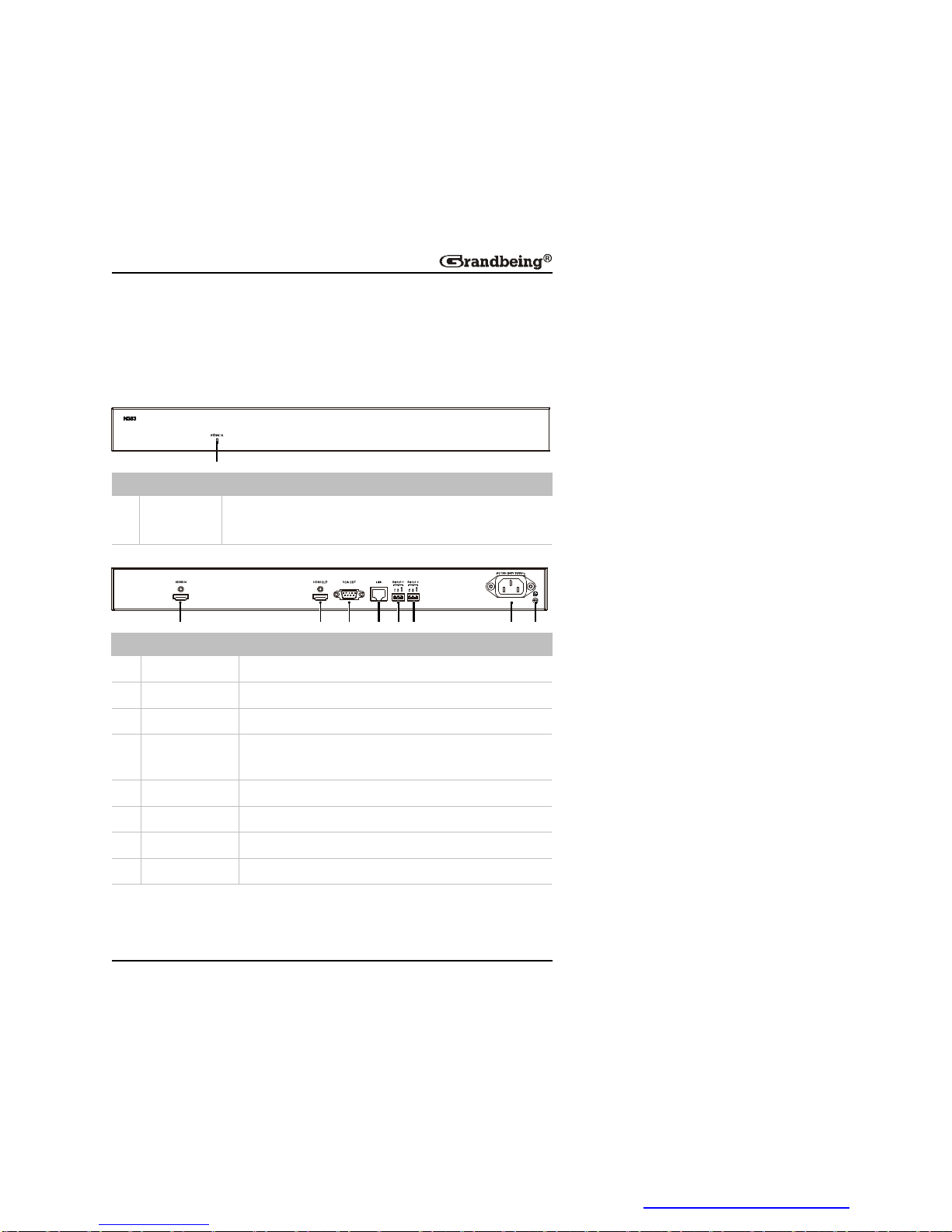
N363
FrontPanel
1
ID Name Description
1 Power
indicator
On: N363ispoweredon.
Off: N363ispoweredoff.
RearPanel
1 2 83 4 5 6 7
ID Name Description
1 HDMIIN ConnectstoasourcedeviceviaanHDMIcable.
2 HDMIOUT ConnectstoasinkviaanHDMIcable.
3 VGAOUT ConnectstoasinkviaaVGAcable.
4 LANport
Connectstoa10/100Base-TEthernetswitchwitha
CAT5e/6cable.
5 RS232-1 Usedfordebug.
6 RS232-2 ConnectstoaRS232device.
7 Power ConnectstotheACpowersupplyviaapowercable.
8 GND Grounding.
PDF 文件使用 "pdfFactory Pro" 试用版本创建 www.fineprint.cn
Page 16
14
N373/N383
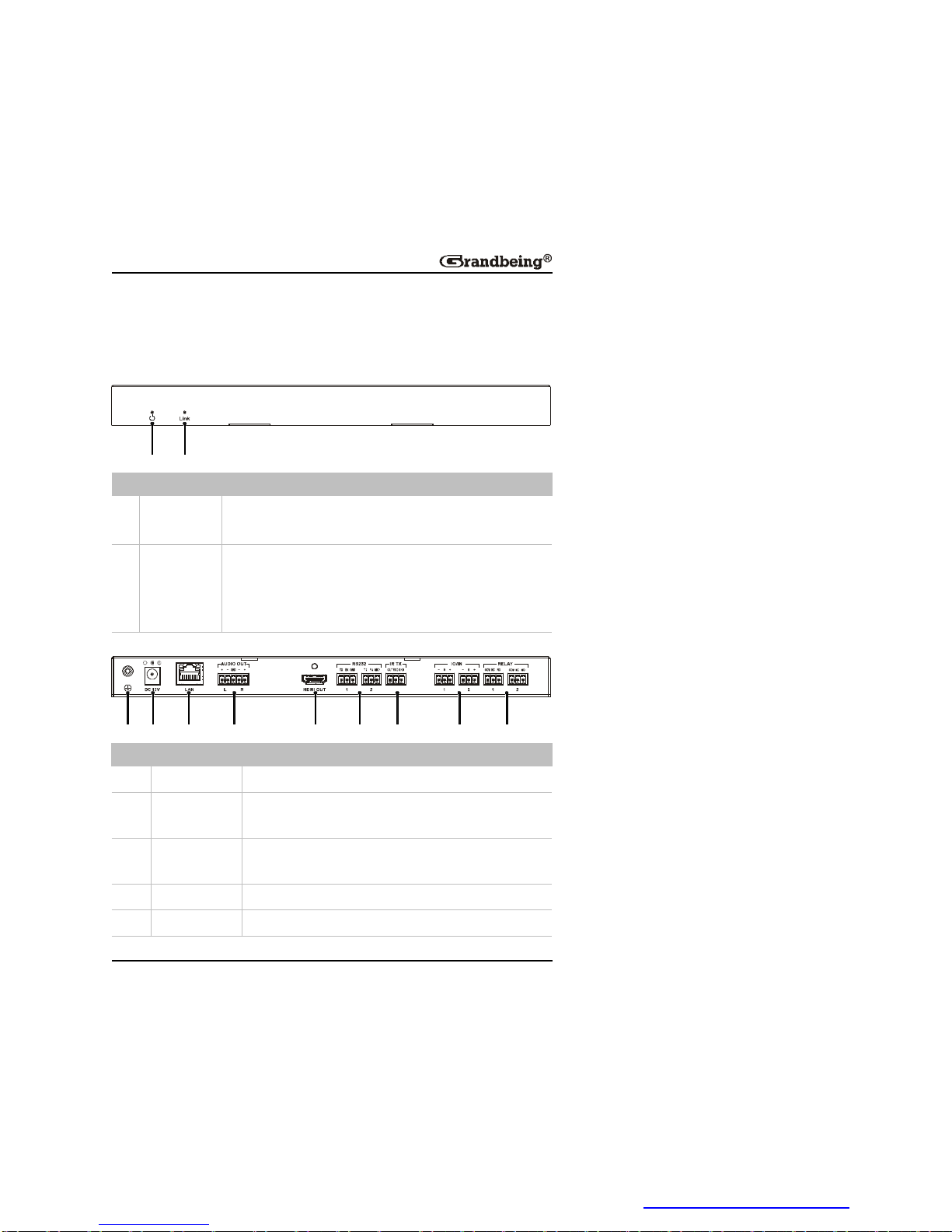
N373andN383havethesameappearance.
FrontPanel
1 2
ID Name Description
1 Power
indicator
On: N373/N383ispoweredon.
Off: N373/N383ispoweredoff.
2 Link
indicator
SteadyOn: N363andN373/N383arelinkedtoeach
other.
Flashing: N363andN373/N383arenotlinkedtoeach
other.
RearPanel
1 2 8 93 4 5 6 7
ID Name Description
1 GND Grounding
2 Power Connectstoa12V/2ADCpowersupplyviaapower
adapter.
3 LAN Connectstoa10/100Base-TEthernetswitchwitha
CAT5e/6cable.
4 AUDIOOUT Reservedport.
5 HDMIOUT ConnectstoasinkviaanHDMIcable.
PDF 文件使用 "pdfFactory Pro" 试用版本创建 www.fineprint.cn
Page 17
15
ID Name Description
6 RS232 RS2321:
Usedfordebug.
RS2322:
ConnectstoaRS232device.
7 IRTX ConnectstoanIRemittercable.
8 IO/IN Reservedports.
9 Relay Reservedports.
TypicalApplication
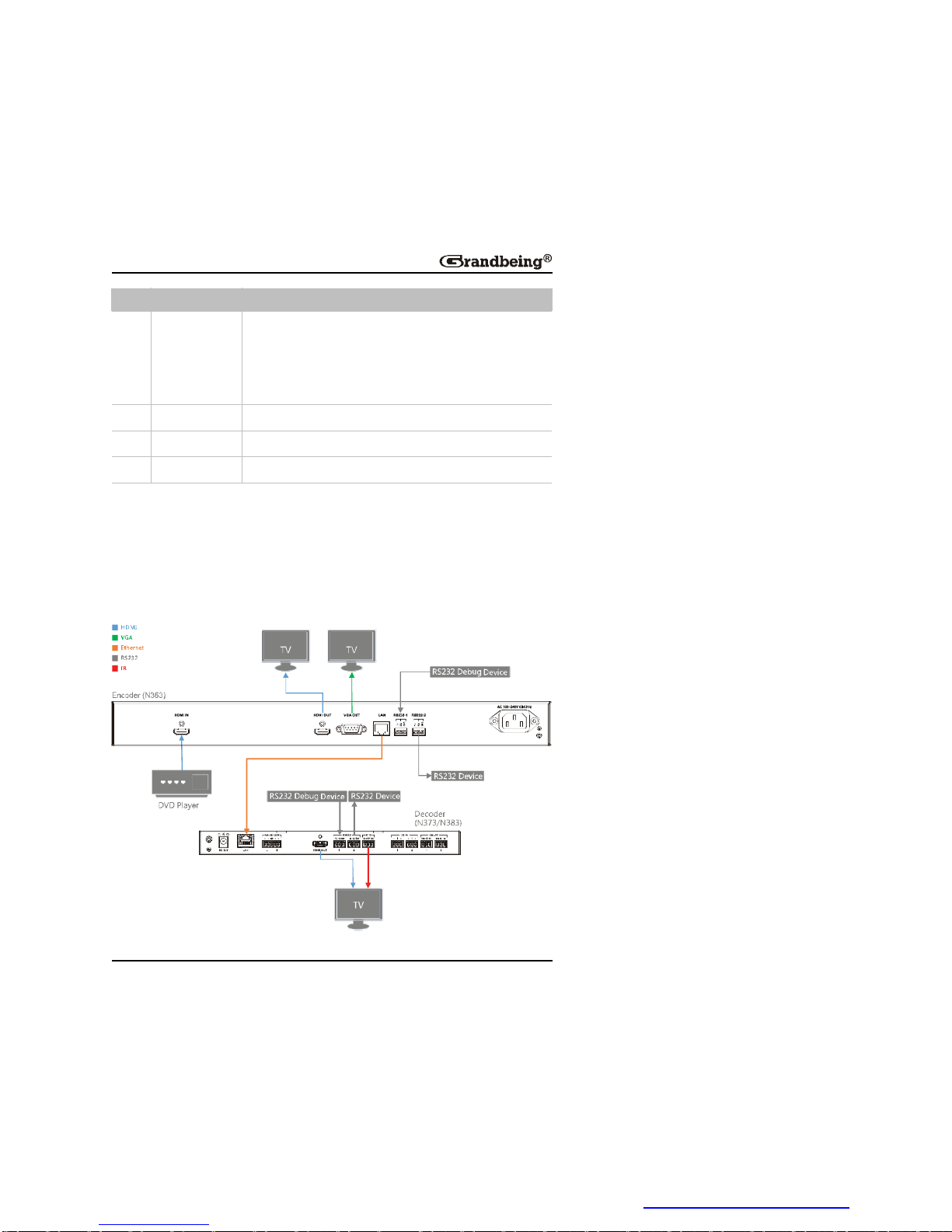
OneEncodertoOneDecoder
IfanencoderN363andadecoderN373/N383areused,youcanenjoythe
full-screenviewingeffectsinthedisplaydeviceconnectedtotheN373/N383.
PDF 文件使用 "pdfFactory Pro" 试用版本创建 www.fineprint.cn
Page 18
16
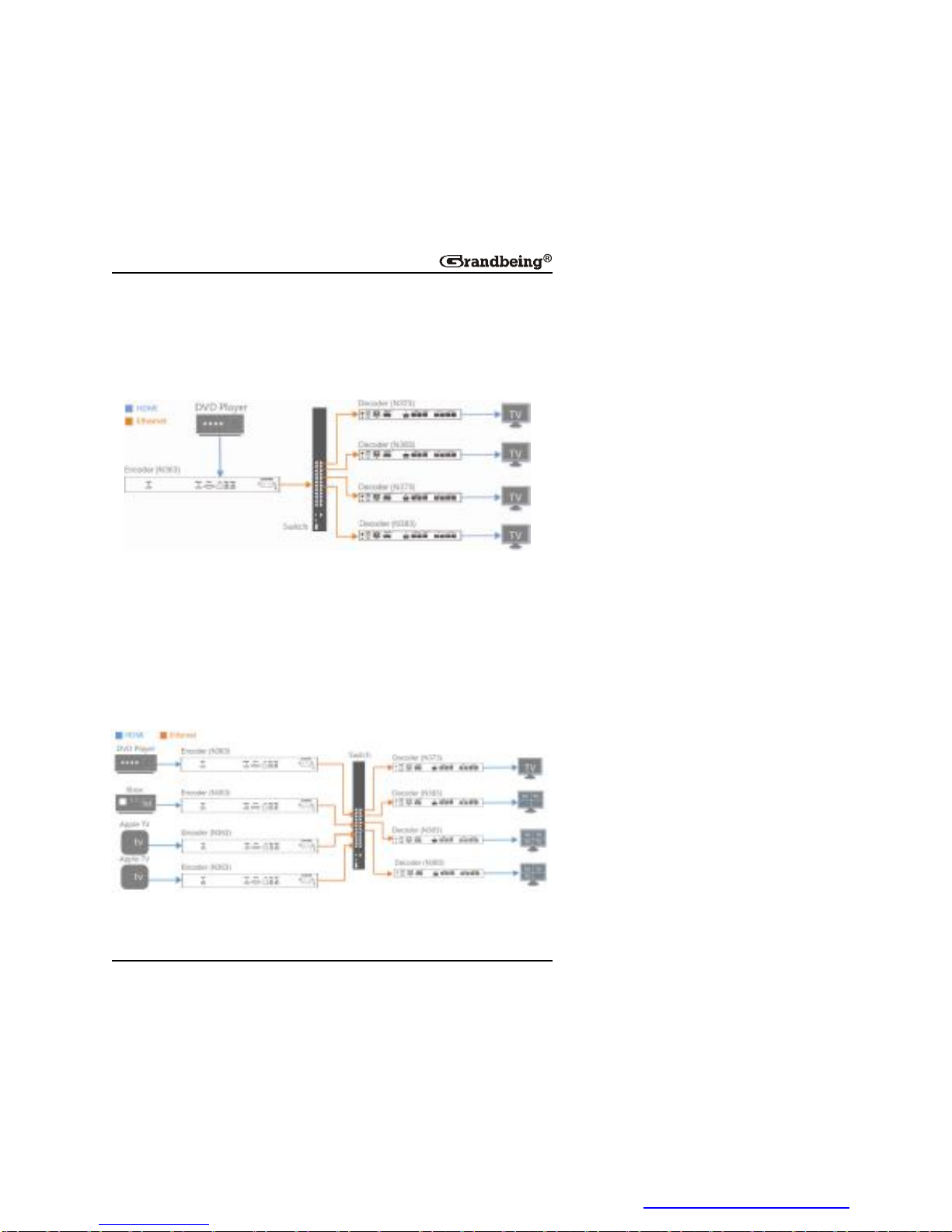
OneEncodertoMultipleDecoders
IfanencoderN363andmultipledecodersN373/N383areused,youcan
enjoythefull-screenviewingeffectsinthedisplaydeviceconnectedtothe
N373/N383.
MultipleEncoderstoMultipleDecoders
IfmultipleencodersN363anddecodersN373/N383areused,youcan:
l Enjoythefull-screenviewingeffectsinthedisplaydeviceconnectedto
theN373/N383ifaN363islinked.
l Enjoymulti-pictureviewingeffectsinthedisplaydeviceconnectedtothe
N383ifmultipleN363sarelinked.
PDF 文件使用 "pdfFactory Pro" 试用版本创建 www.fineprint.cn
Page 19
17
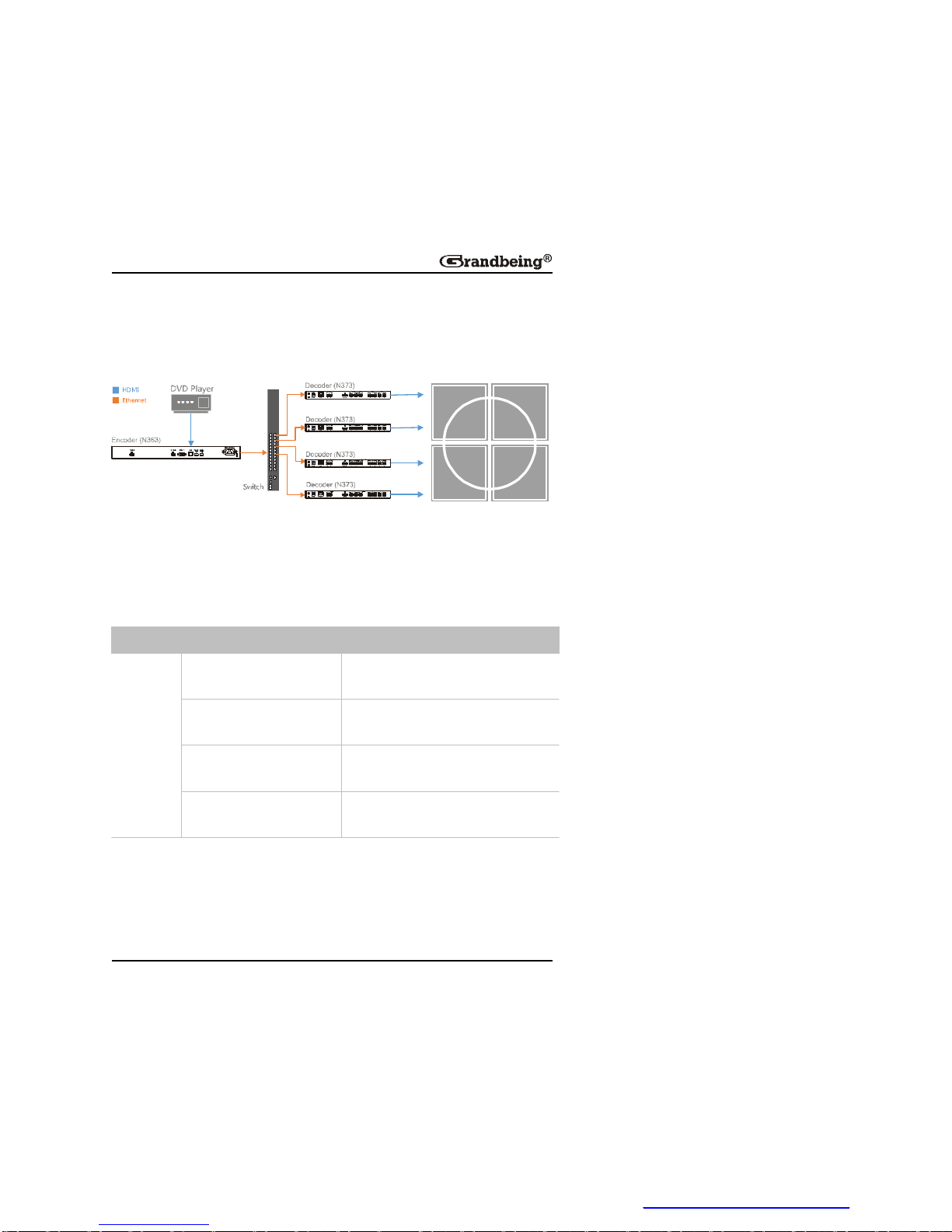
VideoWallFunction
N373supportsvideowallfunction.Thediagramisshownbelowforyour
reference.
ViewingMultiplePicturesinaDisplay
BasedonthenumberofIPstreamsfromthesources,asinglescreencanbe
dividedinto1,4,9or16partswitheachpartdisplaysacompletepicture.
Fordetails,seethefollowingtable.
Decoder NumberofN363linked Viewingeffectsonthescreen
N383
1
1completepicturefillingtheentire
screen.
2~4
4completepicturesfillingtheentire
screen
5~9
9completepicturesfillingtheentire
screen.
10~16
16completepicturesfillingthe
entirescreen.
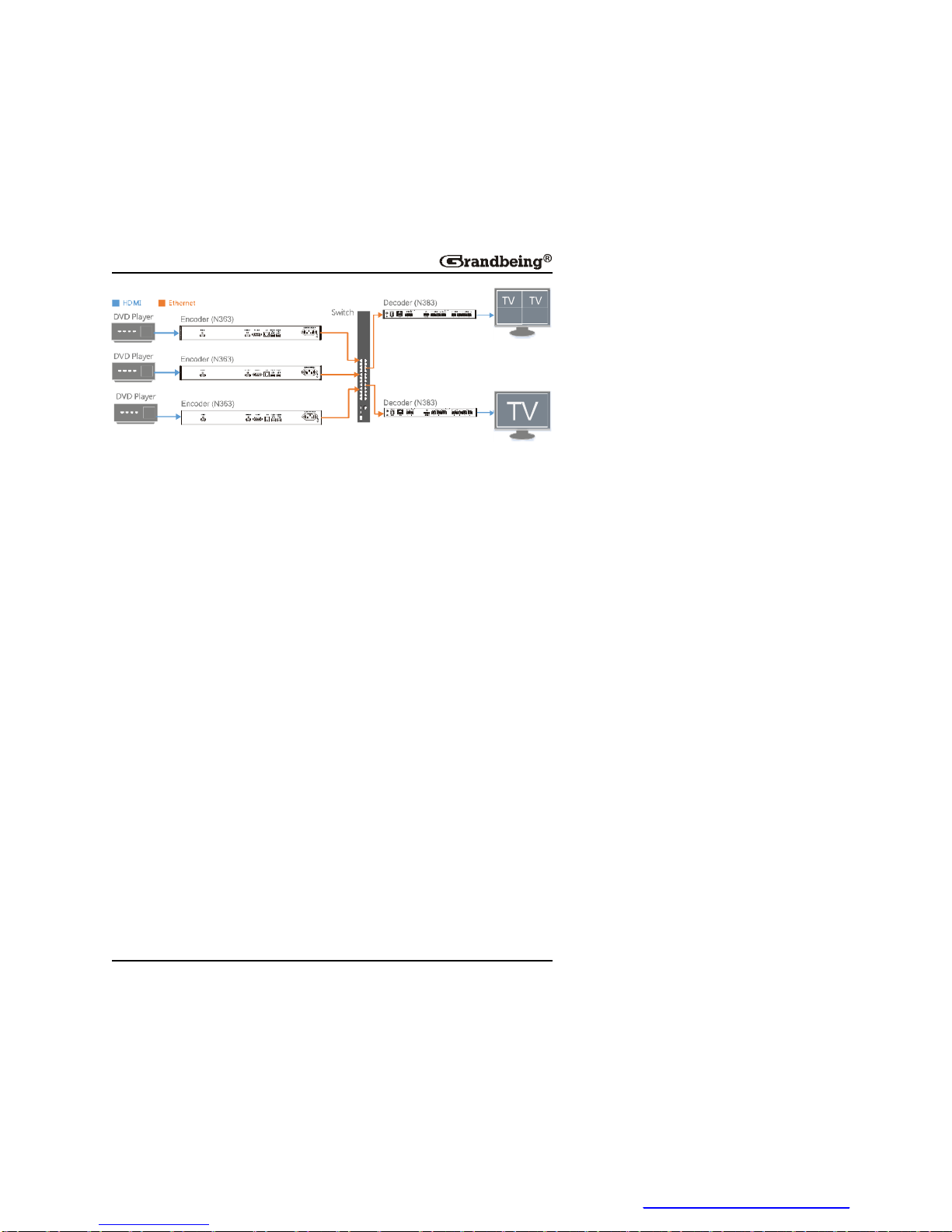
Note:
WhenthenumberofN363linkedtoN383isfrom2~3,5~8,or10~15,the
unoccupiedpartsofthescreenshownopicture.Forexample,N383
belowislinkedtooneortwoN363s,thedisplaysconnectedtoN383s
showoneortwocompletepictures.
PDF 文件使用 "pdfFactory Pro" 试用版本创建 www.fineprint.cn
Page 20
18
OneN363Linked
TwoN363sLinked
PDF 文件使用 "pdfFactory Pro" 试用版本创建 www.fineprint.cn
Page 21
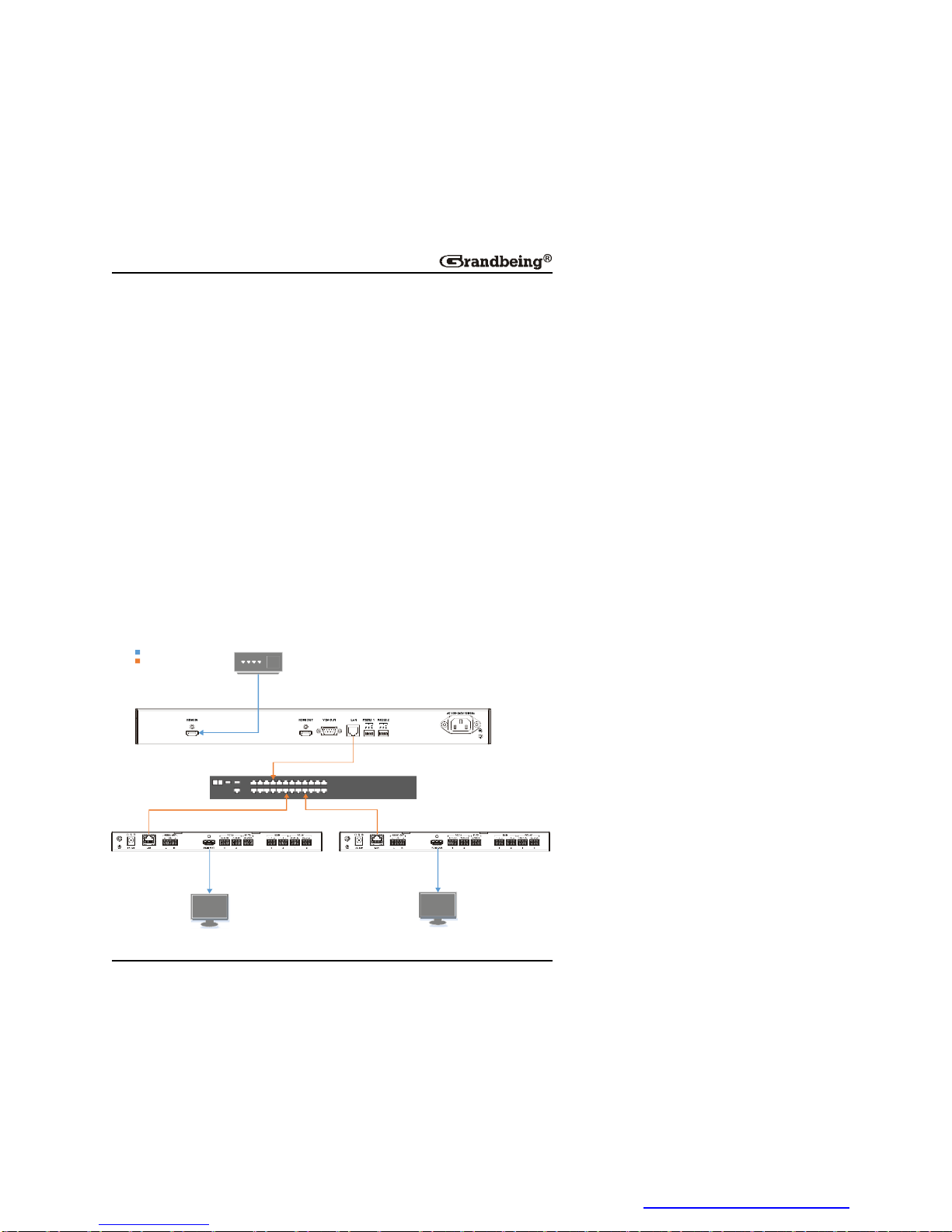
19
HardwareInstallation
Warnings:
l Beforetheinstallation,disconnectthepowersuppliesfromallthe
devices.
l Duringtheinstallation,connectordisconnectthecablesgently.
1.ConnectaHDMIsourcetotheN363viaaHDMIcable.
2.ConnectaHDMIsinktotheN373viaaHDMIcable.
3.ConnectaHDMIsinktotheN383viaaHDMIcable.
4.Connectacomputer,N363,N373,N383toa10/100Base-TEthernet
switchviaCAT5e/6cables.
5.Connectthedevicestothepowersuppliesandstarttheoperations.
Note:
Iftheswitchdoesn’tsupportPoEfunctionorisunabletoprovideenough
power,connectN373andN383tothepowersupplieswiththeirpower
adapters.
DVDPlayer
Encoder (N363)
Decoder (N383)
TV
TV
Ethernet
HDMI
Decoder (N373)
PDF 文件使用 "pdfFactory Pro" 试用版本创建 www.fineprint.cn
Page 22

20
OperatingwithControlSoftware
Youcanuse HDMIoverIPconsole controlsoftwaretomanageandcontrol
theconnecteddevices.Youjustneedtoextracttheprovidedcompressionfile
toyourcomputeranddouble-click HDMIoverIPConsole.exe tostartit
without additional installation processing. This section takes
HDMIoverIPConsoleV2.4.3 asanexample.
BeforeUsingtheControlSoftware
Beforeusingthecontrolsoftware,youneedtosetastaticIPaddressonyour
computerandconfigureyouroperatingsystemfirewalltoallowthissoftware
tocommunicateonyournetwork.
Note:
TheoperationsystemmustbeWindowsXPoralaterversion.
SettingaStaticIPonYourComputer
Beforeusingthecontrolsoftware,makesurethattheIPaddressofyour
computerinstalledwiththissoftwareandTX/RXareinthesamenetwork
segment.Bydefault,TX/RXusesAutoIPprotocol,andtheirIPaddressis
169.254.X.Xandsubnetmaskis255.255.0.0.
AcomputerrunningWindows7isusedasanexampletoconfigureastaticIP
address.
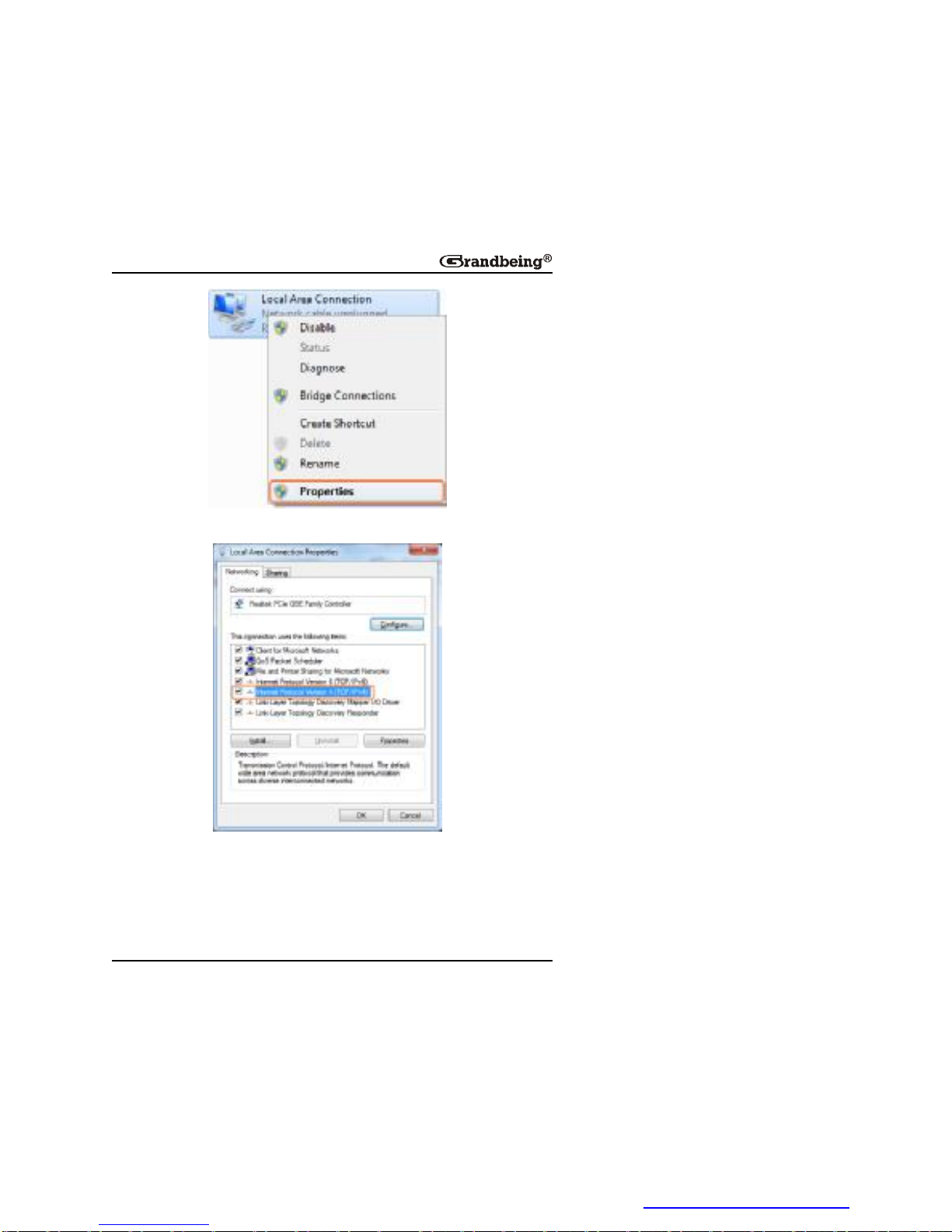
1.ClickStart menu,choose ControlPanel > NetworkandInternet >
NetworkandSharingCenter > ChangeAdapterSettings,rightclick
LocalAreaConnection,andthenchoose Properties.
PDF 文件使用 "pdfFactory Pro" 试用版本创建 www.fineprint.cn
Page 23
21
2.Double-click InternetProtocolVersion4(TCP/IPv4).
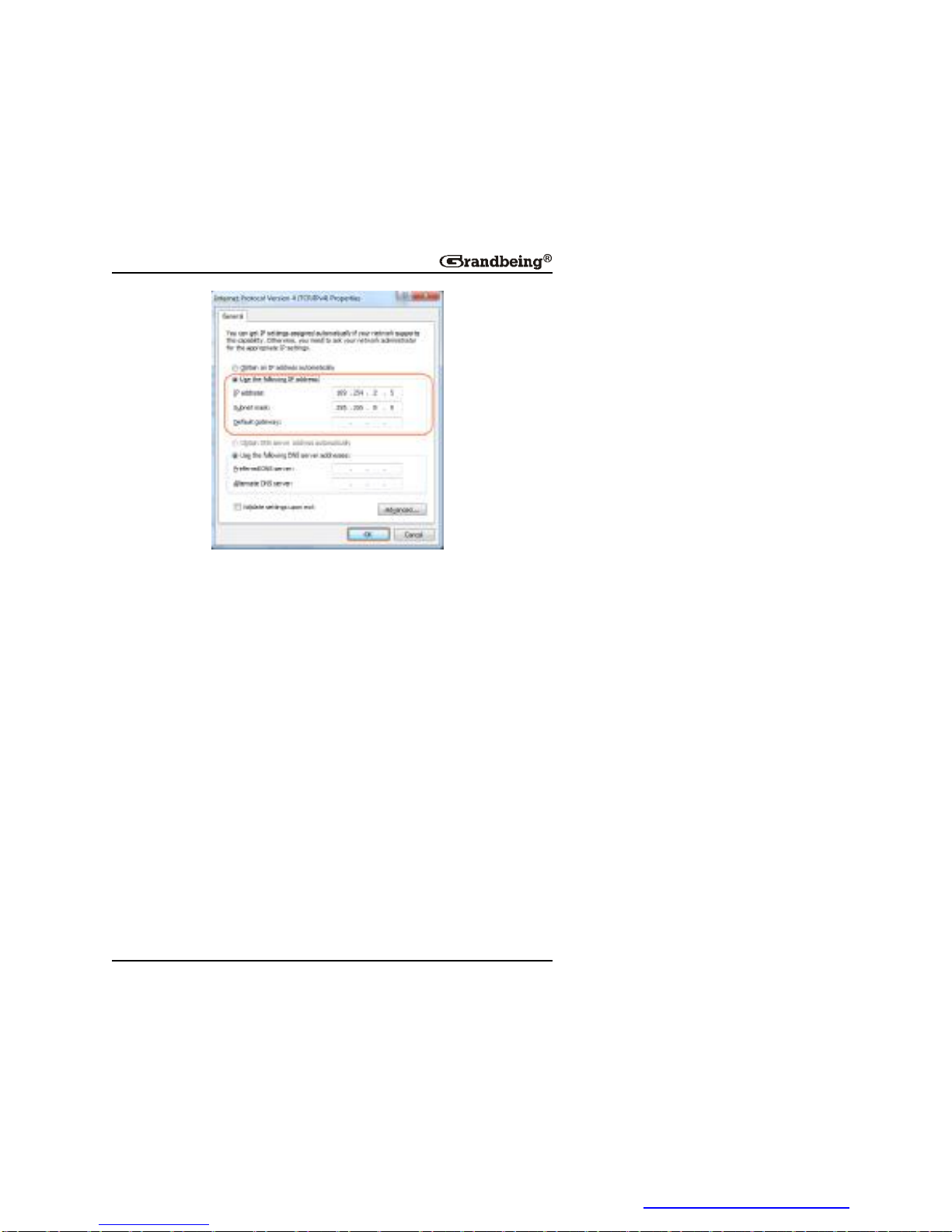
3.Select UsethefollowingIPaddress,afterconfiguringthefollowing
settingsintheprovidedexample,andthenclick OK.
Ø IPaddress:169.254.2.5
Ø Subnetmask:255.255.0.0
PDF 文件使用 "pdfFactory Pro" 试用版本创建 www.fineprint.cn
Page 24
22
4.Click OK.
Configuring Your Operating System
Firewall
Youroperatingsystemfirewallmayblocksomefeaturesofthecontrol
softwaretopreventitcontrollingTXandRX.
AcomputerrunningWindows7isusedasanexampletoconfigureyour
operatingsystemfirewallintwomethods.
Method1:
Youcanconfigurethefirewallinthe WindowsFirewall panelonyour
computer.Formoreinformation,see HDIPProductFAQ.
Method2:
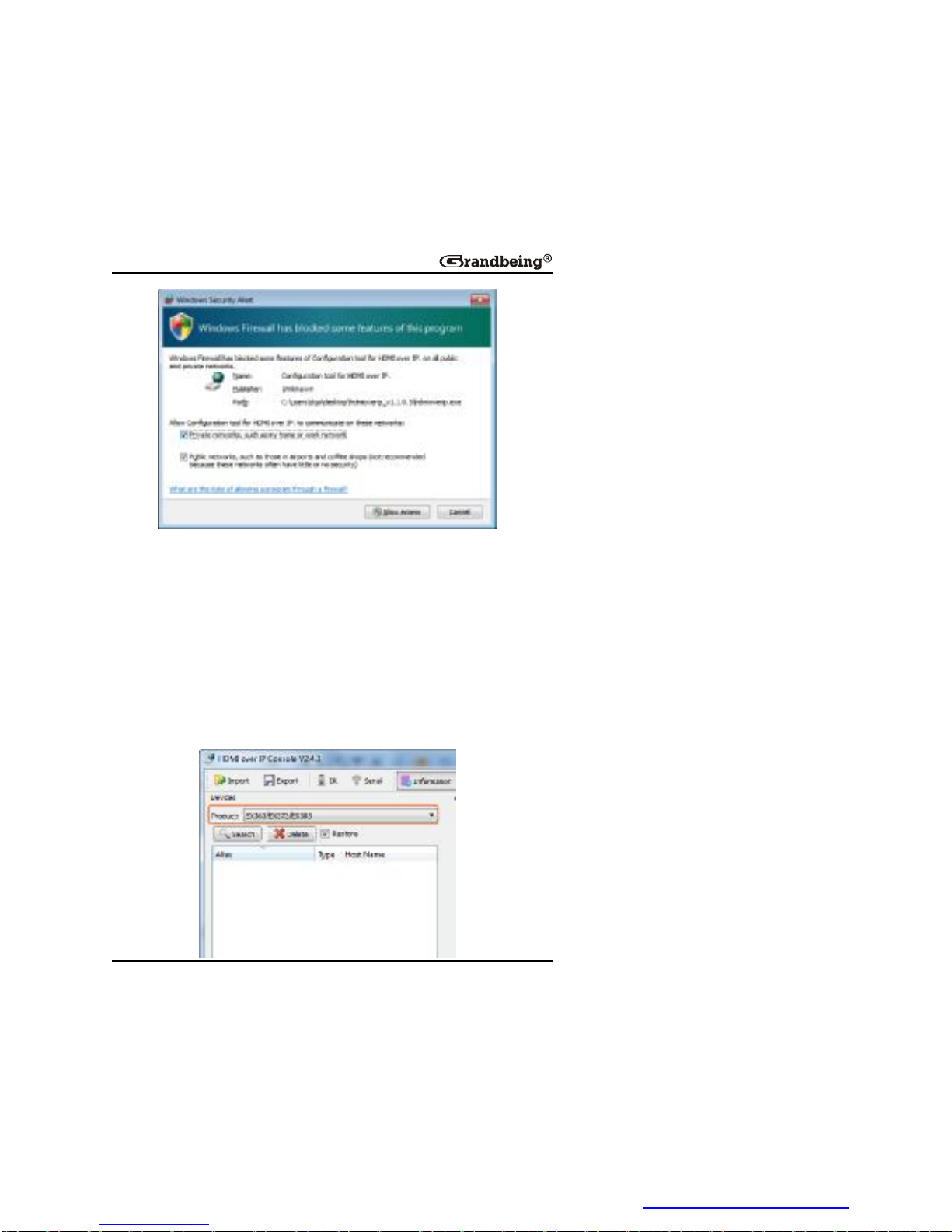
Youcanalsoconfigurethefirewallwhenstartingthecontrolsoftware.Then,
WindowsSecurityAlert windowmaydisplay.Ifso,selectanetworkyou
allowthissoftwaretocommunicateon,forexample,selectbothprivateand
publicnetworks.AndthenclickAllowaccess (withAdministrationauthority).
PDF 文件使用 "pdfFactory Pro" 试用版本创建 www.fineprint.cn
Page 25
23
ControlSoftwareInstructions
SearchingDevices
1.Double-click HDMIoverIPConsole.exe tolaunchthecontrolsoftware.
Note:
If WindowsSecurityAlert windowisdisplayed,seeConfiguringYour
OperatingSystemFirewallforsolutions.
2.Select EX363/EX373/EX383 from Product list.
PDF 文件使用 "pdfFactory Pro" 试用版本创建 www.fineprint.cn
Page 26
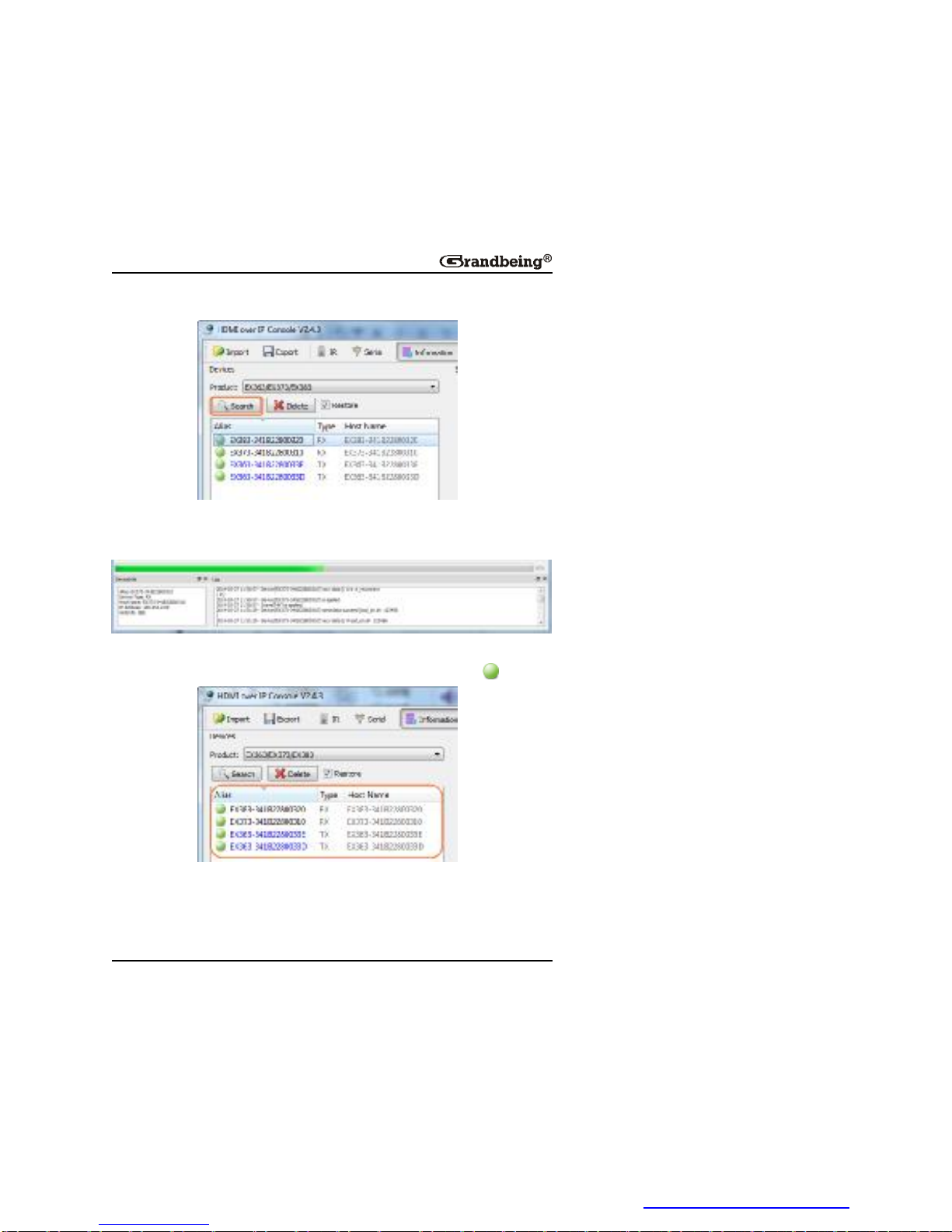
24
3.Click Search asshownbelowtostartsearchingTX/RX.
Pleasewaituntilthesearchiscomplete,itmaytakeafewseconds.All
functionsaredisabledwhenthesearchisinprogress.
4.Whenthesearchiscompletedthediscovereddevicesaredisplayedinthe
devicelistwindow.Thedeviceswillshowactivegreencircles .
Note:
l IftheTXandRXdeviceshavebeensetbeforebythiscontrol
software,select Restore checkboxwhichwillstartsearchingthe
devicesandautomaticallyrestoretothepreviousmatrix
PDF 文件使用 "pdfFactory Pro" 试用版本创建 www.fineprint.cn
Page 27
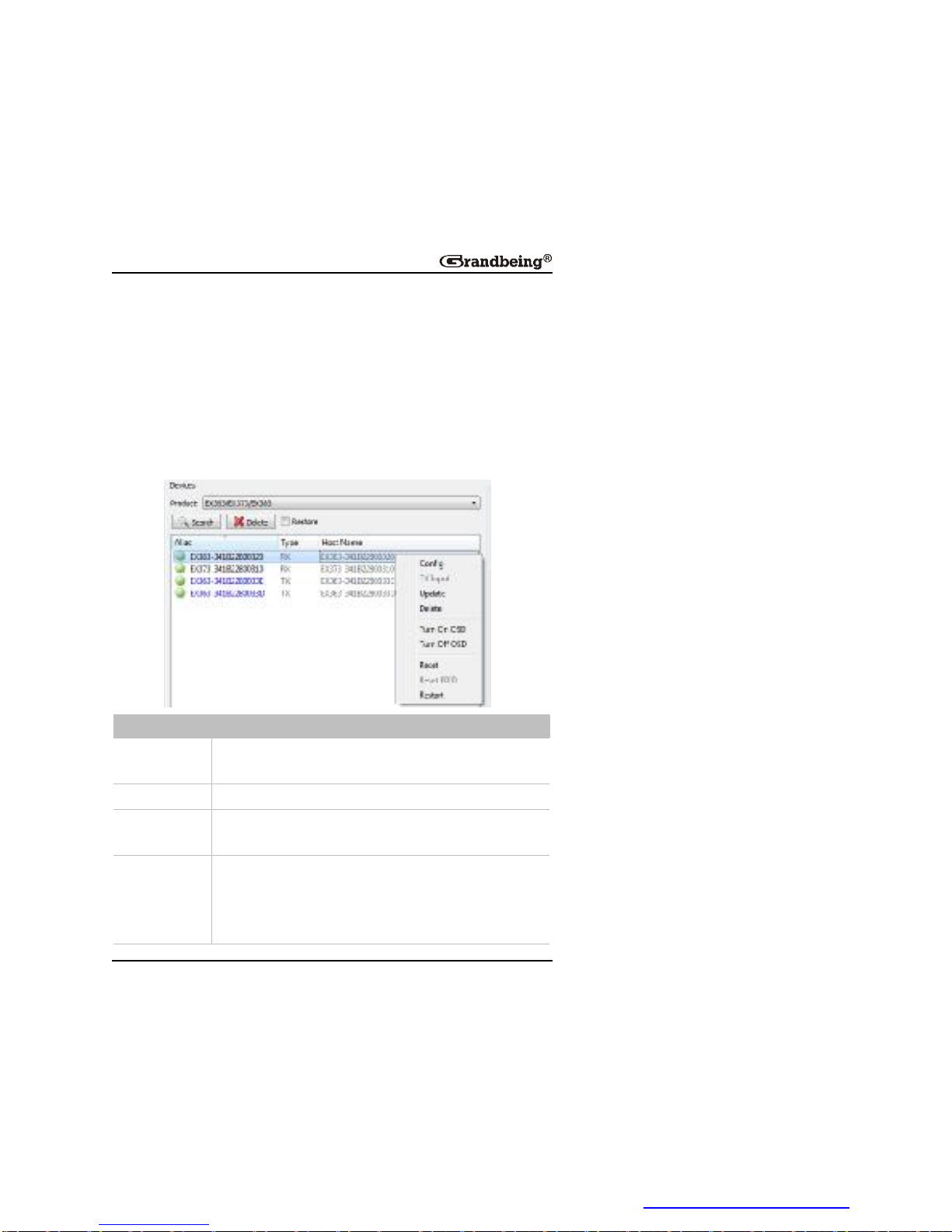
25
configurations.
l Ifnodevicesarefound,seeQuestion1inTroubleshootingfor
solutions.
DeviceParameterSettings
Inthe Devices list,right-clickonasingleormoredevices,alltheauthorized
operationsaredisplayedintheshortcutmenu.Thefollowingtabledescribes
howtosetthedeviceparameters.
Item Description
Config
Configurethedeviceparameters,suchasdevicename,
alias,IPaddresssettings(Auto,DHCP,Static).
TXinput Notsupported.
Update
Updateasingleormoredevicestatus,suchasalias,type
orhostname.
Delete
Deleteasingleormoredevicesthathavebeensearched
andlistedbelowinthe Devices list.
Todisplaythedevicesthatyouhavedeleted,click
Search.
PDF 文件使用 "pdfFactory Pro" 试用版本创建 www.fineprint.cn
Page 28

26
Item Description
TurnOnOSD Notsupported.
TurnOffOSD Notsupported.
Reset
Restoreasingleormoredevicestotheirfactorysettings.
Thisoperationmaytakeafewseconds.Whenresetis
completed,thedeviceswillbecomeactiveagain.It’s
recommendedthatyouclickDelete toremovetheoriginal
devicesandclick Search todisplaythemagain.
ResetEDID Notsupported.
Restart
Restartasingleormoredevicesthathavebeensearched
andlistedbelowinthe Devices list.
Thisoperationmaytakeafewseconds.Whenrestartis
completed,thedeviceswillbecomeactiveagain.
DeviceSettingsWindowIntroduction
Inthe Devices list,right-clickonanydevice,andthenchoose Config to
display DeviceSettings window.Oryoucanalsodouble-clickonanydevice
todisplaythiswindow.
PDF 文件使用 "pdfFactory Pro" 试用版本创建 www.fineprint.cn
Page 29
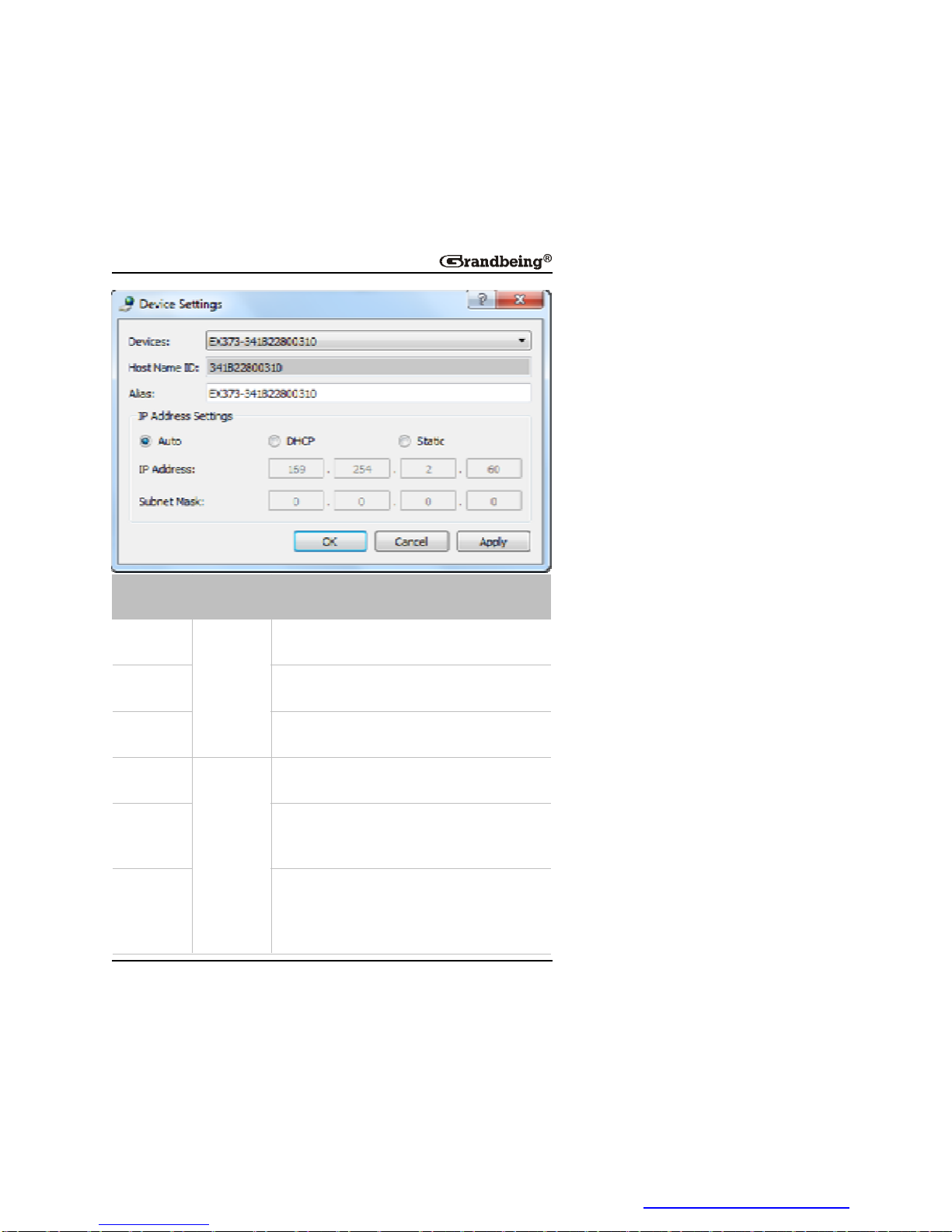
27
GUI
Element
Attribute Description
Devices
Device
parameter
s
Indicatesthecurrentdeviceonwhichyou
performoperations.
HostName
ID
IndicatesthehostnameID,whichisgenerated
bythesystemandcannotbechanged.
Alias
Indicatestheuser-defineddevicenamethat
containsamaximumof80characters.
Auto
IP
distribution
modes
Indicatesamodeinwhichthedeviceis
assignedanIPaddressautomatically.
DHCP
Indicatesamodeinwhichthedeviceis
assignedanIPaddressbyusingarouteror
switchwithaDHCPserver.
Static
Indicatesamodeinwhichthedeviceis
assignedanIPaddressmanually.Inthiscase,
enteranIPaddress(169.254.x.x)in IP
Address and255.255.0.0in SubnetMask.
PDF 文件使用 "pdfFactory Pro" 试用版本创建 www.fineprint.cn
Page 30

28
GUI
Element
Attribute Description
IPAddress
Network
parameter
s
IndicatesthedeviceIPaddress,whichcanbe
setonlywhenthestaticmodeisselected.
Subnet
Mask
Indicatesthedevicesubnetmask,whichcan
besetonlywhenthestaticmodeisselected.
OK
Buttons
Savescurrentsettings,appliesthemtothe
device,andclosesthisdialogbox.
Cancel
Cancelscurrentsettingsandclosesthisdialog
box.
Apply
Savescurrentsettingsandappliesthemtothe
devicewithoutclosingthisdialogbox.
Note:
IfanychangesaremadetotheIPdistributionmodes,forexampleitis
changedfrom Static to Auto or DHCP,restartthedeviceandsearchit
againinthecontrolsoftware.
MatrixSettingIntroduction
Onthehomescreenofthecontrolsoftware,the Scene areadisplaysthe
statusofallTXandRXconnections.
PDF 文件使用 "pdfFactory Pro" 试用版本创建 www.fineprint.cn
Page 31
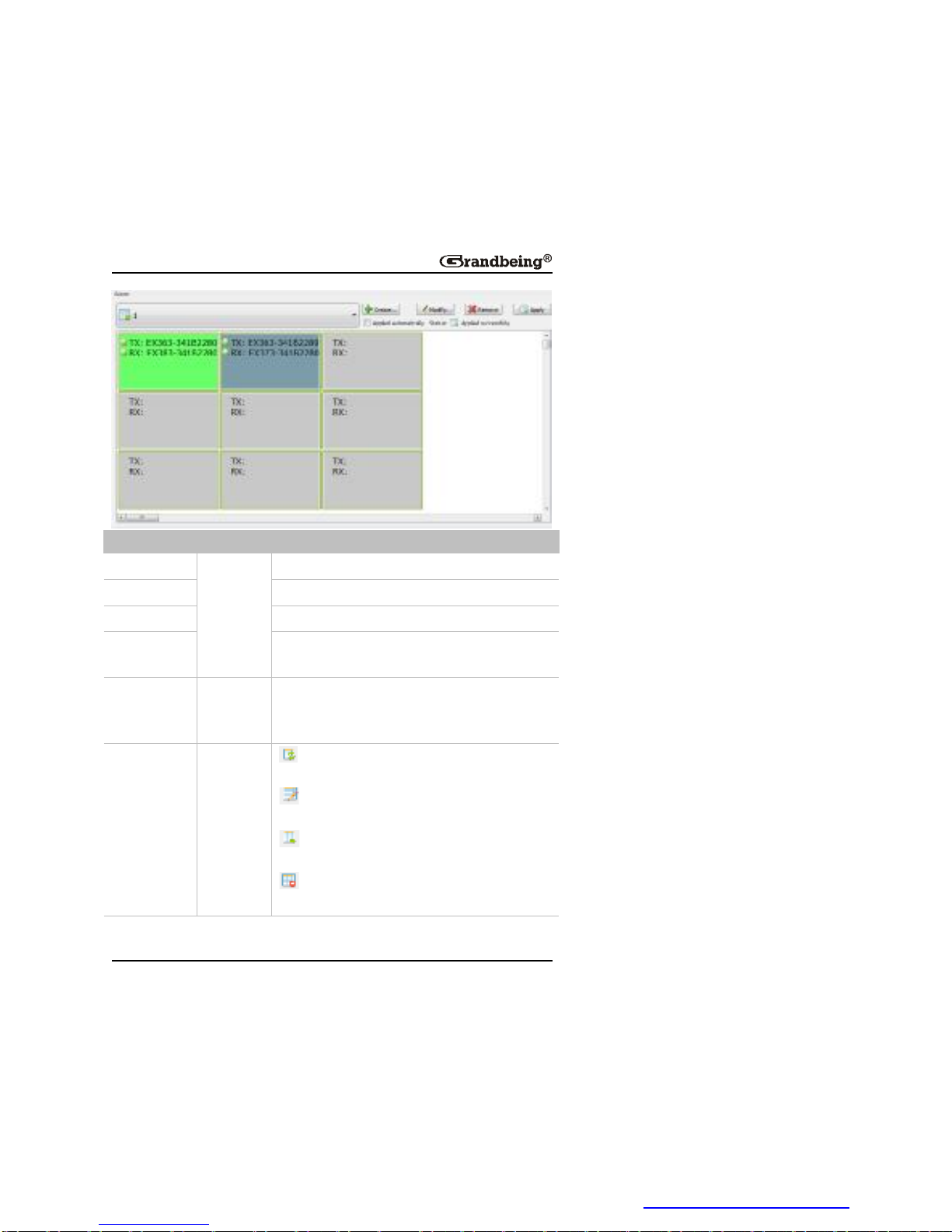
29
GUIElement Attribute Description
Create
Buttons
Createsanewconfigurationscene.
Modify Modifiesthecurrentconfigurationscene.
Remove Deletesthecurrentconfigurationscene.
Apply
Appliestheconfigurationconnectionsettingsto
theconnecteddevices.
Applied
automatically
Option
Indicatesthatsettingsareappliedimmediately
afteryouconfiguretheintersectionbetweenTX
andRX.
Status Icons
Indicatesthatthematrixcreatedbydevices
isrestored.
Indicatesthatmatrixsettingsarein
progress.
Indicatesthatmatrixsettingsareapplied
successfully.
Indicatesthatmatrixsettingsfailtobe
applied.
PDF 文件使用 "pdfFactory Pro" 试用版本创建 www.fineprint.cn
Page 32
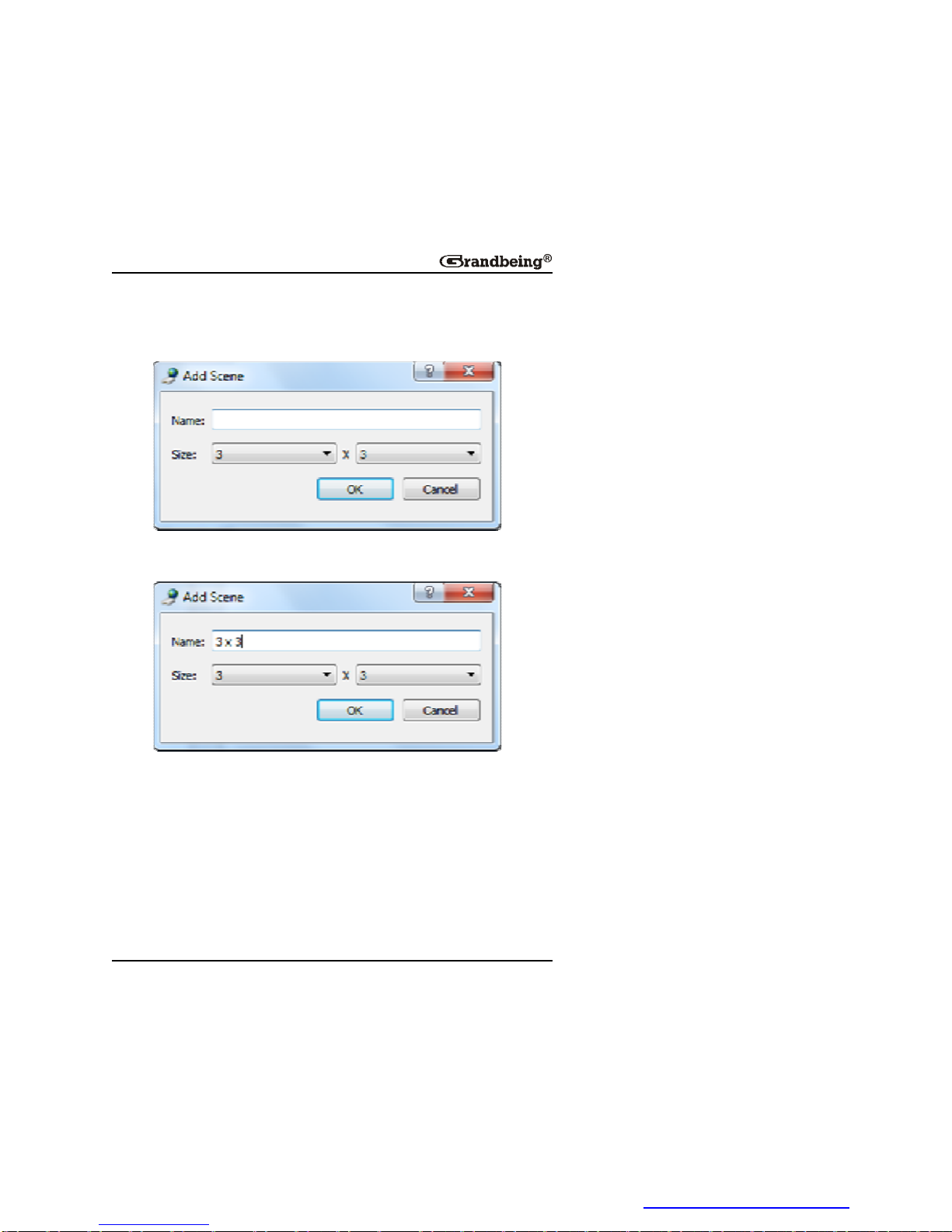
30
CreatingtheSceneWindow
1.Click Create inthe Scene area,the AddScene dialogboxisdisplayed.
2.Changetheconfigurationlayout,forexampleset Name to3x3and Size
to3x3.
3.Click OK.
Note:
Tomodifythecurrentconfigurationlayout,click Modify onthetoolbar.
SceneAreaWindowInstruction
YoucanrightclickacellintheSceneareatoperformtheoperationsfromthe
shortcutmenu.
PDF 文件使用 "pdfFactory Pro" 试用版本创建 www.fineprint.cn
Page 33
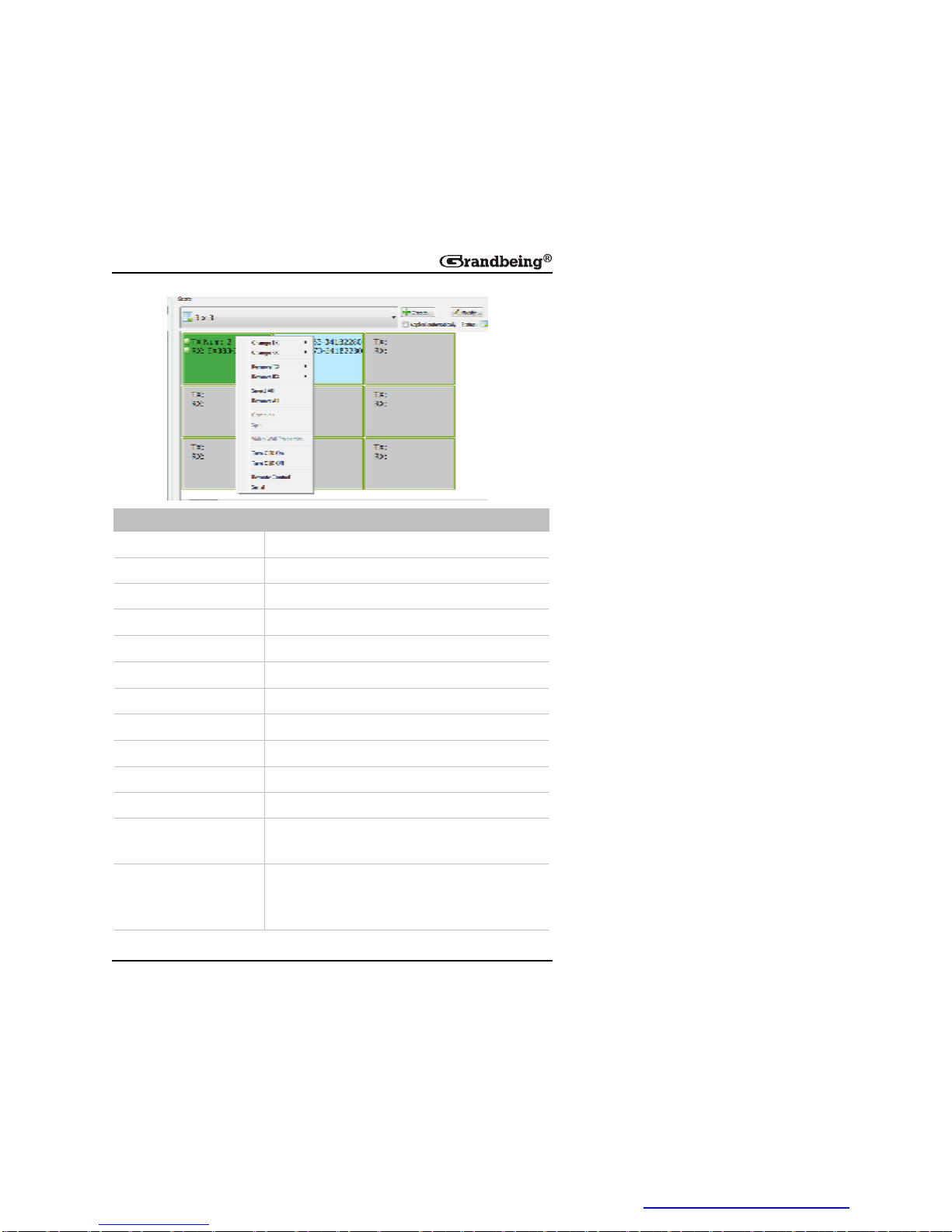
31
GUIElement Description
ChangeTX
SelectsTXfromthesearcheddevices.
ChangeRX
SelectsRXfromthesearcheddevices.
RemoveTX DeletestheTXfromthesearcheddevices.
RemoveRX DeletestheRXfromthesearchdevices.
SelectAll Selectsallthecellsinthe Scene area.
RemoveAll Removeallthedevicesinthe Scene area.
Combine Notsupported.
Split Notsupported.
VideoWallProperties Notsupported.
TurnOSDOn Notsupported.
TurnOSDOff Notsupported.
Remotecontrol
IRremotetosendIRcommandstocontrolthe
sourceordevicefromyourcomputer.
Serial
SendscommandstoaRS232deviceconnected
toN363orN373/N383fordeviceconfiguration
andcontrol.
PDF 文件使用 "pdfFactory Pro" 试用版本创建 www.fineprint.cn
Page 34
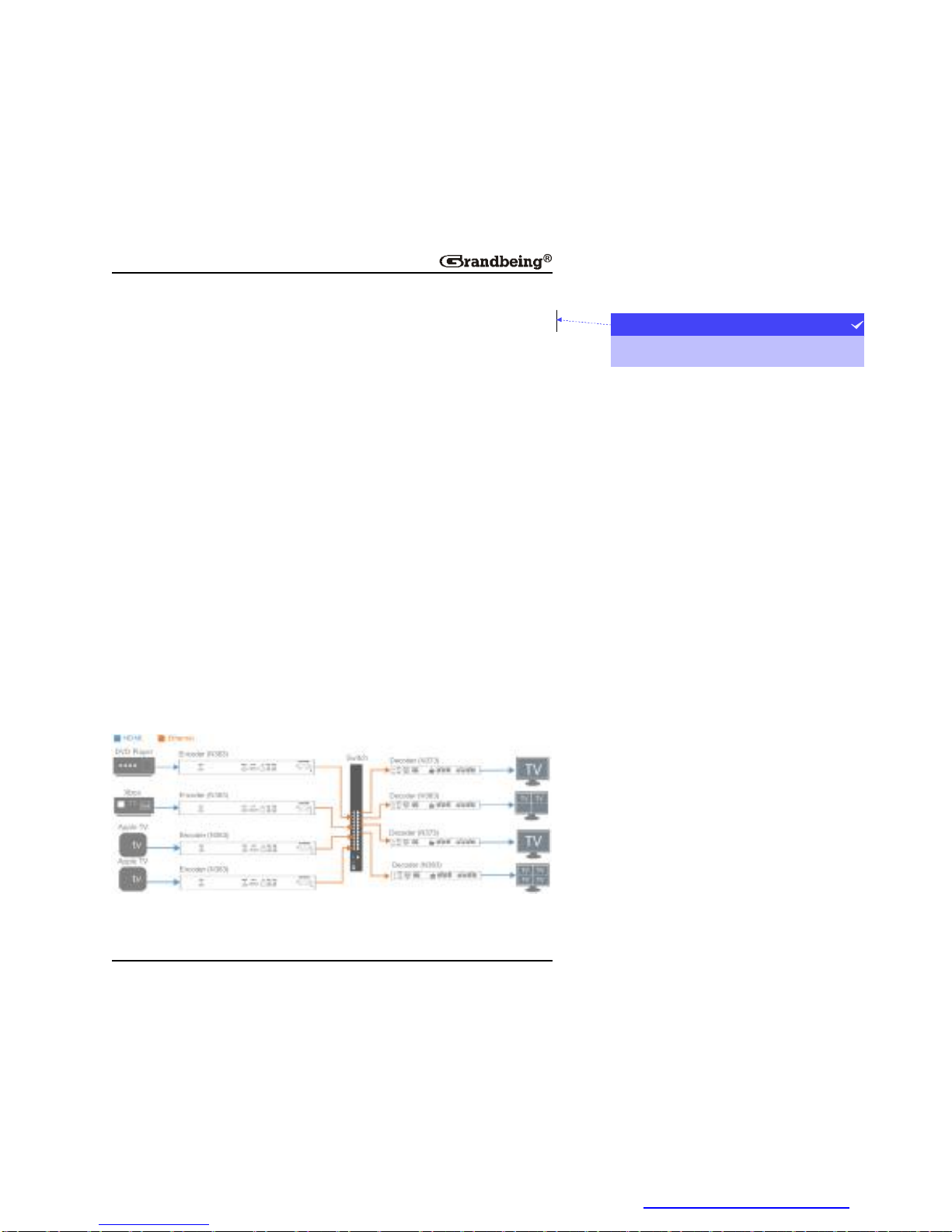
32
Note:
YoucanalsoclickanddragthedesiredTXandRXfromthe Devices listto
cellsinthe Scene areaandapplytheconfigurationconnectionsettings.
SettingaMatrix
Youcansetamatrixthroughthecontrolsoftwaretocontrolandmanageall
theconnecteddevicesinanetwork.Thissectiontakesa2x2matrixasan
example.
Preparations:
l FourencoderN363s
l TwodecoderN373s
l TwodecoderN383s
l One10/100Base-TEthernetswitch.
l FourHDMIsourcedevices
l Fourdisplaydevices
l Acomputer
l EightHDMIcablesandeightCAT5e/6cables
HardwareConnection:
项目符号和编号
andyxh2013-07-1817:10
带格式的:
PDF 文件使用 "pdfFactory Pro" 试用版本创建 www.fineprint.cn
Page 35
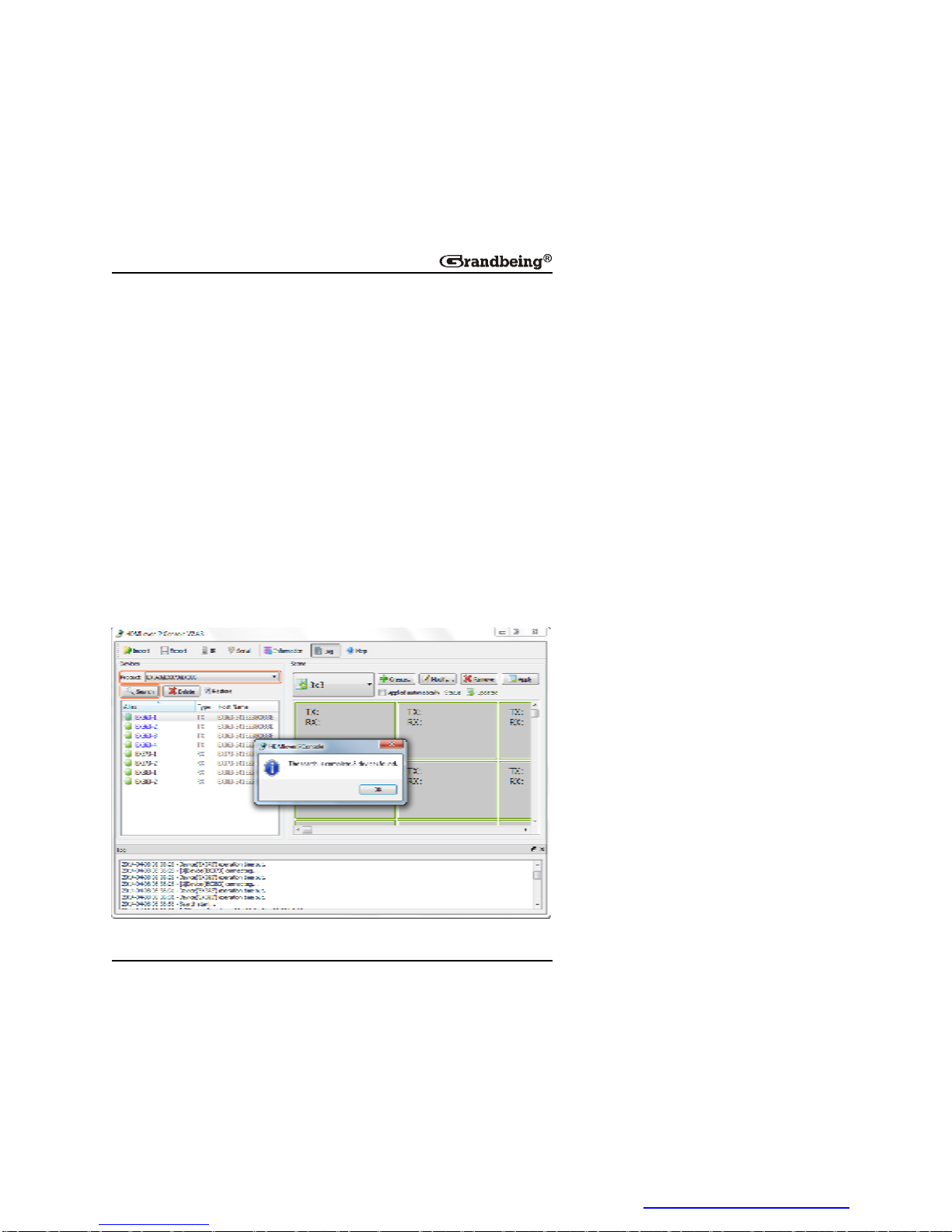
33
1.ConnectoneDVDplayer,oneXbox,twoAppleTVstofourN363viafour
HDMIcables.
2.ConnecttheN363stothe10/100Base-TEthernetswitchwithfour
CAT5e/6cables.
3.ConnectfourTVstotwoN373sandtwoN383sviafourHDMIcables.
4.ConnecttheN373sandN383stotheswitchwithfourCAT5/6cables.
5.ConnectyourcomputertotheswitchwithaCAT5e/6cable.
6.Poweronallthedevices.
Note:
Iftheswitchdoesn’tsupportPoEfunction,connecttheN373sandN383s
tothepowersupplies.
Operation:
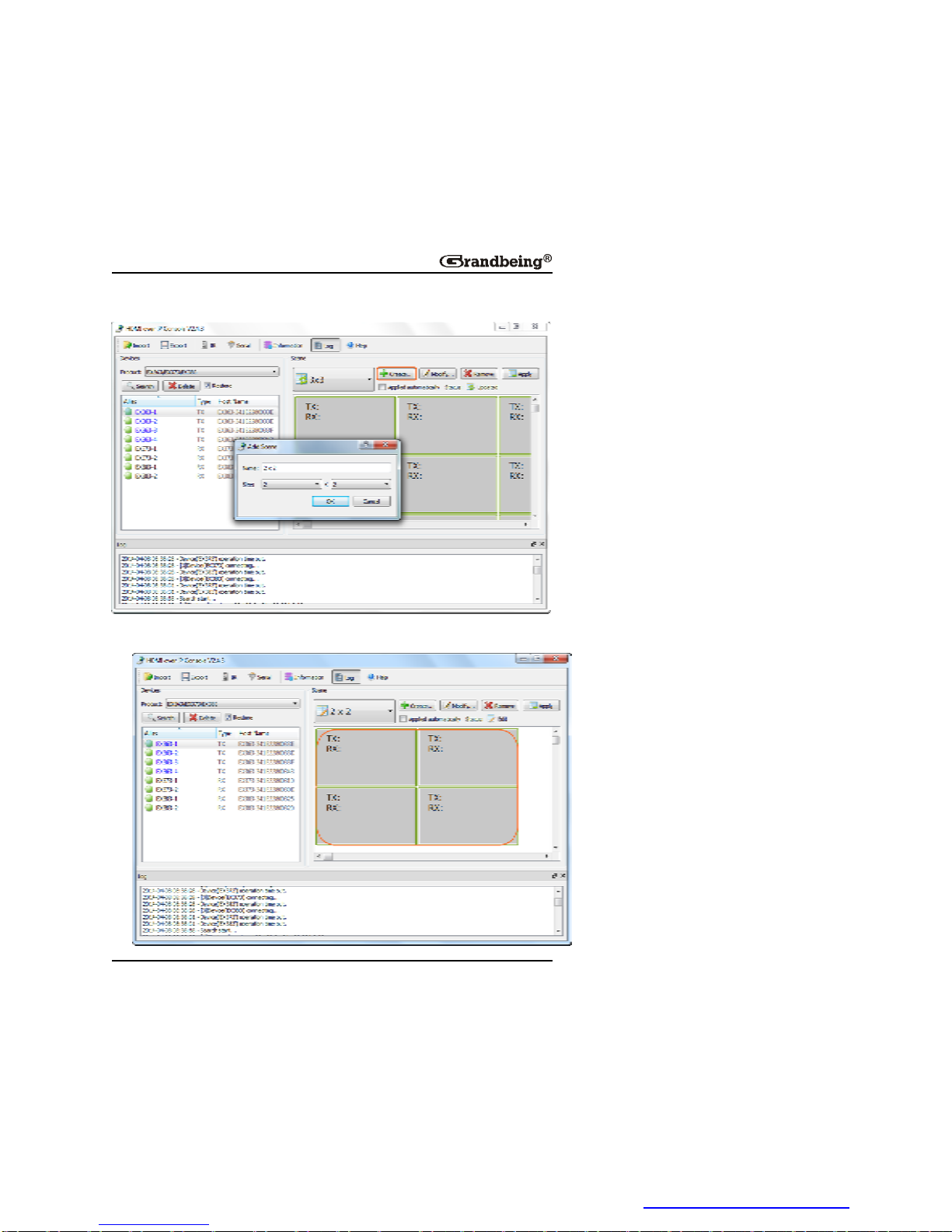
1.Double-click HDMIoverIPConsole.exe tolaunchthecontrolsoftware;
Select EX363/EX373/EX383 from Product list;ClickSearch asshown
belowtostartsearchingTX/RX,andeightdevicesarefound.
PDF 文件使用 "pdfFactory Pro" 试用版本创建 www.fineprint.cn
Page 36
34
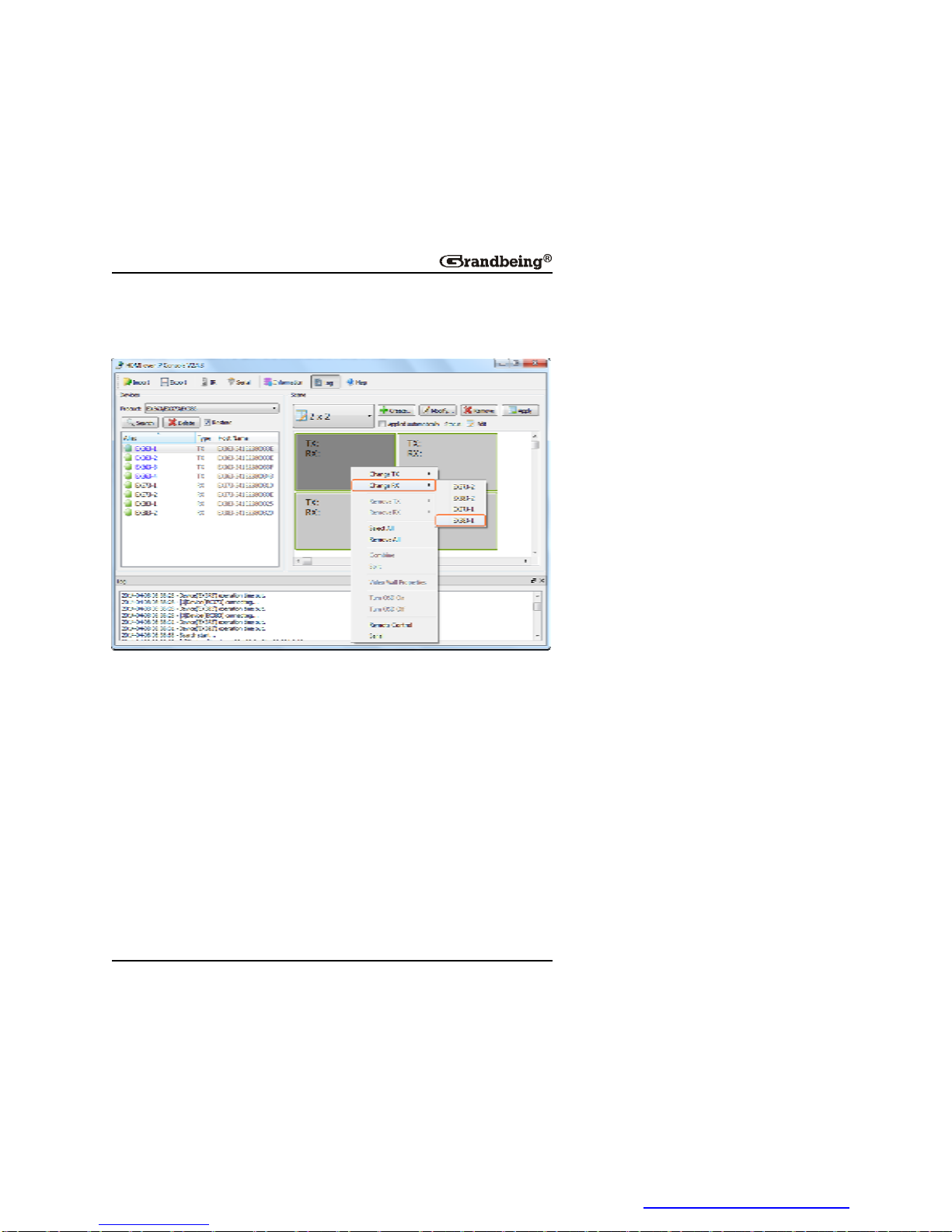
2.Click Create tocreatea2x2configurationscene.
3.ClickOK,2x2configurationsceneiscreatedasshown
below.
PDF 文件使用 "pdfFactory Pro" 试用版本创建 www.fineprint.cn
Page 37
35
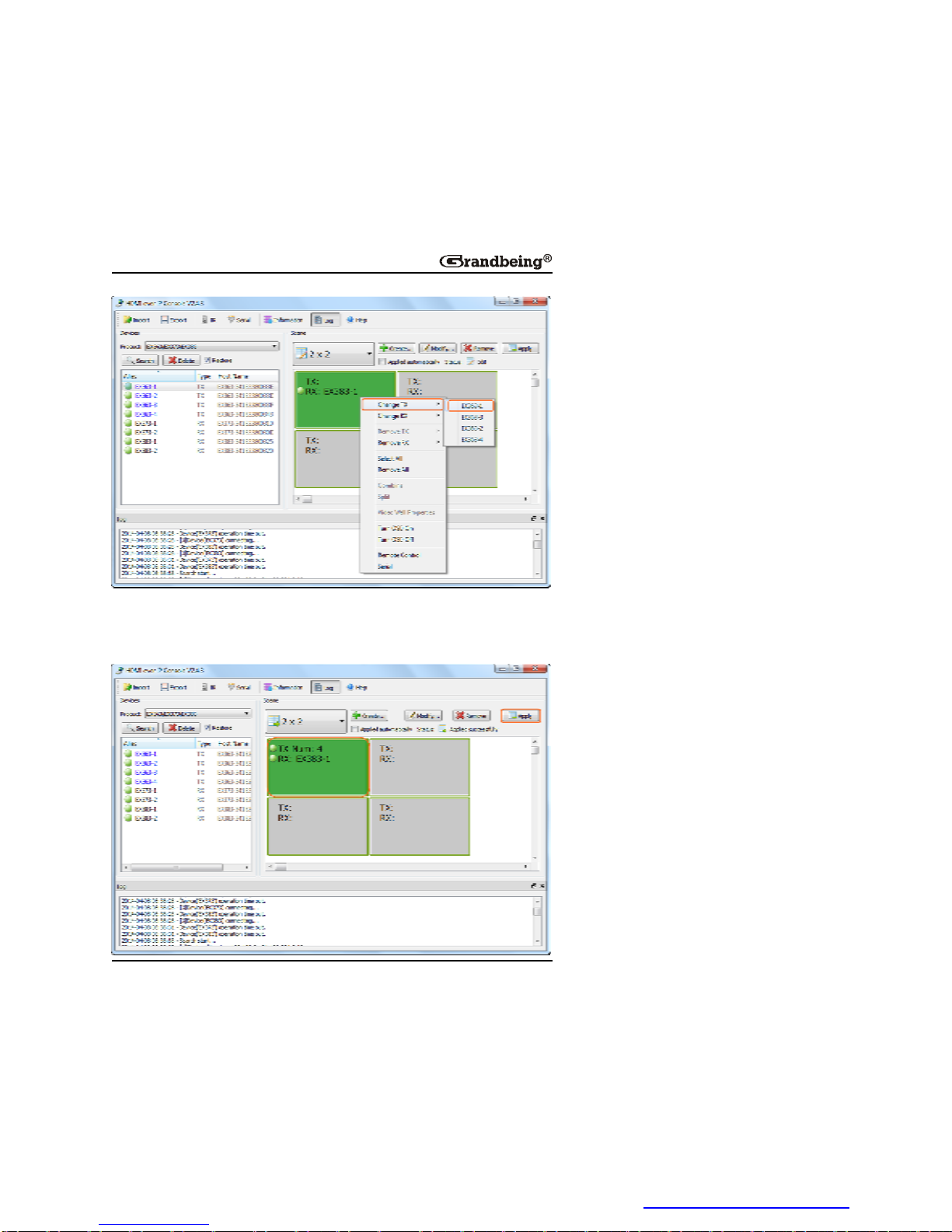
4.ConfiguretheintersectionbetweenTXandRXindifferentcellsinthe
Scene area.
1)Rightclickthefirstcell,choose ChangeRX andthenRX383-1.
2)Rightclickthefirstcell,choose ChangeTX andthen EX363-1.
PDF 文件使用 "pdfFactory Pro" 试用版本创建 www.fineprint.cn
Page 38
36
3)RepeattheabovestepstoselectEX363-2, EX363-3,EX363-4for
EX383toconfiguretheintersectionbetweenTXandRXinthefirstcell.
Andclick Apply tomakethechangestoTXandRXtakeeffective.
PDF 文件使用 "pdfFactory Pro" 试用版本创建 www.fineprint.cn
Page 39
37
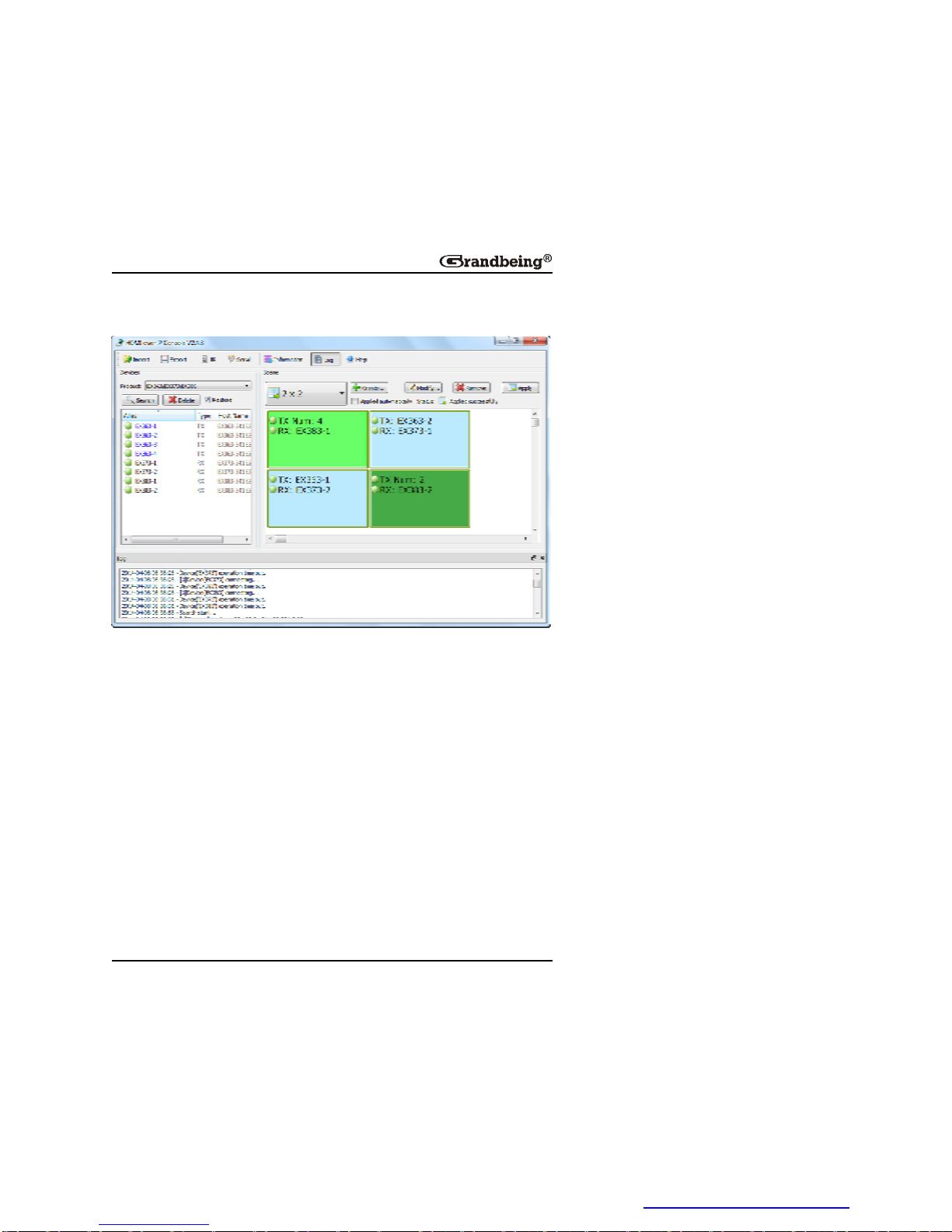
4)ConfiguretheintersectionbetweenTXandRXinothercellsinthe
samewayasabove.Thefinalsceneiscreatedasbelow.
ThenyoucanseethedisplaysconnectedtoN373sshowacompletepicture
fillingthescreen,thedisplaysconnectedtoN383sshowmultiplecomplete
pictureswiththeunoccupiedpartsshowsnothing.
Note:
l IfN383islinkedtoasingleN363,thedisplaywillshowacomplete
picturefillingthescreenasthatconnectedtoN373.
l After2x2matrixiscreated,youcanchangeTXandRXusingthe
controlsoftwaretoenjoydifferentviewingeffects.
ConfigurationFilesManagement
Whenthecontrolsoftwareisclosed,theWindowsoperatingsystemwould
savetheconfigurationfile default.hoi totheworkingdirectoryofcurrentuser.
ViewingtheDefaultConfigurationFileDirectory
Youcanviewthedefaultdirectoryfromthe Import dialogboxdisplayedby
PDF 文件使用 "pdfFactory Pro" 试用版本创建 www.fineprint.cn
Page 40
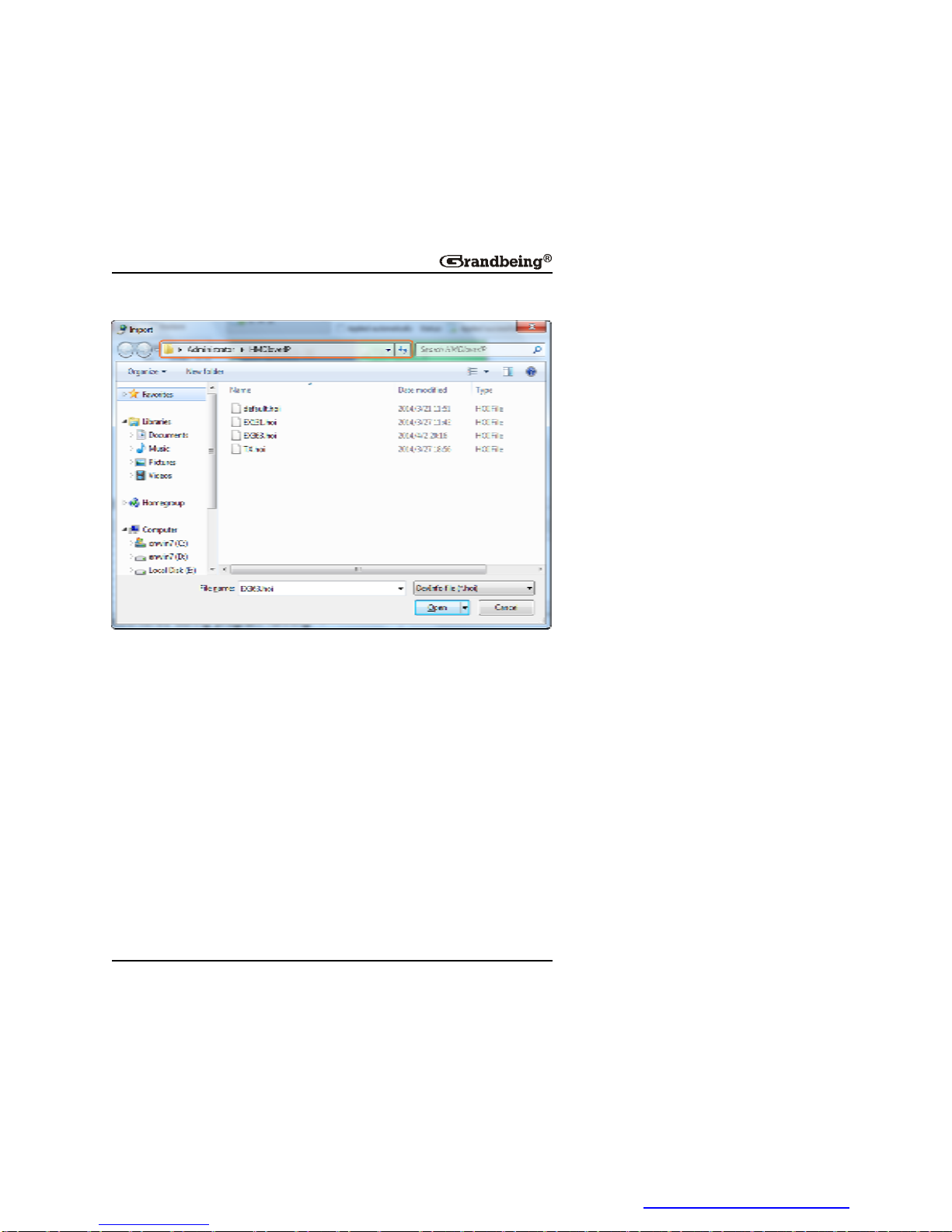
38
clicking Import onthetoolbar.
Whenrunningthecontrolsoftwarenexttime,itwouldautomaticallyreadthe
configurationfile default.hoi.Donotmodifyordeletethe default.hoi.
Otherwise,errorsmaybeencounteredduringprogramrunning.
ExportorImporttheConfigurationFile
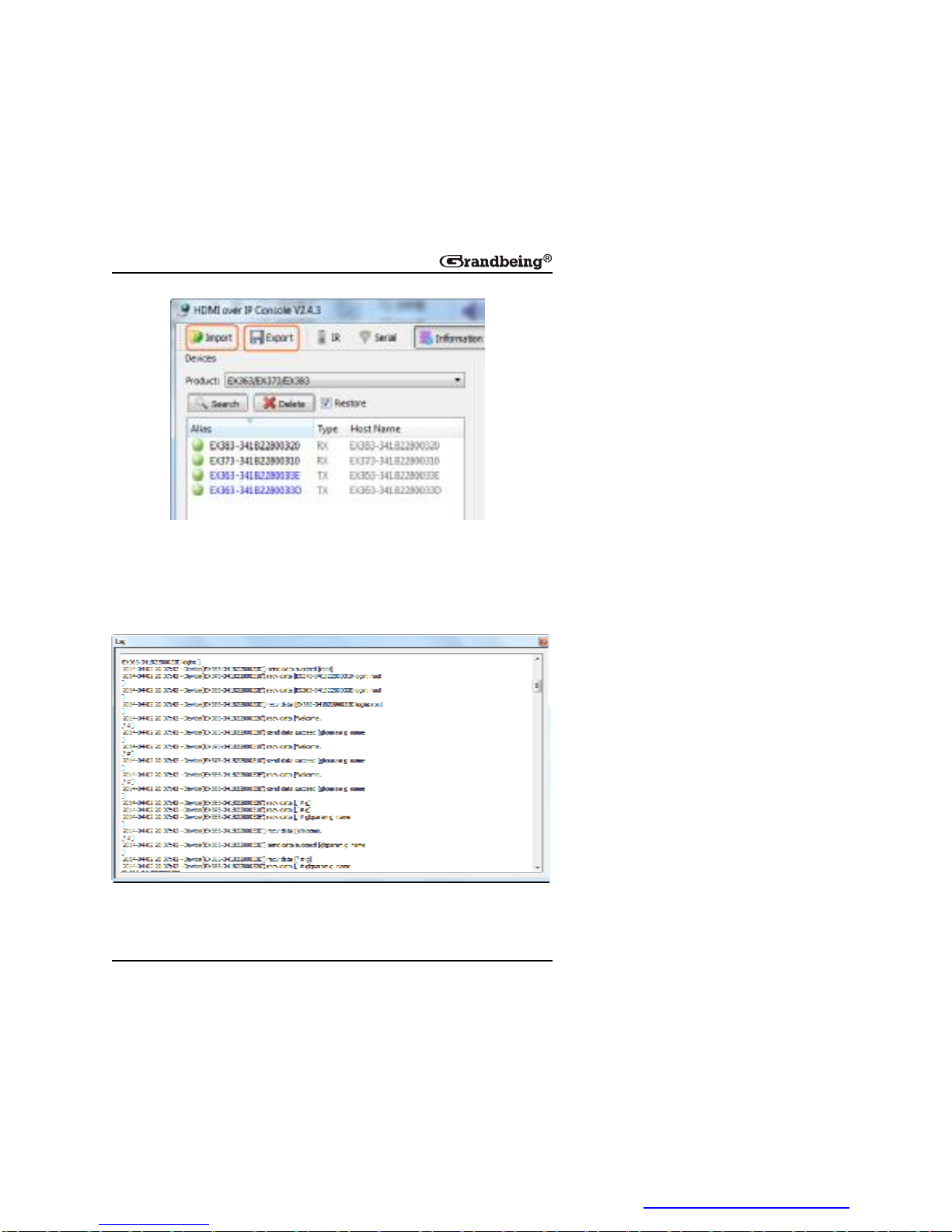
Onthehomescreenofthecontrolsoftware,youcan:
l Click Export onthetoolbartosavethecurrentdevicesandscene
configurationfiletoaspecifieddirectory.
l Click Import onthetoolbartoimportthesavedconfigurationfilefrom
thisdirectory.
PDF 文件使用 "pdfFactory Pro" 试用版本创建 www.fineprint.cn
Page 41
39
Logs
Thelogshaverecordedthesoftwareoperationanddevicecommunication
information,whichcanbeusedfortroubleshooting.
PDF 文件使用 "pdfFactory Pro" 试用版本创建 www.fineprint.cn
Page 42

40
UpgradingtheDevices
Youcanuse MaintainTool upgradingtooltoupgradethedevices.Youjust
needtoextracttheprovidedcompressionfiletoyourcomputerand
double-click MaintainTool.exe tostartitwithoutadditionalinstallation
processing.Thissectiontakes MaintainToolV1.2.B1.P1 asanexampleto
upgradeN363,N373andN383.
Warning:
Donotturnoffthedevicesduringtheupgradingprocess.Otherwiseitmay
causedamagetothedevices.
1.ConnectacomputertotheN363/N373/N383orconnectallofthemtoa
10/100Base-TEthernetswitchviaCAT5e/6cables.
2.SetastaticIPaddressandconfigureyourcomputerfirewallbyreferringto
SettingaStaticIPonYourComputerandConfiguringYourOperating
SystemFirewall.
3.Double-click MaintainTool.exe toruntheupgradingtool.
PDF 文件使用 "pdfFactory Pro" 试用版本创建 www.fineprint.cn
Page 43
41
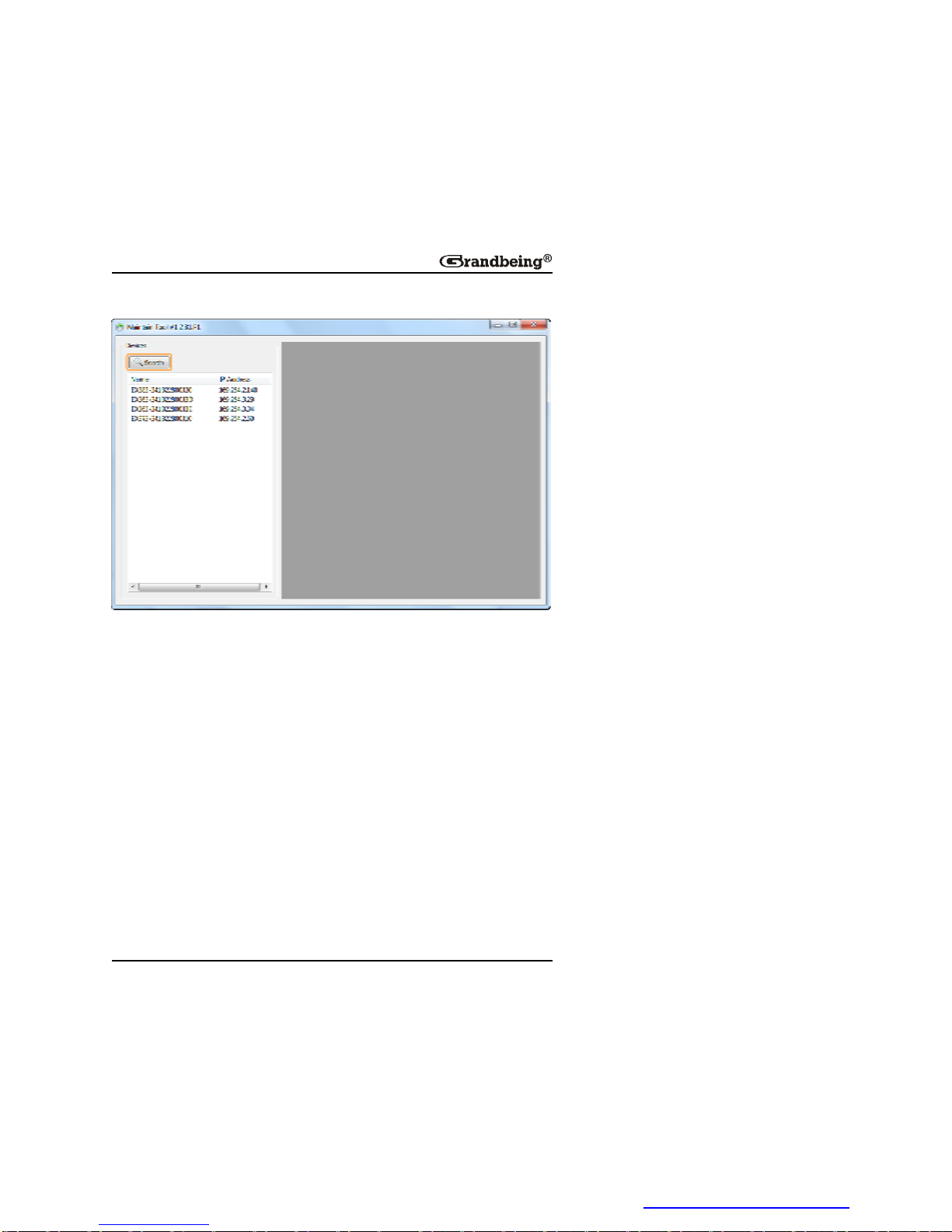
4.ClickSearch todetectanddisplaythedevicesinthe Devices list.
5.UpgradeaN363.
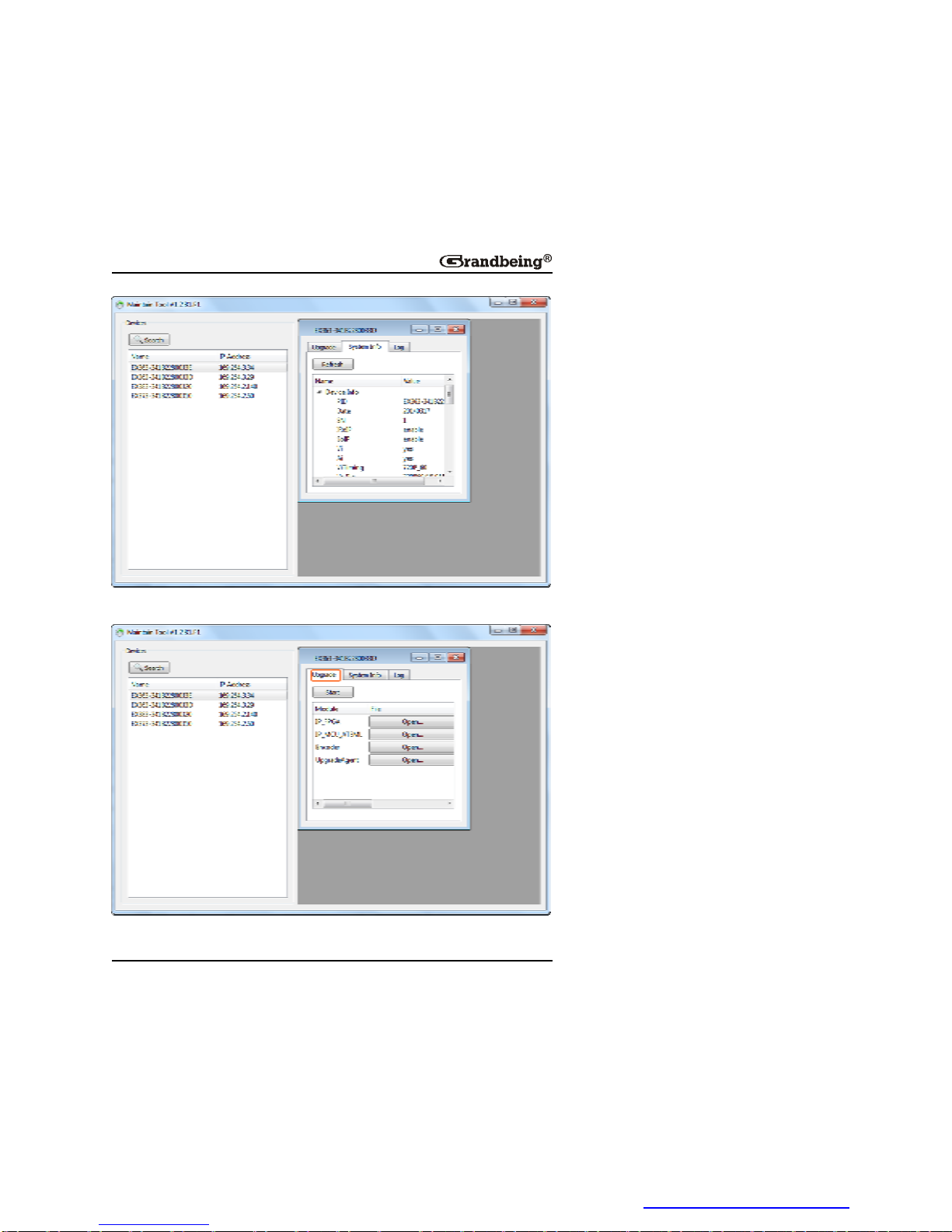
1)ClickaN363inthe Devices listtodisplaythedevicesystemdialog
box.
PDF 文件使用 "pdfFactory Pro" 试用版本创建 www.fineprint.cn
Page 44
42
2)Click Upgrade tab.
PDF 文件使用 "pdfFactory Pro" 试用版本创建 www.fineprint.cn
Page 45
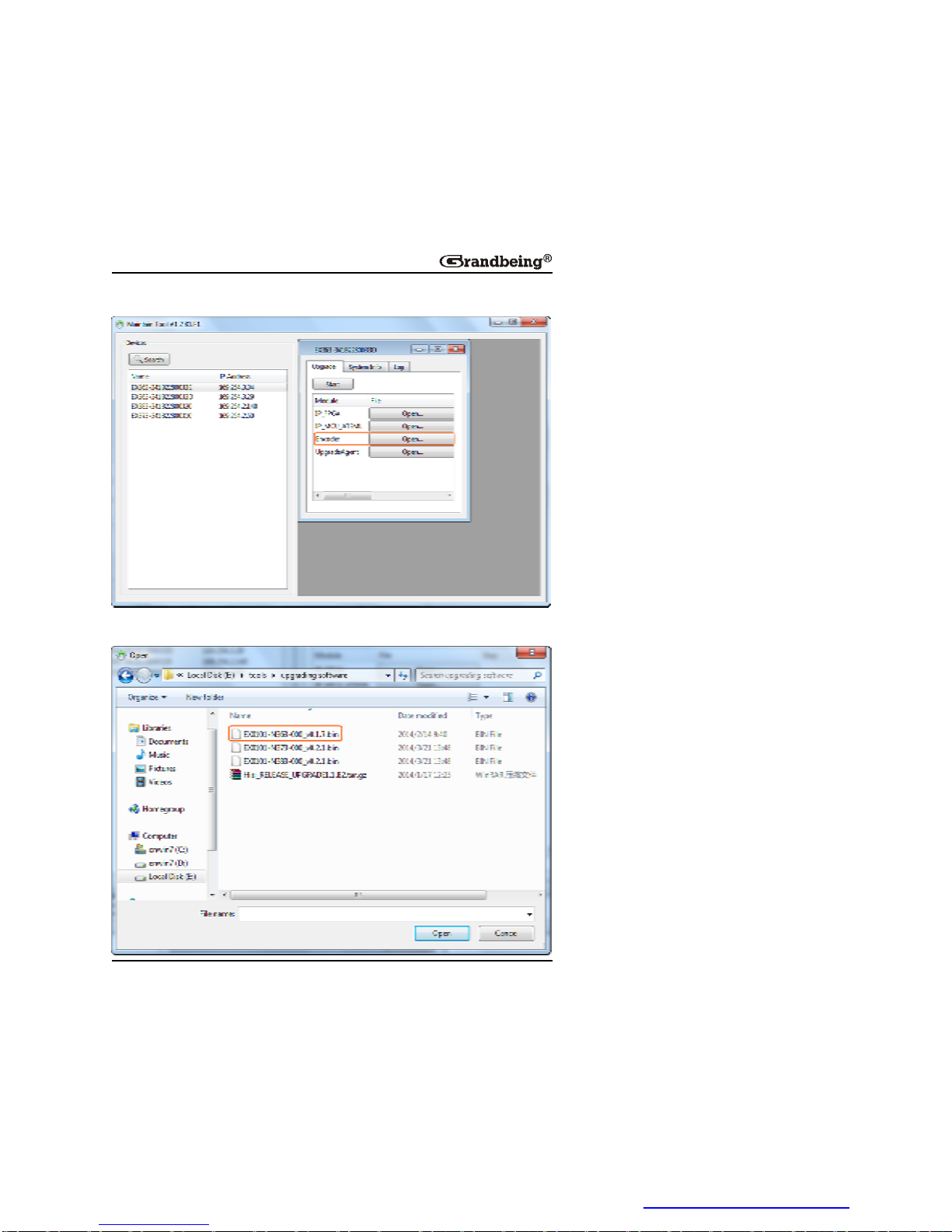
43
3)Click Open for Encoder.
4)SelectthebinfilefortheN363.
PDF 文件使用 "pdfFactory Pro" 试用版本创建 www.fineprint.cn
Page 46
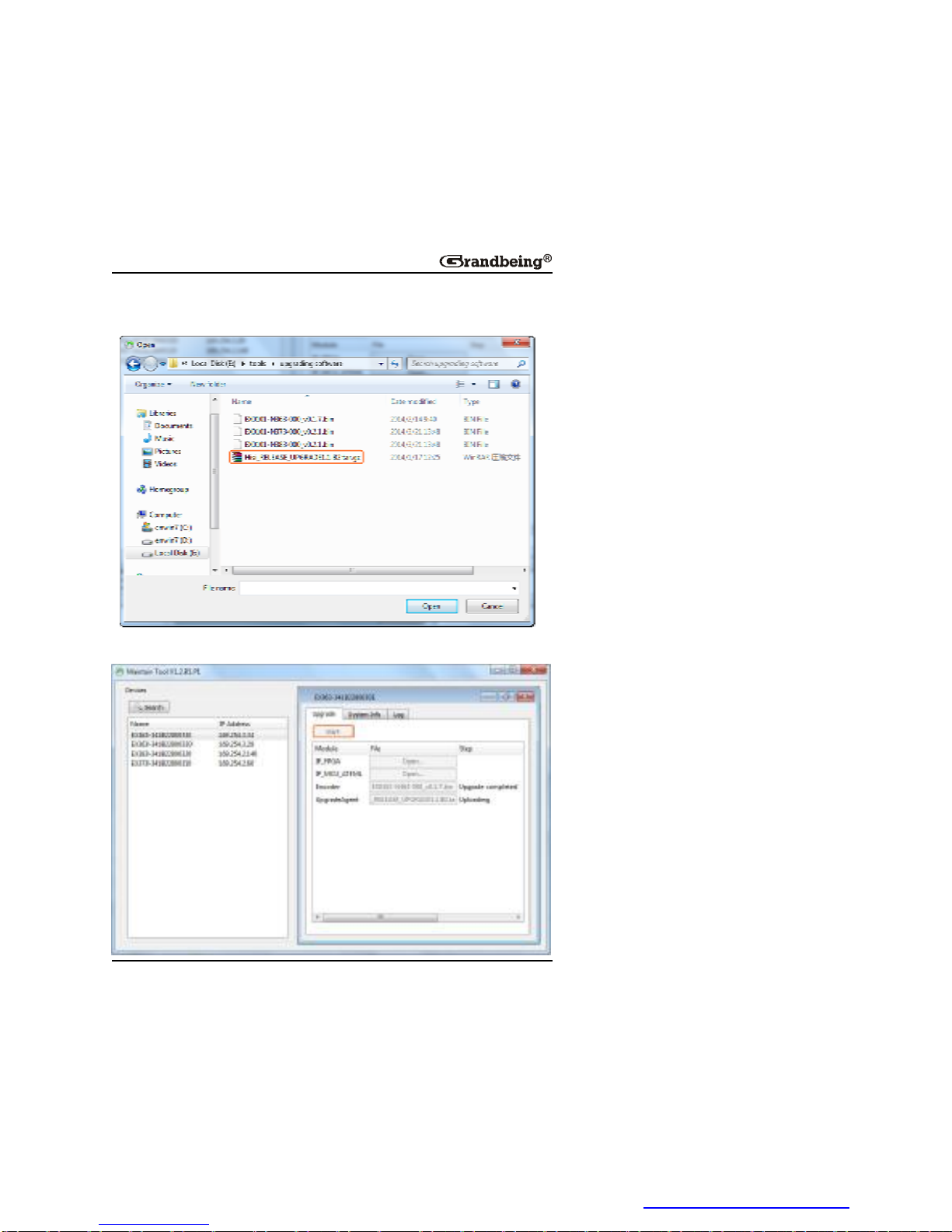
44
5)Click Open for UpgradeAgent toselectacompressionfilefromthe
directory.
6)Click Start toruntheupgrading.Itmaytakeafewseconds.
PDF 文件使用 "pdfFactory Pro" 试用版本创建 www.fineprint.cn
Page 47

45
Note:
Whentheupgradeiscomplete,thedevicewillreboottomakethe
operationstakeeffect.
6.Therestdevicescanbeupdatedinthesameway.
PDF 文件使用 "pdfFactory Pro" 试用版本创建 www.fineprint.cn
Page 48
46
Troubleshooting
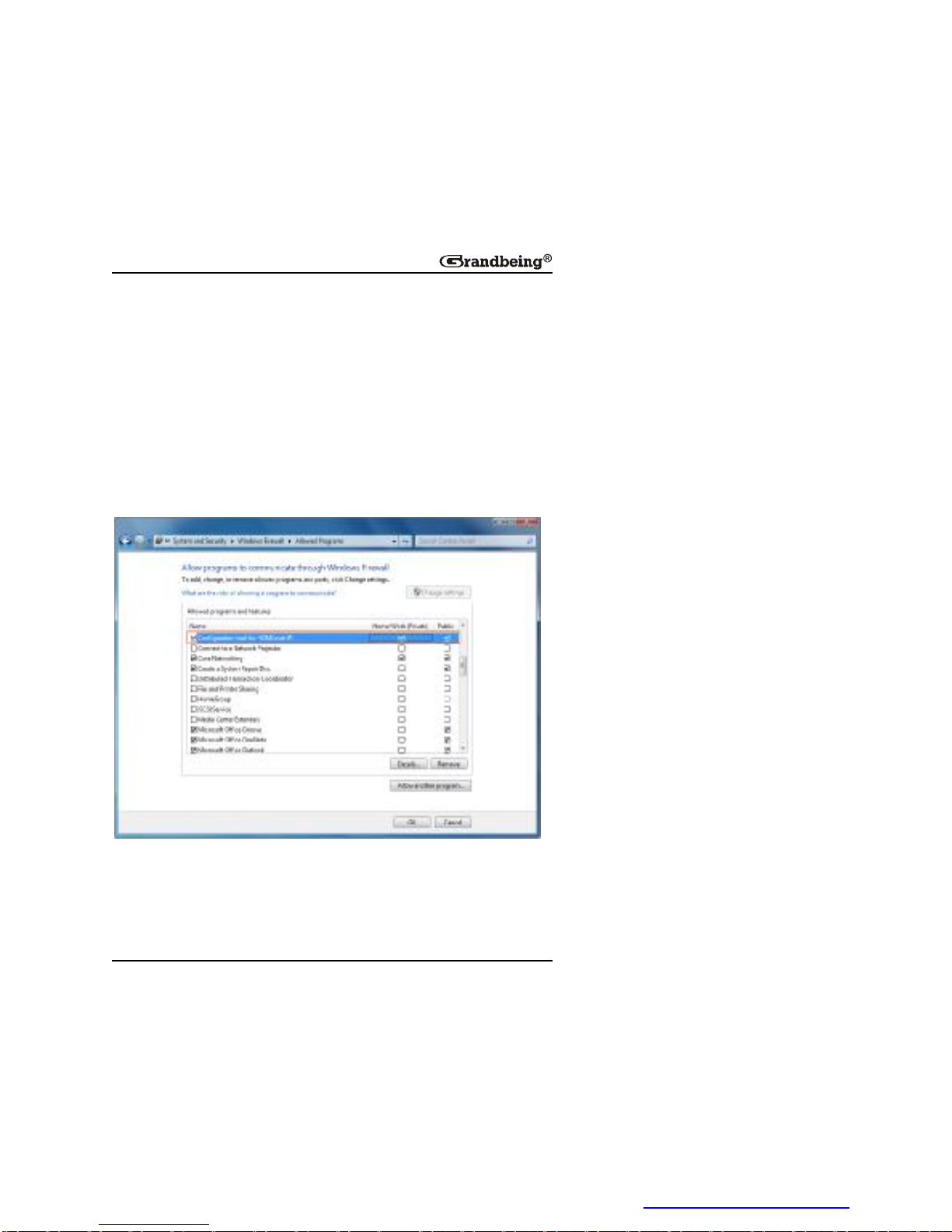
1.Why HDMIoverIPconsole or Maintaintool cannotfindanydevices?
• ChecktheWindowsFirewall.
TakingWindows7asanexample:Click Start menu,goto ControlPanel
> SystemandSecurity > WindowsFirewall > AllowedPrograms,
highlight ConfigurationtoolforHDMIoverIP,check Home/Work
(Private) and Public.
l ChecktheIPaddressandsubnetmaskofyourcomputer.Thenetwork
segmentforIPaddressis169.254.x.x andthesubnetmaskis
255.255.0.0,thecomputerandTX/RXshouldbeinthesamenetwork
segment.Formoreinformation,seeSettingaStaticIPonYour
Computer.
PDF 文件使用 "pdfFactory Pro" 试用版本创建 www.fineprint.cn
Page 49

47
l ChecktheIGMPsnoopingstatusinswitch.Thisfunctionshouldbe
enabled.
2.WhyTVshowsnopicturewithRXconnected?
l Checkthatpowersuppliesofallthedevicesarepoweredon.
l Checkthatallthecablesarequalifiedandconnectedproperly.
l Checkthatthedisplayworksproperly,andthatsourcedeviceshave
normalsignalsoutput.
l CheckthatTXandRXarelinkedbasedonstatusofthe Link indicators
onRX.Fordetails,seedescriptioninPanel.Iflinkexceptionsexist,link
TXandRXusingthecontrolsoftwareonyourcomputer.
l Checkthattheresolutionsofthesourcedevices.TXsupportsinput
resolutions480i,480p,576i,576p,720p,1080i,1080p.
l Checkthatyoursinkisswitchedtothecorrectsourceinputmode,such
asswitchingtoHDMI1ifHDMI1interfaceisconnectedtotheN353viaa
HDMIcable.
l CheckthatnocompatibilityissuesexistbetweenRXandsink.Ifso,
replacethesinkwithothermodels.Checkthatpowersuppliesofallthe
devicesarepoweredon.
l TheswitchsupportsIGMPsnoopingandthisfunctionisenabled.
Note:
Formoreinformation,see HDIPProductFAQ.
PDF 文件使用 "pdfFactory Pro" 试用版本创建 www.fineprint.cn
Page 50

48
ProductService
Maintenance
Cleanthisunitwithasoft,drycloth.Neverusealcohol,paintthinneror
benzinetocleanthisunit.
ProvidedService
1. DamageRequiringservice: Theunitshouldbeservicedbyqualified
servicepersonnelif:
Ø TheDCpowersupplycordorACadapterhasbeendamaged;
Ø Objectsorliquidshavegottenintotheunit;
Ø Theunithasbeenexposedtorain;
Ø Theunitdoesnotoperatenormallyorexhibitsamarkedchangein
performance;
Ø Theunithasbeendroppedorthecabinetdamaged.
2. ServicingPersonnel: Donotattempttoservicetheunitbeyondthat
describedintheseoperatinginstructions.Referallotherservicingto
authorizedservicingpersonnel.
3. Replacementparts: Whenpartsneedreplacingensuretheserviceuses
partsspecifiedbythemanufacturerorpartsthathavethesame
characteristicsastheoriginalparts.Unauthorizedsubstitutesmayresultin
fire,electricshock,orotherhazards.
4. Safetycheck: Afterrepairsorservice,asktheservicetoperformsafety
checkstoconfirmthattheunitisinproperworkingcondition.
Mail-InService
Whenshippingtheunit,carefullypackandsenditprepaid,adequately
insuredandpreferablyintheoriginalcarton.Includealetterdetailingthe
complaintandprovideadaytimephoneand/oremailaddresswhereyoucan
PDF 文件使用 "pdfFactory Pro" 试用版本创建 www.fineprint.cn
Page 51

49
bereached.
Ifrepairisneededduringthelimitedwarrantyperiodthepurchaserwillbe
requiredtofurnishasalesreceipt/proofofpurchaseindicatingdateof
purchase,amountpaidandplaceofpurchase.Customerwillbechargedfor
therepairofanyunitreceivedwithoutsuchproofofpurchase.
Warranty
Ifyourproductdoesnotworkproperlybecauseofadefectinmaterialsor
workmanship,GrandbeingCompany(referredtoas “thewarrantor”)will,for
thelengthoftheperiodindicatedasbelow, ( Parts(1)Year, Labor(90)
Days) whichstartswiththedateoforiginalpurchase(“LimitedWarranty
period”),atitsoptioneither(a)repairyourproductwithneworrefurbished
parts,or(b)replaceitwithaneworarefurbishedproduct.Thedecisionto
repairorreplacewillbemadebythewarrantor.
Duringthe “Labor” LimitedWarrantyperiodtherewillbenochargeforlabor.
Duringthe “Parts” warrantyperiod,therewillbenochargeforparts.Youmust
mail-inyourproductduringthewarrantyperiod.ThisLimitedWarrantyis
extendedonlytotheoriginalpurchaserandonlycoversproductpurchased
asnew.Apurchasereceiptorotherproofoforiginalpurchasedateisrequired
forLimitedWarrantyservice.
WarrantyLimitsandExclusions
1. ThisLimitedWarrantyONLYCOVERSfailuresduetodefectsin
materialsorworkmanship,andDOESNOTCOVERnormalwearand
tearorcosmeticdamage. TheLimitedWarrantyALSODOESNOT
COVERdamageswhichoccurredinshipment,orfailureswhichare
causedbyproductsnotsuppliedbythewarrantor,orfailureswhichresult
fromaccidents,misuse,abuse,neglect,mishandling,misapplication,
alteration,faultyinstallation,set-upadjustments,maladjustmentof
consumercontrols,impropermaintenance,powerlinesurge,lightning
damage,modification,orservicebyanyoneotherthanaFactoryService
PDF 文件使用 "pdfFactory Pro" 试用版本创建 www.fineprint.cn
Page 52

50
CenterorotherAuthorizedService,ordamagethatisattributabletoactsof
God.
2. Therearenoexpresswarrantiesexceptaslistedunder “limited
warrantycoverage”.Thewarrantorisnotliableforincidentalor
consequentialdamagesresultingfromtheuseofthisproduct,or
arisingoutofanybreachofthiswarranty. (Asexamples,thisexcludes
damagesforlosttime,costofhavingsomeoneremoveorre-installan
installedunitifapplicable,traveltoandfromtheservicelocation,lossofor
damagetomediaorimages,dataorotherrecordedcontent.Theitems
listedarenotexclusive,butareforillustrationonly.)
3.Partsandservice,whicharenotcoveredbythislimitedwarranty,are
yourresponsibility.
PDF 文件使用 "pdfFactory Pro" 试用版本创建 www.fineprint.cn
Page 53

51
Glossary
Acronym CompleteTerm
DHCP DynamicHostConfigurationProtocol
EDID ExtendedDisplayIdentificationData
HDCP High-bandwidthDigitalContentProtection
HDMI HighDefinitionMultimediaInterface
IR Infra-red
LAN LocalAreaNetworks
OSD OnScreenDisplay
PoE PoweroverEthernet
RX Receiver
TX Transmitter
PDF 文件使用 "pdfFactory Pro" 试用版本创建 www.fineprint.cn
Page 54

GrandbeingTechnologyCo.,Ltd.
Address:
B-301,ScienceandTechnologyBuildingPhase11,
1057NanhaiRd,NanshanDistrict,Shenzhen,P.P.China
Tel:86-755-21620566 Fax:+86755-21620564
PostCode:518067
www.grandbeing.biz
PDF 文件使用 "pdfFactory Pro" 试用版本创建 www.fineprint.cn
 Loading...