

Page 1
MX0402-001 Operating Instructions
Grandbeing
HDMI Switching Matrix
Model No. MX0402-001
Operating Instructions(P/N of this Instructions is INSMX0402-001)
FEATURES
z Compact size, could be installed in hidden place.
z Mounting gears supplied for easy installation.
z Easy to use: install in seconds, no need for setting.
z Two outputs show different sources simultaneously.
z Distribute any of the four inputs to any of the two outputs.
z Triple switching modes, auto, IR remote and manual.
z With extra infrared receiver extension.
z Each port supports HDMI or DVI inputs.
z Signaling rates up to 2.25Gbps in support of 1080P display.
z HDMI V1.3
z HDCP compliant.
®
GRANDBEING
1
®
Page 2

MX0402-001 Operating Instructions
Dear customer:
Thank you for purchasing this product. For optimum performance and safety,
please read these instructions carefully before connecting, operating or
adjusting this product. Please keep this manual for future reference.
NOTICE
Grandbeing Inc. reserves the right to make changes in the hardware,
packaging and any accompanying documentation without prior written
notice.
WARNING:
TO REDUCE THE RISK OF FIRE, ELECTRIC SHOCK OR PRODUCT DAMAGE:
1) DO NOT EXPOSE THIS APPARATUS TO RAIN, MOISTURE, DRIPPING OR
SPLASHING AND THAT NO OBJECTS FILLED WITH LIQUIDS, SUCH AS
VASES, SHALL BE PLACED ON THE APPARATUS.
2) DO NOT INSTALL OR PLACE THIS UNIT IN A BOOKCASE, BUILT-IN
CABINET OR IN ANOTHER CONFINED SPACE. ENSURE THE UNIT IS
WELL VENTILATED.
3) TO PREVENT RISK OF ELECTRIC SHOCK OR FIRE HAZARD DUE TO
OVERHEATING, DO NOT OBSTRUCT THE UNIT’S VENTILATION
OPENINGS WITH NEWSPAPERS, TABLECLOTHS, CURTAINS, AND
SIMILAR ITEMS.
4) DO NOT INSTALL NEAR ANY HEAT SOURCES SUCH AS RADIATORS,
HEAT REGISTERS, STOVES, OR OTHER APPARATUS (INCLUDING
AMPLIFIERS) THAT PRODUCE HEAT.
5) DO NOT PLACE SOURCES OF NAKED FLAMES, SUCH AS LIGHTED
CANDLES, ON THE UNIT.
6) CLEAN THIS APPARATUS ONLY WITH DRY CLOTH.
7) UNPLUG THIS APPARATUS DURING LIGHTNING STORMS OR WHEN
UNUSED FOR LONG PERIODS OF TIME.
8) PROTECT THE POWER CORD FROM BEING WALKED ON OR PINCHED
PARTICULARLY AT PLUGS.
9) ONLY USE ATTACHMENTS/ACCESSORIES SPECIFIED BY THE
MANUFACTURER.
10) REFER ALL SERVICING TO QUALIFIED SERVICE PERSONNEL.
GRANDBEING
2
®
Page 3

MX0402-001 Operating Instructions
TABLE OF CONTENTS
Introduction····························································································4
Package Contents··················································································4
Panel Descriptions·················································································4
Connect and Operation··········································································6
Specification ···························································································9
T ypical Application ·················································································9
Maintenance ························································································10
Product Service····················································································10
Warranty ······························································································10
Contact Information···········································································10
GRANDBEING
3
®
Page 4
MX0402-001 Operating Instructions
INTRODUCTION
Grandbeing’s MX0402-001 is a 4-by-2 DVI/HDMI switching matrix. It allows up to 4
digital DVI or HDMI ports to be switched to two independent displays. The two
outputs can display different sources from different inputs simultaneously.
MX0402-001 has the ability of equalization and amplification to ensure HDMI
signal's transmission through long cable without quality loss.
MX0402 -001offers solutions for digital entertainment center, HDTV retail and show
site, HDTV, STB, DVD and projector factory, noise, space and security concerns,
data center control, information distribution, conference room presentation, school
and corporate training environments.
PACKAGE CONTENTS
1. Main unit. P/N_MX0402-001.
2. DCPower Supply,5V /1A.
3. Remote.
4. IR extension cable.
5. Mounting gears.
6. Operating Instructions. P/N_INS MX0402-001.
*PART NUMBER (Abbreviation as P/N).
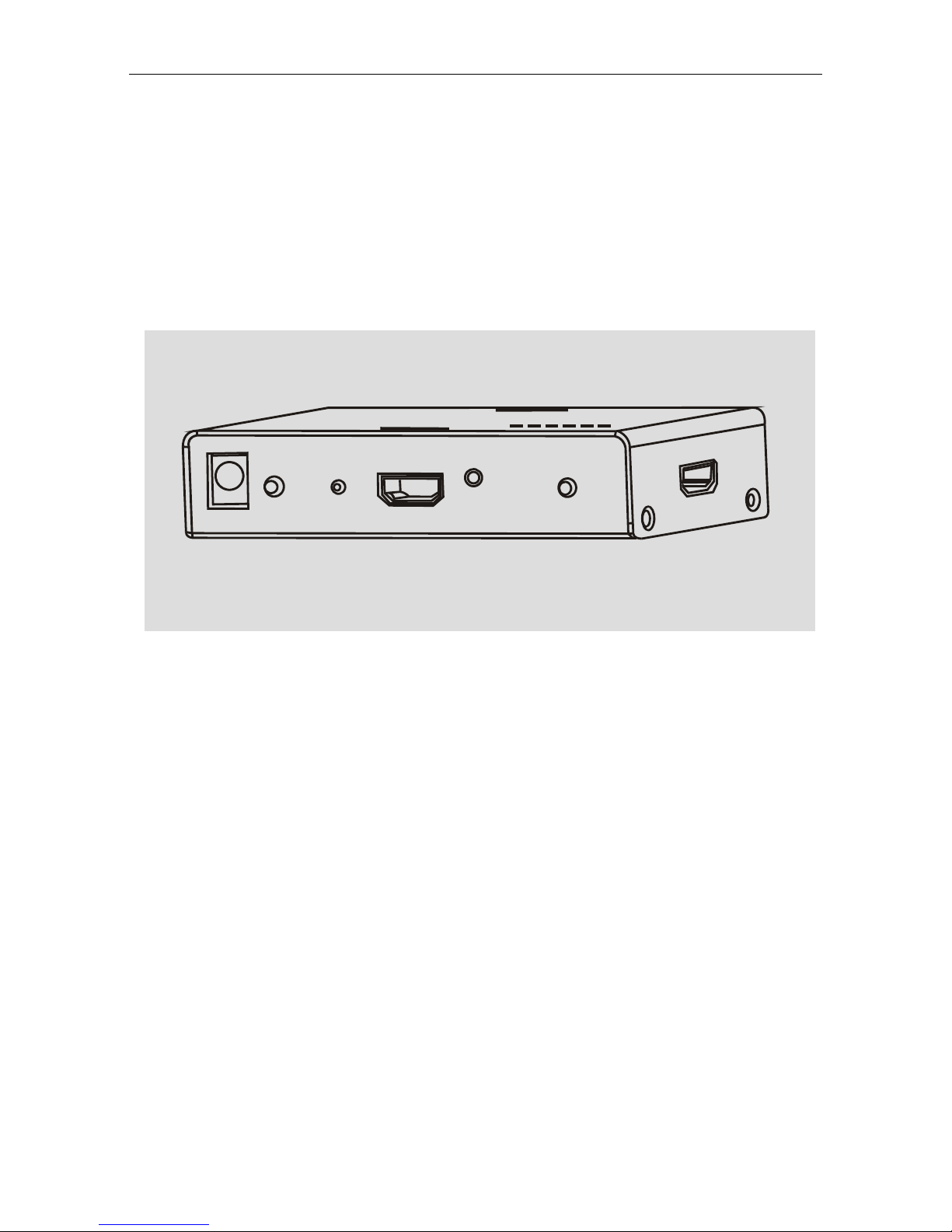
PANEL DESCRIPTIONS
GRANDBEING
4
®
Page 5

MX0402-001 Operating Instructions
GRANDBEING
5
®
Page 6

MX0402-001 Operating Instructions
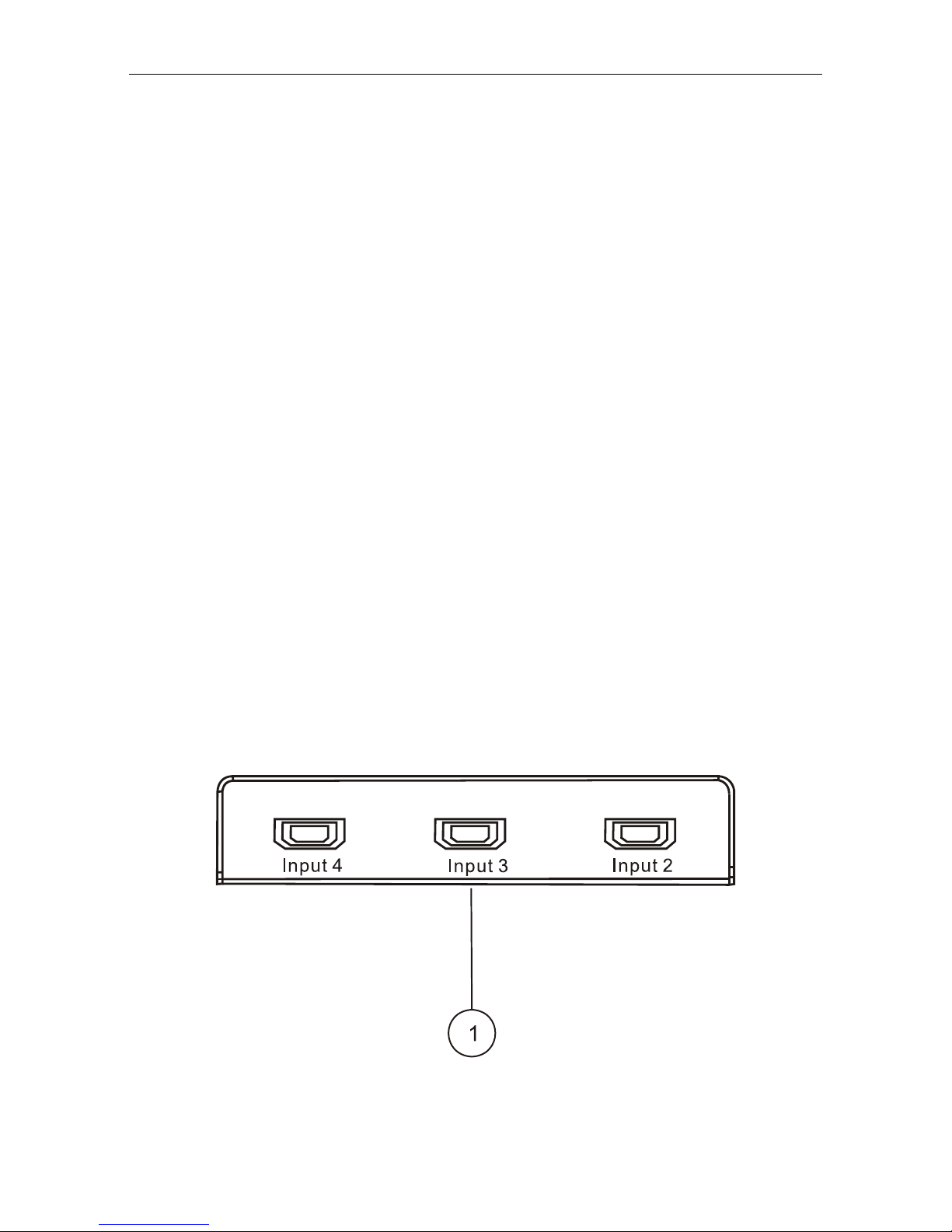
1) HDMI input ports 2 to 4.
2) HDMI input port 1.
3) HDMI output port 1.
4) HDMI output port 2.
5) Output 1selection. Choosing input
for output port1 by pushing this
button.
6) Output 2 selection. Choosing input
for output port 2 by pushing this
button.
7) Power input.
8) Power indicator.
9) IR window.
10) Output indicators.
11) Input indicators.
CONNECT AND OPERATION
1) Connect the HDMI input sources (such as HD-DVD, PS3, STB etc) into
MX0402-001.
2) Connect the HDMI outputs (such as HD-LCD, HD-DLP) into MX0402-001.
3) Power on the input source you want to show. (Keep the unused input power
off,otherwise it may interfere the normal display.)
4) Power on the display you want to watch.
5) Use remote or push the button to choose input source. Only when the source
is non-HDCP, it is shown on both displays. Otherwise the two displays always
show different images.
Insert / Extract cables gently.
GRANDBEING
6
®
Page 7

MX0402-001 Operating Instructions
When the power is on , all the LEDs flash once.
1.LED indicator
z Output indicator:
When a HDMI equipment is connected, the corresponding LED lights on.
LED is red when Output 1 works, blue when Output 2 works.
z Input indicator:
There are four input LED indicators for corresponding input ports. Each LED
has three color states:
a. Red: the corresponding input is selected by Output 1;
b. Blue: the corresponding input is selected by Output 2;
c. Violet: the corresponding input is selected by both Output 1 and Output 2.
(*When the input signal is DVI or HDMI without HDCP, the Output 1 and Output 2
display the same input simultaneously. while the input signal is DVI or HDMI with HDCP,
only the output port that selects the input first or the output that is latest connected
has the priority to display.)
When the HDMI signal is in, the corresponding LED will flash, showing that the
input source has been connected.
GRANDBEING
7
®
Page 8

MX0402-001 Operating Instructions
2.Manual button control on panel
Output 1 button controls Output 1, Output 2 button controls Output 2.
Manual button control is used when there are more than one input sources, when
there is only one input source, the two output ports will both switch to this input.
MCU can detect the current state of the input source .While pushing the button to
select the inputs, if the current input port has no signals, this port will be skipped
and only the active inputs could be selected.
3.Remote control
4.Remote locking function
When remote is locked, remote control will be non-functional.
Lock and unlock methods:
If and only if input 1 has signal, press button 2 for two seconds , then input port 4
LED lights on, and then press button 2 for five times (within two seconds). When
the input port 3 LED lights on, again press the button for two seconds and finally
the input port 2 LED will flash twice(red for locking, blue for unlocking).
Lock and unlock have the same operation.
GRANDBEING
8
®
Page 9

MX0402-001 Operating Instructions
SPECIFICATIONS
Operating temperature range -5 to +35°C(-41 to +95 °F)
Operating humidity range 5 to 90 % RH (no condensation)
Input video signal 0.5-1.0 volts p-p
Input DDC Signal 5 volts p-p (TTL)
Signaling rate 2.25Gbit/s
Video format supported DTV/HDTV:1080P/1080i/720P/576P/480P/576i/
480i
Output video HDMI1.3
Maximum transmission distance <15m(If needed, HDMI extender is optional)
Power Consumption 1.5wtts(Max)
Dimensions 60mmW×115mmH×25mmD/2.45''W×4.7''H×1''D
Mass( Main unit ) 0.2kg/0.45lb
*Note: Specifications are subject to change without notice. Mass and dimensions are
approximate.
TYPICAL APPLICATION
GRANDBEING
9
®
Page 10

MX0402-001 Operating Instructions
MAINTENANCE
Clean this unit with a soft, dry cloth. Never use alcohol, paint thinner or benzine to
clean this unit.
PRODUCT SERVICE
1) Damage requiring service: The unit should be serviced by qualified service
personnel if:
(a) The DC power supply cord or AC adaptor has been damaged;
(b) Objects or liquids have gotten into the unit;
(c) The unit has been exposed to rain;
(d) The unit does not operate normally or exhibits a marked change in
performance;
(e) The unit has been dropped or the cabinet has been damaged.
2) Servicing Personnel: Do not attempt to service the unit beyond that
described in these operating instructions. Refer all other servicing to
authorized servicing personnel.
3) Replacement parts: When parts need replacing ensure the servicer uses
parts specified by the manufacturer or parts that have the same
characteristics as the original parts. Unauthorized substitutes may result in
fire, electric shock, or other hazards.
4) Safety check: After repairs or service, ask the servicer to perform safety
checks to confirm that the unit is in proper working condition.
WARRANTY
If your product does not work properly because of a defect in materials or
workmanship, Grandbeing Company (referred to as “the warrantor”) will, for the
length of the period indicated as below,
starts with the date of original purchase (“Limited Warranty period”), at its option
either (a) repair your product with new or refurbished parts, or (b) replace it with a
new or a refurbished product. The decision to repair or replace will be made by
the warrantor.
During the “Labor” Limited Warranty period there will be no charge for labor.
During the “Parts” warranty period, there will be no charge for parts. You must
mail-in your product during the warranty period. This Limited Warranty is
extended only to the original purchaser and only covers product purchased as
new. A purchase receipt or other proof of original purchase date is required for
Limited Warranty service.
(Parts (1) Year, Labor(90) Days)which
GRANDBEING
10
®
Page 11

MX0402-001 Operating Instructions
Mail-In Service
When shipping the unit, carefully pack and send it prepaid, adequately insured
and preferably in the original carton. Include a letter detailing the complaint and
provide a day time phone and/or email address where you can be reached.
IF REPAIR IS NEEDED DURING THE LIMITED WARRANTY PERIOD THE
PURCHASER WILL BE REQUIRED TO FURNISH A SALES RECEIPT/PROOF
OF PURCHASE INDICATING DATE OF PURCHASE, AMOUNT PAID AND
PLACE OF PURCHASE. CUSTOMER WILL BE CHARGED FOR THE REPAIR
OF ANY UNIT RECEIVED WITHOUT SUCH PROOF OF PURCHASE.
LIMITED WARRANTY LIMITS AND EXCLUSIONS
1) This Limited Warranty ONLY COVERS failures due to defects in materials or
workmanship, and DOES NOT COVER normal wear and tear or cosmetic
damage. The Limited Warranty ALSO DOES NOT COVER damages which
occurred in shipment, or failures which are caused by products not supplied
by the warrantor, or failures which result from accidents, misuse, abuse,
neglect, mishandling, misapplication, alteration, faulty installation, set-up
adjustments, misadjustment of consumer controls, improper maintenance,
power line surge, lightning damage, modification, or service by anyone other
than a Factory Servicenter or other Authorized Servicer, or damage that is
attributable to acts of God.
2) THERE ARE NO EXPRESS WARRANTIES EXCEPT AS LISTED UNDER
“LIMITED WARRANTY COVERAGE”. THE WARRANTOR IS NOT LIABLE
FOR INCIDENTAL OR CONSEQUENTIAL DAMAGES RESULTING FROM
THE USE OF THIS PRODUCT, OR ARISING OUT OF ANY BREACH OF
THIS WARRANTY. (As examples, this excludes damages for lost time, cost
of having someone remove or re-install an installed unit if applicable, travel to
and from the servicer, loss of or damage to media or images, data or other
recorded content. The items listed are not exclusive, but are for illustration
only.)
3) PARTS AND SERVICE, WHICH ARE NOT COVERED BY THIS LIMITED
WARRANTY, ARE YOUR RESPONSIBILITY.
GRANDBEING
11
®
Page 12

MX0402-001 Operating Instructions
Customer Services Directory
Thank you for your purchase.
We appreciate your business. Please contact us with your question and
comments.
Grandbeing Technology Co., Ltd
6C, Jialitai Building, No. 6 Yanshan Road,
Nanshan District Shenzhen , P.R. China
Post Code:518067
Tel:86-755-26678449
Fax:86-755-26678549
Email:sales@grandbeing.com,
lauarthur@163.com
Website:http://www.grandbeing.com
GRANDBEING
12
®
 Loading...