

Page 1
FoldFold
Fold
Fold
Page 1
Quick Guide v1.0
Introduction
Welcome to the exciting world of mobile TV. With
your Drifta mobile decoder for Android you will be
able to connect to mobile TV and have access to
DStv Mobile or GOtv Mobile content, live on your
device running Android version 3.1 or higher. This
guide will help you activate your Drifta so you can
start watching right away.
Terms & Conditions
The End User License Agreement must be accepted to use this
device. You can view the Terms and Conditions and/or the End User
License Agreement by doing the following:
1. Go to apps.dstvmobile.com/decoder/terms
2. Email [email protected]
3. Visit your local DStv Service Centre and request a copy of the
subscription Terms & Conditions or End User license
agreement.
4. GOtv Mobile Terms & Conditions and the end user licence
agreement can be found at www.gotvafrica.com
Drifta Components
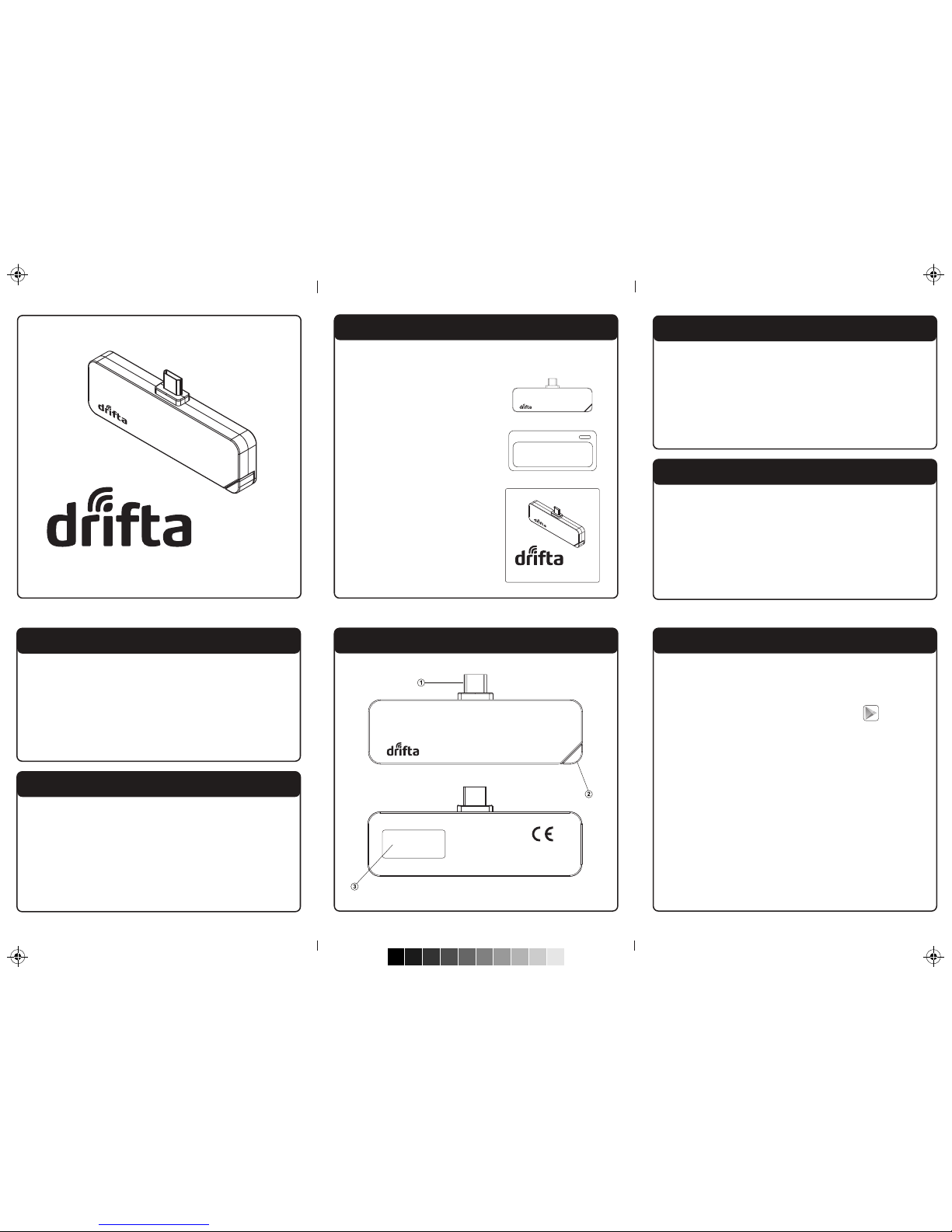
Back
Front
Mobile Decoder
Model: VAD-H12
Made in Korea
SAH4000000
4111111111
Mobile Decoder for Android
Quick Guide v1.0
Mobile Decoder for Android
1. Micro USB connector
2. Retractable antenna
3. CA number and serial number, used
when activating the Drifta.
Drifta Components
1. Go to dstvmobile.com for a list of
compatible devices.
2. Android OS version 3.1 or higher.
System Requirements
1. Plug the Drifta into the micro USB
port of your compatible Android device.
2. On your device launch the Google Play store
by clicking on the Play Store icon or on
your browser go to Play.Google.com.
3. Search for Drifta Mobile decoder for
Android.
4. Follow the on screen instructions to install
the application.
5. Once installed, open the application.
6. If you have already installed the application,
plug the Drifta into you Android device
and the application will automatically
launch, enabling you to begin watching
mobile TV.
Using the Drifta
Included in the Box
Included with the Drifta is a silicone case and
this Quick guide.
1. Drifta Mobile Decoder
for Android
2. Silicone case
3. Quick guide
Page 2
Fold Fold
FoldFold
Page 2
Activating on DStv Mobile
STEP 1. Ensure your Android device is switched
on, then plug your Drifta into your
Android device.
STEP 2. Call the relevant MultiChoice customer
care number:
South Africa: +27 11 289 2222
Ghana: +233 302 740 540
Kenya: +254 20 444 9000
Namibia: +264 61 270 5222
Nigeria: +234 1 270 3232
Uganda : +256 31 224 5245
STEP 3. Provide the customer service
representative with your serial and CAS
numbers found on the back of your
Drifta.
Activate your Drifta on the GOtv Mobile service
by texting 'ACTM', the device CAS number
(found on the back of the Drifta) and your
mobile phone number to the number specic
to your country.
Nigeria: 4688
Ghana: 4688
Kenya: 4688
Namibia: 44688
Uganda : 6488
For example,
ACTM 4111111111 0831112223
(CAS No.) (Mobile No.)
Activating on GOtv Mobile
Resetting the Drifta
If you experience an error with you Drifta, you
can reset it. To do this, unplug the Drifta from
you Android device, wait 10 seconds and then
re-plug the Drifta into the Android device.
More Information
For more information, updated applications and
additional Drifta information, go to
www.dstvmobile.com or www.gotvafrica.com
Updating the Firmware
Occasionally DStv Mobile will oer a rmware
upgrade for the device. If you plug the Drifta into
your Android device and see the rmware
upgrade screen, please follow the on screen
instructions.
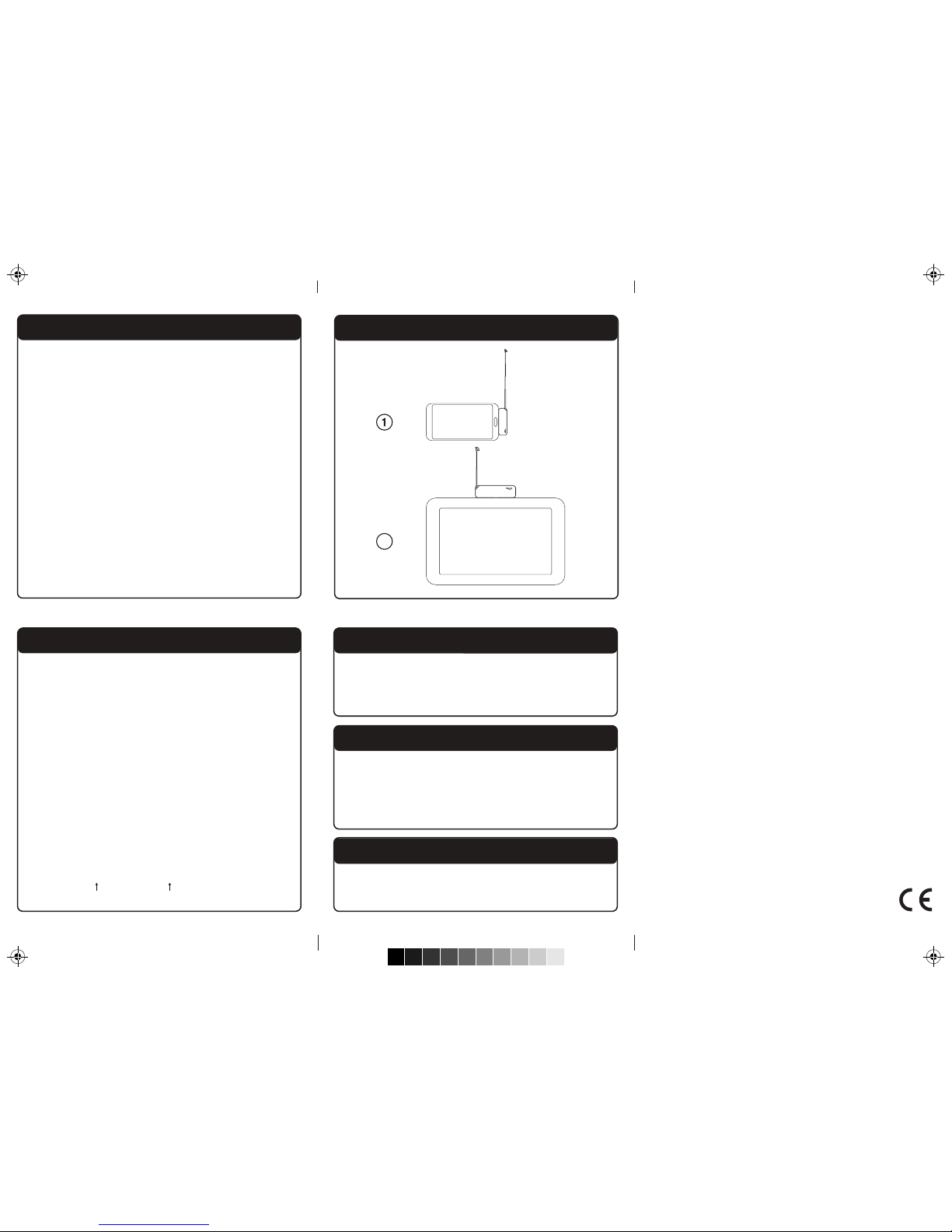
Correct Antenna Reception Angle
2
 Loading...