

Page 1
Copyright © 2013 Gosafe
Page 2
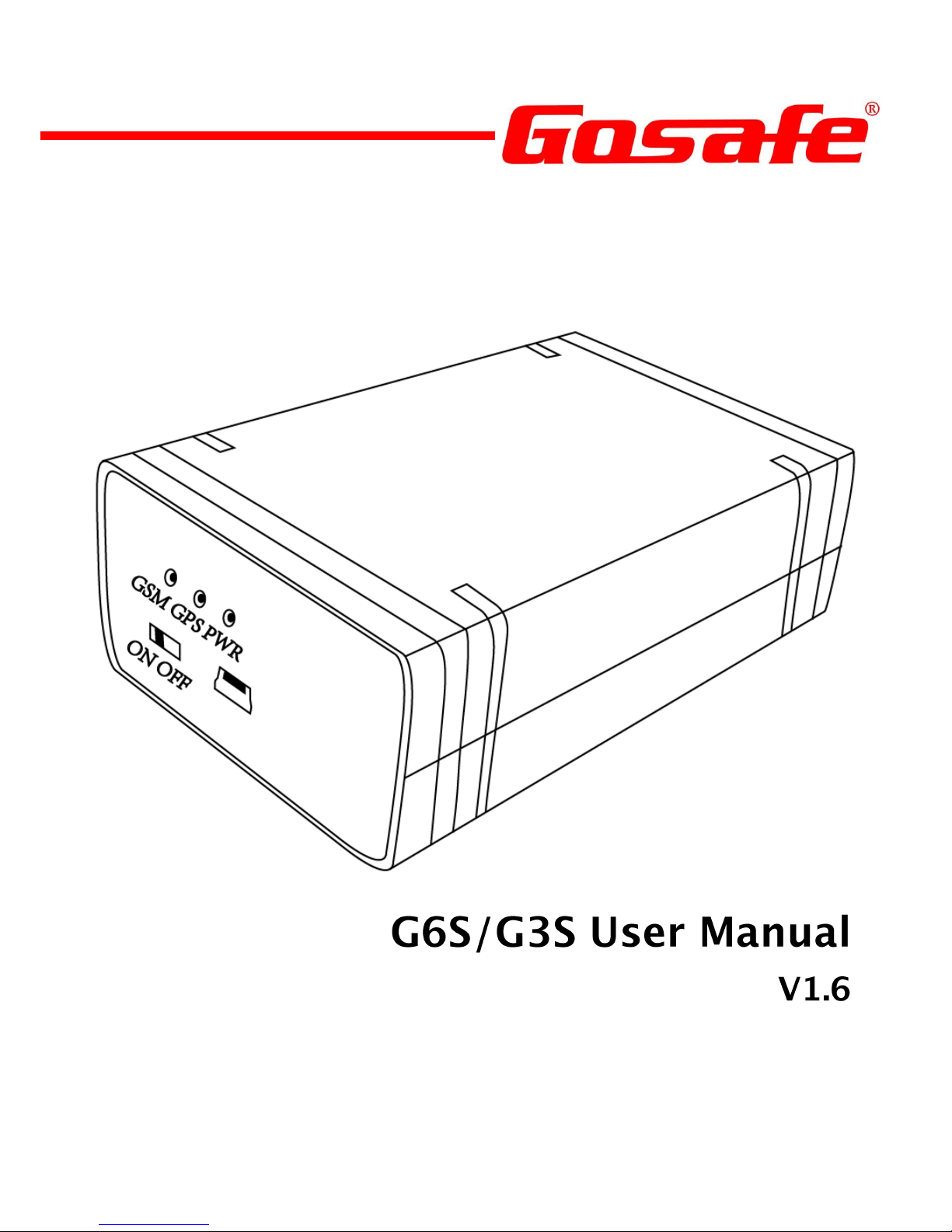
G6S/G3S User Manual
2
ATTENTION!
INSTRUCTIONS OF SAFETY
Page 3
G6S/G3S User Manual
3
LEGAL NOTICE
INTRODUCTION
Page 4
G6S/G3S User Manual
4
Contents
ATTENTION! ....................................................................... 2
INSTRUCTIONS OF SAFETY ................................................. 2
LEGAL NOTICE .................................................................... 3
INTRODUCTION .................................................................. 3
1. Packing List ..................................................................... 5
2. Specifications ................................................................. 6
3. Overview ........................................................................ 7
4. Installation ..................................................................... 9
5. I/O Connector .............................................................. 11
6. LED Indicator Behavior ................................................. 12
7. User Command ............................................................. 13
8. Message Explanation ................................................... 15
Appendix .......................................................................... 18
Optional accessory ....................................................... 18
Page 5
G6S/G3S User Manual
5
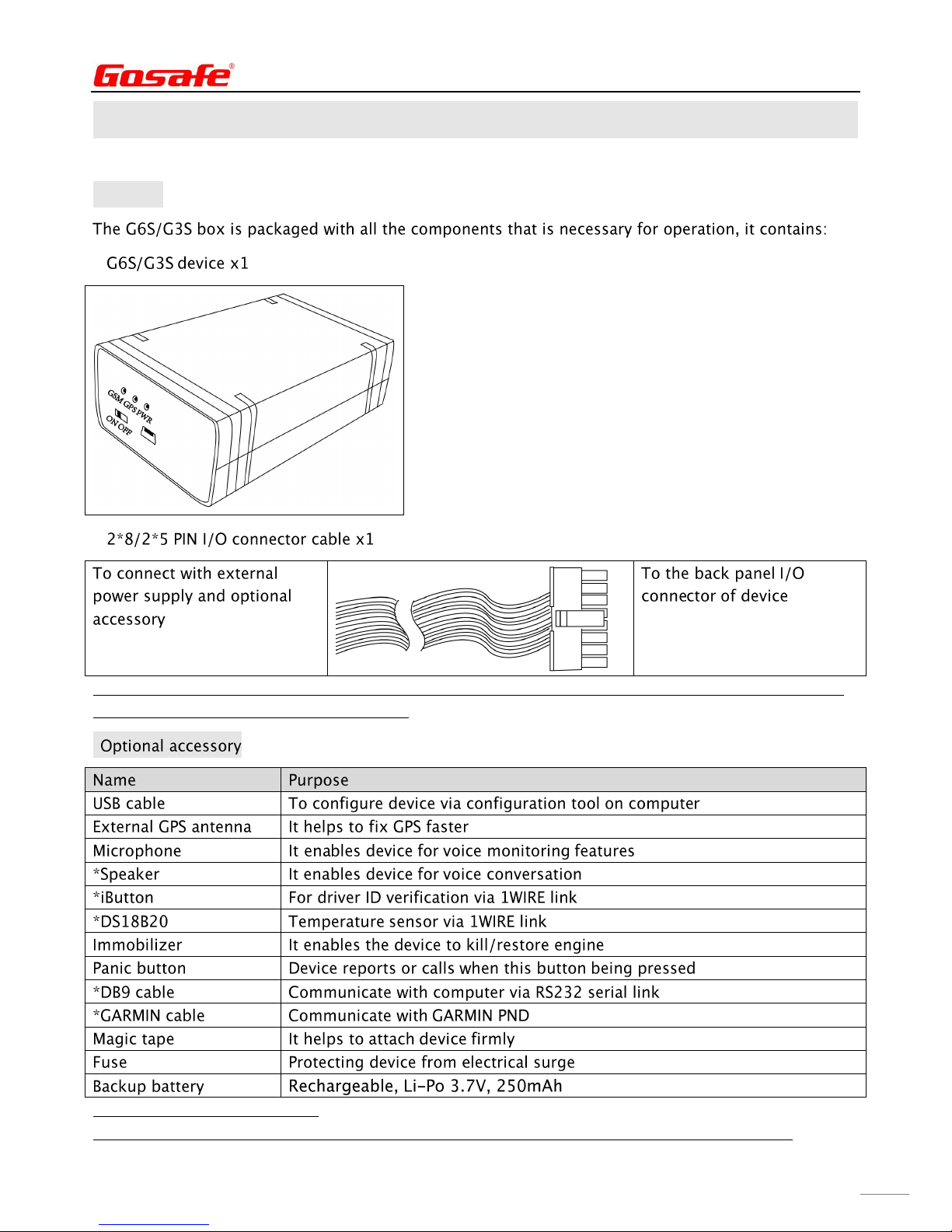
1. Packing List
■Standard
NOTE: SIM card which for GSM/GPRS connectivity is not supplied in the package, please consult your
local SIM provider for further information.
■
NOTE: * indicates only for G6S
Please refer chapter Appendix for further details and installation guide for optional accessory
Page 6
G6S/G3S User Manual
6
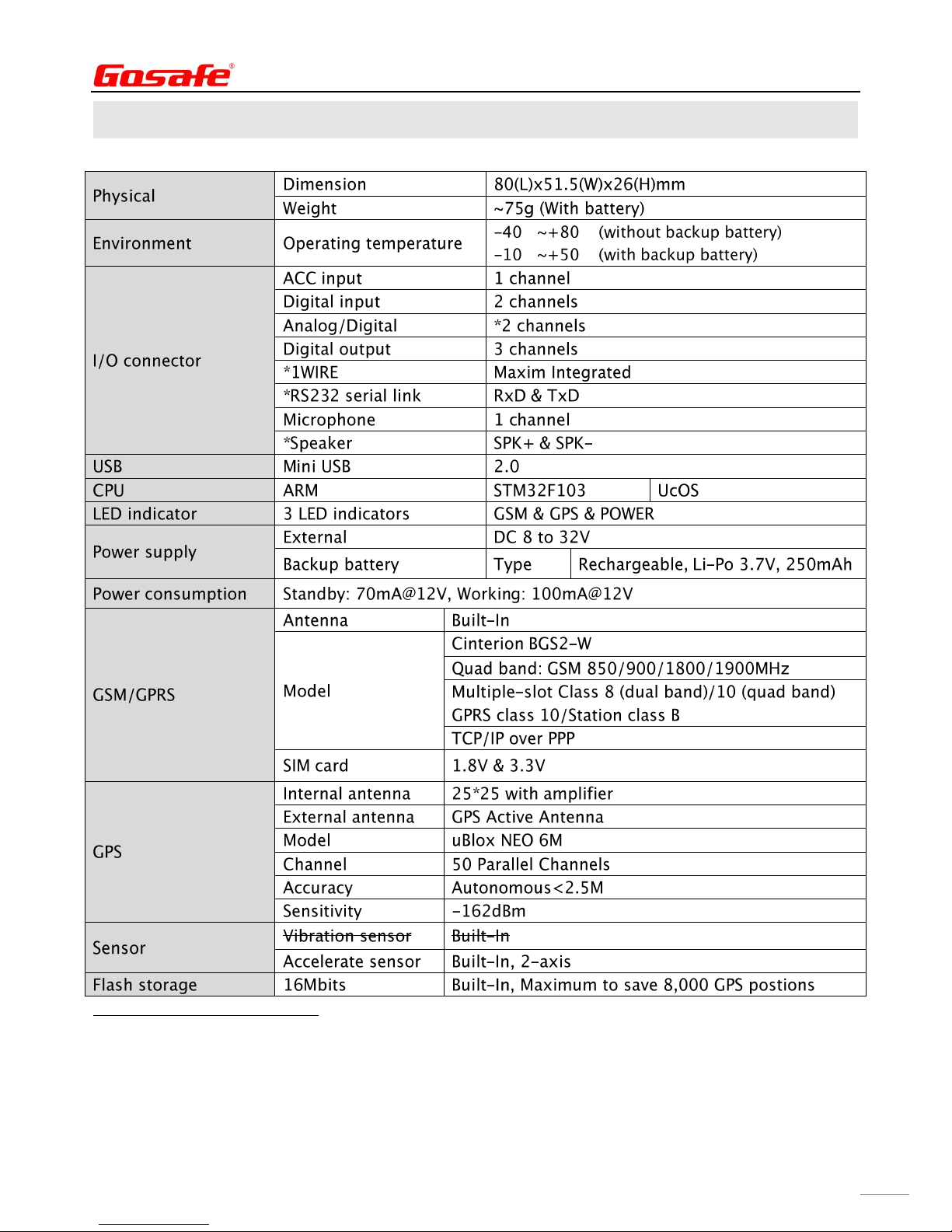
2. Specifications
℃ ℃
℃ ℃
NOTE: * indicates only for G6S
Page 7
G6S/G3S User Manual
7
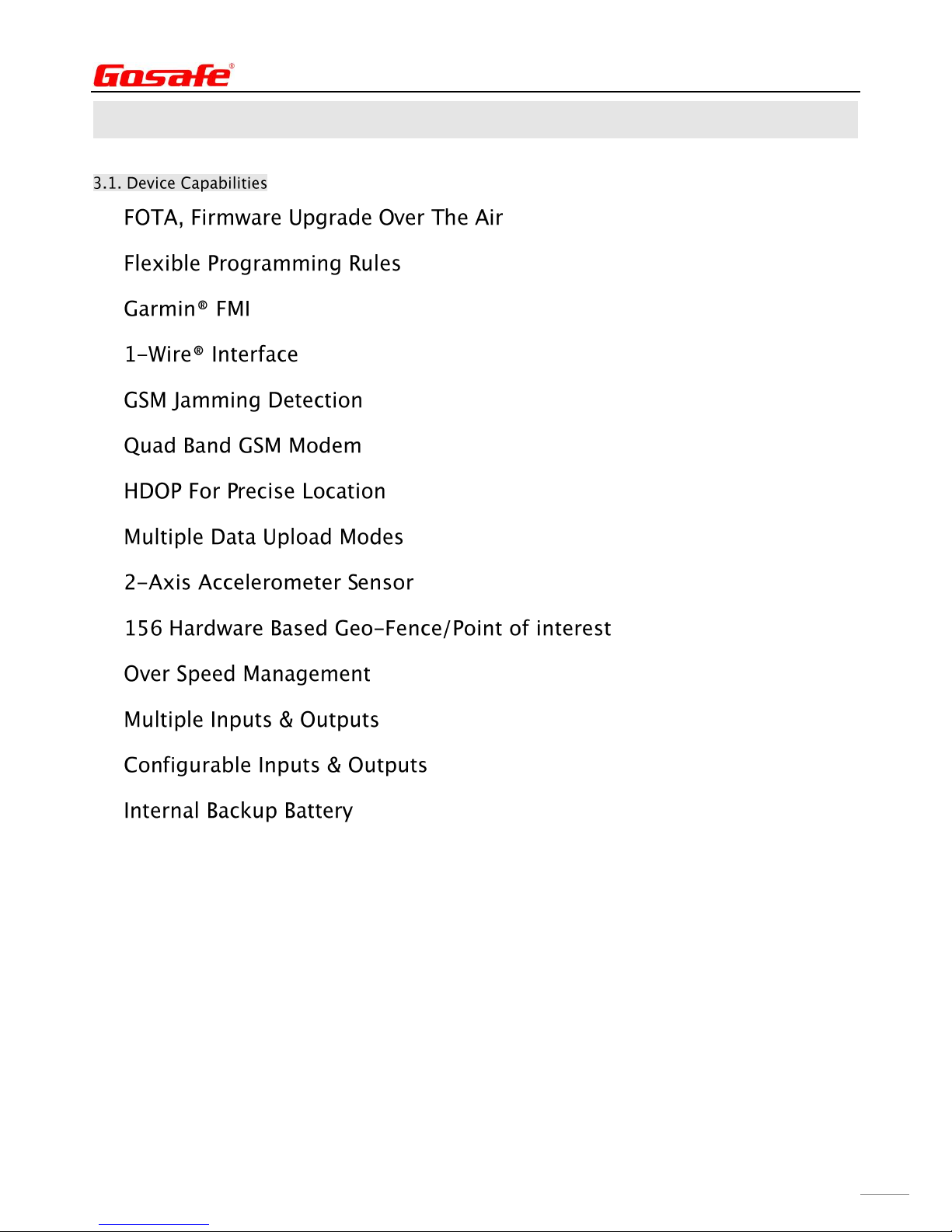
3. Overview
Page 8
G6S/G3S User Manual
8
■
■
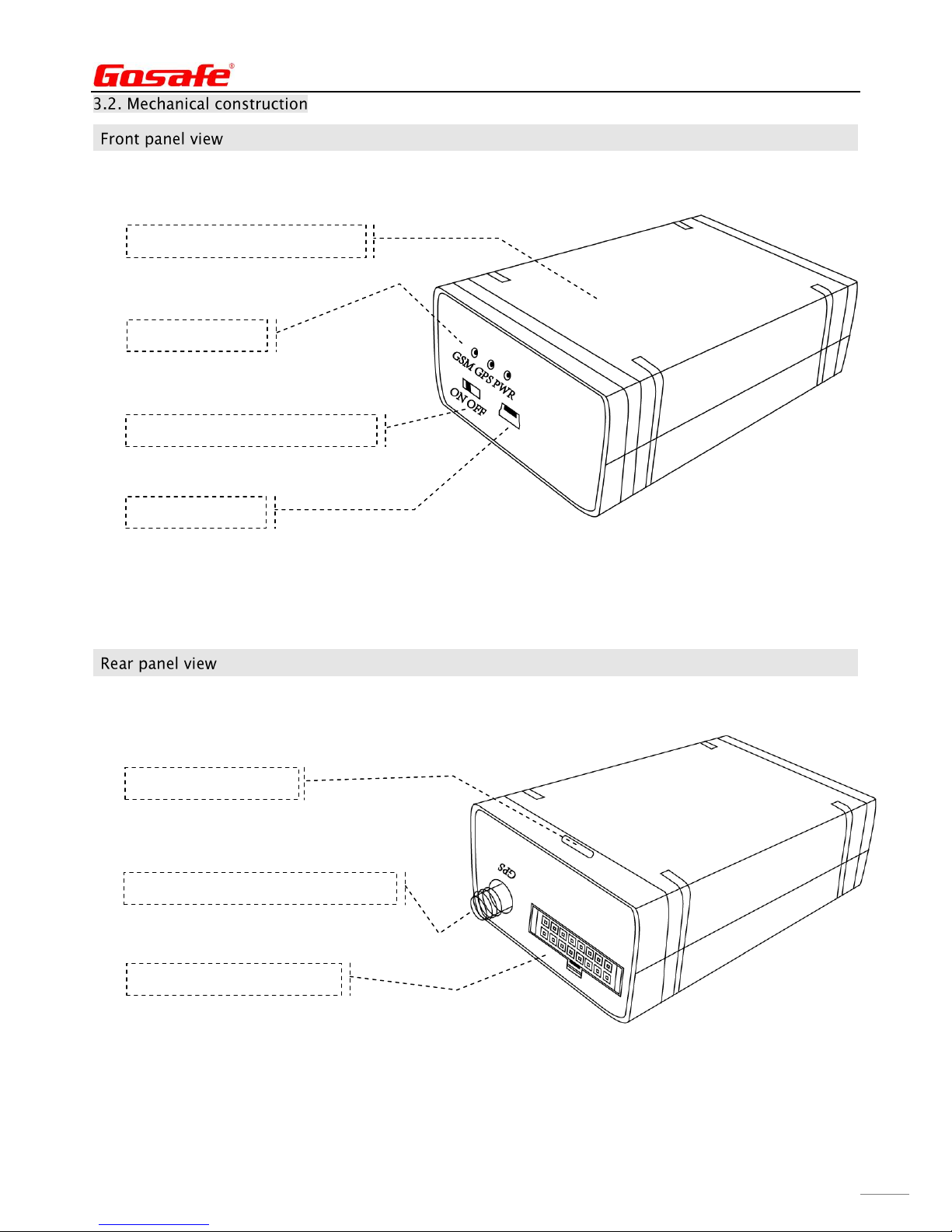
Battery power supply switcher
USB cable port
2*8/2*5 PIN I/O connector
GPS external antenna connector
LED indicator
This side towards to the sky
Cover remove slot
Page 9
G6S/G3S User Manual
9
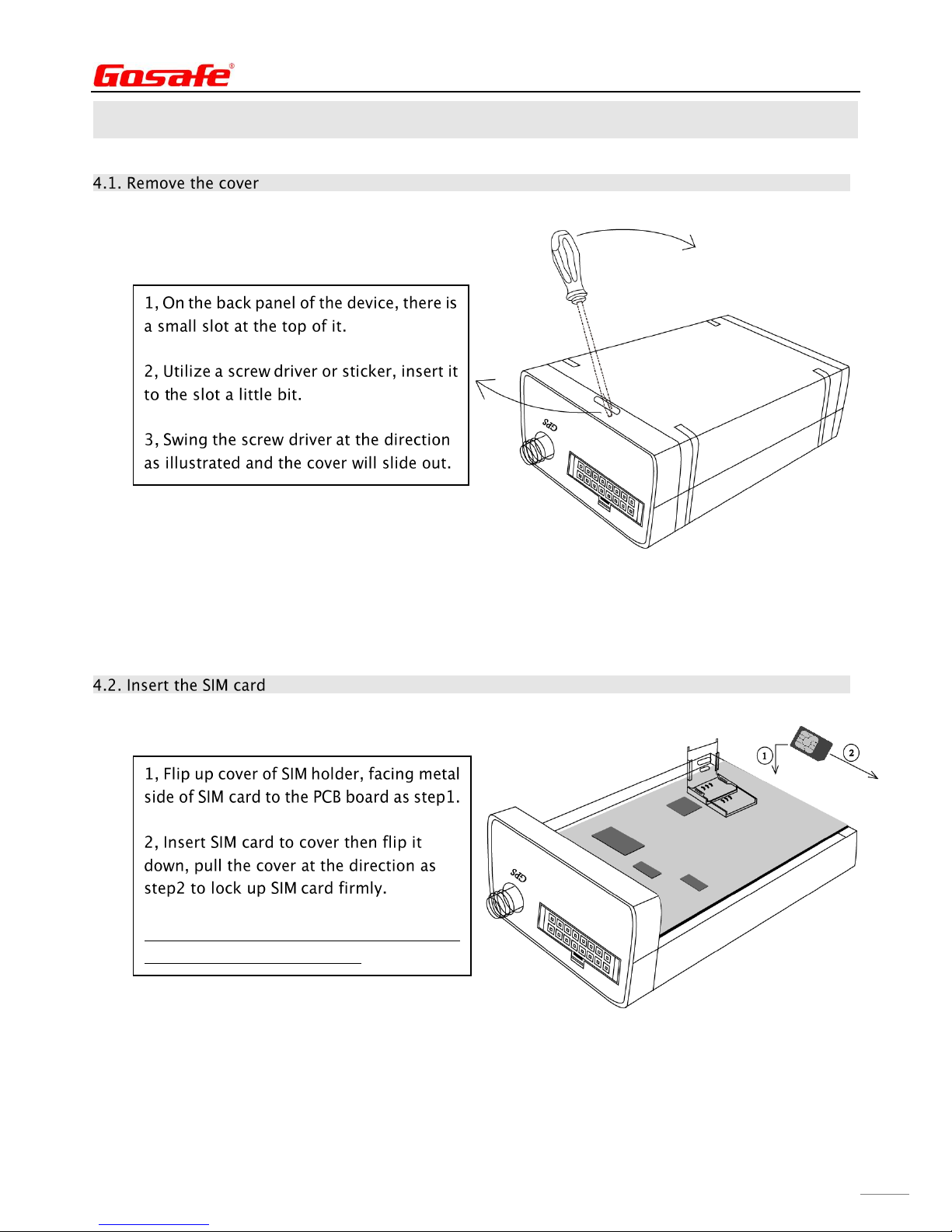
4. Installation
Note: Please disconnect any kind of power
source for device in advance.
Page 10
G6S/G3S User Manual
10
■
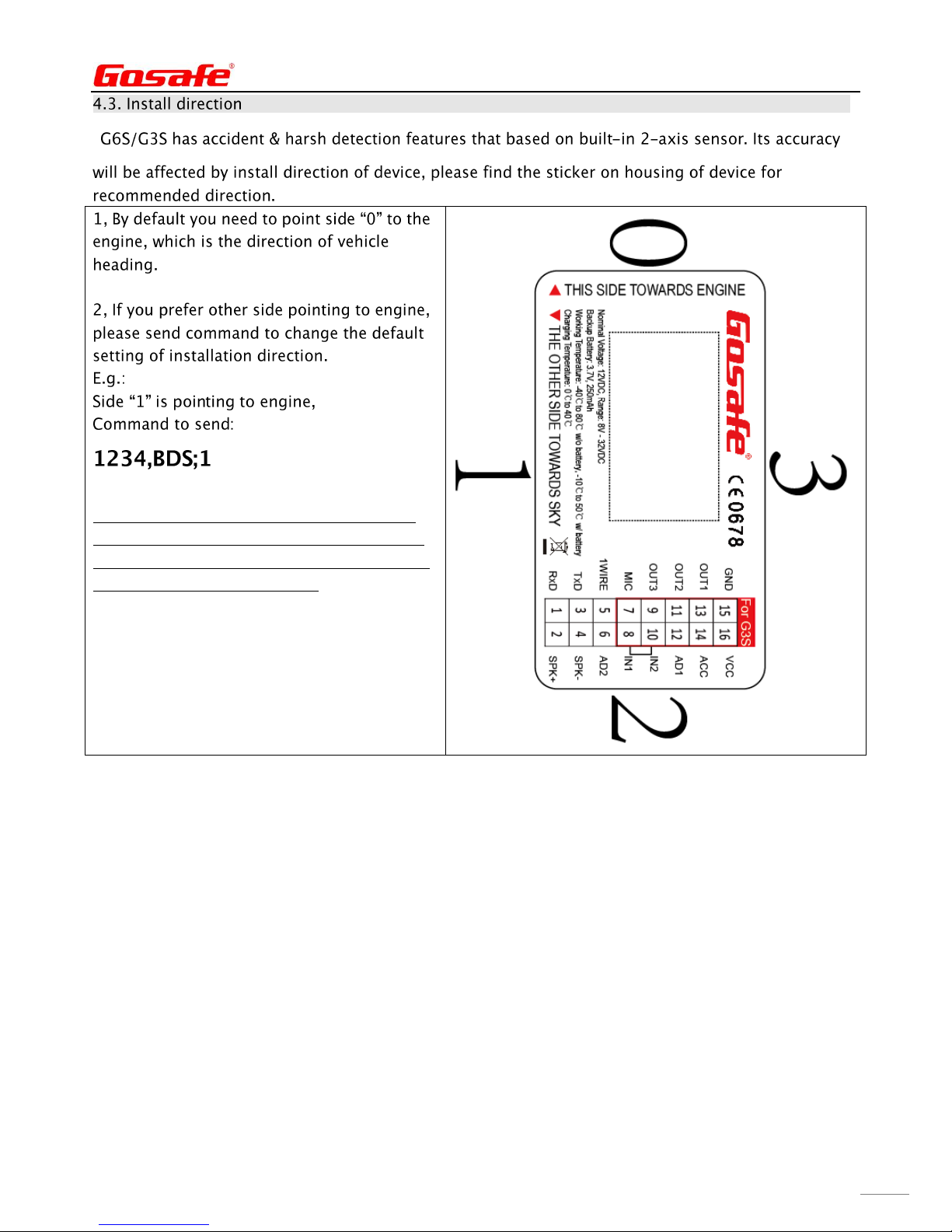
Note: 1234 is the default user password to
send command, and default is 1234,BDS;0 ,
and please set phone number as User number
before sending this command.
Page 11
G6S/G3S User Manual
11
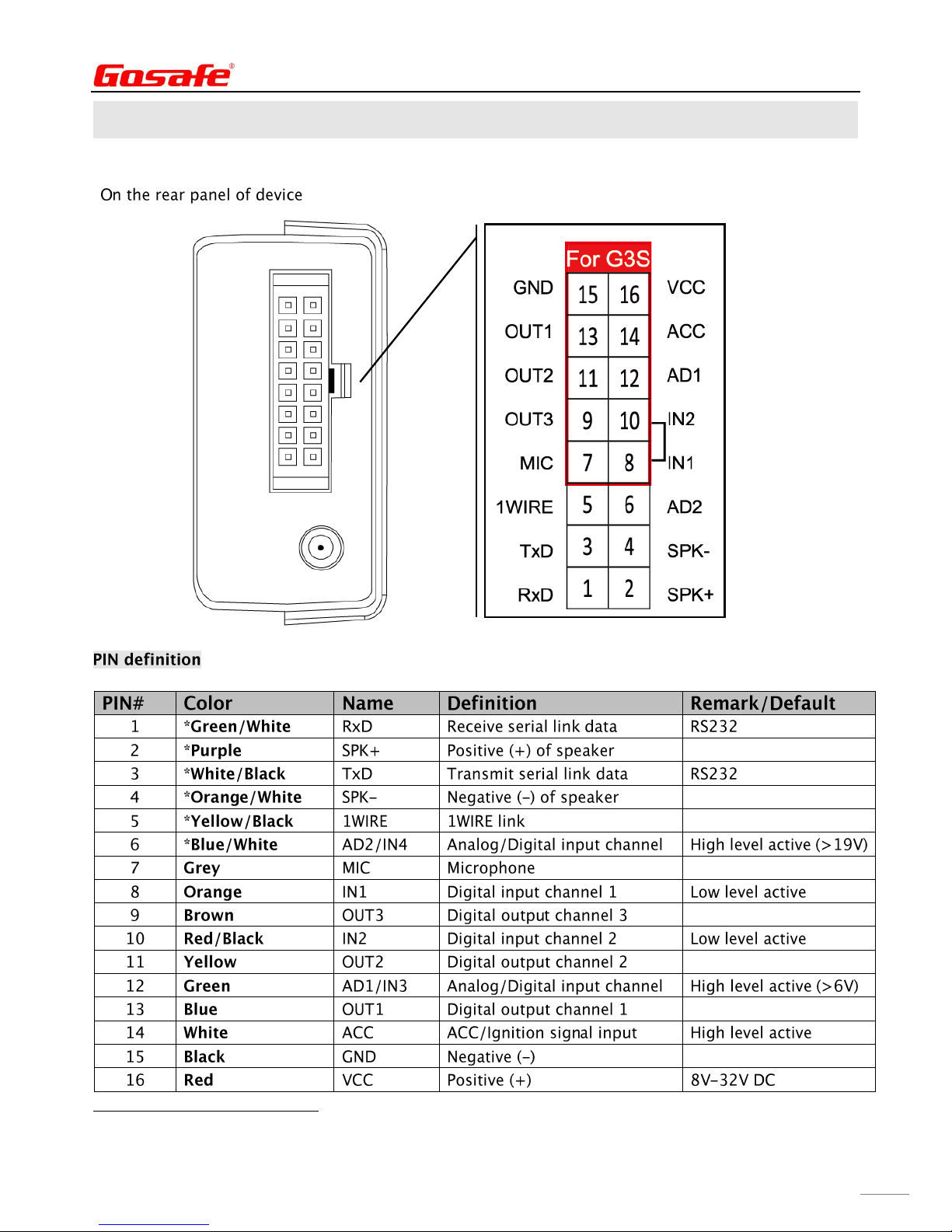
5. I/O Connector
■
NOTE: * indicates only for G6S
Page 12
G6S/G3S User Manual
12
6. LED Indicator Behavior
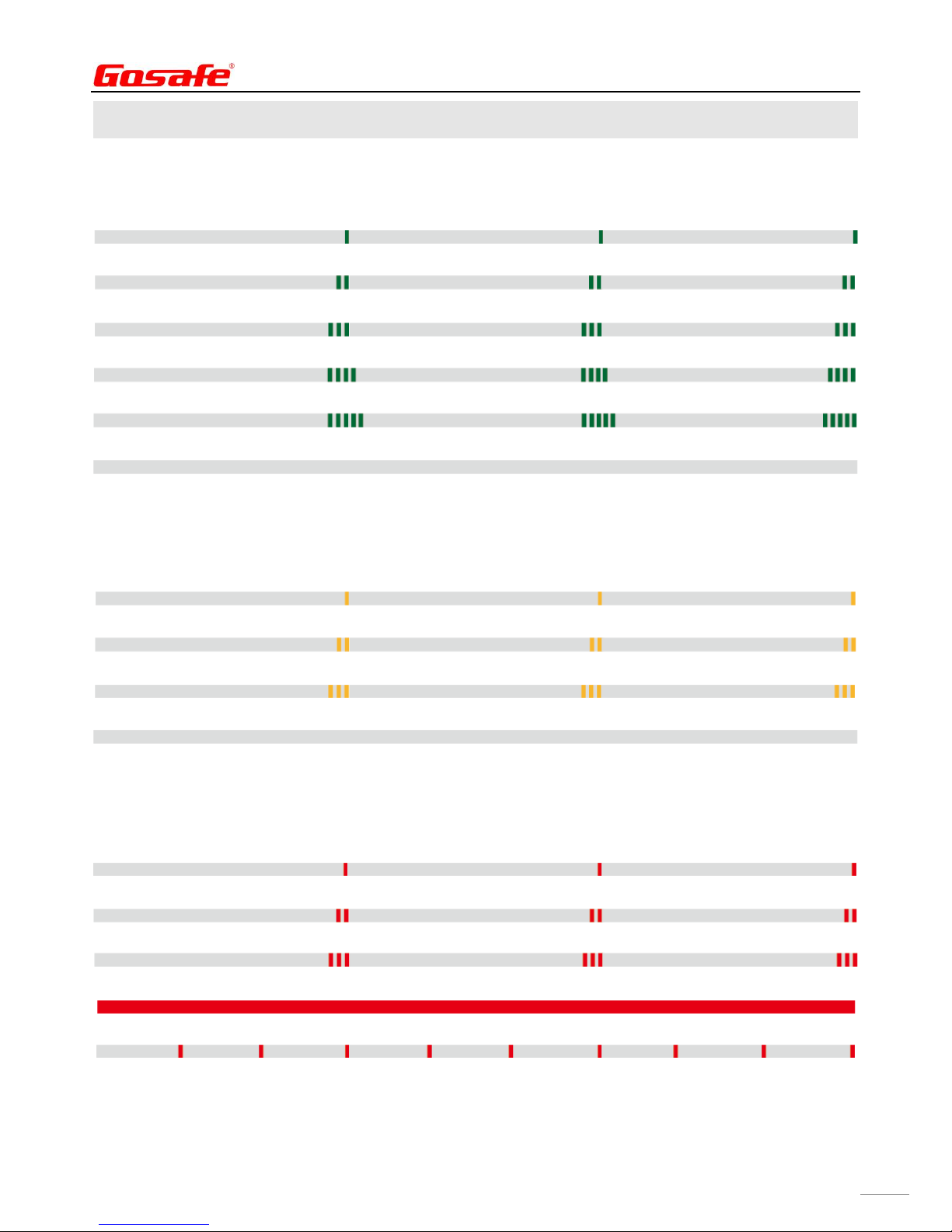
■GSM LED: Green
Server socket connected: Flash once quickly every 3 seconds
GSM network registered: Flash twice quickly in a row every 3 seconds
GSM network unregistered: Flash 3 times quickly in a row every 3 seconds
SIM card error: Flash 4 times quickly in a row every 3 seconds
Serial link communication error: Flash 5 times quickly in a row every 3 seconds
GSM module OFF: Never flash
■GPS LED: Yellow
GPS fixed: Flash once quickly every 3 seconds
GPS unfixed: Flash twice quickly in a row every 3 seconds
GPS communication error: Flash 3 times quickly in a row every 3 seconds
GSM module OFF: Never flash
■Power LED: Red
Using external power supply: Flash once quickly every 3 seconds
Using backup battery: Flash twice quickly in a row every 3 seconds
Backup battery low voltage: Flash 3 times quickly in a row every 3 seconds
Under iButton mode: Glowing constantly
Set successfully: Flash once every 1 second
Page 13
G6S/G3S User Manual
13
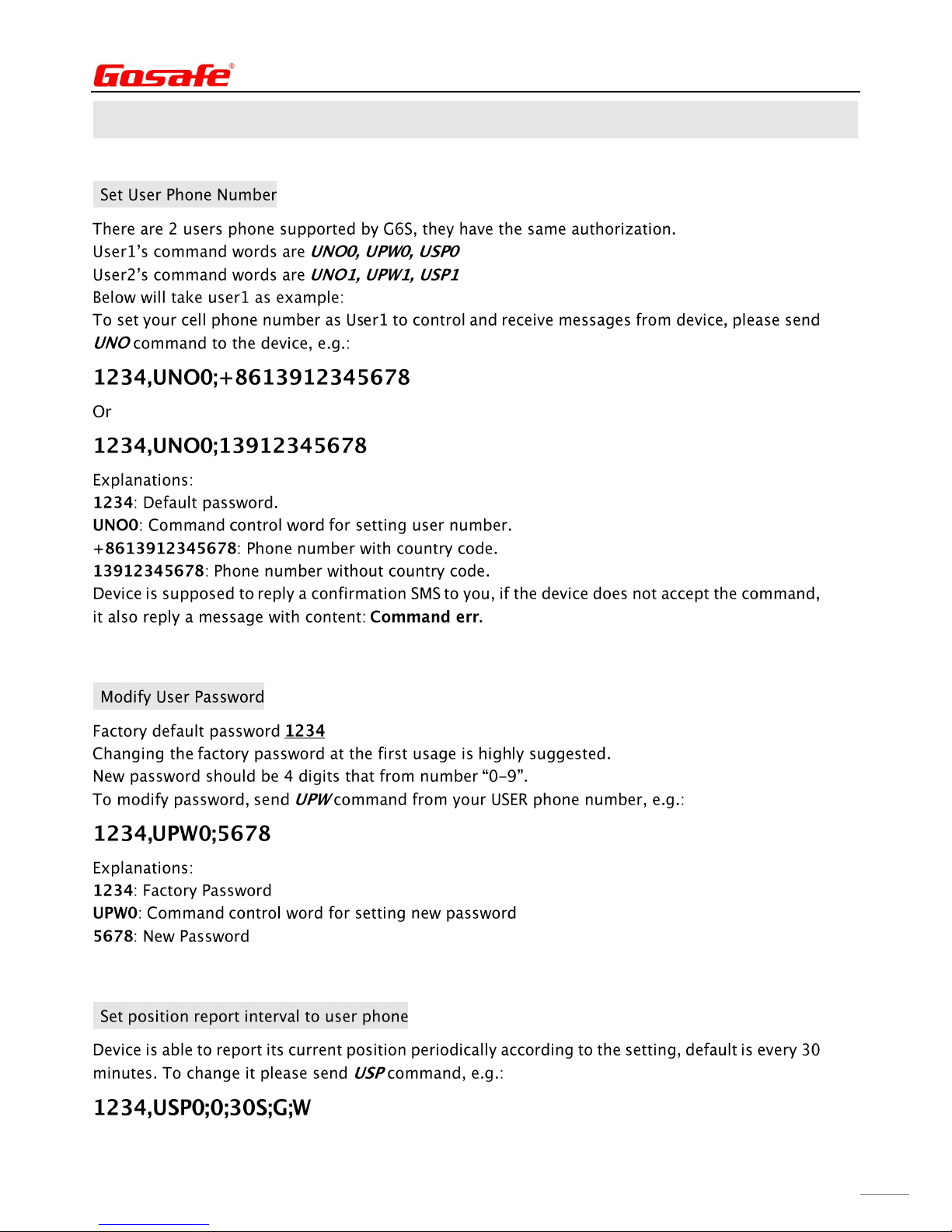
7. User Command
■
.
.
■
■
Page 14
G6S/G3S User Manual
14
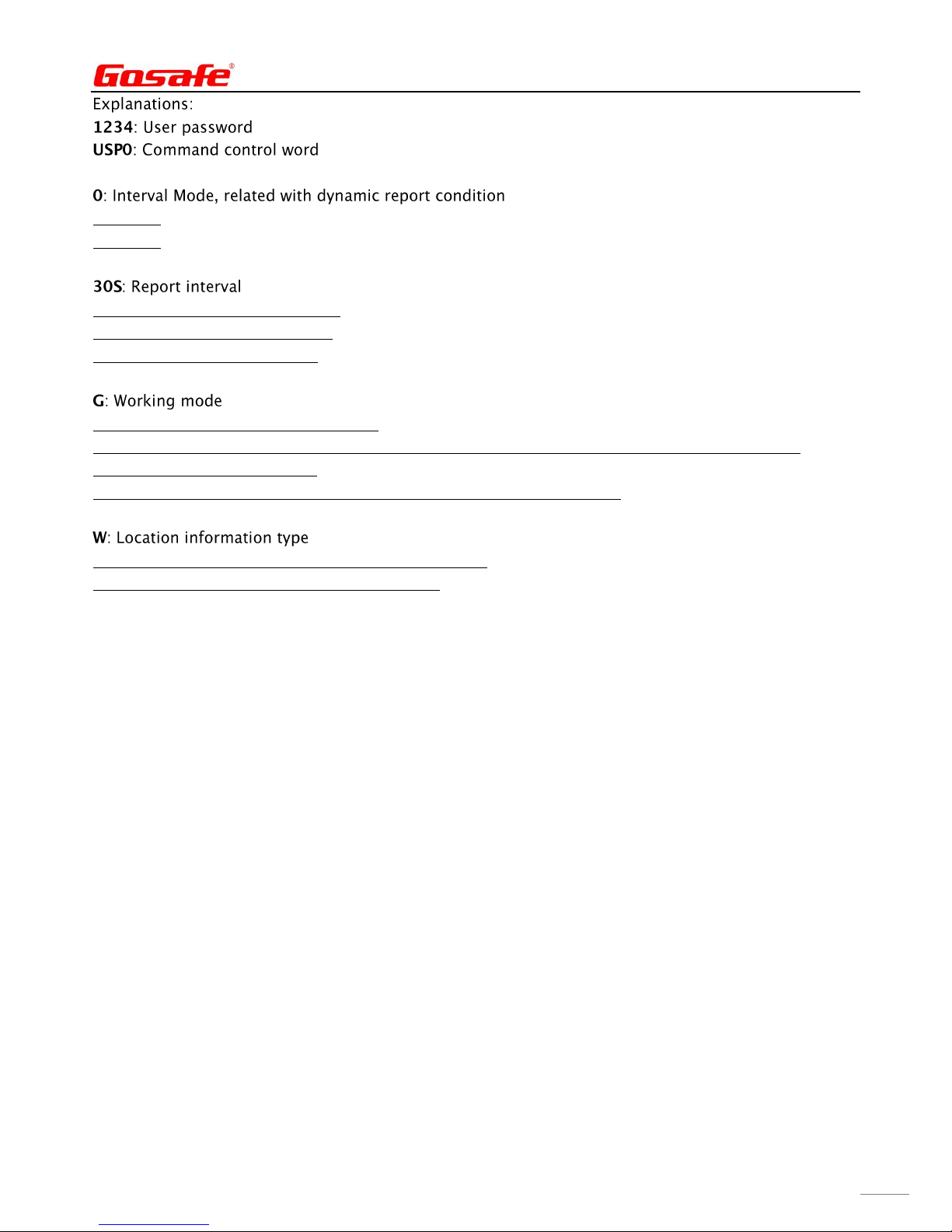
0: Mode0
1: Mode1
S: Second, range from 30 to 900.
M: Minute, range from 15 to 59.
H: Hour, range from 1 to 240.
O: Disable periodically report to USER.
G: GPS location information as first priority, if it is invalid, will be replaced by LBS information.
S: Using LBS information only.
L: Device will voice call USER periodically for voice monitoring purpose.
T: Text for current location, showing GPS coordinate.
W: Google map hyper link for current location.
Page 15
G6S/G3S User Manual
15
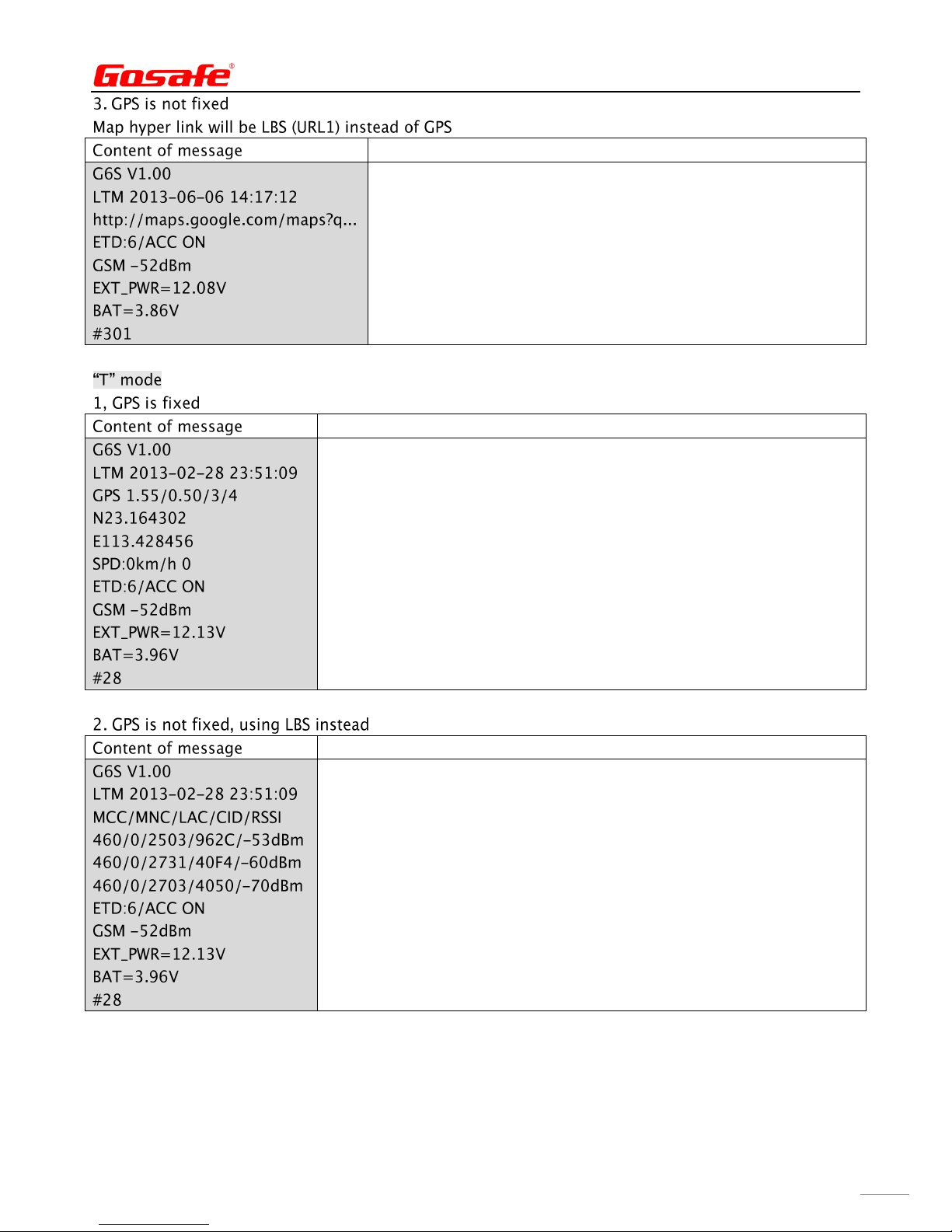
8. Message Explanation
■
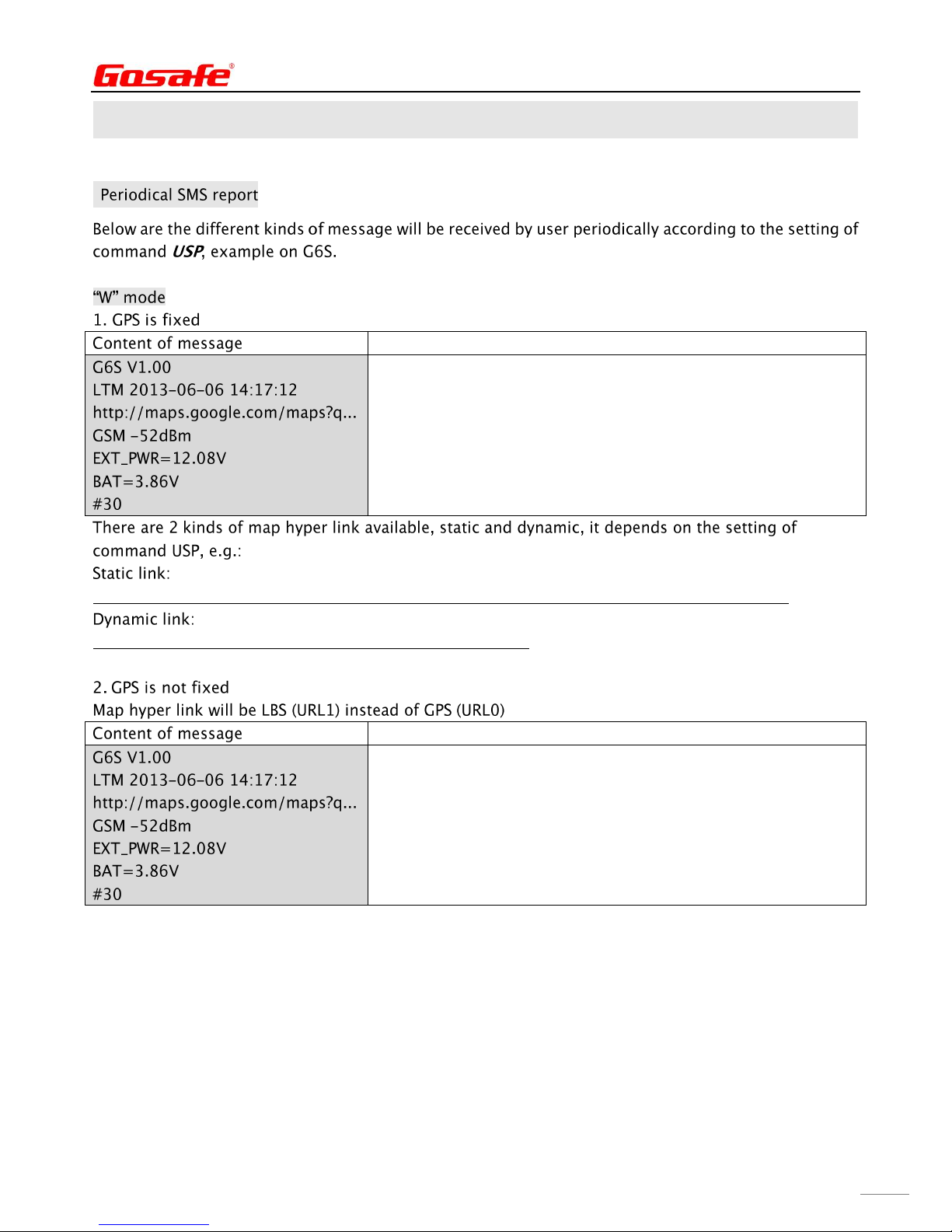
Explanation
Device name/Firmware version
Date/Time
Google map hyper link
GSM network signal strength
External power voltage
Built-in battery voltage
Consumed messages
http://maps.google.com/staticmap?zoom=14&size=300x300&markers =%n(,%e&sensor=false
URL0;http://maps.google.com/maps?q=%n(,%e&t=m&z=16
Explanation
Device name/Firmware version
Date/Time
Google map hyper link
GSM network signal strength
External power voltage
Built-in battery voltage
Consumed messages
Page 16
G6S/G3S User Manual
16
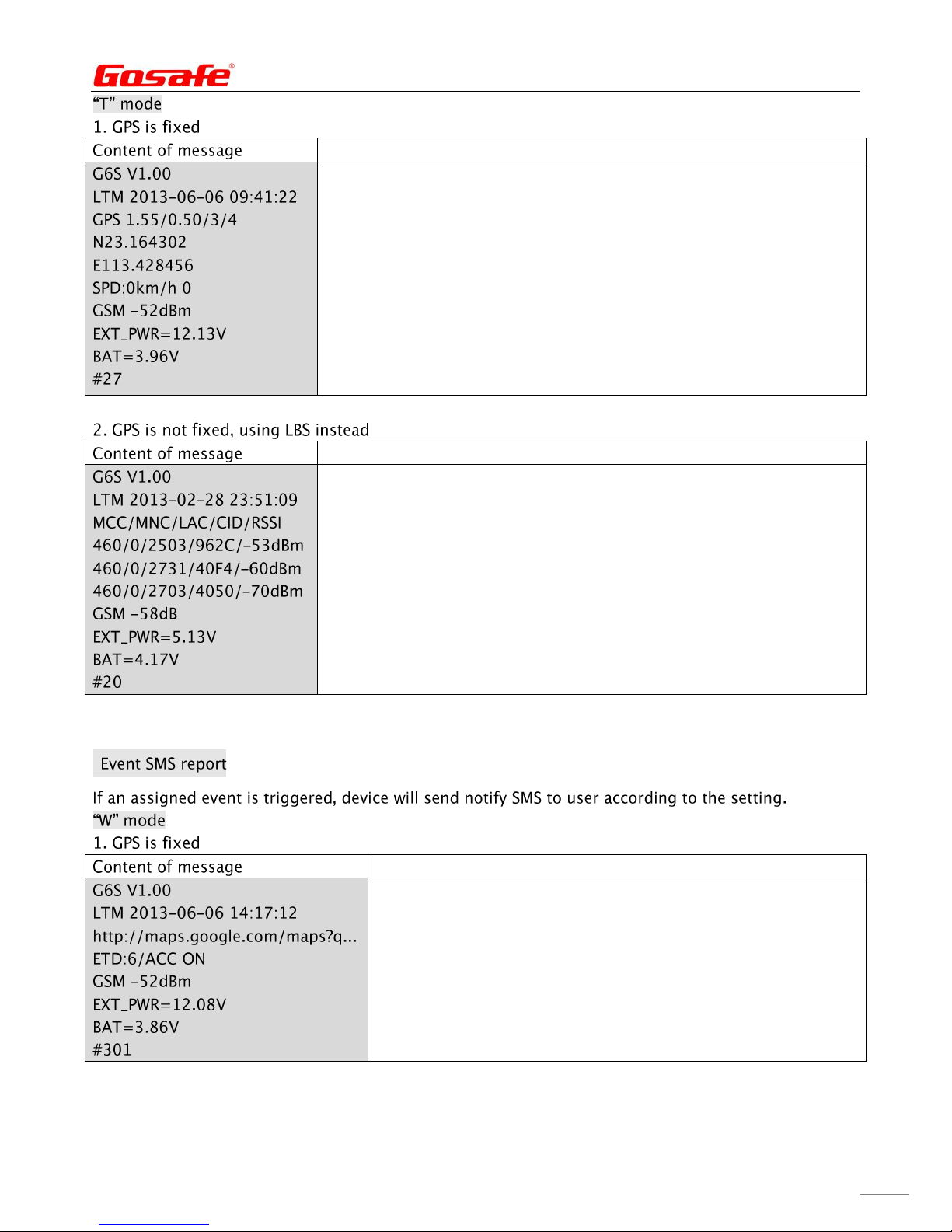
Explanation
Device name/Firmware version
Date/Time
HDOP/ALTITUDE in meter/Fixed satellite number/Time of first fixed
N means north/S means south
E means east/W means west
Speed/Heading
GSM signal strength
External power voltage
Built-in battery voltage
Consumed messages
Explanation
Device name/Firmware version
Date/Time
Base station information type
Main station, MNC/MNC/Local area code/Station ID/Signal strength
Neighbor station 1
Neighbor station 2
GSM network signal strength
External power voltage
Built-in battery voltage
Consumed messages
■
Explanation
Device name/Firmware version
Date/Time
Google map hyper link
Event ID/User defined event name/Data
GSM network signal strength
External power voltage
Built-in battery voltage
Consumed messages
Page 17
G6S/G3S User Manual
17
Explanation
Device name/Firmware version
Date/Time
Google map hyper link
Event ID/User defined event name/Data
GSM network signal strength
External power voltage
Built-in battery voltage
Consumed messages
Explanation
Device name/Firmware version
Date/Time
HDOP/ALTITUDE in meter/Fixed satellite number/Time of first fixed
N means north/S means south
E means east/W means west
Speed/Heading
Event ID/User defined event name/Data
GSM network signal strength
External power voltage
Built-in battery voltage
Consumed messages
Explanation
Device name/Firmware version
Date/Time
Base station information type
Main station, MNC/MNC/Local area code/Station ID/Signal strength
Neighbor station 1
Neighbor station 2
Event ID/User defined event name/Data
GSM network signal strength
External power voltage
Built-in battery voltage
Consumed messages
Page 18
G6S/G3S User Manual
18
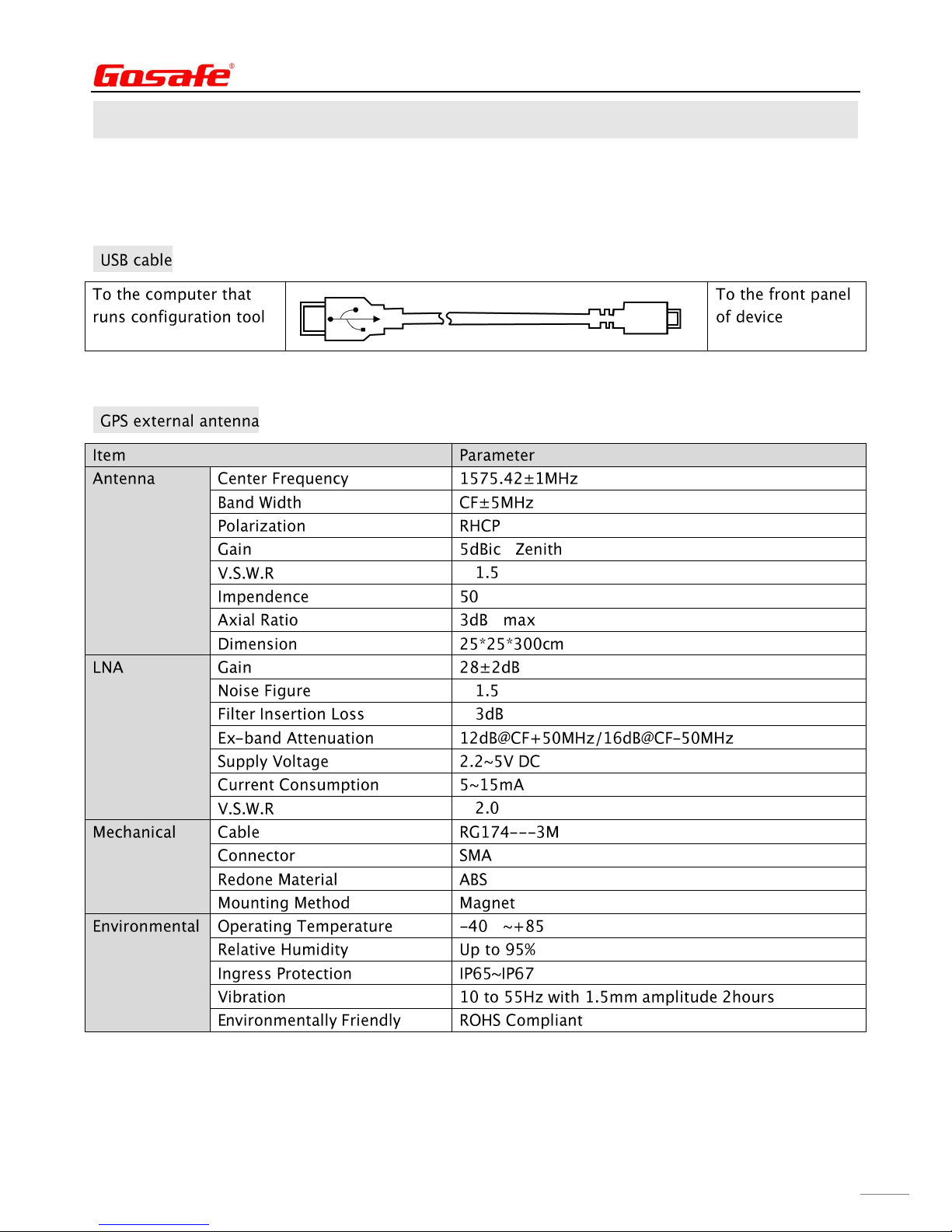
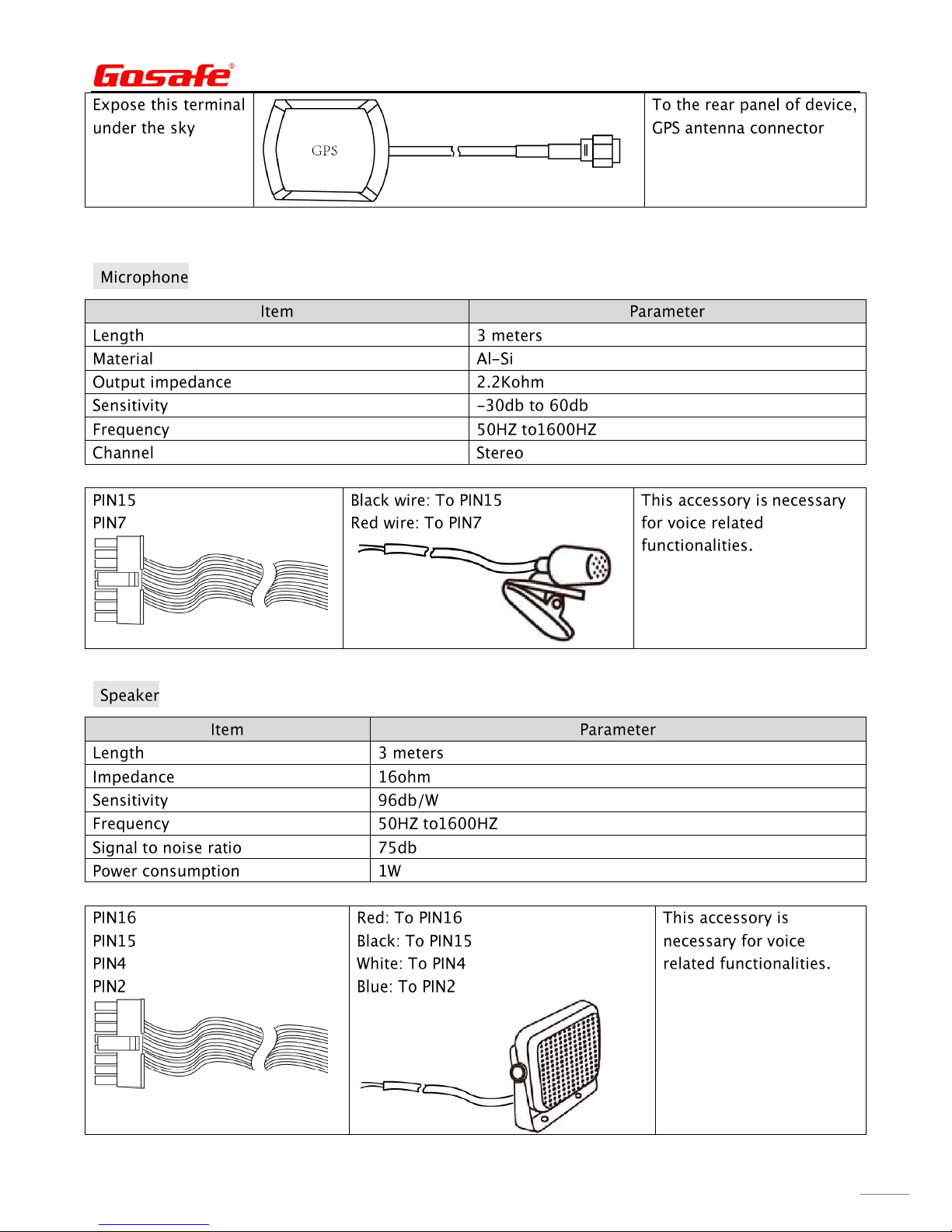
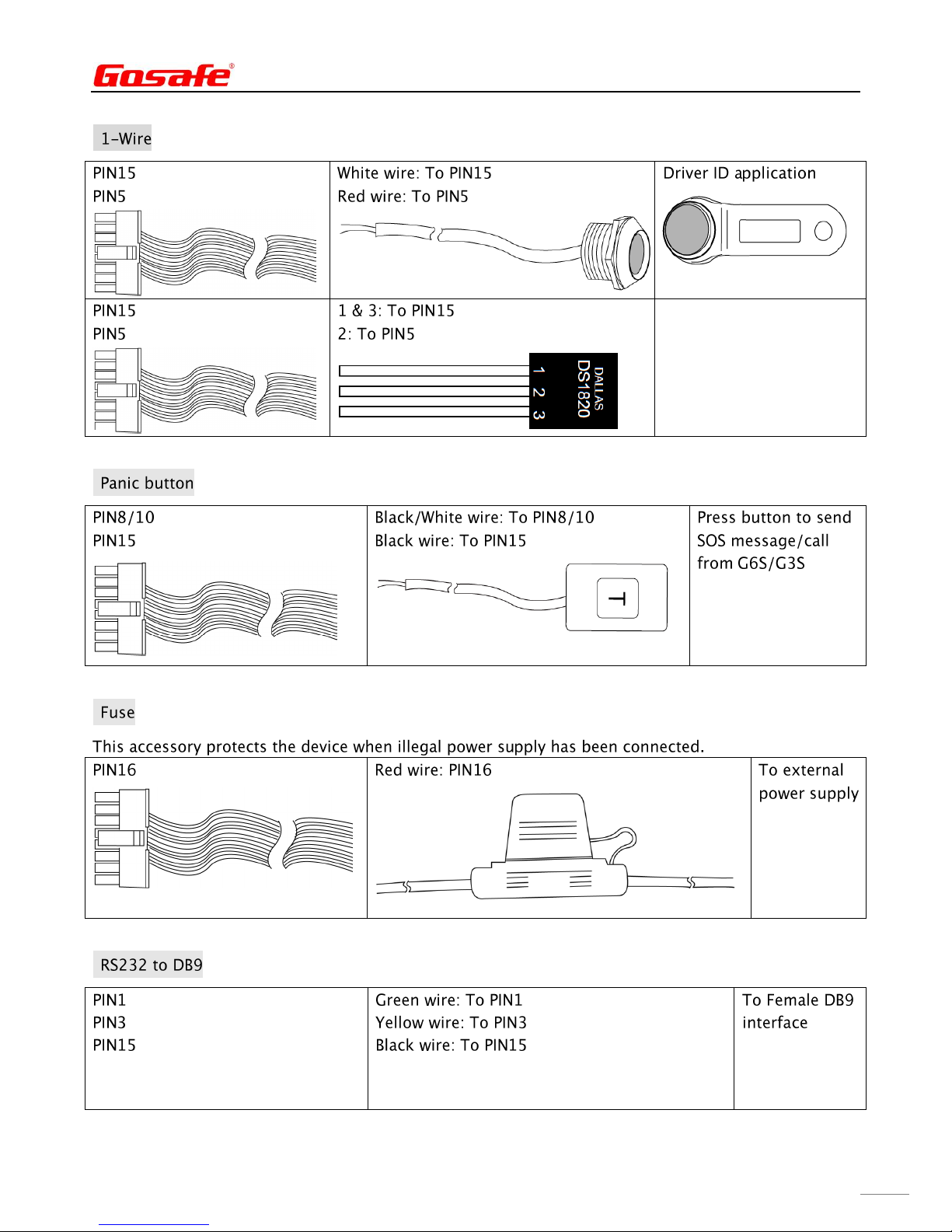
Appendix
Optional accessory
■
■
( )
<Ω( )
<<<
℃ ℃
Page 19
G6S/G3S User Manual
19
■
■
Page 20
G6S/G3S User Manual
20
■
■
■
■
Page 21
G6S/G3S User Manual
21
■
■
Page 22
G6S/G3S User Manual
22
■
 Loading...