

Page 1

User’s Manual
2.5“ USB 2.0 IDE External Enclosure
Table of Contents
Safety Instructions…………………………………………..……………………….…..……1
Introduction…………………………………………...……………………………..……….…1
Features………………………………………………………..…………………….……..…...1
System Requirements……………………………………..………………………..……..….1
Package Contents…………………………………………..……………………..………..…2
Specification……………………………………………..…….……………………………..…2
Driver Installation……………….....…..…………………………..…………………..………3
Installation Verification………….………………………...………………………………...10
Certificate………………………………………………..….………………………………….13
Disclaimer……………………..…………..………………..………………………………….13
Page 2

Safety Instructions
Always read the safety instructions carefully
Keep this User’s Manual for future reference
Keep this equipment away from humidity
Lay this equipment on a reliable flat surface before setting it up
If any of the following situation arises, get the equipment checked by a service
technician:
The equipment has been exposed to moisture.
The equipment has been dropped and damaged.
The equipment has obvious sign of breakage.
The equipment has not working well or you cannot get it work according to
User’s Manual.
Introduction
The USB 2.0 to IDE External Case allows you to upgrade 2.5” IDE disk drives to USB 2.0
ATAPI host commands. Provides the ability to upgrade and support a variety of
ATA/ATAPI based 2.5” disk drives without changing the peripheral hardware.
Features
Transfer rate of Hi-speed USB 2.0 interface can be up to 480 Mb/sec (max).
Complies with the USB Storage Class specification ver.1.0
Supports Plug&Play function.
Operating system supported: Win XP / 2000 / Me / 98SE and Mac 9.X / 10.X.
System Requirements
IBM compatible Pentium-233MHZ or faster & MAC PC
64 MB RAM or more
Available USB 2.0 Port
Software support
1
Page 3

OS 2.5” USB 2.0 IDE External Enclosure
Win 98SE
Driver Support
Win ME
System Support
Win 2000
System Support
Win XP
System Support
Mac 9.X
System Support
Mac 10.X
Driver Support
Package Content
USB 2.0 IDE External Enclosure X 1
Power Adapter X 1
Mini Cable X 1
CD Driver X 1
Quick Installation Guide X 1
Specification
Products 2.5” USB2.0 IDE External Enclosure
Function
Support 2.5” storage HDD
Standards
Compliant Hi-Speed USB 2.0 interface
Sockets
2.5” IDE slot
Interface
External Hi-Speed USB 2.0 device
Ports
1 mini upstream port & 1 DC Jack
Compliance
FCC regulations for home or office use CE emissions
2
Page 4
Driver Installation
Windows 98SE
Please Plug-in the device to the OS system of 98SE and also plug-in the software driver
to CD-ROM. Follow installation to step by step for OS 98SE until processed finished.
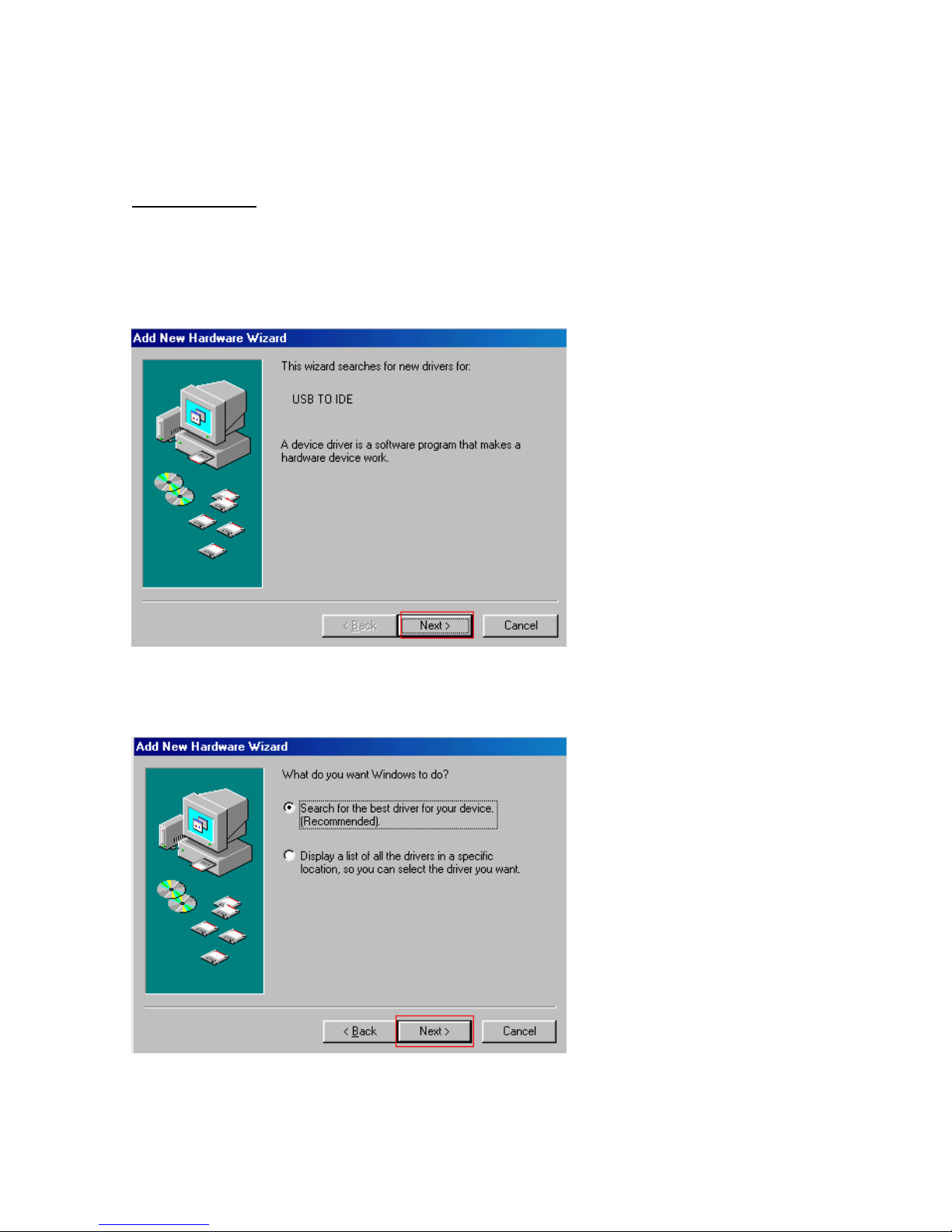
1. When device plug-in, system shows up the “ Add New Hardware Wizard “ for new
driver for “ USB to IDE “ and click “ NEXT “.
2. After that, select the “ search for the best driver for your device {recommended}
“ in windows requirement and click “ NEXT “.
3
Page 5
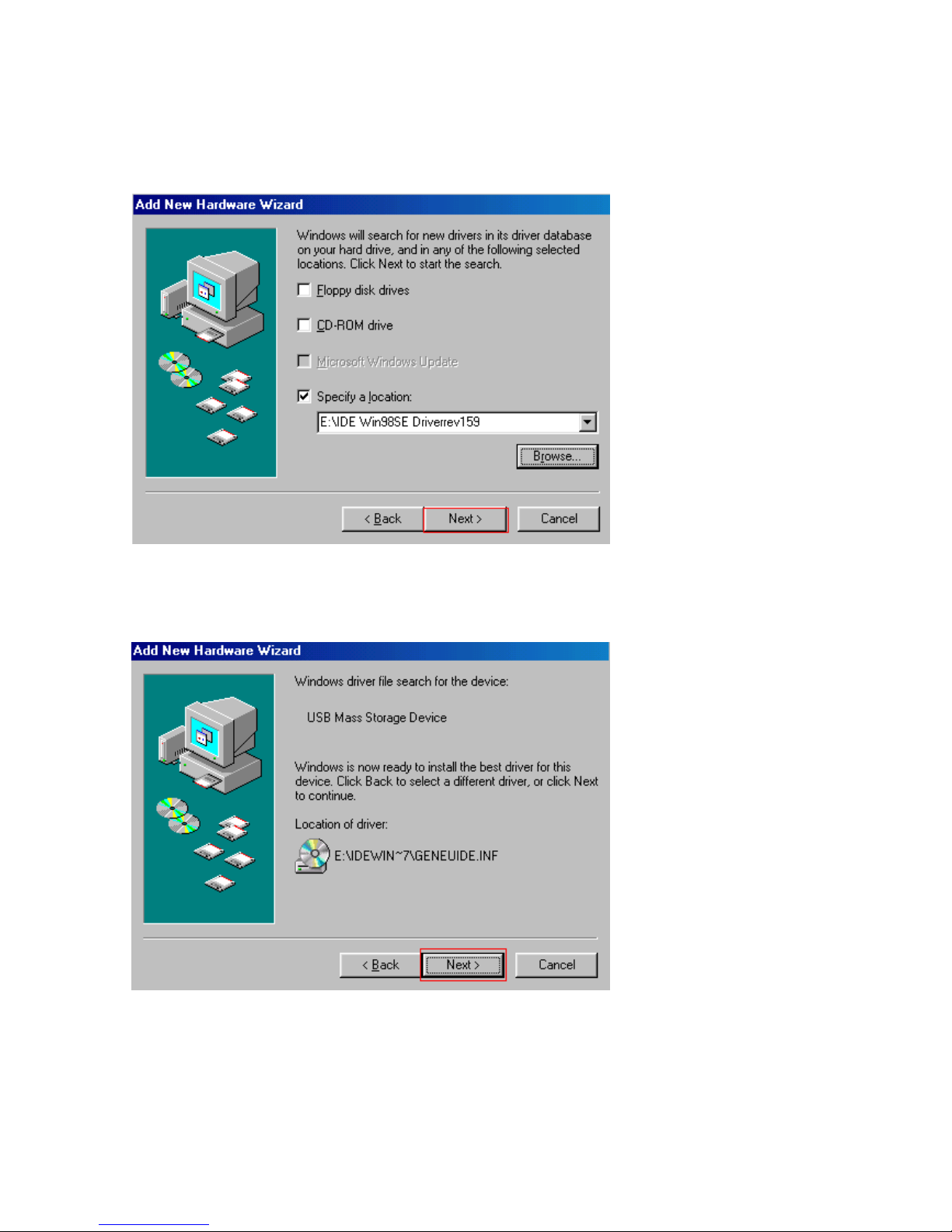
3. For the next setup, Windows will search for new drivers in its driver database on your
hard drive in selected locations for “E:\IDE Win98SE Driverrev159 “ in selection
“ specify a location ” and click “ NEXT “.
4 Windows is now to install the best driver for this device. System finds
“ E:\IDEWIN~7\GENEUIDE.INF “ in location of driver.
4
Page 6
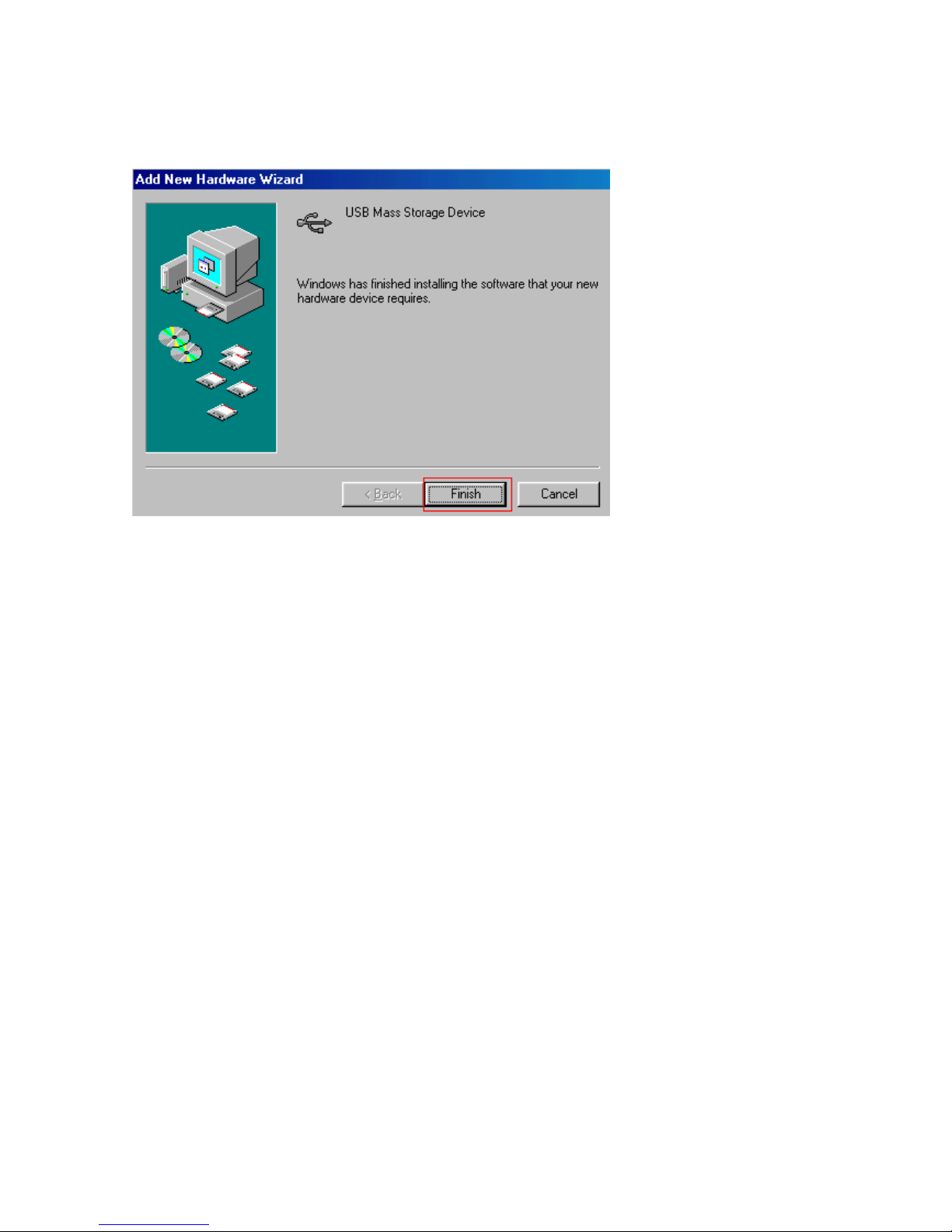
5 Windows has finishing installing the software that your new hardware device requires
and press “ NEXT “.
5
Page 7
Mac 10.x
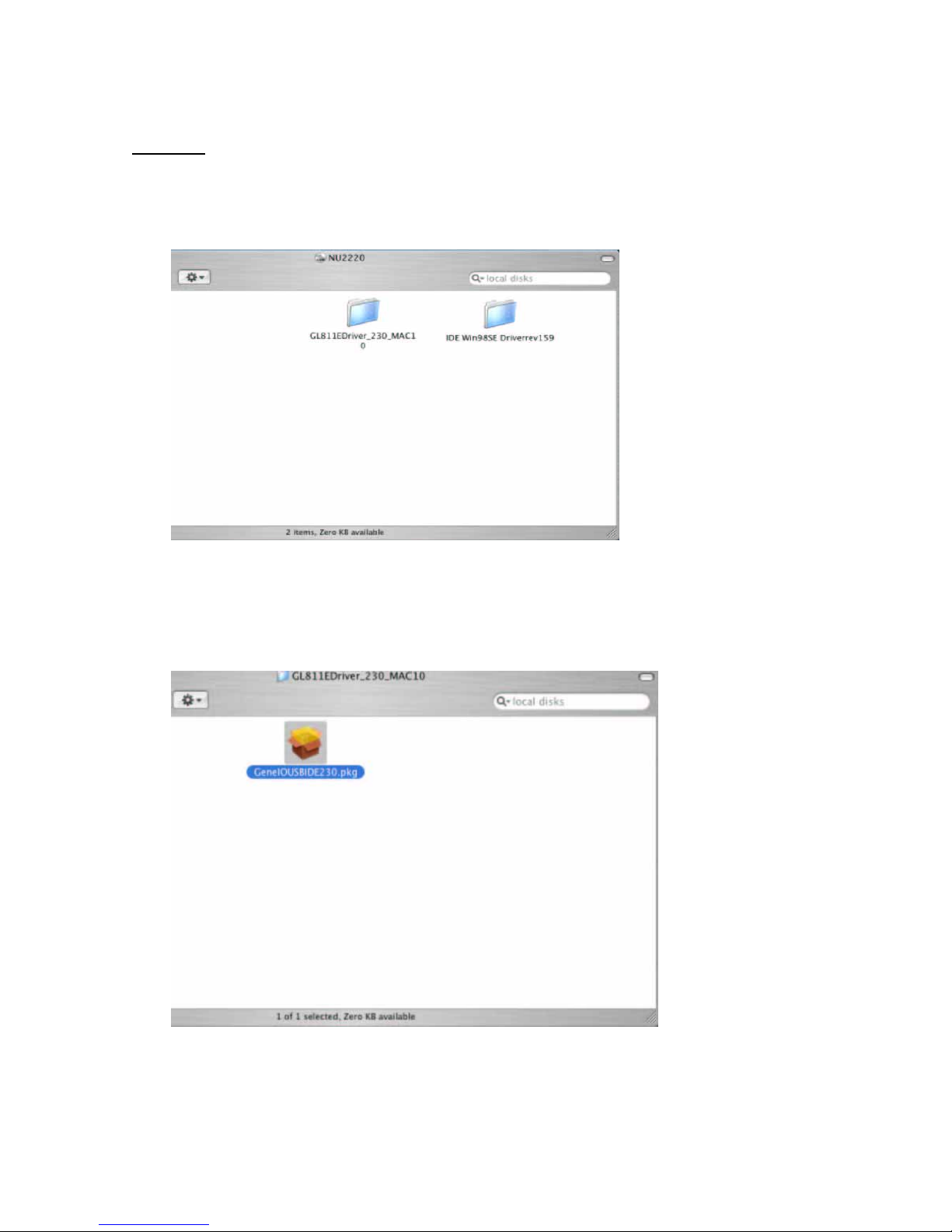
1. Please insert CD to CD-ROM and click the CD file that is
“ GL811Edriver_230_MAC10 “.
2. After click the file, the “ GENELQUSBIDE230 “ shows up and copy the icon to the
Mac desktop.
6
Page 8
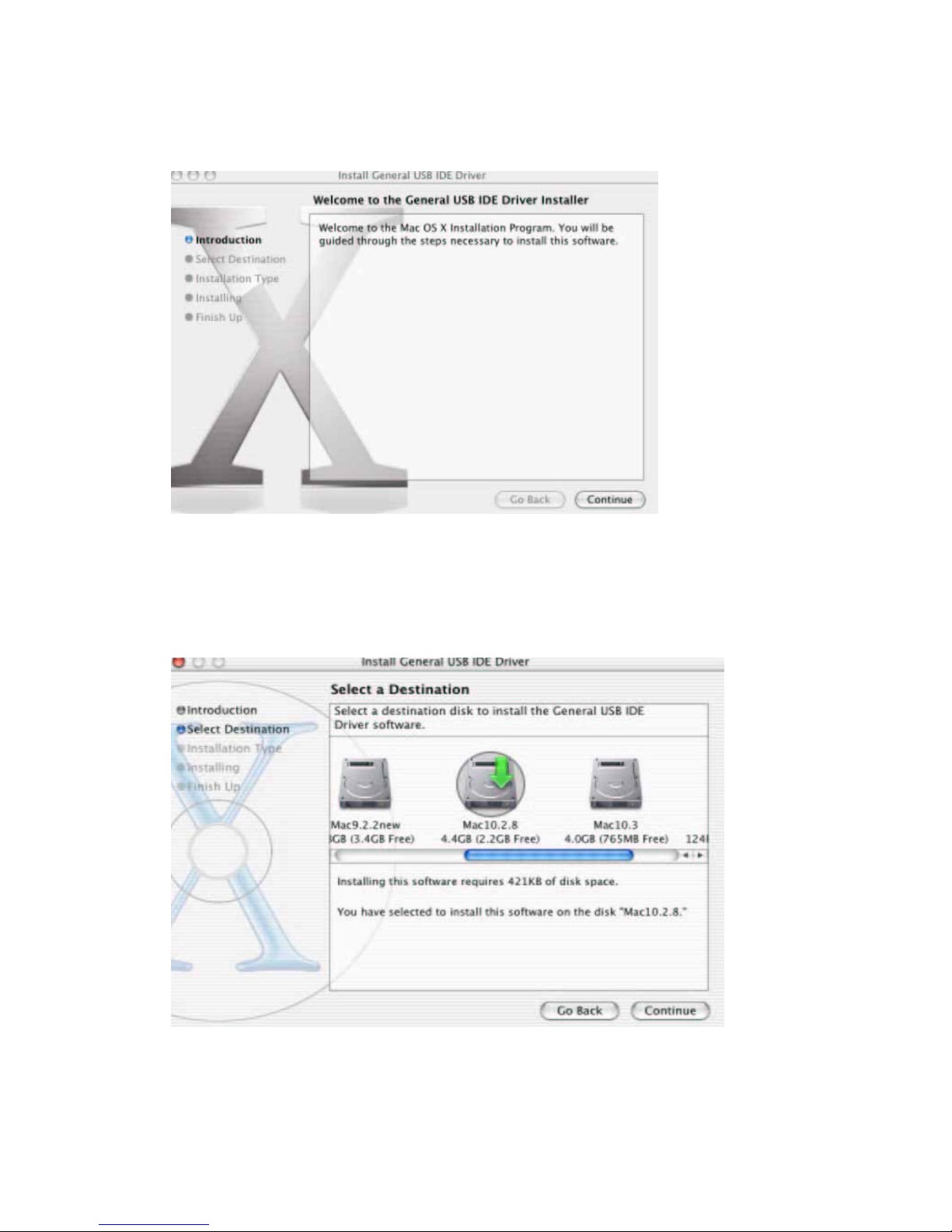
3. Click the file to start setup the driver and clcik “ CONTINUE “.
4. After that, select a destination volume to install the “ GENERAL USB IDE DRIVER
SOFTWARE “ and click, “ CONTINUE “.
7
Page 9
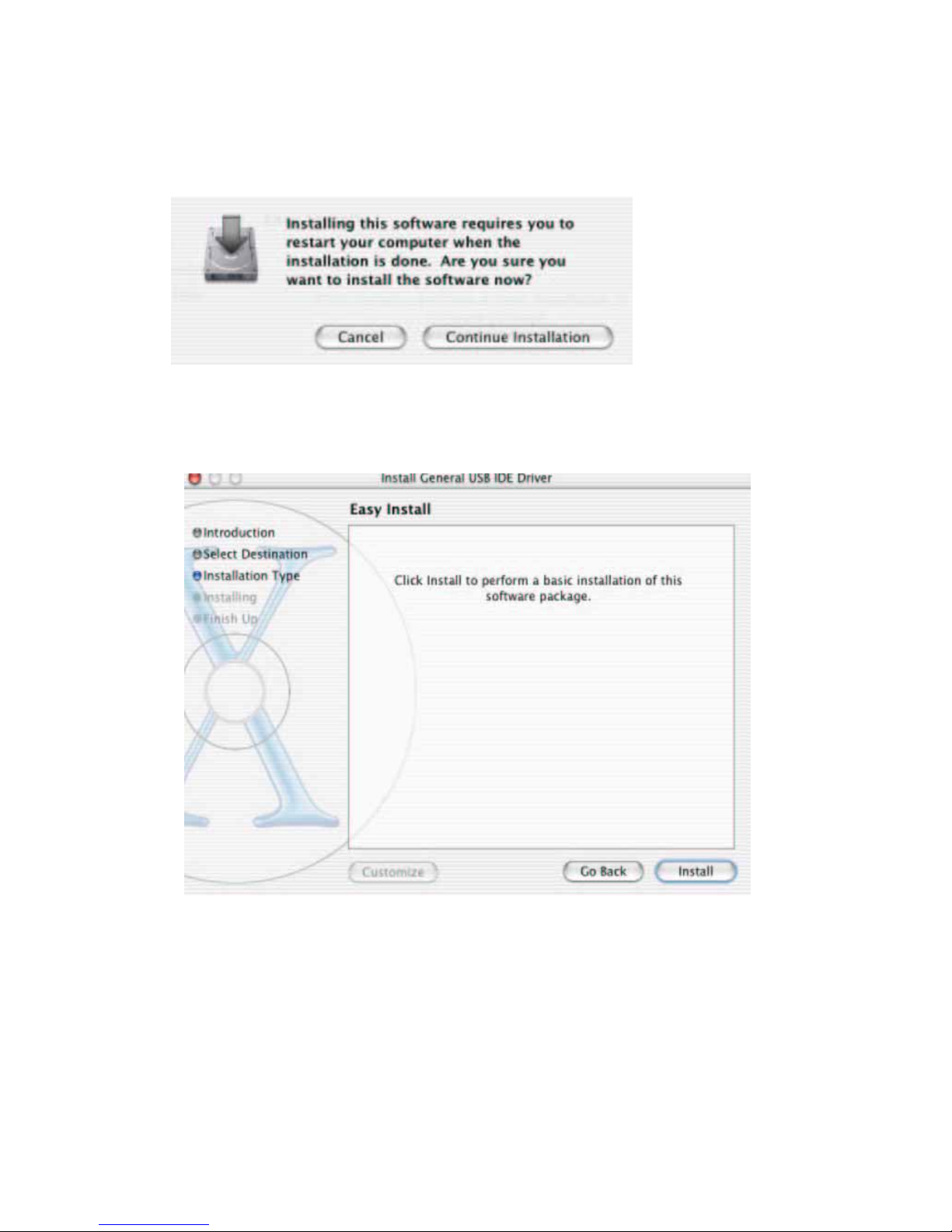
5. After destination selection, click “ CONTINUE INSTALLATION “.
6. Click install to perform a basic installation of this software package and click
“ INSTALL “.
8
Page 10
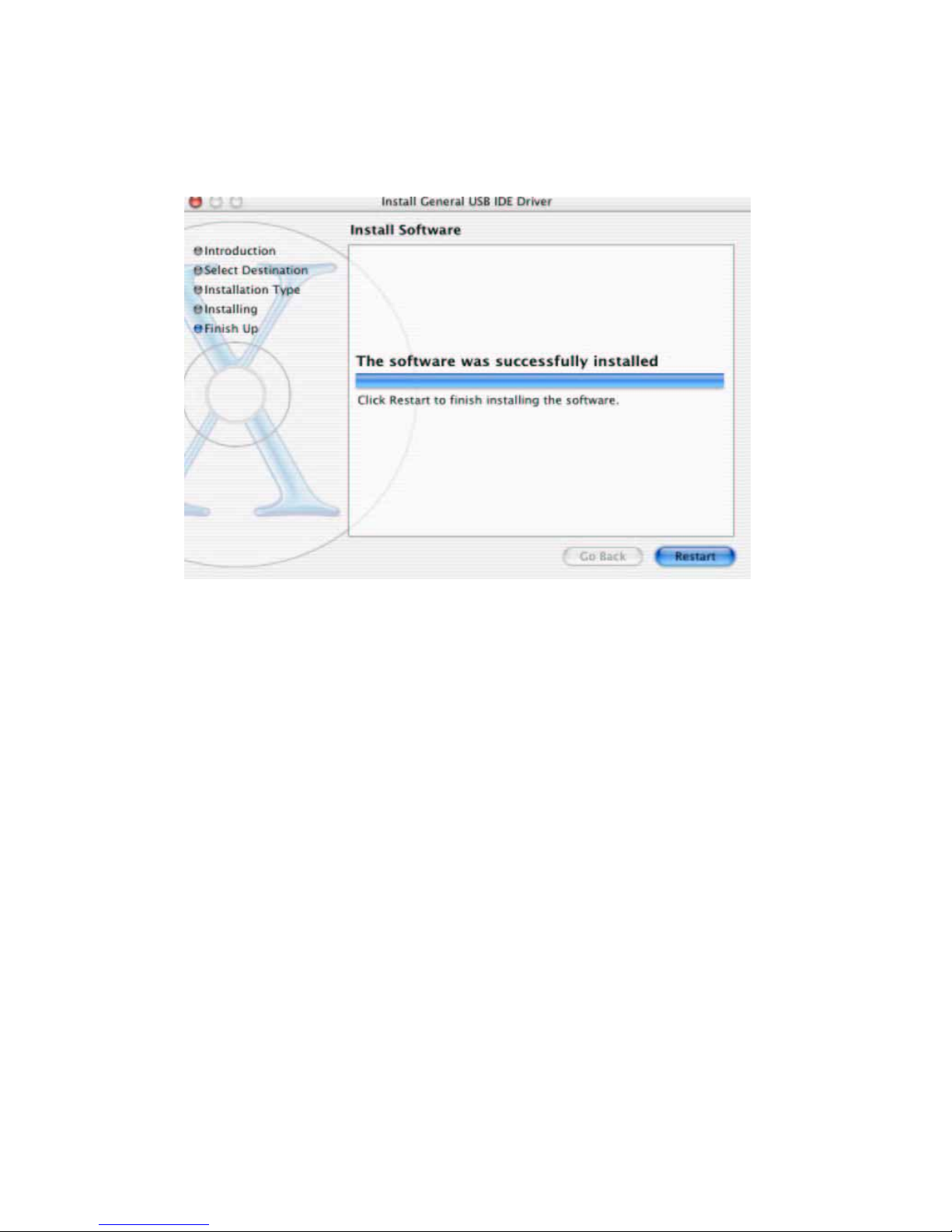
7. The software was successfully install and click “RESTART” the system to finish
installing the software.
9
Page 11
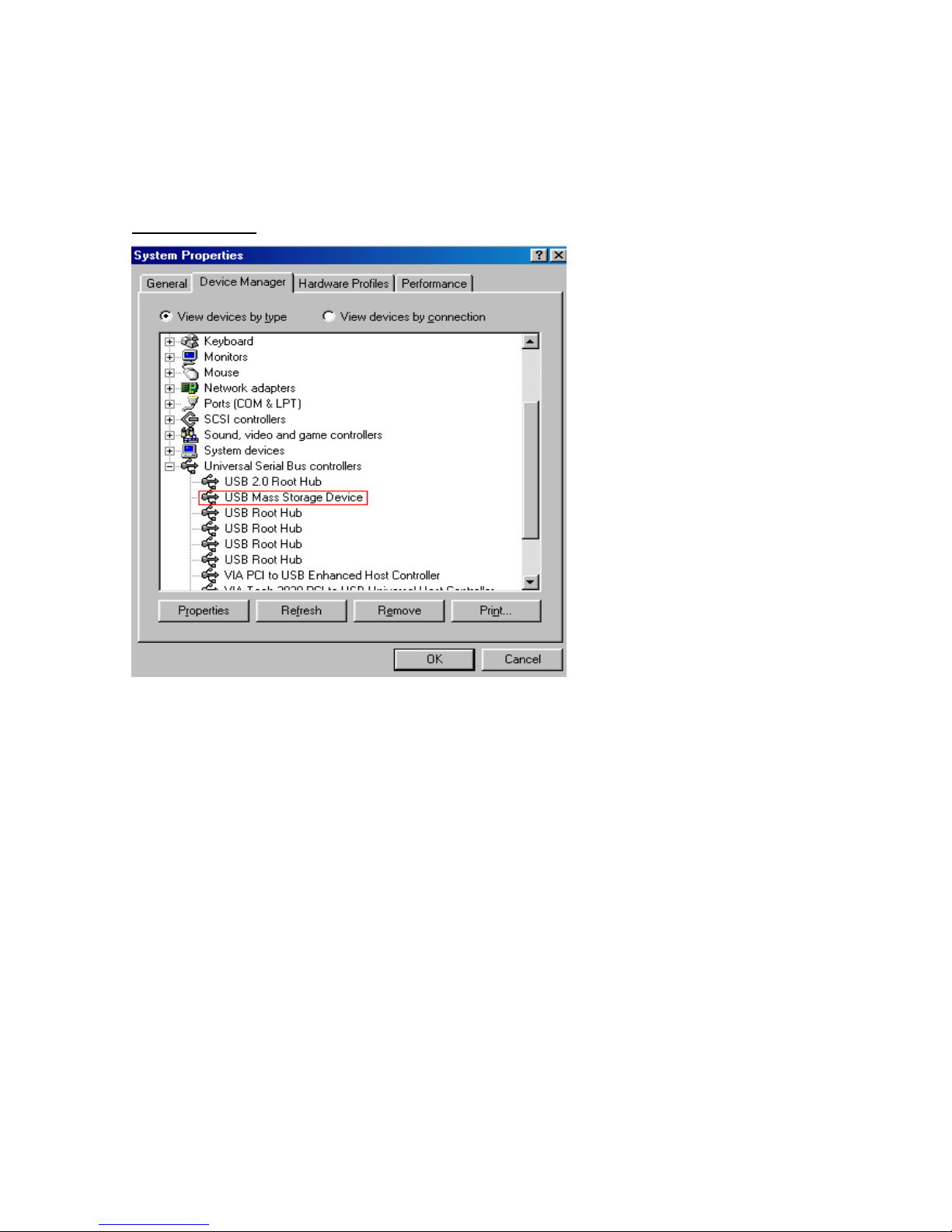
Verification Installation
Check “ USB Mass Storage Device” in “ Universal Serial Bus Controllers” at “ Device
Manager “.
Windows 98SE
10
Page 12
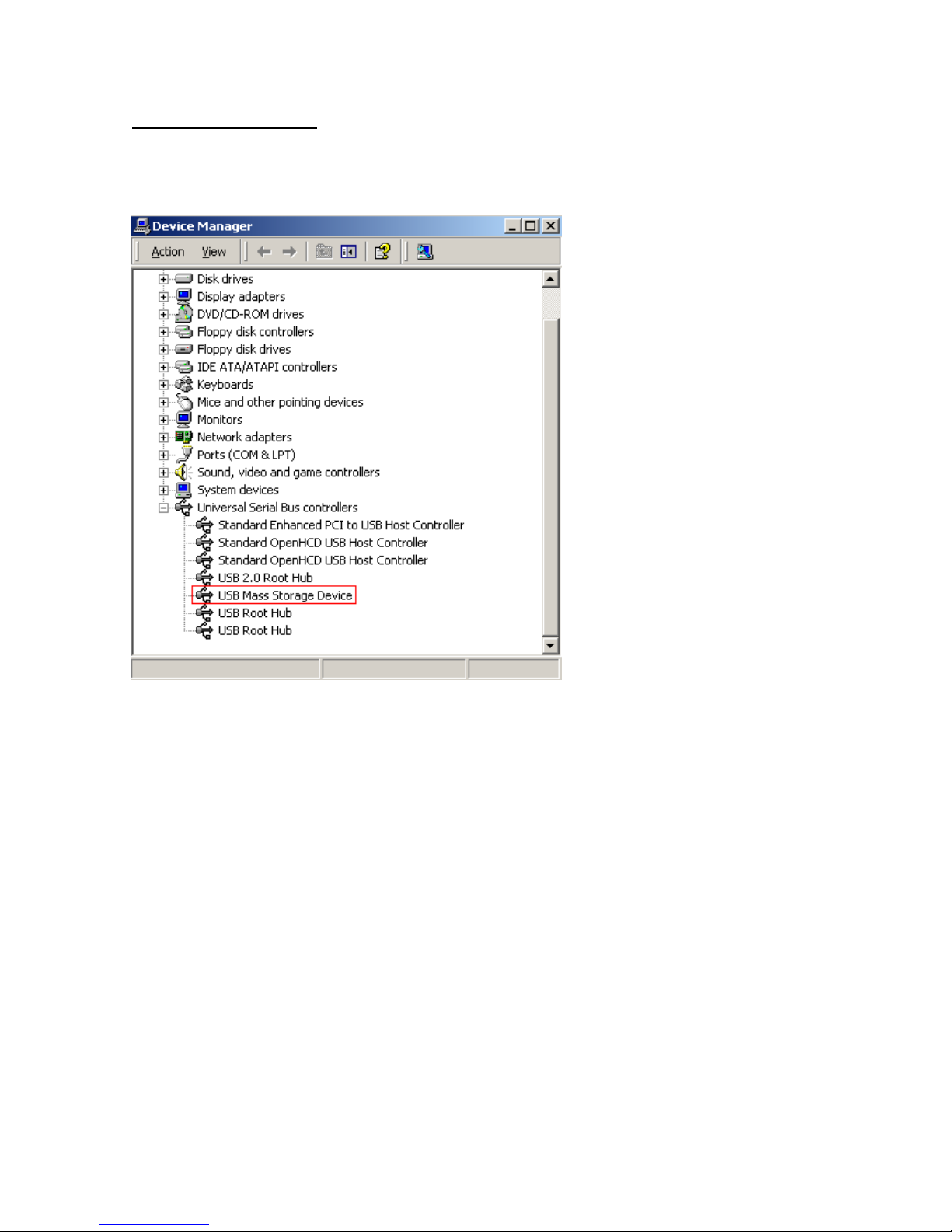
Windows ME/ 2000/XP
The product is supported to the OS system and its no driver supported. The installation
requirement is complete to check in device manager.
11
Page 13
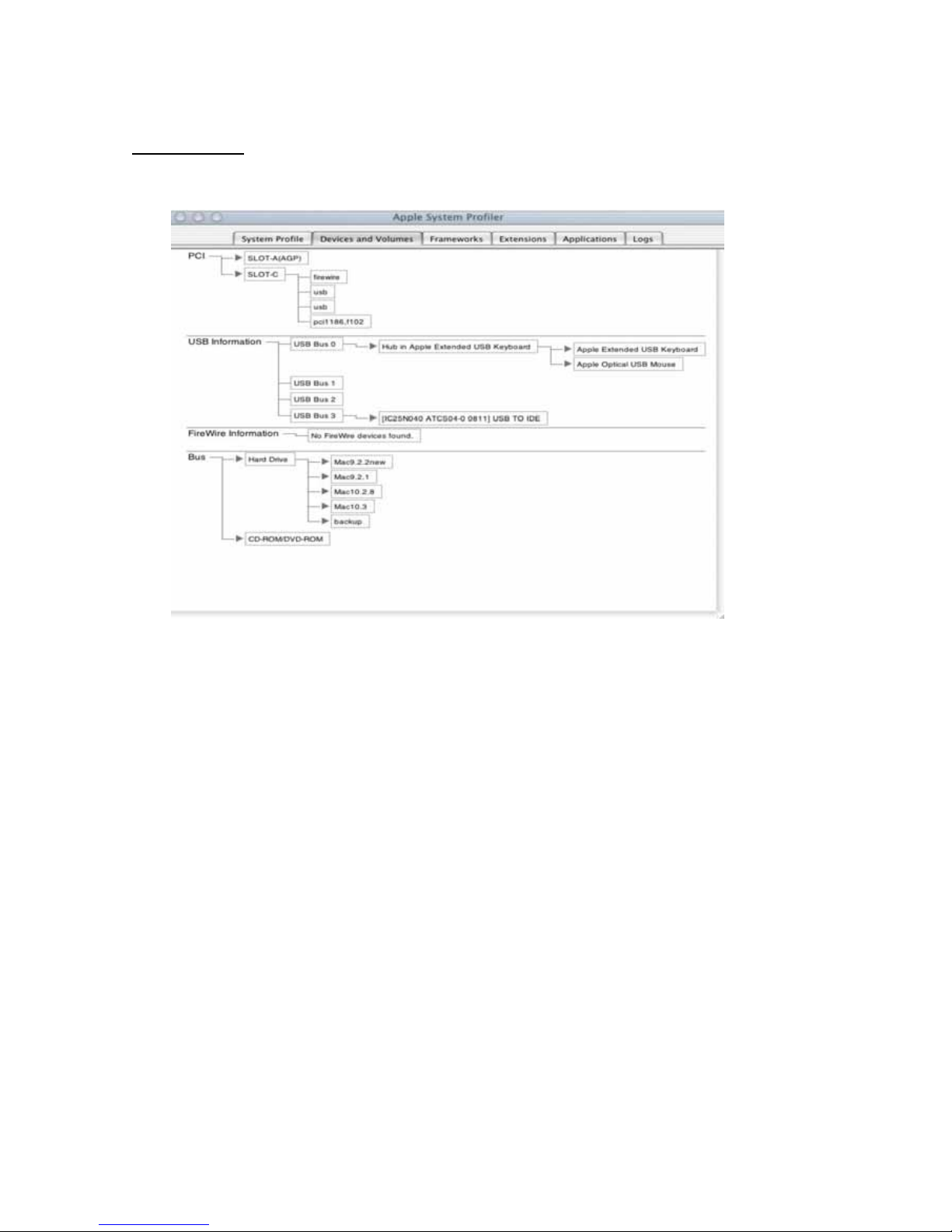
Mac 9.x/ 10.x
12
Page 14

Certificate
FCC
This equipment has been tested and found to comply with Part 15 of the FCC Rules.
Operation is subject to the following two conditions:
This device may not cause harmful interference
This device must accept any interference received. Including interference that may
cause undesired operation.
CE – Certificate
This equipment is in compliance with the requirements of the following regulations: EN 55
022: CLASS B
Disclaimer
Information in this document is subject to change without notice. The manufacturer does
not make any representations or warranties (implied or otherwise) regarding the accuracy
and completeness of this document and shall in no event be liable for any loss of profit or
any commercial damage, including but not limited to special, incidental, consequential, or
other damage. No part of this document may be reproduced or transmitted in any form by
any means, electronic or mechanical, including photocopying, recording or information
recording and retrieval systems without the express written permission of the
manufacturer.
13
 Loading...