

Page 1

User Manual
Kinetic Chain Analyzer
Page 2

SAFETY PRECAUTION
Please read all safety information prior to using Kinetic Chain Analyzer.
Failure to do so may result in unnecessary injury.
1. Operate the device only as intended. Do not use for any other purpose.
2. Do not place heavy objects on the device and keep the device away from humid, dusty and
environments.
3. Do not use water, Clean the surface with a soft cloth.
4. Do not push the button hard.
5. The device’s operate & storage temperature is between -10ºC ~ 60ºC. Keep away from heat
or cold.
6. Be careful not to drop the device.
BATTERY AND CHARGING
1. Do not attempt to replace Kinetic Chain Sensor’s battery. It is not user serviceable
2. Only use the supplied Kinetic Chain Receiver to charge.
3. Only use the supplied power adapter.
4. Do not charge Kinetic Chain Sensor in extremely hot or cold temperatures.
5. Do not charge Kinetic Chain Sensor when it is wet to avoid electric shock.
6. Do not dispose of Kinetic Chain Sensor in a fire. The battery could explode causing injury or
death.
Page 3

Table of Contents
Introduction & specification
Device and Accessories
How to charge the device
How to Power ON
Page 4

Introduction & specification
Specification
weight(g)
weight(g) Kinetic Chain Receiver : 165g
weight(g)weight(g)
Connectivity
Connectivity Micro USB 5pin
ConnectivityConnectivity
Operation
Operation time
OperationOperation
Charging time
Charging time 1h 30min
Charging timeCharging time
time 4 h
timetime
Kinetic Chain Receiver : 165g
Kinetic Chain Receiver : 165gKinetic Chain Receiver : 165g
Kinetic Chain Sensor : 27g
Kinetic Chain Sensor : 27g
Kinetic Chain Sensor : 27gKinetic Chain Sensor : 27g
Micro USB 5pin
Micro USB 5pinMicro USB 5pin
Wireless RF
Wireless RF 2.4GHz
Wireless RFWireless RF
4 h (continuously)
(continuously)
4 h4 h
(continuously)(continuously)
1h 30min
1h 30min1h 30min
2.4GHz
2.4GHz 2.4GHz
USB port
USB port Micro USB 5pin for PC
USB portUSB port
Size(mm)
Size(mm) Kinetic Chain Receiver : 187 * 94 * 35.5
Size(mm)Size(mm)
Operating temp
Operating temp 0000°°°°C ~ 55
Operating tempOperating temp
Storage
Storage temp
StorageStorage
temp ----10
temptemp
Micro USB 5pin for PC
Micro USB 5pin for PCMicro USB 5pin for PC
Kinetic Chain Receiver : 187 * 94 * 35.5
Kinetic Chain Receiver : 187 * 94 * 35.5Kinetic Chain Receiver : 187 * 94 * 35.5
Kinetic Chain Sensor : 60
Kinetic Chain Sensor : 60 * 39 * 14
Kinetic Chain Sensor : 60Kinetic Chain Sensor : 60
C ~ 55°°°°CCCC
C ~ 55C ~ 55
10°°°°C ~ 60
C ~ 60°°°°CCCC
1010
C ~ 60C ~ 60
* 39 * 14
* 39 * 14* 39 * 14
Page 5
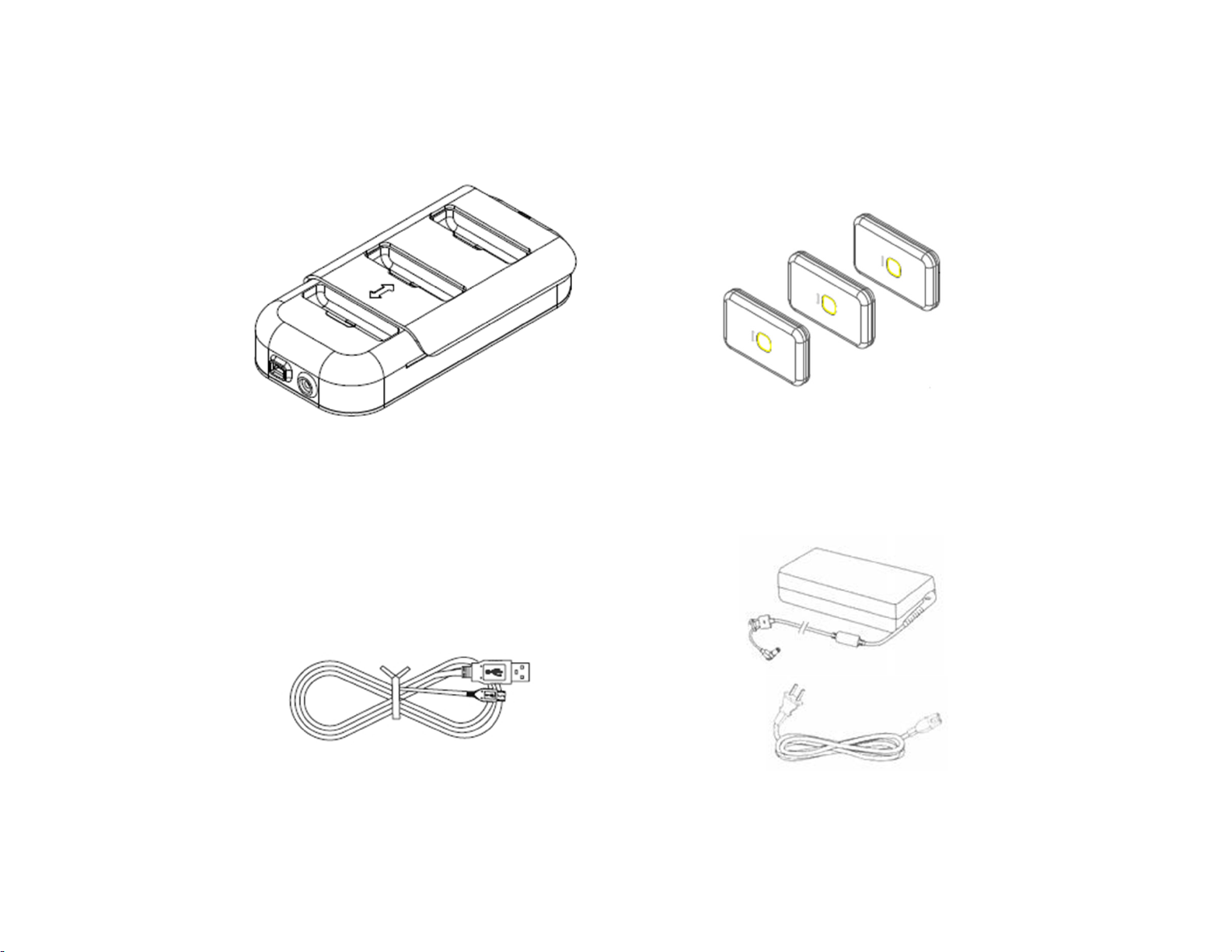
Device and Accessories
1. Kinetic Chain Receiver
3. USB cable
2. Kinetic Chain Sensor
4. AC Adapter & Power cable
Page 6
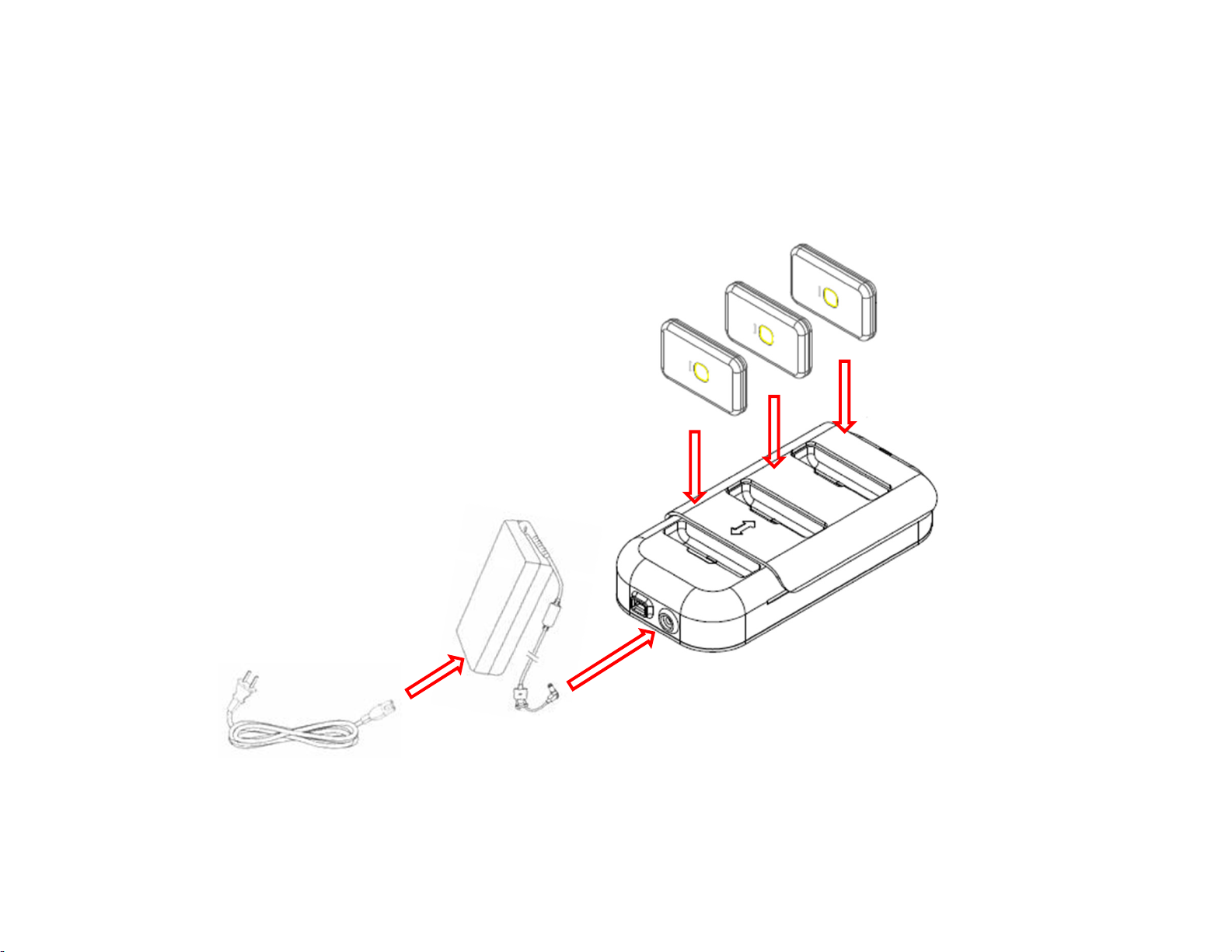
How to charge the device
1. Connect AC adapter to Kinetic Chain Receiver
2. Connect Kinetic Chain Sensor to Kinetic Chain Receiver
3. Red light turn on
4. Charging finished
5. Red light turn off and Green light turn on
Page 7
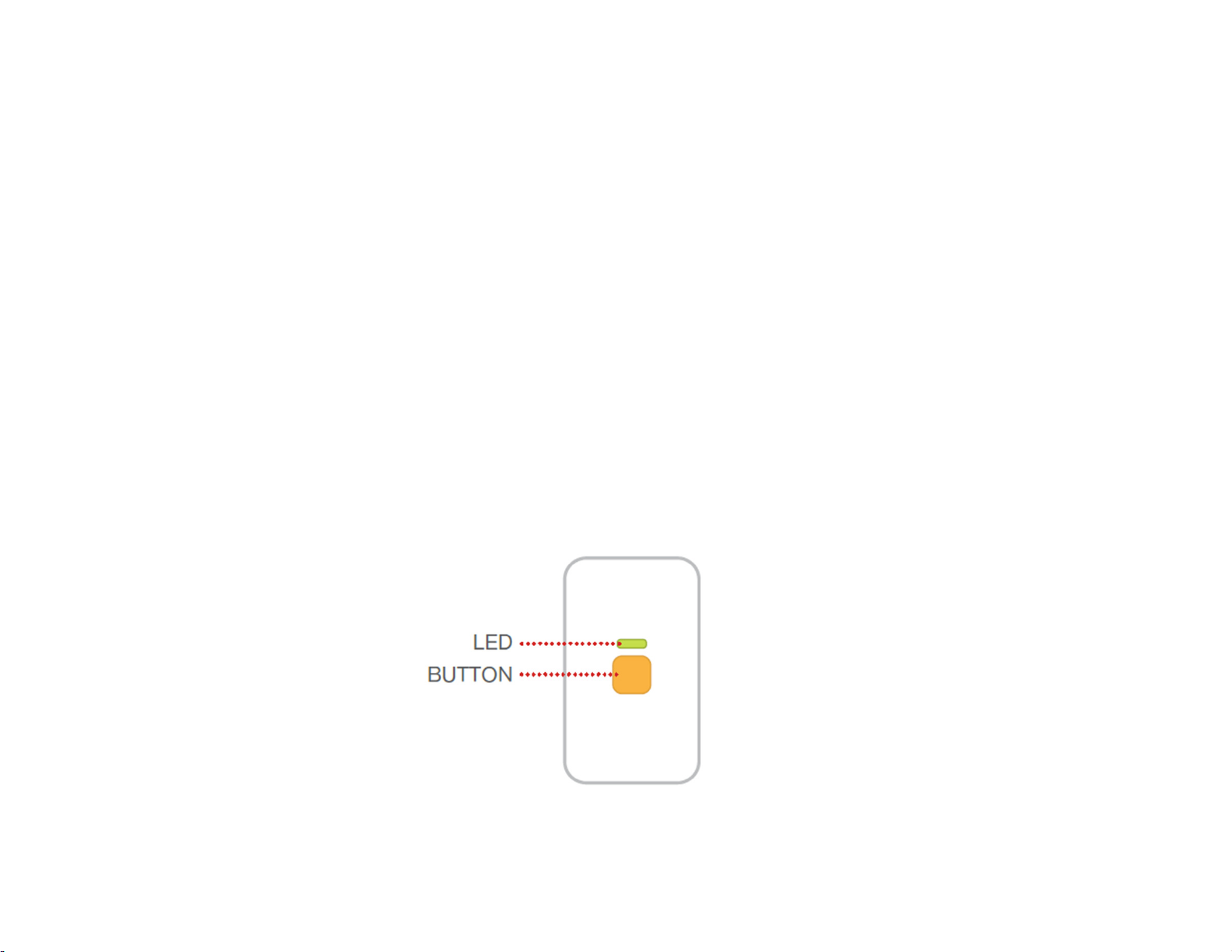
How to Power ON
Power On status: To see if the power of sensor is on, gently press the button and let go.
if the green light comes on, the sensor is on.
Power Off status: do same as above, if light does not come on, the power of sensor is off.
How to Turn On/Off the sensors : to turn on/off the sensors, press the button and hold for 3
seconds. if the LED light comes on blinking twice, the sensor is turned on. if the light goes off, the
sensor is turned off.
* Please check battery in case sensor could not be turned on. putting the sensor in the KC
receiver to charge when it is not in use is recommended.
Page 8
Page 9
 Loading...