

Page 1

GNARBOX 2.0 SSD OVERVIEW
1. LED
2. OLED Screen
3. Micro HDMI
4. SD
5. On-board buttons
6. USB-C
7. Carrying Lanyard
8. USB-C
9. Battery latch
10. Battery
3
4
6
1
2
98
5
7
10
OLED GUIDE
1. WiFi indicator
2. Connected to Cloud
3. Transfer in progress
4. Connected device
5. Battery life
2 / Head to www.gnarbox.com/userguide for the complete user manual
1
GNARBOX
3
2 4
72%
LED GUIDE
1. RED = GNARBOX connected to power
5
< >
2. OFF = GNARBOX not connected to power
< >
3. AMBER = System Error, please contact Customer Support
< >
BUTTON GUIDE
1. Up button
press for Tasks List
2. Left button
press to step back toward Home
3. Right button
press to navigate right
1sec hold to Power On
3sec hold to Power O
4. Down button
press for additional options
1
2 3
4
Page 2

MOBILE APPLICATIONS + SYSTEM REQUIREMENTS
GETTING STARTED
Safekeep
For backup and file
management.
Selects
For basic photo culling
and editing.
Sequence
For basic video editing
and exporting.
COMPATIBILITY:
iOS 10 or later, Android 5.0 or later, macOS 10.11 or later & Windows 7 or later
NOTE:
App and firmware updates may be required. For more information about the update process or if
you need help, please contact us at [email protected] or live chat with us at gnarbox.com.
* May require additional updates for compatibility with GNARBOX 2.0 SSD. Please contact support
if you are having any issues at [email protected] or live chat with a representative on our
website at gnarbox.com.
3 / English
GNARBOX Classic *
For an all-in-one app
experience.
Adobe Lightroom CC
In the field photo editor.
LumaFusion
In the field video editor
for iOS.
1. Charging
a. Connect the USB-C power cable to charge GNARBOX 2.0 Battery
b. Approximate charging times are 0-80% in 1 hour, 0-100% in 2 hours
2. Install The App
a. Download and install all GNARBOX applications from the App Store or Play Store
Page 3
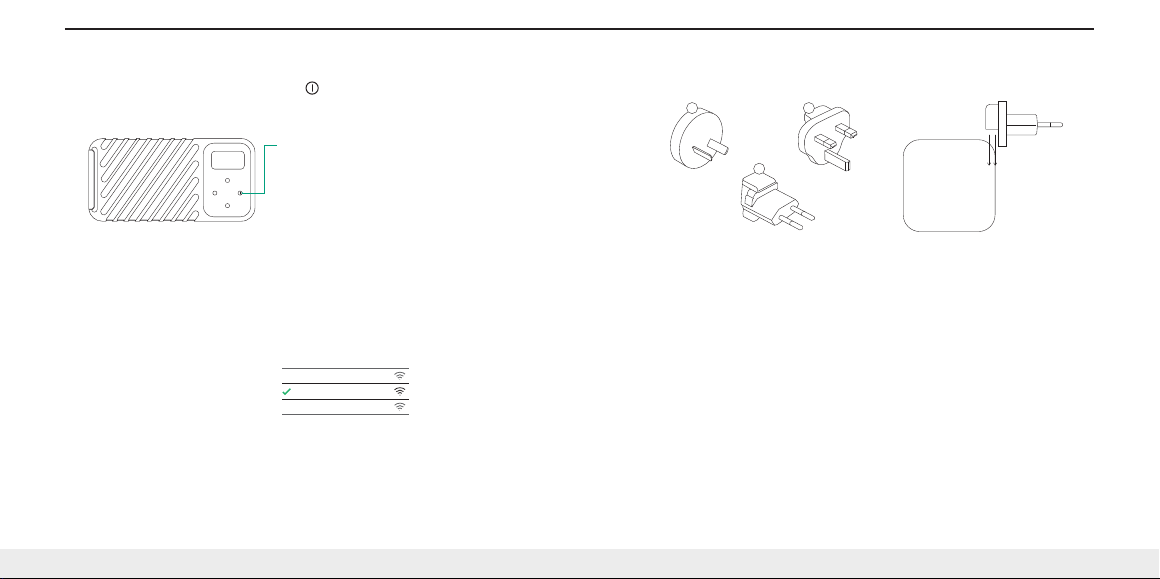
3. Power on GNARBOX
a. Power your GNARBOX on by holding the < > button for 1 second.
b. It will take about 15-30 seconds to power up.
c. The GNARBOX screen will welcome you when fully booted.
Power button
ATTACHING THE INTERNATIONAL ADAPTERS
1. Type I
2. Type G
3. Type C
1 2
3
4. Connect
a. Open the WiFi settings on your iOS or Android device
b. Connect to the GNARBOX WiFi network and enter the password (defaults listed below)
c. A checkmark will appear when WiFi connection is successful
d. Open the GNARBOX Safekeep app to finalize your connection
Default WiFi SSID:
GNARBOX 2.0 SSD
Default WiFi Password:
gnarbox!
Visit www.gnarbox.com for walkthroughs and tutorials. You may be prompted to update your GNARBOX
upon first connecting. Learn more about the latest firmware and software versions at www.gnarbox.com.
You may also download the full user manual at gnarbox.com/userguide.
4 / Head to www.gnarbox.com/userguide for the complete user manual
Mobile Device Wi-Fi
Alan’s Home WiFi
GNARBOX 2.0 SSD
Jane’s WiFi
MAINTAINING YOUR GNARBOX
GNARBOX Basic Care
1. Avoid dropping GNARBOX from heights exceeding 3 feet (1 meter)
2. Only insert compatible cards and cables into GNARBOX ports
3. Do not insert wet or dirty cards or cables into GNARBOX ports
4. Only charge your GNARBOX with the supplied USB-C to C cable and 40.5W Power Adapter
5. Never use third party batteries with the GNARBOX
6. Avoid long periods without charging your lithium polymer batteries
7. Avoid frequently overcharging your batteries
8. When ports are not in use, close doors to protect GNARBOX electronics from dust and moisture
9. Only allow GNARBOX authorized service providers to perform repairs on your GNARBOX
10. Do not connect non-GNARBOX international adapters to the Power Adapter
11. Keep out of direct sunlight while in use
12. Keep your GNARBOX and apps completely up to date
Page 4
TECHNICAL SPECIFICATIONS
Component Specifications
128GB, 256GB, 512GB, or 1TB NVMe PCIe SSD
Intel® Quad Core, 2.40GHZ CPU
4 Core Intel® HD Graphics GPU
867mbps 802.11ac WiFi
128GB/256GB: 2GB RAM
512GB/1TB: 4GB RAM
USB-C (x2), SD, and Micro HDMI ports
Transfer Speeds
SD Card Transfer: 75MB/s write speeds
USB-C Transfer: 350MB/s read/write
Enclosure Specifications
IP67: Waterproof up to 1 meter for 30 minutes
Dustproof, Shockproof & Drop proof to 1 meter
Dimensions: 6” x 3” x 1.16” (152mm x 76mm x 30mm)
Weight: .8lb (375g)
Operating temperature range: 0°C to 40°C
5 / English
Power Specifications
3-6 hours of continuous use
2-hour recharge with supplied cable and power adapter
1-hour recharge to 80% with supplied cable and power adapter
Working temperature range: 0°C to 40°C
Power Adapter Specifications
Input: 100-240V AC 50/60Hz 0.8A Max
Ports: USB Type C and Type A
Output (Type C): DC 5V/3A, 9V/3A, 12V/2.5A, 15V/2A, 18V/1.5A,
20V/1.5A
Output (Type A): 5V/2.1A
Output Power: 40.5W Max
Dimensions: 58mm x 58mm x 31mm
Weight: 105g
Type C Adapter weight: 15g
Type I Adapter weight: 15g
Type G Adapter weight: 20g
Operating temperature range: 0°C to 40°C
Non-operating temperature range: -10°C to +85°C
Battery Specifications
Voltage: 7.6V
Capacity: 3000mAh
Watt-hours: 22.8Wh
Dimen sions: 4.7” x 2. 6” x .56” (123mm x 68 mm x 14mm)
Weigh t: .3lb (135g)
Type: Lit hium Polym er
Opera ting tempe rature ran ge: 0°C to 40°C
Page 5
SUPPORT & COMMUNITY
Who we are
GNARBOX was founded in 2015 with the goal of making the creative process easier for anyone
with a camera. We are a small, hardworking team in Los Angeles, backed by an active community
of photographers and videographers from around the world. We welcome you to the community!
Join us on Facebook, Instagram or on live chat on our website!
Join our Community!
Instagram: @GNARBOX
Tag your photos with #GNARBOX for a chance to be featured
Facebook: GNARBOX Insiders
Join GNARBOX Insiders for tips, tricks, and the inside scoop
Need Help? Chat with us!
Live chat on www.gnarbox.com
Email [email protected]
6 / Head to www.gnarbox.com/userguide for the complete user manual
Page 6
LEGAL
Warning: Please be advised that damage to the GNARBOX 2.0 SSD, GNARBOX 2.0 Battery,
GNARBOX Power Adapter, or USB-C to C cable could result in electrical shock. If the GNARBOX 2.0
SSD, GNARBOX 2.0 Battery, GNARBOX Power Adapter, or USB-C to C cable become damaged in
any way, cease usage of the aected component(s) immediately and contact our customer service
to obtain a repair.
Exposure to Radio Frequency Energy: To learn about the GNARBOX RF Exposure, please visit
www.gnarbox.com/rfexposure.
Battery: The GNARBOX 2.0 Battery should be replaced only by MYGNAR, Inc. or one of its authorized
service providers. The battery must be disposed of separately from household waste. To learn more
about battery service and recycling, visit www.gnarbox.com/battery.
For Australian Customers: Our goods come with guarantees that cannot be excluded under the
Australian Consumer Law. You are entitled to a replacement or refund for a major failure and for
compensation for any other reasonably foreseeable loss or damage. You are also entitled to have
goods repaired or replaced if the goods fail to be of acceptable quality and the failure does not
amount to major failure.
Regulatory: Regulatory information, certification, and compliance marks specific to the GNARBOX
can be found on the GNARBOX Software Application Menu. Go to Settings > Legal > Regulatory.
IC and FCC Compliance Statement: This device complies with Industry Canada license-exempt RSS
standard(s). This device complies with Part 15 of the FCC rules. Operation is subject to the following
two conditions: (1) this device may not cause harmful interference, and (2) this device must accept
any interference received, including interference that may cause undesired operation.
Important: This product has demonstrated EMC compliance under the conditions that included the
use of compliant peripheral devices and shielded cables between system components. It is important
that you use compliant peripheral devices and shielded cables between system components to
reduce the possibility of causing the interference to radios, televisions, and other electronic devices.
Innovation, Science, and Economic Development Canada ICES 003 Compliance Label: CAN
ICES-3(B)/NMB(3)
7 / English
EU Compliance Statement: MyGnar, Inc. hereby declares that this wireless device is in compliance
with the essential requirements and other relevant provisions of the R&TTE Directive.
A copy of the EU Declaration of Conformity is available at www.gnarbox.com/eucompliance.
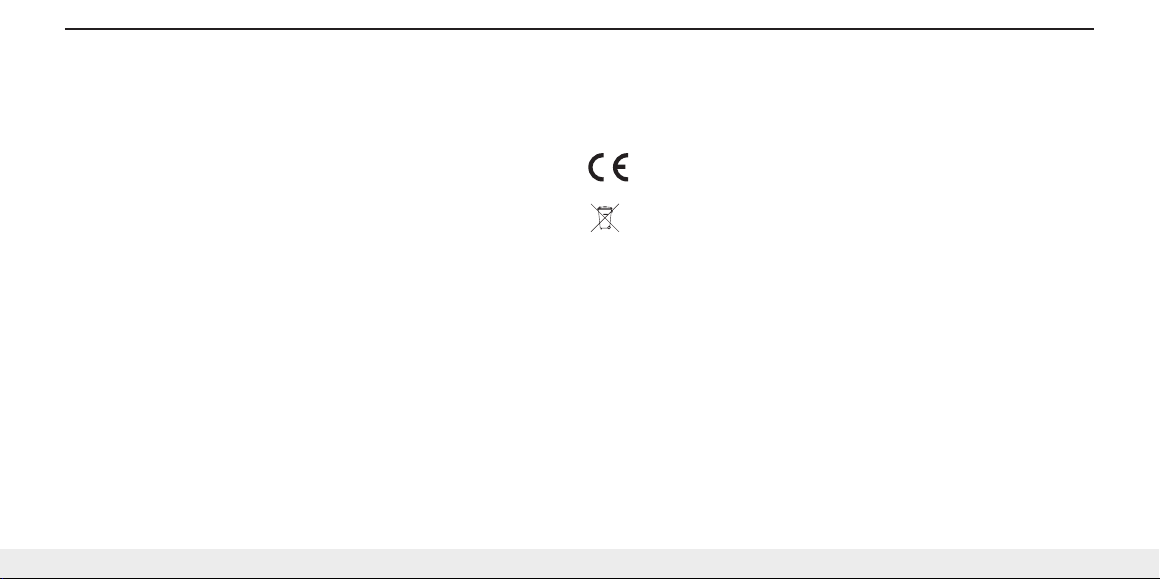
European Union - Disposal Information
The symbol above means that according to local laws and regulations your product and/or its battery
shall be disposed of separately from household waste. When this product reaches its end of life, take
it to a collection point designated by local authorities. The separate collection and recycling of your
product and/or its battery at the time of disposal will help conserve natural resources and ensure that
it is recycled in a manner that protects human health and the environment. © 2018 MyGnar, Inc. All
rights reserved. GNARBOX is a registered trademark of MyGnar, Inc. in the U.S. and/or other countries.
 Loading...