

Page 1

2005 GMC Jimmy Owner Manual M
Seats and Restraint Systems
Front Seats
Rear Seats
Safety Belts
Child Restraints
Airbag System
Restraint System Check
Features and Controls
Keys
Doors and Locks
Windows
Theft-Deterrent Systems
Starting and Operating Your Vehicle
Mirrors
HomeLink
Storage Areas
Sunroof
Vehicle Personalization
Instrument Panel
Instrument Panel Overview
Climate Controls
Warning Lights, Gages, and Indicators
Driver Information Center (DIC)
Audio System(s)
............................................... 1-2
............................................... 1-6
.............................................. 1-8
....................................... 1-29
......................................... 1-50
........................................................ 2-3
....................................... 2-8
................................................. 2-16
.................................................... 2-42
®
Transmitter
......................................... 2-49
.................................................. 2-57
............................................. 3-1
...................................... 3-20
....................................... 3-41
........................... 1-1
............................ 1-57
..................................... 2-1
............................ 2-18
............................. 2-45
............................. 2-59
.......................... 3-4
........... 2-20
........ 3-23
.................. 3-39
Driving Your Vehicle
Your Driving, the Road, and Your Vehicle
Towing
Service and Appearance Care
Service
Fuel
Checking Things Under the Hood
Rear Axle
Four-Wheel Drive
Front Axle
Bulb Replacement
Windshield Wiper Blade Replacement
Tires
Appearance Care
Vehicle Identification
Electrical System
Capacities and Specifications
Maintenance Schedule
Maintenance Schedule
Customer Assistance and Information
Customer Assistance and Information
Reporting Safety Defects
Index
................................................... 4-49
..................................................... 5-3
......................................................... 5-5
...................................................... 5-53
................................................................ 1
....................................... 4-1
.......................... 5-1
............... 5-10
............................................... 5-43
..................................... 5-44
............................................... 5-45
.................................... 5-45
..................................... 5-81
................................. 5-89
...................................... 5-90
..................... 5-95
..................................... 6-1
................................ 6-2
........................... 7-10
..... 4-2
......... 5-51
.............. 7-1
........... 7-2
Page 2

Canadian Owners
A French language copy of this manual can be obtained
from your dealer or from:
Helm, Incorporated
P.O. Box 07130
Detroit, MI 48207
GENERAL MOTORS, GM, the GM Emblem, GMC, the
GMC Truck Emblem, and the name JIMMY are
registered trademarks of General Motors Corporation.
This manual includes the latest information at the time it
was printed. We reserve the right to make changes
after that time without further notice. For vehicles first
sold in Canada, substitute the name “General Motors of
Canada Limited” for GMC whenever it appears in this
manual.
Keep this manual in the vehicle, so it will be there if it is
needed while you are on the road. If the vehicle is
sold, leave this manual in the vehicle.
Litho in U.S.A.
Part No. 05JIMMY A First Edition
ii
About Driving Your Vehicle
As with other vehicles of this type, failure to operate this
vehicle correctly may result in loss of control or an
accident. Be sure to read the “on-pavement” and
“off-road” driving guidelines in this manual. See Your
Driving, the Road, and Your Vehicle on page 4-2
and Off-Road Driving with Your Four-Wheel-Drive
Vehicle on page 4-14.
How to Use This Manual
Many people read the owner manual from beginning to
end when they first receive their new vehicle. If this
is done, it can help you learn about the features
and controls for the vehicle. Pictures and words work
together in the owner manual to explain things.
©
2004 General Motors Corporation. All Rights Reserved.
Page 3
Index
A good place to quickly locate information about the
vehicle is the Index in the back of the manual. It is an
alphabetical list of what is in the manual and the
page number where it can be found.
Safety Warnings and Symbols
There are a number of safety cautions in this book. We
use a box and the word CAUTION to tell about things
that could hurt you if you were to ignore the warning.
{CAUTION:
These mean there is something that could hurt
you or other people.
In the caution area, we tell you what the hazard is.
Then we tell you what to do to help avoid or reduce the
hazard. Please read these cautions. If you do not,
you or others could be hurt.
You will also find a circle
with a slash through it in
this book. This safety
symbol means “Do Not,”
“Do Not do this” or “Do Not
let this happen.”
iii
Page 4

Vehicle Damage Warnings
Vehicle Symbols
Also, in this manual you will find these notices:
Notice: These mean there is something that could
damage your vehicle.
A notice tells about something that can damage the
vehicle. Many times, this damage would not be covered
by your vehicle’s warranty, and it could be costly. But
the notice will tell what to do to help avoid the damage.
When you read other manuals, you might see
CAUTION and NOTICE warnings in different colors or in
different words.
There are also warning labels on the vehicle. They use
the same words, CAUTION or NOTICE.
iv
The vehicle has components and labels that use
symbols instead of text. Symbols are shown along with
the text describing the operation or information
relating to a specific component, control, message,
gage, or indicator.
If you need help figuring out a specific name of a
component, gage, or indicator, reference the
following topics:
• Seats and Restraint Systems in Section 1
• Features and Controls in Section 2
• Instrument Panel Overview in Section 3
• Climate Controls in Section 3
• Warning Lights, Gages, and Indicators in Section 3
• Audio System(s) in Section 3
• Engine Compartment Overview in Section 5
Page 5

These are some examples of symbols that may be found on the vehicle:
v
Page 6

✍ NOTES
vi
Page 7

Section 1 Seats and Restraint Systems
Front Seats ......................................................1-2
Manual Seats ................................................1-2
Power Seats ..................................................1-3
Power Lumbar ...............................................1-3
Heated Seats .................................................1-4
Reclining Seatbacks ........................................1-4
Head Restraints .............................................1-6
Rear Seats .......................................................1-6
Rear Seat Operation .......................................1-6
Safety Belts .....................................................1-8
Safety Belts: They Are for Everyone .................1-8
Questions and Answers About Safety Belts ......1-12
How to Wear Safety Belts Properly .................1-13
Driver Position ..............................................1-14
Safety Belt Use During Pregnancy ..................1-20
Right Front Passenger Position .......................1-21
Center Front Passenger Position .....................1-21
Rear Seat Passengers ..................................1-22
Center Rear Passenger Position .....................1-25
Rear Safety Belt Comfort Guides for
Children and Small Adults ..........................1-26
Safety Belt Extender .....................................1-28
Child Restraints .............................................1-29
Older Children ..............................................1-29
Infants and Young Children ............................1-31
Child Restraint Systems .................................1-35
Where to Put the Restraint .............................1-38
Top Strap ....................................................1-39
Top Strap Anchor Location .............................1-41
Lower Anchorages and Top Tethers for
Children (LATCH System) ...........................1-42
Securing a Child Restraint Designed for
the LATCH System ....................................1-44
Securing a Child Restraint in a Rear
Outside Seat Position ................................1-45
Securing a Child Restraint in the Right
Front Seat Position ....................................1-47
Center Seat Positions ....................................1-49
Airbag System ...............................................1-50
Where Are the Airbags? ................................1-52
When Should an Airbag Inflate? .....................1-53
What Makes an Airbag Inflate? .......................1-54
How Does an Airbag Restrain? .......................1-54
What Will You See After an Airbag Inflates? .....1-54
Servicing Your Airbag-Equipped Vehicle ...........1-56
Adding Equipment to Your
Airbag-Equipped Vehicle .............................1-56
Restraint System Check ..................................1-57
Checking Your Restraint Systems ...................1-57
Replacing Restraint System Parts
After a Crash ............................................1-57
1-1
Page 8
Front Seats
Manual Seats
{CAUTION:
You can lose control of the vehicle if you try to
adjust a manual driver’s seat while the vehicle
is moving. The sudden movement could startle
and confuse you, or make you push a pedal
when you do not want to. Adjust the driver’s
seat only when the vehicle is not moving.
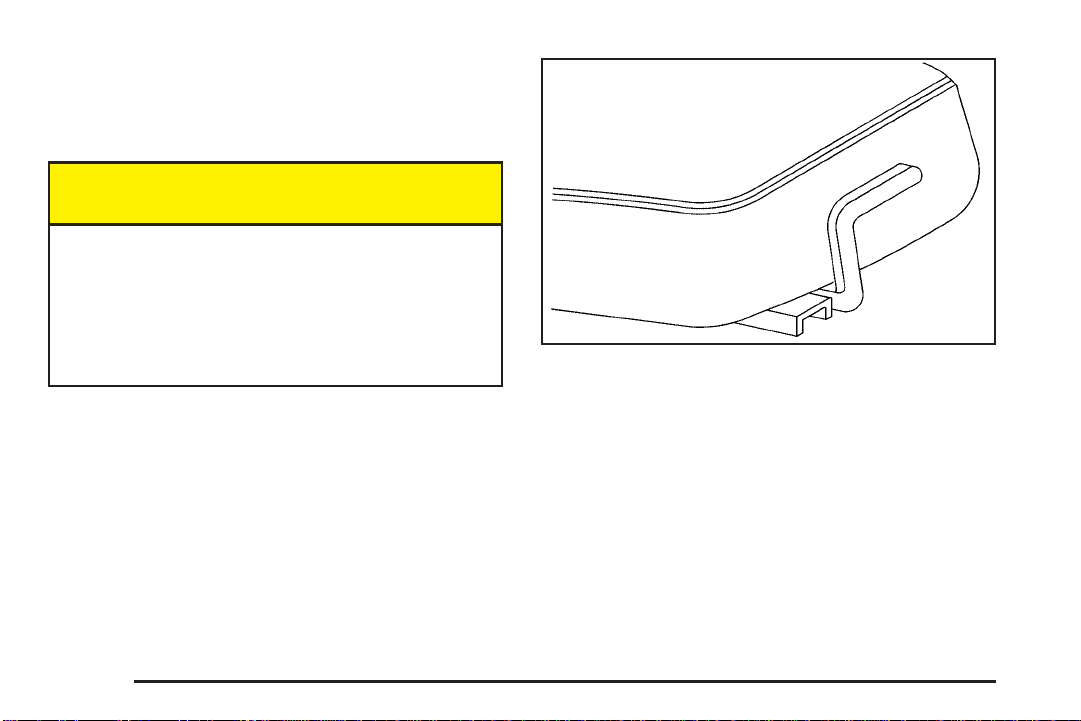
Lift the lever located under the front of the seat to
unlock it. Slide the seat to where you want it and release
the lever. Try to move the seat with your body to
make sure the seat is locked into place.
1-2
Page 9

Power Seats
If your vehicle has this feature, there will be a control on
the outboard side of your seat.
Vertical Control: Move the reclining front seatback
forward or rearward by moving the control toward
the front or rear of the vehicle.
Power Lumbar
If your vehicle has this
feature, the control is
located on the outboard
side of the seat(s).
Horizontal Control: Raise or lower the front of the seat
by raising or lowering the forward edge of the control.
Raise or lower the rear of the seat by raising or lowering
the rear edge of the control.
Move the seat forward or rearward by moving the whole
control toward the front or the rear of the vehicle.
Moving the whole control up or down raises or lowers
the whole seat.
Press and hold the front of the control until you have
the desired lumbar support. To decrease lumbar
support, press and hold the rear of the control.
1-3
Page 10

Heated Seats
Reclining Seatbacks
If your vehicle has this
feature, the controls are
located on the outboard
side of the front seats.
This feature will heat the lower cushion and lower back
of the driver’s and front passenger’s seats.
Press the lower part of the switch to turn the heater on
low. Press the upper part of the switch to turn the
heater on high. Put the switch in the center position to
turn the heater off.
The passenger’s safety belt must be engaged for the
heated seat feature to work on the passenger’s seat.
1-4
To adjust a manual
seatback, lift the lever on
the outboard side of
the seat.
Release the lever to lock the seatback where you want
it. To return the seat to an upright position, pull up
on the lever without pushing on the seatback.
If your vehicle is equipped with the vertical power seat
control described in Power Seats on page 1-3,
pressing it rearward allows the seatback to recline.
Page 11
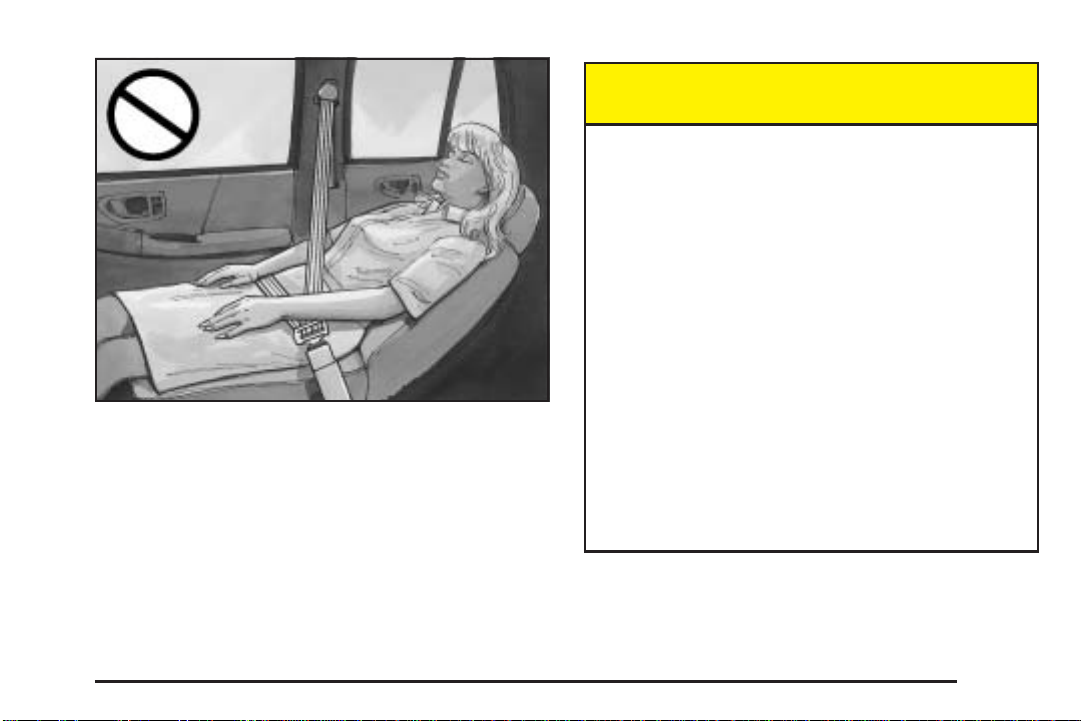
But don’t have a seatback reclined if your vehicle is
moving.
{CAUTION:
Sitting in a reclined position when your vehicle
is in motion can be dangerous. Even if you
buckle up, your safety belts can not do their
job when you are reclined like this.
The shoulder belt can not do its job because it
will not be against your body. Instead, it will be
in front of you. In a crash you could go into it,
receiving neck or other injuries.
The lap belt can not do its job either. In a crash
the belt could go up over your abdomen. The
belt forces would be there, not at your pelvic
bones. This could cause serious internal
injuries.
For proper protection when the vehicle is in
motion, have the seatback upright. Then sit well
back in the seat and wear your safety belt
properly.
1-5
Page 12

Head Restraints
Head restraints are fixed on some models and
adjustable on others. Slide an adjustable head restraint
up or down so that the top of the restraint is closest
to the top of your head. This position reduces the
chance of a neck injury in a crash.
Rear Seats
Rear Seat Operation
Your vehicle has folding rear seatbacks which allows for
more cargo space.
The rear seat release handles are located on the rear of
the seatbacks. Push back on the seatbacks as you
pull up on the handles. The head restraint will
automatically fold out of the way when the seatback is
folded down.
1-6
Page 13

To raise the seatbacks, lift up the seatbacks and pull
up. Push and pull on the seatbacks to check that
the latches have locked in the upright position. If they
haven’t, see your dealer for service.
Push and pull on the head restraints to check that they
have locked in the upright position. If they haven’t,
see your dealer for service.
{CAUTION:
If the seatback is not locked, it could move
forward in a sudden stop or crash. That could
cause injury to the person sitting there. Always
press rearward on the seatback to be sure it is
locked.
{CAUTION:
To return the head restraints to the upright position,
reach behind the seats and pull the head restraint
up until it locks into position.
On two-door models with an inside mounted spare tire,
the driver’s side rear seat head restraint must be
lifted and held upright as the seatback is raised.
Otherwise, the head restraint will hit the spare tire and
prevent the seatback from properly latching.
A safety belt that is improperly routed, not
properly attached, or twisted will not provide
the protection needed in a crash. The person
wearing the belt could be seriously injured.
After raising the rear seatback, always check
to be sure that the safety belts are properly
routed and attached, and are not twisted.
1-7
Page 14

Safety Belts
Safety Belts: They Are for Everyone
This part of the manual tells you how to use safety
belts properly. It also tells you some things you should
not do with safety belts.
{CAUTION:
Do not let anyone ride where he or she can not
wear a safety belt properly. If you are in a
crash and you are not wearing a safety belt,
your injuries can be much worse. You can hit
things inside the vehicle or be ejected from it.
You can be seriously injured or killed. In the
same crash, you might not be, if you are
buckled up. Always fasten your safety belt,
and check that your passengers’ belts are
fastened properly too.
{CAUTION:
It is extremely dangerous to ride in a cargo
area, inside or outside of a vehicle. In a
collision, people riding in these areas are more
likely to be seriously injured or killed. Do not
allow people to ride in any area of your vehicle
that is not equipped with seats and safety
belts. Be sure everyone in your vehicle is in a
seat and using a safety belt properly.
Your vehicle has a light
that comes on as a
reminder to buckle up. See
Safety Belt Reminder
Light on page 3-26.
In most states and in all Canadian provinces, the law
says to wear safety belts. Here is why: They work.
You never know if you will be in a crash. If you do have
a crash, you do not know if it will be a bad one.
1-8
Page 15

A few crashes are mild, and some crashes can be so
serious that even buckled up, a person would not
survive. But most crashes are in between. In many of
them, people who buckle up can survive and sometimes
walk away. Without belts they could have been badly
hurt or killed.
After more than 30 years of safety belts in vehicles, the
facts are clear. In most crashes buckling up does
matter...a lot!
Why Safety Belts Work
When you ride in or on anything, you go as fast as
it goes.
Take the simplest vehicle. Suppose it is just a seat on
wheels.
1-9
Page 16

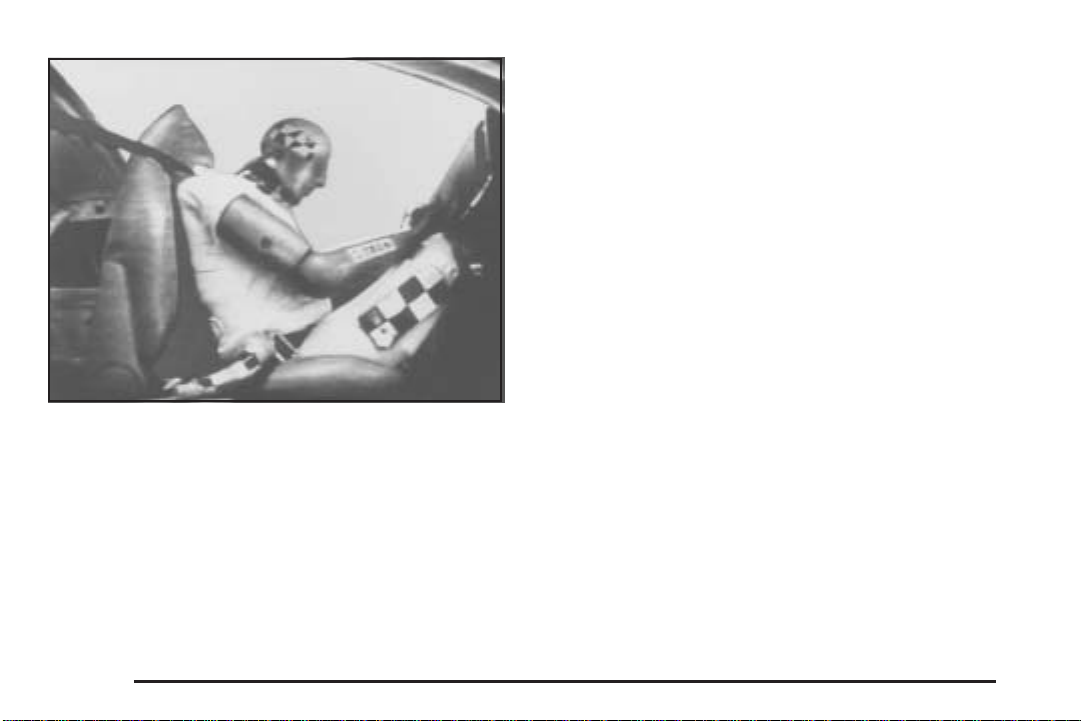
Put someone on it. Get it up to speed. Then stop the vehicle. The rider
1-10
does not stop.
Page 17
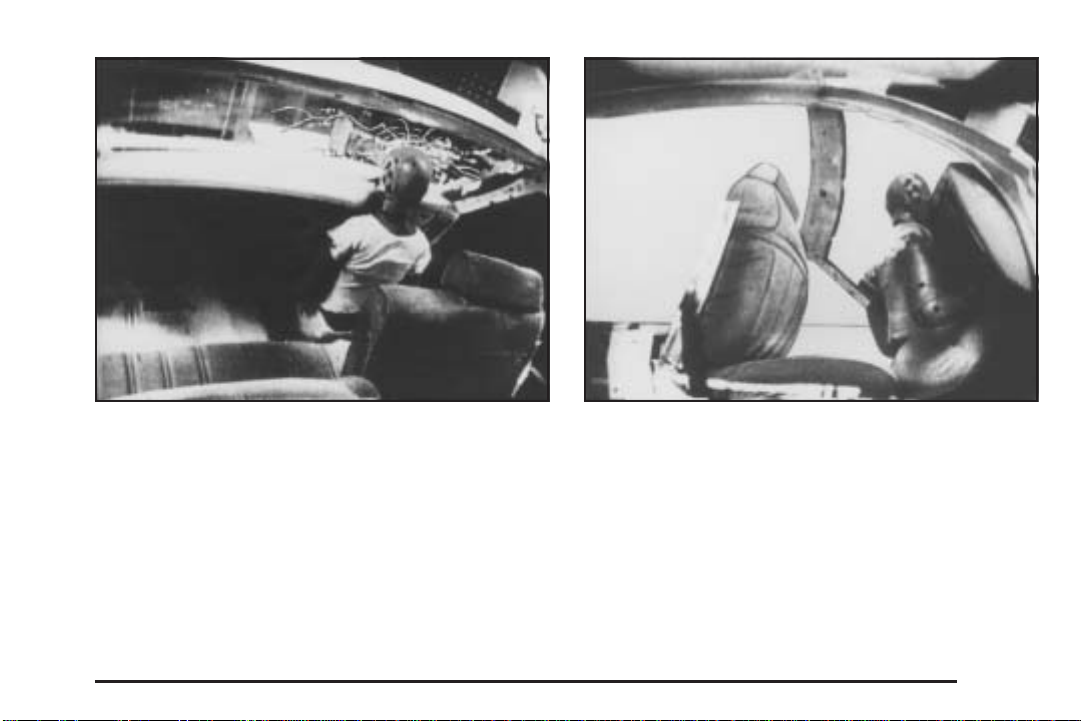
The person keeps going until stopped by something. In
a real vehicle, it could be the windshield...
or the instrument panel...
1-11
Page 18
Questions and Answers About Safety Belts
Q: Will I be trapped in the vehicle after an accident
if I am wearing a safety belt?
A: You could be — whether you are wearing a safety
belt or not. But you can unbuckle a safety belt,
even if you are upside down. And your chance of
being conscious during and after an accident,
so you can unbuckle and get out, is much greater if
you are belted.
Q: If my vehicle has airbags, why should I have to
wear safety belts?
or the safety belts!
With safety belts, you slow down as the vehicle does.
You get more time to stop. You stop over more distance,
and your strongest bones take the forces. That is why
safety belts make such good sense.
1-12
A: Airbags are in many vehicles today and will be in
most of them in the future. But they are
supplemental systems only; so they work with
safety belts — not instead of them. Every airbag
system ever offered for sale has required the use of
safety belts. Even if you are in a vehicle that has
airbags, you still have to buckle up to get the most
protection. That is true not only in frontal collisions,
but especially in side and other collisions.
Page 19

Q: If I am a good driver, and I never drive far from
home, why should I wear safety belts?
A: You may be an excellent driver, but if you are in an
accident — even one that is not your fault — you
and your passengers can be hurt. Being a good
driver does not protect you from things beyond your
control, such as bad drivers.
Most accidents occur within 25 miles (40 km) of
home. And the greatest number of serious injuries
and deaths occur at speeds of less than
40 mph (65 km/h).
Safety belts are for everyone.
How to Wear Safety Belts Properly
This part is only for people of adult size.
Be aware that there are special things to know about
safety belts and children. And there are different
rules for smaller children and babies. If a child will be
riding in your vehicle, see Older Children on page 1-29
or Infants and Young Children on page 1-31. Follow
those rules for everyone’s protection.
First, you will want to know which restraint systems your
vehicle has.
We will start with the driver position.
1-13
Page 20

Driver Position
Lap-Shoulder Belt
The driver has a lap-shoulder belt. Here is how to wear
it properly.
1. Close and lock the door.
2. Adjust the seat so you can sit up straight. To see
how, see “Seats” in the Index.
3. Pick up the latch plate and pull the belt across you.
Do not let it get twisted.
The shoulder belt may lock if you pull the belt
across you very quickly. If this happens, let the belt
go back slightly to unlock it. Then pull the belt
across you more slowly.
4. Push the latch plate into the buckle until it clicks.
Pull up on the latch plate to make sure it is secure.
If the belt is not long enough, see Safety Belt
Extender on page 1-28.
Make sure the release button on the buckle is
positioned so you would be able to unbuckle the
safety belt quickly if you ever had to.
5. To make the lap part tight, pull down on the buckle
end of the belt as you pull up on the shoulder belt.
1-14
Page 21

The lap part of the belt should be worn low and snug on
the hips, just touching the thighs. In a crash, this
applies force to the strong pelvic bones. And you would
be less likely to slide under the lap belt. If you slid
under it, the belt would apply force at your abdomen.
This could cause serious or even fatal injuries. The
shoulder belt should go over the shoulder and across
the chest. These parts of the body are best able to take
belt restraining forces.
The safety belt locks if there is a sudden stop or crash,
or if you pull the belt very quickly out of the retractor.
1-15
Page 22

Q: What is wrong with this?
A: The shoulder belt is too loose. It will not give nearly
as much protection this way.
{CAUTION:
You can be seriously hurt if your shoulder belt
is too loose. In a crash, you would move
forward too much, which could increase injury.
The shoulder belt should fit against your body.
1-16
Page 23

Q: What is wrong with this?
A: The belt is buckled in the wrong place.
{CAUTION:
You can be seriously injured if your belt is
buckled in the wrong place like this. In a crash,
the belt would go up over your abdomen. The
belt forces would be there, not at the pelvic
bones. This could cause serious internal
injuries. Always buckle your belt into the
buckle nearest you.
1-17
Page 24

Q: What is wrong with this?
A: The shoulder belt is worn under the arm. It should
be worn over the shoulder at all times.
{CAUTION:
You can be seriously injured if you wear the
shoulder belt under your arm. In a crash, your
body would move too far forward, which would
increase the chance of head and neck injury.
Also, the belt would apply too much force to
the ribs, which are not as strong as shoulder
bones. You could also severely injure internal
organs like your liver or spleen.
1-18
Page 25

Q: What is wrong with this?
A: The belt is twisted across the body.
{CAUTION:
You can be seriously injured by a twisted belt.
In a crash, you would not have the full width of
the belt to spread impact forces. If a belt is
twisted, make it straight so it can work
properly, or ask your dealer to fix it.
1-19
Page 26
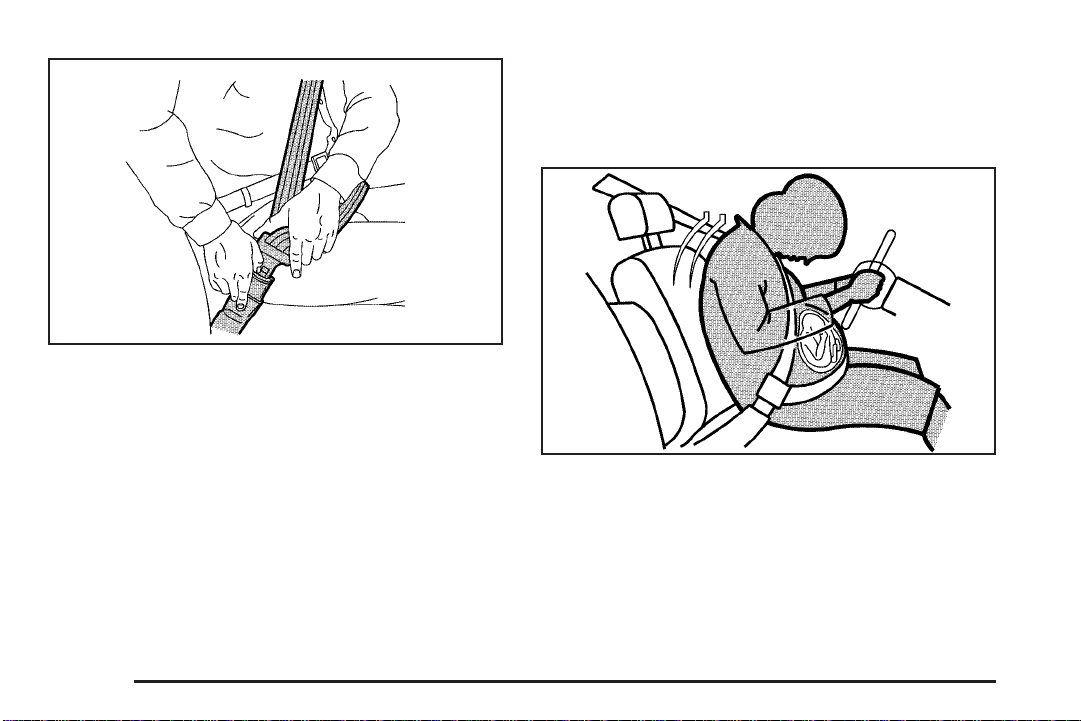
To unlatch the belt, just push the button on the buckle.
The belt should go back out of the way.
Before you close the door, be sure the belt is out of the
way. If you slam the door on it, you can damage
both the belt and your vehicle.
Safety Belt Use During Pregnancy
Safety belts work for everyone, including pregnant
women. Like all occupants, they are more likely to be
seriously injured if they do not wear safety belts.
A pregnant woman should wear a lap-shoulder belt, and
the lap portion should be worn as low as possible,
below the rounding, throughout the pregnancy.
The best way to protect the fetus is to protect the
mother. When a safety belt is worn properly, it is more
likely that the fetus will not be hurt in a crash. For
pregnant women, as for anyone, the key to making
safety belts effective is wearing them properly.
1-20
Page 27

Right Front Passenger Position
Center Front Passenger Position
To learn how to wear the right front passenger’s safety
belt properly, see Driver Position on page 1-14.
The right front passenger’s safety belt works the same
way as the driver’s safety belt — except for one
thing. If you ever pull the shoulder portion of the belt out
all the way, you will engage the child restraint locking
feature. If this happens, just let the belt go back all
the way and start again.
Lap Belt
If your vehicle has front bench seat, someone can sit in
the center position.
When you sit in the center front seating position, you
have a lap safety belt, which has no retractor. To make
the belt longer, tilt the latch plate and pull it along
the belt.
1-21
Page 28

To make the belt shorter, pull its free end as shown
until the belt is snug.
Buckle, position and release it the same way as the lap
part of a lap-shoulder belt. If the belt is not long
enough, see Safety Belt Extender on page 1-28.
Make sure the release button on the buckle is positioned
so you would be able to unbuckle the safety belt
quickly if you ever had to.
Rear Seat Passengers
It is very important for rear seat passengers to buckle
up! Accident statistics show that unbelted people in
the rear seat are hurt more often in crashes than those
who are wearing safety belts.
Rear passengers who are not safety belted can be
thrown out of the vehicle in a crash. And they can strike
others in the vehicle who are wearing safety belts.
1-22
Page 29

Rear Seat Outside Passenger Positions
Lap-Shoulder Belt
The positions next to the windows have lap-shoulder
belts. Here is how to wear one properly.
1. Pick up the latch plate and pull the belt across you.
Do not let it get twisted.
The shoulder belt may lock if you pull the belt
across you very quickly. If this happens, let the belt
go back slightly to unlock it. Then pull the belt
across you more slowly.
2. Push the latch plate into the buckle until it clicks.
Pull up on the latch plate to make sure it is secure.
When the shoulder belt is pulled out all the way, it
will lock. If it does, let it go back all the way
and start again.
If the belt is not long enough, see Safety Belt
Extender on page 1-28.
Make sure the release button on the buckle is
positioned so you would be able to unbuckle the
safety belt quickly if you ever had to.
3. To make the lap part tight, pull down on the buckle
end of the belt as you pull up on the shoulder part.
1-23
Page 30
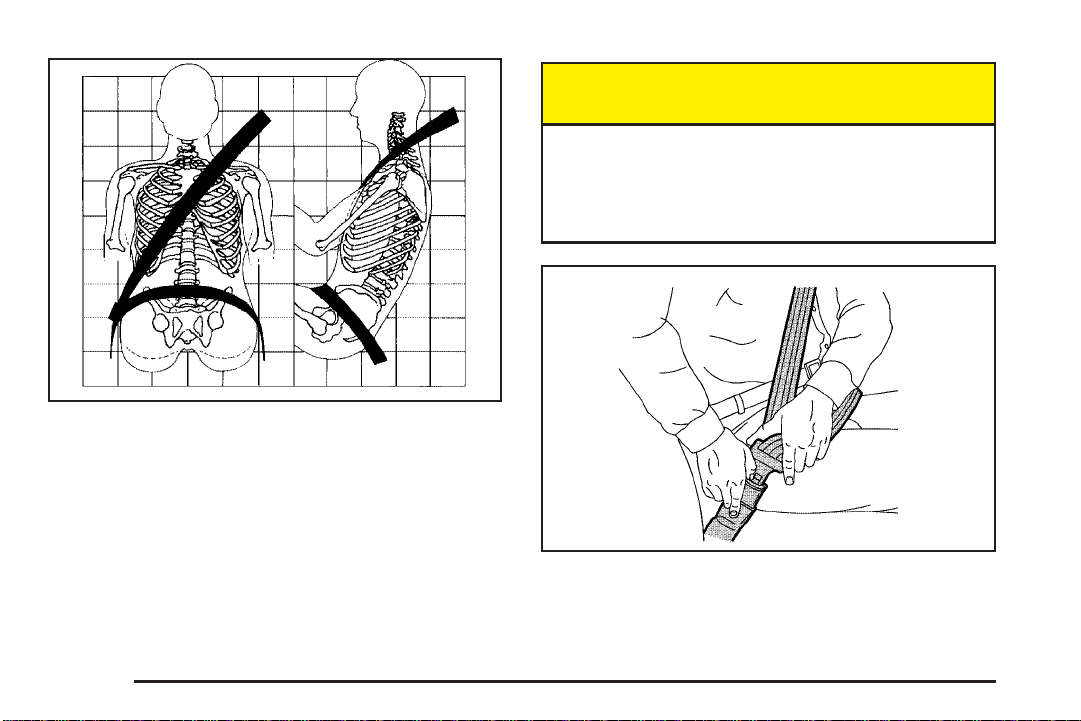
The lap part of the belt should be worn low and snug on
the hips, just touching the thighs. In a crash, this applies
force to the strong pelvic bones. And you would be less
likely to slide under the lap belt. If you slid under it, the
belt would apply force at your abdomen. This could cause
serious or even fatal injuries. The shoulder belt should go
over the shoulder and across the chest. These parts of
the body are best able to take belt restraining forces.
The safety belt locks if there is a sudden stop or a crash.
The safety belt also locks if you pull the belt very
quickly out of the retractor.
{CAUTION:
You can be seriously hurt if your shoulder belt
is too loose. In a crash, you would move
forward too much, which could increase injury.
The shoulder belt should fit against your body.
To unlatch the belt, just push the button on the buckle.
1-24
Page 31

Center Rear Passenger Position
Four Door Models
Lap Belt
When you sit in the center rear seating position, you
have a lap safety belt which has a retractor.
1. Pick up the latch plate and pull the belt across you.
Do not let it get twisted.
2. Push the latch plate into the buckle until it clicks.
Pull up on the latch plate to make sure it is secure.
3. Feed the lap belt into the retractor to tighten it.
4. Position and release it the same way as the lap
part of a lap-shoulder belt.
If the belt is not long enough, see Safety Belt
Extender on page 1-28. Make sure the release
button on the buckle is positioned so you would be
able to unbuckle the safety belt quickly if you
ever had to.
1-25
Page 32

Rear Safety Belt Comfort Guides for Children and Small Adults
Four Door Models
This feature will provide added safety belt comfort for
older children who have outgrown booster seats and for
small adults. When installed on a shoulder belt, the
comfort guide better positions the belt away from
the neck and head.
Here is how to install a comfort guide and use the
safety belt:
1. Pull the elastic cord out from between the edge of
the seatback and the interior body to remove the
guide from its storage clip.
1-26
Page 33
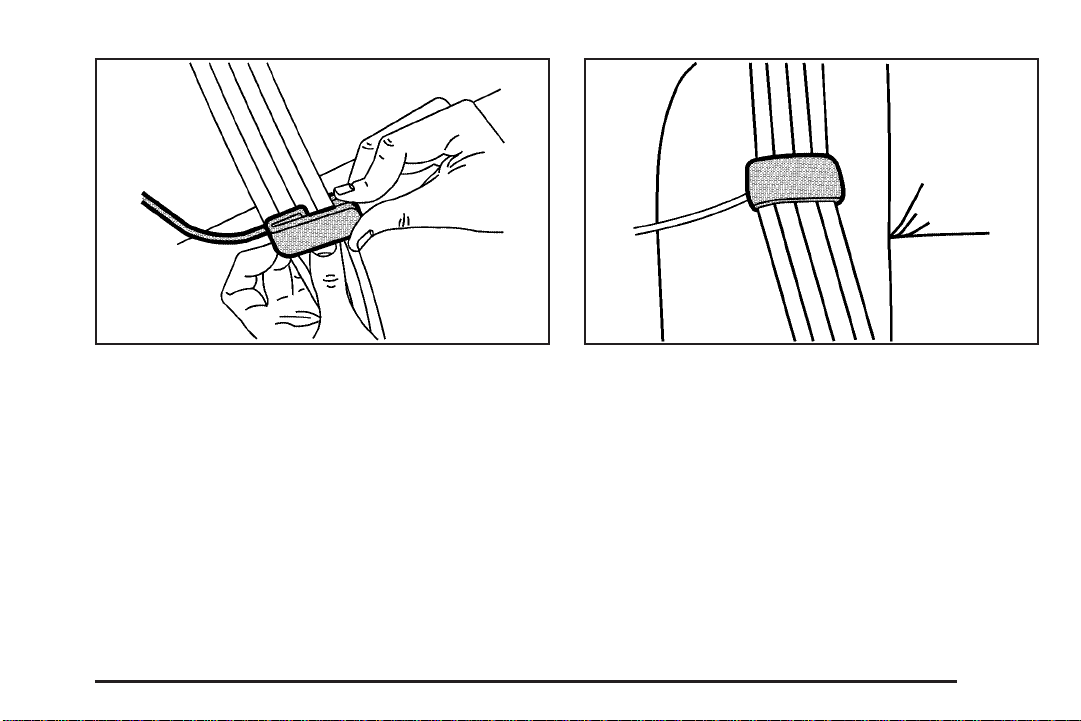
2. Slide the guide under and past the belt. The elastic
cord must be under the belt. Then, place the guide
over the belt, and insert the two edges of the
belt into the slots of the guide.
3. Be sure that the belt is not twisted and it lies flat.
The elastic cord must be under the belt and the
guide on top.
1-27
Page 34

4. Buckle, position and release the safety belt as
described in Rear Seat Passengers on page 1-22.
Make sure that the shoulder belt crosses the
shoulder.
To remove and store the comfort guides, squeeze the
belt edges together so that you can take them out of the
guides. Pull the guide upward to expose its storage
clip, and then slide the guide onto the clip. Turn
the guide and clip inward and in between the seatback
and the interior body, leaving only the loop of the
elastic cord exposed.
Safety Belt Extender
If the vehicle’s safety belt will fasten around you, you
should use it.
But if a safety belt is not long enough, your dealer will
order you an extender. It is free. When you go in to
order it, take the heaviest coat you will wear, so
the extender will be long enough for you. To help avoid
personal injury, do not let someone else use it, and
use it only for the seat it is made to fit. The extender has
been designed for adults. Never use it for securing
child seats. To wear it, just attach it to the regular safety
belt. For more information, see the instruction sheet
that comes with the extender.
1-28
Page 35
Child Restraints
Older Children
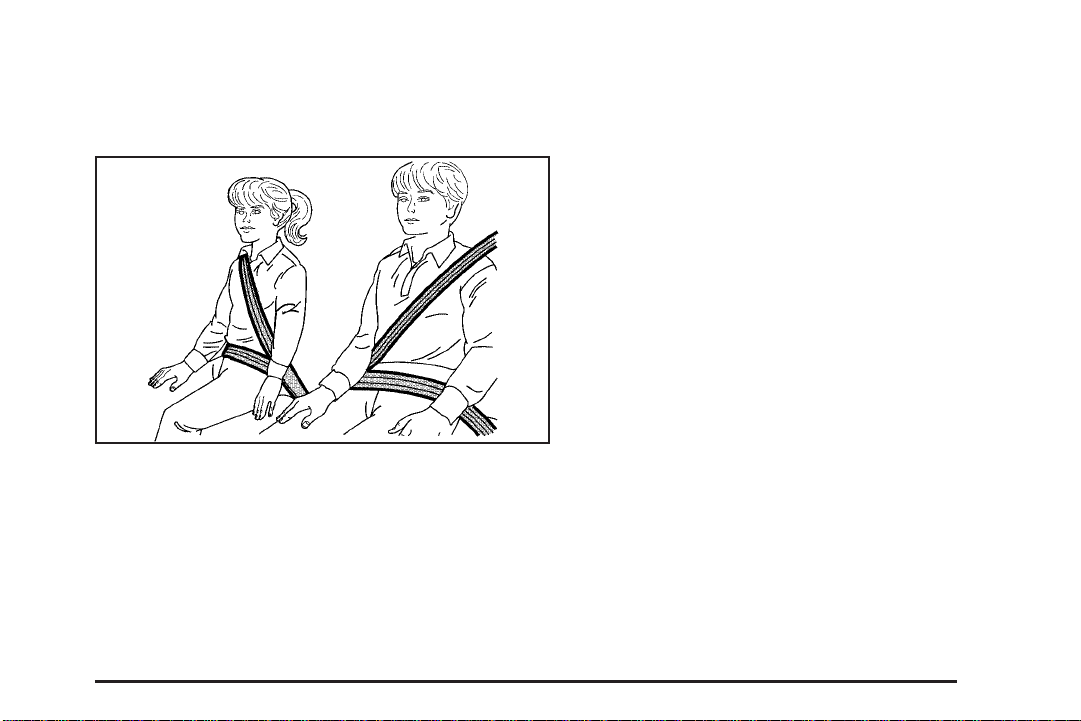
Older children who have outgrown booster seats should
wear the vehicle’s safety belts.
If you have the choice, a child should sit next to a
window so the child can wear a lap-shoulder belt and
get the additional restraint a shoulder belt can provide.
Q: What is the proper way to wear safety belts?
A: If possible, an older child should wear a
lap-shoulder belt and get the additional restraint a
shoulder belt can provide. The shoulder belt
should not cross the face or neck. The lap belt
should fit snugly below the hips, just touching the
top of the thighs. It should never be worn over
the abdomen, which could cause severe or even
fatal internal injuries in a crash.
Accident statistics show that children are safer if they
are restrained in the rear seat.
In a crash, children who are not buckled up can strike
other people who are buckled up, or can be thrown
out of the vehicle. Older children need to use safety
belts properly.
1-29
Page 36
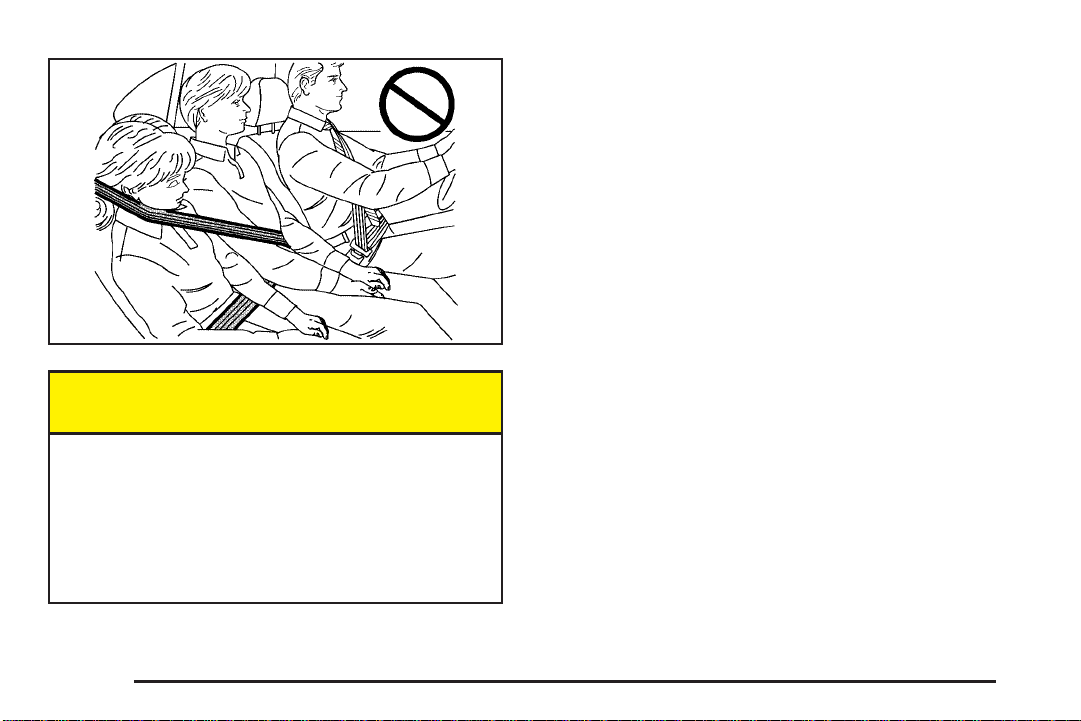
{CAUTION:
Never do this.
Here two children are wearing the same belt.
The belt can not properly spread the impact
forces. In a crash, the two children can be
crushed together and seriously injured. A belt
must be used by only one person at a time.
Q: What if a child is wearing a lap-shoulder belt,
but the child is so small that the shoulder belt
is very close to the child’s face or neck?
A: Move the child toward the center of the vehicle, but
be sure that the shoulder belt still is on the child’s
shoulder, so that in a crash the child’s upper
body would have the restraint that belts provide. If
the child is sitting in a rear outside position of a
four-door model, see Rear Safety Belt Comfort
Guides for Children and Small Adults on page 1-26.
If the child is so small that the shoulder belt is
still very close to the child’s face or neck, you might
want to place the child in a seat that has a lap
belt, if your vehicle has one.
1-30
Page 37

{CAUTION:
Never do this.
Here a child is sitting in a seat that has a
lap-shoulder belt, but the shoulder part is
behind the child. If the child wears the belt in
this way, in a crash the child might slide under
the belt. The belt’s force would then be applied
right on the child’s abdomen. That could cause
serious or fatal injuries.
Wherever the child sits, the lap portion of the belt
should be worn low and snug on the hips, just touching
the child’s thighs. This applies belt force to the child’s
pelvic bones in a crash.
Infants and Young Children
Everyone in a vehicle needs protection! This includes
infants and all other children. Neither the distance
traveled nor the age and size of the traveler changes
the need, for everyone, to use safety restraints. In fact,
the law in every state in the United States and in
every Canadian province says children up to some age
must be restrained while in a vehicle.
Every time infants and young children ride in vehicles,
they should have the protection provided by appropriate
restraints. Young children should not use the vehicle’s
adult safety belts alone, unless there is no other choice.
Instead, they need to use a child restraint.
1-31
Page 38

{CAUTION:
People should never hold a baby in their arms
while riding in a vehicle. A baby does not
weigh much — until a crash. During a crash a
baby will become so heavy it is not possible to
hold it. For example, in a crash at only 25 mph
(40 km/h), a 12 lb (5.5 kg) baby will suddenly
become a 240 lb (110 kg) force on a person’s
arms. A baby should be secured in an
appropriate restraint.
1-32
Page 39
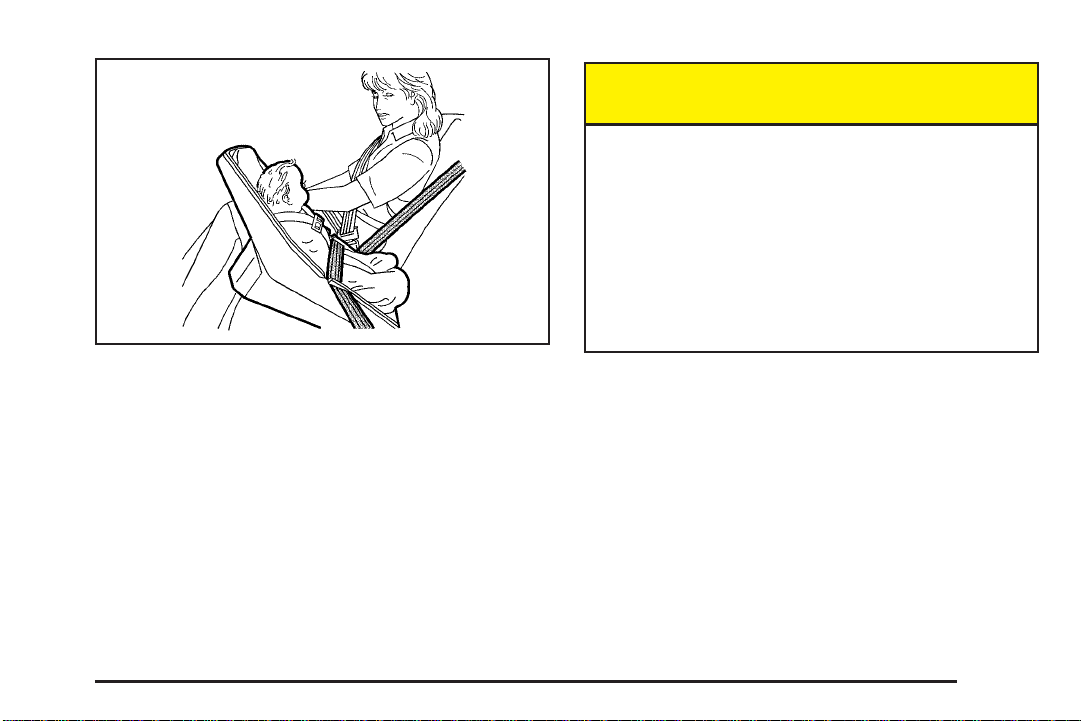
{CAUTION:
Children who are up against, or very close to,
any airbag when it inflates can be seriously
injured or killed. Airbags plus lap-shoulder
belts offer protection for adults and older
children, but not for young children and
infants. Neither the vehicle’s safety belt system
nor its airbag system is designed for them.
Young children and infants need the protection
that a child restraint system can provide.
1-33
Page 40
Q: What are the different types of add-on child
restraints?
A: Add-on child restraints, which are purchased by the
vehicle’s owner, are available in four basic types.
Selection of a particular restraint should take
into consideration not only the child’s weight, height
and age but also whether or not the restraint will
be compatible with the motor vehicle in which it will
be used.
For most basic types of child restraints, there are
many different models available. When purchasing a
child restraint, be sure it is designed to be used
in a motor vehicle. If it is, the restraint will have a
label saying that it meets federal motor vehicle
safety standards.
The restraint manufacturer’s instructions that come
with the restraint state the weight and height
limitations for a particular child restraint. In addition,
there are many kinds of restraints available for
children with special needs.
{CAUTION:
Newborn infants need complete support,
including support for the head and neck. This
is necessary because a newborn infant’s neck
is weak and its head weighs so much
compared with the rest of its body. In a crash,
an infant in a rear-facing seat settles into the
restraint, so the crash forces can be
distributed across the strongest part of an
infant’s body, the back and shoulders. Infants
always should be secured in appropriate infant
restraints.
1-34
Page 41
{CAUTION:
The body structure of a young child is quite
unlike that of an adult or older child, for whom
the safety belts are designed. A young child’s
hip bones are still so small that the vehicle’s
regular safety belt may not remain low on the
hip bones, as it should. Instead, it may settle
up around the child’s abdomen. In a crash, the
belt would apply force on a body area that is
unprotected by any bony structure. This alone
could cause serious or fatal injuries. Young
children always should be secured in
appropriate child restraints.
Child Restraint Systems
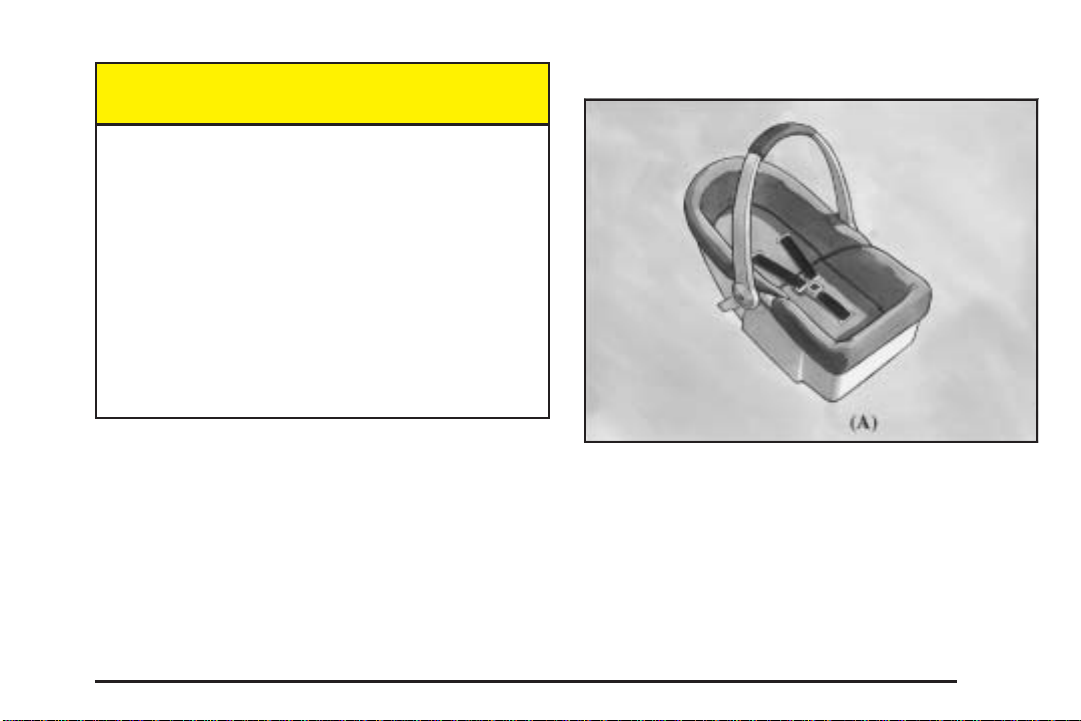
An infant car bed (A), a special bed made for use in a
motor vehicle, is an infant restraint system designed
to restrain or position a child on a continuous flat
surface. Make sure that the infant’s head rests toward
the center of the vehicle.
1-35
Page 42

A rear-facing infant seat (B) provides restraint with the
seating surface against the back of the infant. The
harness system holds the infant in place and, in a crash,
acts to keep the infant positioned in the restraint.
1-36
A forward-facing child seat (C-E) provides restraint for
the child’s body with the harness and also sometimes
with surfaces such as T-shaped or shelf-like shields.
Page 43

A booster seat (F-G) is a child restraint designed to
improve the fit of the vehicle’s safety belt system. Some
booster seats have a shoulder belt positioner, and some
high-back booster seats have a five-point harness. A
booster seat can also help a child to see out the window.
Q: How do child restraints work?
A: A child restraint system is any device designed for
use in a motor vehicle to restrain, seat, or position
children. A built-in child restraint system is a
permanent part of the motor vehicle. An add-on
child restraint system is a portable one, which
is purchased by the vehicle’s owner.
For many years, add-on child restraints have used
the adult belt system in the vehicle. To help
reduce the chance of injury, the child also has to be
secured within the restraint. The vehicle’s belt
system secures the add-on child restraint in the
vehicle, and the add-on child restraint’s harness
system holds the child in place within the restraint.
One system, the three-point harness, has straps that
come down over each of the infant’s shoulders and
buckle together at the crotch. The five-point harness
system has two shoulder straps, two hip straps and a
crotch strap. A shield may take the place of hip
straps. A T-shaped shield has shoulder straps that
are attached to a flat pad which rests low against the
child’s body. A shelf- or armrest-type shield has
straps that are attached to a wide, shelf-like shield
that swings up or to the side.
1-37
Page 44
When choosing a child restraint, be sure the child
restraint is designed to be used in a vehicle. If it is, it
will have a label saying that it meets federal motor
vehicle safety standards.
Then follow the instructions for the restraint. You may
find these instructions on the restraint itself or in a
booklet, or both. These restraints use the belt system or
the LATCH system in your vehicle, but the child also
has to be secured within the restraint to help reduce the
chance of personal injury. When securing an add-on
child restraint, refer to the instructions that come with the
restraint which may be on the restraint itself or in a
booklet, or both, and to this manual. The child restraint
instructions are important, so if they are not available,
obtain a replacement copy from the manufacturer.
Where to Put the Restraint
Accident statistics show that children are safer if they
are restrained in the rear rather than the front seat. We,
therefore, recommend that child restraints be secured
in a rear outside seat position including an infant
riding in a rear-facing infant seat, a child riding in a
forward-facing child seat and an older child riding in a
booster seat. Never put a rear-facing child restraint
in the front passenger seat. Here is why:
{CAUTION:
A child in a rear-facing child restraint can be
seriously injured or killed if the right front
passenger’s airbag inflates. This is because
the back of the rear-facing child restraint
would be very close to the inflating airbag.
Always secure a rear-facing child restraint in a
rear seat outside position.
If you need to secure a forward-facing child
restraint in the right front seat, always move
the front passenger seat as far back as it will
go. It is better to secure the child restraint in a
rear seat outside position.
1-38
Page 45

{CAUTION:
A child in a child restraint in the center front
seat can be badly injured or killed by the right
front passenger’s airbag if it inflates. Never
secure a child restraint in the center front seat.
It is always better to secure a child restraint in
the rear seat.
If you need to secure a forward-facing child
restraint in the right front passenger seat,
always move the front passenger seat as far
back as it will go. It is better to secure the
child restraint in a rear seat.
Wherever you install it, be sure to secure the child
restraint properly.
Keep in mind that an unsecured child restraint can
move around in a collision or sudden stop and injure
people in the vehicle. Be sure to properly secure
any child restraint in your vehicle — even when no child
is in it.
Top Strap
Some child restraints have a top strap, or “top tether.” It
can help restrain the child restraint during a collision.
For it to work, a top strap must be properly anchored to
the vehicle. Some top strap-equipped child restraints
are designed for use with or without the top strap being
anchored. Others require the top strap always to be
anchored. Be sure to read and follow the instructions for
your child restraint. If yours requires that the top strap
be anchored, do not use the restraint unless it is
anchored properly.
If the child restraint does not have a top strap, one can
be obtained, in kit form, for many child restraints.
Ask the child restraint manufacturer whether or not a kit
is available.
1-39
Page 46

{CAUTION:
Each top tether bracket is designed to anchor
only one child restraint. Attaching more than
one child restraint to a single bracket could
cause the anchor to come loose or even break
during a crash. A child or others could be
injured if this happens. To help prevent injury
to people and damage to your vehicle, attach
only one child restraint per bracket.
In Canada, the law requires that forward-facing child
restraints have a top strap, and that the strap be
anchored. In the United States, some child restraints
also have a top strap. If your child restraint has a
top strap, it should be anchored.
1-40
Anchor the top strap to one of the following anchor
points. Be sure to use an anchor point located on the
same side of the vehicle as the seating position
where the child restraint will be placed.
Raise the head restraint and route the top strap under
it. See Head Restraints on page 1-6.
Once you have the top strap anchored, you will be
ready to secure the child restraint itself. Tighten the top
strap when and as the child restraint manufacturer’s
instructions say.
Page 47
Top Strap Anchor Location
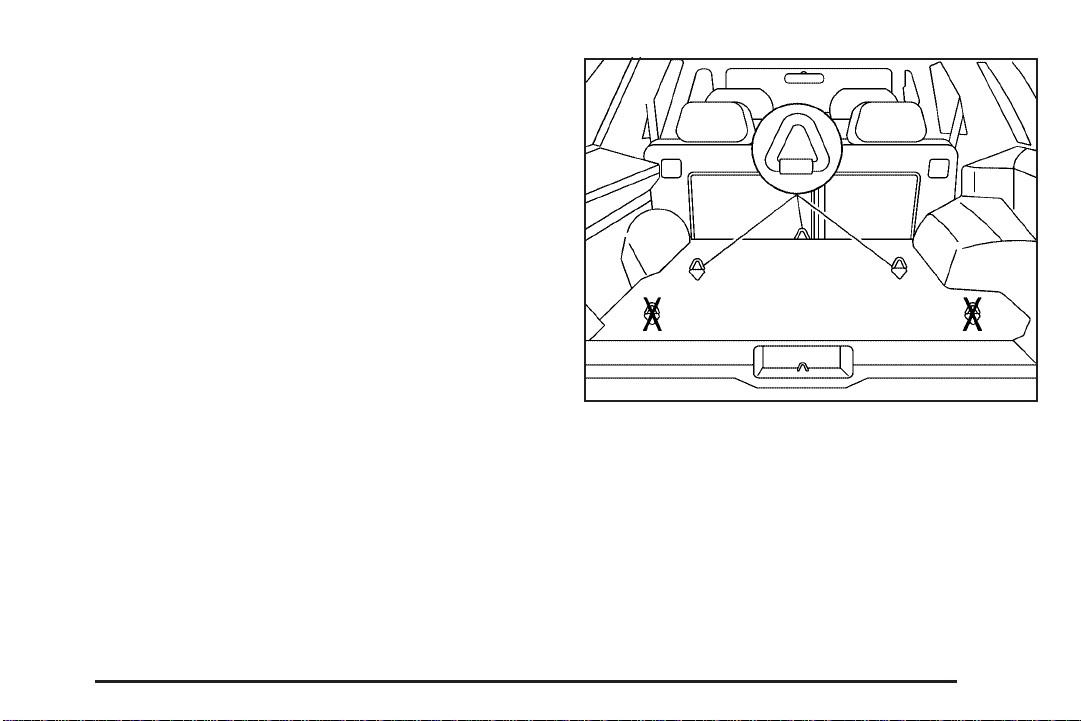
There is a top strap anchor for each rear seating
position. The anchor brackets are located on the floor in
the cargo area of your vehicle. Do not use the rear
set of tie-down brackets near the liftgate/endgate or the
center tiedown bracket near the rear seats.
Do not secure a child restraint in the right front
passenger’s position if a national or local law requires
that the top strap be anchored, or if the instructions that
come with the child restraint say that the top strap
must be anchored. There is no place to anchor the top
strap in this position.
4–Door Models
1-41
Page 48
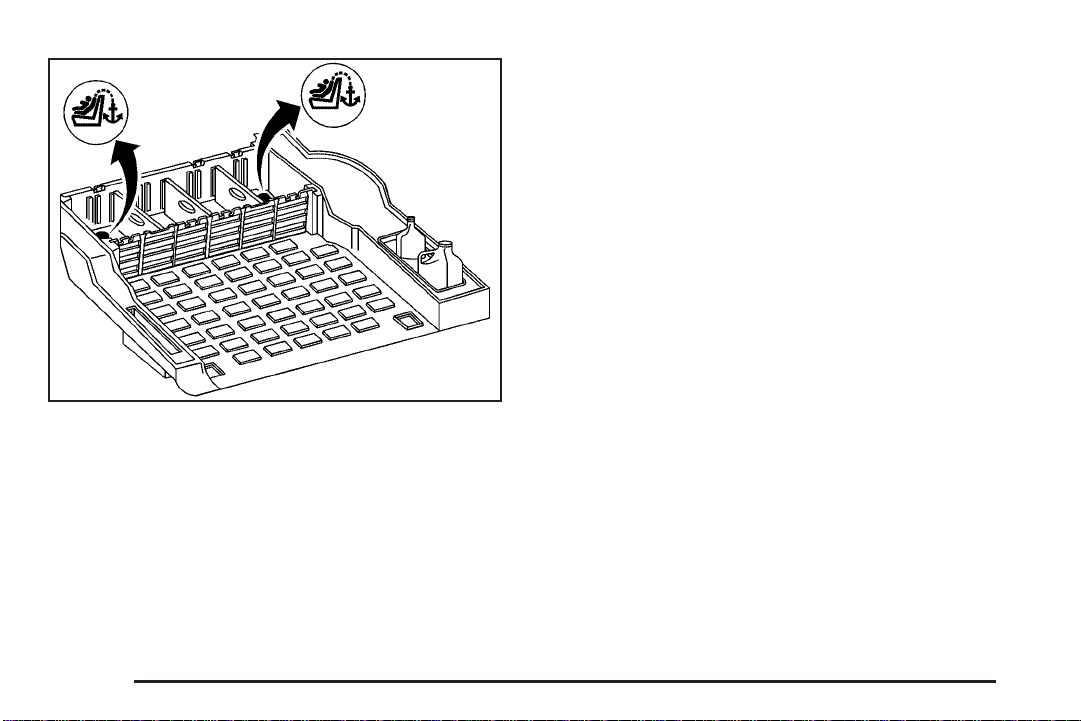
2–Door Models (with Convenience Center)
If your vehicle is equipped with the rear convenience
system, there will be plugs covering the anchor brackets.
To remove the plugs, grasp the edges of the plugs
and pull them out. See Rear Convenience System on
page 2-55 for more information.
Lower Anchorages and Top Tethers for Children (LATCH System)
If your vehicle is equipped with the LATCH System, it is
available in the second row outboard seating positions.
This system, designed to make installation of child
restraints easier, does not use the vehicle’s safety belts.
Instead, it uses vehicle anchors and child restraint
attachments to secure the restraints. Some restraints
also use another vehicle anchor to secure a top
tether strap.
1-42
Page 49
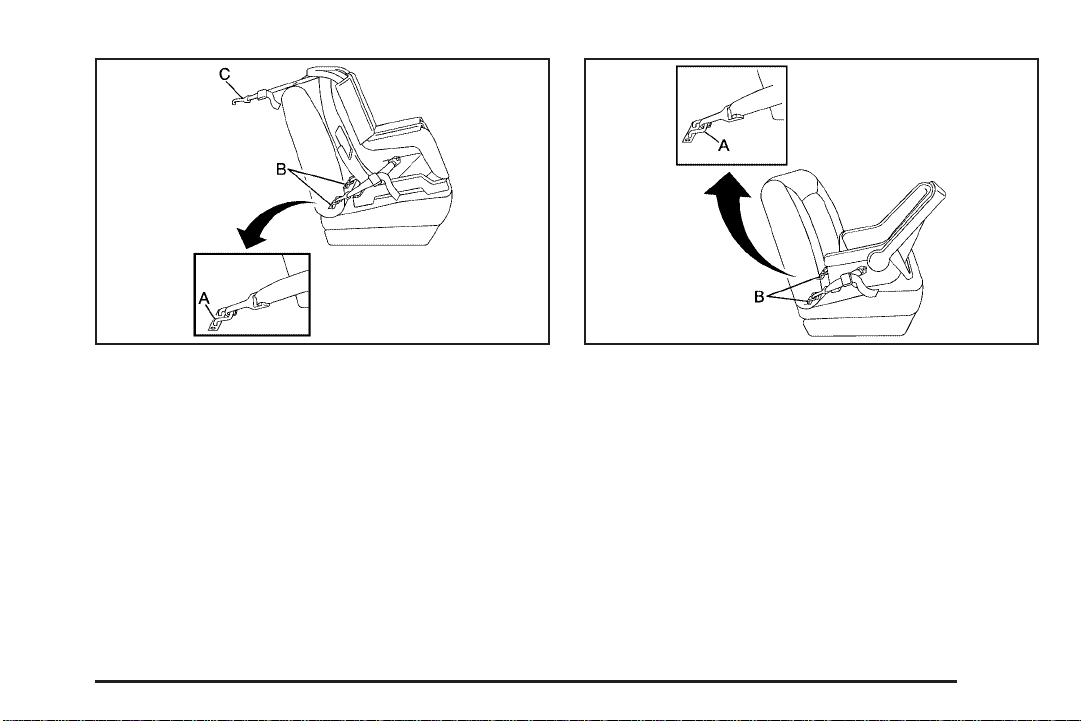
A. Lower Anchorage
B. Lower Anchorage
C. Top Tether
A. Lower Anchorage
B. Lower Anchorage
In order to use the LATCH system in your vehicle, you
need a child restraint designed for that system.
1-43
Page 50

To assist you in locating the anchors for this child
restraint system, place your hand in a palm-up position
and reach up between the seat cushion and the
seatback.
{CAUTION:
If a LATCH-type child restraint is not attached
to its anchorage points, the restraint will not
be able to protect the child correctly. In a
crash, the child could be seriously injured or
killed. Make sure that a LATCH-type child
restraint is properly installed using the
anchorage points, or use the vehicle’s safety
belts to secure the restraint, following the
instructions that came with that restraint, and
also the instructions in this manual.
Securing a Child Restraint Designed for the LATCH System
1. Find the LATCH anchorages for the seating
position you want to use, where the bottom of the
seatback meets the back of the seat cushion.
See Lower Anchorages and Top Tethers for
Children (LATCH System) on page 1-42.
2. Put the child restraint on the seat.
3. Attach and tighten the LATCH attachments on the
child restraint to the LATCH anchorages in the
vehicle. The child restraint instructions will show
you how.
4. If the child restraint is forward-facing, attach and
tighten the top tether to the top tether anchorage.
The child restraint instructions will show you
how. Also see Top Strap on page 1-39.
5. Push and pull the child restraint in different
directions to be sure it is secure.
To remove the child restraint, simply unhook the top
tether from the top tether anchorage and then
disconnect the LATCH attachments from the LATCH
anchorages.
1-44
Page 51
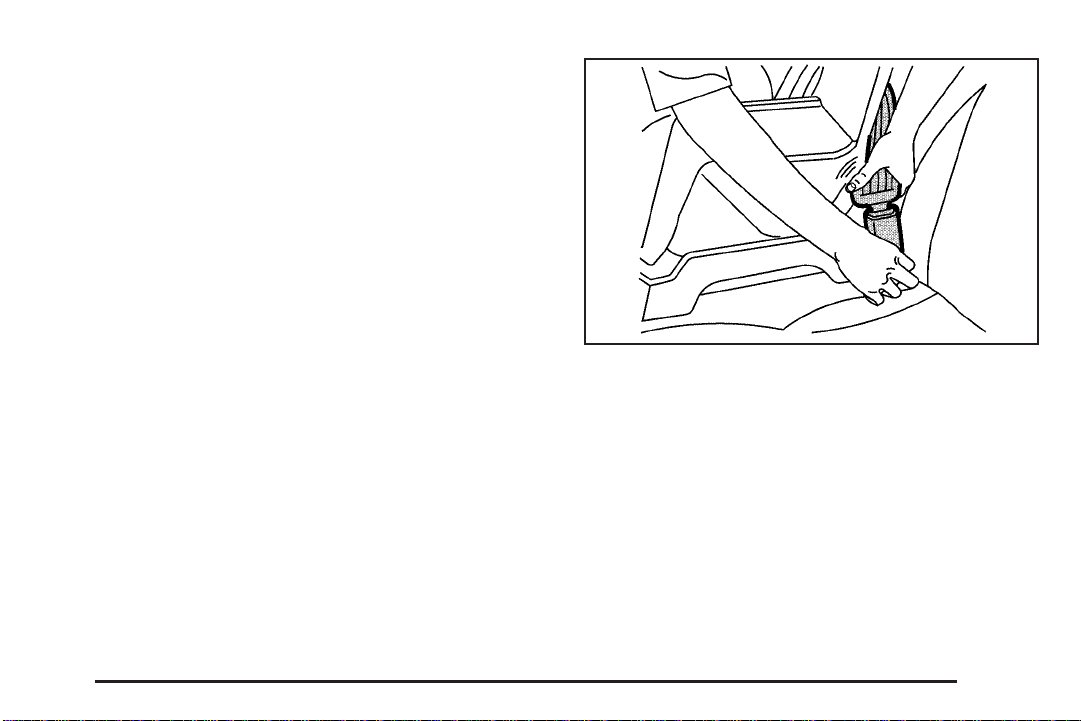
Securing a Child Restraint in a Rear Outside Seat Position
If your child restraint is equipped with the LATCH
system, see Lower Anchorages and Top Tethers for
Children (LATCH System) on page 1-42. See Top Strap
on page 1-39 if the child restraint has one.
If your child restraint does not have the LATCH system,
you will be using the lap-shoulder belt to secure the
child restraint in this position. Be sure to follow the
instructions that came with the child restraint. Secure
the child in the child restraint when and as the
instructions say.
1. Put the child restraint on the seat.
2. Pick up the latch plate, and run the lap and shoulder
portions of the vehicle’s safety belt through or
around the restraint. The child restraint instructions
will show you how.
3. Buckle the belt. Make sure the release button is
positioned so you would be able to unbuckle the
safety belt quickly if you ever had to.
1-45
Page 52
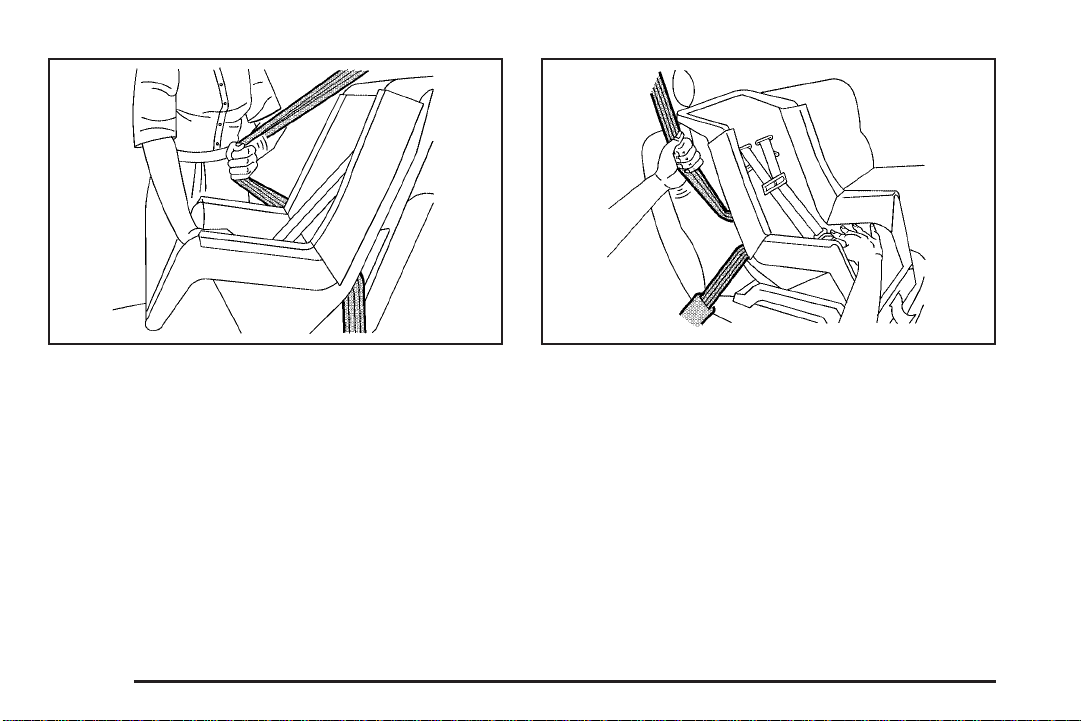
4. Pull the rest of the shoulder belt all the way out of
the retractor to set the lock.
1-46
5. To tighten the belt, push down on the child restraint,
pull the shoulder portion of the belt to tighten the
lap portion of the belt and feed the shoulder
belt back into the retractor. If you are using a
forward-facing child restraint, you may find it helpful
to use your knee to push down on the child
restraint as you tighten the belt.
6. Push and pull the child restraint in different
directions to be sure it is secure.
To remove the child restraint, just unbuckle the vehicle’s
safety belt and let it go back all the way. The safety
belt will move freely again and be ready to work for an
adult or larger child passenger.
Page 53
Securing a Child Restraint in the Right Front Seat Position
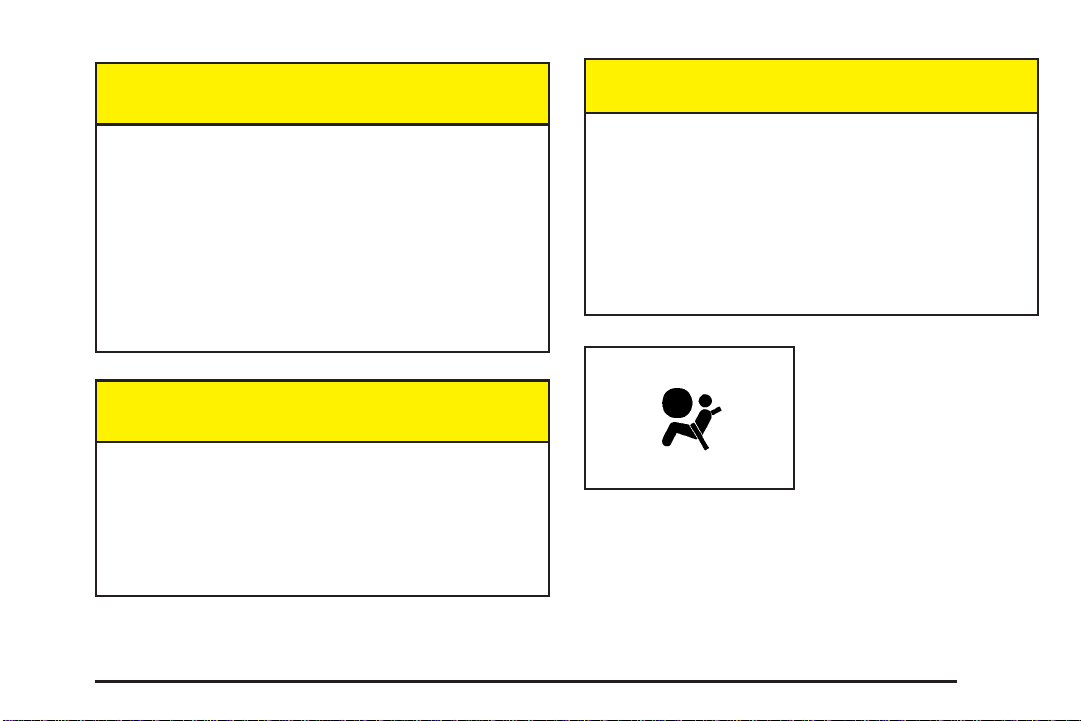
Your vehicle has a right front passenger airbag. Never
put a rear-facing child restraint in this seat. Here is why:
If your child restraint is equipped with the LATCH
system, see Lower Anchorages and Top Tethers for
Children (LATCH System) on page 1-42.
There is no top strap anchor in the right front
passenger’s position. Do not secure a child seat in this
position if a national or local law requires that the
top strap be anchored, or if the instructions that come
with the child restraint say that the top strap must
be anchored. See Top Strap on page 1-39 if the child
restraint has one.
{CAUTION:
A child in a rear-facing child restraint can be
seriously injured or killed if the right front
passenger’s airbag inflates. This is because the
back of the rear-facing child restraint would be
very close to the inflating airbag. Always secure
a rear-facing child restraint in a rear seat.
A rear seat is a safer place to secure a forward-facing
child restraint. If you need to secure a forward-facing
child restraint in the right front seat, you will be using the
lap-shoulder belt to secure the child restraint in this
position. Be sure to follow the instructions that came with
the child restraint. Secure the child in the child restraint
when and as the instructions say.
1. Because your vehicle has a right front passenger’s
airbag, always move the seat as far back as it will
go before securing a forward-facing child restraint.
See Manual Seats on page 1-2 or Power Seats
on page 1-3.
2. Put the child restraint on the seat.
1-47
Page 54
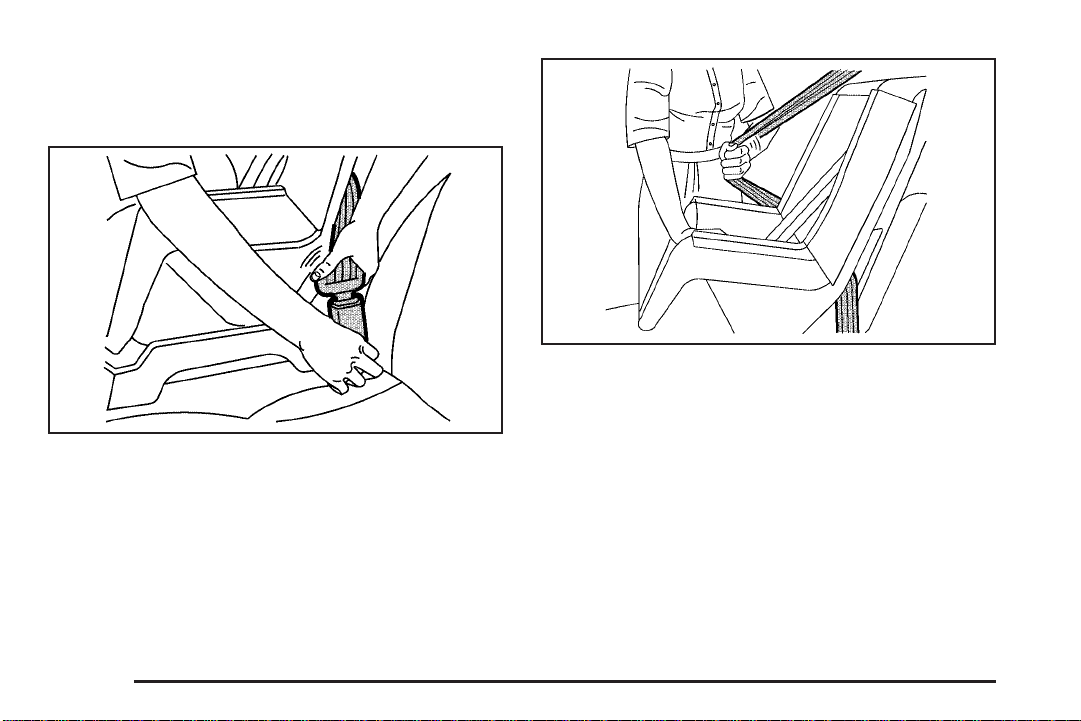
3. Pick up the latch plate, and run the lap and shoulder
portions of the vehicle’s safety belt through or
around the restraint. The child restraint instructions
will show you how.
4. Buckle the belt. Make sure the release button is
positioned so you would be able to unbuckle the
safety belt quickly if you ever had to.
5. Pull the rest of the shoulder belt all the way out of
the retractor to set the lock.
1-48
Page 55
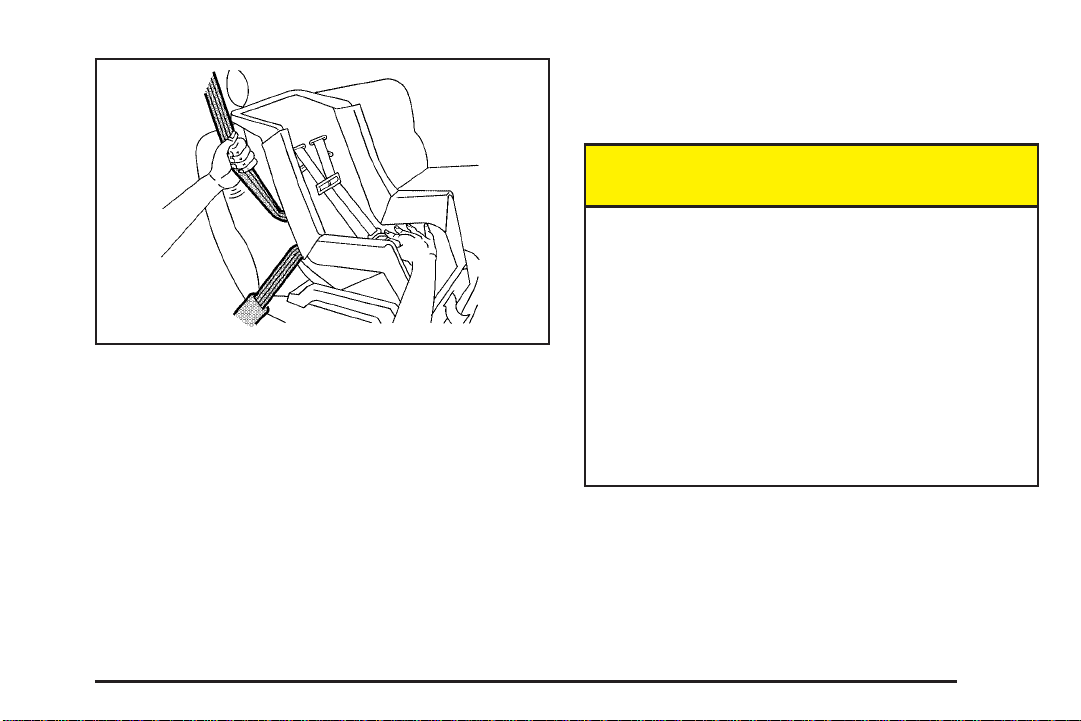
6. To tighten the belt, push down on the child restraint,
pull the shoulder portion of the belt to tighten the
lap portion of the belt and feed the shoulder
belt back into the retractor. You may find it helpful
to use your knee to push down on the child
restraint as you tighten the belt.
7. Push and pull the child restraint in different
directions to be sure it is secure.
To remove the child restraint, just unbuckle the vehicle’s
safety belt and let it go back all the way. The safety
belt will move freely again and be ready to work for an
adult or larger child passenger.
Center Seat Positions
Four Door Models
{CAUTION:
A child in a child restraint in the center front
seat can be badly injured or killed by the right
front passenger’s airbag if it inflates. Never
secure a child restraint in the center front seat.
It is always better to secure a child restraint in
the rear seat.
If you need to secure a forward-facing child
restraint in the right front passenger seat,
always move the front passenger seat as far
back as it will go. It is better to secure the
child restraint in a rear seat.
Do not use a child restraint in the center front or the
center rear seating positions. The restraints will not work
properly.
1-49
Page 56

Airbag System
Your vehicle has airbags — one airbag for the driver
and another airbag for the right front passenger.
Frontal airbags are designed to help reduce the risk of
injury from the force of an inflating airbag. But these
airbags must inflate very quickly to do their job
and comply with federal regulations.
Here are the most important things to know about the
airbag system:
{CAUTION:
You can be severely injured or killed in a crash
if you are not wearing your safety belt — even
if you have airbags. Wearing your safety belt
during a crash helps reduce your chance of
hitting things inside the vehicle or being
ejected from it. Airbags are designed to work
CAUTION: (Continued)
CAUTION: (Continued)
with safety belts, but do not replace them.
Airbags are designed to deploy only in
moderate to severe frontal and near frontal
crashes. They are not designed to inflate in
rollover, rear or low-speed frontal crashes, or
in many side crashes. And, for some
unrestrained occupants, airbags may provide
less protection in frontal crashes than more
forceful airbags have provided in the past.
Everyone in your vehicle should wear a safety
belt properly — whether or not there is an
airbag for that person.
1-50
Page 57
{CAUTION:
CAUTION: (Continued)
Airbags inflate with great force, faster than the
blink of an eye. If you are too close to an
inflating airbag, as you would be if you were
leaning forward, it could seriously injure you.
Safety belts help keep you in position before
and during a crash. Always wear your safety
belt, even with airbags. The driver should sit
as far back as possible while still maintaining
control of the vehicle.
{CAUTION:
Anyone who is up against, or very close to,
any airbag when it inflates can be seriously
injured or killed. Airbags plus lap-shoulder
belts offer the best protection for adults, but
CAUTION: (Continued)
not for young children and infants. Neither the
vehicle’s safety belt system nor its airbag
system is designed for them. Young children
and infants need the protection that a child
restraint system can provide. Always secure
children properly in your vehicle. To read how,
see Older Children on page 1-29 and Infants
and Young Children on page 1-31.
There is an airbag
readiness light on the
instrument panel, which
shows the airbag symbol.
The system checks the airbag electrical system for
malfunctions. The light tells you if there is an electrical
problem. See Airbag Readiness Light on page 3-27.
1-51
Page 58

Where Are the Airbags?
The driver’s airbag is in the middle of the steering
wheel.
The right front passenger’s airbag is in the instrument
panel on the passenger’s side.
1-52
Page 59

{CAUTION:
If something is between an occupant and an
airbag, the bag might not inflate properly or it
might force the object into that person causing
severe injury or even death. The path of an
inflating airbag must be kept clear. Do not put
anything between an occupant and an airbag,
and do not attach or put anything on the
steering wheel hub or on or near any other
airbag covering.
When Should an Airbag Inflate?
The driver’s and right front passenger’s frontal airbags
are designed to inflate in moderate to severe frontal
or near-frontal crashes. But they are designed to inflate
only if the impact exceeds a predetermined deployment
threshold. Deployment thresholds take into account
a variety of desired deployment and non-deployment
events and are used to predict how severe a crash
is likely to be in time for the airbags to inflate and help
restrain the occupants. Whether your frontal airbags
will or should deploy is not based on how fast your
vehicle is traveling. It depends largely on what you hit,
the direction of the impact and how quickly your
vehicle slows down.
If your vehicle goes straight into a wall that does not
move or deform, the threshold level is about 9 to 16 mph
(14 to 26 km/h). (The threshold level can vary,
however, with specific vehicle design, so that it can be
somewhat above or below this range.)
Airbags may inflate at different crash speeds. For
example:
• If the vehicle hits a stationary object, the airbag
could inflate at a different crash speed than if
the object were moving.
• If the object deforms, the airbag could inflate at a
different crash speed than if the object does not
deform.
• If the vehicle hits a narrow object (like a pole) the
airbag could inflate at a different crash speed
than if the vehicle hits a wide object (like a wall).
• If the vehicle goes into an object at an angle the
airbag could inflate at a different crash speed
than if the vehicle goes straight into the object.
The frontal airbags (driver and right front passenger) are
not intended to inflate during vehicle rollovers, rear
impacts, or in many side impacts because inflation
would not likely help the occupants.
1-53
Page 60

In any particular crash, no one can say whether an
airbag should have inflated simply because of the
damage to a vehicle or because of what the repair costs
were. Inflation is determined by the angle of the
impact and how quickly the vehicle slows down in frontal
or near-frontal impacts.
The airbag system is designed to work properly under a
wide range of conditions, including off-road usage.
Observe safe driving speeds, especially on rough
terrain. As always, wear your safety belt. See Off-Road
Driving with Your Four-Wheel-Drive Vehicle on
page 4-14 for more tips on off-road driving.
What Makes an Airbag Inflate?
In an impact of sufficient severity, the airbag sensing
system detects that the vehicle is in a crash. The
sensing system triggers a release of gas from the
inflator, which inflates the airbag. The inflator, airbag,
and related hardware are all part of the airbag modules
inside the steering wheel and in the instrument panel
in front of the right front passenger.
How Does an Airbag Restrain?
In moderate to severe frontal or near-frontal collisions,
even belted occupants can contact the steering wheel or
the instrument panel. Airbags supplement the protection
provided by safety belts. Airbags distribute the force of
the impact more evenly over the occupant’s upper body,
stopping the occupant more gradually. But airbags would
not help you in many types of collisions, including
rollovers, rear impacts and many side impacts, primarily
because an occupant’s motion is not toward those
airbags. Airbags should never be regarded as anything
more than a supplement to safety belts, and then only in
moderate to severe frontal or near-frontal collisions.
What Will You See After an Airbag
Inflates?
After an airbag inflates, it quickly deflates, so quickly that
some people may not even realize the airbag inflated.
Some components of the airbag module — the steering
wheel hub for the driver’s airbag, or the instrument panel
for the right front passenger’s bag — will be hot for a
short time. The parts of the bag that come into contact
with you may be warm, but not too hot to touch. There will
be some smoke and dust coming from the vents in the
deflated airbags. Airbag inflation does not prevent the
driver from seeing or being able to steer the vehicle, nor
does it stop people from leaving the vehicle.
1-54
Page 61

{CAUTION:
When an airbag inflates, there is dust in the
air. This dust could cause breathing problems
for people with a history of asthma or other
breathing trouble. To avoid this, everyone in
the vehicle should get out as soon as it is safe
to do so. If you have breathing problems but
can not get out of the vehicle after an airbag
inflates, then get fresh air by opening a
window or a door. If you experience breathing
problems following an airbag deployment, you
should seek medical attention.
• Airbags are designed to inflate only once. After they
inflate, you will need some new parts for your
airbag system. If you do not get them, the airbag
system will not be there to help protect you in
another crash. A new system will include airbag
modules and possibly other parts. The service
manual for your vehicle covers the need to replace
other parts.
• Your vehicle is equipped with a diagnostic module,
which records information after a crash. See
Vehicle Data Collection and Event Data Recorders
on page 7-9.
• Let only qualified technicians work on your airbag
system. Improper service can mean that an
airbag system will not work properly. See your
dealer for service.
Notice: If you damage the covering for the driver’s
or the right front passenger’s airbag, the bag
may not work properly. You may have to replace the
airbag module in the steering wheel or both the
airbag module and the instrument panel for the right
front passenger’s airbag. Do not open or break
the airbag coverings.
1-55
Page 62

Servicing Your Airbag-Equipped Vehicle
Airbags affect how your vehicle should be serviced.
There are parts of the airbag system in several places
around your vehicle. You do not want the system to
inflate while someone is working on your vehicle. Your
dealer and the service manual have information
about servicing your vehicle and the airbag system. To
purchase a service manual, see Service Publications
Ordering Information on page 7-11.
{CAUTION:
For up to 10 minutes after the ignition key is
turned off and the battery is disconnected, an
airbag can still inflate during improper service.
You can be injured if you are close to an
airbag when it inflates. Avoid wires wrapped
with yellow tape or yellow connectors. They
are probably part of the airbag system. Be sure
to follow proper service procedures, and make
sure the person performing work for you is
qualified to do so.
The airbag system does not need regular maintenance.
Adding Equipment to Your Airbag-Equipped Vehicle
Q: Is there anything I might add to the front of the
vehicle that could keep the airbags from
working properly?
A: Yes. If you add things that change your vehicle’s
frame, bumper system, front end sheet metal or
height, they may keep the airbag system from
working properly. Also, the airbag system may not
work properly if you relocate any of the airbag
sensors. If you have any questions about this, you
should contact Customer Assistance before you
modify your vehicle. The phone numbers and
addresses for Customer Assistance are in Step Two
of the Customer Satisfaction Procedure on
page 7-2.
1-56
Page 63
Restraint System Check
Checking Your Restraint Systems
Replacing Restraint System Parts After a Crash
Now and then, make sure the safety belt reminder light
and all your belts, buckles, latch plates, retractors
and anchorages are working properly. Look for any other
loose or damaged safety belt system parts. If you see
anything that might keep a safety belt system from doing
its job, have it repaired.
Torn or frayed safety belts may not protect you in a
crash. They can rip apart under impact forces. If a belt
is torn or frayed, get a new one right away.
Also look for any opened or broken airbag covers, and
have them repaired or replaced. (The airbag system
does not need regular maintenance.)
{CAUTION:
A crash can damage the restraint systems in
your vehicle. A damaged restraint system may
not properly protect the person using it,
resulting in serious injury or even death in a
crash. To help make sure your restraint
systems are working properly after a crash,
have them inspected and any necessary
replacements made as soon as possible.
If you have had a crash, do you need new belts or
LATCH system parts?
After a very minor collision, nothing may be necessary.
But if the belts were stretched, as they would be if worn
during a more severe crash, then you need new parts.
If the LATCH system was being used during a more
severe crash, you may need new LATCH system parts.
1-57
Page 64
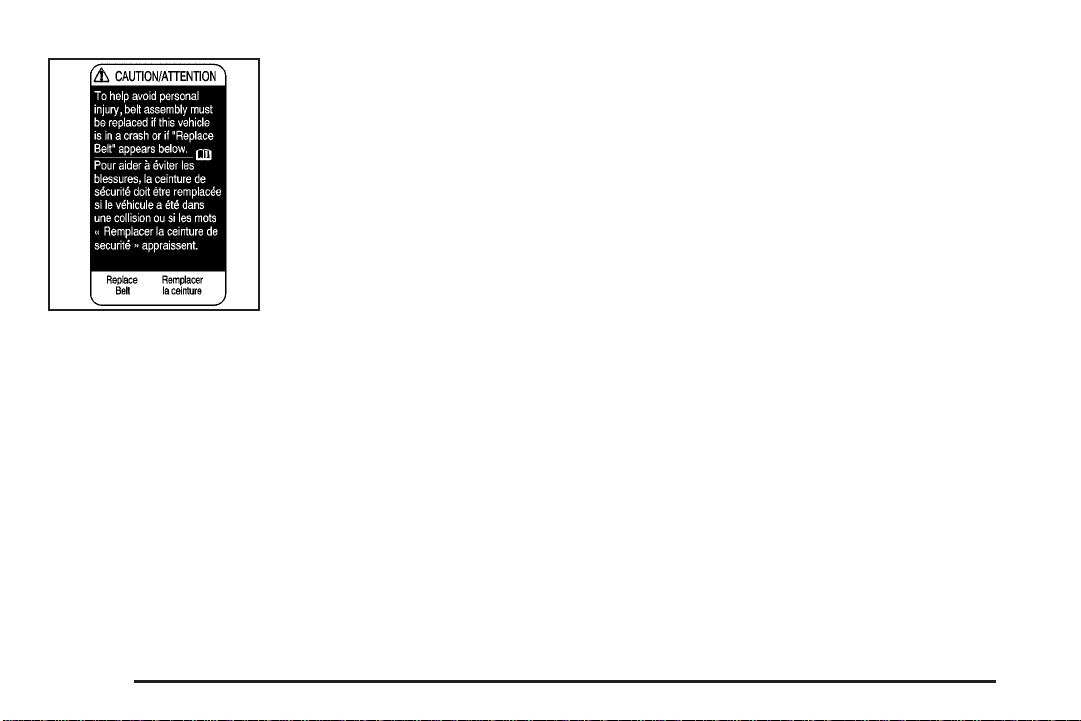
If you ever see a label on
the driver’s or the right
front passenger’s safety
belt that says to replace
the belt, be sure to do so.
Then the new belt will
be there to help protect
you in a collision. You
would see this label on the
belt near the door
opening.
If belts are cut or damaged, replace them. Collision
damage also may mean you will need to have LATCH
system, safety belt or seat parts repaired or replaced.
New parts and repairs may be necessary even if the belt
or LATCH system was not being used at the time of
the collision.
If an airbag inflates, you will need to replace airbag
system parts. See the part on the airbag system earlier
in this section.
1-58
Page 65

Section 2 Features and Controls
Keys ...............................................................2-3
Remote Keyless Entry System .........................2-4
Remote Keyless Entry System Operation ...........2-5
Doors and Locks .............................................2-8
Door Locks ....................................................2-8
Power Door Locks ..........................................2-9
Programmable Automatic Door Locks ................2-9
Rear Door Security Locks ..............................2-11
Lockout Protection ........................................2-11
Liftgate/Tailgate ............................................2-12
Windows ........................................................2-16
Power Windows ............................................2-17
Swing-Out Windows ......................................2-18
Sun Visors ...................................................2-18
Theft-Deterrent Systems ..................................2-18
Content Theft-Deterrent .................................2-18
Passlock
®
....................................................2-20
Starting and Operating Your Vehicle ................2-20
New Vehicle Break-In ....................................2-20
Ignition Positions ..........................................2-21
Retained Accessory Power (RAP) ...................2-23
Starting Your Engine .....................................2-23
Engine Coolant Heater ..................................2-24
Automatic Transmission Operation ...................2-25
Tow/Haul Mode ............................................2-28
Manual Transmission Operation ......................2-29
Four-Wheel Drive ..........................................2-30
Parking Brake ..............................................2-36
Shifting Into Park (P)
(Automatic Transmission) ............................2-37
Shifting Out of Park (P)
(Automatic Transmission) ............................2-39
Parking Your Vehicle (Manual Transmission) .....2-39
Parking Over Things That Burn .......................2-40
Engine Exhaust ............................................2-40
Running Your Engine While You Are Parked
(Automatic Transmission) ............................2-41
Mirrors ...........................................................2-42
Manual Rearview Mirror .................................2-42
Automatic Dimming Rearview Mirror ................2-42
Outside Manual Mirror ...................................2-43
Outside Power Mirrors ...................................2-43
Outside Automatic Dimming Mirror ..................2-44
Outside Convex Mirror ...................................2-44
Outside Heated Mirrors ..................................2-44
HomeLink
Programming the HomeLink
®
Transmitter ...................................2-45
®
Transmitter .........2-46
2-1
Page 66

Section 2 Features and Controls
Storage Areas ................................................2-49
Glove Box ...................................................2-49
Overhead Console ........................................2-49
Front Storage Area .......................................2-52
Luggage Carrier ...........................................2-53
Rear Storage Area ........................................2-54
Convenience Net ..........................................2-54
Cargo Tie Downs ..........................................2-55
Rear Convenience System .............................2-55
2-2
Sunroof .........................................................2-57
Vehicle Personalization ...................................2-59
Memory Seat ...............................................2-59
Page 67

Keys
{CAUTION:
Leaving children in a vehicle with the ignition
key is dangerous for many reasons. They
could operate the power windows or other
controls or even make the vehicle move. The
children or others could be badly injured or
even killed. Do not leave the keys in a vehicle
with children.
2-3
Page 68
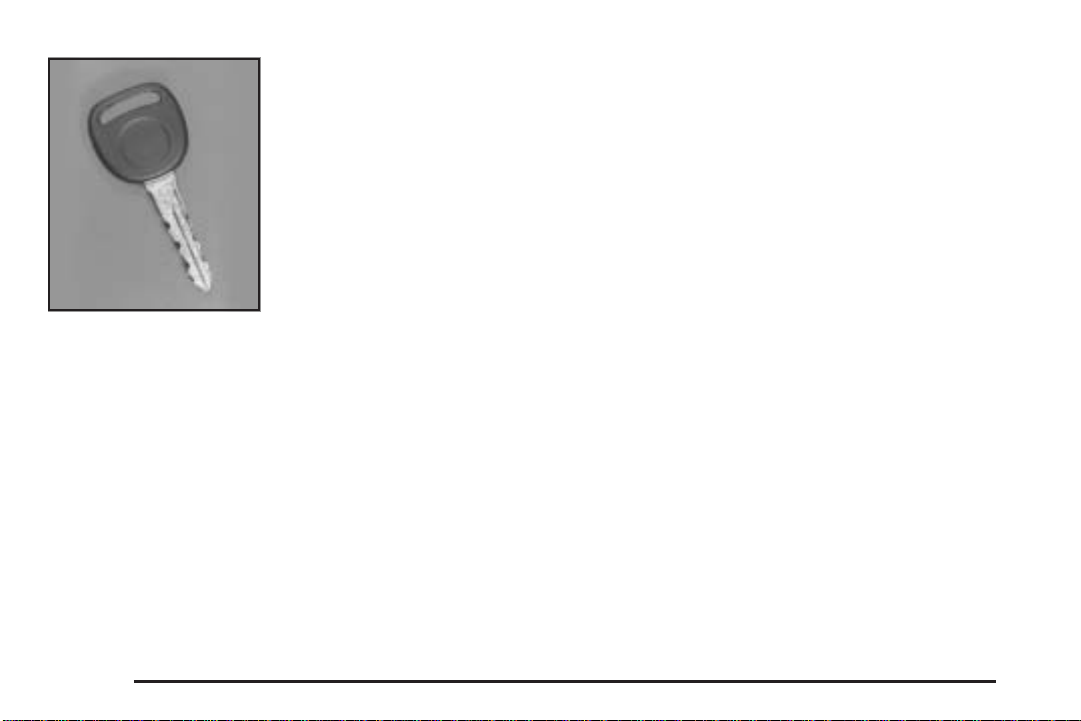
This vehicle has one
double-sided key for the
ignition, tailgate and
door locks. It will fit with
either side up.
When a new vehicle is delivered, the dealer provides
the owner with a pair of identical keys and a key
code number.
The key code number tells your dealer or a qualified
locksmith how to make extra keys. Keep this number in
a safe place. If you lose your keys, you’ll be able to
have new ones made easily using this number.
Your selling dealer should also have this number.
Notice: If you ever lock your keys in your vehicle,
you may have to damage the vehicle to get in.
Be sure you have spare keys.
If you ever do get locked out of your vehicle, contact
Roadside Assistance for help. See Roadside Assistance
Program on page 7-5 for more information.
Remote Keyless Entry System
If equipped, the keyless entry system operates on a
radio frequency subject to Federal Communications
Commission (FCC) Rules and with Industry Canada.
This device complies with Part 15 of the FCC Rules.
Operation is subject to the following two conditions:
1. This device may not cause interference.
2. This device must accept any interference received,
including interference that may cause undesired
operation of the device.
This device complies with RSS-210 of Industry Canada.
Operation is subject to the following two conditions:
1. This device may not cause interference.
2. This device must accept any interference received,
including interference that may cause undesired
operation of the device.
Changes or modifications to this system by other than
an authorized service facility could void authorization to
use this equipment.
2-4
Page 69

At times you may notice a decrease in range. This is
normal for any remote keyless entry system. If the
transmitter does not work or if you have to stand closer
to your vehicle for the transmitter to work, try this:
• Check the distance. You may be too far from your
vehicle. You may need to stand closer during
rainy or snowy weather.
• Check the location. Other vehicles or objects may
be blocking the signal. Take a few steps to the
left or right, hold the transmitter higher, and
try again.
• Check to determine if battery replacement is
necessary. See “Battery Replacement” under
Remote Keyless Entry System Operation on
page 2-5.
• If you are still having trouble, see your dealer or a
qualified technician for service.
Remote Keyless Entry System Operation
If your vehicle has this
feature, you can lock and
unlock your doors from
about 3 feet (1m) up to
30 feet (9 m) away using
the remote keyless entry
transmitter supplied with
your vehicle.
2-5
Page 70

UNLOCK: Press UNLOCK to unlock the driver’s door.
The parking lamps will flash and the interior lamps
will go on.
If you press UNLOCK twice within three seconds, the
remaining doors will unlock.
LOCK: Press LOCK to lock all the doors. Press LOCK
again within three seconds and the horn will chirp
for confirmation.
REAR 2X: When you press the REAR 2X button twice
within three seconds to release the rear liftglass, the
parking lamps will flash and the interior lamps will go on.
If your vehicle has an automatic transmission, the
transmission must be in PARK (P) or NEUTRAL (N). If
your vehicle has a manual transmission, the parking
brake must be engaged.
L (Remote Alarm): Press this button on the key
transmitter to make the horn sound and the headlamps
and taillamps flash for up to 30 seconds. This can
be turned off by pressing the remote alarm button again,
waiting for 30 seconds, or starting the vehicle.
Matching Transmitter(s) to Your
Vehicle
Each remote keyless entry transmitter is coded to prevent
another transmitter from unlocking your vehicle. If a
transmitter is lost or stolen, a replacement can be
purchased through your dealer. Remember to bring any
remaining transmitters with you when you go to your
dealer. When the dealer matches the replacement
transmitter to your vehicle, any remaining transmitters
must also be matched. Once your dealer has coded the
new transmitter, the lost transmitter will not unlock your
vehicle. Each vehicle can have a maximum of
four transmitters matched to it.
2-6
Page 71

Battery Replacement
Under normal use, the battery in your remote keyless
entry transmitter should last about two years.
You can tell the battery is weak if the transmitter will not
work at the normal range in any location. If you have
to get close to your vehicle before the transmitter works,
it’s probably time to change the battery.
Notice: When replacing the battery, use care not to
touch any of the circuitry. Static from your body
transferred to these surfaces may damage the
transmitter.
To replace the battery in the remote keyless entry
transmitter do the following:
1. Insert an object like a thin coin in the slot between
the covers of the transmitter housing near the key
ring hole. Remove the bottom by twisting the object.
2. Remove and replace the battery with a three-volt
CR2032 or equivalent battery, positive (+) side up.
3. Align the covers and snap them together.
4. Check the operation of the transmitter.
2-7
Page 72

Doors and Locks
Door Locks
{CAUTION:
Unlocked doors can be dangerous.
• Passengers — especially children — can
easily open the doors and fall out of a
moving vehicle. When a door is locked, the
handle will not open it. You increase the
chance of being thrown out of the vehicle
in a crash if the doors are not locked. So,
wear safety belts properly and lock the
doors whenever you drive.
• Young children who get into unlocked
vehicles may be unable to get out. A child
can be overcome by extreme heat and can
suffer permanent injuries or even death
from heat stroke. Always lock your vehicle
whenever you leave it.
• Outsiders can easily enter through an
unlocked door when you slow down or
stop your vehicle. Locking your doors can
help prevent this from happening.
There are several ways to lock and unlock your vehicle:
• You can use the keyless entry system, if your
vehicle has this feature.
• You can use your key to unlock your door from the
outside.
• You can use the power lock switch (if equipped) to
lock or unlock the doors.
To manually lock or unlock
a door from the inside,
slide the manual lever on
your door.
You will see a colored area on the lever when the door
is unlocked.
2-8
Page 73
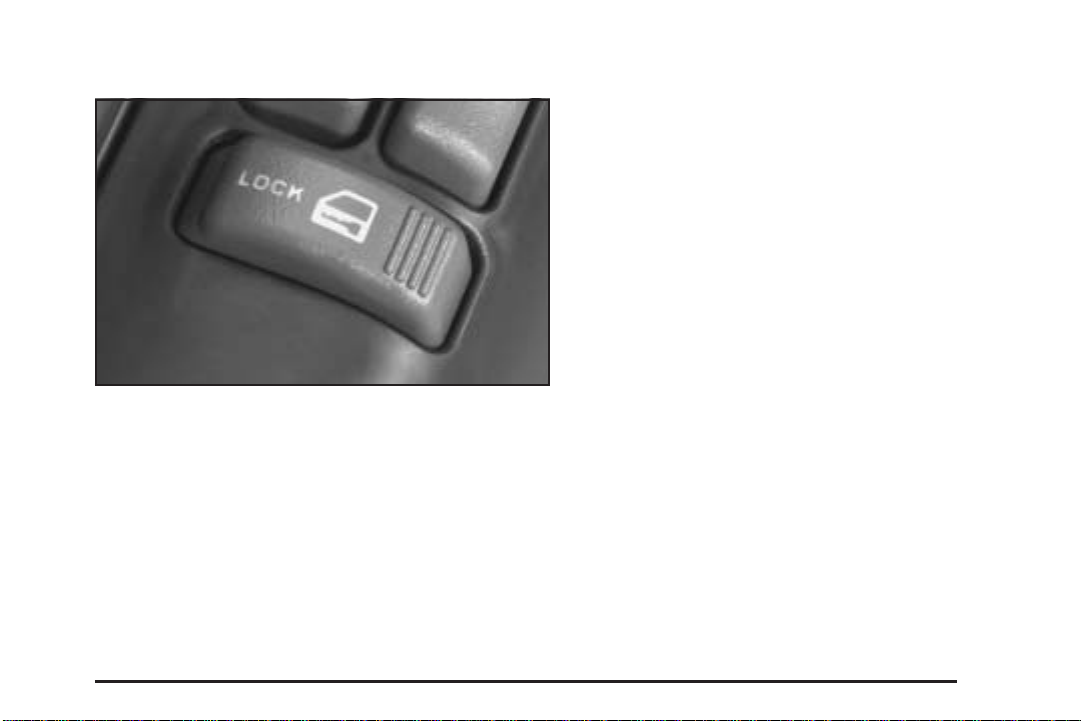
Power Door Locks
If your vehicle has power door locks, the switches are
located on the driver’s and the front passenger’s
armrests. Remove the ignition key and press LOCK to
lock all the doors at once. To unlock the doors, press the
raised area to the right of the key symbol.
Programmable Automatic Door Locks
If your vehicle has power door locks, they are
programmable.
If your vehicle has an automatic transmission it will be
programmed to have all the doors lock automatically
when the shift lever is moved out of PARK (P). All the
doors will unlock when the shift lever is moved back into
PARK (P).
On a vehicle with a manual transmission, all doors will
lock when the vehicle speed is greater than 15 mph
(24 km/h). The doors will unlock when the key is
removed from the ignition.
The following is a list of the available programming
options and how to set them after entering the
program mode:
All doors lock/Only the driver’s door unlocks: Press
the lock side of the power door lock switch once and
then the unlock side once. If your vehicle is not equipped
with remote keyless entry, you may not be able to
utilize this option.
2-9
Page 74

All doors lock/All doors unlock: Press the lock side
of the power door lock switch once, and then the
unlock side twice.
All doors lock/None of the doors unlock: Press the
lock side of the power door lock switch once, and
then the unlock side three times.
No doors lock/None of the doors unlock: Press the
lock side of the power door lock switch twice. This turns
off the automatic lock feature. This is the factory setting.
For more information, see your dealer.
The following instructions detail how to program your
door locks. Choose one of the programming options
before entering the programming mode.
To enter the program mode, do the following:
1. Begin with the ignition in OFF. Then pull the turn
signal/multifunction lever all the way toward you
and hold it while you perform the next step.
2. Turn your key to RUN and OFF twice. Then, with
the key in OFF, release the turn signal/multifunction
lever. Once you do this, you will hear the lock
switch lock and unlock.
3. You are now ready to program the automatic door
locks. Select one of the previous four programming
options and follow the instructions. You will have
30 seconds to begin programming. If you exceed the
30 second limit, the locks will automatically lock and
unlock to indicate you have left the program mode. If
this occurs, repeat the procedure beginning with
Step 1. You can exit the program mode any time by
turning the ignition to RUN. The locks will
automatically lock and unlock to indicate you are
leaving the program mode. If the lock/unlock
switches are not pressed while in the programming
mode, the auto lock/unlock setting will not be
modified.
2-10
Page 75
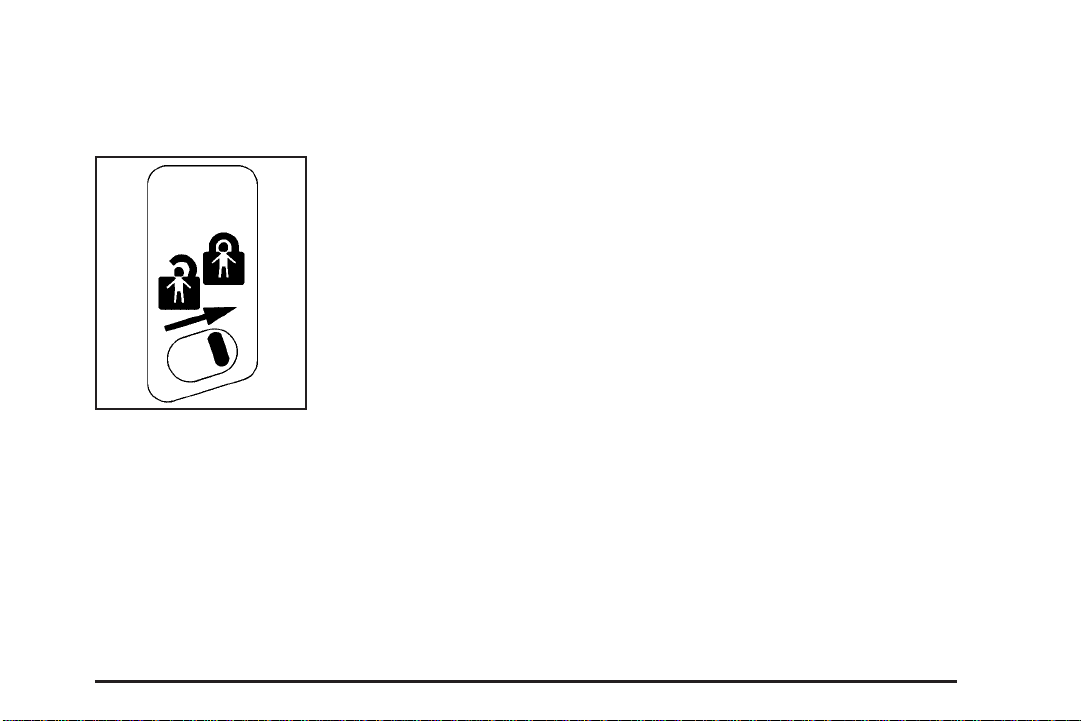
Rear Door Security Locks
With this feature, you can lock the rear doors so they
can’t be opened from the inside by passengers.
The security lock lever is
located on the inside edge
of each rear door.
To use the security locks, do the following:
1. Open one of the rear doors.
2. Slide the lever up to the lock symbol to engage
the lock.
3. Close the door.
4. Repeat these steps on the opposite rear door.
If you want to open the rear door when the security lock
is on, unlock the door and open the door from the
outside. To return the rear doors to normal use,
disengage the locks by sliding the lever to the unlock
symbol.
Lockout Protection
If you have power door locks, this feature protects you
from locking your key in the vehicle when the key is
in the ignition and a door is open.
If the power door lock switch is pressed when a door is
open and the key is in the ignition, all of the doors
will lock and then the driver’s door will unlock.
2-11
Page 76
Liftgate/Tailgate
{CAUTION:
It can be dangerous to drive with the liftgate or
liftglass open because carbon monoxide (CO)
gas can come into your vehicle. You can not
see or smell CO. It can cause
unconsciousness and even death. If you must
drive with the liftgate open or if electrical
wiring or other cable connections must pass
through the seal between the body and the
liftgate or liftglass:
• Make sure all other windows are shut.
• Turn the fan on your heating or cooling
system to its highest speed and select the
control setting that will force outside air
into your vehicle. See Climate Control
System in the Index.
• If you have air outlets on or under the
instrument panel, open them all the way.
See Engine Exhaust on page 2-40.
Liftgate/Tailgate Release
To open a manual lock system from the outside, insert
the key into a lock and turn it counterclockwise to
unlock the tailgate and liftglass or the liftgate.
To open a power lock system from the outside, insert
the key into a lock and turn it counterclockwise. All
the doors will then unlock.
If your vehicle is equipped with the keyless entry
system, your vehicle does not have a lock on the
tailgate. It is equipped with a push button to release the
liftglass.
You may also use the keyless entry transmitter, or the
power door locks, if equipped.
2-12
Page 77

When the doors are
unlocked, press the button
to open the glass.
Reach inside the tailgate
to lift the handle and open
the tailgate.
The tailgate can be opened without a key if the driver’s
door is unlocked. The liftglass will not release if the
vehicle is in gear.
To lock a power door lock system from the outside,
insert the key into a lock button and turn clockwise. All
doors, the tailgate and liftglass, or liftgate will lock.
2-13
Page 78
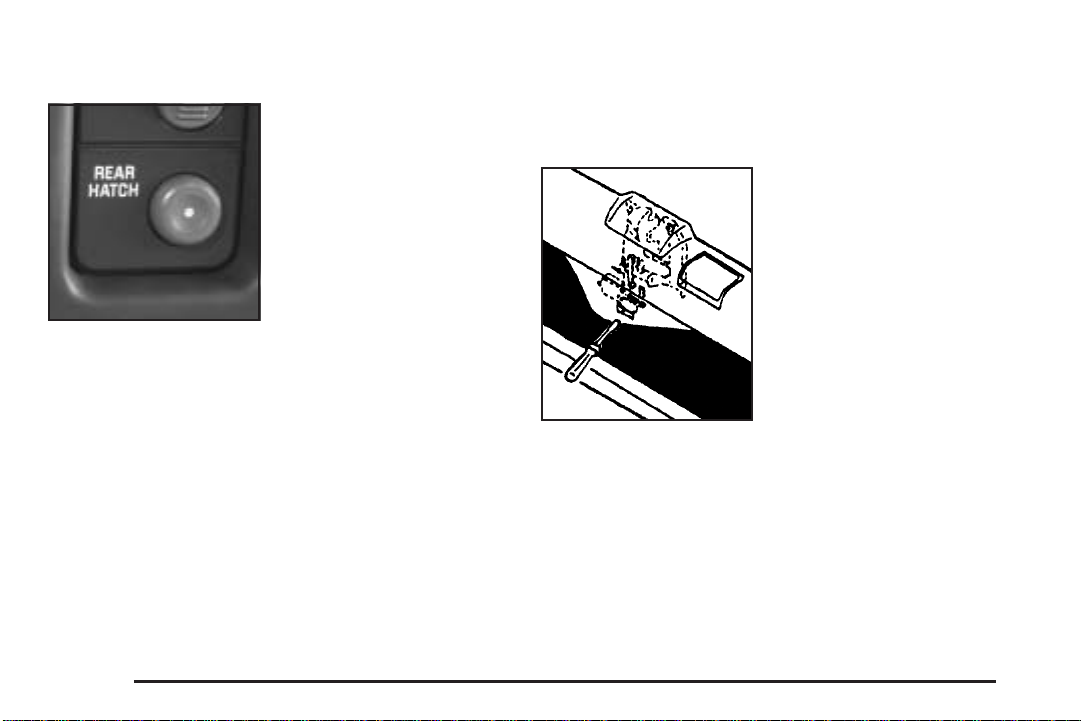
Remote Liftglass Release
The REAR HATCH button,
located to the right of the
steering wheel on the
instrument panel, allows
you to release the liftglass
from inside the vehicle.
If your vehicle has an automatic transmission, your shift
lever must be in PARK (P) or NEUTRAL (N) for the
release to work.
If you have a manual transmission, you must apply your
parking brake or have the ignition off before you can
open the liftglass.
Emergency Release for Opening
Tailgate
1. Peel back or slit the carpet to expose the access
hole in the trim panel.
2. Use a thin object to
reach through the
access holes in both
the trim panel and
the hardware cover.
3. Pry the release lever toward the passenger’s side
until the glass latch pops open.
4. Reattach the carpet securely.
2-14
Page 79

Tailgate-Mounted Spare
If your vehicle has a tailgate mounted spare tire carrier,
you must move the carrier arm out of the way to
open the glass.
Here’s how to move the arm:
1. Squeeze the release handle on the carrier arm.
2. Swing the carrier arm away from the tailgate, giving
it a slight tug.
3. To close the carrier arm, latch by swinging it toward
the tailgate.
2-15
Page 80

Windows
{CAUTION:
Leaving children, helpless adults, or pets in a
vehicle with the windows closed is dangerous.
They can be overcome by the extreme heat
and suffer permanent injuries or even death
from heat stroke. Never leave a child, a
helpless adult, or a pet alone in a vehicle,
especially with the windows closed in warm or
hot weather.
2-16
Page 81
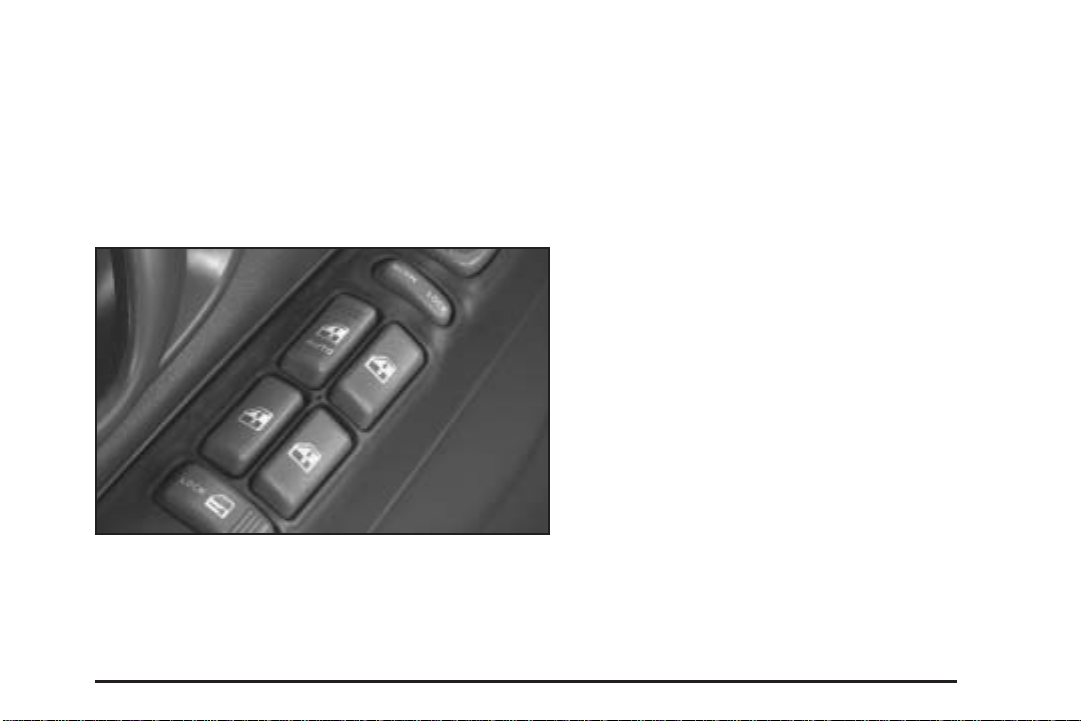
Power Windows
If you have power windows, the controls are located on
the armrests on each of the side doors. The switches
operate the windows when the ignition is in RUN,
ACCESSORY or when Retained Accessory Power (RAP)
is active. See Retained Accessory Power (RAP) on
page 2-23. The driver’s door has a switch for the
passengers windows as well.
Press the side of the switch with the down arrow to
lower a window. Press the side of the switch with the up
arrow to raise the window.
Express Down Window
The driver’s window has an express-down feature that
allows you to lower it without holding the window switch.
Press the down arrow on the switch marked AUTO
located on the driver’s door briefly to activate the
express-down feature. Lightly tap the switch to open the
window slightly. The express-down feature can be
interrupted at any time by pressing the up arrow on
the switch.
Window Lockout
Four-door vehicles have a lockout feature to prevent
passengers from operating the power windows. It
is located on the driver’s door armrest. Press LOCK to
activate this feature. Press NORM and the windows
will return to normal operation.
The driver will still be able to operate all the windows
when LOCK is active.
2-17
Page 82

Swing-Out Windows
Theft-Deterrent Systems
If your two-door vehicle has
rear swing-out windows,
unlatch them at the clasps
and push out on the glass
to open them.
When you close the window, be sure the latch catches.
Sun Visors
To block glare, pull the visor down. It can also be
detached from the center mount and moved to the side
to block glare from that direction.
2-18
Vehicle theft is big business, especially in some cities.
Although your vehicle has a number of theft-deterrent
features, we know that nothing we put on it can make it
impossible to steal.
Content Theft-Deterrent
Your vehicle may be equipped with a Content
Theft-Deterrent alarm system.
With this system, the
SECURITY light will flash
as you open the door
if your ignition is off.
This light reminds you to activate the theft-deterrent
system. Here’s how to do it:
1. Open the door.
2. Lock the door with the power door lock switch or
the remote keyless entry transmitter. The
SECURITY light should come on and stay on.
Page 83

3. Close all doors. The SECURITY light should go off
after approximately 30 seconds. The alarm is not
armed until the SECURITY light goes off.
If a door is opened without the key or the remote keyless
entry transmitter, the alarm will go off. Your vehicle’s
headlamps will flash and the horn will sound for
110 seconds, then will turn off to save the battery power.
Remember, the theft-deterrent system won’t activate if
you lock the doors with a key or use the manual
door lock. It activates only if you use a power door lock
switch with the door open, or with the remote keyless
entry transmitter. You should also remember that
you can start your vehicle with the correct ignition key if
the alarm has been set off.
Here’s how to avoid setting off the alarm by accident:
• If you don’t want to activate the theft-deterrent
system, the vehicle should be locked with the door
key after the doors are closed.
• Always unlock a door with a key, or use the remote
keyless entry transmitter. Unlocking a door any
other way will set off the alarm.
If you set off the alarm by accident, unlock any door
with the key. You can also turn off the alarm by pressing
UNLOCK on the remote keyless entry transmitter.
The alarm won’t stop if you try to unlock a door any
other way.
Testing the Alarm
The alarm can be tested by following these steps:
1. From inside the vehicle, lower the driver’s window
and open the driver’s door.
2. Activate the system by locking the doors with the
power door lock switch while the door is open, or
with the remote keyless entry transmitter.
3. Get out of the vehicle, close the door and wait for
the SECURITY light to go out.
4. Then reach in through the window, unlock the door
with the manual door lock and open the door. This
should set off the alarm.
If the alarm does not sound when it should but the
vehicle’s headlamps flash, check to see if the horn
works. The horn fuse may be blown. To replace
the fuse, see Fuses and Circuit Breakers on page 5-90.
If the alarm does not sound or the vehicle’s headlamps
do not flash, the vehicle should be serviced by an
authorized service center.
2-19
Page 84

Passlock
Your vehicle is equipped with the
Passlock®theft-deterrent system.
Passlock
Passlock®enables fuel if the ignition lock cylinder is
turned with a valid key. If a correct key is not used or the
ignition lock cylinder is tampered with, fuel is disabled.
During normal operation, the SECURITY light will go off
approximately five seconds after the key is turned
to RUN.
If the engine stalls and the SECURITY light flashes,
wait about 10 minutes until the light stops flashing before
trying to restart the engine. Remember to release the
key from START as soon as the engine starts.
If the engine does not start after three tries, the vehicle
needs service.
If the engine is running and the SECURITY message
comes on, you will be able to restart the engine if
you turn the engine off. However, your
Passlock
serviced by your dealer. Your vehicle is not protected
by Passlock
the fuse. See Fuses and Circuit Breakers on page 5-90.
See your dealer for service.
In an emergency, call the GM Roadside Assistance
Center. See Roadside Assistance Program on page 7-5.
®
®
is a passive theft-deterrent system.
®
system is not working properly and must be
®
at this time. You may also want to check
Starting and Operating Your Vehicle
New Vehicle Break-In
Notice: Your vehicle does not need an elaborate
break-in. But it will perform better in the long run if
you follow these guidelines:
• Keep your speed at 55 mph (88 km/h) or less for
the first 500 miles (805 km).
• Do not drive at any one speed — fast or
slow — for the first 500 miles (805 km). Do not
make full-throttle starts.
• Avoid making hard stops for the first 200 miles
(322 km) or so. During this time your new brake
linings are not yet broken in. Hard stops with new
linings can mean premature wear and earlier
replacement. Follow this breaking-in guideline
every time you get new brake linings.
• Do not tow a trailer during break-in. See Towing a
Trailer on page 4-57 for more information.
2-20
Page 85
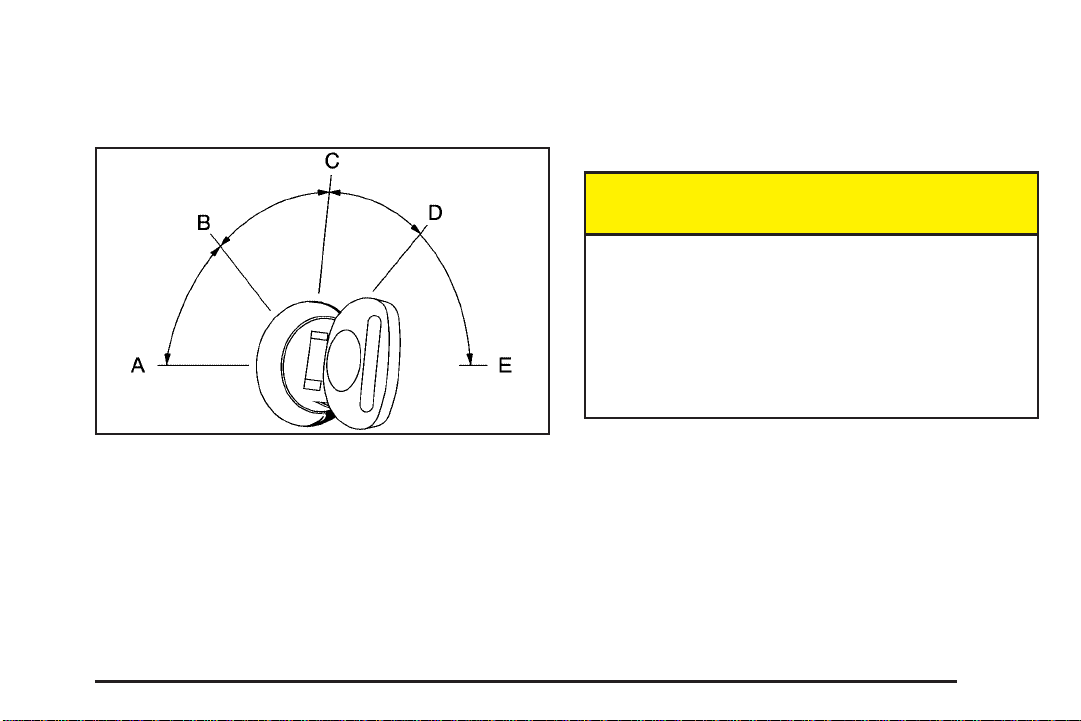
Ignition Positions
With the key in the ignition, you can turn it to five
different positions.
A (ACCESSORY): This position lets you use things like
the radio and the windshield wipers when the engine
is off. Push in the key and turn it toward you. Your
steering wheel will remain locked, just as it was before
you inserted the key.
{CAUTION:
On manual transmission vehicles, turning the
key to LOCK will lock the steering column and
result in a loss of ability to steer the vehicle.
This could cause a collision. If you need to
turn the engine off while the vehicle is moving,
turn the key only to OFF. Do not press the key
release button while the vehicle is moving.
Notice: Lengthy operation of features such as the
radio in the accessory ignition position may drain the
battery and prevent your vehicle from starting. Do not
operate your vehicle in the accessory ignition
position for a long period of time.
Notice: Using a tool to force the key from the
ignition switch could cause damage or break the
key. Use the correct key and turn the key only with
your hand. Make sure the key is all the way in. If
it is, turn the steering wheel left and right while you
turn the key hard. If none of this works, then
your vehicle needs service.
2-21
Page 86

B (LOCK): This position locks your ignition, steering
wheel and transmission. It is a theft-deterrent feature.
You will only be able to remove your key when the
ignition is turned to LOCK.
C (OFF): This position lets you turn off the engine but
still turn the steering wheel. Use OFF if you must
have your vehicle in motion while the engine is off
(for example, if your vehicle is being towed).
D (RUN): This is the position for driving.
E (START): This position starts your engine.
Key Release Button
The key cannot be
removed from the ignition
of manual transmission
vehicles unless the
key release button is
pressed.
To remove the key, turn the ignition switch to OFF.
Then turn the key to LOCK while pressing the key
release button. Pull the key straight out.
2-22
Page 87

Retained Accessory Power (RAP)
Your vehicle is equipped with a Retained Accessory
Power (RAP) feature which will allow certain features of
your vehicle to continue to work for up to 20 minutes
after the ignition key is turned to OFF.
Your radio, power windows, sunroof, and overhead
console will work when the ignition key is in RUN
or ACCESSORY. Once the key is turned from RUN to
OFF, these features will continue to work for up to
20 minutes or until a door is opened.
Starting Your Engine
Automatic Transmission
Move your shift lever to PARK (P) or NEUTRAL (N).
Your engine will not start in any other position — that is
a safety feature. To restart when you are already
moving, use NEUTRAL (N) only.
Notice: Do not try to shift to PARK (P) if your
vehicle is moving. If you do, you could damage the
transmission. Shift to PARK (P) only when your
vehicle is stopped.
Manual Transmission
The gear selector should be in NEUTRAL and the
parking brake engaged. Hold the clutch pedal to the floor
and start the engine. Your vehicle will not start if the
clutch pedal is not all the way down — that is a safety
feature.
Starting Your Engine
1. With your foot off the accelerator pedal, turn the
ignition key to START. When the engine starts,
let go of the key. The idle speed will go down as
your engine gets warm.
Notice: Holding your key in START for longer than
15 seconds at a time will cause your battery to
be drained much sooner. And the excessive heat
can damage your starter motor. Wait about
15 seconds between each try to help avoid draining
your battery or damaging your starter.
2. If it does not start within 10 seconds, push the
accelerator pedal all the way to the floor, while you
hold the ignition key in START. When the engine
starts, let go of the key and let up on the accelerator
pedal. Wait about 15 seconds between each try.
2-23
Page 88

When starting your engine in very cold weather
(below 0°F or (–18°C), do this:
1. With your foot off the accelerator pedal, turn the
ignition key to START and hold it there up to
15 seconds. When the engine starts, let go of
the key.
2. If your engine still will not start, or starts but then
stops, it could be flooded with too much gasoline.
Try pushing your accelerator pedal all the way to the
floor and holding it there as you hold the key in
START for about three seconds. When the engine
starts, let go of the key and accelerator. If the
vehicle starts briefly but then stops again, do the
same thing, but this time keep the pedal down
for five or six seconds. This clears the extra
gasoline from the engine.
Notice: Your engine is designed to work with the
electronics in your vehicle. If you add electrical
parts or accessories, you could change the way the
engine operates. Before adding electrical equipment,
check with your dealer. If you do not, your engine
might not perform properly.
Engine Speed Control
Your vehicle has an engine overspeed control that
shuts the fuel off if the engine reaches 5,600 rpm.
Engine Coolant Heater
Your vehicle may be equipped with this feature.
In very cold weather, 0°F (–18°C) or colder, the engine
coolant heater can help. You will get easier starting
and better fuel economy during engine warm-up.
Usually, the coolant heater should be plugged in a
minimum of four hours prior to starting your vehicle. At
temperatures above 32°F (0°C), use of the coolant
heater is not required. Your vehicle may also have an
internal thermostat in the plug end of the cord. This will
prevent operation of the engine coolant heater when
the temperature is at or above 0°F (−18°) as noted on
the cord.
To Use the Engine Coolant Heater
1. Turn off the engine.
2. Open the hood and unwrap the electrical cord. The
cord is located in the engine compartment behind
the underhood fuse block on the driver’s side of the
vehicle.
3. Plug it into a normal, grounded 110-volt AC outlet.
2-24
Page 89

{CAUTION:
Plugging the cord into an ungrounded outlet
could cause an electrical shock. Also, the
wrong kind of extension cord could overheat
and cause a fire. You could be seriously
injured. Plug the cord into a properly grounded
three-prong 110-volt AC outlet. If the cord will
not reach, use a heavy-duty three-prong
extension cord rated for at least 15 amps.
4. Before starting the engine, be sure to unplug and
store the cord as it was before to keep it away
from moving engine parts. If you do not, it could be
damaged.
How long should you keep the coolant heater plugged
in? The answer depends on the outside temperature, the
kind of oil you have, and some other things. Instead
of trying to list everything here, we ask that you contact
your dealer in the area where you will be parking
your vehicle. The dealer can give you the best advice
for that particular area.
Automatic Transmission Operation
Your automatic transmission may have a shift lever
located on the console between the seats or on
the steering column.
There are several different positions for your shift lever.
If your vehicle is equipped with a column shift lever, it
features an electronic shift position indicator within the
instrument panel cluster. This display must be powered
anytime the shift lever is capable of being moved out of
PARK (P). This means that if your key is in OFF, but not
locked, there will be a small current drain on your battery
which could discharge your battery over a period of time.
If you need to leave your key in the ignition in OFF for an
extended period, it is recommended that you disconnect
the battery cable from the battery to prevent discharging
your battery.
2-25
Page 90

PARK (P): This position locks your rear wheels. It is
the best position to use when you start your engine
because your vehicle cannot move easily.
{CAUTION:
{CAUTION:
It is dangerous to get out of your vehicle if the
shift lever is not fully in PARK (P) with the
parking brake firmly set. Your vehicle can roll.
Do not leave your vehicle when the engine is
running unless you have to. If you have left the
engine running, the vehicle can move
suddenly. You or others could be injured. To
be sure your vehicle will not move, even when
you are on fairly level ground, always set your
parking brake and move the shift lever to
PARK (P). See Shifting Into Park (P) (Automatic
Transmission) on page 2-37. If you are pulling
a trailer, see Towing a Trailer on page 4-57.
2-26
If you have four-wheel drive, your vehicle will
be free to roll — even if your shift lever is in
PARK (P) — if your transfer case is in
NEUTRAL. So, be sure the transfer case is in a
drive gear — not in NEUTRAL. See Four-Wheel
Drive on page 2-30. See Shifting Into Park (P)
(Automatic Transmission) on page 2-37.
Ensure the shift lever is fully in PARK (P) before starting
the engine. Your vehicle has an automatic transmission
shift lock control system. You have to fully apply
your regular brakes before you can shift from PARK (P)
when the ignition key is in RUN. If you cannot shift
out of PARK (P), ease pressure on the shift lever; then,
while pressing the button on the console shift lever,
push the shift lever all the way in PARK (P) as
you maintain brake application. Then move the shift
lever into the gear you wish. See Shifting Out of Park (P)
(Automatic Transmission) on page 2-39.
Page 91
REVERSE (R): Use this gear to back up.
Notice: Shifting to REVERSE (R) while your vehicle
is moving forward could damage the transmission.
The repairs would not be covered by your warranty.
Shift to REVERSE (R) only after your vehicle is
stopped.
To rock your vehicle back and forth to get out of snow,
ice or sand without damaging your transmission,
see If You Are Stuck: In Sand, Mud, Ice or Snow on
page 4-42.
NEUTRAL (N): In this position, your engine does not
connect with the wheels. To restart when you are
already moving, use NEUTRAL (N) only.
{CAUTION:
Shifting into a drive gear while your engine is
running at high speed is dangerous. Unless
your foot is firmly on the brake pedal, your
vehicle could move very rapidly. You could
lose control and hit people or objects. Do not
shift into a drive gear while your engine is
running at high speed.
Notice: Shifting out of PARK (P) or NEUTRAL (N)
with the engine running at high speed may damage
the transmission. The repairs would not be
covered by your warranty. Be sure the engine is not
running at high speed when shifting your vehicle.
DRIVE (D): This position is for normal driving. If
you need more power for passing, and you are:
• Going less than about 35 mph (55 km/h), push your
accelerator pedal about halfway down.
• Going about 35 mph (55 km/h) or more, push the
accelerator all the way down.
You will shift down to the next gear and have more
power.
2-27
Page 92
DRIVE (D) should not be used when towing a trailer,
carrying a heavy load, driving on steep hills or for
off-road driving. Select THIRD (3) when operating the
vehicle under any of these conditions.
THIRD (3): This position is also used for normal driving.
It offers more power and lower fuel economy than
DRIVE (D). You should use THIRD (3) when towing a
trailer, carrying a heavy load, driving on steep hills
or winding roads or for off-road driving.
SECOND (2): This position gives you more power but
lower fuel economy than THIRD (3). You can use
SECOND (2) on hills. It can help control your speed as
you go down steep mountain roads, but then you
would also want to use your brakes off and on.
You can also use SECOND (2) for starting your vehicle
from a stop on slippery road surfaces.
FIRST (1): This position gives you even more power
but lower fuel economy than SECOND (2). You can use
it on very steep hills, or in deep snow or mud. If the
shift lever is put in FIRST (1) while the vehicle is moving
forward, the transmission will not shift into first gear
until the vehicle is going slowly enough.
Notice: Spinning the tires or holding the vehicle in
one place on a hill using only the accelerator
pedal may damage the transmission. If you are
stuck, do not spin the tires. When stopping on a hill,
use the brakes to hold the vehicle in place.
Tow/Haul Mode
Your vehicle may be
equipped with tow/haul
mode. The button will be
located on the floor
console.
If your vehicle is equipped with the tow/haul mode, you
can use this feature to more effectively tow or haul a
heavy load.
To select the tow/haul mode, press the button. The
TOW/HAUL light on the instrument panel cluster
will come on. To go back to normal operation, press the
button again. The indicator light on the instrument
panel cluster will go out.
2-28
Page 93
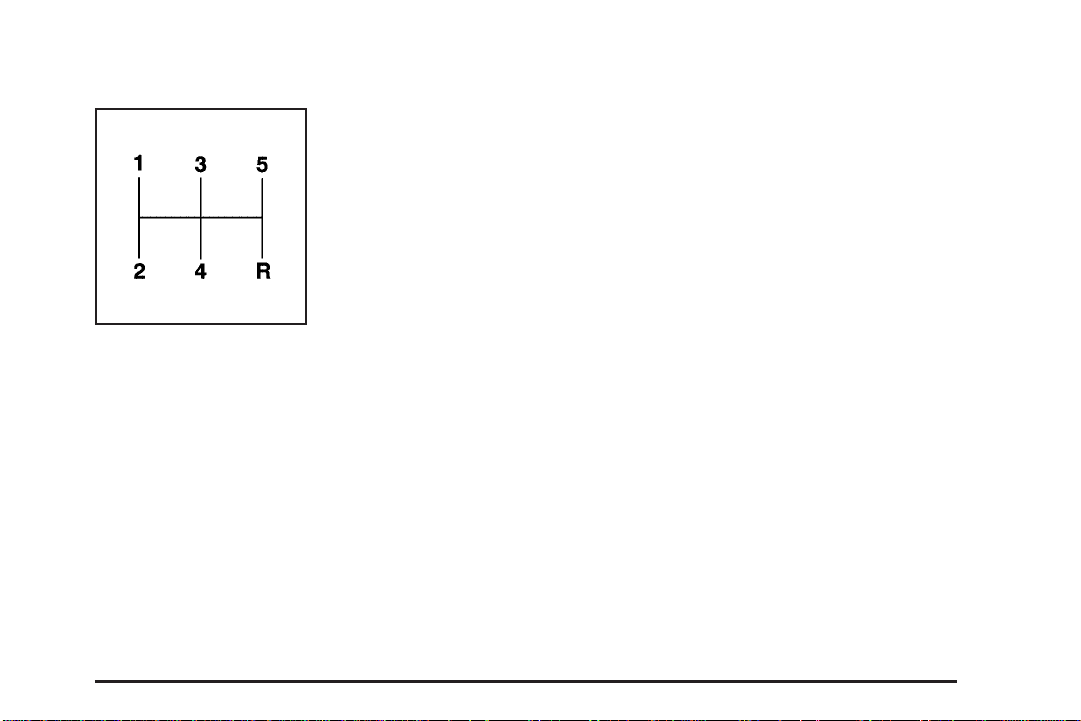
Manual Transmission Operation
This is your shift pattern.
Here is how to operate your manual transmission.
FIRST (1): Press the clutch pedal and shift into
FIRST (1). Then, slowly let up on the clutch pedal as
you press the accelerator pedal.
You can shift into FIRST (1) when you are going less than
20 mph (30 km/h). If you have come to a complete stop
and it is hard to shift into FIRST (1), put the shift lever in
NEUTRAL and let up on the clutch. Press the clutch
pedal back down. Then shift into FIRST (1).
SECOND (2): Press the clutch pedal as you let up on
the accelerator pedal and shift into SECOND (2).
Then, slowly let up on the clutch pedal as you press the
accelerator pedal.
THIRD, FOURTH AND FIFTH (3, 4 and 5): Shift into
THIRD (3), FOURTH (4) and FIFTH (5) the same
way you do for SECOND (2). Slowly let up on the clutch
pedal as you press the accelerator pedal.
To stop, let up on the accelerator pedal and press the
brake pedal. Just before the vehicle stops, press
the clutch pedal and the brake pedal, and shift to
NEUTRAL.
NEUTRAL: Use this position when you start or idle
your engine.
REVERSE (R): To back up, press the clutch pedal, wait
about six seconds, then shift into REVERSE (R).
Then let up on the clutch pedal slowly while pressing
the accelerator pedal.
Notice: Shifting to REVERSE (R) while your vehicle
is moving forward could damage the transmission.
The repairs would not be covered by your warranty.
Shift to REVERSE (R) only after your vehicle is
stopped.
Use REVERSE (R), along with the parking brake, for
parking your vehicle.
2-29
Page 94

Up-Shift Light
If you have a manual
transmission, you have a
SHIFT light on your
instrument panel cluster.
{CAUTION:
If you skip a gear when you downshift, you
could lose control of your vehicle. You could
injure yourself or others. Don’t shift down
more than one gear at a time when you
downshift.
This light will show you when to shift to the next higher
gear for best fuel economy.
When this light comes on, you can shift to the next
higher gear if weather, road and traffic conditions let you.
For the best fuel economy, accelerate slowly and shift
when the light comes on.
While you accelerate, it is normal for the light to go on
and off if you quickly change the position of the
accelerator. Ignore the SHIFT light when you downshift.
2-30
If your vehicle has four-wheel drive and is equipped with
a manual transmission, disregard the up-shift light
when the transfer case is in four-wheel low (4LO).
Four-Wheel Drive
If your vehicle has four-wheel drive, you can send your
engine’s driving power to all four wheels for extra
traction. To get the most satisfaction out of four-wheel
drive, you must be familiar with its operation. Read
the part that follows before using four-wheel drive. You
should use two-wheel high (2HI) for most normal
driving conditions.
Notice: Driving on clean, dry pavement in
four-wheel drive for an extended period of time may
cause premature wear on your vehicle’s powertrain.
Do not drive on clean, dry pavement in four-wheel
drive on pavement for extended periods of time.
Page 95

Electronic Transfer Case
If your four-wheel-drive
vehicle has the electronic
transfer case, the transfer
case buttons are to the
right of the steering wheel
on the instrument panel.
Use these buttons to shift into and out of four-wheel
drive. You can choose among three driving settings:
2HI (Two-Wheel High): This setting is for driving
in most street and highway situations. Your front axle is
not engaged in two-wheel drive. When this lamp is
lit, it is about one-half as bright as the others.
4HI (Four-Wheel High): This setting engages your
front axle to help drive your vehicle. Use 4HI when you
need extra traction, such as on snowy or icy roads,
or in most off-road situations.
4LO (Four-Wheel Low): This setting also engages
your front axle to give you extra traction. You may never
need 4LO. It sends the maximum power to all four
wheels. You might choose 4LO if you were driving
off-road in sand, mud or deep snow and climbing
or descending steep hills.
Indicator lights in the buttons show you which setting
you are in. The indicator lights will come on briefly when
you turn on the ignition and one will stay on. If the
lights do not come on, you should take your vehicle in
for service. An indicator light will flash while shifting.
It will remain illuminated when the shift is completed.
Shifting from 2HI to 4HI
Press and release the 4HI button. This can be done at
any speed, and the front axle will lock automatically.
Shifting from 4HI to 2HI
Press and release the 2HI button. This can be done at
any speed, and the front axle will unlock automatically.
2-31
Page 96

Shifting from 2HI or 4HI to 4LO
To shift from 2HI or 4HI to 4LO, the vehicle must be
stopped or moving less than 3 mph (4.8 km/h) with the
transmission in NEUTRAL (N) in vehicles equipped
with an automatic transmission or the clutch pedal
engaged in vehicles equipped with a manual
transmission. The preferred method for shifting into 4LO
is to have your vehicle moving 1 to 2 mph (1.6 to
3.2 km/h). Press and release the 4LO button. You must
wait for the 4LO indicator light to stop flashing and
remain illuminated before shifting your transmission into
gear or releasing the clutch pedal.
If the 4LO button is pressed when your vehicle is in
gear and/or moving, the 4LO indicator light will flash for
30 seconds and not complete the shift unless your
vehicle is moving slower than 3 mph (4.8 km/h) and the
transmission is in NEUTRAL (N) or the clutch pedal
engaged.
On automatic transmission equipped vehicles, if your
transfer case does not shift into 4LO, your transmission
indicator switch may require adjustment. With your
transmission in NEUTRAL (N), press and release the
4LO button. While the 4LO indicator light is flashing, shift
your transmission into PARK (P). Wait until the 4LO
indicator light remains illuminated before shifting
your transmission into gear. This will get you into 4LO,
but you should take your vehicle in for service to
restore normal operation.
Shifting from 4LO to 4HI or 2HI
To shift from 4LO to 4HI or 2HI, your vehicle must be
stopped or moving less than 3 mph (4.8 km/h) with
the transmission in NEUTRAL (N) or the clutch pedal
engaged. The preferred method for shifting out of 4LO is
to have your vehicle moving 1 to 2 mph (1.6 to
3.2 km/h). Press and release the 4HI button. You must
wait for the 4HI indicator light to stop flashing and
remain illuminated before shifting your transmission into
gear or releasing the clutch pedal.
If the 4HI button is pressed when your vehicle is in gear
and/or moving, the 4HI indicator light will flash for
30 seconds but not complete the shift unless the vehicle
is moving slower than 3 mph (4.8 km/h) and the
transmission is in NEUTRAL (N) or the clutch pedal
engaged.
On automatic transmission equipped vehicles, if your
transfer case does not shift into 4HI, your transmission
indicator switch may require adjustment. With your
transmission in NEUTRAL (N), press and release the
4HI button. While the 4HI indicator light is flashing, shift
your transmission into PARK (P). Wait until the 4HI
indicator light remains illuminated before shifting your
transmission into gear. This will get you into 4HI, but you
should take your vehicle in for service to restore
normal operation.
2-32
Page 97
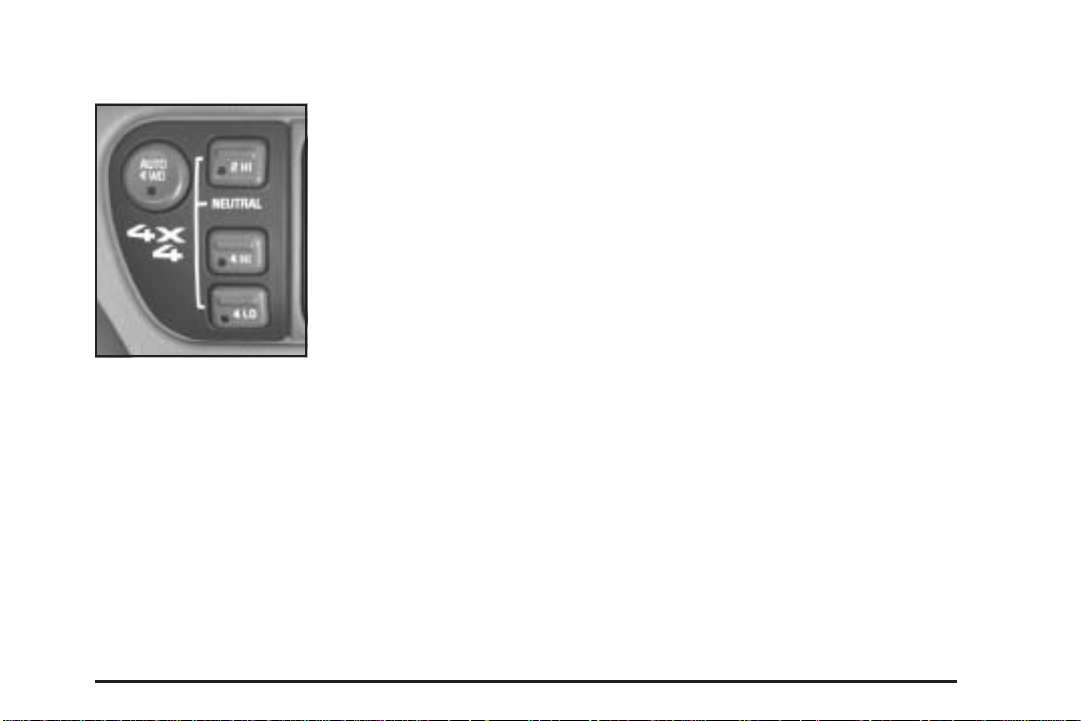
Automatic Transfer Case
If your vehicle is equipped
with the automatic transfer
case, the transfer case
buttons are located to the
right of the steering wheel
on the instrument panel.
Use these buttons to shift into and out of four-wheel
drive. You can choose among four driving settings:
2HI (Two-Wheel High): This setting is used for driving in
most street and highway situations. Your front axle is not
engaged in two-wheel drive. This setting also provides
the best fuel economy.
AUTO 4WD (Automatic Four-Wheel Drive): This
setting is ideal for use when road conditions are variable.
While driving your vehicle in AUTO 4WD, the front axle is
engaged, but the vehicle’s power is sent only to the rear
wheels. When the vehicle senses a loss of traction, the
system will automatically engage four-wheel drive.
Driving in this mode results in slightly lower fuel economy
than 2HI.
4HI (Four-Wheel High): Use 4HI when you need extra
traction, such as on snowy or icy roads or in most
off-road situations. This setting also engages your front
axle to help drive your vehicle.
4LO (Four-Wheel Low): This setting also engages
your front axle and delivers extra torque. You may never
need 4LO. It sends maximum power to all four wheels.
You might choose 4LO if you are driving off-road in
deep sand, deep mud, deep snow and climbing
or descending steep hills.
2-33
Page 98

{CAUTION:
Shifting the transfer case to NEUTRAL can
cause your vehicle to roll even if the
transmission is in PARK (P). You or someone
else could be seriously injured. Be sure to set
the parking brake before placing the transfer
case in NEUTRAL. See Parking Brake on
page 2-36.
NEUTRAL: Shift the vehicle’s transfer case to
NEUTRAL only when towing your vehicle. See
Recreational Vehicle Towing on page 4-50 or Towing
Your Vehicle on page 4-49 for more information.
Indicator lights in the buttons show which setting you
are in. The indicator lights will come on briefly when you
turn on the ignition and one will stay on. If the lights
do not come on, you should take your vehicle to your
dealer for service. An indicator light will flash while
shifting the transfer case. It will remain illuminated when
the shift is complete. If for some reason the transfer
case cannot make a requested shift, it will return to the
last chosen setting.
If the SERVICE 4WD light stays on, you should take
your vehicle to your dealer for service. See Service
Four-Wheel Drive Warning Light on page 3-36 for further
information.
Shifting to 4HI or AUTO 4WD
Press and release the 4HI or AUTO 4WD button. This
can be done at any speed, and the indicator light
will flash while shifting. It will remain illuminated when
the shift is complete.
Shifting to 2HI
Press and release the 2HI button. This can be done at
any speed.
Shifting to 4LO
To shift to 4LO, the vehicle’s engine must be running
and the vehicle must be stopped or moving less
than 3 mph (4.8 km/h) with the transmission in
NEUTRAL (N) or with the clutch pedal pressed for
vehicles with manual transmission. The preferred
method for shifting into 4LO is to have your vehicle
moving 1 or 2 mph (1.6 to 3.2 km/h). Press and release
the 4LO button. You must wait for the 4LO indicator
light to stop flashing and remain illuminated before
shifting your transmission into gear.
2-34
Page 99

If the 4LO button is pressed when your vehicle is in
gear and/or moving, the 4LO indicator light will flash for
30 seconds and not complete the shift unless your
vehicle is moving less than 3 mph (4.8 km/h) and the
transmission is in NEUTRAL (N) or with the clutch pedal
pressed for vehicles with manual transmission. After
30 seconds, the transfer case will return to the setting
last chosen.
Shifting out of 4LO
To shift from 4LO to 4HI, AUTO 4WD or 2HI, your
vehicle must be stopped or moving less than 3 mph
(4.8 km/h) with the transmission in NEUTRAL (N),
or with the clutch pedal pressed for vehicles with manual
transmission, and the engine running. The preferred
method for shifting out of 4LO is to have your vehicle
moving 1 or 2 mph (1.6 to 3.2 km/h). Press and release
the 4HI, AUTO 4WD or 2HI button. You must wait for
the 4HI, AUTO 4WD or 2HI indicator light to stop
flashing and remain illuminated before shifting your
transmission into gear.
If the 4HI, AUTO 4WD or 2HI button is pressed when
your vehicle is in gear and/or moving, the 4HI,
AUTO 4WD or 2HI indicator light will flash for
30 seconds but will not complete the shift unless your
vehicle is moving less than 3 mph (4.8 km/h) with
the transmission in NEUTRAL (N) or with the clutch
pedal pressed for vehicles with manual transmission.
Shifting to NEUTRAL
To shift the transfer case to NEUTRAL, first make sure
the vehicle is parked so that it will not roll:
1. Set the parking brake.
2. Start the vehicle.
3. Connect the vehicle to the towing vehicle.
4. Put the transmission in NEUTRAL (N) or have the
clutch pedal pressed for vehicles with manual
transmission.
5. Shift the transfer case to 2HI.
6. Simultaneously press and hold the 2HI and 4LO
buttons for 10 seconds. The NEUTRAL light will
come on when the transfer case shift to NEUTRAL
is complete.
7. Shift the transmission to REVERSE (R) for one
second, then shift the transmission to DRIVE (D)
for one second or FIRST (1) for vehicles with
manual transmission.
8. Turn the ignition to OFF.
9. Place the transmission shift lever in PARK (P) or
FIRST (1) for vehicles with manual transmission.
10. Release the parking brake prior to towing.
2-35
Page 100
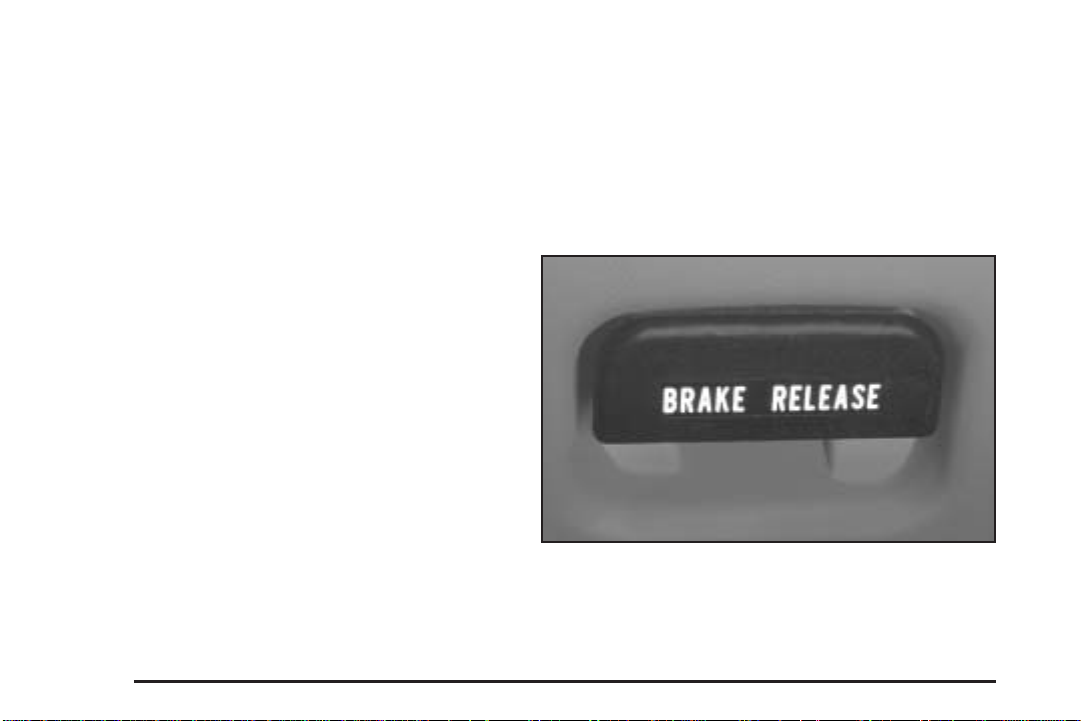
Shifting out of NEUTRAL
To shift out of NEUTRAL:
1. Set the parking brake and apply the regular brake
pedal.
2. Start the vehicle with the transmission in PARK (P)
or FIRST (1) for vehicles with manual transmission.
3. Press the button for the desired transfer case
position (2HI, 4HI, AUTO 4WD or 4LO).
4. Put the transmission in NEUTRAL (N) or press the
clutch pedal for vehicles with manual transmission.
5. Shift the transmission lever to the desired position.
After the transfer case has shifted out of NEUTRAL,
the NEUTRAL light will go out.
A re-engagement sound is normal when shifting out of
NEUTRAL.
Parking Brake
The parking brake is located near the bottom of the
instrument panel on the driver’s side of the vehicle.
To set the parking brake, hold the regular brake pedal
down with your right foot. Push down the parking
brake pedal with your left foot. If the ignition is on, the
brake system warning light will come on.
Notice: Driving with the parking brake on can
overheat the brake system and cause premature
wear or damage to brake system parts. Verify that
the parking brake is fully released and the brake
warning light is off before driving.
To release the parking brake, hold the regular brake
pedal down. Pull the BRAKE RELEASE lever fully. It is
located on the bottom off the instrument panel on
the driver’s side of the vehicle.
If you are towing a trailer and you must park on a hill,
see Towing a Trailer on page 4-57. That section
shows what to do first to keep the trailer from moving.
2-36
 Loading...