

Page 1
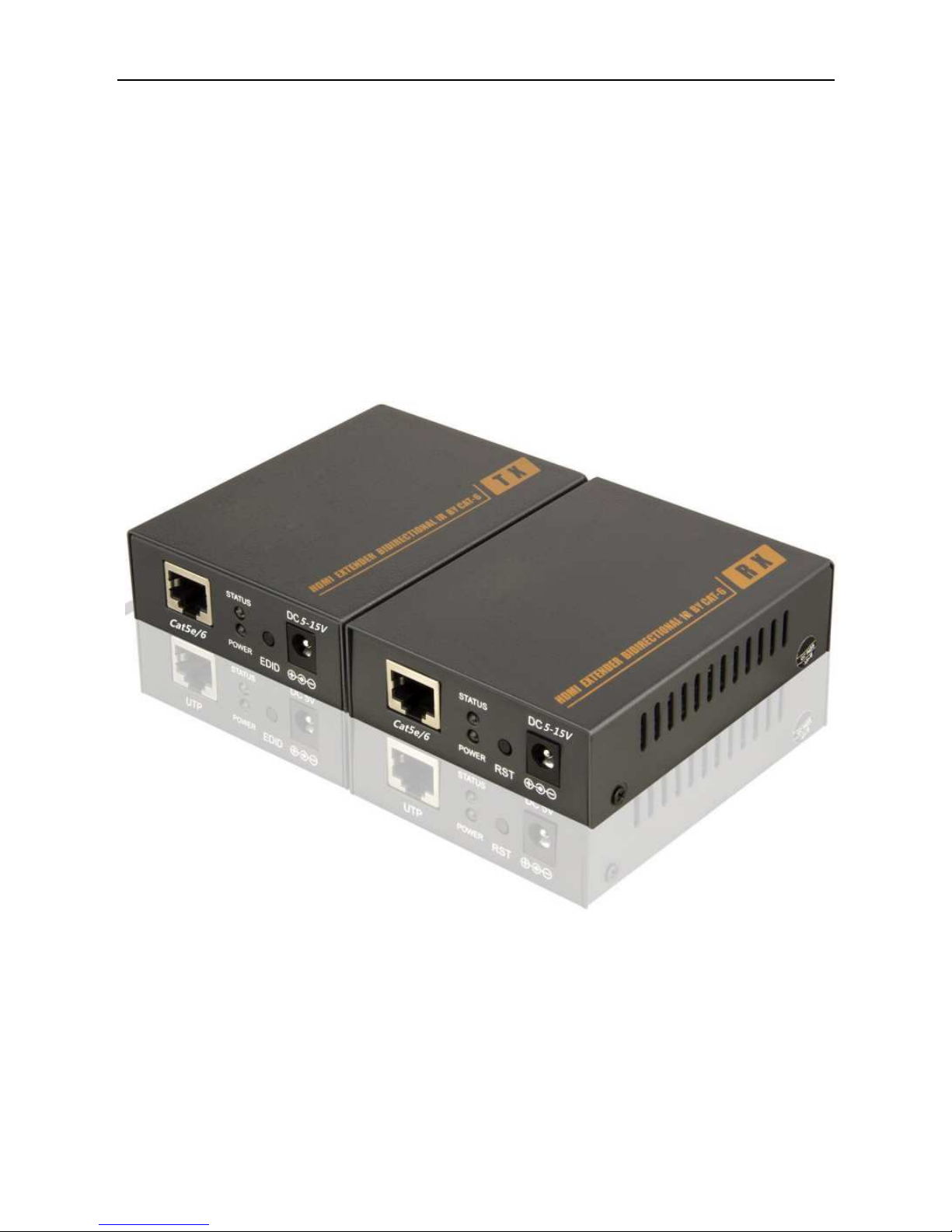
HDMI Extender Via Cat6/7E
With local HDMI loop output
User manual
Page 2

Page 3

1.
Description
The HDMI extender provides extension of HDMI signals long distances over a
single CAT6/7e cable, it supports high resolution up to 1080p, support EDID copy and
loopout function. The extender can use for a wide range of applications requiring long
distance transmission of high resolution with high quality by its good stability and
powerful security.
2.
Features
Transmits HDMI video and audio signals up to 60m over a single UTP
CAT5E/6/7E cable;
Support video resolution up to 1920*1080@60Hz;
Support EDID copy function, can match many kinds of display device;(EDID
button function: Press 3 seconds could automatic adjust the TV information
and if power off ,also remember it.)
Support bidirectional 20-60KHz IR.
Support POE Power function, a power adapter(12V/1A) only connect TX .
Transmitter support one channel HDMI local output;
Follow the standard of IEEE-568B.
Compliance with HDMI 1.3 and HDCP 1.2 standard;
High compatibility, can auto-match source and display device;
Built-in automatic adjustment system, make the image smooth, clear and
stable;
Built-in ESD protection system;
Simple to install, plug and play;
Page 4

3.
Specifications
Parameter Description
Video
Standards
HDMI 1.3; HDCP 1.2
Maximum pixel clock
165MHz
Maximum data rate
6.75Gbps
Resolution
1920X1080@60Hz
Connector
HDMI-A
Impedance
100Ω
IR
Interface 3.5mm earphone seat
Signal direction bidirectional direction
Signal type Digital
IR frequency 20k-60kHz
Cat5e/6
Interface RJ45
RJ45 Connection
standard of IEEE-568B.
Transmission
distance
UTP CAT6/7E: 60m;CAT5e-40m
Other
Power supply The power adapter: DC 5-15V/1A
Power dissipation
MAX 3W
Temperature
Operating: -5℃ ~ +70℃
Humidity
Operating: 5% ~ 90%
Dimension 94.5*73*26mm
The warranty
1 year free warranty
Page 5
4.
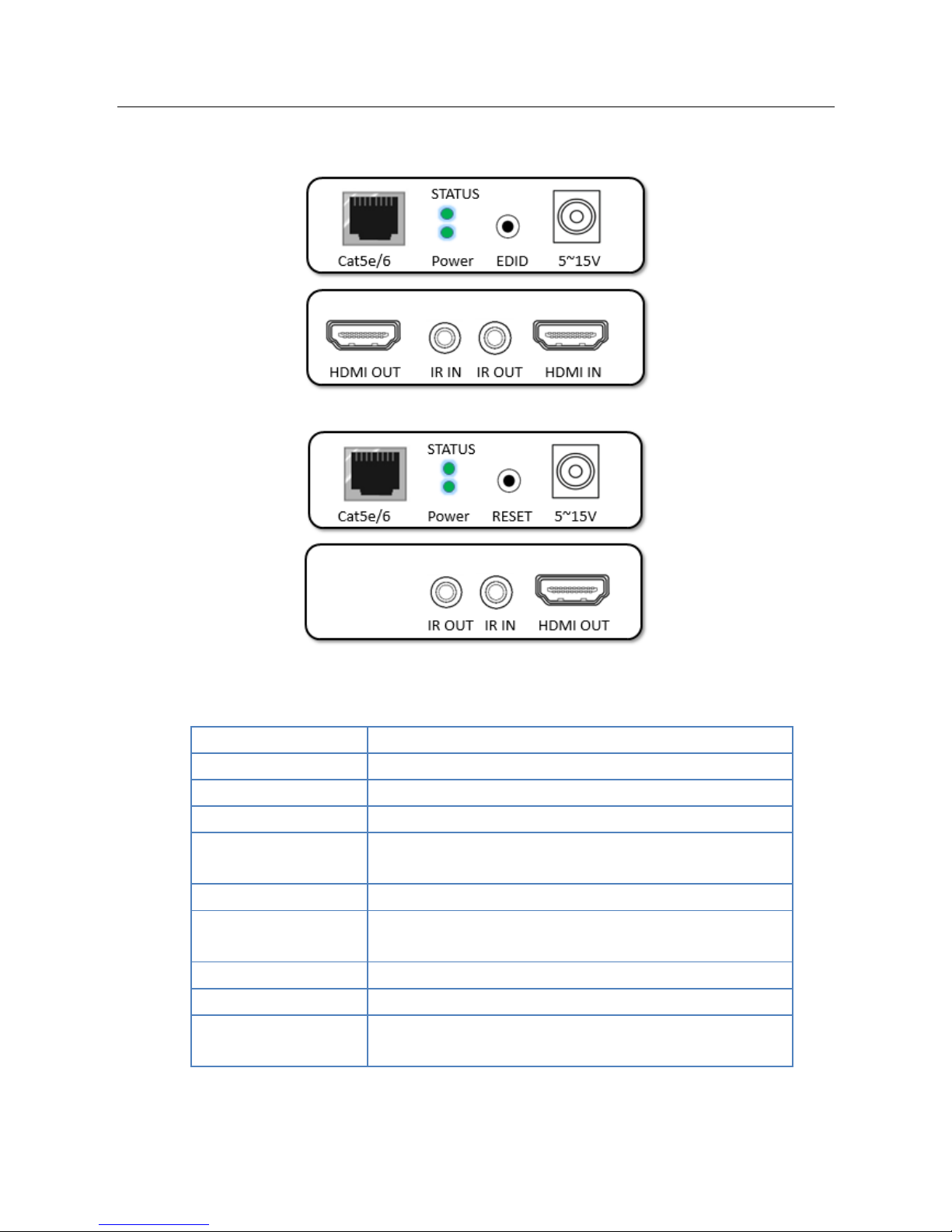
Panel
Transmitter:
Receiver:
5.
Package list
Port name Description
HDMI IN/OUT HDMI signal input/output
Cat5e/6 RJ45 interface
DC/5-15V Power adapter socket
EDID
EDID button, press 3 second to copy EDID
form
displayer that connect TX HDMI IN port.
IR IR signal input/output
RESET
Reset system(
Press for 5 second to restore
system setting to factory default)
LED indicator Description
POWER System power indicator
STATUS
Video indicator
Copy EDID indicator
Page 6
HDMI transmitter ……………………….……. 1 pcs
HDMI receiver …………………………………. 1 pcs
Power adapter ……………………………….... 1 pcs
IR blaster extension cable ………………1 pc
IR receiver extension cable …………… 1 pc
User manual …………………………………..… 1 pcs
6.
Installation
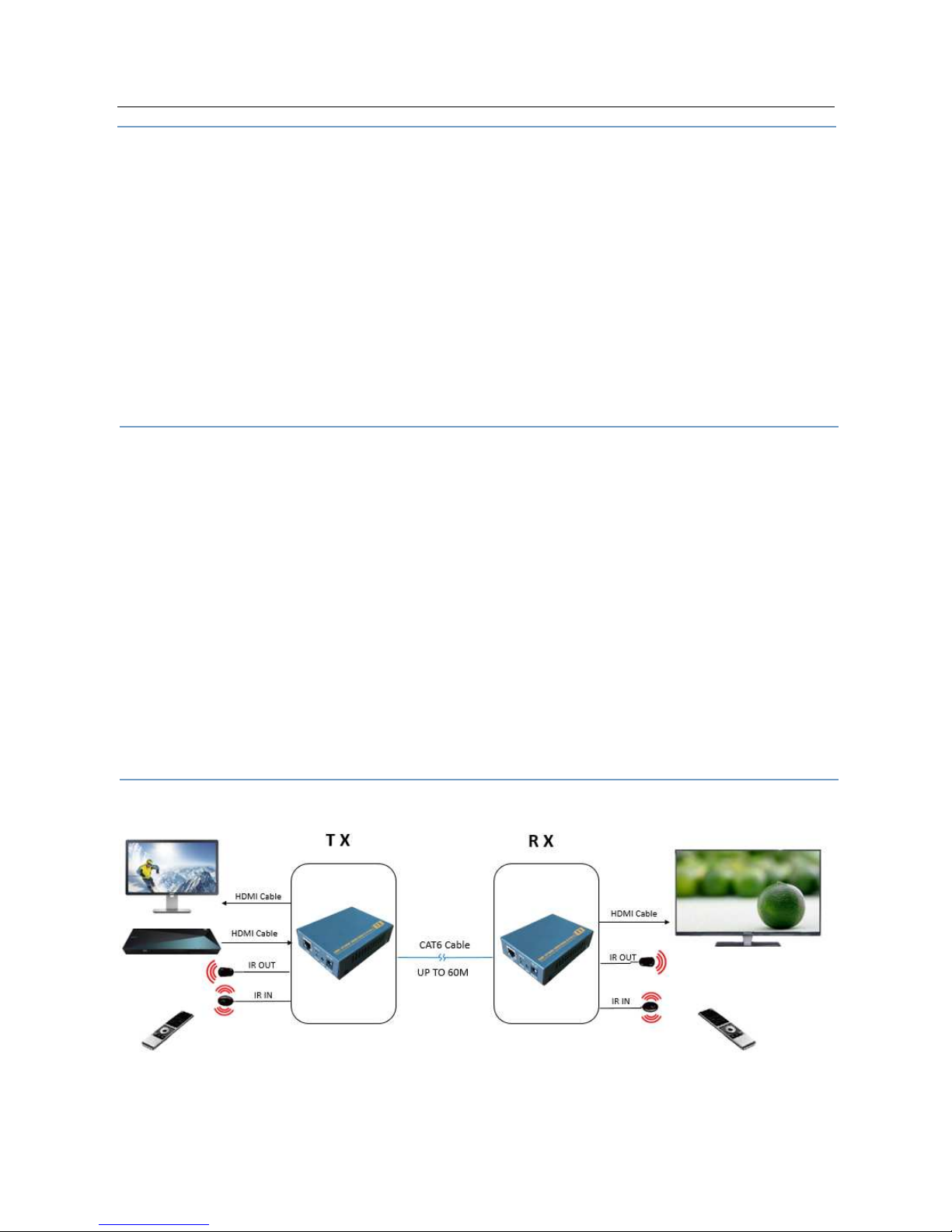
1、Connect the HDMI input source (such as HD-DVD、PS3、STB etc. ) to transmitter.
2、Connect a CAT6 cable from Cat5e/6 port of transmitter to Cat5e/6 port of receiver
3、Connect the HDMI sink(such as HD-LCD、HD-DLP)to receiver,
4、Connect the transmitter Cat5e/6 port to the receiver Cat5e/6 port using a single
CAT6 Cable.
5、Connect the IR TX UNIT into transmitter IR TX; Connect the IR RX UNIT
into receiver IR RX.
6、Power on Transmitter.
7.
Diagram
 Loading...