

Page 1

BT305
User Instruction V1.0
Gerrmi Technology Co., Ltd.
1
Page 2
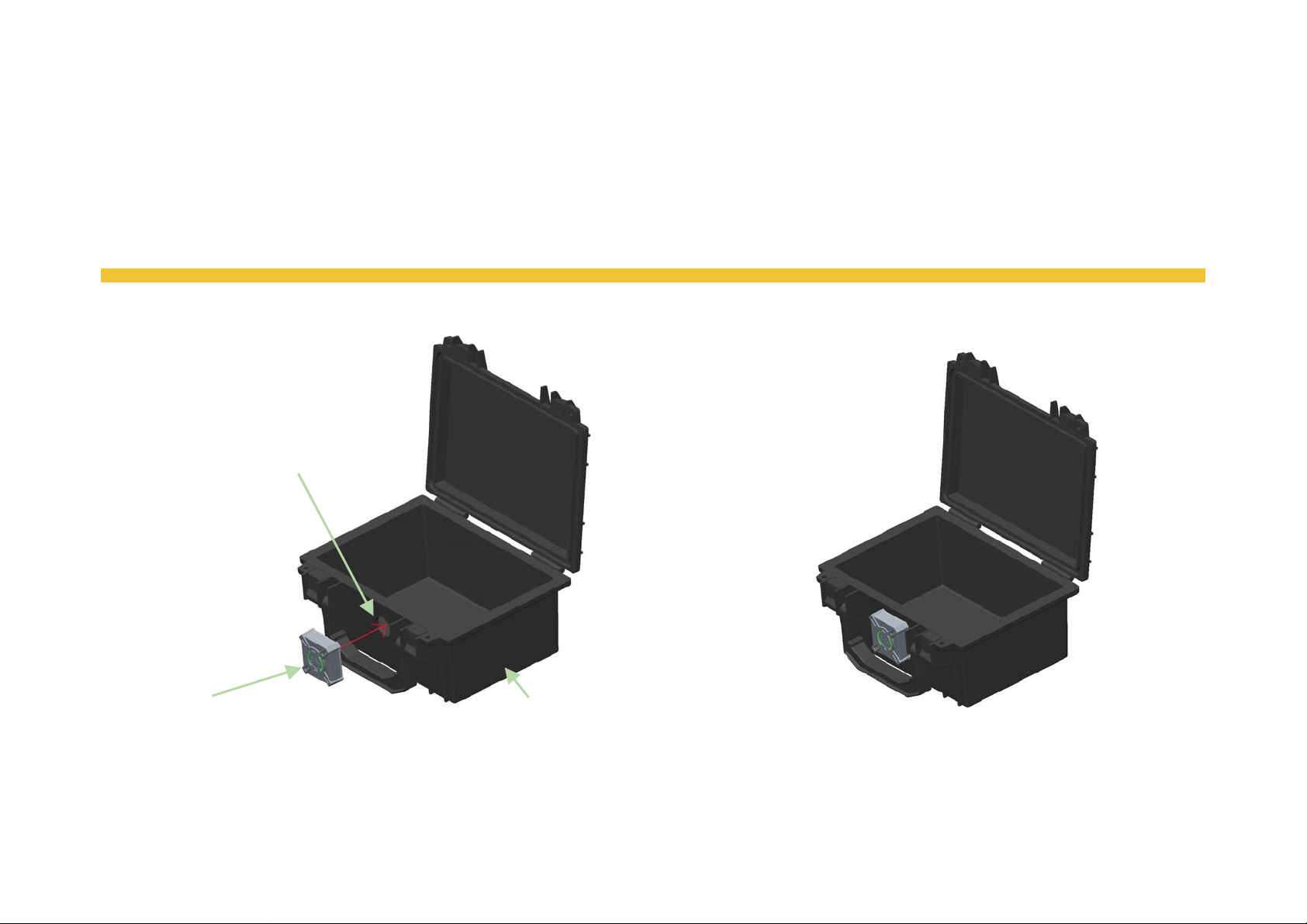
Step 1: Attach BT305 on a storage box. BT305 must be outside of the box, the
box must has a hole to provide a channel to connect to the device. BT305 has
a tube feature which needs to insert to the hole of the box.
Drill a hole for BT305
to connect to.
BT305
Storage Box
2
Page 3
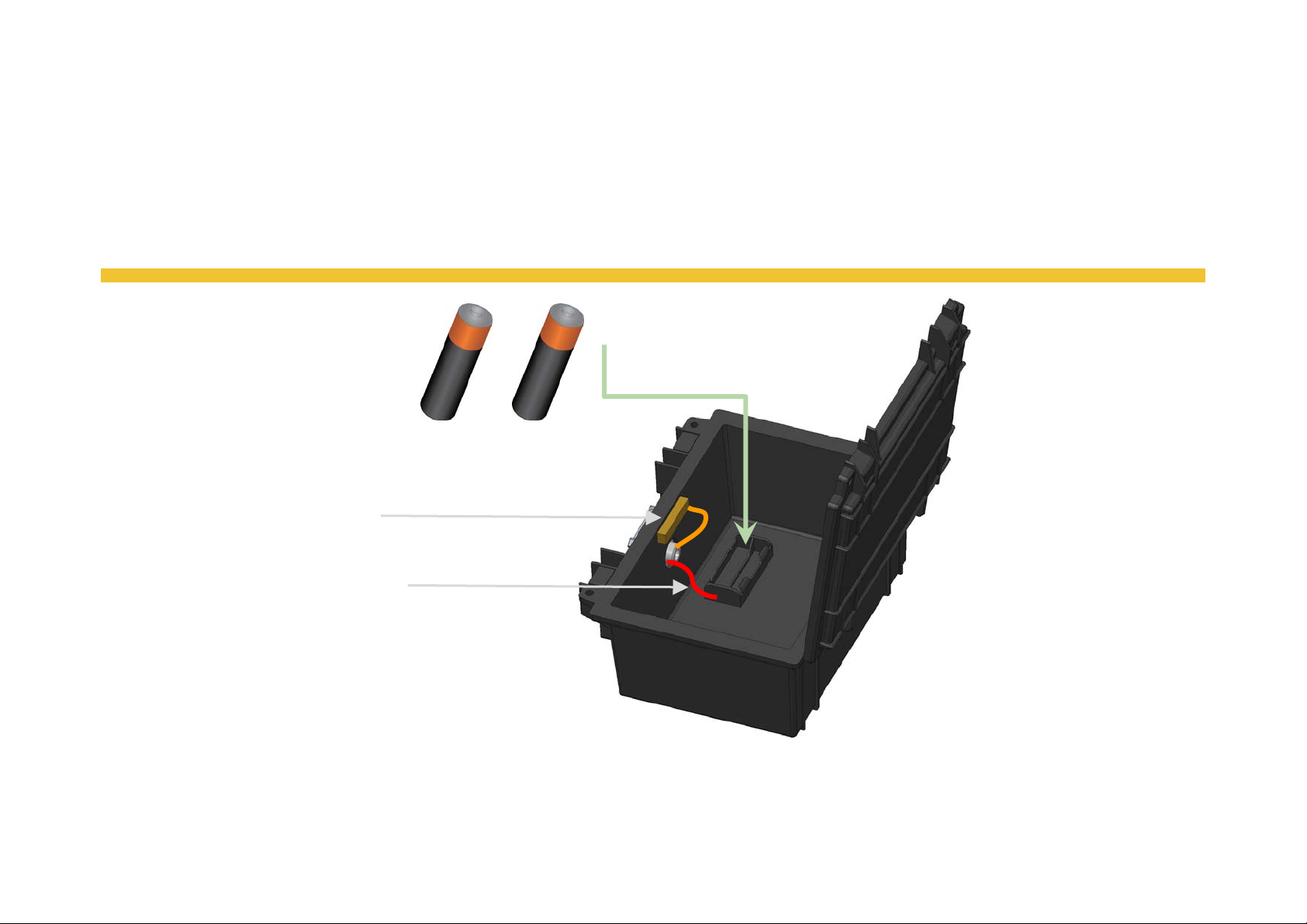
Step 2: Connect the battery housing and switch to BT305. Install the battery
and BT305 will be turned on automatically.
Install the battery.
Connect BT305
to the switch.
Connect BT305 to the
battery housing.
3
Page 4
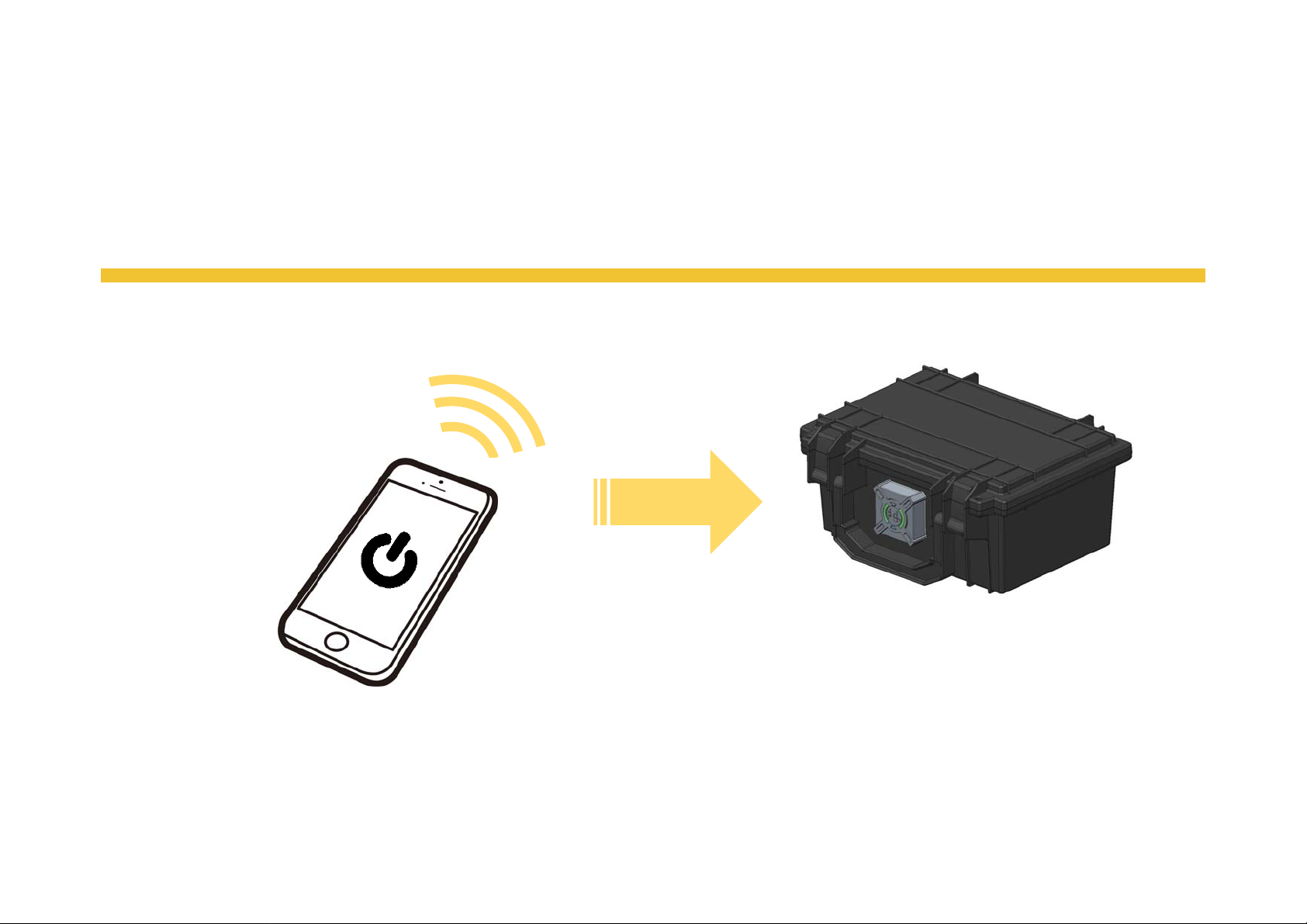
Step 3: Close the box and use smartphone APP to enable BT305.
Step 4: BT305 standby to detect the environment change inside the box by
sensors and switches.
4
Page 5
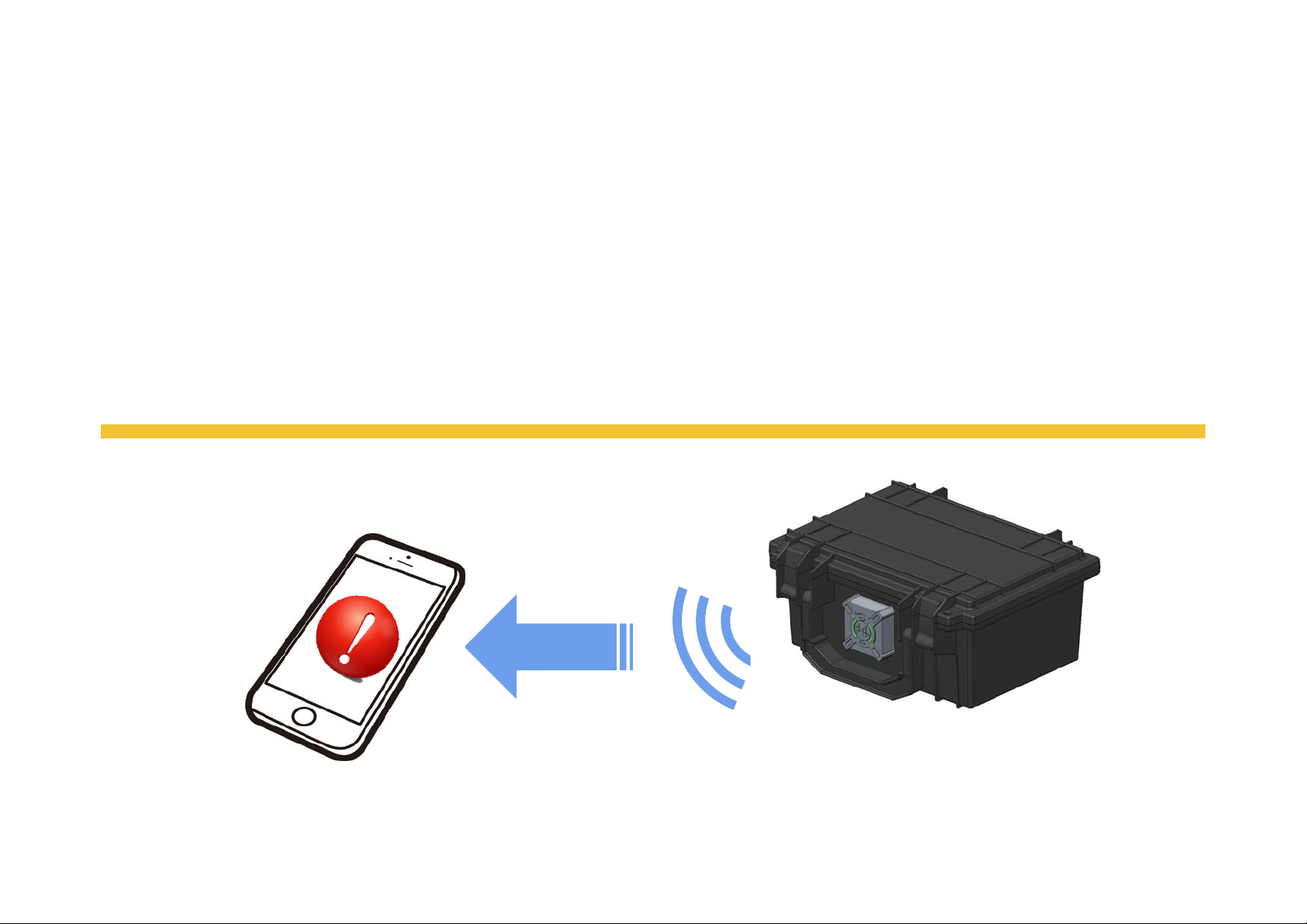
-Step 5:
Once the temperature/ humidity inside the box change, the temperature/ humidity
sensor will detect the change and BT305 will send data to the smartphone by BLE.
Once the device/box was moved, the g-sensor will detect the movement and BT305 will
send data to the smartphone by BLE.
Once the cover of the box was open, the switch will be triggered and BT305 will send
data to the smartphone by BLE.
5
Page 6

Federal Communication Commission Interference Statement
This equipment has been tested and found to comply with the limits for a Class B
digital device, pursuant to Part 15 of the FCC Rules. These limits are designed to
provide reasonable protection against harmful interference in a residential installation.
This equipment generates, uses and can radiate radio frequency energy and, if not
installed and used in accordance with the instructions, may cause harmful interference
to radio communications. However, there is no guarantee that interference will not
occur in a particular installation. If this equipment does cause harmful interference to
radio or television reception, which can be determined by turning the equipment off
and on, the user is encouraged to try to correct the interference by one of the
following measures:
. Reorient or relocate the receiving antenna.
. Increase the separation between the equipment and receiver.
. Connect the equipment into an outlet on a circuit different from that to which the
receiver is connected.
. Consult the dealer or an experienced radio/TV technician for help.
FCC Caution: To assure continued compliance, any changes or modifications not
expressly approved by the party responsible for compliance could void the user's
authority to operate this equipment. (Example - use only shielded interface cables
when connecting to computer or peripheral devices).
Page 7

FCC Radiation Exposure Statement
This equipment complies with FCC RF radiation exposure limits set forth for an
uncontrolled environment. This equipment should be installed and operated with a
minimum distance of 0.5 centimeters between the radiator and your body.
This transmitter must not be co-located or operating in conjunction with any other
antenna or transmitter.
The antennas used for this transmitter must be installed to provide a separation
distance of at least 0.5 cm from all persons and must not be co-located or operating in
conjunction with any other antenna or transmitter.
 Loading...