

Page 1
Page 2
Page 3

Dear customer, thank you for choosing TITAN GER – 1000.
This device enables you to detect underground gold &Treasures.
TITAN GER – 1000 designed to reach 45 meters under the ground
and 2500 meters front range.
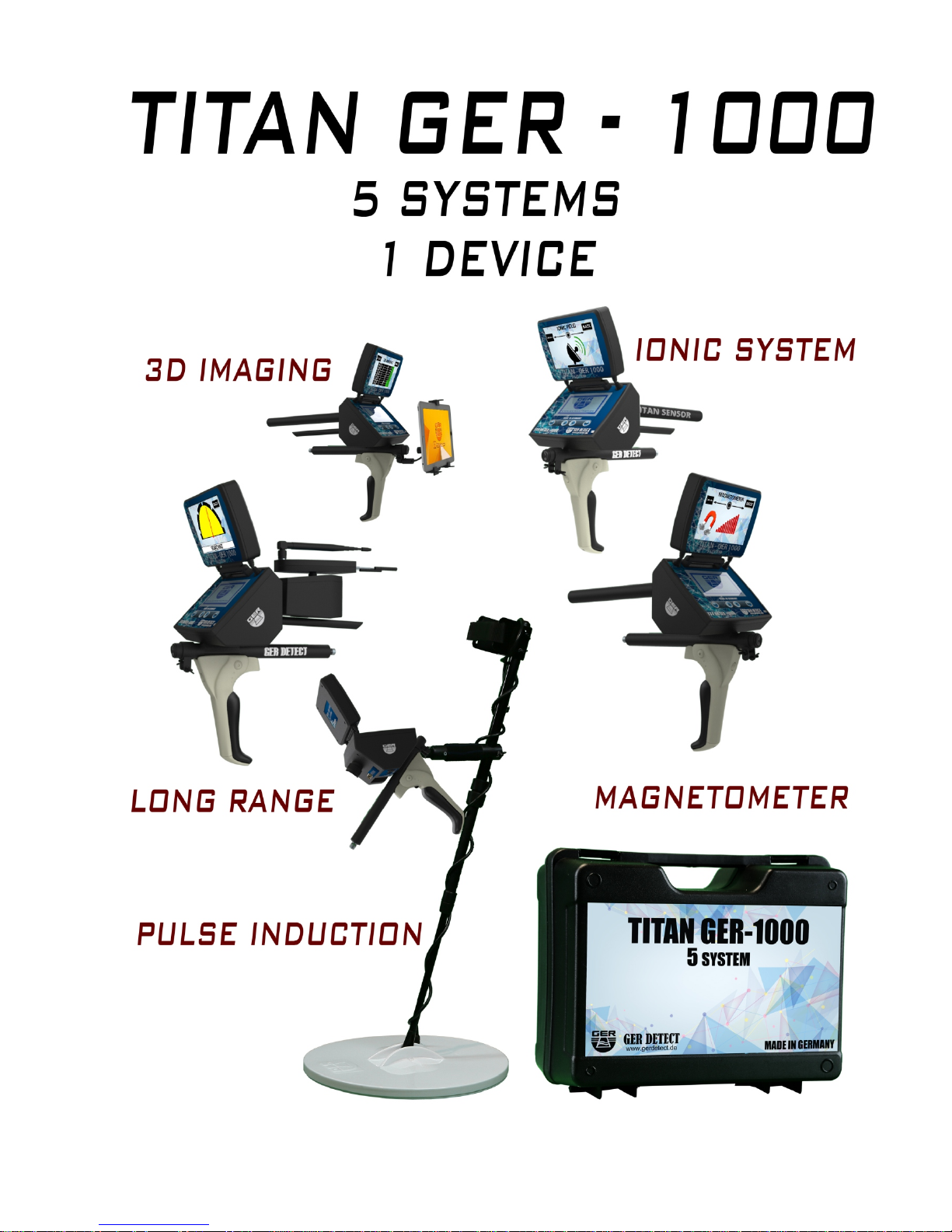
In addition, it contain five systems to confirm your target
and identify the target underground.
Overview
Please be sure that all precautions taken against risks.
Do not use your device while it is raining or on extremely wet floor.
Turn on your device after you make sure that all parts are in place.
Make sure that the device battery is fully charged before searching.
If the battery start to give a peep sound, close the device
and recharge the battery.
Do not start the pulse induction system without connecting the coil cable
to the device, other ways the device will stop in the middle of opening.
It is recommended to read the user manual before start working on the device
to understand everything and to avoid mistakes doing the search.
After the device start make sound and turn off automatically put the battery
on charge and do not try to start the device without charging the battery.
Be aware of high voltage resources, and do not use any charger
other than the original charger that come with the device.
Main unit of the device is under warranty against all electronic
breakdowns for two (2) years.
Any damages caused by user errors (laying open the main unit, hits, harms etc.)
are not within this warranty.
Battery and antenna are also not within this warranty.
You should follow the instructions in this user manual strictly to minimize
the faults and to use your device correctly.
Critical Warning
Page 4
1
Ger Detect
Metal & W
ater Detectors.
Website : www.gerdetect.de
Email : [email protected]
This system specializes to cover vast areas and locate the target with in meter 1
Square up to depths of meters below the surface of the ground and Front Range 45
up to meters.2,500
1 - The Long Range System
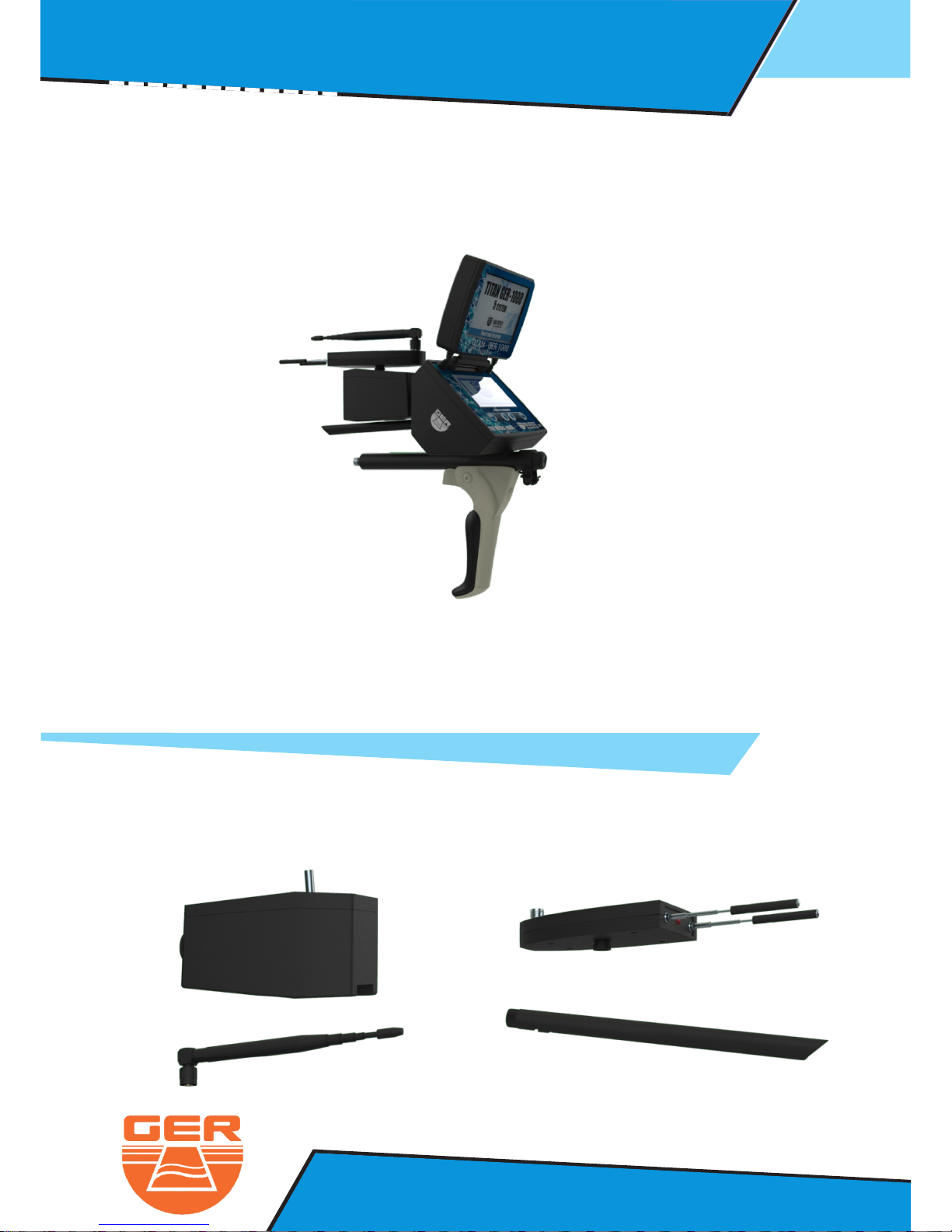
The long range system parts:
Signal Recipient
Signal
T
ransmitter
Recipient
Antenna
Dispatcher
Antenna
Long Range System : Operation Steps
Page 5
2
Ger Detect
Metal & W
ater Detectors.
Website : www.gerdetect.de
Email : [email protected]
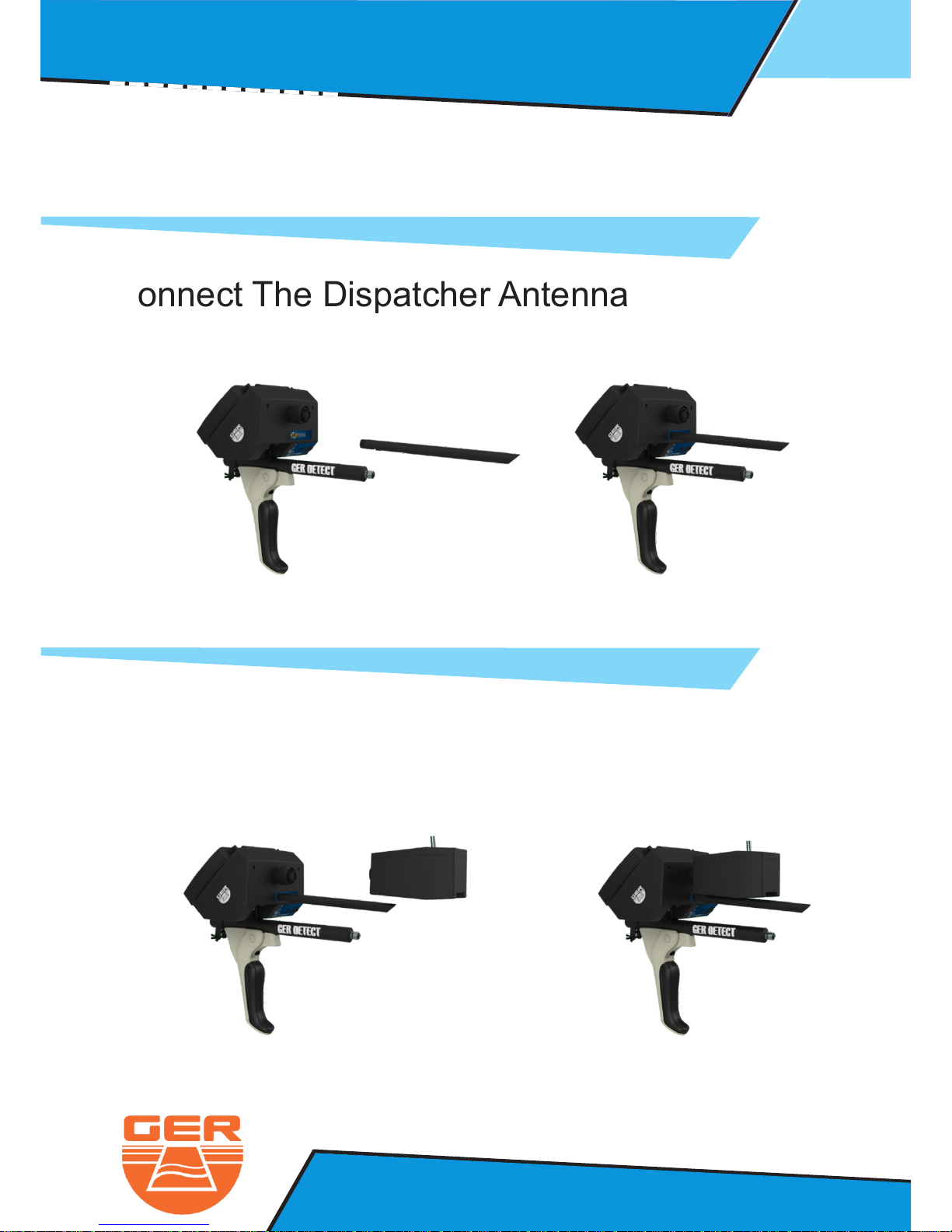
Connect The Dispatcher Antenna
Connect The Signal Transmitter
Long Range System : Operation Steps
Page 6
3
Ger Detect
Metal & W
ater Detectors.
Website : www.gerdetect.de
Email : [email protected]
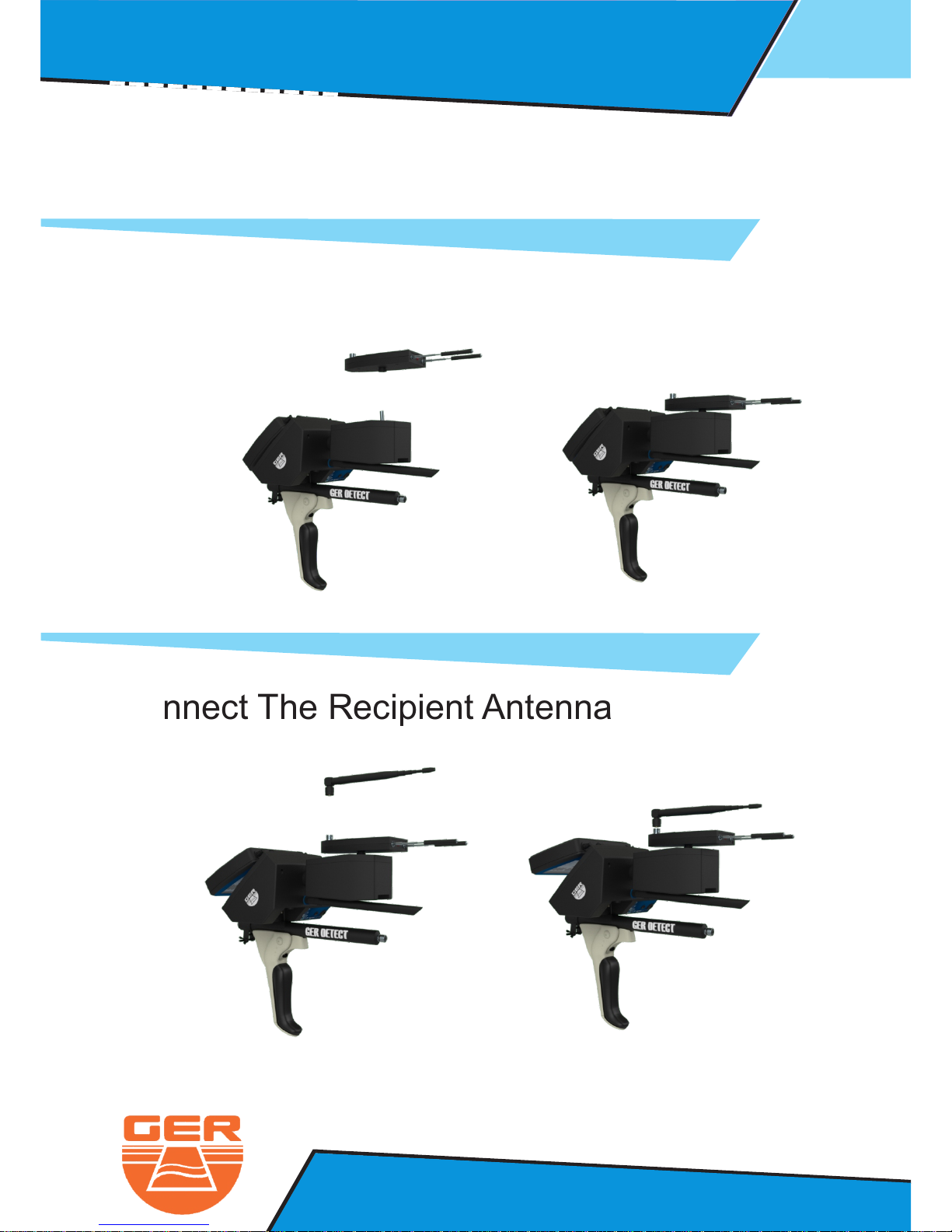
Connect The Signal Recipient
Connect The Recipient Antenna
Long Range System : Operation Steps
Page 7
4
Ger Detect
Metal & W
ater Detectors.
Website : www.gerdetect.de
Email : [email protected]
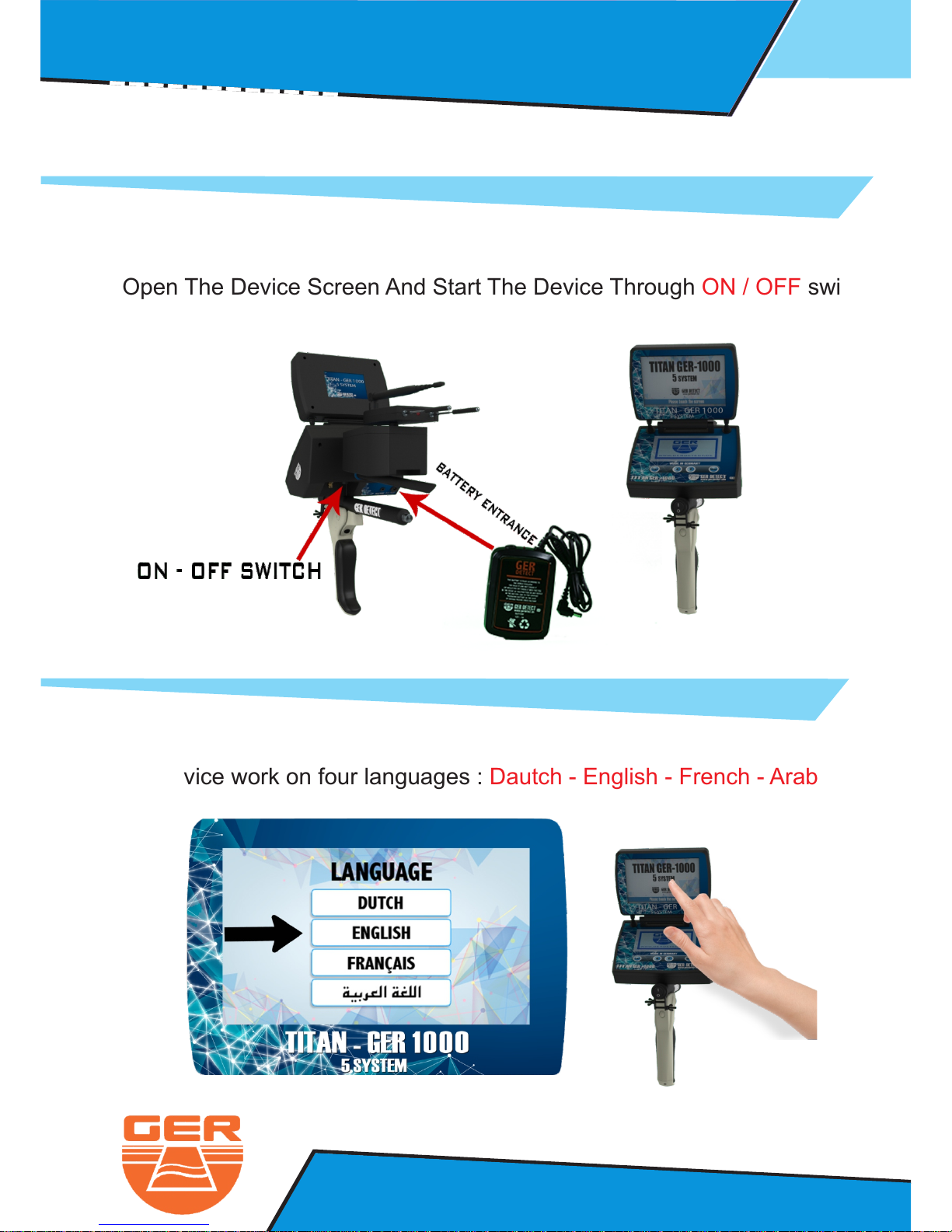
- Connect The Battery To The Device
- Open The Device Screen And Start The Device Through switchON / OFF
- Click on the screen to display the language list
- The Device work on four languages : Dautch - English - French - Arabic
Long Range System : Operation Steps
Page 8
5
Ger Detect
Metal & W
ater Detectors.
Website : www.gerdetect.de
Email : [email protected]
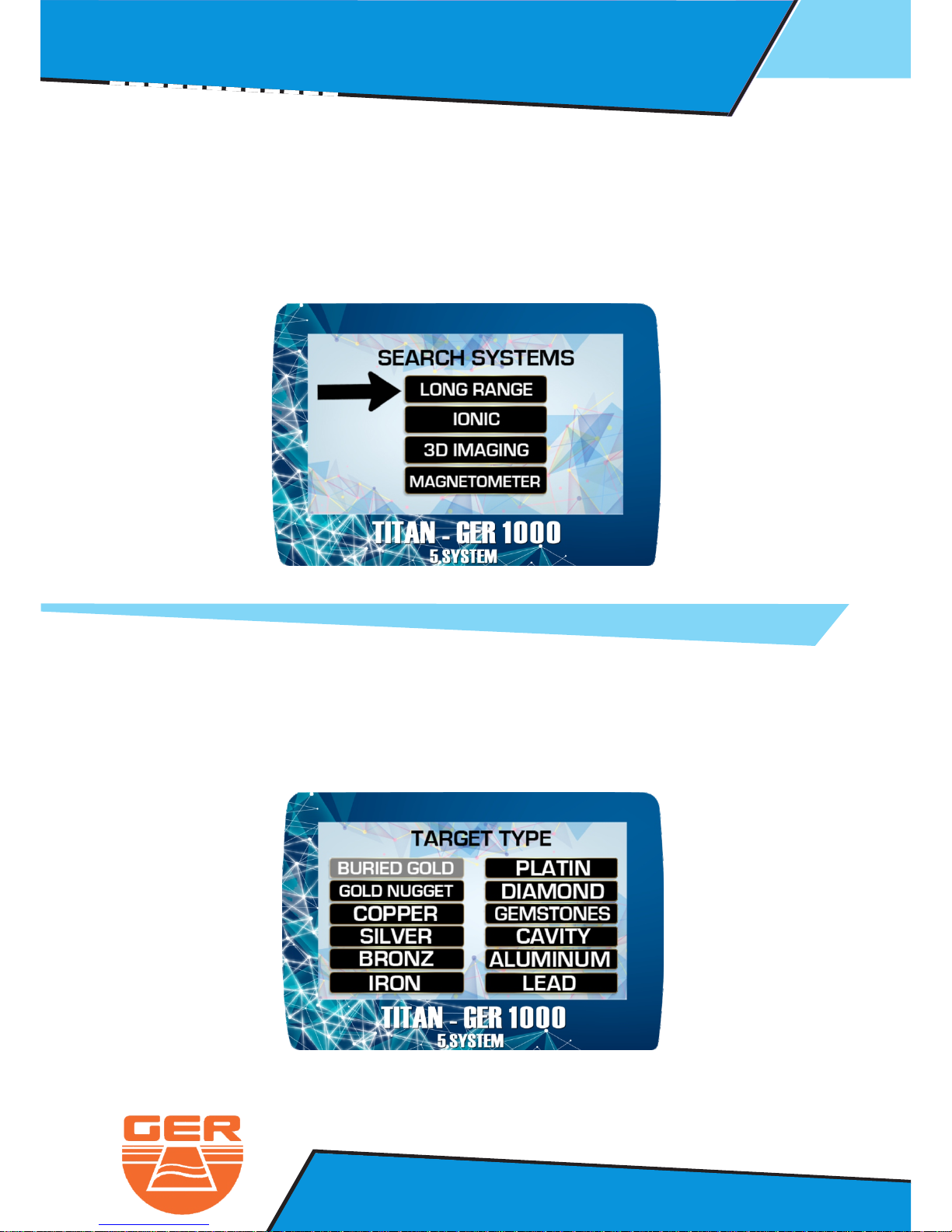
- The search system menu will appear
- Select long Range search system
- Choose the metal to be searched for from a list of metals
through pressing on the metal names (Buried Gold for example)
- After selecting the language you want to work in ( English for example )
- After Selecting This system, the metals that this system can detect will appear
Long Range System : Operation Steps
Page 9
6
Ger Detect
Metal & W
ater Detectors.
Website : www.gerdetect.de
Email : [email protected]
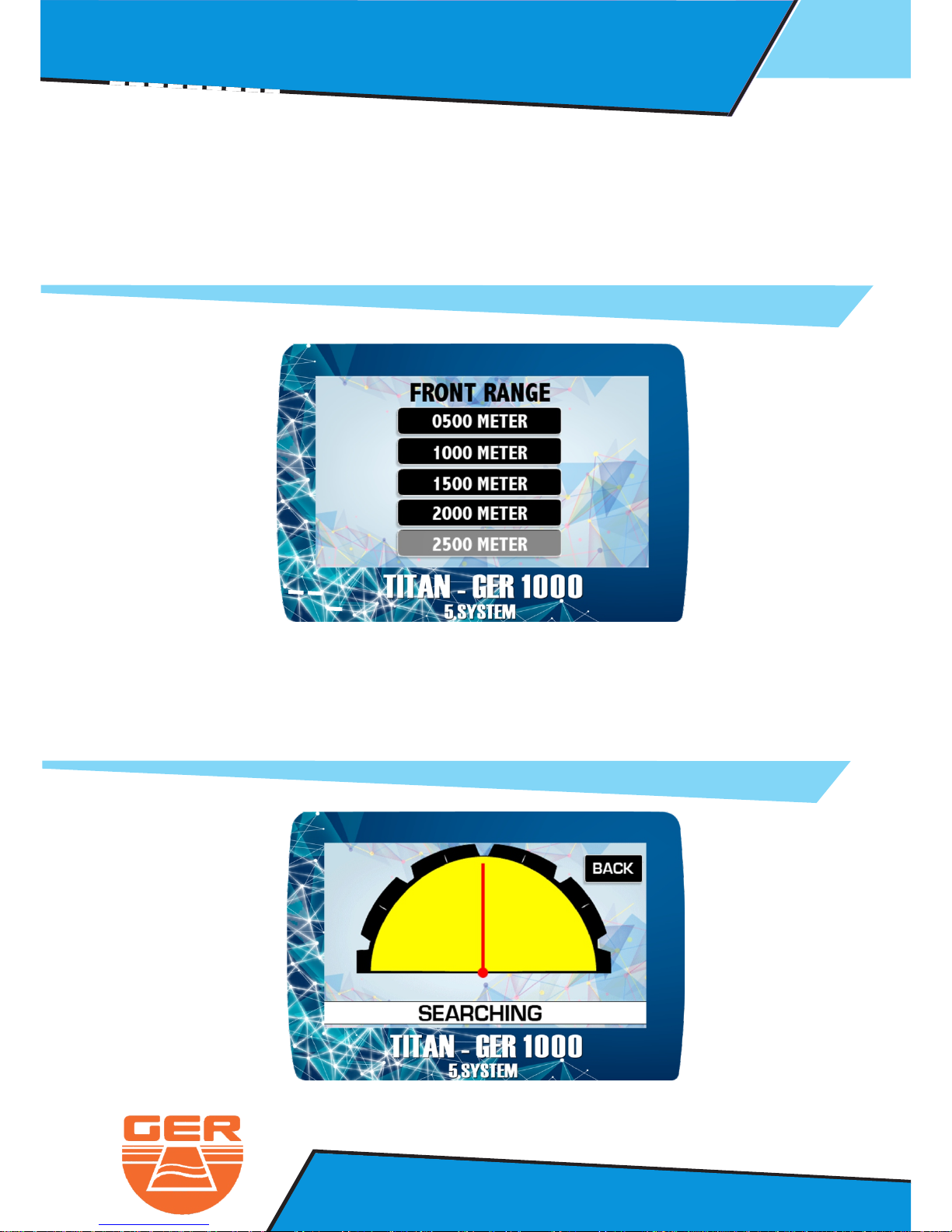
- After selecting the metal to be searched for , the front range options will appear
- Choose the front range according to the area you want to reach
- You can select between (0500 M - 1000 M - 1500 M - 2000 M - 2500 M)
Choose 2500 M for example
- After selecting the front range , the search screen will appear
which contain an indicator , which will guide you directly to the target location
- Adjust the antenna with the indicator on the screen to receive accurate signala
- Make sure that the antenna is pointing ahead
Long Range System : Operation Steps
Page 10
7
Ger Detect
Metal & W
ater Detectors.
Website : www.gerdetect.de
Email : [email protected]
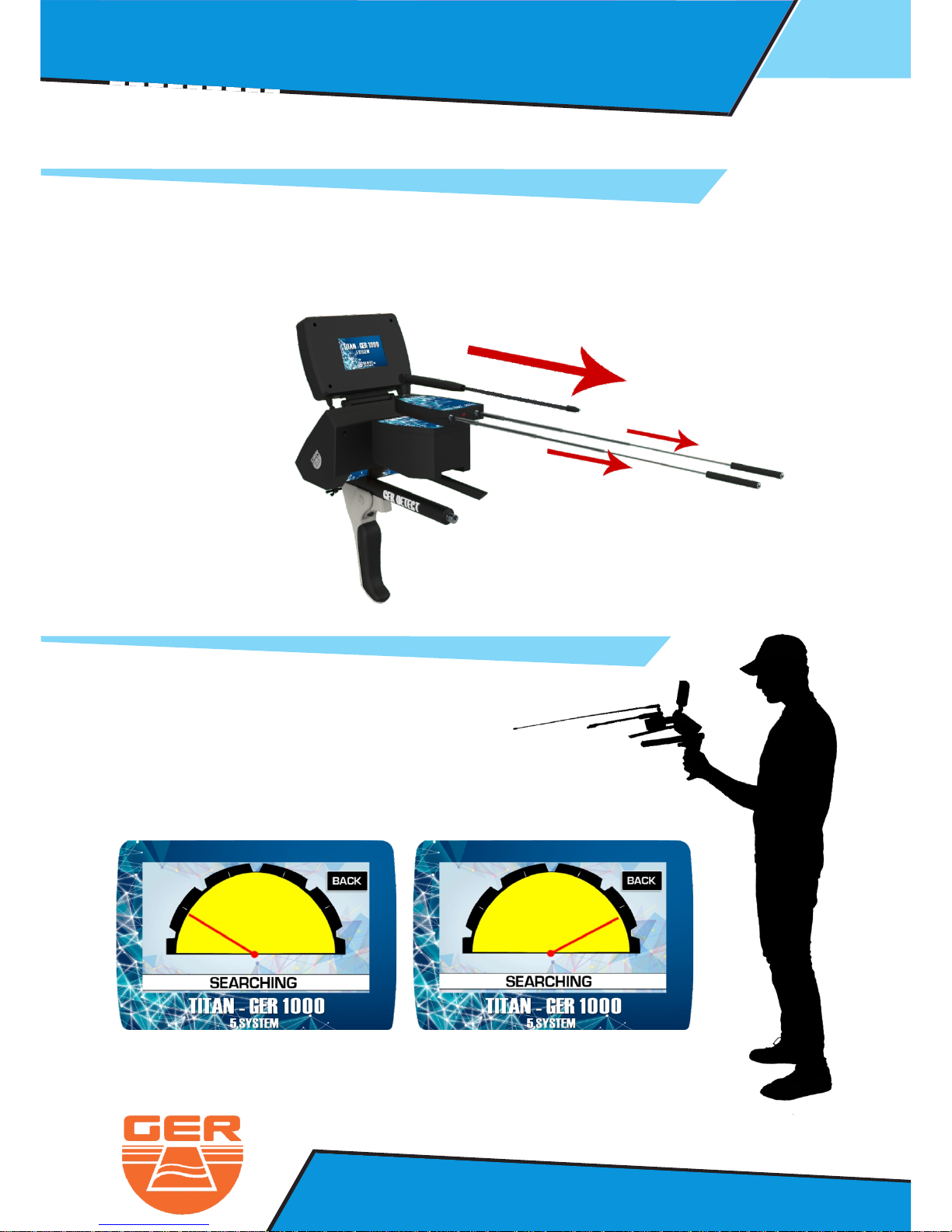
To receive stronger signal even to meters2500
- Increase the length of the signal recipients
Start the search by holding the device as follow :
if the target on the right side the indicator
will point to the right side and the same to the left side as follow :
Long Range System : Operation Steps
Page 11
8
Ger Detect
Metal & W
ater Detectors.
Website : www.gerdetect.de
Email : [email protected]
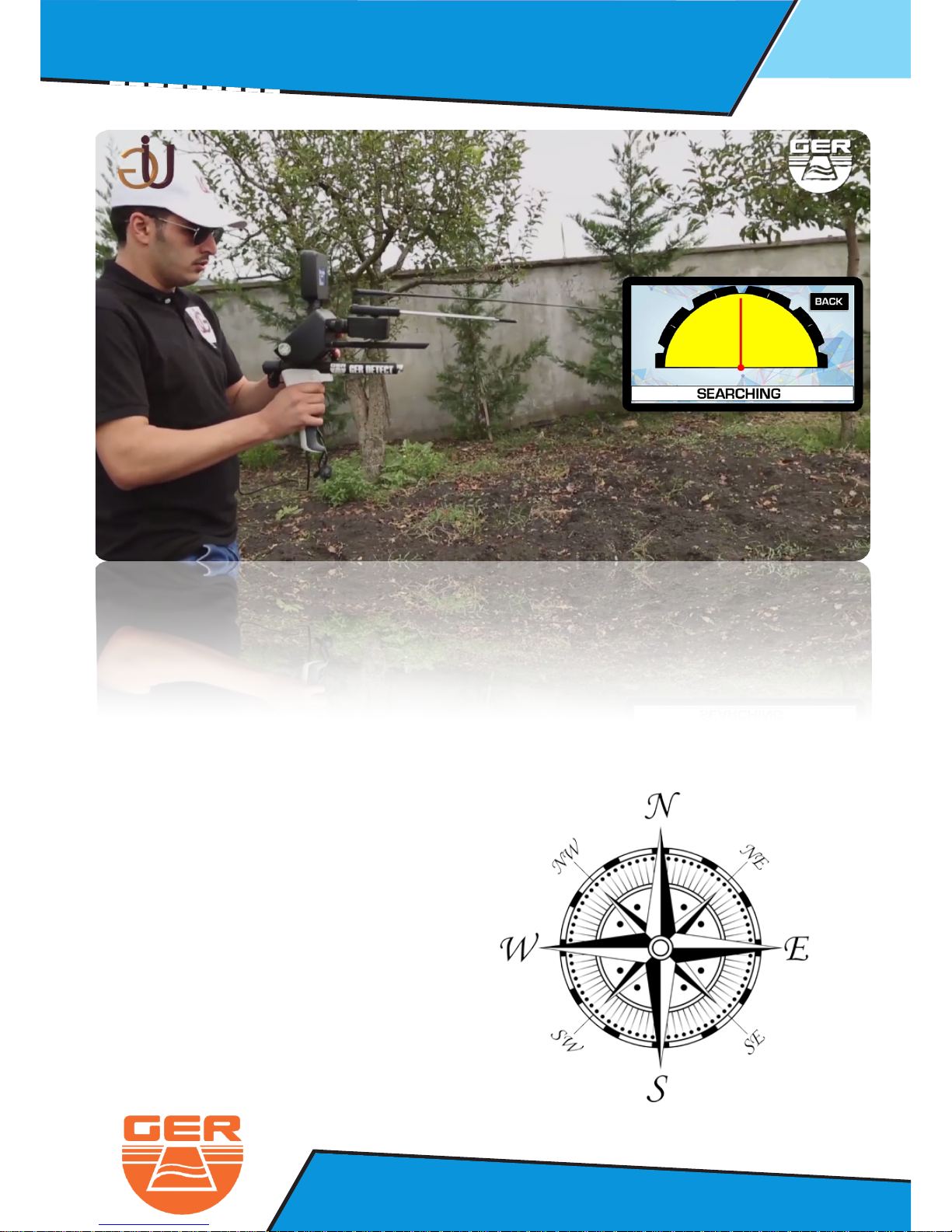
After detecting the target , confirm the target from four directionv
North to South
South to North
East to West
West to East
Long Range System : Operation Steps
Page 12
Long Range System : Operation Steps
9
Ger Detect
Metal & W
ater Detectors.
Website : www.gerdetect.de
Email : [email protected]
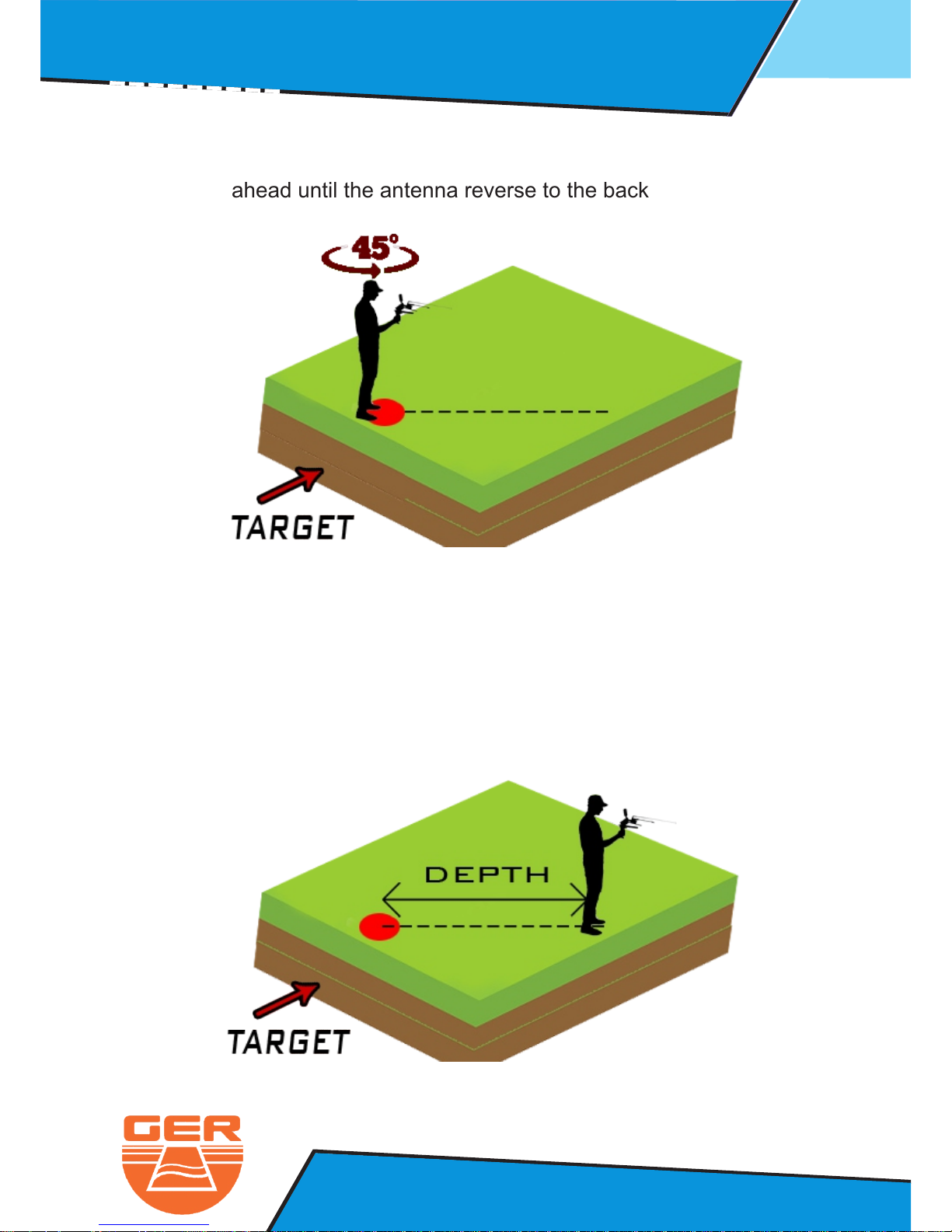
To determine the depth of the discovered target above target and turn degrees45
Walk straight ahead until the antenna reverse to the back
Measure the distance between the antennas reversing back and target center point
The distance between the antennas reversing back and the center point
is equal the target depth
For example if the distance is the depth of the target is 10 m 10 m
Page 13
Ionic Search System : Operation Steps
10
Ger Detect
Metal & W
ater Detectors.
Website : www.gerdetect.de
Email : [email protected]
This system specializes to cover vast areas and locate the target with in meter 1
Square up to depths of meters below the surface of the ground and Front Range 45
up to .500 meters vertical
2 - The Ionic Search System
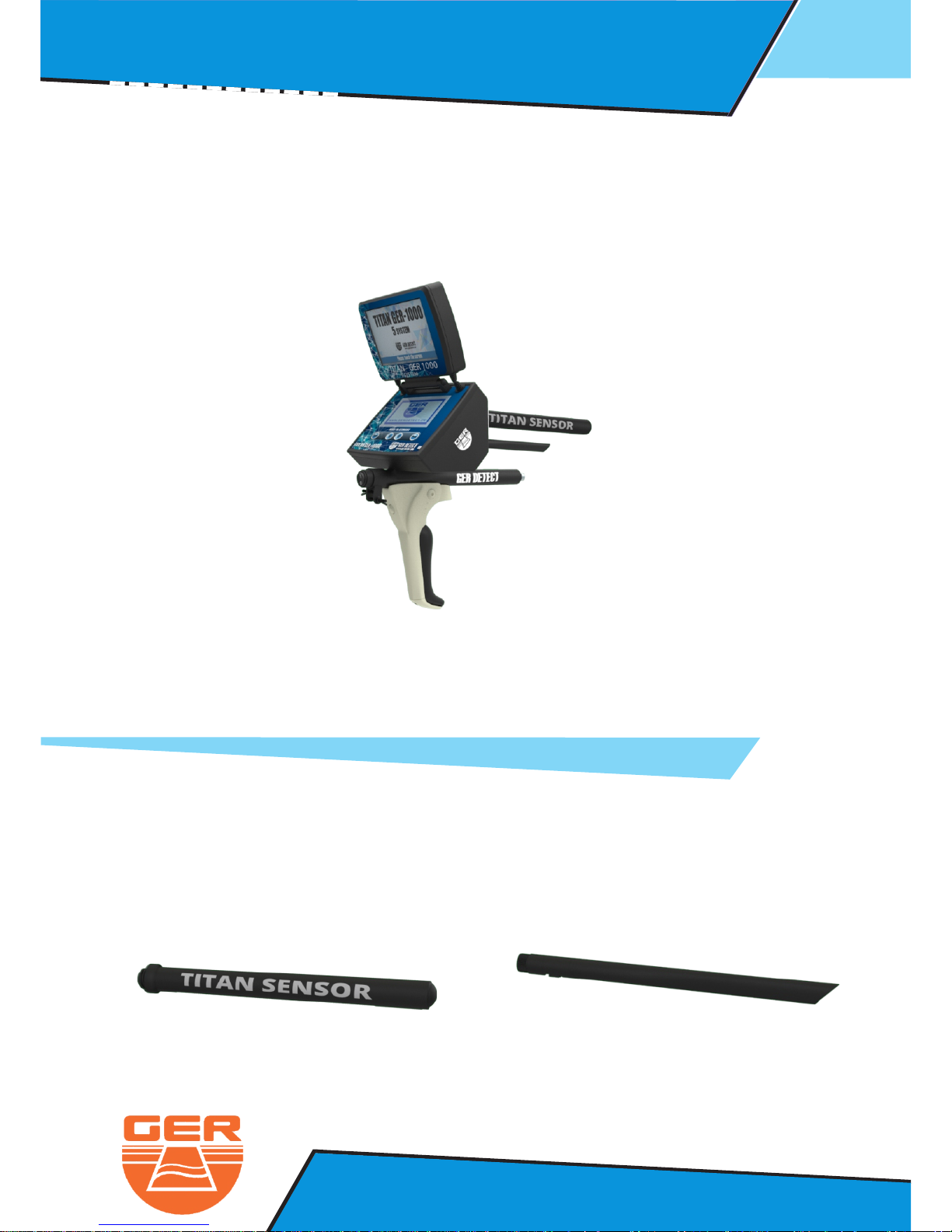
The Ionic search system parts:
Recipient Antenna
Dispatcher Antenna
Page 14
11
Ger Detect
Metal & W
ater Detectors.
Website : www.gerdetect.de
Email : [email protected]
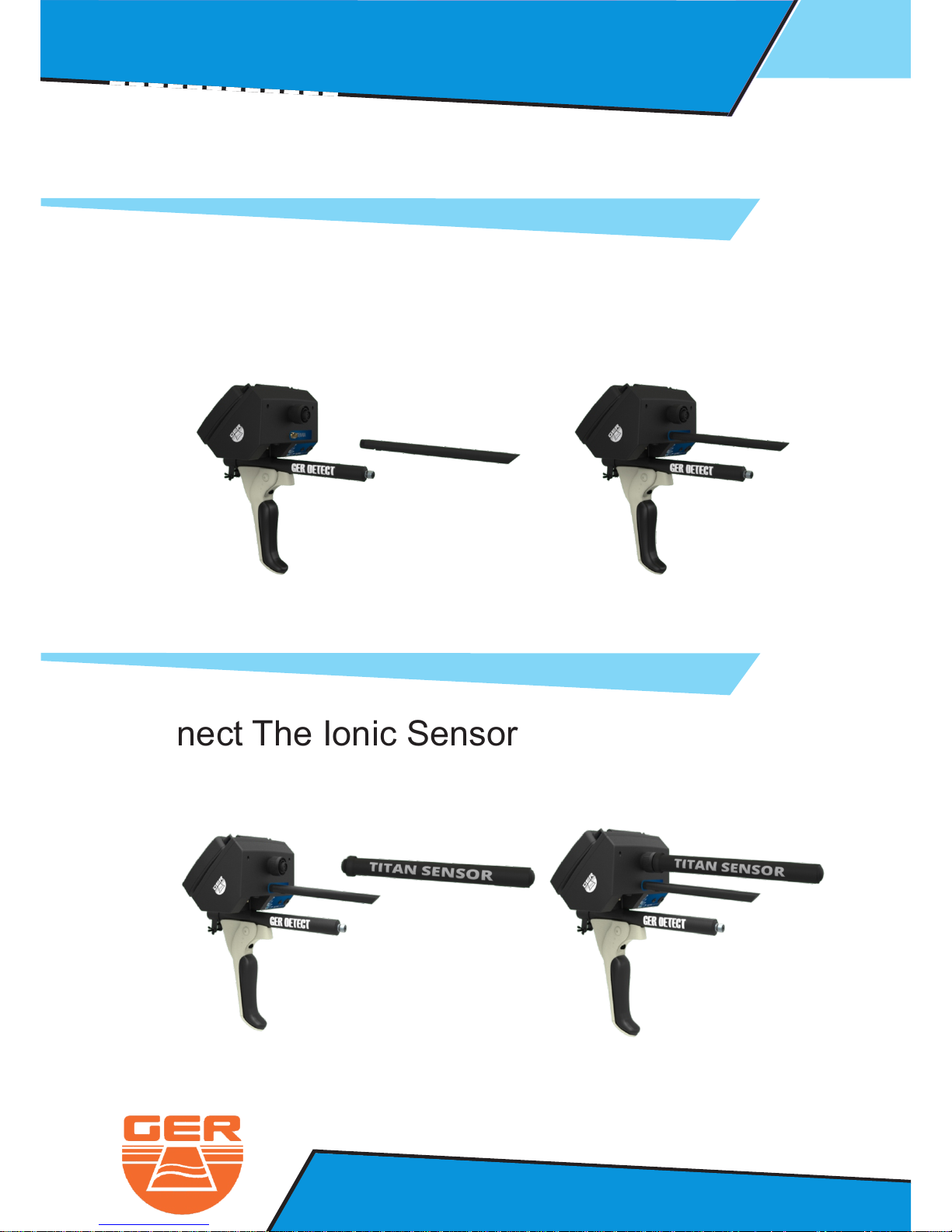
Connect The Dispatcher Antenna
Connect The Ionic Sensor
Ionic Search System : Operation Steps
Page 15
12
Ger Detect
Metal & W
ater Detectors.
Website : www.gerdetect.de
Email : [email protected]
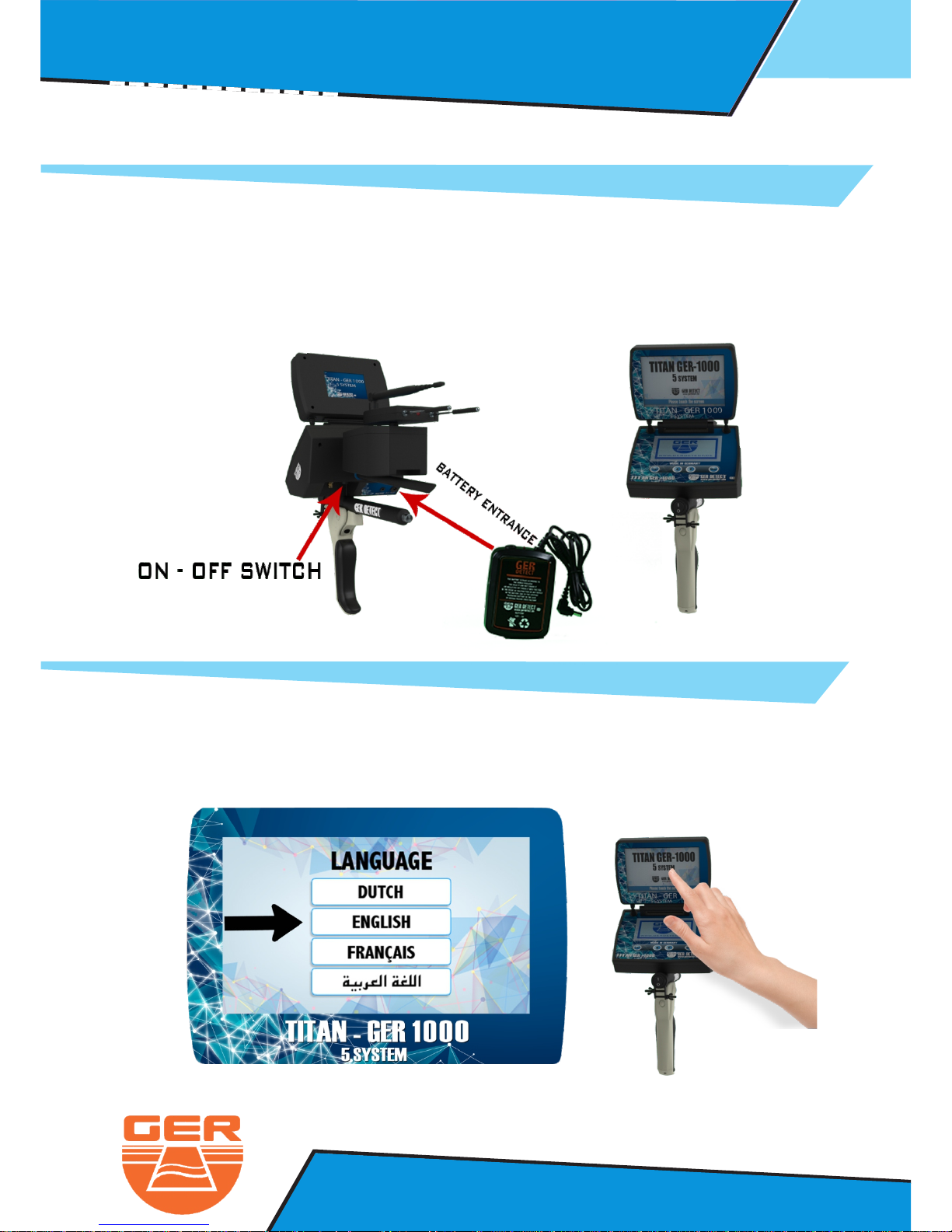
- Connect The Battery To The Device
- Open The Device Screen And Start The Device Through switchON / OFF
- Click on the screen to display the language list
- The Device work on four languages : Dautch - English - French - Arabic
Ionic Search System : Operation Steps
Page 16
13
Ger Detect
Metal & W
ater Detectors.
Website : www.gerdetect.de
Email : [email protected]
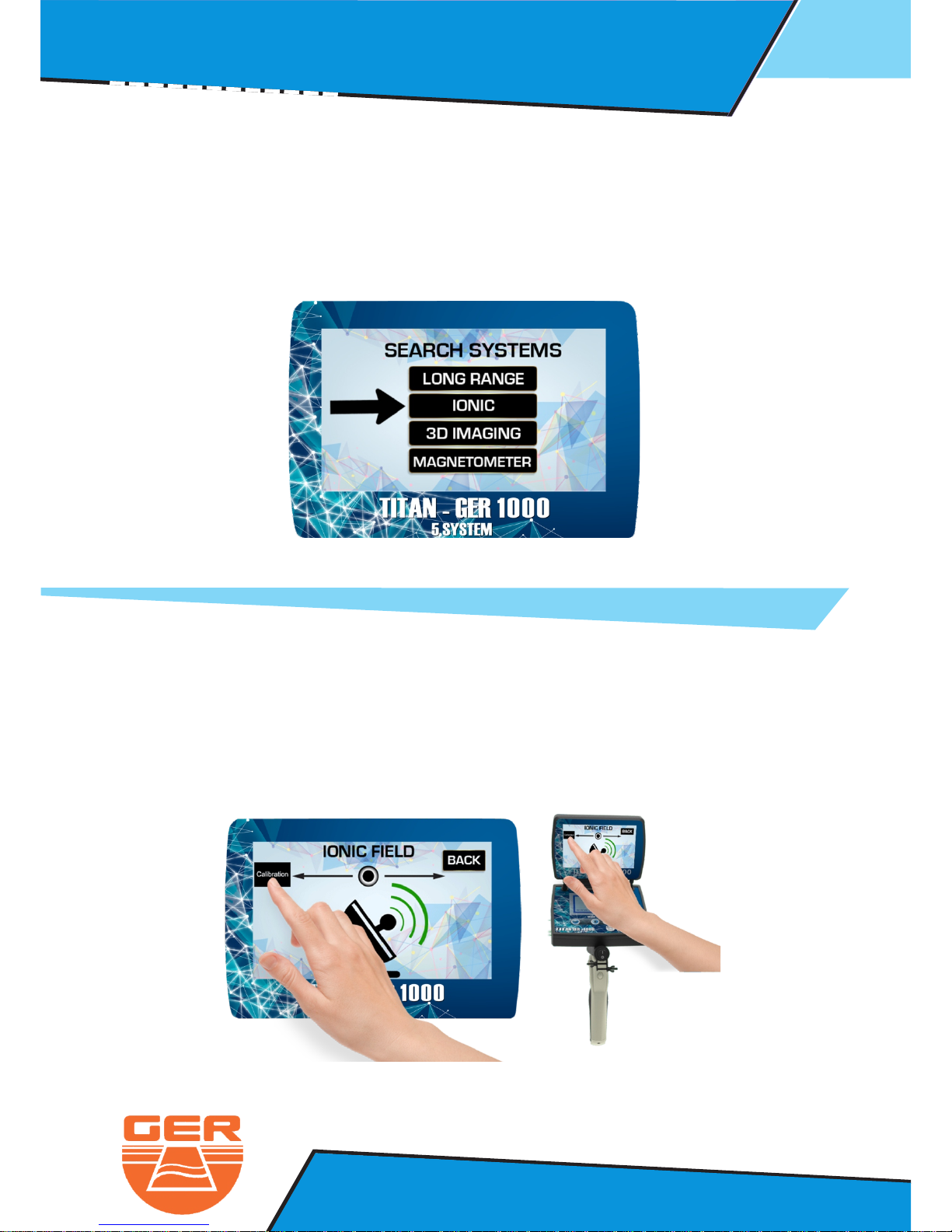
- The search system menu will appear
- Select Ionic search system
- Point the device to the ground if the device start to make a sound
you must calibrate The device with the ground by pressing on the
calibrationbutton as follow
- After selecting the language you want to work in ( English for example )
- After selecting the ionic system, the search screen will appear.
Ionic Search System : Operation Steps
Page 17
14
Ger Detect
Metal & W
ater Detectors.
Website : www.gerdetect.de
Email : [email protected]
Ionic Search System : Operation Steps
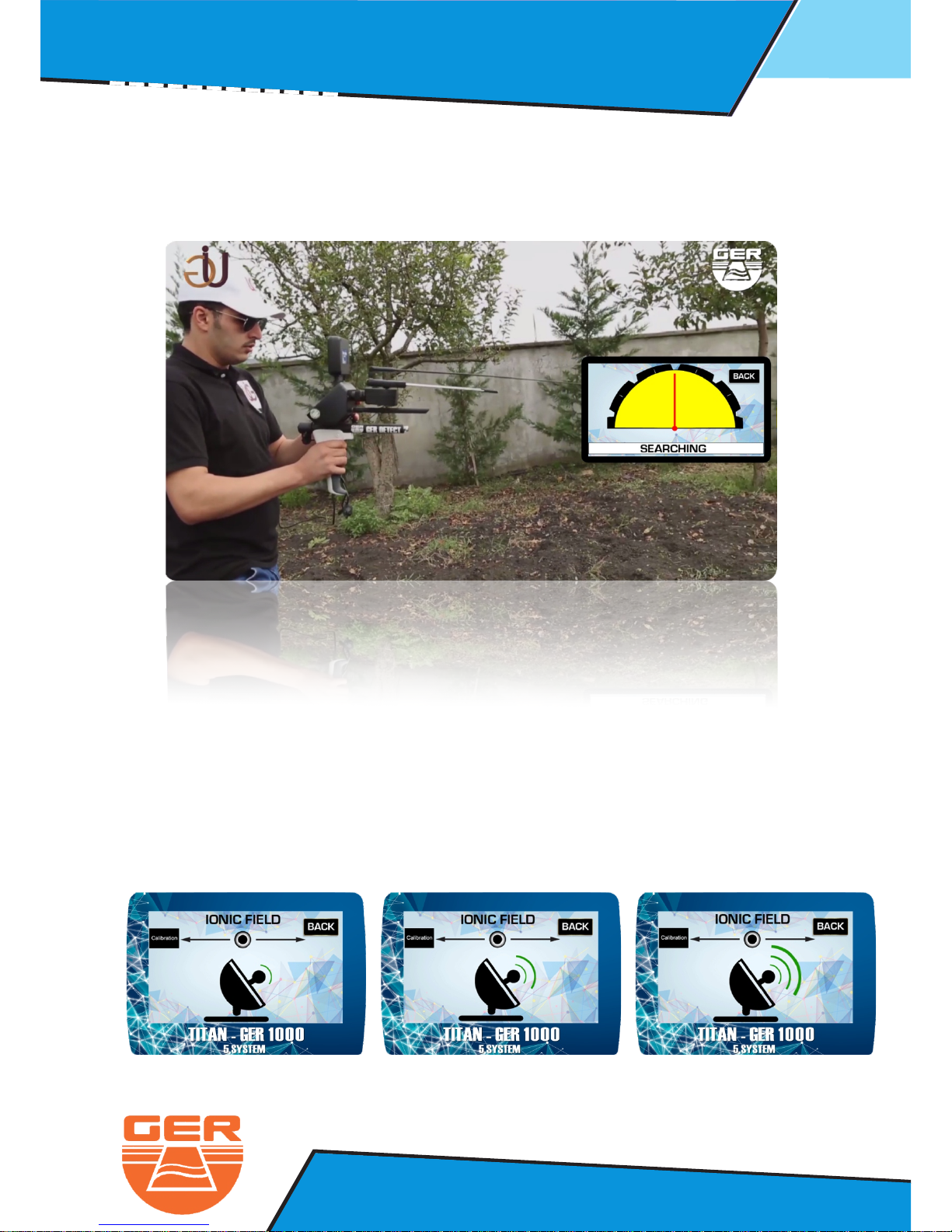
- After you finish the calibration, start the search by moving the device
180 degrees right and left
When the device detect a target, it will start to make a sound.
In addition, the indicator will start to move to alert you that the device
find the target.
Page 18
15
Ger Detect
Metal & W
ater Detectors.
Website : www.gerdetect.de
Email : [email protected]
Ionic Search System : Operation Steps
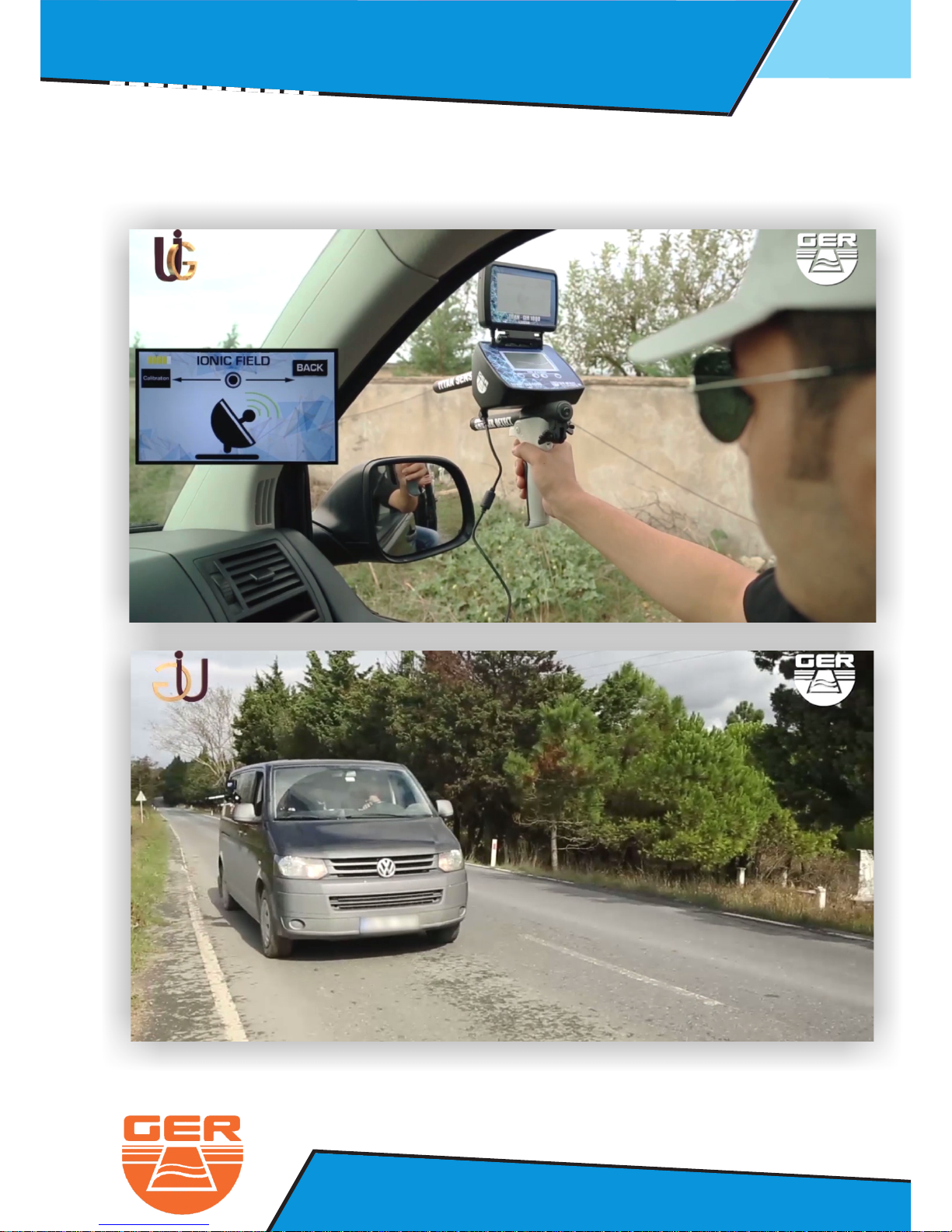
- YOU CAN ALSO USE THE IONIC SEARCH SYSTEM DURING THE DRIVING IN
A MOVING VEHICLE... AS FOLLOW:
Page 19
16
Ger Detect
Metal & W
ater Detectors.
Website : www.gerdetect.de
Email : [email protected]
Ionic Search System : Operation Steps
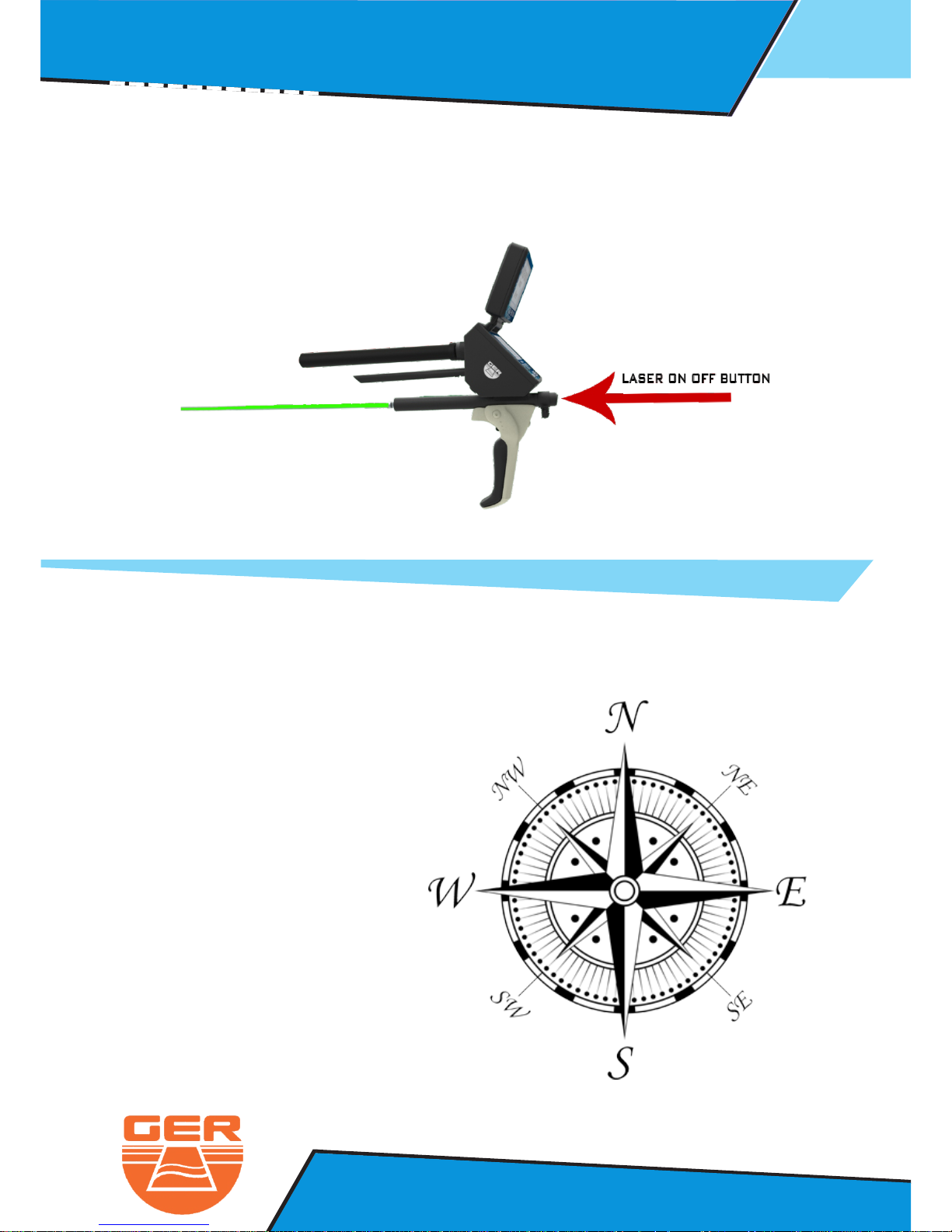
In the event of lack of vision, you can turn on the laser to locate the target
place by pressing the laser ON OFF, button
After detecting a target, conform the target from four directions.
NORTH TO SOUTH
SOUTH TO NORTH
EAST TO WEST
WEST TO EAST
Page 20
17
Ger Detect
Metal & W
ater Detectors.
Website : www.gerdetect.de
Email : [email protected]
3D Imaging System : Operation Steps
3 - 3D Imaging System
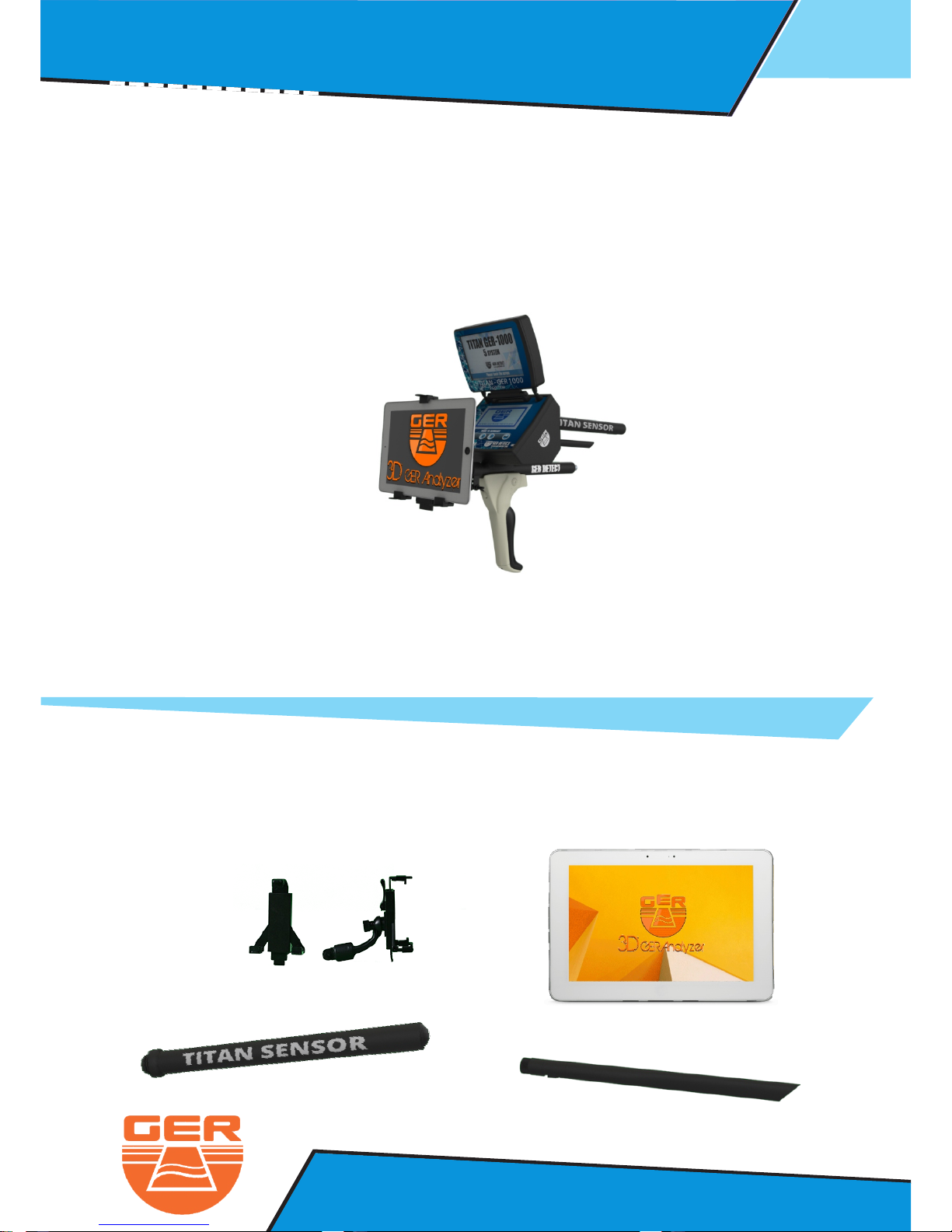
This system specializes to show you the area scanned on the tablet screen
in three-dimensional photo and through which you can specify the target size,
shape and depth of the target underground up to 45 meters.
The long range system parts:
Tablet
Tablet Holder
3D Sensor
Dispatcher Antenna
Page 21
18
Ger Detect
Metal & W
ater Detectors.
Website : www.gerdetect.de
Email : [email protected]
3D Imaging System : Operation Steps
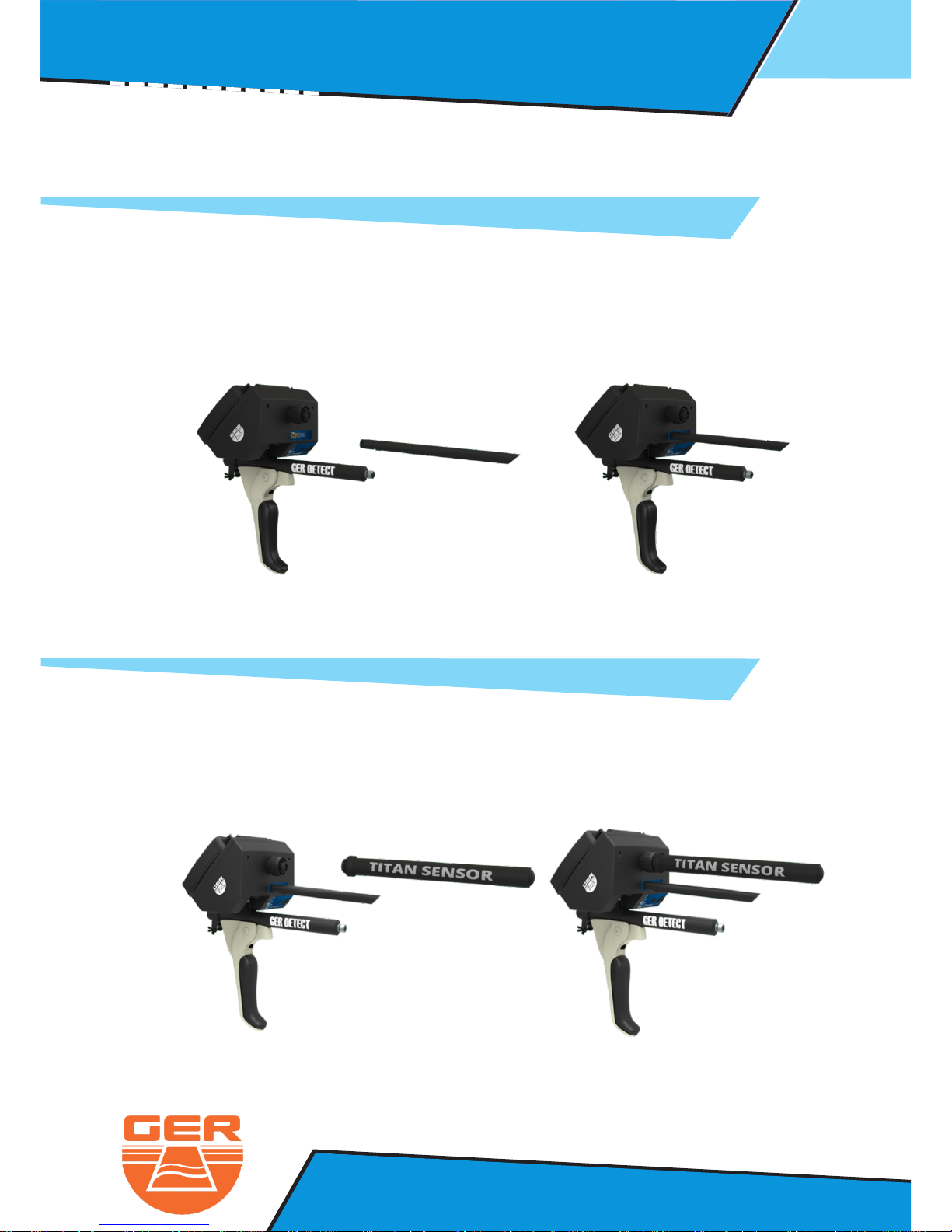
Connect The Dispatcher Antenna
Connect The 3D Imaging Sensor
Page 22
19
Ger Detect
Metal & W
ater Detectors.
Website : www.gerdetect.de
Email : [email protected]
3D Imaging System : Operation Steps
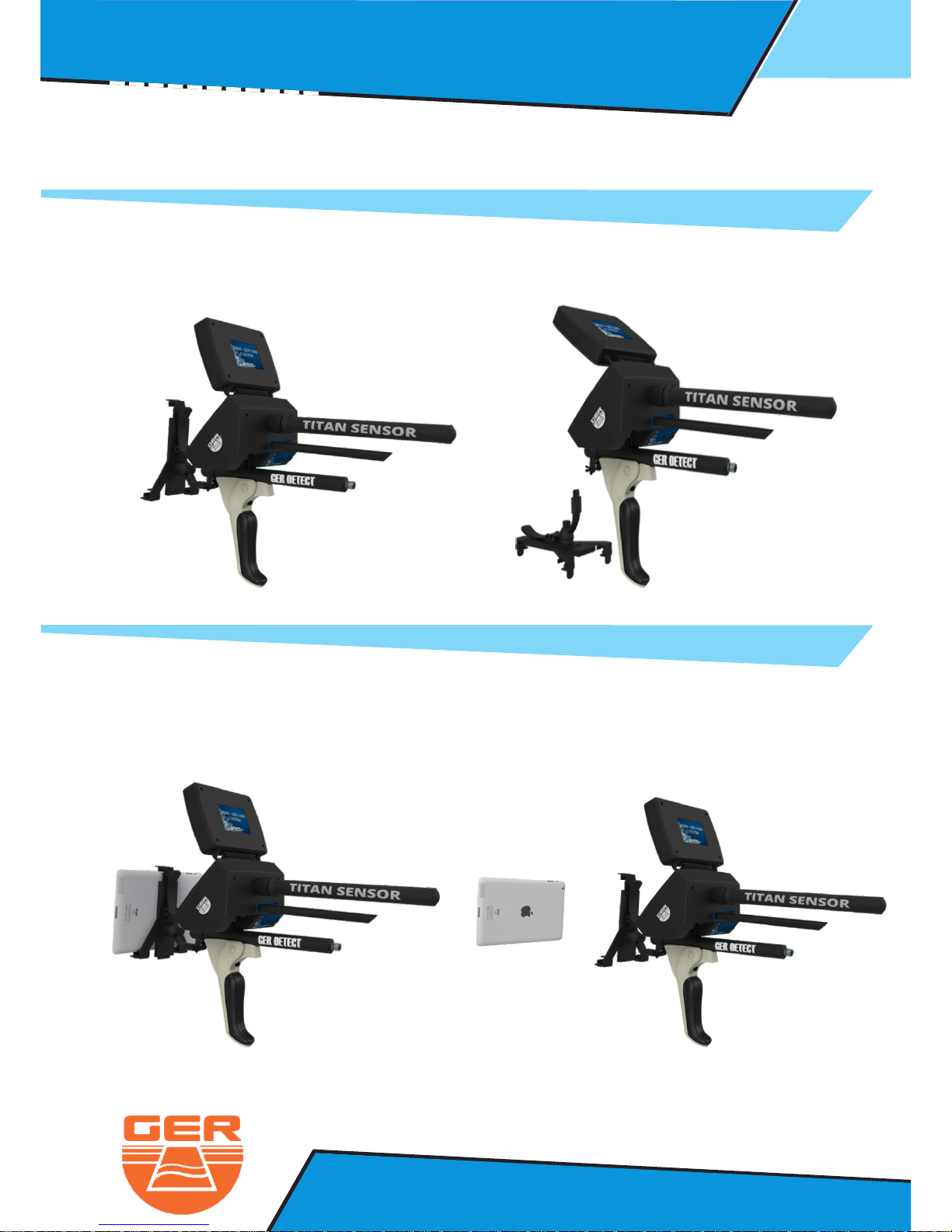
Fix the tablet that supplied with The device on the tablet holder which
contains analysis program to display the photo
Install The Tablet Holder To The Device
Page 23
20
Ger Detect
Metal & W
ater Detectors.
Website : www.gerdetect.de
Email : [email protected]
3D Imaging System : Operation Steps
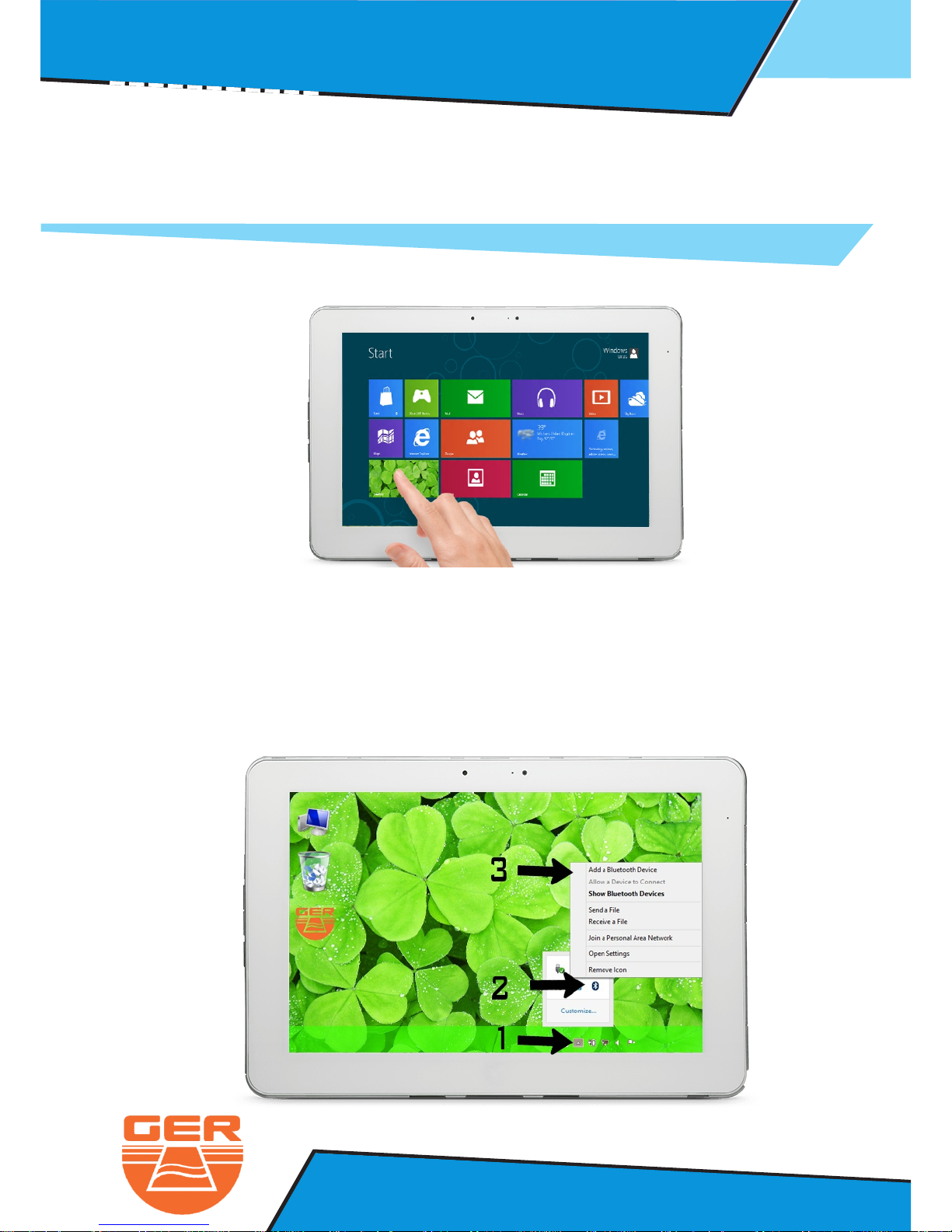
Go to the tablet to make a Bluetooth connection between the device and
the analysis program.
- Click on the Desktop option
The desktop screen will appear.
1- Touch the arrow to revel the hidden icons.
2- Click on the Bluetooth icon.
3- Chose add a Bluetooth device.
Page 24
21
Ger Detect
Metal & W
ater Detectors.
Website : www.gerdetect.de
Email : [email protected]
3D Imaging System : Operation Steps
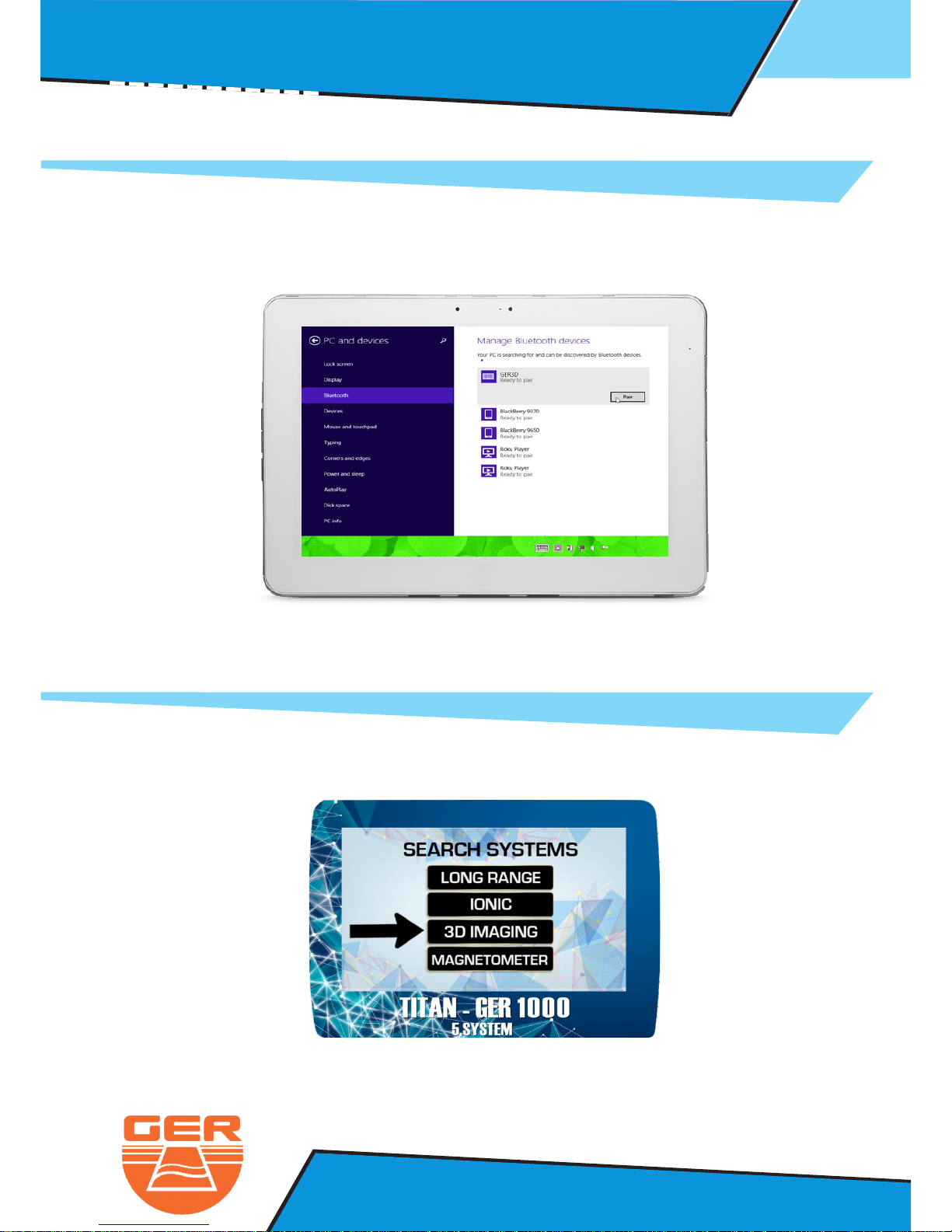
The tablet will start to search for any devices with Bluetooth in the area.
When the device name appear click on pair.
Now select the 3D IMAGING system from the systems menu in the device.
NOTE : The Bluetooth Password is : 1000
Page 25
22
Ger Detect
Metal & W
ater Detectors.
Website : www.gerdetect.de
Email : [email protected]
3D Imaging System : Operation Steps
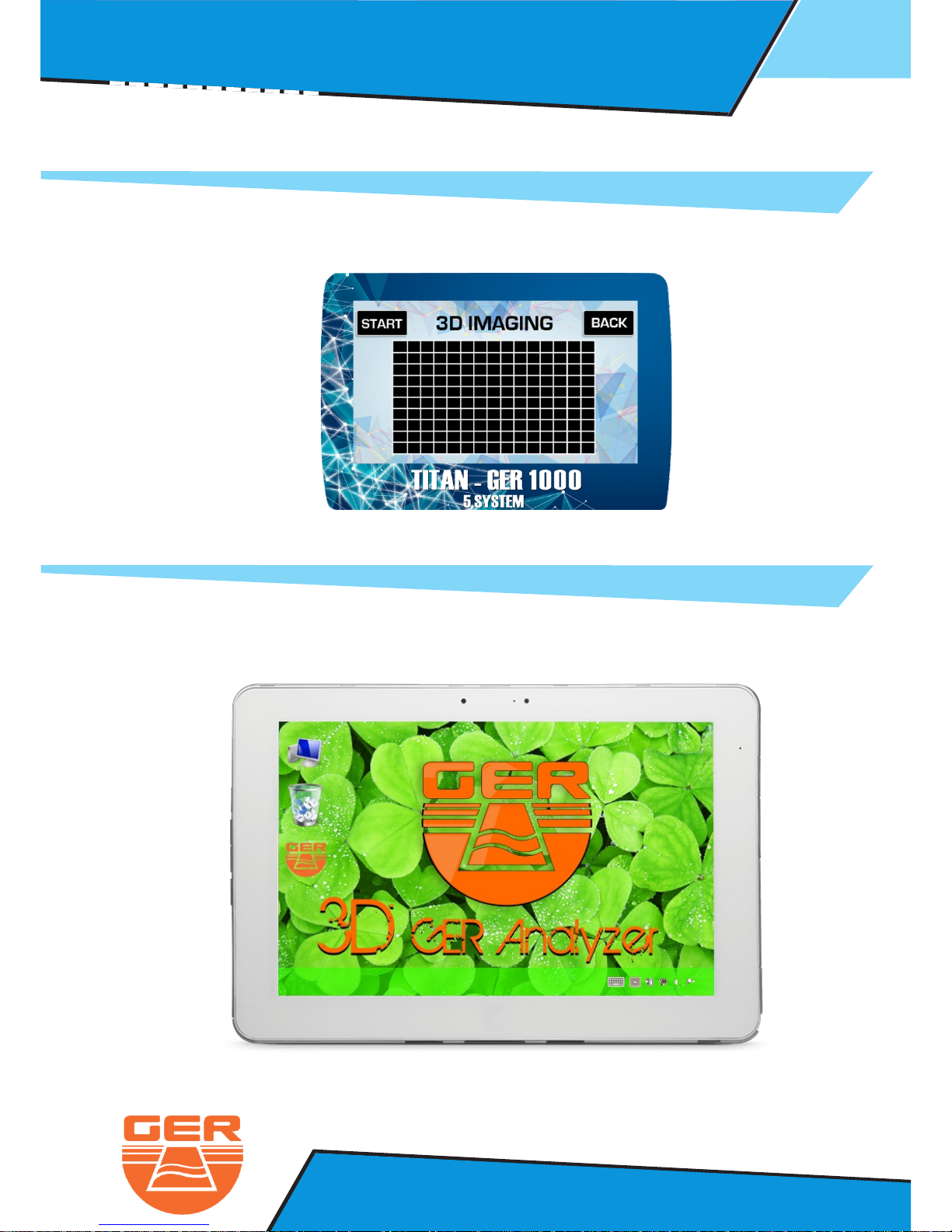
After selecting the 3D imaging system, the search screen will appear.
Open the 3D GER Analyzer that installed on the tablet
Page 26
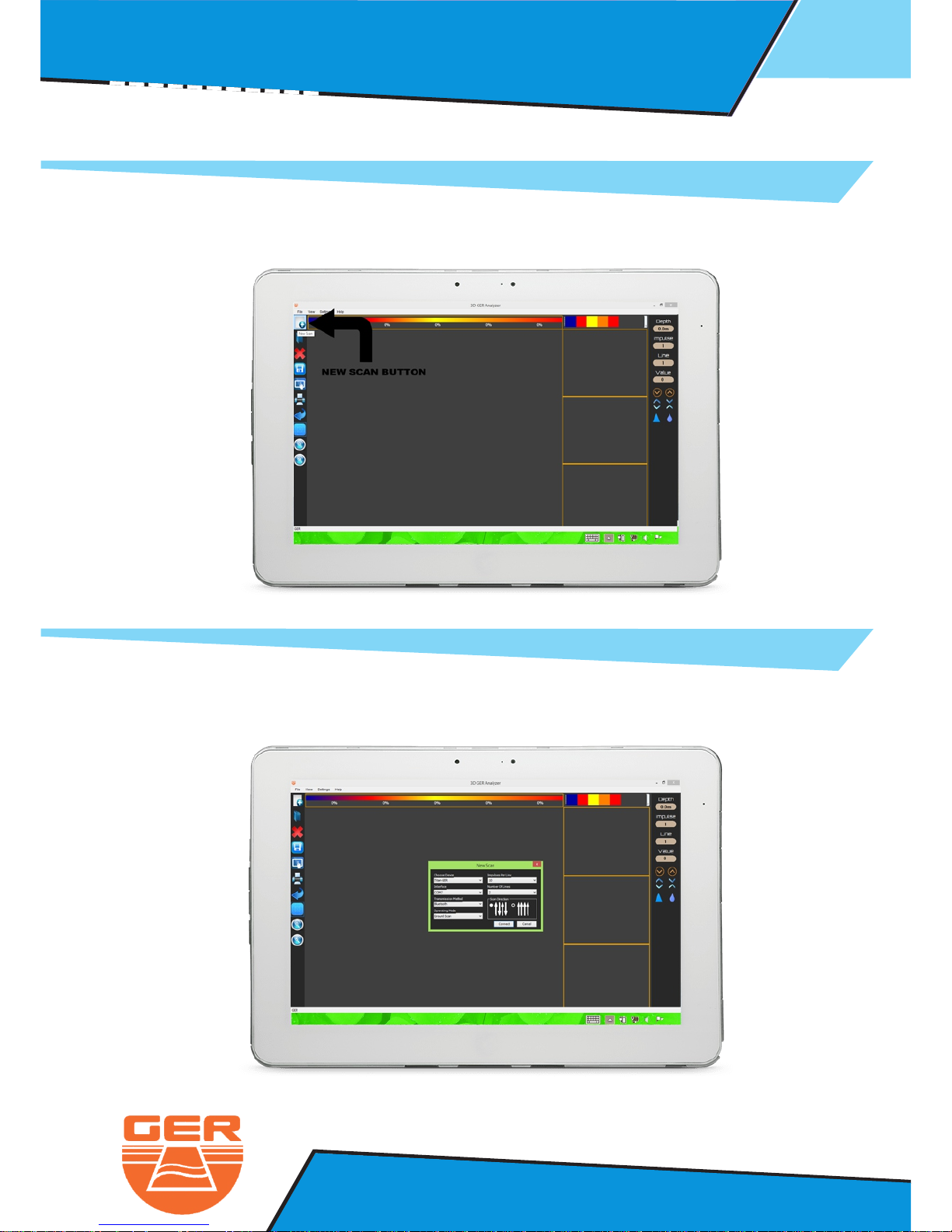
Start a new project to scan the ground by clicking on new scan
23
Ger Detect
Metal & W
ater Detectors.
Website : www.gerdetect.de
Email : [email protected]
3D Imaging System : Operation Steps
THE CONNECTION SETTINGS WINDOW WILL APPEAR ON THE SCREEN.
Page 27
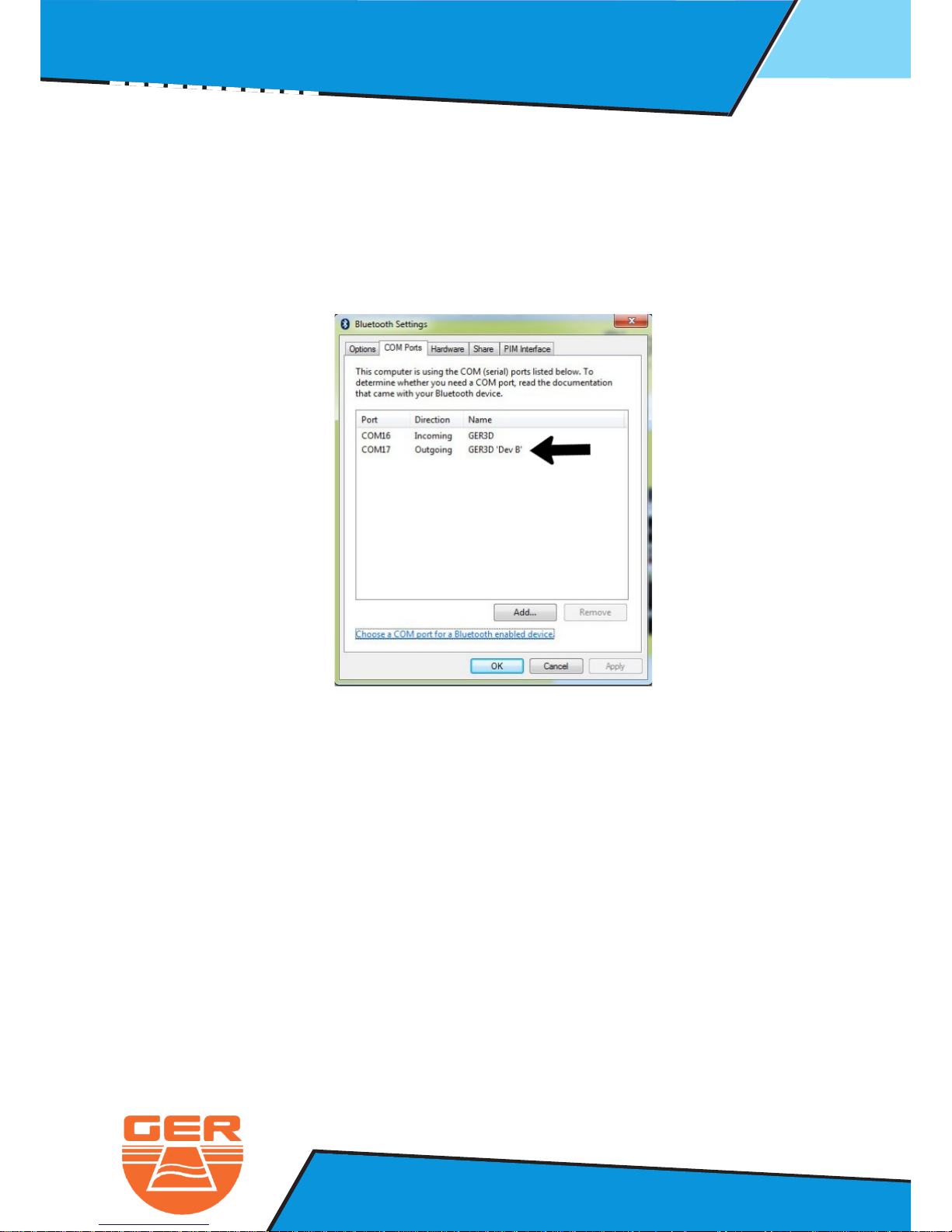
Enter The Setting as Follow :
24
Ger Detect
Metal & W
ater Detectors.
Website : www.gerdetect.de
Email : [email protected]
3D Imaging System : Operation Steps
1- Choose The Device ( Titan Ger )
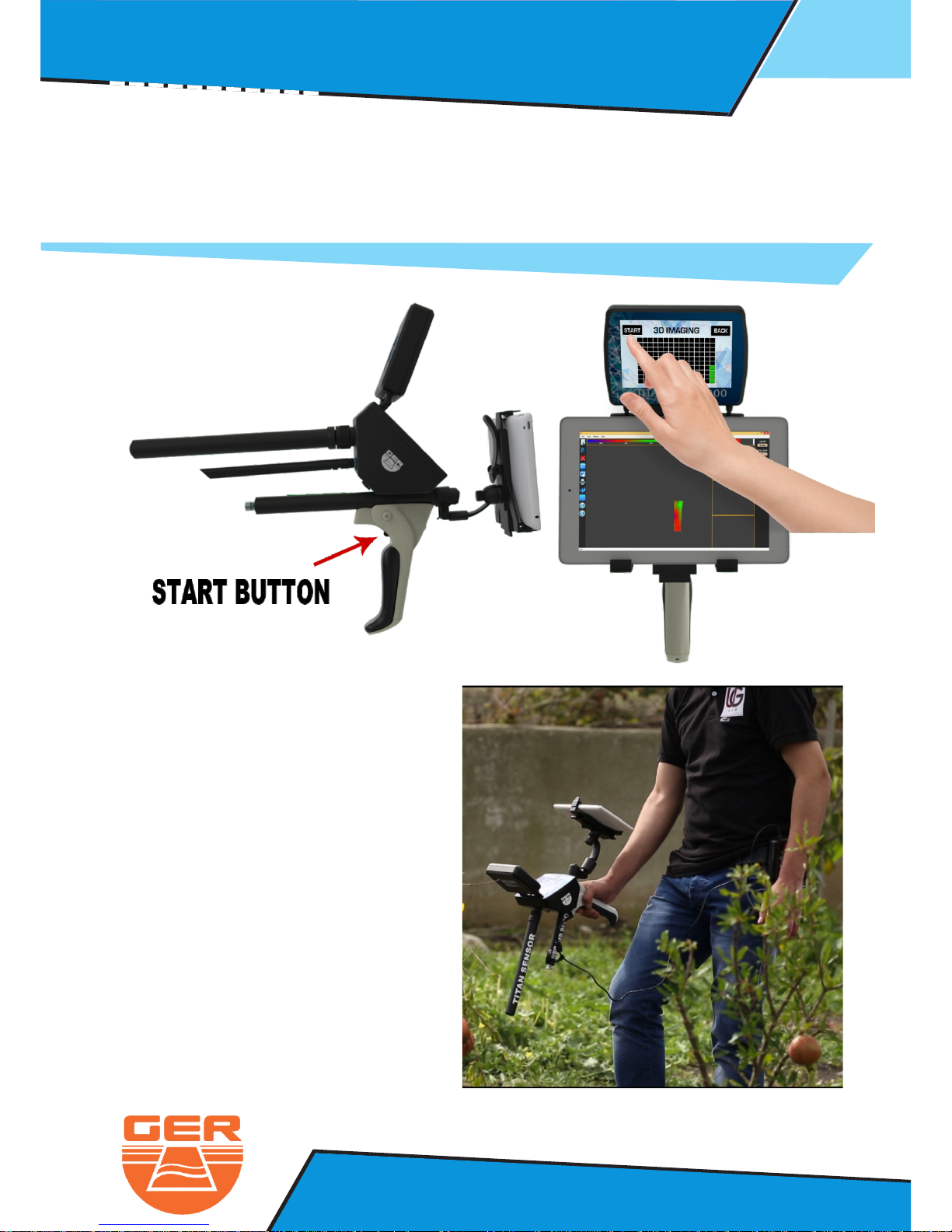
2- Inter Face : Open the bluetooth setting and enter the com number
( Out going ) for example ( com 17 )
3- Transmission Method ( Bluetooth )
4- Operating Mode ( Ground scan )
5- Impulses Per Line 10 to 50 ( each impulse 30 cm )
6- Number Of Line 1 to 15 ( each impulse 30 cm )
7- Scan Direction ( Optional )
Page 28
25
Ger Detect
Metal & W
ater Detectors.
Website : www.gerdetect.de
Email : [email protected]
3D Imaging System : Operation Steps
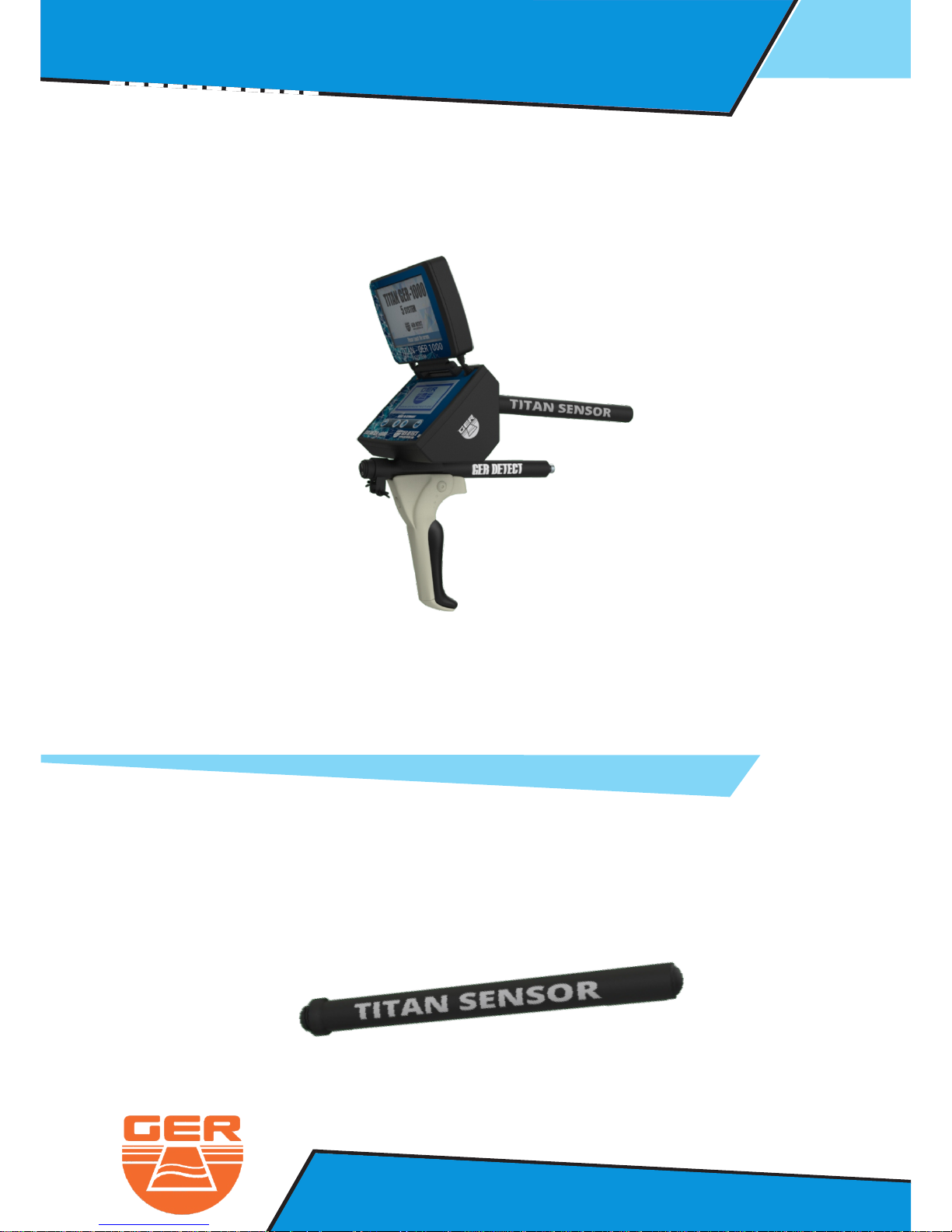
After you enter the sittings, click on connect and go to the device screen.
Therefore, you will start taking pictures as follow:
Hold the device like this…
Page 29
26
Ger Detect
Metal & W
ater Detectors.
Website : www.gerdetect.de
Email : [email protected]
Magnetometer System : Operation Steps
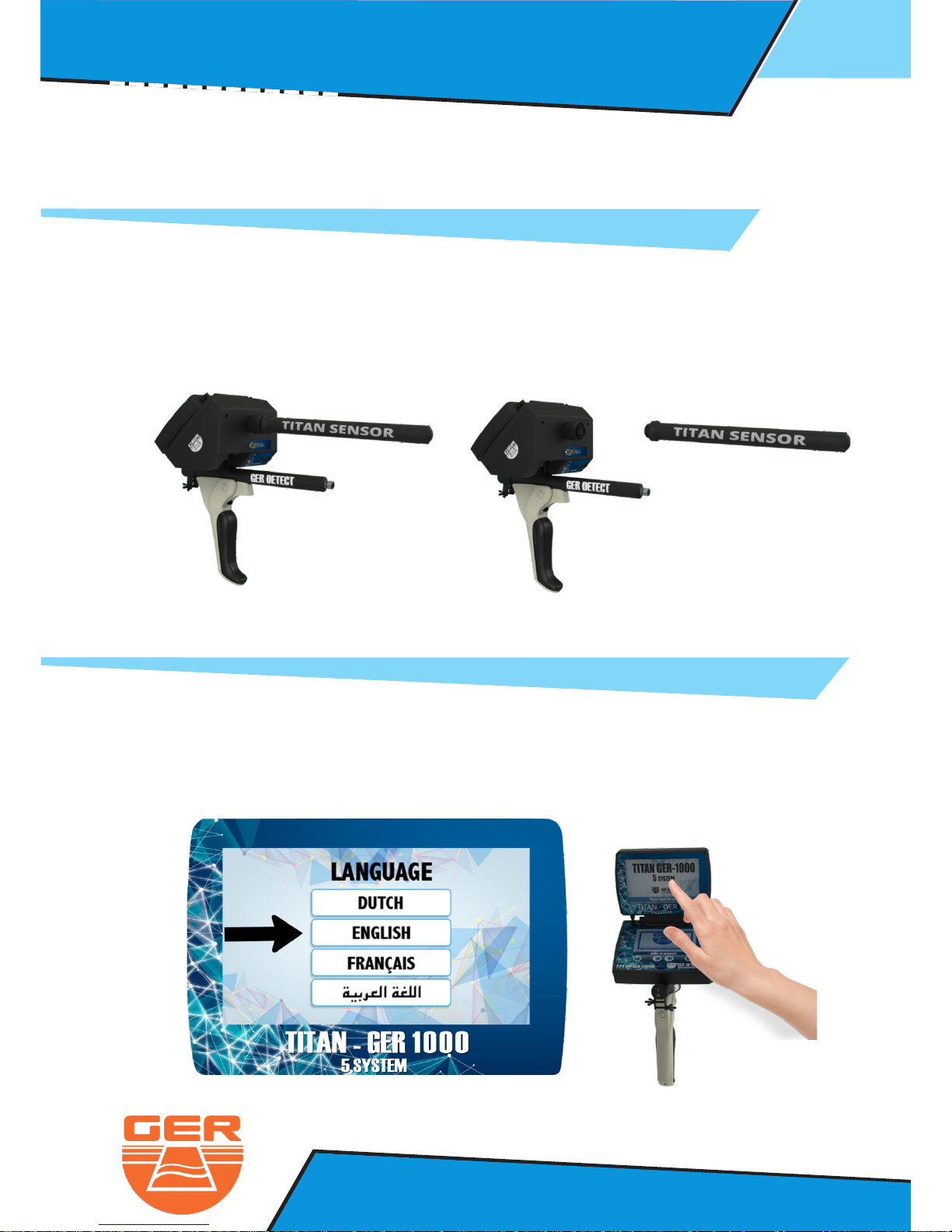
This system specializes to detect magnetic metals (iron) up to depths of 45
meters below the surface of the ground.
4 - The MagnetoMeter System
The magnetometer system parts:
3D Sensor
Page 30
27
Ger Detect
Metal & W
ater Detectors.
Website : www.gerdetect.de
Email : [email protected]
Connect The Sensor To The Device
Magnetometer System : Operation Steps
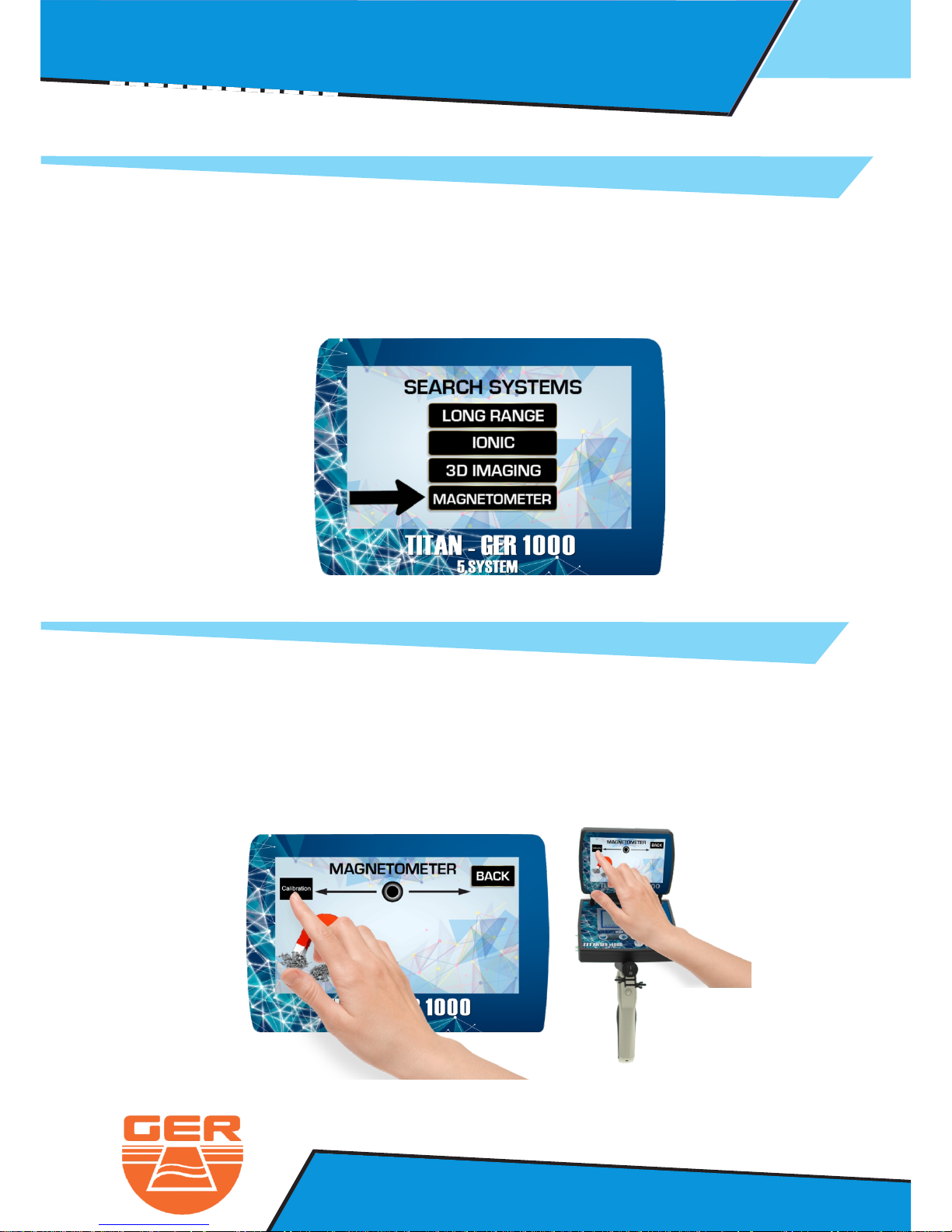
- Click on the screen to display the language list
- The Device work on four languages : Dautch - English - French - Arabic
Page 31
28
Ger Detect
Metal & W
ater Detectors.
Website : www.gerdetect.de
Email : [email protected]
- The search system menu will appear
- Select Magnetometer Search system
- Point the device to the ground if the device start to make a sound
you must calibrate the device with the ground
by pressing on the as followcalibration button
- After selecting the language you want to work in ( English for example )
- After Selecting This system, the search screen will appear
Magnetometer System : Operation Steps
Page 32
29
Ger Detect
Metal & W
ater Detectors.
Website : www.gerdetect.de
Email : [email protected]
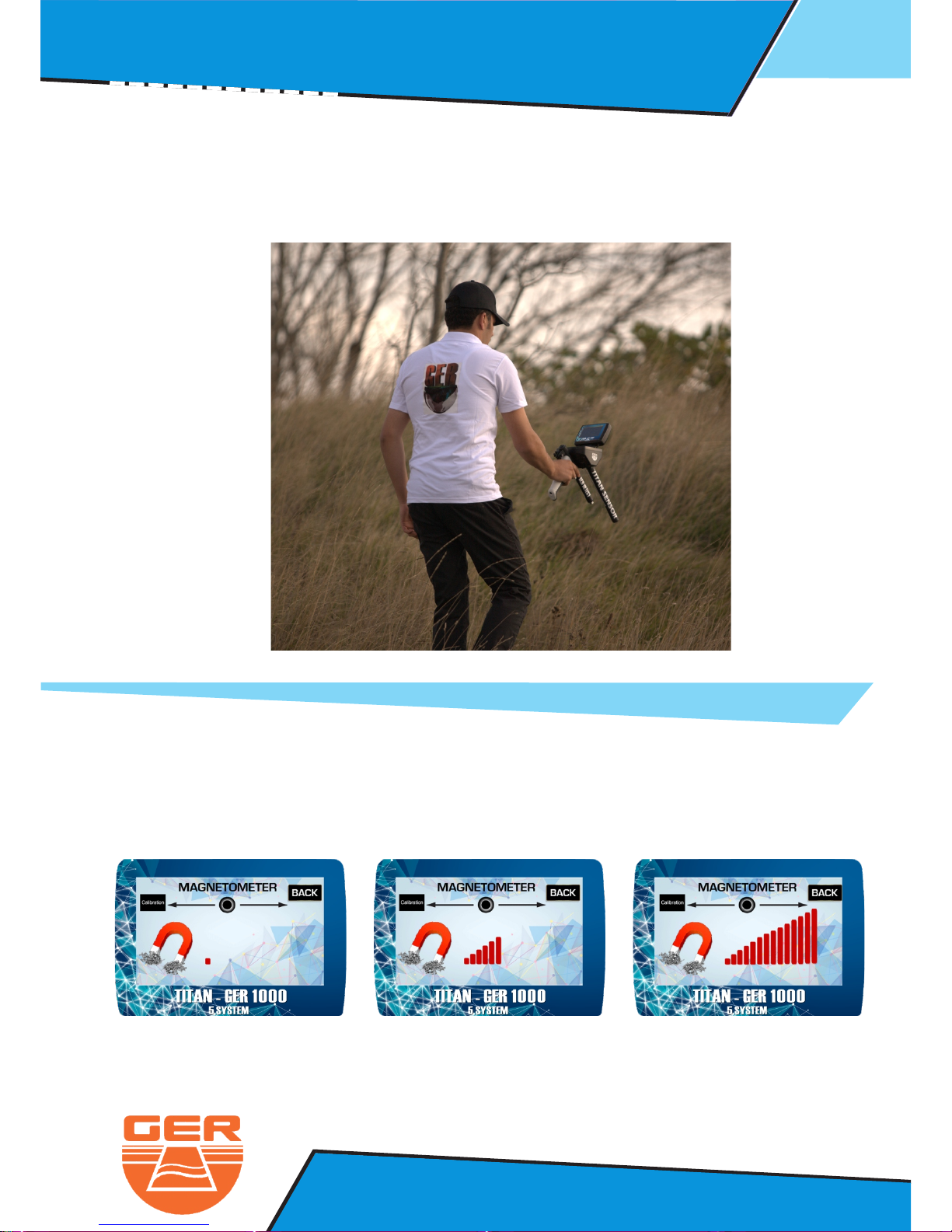
- After you finish the calibration , start the search by moving the device
forward and back against the ground
When the device detect a target, it will start to make a sound.
In addition, the indicator will start to move to alert you that the device
find the target.
The sound will start accelirating when the device is close to the target
Magnetometer System : Operation Steps
Page 33
30
Ger Detect
Metal & W
ater Detectors.
Website : www.gerdetect.de
Email : info@gerdetect.de
Ionic Search System : Operation Steps
Ger Detect
Metal & W
ater Detectors.
Website : www.gerdetect.de
Email : [email protected]
Pulse Indection System : Operation Steps
This system specializes to cover
the area under the coil directly
and locate the target
up to depths of 12 meters
below the surface of the ground
This system allow you to discriminate
between metals and you can see the target
in 3D shapes on the tablet
also you can delete all ferrous metals
in addition you can discover the cavities
and determine the size and the shape.
5 - The Pulse Indection System
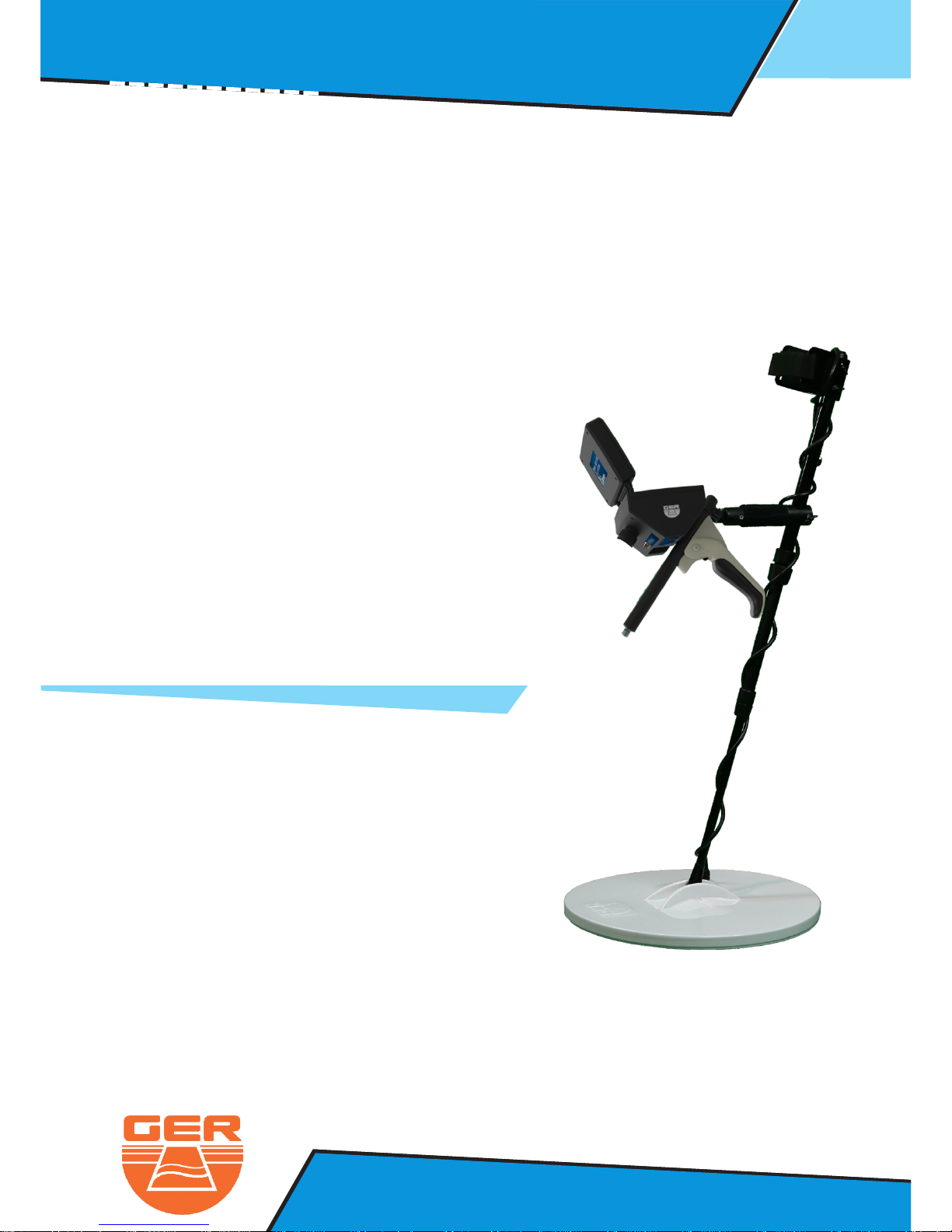
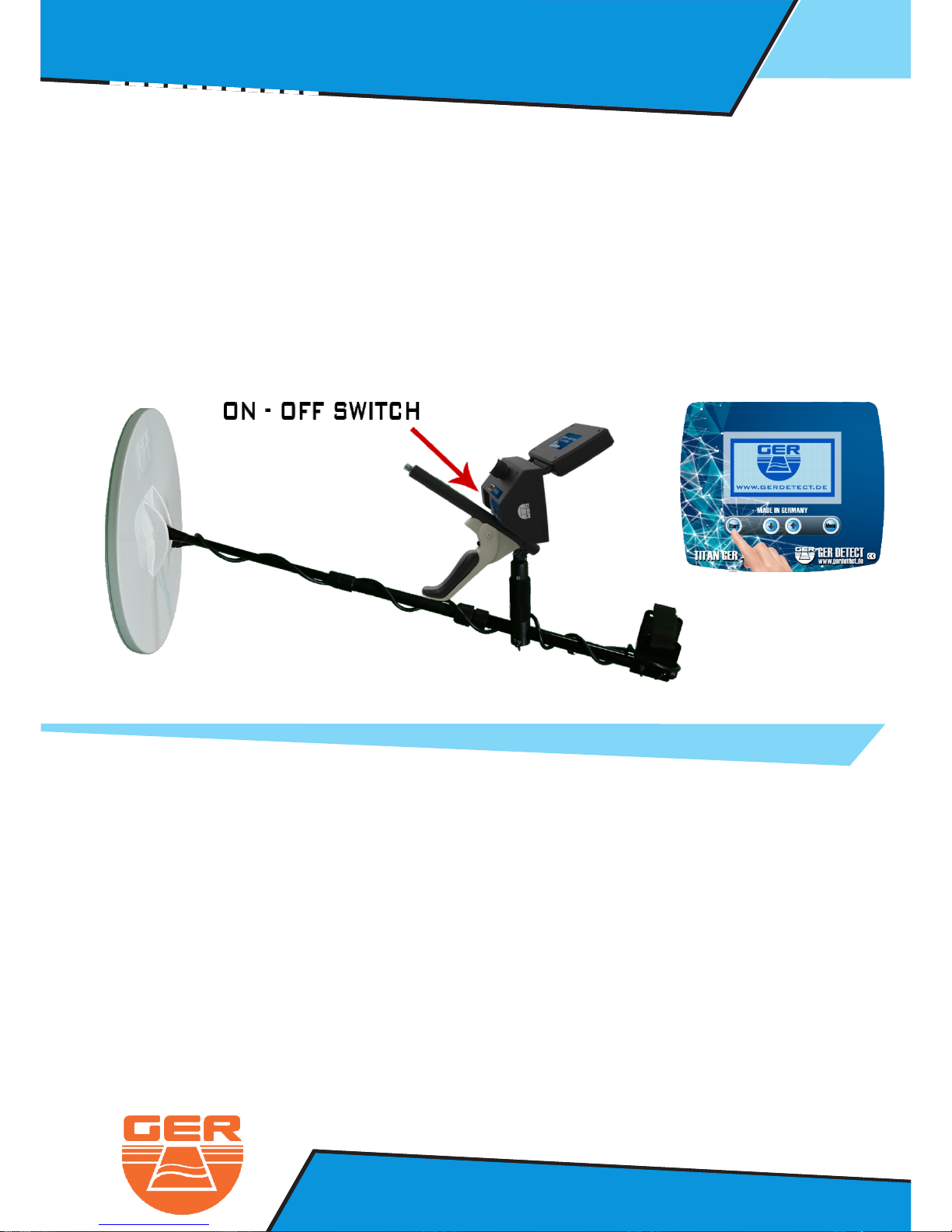
The Pulse induction system parts :
1- The main unite
2- The coil handle
3- 45 X 45 cm search COIL
4- 15 X 15 cm search COIL
Page 34
31
Ger Detect
Metal & W
ater Detectors.
Website : www.gerdetect.de
Email : info@gerdetect.de
Ionic Search System : Operation Steps
Ger Detect
Metal & W
ater Detectors.
Website : www.gerdetect.de
Email : [email protected]
Pulse Indection System : Operation Steps
Connect The Pulse Indection Parts To The Device
1 - Connect The Coil Cable To The Device.
Note : before turning on the device
make sure that there is no metal on the person who holding
the device or electronic devices or mobile phones or high voltage
electricity wires in the place you want to use the device
if the device did not complete loading the program that’s mean
there is metals near the search coil which are affect the
operation of the device
3 - Press on start button under the screen
2 - Start The Device By Pressing On The Power Switch (on - off)
To avoid the this problem move the coil or raise it up the
grounds a few centimeters and the device will complete
the opening process
Page 35
32
Ger Detect
Metal & W
ater Detectors.
Website : www.gerdetect.de
Email : [email protected]
Pulse Indection System : Operation Steps
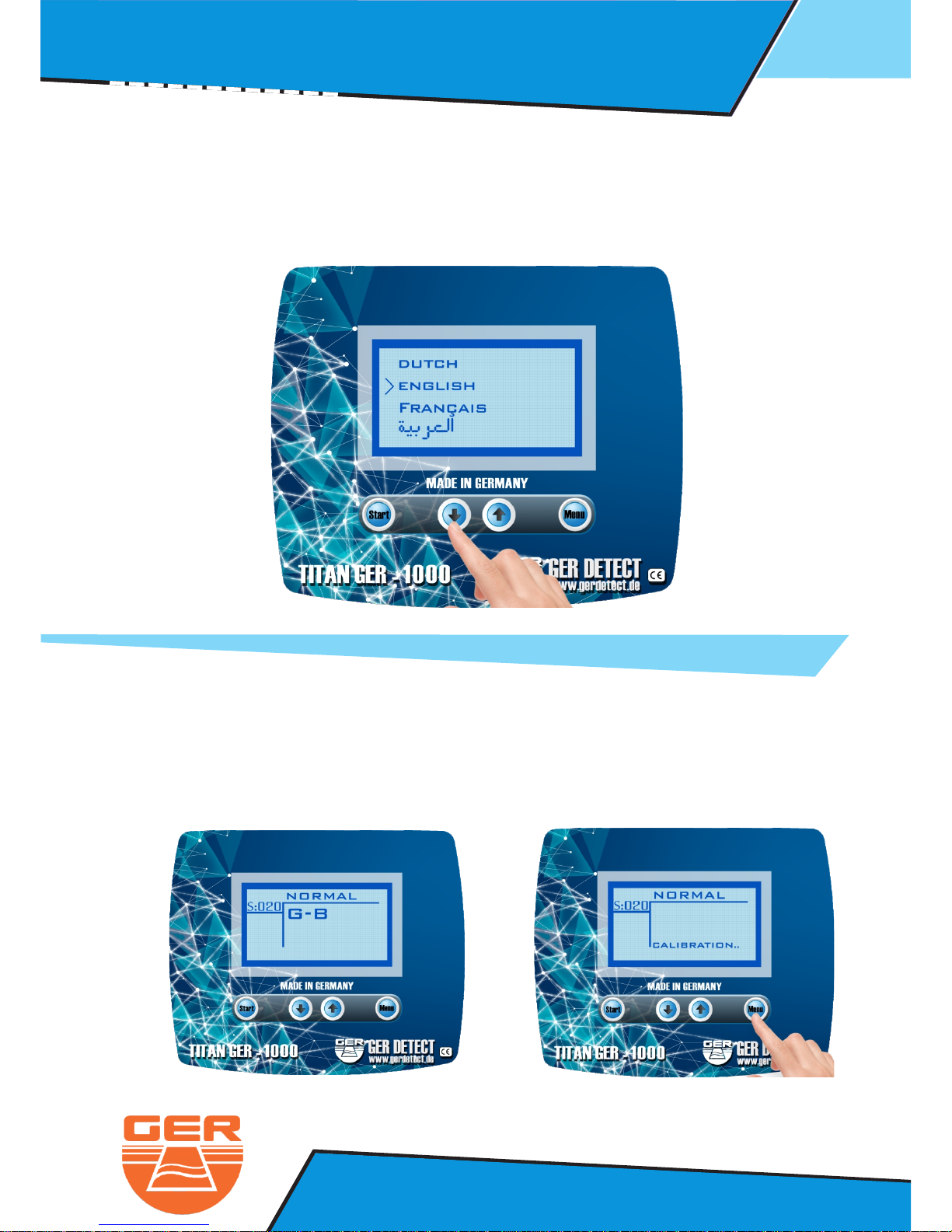
- Move between languages through the navigation keys (up and down)
- First you have to calibrate the device with the ground when the letters
appear on the screen which means ground BalanceG-B
- Select the device language from the list of languages
- After selecting the language the device will open to the normal search mode
- You can calibrate by pressing the button.menu
Page 36
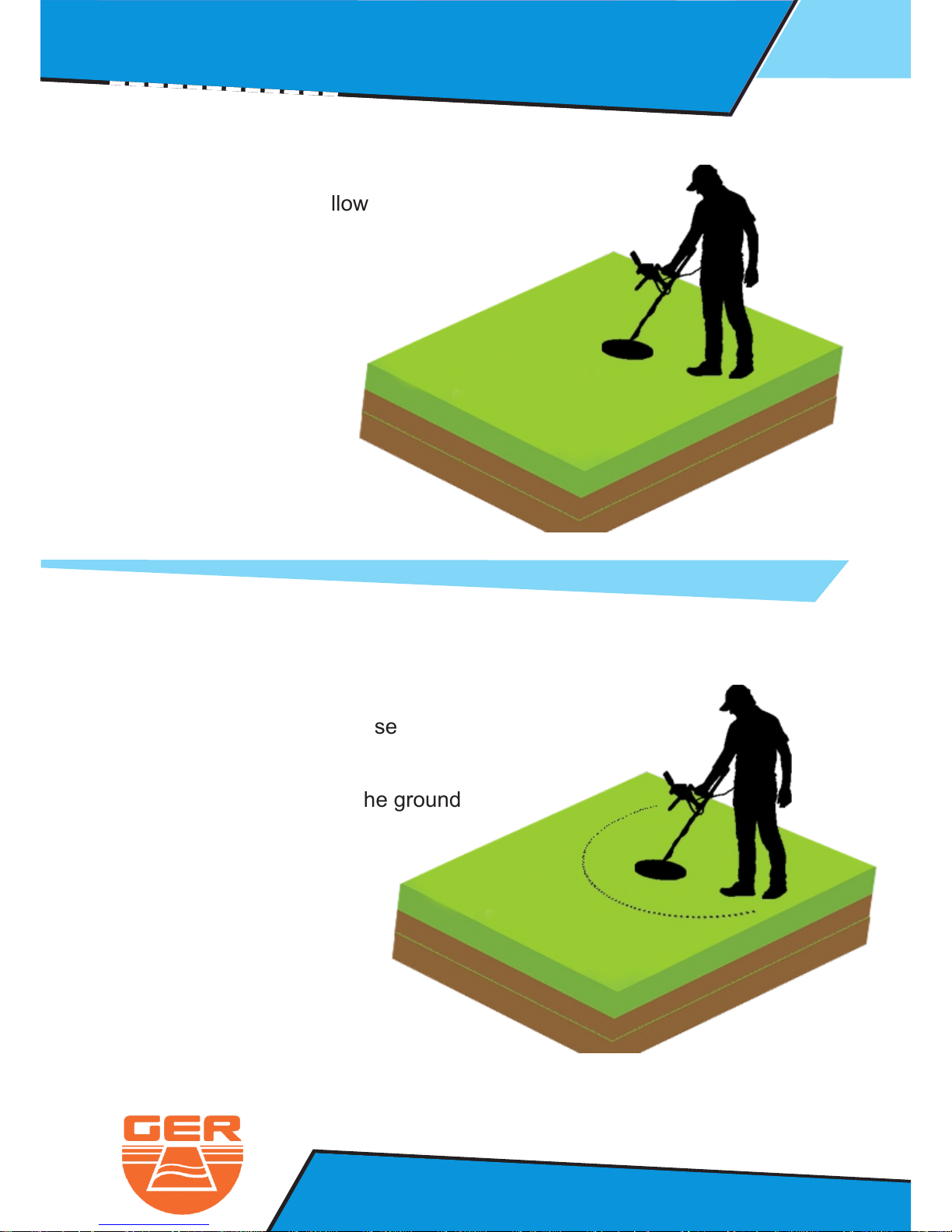
Hold the device as follow
And start calibration
Pulse Indection System : Operation Steps
33
Ger Detect
Metal & W
ater Detectors.
Website : www.gerdetect.de
Email : [email protected]
Start the search by moving the
device right and left
in stable movement and close
to the ground.
The coil should be above the ground
between 5 TO 10 CM
Page 37

The device work on three modes
1- Normal search mode :
This mode can detect all kind of metals
Pulse Indection System : Operation Steps
34
Ger Detect
Metal & W
ater Detectors.
Website : www.gerdetect.de
Email : [email protected]
2- Discrimination search mode :
This mode can discriminate between ferrous
metal and non-ferrous metals
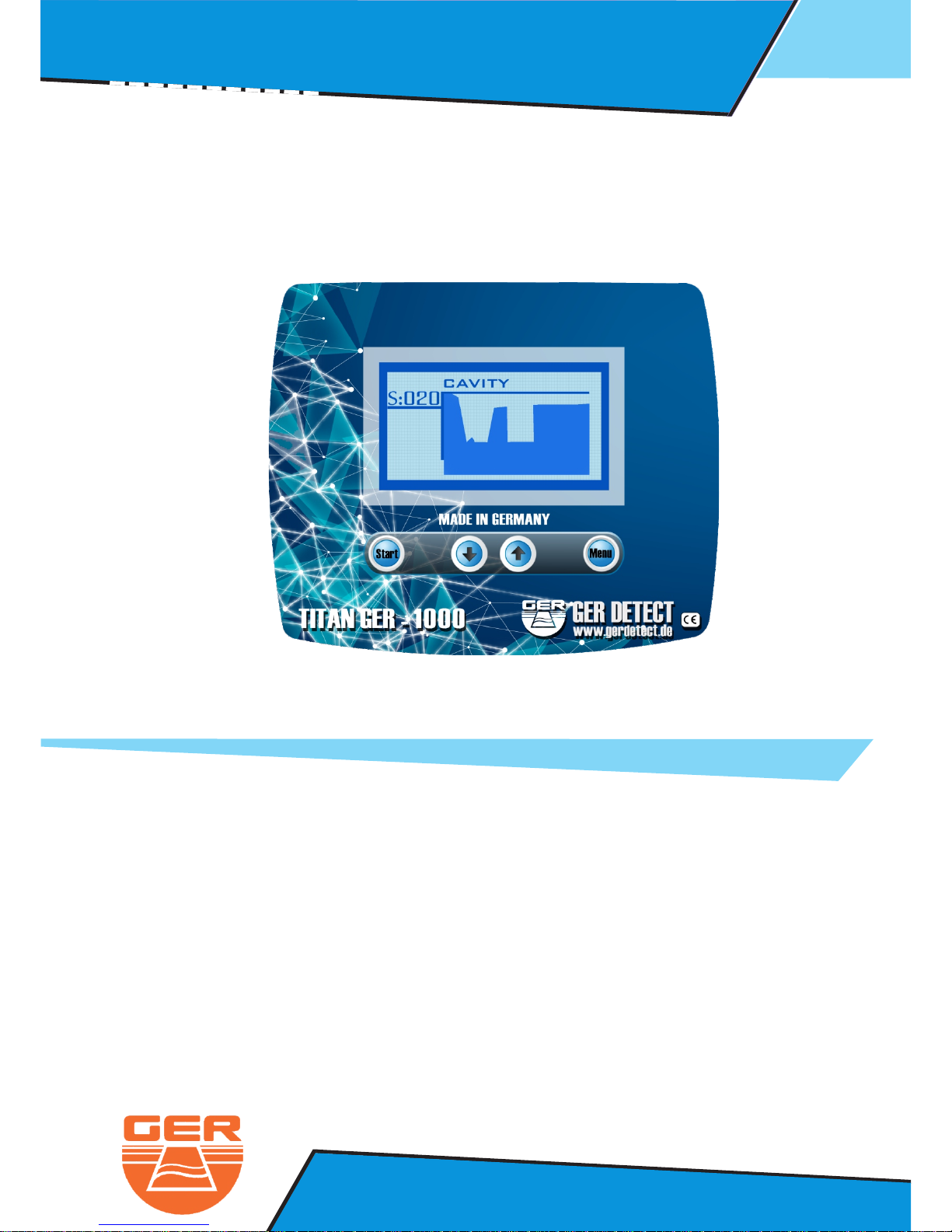
3- Cavity search mode :
This mode can detect all cavities under the ground
(Natural cavities – made by human cavities)
In addition, it can show you the shape and the size
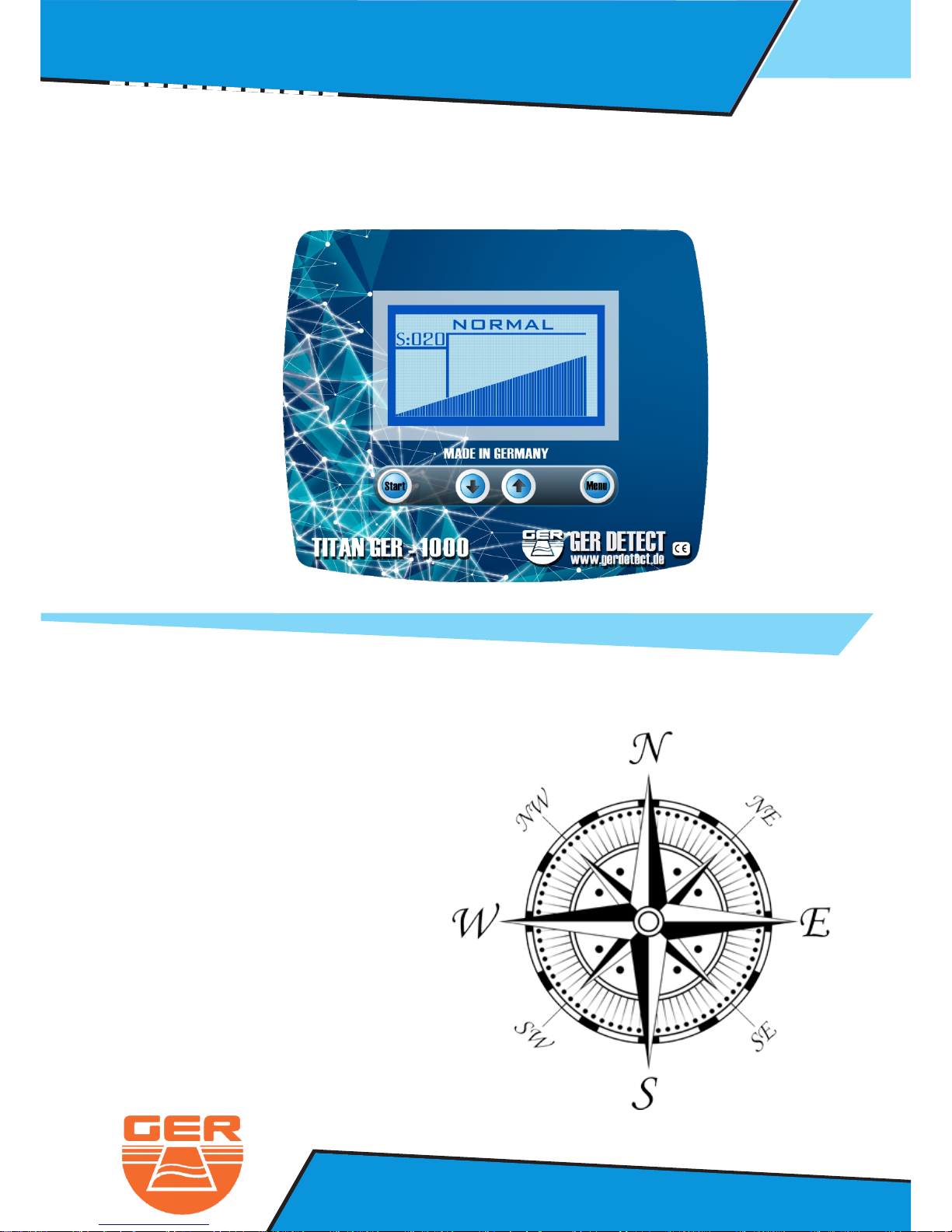
You can adjust the sensitivity by the navigation buttons UP & DOWN.
The smallest number is the higher sensitivity.
001 = high sensitivity 100 = low sensitivity
Switch between the search modes by pressing on start button.
The device can reach to meters depth under the ground12
1- 15 X 15 search coil : designed to detect small targets and gold nuggets
~ This coil can reach meters maximum4
2- 45 X 45 search coil : designed to detect big targets , treasures , graves ,
cavities burred gold underground
~ Tis coil can reach meters maximum12
Note : The coils depth that we mentioned above don’t apply on a new metals
The metals must be under the ground more than so the device will 15 years
detect it to 12 meters
Page 38
Pulse Indection System : Operation Steps
35
Ger Detect
Metal & W
ater Detectors.
Website : www.gerdetect.de
Email : [email protected]
1- Start with the normal search mode
İn case the device detect any metal an indicator will appear on the screen
and you will start to hear sound conforming the target is exist
NORTH TO SOUTH
SOUTH TO NORTH
EAST TO WEST
WEST TO EAST
After detecting a target, conform the target from for direction.
Page 39
36
Ger Detect
Metal & W
ater Detectors.
Website : www.gerdetect.de
Email : [email protected]
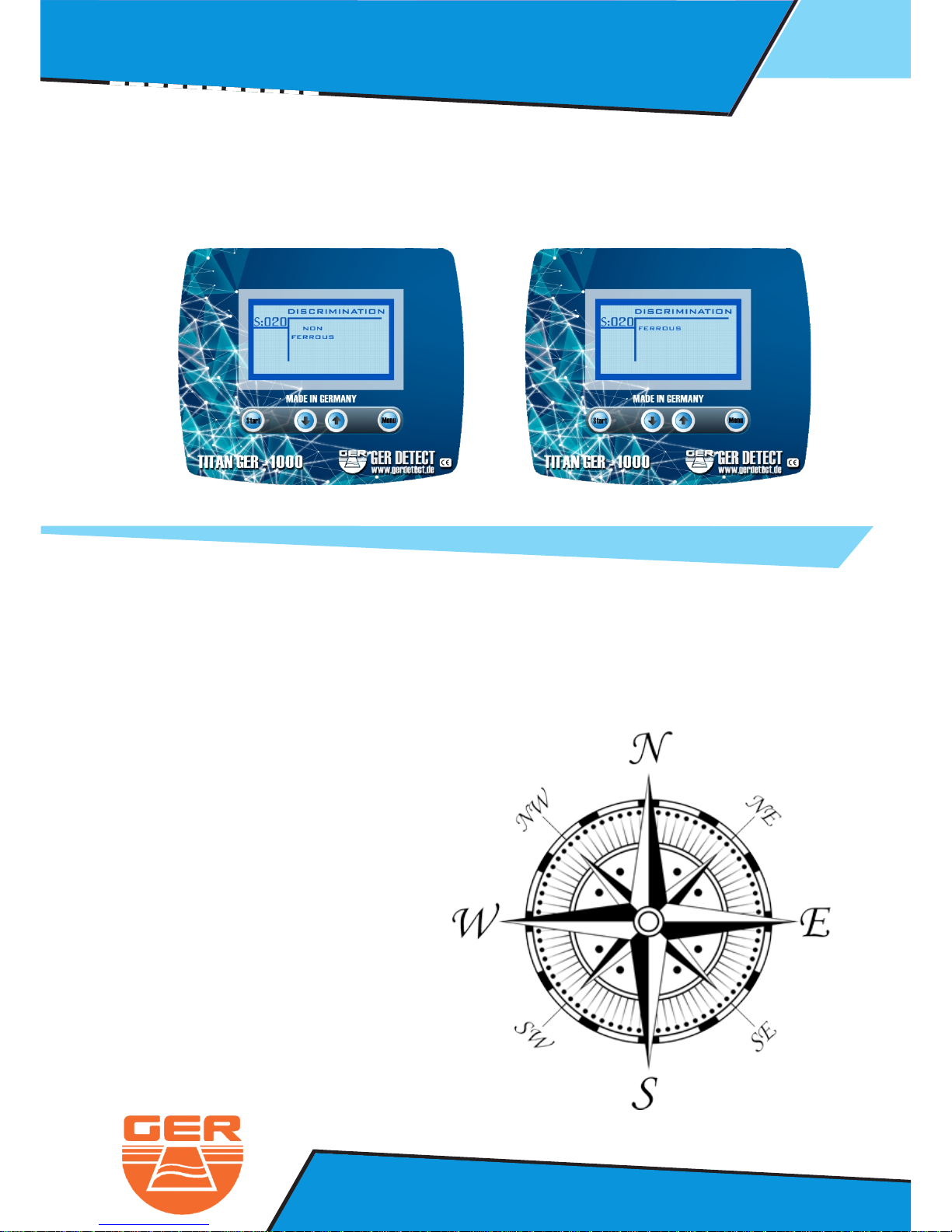
2- The descremination mode : it can Separatebetween metals as follow
Ferrous for : Iron and its derivatives
Non ferrous for : Gold – silver – bronze – copper–Aluminum – tin .... etc
To conform the target type scan the target from four directions
Pulse Indection System : Operation Steps
NORTH TO SOUTH
SOUTH TO NORTH
EAST TO WEST
WEST TO EAST
Page 40
37
Ger Detect
Metal & W
ater Detectors.
Website : www.gerdetect.de
Email : [email protected]
In the cavity search mode start your scan in stable motion to determine
the shape of the cavity.
Pulse Indection System : Operation Steps
..... Thanks for choosing our products .....
..... We wish you the best of luck in your searching .....
 Loading...