

Page 1
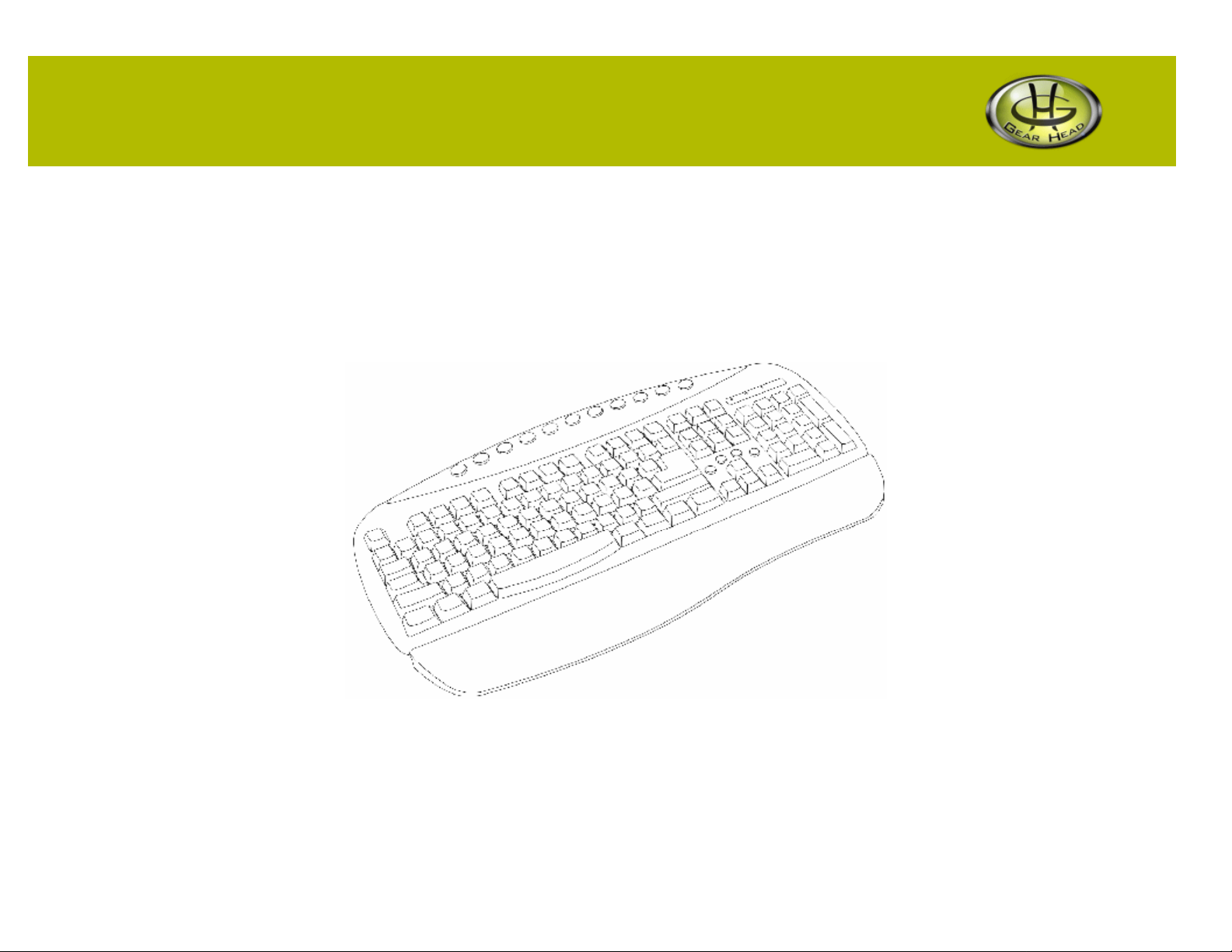
Windows® Access Keyboard
Model #: KB3000NT
User’s Manual
Rev. 060801
Page 2

User’s Record:
To provide quality customer service and technical support, it is suggested that you keep the
following information as well as your store receipt and this user’s manual.
Date of Purchase:
__________________________________
Model Number:
__________________________________
Serial Number:
__________________________________
Product Rev Number (located below the UPC on the package):
__________________________________
2
Page 3

Package Contents:
Your new Keyboard will ship with the following items.
§ Windows® Access Keyboard
§ Detachable Palmrest
§ User’s Manual
§ Warranty Information
System Requirements:
Please be sure that you meet all of the system requirements below to avoid difficulties during installation.
§ IBM PCs or 100% Compatibles
§ Windows® ME, 2000, XP
§ Available PS/2 Keyboard Port
System Specifications:
Your new Keyboard complies with the following specifications.
§ PS/2 Interface
3
Page 4
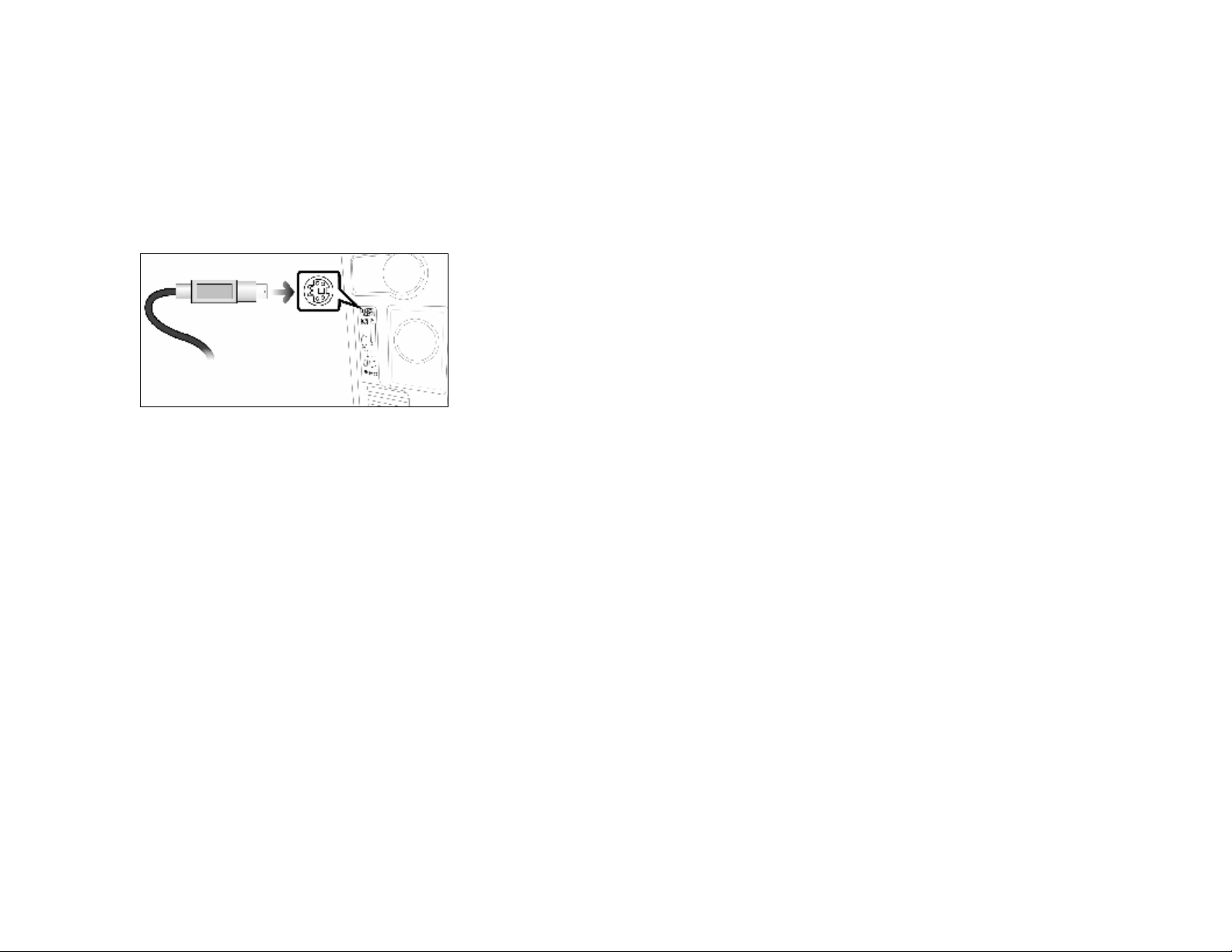
Installation:
NOTE: The pictures shown in the User’s Manual are for demonstration purposes only. Your computer or product may look slightly different.
1. Turn off your computer.
2. Plug your Keyboard into an available PS/2 Keyboard Port on your computer.
3. Turn on your computer.
4. Your computer will detect your Keyboard, and the necessary drivers will be installed automatically.
5. Your Keyboard is now ready to be used.
4
Page 5
your media player program is open, press this button to
When your media player program is open, press this button to
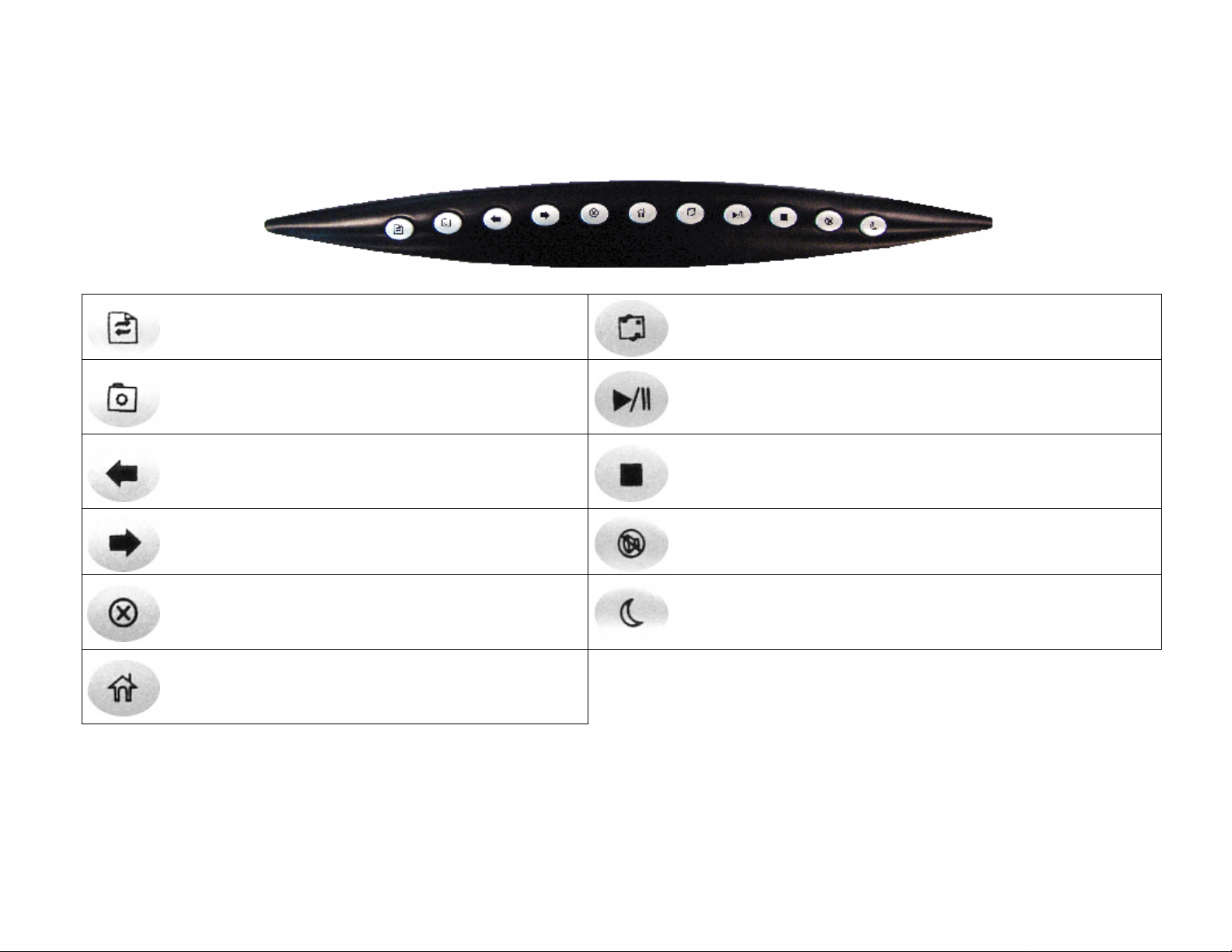
Special Function Keys:
There are 11 pre-programmed special function keys located at the top of your Keyboard, please see the chart below for a description of each
key:
Refresh
Press this button to refresh the current page.
Favorites
Press this button to access your “Favorites” folder.
Back
Press this button to go back to the previous page (if
available).
Forward
Press this button to go to the next page (if available).
Stop
Press this button to stop loading a page in your
default web browser.
Home
Press this button to go to your homepage in your
default web browser.
Outlook
Press this button to open Microsoft® Outlook Express.
Play / Pause
When
play (or pause) the current track.
Stop
stop the current track.
Mute
Press this button to mute the volume on your speakers.
Sleep
Press this button to put your computer in sleep mode.
5
Page 6
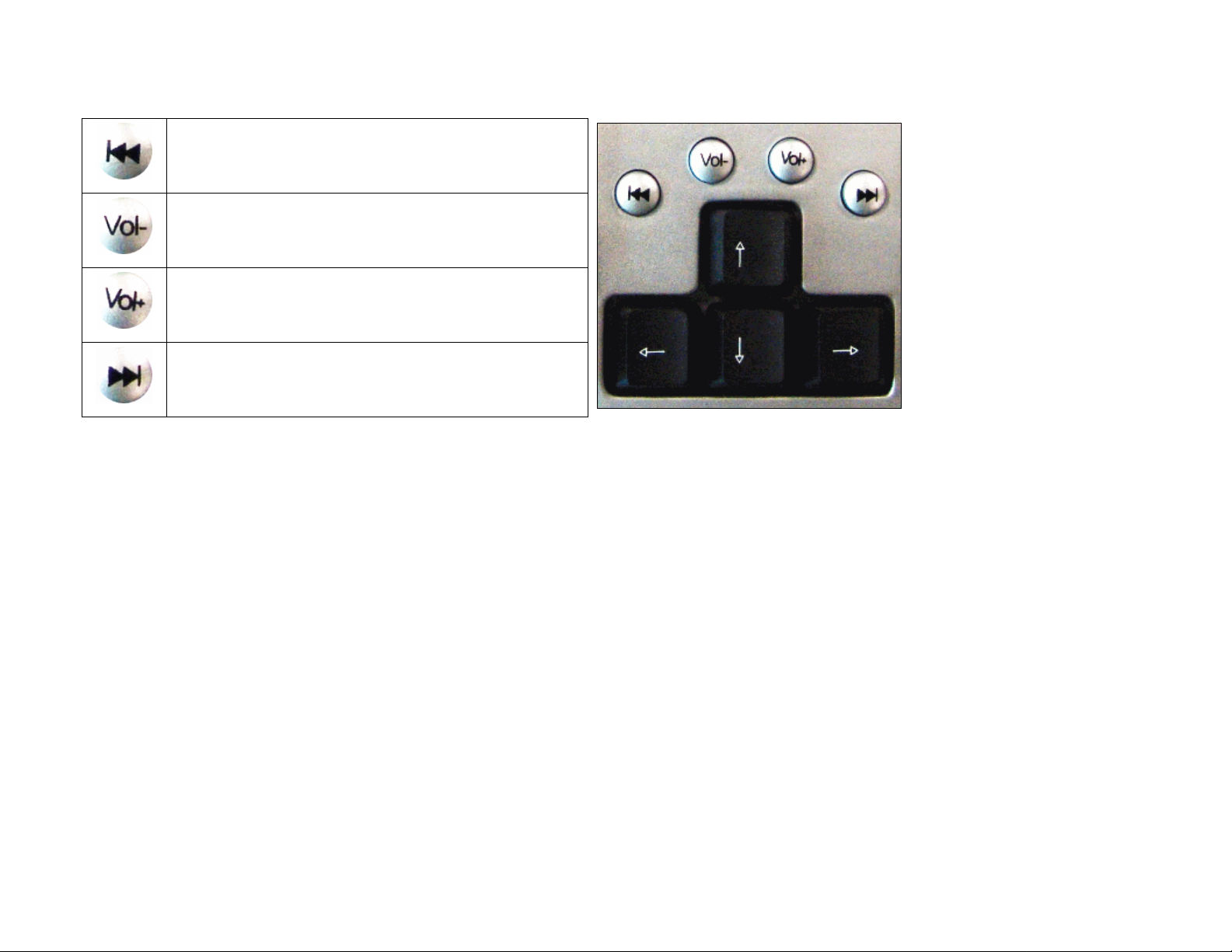
There are 4 pre-programmed special function keys located above the arrow keys on your Keyboard, please see the chart below for a
description of each key:
Backward
When your media player program is open, press this
button to go back to the previous track.
Volume Down
Press this button to decrease the volume of your
speakers.
Volume Up
Press this button to increase the volume of your
speakers.
Forward
When your media player program is open, press this
button to go to the next track.
6
Page 7

7
Page 8

.
.
FCC Information:
FCC
This equipment has been tested and found to comply with limits for Class B digital device pursuant to Part 15 of Federal Communications
Commission (FCC) rules.
FCC Compliance Statement
These limits are designed to provide reasonable protection against frequency interference in residential installation. This equipment generates,
uses, and can radiate radio frequency energy, and if not installed or used in accordance with the instructions, may cause harmful interference to
radio communication. However, there is no guarantee that interference will not occur in television reception, which can be determined by
turning the equipment off and on. The user is encouraged to try and correct the interference by one or more of the following measures:
§ Reorient or relocate the receiving antenna
§ Increase the separation between the equipment and the receiver
§ Connect the equipment into an outlet on a circuit different from that to which the receiver is connected to.
CAUTION!
The Federal Communications Commission warns the user that changes or modifications to the unit not expressly approved by the party
responsible for compliance could void the user’s authority to operate the equipment.
8
Page 9
Warranty Information:
Gear Head, LLC warrants that this product shall be free from defects in materials and workmanship for the reasonable lifetime of the product. If the
product is defective, Gear Head, LLC’s sole obligation under this warranty shall be at its election, subject to the terms of this warranty, to repair or
replace any parts deemed defective. This warranty is for the exclusive benefit of the original purchaser and is not assignable or transferable. THIS
WARRANTY IS MADE IN LIEU OF ALL OTHER WARRANTIES, EXPRESS OR IMPLIED, AND ANY IMPLIED WARRANTIES,
INCLUDING THE IMPLIED WARRANTIES OF MERCHANTABILITY AND FITNESS FOR A PARTICULAR PURPOSE, ARE LIMITED TO
THE TERMS OF THIS WARRANTY, UNLESS OTHERWISE PROHIBITED BY LAW.
Exclusions
To the fullest extent permitted by law, Gear Head, LLC expressly disclaims and excludes from this warranty any liability for damages, including but
not limited to general, special, indirect, incidental, consequential, aggravated, punitive or exemplary damages, and economic loss (even if Gear
Head™ is informed of their possibility), third party claims against you, including for any loss or damages, and claims or damages related to loss of,
or, damage to, your records or data. This warranty does not apply to any product the exterior of which has been damaged or defaced. This warranty
will be voided by misuse, improper physical environment, improper repair, acts of God, war or terror, commercial use, and improper service,
operation or handling.
Technical Support
Gear Head™ provides Technical Support Monday - Friday from 9:00 am – 5:30 pm Eastern Time. Before calling, please make sure you have
available the Model # (located on the front page of your User’s Manual) and information regarding your computer’s operating system.
Please contact our technicians at
1-866-890-7115
Return Merchandise for Service
Any claim under this warranty must be made in writing to Gear Head, LLC, at the address provide by our technician, within 30 days after the owner
discovers the circumstances giving rise to any such claim, and must include a copy of this warranty document, a receipt or copy of your invoice
marked with the date of purchase, and the original packaging. You may obtain service by calling the technician for a Return Merchandise
Authorization (RMA) number. The RMA number must be prominently displayed on the outside of the shipping carton and the package must be
mailed to Gear Head™ postage prepaid.
9
 Loading...