

Page 1
Dehumidifier
❑
instructions......Front
Operating
Auto
Control
Features
How the Dehumidifier
Control ............................................2
and Cleaning
Dehumidifying
Grille and Cabinet ...........................................4
Cover
Problem
More questions
GE Answer
Installation
Electrical
Cord
Consumer
Appliance
Model and Serial Numbers ..........................2
.
800.626.2000
using this dehumidifier, always follow basic
safety preuutions, including the
●
Use this
●
dehumidifier
before it is
for its intended purpose as
this Use and
See grounding instructions in the
.
GE
.
Guide.
grounded
.
. . . .
●
Never operate this dehumidifier area
to
develops, for your safety
before stepping into the water.
●
Repair or
cords that have
abrasion damage along its length or at either the plug
or
standing water.
the power supply
immediately
not use a eordthat shows
end
electric service
or otherwise
INSTRUCTIONS
this
that is
rendition
or
Page 2
US
YOU
Before using your
dehumidifier, read this
book carefully.
It is intended to help you operate and
maintain your new dehumidifier
properly.
Keep it handy for answers to your
questions.
you don’t understand something or
need more help, write (include your
phone number):
Affairs
GE Appliances
Appliance Park
KY 40225
Write
the model and
serial numbers.
You’ll find them on a label behind the
bucket at the back of dehumidifier.
These numbers are
Consumer Product Ownership
Registration Card that
dehumidifier. Before sending in this
please write these numbers here:
Model Number
Serial Number
Use these model and
in any correspondence or service
your dehumidifier.
YOU
To obtain
the back of this book.
We’re proud of our service and want you to be pleased. If
for some reason you are not happy with the service you
receive, here are three steps to
appliance. Explain why you are not pleased.
this
see the Consumer Services page in
for further help.
the people who servimd your
most
solve the problem.
If you received a damaged
dehumidifier...
Immediately contact the
budder) that sold you the dehumidifier.
on the
Save time and money.
with your
numbers
Before you request service...
Check the Problem Solver in the
back of this book. It lists causes of
minor operating problems that you
can correct yourself.
if you are still not
your phone number-to:
Manager, Consumer Relations, GE Appliances
KY 402X
if your problem is still not resolved, write:
Major Appliance Consumer Action Panel
20 North
Chicago, IL 60606
Drive
write
the
(or
~-S OF YOUR
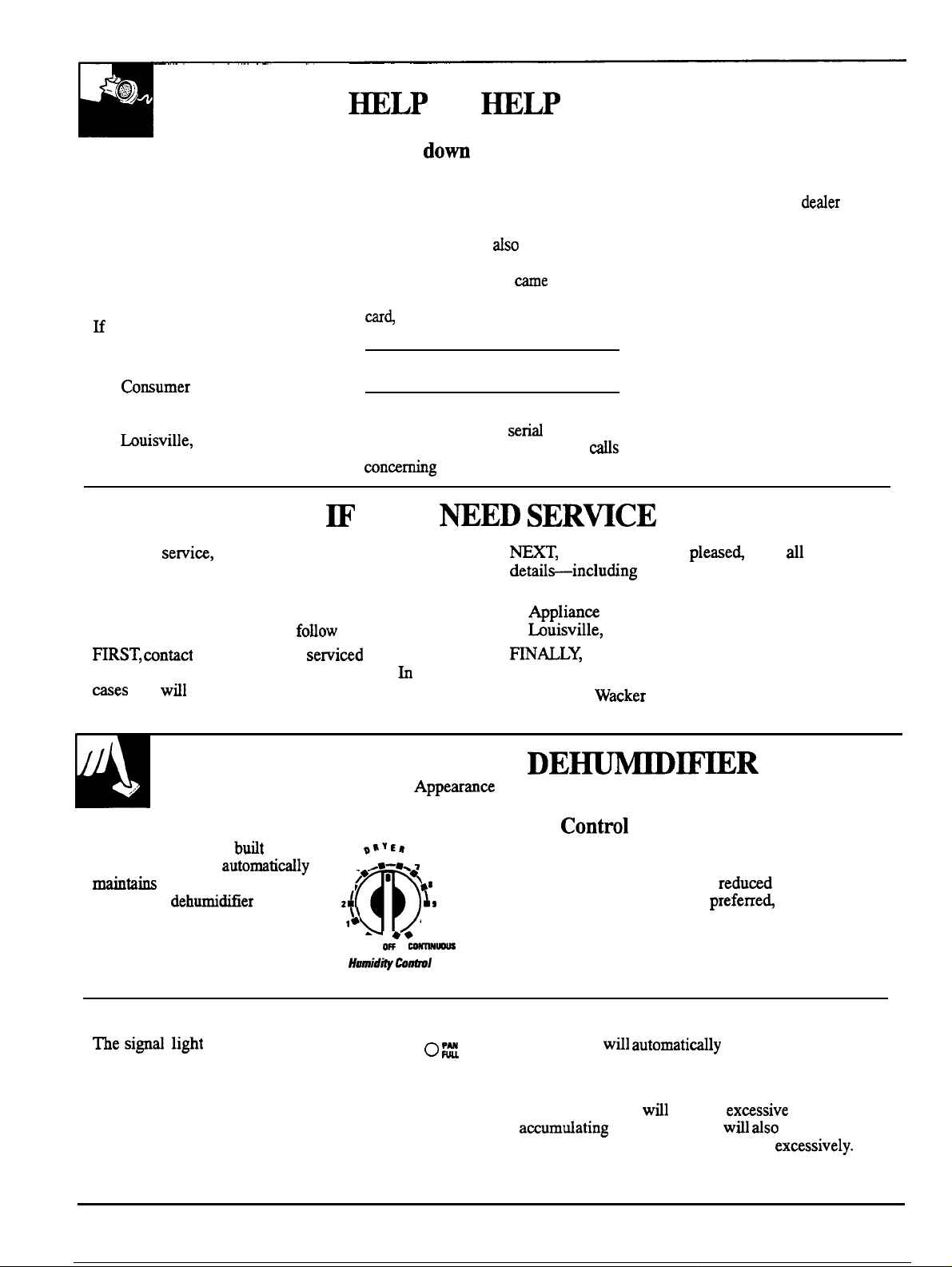
Humidity Control
A Humidity Control,
your dehumidifier,
a selected humidity level.
It starts the
humidity is above the desired level
and shuts it off when the humidity
is below the desired level.
Full Bucket Indicator
si~~
glows when the bucket is full.
2
into
,
when the
58
Fan
,
I
●
,O
The Fan Control adjusts the fan speed. Set the Fan
Control to HIGH for maximum moisture removal.
When the humidity has been
level and quiet operation is
Control to LOW.
(on some models)
to the desired
set the Fan
Auto Shut Off
o
This switch
the dehumidifier when the bucket is full.
shut off
Auto Defrost
The Auto Defrost
dehumidifier from cycling on and off
prevent
frost from
prevent the
Page 3
Appearance may vary
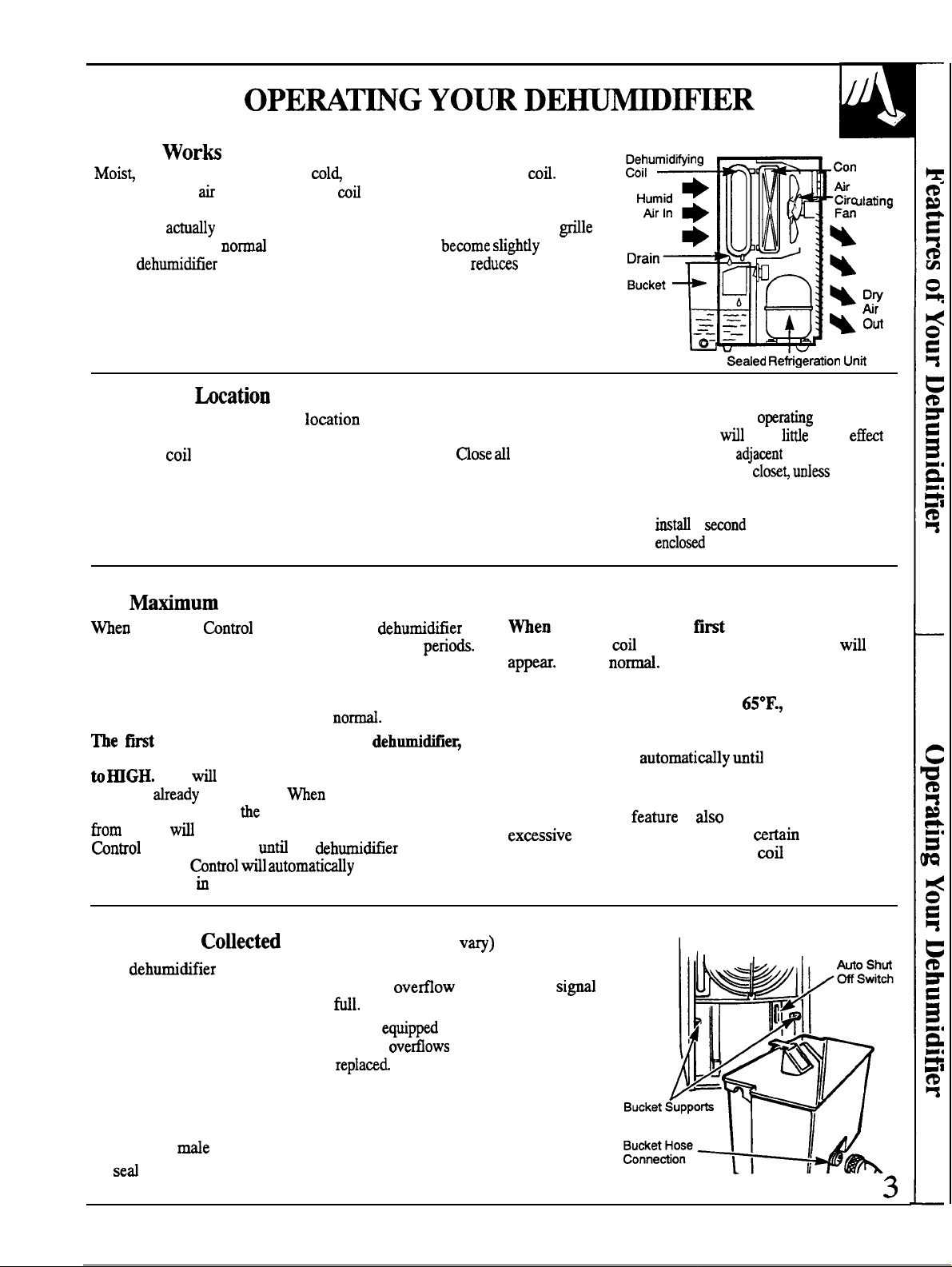
How
It
humid air is drawn over a col~ refrigerated dehumidifying
Moisture in the
through a hose into a drain). Dry, clean air is then drawn over the condenser
where it is
into the room. It is
as the
humidity of the surrounding air.
condenses on this
heated several degrees and discharged out the front
for the surrounding air to bemme
operates. This warming effect further reduws the relative
and then drains into a bucket (or
warmer
Selecting a
1. Place the dehumidifier in a lo~tion 2. The dehumidifier must be operated 3.
that does not restrict air flow into
the rear
or out the front grill.
in an enclosed area to be most
effective.
and other outside openings to the
room. The effectiveness of the
dehumidifier depends on the rate
at which new moisture laden air
enters the room.
doors, windows
denser
A dehumidifier
basement
in drying an
area, such as a
adequate circulation of air in and out
of the area. It maybe necessary to
a
have litie or no
enclosed storage
there is
dehumidifier in the
For
Humidity
will usually run continuously during rally humid
This is due to humid air seeping into the room through the
walls, around doors and windows and through the use of
clothes dryers and other equipment that add moisture to
the air. This continuous operation is
3
set the Humidity Control at “10” and the Fan Control
moisture
the set humidity level,
The Humidity
desired dryness
This
knob toward “l”
TO Remove
Your
is removed from the air, an automatic water
light that glows when the bucket is
Both the open and closed bucket models are
switch which stops the unit before the bucket
again after the bucket is emptied and
After emptying the bucket, hang it on the bucket supports on each side.
For continuous drain-off of water,
of the bucket hose connection and attach a standard garden hose (not
supplied). A
To
the hose connection on the bucket, use any standard hose end cap.
Dehumidification
is set at “10,” the
dehumidifying
within 60 minutes.
If room temperature goes below
accumulate on the dehumidifying coil, reducing the unit’s
or
4 days
that you have your
allow it to remove large amounts of
in the room.
amount of moisture removed
be considerably less. Turn the Humidity
the room.
has an open or closed bucket that catches the water that
thread is provided on the water bucket.
the room has reached
the
maintain the
Water
(appearance ma
drill a 3/16” to 3/8” hole in the center
shuts off.
y
control, and a
with an Auto Shut Off
operating efficiency. The Auto Defrost control will shut
the compressor off
the correct operating temperature. The fan will continue
to run to aid in the defrosting.
The Auto Defrost
may allow the frost to remain on the
before the compressor shuts off and the frost is cleared.
This is not unusual.
the dehumidifier is first turned on
This is
on-off cycling, and under
and the
is dry, a light coating of frost
The frost will usually disappear
frost may
the coil reaches
is
designed to prevent
renditions
for some time
Page 4
Unplug dehumidifier before cleaning.
the dehumidifier will require cleaning.
Dust the outer cabinet with an oil-free cloth or wash
with warm water. Use a vacuum cleaner attachment or
brush to clean the front grille.
the dehumidifying coil is by the use of a soft brush
when the
harden, it will be difficult to remove and must be
soaked and softened.)
Do not allow a lot of water to enter the
electrical/machine compartment through the circular
opening behind the
so you
with a hose.
is soft and wet. (If
Use a squirt bottle or syringe
control the water. Do not spray the coil
best way to clean
to dry and
lubricated.
fan motor has been permanently
4
Page 5
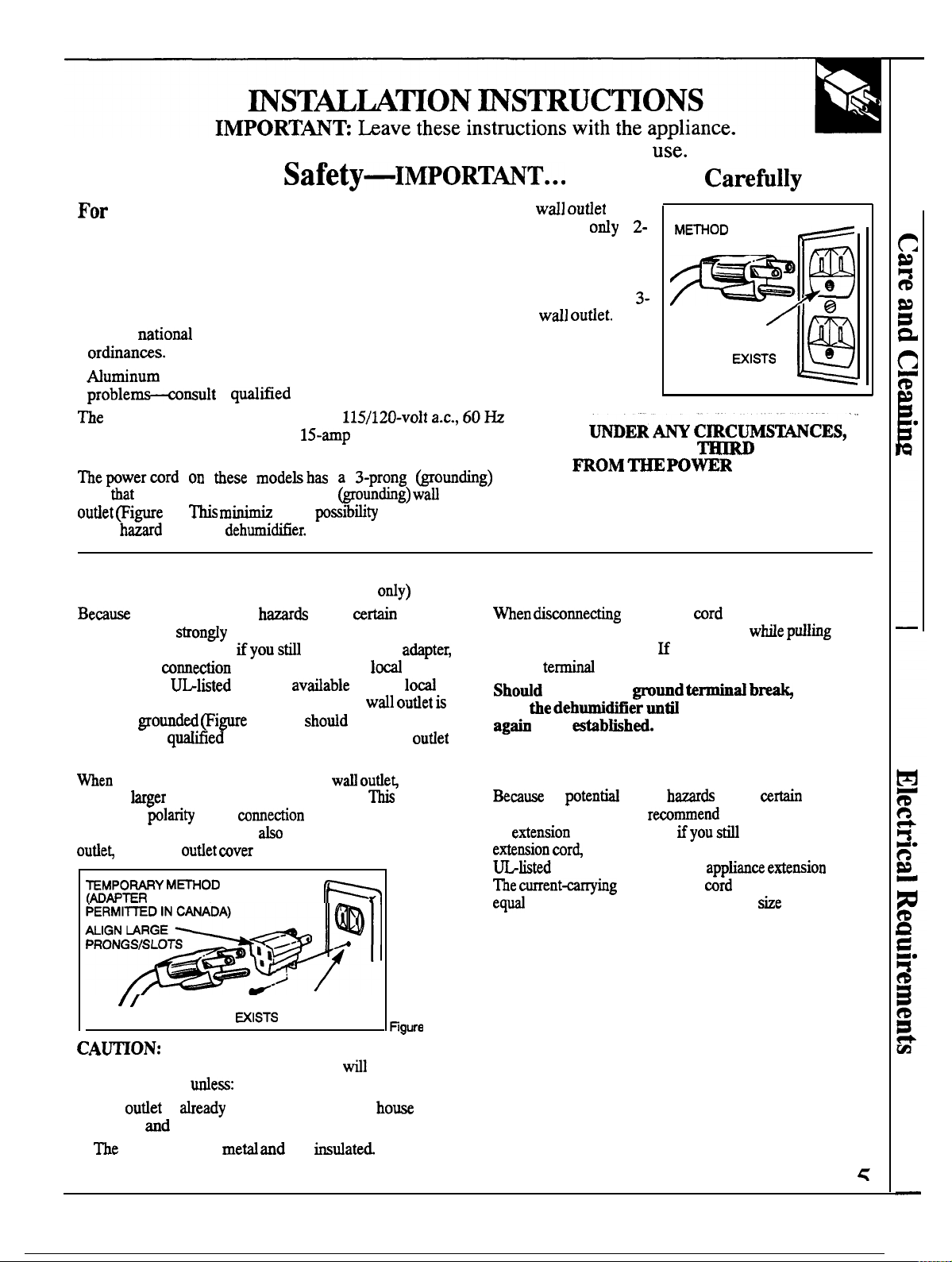
OWNER: Keep these instructions for future
Electrical
personal safety, this dehumidifier
must be properly grounded.
Electrical Requirements
●
Do not change the plug on the power cord of this
dehumidifier.
●
Follow
●
115-volt models require a
grounded outlet protected with a
fuse
or circuit breaker.
plug
mates with a standard 3-prong
shock
Use of Adapter Plug
of potential safety
renditions, we
adapter plug. However,
a temporary
permit. Use a
hardware stores and make sure the 2-prong
properly
checked by a
is properly grounded
you put the adapter plug into the
sure the
the proper
proper grounding, you must
using the
electrical codes or local males and
1).
a
electrician.
es the
(115-volt models
under wrtain
recommend against use of an
elect to use an
may be made where
adapter,
Figure 2). You
electrician to make sure the
prong goes into the larger slot.
in the
of the power cord. For
screw the adapter to the
screw.
PLUGS NOT
time
delay
of electric
at most
have the circuit
make
provides
codes
Please Read
If the
plan to use is
prong outlet, it is your
personal responsibility
to have it replaced with
a properly grounded
prong
.“
DO NOT,
CUT OR REMOVE_
PRONG
. . . . . . . . . . . . . . . . .
always hold the adapter with one hand wMe
plug with the other hand.
ground
USE
been
Use of Extension Cords
of
conditions, we strongly
an
cor~ it is absolutely necessary that it be a
3-wire grounding type
to or greater than the branch circuit
rating nameplate of the dehumidifier.
you
a
PREFERRED
INSURE PROPER
GROUND
Figure 1
BEFORE USE
(GROUND)
the power
this is not done, the adapter
is likely to break with repeated use.
a proper ground has
safety
cord. However,
rating of the
CORD.
from the adapter,
under
against the use of
elect to use an
in amperes must be
shown on the
e
the
DO NOT
cord.
INSURE PROPER-GROUND AND FIRM
CONNECTION
BEFORE USE
Screwing the adapter to the cover screw
the dehumidifier
1. The
is
grounded through the
wiring;
2.
cover screw is
not
2
not ground
Page 6

NOT DRY THE
FROST
NOISE IS
ON FLOOR
SHOULD”
ON
A FAN
USE
PROBLEM
POSSIBLE CAUSE
●
Not plugged
●
●
Bucket may not be pushed
●
The dryness level
in. Plug may have been bumped
fuse codd have blown or circuit breaker may have tripped
loose.
the way into the dehumidifier.
you selected has been reached. The dehumidifier
shuts off when selected amount of moisture has been removed from the air. If you
want to
dehumidifier starts, reset the control to the desired setting.
“Water in the bucket (on some models) has reached its preset level. Dehumidifier
●
Dehumidifier is not turned on. Turn the Humidity
●
When the dehumidifier was
remove the large
as three
remove more moisture, turn the Humidity
turns off when this
amount
of moisture that had
four days, with the Humidity
Empty bucket and return bucket to position.
not enough time was
knob set at
“10”. After the
to
for it to
the room. As long
maybe required
to achieve and maintain the desired dryness.
●
Objects blocking front or back of dehumitier
●
Humidity
●
Doors
●
dryer may be
may be set
too low. Turn control knob to a higher setting.
windows may not be
blowing moisture-laden air into the room
restrict air flow and reduce efficiency.
closed
Eyoti’uuit has a low fan speed move it to
●
Room temperature is too low. Unit
temperature is below
●
Area to
dehumidified is too large.
not operate
See the Operatig
with your alder to see if capacity
if the room
Conditions.
is adequate.
●
Windows
or doors near dehumidifier are open to
windows or
to outside.
●
Humidity
the Humidity
●
The dehumidifier has been turned on
This
set at
or “continuous”. The dehumidifier
is set at ‘continuousn.
or the room temperature
due to refrigerant rushing through the
not turn off if
below 65° F.
Frost
60
●
Air is moving through the dehumidifier. This is a
●
●
Bucket may
●
Bucket not hung
be
the way into
bucket
dehumime~
sound
continuous
If you need more
toll free:
GE Answer Center”
800.626.2000
consumer information service
Page 7
Be There
the purchase
information
Repair
AGE
consumer service professional will provide expert repair service,
scheduled at a time that’s convenient for you. Many GE Consumer Service
GE appliance, receive the assurance that
GE,
be there.
have to do is ~1–tofl-free!
ever need
convenience
a.m. to
p.m. weekdays,
a.m.
to
p.m. Saturdays).
Our factory-trained technicians know your appliance inside and out–so most
repairs can be handled
Whatever your question about any GE major appliance, GE Answer Center”
information service is available to help.
answered
Center” service is open 24 hours a day, 7 days a week.
and courteously. And you can
Your
your question-will be
any time. GE Answer
For Customer W& SpecialNeeds...
Upon request,
Braille controls for a variety of GE
appliances, and a brochure to
assist in planning a barrier-free
kitchen for persons with limited
mobility. To obtain these items,
free of charge, call 800.626.2000.
provide
Consumers with impaired hearing or speech who have
access to a
call
information or
or a conventional teletypewriter may
(80
to request
You can have the secure feeling that GE Consumer Service will still be there
after
in effect and you’ll receive a substantial discount. With a multiple-year contract,
you’re assured of future service at today’s prices.
can have needed
their home. The GE parts system provides access to over
parts... and
fully
warranted. VISA, MasterCard and Discover cards
are
accepted.
expires, Purchase a GE contract while your
to
or accessories sent
GE Genuine Renewal Parts are
tbek own appliances
to
User maintenance instructions
cover procedures
Other
service
is still
personnel. Caution must be exercise~ stice
in
to be performed by any user.
referred to
unsafe
operation.
Page 8
YOUR GE DEHUMIDIFIER
Staple sales slip or
check
here. Proof of original purchase date
is needed to obtain
under
WHAT IS COVERED
LIMITED ONE-YEAR
For one year from date of original
purchase, we will provide, free of
charge,
repair or replace
dehumidifier that
and
fails because of
labor to purch=ed ‘or ‘se ‘n ‘he 48
of the
a manufacturing defect.
LIMITED ADDITIONAL
FOUR-YEAR WARRANTY
For
second through fifth year
from date of original purchase, we
will provide, free of charge,
and service labor to repair or
replace
system
any pati of
(the compressor,
condenser, dehumidifying coil
and all connecting tubing) that fails
of a manufacturing defect.
For each of the above warranties:
You must take the dehumidifier to
a General Electric Factory
Center or a General Electric
Customer
it up following service. In-home’
service is also available, but you
must pay for the service technician’s
travel costs to your home.
This warranty is
the original purchaser and any
succeeding
owner for products
to
states, Alaska, Hawaii
and Washington,
All warranty service will be
provided by
our Factory
Centers or by our authorized
Customer
servicers during
normal working hours.
Should your appliance need
beyond, call 800-GE-CARES
(800-432-2737).
WHAT IS NOT COVERED
●
Service trips to your home to teach
you how to use the product.
Read your Use and Care material.
If you then have any questions
about operating the product, please
Affairs
or call, toll free:
GE Answer
800.626.2000
consumer information service
Pub No. 49-7302
office at the
Some states do not ~low the exclusion or Iimtition of inciden~ or consequential
may not apply to you. This warranty gives you
what your legal rights are in your state, consult your
To
address below,
If further help is needed concerning this warranty, write:
●
Improper installation.
If you have an installation problem,
contact your dealer or installer.
You are responsible for protiding
●
Failure of the product if it is used
for other than its intended
purpose or used
●
Damage to product caused
adequate electrical, plumbing and by accident, fire, floods or acts
other connecting facilities. of God.
●
Replacement of house fuses or
resetting of circuit breakers.
WARRANTOR IS NOT
RESPONSIBLE FOR
CONSEQUENTIAL DAMAGES.
Iegd rights, and you may also have other rights which vary from state to state.
or state consumer
damages, so the *eve
o~ca or your state’s Attorney General.
Warrantor: General Electric Company
Affairs, GE Appliances, Louisville,
40225
Printed in the
United States
 Loading...