

Page 1
Page 2
Page 3
Page 4
4
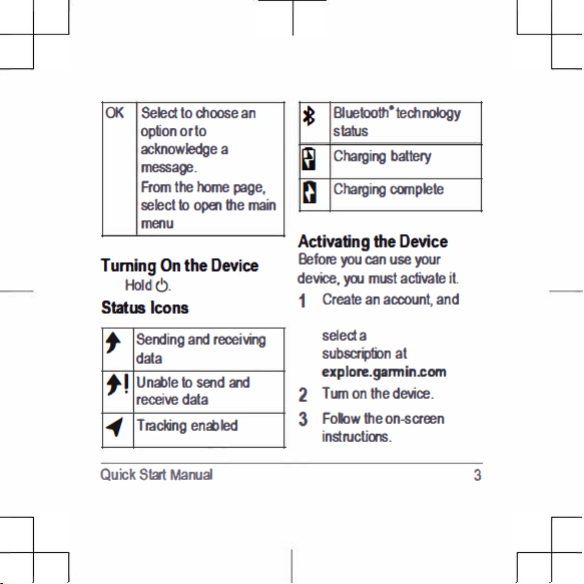
When prompted, go
outdoors to an open area
with a clear view of the
sky.
5
Wait while the device
messages and track points
4 Quick Start Manual
communicates with the
network.
NOTE: It may take up to
20 minutes to activate your
device. The device must
send and receive several
messages, which takes
longer than sending a
single message during
regular use.
Network
requires a clear view of the
sky to transmit
Your device
over the network. Without a
clear view of the sky, your
device
attempts to send the
information until it acquires
signals.
TIP: For the best connection,
attach the device to a backpack
or to your upper body.
Pairing Your Mobile
Device
You must pair your device with
your mobile device to use
Bluetooth features.
Page 5
1
From the app store on your
mobile device, install and
and your mobile device
within 3 m (10 ft.) of each
other.
3
From the main menu,
select Setup
> Bluetooth
> Pair Device.
complete the pairing and
setup process.
After the devices are paired,
they connect automatically
when they are turned on and
within range.
From the main menu,
select Utilities
> Test
Service > OK.
Wait while the device
sends a test message.
When you receive a
confirmation message,
your device is ready to
use.
Quick Start Manual 5
open the app.
Place the device
2
4
Follow the instructions in
the app to
Testing the Device
You should test the device
outdoors before using it on a
trip to ensure your
subscription is active.
Messages
Your device sends and
receives text
Page 6
messages using the network.
select Send Preset.
2
Choose a preset message,
and select Send.
6 Quick Start Manual
Sending a Preset Message
Preset messages are
messages that you created at
explore.garmin.com. Preset
messages have predefined text
and recipients.
From the main menu,
1
Page 7
Lift the protective cap
4
Reply to the confirmation
message from the
Quick Start Manual 7
1
from the button Á.
Hold the button.
2
Wait
3
The device sends a default
message.
À
service.
Your reply lets the
know that you are capable
of interacting with them.
service
Page 8
Tracking
8 Quick Start Manual
Tracking records your path.
When you start tracking, your
device logs your location and
updates the track line at the
specified log interval. Your
device records track points and
transmits them over the
satellite network at the
specified send interval.
Starting Tracking
From the main menu,
select Start Tracking.
Device Information
Support and Updates
Go to explore.garmin.com for
easy access to these services
for devices.
Page 9
• Product registration
• Firmware updates
• Data uploads and syncing
your device with your
account
Getting the Owner's
Manual
The owner's manual includes
instructions for using device
features and accessing
regulatory information.
Charging the Device
NOTICE
To prevent corrosion,
thoroughly dry the USB port,
the weather cap, and the
surrounding area before
charging or connecting to a
computer.
NOTE: The device does not
charge when it is outside the
approved temperature range
(page
10).
1
Lift the weather cap À.
Quick Start Manual 9
Go to garmin.com
/manuals/.
Page 10
2
Plug the small end of the
power cable into the USB
port Á on the device.
3
Plug the other end of the
power cable into an
appropriate power source.
4
Charge the device
completely.
Specifications
Operating
temperature
range
From -20 to
60 C (from
-4 to 140 F)
Charging
temperature
range
From 0 to
45 C (from
32 to 113 F)
Battery Information
The actual battery life depends
on your device settings, such
as the tracking and message
checking intervals.
10 Quick Start Manual
Page 11
Battery
Life
Mode
Up to 30
hr.
10-minute
tracking send
interval and 1second log
interval
Up to
50 hr.
Default mode
with 10-minute
tracking send
interval and 5minute log
interval
Up to 20
days
Extended
tracking mode
with 30-minute
tracking send
interval
Battery
Life
Mode
Up to 1 yr. Turned off
Quick Start Manual 11
© 2018 Garmin Ltd. or its
subsidiaries
trademarks of Garmin Ltd.
, and are
or its subsidiaries, registered in the
USA and other countries. These
trademarks may not be used
without the express permission of
Garmin.
The Bluetooth® word mark and
logos are owned by the Bluetooth
SIG, Inc. and any use of such
marks by Garmin is under license.
is a registered trademark of. Other
Page 12
trademarks and trade names are
those of their respective owners.
12 Quick Start Manual
 Loading...