

Page 1
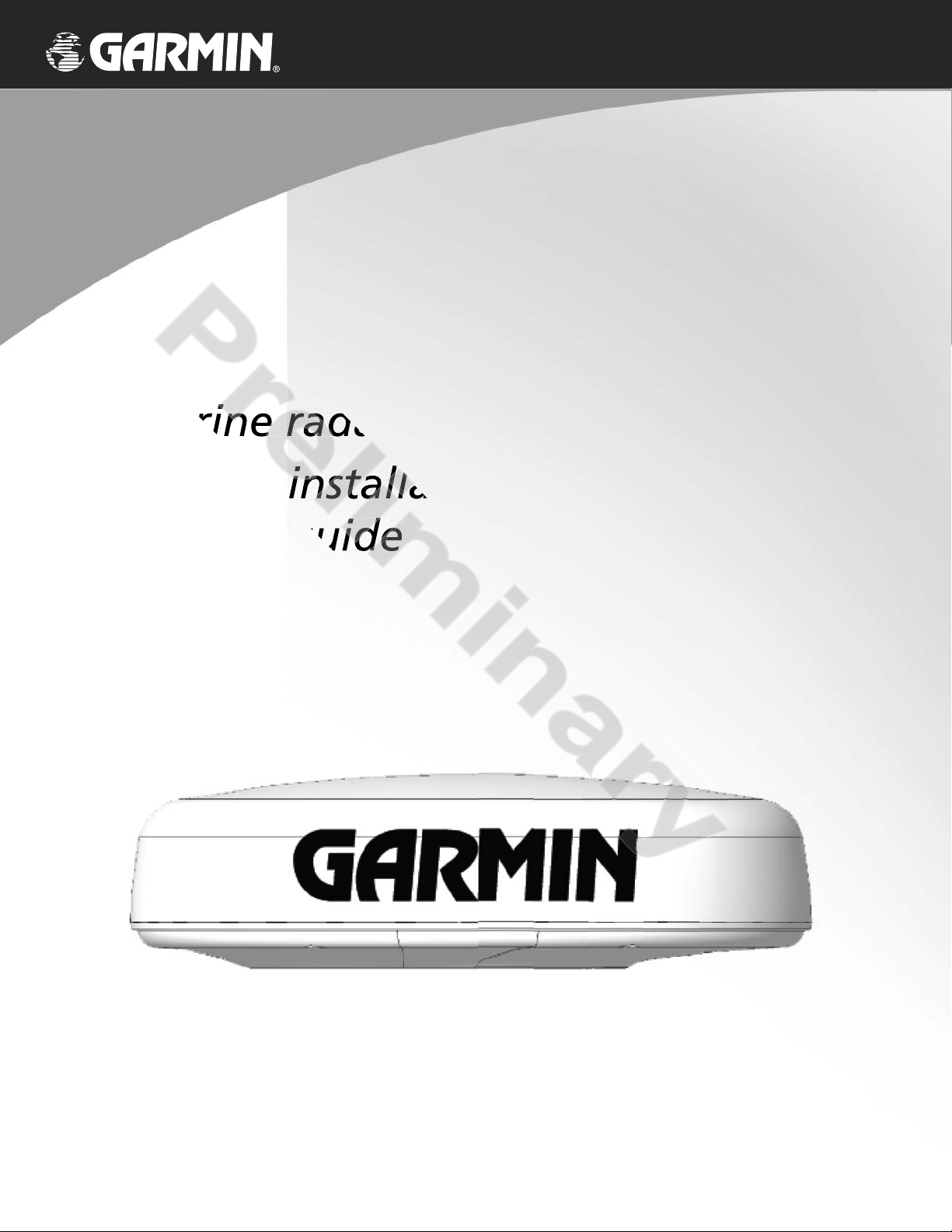
GMR 20/40
marine radar
installation and operation
guide
Page 2

Preliminary
GMR 20/40 Installation and Operation Guide
© Copyright 2004 Garmin Ltd. or its subsidiaries. All Rights Reserved
Garmin International, Inc.
st
1200 East 151
Olathe, Kansas 66062 U.S.A.
Tel. 913/397.8200
Fax 913/397.8282
Except as expressly provided herein, no part of this manual may be reproduced, copied, transmitted, disseminated, downloaded or stored in any storage medium, for any purpose without the express prior written consent of Garmin. Garmin hereby grants permission to download a single copy of this
manual and of any revision to this manual onto a hard drive or other electronic storage medium to be viewed and to print one copy of this manual or
of any revision hereto, provided that such electronic or printed copy of this manual or revision must contain the complete text of this copyright notice
and provided further that any unauthorized commercial distribution of this manual or any revision hereto is strictly prohibited.
Information in this document is subject to change without notice. Garmin reserves the right to change or improve its products and to make changes in
the content without obligation to notify any person or organization of such changes or improvements.
Web site address: www.garmin.com
GARMIN
September 2004 Part Number 190-00457-02 Rev. A Printed in Taiwan
Street
®
is a registered trademarks of Garmin Ltd. or its subsidiaries and may not be used without the express permission of Garmin. .
Garmin (Europe) Ltd.
Unit 5, The Quadrangle,
Abbey Park Industrial Estate
Romsey, SO51 9DL, U.K.
Tel. 44/1794.519944
Fax 44/1794.519222
Garmin Corporation
No. 68, Jangshu 2
Shijr, Taipei County, Taiwan
Tel. 886/2.2642.9199
Fax 886/2.2642.9099
nd
Road
1
Page 3

GMR 20/40 Installation and Operation Guide
a safe place or attach a photpla
Pr
compcomp
in in
) in c) in c
e or attach ae or attach a
haha
Welcome
Thank you for choosing the Garmin GMR 20/40. The GMR 20/40 utilizes the performance of Garmin radar and provides overlay and color information when combined with a marine Multi-Function Display (MFD). Please take a moment now to compare the
contents of this package with the packing list on page x of this manual. If any pieces are missing, please contact your Garmin dealer
immediately.
About This Manual
To get the most out of your new navigation system, take time to read this manual and learn the operating procedures for your unit
in detail.
Customer Service Product Registration
Help us better support you by completing our on-line registration today!
Have the serial number of your GMR 20/40 handy and connect to our Web site (www.garmin.com). Look for the Product Registration link on the Home page. Also, be sure to record your serial number in the area provided on this page.
Serial Number
Use this area to record the serial number (8-digit number located in the back of the unit) in case it is lost, stolen, needs service, or if you
need to contact Technical Support. Be sure to keep your original sales receipt in a safe place or attach a photocopy inside the manual.
Serial Number:
The Garmin GMR 20/40 has no user-serviceable parts. Should you ever encounter a problem with your unit, please
,
take it to an authorized Garmin dealer or contact Garmin Customer Service for repairs.
2
Page 4

GMR 20/40 Installation and Operation Guide
Preliminary
Table of Contents
x
x
x
x
x
x
x
3
Page 5

GMR 20/40 Installation and Operation Guide
Preliminary
discrepancies before contepancies b
its components contain ch
sure thsure th
http:/http:/
0/40 at you0/40 at you
performanperforman
requency) levels c
requency) levels
withwith
BILITYBILITY
,
Warning and Cautions
CAUTION: Use the GMR 20/40 at your own risk. To reduce the risk of unsafe operation, carefully review and understand all aspects of
this Owner’s Manual, and thoroughly practice operation using the simulator mode prior to actual use. When in actual use, carefully compare
indications from the GMR 20/40 to all available navigation sources, including the information from other NAVAIDs, visual sightings, charts,
etc. For safety, always resolve any discrepancies before continuing navigation.
CAUTION: IT IS THE USER’S RESPONSIBILITY TO USE THIS PRODUCT PRUDENTLY. THIS PRODUCT IS INTENDED TO BE USED
ONLY AS A NAVIGATIONAL AID AND MUST NOT BE USED FOR ANY PURPOSE REQUIRING PRECISE MEASUREMENT OF DIRECTION, DISTANCE, LOCATION, OR TOPOGRAPHY.
WARNING: This product, its packaging, and its components contain chemicals known to the State of California to cause cancer, birth
defects, or reproductive harm. This Notice is being provided in accordance with California’s Proposition 65. If you have any questions or
would like additional information, please refer to our web site at http://www.garmin.com/prop65.\
WARNING:
given in this guide, and that all personnel are clear of the scanner, before switching to transmit mode.
Installation Guidelines
The guidelines given here describe the conditions for optimum EMC performance, but it is recognized that it may not be possible to
meet all of these conditions in all situations. To ensure the best possible conditions for EMC performanc,e within the constraints imposed
by any location, always ensure the maximum separation possible between different items of electrical equipment. For optimum EMC performance, it is recommended that wherever possible:
• IEC 60936-1 clause 3-27.1 maximum distances from the antenna at which RF (Radio Frequency) levels can be expected.
GMR20 (100W/m squared = 40cm [15.75”]) (10W/m squared = 120cm [47.24”])
GMR40 (100W/m squared = 60cm [23.62”]) (10W/m squared = 175cm [68.90”])
• Mount at least 1 m (3 ft) from any equipment transmitting or cables carrying radio signals e.g. VHF radios, cables and antennas. In the
case of SSB radios, the distance should be increased to 2 m (7 ft).
• Mount other electronics and cables more than 2 m (7 ft) from the path of a radar beam. A radar beam can normally be assumed to
spread 20 degrees above and below the radiating element.
• Electromagnetic Energy. The radar scanner transmits electromagnetic energy. It is important that the radar is turned off and/or DC
power input be disconnected whenever personnel are required to come close to the scanner to perform work on the scanner assembly
or associated equipment.
• It is recommended that the radar scanner is mounted out of range of personnel (above head height). Do not look directly at the antenna
at close range as your eyes are the most sensitive part of the body to electromagnetic energy. When properly installed and operated, the
use of this radar will conform to the requirements of ANSI/IEEE C95.1-1992 Standard for Safety Levels with Respect to Human Exposure to Radio Frequency Electromagnetic Fields.
The radar scanner transmits electromagnetic energy. Ensure that the scanner has been installed according to the recommendations
• Magnetic compass: Mount the scanner unit at least x (TBD) m away from a magnetic compass.
4
Page 6

GMR 20/40 Installation and Operation Guide
Prel
antenna.antenna.
erviceable parts. Repairs sh
manent damage to the equ
andt and
circuitcircuit
io/TVio/TV
harmfuharmfu
t and t and
to try to corto try to cor
FCC Compliance
The GMR 20/40 complies with Parts 15 and 80 of the FCC interference limits for Class B digital devices FOR HOME OR OFFICE USE. These
limits are designed to provide more reasonable protection against harmful interference in a residential installation, and are more stringent than
“outdoor” requirements.
Operation of this device is subject to FCC part 15 to the following conditions: (1) This device may not cause harmful interference, and (2) this
device must accept any interference received, including interference that may cause undesired operation.
This equipment generates, uses and can radiate radio frequency energy and, if not installed and used in accordance with the instructions, may
cause harmful interference to radio communications. However, there is no guarantee that interference will not occur in a particular installation. If this equipment does cause harmful interference to radio or television reception, which can be determined by turning the equipment off
and on, the user is encouraged to try to correct the interference by one of the following measures:
• Reorient or relocate the receiving antenna.
• Increase the separation between the equipment and the receiver.
• Connect the equipment into an outlet on a circuit different from that to which the receiver is connected.
• Consult the dealer or an experienced radio/TV technician for help.
The GMR 20/40 does not contain any user-serviceable parts. Repairs should only be made by an authorized Garmin service center. Unauthorized repairs or modifi cations could result in permanent damage to the equipment, and void your warranty and your authority to operate this
device under Part 15 and 80 regulations.
5
Page 7

GMR 20/40 Installation and Operation Guide
Preliminary
nitnit
Packing List
Before installing and getting started with your unit, please check to see that your package includes the following items. If any parts are
missing, please contact your Garmin dealer immediately.
Standard Package:
• GMR 20 or 40 Unit
• Power Cable
• Marine Network Cable
• Owner’s Manual
• Installation/Operation Manual
• Mount Kit Hardware
• Grommet for Marine Cable
6
Page 8
GMR 20/40 Installation and Operation Guide
Preliminary
n
EXTEXT
GUIDE TEXT
7
Page 9

GMR 20/40 Installation and Operation Guide
Preliminary
GUIDE TEXT
Page 10

GMR 20/40 Installation and Operation Guide
W
be
lace any components that
that the customer shall be
SING UNDER ANY WARR
Pre
tion otion o
ny componentsny components
po
Title, ow Title, ow
that the Softwathat the Softwa
ORO
WARRANTY.WARRANTY.
Title, ow Title, ow
Software License Agreement
BY USING THE GMR 20/40, YOU AGREE TO BE BOUND BY THE TERMS AND CONDITIONS OF THE FOLLOWING SOFTWARE
LICENSE AGREEMENT. PLEASE READ THIS AGREEMENT CAREFULLY.
Garmin grants you a limited license to use the software embedded in this device (the “Software”) in binary executable form in the normal
operation of the product. Title, ownership rights and intellectual property rights in and to the Software remain in Garmin.
You acknowledge that the Software is the property of Garmin and is protected under the United States of America copyright laws and
international copyright treaties. You further acknowledge that the structure, organization and code of the Software are valuable trade secrets
of Garmin and that the Software in source code form remains a valuable trade secret of Garmin. You agree not to decompile, disassemble,
modify, reverse assemble, reverse engineer or reduce to human readable form the Software or any part thereof or create any derivative works
based on the Software. You agree not to export or re-export the Software to any country in violation of the export control laws of the United
States of America.
LIMITED WARRANTY
This Garmin product is warranted to be free from defects in materials or workmanship for one year from the date of purchase. Within this
period, Garmin will at its sole option, repair or replace any components that fail in normal use. Such repairs or replacement will be made at
no charge to the customer for parts or labor, provided that the customer shall be responsible for any transportation cost. This warranty does
not cover failures due to abuse, misuse, accident or unauthorized alteration or repairs.
THE WARRANTIES AND REMEDIES CONTAINED HEREIN ARE EXCLUSIVE AND IN LIEU OF ALL OTHER WARRANTIES EXPRESS
OR IMPLIED OR STATUTORY, INCLUDING ANY LIABILITY ARISING UNDER ANY WARRANTY OF MERCHANTABILITY OR FITNESS
FOR A PARTICULAR PURPOSE, STATUTORY OR OTHERWISE. THIS WARRANTY GIVES YOU SPECIFIC LEGAL RIGHTS, WHICH MAY
VARY FROM STATE TO STATE.
IN NO EVENT SHALL GARMIN BE LIABLE FOR ANY INCIDENTAL, SPECIAL, INDIRECT OR CONSEQUENTIAL DAMAGES,
WHETHER RESULTING FROM THE USE, MISUSE, OR INABILITY TO USE THIS PRODUCT OR FROM DEFECTS IN THE PRODUCT.
Some states do not allow the exclusion of incidental or consequential damages, so the above limitations may not apply to you.
Garmin retains the exclusive right to repair or replace the unit or software or offer a full refund of the purchase price at its sole discretion.
SUCH REMEDY SHALL BE YOUR SOLE AND EXCLUSIVE REMEDY FOR ANY BREACH OF WARRANTY.
To obtain warranty service, contact your local Garmin authorized dealer. Or call Garmin Customer Service at one of the numbers shown
below, for shipping instructions and an RMA tracking number. The unit should be securely packed with the tracking number clearly written
on the outside of the package. The unit should then be sent, freight charges prepaid, to any Garmin warranty service station. A copy of the
original sales receipt is required as the proof of purchase for warranty repairs.
Products sold through online auctions are not eligible for rebates or other special offers from Garmin. Online auction confi rmations are
not accepted for warranty verifi cation. To obtain warranty service, an original or copy of the sales receipt from the original retailer is required.
Garmin will not replace missing components from any package purchased through an online auction.
Garmin International, Inc. Garmin (Europe) Ltd.
1200 East 151st Street Unit 4, The Quadrangle, Abbey Park Industrial Estate
Olathe, Kansas 66062, U.S.A. Romsey, SO51 9DL, U.K.
Phone: 913/397.8200 Phone: 44/1794.519944
USA Only: 800/800.1020 FAX: 44/1794.519222
FAX: 913/397.0836 www.garmin.com
10
Page 11
SAMPLE DoC
GMR 20/40 Installation and Operation Guide
pl
Preliminary
N
nfor
ou
ppttplicatiplicati
oo
Issued: 19/04/2004
Revised: 19/04/2004
Page: 1 of 1
DECLARATION of CONFORMITY
Application of Council Directive: 1995/5/EC
Standard to which Conformity is Declared: EN 60945: 1997 Marine Navigational Equipment – General
Requirements
Manufactured by: GARMIN International & GARMIN Corporation
Manufacture’s Address: 1200 E. 151
Olathe, Kansas 66062 Shijr, Taipei County,
U.S.A TAIWAN, R.O.C.
st
Street No.68, Jangshu 2ndRd.,
Authorised Representative: GARMIN (Europe) Ltd, The Quadrangle,
Abbey Park Ind. Estate, Romsey, Hampshire,
SO51 9DL, U.K.
SAMPLE DoC
Type of Equipment: Marine Radar
Model Number(s): GMR20/40
The undersigned does hereby declare that the equipment complies to the above Directives
Paul Morrow
Quality Manager
GARMIN (Europe) Ltd Date: 19
th
April 2004
11
Page 12
Preliminary
© 2004 Garmin Ltd. or its subsidiaries
Garmin International, Inc.
1200 East 151st Street, Olathe, Kansas 66062, U.S.A.
Garmin (Europe) Ltd.
Unit 5, The Quadrangle, Abbey Park Industrial Estate,
Romsey, SO51 9AQ, U.K.
Garmin Corporation
No. 68, Jangshu 2nd Road, Shijr, Taipei County, Taiwan
www.garmin.com
Part Number 190-00457-02 Rev. A
 Loading...