

Page 1
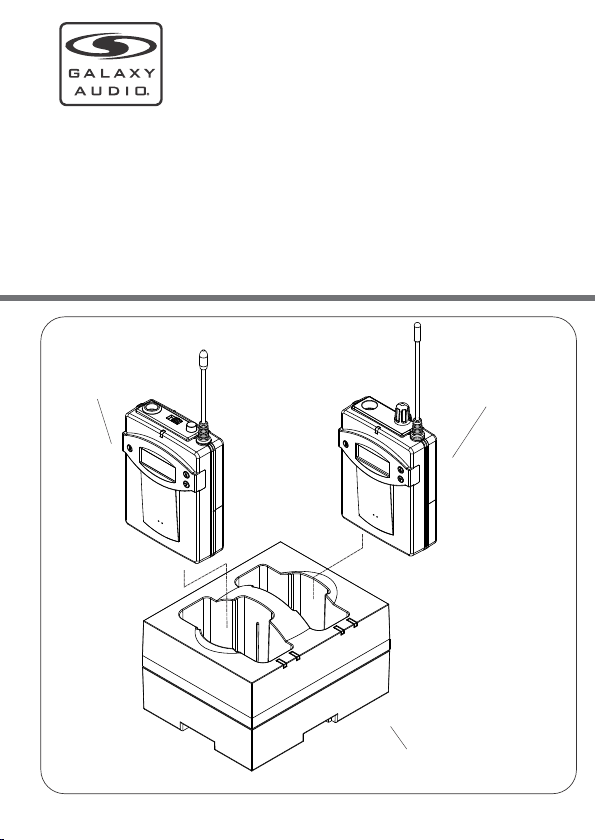
ANYSPOT
AS - D C TVM B P
TW I NBO D YP A CK
CH A RG I NGS T AN D
User's Guide
®
Bod y- pac k Tran smi tter
Bod y- pac k Rec eiv er
Bod yp ack c har gin g sta nd
Page 2
INT RO D UCT ION
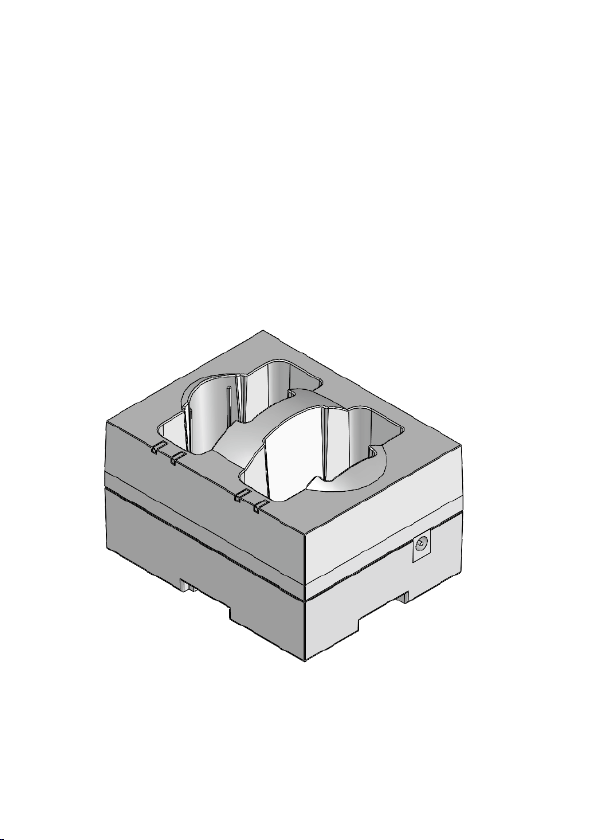
Than k yo u for purchasing ou r tw in bodypack charg ing
stan d fo r TRAVE LE R wireless micr op hone bodypacks.
Plea se r ead this manual car ef ully before usi ng .
-1-
Page 3
DE S CRI P TIO N OF FU N CT I ONS
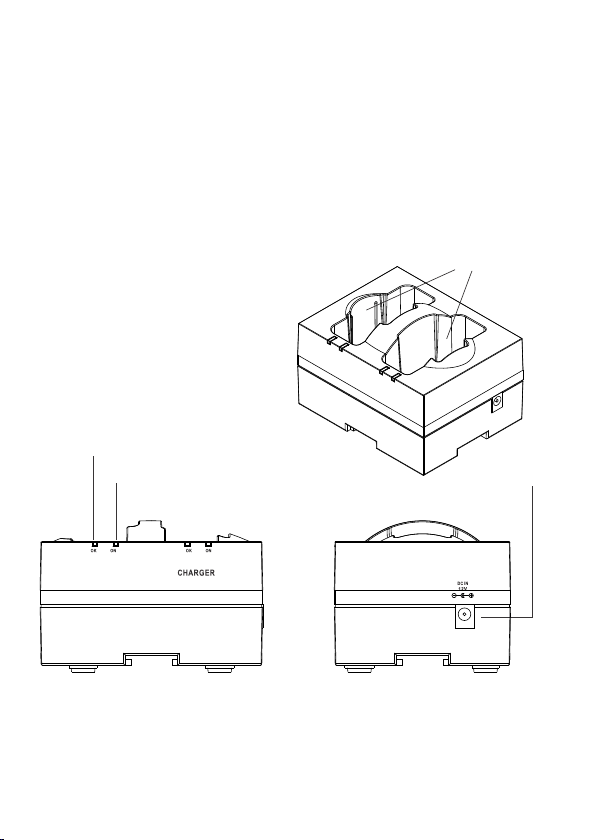
1. Ful ly C harged Indicato r (I ndicates OK with gr een
LED)
2. Cha rg ing Indicator (In di cates ON with amber L ED)
3. DC Po we r connector
4. Cha rg ing stand for TRAVELER, wire less microphone
body pa cks.
(4)
(1)
(2)
AS- DCTVMB P
(3)
-2-
Page 4

SET UP AN D O PE R ATIO N
1. Plu g th e AC adapter i nt o an AC outlet o f the voltage
spec if ied on the adapte r. Pl ug the DC cable int o th e DC
in Jac k on t he charger stan d. T he charger will p er form a
self -t est with the foll ow ing indications : Both OK
(GRE EN )indicators b li nk, then both ON (A MB ER)
indi ca tors blink. If th e un it passes the tes t, b oth ON
(AMB ER ) indicators wi ll b link one more tim e.
2. Rec ha rgeable batte ri es of only the NI-C D or N I-MH
type m us t be installed in t he b odypacks. Ins er t the
body pa cks fully into th e ch arger stand. Th e ON
(AMB ER ) LED will light in di cating charging i n progress.
3. The O K (G REEN) LED will li gh t when the batterie s are
full y ch arged.
-3-
Page 5

ATT E NTI ON:
Avoid Excessive He at
Don' t le ave the charging st and in the hot sun, on a
radi at or, or near other sour ces of high tempera tu re.
Avoid Rough Handling
Char gi ng stand may be damag ed if dropped.
USE on ly N i-CD or Ni-MH Recha rg eable Batteri es .
-4-
Page 6

TROUB L ESH OOT ING
Prob le m
Char gi ng Indicator (ON
AMBE R) K eeps Flashing
ON (AM BE R) LED does not
ligh t wi th bodypack
inse rt ed.
FE AT UR ES
The AS-DCTVMBP features a PW M charging contro l
with s ma rt charging shut of f wh en the batteries ar e fully
char ge d. The high efficie nc y design takes only 3 t o 4
hour s fo r a full bodypack rec ha rge.
Solu ti on
Make s ur e the batteries are
the re ch argeable type.
Make s ur e bodypack is
inst al led properly. Some belt
clip s ma y need to be changed
or rem ov ed to allow full
inse rt ion of the bodypack i nto
the ch ar ger.
Make s ur e the batteries are
inst al led properly.
Make s ur e the AC Adapter is
plug ge d into an outlet. Mak e
sure D C ca ble is plugged into
char ge r stand.
-5-
Page 7

SPEC IF ICATI ON S
Numb er o f charging
comp ar tments
Powe r re quirement
2 (rec ei ver or transmitte r) or
mult i- series
115V or 230V AC adap tor
12V DC , 50 0mA
OK (GR EE N) LED lit.
ON (AM BE R) LED lit
Char gi ng current
Char gi ng time Ni-MH.
(130 0m AH)
Char gi ng control detect or,
Body pa ck fully charged
Char gi ng in progress
450 ~ 50 0 mA
3 ~ 4 hour s
PWM co nt rol,full charge
powe r- off on e-time battery
dete ct or
Dime ns ions (D*W*H)
Weight
Thi s de vic e com pli es wi th P art 1 5 of th e FCC R ule s. O per ati on is
sub je ct to t he fo llo win g tw o con dit ion s: (1 ) th is de vic e may n ot ca us e
har mf ul in ter fer ence, a nd (2 ) thi s dev ice m us t acc ept a ny in ter fe ren ce
recei ved , inc lud ing i nt erf ere nce t hat m ay c aus e und esi red ope rat ion .
5.47 " x 3. 94" x 3.54"
(139x 10 0x90 mm )
5.64 o z (1 60 g)
-6-
Page 8
ANYSPOT
®
AS - D C TVM B P
TW I NBO D YP A CK
CH A RG I NGS T AN D
User's Guide
Product Page
www.galaxyaudio.com/support/warranty
https://www.galaxyaudio.com/support/warranty
2021Copyright Galaxy Audio Inc.
V20210914
 Loading...