

Page 1
MeticaFM 7
Quick Start Guide
MeticaFM 7
Field Monitor
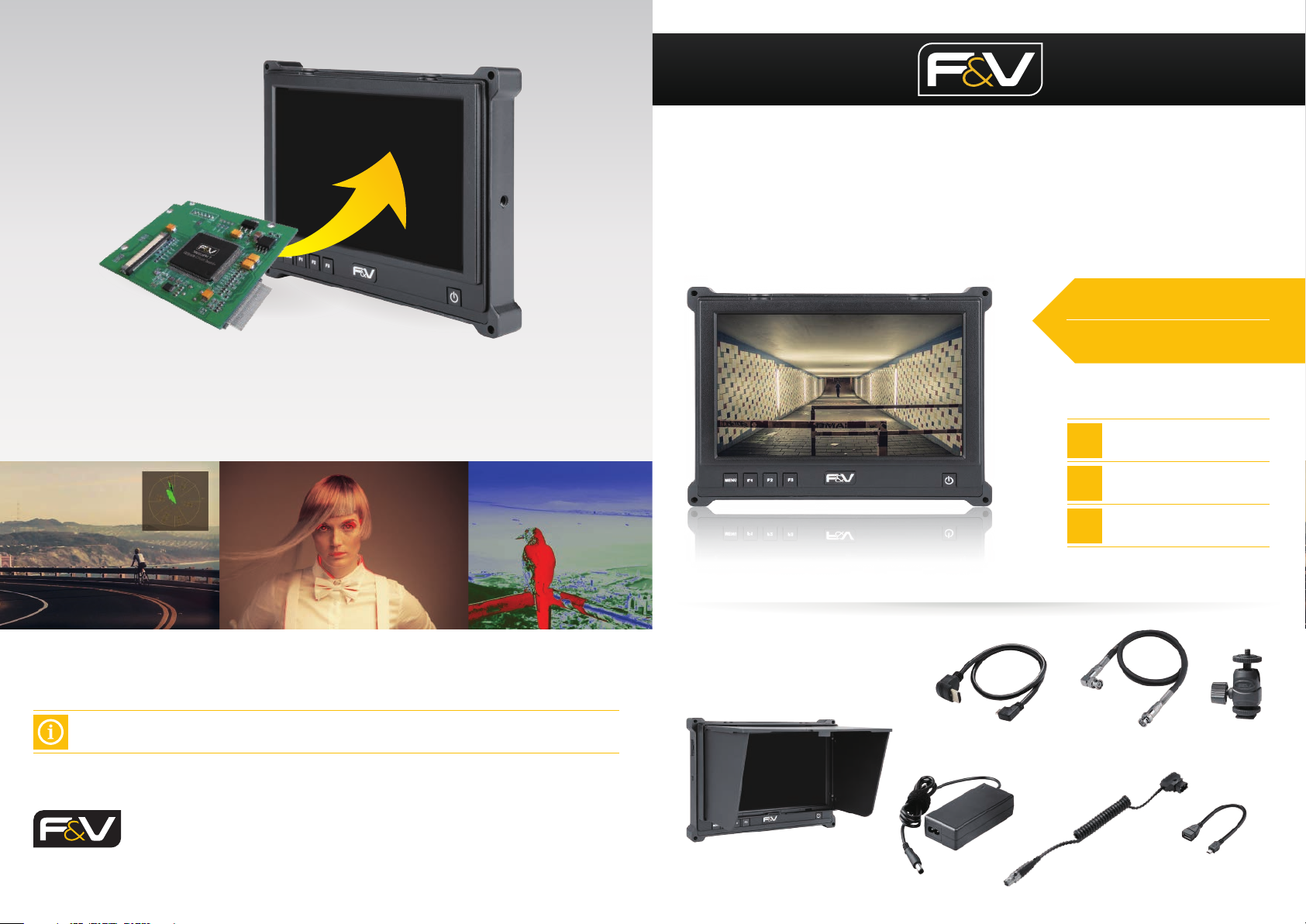
Hardware Upgrade
Upgrade the hardware in your MeticaFM 7 to unlock additional software features such as:
pattern generator, false color, range error, histogram, and audio columns.
For upgrades, the unit must be sent back to your local F&V Service Center where the upgrade will
be installed by one of our technicians. Please allow 2-3 days for installation.
F&V Photographic Industry B.V.
Steenovenweg 5, 5708HN Helmond, Netherlands
TM & © F&V All rights reserved.
For more information visit: fvlight.com
What‘s in the box?
1
Getting Started
2 Functions
3 Software Upgrade
HDMI Cable Mini to Standard
AC Adapter D-tap to Mini XLR CableMeticaFM 7 with Hood USB Upgrade Cable
BNC Cable (SDI version) Junior Joint
Page 2
1 Getting Started 2 Functions
Scroll up
NP-F
2
Signal
Li-ion
Battery
1
Mini XLR
6.8-18 V
Input
- HDMI ( )
- SDI ( )
1
2
Output (Loop through)*
- HDMI ( )
- SDI ( )
3
4
TALLY
3
SDI IN
1
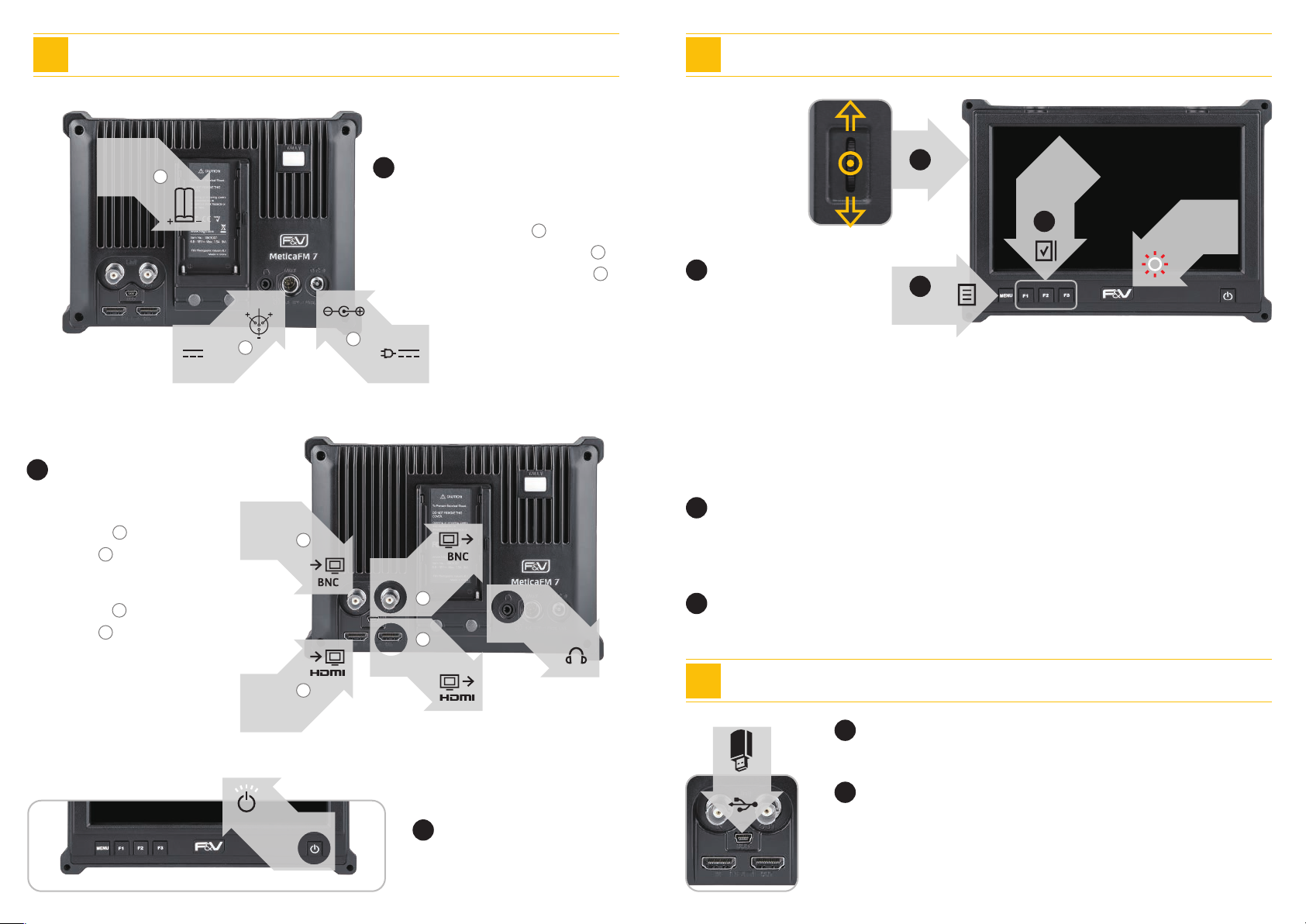
Power
Three power options
- NP-F li-ion battery ( )
- DC 2.5Φ 6.8-18V Max.1.5A ( )
- Mini XLR 6.8-18V Max.1.5A ( )
1
Push in
Scroll down
2
3
1
Scroll Wheel
1
Custom
FUNCTION
3
TALLY
2
Navigation
2
DC 2.5Φ
6.8-18 V
- Push in wheel to select
- Scroll to navigate menu or adjust values
Functions (When no menu is showing)
- Scroll up/down to quickly to adjust volume
- Push in to initiate shortcut to “Picture” settings. Continue to push in to cycle through
all available “Picture” settings, such as brightness, contrast, etc. When a setting is
displayed, scroll to adjust values
2
Menu / Back Button
2
SDI OUT
4
3
AUDIO OUT
When navigating the menu
- Click the menu button to “go back” in the menu navigation
2
Custom function button
Easily assign shortcuts to the function buttons in the “Advanced” menu screen
MENU
*The signal can loop through,
but it cannot cross-convert
HDMI IN
1
POWER
HDMI OUT
3
Let’s do this!
Turn the monitor ON
3 Software Upgrade
1
Download
Download the new rmware les to a USB stick (16GB or less)
USB 2.0
2
Upgrade
- Turn the monitor off, and plug in USB
- Turn on monitor. The front buttons will begin to ash. Wait until
buttons stop ashing and remain illuminated
- Turn OFF monitor, remove USB, and turn ON monitor
 Loading...