

Page 1

Cooper
standing desk converter
Assembly instructions
For assembly assistance,
call 888-508-3725
or email [email protected]
Page 2
Cooper
standing desk converter
Thank you for choosing the Cooper standing desk
converter from Fully.
Bear in mind that standing all day is only marginally
better than sitting — Cooper was designed to encourage you to move. A gas strut makes going from
sitting to standing a smooth, one-handed operation.
Out of the box, Cooper comes calibrated to raise and
lower 15lbs — about the weight of a laptop, monitor, keyboard, and mouse. If your setup is lighter or
heavier than 15lbs, adjust the calibration per the
instructions below.
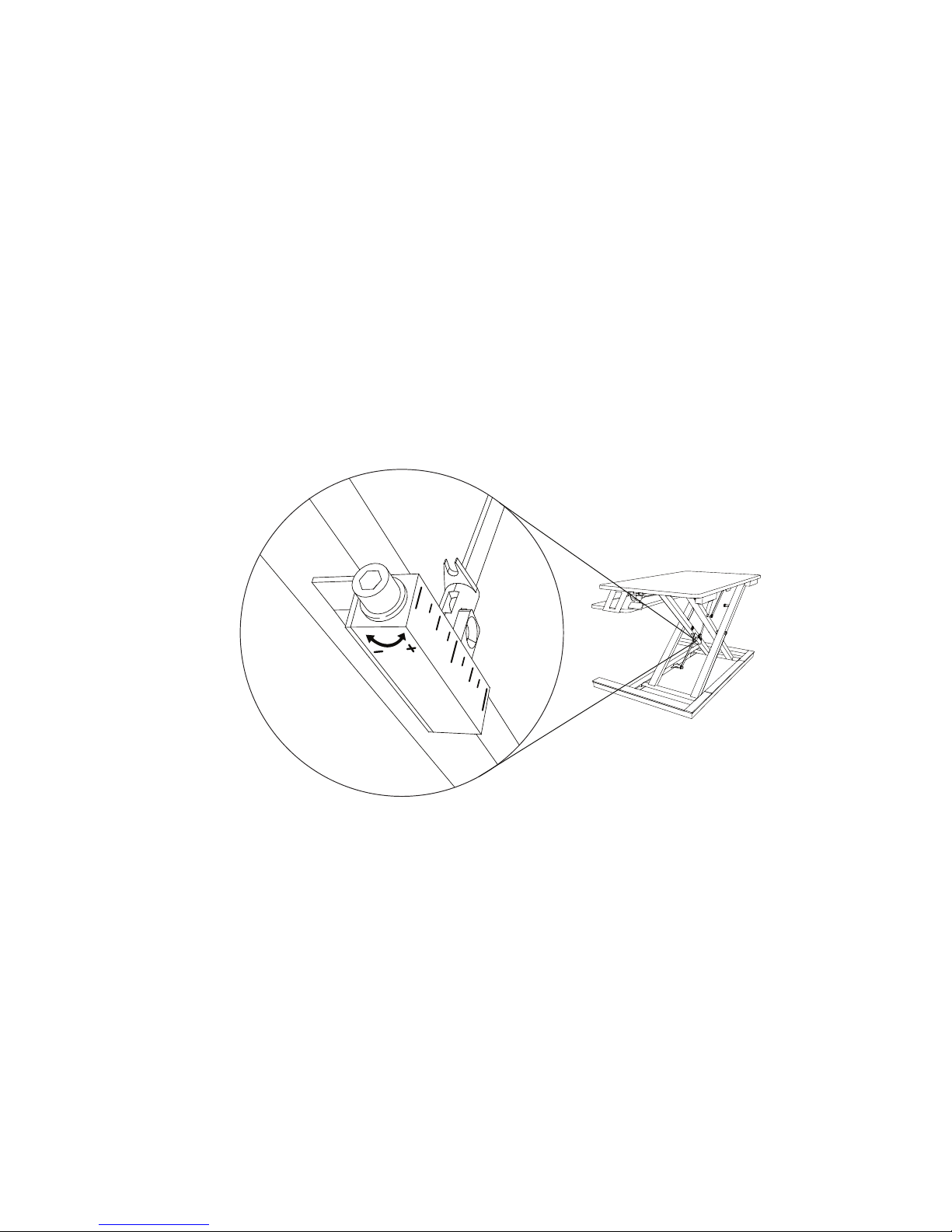
To calibrate tension, first raise Cooper to its maximum height with the release lever on the right side of the work
surface.
If you’re carrying more than 15lbs on Cooper, turn the adjustment screw counterclockwise with the provided
hex wrench to the ( + ) to increase the preload on the gas strut. This will make Cooper easier to raise and lower.
If you’re carrying less than 15lbs on Cooper, turn the adjustment screw clockwise to the ( - ) to lower the amount
of preload on the gas strut until movement becomes easier.
We recommend turning the adjustment screw one full rotation in the required direction, and then testing
Cooper through its full range of motion. If you need more or less tension, raise Cooper back to its maximum
height and try another turn.
Cooper should raise and lower using just one hand in a smooth and controlled manner. If Cooper lowers too
freely, increase the tension one turn and test again.
Cautions and Use
Always be sure Cooper is on a stable and flat surface.
Never exceed the combined weight capacity of
35lbs for the work surface and keyboard tray.
Check the area beneath and around Cooper for
obstructions before raising or lowering.
To avoid spilling liquids, be cautious of raising or
lowering with full beverages on Cooper.
 Loading...