

Page 1
User Manual
DIGITAL MEDIA PLAYER
Models: MP5638 / MP5648
Page 2

Function Overview
Watch me is one Bluetooth watch MP3 player with capacitive touch screen, the user
can use finger to touch the icon and select submenu
1.42 inch 128x128 TFT screen
Flash memory: 4GB
Support auto screen lock function
With pedometer(Measures your steps, calculates distance, calories)
With stopwatch
With clock function(touch clock icon to enter the clock interface)
Support audio format: MP3, WMA,APE, FLAC,WAV
Support Lyrics display
Multi EQ modes and repeat modes
Built-in microphone for long time recording
Support Multi-languages
Bluetooth wireless connection to a Bluetooth speaker or a bluetooth headphone
Pls note:
For screen protection, the user can set up the backlight time in settings
(5s/10s/15s/20s/25s/30s/Always on) , once the device started screen protection, the
device will be auto locked as below image. Then the user needs to press the lock image
and slide to bottom, and it will be unlocked.
Declarations
Welcome to choose our produce, please read this manual carefully.
Functions and performance may change without prior notice.
If any difference between produce and this manual, please visit our website for updated version
www.fandu.gr
Page 3
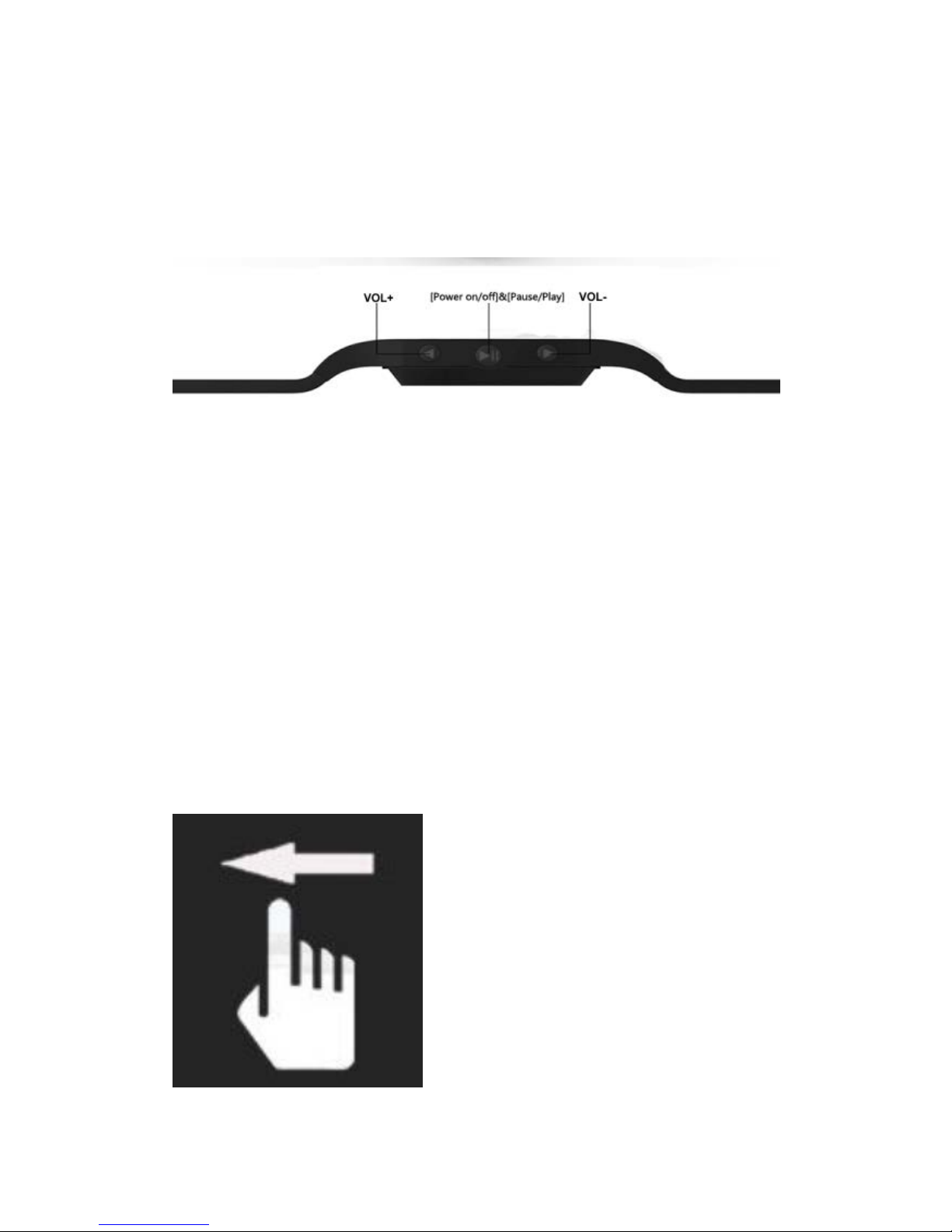
Button Function:
[Power on/off/]&[Pause/ Play]:
Power on:
Hold the POWER button down until the animated picture starts up on the screen.
Power off:
Hold the POWER down until the device is switched off.
[Pause/Play]: press to pause or play while playing music
Volume Adjust: Press VOL+ or VOL- button. Volume adjustment icon will appear on
screen. You can either adjust volume using VOL buttons or usi ng t ouch screen.
[VOL+]: Touch sliding to up
[VOL-]: Touch sliding to down
sign out: Touch sliding to left
get into: Touch sliding to right
Touch Definition
Touch sliding to
Page 4
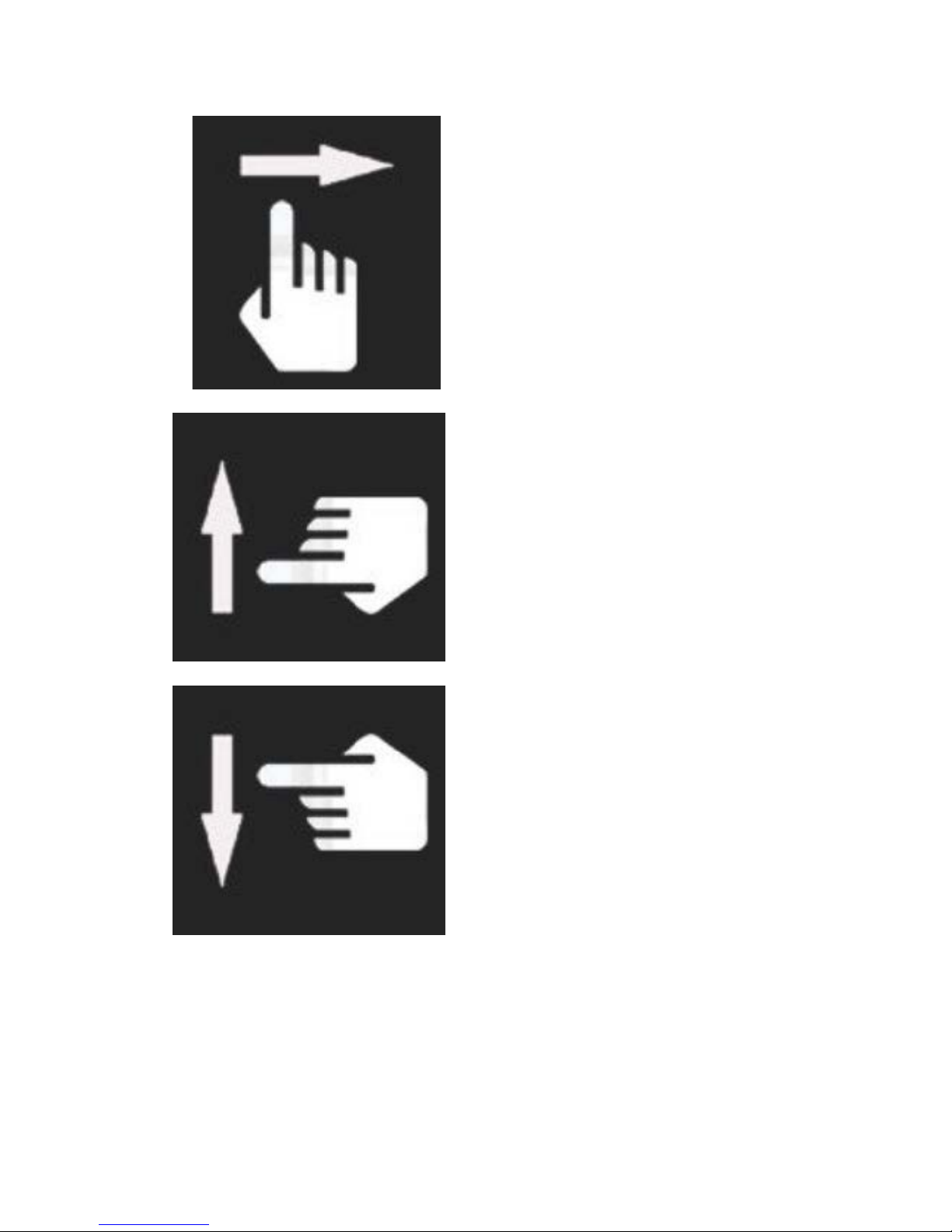
left Touch sliding to right
Touch sliding to up
Touch sliding to down
When the player is turned on,you will see the clock interface,touch or press the keys to enter
Music main menu,there are 8 main menus. Use your finger touch sliding to left or right on the
screen to select from different main menus and touch the menu icon to confirm your choice.
Page 5

Available options:
Music : Select this option to listen to songs.
Recorder : Select this option to record voice by the internal microphone.
Pedometer:Select this option to calculate your steps while you are walking or running.
Time/Clock:Select this option to display the watch time.
Stopwatch:Select this option to calculate the time
Explorer: Select this option to browse through content folders in the memory of your player.
Settings:Select this option to set the system configuration(including time/clock
style/music/record settings/display/power off/language/pedometer/system).
Bluetooth: Select this option to set up the Bluetooth connection function.
Music mode
Select Music icon into music playing interface.
Submenu description:
A. Submenu under playing or pause st at us
Select MUSIC mode in main menu, press”music icon” to confirm selection and then play
the
song.
In music playing or pause interface, touch sliding to left to submenu “music files” to select
which song you want to listen.
The device can support lyr ic w hose name is the same as MP3 file. F or example, music
format’s name is “song. m p3” and LRC file’s name must be “song.I r c” , and t hey should be
also in the same folder.
B. Submenu under stop stat us: ( Under playing status with music, press “play icon” to stop
playing or press Pause/Pl ay button to control.)
Pls note: Touch sliding to right back to previous menu.
Recorder Mode
Press to select and enter into Rec or d mode in main menu, then press”Recorder icon”or
press [Pause/Play] button to start recording.
In the meantime please note:
1.During recording, press the ”Recorder icon”on the inter f ace or pr ess [Pause/Play]
button to stop or
continue recording
2.Touch sliding to right to auto save current recording file and back to previous menu.
3. Ensure sufficient batter y capacity during recording.
Page 6

Pedometer Mode
In the main menu, press“Pedometer icon” to enter pedom eter inter face.
In Pedometer interface, t ouch sliding to left to Submenu, the user can set walk or running
mode and check the recorded h ist or y.
Then touch sliding to right back to pedometer interface and press “Start” to start
pedometer working. The user can listen to music when using the p edometer mode is
working.
Pls note: Touch sliding to right back to previous menu.
Settings Mode
In the main menu, Press“Settings icon” to setting menu
1.Time:Select this option t o set t he time you want.
2.Clock style:Select this option to set which style you w ant t o display.
3.Music:Select this option for set ting the music mode,it includ es Repeat mode,Play
mode,EQ select.
4.Record settings:Select t his option to set the REC Quality.
5.Display:It includes Bright time,Lum and Blight Mode.
6.Power Off:Select this option to set the time of power off.
7.Language:Select this option to chose which language y ou needed.
8.Pedometer:Select this option to set the weight and the st ep size.
9.System:It includes the v er sion of the software and Defau lt s et .
For Above,the user can select the item to change their favorite set t in g.
Bluetooth Mode
Press “Bluetooth icon” to Bluetooth submenu. Ne xt select “Bluetooth status “t o O N, then
press ”Scan” to search devices. It will spend few seconds to search the BT device. Onc e
searching finished, it will show s the available connected Bluet ooth device. Then select
the
Bluetooth device name to connecting. It will show “Bluetooth Connecting OK”.
If the user want to disconnect the Bluetooth device, long press the device name, it will
show “Warning Disconne ct, Yes or No”, press Yes, then it will disconnect the device.”
Or the user can select the “Bluetooth status” to OFF.
Pls note: Watch me can conne ct to Bluetooth headphone or Bluetooth speaker.
Touch sliding to right back to pr evious menu.
Page 7

Notice about recycling
Your product is designed and manufactured with high quality materials and components which can be
recycled and reused.
This symbol means that electrical and electronic equipment, at their end-of-life, should be
disposed of separately from your household waste.
Please dispose of this equipment at your local community waste collection/recycling
centre. In the European Union there are separate collection systems for used electrical and
electronic products. Please help us to conserve the environment we live in!
Declaration of Conformity
Herewith, Amiridis-Savidis S.A. states that product MP5638/MP5648, complies with the requirements
of below directives:
EMC Directive: 2004 / 108 / EC
ErP Directive: 1275/2008/EC
Restriction of Hazardous Substance (RoHS) Directive: 2002/95/EC
R&TTE Directive: 1999/5/EC
The detailed declaration of conformity can be found at
www.fandu.gr
EXCLUSIVE IMPORTER I N GREECE:
Amiridis – Savidis S.A.
87, 17
th
November str. byway – P.C. 55535 – Pylaia, Thessaloniki, Greece.
Tel: +302310944944, Fax: +302310944940
www.amiridis-savvidis.gr
 Loading...