

Page 1
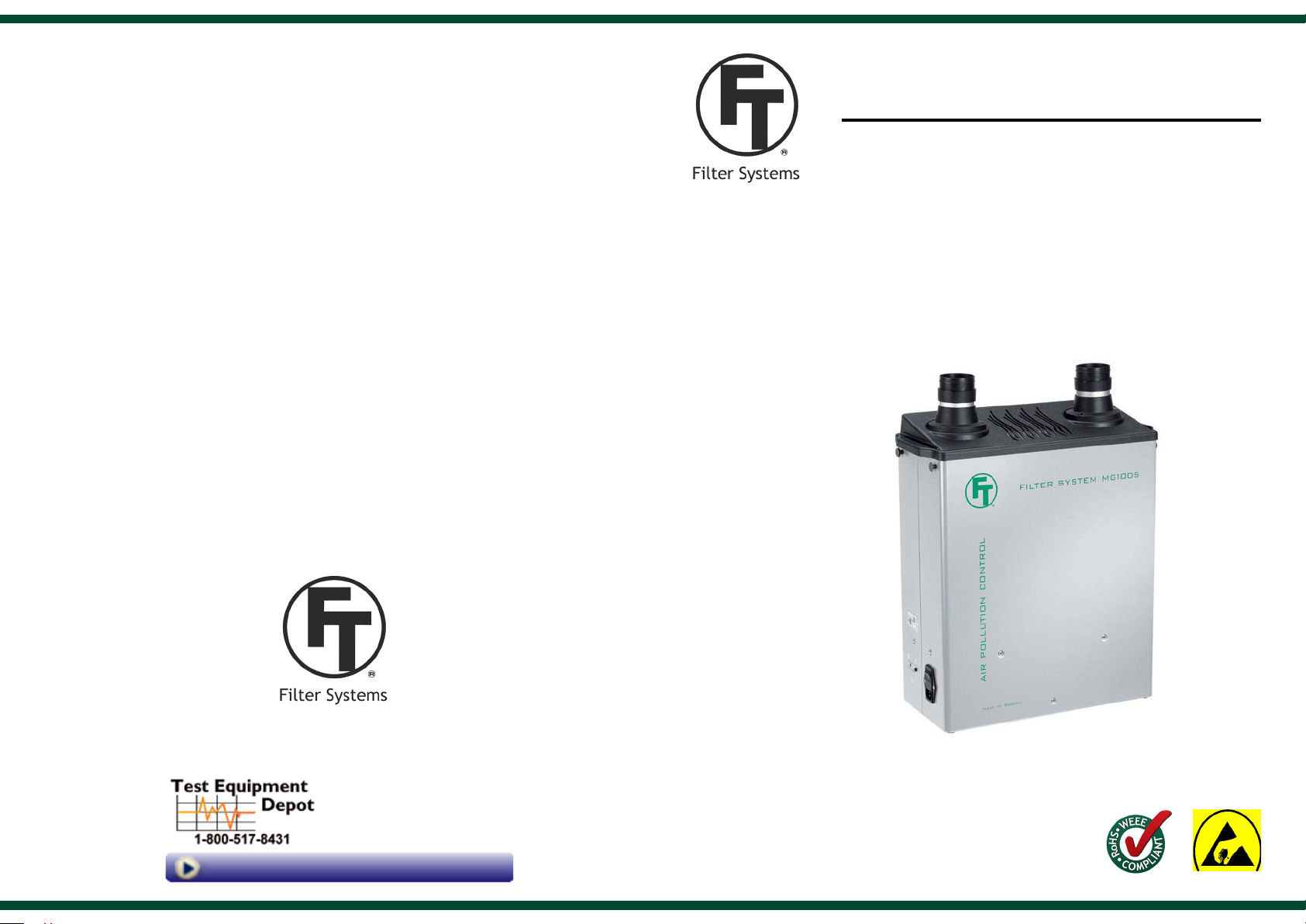
MG100S
Filter system
OPERATING MANUAL
FILTRONIC
99 Washington Street
Melrose, MA 02176
Phone 781-665-1400
Toll Free 1-800-517-8431
Visit us at www.TestEquipmentDepot.com
FOR A BETTER WORKBENCH ENVIRONMENT
Version 10
Page 2
Content
1. Introduction 2
2. Content 2
3. Safety instructions 3
4. Put into operation 3
5. Troubleshooting 4
6. Maintenance and service 5
7. Technical data 6
8. Article number 6
10. Warranty 7
10. Warranty
General conditions according to ORGALIME S 2000.
Filtronic guarantees the product for manufacturing failures for a time period of two (2)
years on lter units and accessories, consumptions not enclosed. The time is measured
from date
Only use genuine Filtronic consumables and spare parts in order to ensure reliable function
and to maintain the unit´s warranty. Repairs must be performed by personnel trained by
Filtronic.
The information given is not binding and does not free the user from his or her responsibility
to check the equipment before using it.
of invoice.
1. Introduction
MG100S is a mobile lter unit for cleaning of both particles and gases. The unit are used for
ltration of process air from soldering, gluing, cleaning, printing processes etcetera.
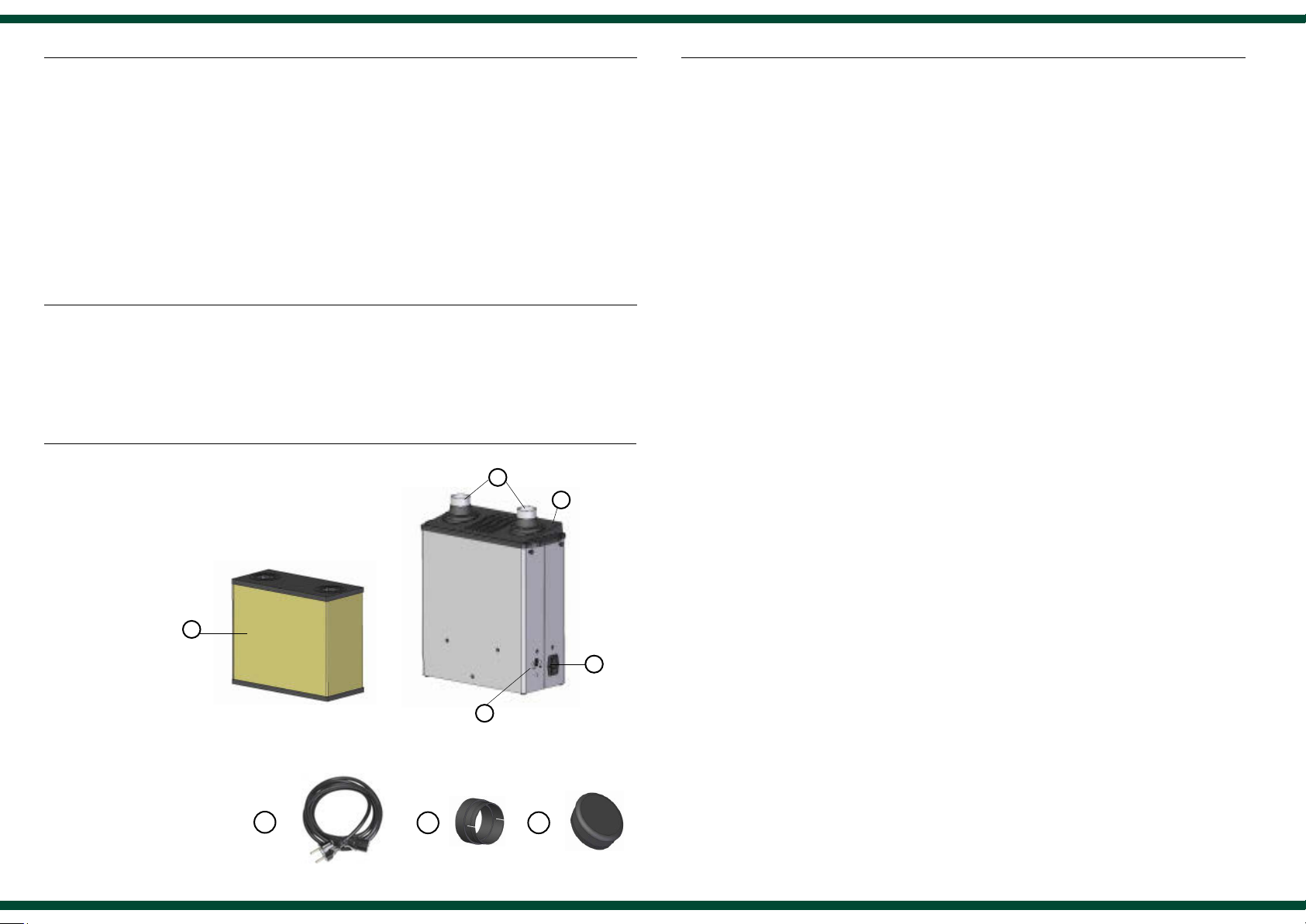
2. Content
1. Hose connection
2. Top
3. Main lter
4. Control panel
5. Power intake wiht fuse and
curcuit breaker
4
1
2
5
4
Filtronic reserves the right to introduce technical changes in the course of product development.
Always contact the supplier before returning a product.
The invoice has to be shown at the time of the complaint.
Connection details:
A. Power cord
B. Quick connection
C. End cap
A
2
B
C
7
Page 3
7. Technical data MG100S
Width x height x depth 460 x 640 x 210 mm
Weight 15 kg
Sound level at 1 meter 52 dB(A)
Voltage 240 V, 50 Hz
Effect 100 watt
Glass tube fuse 2 x 6,3 AT, 250 V
Maximum suction capacity 100 m3/h
Blower capacity 140 m3/h
Micro lter - Separation degree, MPPS >99,95 %
Gas lter - Separation degree >95 %
Filter minitoring system Yes
Warranty (excl. lter) 2 years
ESD approval, SP Dno 230-05-0189
CE-guidelines 73/23, 89/336, 89/392, 91/368,
92/31, 93/44, 93/68
RoHS Yes
8. Article number
Filter system MG100S 100-1000-ESD
3. Safety instructions
The unit must not be exposed to temperatures exceeding 50° C, open ames or condensated
solvents.
Switch off the lter unit when changing lter.
4. Put into operation
The best possible gas ltration will be achieved if:
- Process air temperature in the gas lter < 38 °C
- Relative humidity < 60 %
- Gas molecules > 30 g / mol (ltration better with larger molecules)
- Boiling temperature of gas molecules > 0 °C
NOTE! The unit may dust some from the main lter after transportation.
Make sure the starting of the unit is made in an appropriate room.
Place the lter system on the oor or hang it on the workbench with mounting device, art
no 780-3001-ESD. Connect the power cord and switch the circuit breaker (5).
The suction capacity can be adjusted in three steps by pressing the reset button at the
control panel repeatedly.
Micro/Gas lter, Standard 100-2000-ESD
Micro/Gas lter, MEK 100-2003-ESD
Micro/Gas lter, Ammonia 100-2006-ESD
Micro/Gas lter, Solvents/VOC 100-2012-ESD
Mounting device 780-3001-ESD
Quick-connection hose L=1000 mm 700-3040-ESD
Quick-connection hose L=2000 mm 700-3041-ESD
Remote control with cable 700-3057
36
Page 4
5. Troubleshooting
Do not modify the lter unit. Repairs must be performed by personnel
trained by Filtronic.
- If the lter unit is out of order, please check:
- the electricity supply is connected in a correct way.
- the fuse is whole.
- If alarm sounds when starting and red indicator ashes:
Recommended lter lifetime is exceeded. Indicates exchange of main lter. Restore the
alarm with the reset button on the control panel and plan for lter exchange. See ”Exchange
of main lter” under headline 6 ”Maintenance and service”.
6. Maintenance and service
To guarantee a satisfactory function, clean
the nozzle, extraction arm and connection
hose regularly.
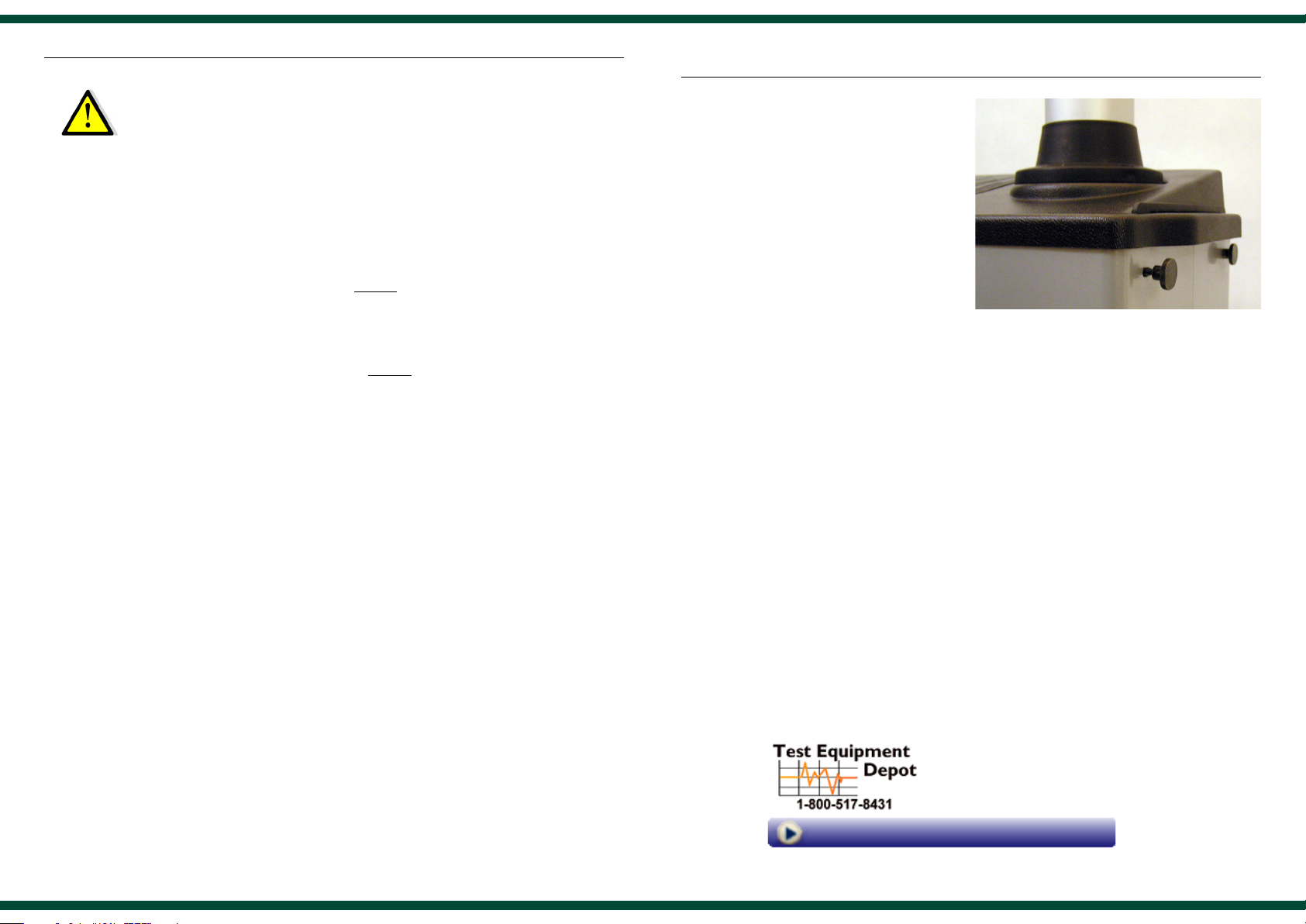
Exchange of main lter:
- Swith off the lter unit (5).
- Loosen the top (2) with the four
knobs on the short sides of the unit.
Lift the top straight up.
- Pull the main lter (3) straight up.
- NOTE! Mark the new lter with the
date of change.
- Assemble the new lter. Make sure
that the inlet to the fan ts to the
connection in the bottom of the lter.
- Put the top (2) back.
- If alarm sounds when starting and red indicator is lighted:
Suction capacity is low. Restore the alarm with the reset button on the control panel and switch
off the lter unit. Check nozzles and tubes, clean if necessary. If the alarm comes back when star ting,
the lter is used and must be changed. See ”Exchange of main lter” under headline 6 ”Maintenance
and service”. If no action is taken, the lter unit stops after ve minutes to protect from overheating.
The main lter should be changed at least once a year to guarantee the separation degree
on gases.
When changing the main lter, the lter time is set
to zero by keeping the reset button pressed and
turning the switch on at the same time.
NOTE! The reset button must be pressed until
the red light-emitting diode acknowledge the
order.
99 Washington Street
Melrose, MA 02176
Phone 781-665-1400
Toll Free 1-800-517-8431
Visit us at www.TestEquipmentDepot.com
4
5
 Loading...