

Page 1
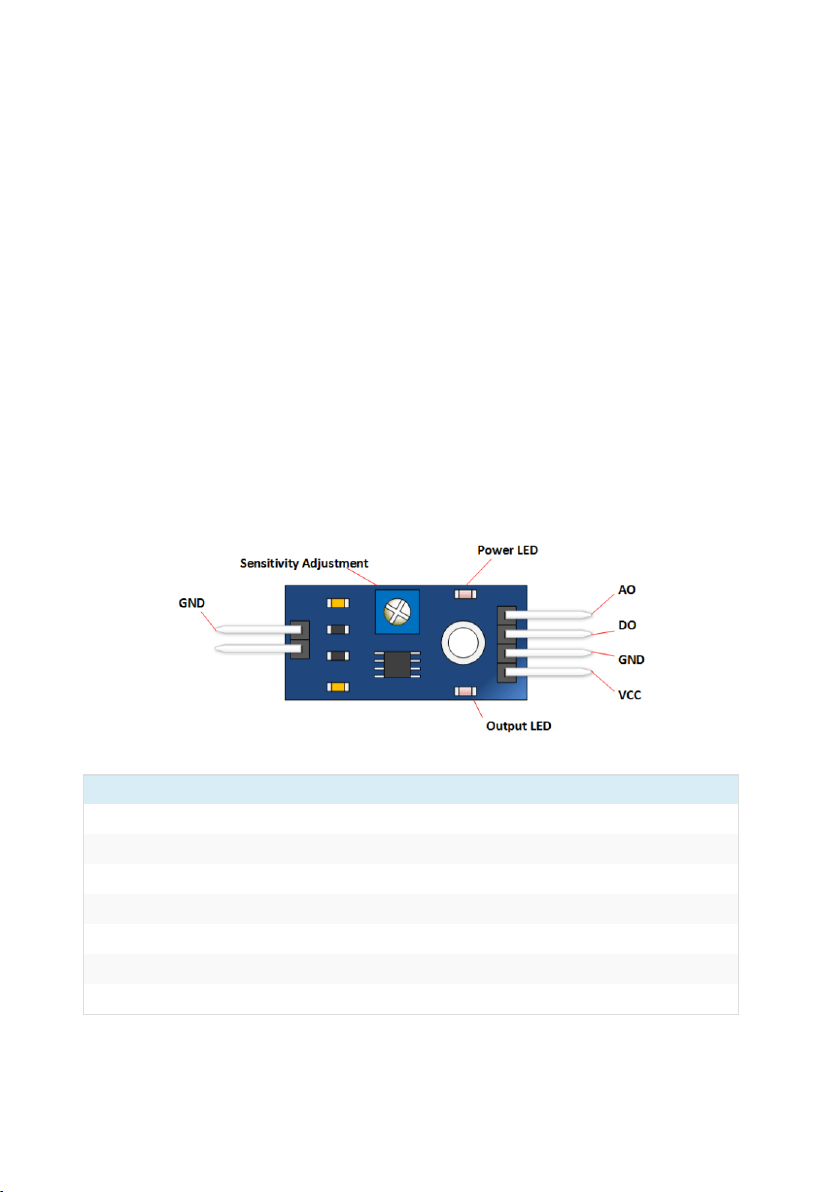
Rain Sensor Module
Pin
Description
VCC
+5 Volts Power Source
GND
Ground or negative power source
DO
Digital Output. Goes low when moisture exceeds set threshold.
A0
Analog Output - Zero to five volts. The lower the voltage, the
Power LED
Indicates that power is applied
Output LED
Illuminates when moisture has exceeded threshold set by
Sensitivity
Clockwise is more sensitive. Counterclockwise is less sensitive.
This module allows you measure moisture via analog input pins and it
provides a digital output when a threshold of moisture is exceeded.
It includes the electronics module and a printed circuit board that
“collects” the rain drops. As rain drops are collected on the circuit
board, they create paths of parallel resistance that are measured via the
op amp.
The lower the resistance (more water), the lower the voltage output.
Conversely, the less water, the greater the output voltage. A completely
dry board will output 5V.
Rain Sensor Module Pin Outs
Page 2
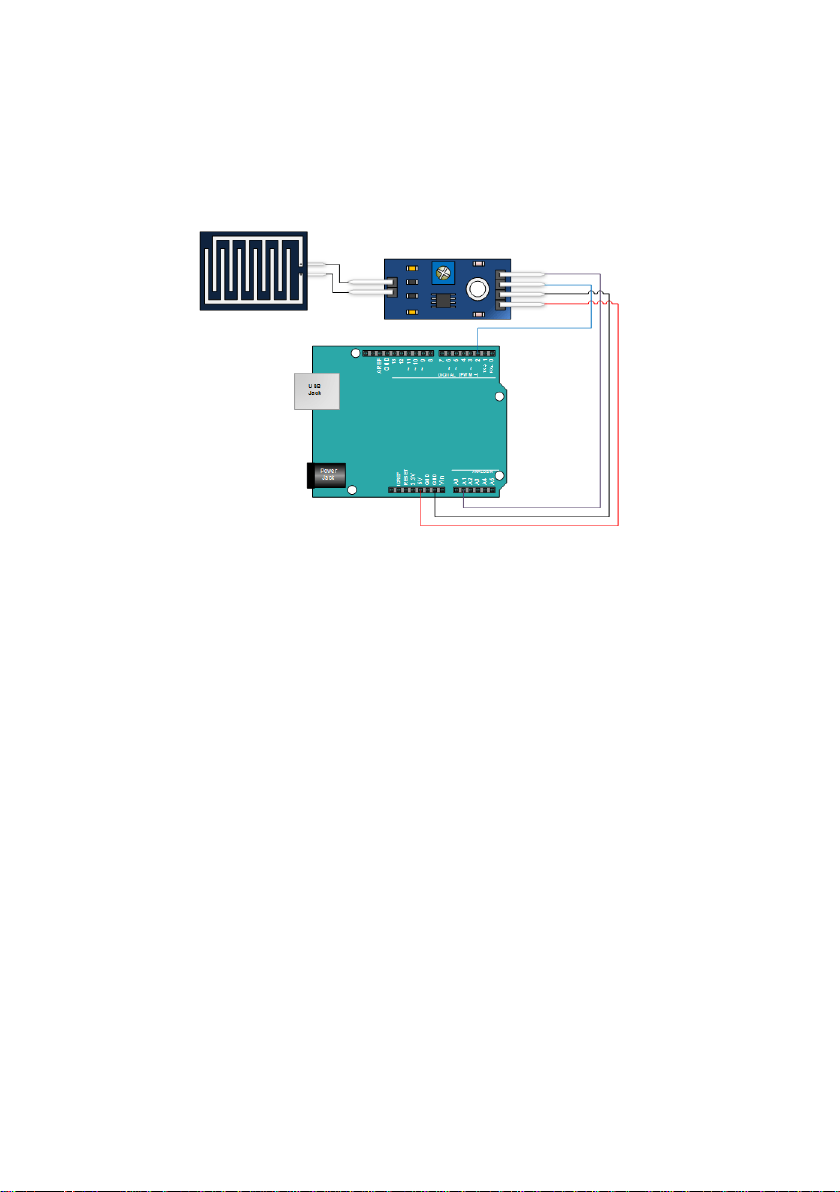
Connecting the Module to the Arduino
Connecting the module up is pretty straight forward. See the picture
below.
Rain Sensor Module Arduino Sketch
The sketch below does a couple of things:
1. It monitors the digital output from the module and makes the decision
that it is raining if the digital output goes low.
2. It measures the analog output and provides moisture level, where 1023
is high and where 0 is very wet.
Copy and paste the sketch below and upload it into your Arduino.
Page 3

int nRainIn = A1;
int nRainDigitalIn = 2;
int nRainVal;
boolean bIsRaining = false;
String strRaining;
void setup() {
Serial.begin(9600);
pinMode(2,INPUT);
}
void loop() {
nRainVal = analogRead(nRainIn);
bIsRaining = !(digitalRead(nRainDigitalIn));
if(bIsRaining){
strRaining = "YES";
}
else{
strRaining = "NO";
}
Serial.print("Raining?: ");
Serial.print(strRaining);
Serial.print("\t Moisture Level: ");
Serial.println(nRainVal);
delay(200);
}
Running the Sketch
The sketch will begin immediately uploading. Open your serial monitor
and view the results. Put a little water (a sponge works well) onto the
sensor and see the moisture level decrease.
If you get the board wet enough, the serial monitor should indicate that
it’s raining. If not, try turning the sensitivity adjustment clockwise.
 Loading...